cruise control FORD EXPEDITION 2019 Owners Manual
[x] Cancel search | Manufacturer: FORD, Model Year: 2019, Model line: EXPEDITION, Model: FORD EXPEDITION 2019Pages: 583, PDF Size: 6.71 MB
Page 5 of 583
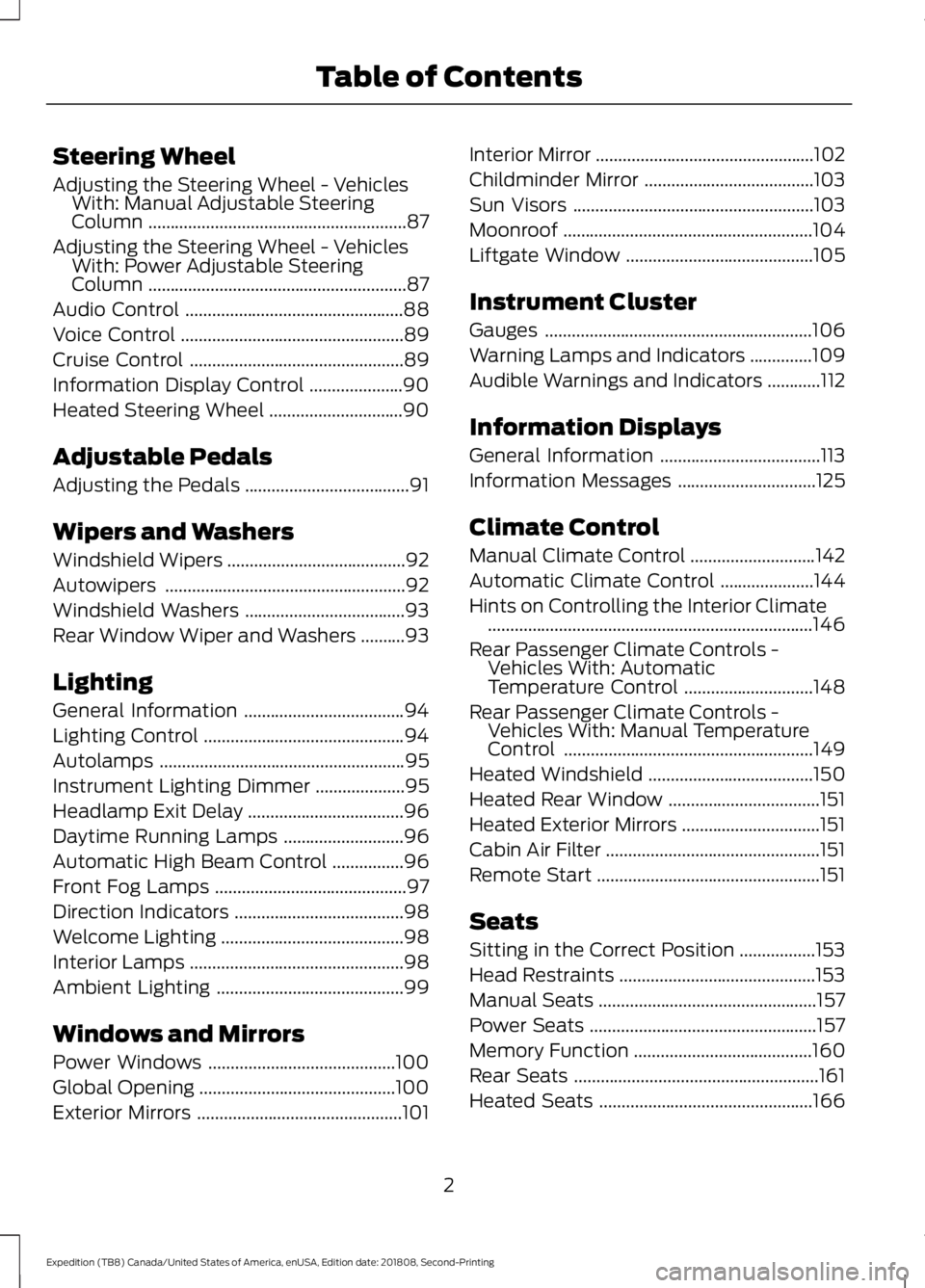
Steering Wheel
Adjusting the Steering Wheel - Vehicles
With: Manual Adjustable Steering
Column ..........................................................87
Adjusting the Steering Wheel - Vehicles With: Power Adjustable Steering
Column ..........................................................
87
Audio Control .................................................
88
Voice Control ..................................................
89
Cruise Control ................................................
89
Information Display Control .....................
90
Heated Steering Wheel ..............................
90
Adjustable Pedals
Adjusting the Pedals .....................................
91
Wipers and Washers
Windshield Wipers ........................................
92
Autowipers ......................................................
92
Windshield Washers ....................................
93
Rear Window Wiper and Washers ..........
93
Lighting
General Information ....................................
94
Lighting Control .............................................
94
Autolamps .......................................................
95
Instrument Lighting Dimmer ....................
95
Headlamp Exit Delay ...................................
96
Daytime Running Lamps ...........................
96
Automatic High Beam Control ................
96
Front Fog Lamps ...........................................
97
Direction Indicators ......................................
98
Welcome Lighting .........................................
98
Interior Lamps ................................................
98
Ambient Lighting ..........................................
99
Windows and Mirrors
Power Windows ..........................................
100
Global Opening ............................................
100
Exterior Mirrors ..............................................
101Interior Mirror
.................................................
102
Childminder Mirror ......................................
103
Sun Visors ......................................................
103
Moonroof ........................................................
104
Liftgate Window ..........................................
105
Instrument Cluster
Gauges ............................................................
106
Warning Lamps and Indicators ..............
109
Audible Warnings and Indicators ............
112
Information Displays
General Information ....................................
113
Information Messages ...............................
125
Climate Control
Manual Climate Control ............................
142
Automatic Climate Control .....................
144
Hints on Controlling the Interior Climate ........................................................................\
.
146
Rear Passenger Climate Controls - Vehicles With: Automatic
Temperature Control .............................
148
Rear Passenger Climate Controls - Vehicles With: Manual Temperature
Control ........................................................
149
Heated Windshield .....................................
150
Heated Rear Window ..................................
151
Heated Exterior Mirrors ...............................
151
Cabin Air Filter ................................................
151
Remote Start ..................................................
151
Seats
Sitting in the Correct Position .................
153
Head Restraints ............................................
153
Manual Seats .................................................
157
Power Seats ...................................................
157
Memory Function ........................................
160
Rear Seats .......................................................
161
Heated Seats ................................................
166
2
Expedition (TB8) Canada/United States of America, enUSA, Edition date: 201808, Second-Printing Table of Contents
Page 6 of 583
Climate Controlled Seats
.........................167
Garage Door Opener
Universal Garage Door Opener ..............
170
Auxiliary Power Points
Auxiliary Power Points ...............................
174
Wireless Accessory Charging ..................
175
Storage Compartments
Center Console .............................................
178
Overhead Console .......................................
178
Starting and Stopping the Engine
General Information ...................................
179
Ignition Switch ..............................................
179
Keyless Starting ...........................................
180
Starting a Gasoline Engine ......................
180
Engine Block Heater ...................................
183
Unique Driving Characteristics
Auto-Start-Stop ..........................................
185
Fuel and Refueling
Safety Precautions .....................................
188
Fuel Quality ...................................................
188
Fuel Filler Funnel Location ......................
189
Running Out of Fuel ...................................
189
Refueling ..........................................................
191
Fuel Consumption .......................................
193
Engine Emission Control
Emission Law ................................................
195
Catalytic Converter .....................................
196
Transmission
Automatic Transmission ..........................
199Four-Wheel Drive
Using Four-Wheel Drive
..........................
206
Rear Axle
Limited Slip Differential ............................
214
Brakes
General Information ...................................
215
Hints on Driving With Anti-Lock Brakes ........................................................................\
.
215
Electric Parking Brake ................................
216
Hill Start Assist ..............................................
217
Traction Control
Principle of Operation ................................
219
Using Traction Control ...............................
219
Stability Control
Principle of Operation ...............................
220
Using Stability Control ...............................
221
Hill Descent Control
Principle of Operation ...............................
223
Using Hill Descent Control ......................
223
Parking Aids
Principle of Operation ...............................
225
Rear Parking Aid ..........................................
226
Front Parking Aid ........................................
226
Side Sensing System .................................
227
Active Park Assist .......................................
229
Rear View Camera ......................................
235
360 Degree Camera ..................................
238
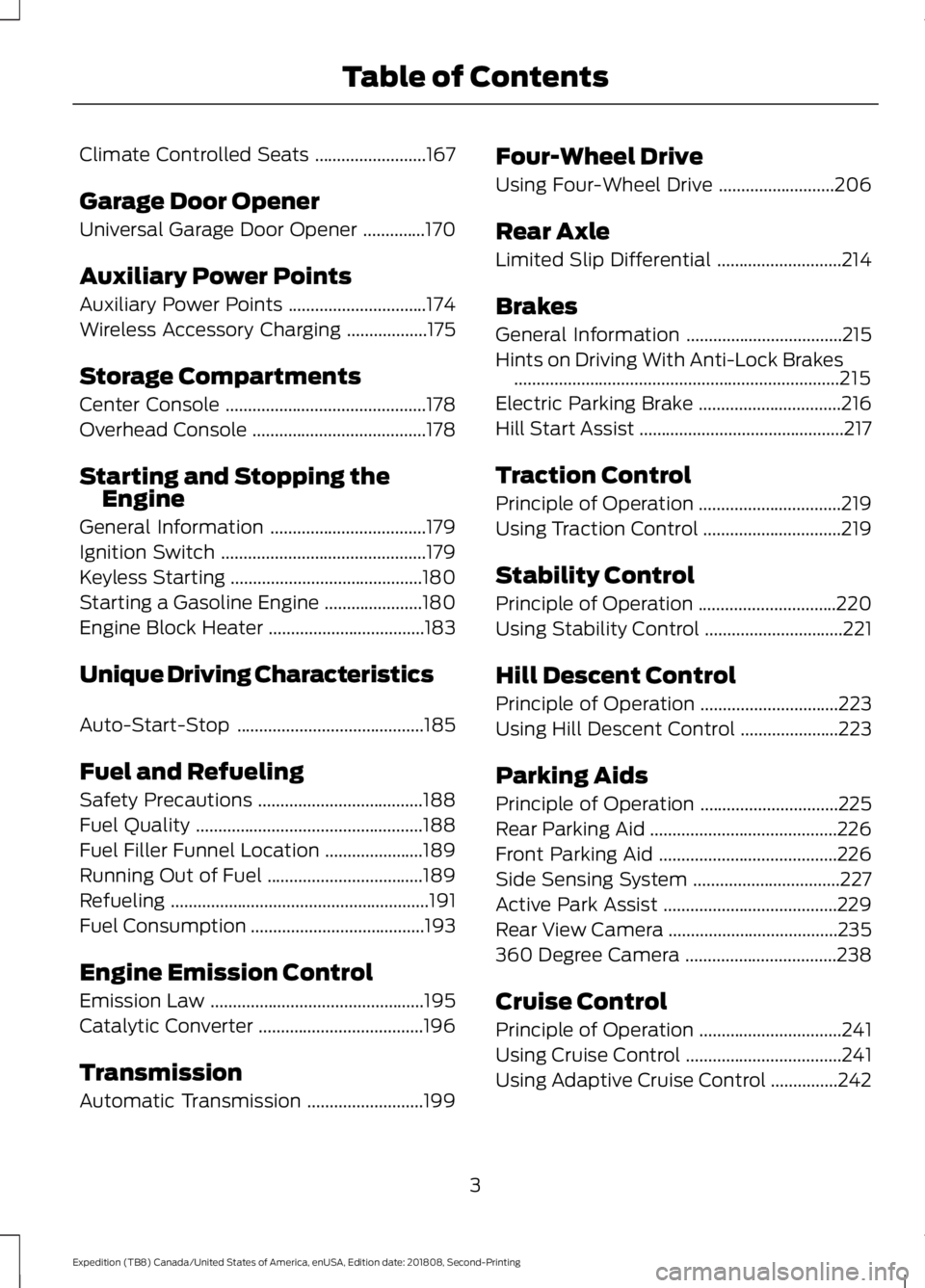
Cruise Control
Principle of Operation ................................
241
Using Cruise Control ...................................
241
Using Adaptive Cruise Control ...............
242
3
Expedition (TB8) Canada/United States of America, enUSA, Edition date: 201808, Second-Printing Table of Contents
Page 11 of 583
Brake system
Cabin air filter
Check fuel cap
Child safety door lock or unlock
Child seat lower anchor
Child seat tether anchor
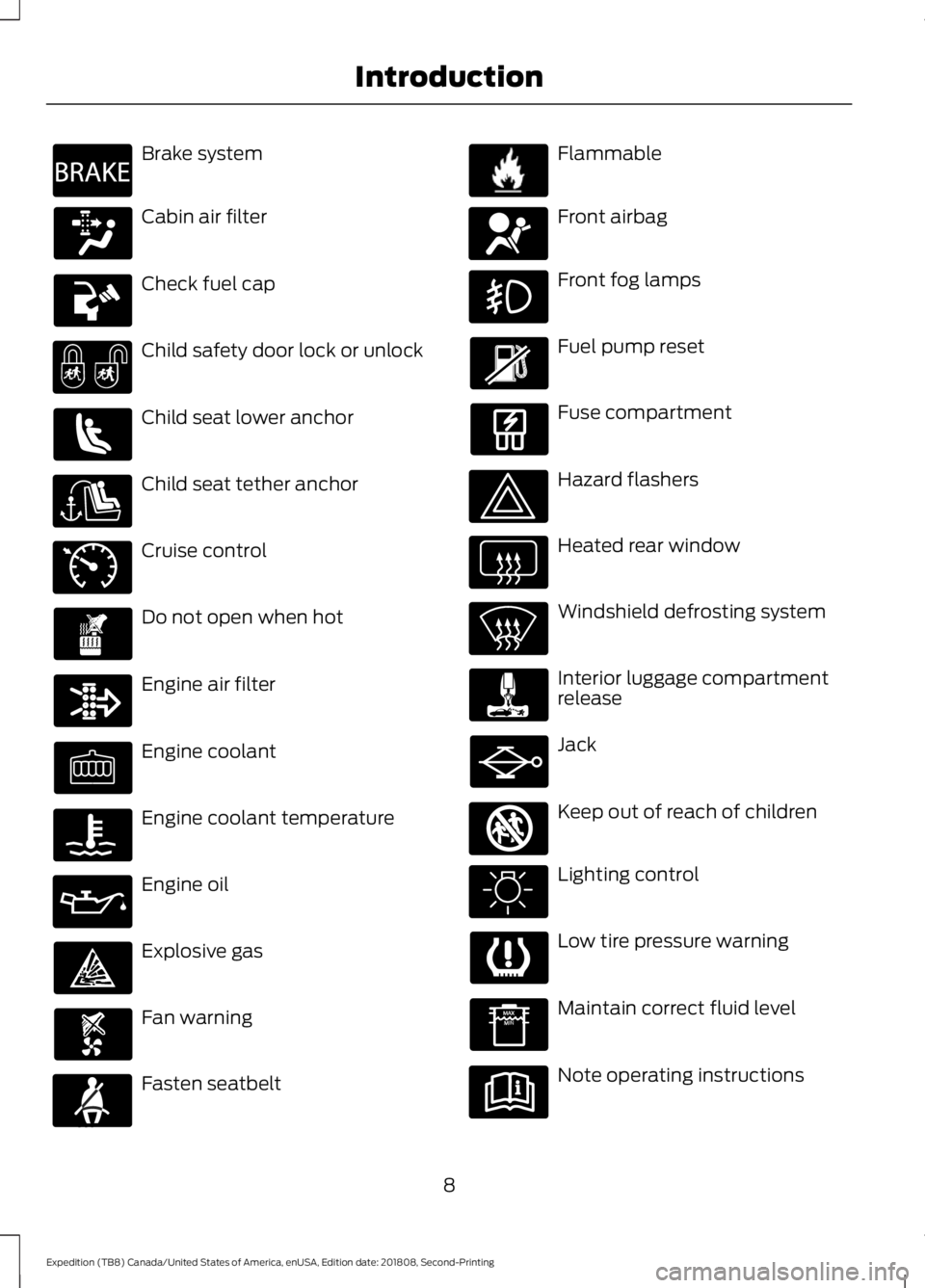
Cruise control
Do not open when hot
Engine air filter
Engine coolant
Engine coolant temperature
Engine oil
Explosive gas
Fan warning
Fasten seatbelt Flammable
Front airbag
Front fog lamps
Fuel pump reset
Fuse compartment
Hazard flashers
Heated rear window
Windshield defrosting system
Interior luggage compartment
release
Jack
Keep out of reach of children
Lighting control
Low tire pressure warning
Maintain correct fluid level
Note operating instructions
8
Expedition (TB8) Canada/United States of America, enUSA, Edition date: 201808, Second-Printing IntroductionE270480 E71340 E71880 E231160 E67017 E161353
Page 22 of 583
Horn.
M
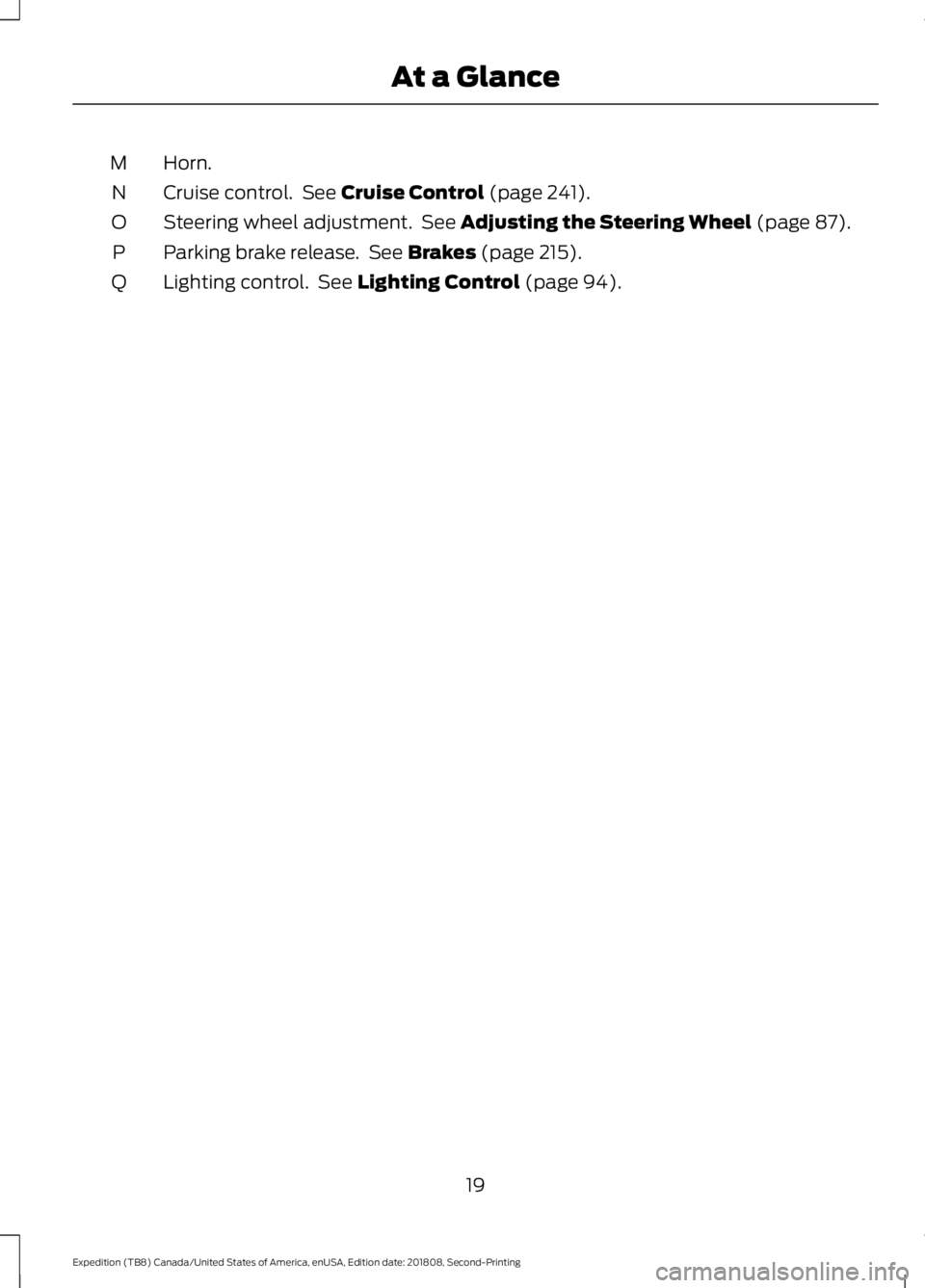
Cruise control. See Cruise Control (page 241).
N
Steering wheel adjustment. See
Adjusting the Steering Wheel (page 87).
O
Parking brake release. See
Brakes (page 215).
P
Lighting control. See
Lighting Control (page 94).
Q
19
Expedition (TB8) Canada/United States of America, enUSA, Edition date: 201808, Second-Printing At a Glance
Page 92 of 583
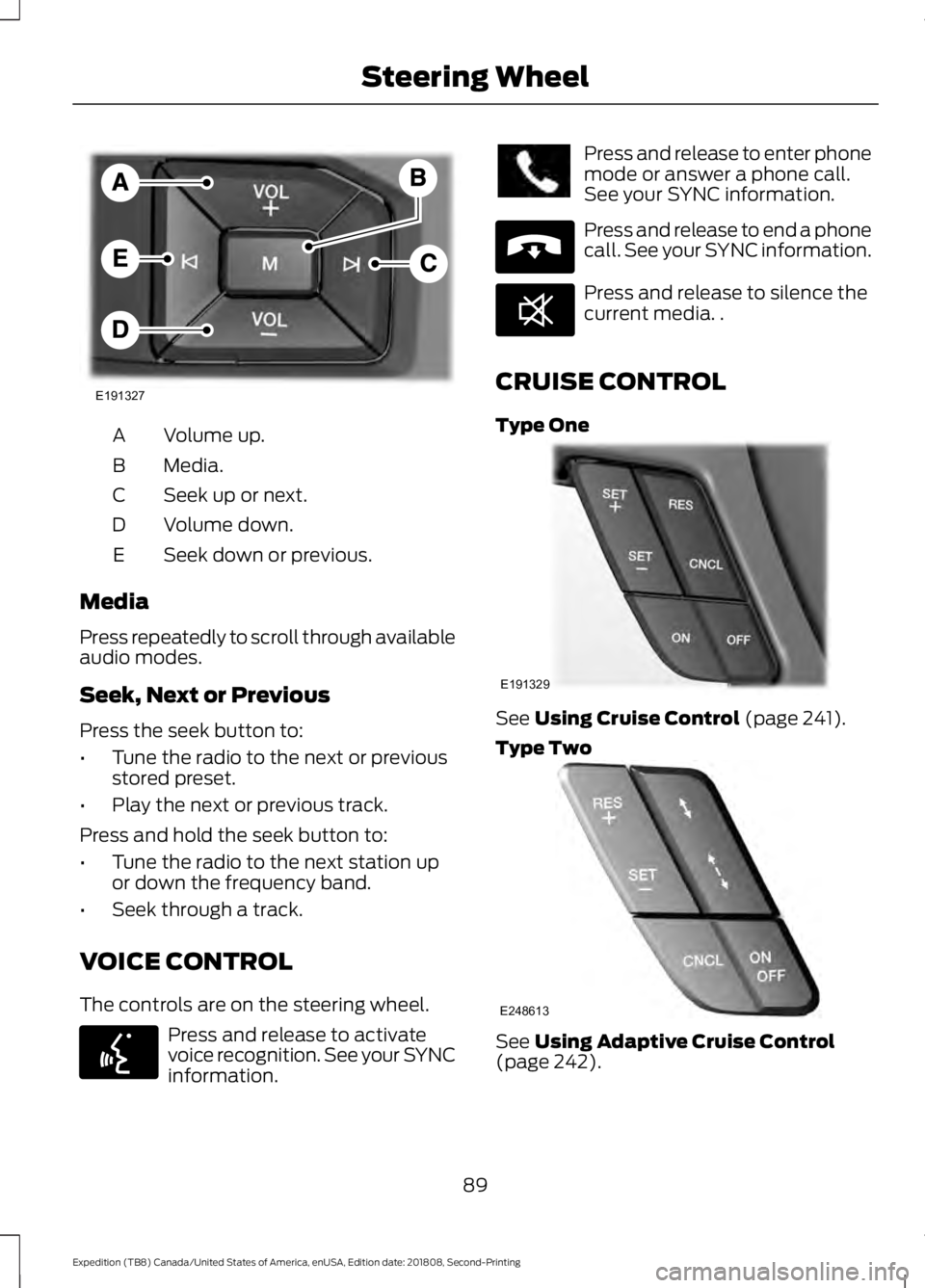
Volume up.
A
Media.
B
Seek up or next.
C
Volume down.
D
Seek down or previous.
E
Media
Press repeatedly to scroll through available
audio modes.
Seek, Next or Previous
Press the seek button to:
• Tune the radio to the next or previous
stored preset.
• Play the next or previous track.
Press and hold the seek button to:
• Tune the radio to the next station up
or down the frequency band.
• Seek through a track.
VOICE CONTROL
The controls are on the steering wheel. Press and release to activate
voice recognition. See your SYNC
information. Press and release to enter phone
mode or answer a phone call.
See your SYNC information.
Press and release to end a phone
call. See your SYNC information.
Press and release to silence the
current media. .
CRUISE CONTROL
Type One See Using Cruise Control (page 241).
Type Two See
Using Adaptive Cruise Control
(page 242).
89
Expedition (TB8) Canada/United States of America, enUSA, Edition date: 201808, Second-Printing Steering WheelE191327 E142599 E265040 E268549 E191329 E248613
Page 112 of 583
WARNING LAMPS AND
INDICATORS
The following warning lamps and
indicators alert you to a vehicle condition
that may become serious. Some lamps
illuminate when you start your vehicle to
make sure they work. If any lamps remain
on after starting your vehicle, refer to the
respective system warning lamp for further
information.
Note:
Some warning indicators appear in
the information display and operate the
same as a warning lamp but do not
illuminate when you start your vehicle.
Adaptive Cruise Control Indicator
(If Equipped) It illuminates when you switch
the system on.
It illuminates white when the
system is in standby mode. It illuminates
green when you set the adaptive cruise
speed.
See Using Adaptive Cruise Control
(page 242).
Airbag Warning Lamp If it does not illuminate when you
switch the ignition on, continues
to flash or remains on when the
engine is running, this indicates a
malfunction. Have your vehicle checked
as soon as possible.
Anti-Lock Brake System Warning
Lamp If it illuminates when you are
driving, this indicates a
malfunction. Your vehicle
continues to have normal braking without
the anti-lock brake system function. Have
your vehicle checked as soon as possible. Automatic Headlamp High Beam
Indicator
(If Equipped) It illuminates when the system
automatically turns the
headlamp high beam on.
Auto-Start-Stop Indicator (If Equipped) It illuminates when the engine
has automatically stopped. It
flashes to inform you when the
engine needs to restart. The
indicator is shown with a
strikethrough if the system is not
available.
See
Auto-Start-Stop (page 185).
Battery If it illuminates while driving, it
indicates a malfunction. Switch
off all unnecessary electrical
equipment and have the system checked
by your authorized dealer immediately.
Blind Spot Information System
Indicator
(If Equipped) It illuminates when you switch
the system off.
See
Blind Spot Information
System (page 254).
Brake System Warning Lamp WARNING:
Driving your vehicle
with the warning lamp on is dangerous.
A significant decrease in braking
performance may occur. It may take you
longer to stop your vehicle. Have your
vehicle checked as soon as possible.
Driving extended distances with the
parking brake engaged can cause brake
failure and the risk of personal injury.
109
Expedition (TB8) Canada/United States of America, enUSA, Edition date: 201808, Second-Printing Instrument ClusterE144524 E67017 E146361 E151262
Page 113 of 583
It illuminates when you engage
the parking brake and the
ignition is on.
If it illuminates when your vehicle is
moving, make sure the parking brake is
disengaged. If the parking brake is
disengaged, this indicates low brake fluid
level or a brake system fault. Have your
vehicle checked as soon as possible.
Check Fuel Cap (If Equipped) Illuminates when the fuel cap
may not be properly installed.
Continued driving with this light
on may cause the service engine soon
warning indicator to come on.
Cruise Control Indicator
(If Equipped) It illuminates when you switch
the system on.
See
Using Cruise Control
(page 241).
Direction Indicator Illuminates when you switch on
the left or right direction
indicator or the hazard flashers.
Flashes during operation. An increase in
the rate of flashing warns of a failed
indicator bulb.
Door Ajar Warning Lamp Displays when the ignition is on
and any door is not completely
closed.
Electric Park Brake Illuminates or flashes when the
electric parking brake has a
malfunction. See
Electric
Parking Brake (page 216). Electronic Limited Slip Differential
(If Equipped) Illuminates when using the
electronic limited slip
differential.
Engine Coolant Temperature
Warning Lamp If it illuminates when your vehicle
is moving, this indicates that the
engine is overheating. Stop your
vehicle as soon as it is safe to do so and
switch the engine off. Have your vehicle
checked as soon as possible.
Fasten Seatbelt Warning Lamp It illuminates and a chime
sounds until you fasten the
seatbelts.
Four-Wheel Drive Indicators
(If
Equipped)
Note: Some indicators will appear different
depending on vehicle options. Illuminates momentarily when
you select two-wheel drive high.
Illuminates when the automatic
four-wheel drive system is
engaged.
Illuminates when four-wheel
drive low is engaged.
Illuminates when four-wheel
drive high is engaged.
Front Fog Lamp Indicator It illuminates when you switch
the front fog lamps on.
110
Expedition (TB8) Canada/United States of America, enUSA, Edition date: 201808, Second-Printing Instrument ClusterE138644 E71340 E146190 E163170 E71880 E181778 E181781 E181780 E181779
Page 127 of 583
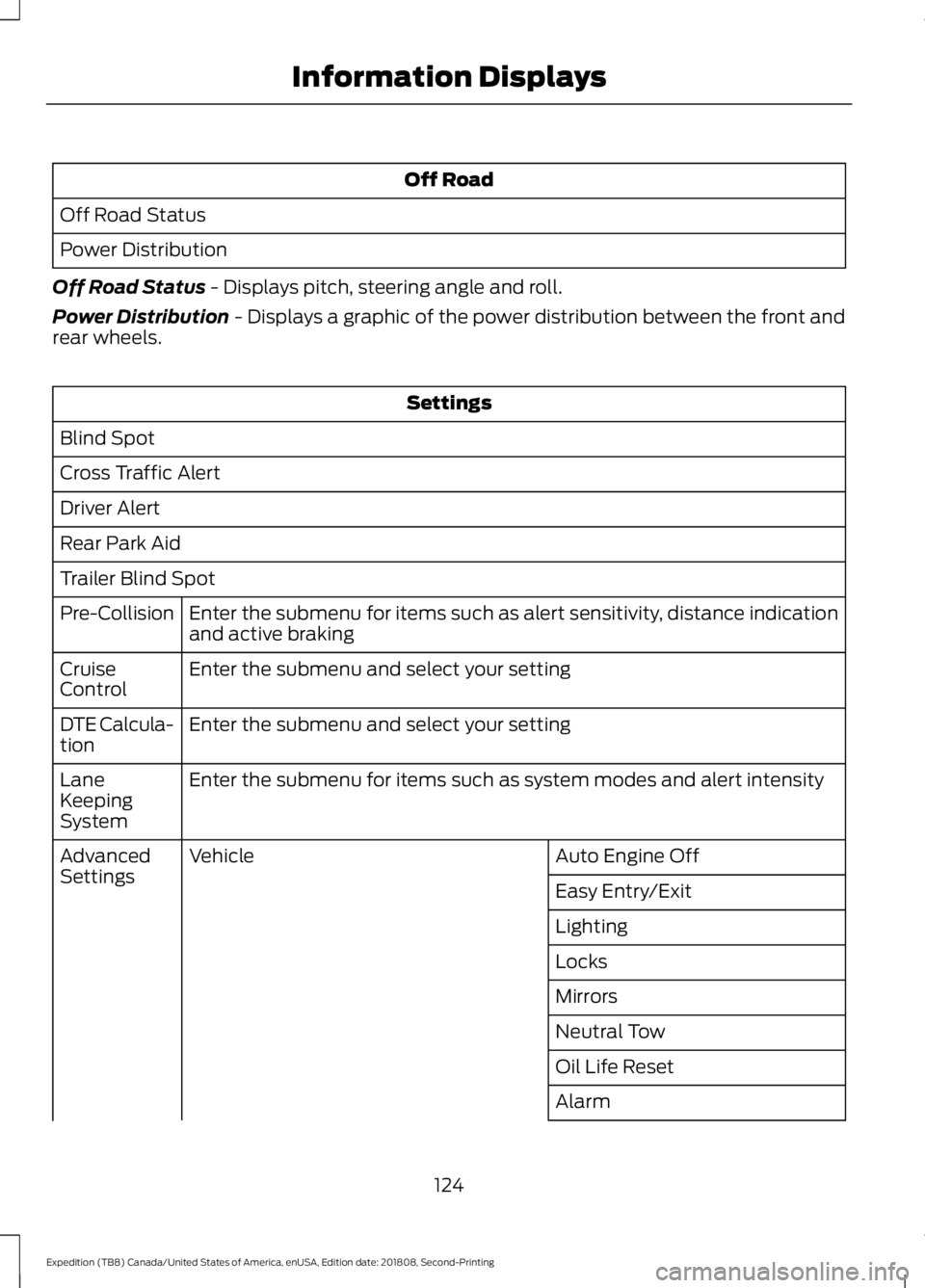
Off Road
Off Road Status
Power Distribution
Off Road Status - Displays pitch, steering angle and roll.
Power Distribution
- Displays a graphic of the power distribution between the front and
rear wheels. Settings
Blind Spot
Cross Traffic Alert
Driver Alert
Rear Park Aid
Trailer Blind Spot Enter the submenu for items such as alert sensitivity, distance indication
and active braking
Pre-Collision
Enter the submenu and select your setting
Cruise
Control
Enter the submenu and select your setting
DTE Calcula-
tion
Enter the submenu for items such as system modes and alert intensity
Lane
Keeping
System
Auto Engine Off
Vehicle
Advanced
Settings
Easy Entry/Exit
Lighting
Locks
Mirrors
Neutral Tow
Oil Life Reset
Alarm
124
Expedition (TB8) Canada/United States of America, enUSA, Edition date: 201808, Second-Printing Information Displays
Page 129 of 583
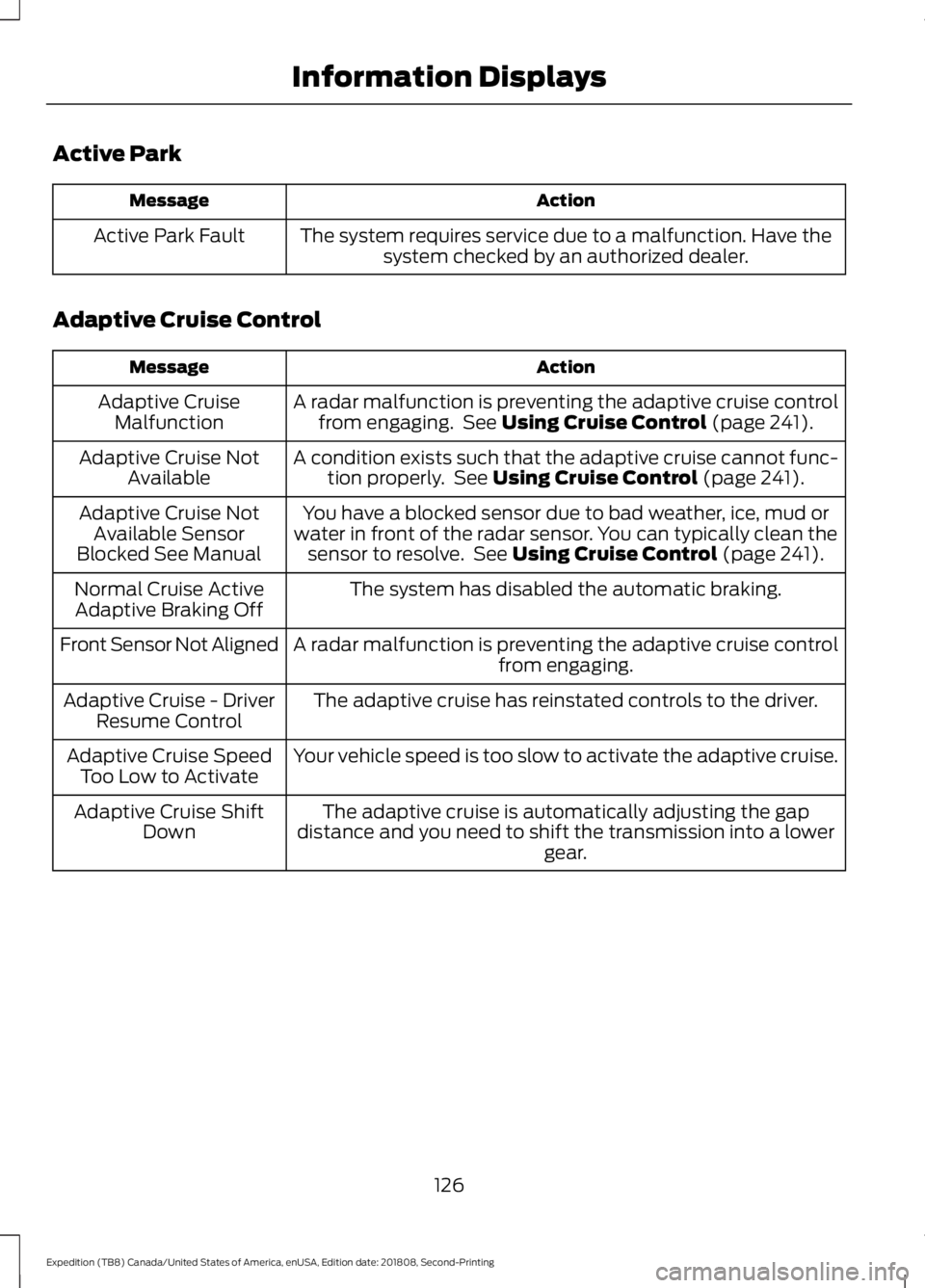
Active Park
Action
Message
The system requires service due to a malfunction. Have thesystem checked by an authorized dealer.
Active Park Fault
Adaptive Cruise Control Action
Message
A radar malfunction is preventing the adaptive cruise controlfrom engaging. See Using Cruise Control (page 241).
Adaptive Cruise
Malfunction
A condition exists such that the adaptive cruise cannot func-tion properly. See
Using Cruise Control (page 241).
Adaptive Cruise Not
Available
You have a blocked sensor due to bad weather, ice, mud or
water in front of the radar sensor. You can typically clean the sensor to resolve. See
Using Cruise Control (page 241).
Adaptive Cruise Not
Available Sensor
Blocked See Manual
The system has disabled the automatic braking.
Normal Cruise Active
Adaptive Braking Off
A radar malfunction is preventing the adaptive cruise controlfrom engaging.
Front Sensor Not Aligned
The adaptive cruise has reinstated controls to the driver.
Adaptive Cruise - Driver
Resume Control
Your vehicle speed is too slow to activate the adaptive cruise.
Adaptive Cruise Speed
Too Low to Activate
The adaptive cruise is automatically adjusting the gap
distance and you need to shift the transmission into a lower gear.
Adaptive Cruise Shift
Down
126
Expedition (TB8) Canada/United States of America, enUSA, Edition date: 201808, Second-Printing Information Displays
Page 244 of 583
PRINCIPLE OF OPERATION
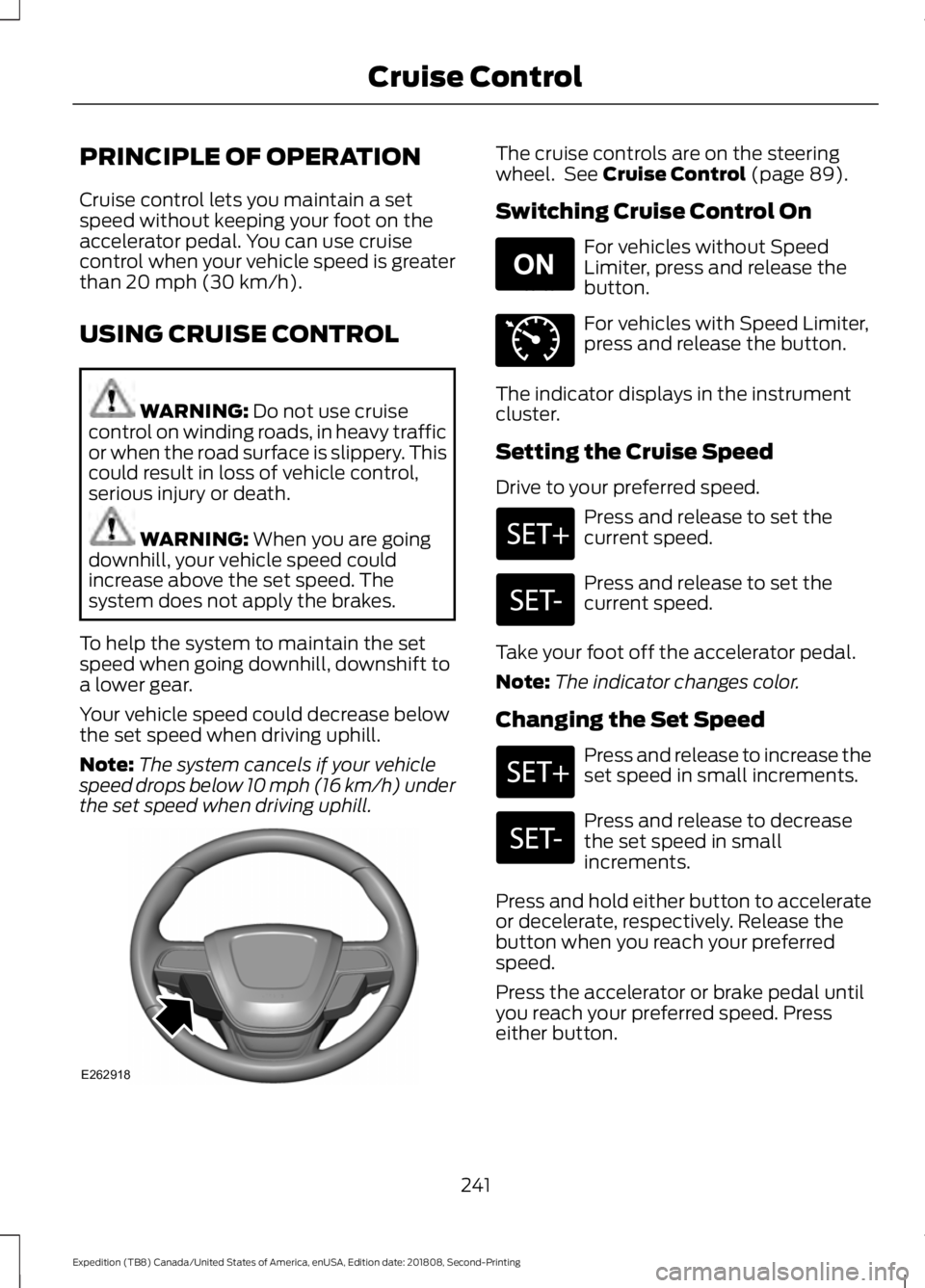
Cruise control lets you maintain a set
speed without keeping your foot on the
accelerator pedal. You can use cruise
control when your vehicle speed is greater
than 20 mph (30 km/h).
USING CRUISE CONTROL WARNING:
Do not use cruise
control on winding roads, in heavy traffic
or when the road surface is slippery. This
could result in loss of vehicle control,
serious injury or death. WARNING:
When you are going
downhill, your vehicle speed could
increase above the set speed. The
system does not apply the brakes.
To help the system to maintain the set
speed when going downhill, downshift to
a lower gear.
Your vehicle speed could decrease below
the set speed when driving uphill.
Note: The system cancels if your vehicle
speed drops below 10 mph (16 km/h) under
the set speed when driving uphill. The cruise controls are on the steering
wheel. See
Cruise Control (page 89).
Switching Cruise Control On For vehicles without Speed
Limiter, press and release the
button.
For vehicles with Speed Limiter,
press and release the button.
The indicator displays in the instrument
cluster.
Setting the Cruise Speed
Drive to your preferred speed. Press and release to set the
current speed.
Press and release to set the
current speed.
Take your foot off the accelerator pedal.
Note: The indicator changes color.
Changing the Set Speed Press and release to increase the
set speed in small increments.
Press and release to decrease
the set speed in small
increments.
Press and hold either button to accelerate
or decelerate, respectively. Release the
button when you reach your preferred
speed.
Press the accelerator or brake pedal until
you reach your preferred speed. Press
either button.
241
Expedition (TB8) Canada/United States of America, enUSA, Edition date: 201808, Second-Printing Cruise ControlE262918 E265296 E71340