air conditioning FORD EXPEDITION 2021 User Guide
[x] Cancel search | Manufacturer: FORD, Model Year: 2021, Model line: EXPEDITION, Model: FORD EXPEDITION 2021Pages: 574, PDF Size: 8.33 MB
Page 396 of 574
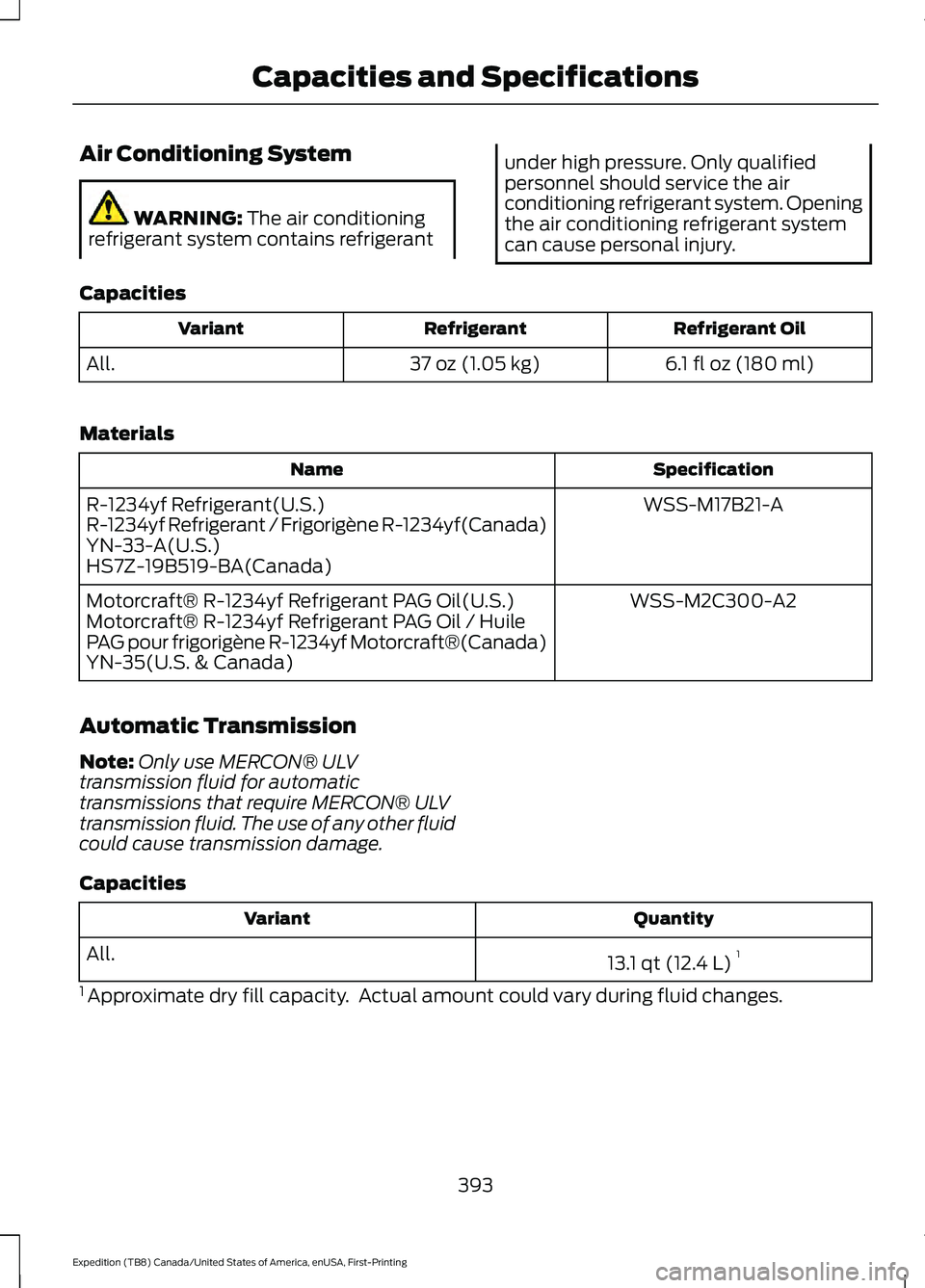
Air Conditioning System
WARNING: The air conditioning
refrigerant system contains refrigerant under high pressure. Only qualified
personnel should service the air
conditioning refrigerant system. Opening
the air conditioning refrigerant system
can cause personal injury.
Capacities Refrigerant Oil
Refrigerant
Variant
6.1 fl oz (180 ml)
37 oz (1.05 kg)
All.
Materials Specification
Name
WSS-M17B21-A
R-1234yf Refrigerant(U.S.)
R-1234yf Refrigerant / Frigorigène R-1234yf(Canada)
YN-33-A(U.S.)
HS7Z-19B519-BA(Canada)
WSS-M2C300-A2
Motorcraft® R-1234yf Refrigerant PAG Oil(U.S.)
Motorcraft® R-1234yf Refrigerant PAG Oil / Huile
PAG pour frigorigène R-1234yf Motorcraft®(Canada)
YN-35(U.S. & Canada)
Automatic Transmission
Note: Only use MERCON® ULV
transmission fluid for automatic
transmissions that require MERCON® ULV
transmission fluid. The use of any other fluid
could cause transmission damage.
Capacities Quantity
Variant
13.1 qt (12.4 L)1
All.
1 Approximate dry fill capacity. Actual amount could vary during fluid changes.
393
Expedition (TB8) Canada/United States of America, enUSA, First-Printing Capacities and Specifications
Page 456 of 574
Supported USB file systems include: FAT,
exFAT, and NTFS.
SYNC 3 is also able to organize the media
from your USB device by metadata tags.
Metadata tags, which are descriptive
software identifiers embedded in the
media files, provide information about the
file.
If your indexed media files contain no
information embedded in these metadata
tags, SYNC 3 may classify the empty
metadata tags as unknown.
SYNC 3 is capable of indexing up to
50,000 songs per USB device, for up to 10
devices.
CLIMATE
Touch the climate button on the
touchscreen to access your climate control
features.
Note:
You can switch temperature units
between Fahrenheit and Celsius. See
Settings (page 465).
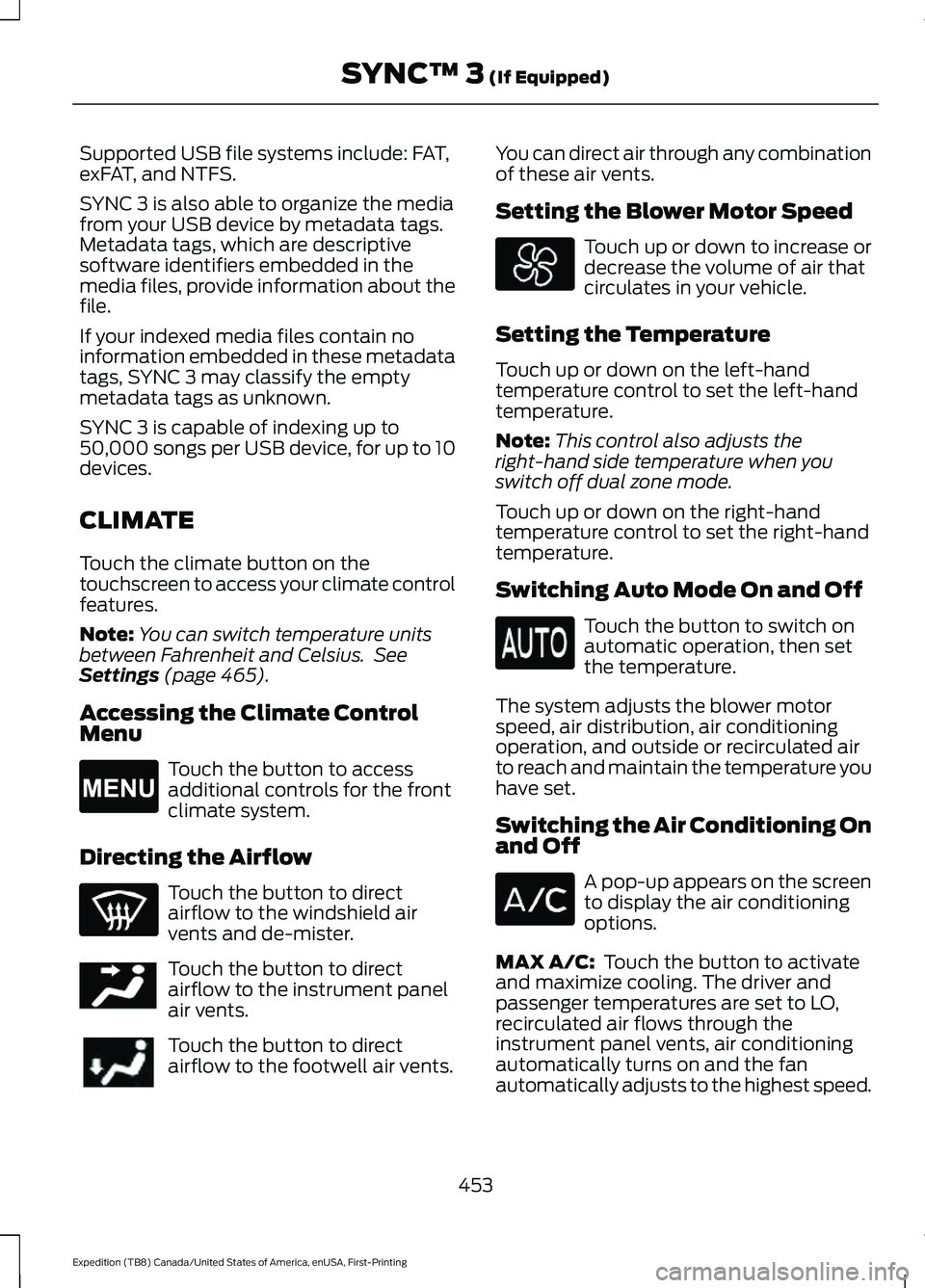
Accessing the Climate Control
Menu Touch the button to access
additional controls for the front
climate system.
Directing the Airflow Touch the button to direct
airflow to the windshield air
vents and de-mister.
Touch the button to direct
airflow to the instrument panel
air vents.
Touch the button to direct
airflow to the footwell air vents. You can direct air through any combination
of these air vents.
Setting the Blower Motor Speed Touch up or down to increase or
decrease the volume of air that
circulates in your vehicle.
Setting the Temperature
Touch up or down on the left-hand
temperature control to set the left-hand
temperature.
Note: This control also adjusts the
right-hand side temperature when you
switch off dual zone mode.
Touch up or down on the right-hand
temperature control to set the right-hand
temperature.
Switching Auto Mode On and Off Touch the button to switch on
automatic operation, then set
the temperature.
The system adjusts the blower motor
speed, air distribution, air conditioning
operation, and outside or recirculated air
to reach and maintain the temperature you
have set.
Switching the Air Conditioning On
and Off A pop-up appears on the screen
to display the air conditioning
options.
MAX A/C:
Touch the button to activate
and maximize cooling. The driver and
passenger temperatures are set to LO,
recirculated air flows through the
instrument panel vents, air conditioning
automatically turns on and the fan
automatically adjusts to the highest speed.
453
Expedition (TB8) Canada/United States of America, enUSA, First-Printing SYNC™ 3
(If Equipped)E265038 E244097
Page 457 of 574
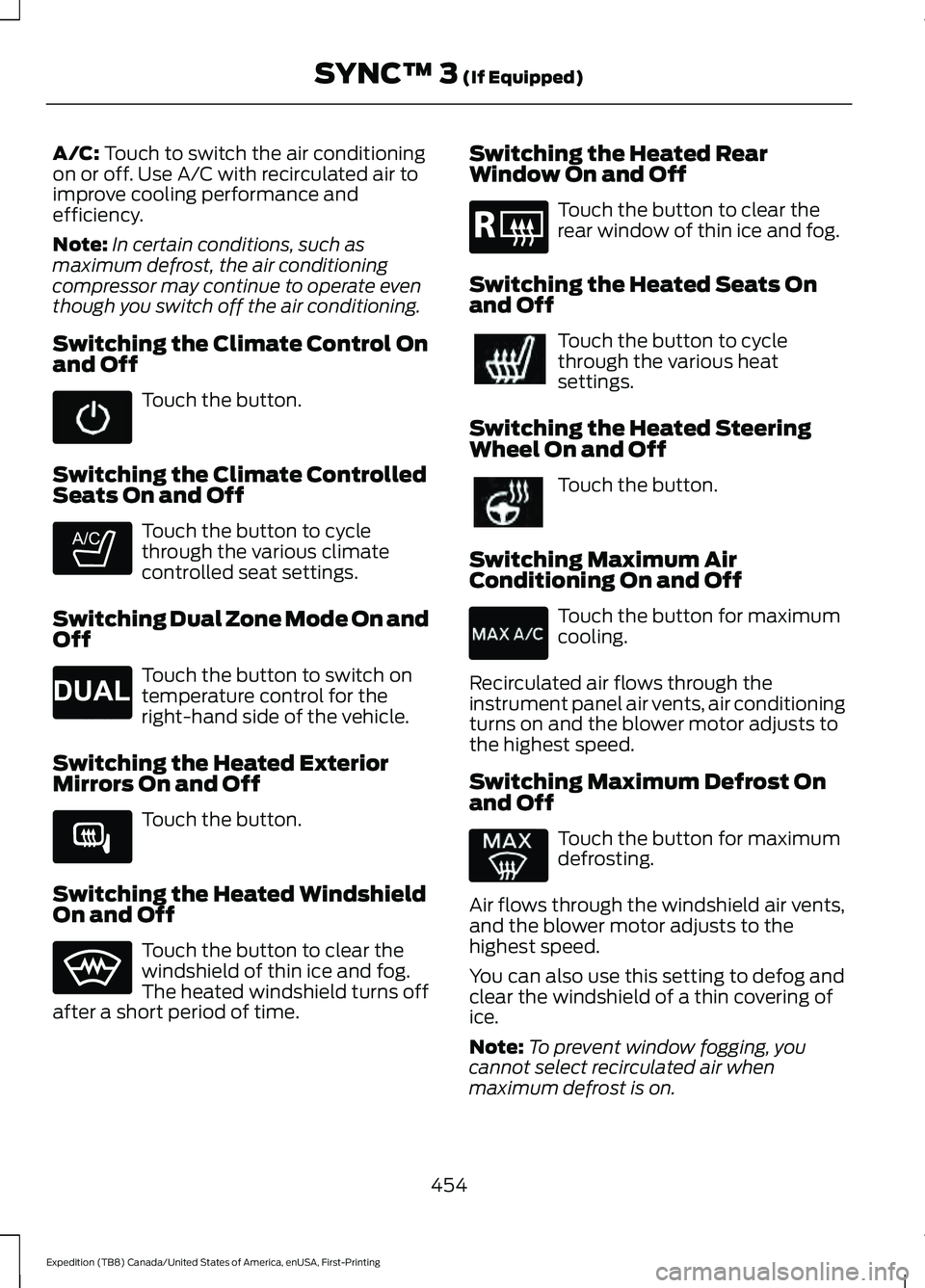
A/C: Touch to switch the air conditioning
on or off. Use A/C with recirculated air to
improve cooling performance and
efficiency.
Note: In certain conditions, such as
maximum defrost, the air conditioning
compressor may continue to operate even
though you switch off the air conditioning.
Switching the Climate Control On
and Off Touch the button.
Switching the Climate Controlled
Seats On and Off Touch the button to cycle
through the various climate
controlled seat settings.
Switching Dual Zone Mode On and
Off Touch the button to switch on
temperature control for the
right-hand side of the vehicle.
Switching the Heated Exterior
Mirrors On and Off Touch the button.
Switching the Heated Windshield
On and Off Touch the button to clear the
windshield of thin ice and fog.
The heated windshield turns off
after a short period of time. Switching the Heated Rear
Window On and Off Touch the button to clear the
rear window of thin ice and fog.
Switching the Heated Seats On
and Off Touch the button to cycle
through the various heat
settings.
Switching the Heated Steering
Wheel On and Off Touch the button.
Switching Maximum Air
Conditioning On and Off Touch the button for maximum
cooling.
Recirculated air flows through the
instrument panel air vents, air conditioning
turns on and the blower motor adjusts to
the highest speed.
Switching Maximum Defrost On
and Off Touch the button for maximum
defrosting.
Air flows through the windshield air vents,
and the blower motor adjusts to the
highest speed.
You can also use this setting to defog and
clear the windshield of a thin covering of
ice.
Note: To prevent window fogging, you
cannot select recirculated air when
maximum defrost is on.
454
Expedition (TB8) Canada/United States of America, enUSA, First-Printing SYNC™ 3
(If Equipped) E265282 E265280 E266189 E184884
Page 488 of 574

Check Every Month
Windshield washer fluid level.
Fuel and water separator. Drain if necessary (or if indicated by the information display). Holes and slots in the tail pipe to make sure they are functional and clear of debris. Check Every Six Months
Battery connections. Clean if necessary.
Body and door drain holes for obstructions. Clean if necessary. Cooling system fluid level and coolant strength.
Door weatherstrips for wear. Lubricate if necessary.
Hinges, latches and outside locks for proper operation. Lubricate if necessary. Parking brake for proper operation.
Seatbelts and seat latches for wear and function.
Safety warning lamps (brake, ABS, airbag and seatbelt) for operation.
Washer spray and wiper operation. Clean or replace blades as necessary.
Multi-Point Inspection
In order to keep your vehicle running right,
it is important to have the systems on your
vehicle checked regularly. This can help
identify potential issues and prevent major
problems. We recommend having the
following multi-point inspection performed
at every scheduled maintenance interval
to help make sure your vehicle keeps
running great. Multi-Point Inspection
Hazard warning system operation
Accessory drive belt(s)
Horn operation
Battery performance
Radiator, cooler, heater and air conditioninghoses
Engine air filter
485
Expedition (TB8) Canada/United States of America, enUSA, First-Printing Scheduled Maintenance
Page 560 of 574
3
360 Degree Camera...................................243
Advanced Camera Views................................ 243
Camera Views..................................................... 243
Front Camera...................................................... 244
Keep Out Zone.................................................... 244
Side Camera........................................................ 244
4
4WD See: Four-Wheel Drive...................................... 210
9
911 Assist...........................................................58
A
A/C See: Climate Control......................................... 146
About This Manual...........................................9
ABS See: Brakes............................................................ 219
ABS driving hints See: Hints on Driving With Anti-Lock
Brakes................................................................. 219
Accessories...................................................480
Accessories See: Replacement Parts
Recommendation............................................ 16
ACC See: Using Adaptive Cruise Control............247
Active Park Assist........................................233
Using Active Park Assist.................................. 234
Adjustable Pedals
..........................................95
Adjusting the Headlamps.........................347
Horizontal Aim Adjustment........................... 348
Vertical Aim Adjustment................................. 347
Adjusting the Pedals.....................................95
Adjusting the Steering Wheel - Vehicles With: Manual Adjustable Steering
Column.............................................................91
Adjusting the Steering Wheel - Vehicles With: Power Adjustable Steering
Column.............................................................91
End of Travel Position......................................... 92Memory Feature...................................................
92
Airbag Disposal...............................................57
Air Conditioning See: Climate Control......................................... 146
Air Filter See: Changing the Engine Air Filter.............339
Alarm See: Anti-Theft Alarm........................................ 87
Ambient Lighting..........................................102 Adjusting the Brightness................................. 102
Switching Ambient Lighting Off................... 102
Switching Ambient Lighting On.................... 102
Anti-Theft Alarm............................................87 Arming the Alarm................................................ 88
Disarming the Alarm........................................... 88
Using the System................................................. 87
Appendices....................................................528
Apps.................................................................462 SiriusXM Traffic and Travel Link.................. 464
Using Apps on an Android Device...............463
Using Apps on an iOS Device....................... 463
Using Mobile Navigation on an Android Device............................................................... 463
At a Glance.......................................................20
Audible Warnings and Indicators
............118
Direction Indicator Tone.................................... 118
Headlamps On Warning Tone........................ 118
Key in Ignition Warning Tone........................... 118
Keyless Warning Alert........................................ 118
Parking Brake On Warning Tone.................... 118
Audio Control
...................................................92
You can operate the following functions
with the control:............................................... 92
Audio System
...............................................408
General Information........................................ 408
Audio Unit - Vehicles With: Touchscreen Display............................................................411
Accessing the Sound Settings........................ 411
Adjusting the Volume......................................... 411
Changing Radio Stations................................. 412
Muting the Audio................................................ 412
Playing or Pausing Media................................. 412
Setting the Memory Presets........................... 412
Switching the Audio Unit On and Off.........412
Switching the Display On and Off................412
Using Seek, Fast Forward and Reverse.............................................................. 412
557
Expedition (TB8) Canada/United States of America, enUSA, First-Printing Index
Page 561 of 574
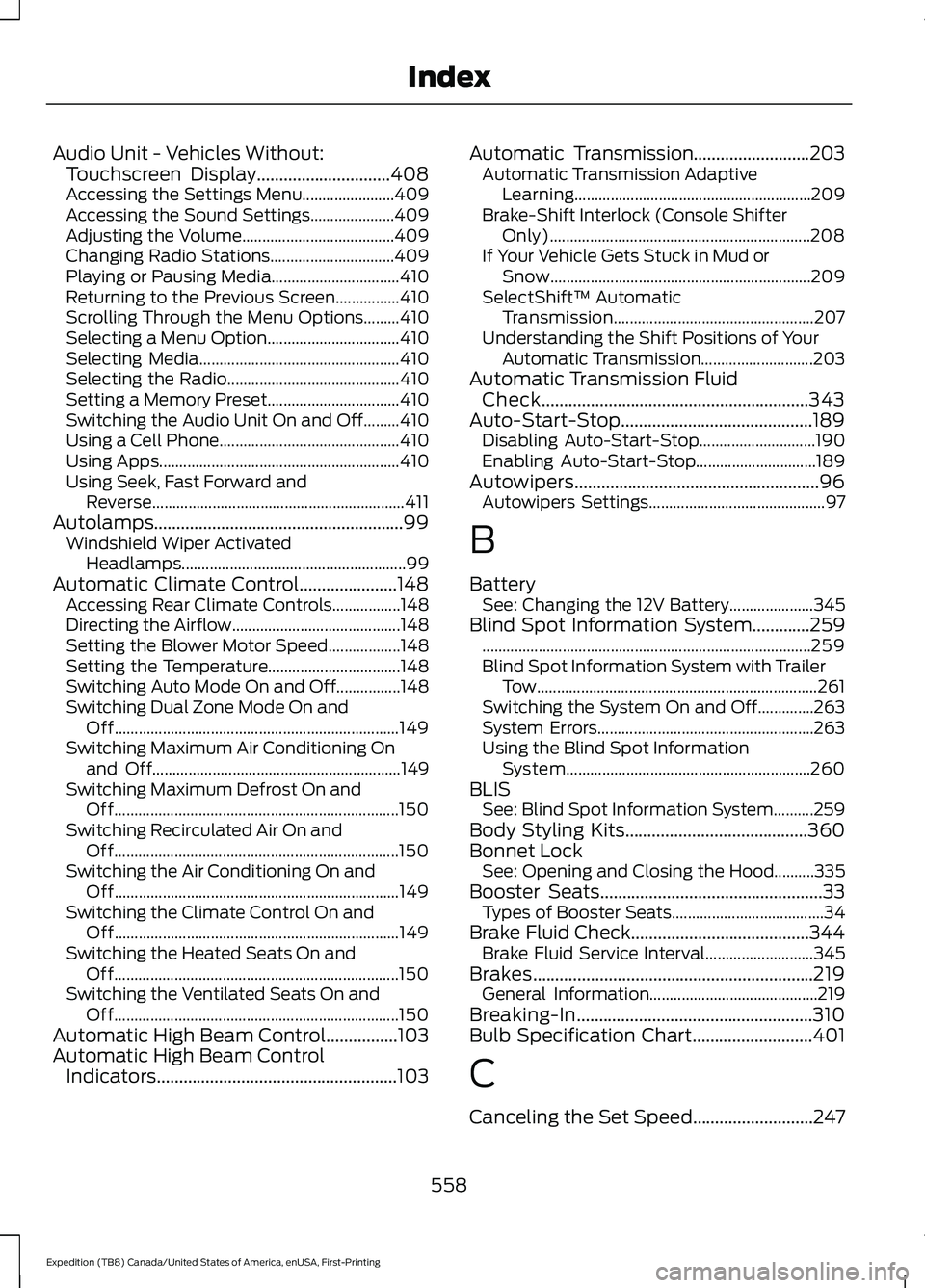
Audio Unit - Vehicles Without:
Touchscreen Display..............................408
Accessing the Settings Menu....................... 409
Accessing the Sound Settings..................... 409
Adjusting the Volume...................................... 409
Changing Radio Stations............................... 409
Playing or Pausing Media................................ 410
Returning to the Previous Screen................410
Scrolling Through the Menu Options.........410
Selecting a Menu Option................................. 410
Selecting Media.................................................. 410
Selecting the Radio........................................... 410
Setting a Memory Preset.................................410
Switching the Audio Unit On and Off.........410
Using a Cell Phone.............................................410
Using Apps............................................................ 410
Using Seek, Fast Forward and Reverse............................................................... 411
Autolamps........................................................99 Windshield Wiper Activated
Headlamps........................................................ 99
Automatic Climate Control......................148 Accessing Rear Climate Controls.................148
Directing the Airflow.......................................... 148
Setting the Blower Motor Speed.................. 148
Setting the Temperature................................. 148
Switching Auto Mode On and Off................148
Switching Dual Zone Mode On and Off....................................................................... 149
Switching Maximum Air Conditioning On and Off.............................................................. 149
Switching Maximum Defrost On and Off....................................................................... 150
Switching Recirculated Air On and Off....................................................................... 150
Switching the Air Conditioning On and Off....................................................................... 149
Switching the Climate Control On and Off....................................................................... 149
Switching the Heated Seats On and Off....................................................................... 150
Switching the Ventilated Seats On and Off....................................................................... 150
Automatic High Beam Control................103
Automatic High Beam Control Indicators......................................................103 Automatic Transmission
..........................203
Automatic Transmission Adaptive
Learning........................................................... 209
Brake-Shift Interlock (Console Shifter Only)................................................................. 208
If Your Vehicle Gets Stuck in Mud or Snow................................................................. 209
SelectShift™ Automatic Transmission.................................................. 207
Understanding the Shift Positions of Your Automatic Transmission............................ 203
Automatic Transmission Fluid Check
............................................................343
Auto-Start-Stop...........................................189 Disabling Auto-Start-Stop............................. 190
Enabling Auto-Start-Stop.............................. 189
Autowipers.......................................................96 Autowipers Settings............................................ 97
B
Battery See: Changing the 12V Battery..................... 345
Blind Spot Information System.............259 ........................................................................\
.......... 259
Blind Spot Information System with Trailer Tow...................................................................... 261
Switching the System On and Off..............263
System Errors...................................................... 263
Using the Blind Spot Information System............................................................. 260
BLIS See: Blind Spot Information System..........259
Body Styling Kits.........................................360
Bonnet Lock See: Opening and Closing the Hood..........335
Booster Seats..................................................33 Types of Booster Seats...................................... 34
Brake Fluid Check........................................344 Brake Fluid Service Interval........................... 345
Brakes...............................................................219 General Information.......................................... 219
Breaking-In.....................................................310
Bulb Specification Chart...........................401
C
Canceling the Set Speed
...........................247
558
Expedition (TB8) Canada/United States of America, enUSA, First-Printing Index
Page 562 of 574
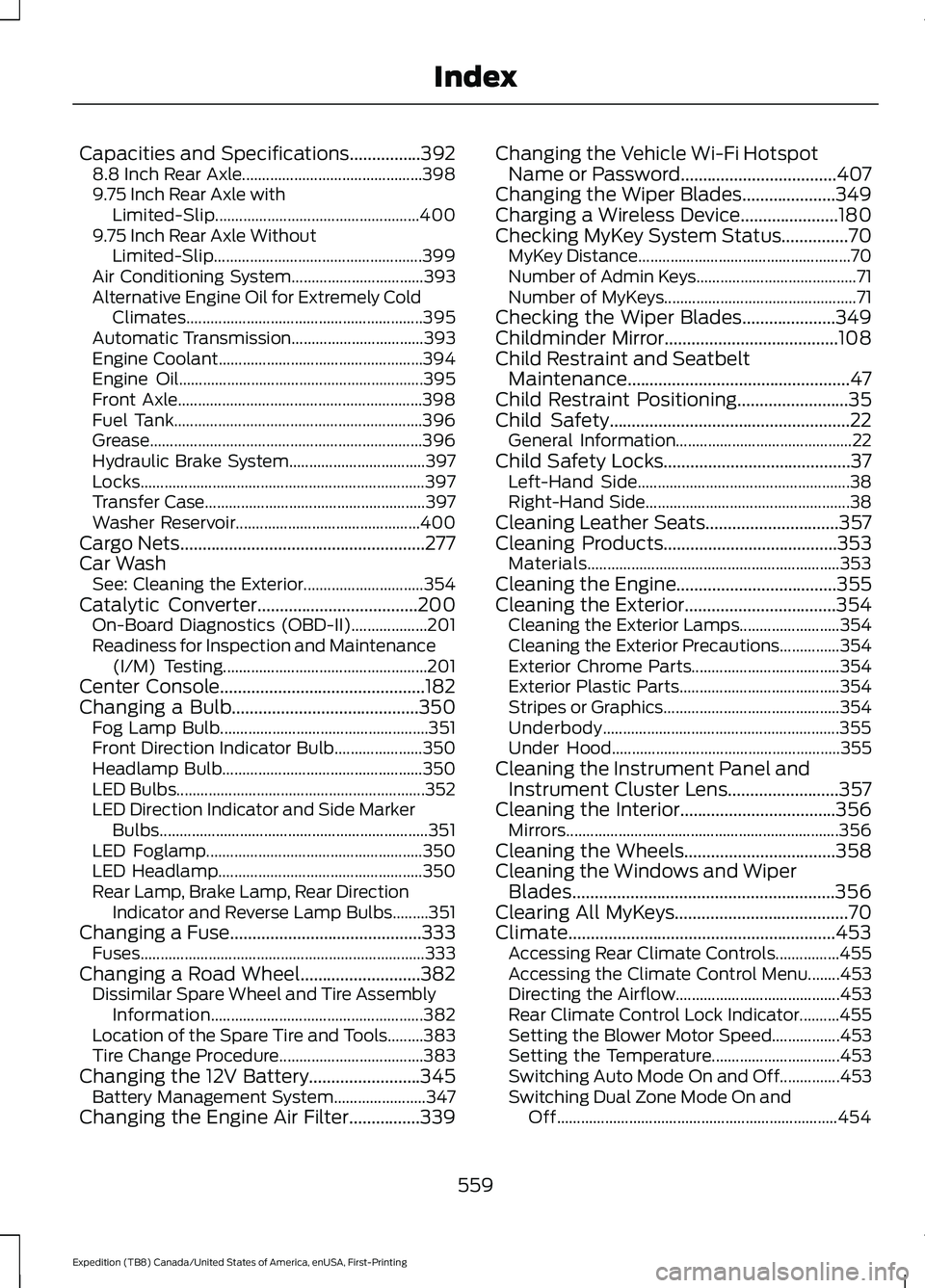
Capacities and Specifications................392
8.8 Inch Rear Axle............................................. 398
9.75 Inch Rear Axle with Limited-Slip................................................... 400
9.75 Inch Rear Axle Without Limited-Slip.................................................... 399
Air Conditioning System................................. 393
Alternative Engine Oil for Extremely Cold Climates........................................................... 395
Automatic Transmission................................. 393
Engine Coolant................................................... 394
Engine Oil............................................................. 395
Front Axle............................................................. 398
Fuel Tank.............................................................. 396
Grease.................................................................... 396
Hydraulic Brake System.................................. 397
Locks....................................................................... 397
Transfer Case....................................................... 397
Washer Reservoir.............................................. 400
Cargo Nets.......................................................277
Car Wash See: Cleaning the Exterior.............................. 354
Catalytic Converter....................................200 On-Board Diagnostics (OBD-II)................... 201
Readiness for Inspection and Maintenance (I/M) Testing................................................... 201
Center Console
..............................................182
Changing a Bulb..........................................350
Fog Lamp Bulb.................................................... 351
Front Direction Indicator Bulb...................... 350
Headlamp Bulb.................................................. 350
LED Bulbs.............................................................. 352
LED Direction Indicator and Side Marker Bulbs................................................................... 351
LED Foglamp...................................................... 350
LED Headlamp................................................... 350
Rear Lamp, Brake Lamp, Rear Direction Indicator and Reverse Lamp Bulbs.........351
Changing a Fuse
...........................................333
Fuses....................................................................... 333
Changing a Road Wheel
...........................382
Dissimilar Spare Wheel and Tire Assembly
Information..................................................... 382
Location of the Spare Tire and Tools.........383
Tire Change Procedure.................................... 383
Changing the 12V Battery
.........................345
Battery Management System....................... 347
Changing the Engine Air Filter................339 Changing the Vehicle Wi-Fi Hotspot
Name or Password
...................................407
Changing the Wiper Blades.....................349
Charging a Wireless Device......................180
Checking MyKey System Status...............70 MyKey Distance..................................................... 70
Number of Admin Keys........................................ 71
Number of MyKeys................................................ 71
Checking the Wiper Blades.....................349
Childminder Mirror.......................................108
Child Restraint and Seatbelt Maintenance..................................................47
Child Restraint Positioning.........................35
Child Safety
......................................................22
General Information............................................ 22
Child Safety Locks..........................................37 Left-Hand Side..................................................... 38
Right-Hand Side................................................... 38
Cleaning Leather Seats..............................357
Cleaning Products
.......................................353
Materials............................................................... 353
Cleaning the Engine....................................355
Cleaning the Exterior
..................................354
Cleaning the Exterior Lamps......................... 354
Cleaning the Exterior Precautions...............354
Exterior Chrome Parts..................................... 354
Exterior Plastic Parts........................................ 354
Stripes or Graphics............................................ 354
Underbody........................................................... 355
Under Hood......................................................... 355
Cleaning the Instrument Panel and Instrument Cluster Lens.........................357
Cleaning the Interior...................................356 Mirrors.................................................................... 356
Cleaning the Wheels..................................358
Cleaning the Windows and Wiper Blades...........................................................356
Clearing All MyKeys.......................................70
Climate............................................................453 Accessing Rear Climate Controls................455
Accessing the Climate Control Menu........453
Directing the Airflow......................................... 453
Rear Climate Control Lock Indicator..........455
Setting the Blower Motor Speed.................453
Setting the Temperature................................ 453
Switching Auto Mode On and Off...............453
Switching Dual Zone Mode On and Off...................................................................... 454
559
Expedition (TB8) Canada/United States of America, enUSA, First-Printing Index
Page 563 of 574
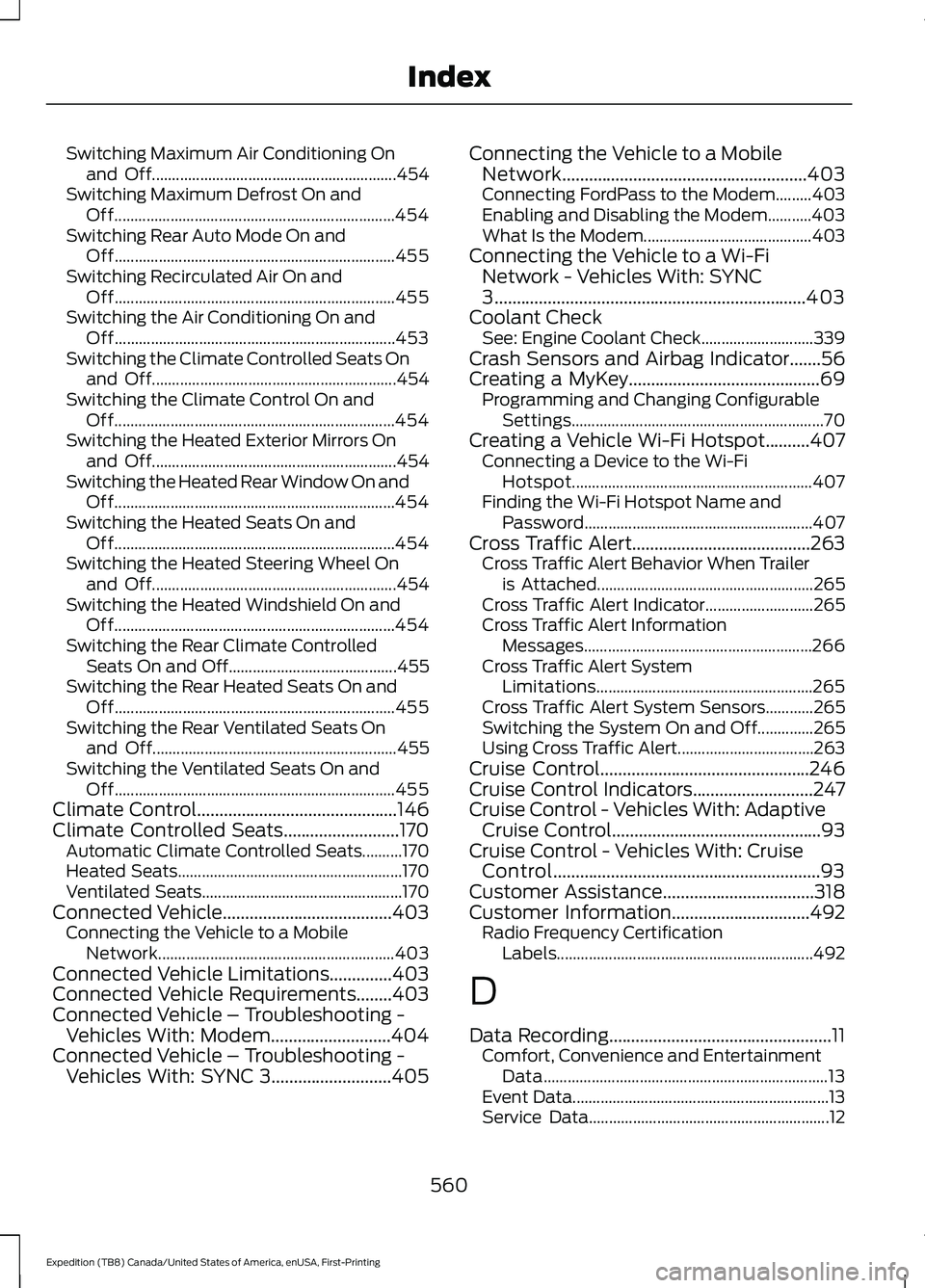
Switching Maximum Air Conditioning On
and Off............................................................. 454
Switching Maximum Defrost On and Off...................................................................... 454
Switching Rear Auto Mode On and Off...................................................................... 455
Switching Recirculated Air On and Off...................................................................... 455
Switching the Air Conditioning On and Off...................................................................... 453
Switching the Climate Controlled Seats On and Off............................................................. 454
Switching the Climate Control On and Off...................................................................... 454
Switching the Heated Exterior Mirrors On and Off............................................................. 454
Switching the Heated Rear Window On and Off...................................................................... 454
Switching the Heated Seats On and Off...................................................................... 454
Switching the Heated Steering Wheel On and Off............................................................. 454
Switching the Heated Windshield On and Off...................................................................... 454
Switching the Rear Climate Controlled Seats On and Off.......................................... 455
Switching the Rear Heated Seats On and Off...................................................................... 455
Switching the Rear Ventilated Seats On and Off............................................................. 455
Switching the Ventilated Seats On and Off...................................................................... 455
Climate Control.............................................146
Climate Controlled Seats..........................170 Automatic Climate Controlled Seats..........170
Heated Seats........................................................ 170
Ventilated Seats.................................................. 170
Connected Vehicle
......................................403
Connecting the Vehicle to a Mobile
Network........................................................... 403
Connected Vehicle Limitations..............403
Connected Vehicle Requirements
........403
Connected Vehicle – Troubleshooting - Vehicles With: Modem...........................404
Connected Vehicle – Troubleshooting - Vehicles With: SYNC 3...........................405 Connecting the Vehicle to a Mobile
Network.......................................................403
Connecting FordPass to the Modem.........403
Enabling and Disabling the Modem...........403
What Is the Modem.......................................... 403
Connecting the Vehicle to a Wi-Fi Network - Vehicles With: SYNC
3
......................................................................403
Coolant Check See: Engine Coolant Check............................ 339
Crash Sensors and Airbag Indicator
.......56
Creating a MyKey...........................................69
Programming and Changing Configurable
Settings............................................................... 70
Creating a Vehicle Wi-Fi Hotspot..........407 Connecting a Device to the Wi-Fi
Hotspot............................................................ 407
Finding the Wi-Fi Hotspot Name and Password......................................................... 407
Cross Traffic Alert........................................263 Cross Traffic Alert Behavior When Trailer
is Attached...................................................... 265
Cross Traffic Alert Indicator........................... 265
Cross Traffic Alert Information Messages......................................................... 266
Cross Traffic Alert System Limitations...................................................... 265
Cross Traffic Alert System Sensors............265
Switching the System On and Off..............265
Using Cross Traffic Alert.................................. 263
Cruise Control...............................................246
Cruise Control Indicators...........................247
Cruise Control - Vehicles With: Adaptive Cruise Control
...............................................93
Cruise Control - Vehicles With: Cruise Control............................................................93
Customer Assistance..................................318
Customer Information
...............................492
Radio Frequency Certification
Labels................................................................ 492
D
Data Recording
..................................................11
Comfort, Convenience and Entertainment
Data....................................................................... 13
Event Data................................................................ 13
Service Data............................................................ 12
560
Expedition (TB8) Canada/United States of America, enUSA, First-Printing Index
Page 568 of 574
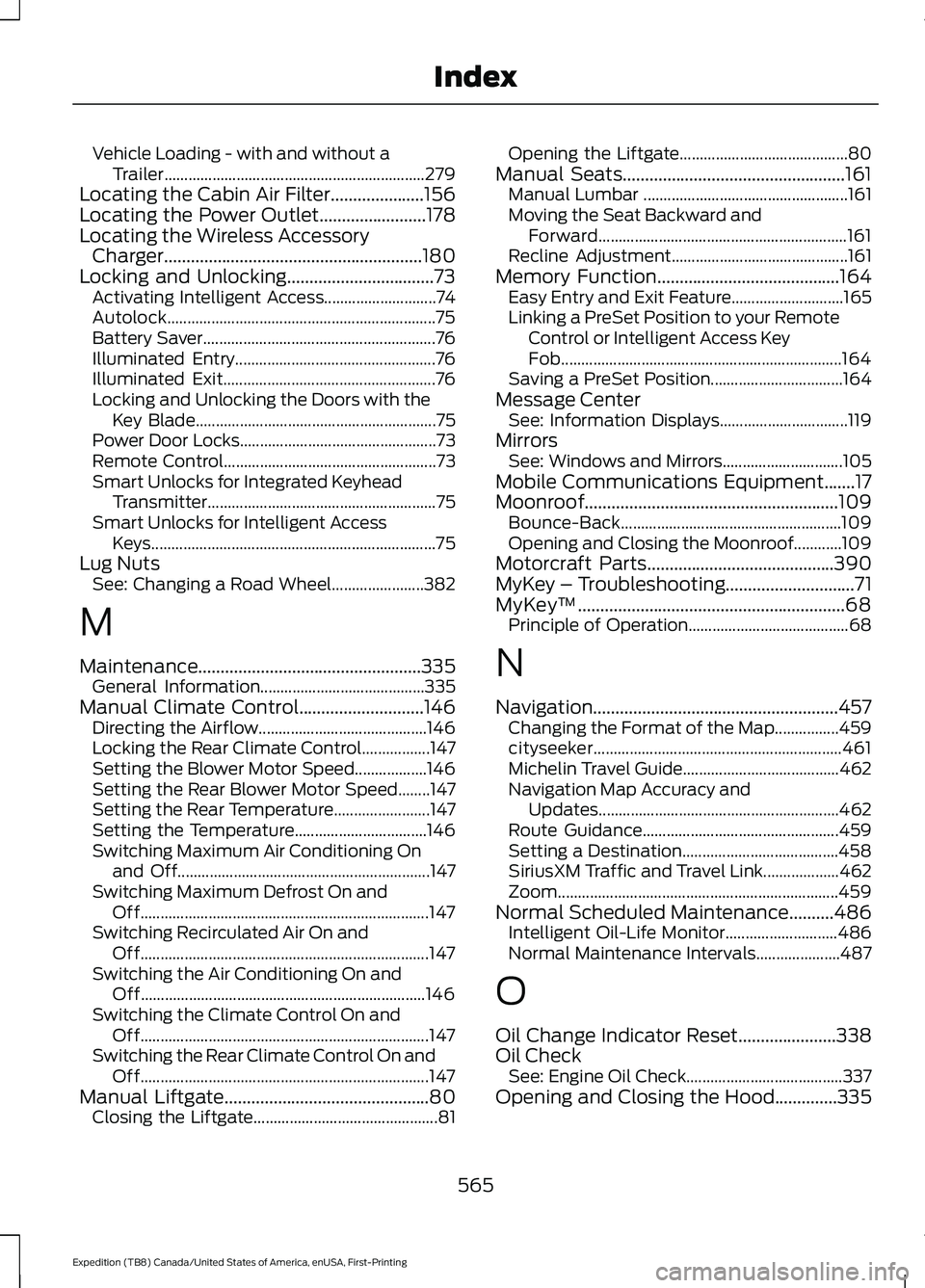
Vehicle Loading - with and without a
Trailer................................................................. 279
Locating the Cabin Air Filter.....................156
Locating the Power Outlet........................178
Locating the Wireless Accessory Charger
..........................................................180
Locking and Unlocking.................................73 Activating Intelligent Access............................ 74
Autolock................................................................... 75
Battery Saver.......................................................... 76
Illuminated Entry.................................................. 76
Illuminated Exit..................................................... 76
Locking and Unlocking the Doors with the Key Blade............................................................ 75
Power Door Locks................................................. 73
Remote Control..................................................... 73
Smart Unlocks for Integrated Keyhead Transmitter......................................................... 75
Smart Unlocks for Intelligent Access Keys....................................................................... 75
Lug Nuts See: Changing a Road Wheel....................... 382
M
Maintenance..................................................335 General Information......................................... 335
Manual Climate Control............................146 Directing the Airflow.......................................... 146
Locking the Rear Climate Control.................147
Setting the Blower Motor Speed.................. 146
Setting the Rear Blower Motor Speed........147
Setting the Rear Temperature........................ 147
Setting the Temperature................................. 146
Switching Maximum Air Conditioning On and Off............................................................... 147
Switching Maximum Defrost On and Off........................................................................\
147
Switching Recirculated Air On and Off........................................................................\
147
Switching the Air Conditioning On and Off....................................................................... 146
Switching the Climate Control On and Off........................................................................\
147
Switching the Rear Climate Control On and Off........................................................................\
147
Manual Liftgate
..............................................80
Closing the Liftgate.............................................. 81Opening the Liftgate..........................................
80
Manual Seats..................................................161 Manual Lumbar ................................................... 161
Moving the Seat Backward and Forward.............................................................. 161
Recline Adjustment............................................ 161
Memory Function
.........................................164
Easy Entry and Exit Feature............................ 165
Linking a PreSet Position to your Remote Control or Intelligent Access Key
Fob...................................................................... 164
Saving a PreSet Position................................. 164
Message Center See: Information Displays................................ 119
Mirrors See: Windows and Mirrors.............................. 105
Mobile Communications Equipment.......17
Moonroof.........................................................109 Bounce-Back....................................................... 109
Opening and Closing the Moonroof............109
Motorcraft Parts..........................................390
MyKey – Troubleshooting.............................71
MyKey ™
............................................................68
Principle of Operation........................................ 68
N
Navigation.......................................................457 Changing the Format of the Map................459
cityseeker.............................................................. 461
Michelin Travel Guide....................................... 462
Navigation Map Accuracy and Updates............................................................ 462
Route Guidance................................................. 459
Setting a Destination....................................... 458
SiriusXM Traffic and Travel Link................... 462
Zoom
...................................................................... 459
Normal Scheduled Maintenance..........486 Intelligent Oil-Life Monitor............................ 486
Normal Maintenance Intervals..................... 487
O
Oil Change Indicator Reset
......................338
Oil Check See: Engine Oil Check....................................... 337
Opening and Closing the Hood..............335
565
Expedition (TB8) Canada/United States of America, enUSA, First-Printing Index