warning FORD EXPEDITION 2023 Owners Manual
[x] Cancel search | Manufacturer: FORD, Model Year: 2023, Model line: EXPEDITION, Model: FORD EXPEDITION 2023Pages: 658, PDF Size: 16.16 MB
Page 301 of 658
WHAT IS BLUECRUISE
BlueCruise keeps your vehicle centered inthe lane and offers a hands-free drivingmode in certain situations when usingadaptive cruise control.
HOW DOES BLUECRUISE
WORK
BlueCruise uses cameras to monitor yourvehicle position within a lane and appliessteering support to keep your vehiclecentered in the lane.
Using the cameras and locationinformation, BlueCruise allows you toremove your hands from the steering wheeland offers a hands-free driving mode incertain areas.
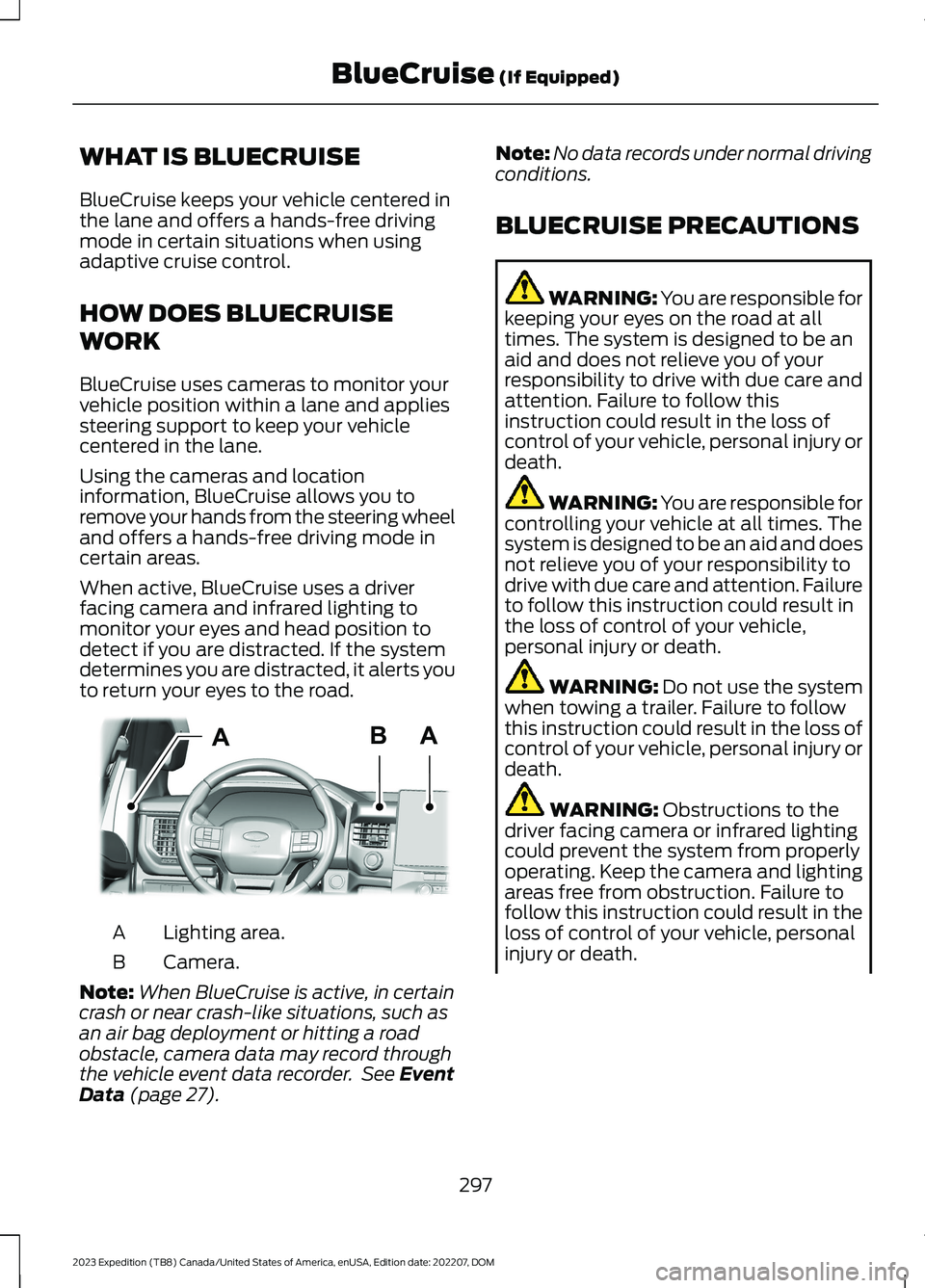
When active, BlueCruise uses a driverfacing camera and infrared lighting tomonitor your eyes and head position todetect if you are distracted. If the systemdetermines you are distracted, it alerts youto return your eyes to the road.
Lighting area.A
Camera.B
Note:When BlueCruise is active, in certaincrash or near crash-like situations, such asan air bag deployment or hitting a roadobstacle, camera data may record throughthe vehicle event data recorder. See EventData (page 27).
Note:No data records under normal drivingconditions.
BLUECRUISE PRECAUTIONS
WARNING: You are responsible forkeeping your eyes on the road at alltimes. The system is designed to be anaid and does not relieve you of yourresponsibility to drive with due care andattention. Failure to follow thisinstruction could result in the loss ofcontrol of your vehicle, personal injury ordeath.
WARNING: You are responsible forcontrolling your vehicle at all times. Thesystem is designed to be an aid and doesnot relieve you of your responsibility todrive with due care and attention. Failureto follow this instruction could result inthe loss of control of your vehicle,personal injury or death.
WARNING: Do not use the systemwhen towing a trailer. Failure to followthis instruction could result in the loss ofcontrol of your vehicle, personal injury ordeath.
WARNING: Obstructions to thedriver facing camera or infrared lightingcould prevent the system from properlyoperating. Keep the camera and lightingareas free from obstruction. Failure tofollow this instruction could result in theloss of control of your vehicle, personalinjury or death.
297
2023 Expedition (TB8) Canada/United States of America, enUSA, Edition date: 202207, DOMBlueCruise (If Equipped)ABAE351060
Page 302 of 658
WARNING: Do not use the systemif any changes or modifications to thesteering wheel have been made. Anychanges or modifications to the steeringwheel could affect the functionality orperformance of the system. Failure tofollow this instruction could result in theloss of control of your vehicle, personalinjury or death.
WARNING: The system may notfunction if the sensor is blocked.
WARNING: Pay close attention tochanging road conditions such asentering or leaving a highway, on roadswith intersections or roundabouts, roadswithout visible lanes of travel, roads thatare winding, slippery, unpaved, or steepslopes.
WARNING: The system is not acrash warning or avoidance system.
WARNING: Large contrasts inoutside lighting can limit sensorperformance.
WARNING: The system attemptsto keep your vehicle in the center of thelane as well as maintain speed and gapcontrol. The system may not be able toperform these tasks in all situations. Donot use the system in complex oruncertain driving conditions. Failure tofollow this instruction could result in theloss of control of your vehicle, personalinjury or death.
WARNING: Your vehicle could driftout of the lane of travel. Always beprepared to manually steer your vehicle.Failure to follow this instruction couldresult in the loss of control of yourvehicle, personal injury or death.
WARNING: The system will notoperate if the sensor cannot track theroad lane markings.
BLUECRUISE REQUIREMENTS
BlueCruise only activates when all of thefollowing occur:
•BlueCruise is enabled in yourinformation and entertainment screen.See BlueCruise Settings (page 299).
•Adaptive cruise control is on.
•The system detects both lanemarkings.
•Your hands are on the steering wheel.
•Your eyes are on the road.
Note:For hands-free mode to work, yourvehicle must be on certain limited accessdivided freeways.
Note:The system may require updatedsoftware for hands-free mode. See VehicleSoftware Updates (page 532).
BLUECRUISE LIMITATIONS
Any of the following conditions could resultin BlueCruise not correctly operating:
•You do not have your vehicle centeredin the lane.
•The lane is too narrow or too wide.
•The system does not detect at leastone lane marking or when lanes mergeor split.
•You are applying a low amount ofsteering input.
•You are using the system in areas underconstruction.
•If you make any aftermarketmodifications to the steering system.
•You are using a spare tire.
298
2023 Expedition (TB8) Canada/United States of America, enUSA, Edition date: 202207, DOMBlueCruise (If Equipped)
Page 304 of 658
BLUECRUISE ALERTS
When BlueCruise is providing hands-ondriving or transitioning to hands-on drivingfrom hands-free driving and detects nosteering activity for a certain period of time,the system alerts you with a message inthe instrument cluster to put your handson the steering wheel. After the first alert,the system alerts you with a message inthe instrument cluster and an audiblewarning.
When BlueCruise is providing hands-on orhands-free driving and detects you are notlooking at the road for a certain period oftime, the system alerts you to return youreyes to the road. Depending on where youare looking, the alert can be a message inthe instrument cluster and an audiblewarning.
If you do not react to the warnings,BlueCruise cancels, quickly activates andreleases the brakes, and slows your vehicledown to low speeds while maintainingsteering control.
If your vehicle slows down and you resumecontrol, a message appears to prompt youto press the accelerator pedal to allow thesystem to resume.
Note:If the system detects repeatedinactivity, it disables until the next key cycle.
BLUECRUISE AUTOMATIC
CANCELLATION
When an external condition cancelsBlueCruise, for example, no lane markingsavailable, a tone sounds and a messageappears in the instrument cluster.
If your vehicle starts to slowdown, you must take control ofsteering and press and releasethe button to reactivate BlueCruise.
System cancellation can also occur if:
•The lane becomes too narrow.
•The system cannot detect valid lanemarkings.
•Lane markings cross.
•Your eyes are not on the road or yourhands are not on the steering wheel.
If you have your hands on the steeringwheel and your eyes are on the road whenthe feature is active and a cancellationoccurs, the system sounds a tone anddisplays a cancelled graphic in theinstrument cluster.
If you are not paying attention to the roador your hands are not on the steering wheeland a cancellation occurs, the systemdisplays a message and a tone sounds untilyou resume control. If you do not resumecontrol in time, BlueCruise quickly activatesand releases the brakes, and slows yourvehicle to low speeds while maintainingsteering control. If your vehicle slows downand you resume control, a messageappears to prompt you to press theaccelerator pedal to allow the system toresume.
Note:The system disables until the vehicleis turned off and back on if it detectsrepeated inactivity.
BLUECRUISE INDICATORS
When on, the color of theindicator changes to indicate thestatus.
Gray indicates BlueCruise is on but inactive.
Green indicates BlueCruise is active andapplying continuous steering support.
Blue indicates BlueCruise is active andhands-free driving mode is available.
300
2023 Expedition (TB8) Canada/United States of America, enUSA, Edition date: 202207, DOMBlueCruise (If Equipped)E308130 E297977
Page 311 of 658
DRIVE MODE CONTROL –
TROUBLESHOOTING
DRIVE MODE CONTROL –WARNING LAMPS
Some drive modes reducetraction and stability controlperformance and the indicatorilluminates in the instrument cluster.
DRIVE MODE CONTROL – INFORMATION MESSAGES
ActionMessage
You have selected a four-wheel drive modethat is not available in the current drivemode. Select an available four-wheel drivemode.
Selected 4x4 Mode Not Available in CurrentDrive Mode
307
2023 Expedition (TB8) Canada/United States of America, enUSA, Edition date: 202207, DOMDrive Mode ControlE130458
Page 313 of 658
WHAT IS THE LANE KEEPING
SYSTEM
The lane keeping system alerts you byproviding temporary steering assistanceor steering wheel vibration when it detectsan unintended lane departure.
HOW DOES THE LANE
KEEPING SYSTEM WORK
The lane keeping system uses a forwardlooking camera mounted on the windshieldto monitor vehicle movement within thetravel lane.
When the camera detects a drift out of thetravel lane, the lane keeping system alertsthe driver by vibrating the steering wheel,or aids the driver by providing a smallsteering input to move the vehicle backinto the travel lane.
The driver can select one of three modes:
•Alert (If Equipped)
•Aid
•Alert + Aid
LANE KEEPING SYSTEM
PRECAUTIONS
WARNING: You are responsible forcontrolling your vehicle at all times. Thesystem is designed to be an aid and doesnot relieve you of your responsibility todrive with due care and attention. Failureto follow this instruction could result inthe loss of control of your vehicle,personal injury or death.
WARNING: The system will notoperate if the sensor cannot track theroad lane markings.
WARNING: The sensor mayincorrectly track lane markings as otherstructures or objects. This can result ina false or missed warning.
WARNING: In cold and severeweather conditions the system may notfunction. Rain, snow and spray can alllimit sensor performance.
WARNING: The system may notoperate properly if the sensor is blocked.Keep the windshield free fromobstruction.
WARNING: If damage occurs in theimmediate area surrounding the sensor,have your vehicle checked as soon aspossible.
WARNING: The system may notcorrectly operate if your vehicle is fittedwith a suspension kit not approved byus.
WARNING: Large contrasts inoutside lighting can limit sensorperformance.
LANE KEEPING SYSTEM
LIMITATIONS
The lane keeping system only operateswhen the vehicle speed is greater than40 mph (64 km/h).
The system works when the camera candetect at least one lane marking.
Note:When you select Aid or Alert and Aidmode and the system detects no steeringactivity for a short period of time, the systemalerts you to put your hands on the steeringwheel. The system may detect a light gripor touch on the steering wheel as hands-offdriving.
309
2023 Expedition (TB8) Canada/United States of America, enUSA, Edition date: 202207, DOMLane Keeping System
Page 316 of 658
5.Select an intensity setting.
AID MODE
WHAT IS AID MODE
Aid mode provides temporary steeringassistance toward the center of the lane.
HOW DOES AID MODE WORK
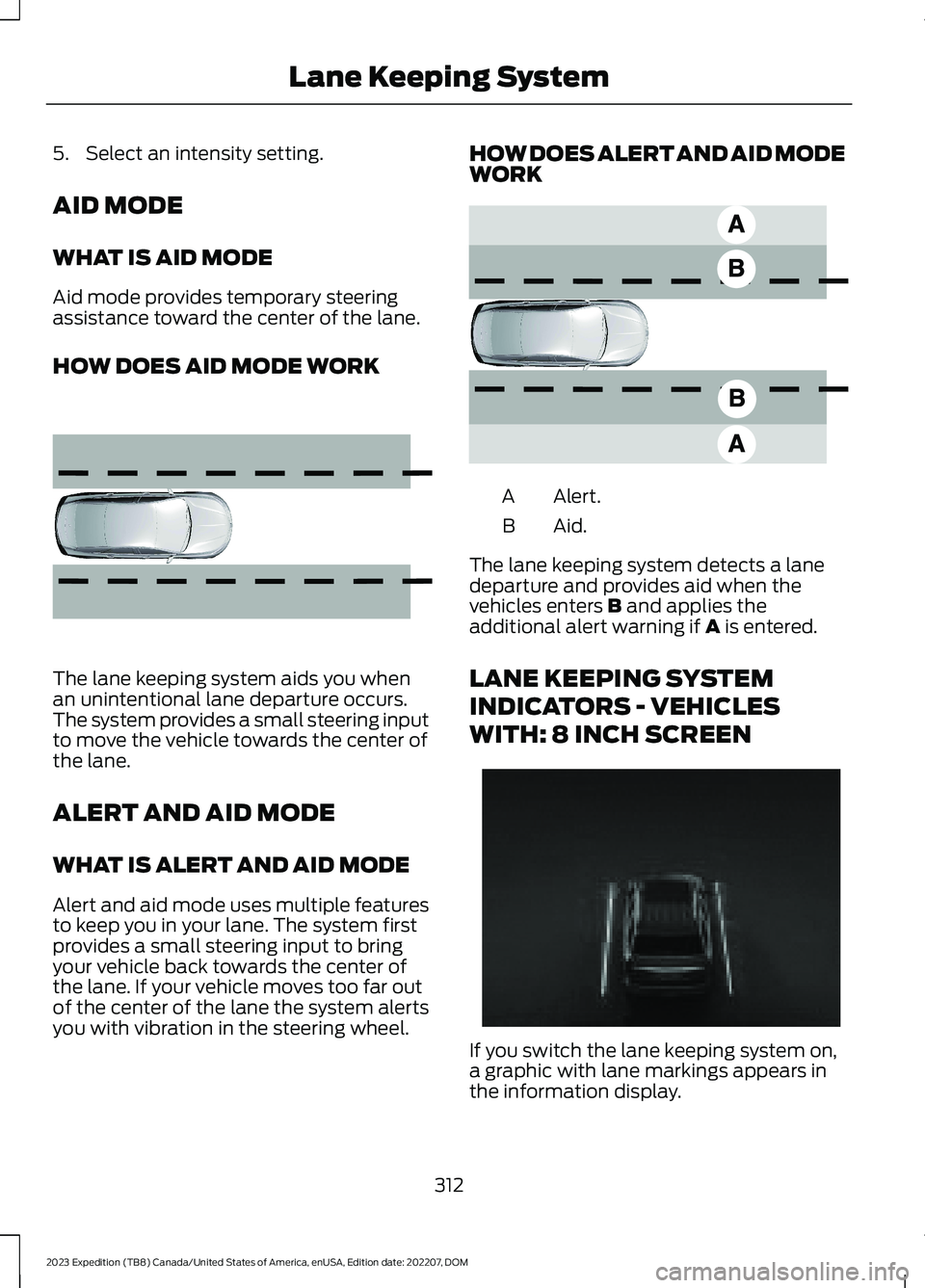
The lane keeping system aids you whenan unintentional lane departure occurs.The system provides a small steering inputto move the vehicle towards the center ofthe lane.
ALERT AND AID MODE
WHAT IS ALERT AND AID MODE
Alert and aid mode uses multiple featuresto keep you in your lane. The system firstprovides a small steering input to bringyour vehicle back towards the center ofthe lane. If your vehicle moves too far outof the center of the lane the system alertsyou with vibration in the steering wheel.
HOW DOES ALERT AND AID MODEWORK
Alert.A
Aid.B
The lane keeping system detects a lanedeparture and provides aid when thevehicles enters B and applies theadditional alert warning if A is entered.
LANE KEEPING SYSTEM
INDICATORS - VEHICLES
WITH: 8 INCH SCREEN
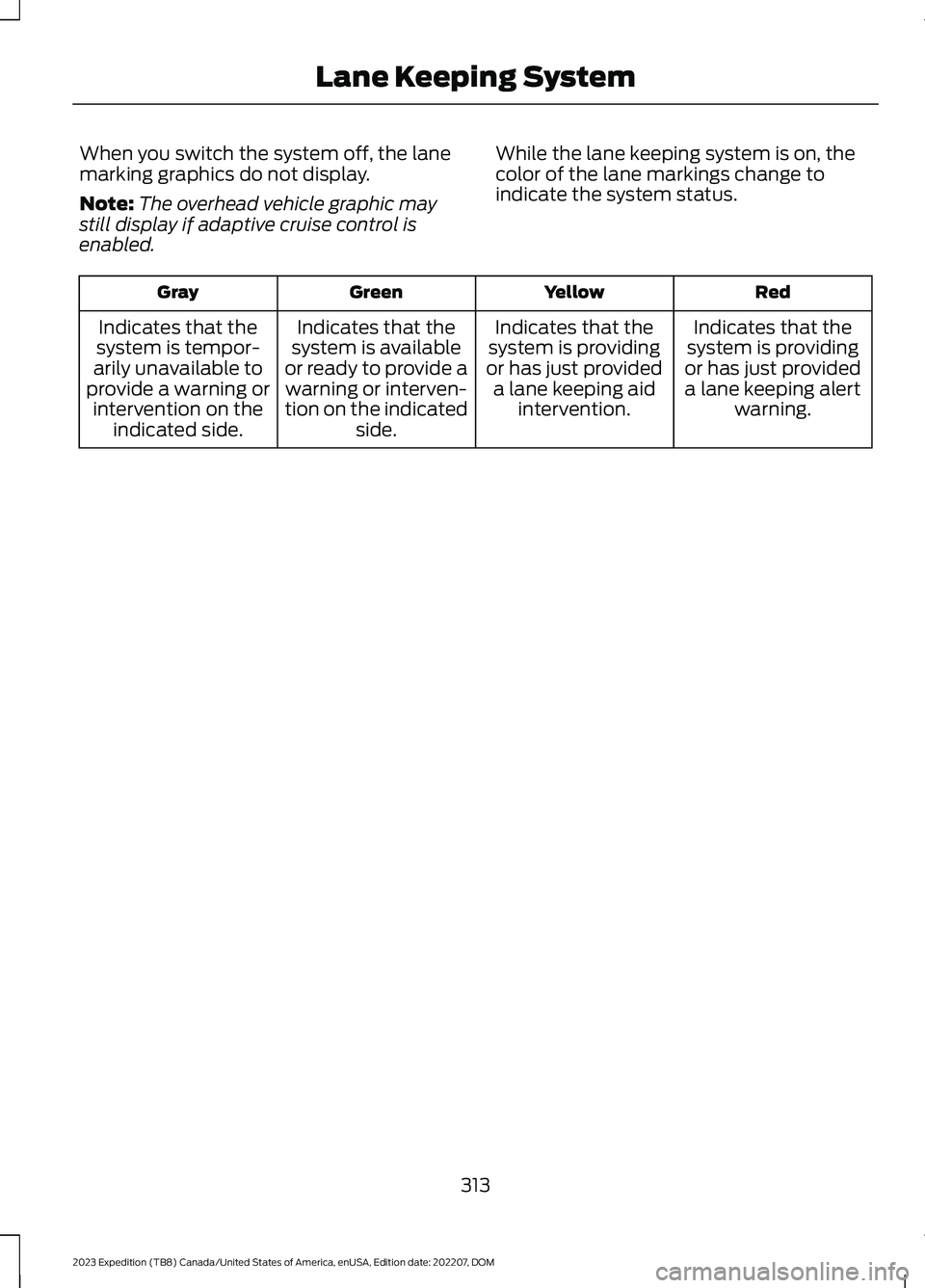
If you switch the lane keeping system on,a graphic with lane markings appears inthe information display.
312
2023 Expedition (TB8) Canada/United States of America, enUSA, Edition date: 202207, DOMLane Keeping System E165516 E165517 E355748
Page 317 of 658
When you switch the system off, the lanemarking graphics do not display.
Note:The overhead vehicle graphic maystill display if adaptive cruise control isenabled.
While the lane keeping system is on, thecolor of the lane markings change toindicate the system status.
RedYellowGreenGray
Indicates that thesystem is providingor has just provideda lane keeping alertwarning.
Indicates that thesystem is providingor has just provideda lane keeping aidintervention.
Indicates that thesystem is availableor ready to provide awarning or interven-tion on the indicatedside.
Indicates that thesystem is tempor-arily unavailable toprovide a warning orintervention on theindicated side.
313
2023 Expedition (TB8) Canada/United States of America, enUSA, Edition date: 202207, DOMLane Keeping System
Page 318 of 658
LANE KEEPING SYSTEM
INDICATORS - VEHICLES
WITH: 12 INCH SCREEN
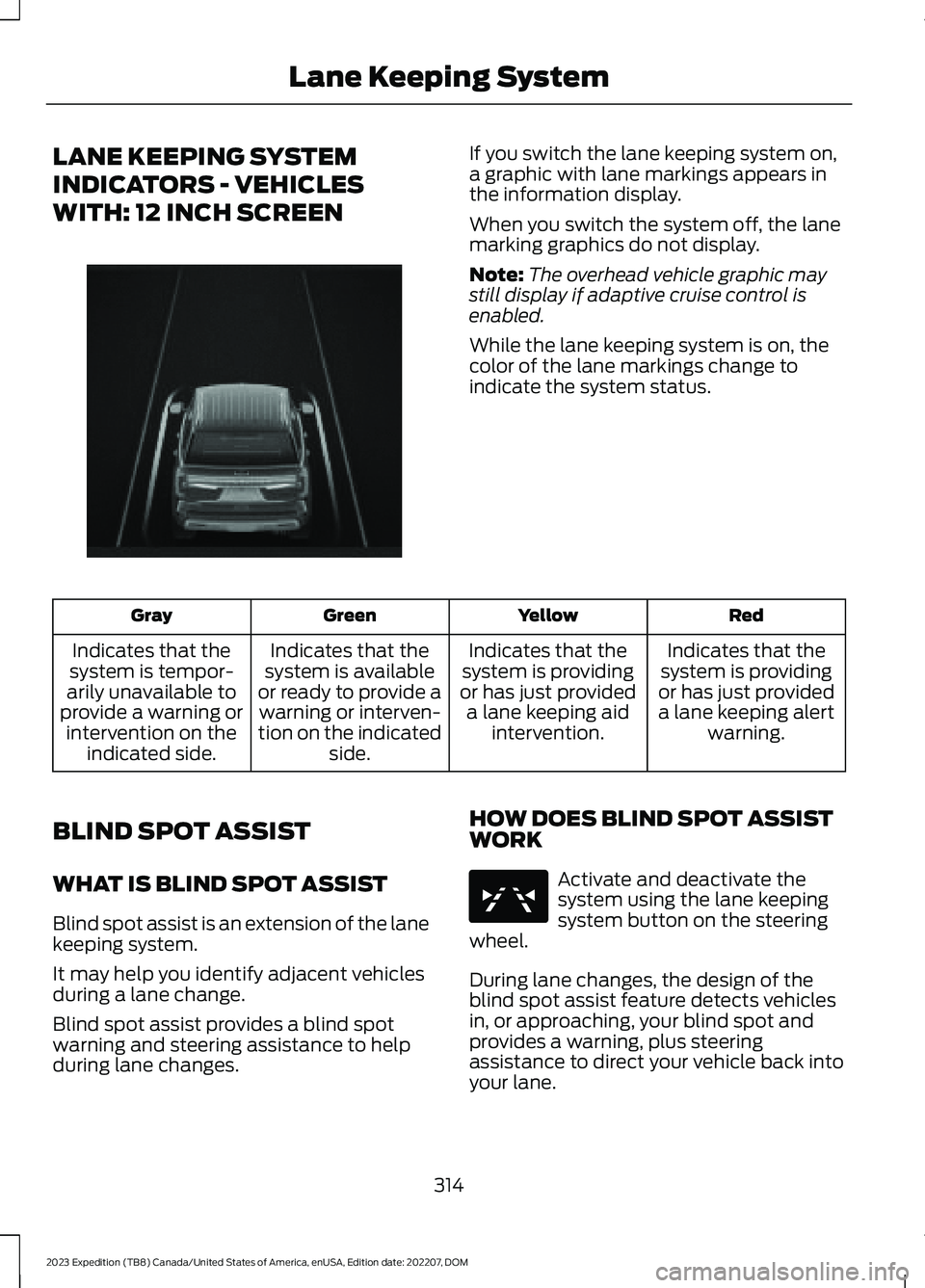
If you switch the lane keeping system on,a graphic with lane markings appears inthe information display.
When you switch the system off, the lanemarking graphics do not display.
Note:The overhead vehicle graphic maystill display if adaptive cruise control isenabled.
While the lane keeping system is on, thecolor of the lane markings change toindicate the system status.
RedYellowGreenGray
Indicates that thesystem is providingor has just provideda lane keeping alertwarning.
Indicates that thesystem is providingor has just provideda lane keeping aidintervention.
Indicates that thesystem is availableor ready to provide awarning or interven-tion on the indicatedside.
Indicates that thesystem is tempor-arily unavailable toprovide a warning orintervention on theindicated side.
BLIND SPOT ASSIST
WHAT IS BLIND SPOT ASSIST
Blind spot assist is an extension of the lanekeeping system.
It may help you identify adjacent vehiclesduring a lane change.
Blind spot assist provides a blind spotwarning and steering assistance to helpduring lane changes.
HOW DOES BLIND SPOT ASSISTWORK
Activate and deactivate thesystem using the lane keepingsystem button on the steeringwheel.
During lane changes, the design of theblind spot assist feature detects vehiclesin, or approaching, your blind spot andprovides a warning, plus steeringassistance to direct your vehicle back intoyour lane.
314
2023 Expedition (TB8) Canada/United States of America, enUSA, Edition date: 202207, DOMLane Keeping SystemE356730 E334922
Page 319 of 658
When active, this system functions with orwithout the use of direction indicators andhazard flashers.
You must keep your hands on the steeringwheel at all times.
BLIND SPOT ASSIST LIMITATIONS
All system limitations present in the basiclane keeping system also apply to blindspot assist.
Blind spot assist does not function underthe following conditions:
•No lane markings are detected.
•One or both rear radar sensors becomeblocked or faulty.
•Attaching bike or cargo racks couldcause false alerts due to obstructionof the sensor.
Blind spot assist may have difficultydetecting hazards under the followingconditions:
•If a vehicle is approaching in anadjacent lane at a speed higher thanyour vehicle.
•Bad weather obstructing the sensors.
BLIND SPOT ASSIST INDICATORS
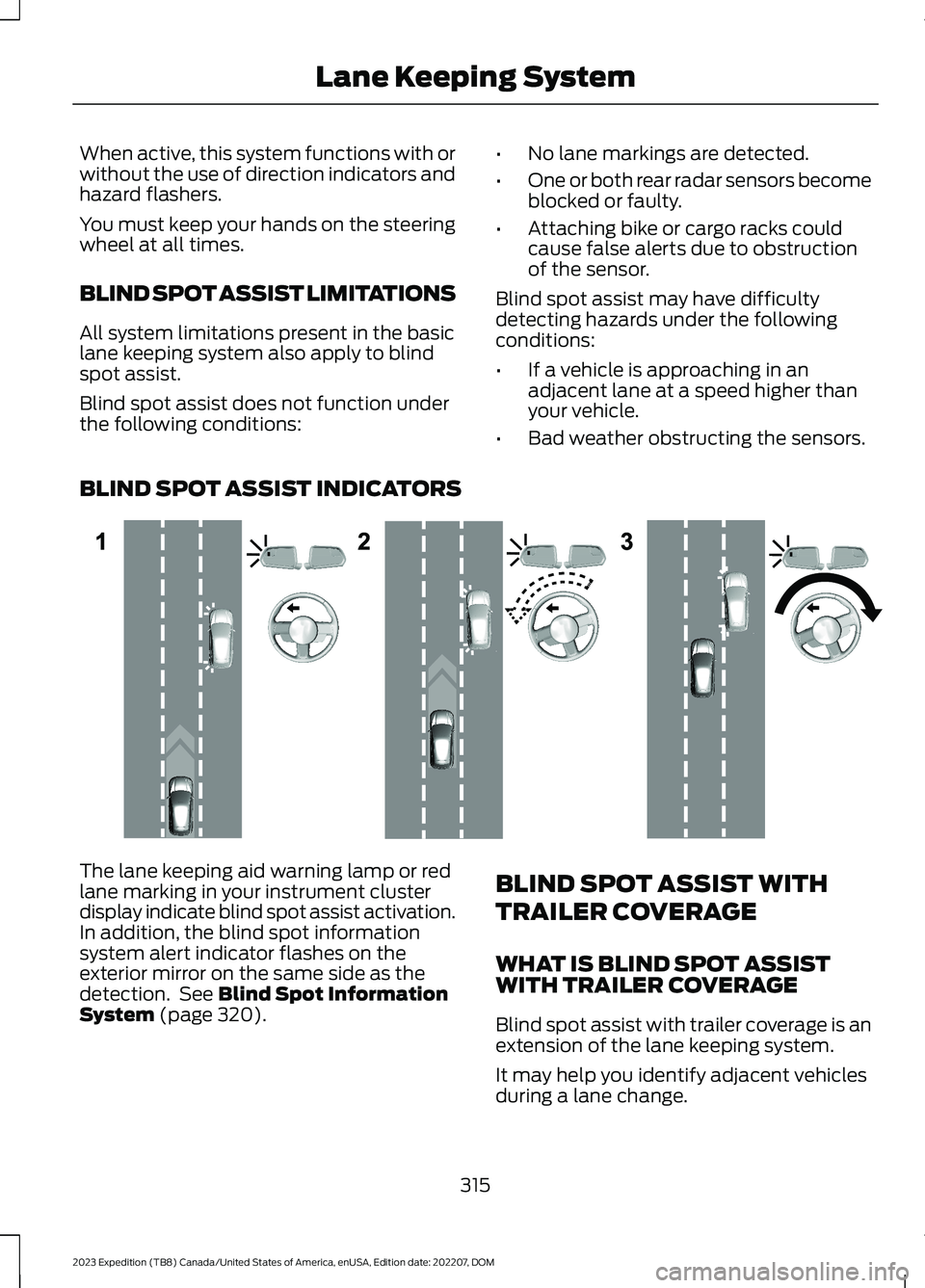
The lane keeping aid warning lamp or redlane marking in your instrument clusterdisplay indicate blind spot assist activation.In addition, the blind spot informationsystem alert indicator flashes on theexterior mirror on the same side as thedetection. See Blind Spot InformationSystem (page 320).
BLIND SPOT ASSIST WITH
TRAILER COVERAGE
WHAT IS BLIND SPOT ASSISTWITH TRAILER COVERAGE
Blind spot assist with trailer coverage is anextension of the lane keeping system.
It may help you identify adjacent vehiclesduring a lane change.
315
2023 Expedition (TB8) Canada/United States of America, enUSA, Edition date: 202207, DOMLane Keeping SystemE310089
Page 320 of 658
Blind spot assist provides a blind spotwarning and steering assistance to helpduring lane changes.
When attaching a trailer, ensure you haveproperly set up the trailer coveragesettings. See Blind Spot InformationSystem With Trailer Coverage (page322).
HOW DOES BLIND SPOT ASSISTWITH TRAILER COVERAGE WORK
Activate and deactivate thesystem using the lane keepingsystem button on the steeringwheel.
During lane changes, the design of theblind spot assist feature detects vehiclesin, or approaching, your blind spot andprovides a warning, plus steeringassistance to direct your vehicle back intoyour lane.
If a supported trailer is connected, thefunction is reduced to only detectingvehicles on both sides of your vehicle andtrailer, extending rearward from theexterior mirrors to the end of your trailer.See Blind Spot Information SystemWith Trailer Coverage (page 322).
When active, this system functions with orwithout the use of direction indicators andhazard flashers.
You must keep your hands on the steeringwheel at all times.
BLIND SPOT ASSIST WITHTRAILER COVERAGELIMITATIONS
All system limitations present in the basiclane keeping system also apply to blindspot assist.
Blind spot assist does not function underthe following conditions:
•The system does not detect lanemarkings.
•One or both rear radar sensors becomeblocked or faulty.
•You have not configured the attachedtrailer correctly in the trailer tow menusor you attached an unsupported trailer.The system only supports certain trailershapes and dimensions.
Note:Blind spot assist with trailer coveragecould have reduced performance if any ofthe above limitations are present.
Blind spot assist may have difficultydetecting hazards under the followingconditions:
•If a vehicle is approaching in anadjacent lane at a relative speed muchhigher than your vehicle.
•Bad weather conditions are presentthat obstruct the sensors.
•Attaching bike or cargo racks couldcause false alerts due to obstructionof the sensor.
BLIND SPOT ASSIST WITHTRAILER COVERAGE INDICATORS
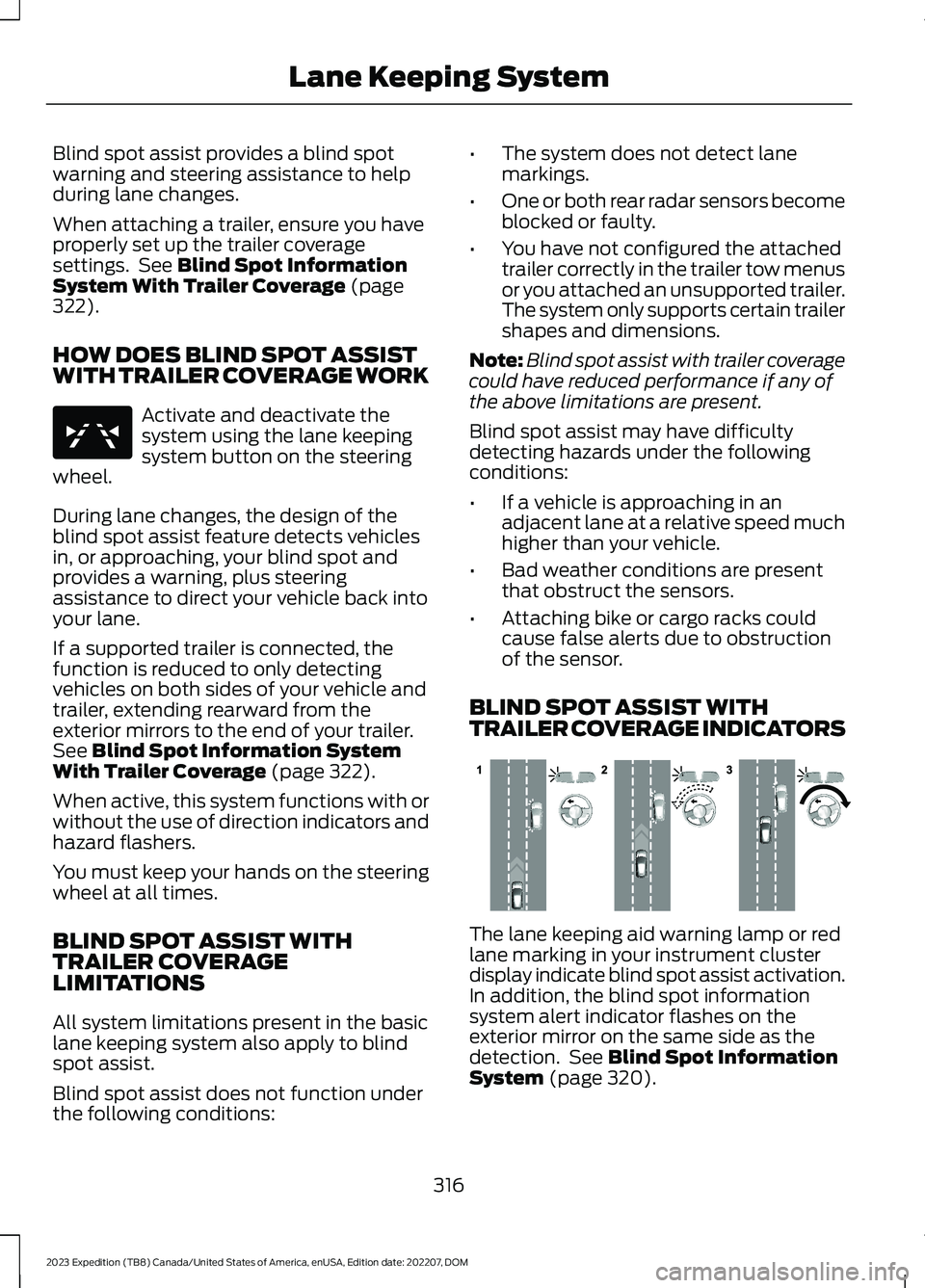
The lane keeping aid warning lamp or redlane marking in your instrument clusterdisplay indicate blind spot assist activation.In addition, the blind spot informationsystem alert indicator flashes on theexterior mirror on the same side as thedetection. See Blind Spot InformationSystem (page 320).
316
2023 Expedition (TB8) Canada/United States of America, enUSA, Edition date: 202207, DOMLane Keeping SystemE334922 E310089