alarm FORD EXPEDITION 2023 User Guide
[x] Cancel search | Manufacturer: FORD, Model Year: 2023, Model line: EXPEDITION, Model: FORD EXPEDITION 2023Pages: 658, PDF Size: 16.16 MB
Page 404 of 658
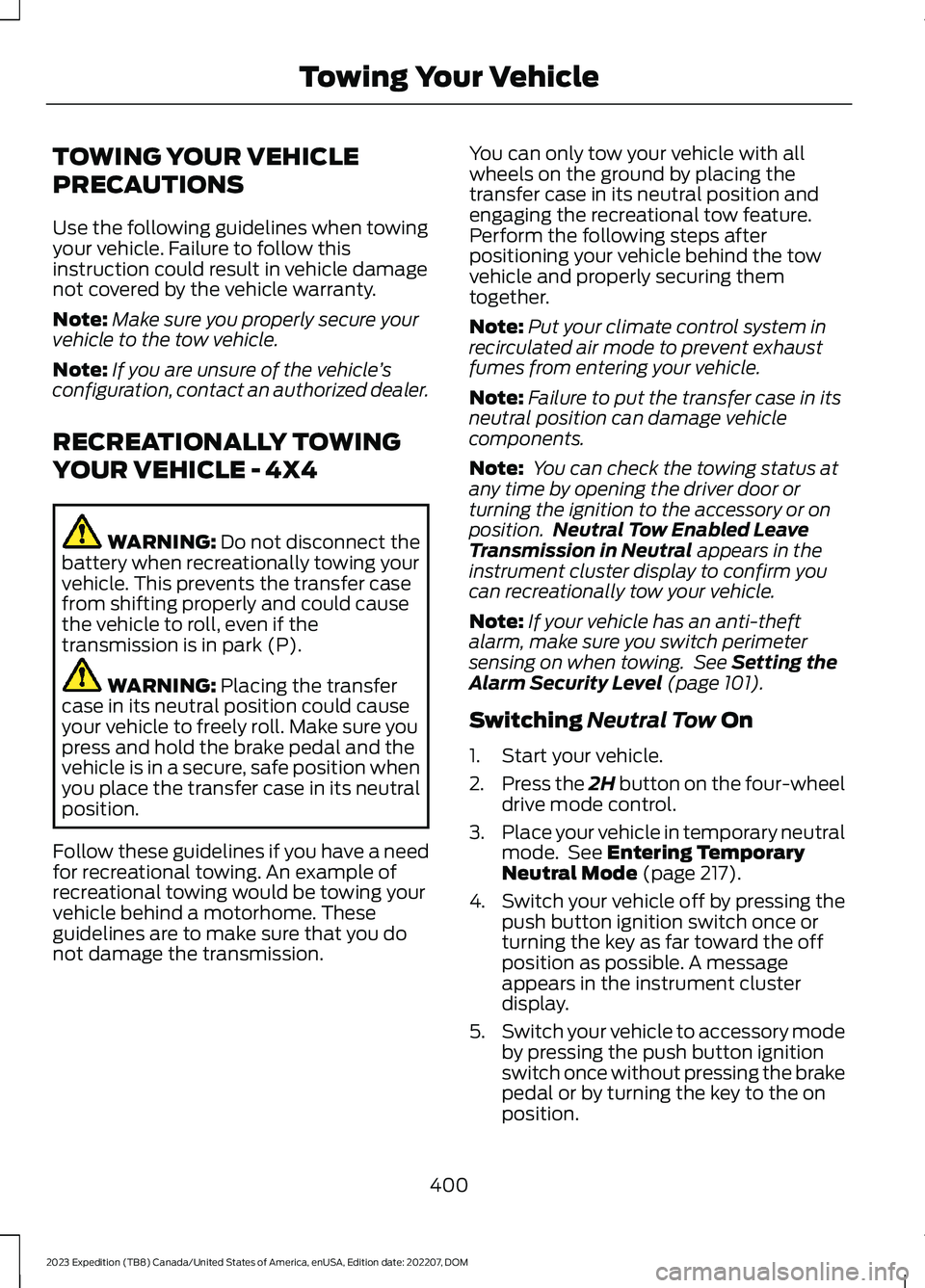
TOWING YOUR VEHICLE
PRECAUTIONS
Use the following guidelines when towingyour vehicle. Failure to follow thisinstruction could result in vehicle damagenot covered by the vehicle warranty.
Note:Make sure you properly secure yourvehicle to the tow vehicle.
Note:If you are unsure of the vehicle’sconfiguration, contact an authorized dealer.
RECREATIONALLY TOWING
YOUR VEHICLE - 4X4
WARNING: Do not disconnect thebattery when recreationally towing yourvehicle. This prevents the transfer casefrom shifting properly and could causethe vehicle to roll, even if thetransmission is in park (P).
WARNING: Placing the transfercase in its neutral position could causeyour vehicle to freely roll. Make sure youpress and hold the brake pedal and thevehicle is in a secure, safe position whenyou place the transfer case in its neutralposition.
Follow these guidelines if you have a needfor recreational towing. An example ofrecreational towing would be towing yourvehicle behind a motorhome. Theseguidelines are to make sure that you donot damage the transmission.
You can only tow your vehicle with allwheels on the ground by placing thetransfer case in its neutral position andengaging the recreational tow feature.Perform the following steps afterpositioning your vehicle behind the towvehicle and properly securing themtogether.
Note:Put your climate control system inrecirculated air mode to prevent exhaustfumes from entering your vehicle.
Note:Failure to put the transfer case in itsneutral position can damage vehiclecomponents.
Note: You can check the towing status atany time by opening the driver door orturning the ignition to the accessory or onposition.Neutral Tow Enabled LeaveTransmission in Neutral appears in theinstrument cluster display to confirm youcan recreationally tow your vehicle.
Note:If your vehicle has an anti-theftalarm, make sure you switch perimetersensing on when towing. See Setting theAlarm Security Level (page 101).
Switching Neutral Tow On
1.Start your vehicle.
2.Press the 2H button on the four-wheeldrive mode control.
3.Place your vehicle in temporary neutralmode. See Entering TemporaryNeutral Mode (page 217).
4.Switch your vehicle off by pressing thepush button ignition switch once orturning the key as far toward the offposition as possible. A messageappears in the instrument clusterdisplay.
5.Switch your vehicle to accessory modeby pressing the push button ignitionswitch once without pressing the brakepedal or by turning the key to the onposition.
400
2023 Expedition (TB8) Canada/United States of America, enUSA, Edition date: 202207, DOMTowing Your Vehicle
Page 536 of 658
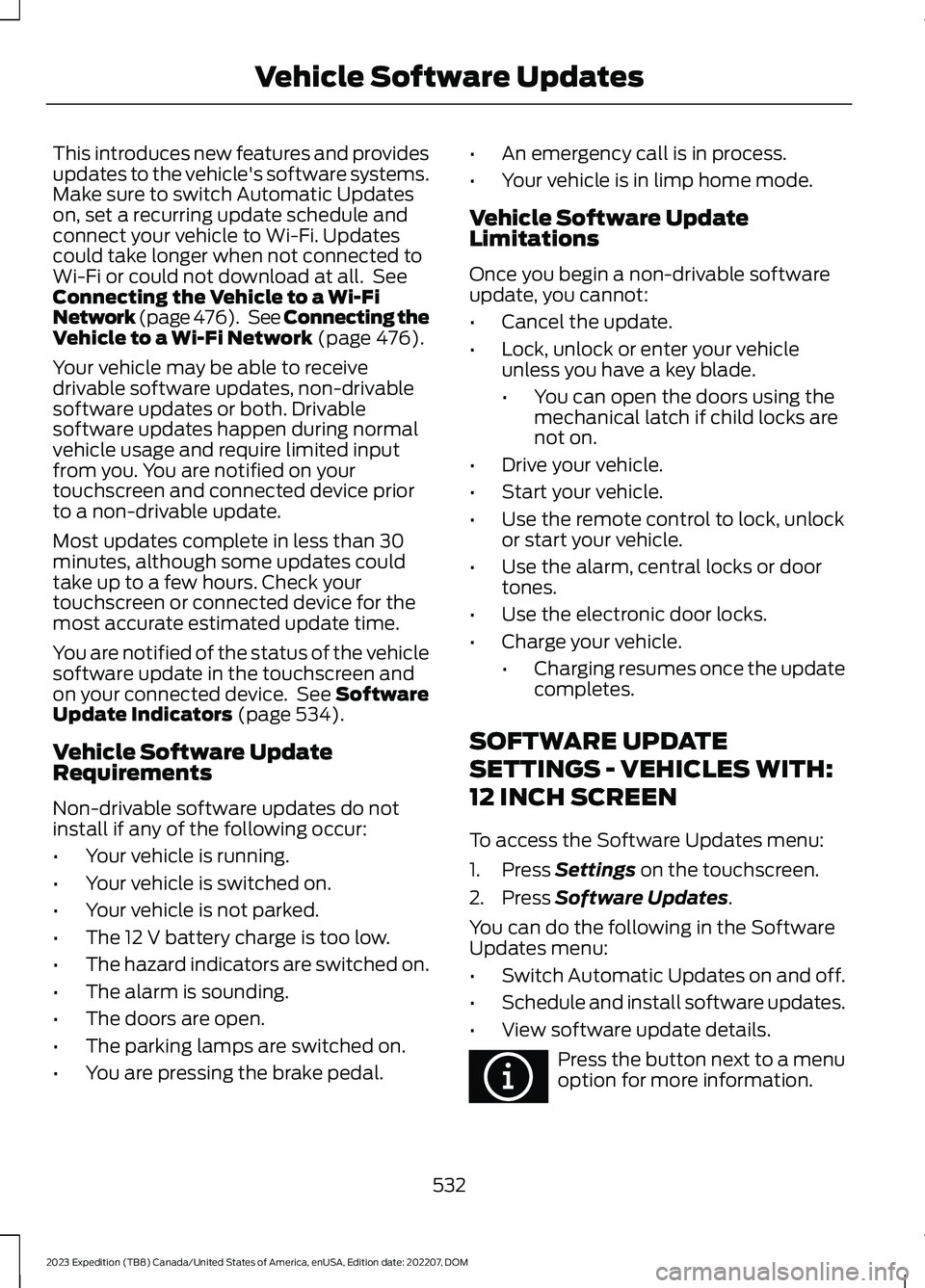
This introduces new features and providesupdates to the vehicle's software systems.Make sure to switch Automatic Updateson, set a recurring update schedule andconnect your vehicle to Wi-Fi. Updatescould take longer when not connected toWi-Fi or could not download at all. SeeConnecting the Vehicle to a Wi-FiNetwork (page 476). See Connecting theVehicle to a Wi-Fi Network (page 476).
Your vehicle may be able to receivedrivable software updates, non-drivablesoftware updates or both. Drivablesoftware updates happen during normalvehicle usage and require limited inputfrom you. You are notified on yourtouchscreen and connected device priorto a non-drivable update.
Most updates complete in less than 30minutes, although some updates couldtake up to a few hours. Check yourtouchscreen or connected device for themost accurate estimated update time.
You are notified of the status of the vehiclesoftware update in the touchscreen andon your connected device. See SoftwareUpdate Indicators (page 534).
Vehicle Software UpdateRequirements
Non-drivable software updates do notinstall if any of the following occur:
•Your vehicle is running.
•Your vehicle is switched on.
•Your vehicle is not parked.
•The 12 V battery charge is too low.
•The hazard indicators are switched on.
•The alarm is sounding.
•The doors are open.
•The parking lamps are switched on.
•You are pressing the brake pedal.
•An emergency call is in process.
•Your vehicle is in limp home mode.
Vehicle Software UpdateLimitations
Once you begin a non-drivable softwareupdate, you cannot:
•Cancel the update.
•Lock, unlock or enter your vehicleunless you have a key blade.
•You can open the doors using themechanical latch if child locks arenot on.
•Drive your vehicle.
•Start your vehicle.
•Use the remote control to lock, unlockor start your vehicle.
•Use the alarm, central locks or doortones.
•Use the electronic door locks.
•Charge your vehicle.
•Charging resumes once the updatecompletes.
SOFTWARE UPDATE
SETTINGS - VEHICLES WITH:
12 INCH SCREEN
To access the Software Updates menu:
1.Press Settings on the touchscreen.
2.Press Software Updates.
You can do the following in the SoftwareUpdates menu:
•Switch Automatic Updates on and off.
•Schedule and install software updates.
•View software update details.
Press the button next to a menuoption for more information.
532
2023 Expedition (TB8) Canada/United States of America, enUSA, Edition date: 202207, DOMVehicle Software UpdatesE366956
Page 540 of 658
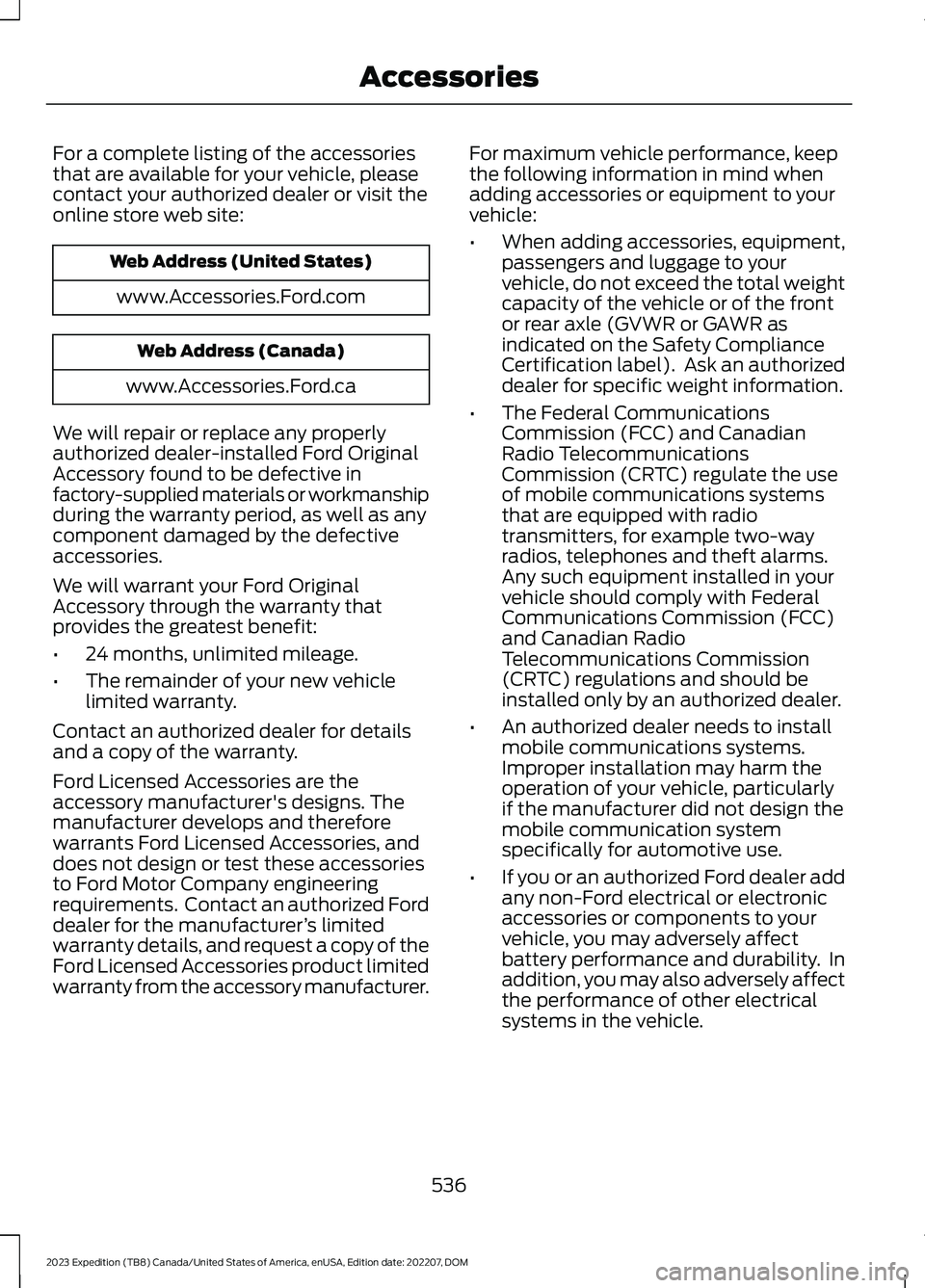
For a complete listing of the accessoriesthat are available for your vehicle, pleasecontact your authorized dealer or visit theonline store web site:
Web Address (United States)
www.Accessories.Ford.com
Web Address (Canada)
www.Accessories.Ford.ca
We will repair or replace any properlyauthorized dealer-installed Ford OriginalAccessory found to be defective infactory-supplied materials or workmanshipduring the warranty period, as well as anycomponent damaged by the defectiveaccessories.
We will warrant your Ford OriginalAccessory through the warranty thatprovides the greatest benefit:
•24 months, unlimited mileage.
•The remainder of your new vehiclelimited warranty.
Contact an authorized dealer for detailsand a copy of the warranty.
Ford Licensed Accessories are theaccessory manufacturer's designs. Themanufacturer develops and thereforewarrants Ford Licensed Accessories, anddoes not design or test these accessoriesto Ford Motor Company engineeringrequirements. Contact an authorized Forddealer for the manufacturer’s limitedwarranty details, and request a copy of theFord Licensed Accessories product limitedwarranty from the accessory manufacturer.
For maximum vehicle performance, keepthe following information in mind whenadding accessories or equipment to yourvehicle:
•When adding accessories, equipment,passengers and luggage to yourvehicle, do not exceed the total weightcapacity of the vehicle or of the frontor rear axle (GVWR or GAWR asindicated on the Safety ComplianceCertification label). Ask an authorizeddealer for specific weight information.
•The Federal CommunicationsCommission (FCC) and CanadianRadio TelecommunicationsCommission (CRTC) regulate the useof mobile communications systemsthat are equipped with radiotransmitters, for example two-wayradios, telephones and theft alarms.Any such equipment installed in yourvehicle should comply with FederalCommunications Commission (FCC)and Canadian RadioTelecommunications Commission(CRTC) regulations and should beinstalled only by an authorized dealer.
•An authorized dealer needs to installmobile communications systems.Improper installation may harm theoperation of your vehicle, particularlyif the manufacturer did not design themobile communication systemspecifically for automotive use.
•If you or an authorized Ford dealer addany non-Ford electrical or electronicaccessories or components to yourvehicle, you may adversely affectbattery performance and durability. Inaddition, you may also adversely affectthe performance of other electricalsystems in the vehicle.
536
2023 Expedition (TB8) Canada/United States of America, enUSA, Edition date: 202207, DOMAccessories
Page 634 of 658
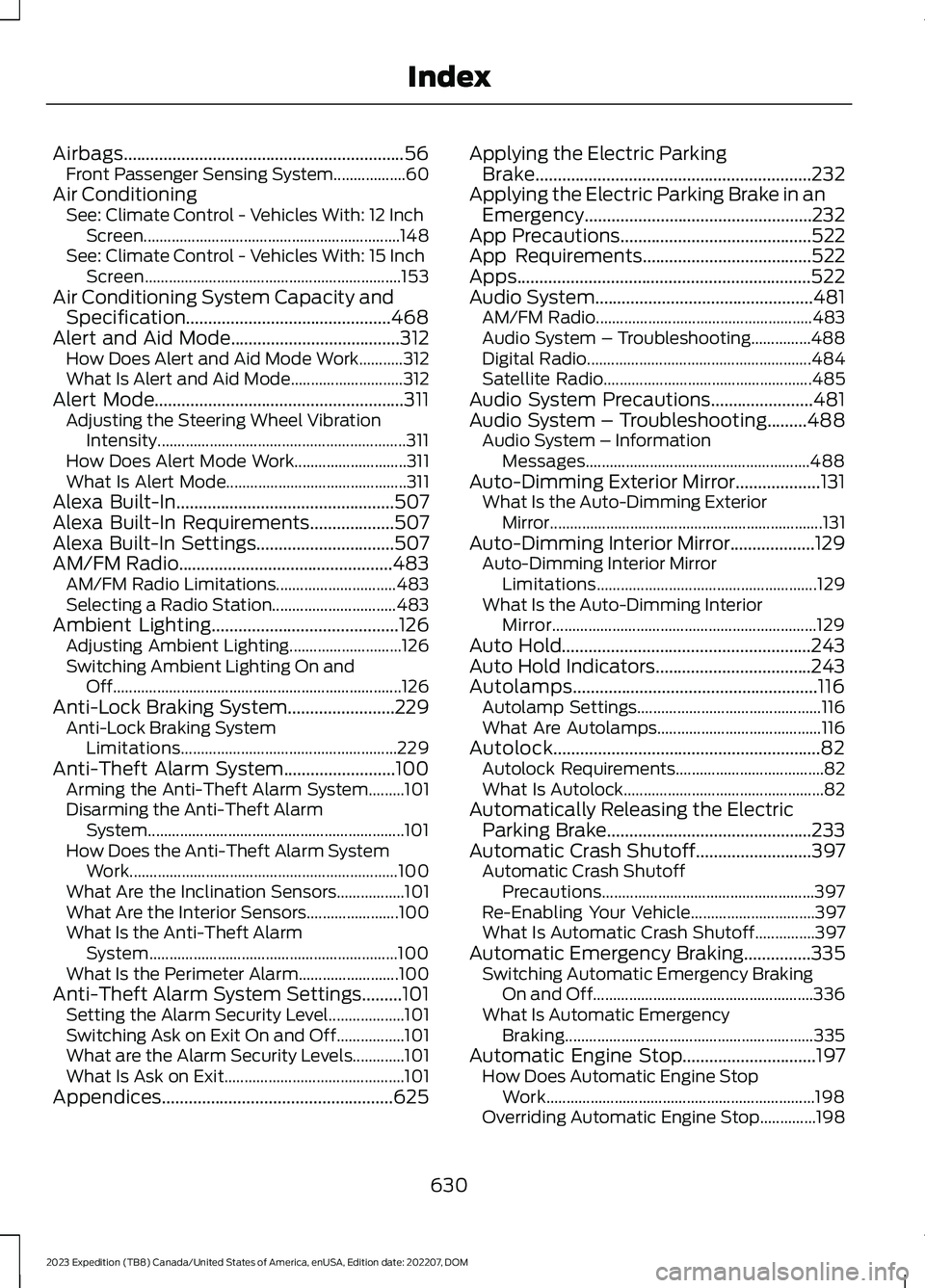
Airbags...............................................................56Front Passenger Sensing System..................60Air ConditioningSee: Climate Control - Vehicles With: 12 InchScreen................................................................148See: Climate Control - Vehicles With: 15 InchScreen................................................................153Air Conditioning System Capacity andSpecification..............................................468Alert and Aid Mode......................................312How Does Alert and Aid Mode Work...........312What Is Alert and Aid Mode............................312Alert Mode........................................................311Adjusting the Steering Wheel VibrationIntensity..............................................................311How Does Alert Mode Work............................311What Is Alert Mode.............................................311Alexa Built-In.................................................507Alexa Built-In Requirements...................507Alexa Built-In Settings...............................507AM/FM Radio................................................483AM/FM Radio Limitations..............................483Selecting a Radio Station...............................483Ambient Lighting..........................................126Adjusting Ambient Lighting............................126Switching Ambient Lighting On andOff........................................................................126Anti-Lock Braking System........................229Anti-Lock Braking SystemLimitations......................................................229Anti-Theft Alarm System.........................100Arming the Anti-Theft Alarm System.........101Disarming the Anti-Theft AlarmSystem................................................................101How Does the Anti-Theft Alarm SystemWork...................................................................100What Are the Inclination Sensors.................101What Are the Interior Sensors.......................100What Is the Anti-Theft AlarmSystem..............................................................100What Is the Perimeter Alarm.........................100Anti-Theft Alarm System Settings.........101Setting the Alarm Security Level...................101Switching Ask on Exit On and Off.................101What are the Alarm Security Levels.............101What Is Ask on Exit.............................................101Appendices....................................................625
Applying the Electric ParkingBrake..............................................................232Applying the Electric Parking Brake in anEmergency...................................................232App Precautions...........................................522App Requirements......................................522Apps..................................................................522Audio System.................................................481AM/FM Radio......................................................483Audio System – Troubleshooting...............488Digital Radio........................................................484Satellite Radio....................................................485Audio System Precautions.......................481Audio System – Troubleshooting.........488Audio System – InformationMessages........................................................488Auto-Dimming Exterior Mirror...................131What Is the Auto-Dimming ExteriorMirror....................................................................131Auto-Dimming Interior Mirror...................129Auto-Dimming Interior MirrorLimitations.......................................................129What Is the Auto-Dimming InteriorMirror..................................................................129Auto Hold........................................................243Auto Hold Indicators...................................243Autolamps.......................................................116Autolamp Settings..............................................116What Are Autolamps.........................................116Autolock............................................................82Autolock Requirements.....................................82What Is Autolock..................................................82Automatically Releasing the ElectricParking Brake..............................................233Automatic Crash Shutoff..........................397Automatic Crash ShutoffPrecautions.....................................................397Re-Enabling Your Vehicle...............................397What Is Automatic Crash Shutoff...............397Automatic Emergency Braking...............335Switching Automatic Emergency BrakingOn and Off.......................................................336What Is Automatic EmergencyBraking..............................................................335Automatic Engine Stop..............................197How Does Automatic Engine StopWork...................................................................198Overriding Automatic Engine Stop..............198
630
2023 Expedition (TB8) Canada/United States of America, enUSA, Edition date: 202207, DOMIndex
Page 649 of 658
Filling a Portable Fuel Container..................207
S
Satellite Radio..............................................485Locating the Satellite Radio IdentificationNumber............................................................486Satellite Radio Limitations............................485Satellite Radio Settings..................................486Selecting a Channel.........................................486Setting an Alert..................................................487What Is Satellite Radio...................................485Saving a Preset Position............................179Scheduled Maintenance..........................539Seatbelt Extensions......................................54Seatbelt Precautions....................................48Seatbelt Reminder.........................................52How Does the Seatbelt ReminderWork.....................................................................52Seatbelt Reminder Audible Warnings..........53Seatbelt Reminder Indicators..........................52Switching the Seatbelt Reminder On andOff.........................................................................53Seatbelts...........................................................48Automatic Locking Mode..................................50Seatbelt Reminder...............................................52Sensitive Locking Mode.....................................50Security............................................................100Anti-Theft Alarm System...............................100Anti-Theft Alarm System Settings...............101Passive Anti-Theft System............................100Security – Troubleshooting............................102Security – Troubleshooting......................102Security – Frequently AskedQuestions.........................................................103Security – Information Messages................102Selecting a Drive Mode.............................303Selecting a Four-Wheel DriveMode.............................................................220Selecting the Audio Source......................481Sending and Receiving a TextMessage........................................................514Sensitive Locking Mode..............................50How Does Sensitive Locking ModeWork.....................................................................50What is Sensitive Locking Mode....................50Service Data......................................................27
Setting a Destination.................................526Setting a Destination Using a Point ofInterest..............................................................527Setting a Destination Using a PredictiveDestination......................................................527Setting a Destination Using a RecentDestination......................................................527Setting a Destination Using a SavedDestination......................................................527Setting a Destination Using the MapScreen................................................................527Setting a Destination Using the Text EntryScreen...............................................................526Setting a Memory Preset..........................482Settings Data...................................................28Setting the Adaptive Cruise Control Gap- Vehicles With: 12 Inch Screen............285Setting the Adaptive Cruise Control Gap- Vehicles With: 8 Inch Screen.............284Setting the Adaptive Cruise ControlSpeed - Vehicles With: 12 InchScreen...........................................................283Setting the Adaptive Cruise ControlSpeed - Vehicles With: 8 InchScreen...........................................................282Setting the Blower Motor Speed............149Setting the Clock and Date.....................483Setting the Cruise Control Speed...........277Setting the Hill Descent Speed..............256Setting the Liftgate Opening Height.......93Setting the Speed Sign RecognitionSpeed Tolerance - Vehicles With: 12Inch Screen.................................................342Setting the Speed Sign RecognitionSpeed Tolerance - Vehicles With: 15Inch Screen.................................................342Setting the Speed Sign RecognitionSpeed Warning - Vehicles With: 12 InchScreen...........................................................342Setting the Speed Sign RecognitionSpeed Warning - Vehicles With: 15 InchScreen...........................................................342Setting the Temperature...........................149Setting the Trail Control Speed.............250Setting Up the Trailer Backup Assistancefor a Conventional Trailer......................370Applying the Trailer Reversing AidSticker.................................................................371
645
2023 Expedition (TB8) Canada/United States of America, enUSA, Edition date: 202207, DOMIndex
Page 650 of 658
Calibrating the System.....................................372Configuring the Trailer......................................370Setting Up Trailer Reverse Guidance fora Conventional Trailer.............................382Applying the Trailer Reverse AidSticker...............................................................383Calibrating the System....................................384Configuring the Trailer.....................................382Shifting Your Vehicle Into Gear................214Side Parking Aid...........................................263Locating the Side Parking AidSensors.............................................................264Side Parking Aid Audible Warnings............264Side Parking Aid Limitations.........................263What is the Side Parking Aid.........................263Signing Into Your Account........................507Sitting in the Correct Position...................161Software Update Indicators....................534Software Update Settings - VehiclesWith: 12 Inch Screen.................................532Software Update Settings - VehiclesWith: 15 Inch Screen................................533Software UpdateSee: Software Update Settings - VehiclesWith: 12 Inch Screen.....................................532See: Software Update Settings - VehiclesWith: 15 Inch Screen.....................................533See: Vehicle Software Updates....................532Sounding the Panic Alarm.........................68Special Operating Conditions ScheduledMaintenance..............................................545Speed ControlSee: Cruise Control............................................277Speedometer.................................................135Speed Sign Recognition Indicators........341Speed Sign RecognitionLimitations...................................................341Speed Sign RecognitionPrecautions..................................................341Speed Sign Recognition.............................341Speed Sign Recognition –Troubleshooting............................................343Speed Sign Recognition –Troubleshooting........................................343Speed Sign Recognition – Frequently AskedQuestions........................................................344Speed Sign Recognition – InformationMessages.........................................................343
Stability Control Indicator........................249Stability Control............................................247Starter SwitchSee: Ignition Switch...........................................193Starting and Stopping the Engine –Precautions..................................................193Starting and Stopping the Engine..........193Automatic Engine Stop....................................197Engine Block Heater..........................................195Starting and Stopping the Engine –Troubleshooting.............................................199Starting the Engine............................................194Stopping the Engine..........................................196Starting and Stopping the Engine –Troubleshooting........................................199Starting and Stopping the Engine –Frequently Asked Questions....................200Starting and Stopping the Engine –Information Messages.................................199Starting and Stopping the Engine –Warning Lamps..............................................199Starting the Engine......................................194Restarting the Engine After Stoppingit...........................................................................195Starting a Gasoline Engine.............................194Status Bar......................................................499Steering...........................................................258Electric Power Steering...................................258Steering – Troubleshooting...........................258Steering – Troubleshooting.....................258Steering – Frequently AskedQuestions........................................................260Steering – Information Messages...............259Steering – Warning Indicators......................258Steering Wheel.............................................106Steering Wheel - Vehicles With: AdaptiveCruise Control...............................................30Steering Wheel - Vehicles With: CruiseControl..............................................................31Stopping the Engine...................................202Stopping the Engine When Your Vehicle isMoving................................................................197Stopping the Engine When Your Vehicle isStationary.........................................................196Stopping the Liftgate Movement............95Storage..............................................................191Center Console.....................................................191Glove Compartment..........................................191
646
2023 Expedition (TB8) Canada/United States of America, enUSA, Edition date: 202207, DOMIndex