center console FORD EXPEDITION 2023 User Guide
[x] Cancel search | Manufacturer: FORD, Model Year: 2023, Model line: EXPEDITION, Model: FORD EXPEDITION 2023Pages: 658, PDF Size: 16.16 MB
Page 195 of 658
OVERHEAD STORAGE
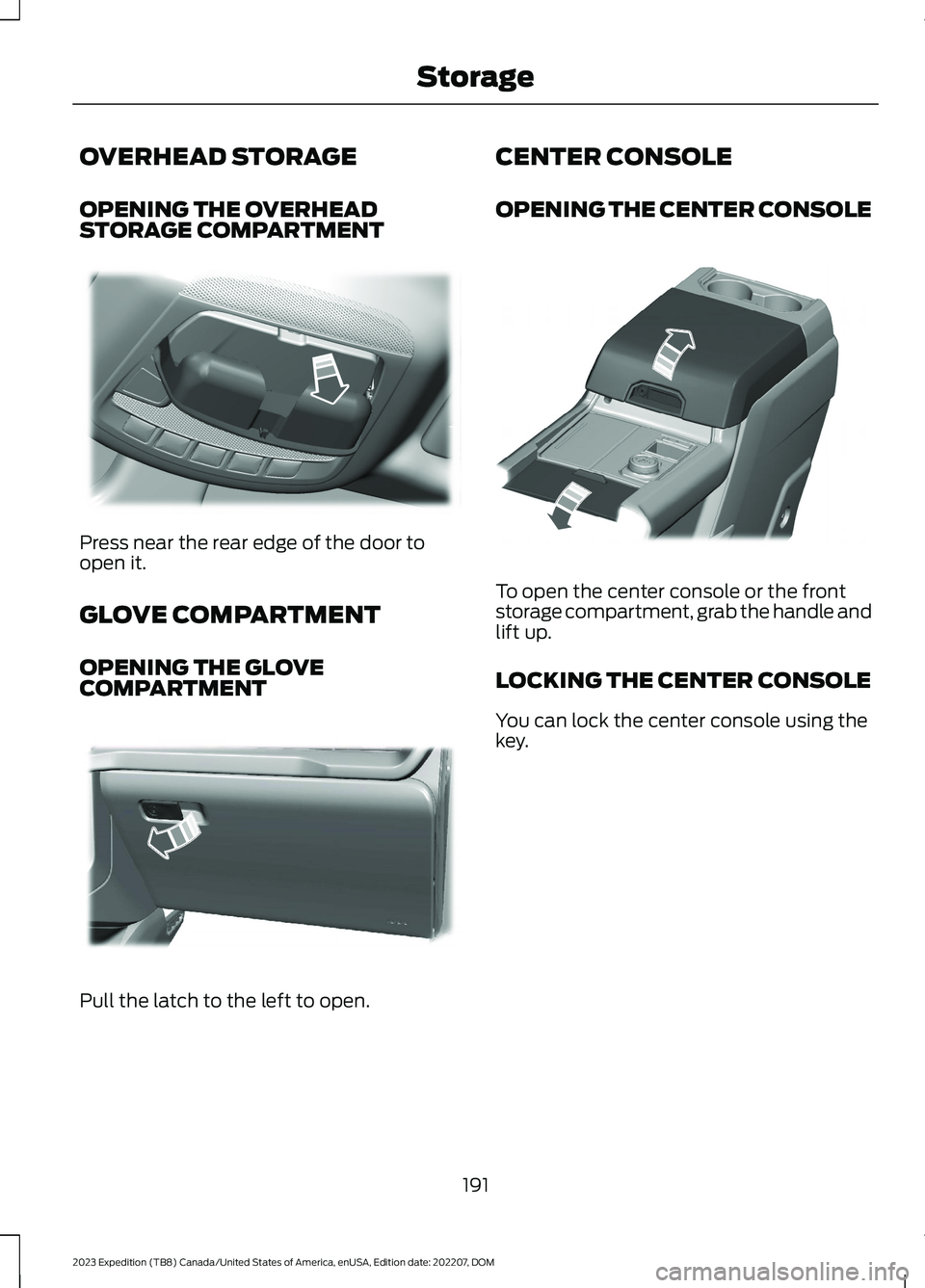
OPENING THE OVERHEADSTORAGE COMPARTMENT
Press near the rear edge of the door toopen it.
GLOVE COMPARTMENT
OPENING THE GLOVECOMPARTMENT
Pull the latch to the left to open.
CENTER CONSOLE
OPENING THE CENTER CONSOLE
To open the center console or the frontstorage compartment, grab the handle andlift up.
LOCKING THE CENTER CONSOLE
You can lock the center console using thekey.
191
2023 Expedition (TB8) Canada/United States of America, enUSA, Edition date: 202207, DOMStorageE332434 E310218 E351263
Page 218 of 658
MANUAL (M)
In manual (M) you can select a specificgear. See Manually Shifting Gears (page215).
Note:We recommend using this mode fordriving on hilly or mountainous roads orwhen towing a trailer. See Towing a Trailer(page 358).
SHIFTING YOUR VEHICLE INTO
GEAR
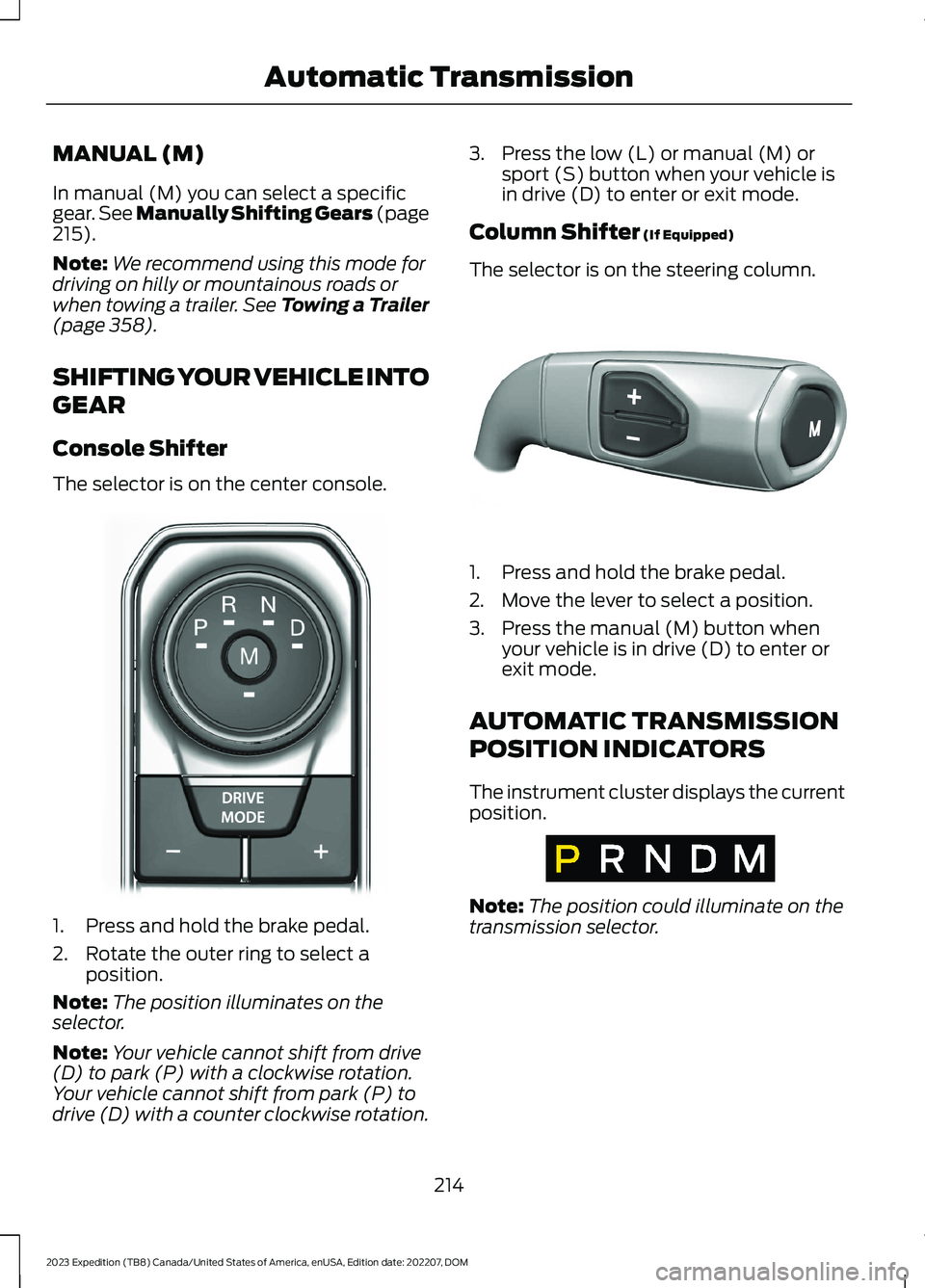
Console Shifter
The selector is on the center console.
1.Press and hold the brake pedal.
2.Rotate the outer ring to select aposition.
Note:The position illuminates on theselector.
Note:Your vehicle cannot shift from drive(D) to park (P) with a clockwise rotation.Your vehicle cannot shift from park (P) todrive (D) with a counter clockwise rotation.
3.Press the low (L) or manual (M) orsport (S) button when your vehicle isin drive (D) to enter or exit mode.
Column Shifter (If Equipped)
The selector is on the steering column.
1.Press and hold the brake pedal.
2.Move the lever to select a position.
3.Press the manual (M) button whenyour vehicle is in drive (D) to enter orexit mode.
AUTOMATIC TRANSMISSION
POSITION INDICATORS
The instrument cluster displays the currentposition.
Note:The position could illuminate on thetransmission selector.
214
2023 Expedition (TB8) Canada/United States of America, enUSA, Edition date: 202207, DOMAutomatic TransmissionE252861 E327267 E317778
Page 225 of 658
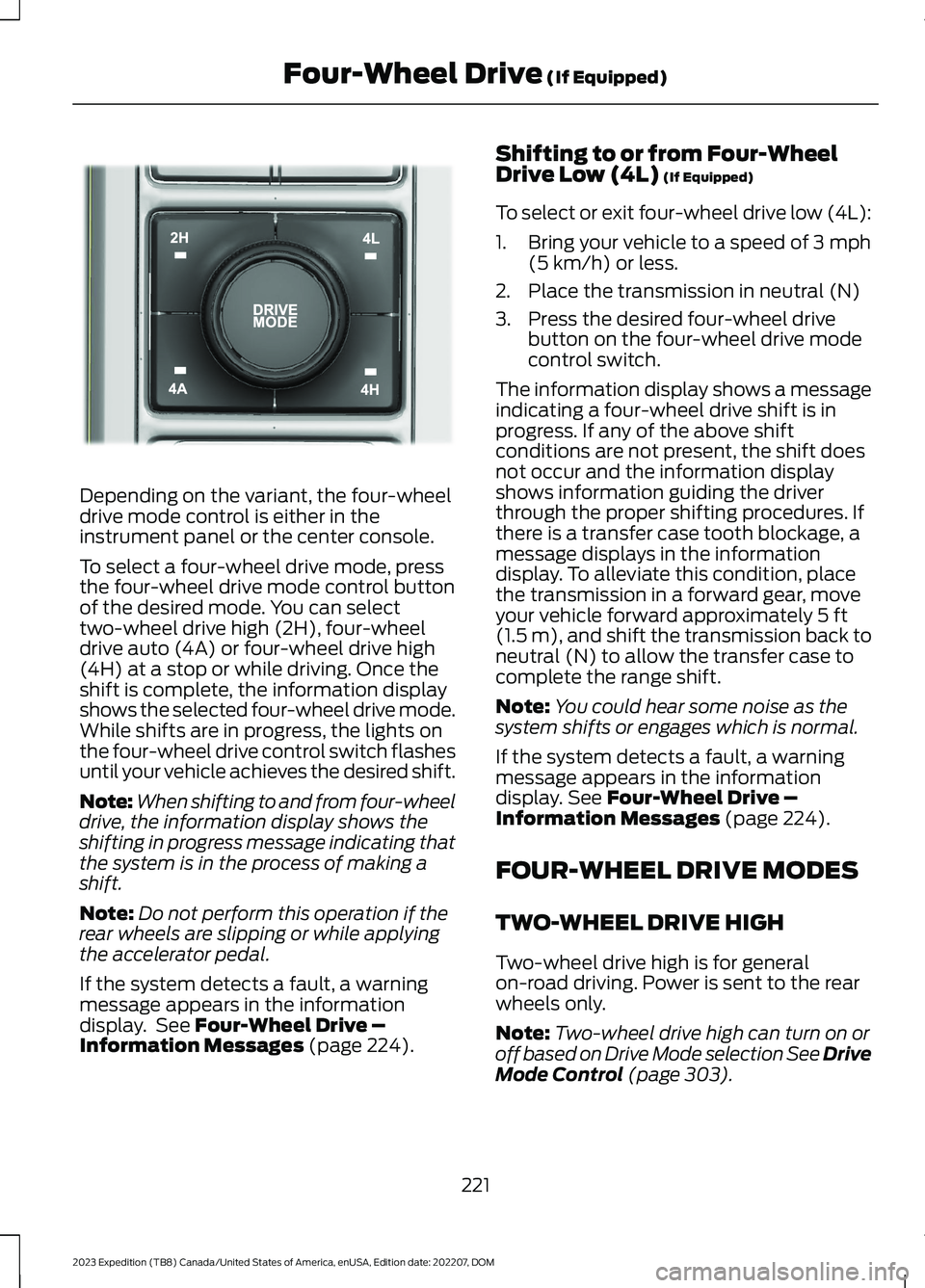
Depending on the variant, the four-wheeldrive mode control is either in theinstrument panel or the center console.
To select a four-wheel drive mode, pressthe four-wheel drive mode control buttonof the desired mode. You can selecttwo-wheel drive high (2H), four-wheeldrive auto (4A) or four-wheel drive high(4H) at a stop or while driving. Once theshift is complete, the information displayshows the selected four-wheel drive mode.While shifts are in progress, the lights onthe four-wheel drive control switch flashesuntil your vehicle achieves the desired shift.
Note:When shifting to and from four-wheeldrive, the information display shows theshifting in progress message indicating thatthe system is in the process of making ashift.
Note:Do not perform this operation if therear wheels are slipping or while applyingthe accelerator pedal.
If the system detects a fault, a warningmessage appears in the informationdisplay. See Four-Wheel Drive –Information Messages (page 224).
Shifting to or from Four-WheelDrive Low (4L) (If Equipped)
To select or exit four-wheel drive low (4L):
1.Bring your vehicle to a speed of 3 mph(5 km/h) or less.
2.Place the transmission in neutral (N)
3.Press the desired four-wheel drivebutton on the four-wheel drive modecontrol switch.
The information display shows a messageindicating a four-wheel drive shift is inprogress. If any of the above shiftconditions are not present, the shift doesnot occur and the information displayshows information guiding the driverthrough the proper shifting procedures. Ifthere is a transfer case tooth blockage, amessage displays in the informationdisplay. To alleviate this condition, placethe transmission in a forward gear, moveyour vehicle forward approximately 5 ft(1.5 m), and shift the transmission back toneutral (N) to allow the transfer case tocomplete the range shift.
Note:You could hear some noise as thesystem shifts or engages which is normal.
If the system detects a fault, a warningmessage appears in the informationdisplay. See Four-Wheel Drive –Information Messages (page 224).
FOUR-WHEEL DRIVE MODES
TWO-WHEEL DRIVE HIGH
Two-wheel drive high is for generalon-road driving. Power is sent to the rearwheels only.
Note:Two-wheel drive high can turn on oroff based on Drive Mode selection See DriveMode Control (page 303).
221
2023 Expedition (TB8) Canada/United States of America, enUSA, Edition date: 202207, DOMFour-Wheel Drive (If Equipped)E357408
Page 260 of 658
WHAT IS HILL DESCENT
CONTROL
Hill descent control allows the driver to setand maintain vehicle speed whiledescending steep slopes in various surfaceconditions.
HOW DOES HILL DESCENT
CONTROL WORK
Hill descent control can maintain vehiclespeeds on downhill slopes between2–20 mph (3–32 km/h). Above 20 mph(32 km/h), the system remains on but thedescent speed cannot be set ormaintained.
Note:The system does not function below2 mph (3 km/h).
The system requires a cool down intervalafter a period of sustained use. Hill descentcontrol provides a warning in the messagecenter and a tone sounds when the systemis about to disengage for cooling. At thistime, manually apply the brakes as neededto maintain descent speed.
Note:The amount of time that the systemcan remain active before cooling varies withconditions.
HILL DESCENT CONTROL
PRECAUTIONS
WARNING: The system does notcontrol speed in low traction conditionsor extremely steep slopes. The systemis designed to be an aid and does notrelieve you of your responsibility to drivewith due care and attention. Failure tofollow this instruction could result inpersonal injury.
WARNING: Hill descent controlcannot control descent in all surfaceconditions and circumstances, such asice or extremely steep grades. Hilldescent control is a driver assist systemand cannot substitute for good judgmentby the driver. Failure to do so may resultin loss of vehicle control, crash or seriousinjury.
WARNING: The system does notreplace the parking brake. When youleave your vehicle, always apply theparking brake and shift the transmissioninto park (P) for automatic transmissionor first gear for manual transmission.
SWITCHING HILL DESCENT
CONTROL ON AND OFF
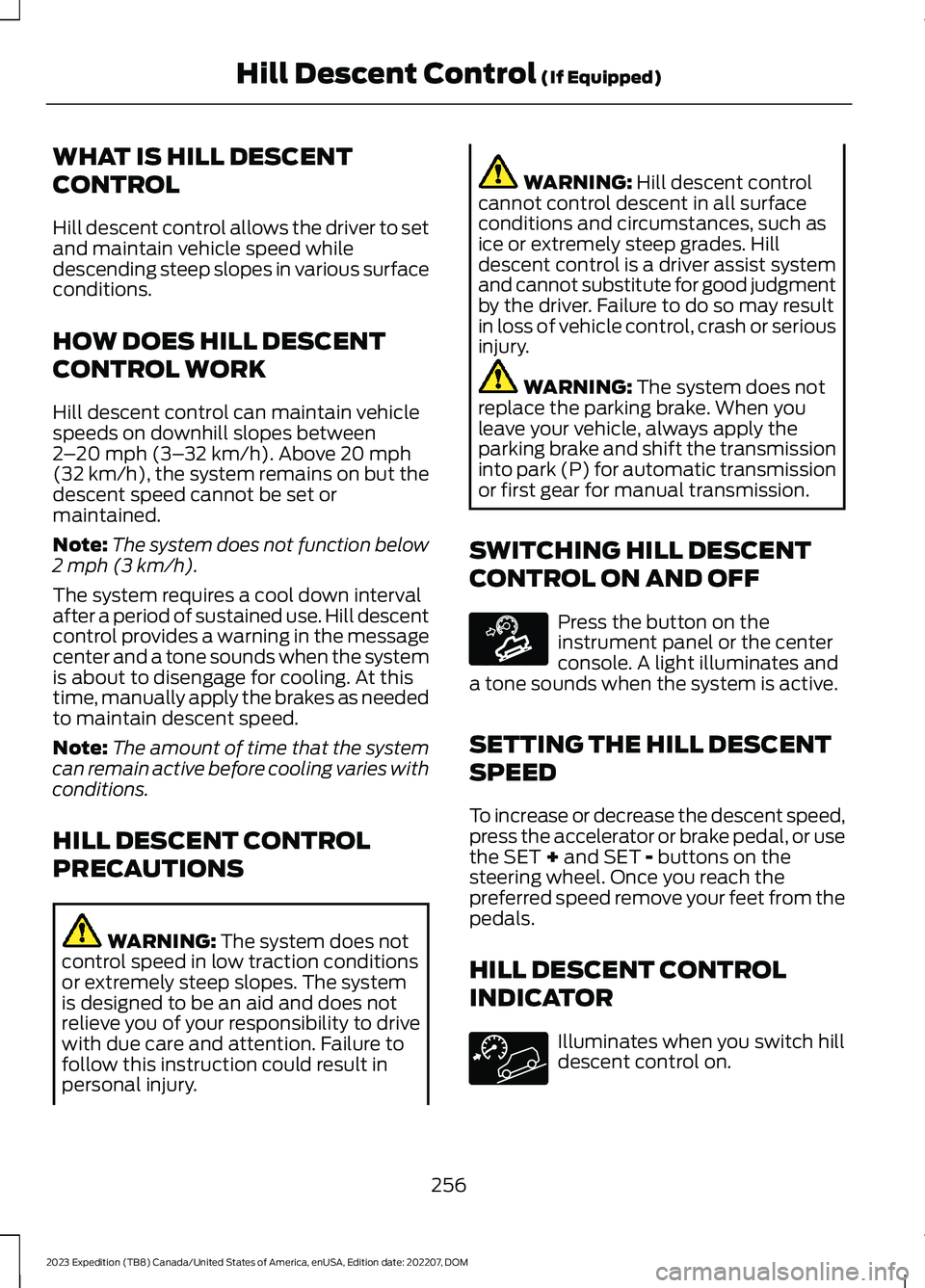
Press the button on theinstrument panel or the centerconsole. A light illuminates anda tone sounds when the system is active.
SETTING THE HILL DESCENT
SPEED
To increase or decrease the descent speed,press the accelerator or brake pedal, or usethe SET + and SET - buttons on thesteering wheel. Once you reach thepreferred speed remove your feet from thepedals.
HILL DESCENT CONTROL
INDICATOR
Illuminates when you switch hilldescent control on.
256
2023 Expedition (TB8) Canada/United States of America, enUSA, Edition date: 202207, DOMHill Descent Control (If Equipped)E163171
Page 307 of 658
WHAT IS DRIVE MODE
CONTROL
Your vehicle has various drive modes thatyou can select for different drivingconditions. Depending on the drive modethat you select, the system adjusts variousvehicle settings.
HOW DOES DRIVE MODE
CONTROL WORK
Drive mode control adjusts your vehicleconfiguration for each mode you select.
Changing the drive mode adjusts thesteering effort and feel of the steeringsystem.
The stability and traction control assistyour vehicle control in adverse conditionsor high-performance driving.
Throttle control enhances the powertrainresponse, transmission controls becomeoptimized with shift schedules, andfour-wheel drive settings are optimizedand tuned to each mode.
Changing the drive mode can engage ordisengage the electronic lockingdifferentials.
Changing the drive mode changes thefour-wheel drive mode to the defaultsetting for the selected drive mode.
Note:The system has diagnostic checksthat continuously monitor the system forproper operation. If a mode is unavailabledue to a system fault, the drive modesystem defaults to normal. When thesystem defaults to normal, the drivelinesettings remain the same as prior to thesystem fault.
Note:The system reverts to the normalmode each time you start your vehicle. Atstartup the system also displays a prompton the instrument cluster display that givesyou the option to return to the previouslyselected drive mode during the last ignitioncycle. If you select yes, the system returnsto the last selected drive mode and thedefault driveline settings associated withthat mode. If you select no, the systemremains in normal mode and the drivelinesettings remain the same as selected in theprior ignition cycle. If you do not select yesor no, the system stays in normal mode andthe driveline settings remain the same asselected in the prior ignition cycle.
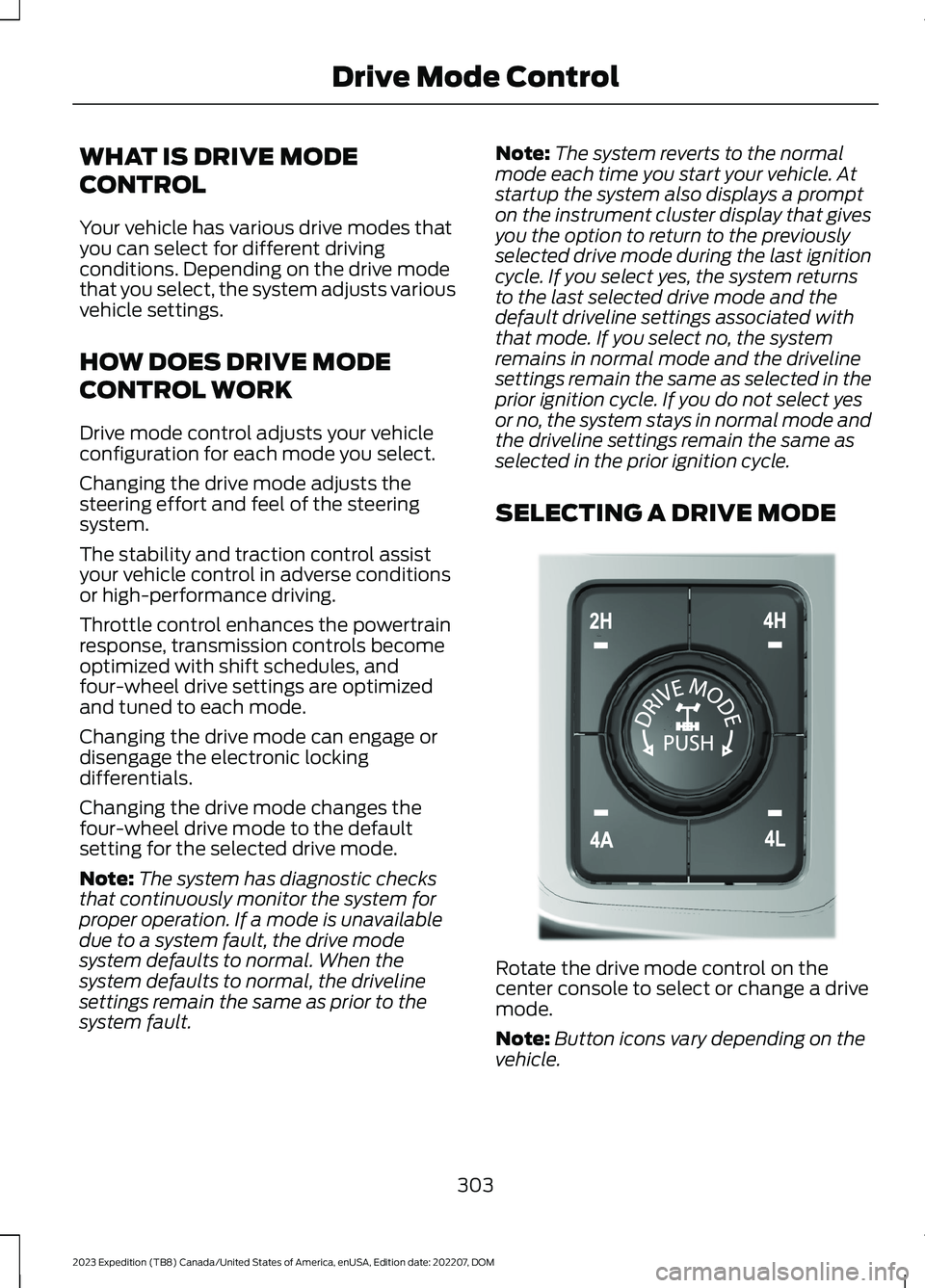
SELECTING A DRIVE MODE
Rotate the drive mode control on thecenter console to select or change a drivemode.
Note:Button icons vary depending on thevehicle.
303
2023 Expedition (TB8) Canada/United States of America, enUSA, Edition date: 202207, DOMDrive Mode ControlE308146
Page 636 of 658
Blind Spot Information System.............320Blind Spot Information System –Troubleshooting............................................324Blind Spot Information System With TrailerCoverage...........................................................322Blind Spot Information SystemIndicators.....................................................323Blind Spot Information SystemLimitations..................................................320Blind Spot Information SystemPrecautions.................................................320Blind Spot Information SystemRequirements............................................320Blind Spot Information System –Troubleshooting........................................324Blind Spot Information System –Information Messages................................324Blind Spot Information System WithTrailer Coverage.........................................322Blind Spot Information System With TrailerCoverage Limitations...................................322Selecting a Trailer..............................................323Setting a Trailer Length....................................322What Is Blind Spot Information System withTrailer Coverage.............................................322BlueCruise Alerts.........................................300BlueCruise AutomaticCancellation...............................................300BlueCruise.......................................................297BlueCruise – Troubleshooting.......................301BlueCruise Indicators................................300BlueCruise Limitations..............................298BlueCruise Precautions.............................297BlueCruise Requirements........................298BlueCruise Settings....................................299BlueCruise – Troubleshooting.................301BlueCruise – Information Messages...........301Bluetooth®....................................................520Body Control Module Fuse Box.............408Accessing the Body Control Module FuseBox.....................................................................408Identifying the Fuses in the Body ControlModule Fuse Box..........................................408Locating the Body Control Module FuseBox.....................................................................408Bonnet LockSee: Opening and Closing the Hood...........412Booster Seats..................................................45
Brake Fluid Specification..........................230Brake Over Accelerator..............................229Brake Precautions.......................................229Brakes..............................................................229Anti-Lock Braking System..............................229Brakes – Troubleshooting..............................230Brakes – Troubleshooting........................230Brakes – Frequently Asked Questions........231Brakes – Warning Lamps...............................230Breaking-In....................................................389
C
Calculating Payload....................................347Calculating the Load Limit.......................347Canceling the Set Speed..........................250Capacities and Specifications................463Catalytic Converter.......................................212Catalytic Converter –Troubleshooting.............................................212Catalytic Converter Precautions.............212Catalytic Converter –Troubleshooting.........................................212Catalytic Converter – WarningLamps.................................................................212Center Console...............................................191Locking the Center Console.............................191Opening the Center Console...........................191Center Display Limitations......................499Center Display Overview..........................499Center Display Precautions.....................499Changing a Flat Tire...................................456Changing a Road Wheel...........................456Changing the 12V Battery.........................420Changing the Fuel Filter.............................419Changing the Language.............................142Changing the Measurement Unit...........142Changing the Remote Control Battery -Vehicles With: Flip Key..............................69Changing the Remote Control Battery -Vehicles With: Push Button Start..........70Changing the Temperature Unit.............142Changing the Tire Pressure Unit.............142Changing the Vehicle Wi-Fi HotspotName or Password - Vehicles With: 12Inch Screen.................................................479
632
2023 Expedition (TB8) Canada/United States of America, enUSA, Edition date: 202207, DOMIndex
Page 650 of 658
Calibrating the System.....................................372Configuring the Trailer......................................370Setting Up Trailer Reverse Guidance fora Conventional Trailer.............................382Applying the Trailer Reverse AidSticker...............................................................383Calibrating the System....................................384Configuring the Trailer.....................................382Shifting Your Vehicle Into Gear................214Side Parking Aid...........................................263Locating the Side Parking AidSensors.............................................................264Side Parking Aid Audible Warnings............264Side Parking Aid Limitations.........................263What is the Side Parking Aid.........................263Signing Into Your Account........................507Sitting in the Correct Position...................161Software Update Indicators....................534Software Update Settings - VehiclesWith: 12 Inch Screen.................................532Software Update Settings - VehiclesWith: 15 Inch Screen................................533Software UpdateSee: Software Update Settings - VehiclesWith: 12 Inch Screen.....................................532See: Software Update Settings - VehiclesWith: 15 Inch Screen.....................................533See: Vehicle Software Updates....................532Sounding the Panic Alarm.........................68Special Operating Conditions ScheduledMaintenance..............................................545Speed ControlSee: Cruise Control............................................277Speedometer.................................................135Speed Sign Recognition Indicators........341Speed Sign RecognitionLimitations...................................................341Speed Sign RecognitionPrecautions..................................................341Speed Sign Recognition.............................341Speed Sign Recognition –Troubleshooting............................................343Speed Sign Recognition –Troubleshooting........................................343Speed Sign Recognition – Frequently AskedQuestions........................................................344Speed Sign Recognition – InformationMessages.........................................................343
Stability Control Indicator........................249Stability Control............................................247Starter SwitchSee: Ignition Switch...........................................193Starting and Stopping the Engine –Precautions..................................................193Starting and Stopping the Engine..........193Automatic Engine Stop....................................197Engine Block Heater..........................................195Starting and Stopping the Engine –Troubleshooting.............................................199Starting the Engine............................................194Stopping the Engine..........................................196Starting and Stopping the Engine –Troubleshooting........................................199Starting and Stopping the Engine –Frequently Asked Questions....................200Starting and Stopping the Engine –Information Messages.................................199Starting and Stopping the Engine –Warning Lamps..............................................199Starting the Engine......................................194Restarting the Engine After Stoppingit...........................................................................195Starting a Gasoline Engine.............................194Status Bar......................................................499Steering...........................................................258Electric Power Steering...................................258Steering – Troubleshooting...........................258Steering – Troubleshooting.....................258Steering – Frequently AskedQuestions........................................................260Steering – Information Messages...............259Steering – Warning Indicators......................258Steering Wheel.............................................106Steering Wheel - Vehicles With: AdaptiveCruise Control...............................................30Steering Wheel - Vehicles With: CruiseControl..............................................................31Stopping the Engine...................................202Stopping the Engine When Your Vehicle isMoving................................................................197Stopping the Engine When Your Vehicle isStationary.........................................................196Stopping the Liftgate Movement............95Storage..............................................................191Center Console.....................................................191Glove Compartment..........................................191
646
2023 Expedition (TB8) Canada/United States of America, enUSA, Edition date: 202207, DOMIndex