clock FORD EXPEDITION 2023 Owner's Manual
[x] Cancel search | Manufacturer: FORD, Model Year: 2023, Model line: EXPEDITION, Model: FORD EXPEDITION 2023Pages: 658, PDF Size: 16.16 MB
Page 463 of 658
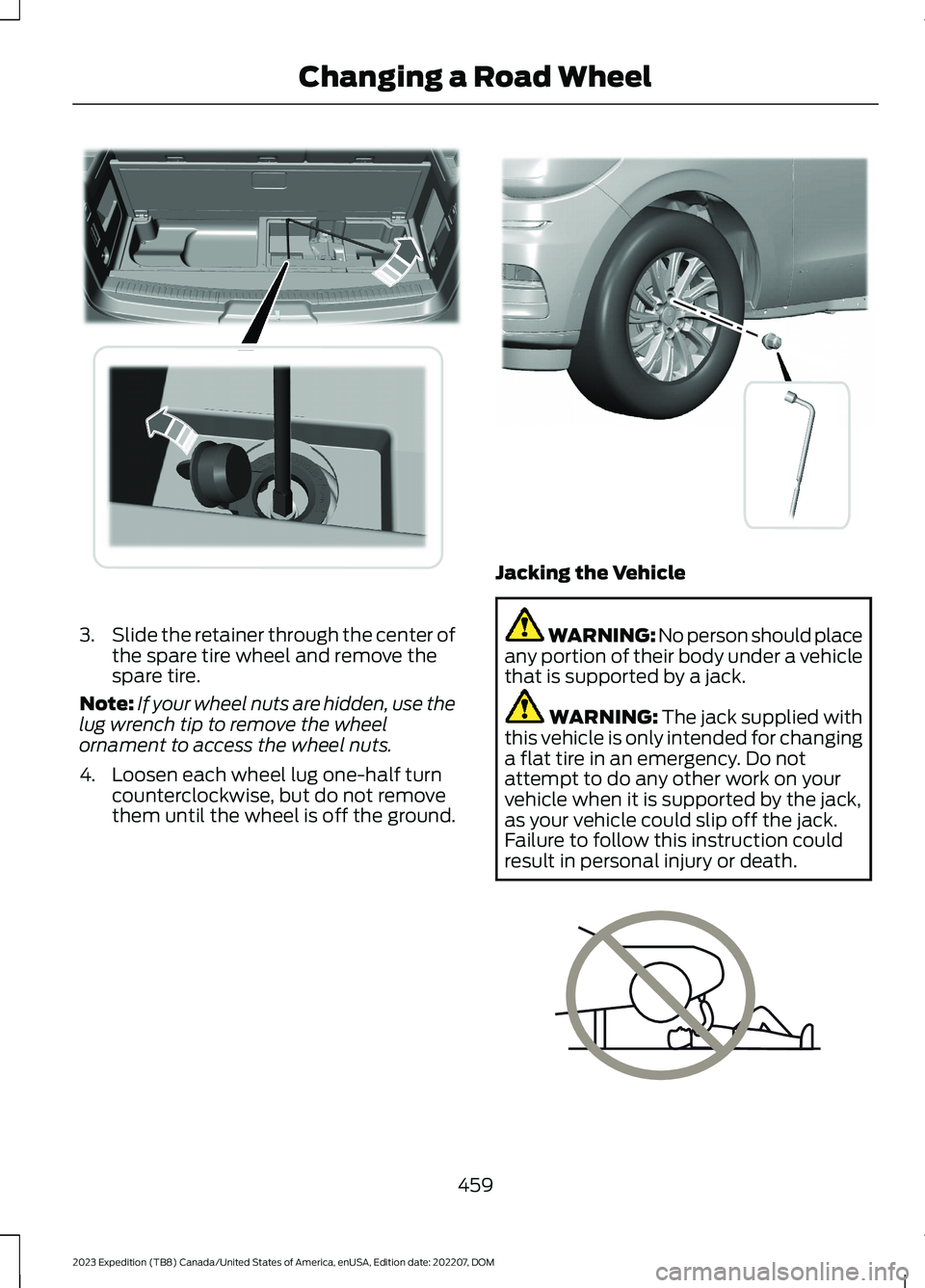
3.Slide the retainer through the center ofthe spare tire wheel and remove thespare tire.
Note:If your wheel nuts are hidden, use thelug wrench tip to remove the wheelornament to access the wheel nuts.
4.Loosen each wheel lug one-half turncounterclockwise, but do not removethem until the wheel is off the ground.
Jacking the Vehicle
WARNING: No person should placeany portion of their body under a vehiclethat is supported by a jack.
WARNING: The jack supplied withthis vehicle is only intended for changinga flat tire in an emergency. Do notattempt to do any other work on yourvehicle when it is supported by the jack,as your vehicle could slip off the jack.Failure to follow this instruction couldresult in personal injury or death.
459
2023 Expedition (TB8) Canada/United States of America, enUSA, Edition date: 202207, DOMChanging a Road WheelE273399 E358685 E166722
Page 465 of 658
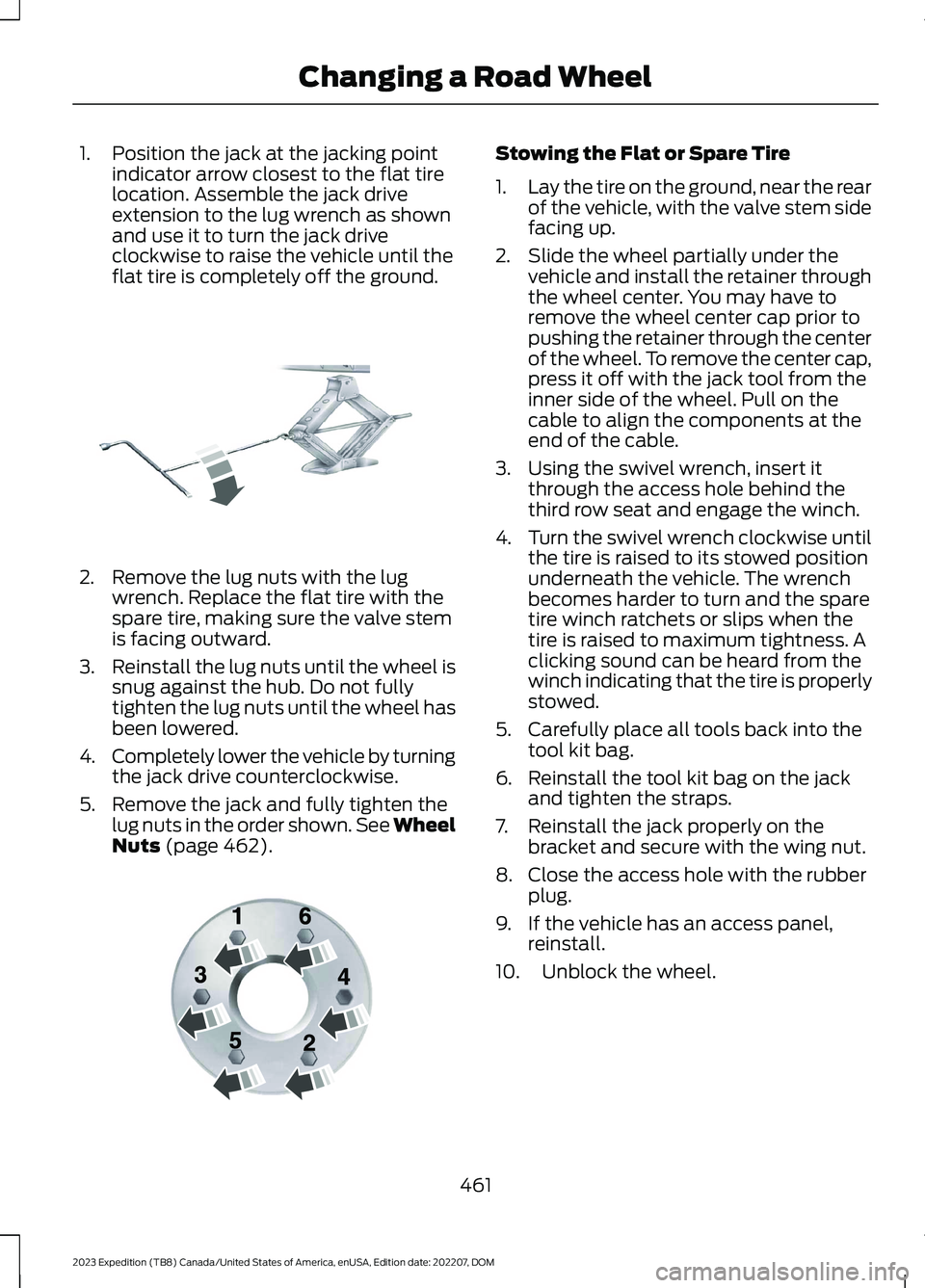
1.Position the jack at the jacking pointindicator arrow closest to the flat tirelocation. Assemble the jack driveextension to the lug wrench as shownand use it to turn the jack driveclockwise to raise the vehicle until theflat tire is completely off the ground.
2.Remove the lug nuts with the lugwrench. Replace the flat tire with thespare tire, making sure the valve stemis facing outward.
3.Reinstall the lug nuts until the wheel issnug against the hub. Do not fullytighten the lug nuts until the wheel hasbeen lowered.
4.Completely lower the vehicle by turningthe jack drive counterclockwise.
5.Remove the jack and fully tighten thelug nuts in the order shown. See WheelNuts (page 462).
Stowing the Flat or Spare Tire
1.Lay the tire on the ground, near the rearof the vehicle, with the valve stem sidefacing up.
2.Slide the wheel partially under thevehicle and install the retainer throughthe wheel center. You may have toremove the wheel center cap prior topushing the retainer through the centerof the wheel. To remove the center cap,press it off with the jack tool from theinner side of the wheel. Pull on thecable to align the components at theend of the cable.
3.Using the swivel wrench, insert itthrough the access hole behind thethird row seat and engage the winch.
4.Turn the swivel wrench clockwise untilthe tire is raised to its stowed positionunderneath the vehicle. The wrenchbecomes harder to turn and the sparetire winch ratchets or slips when thetire is raised to maximum tightness. Aclicking sound can be heard from thewinch indicating that the tire is properlystowed.
5.Carefully place all tools back into thetool kit bag.
6.Reinstall the tool kit bag on the jackand tighten the straps.
7.Reinstall the jack properly on thebracket and secure with the wing nut.
8.Close the access hole with the rubberplug.
9.If the vehicle has an access panel,reinstall.
10.Unblock the wheel.
461
2023 Expedition (TB8) Canada/United States of America, enUSA, Edition date: 202207, DOMChanging a Road WheelE325278 E166719
Page 487 of 658
Occupancy Mode (If Equipped)
1.Press Settings on the touchscreen.
2.Press Sound Settings.
3.Press Occupancy Mode.
4.Press a setting.
Sound Mode (If Equipped)
1.Press Settings on the touchscreen.
2.Press Sound Settings.
3.Press Sound Mode.
4.Press a setting.
SETTING THE CLOCK AND
DATE
1.Press Settings on the touchscreen.
2.Press Clock Settings.
3.Set the time.
Note:The AM and PM options are notavailable if 24-hour mode is on.
Switching Automatic TimeUpdates On and Off
1.Press Settings on the touchscreen.
2.Press Clock Settings.
3.Switch Auto Time Update on or off.
AM/FM RADIO
AM/FM RADIO LIMITATIONS
The further you travel from an AM or FMstation, the weaker the signal and theweaker the reception.
Hills, mountains, tall buildings, bridges,tunnels, freeway overpasses, parkinggarages, dense tree foliage andthunderstorms can interfere with thereception.
When you pass a ground-based broadcastrepeating tower, a stronger signal mayovertake a weaker one and result in theaudio system muting.
SELECTING A RADIO STATION
Manually Selecting a RadioStation
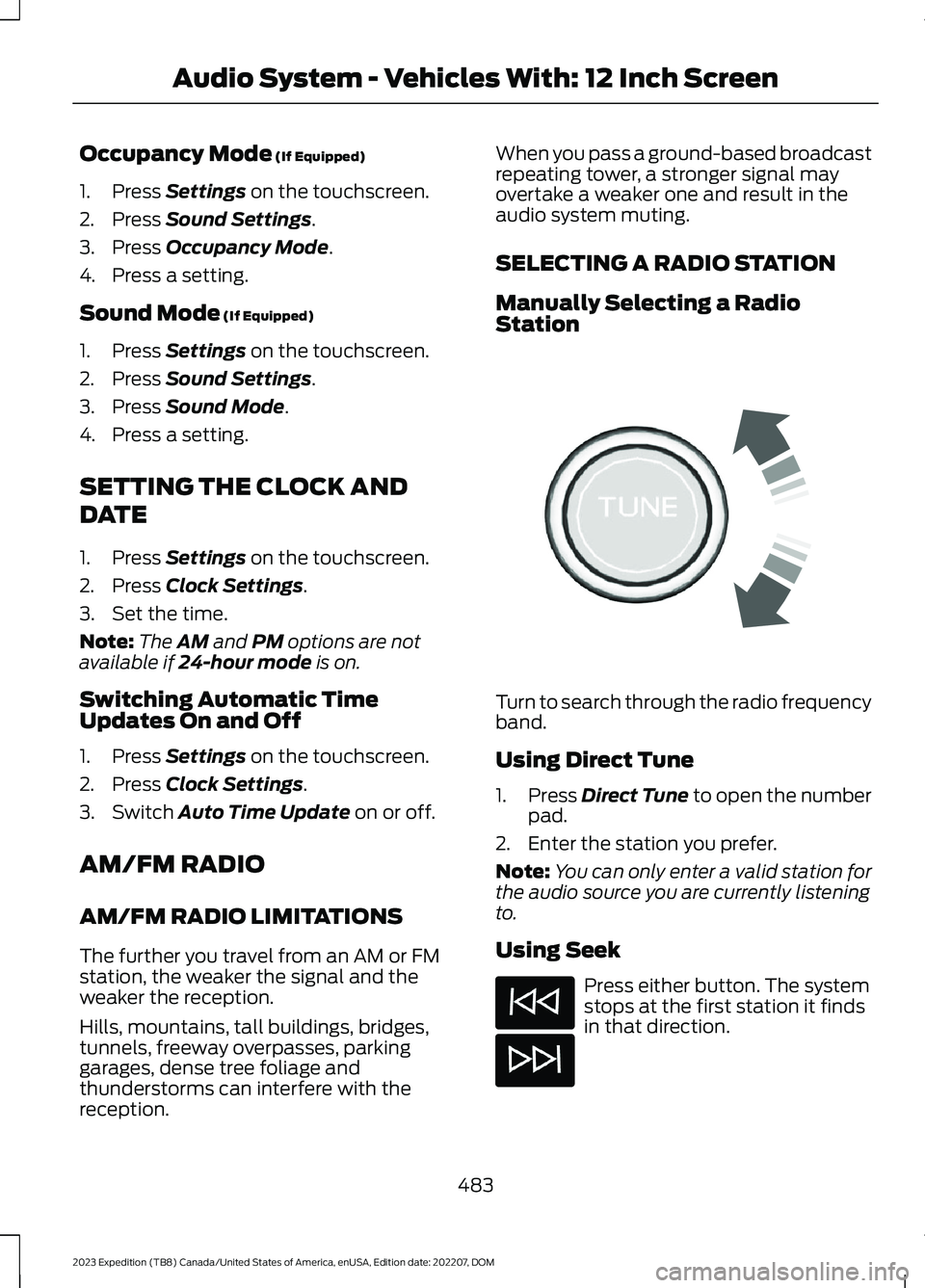
Turn to search through the radio frequencyband.
Using Direct Tune
1.Press Direct Tune to open the numberpad.
2.Enter the station you prefer.
Note:You can only enter a valid station forthe audio source you are currently listeningto.
Using Seek
Press either button. The systemstops at the first station it findsin that direction.
483
2023 Expedition (TB8) Canada/United States of America, enUSA, Edition date: 202207, DOMAudio System - Vehicles With: 12 Inch ScreenE270235
Page 498 of 658
2.Press SETTINGS.
3.Press Sound.
4.Press Sound Mode.
5.Press a setting.
SETTING THE CLOCK AND
DATE
1.Access the vehicle drawer on thetouchscreen.
2.Press SETTINGS.
3.Press Clock.
4.Set the time.
Note:The AM and PM options are notavailable if 24-hour mode is on.
5.Press the arrows to adjust the settings.
Switching Automatic TimeUpdates On and Off
1.Access the vehicle drawer on thetouchscreen.
2.Press SETTINGS.
3.Press Clock.
4.Switch Automatic time zone updateon or off.
AM/FM RADIO
AM/FM RADIO LIMITATIONS
The further you travel from an AM or FMstation, the weaker the signal and theweaker the reception.
Hills, mountains, tall buildings, bridges,tunnels, freeway overpasses, parkinggarages, dense tree foliage andthunderstorms can interfere with thereception.
When you pass a ground-based broadcastrepeating tower, a stronger signal mayovertake a weaker one and result in theaudio system muting.
SELECTING A RADIO STATION
Manually Selecting a RadioStation
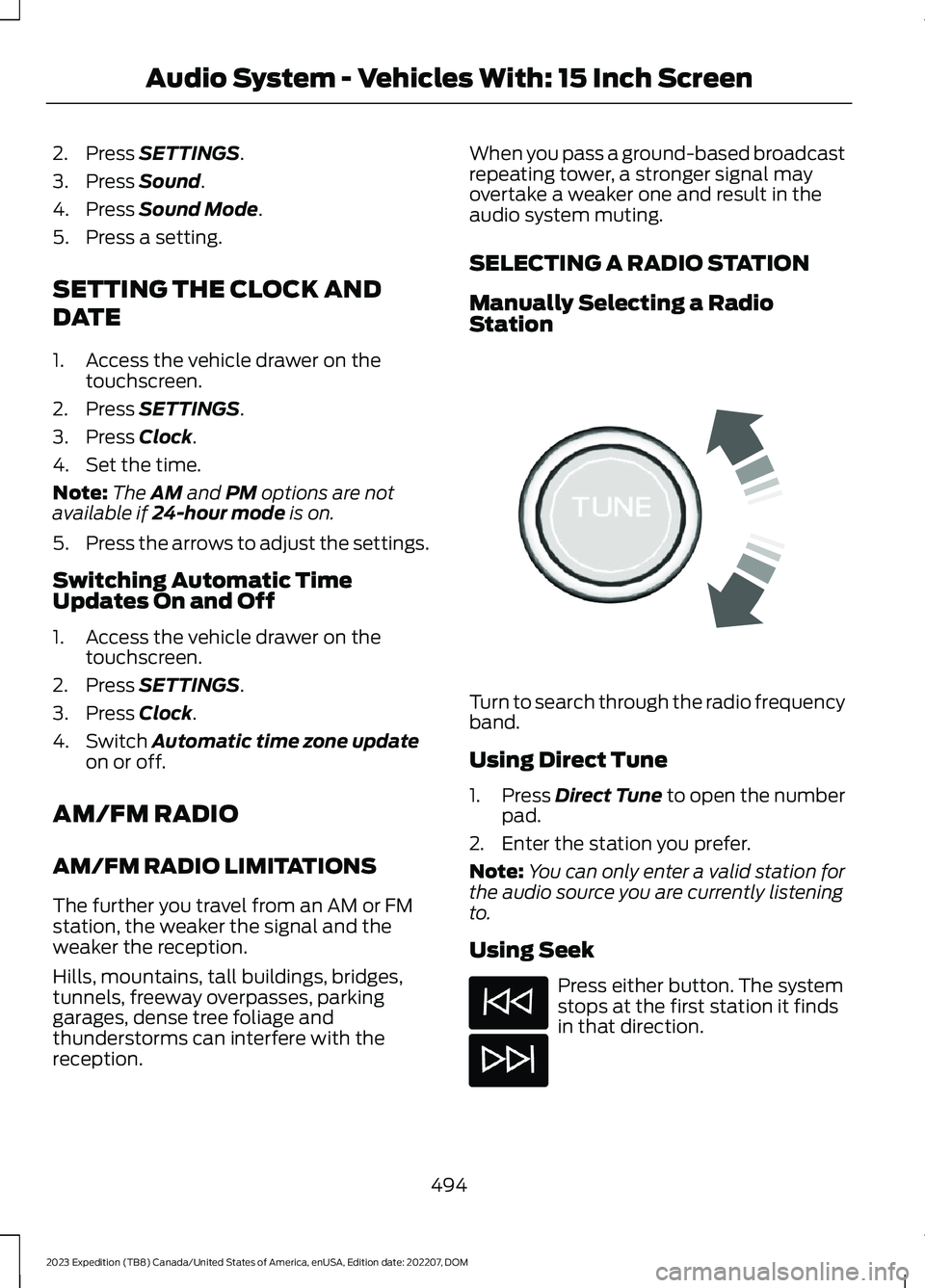
Turn to search through the radio frequencyband.
Using Direct Tune
1.Press Direct Tune to open the numberpad.
2.Enter the station you prefer.
Note:You can only enter a valid station forthe audio source you are currently listeningto.
Using Seek
Press either button. The systemstops at the first station it findsin that direction.
494
2023 Expedition (TB8) Canada/United States of America, enUSA, Edition date: 202207, DOMAudio System - Vehicles With: 15 Inch ScreenE270235
Page 649 of 658
Filling a Portable Fuel Container..................207
S
Satellite Radio..............................................485Locating the Satellite Radio IdentificationNumber............................................................486Satellite Radio Limitations............................485Satellite Radio Settings..................................486Selecting a Channel.........................................486Setting an Alert..................................................487What Is Satellite Radio...................................485Saving a Preset Position............................179Scheduled Maintenance..........................539Seatbelt Extensions......................................54Seatbelt Precautions....................................48Seatbelt Reminder.........................................52How Does the Seatbelt ReminderWork.....................................................................52Seatbelt Reminder Audible Warnings..........53Seatbelt Reminder Indicators..........................52Switching the Seatbelt Reminder On andOff.........................................................................53Seatbelts...........................................................48Automatic Locking Mode..................................50Seatbelt Reminder...............................................52Sensitive Locking Mode.....................................50Security............................................................100Anti-Theft Alarm System...............................100Anti-Theft Alarm System Settings...............101Passive Anti-Theft System............................100Security – Troubleshooting............................102Security – Troubleshooting......................102Security – Frequently AskedQuestions.........................................................103Security – Information Messages................102Selecting a Drive Mode.............................303Selecting a Four-Wheel DriveMode.............................................................220Selecting the Audio Source......................481Sending and Receiving a TextMessage........................................................514Sensitive Locking Mode..............................50How Does Sensitive Locking ModeWork.....................................................................50What is Sensitive Locking Mode....................50Service Data......................................................27
Setting a Destination.................................526Setting a Destination Using a Point ofInterest..............................................................527Setting a Destination Using a PredictiveDestination......................................................527Setting a Destination Using a RecentDestination......................................................527Setting a Destination Using a SavedDestination......................................................527Setting a Destination Using the MapScreen................................................................527Setting a Destination Using the Text EntryScreen...............................................................526Setting a Memory Preset..........................482Settings Data...................................................28Setting the Adaptive Cruise Control Gap- Vehicles With: 12 Inch Screen............285Setting the Adaptive Cruise Control Gap- Vehicles With: 8 Inch Screen.............284Setting the Adaptive Cruise ControlSpeed - Vehicles With: 12 InchScreen...........................................................283Setting the Adaptive Cruise ControlSpeed - Vehicles With: 8 InchScreen...........................................................282Setting the Blower Motor Speed............149Setting the Clock and Date.....................483Setting the Cruise Control Speed...........277Setting the Hill Descent Speed..............256Setting the Liftgate Opening Height.......93Setting the Speed Sign RecognitionSpeed Tolerance - Vehicles With: 12Inch Screen.................................................342Setting the Speed Sign RecognitionSpeed Tolerance - Vehicles With: 15Inch Screen.................................................342Setting the Speed Sign RecognitionSpeed Warning - Vehicles With: 12 InchScreen...........................................................342Setting the Speed Sign RecognitionSpeed Warning - Vehicles With: 15 InchScreen...........................................................342Setting the Temperature...........................149Setting the Trail Control Speed.............250Setting Up the Trailer Backup Assistancefor a Conventional Trailer......................370Applying the Trailer Reversing AidSticker.................................................................371
645
2023 Expedition (TB8) Canada/United States of America, enUSA, Edition date: 202207, DOMIndex