stop start FORD EXPEDITION 2023 Service Manual
[x] Cancel search | Manufacturer: FORD, Model Year: 2023, Model line: EXPEDITION, Model: FORD EXPEDITION 2023Pages: 658, PDF Size: 16.16 MB
Page 393 of 658
COLD WEATHER
PRECAUTIONS
The functional operation of somecomponents and systems can be affectedat temperatures below approximately-13°F (-25°C).
DRIVING ON SNOW AND ICE
WARNING: If you are driving inslippery conditions that require tirechains or cables, then it is critical thatyou drive cautiously. Keep speeds down,allow for longer stopping distances andavoid aggressive steering to reduce thechances of a loss of vehicle controlwhich can lead to serious injury or death.If the rear end of your vehicle slides whilecornering, steer in the direction of theslide until you regain control of yourvehicle.
On ice and snow, you should drive moreslowly than usual. Your vehicle has a fourwheel anti-lock brake system, do not pumpthe brake pedal. See Anti-Lock BrakingSystem Limitations (page 229).
BREAKING-IN
Your vehicle requires a break-in period. Forthe first 1,000 mi (1,600 km), avoid drivingat high speeds, heavy braking, aggressiveshifting or using your vehicle to tow. Duringthis time, your vehicle may exhibit someunusual driving characteristics.
DRIVING ECONOMICALLY
The following helps to improve fuelconsumption:
•Drive smoothly, accelerate gently andanticipate the road ahead to avoidheavy braking.
•Regularly check your tire pressures andmake sure that they are inflated to thecorrect pressure.
•Follow the recommended maintenanceschedule and carry out therecommended checks.
•Plan your journey and check the trafficbefore you set off. It is more efficientto combine errands into a single tripwhenever possible.
•Avoid idling the engine in cold weatheror for extended periods. Start theengine only when you are ready to setoff.
•Do not carry unnecessary weight in yourvehicle as extra weight wastes fuel.
•Do not add unnecessary accessoriesto the exterior of your vehicle, forexample running boards. If you use aroof rack, remember to fold it down orremove it when not in use.
•Do not shift into neutral when you arebraking or when your vehicle is slowingdown.
•Shut all windows when driving at highspeeds.
•Switch off all electric systems whennot in use, for example air conditioning.Make sure that you unplug anyaccessories from the auxiliary powerpoints when not in use.
389
2023 Expedition (TB8) Canada/United States of America, enUSA, Edition date: 202207, DOMDriving Hints
Page 401 of 658
•The anti-lock braking system isdamaged during the collision.
•Electronic stability control is disabled.
•Vehicle speed is below 5 mph(10 km/h).
OVERRIDING POST IMPACTBRAKING
You can override post impact braking bypressing the brake or accelerator pedal.
POST IMPACT BRAKINGINDICATORS
It flashes when a post impactbraking event is occurring.
AUTOMATIC CRASH SHUTOFF
WHAT IS AUTOMATIC CRASHSHUTOFF
The automatic crash shutoff is designedto stop the fuel going to the engine in theevent of a moderate or severe crash.
Note:Not every impact causes a shutoff.
AUTOMATIC CRASH SHUTOFFPRECAUTIONS
WARNING: If your vehicle has beeninvolved in a crash, have the fuel systemchecked. Failure to follow this instructioncould result in fire, personal injury ordeath.
RE-ENABLING YOUR VEHICLE
1.Switch the ignition off.
2.Attempt to start your vehicle.
3.Switch the ignition off.
4.Attempt to start your vehicle.
Note:If your vehicle does not start after thethird attempt, have your vehicle checked assoon as possible.
RECOVERY TOWING -
VEHICLES WITH: FRONT TOW
HOOK (IF EQUIPPED)
ACCESSING THE FRONT TOWINGPOINT
WARNING: Using recovery hooksis dangerous and should only be done bya person familiar with proper vehiclerecovery safety practices. Improper useof recovery hooks may cause hook failureor separation from the vehicle and couldresult in serious injury or death.
WARNING: Slowly remove theslack from the recovery strap prior topulling. Failure to do so can introducesignificantly higher loads which cancause the recovery hooks to break off, orthe recovery strap to fail which can causeserious injury or death.
WARNING: Never link two strapstogether with a clevis pin. These heavymetal objects could become projectilesif the strap breaks and can cause seriousinjury or death.
WARNING: Switch the ignition offbefore removing the recovery hook.Failure to do so could result in personalinjury.
397
2023 Expedition (TB8) Canada/United States of America, enUSA, Edition date: 202207, DOMCrash and Breakdown InformationE138639
Page 411 of 658
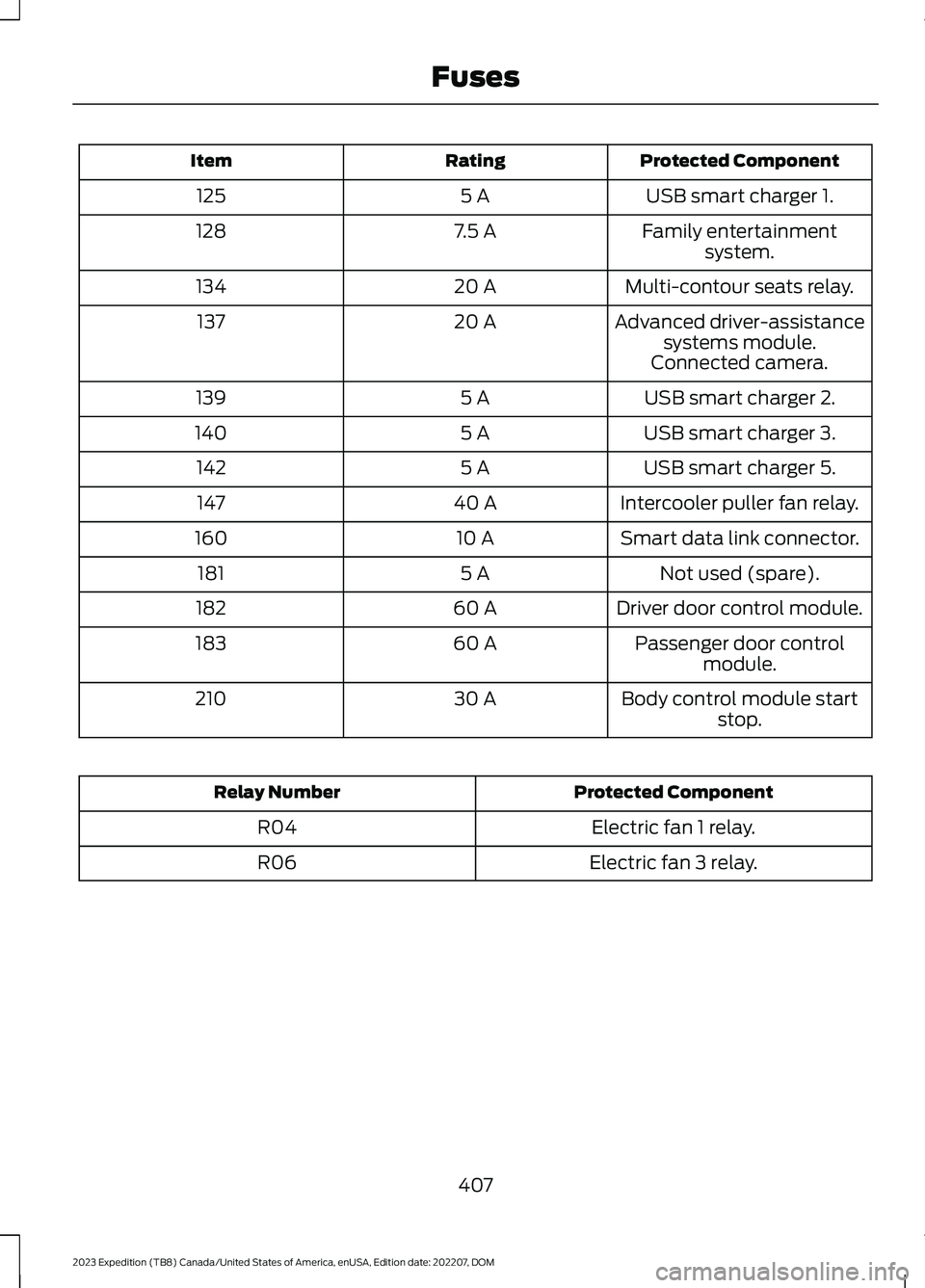
Protected ComponentRatingItem
USB smart charger 1.5 A125
Family entertainmentsystem.7.5 A128
Multi-contour seats relay.20 A134
Advanced driver-assistancesystems module.20 A137
Connected camera.
USB smart charger 2.5 A139
USB smart charger 3.5 A140
USB smart charger 5.5 A142
Intercooler puller fan relay.40 A147
Smart data link connector.10 A160
Not used (spare).5 A181
Driver door control module.60 A182
Passenger door controlmodule.60 A183
Body control module startstop.30 A210
Protected ComponentRelay Number
Electric fan 1 relay.R04
Electric fan 3 relay.R06
407
2023 Expedition (TB8) Canada/United States of America, enUSA, Edition date: 202207, DOMFuses
Page 421 of 658
If you drive in extremely hot climates, youmay need to decrease the coolantconcentration to 40%.
Note:A coolant concentration of 40%provides improved overheat protection.Coolant concentrations below 40%decrease the overheat and corrosionprotection characteristics of the coolant andcould cause engine damage.
Coolant Change
WARNING: Do not dispose ofcoolant in the household refuse or thepublic sewage system. Use an authorizedwaste disposal facility.
Change the coolant at specific mileageintervals. Refer to the scheduledmaintenance information. See NormalScheduled Maintenance (page 542).
Note:Dispose of used coolant in theappropriate manner.
Follow your community's regulations andstandards for recycling and disposing ofautomotive fluids.
Fail-Safe Cooling
Fail-safe cooling allows you to temporarilydrive your vehicle before any incrementalcomponent damage occurs. The fail-safedistance depends on ambienttemperature, vehicle load and terrain.
How Fail-Safe Cooling Works
WARNING: If you continue to driveyour vehicle when the engine isoverheating, the engine could stopwithout warning. Failure to follow thisinstruction could result in the loss ofcontrol of your vehicle.
If the engine begins to overheat,the coolant temperature gaugemoves toward the red zone:
A warning lamp illuminates anda message may appear in theinformation display.
If the engine reaches a presetover-temperature condition, the engineautomatically switches to alternatingcylinder operation. Each disabled cylinderacts as an air pump and cools the engine.
When this occurs, your vehicle stilloperates, however:
•Engine power is limited.
•The air conditioning system turns off.
Continued operation increases the enginetemperature, causing the engine tocompletely shut down. Your steering andbraking effort increases in this situation.
When the engine temperature cools, youcan re-start the engine. Have your vehiclechecked as soon as possible to minimizeengine damage.
When Fail-Safe Mode Is Activated
WARNING: Fail-safe mode is foruse during emergencies only. Operateyour vehicle in fail-safe mode only aslong as necessary to bring your vehicleto rest in a safe location and seekimmediate repairs. When in fail-safemode, your vehicle will have limitedpower, will not be able to maintainhigh-speed operation, and maycompletely shut down without warning,potentially losing engine power, powersteering assist, and power brake assist,which may increase the possibility of acrash resulting in serious injury.
417
2023 Expedition (TB8) Canada/United States of America, enUSA, Edition date: 202207, DOMMaintenanceE103308 E67028
Page 422 of 658
WARNING: Do not remove thecoolant reservoir cap when the engine ison or the cooling system is hot. Wait 10minutes for the cooling system to cooldown. Cover the coolant reservoir capwith a thick cloth to prevent thepossibility of scalding and slowly removethe cap. Failure to follow this instructioncould result in personal injury.
Your vehicle has limited engine powerwhen in the fail-safe mode, drive yourvehicle with caution. Your vehicle does notmaintain high-speed operation and theengine could operate poorly.
Remember that the engine is capable ofautomatically shutting down to preventengine damage. In this situation:
1.Pull off the road as soon as safelypossible and switch the engine off.
2.If you are a member of a roadsideassistance program, we recommendthat you contact your roadsideassistance service provider.
3.If this is not possible, wait for a shortperiod of time for the engine to cool.
4.Check the coolant level. If the coolantlevel is at or below the minimum mark,add prediluted coolant immediately.
5.When the engine temperature cools,you can re-start the engine. Have yourvehicle checked as soon as possible tominimize engine damage.
Note:If you continue to drive your vehiclein fail-safe mode without repairing it, youwill damage your engine.
Engine Coolant TemperatureManagement (If Equipped)
WARNING: To reduce the risk ofcrash and injury, be prepared that thevehicle speed may reduce and thevehicle may not be able to acceleratewith full power until the coolanttemperature reduces.
If you tow a trailer with your vehicle, theengine may temporarily reach a highertemperature during severe operatingconditions, for example ascending a longor steep grade in high ambienttemperatures.
At this time, you may notice the coolanttemperature gauge moves toward the redzone and a message may appear in theinformation display.
You may notice a reduction in vehiclespeed caused by reduced engine power inorder to manage the engine coolanttemperature. Your vehicle may enter thismode if certain high-temperature andhigh-load conditions take place. Theamount of speed reduction depends onvehicle loading, grade and ambienttemperature. If this occurs, there is noneed to stop your vehicle. You cancontinue to drive.
The air conditioning may automaticallyturn on and off during severe operatingconditions to protect the engine fromoverheating. When the coolanttemperature decreases to the normaloperating temperature, the air conditioningturns on.
If the coolant temperature gauge movesfully into the red zone, or if the coolanttemperature warning or service enginesoon messages appear in your informationdisplay, do the following:
418
2023 Expedition (TB8) Canada/United States of America, enUSA, Edition date: 202207, DOMMaintenance
Page 423 of 658
1.Stop your vehicle as soon as it is safeto do so. Fully apply the parking brake,shift into park (P) or neutral (N).
2.Leave the engine running until thecoolant temperature gauge needlereturns to the normal position. If thetemperature does not drop afterseveral minutes, follow the remainingsteps.
3.Switch the engine off and wait for it tocool. Check the coolant level.
4.If the coolant level is at or below theminimum mark, add prediluted coolantimmediately.
5.If the coolant level is normal, restartthe engine and continue.
ENGINE AIR FILTER
CHANGING THE ENGINE AIRFILTER
WARNING: To reduce the risk ofvehicle damage and personal burninjuries, do not start your engine with theair cleaner removed and do not removeit while the engine is running.
Change the engine air filter element at theproper intervals. See Normal ScheduledMaintenance (page 542).
When changing the engine air filter, useonly the air filter element listed. SeeMotorcraft Parts (page 464).
Note: Failure to use the correct air filterelement may result in severe enginedamage. Resulting component damagemay not be covered by the vehicle Warranty.
Note: When servicing the air cleaner, donot allow foreign material to enter the airinduction system.
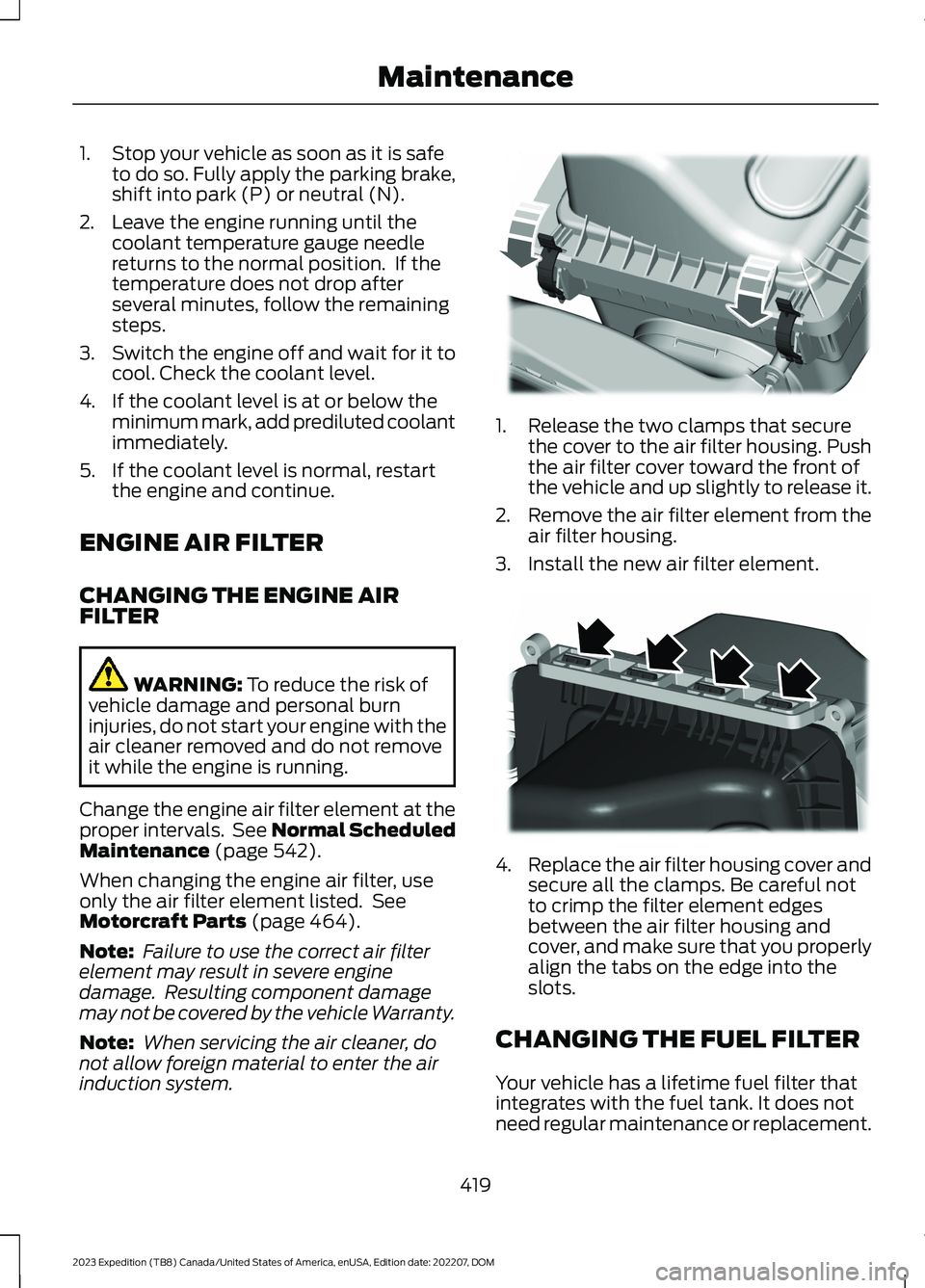
1.Release the two clamps that securethe cover to the air filter housing. Pushthe air filter cover toward the front ofthe vehicle and up slightly to release it.
2.Remove the air filter element from theair filter housing.
3.Install the new air filter element.
4.Replace the air filter housing cover andsecure all the clamps. Be careful notto crimp the filter element edgesbetween the air filter housing andcover, and make sure that you properlyalign the tabs on the edge into theslots.
CHANGING THE FUEL FILTER
Your vehicle has a lifetime fuel filter thatintegrates with the fuel tank. It does notneed regular maintenance or replacement.
419
2023 Expedition (TB8) Canada/United States of America, enUSA, Edition date: 202207, DOMMaintenanceE248801 E248800
Page 424 of 658
CHANGING THE 12V BATTERY
WARNING: Batteries normallyproduce explosive gases which cancause personal injury. Therefore, do notallow flames, sparks or lightedsubstances to come near the battery.When working near the battery, alwaysshield your face and protect your eyes.Always provide correct ventilation.
WARNING: When lifting aplastic-cased battery, excessive pressureon the end walls could cause acid to flowthrough the vent caps, resulting inpersonal injury and damage to thevehicle or battery. Lift the battery with abattery carrier or with your hands onopposite corners.
WARNING: Keep batteries out ofreach of children. Batteries containsulfuric acid. Avoid contact with skin,eyes or clothing. Shield your eyes whenworking near the battery to protectagainst possible splashing of acidsolution. In case of acid contact with skinor eyes, flush immediately with water fora minimum of 15 minutes and get promptmedical attention. If acid is swallowed,call a physician immediately.
WARNING: Battery posts,terminals and related accessoriescontain lead and lead compounds,chemicals known to the State ofCalifornia to cause cancer andreproductive harm.Wash your handsafter handling.
WARNING: This vehicle may havemore than one battery. Removing thebattery cables from only one batterydoes not disconnect your vehicleelectrical system. Make sure youdisconnect the battery cables from allbatteries when disconnecting power.Failure to do so may cause seriouspersonal injury or property damage.
WARNING: For vehicles withAuto-Start-Stop the battery requirementis different. You must replace the batterywith one of exactly the samespecification.
The battery is in the engine compartment.See Under Hood Overview (page 413).
Your vehicle has a maintenance-freebattery. It does not require additionalwater during service.
If the vehicle battery has a cover and venthose, make sure you correctly install it aftercleaning or replacing the battery.
For longer, trouble-free operation, keep thetop of the battery clean and dry and thebattery cables tightly fastened to thebattery terminals. If any corrosion ispresent on the battery or terminals, removethe cables from the terminals and cleanwith a wire brush. You can neutralize theacid with a solution of baking soda andwater.
We recommend that you disconnect thenegative battery cable terminal from thebattery if you plan to store your vehicle foran extended period.
Note:If you only disconnect the negativebattery cable terminal, make sure it isisolated or placed away from the batteryterminal to avoid unintended connection orarcing.
420
2023 Expedition (TB8) Canada/United States of America, enUSA, Edition date: 202207, DOMMaintenance
Page 456 of 658
WHAT IS THE TIRE PRESSURE
MONITORING SYSTEM
The tire pressure monitoringsystem measures the vehicle'stire pressures. A warning lampilluminates if one or more tires aresignificantly underinflated or if there is asystem malfunction.
TIRE PRESSURE MONITORING
SYSTEM OVERVIEW
WARNING: Under-inflation is themost common cause of tire failures andmay result in severe tire cracking, treadseparation or blowout, with unexpectedloss of vehicle control and increased riskof injury. Under-inflation increasessidewall flexing and rolling resistance,resulting in heat buildup and internaldamage to the tire. It also may result inunnecessary tire stress, irregular wear,loss of vehicle control and accidents. Atire can lose up to half of its air pressureand not appear to be flat!
WARNING: To determine therequired pressure(s) for your vehicle, seethe Safety Compliance CertificationLabel (on the door hinge pillar,door-latch post or the door edge thatmeets the door-latch post, next to thedriver seat) or the Tire Label on theB-Pillar or the edge of the driver door.
Each tire, including the spare (if provided),should be checked monthly when cold andinflated to the inflation pressurerecommended by the vehicle manufactureron the vehicle placard or tire inflationpressure label. (If your vehicle has tires ofa different size than the size indicated onthe vehicle placard or tire inflation pressurelabel, you should determine the proper tireinflation pressure for those tires).
As an added safety feature, your vehiclehas been equipped with a Tire PressureMonitoring System (TPMS) thatilluminates a low tire pressure telltalewhen one or more of your tires issignificantly under-inflated. Accordingly,when the low tire pressure telltaleilluminates, you should stop and checkyour tires as soon as possible, and inflatethem to the proper pressure. Driving on asignificantly under-inflated tire causes thetire to overheat and can lead to tire failure.Under-inflation also reduces fuel efficiencyand tire tread life, and may affect thevehicle’s handling and stopping ability.
Please note that the TPMS is not asubstitute for proper tire maintenance, andit is the driver’s responsibility to maintaincorrect tire pressure, even if under-inflationhas not reached the level to triggerillumination of the TPMS low tire pressuretelltale.
Your vehicle has also been equipped witha TPMS malfunction indicator to indicatewhen the system is not operating properly.The TPMS malfunction indicator iscombined with the low tire pressuretelltale. When the system detects amalfunction, the telltale will flash forapproximately one minute and then remaincontinuously illuminated. This sequencewill continue upon subsequent vehiclestart-ups as long as the malfunction exists.
452
2023 Expedition (TB8) Canada/United States of America, enUSA, Edition date: 202207, DOMTire Pressure Monitoring SystemE139232
Page 635 of 658
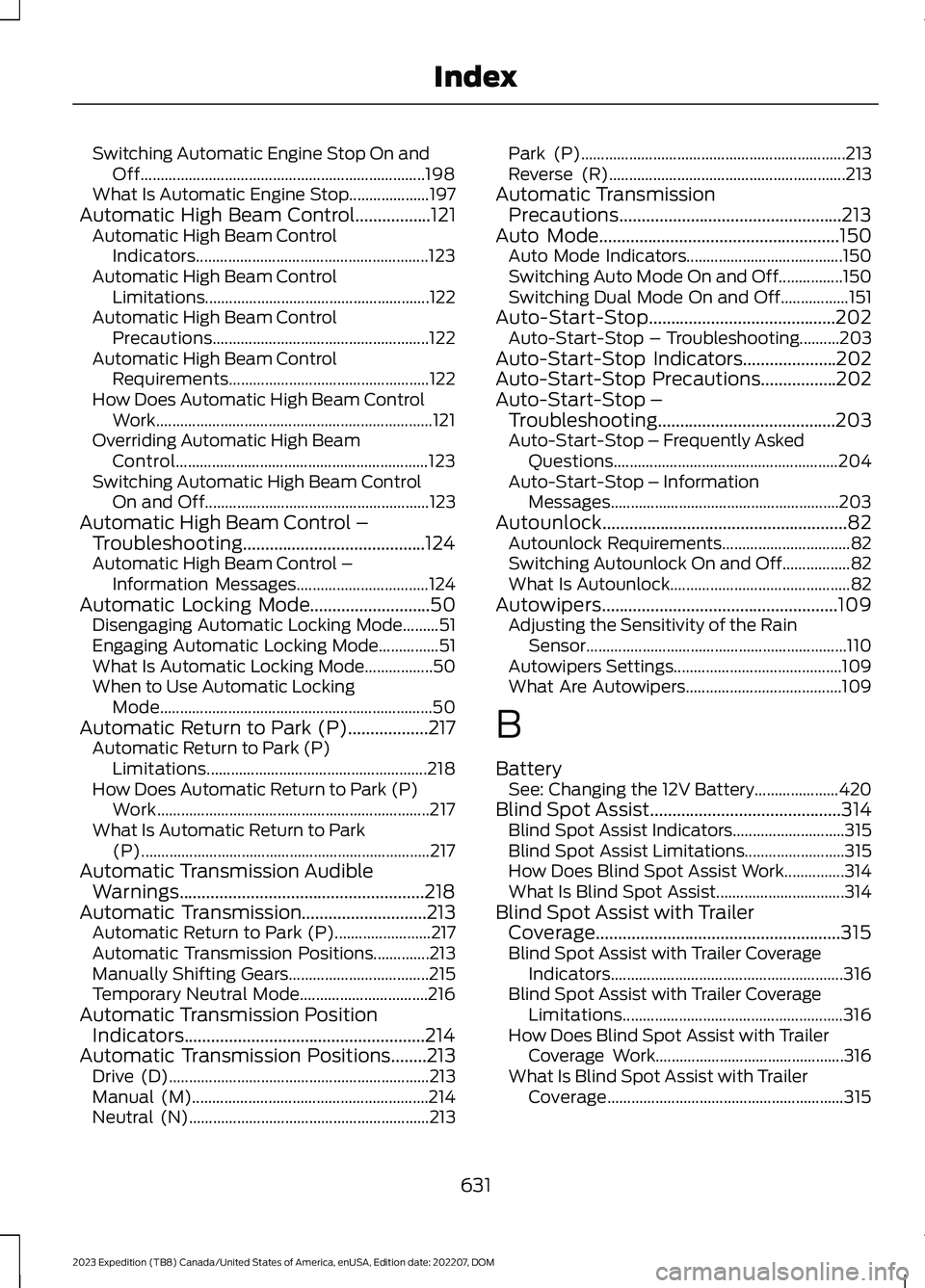
Switching Automatic Engine Stop On andOff.......................................................................198What Is Automatic Engine Stop....................197Automatic High Beam Control.................121Automatic High Beam ControlIndicators..........................................................123Automatic High Beam ControlLimitations........................................................122Automatic High Beam ControlPrecautions......................................................122Automatic High Beam ControlRequirements..................................................122How Does Automatic High Beam ControlWork.....................................................................121Overriding Automatic High BeamControl...............................................................123Switching Automatic High Beam ControlOn and Off........................................................123Automatic High Beam Control –Troubleshooting.........................................124Automatic High Beam Control –Information Messages.................................124Automatic Locking Mode...........................50Disengaging Automatic Locking Mode.........51Engaging Automatic Locking Mode...............51What Is Automatic Locking Mode.................50When to Use Automatic LockingMode....................................................................50Automatic Return to Park (P)..................217Automatic Return to Park (P)Limitations.......................................................218How Does Automatic Return to Park (P)Work....................................................................217What Is Automatic Return to Park(P)........................................................................217Automatic Transmission AudibleWarnings.......................................................218Automatic Transmission............................213Automatic Return to Park (P)........................217Automatic Transmission Positions..............213Manually Shifting Gears...................................215Temporary Neutral Mode................................216Automatic Transmission PositionIndicators......................................................214Automatic Transmission Positions........213Drive (D).................................................................213Manual (M)...........................................................214Neutral (N)............................................................213
Park (P)..................................................................213Reverse (R)...........................................................213Automatic TransmissionPrecautions..................................................213Auto Mode......................................................150Auto Mode Indicators.......................................150Switching Auto Mode On and Off................150Switching Dual Mode On and Off.................151Auto-Start-Stop..........................................202Auto-Start-Stop – Troubleshooting..........203Auto-Start-Stop Indicators.....................202Auto-Start-Stop Precautions.................202Auto-Start-Stop –Troubleshooting........................................203Auto-Start-Stop – Frequently AskedQuestions........................................................204Auto-Start-Stop – InformationMessages.........................................................203Autounlock.......................................................82Autounlock Requirements................................82Switching Autounlock On and Off.................82What Is Autounlock.............................................82Autowipers.....................................................109Adjusting the Sensitivity of the RainSensor.................................................................110Autowipers Settings..........................................109What Are Autowipers.......................................109
B
BatterySee: Changing the 12V Battery.....................420Blind Spot Assist...........................................314Blind Spot Assist Indicators............................315Blind Spot Assist Limitations.........................315How Does Blind Spot Assist Work...............314What Is Blind Spot Assist................................314Blind Spot Assist with TrailerCoverage.......................................................315Blind Spot Assist with Trailer CoverageIndicators..........................................................316Blind Spot Assist with Trailer CoverageLimitations.......................................................316How Does Blind Spot Assist with TrailerCoverage Work...............................................316What Is Blind Spot Assist with TrailerCoverage...........................................................315
631
2023 Expedition (TB8) Canada/United States of America, enUSA, Edition date: 202207, DOMIndex
Page 640 of 658
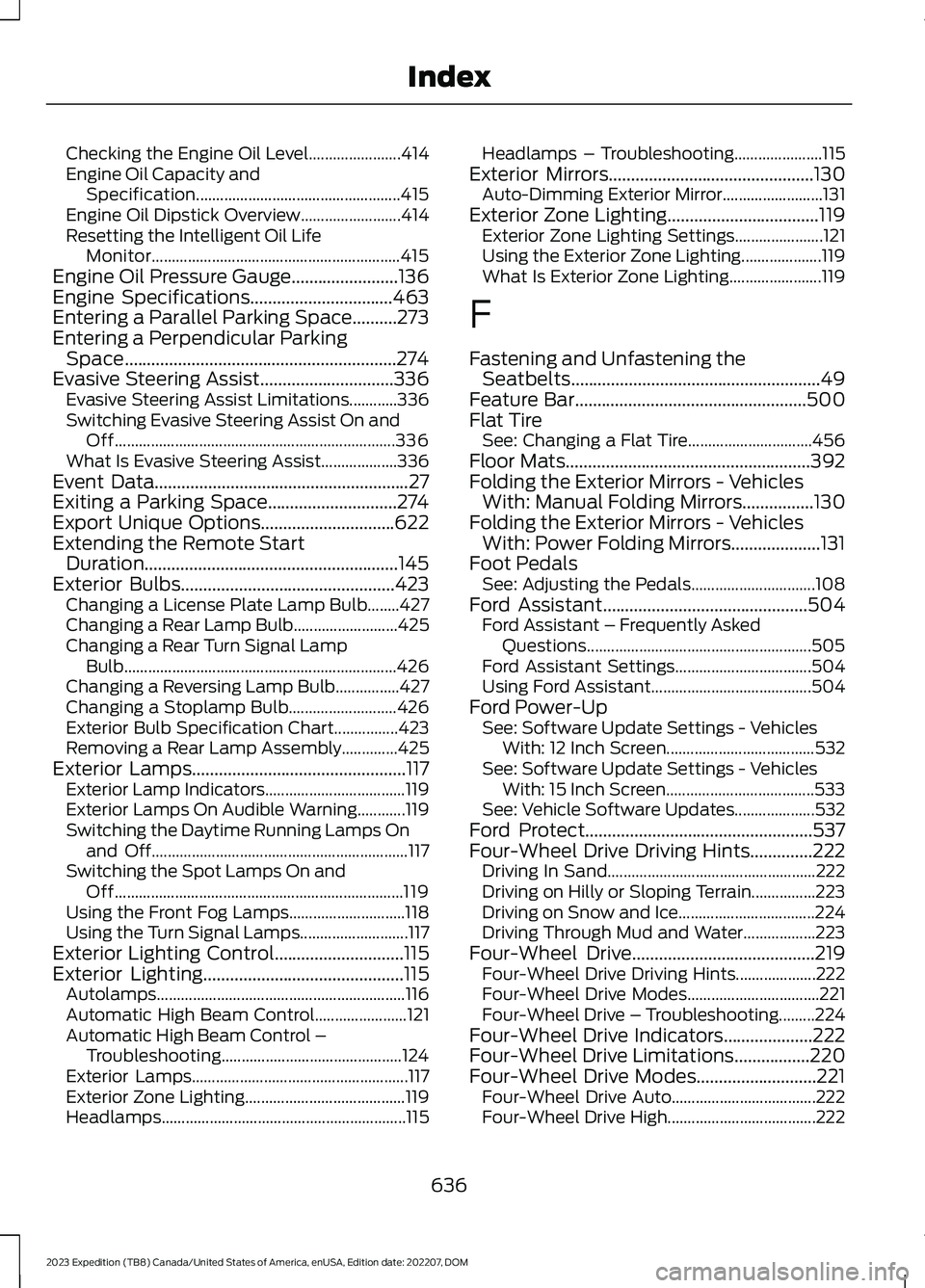
Checking the Engine Oil Level.......................414Engine Oil Capacity andSpecification...................................................415Engine Oil Dipstick Overview.........................414Resetting the Intelligent Oil LifeMonitor..............................................................415Engine Oil Pressure Gauge........................136Engine Specifications................................463Entering a Parallel Parking Space..........273Entering a Perpendicular ParkingSpace.............................................................274Evasive Steering Assist..............................336Evasive Steering Assist Limitations............336Switching Evasive Steering Assist On andOff......................................................................336What Is Evasive Steering Assist...................336Event Data.........................................................27Exiting a Parking Space.............................274Export Unique Options..............................622Extending the Remote StartDuration.........................................................145Exterior Bulbs................................................423Changing a License Plate Lamp Bulb........427Changing a Rear Lamp Bulb..........................425Changing a Rear Turn Signal LampBulb....................................................................426Changing a Reversing Lamp Bulb................427Changing a Stoplamp Bulb...........................426Exterior Bulb Specification Chart................423Removing a Rear Lamp Assembly..............425Exterior Lamps................................................117Exterior Lamp Indicators...................................119Exterior Lamps On Audible Warning............119Switching the Daytime Running Lamps Onand Off................................................................117Switching the Spot Lamps On andOff........................................................................119Using the Front Fog Lamps.............................118Using the Turn Signal Lamps...........................117Exterior Lighting Control.............................115Exterior Lighting.............................................115Autolamps..............................................................116Automatic High Beam Control.......................121Automatic High Beam Control –Troubleshooting.............................................124Exterior Lamps......................................................117Exterior Zone Lighting........................................119Headlamps.............................................................115
Headlamps – Troubleshooting......................115Exterior Mirrors..............................................130Auto-Dimming Exterior Mirror.........................131Exterior Zone Lighting..................................119Exterior Zone Lighting Settings......................121Using the Exterior Zone Lighting....................119What Is Exterior Zone Lighting.......................119
F
Fastening and Unfastening theSeatbelts........................................................49Feature Bar....................................................500Flat TireSee: Changing a Flat Tire...............................456Floor Mats.......................................................392Folding the Exterior Mirrors - VehiclesWith: Manual Folding Mirrors................130Folding the Exterior Mirrors - VehiclesWith: Power Folding Mirrors....................131Foot PedalsSee: Adjusting the Pedals...............................108Ford Assistant..............................................504Ford Assistant – Frequently AskedQuestions........................................................505Ford Assistant Settings..................................504Using Ford Assistant........................................504Ford Power-UpSee: Software Update Settings - VehiclesWith: 12 Inch Screen.....................................532See: Software Update Settings - VehiclesWith: 15 Inch Screen.....................................533See: Vehicle Software Updates....................532Ford Protect...................................................537Four-Wheel Drive Driving Hints..............222Driving In Sand....................................................222Driving on Hilly or Sloping Terrain................223Driving on Snow and Ice..................................224Driving Through Mud and Water..................223Four-Wheel Drive.........................................219Four-Wheel Drive Driving Hints....................222Four-Wheel Drive Modes.................................221Four-Wheel Drive – Troubleshooting.........224Four-Wheel Drive Indicators....................222Four-Wheel Drive Limitations.................220Four-Wheel Drive Modes...........................221Four-Wheel Drive Auto....................................222Four-Wheel Drive High.....................................222
636
2023 Expedition (TB8) Canada/United States of America, enUSA, Edition date: 202207, DOMIndex