towing FORD EXPEDITION 2023 Workshop Manual
[x] Cancel search | Manufacturer: FORD, Model Year: 2023, Model line: EXPEDITION, Model: FORD EXPEDITION 2023Pages: 658, PDF Size: 16.16 MB
Page 541 of 658
WHAT IS FORD PROTECT
Protect yourself from the rising cost ofvehicle repairs with a Ford Protectextended service plan.
Ford Protect Extended ServicePlans - United States Only
Ford Protect extended service plans meanpeace of mind. Extended service plans arebacked by Ford Motor Company, andprovide more protection beyond the NewVehicle Limited Warranty coverage. Whenyou visit your Ford Dealer, insist on the FordProtect extended service plan.
Ford Protect Can Quickly Pay for Itself
One trip to the service center could easilyexceed the price of your Ford Protectextended service plan. With the FordProtect extended service plan, youminimize your risk for unexpected repairbills and rising repair costs.
Up to 1,000+ Covered VehicleComponents
There are four mechanical Ford Protectextended service plans with different levelsof coverage. Ask your authorized dealer fordetails.
1.PremiumCARE - Our mostcomprehensive coverage. With over1,000 covered components, this planis so complete it is probably easier tolist what is not covered.
2.ExtraCARE - Covers 113 components,and includes many high-tech items.
3.BaseCARE - Covers 84 components.
4.PowertrainCARE - Covers 29 criticalcomponents.
Ford Protect extended service plans arehonored by all authorized Ford dealers inthe United States, Canada and Mexico.
That means you get:
•Reliable, quality service at any Ford orLincoln dealership.
•Repairs performed by factory trainedtechnicians, using genuine parts.
Rental Car Reimbursement
First Day Rental Benefit
If you bring your car into your dealer forservice, we will give you a rental vehicle touse for the day.
Extended Rental Benefits
If your vehicle is kept overnight for coveredrepairs, you are eligible for rental carcoverage, warranty repairs, and fieldservice actions.
Roadside Assistance
Exclusive 24/7 roadside assistance,including:
•Towing, flat-tire change and batteryjump starts.
•Out of fuel and lock-out assistance.
•Travel expense reimbursement forlodging, meals and rental car.
•Assistance for taxi, shuttle, rental carcoverage or other transportation.
Transferable Coverage
If you sell your vehicle before your FordProtect extended service plan coverageexpires, you can transfer any remainingcoverage to the new owner. This shouldgive you and your potential buyer peace ofmind.
537
2023 Expedition (TB8) Canada/United States of America, enUSA, Edition date: 202207, DOMFord Protect
Page 542 of 658
Less Cost to Properly Maintain YourVehicle
The Ford Protect extended service planalso offers a Premium Maintenance Planthat covers all scheduled maintenance,and selected wear items. The coverage isprepaid, so you never have to worry aboutthe cost of your vehicle’s maintenance.
Covered maintenance includes:
•Windshield wiper blades.
•Spark plugs.
•The clutch disc (if equipped).
•Brake pads and linings.
•Shock absorbers.
•Struts.
•Engine belts.
•Engine coolant hoses, clamps ando-rings.
•Diesel exhaust fluid replenishment (ifequipped).
•Cabin air filter replacement every20,000 mi (32,000 km) for electricvehicles only.
Interest Free Finance Options
Just a 5% down payment provides youwith an affordable, no interest, no feepayment program allowing you all thesecurity and benefits Ford Protectextended service plan has to offer whilepaying over time. You are pre-approvedwith no credit check or hassles. To learnmore, call our Ford Protect extendedservice plan specialists at 800-367-3377.
Ford Protect Extended Service PlanP.O. Box 321067Detroit, MI 48232
Ford Protect Extended ServicePlan (Canada Only)
You can get more protection for yourvehicle by purchasing a Ford Protectextended service plan. Ford Protectextended service plan is the only servicecontract backed by Ford Motor Companyof Canada, Limited. Depending on the planyou purchase, Ford Protect extendedservice plan provides benefits such as:
•Rental reimbursement.
•Coverage for certain maintenance andwear items.
•Protection against repair costs afteryour New Vehicle Limited WarrantyCoverage expires.
•Roadside Assistance benefits.
There are several Ford Protect extendedservice plans available in various time,distance and deductible combinations.Each plan is tailored to fit your own drivingneeds, including reimbursement for towingand rental. When you purchase FordProtect extended service plan, you receiveadded peace-of-mind protectionthroughout Canada, the United States andMexico, provided by a network ofparticipating authorized Ford MotorCompany dealers.
Note:Repairs performed outside of Canadaand the United States are not eligible forFord Protect extended service plancoverage.
This information is subject to change. Visityour local Ford of Canada dealer orwww.ford.ca to find the Ford Protectextended service plan that is right for you.
538
2023 Expedition (TB8) Canada/United States of America, enUSA, Edition date: 202207, DOMFord Protect
Page 546 of 658
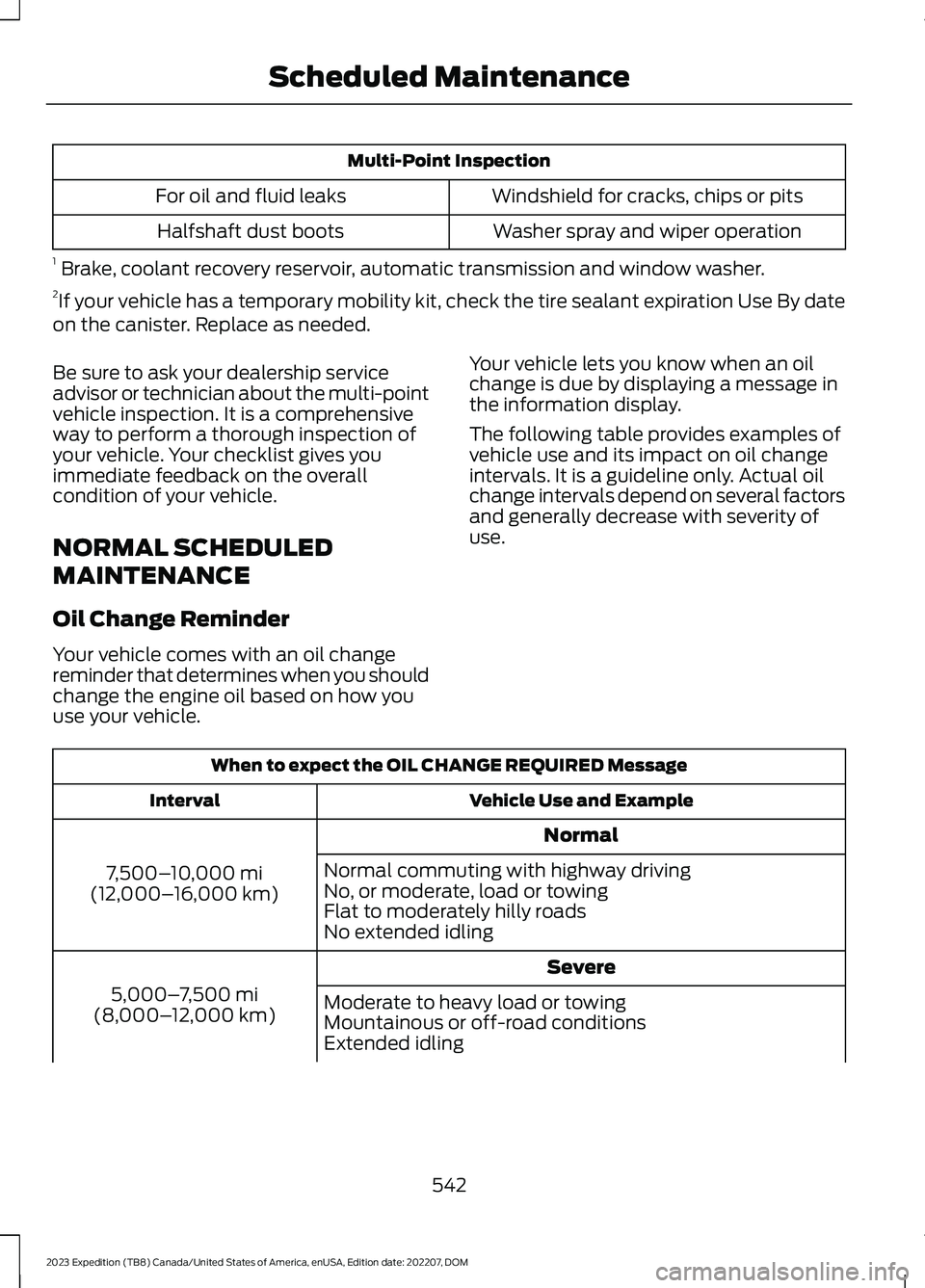
Multi-Point Inspection
Windshield for cracks, chips or pitsFor oil and fluid leaks
Washer spray and wiper operationHalfshaft dust boots
1 Brake, coolant recovery reservoir, automatic transmission and window washer.2If your vehicle has a temporary mobility kit, check the tire sealant expiration Use By dateon the canister. Replace as needed.
Be sure to ask your dealership serviceadvisor or technician about the multi-pointvehicle inspection. It is a comprehensiveway to perform a thorough inspection ofyour vehicle. Your checklist gives youimmediate feedback on the overallcondition of your vehicle.
NORMAL SCHEDULED
MAINTENANCE
Oil Change Reminder
Your vehicle comes with an oil changereminder that determines when you shouldchange the engine oil based on how youuse your vehicle.
Your vehicle lets you know when an oilchange is due by displaying a message inthe information display.
The following table provides examples ofvehicle use and its impact on oil changeintervals. It is a guideline only. Actual oilchange intervals depend on several factorsand generally decrease with severity ofuse.
When to expect the OIL CHANGE REQUIRED Message
Vehicle Use and ExampleInterval
Normal
7,500–10,000 mi(12,000–16,000 km)
Normal commuting with highway drivingNo, or moderate, load or towingFlat to moderately hilly roadsNo extended idling
Severe
5,000–7,500 mi(8,000–12,000 km)Moderate to heavy load or towingMountainous or off-road conditionsExtended idling
542
2023 Expedition (TB8) Canada/United States of America, enUSA, Edition date: 202207, DOMScheduled Maintenance
Page 547 of 658
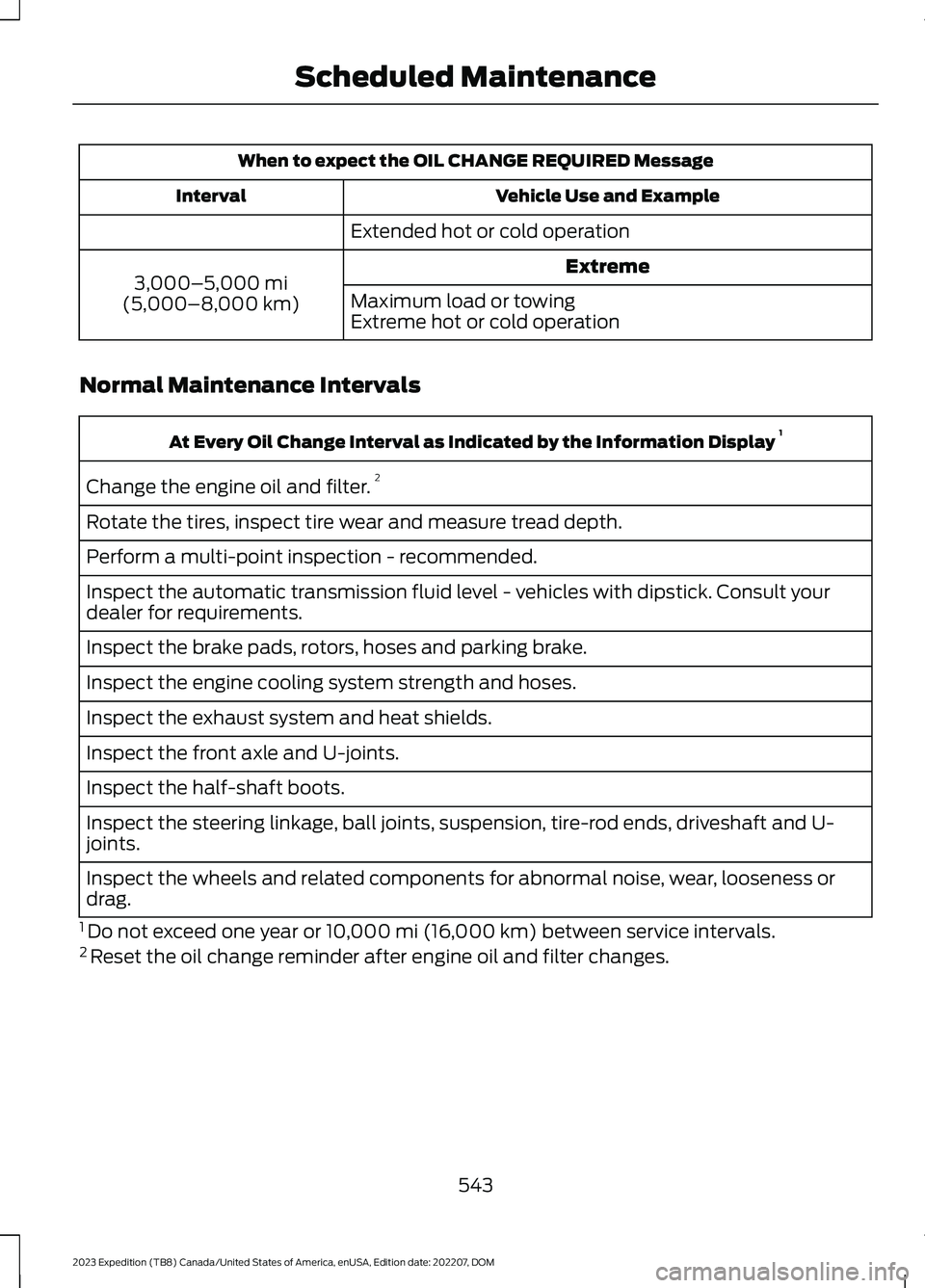
When to expect the OIL CHANGE REQUIRED Message
Vehicle Use and ExampleInterval
Extended hot or cold operation
Extreme3,000–5,000 mi(5,000–8,000 km)Maximum load or towingExtreme hot or cold operation
Normal Maintenance Intervals
At Every Oil Change Interval as Indicated by the Information Display 1
Change the engine oil and filter.2
Rotate the tires, inspect tire wear and measure tread depth.
Perform a multi-point inspection - recommended.
Inspect the automatic transmission fluid level - vehicles with dipstick. Consult yourdealer for requirements.
Inspect the brake pads, rotors, hoses and parking brake.
Inspect the engine cooling system strength and hoses.
Inspect the exhaust system and heat shields.
Inspect the front axle and U-joints.
Inspect the half-shaft boots.
Inspect the steering linkage, ball joints, suspension, tire-rod ends, driveshaft and U-joints.
Inspect the wheels and related components for abnormal noise, wear, looseness ordrag.
1 Do not exceed one year or 10,000 mi (16,000 km) between service intervals.2 Reset the oil change reminder after engine oil and filter changes.
543
2023 Expedition (TB8) Canada/United States of America, enUSA, Edition date: 202207, DOMScheduled Maintenance
Page 549 of 658
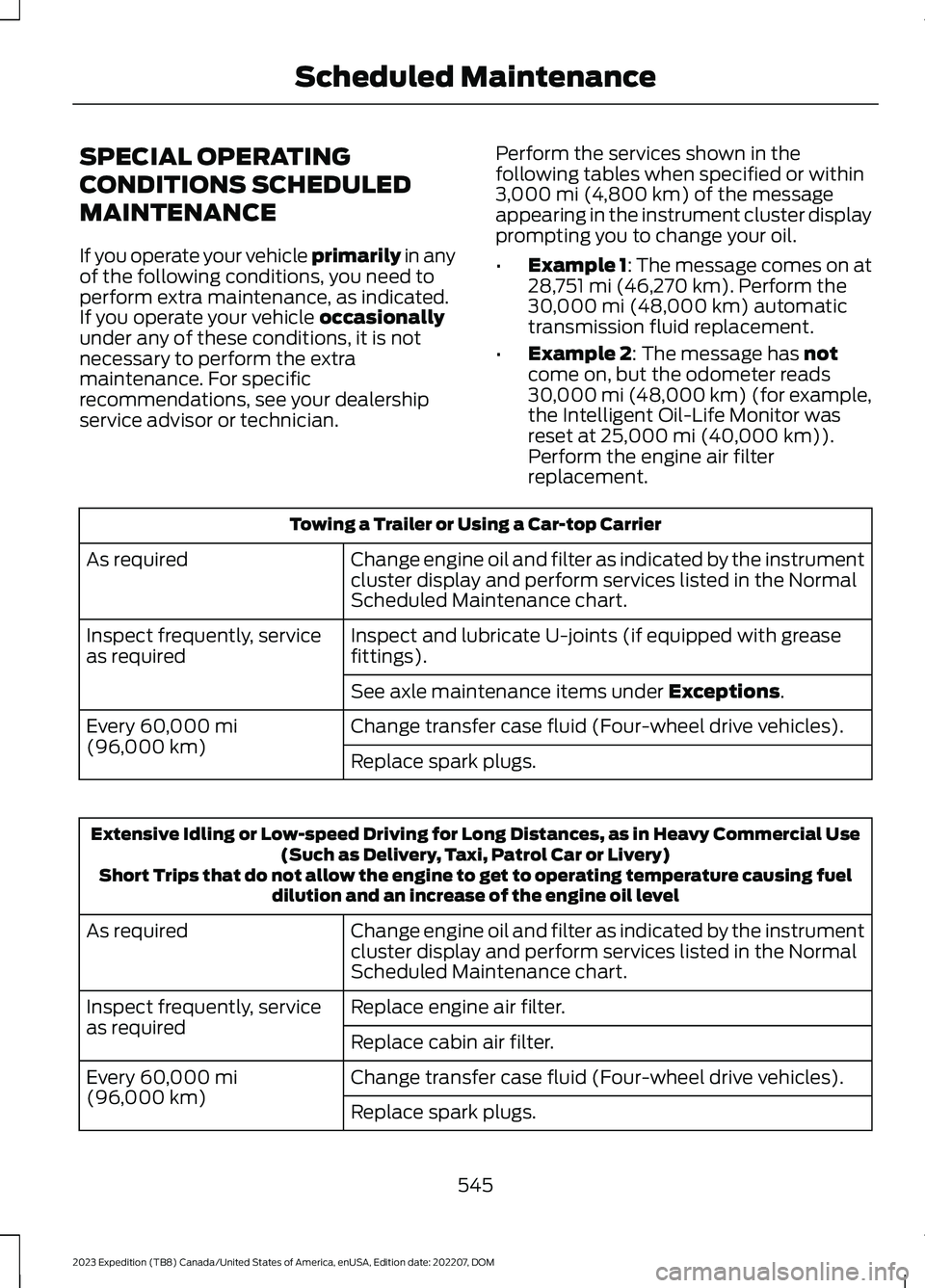
SPECIAL OPERATING
CONDITIONS SCHEDULED
MAINTENANCE
If you operate your vehicle primarily in anyof the following conditions, you need toperform extra maintenance, as indicated.If you operate your vehicle occasionallyunder any of these conditions, it is notnecessary to perform the extramaintenance. For specificrecommendations, see your dealershipservice advisor or technician.
Perform the services shown in thefollowing tables when specified or within3,000 mi (4,800 km) of the messageappearing in the instrument cluster displayprompting you to change your oil.
•Example 1: The message comes on at28,751 mi (46,270 km). Perform the30,000 mi (48,000 km) automatictransmission fluid replacement.
•Example 2: The message has notcome on, but the odometer reads30,000 mi (48,000 km) (for example,the Intelligent Oil-Life Monitor wasreset at 25,000 mi (40,000 km)).Perform the engine air filterreplacement.
Towing a Trailer or Using a Car-top Carrier
Change engine oil and filter as indicated by the instrumentcluster display and perform services listed in the NormalScheduled Maintenance chart.
As required
Inspect and lubricate U-joints (if equipped with greasefittings).Inspect frequently, serviceas required
See axle maintenance items under Exceptions.
Change transfer case fluid (Four-wheel drive vehicles).Every 60,000 mi(96,000 km)Replace spark plugs.
Extensive Idling or Low-speed Driving for Long Distances, as in Heavy Commercial Use(Such as Delivery, Taxi, Patrol Car or Livery)Short Trips that do not allow the engine to get to operating temperature causing fueldilution and an increase of the engine oil level
Change engine oil and filter as indicated by the instrumentcluster display and perform services listed in the NormalScheduled Maintenance chart.
As required
Replace engine air filter.Inspect frequently, serviceas requiredReplace cabin air filter.
Change transfer case fluid (Four-wheel drive vehicles).Every 60,000 mi(96,000 km)Replace spark plugs.
545
2023 Expedition (TB8) Canada/United States of America, enUSA, Edition date: 202207, DOMScheduled Maintenance
Page 638 of 658
Connecting the Vehicle to a Wi-FiNetwork - Vehicles With: 15 InchScreen...........................................................476Connecting Your Phone..............................511Contacting Us...................................................19Cooling System Capacity andSpecification..............................................466Crash and BreakdownInformation.................................................393Automatic Crash Shutoff................................397Jump Starting the Vehicle..............................394Post-Crash Alert System................................396Post Impact Braking.........................................396Recovery Towing - Vehicles With: FrontTow Hook.........................................................397Crash Sensors and Airbag Indicator........63Creating a MyKey - Vehicles With: PushButton Start...................................................76Creating a MyKey - Vehicles Without:Push Button Start.......................................76Creating a Vehicle Wi-Fi Hotspot -Vehicles With: 12 Inch Screen...............478Creating a Vehicle Wi-Fi Hotspot -Vehicles With: 15 Inch Screen..............478Cross Traffic Alert........................................325Cross Traffic Alert –Troubleshooting.............................................327Cross Traffic Alert Indicators....................327Cross Traffic Alert Limitations................325Cross Traffic Alert Precautions...............325Cross Traffic Alert –Troubleshooting.........................................327Cross Traffic Alert – InformationMessages..........................................................327Cross Traffic Braking...................................239Cross Traffic Braking –Troubleshooting............................................240Cross Traffic Braking Indicators.............240Cross Traffic Braking Precautions.........239Cross Traffic Braking –Troubleshooting........................................240Cross Traffic Braking – Frequently AskedQuestions..........................................................241Cross Traffic Braking – InformationMessages.........................................................240Cruise Control................................................277Cruise Control Indicators...........................278
Customer Information...............................548Radio Frequency Certification Labels.........551Customizing the Instrument ClusterDisplay............................................................141
D
Data Privacy.....................................................26Department of Transportation UniformTire Quality Grades...................................437Deploying and Stowing the PowerRunning Boards.........................................105Digital Radio..................................................484Digital Radio Indicators...................................485Digital Radio Limitations................................484How Does Digital Radio Work......................484Switching Digital Radio Reception On andOff......................................................................485What Is Digital Radio.......................................484Directing the Flow of Air............................150Disposing of Airbags.....................................64Distance Alert................................................335Adjusting the Sensitivity of DistanceAlert....................................................................335What Is Distance Alert.....................................335Distance Indication.....................................332Distance Indication Indicator........................334Switching Distance Indication On andOff.......................................................................334What Is Distance Indication...........................332Doors and Locks Audible Warnings........83Doors and Locks..............................................81Autolock...................................................................82Autounlock.............................................................82Doors and Locks – Troubleshooting.............83Mislock.....................................................................82Operating the Doors From Inside YourVehicle..................................................................81Operating the Doors From Outside YourVehicle..................................................................81Doors and Locks –Troubleshooting..........................................83Doors and Locks – Frequently AskedQuestions...........................................................84Doors and Locks – InformationMessages...........................................................83Doors and Locks – Warning Lamps..............83Drive Belt Routing........................................428
634
2023 Expedition (TB8) Canada/United States of America, enUSA, Edition date: 202207, DOMIndex
Page 639 of 658
Drive Mode Control.....................................303Drive Mode Control –Troubleshooting............................................307Drive Modes.........................................................304Drive Mode Control –Troubleshooting........................................307Drive Mode Control – Frequently AskedQuestions........................................................308Drive Mode Control – InformationMessages.........................................................307Drive Mode Control – WarningLamps...............................................................307Drive Modes...................................................304Eco..........................................................................304Mud/Ruts.............................................................304Normal..................................................................304Sand.......................................................................304Slippery.................................................................305Sport......................................................................305Tow/Haul..............................................................306Trail.........................................................................306Driver Alert.....................................................339Driver Alert – Troubleshooting.....................340Driver Alert Limitations..............................339Driver Alert Precautions............................339Driver Alert – Troubleshooting...............340Driver Alert – Information Messages.........340Driving Economically.................................389Driving Hints..................................................389Driving in Special Conditions........................390Driving in Special Conditions..................390Driving In Sand.....................................................391Driving on Hilly or Sloping Terrain...............390Driving Through Mud and Water.................390Driving on Snow and Ice...........................389Driving Through Shallow Water..............391
E
Easy Entry and Exit.......................................90Electric Parking Brake AudibleWarning........................................................233Electric Parking Brake.................................232Electric Parking Brake –Troubleshooting............................................233
Electric Parking Brake –Troubleshooting........................................233Electric Parking Brake – InformationMessages.........................................................234Electric Parking Brake – WarningLamps................................................................233Electric Power Steering.............................258Electric Power Steering Precautions..........258How Does Electric Power SteeringWork..................................................................258Electromagnetic Compatibility..............625Electronic Limited-SlipDifferential..................................................226Electronic Limited-Slip Differential –Troubleshooting............................................228Electronic Limited-Slip DifferentialIndicators.....................................................226Electronic Limited-Slip Differential –Troubleshooting........................................228Electronic Limited-Slip Differential –Information Messages................................228Emergency Call Limitations.......................66Emergency Call Requirements.................65Emergency Call System Data....................29Emergency Towing.....................................402Emission Law - United States ofAmerica.........................................................621Enabling Apps on an AndroidDevice............................................................522Enabling Apps on an iOS Device............522Enabling Remote Start - Vehicles With:12 Inch Screen.............................................144Enabling Remote Start - Vehicles With:15 Inch Screen.............................................144End User License Agreement.................596Engine Air Filter.............................................419Changing the Engine Air Filter.......................419Engine Block Heater....................................195Engine Block Heater Precautions.................195How Does the Engine Block HeaterWork...................................................................196Using the Engine Block Heater......................196Engine Coolant TemperatureGauge.............................................................136Engine Oil Capacity andSpecification..............................................465Engine Oil........................................................414Adding Engine Oil...............................................414
635
2023 Expedition (TB8) Canada/United States of America, enUSA, Edition date: 202207, DOMIndex
Page 648 of 658
Rear Seats.......................................................169Heated Seats........................................................175Manual Seats.......................................................169Power Seats..........................................................173Rear View Camera Guide Lines..............267Rear View Camera Precautions.............266Rear View Camera......................................266Rear View Camera Settings...........................267Rear View Camera Settings.....................267Switching Rear View Camera Delay On andOff......................................................................268Zooming the Rear View Camera In andOut......................................................................267Rebooting the Center Display.................501Recalling a Preset Position........................179Recovery Towing - Vehicles With: FrontTow Hook.....................................................397Accessing the Front Towing Point...............397Recreationally Towing Your Vehicle -4x2.................................................................402Recreationally Towing Your Vehicle -4x4................................................................400Refueling........................................................208Manually Opening the Fuel FillerDoor...................................................................209Refueling System Overview..........................208Refueling Your Vehicle....................................208Releasing the Electric Parking Brake ifthe Vehicle Battery Has Run Out ofCharge...........................................................233Remote Control Limitations.......................67Remotely Starting and Stopping theVehicle...........................................................144Remote Start Limitations..........................144Remote Start Precautions........................144Remote Start Remote ControlIndicators......................................................145Remote Start.................................................144Remote Start Settings - Vehicles With:12 Inch Screen.............................................145Remote Start Settings - Vehicles With:15 Inch Screen.............................................146Removing the Key Blade.............................68Removing Your Vehicle FromStorage.........................................................436Repairing Minor Paint Damage..............433Replacement PartsRecommendation....................................595
Replacing a Lost Key or RemoteControl..............................................................71Replacing the Cabin Air Filter..................160Replacing the Front Wiper Blades...........111Replacing the Rear Wiper Blades............112Reporting Safety Defects inCanada.........................................................550Reporting Safety Defects in the UnitedStates...........................................................550Resetting the Stopping Position -Vehicles With: Power AdjustableSteering Column........................................107Restarting the Engine................................202Resuming the Set Speed..........................278Resuming the Set Speed - Vehicles With:12 Inch Screen.............................................287Resuming the Set Speed - Vehicles With:8 Inch Screen.............................................286Reverse Braking Assist Indicators.........236Reverse Braking AssistPrecautions.................................................235Reverse Braking Assist...............................235Reverse Braking Assist –Troubleshooting.............................................237Reverse Braking Assist –Troubleshooting.........................................237Reverse Braking Assist – Frequently AskedQuestions........................................................238Reverse Braking Assist – InformationMessages..........................................................237Reverse Wipe..................................................110Reverse Wipe Settings......................................110What Is Reverse Wipe........................................110Roadside Assistance..................................393Rollover Warning.........................................548Roof Rack.......................................................349Roof Rack Load Capacities...........................349Roof Rack Precautions....................................349Route Guidance............................................527Adjusting the Guidance PromptVolume..............................................................527Canceling Route Guidance............................528Repeating an Instruction................................528Running-InSee: Breaking-In.................................................389Running Out of Fuel....................................207Adding Fuel From a Portable FuelContainer..........................................................207
644
2023 Expedition (TB8) Canada/United States of America, enUSA, Edition date: 202207, DOMIndex
Page 652 of 658
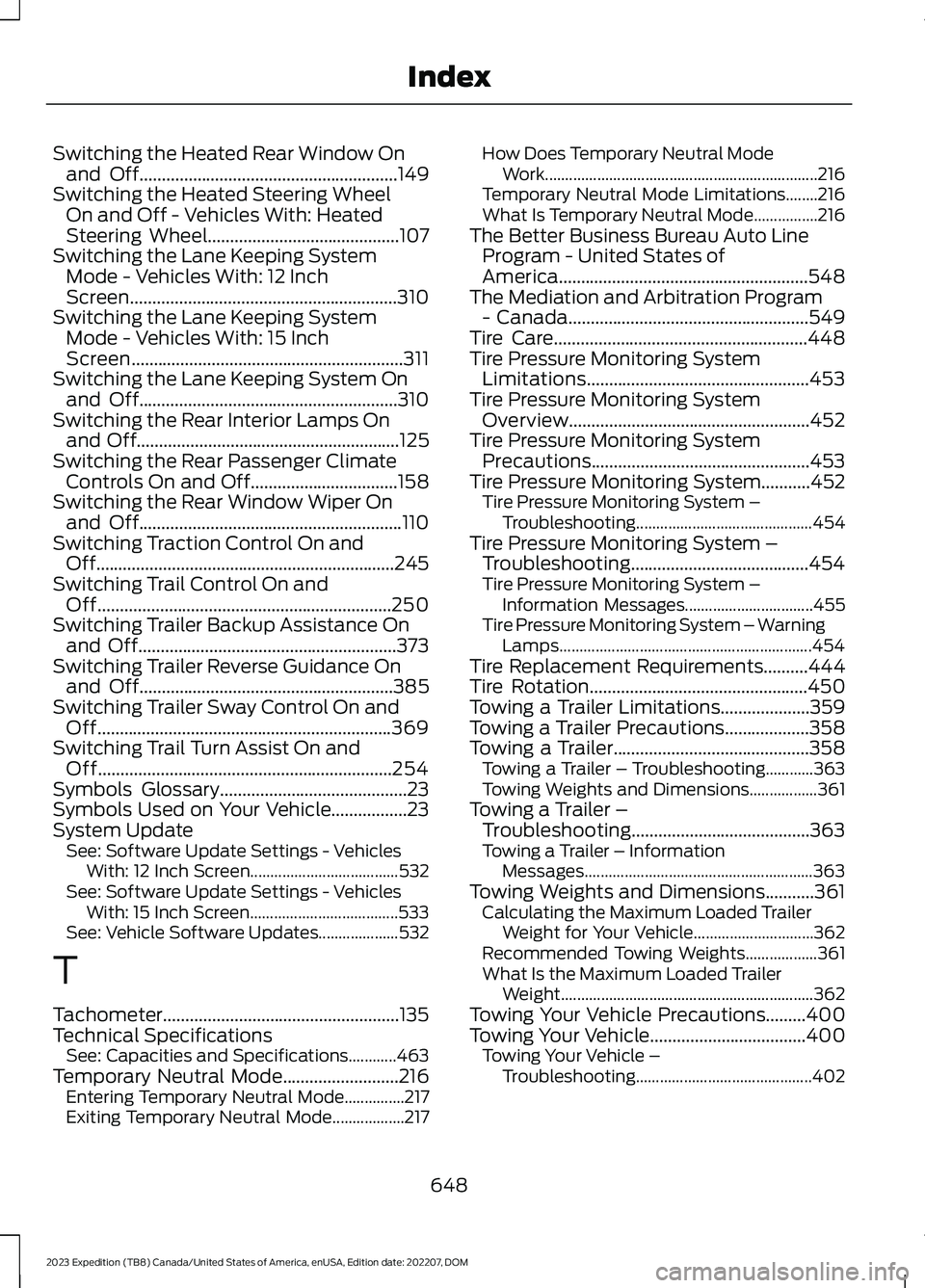
Switching the Heated Rear Window Onand Off..........................................................149Switching the Heated Steering WheelOn and Off - Vehicles With: HeatedSteering Wheel...........................................107Switching the Lane Keeping SystemMode - Vehicles With: 12 InchScreen............................................................310Switching the Lane Keeping SystemMode - Vehicles With: 15 InchScreen.............................................................311Switching the Lane Keeping System Onand Off..........................................................310Switching the Rear Interior Lamps Onand Off...........................................................125Switching the Rear Passenger ClimateControls On and Off.................................158Switching the Rear Window Wiper Onand Off...........................................................110Switching Traction Control On andOff...................................................................245Switching Trail Control On andOff..................................................................250Switching Trailer Backup Assistance Onand Off..........................................................373Switching Trailer Reverse Guidance Onand Off.........................................................385Switching Trailer Sway Control On andOff..................................................................369Switching Trail Turn Assist On andOff..................................................................254Symbols Glossary..........................................23Symbols Used on Your Vehicle.................23System UpdateSee: Software Update Settings - VehiclesWith: 12 Inch Screen.....................................532See: Software Update Settings - VehiclesWith: 15 Inch Screen.....................................533See: Vehicle Software Updates....................532
T
Tachometer.....................................................135Technical SpecificationsSee: Capacities and Specifications............463Temporary Neutral Mode..........................216Entering Temporary Neutral Mode...............217Exiting Temporary Neutral Mode..................217
How Does Temporary Neutral ModeWork....................................................................216Temporary Neutral Mode Limitations........216What Is Temporary Neutral Mode................216The Better Business Bureau Auto LineProgram - United States ofAmerica........................................................548The Mediation and Arbitration Program- Canada......................................................549Tire Care.........................................................448Tire Pressure Monitoring SystemLimitations..................................................453Tire Pressure Monitoring SystemOverview......................................................452Tire Pressure Monitoring SystemPrecautions.................................................453Tire Pressure Monitoring System...........452Tire Pressure Monitoring System –Troubleshooting............................................454Tire Pressure Monitoring System –Troubleshooting........................................454Tire Pressure Monitoring System –Information Messages................................455Tire Pressure Monitoring System – WarningLamps...............................................................454Tire Replacement Requirements..........444Tire Rotation.................................................450Towing a Trailer Limitations....................359Towing a Trailer Precautions...................358Towing a Trailer............................................358Towing a Trailer – Troubleshooting............363Towing Weights and Dimensions.................361Towing a Trailer –Troubleshooting........................................363Towing a Trailer – InformationMessages.........................................................363Towing Weights and Dimensions...........361Calculating the Maximum Loaded TrailerWeight for Your Vehicle..............................362Recommended Towing Weights..................361What Is the Maximum Loaded TrailerWeight...............................................................362Towing Your Vehicle Precautions.........400Towing Your Vehicle...................................400Towing Your Vehicle –Troubleshooting............................................402
648
2023 Expedition (TB8) Canada/United States of America, enUSA, Edition date: 202207, DOMIndex
Page 653 of 658
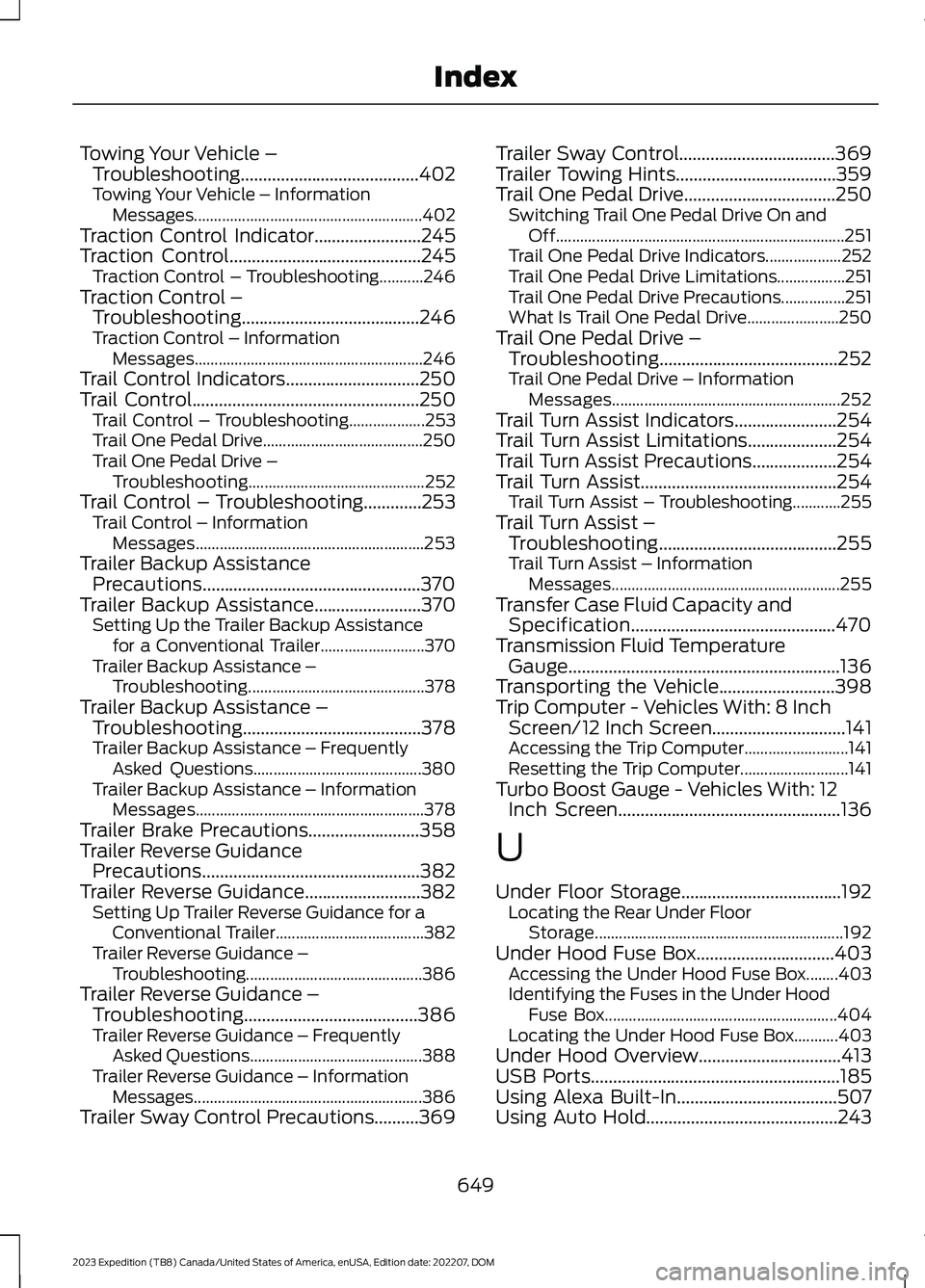
Towing Your Vehicle –Troubleshooting........................................402Towing Your Vehicle – InformationMessages.........................................................402Traction Control Indicator........................245Traction Control...........................................245Traction Control – Troubleshooting...........246Traction Control –Troubleshooting........................................246Traction Control – InformationMessages.........................................................246Trail Control Indicators..............................250Trail Control...................................................250Trail Control – Troubleshooting...................253Trail One Pedal Drive........................................250Trail One Pedal Drive –Troubleshooting............................................252Trail Control – Troubleshooting.............253Trail Control – InformationMessages.........................................................253Trailer Backup AssistancePrecautions.................................................370Trailer Backup Assistance........................370Setting Up the Trailer Backup Assistancefor a Conventional Trailer..........................370Trailer Backup Assistance –Troubleshooting............................................378Trailer Backup Assistance –Troubleshooting........................................378Trailer Backup Assistance – FrequentlyAsked Questions..........................................380Trailer Backup Assistance – InformationMessages.........................................................378Trailer Brake Precautions.........................358Trailer Reverse GuidancePrecautions.................................................382Trailer Reverse Guidance..........................382Setting Up Trailer Reverse Guidance for aConventional Trailer.....................................382Trailer Reverse Guidance –Troubleshooting............................................386Trailer Reverse Guidance –Troubleshooting.......................................386Trailer Reverse Guidance – FrequentlyAsked Questions...........................................388Trailer Reverse Guidance – InformationMessages.........................................................386Trailer Sway Control Precautions..........369
Trailer Sway Control...................................369Trailer Towing Hints....................................359Trail One Pedal Drive..................................250Switching Trail One Pedal Drive On andOff........................................................................251Trail One Pedal Drive Indicators...................252Trail One Pedal Drive Limitations.................251Trail One Pedal Drive Precautions................251What Is Trail One Pedal Drive.......................250Trail One Pedal Drive –Troubleshooting........................................252Trail One Pedal Drive – InformationMessages.........................................................252Trail Turn Assist Indicators.......................254Trail Turn Assist Limitations....................254Trail Turn Assist Precautions...................254Trail Turn Assist............................................254Trail Turn Assist – Troubleshooting............255Trail Turn Assist –Troubleshooting........................................255Trail Turn Assist – InformationMessages.........................................................255Transfer Case Fluid Capacity andSpecification..............................................470Transmission Fluid TemperatureGauge.............................................................136Transporting the Vehicle..........................398Trip Computer - Vehicles With: 8 InchScreen/12 Inch Screen..............................141Accessing the Trip Computer..........................141Resetting the Trip Computer...........................141Turbo Boost Gauge - Vehicles With: 12Inch Screen..................................................136
U
Under Floor Storage....................................192Locating the Rear Under FloorStorage..............................................................192Under Hood Fuse Box...............................403Accessing the Under Hood Fuse Box........403Identifying the Fuses in the Under HoodFuse Box..........................................................404Locating the Under Hood Fuse Box...........403Under Hood Overview................................413USB Ports........................................................185Using Alexa Built-In....................................507Using Auto Hold...........................................243
649
2023 Expedition (TB8) Canada/United States of America, enUSA, Edition date: 202207, DOMIndex