ignition FORD EXPEDITION 2023 Owners Manual
[x] Cancel search | Manufacturer: FORD, Model Year: 2023, Model line: EXPEDITION, Model: FORD EXPEDITION 2023Pages: 658, PDF Size: 16.16 MB
Page 10 of 658
Rear Seats
Manual Seats................................................169
Power Seats...................................................173
Heated Seats.................................................175
Rear Occupant Alert System
What is the Rear Occupant Alert System..........................................................................177
How Does the Rear Occupant AlertSystem Work..............................................177
Rear Occupant Alert System Precautions..........................................................................177
Rear Occupant Alert System Limitations..........................................................................177
Switching Rear Occupant Alert SystemOn and Off - Vehicles With: 12 InchScreen...........................................................177
Switching Rear Occupant Alert SystemOn and Off - Vehicles With: 15 InchScreen..........................................................178
Rear Occupant Alert System Indicators.........................................................................178
Rear Occupant Alert System AudibleWarnings.....................................................178
Memory Function
What Is the Memory Function................179
Memory Function Precautions...............179
Locating the Memory Function Buttons.........................................................................179
Saving a Preset Position...........................179
Recalling a Preset Position......................179
Garage Door Opener
Garage Door Opener Introduction.........181
Garage Door Opener Precautions andFrequencies................................................181
Programming the Garage Door Opener.........................................................................182
Garage Door Opener AdditionalAssistance.................................................184
USB Ports
Locating the USB Ports.............................185
Playing Media Using the USB Port.......185
Charging a Device........................................185
Power Outlet - Vehicles With:110V Power Outlet
What Is the Power Outlet.........................187
Power Outlet Precautions........................187
Power Outlet Limitations..........................187
Locating the Power Outlets.....................187
Power Outlet Indicators............................187
Power Outlet - Vehicles With:12V Power Outlet
What Is the Power Outlet........................189
Power Outlet Precautions.......................189
Locating the Power Outlets....................189
Wireless Accessory Charger
What Is the Wireless Accessory Charger........................................................................190
Wireless Accessory Charger Precautions........................................................................190
Locating the Wireless Accessory Charger........................................................................190
Charging a Wireless Device.....................190
Storage
Overhead Storage........................................191
Glove Compartment...................................191
Center Console..............................................191
Under Floor Storage...................................192
Starting and Stopping theEngine
Starting and Stopping the Engine –Precautions................................................193
Ignition Switch..............................................193
Push Button Ignition Switch...................194
6
2023 Expedition (TB8) Canada/United States of America, enUSA, Edition date: 202207, DOMTable of Contents
Page 36 of 658
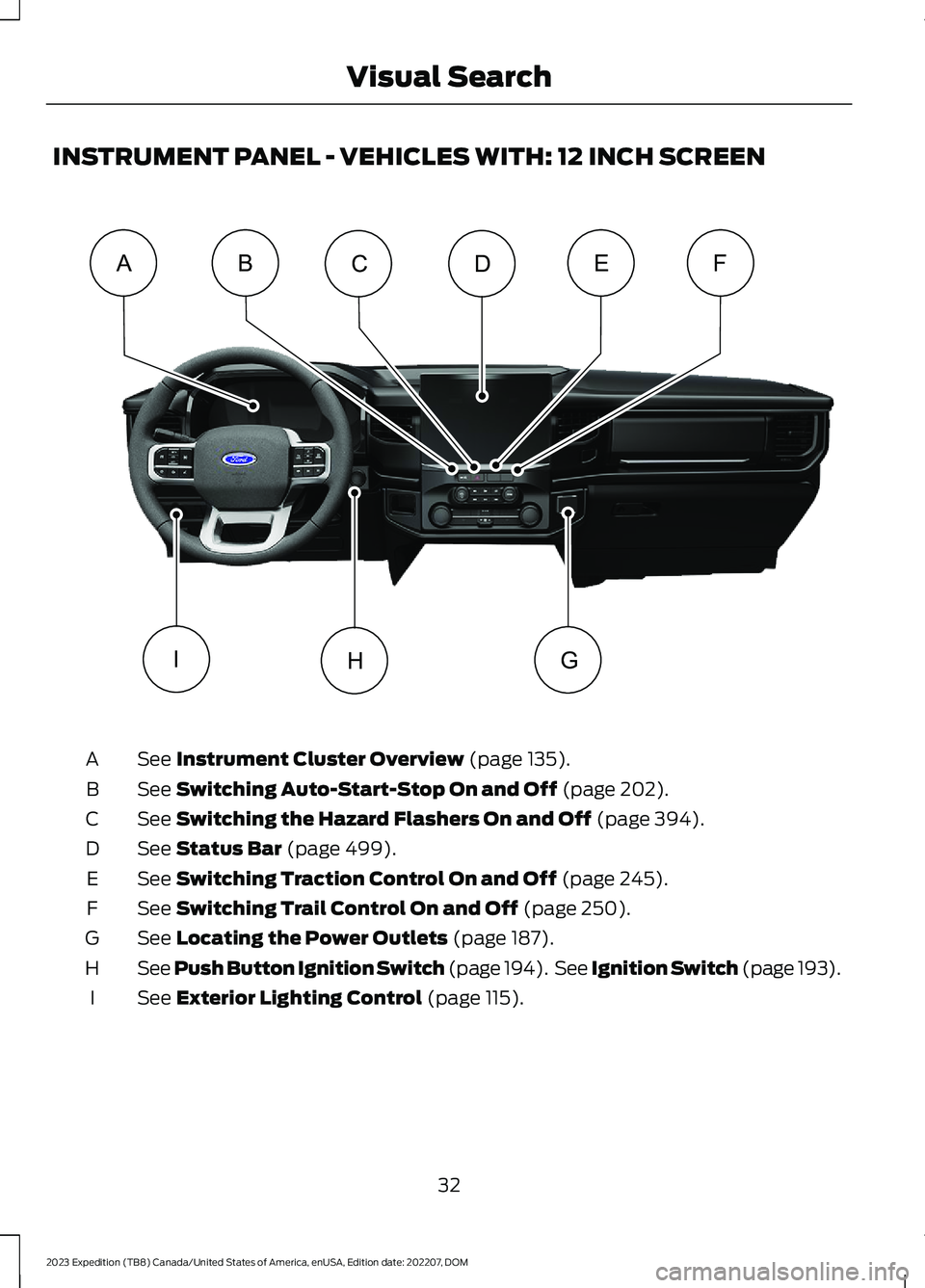
INSTRUMENT PANEL - VEHICLES WITH: 12 INCH SCREEN
See Instrument Cluster Overview (page 135).A
See Switching Auto-Start-Stop On and Off (page 202).B
See Switching the Hazard Flashers On and Off (page 394).C
See Status Bar (page 499).D
See Switching Traction Control On and Off (page 245).E
See Switching Trail Control On and Off (page 250).F
See Locating the Power Outlets (page 187).G
See Push Button Ignition Switch (page 194). See Ignition Switch (page 193).H
See Exterior Lighting Control (page 115).I
32
2023 Expedition (TB8) Canada/United States of America, enUSA, Edition date: 202207, DOMVisual SearchDABCEFHIG E358100
Page 37 of 658
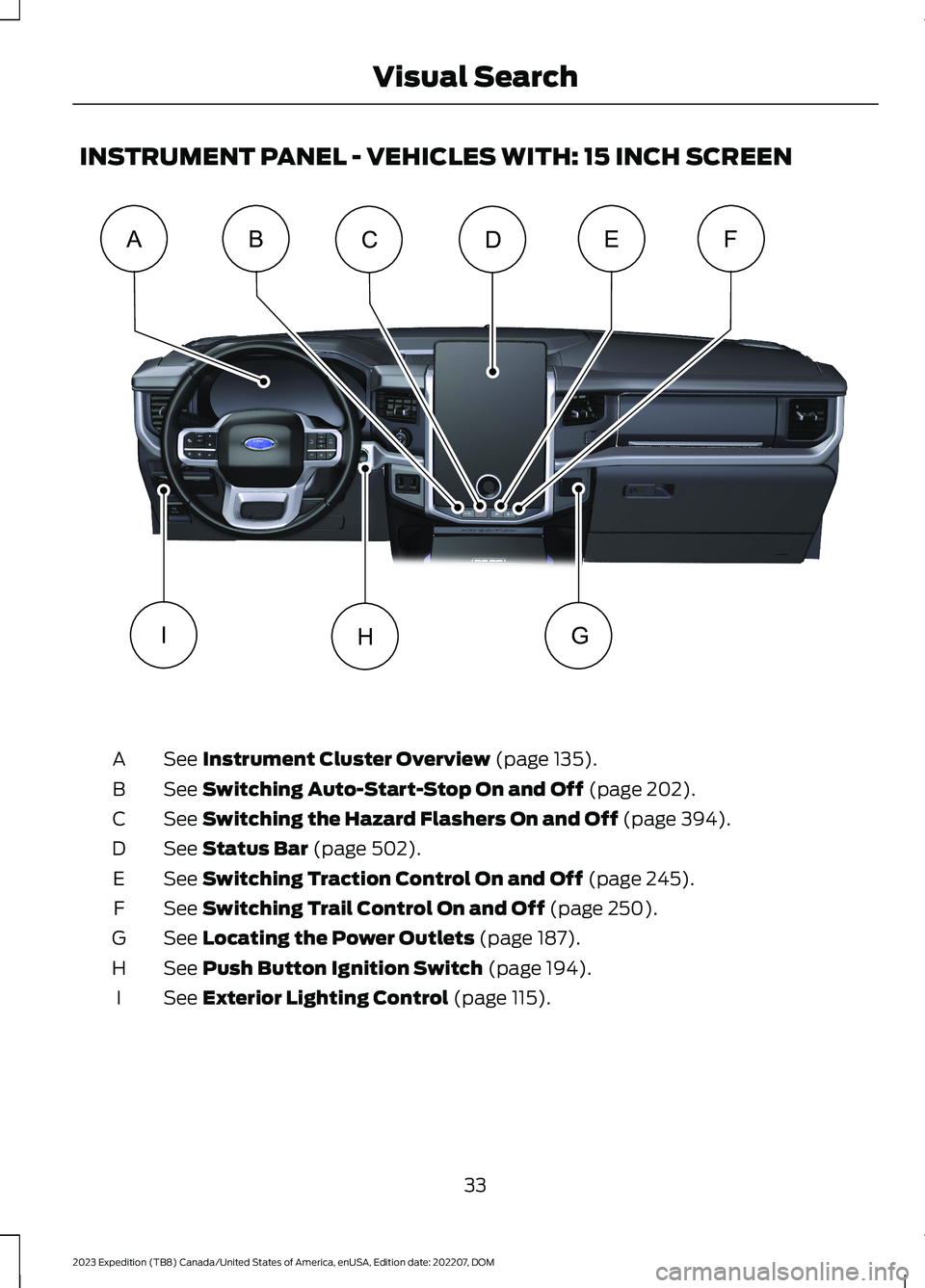
INSTRUMENT PANEL - VEHICLES WITH: 15 INCH SCREEN
See Instrument Cluster Overview (page 135).A
See Switching Auto-Start-Stop On and Off (page 202).B
See Switching the Hazard Flashers On and Off (page 394).C
See Status Bar (page 502).D
See Switching Traction Control On and Off (page 245).E
See Switching Trail Control On and Off (page 250).F
See Locating the Power Outlets (page 187).G
See Push Button Ignition Switch (page 194).H
See Exterior Lighting Control (page 115).I
33
2023 Expedition (TB8) Canada/United States of America, enUSA, Edition date: 202207, DOMVisual SearchDABCEFHIG E373502
Page 56 of 658
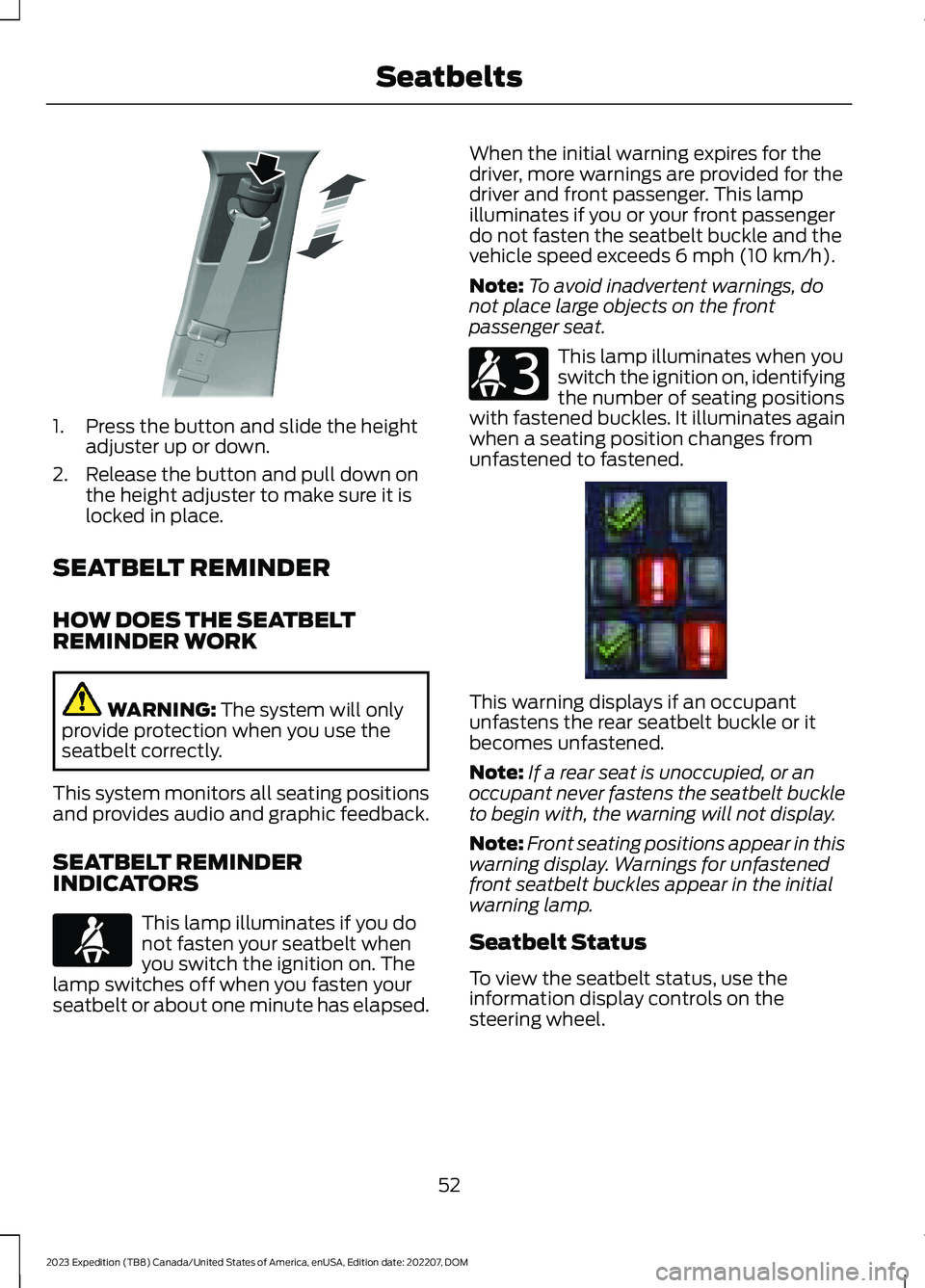
1.Press the button and slide the heightadjuster up or down.
2.Release the button and pull down onthe height adjuster to make sure it islocked in place.
SEATBELT REMINDER
HOW DOES THE SEATBELTREMINDER WORK
WARNING: The system will onlyprovide protection when you use theseatbelt correctly.
This system monitors all seating positionsand provides audio and graphic feedback.
SEATBELT REMINDERINDICATORS
This lamp illuminates if you donot fasten your seatbelt whenyou switch the ignition on. Thelamp switches off when you fasten yourseatbelt or about one minute has elapsed.
When the initial warning expires for thedriver, more warnings are provided for thedriver and front passenger. This lampilluminates if you or your front passengerdo not fasten the seatbelt buckle and thevehicle speed exceeds 6 mph (10 km/h).
Note:To avoid inadvertent warnings, donot place large objects on the frontpassenger seat.
This lamp illuminates when youswitch the ignition on, identifyingthe number of seating positionswith fastened buckles. It illuminates againwhen a seating position changes fromunfastened to fastened.
This warning displays if an occupantunfastens the rear seatbelt buckle or itbecomes unfastened.
Note:If a rear seat is unoccupied, or anoccupant never fastens the seatbelt buckleto begin with, the warning will not display.
Note:Front seating positions appear in thiswarning display. Warnings for unfastenedfront seatbelt buckles appear in the initialwarning lamp.
Seatbelt Status
To view the seatbelt status, use theinformation display controls on thesteering wheel.
52
2023 Expedition (TB8) Canada/United States of America, enUSA, Edition date: 202207, DOMSeatbeltsE200161 E71880 E206718 E373493
Page 57 of 658
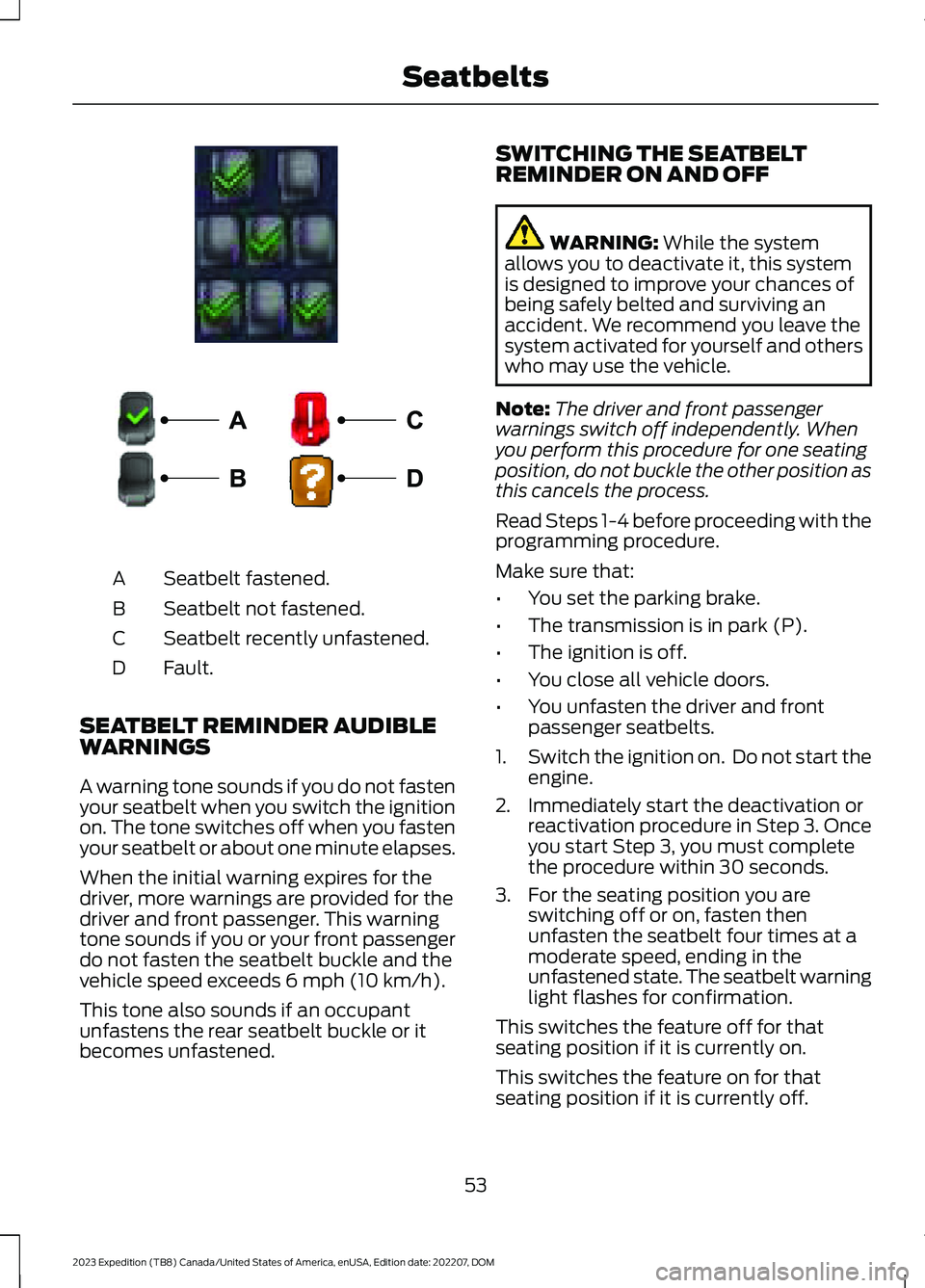
Seatbelt fastened.A
Seatbelt not fastened.B
Seatbelt recently unfastened.C
Fault.D
SEATBELT REMINDER AUDIBLEWARNINGS
A warning tone sounds if you do not fastenyour seatbelt when you switch the ignitionon. The tone switches off when you fastenyour seatbelt or about one minute elapses.
When the initial warning expires for thedriver, more warnings are provided for thedriver and front passenger. This warningtone sounds if you or your front passengerdo not fasten the seatbelt buckle and thevehicle speed exceeds 6 mph (10 km/h).
This tone also sounds if an occupantunfastens the rear seatbelt buckle or itbecomes unfastened.
SWITCHING THE SEATBELTREMINDER ON AND OFF
WARNING: While the systemallows you to deactivate it, this systemis designed to improve your chances ofbeing safely belted and surviving anaccident. We recommend you leave thesystem activated for yourself and otherswho may use the vehicle.
Note:The driver and front passengerwarnings switch off independently. Whenyou perform this procedure for one seatingposition, do not buckle the other position asthis cancels the process.
Read Steps 1-4 before proceeding with theprogramming procedure.
Make sure that:
•You set the parking brake.
•The transmission is in park (P).
•The ignition is off.
•You close all vehicle doors.
•You unfasten the driver and frontpassenger seatbelts.
1.Switch the ignition on. Do not start theengine.
2.Immediately start the deactivation orreactivation procedure in Step 3. Onceyou start Step 3, you must completethe procedure within 30 seconds.
3.For the seating position you areswitching off or on, fasten thenunfasten the seatbelt four times at amoderate speed, ending in theunfastened state. The seatbelt warninglight flashes for confirmation.
This switches the feature off for thatseating position if it is currently on.
This switches the feature on for thatseating position if it is currently off.
53
2023 Expedition (TB8) Canada/United States of America, enUSA, Edition date: 202207, DOMSeatbeltsE373494 E274703
Page 64 of 658
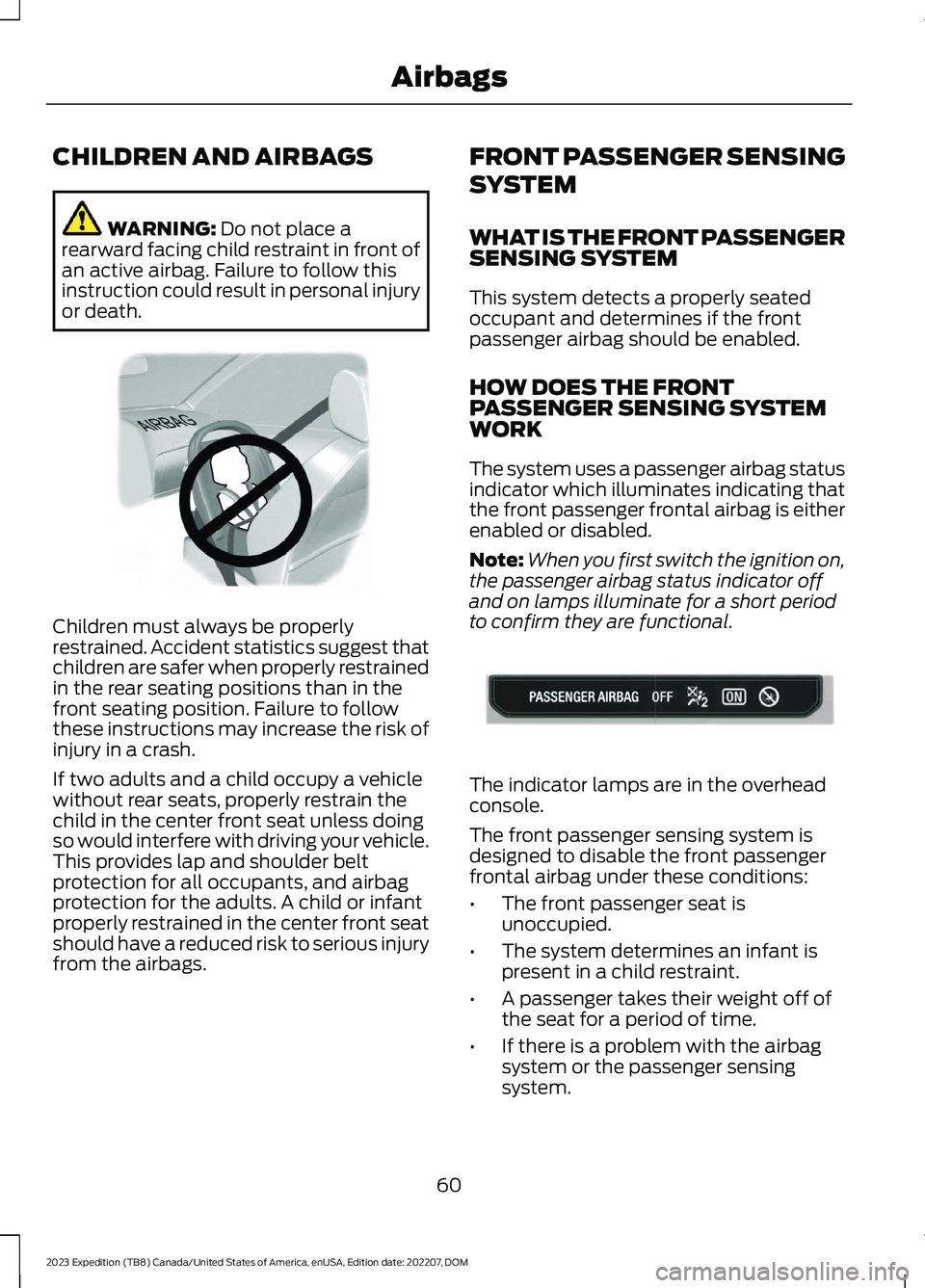
CHILDREN AND AIRBAGS
WARNING: Do not place arearward facing child restraint in front ofan active airbag. Failure to follow thisinstruction could result in personal injuryor death.
Children must always be properlyrestrained. Accident statistics suggest thatchildren are safer when properly restrainedin the rear seating positions than in thefront seating position. Failure to followthese instructions may increase the risk ofinjury in a crash.
If two adults and a child occupy a vehiclewithout rear seats, properly restrain thechild in the center front seat unless doingso would interfere with driving your vehicle.This provides lap and shoulder beltprotection for all occupants, and airbagprotection for the adults. A child or infantproperly restrained in the center front seatshould have a reduced risk to serious injuryfrom the airbags.
FRONT PASSENGER SENSING
SYSTEM
WHAT IS THE FRONT PASSENGERSENSING SYSTEM
This system detects a properly seatedoccupant and determines if the frontpassenger airbag should be enabled.
HOW DOES THE FRONTPASSENGER SENSING SYSTEMWORK
The system uses a passenger airbag statusindicator which illuminates indicating thatthe front passenger frontal airbag is eitherenabled or disabled.
Note:When you first switch the ignition on,the passenger airbag status indicator offand on lamps illuminate for a short periodto confirm they are functional.
The indicator lamps are in the overheadconsole.
The front passenger sensing system isdesigned to disable the front passengerfrontal airbag under these conditions:
•The front passenger seat isunoccupied.
•The system determines an infant ispresent in a child restraint.
•A passenger takes their weight off ofthe seat for a period of time.
•If there is a problem with the airbagsystem or the passenger sensingsystem.
60
2023 Expedition (TB8) Canada/United States of America, enUSA, Edition date: 202207, DOMAirbagsE142846 E181984
Page 67 of 658
CRASH SENSORS AND
AIRBAG INDICATOR
WARNING: Modifying or addingequipment to the front of your vehiclecould affect the performance of theairbag system, increasing the risk ofinjury. This includes the hood, bumpersystem, frame, front body structure, towhooks, hood pins, push bar andsnowplows.
Your vehicle has a collection of crash andoccupant sensors. These sensors provideinformation to the restraints controlmodule which activates the following:
•Front seatbelt pretensioners.
•Adaptive steering column.
•Driver airbag.
•Passenger airbag.
•Seat mounted side airbags.
•Safety Canopy.
Based on the type of crash, the restraintscontrol module deploys the appropriatesafety devices.
The restraints control module alsomonitors the readiness of the above safetydevices plus the crash and occupantsensors. The readiness of the safetysystem is indicated by a warning indicatorlight in the instrument cluster or by abackup tone if the warning light is notworking. Routine maintenance of theairbag is not required.
A difficulty with the system is indicated byone or more of the following:
The readiness light will notilluminate immediately after youswitch the ignition on.
•The readiness light either flashes orstays on.
•You hear a series of five tones. Thetone pattern repeats periodically untilthe problem, the light or both arerepaired.
If any of these things happen, evenintermittently, have the supplementalrestraint system serviced immediately.Unless serviced, the system may notfunction properly in the event of a crash.
The fact that the seatbelt pretensionersor front airbags did not activate for bothfront seat occupants in a crash does notmean that something is wrong with thesystem. Rather, it means the restraintscontrol module determined the accidentconditions (crash severity, seatbelt usage)were not appropriate to activate thesesafety devices.
•The front airbags activate only infrontal and near-frontal crashes. Frontairbags may activate in rollovers, sideimpacts or rear impacts if the crashcauses sufficient frontal deceleration.
•The seatbelt pretensioners activate infrontal, near-frontal and side crashes,and in rollovers.
•The side airbags inflate in certain sideimpact crashes or rollover events. Sideairbags may activate in other types ofcrashes if the vehicle experiencessufficient sideways motion ordeformation.
•The Safety Canopy inflates in certainside impact crashes or rollover events.The Safety Canopy may activate inother types of crashes if the vehicleexperiences sufficient sideways motionor deformation, or a certain likelihoodof rollover.
63
2023 Expedition (TB8) Canada/United States of America, enUSA, Edition date: 202207, DOMAirbagsE67017
Page 72 of 658
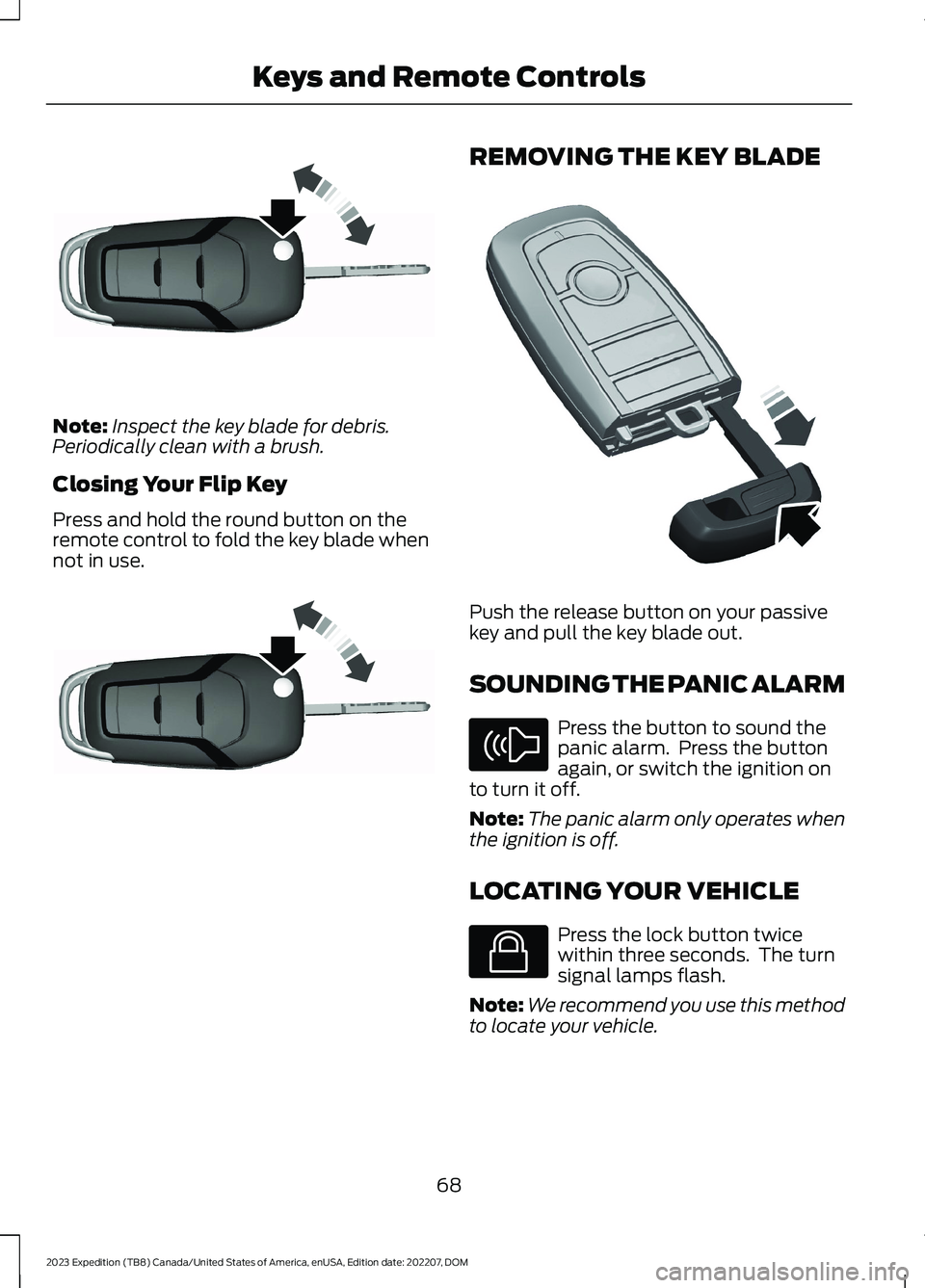
Note:Inspect the key blade for debris.Periodically clean with a brush.
Closing Your Flip Key
Press and hold the round button on theremote control to fold the key blade whennot in use.
REMOVING THE KEY BLADE
Push the release button on your passivekey and pull the key blade out.
SOUNDING THE PANIC ALARM
Press the button to sound thepanic alarm. Press the buttonagain, or switch the ignition onto turn it off.
Note:The panic alarm only operates whenthe ignition is off.
LOCATING YOUR VEHICLE
Press the lock button twicewithin three seconds. The turnsignal lamps flash.
Note:We recommend you use this methodto locate your vehicle.
68
2023 Expedition (TB8) Canada/United States of America, enUSA, Edition date: 202207, DOMKeys and Remote ControlsE191532 E191532 E322866 E138624 E138623
Page 76 of 658
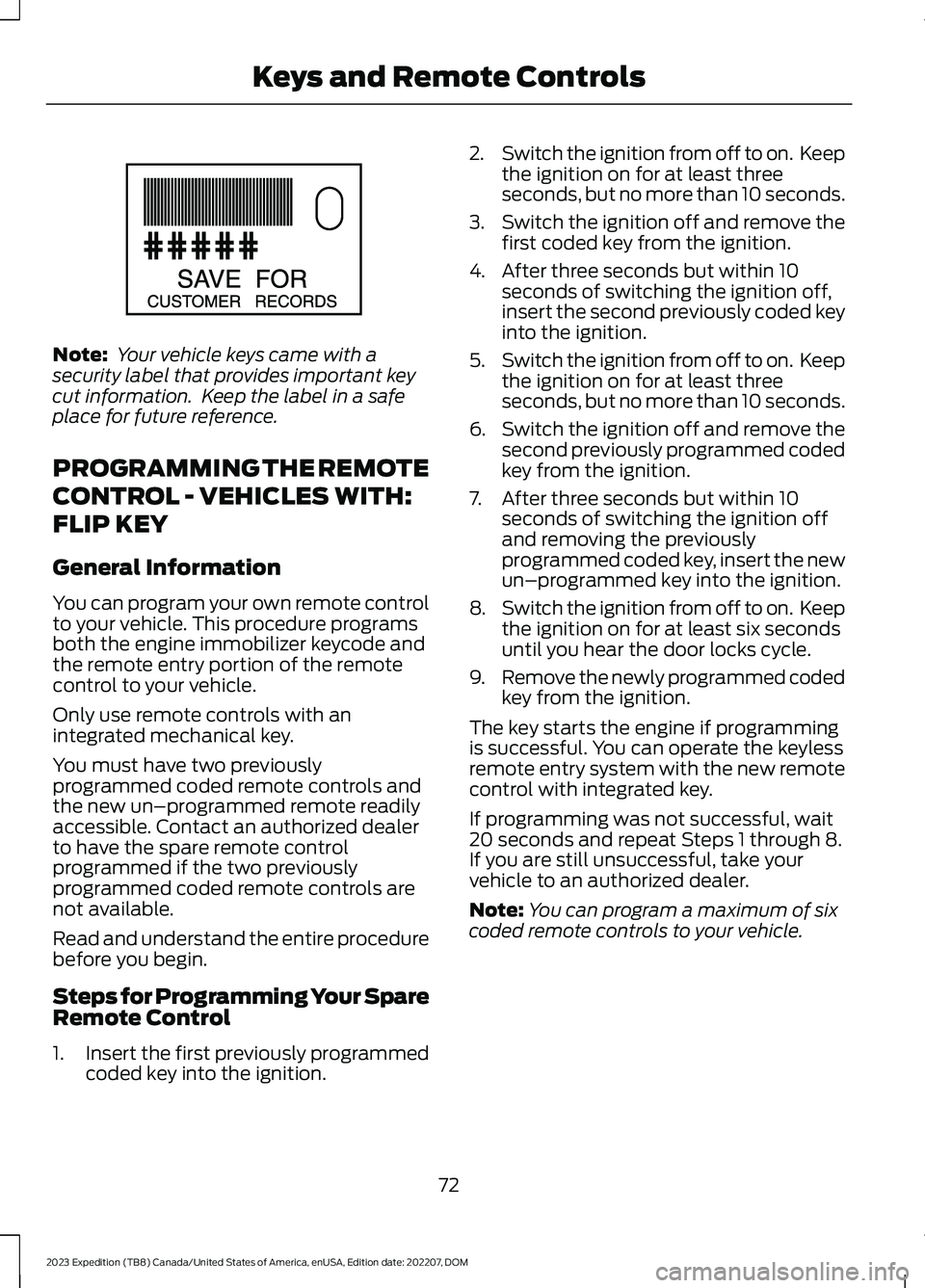
Note: Your vehicle keys came with asecurity label that provides important keycut information. Keep the label in a safeplace for future reference.
PROGRAMMING THE REMOTE
CONTROL - VEHICLES WITH:
FLIP KEY
General Information
You can program your own remote controlto your vehicle. This procedure programsboth the engine immobilizer keycode andthe remote entry portion of the remotecontrol to your vehicle.
Only use remote controls with anintegrated mechanical key.
You must have two previouslyprogrammed coded remote controls andthe new un–programmed remote readilyaccessible. Contact an authorized dealerto have the spare remote controlprogrammed if the two previouslyprogrammed coded remote controls arenot available.
Read and understand the entire procedurebefore you begin.
Steps for Programming Your SpareRemote Control
1.Insert the first previously programmedcoded key into the ignition.
2.Switch the ignition from off to on. Keepthe ignition on for at least threeseconds, but no more than 10 seconds.
3.Switch the ignition off and remove thefirst coded key from the ignition.
4.After three seconds but within 10seconds of switching the ignition off,insert the second previously coded keyinto the ignition.
5.Switch the ignition from off to on. Keepthe ignition on for at least threeseconds, but no more than 10 seconds.
6.Switch the ignition off and remove thesecond previously programmed codedkey from the ignition.
7.After three seconds but within 10seconds of switching the ignition offand removing the previouslyprogrammed coded key, insert the newun–programmed key into the ignition.
8.Switch the ignition from off to on. Keepthe ignition on for at least six secondsuntil you hear the door locks cycle.
9.Remove the newly programmed codedkey from the ignition.
The key starts the engine if programmingis successful. You can operate the keylessremote entry system with the new remotecontrol with integrated key.
If programming was not successful, wait20 seconds and repeat Steps 1 through 8.If you are still unsuccessful, take yourvehicle to an authorized dealer.
Note:You can program a maximum of sixcoded remote controls to your vehicle.
72
2023 Expedition (TB8) Canada/United States of America, enUSA, Edition date: 202207, DOMKeys and Remote ControlsE151795
Page 77 of 658
PROGRAMMING THE REMOTE
CONTROL - VEHICLES WITH:
PUSH BUTTON START
General Information
You must have two previouslyprogrammed remote controls inside yourvehicle and the new unprogrammedremote controls readily accessible. Contactan authorized dealer to have the spareremote control programmed if twopreviously programmed remotes are notavailable. Make sure that your vehicle isoff before beginning this procedure. Makesure that you close all the doors beforebeginning and that they remain closedthroughout the procedure. Perform allsteps within 30 seconds of starting thesequence. Stop and wait for at least oneminute before starting again if you performany steps out of sequence.
Read and understand the entire procedurebefore you begin.
Note:You can program a maximum of fourremote controls to your vehicle.
Note:If your programmed remote controlsare lost or stolen and you do not have anextra coded remote, you need to have yourvehicle towed to an authorized dealer. Storean extra programmed remote away fromyour vehicle in a safe place to help preventany inconvenience. Contact an authorizeddealer to purchase additional spare orreplacement remotes.
Steps for Programming Your SpareRemote Control
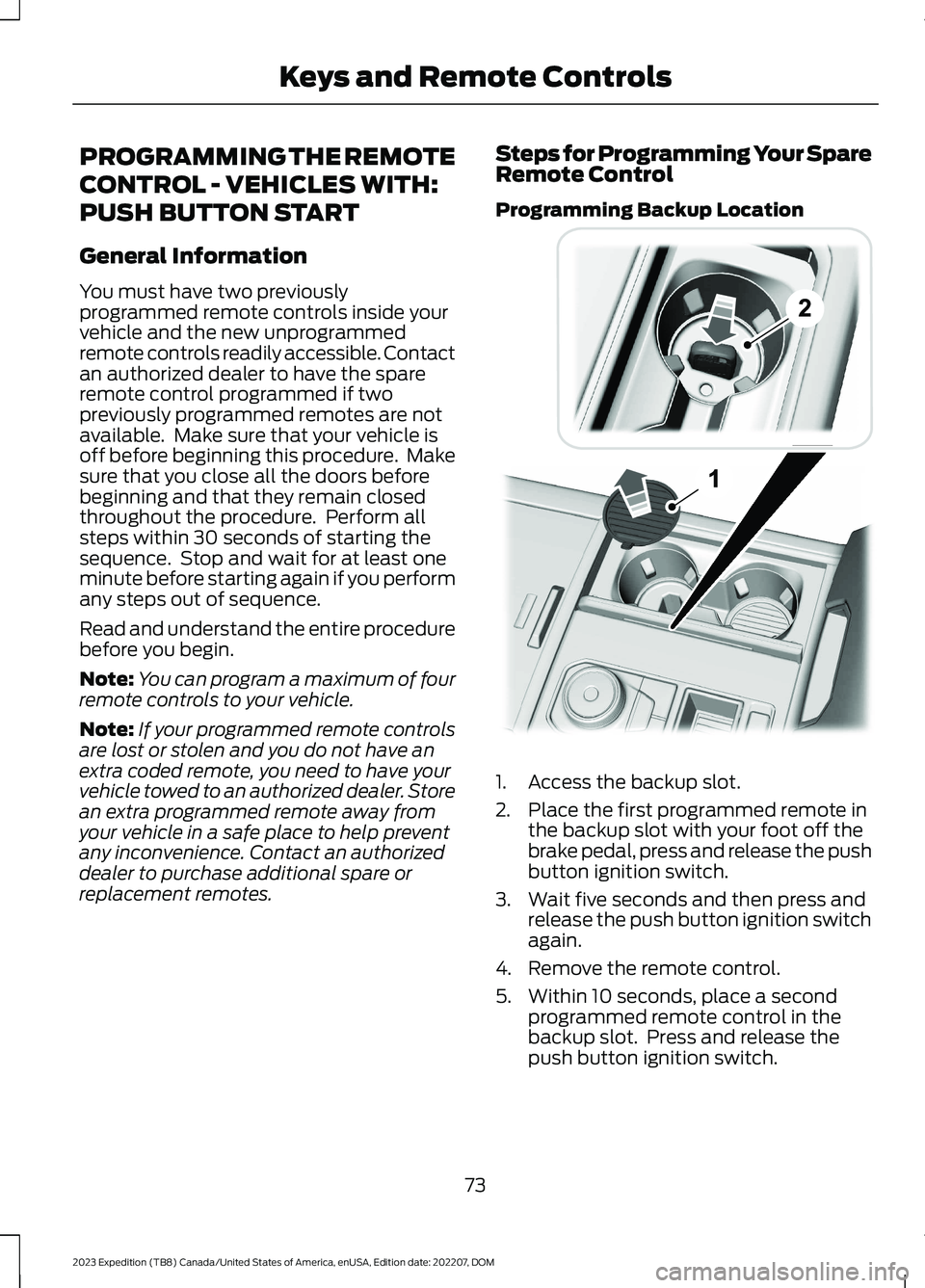
Programming Backup Location
1.Access the backup slot.
2.Place the first programmed remote inthe backup slot with your foot off thebrake pedal, press and release the pushbutton ignition switch.
3.Wait five seconds and then press andrelease the push button ignition switchagain.
4.Remove the remote control.
5.Within 10 seconds, place a secondprogrammed remote control in thebackup slot. Press and release thepush button ignition switch.
73
2023 Expedition (TB8) Canada/United States of America, enUSA, Edition date: 202207, DOMKeys and Remote Controls E256153