remote control FORD EXPEDITION EL 2009 Owners Manual
[x] Cancel search | Manufacturer: FORD, Model Year: 2009, Model line: EXPEDITION EL, Model: FORD EXPEDITION EL 2009Pages: 415, PDF Size: 5.4 MB
Page 52 of 415
Quick start
Your Family Entertainment System includes a DVD system, two sets of
wireless infrared (IR) headphones and a wireless infrared (IR) remote
control.
To play a DVD in the DVD system:
The DVD system can play DVD-Video, DVD-R, DVD-R/W discs as well as
audio CDs and video CDs. To ensure proper disc operation, check the
disc for finger prints, scratches and cleanliness. Clean with a soft cloth,
wiping from center to edge.
1. Ensure that the vehicle is on or the ignition is in accessory mode.
2. Insert a DVD into the system, label-side up to turn on the system. It
will load automatically.
3. Press the power button on the
DVD player, then press Play
to
begin to play the disc.
If a DVD is already loaded into the
system, press PLAY on the DVD
player.
Note: If sound can be heard, but no video is present, press VIDEO to
select the video source (DVD or aux-inputs).
Note (navigation-based radio
systems only): Whenadiscis
inserted, the FES switches to
dual-play mode–rear speakers turn off, and headphones turn on. To
switch back to all four speakers on, press the headphone button.
Press VIDEO to change the source
displayed on the screen. Press
repeatedly to cycle through:
DVD-DISC, DVD-AUX, NON-DVD,
OFF.
Press the power button to turn the
system off. The indicator light will
turn off indicating the system is off.
Note: The audio from the DVD system will play over all vehicle speakers
and can be adjusted by the radio volume control.
2009 Expedition (exd)
Owners Guide, 2nd Printing
USA (fus)Entertainment Systems
52
Page 58 of 415
2. / (Stop/Eject): Press
once to stop and press a second
time to eject a disc from the DVD
system.
3. (Reverse): Press and
release for the previous chapter or
track. Press and hold to reverse
search a DVD, Video CD, or FES CD in DVD/CD mode.
4. (Fast forward): Press and
release for the next chapter or
track. Press and hold to forward
search a DVD, Video CD, or FES CD in DVD/CD mode.
5. / (Play/Pause): Press
(Play) to select DVD mode (and to
turn the DVD system on if it is off).
If a disc is present, it will resume or begin to play. Press (Pause) while
playing a disc to pause a DVD or CD.
6. On/Off: Press to turn the DVD
system On/Off.
7. VIDEO: Press repeatedly to cycle
through the following video state
options which will be indicated on
the bottom right hand corner of the
display: DVD DISC, DVD-AUX,
NON-DVD and Off (no indicator). If you select the DVD-AUX video
source, the display will turn off if there is no video signal detected. When
a video signal is detected on the auxiliary video input, and the display is
in the DVD-AUX video mode, the display will automatically turn on.
8. Infrared (IR) Receiver & Transmitter: System sensor which reads
the signals from the remote control and sends audio signals to the
infrared (IR) wireless headphones.
9. LCD screen: The eight inch diagonal screen rotates down to view and
up into housing to store when not in use. Ensure that the screen is
latched into the housing when being stored.
2009 Expedition (exd)
Owners Guide, 2nd Printing
USA (fus)Entertainment Systems
58
Page 60 of 415
16. Cursor /Brightness controls:
Use the cursor controls to make
various selections when in any
menu. When not in a menu, and in
DVD mode, press / to adjust
the brightness. A display bar will appear at the bottom of the screen
indicating the brightness levels.
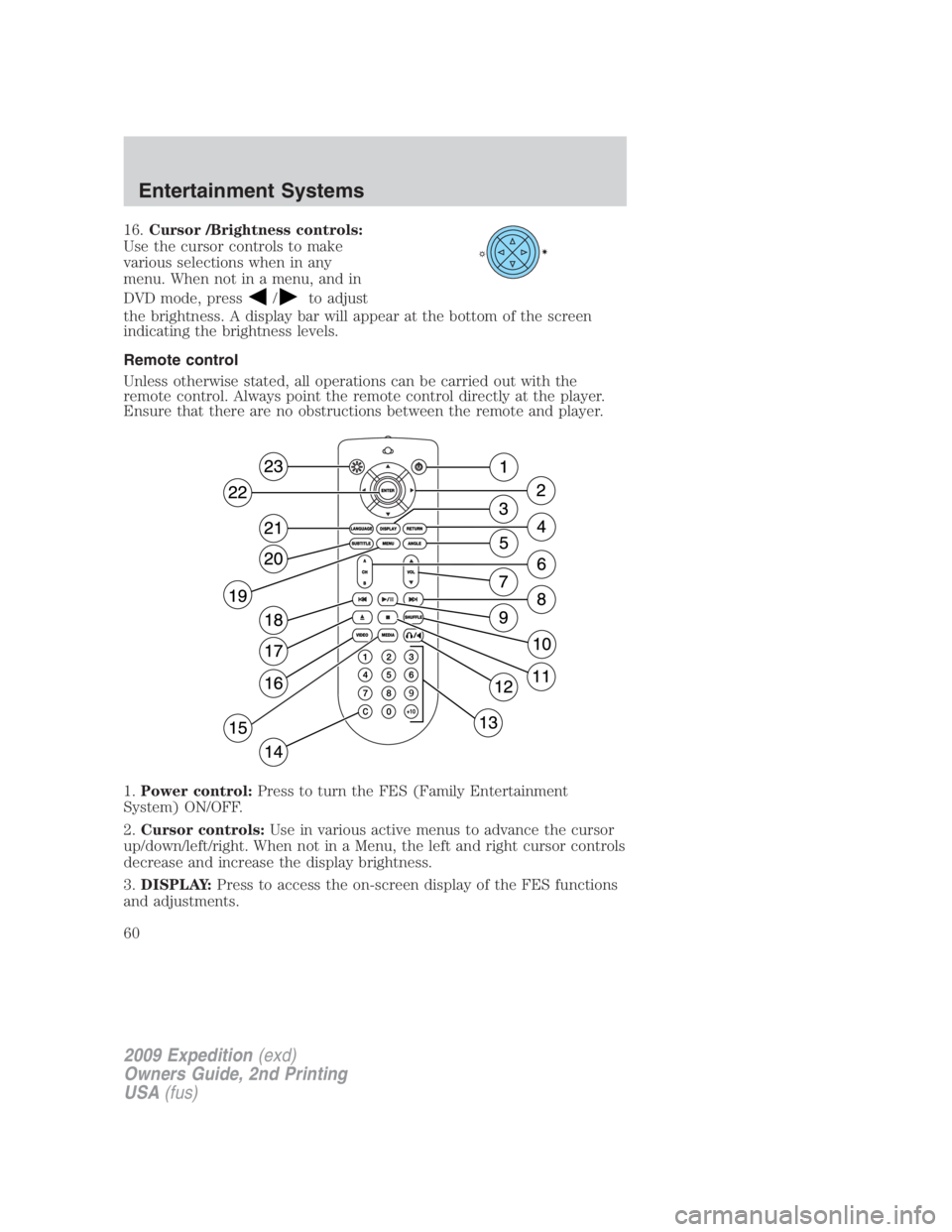
Remote control
Unless otherwise stated, all operations can be carried out with the
remote control. Always point the remote control directly at the player.
Ensure that there are no obstructions between the remote and player.
1. Power control: Press to turn the FES (Family Entertainment
System) ON/OFF.
2. Cursor controls: Use in various active menus to advance the cursor
up/down/left/right. When not in a Menu, the left and right cursor controls
decrease and increase the display brightness.
3. DISPLAY: Press to access the on-screen display of the FES functions
and adjustments.
2009 Expedition (exd)
Owners Guide, 2nd Printing
USA (fus)Entertainment Systems
60
Page 62 of 415
18. Fast reverse/Previous: When a DVD is playing, press and hold for a
quick reverse within the DVD. Press and release for the previous
chapter. Press PLAY to resume normal playback speed and volume.
In CD/MP3 mode, press to access the previous track.
19. MENU: Press to access the DVD disc menu for selections. Press
MENU again when in the DVD disc menu to access the system set-up
menu.
20. SUBTITLE (DVD dependent): Press to turn the subtitle feature ON
or OFF.
21. LANGUAGE (DVD dependent): Press to select the desired
language.
22. ENTER: Press to select the highlighted menu option.
23. ILLUMINATION : Press to illuminate the remote control and
backlight all of the buttons.
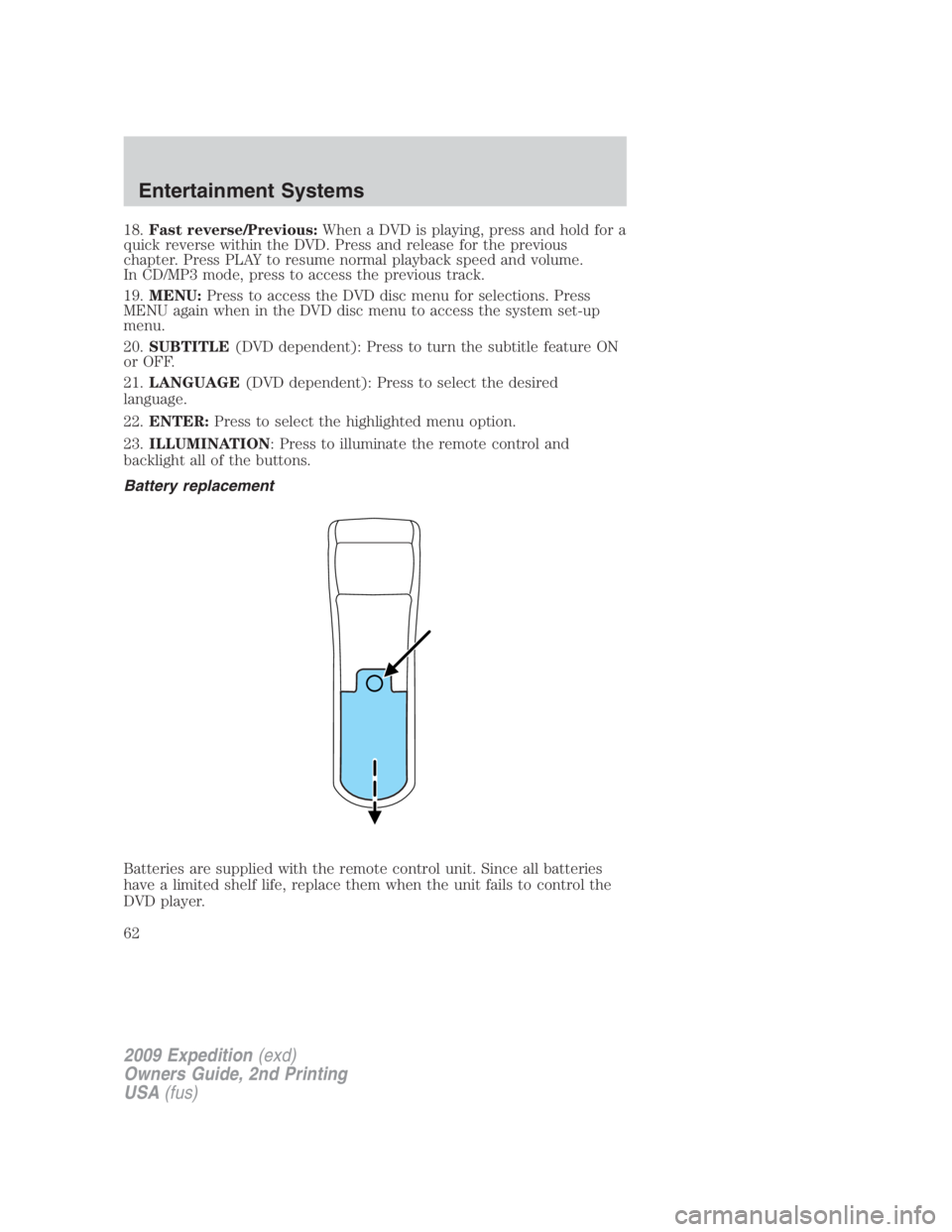
Battery replacement
Batteries are supplied with the remote control unit. Since all batteries
have a limited shelf life, replace them when the unit fails to control the
DVD player.
2009 Expedition (exd)
Owners Guide, 2nd Printing
USA (fus)Entertainment Systems
62
Page 63 of 415
Remove the screw and unlatch the battery cover to access the batteries.
The remote control unit uses two AAA batteries which are supplied with
the unit.
Headphones
Wireless headphones
WARNING: The driver should never use the headphones while
driving the vehicle. Using headphones may prevent the driver
from hearing audible warnings such as horns or emergency sirens,
which could result in a crash causing serious injury. Give your full
attention to driving and to the road.
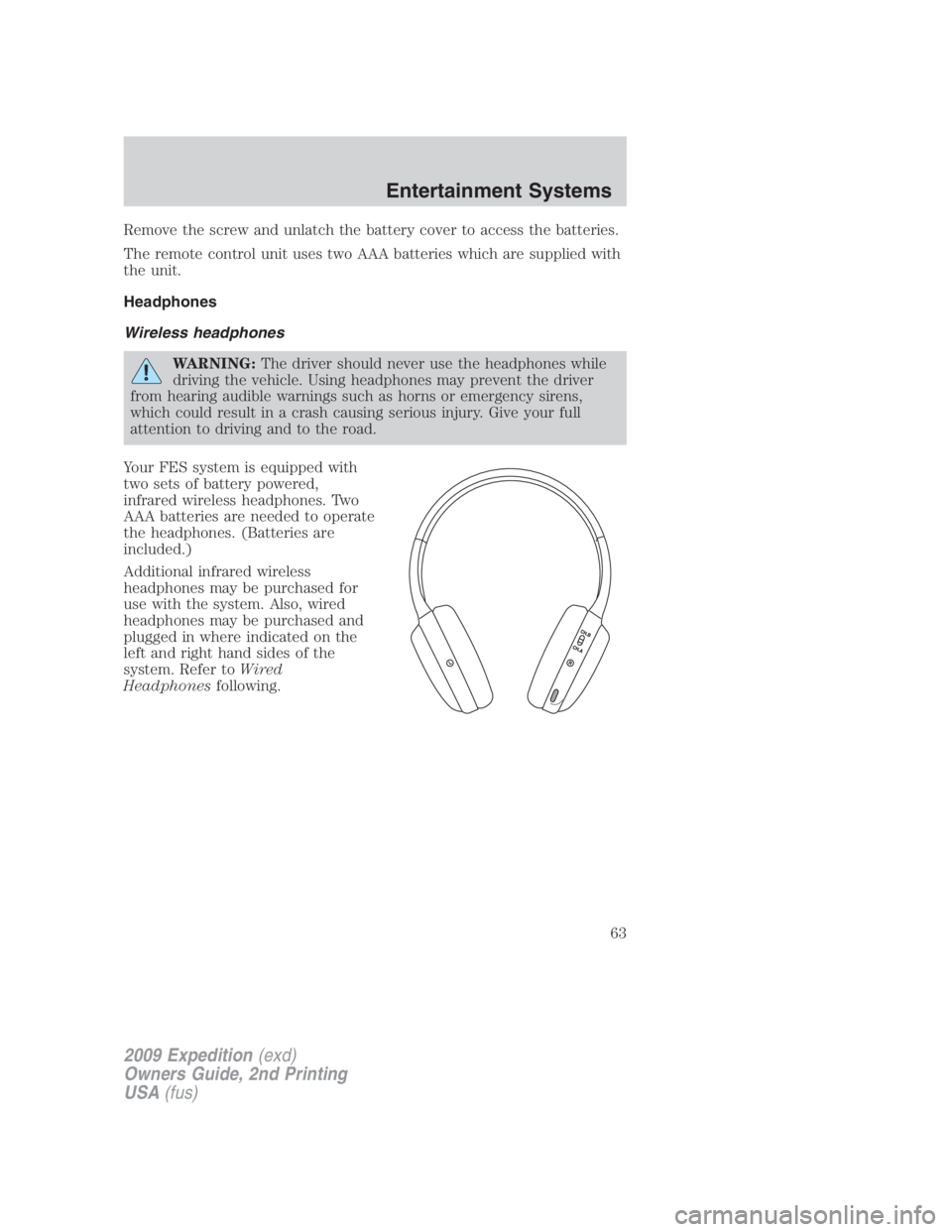
Your FES system is equipped with
two sets of battery powered,
infrared wireless headphones. Two
AAA batteries are needed to operate
the headphones. (Batteries are
included.)
Additional infrared wireless
headphones may be purchased for
use with the system. Also, wired
headphones may be purchased and
plugged in where indicated on the
left and right hand sides of the
system. Refer to Wired
Headphones following.
2009 Expedition (exd)
Owners Guide, 2nd Printing
USA (fus) Entertainment Systems
63
Page 79 of 415
Safety information
WARNING: Driving while distracted can result in loss of vehicle
control, accident and injury. Ford strongly recommends that
drivers use extreme caution when using any device that may take their
focus off the road. The driver’s primary responsibility is the safe
operation of their vehicle. Only use cell phones and other devices not
essential to the driving task when it is safe to do so.
Read all of the safety and operating instructions before operating the
system and retain for future reference.
Do not attempt to service, repair or modify the Family Entertainment
System (FES). See your dealer.
Do not insert foreign objects into the DVD compartment.
WARNING: Do not leave children unattended in the vehicle and
do not let children operate the system while unsupervised. If
wired headphones or auxiliary systems are used, children may become
entangled in the cords and seriously injure themselves.
WARNING: The front glass on the liquid crystal display (LCD)
flip-down screen may break when hit with a hard surface. If the
glass breaks, do not touch the liquid crystalline material. In case of
contact with skin, wash immediately with soap and water.
WARNING: The driver should not attempt to operate any
function of the DVD system while the vehicle is in motion. Give
full attention to driving and to the road. Pull off the road in a safe
place before inserting or extracting DVDs from the system. A remote
control is included in the system to allow the rear seat occupants to
operate the FES functions without distracting the driver.
Do not expose the liquid crystal display (LCD) flip-down screen
to direct sunlight or intensive ultraviolet rays for extensive
periods of time. Ultraviolet rays deteriorate the liquid crystal.
Be sure to review User Manuals for video games and video game
equipment when used as auxiliary inputs for your Family Entertainment
System (FES).
2009 Expedition (exd)
Owners Guide, 2nd Printing
USA (fus) Entertainment Systems
79
Page 98 of 415
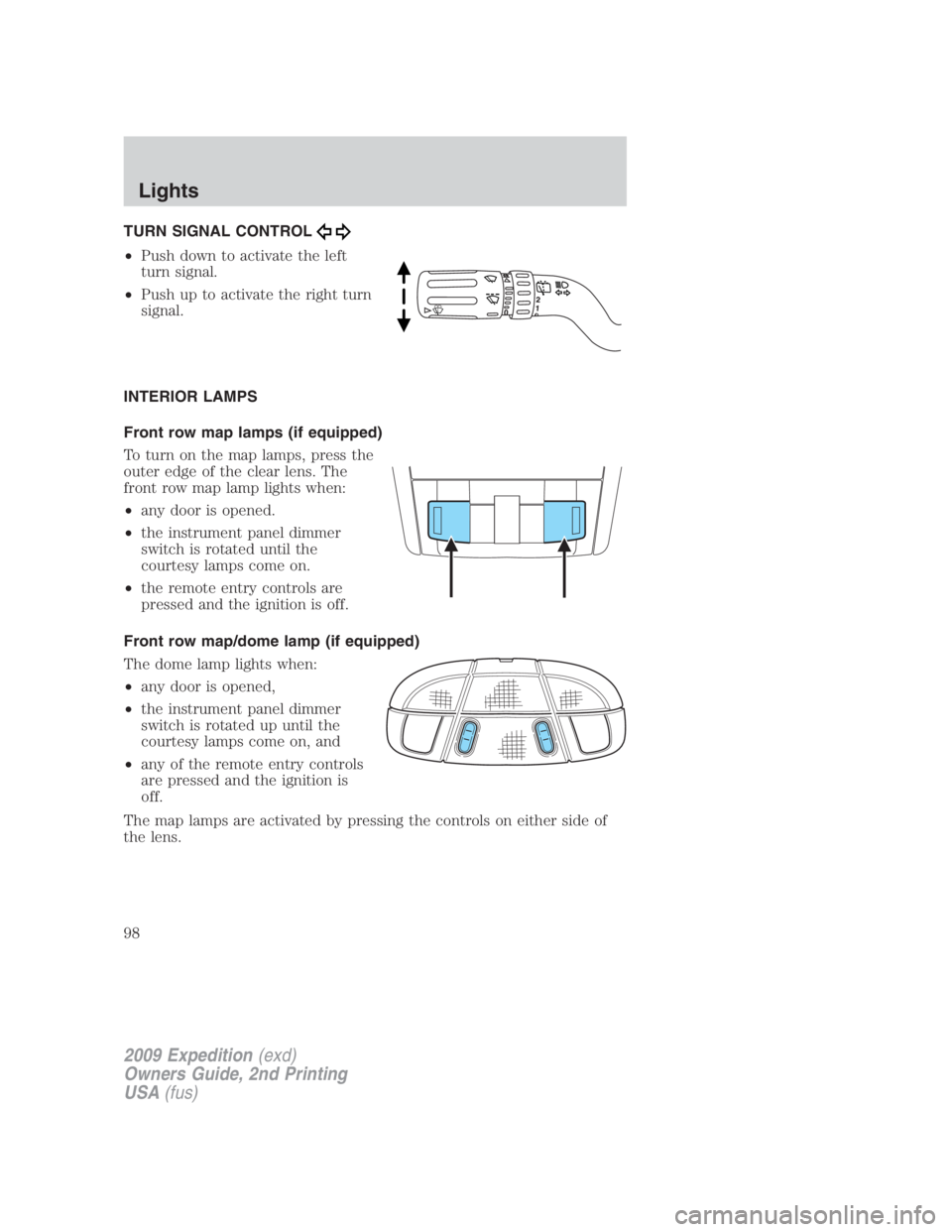
TURN SIGNAL CONTROL
• Push down to activate the left
turn signal.
• Push up to activate the right turn
signal.
INTERIOR LAMPS
Front row map lamps (if equipped)
To turn on the map lamps, press the
outer edge of the clear lens. The
front row map lamp lights when:
• any door is opened.
• the instrument panel dimmer
switch is rotated until the
courtesy lamps come on.
• the remote entry controls are
pressed and the ignition is off.
Front row map/dome lamp (if equipped)
The dome lamp lights when:
• any door is opened,
• the instrument panel dimmer
switch is rotated up until the
courtesy lamps come on, and
• any of the remote entry controls
are pressed and the ignition is
off.
The map lamps are activated by pressing the controls on either side of
the lens.
2009 Expedition (exd)
Owners Guide, 2nd Printing
USA (fus)Lights
98
Page 99 of 415
Second row map lamps (if equipped)
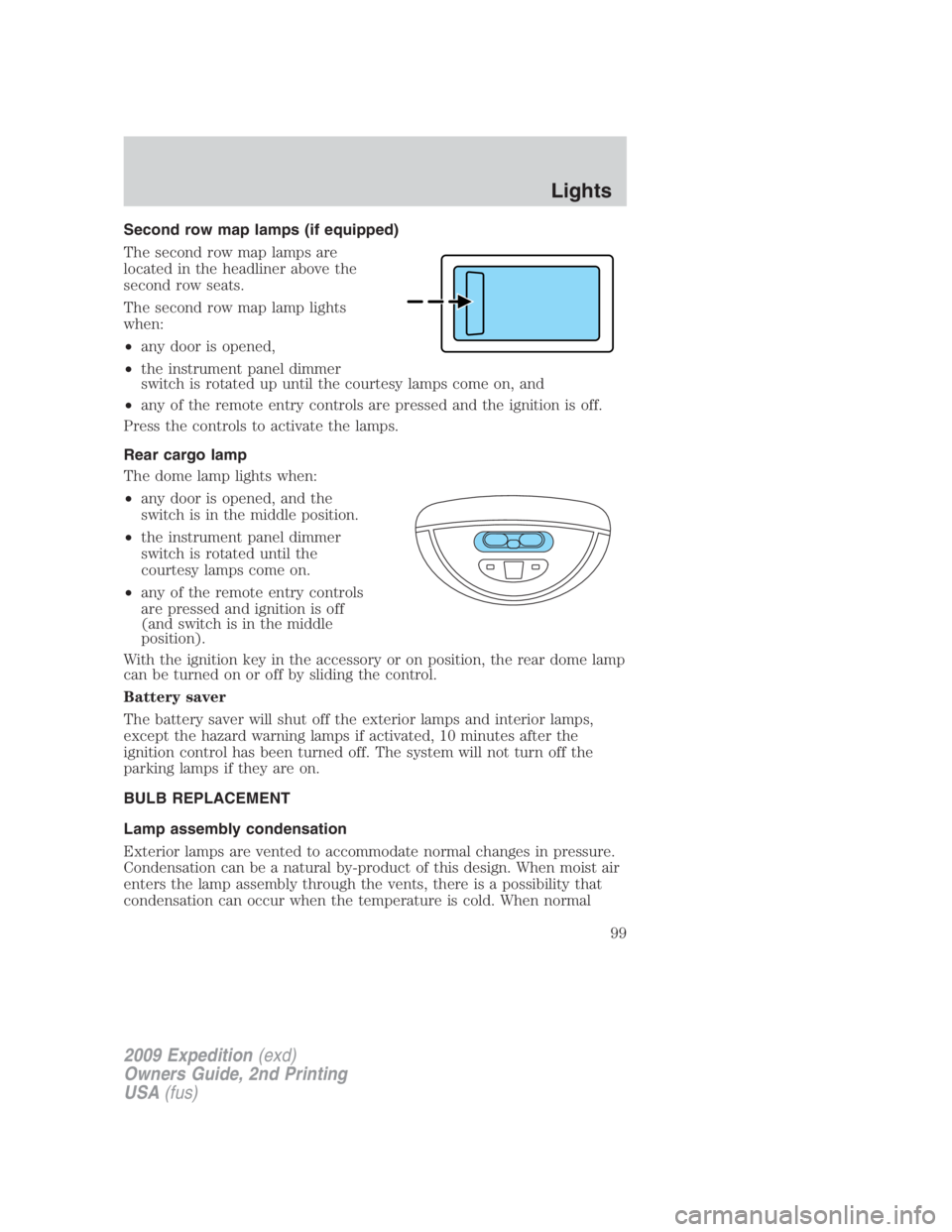
The second row map lamps are
located in the headliner above the
second row seats.
The second row map lamp lights
when:
• any door is opened,
• the instrument panel dimmer
switch is rotated up until the courtesy lamps come on, and
• any of the remote entry controls are pressed and the ignition is off.
Press the controls to activate the lamps.
Rear cargo lamp
The dome lamp lights when:
• any door is opened, and the
switch is in the middle position.
• the instrument panel dimmer
switch is rotated until the
courtesy lamps come on.
• any of the remote entry controls
are pressed and ignition is off
(and switch is in the middle
position).
With the ignition key in the accessory or on position, the rear dome lamp
can be turned on or off by sliding the control.
Battery saver
The battery saver will shut off the exterior lamps and interior lamps,
except the hazard warning lamps if activated, 10 minutes after the
ignition control has been turned off. The system will not turn off the
parking lamps if they are on.
BULB REPLACEMENT
Lamp assembly condensation
Exterior lamps are vented to accommodate normal changes in pressure.
Condensation can be a natural by-product of this design. When moist air
enters the lamp assembly through the vents, there is a possibility that
condensation can occur when the temperature is cold. When normal
2009 Expedition (exd)
Owners Guide, 2nd Printing
USA (fus) Lights
99
Page 116 of 415
EXTERIOR MIRRORS
Power side view mirrors
The ignition can be in any position to adjust the power side view mirrors.
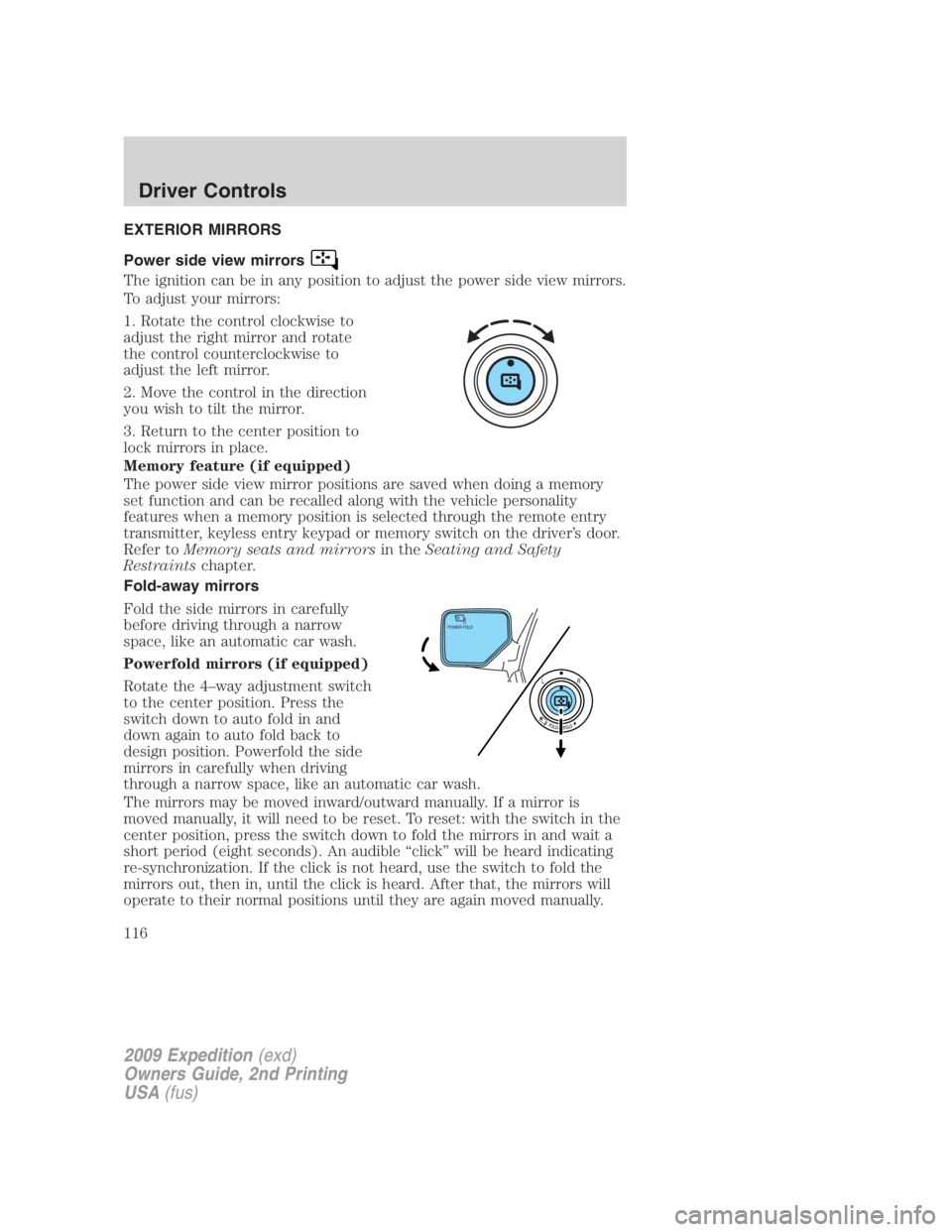
To adjust your mirrors:
1. Rotate the control clockwise to
adjust the right mirror and rotate
the control counterclockwise to
adjust the left mirror.
2. Move the control in the direction
you wish to tilt the mirror.
3. Return to the center position to
lock mirrors in place.
Memory feature (if equipped)
The power side view mirror positions are saved when doing a memory
set function and can be recalled along with the vehicle personality
features when a memory position is selected through the remote entry
transmitter, keyless entry keypad or memory switch on the driver’s door.
Refer to Memory seats and mirrors in the Seating and Safety
Restraints chapter.
Fold-away mirrors
Fold the side mirrors in carefully
before driving through a narrow
space, like an automatic car wash.
Powerfold mirrors (if equipped)
Rotate the 4–way adjustment switch
to the center position. Press the
switch down to auto fold in and
down again to auto fold back to
design position. Powerfold the side
mirrors in carefully when driving
through a narrow space, like an automatic car wash.
The mirrors may be moved inward/outward manually. If a mirror is
moved manually, it will need to be reset. To reset: with the switch in the
center position, press the switch down to fold the mirrors in and wait a
short period (eight seconds). An audible “click” will be heard indicating
re-synchronization. If the click is not heard, use the switch to fold the
mirrors out, then in, until the click is heard. After that, the mirrors will
operate to their normal positions until they are again moved manually. POWER FOLD
2009 Expedition (exd)
Owners Guide, 2nd Printing
USA (fus)Driver Controls
116
Page 155 of 415
WARNING: Keep keys out of reach of children. Do not allow
children to play near an open or moving power liftgate.
The liftgate will only operate with the vehicle in P (Park). The chime will
beep once if conditions are not correct to start an operation. These
conditions include:
• or the ignition is in on and the transmission is not in P (Park)
• or the battery voltage is below the minimum operating voltage
• the vehicle speed is at or above 3 mph (5 km/h)
If the liftgate reverses and starts to close after a open request, a fast
continuous chime indicates excessive load on the gate or a possible strut
failure. If any excessive load is removed and you still have a faster
chime, have the system serviced immediately by your authorized dealer.
Do not attempt to manually force the liftgate to travel faster than the
power system will permit. This will activate the obstacle detection
feature.
Note: Cycling the ignition prior to completely latching the liftgate could
result in damage to the liftgate and/or its power components. Make sure
the liftgate is fully latched before operating the vehicle.
Care should be exercised in starting the engine before the liftgate is fully
closed (latched). If the ignition is cycled during a Liftgate Power Close
cycle and the liftgate is 6-10 inches (15–24 cm) from being latched, the
liftgate may reverse to the full open position. Verify that the gate is
closed before operating or moving the vehicle, especially in an enclosure,
like a garage or a parking structure. The liftgate or it components could
be damaged in an enclosure, if the liftgate is open.
When power operating the liftgate at temperatures below 32° F (0° C),
the liftgate may stop about 5 inches (12.7 cm) from the full open
position. The liftgate can be fully opened by pushing it upward to the
maximum open position.
To open the liftgate from the
Instrument panel:
Press the button once to open the
liftgate, press it again to close.
To open the liftgate with the remote entry transmitter:
Refer to Remote entry system in the Locks and Security chapter.
2009 Expedition (exd)
Owners Guide, 2nd Printing
USA (fus) Driver Controls
155