tow FORD EXPEDITION EL 2016 User Guide
[x] Cancel search | Manufacturer: FORD, Model Year: 2016, Model line: EXPEDITION EL, Model: FORD EXPEDITION EL 2016Pages: 421, PDF Size: 7.39 MB
Page 75 of 421
WINDSHIELD WIPERS
Note:Fully defrost the windshield beforeyou switch the windshield wipers on.
Note:Make sure you switch the windshieldwipers off before entering a car wash.
Note:Clean the windshield and wiperblades if they begin to leave streaks orsmears. If that does not resolve the issue,install new wiper blades. See Changingthe Wiper Blades (page 255).
Note:Do not operate the wipers on a drywindshield. This may scratch the glass,damage the wiper blades or cause the wipermotor to burn out. Always use thewindshield washers before wiping a drywindshield.
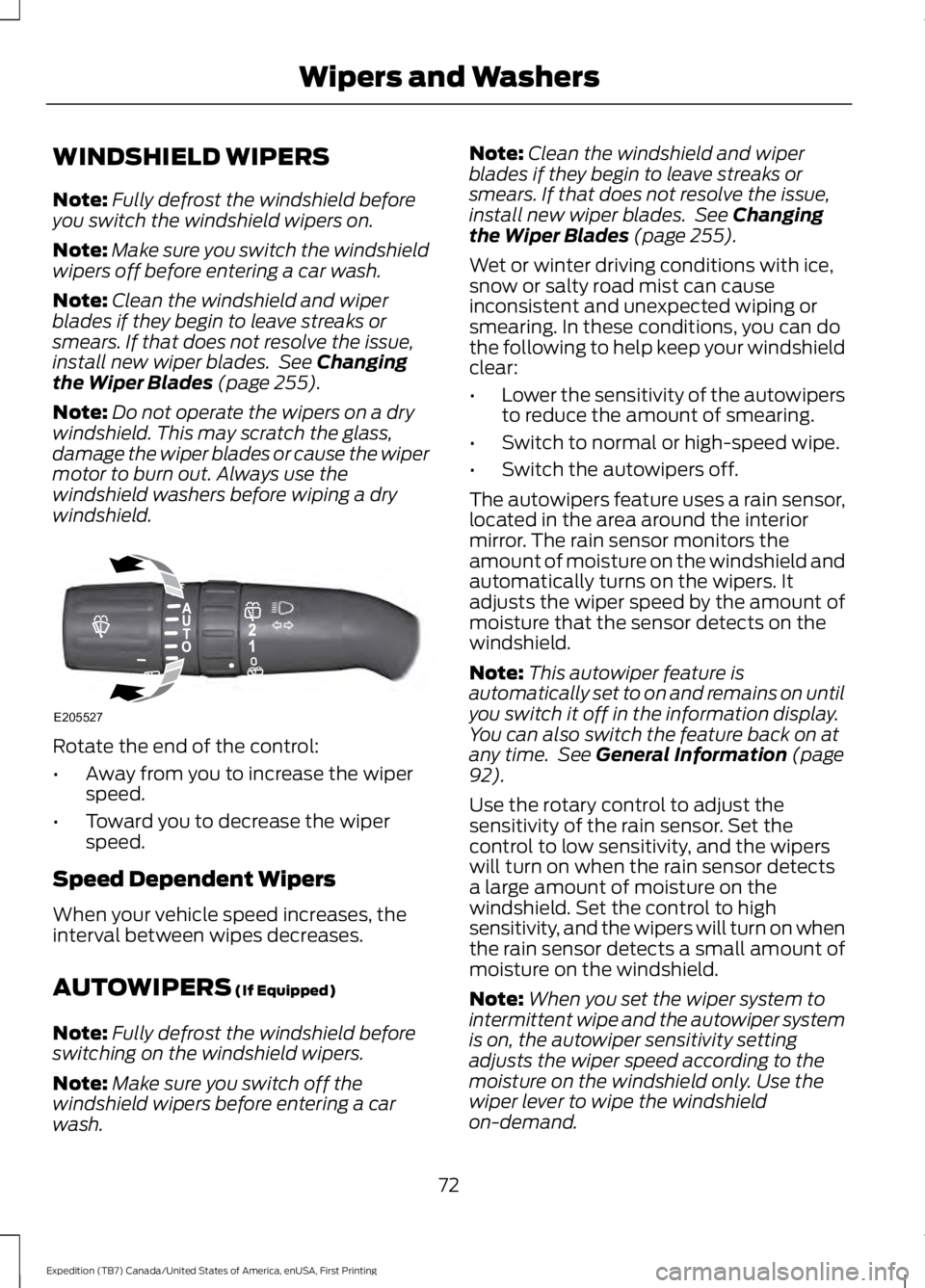
Rotate the end of the control:
•Away from you to increase the wiperspeed.
•Toward you to decrease the wiperspeed.
Speed Dependent Wipers
When your vehicle speed increases, theinterval between wipes decreases.
AUTOWIPERS (If Equipped)
Note:Fully defrost the windshield beforeswitching on the windshield wipers.
Note:Make sure you switch off thewindshield wipers before entering a carwash.
Note:Clean the windshield and wiperblades if they begin to leave streaks orsmears. If that does not resolve the issue,install new wiper blades. See Changingthe Wiper Blades (page 255).
Wet or winter driving conditions with ice,snow or salty road mist can causeinconsistent and unexpected wiping orsmearing. In these conditions, you can dothe following to help keep your windshieldclear:
•Lower the sensitivity of the autowipersto reduce the amount of smearing.
•Switch to normal or high-speed wipe.
•Switch the autowipers off.
The autowipers feature uses a rain sensor,located in the area around the interiormirror. The rain sensor monitors theamount of moisture on the windshield andautomatically turns on the wipers. Itadjusts the wiper speed by the amount ofmoisture that the sensor detects on thewindshield.
Note:This autowiper feature isautomatically set to on and remains on untilyou switch it off in the information display.You can also switch the feature back on atany time. See General Information (page92).
Use the rotary control to adjust thesensitivity of the rain sensor. Set thecontrol to low sensitivity, and the wiperswill turn on when the rain sensor detectsa large amount of moisture on thewindshield. Set the control to highsensitivity, and the wipers will turn on whenthe rain sensor detects a small amount ofmoisture on the windshield.
Note:When you set the wiper system tointermittent wipe and the autowiper systemis on, the autowiper sensitivity settingadjusts the wiper speed according to themoisture on the windshield only. Use thewiper lever to wipe the windshieldon-demand.
72
Expedition (TB7) Canada/United States of America, enUSA, First Printing
Wipers and WashersE205527
Page 77 of 421

GENERAL INFORMATION
Condensation in Lamp Assemblies
Exterior lamps have vents toaccommodate normal changes in airpressure.
Condensation can be a natural by-productof this design. When moist air enters thelamp assembly through the vents, there isa possibility that condensation can occurwhen the temperature is cold. Whennormal condensation occurs, a fine mistcan form on the interior of the lens. Thefine mist eventually clears and exitsthrough the vents during normal operation.
Clearing time may take as long as 48 hoursunder dry weather conditions.
Examples of acceptable condensation are:
•The presence of a fine mist (no streaks,drip marks or large droplets).
•A fine mist covers less than 50% of thelens.
Examples of unacceptable condensationare:
•A water puddle inside the lamp.
•Streaks, drip marks or large dropletspresent on the interior of the lens.
If you see any unacceptable condensation,have your vehicle checked by an authorizeddealer.
LIGHTING CONTROL
Off.A
Parking lamps, instrument panellamps, license plate lamps andtail lamps.
B
Headlamps.C
High Beams
Push the lever away from you to switchthe high beam on.
Push the lever away from you again or pullthe lever toward you to switch the highbeam off.
74
Expedition (TB7) Canada/United States of America, enUSA, First Printing
LightingE173257
A E167827
Page 78 of 421
Headlamp Flasher
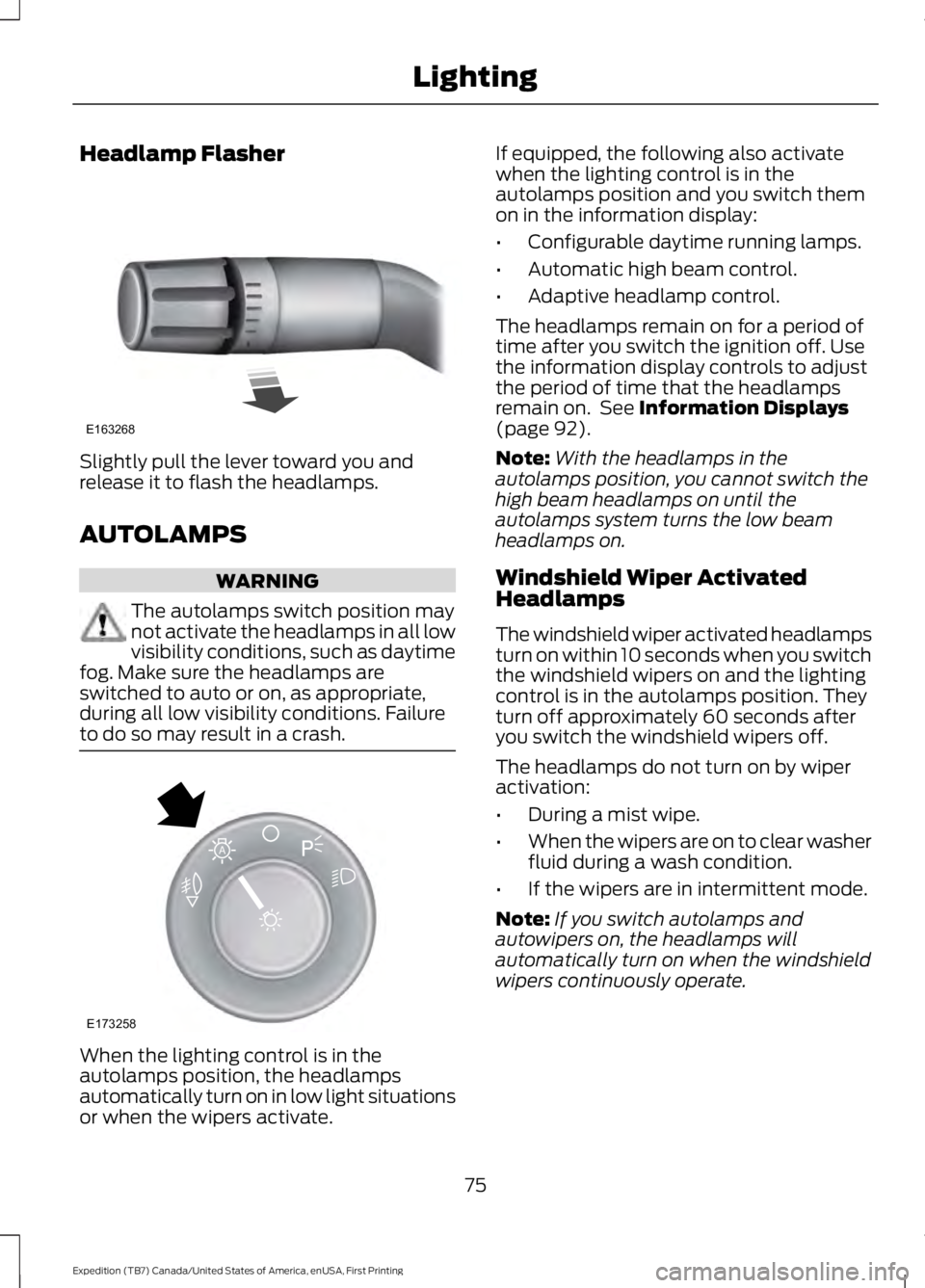
Slightly pull the lever toward you andrelease it to flash the headlamps.
AUTOLAMPS
WARNING
The autolamps switch position maynot activate the headlamps in all lowvisibility conditions, such as daytimefog. Make sure the headlamps areswitched to auto or on, as appropriate,during all low visibility conditions. Failureto do so may result in a crash.
When the lighting control is in theautolamps position, the headlampsautomatically turn on in low light situationsor when the wipers activate.
If equipped, the following also activatewhen the lighting control is in theautolamps position and you switch themon in the information display:
•Configurable daytime running lamps.
•Automatic high beam control.
•Adaptive headlamp control.
The headlamps remain on for a period oftime after you switch the ignition off. Usethe information display controls to adjustthe period of time that the headlampsremain on. See Information Displays(page 92).
Note:With the headlamps in theautolamps position, you cannot switch thehigh beam headlamps on until theautolamps system turns the low beamheadlamps on.
Windshield Wiper ActivatedHeadlamps
The windshield wiper activated headlampsturn on within 10 seconds when you switchthe windshield wipers on and the lightingcontrol is in the autolamps position. Theyturn off approximately 60 seconds afteryou switch the windshield wipers off.
The headlamps do not turn on by wiperactivation:
•During a mist wipe.
•When the wipers are on to clear washerfluid during a wash condition.
•If the wipers are in intermittent mode.
Note:If you switch autolamps andautowipers on, the headlamps willautomatically turn on when the windshieldwipers continuously operate.
75
Expedition (TB7) Canada/United States of America, enUSA, First Printing
LightingE163268 E173258
A
Page 80 of 421
3. The transmission is not in park (P) forvehicles with automatic transmissionsor the parking brake is released forvehicles with manual transmissions.
4.The lighting control is in the autolampsposition.
5. The headlamps are off.
The other lighting control switch positionsdo not activate the daytime running lamps,and you can use them to temporarilyoverride autolamp control.
When switched off in the informationdisplay, the daytime running lamps are offin all lighting control switch positions.
FRONT FOG LAMPS
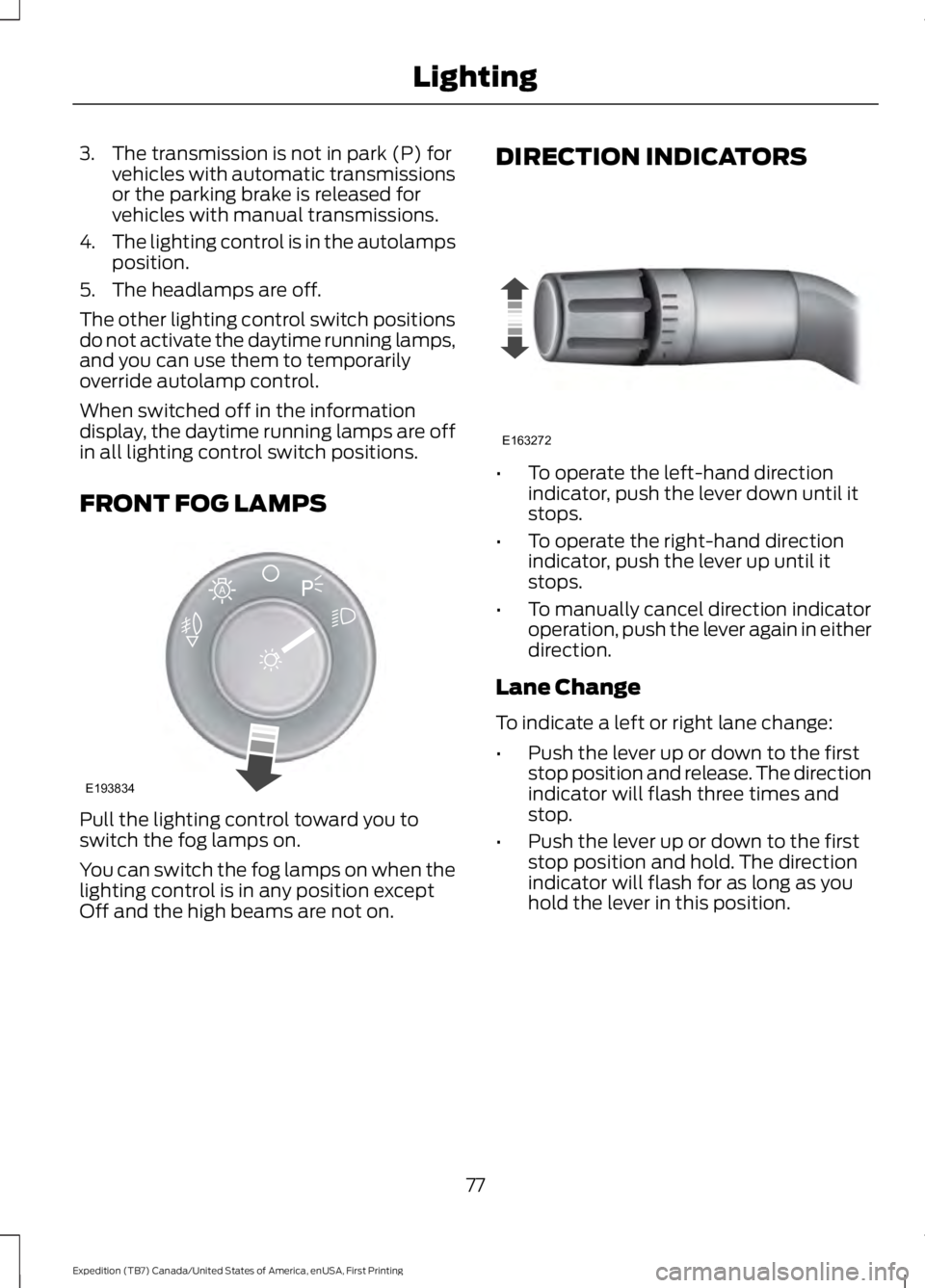
Pull the lighting control toward you toswitch the fog lamps on.
You can switch the fog lamps on when thelighting control is in any position exceptOff and the high beams are not on.
DIRECTION INDICATORS
•To operate the left-hand directionindicator, push the lever down until itstops.
•To operate the right-hand directionindicator, push the lever up until itstops.
•To manually cancel direction indicatoroperation, push the lever again in eitherdirection.
Lane Change
To indicate a left or right lane change:
•Push the lever up or down to the firststop position and release. The directionindicator will flash three times andstop.
•Push the lever up or down to the firststop position and hold. The directionindicator will flash for as long as youhold the lever in this position.
77
Expedition (TB7) Canada/United States of America, enUSA, First Printing
LightingE193834
A E163272
Page 84 of 421
EXTERIOR MIRRORS
Power Exterior Mirrors
WARNING
Do not adjust the mirrors when yourvehicle is moving.
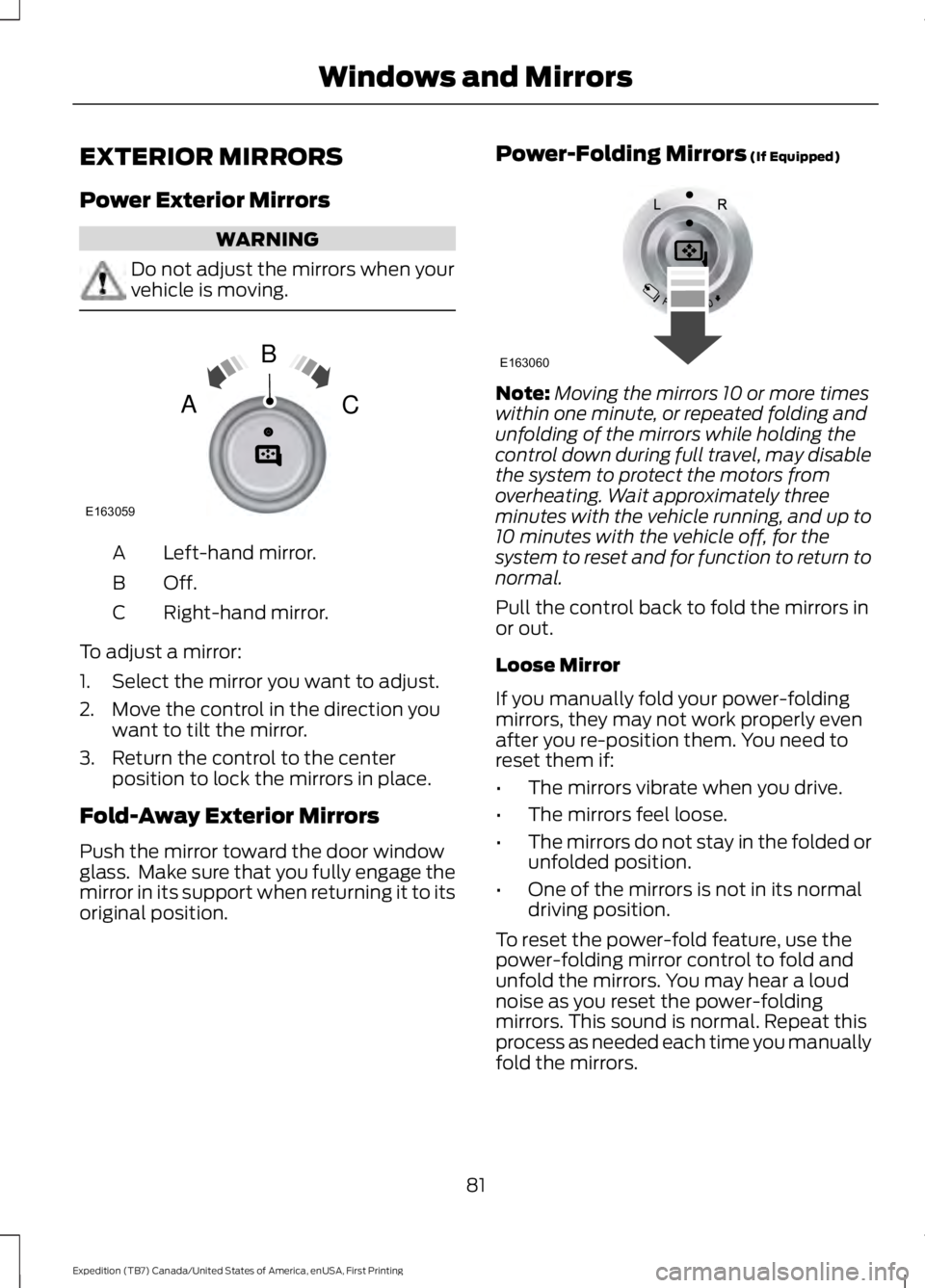
Left-hand mirror.A
Off.B
Right-hand mirror.C
To adjust a mirror:
1. Select the mirror you want to adjust.
2. Move the control in the direction youwant to tilt the mirror.
3. Return the control to the centerposition to lock the mirrors in place.
Fold-Away Exterior Mirrors
Push the mirror toward the door windowglass. Make sure that you fully engage themirror in its support when returning it to itsoriginal position.
Power-Folding Mirrors (If Equipped)
Note:Moving the mirrors 10 or more timeswithin one minute, or repeated folding andunfolding of the mirrors while holding thecontrol down during full travel, may disablethe system to protect the motors fromoverheating. Wait approximately threeminutes with the vehicle running, and up to10 minutes with the vehicle off, for thesystem to reset and for function to return tonormal.
Pull the control back to fold the mirrors inor out.
Loose Mirror
If you manually fold your power-foldingmirrors, they may not work properly evenafter you re-position them. You need toreset them if:
•The mirrors vibrate when you drive.
•The mirrors feel loose.
•The mirrors do not stay in the folded orunfolded position.
•One of the mirrors is not in its normaldriving position.
To reset the power-fold feature, use thepower-folding mirror control to fold andunfold the mirrors. You may hear a loudnoise as you reset the power-foldingmirrors. This sound is normal. Repeat thisprocess as needed each time you manuallyfold the mirrors.
81
Expedition (TB7) Canada/United States of America, enUSA, First Printing
Windows and MirrorsE163059
B
AC E163060
Page 86 of 421

The rear view mirror may have to beadjusted to its lower arm position toprevent interference when the childmindermirror is extended down.
REAR QUARTER WINDOWS (If
Equipped)
WARNINGS
Do not leave children unattended inyour vehicle and do not let them playwith the power windows. They mayseriously injure themselves.
When closing the power windows,you should verify they are free ofobstructions and make sure thatchildren and pets are not in the proximityof the window openings.
Press and hold the VENT control to openthe rear quarter windows.
Pull and hold the VENT control to closethe rear quarter windows.
Note:Vehicles without a moonroof will onlyhave the VENT control.
SUN VISORS
Rotate the sun visor toward the sidewindow and extend it rearward for extrashade.
Illuminated Vanity Mirror
Lift the cover to switch the lamp on.
MOONROOF (If Equipped)
WARNINGS
Do not let children play with themoonroof or leave them unattendedin the vehicle. They may seriouslyhurt themselves.
83
Expedition (TB7) Canada/United States of America, enUSA, First Printing
Windows and MirrorsE205283 E138666 E162197
Page 87 of 421
WARNINGS
When closing the moonroof, youshould verify that it is free ofobstructions and make sure thatchildren and pets are not in the proximityof the roof opening.
You can manually open or close the slidingshade when the moonroof is closed. Pullthe shade toward the front of your vehicleto close it.
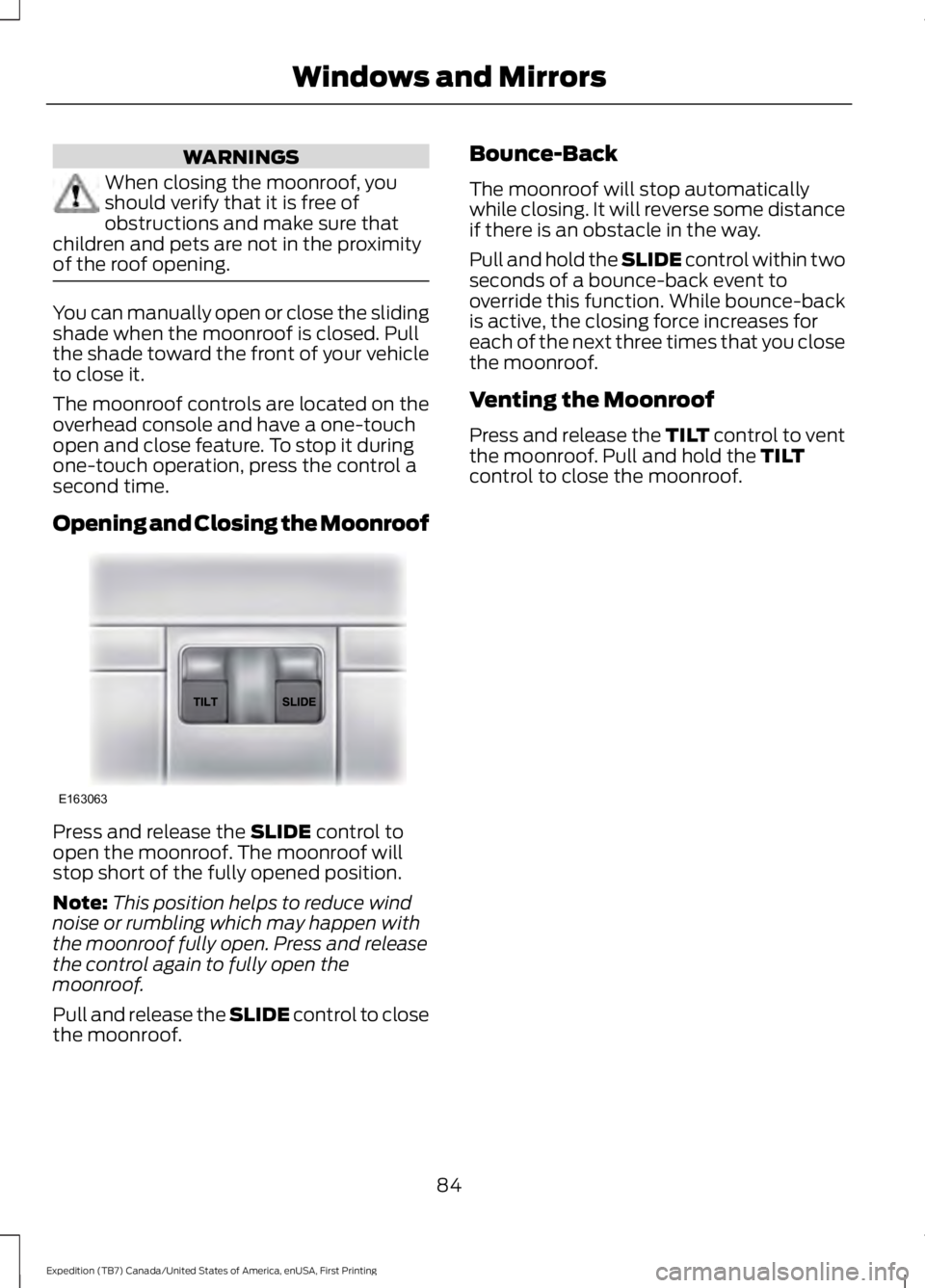
The moonroof controls are located on theoverhead console and have a one-touchopen and close feature. To stop it duringone-touch operation, press the control asecond time.
Opening and Closing the Moonroof
Press and release the SLIDE control toopen the moonroof. The moonroof willstop short of the fully opened position.
Note:This position helps to reduce windnoise or rumbling which may happen withthe moonroof fully open. Press and releasethe control again to fully open themoonroof.
Pull and release the SLIDE control to closethe moonroof.
Bounce-Back
The moonroof will stop automaticallywhile closing. It will reverse some distanceif there is an obstacle in the way.
Pull and hold the SLIDE control within twoseconds of a bounce-back event tooverride this function. While bounce-backis active, the closing force increases foreach of the next three times that you closethe moonroof.
Venting the Moonroof
Press and release the TILT control to ventthe moonroof. Pull and hold the TILTcontrol to close the moonroof.
84
Expedition (TB7) Canada/United States of America, enUSA, First Printing
Windows and MirrorsE163063
Page 89 of 421
Vehicle Settings and Personalization
See General Information (page 92).
Fuel Gauge
Note:The fuel gauge may vary slightlywhen your vehicle is moving or on a gradient.
Switch the ignition on. The fuel gaugeindicates approximately how much fuelremains in the fuel tank. The arrowadjacent to the fuel pump symbolindicates on which side of your vehicle thefuel filler door is located.
The needle should move toward F whenyou refuel your vehicle. If the needle pointsto E after adding fuel, this indicates yourvehicle needs service soon.
After refueling, the needle may not alwaysreturn to the exact same position. This isnormal.
Note:It may take a short time for theneedle to reach F after leaving the gasstation. This is normal and depends uponthe slope of pavement at the gas station.
Note:The fuel amount dispensed into thetank is a little less or more than the gaugeindicated. This is normal and depends uponthe slope of pavement at the gas station.
Note:If the gas station nozzle shuts offbefore the tank is full, try a different gaspump nozzle.
Note:There is a small reserve left in thetank when the fuel gauge reaches empty.
Low Fuel Reminder
A low reminder displays when the distanceto empty reaches 50 miles (80 km) toempty.
Note:The low fuel reminder can appear atdifferent fuel gauge positions depending onfuel economy conditions. This variation isnormal.
Engine Coolant Temperature Gauge
Shows the temperature of the enginecoolant. At normal operating temperature,the needle remains in the center section.If the needle enters the red section, theengine is overheating. Stop the engine,switch the ignition off and determine thecause once the engine has cooled down.
Note:Do not restart the engine until youconclude the cause of overheating.
WARNING
Never remove the coolant reservoircap while the engine is running or hot.The hot coolant is under pressureand may cause serious burns.
86
Expedition (TB7) Canada/United States of America, enUSA, First Printing
Instrument Cluster
Page 93 of 421
Service Engine Soon
If the service engine soonindicator light stays illuminatedafter you start the engine, itindicates that the On Board Diagnosticssystem (OBD) has detected a malfunctionof the vehicle emissions control system.Refer to On Board Diagnostics (OBD) inthe Fuel and Refueling chapter for moreinformation about having your vehicleserviced. See Emission Control System(page 156).
If the light is blinking, engine misfire isoccurring which could damage yourcatalytic converter. Drive in a moderatefashion (avoid heavy acceleration anddeceleration) and have your vehicleserviced immediately.
WARNING
Under engine misfire conditions,excessive exhaust temperaturescould damage the catalyticconverter, the fuel system, interior floorcoverings or other vehicle components,possibly causing a fire. Have an authorizeddealer service your vehicle immediately.
The service engine soon indicator lightilluminates when you first switch on theignition before engine start to check thebulb and to indicate whether the vehicleis ready for Inspection/Maintenance (I/M)testing.
Normally, the service engine soon lightstays on until you crank the engine, thenturns itself off if no malfunctions arepresent. However, if after 15 seconds theservice engine soon light blinks eight times,it means that the vehicle is not ready forI/M testing. See Emission ControlSystem (page 156).
Stability Control System
Displays when theAdvanceTrac®/Traction controlis active. If the light remains on,have the system serviced immediately.See Using Stability Control (page 177).
Stability Control System Off
Illuminates when you disableAdvanceTrac®/Traction. SeeUsing Stability Control (page177).
Transmission Tow/Haul (If Equipped)
Illuminates when you activatethe tow/haul feature. If the lightflashes steadily, have the systemserviced immediately. Damage to thetransmission could occur. See AutomaticTransmission (page 159).
4X2
Illuminates momentarily whenyou engage two-wheel drivehigh. If the light fails to displayor remains on when the ignition is on, havethe system serviced immediately by anauthorized dealer.
4X4 Auto
Illuminates when you engage thefour-wheel drive system. If thelight fails to display or remainson when the ignition is on, have the systemserviced immediately by an authorizeddealer.
90
Expedition (TB7) Canada/United States of America, enUSA, First Printing
Instrument Cluster E138639 E161509 E163173 E166922
Page 97 of 421
Driver Assist
Normal history used or Towing history usedDTE Calculation
Engine Hours XXXXXEngine Hours
Engine Idle Hours XXXXXEngine Idle Hours
Settings
In this mode, you can configure differentdriver setting choices.
Note:Some items are optional and maynot appear.
Settings
Trlr Sway Control - check enabled or uncheck disabledVehicle
Elect., Surge, NoneTrlr Brake Mode
Elect. over Hydraulic
Select time intervalAutolamp DelayLighting
Autolock - check enabled or uncheckdisabledLocks
Autounlock - check enabled or uncheckdisabled
All Doors or DriverRemote Unlock
Set to XXX% - Hold OK to ResetOil Life Reset
Enable or Disable switchPower Liftgate
Courtesy WipeWipers
Hold OK to create MyKeyCreate MyKeyMyKey*
Always On or User Selectable911 Assist
Always On or User SelectableDo Not Disturb
Always On or User SelectableTraction Control
65 MPH (105 km/h), 70 MPH (110 km/h),75 MPH (120 km/h), 80 MPH (130 km/h)or Off
Max Speed
45 mph (72 km/h), 55 mph (89 km/h), 65mph (105 km/h) or OffSpeed Minder
94
Expedition (TB7) Canada/United States of America, enUSA, First Printing
Information Displays