warning FORD EXPEDITION EL 2016 Owner's Guide
[x] Cancel search | Manufacturer: FORD, Model Year: 2016, Model line: EXPEDITION EL, Model: FORD EXPEDITION EL 2016Pages: 421, PDF Size: 7.39 MB
Page 60 of 421
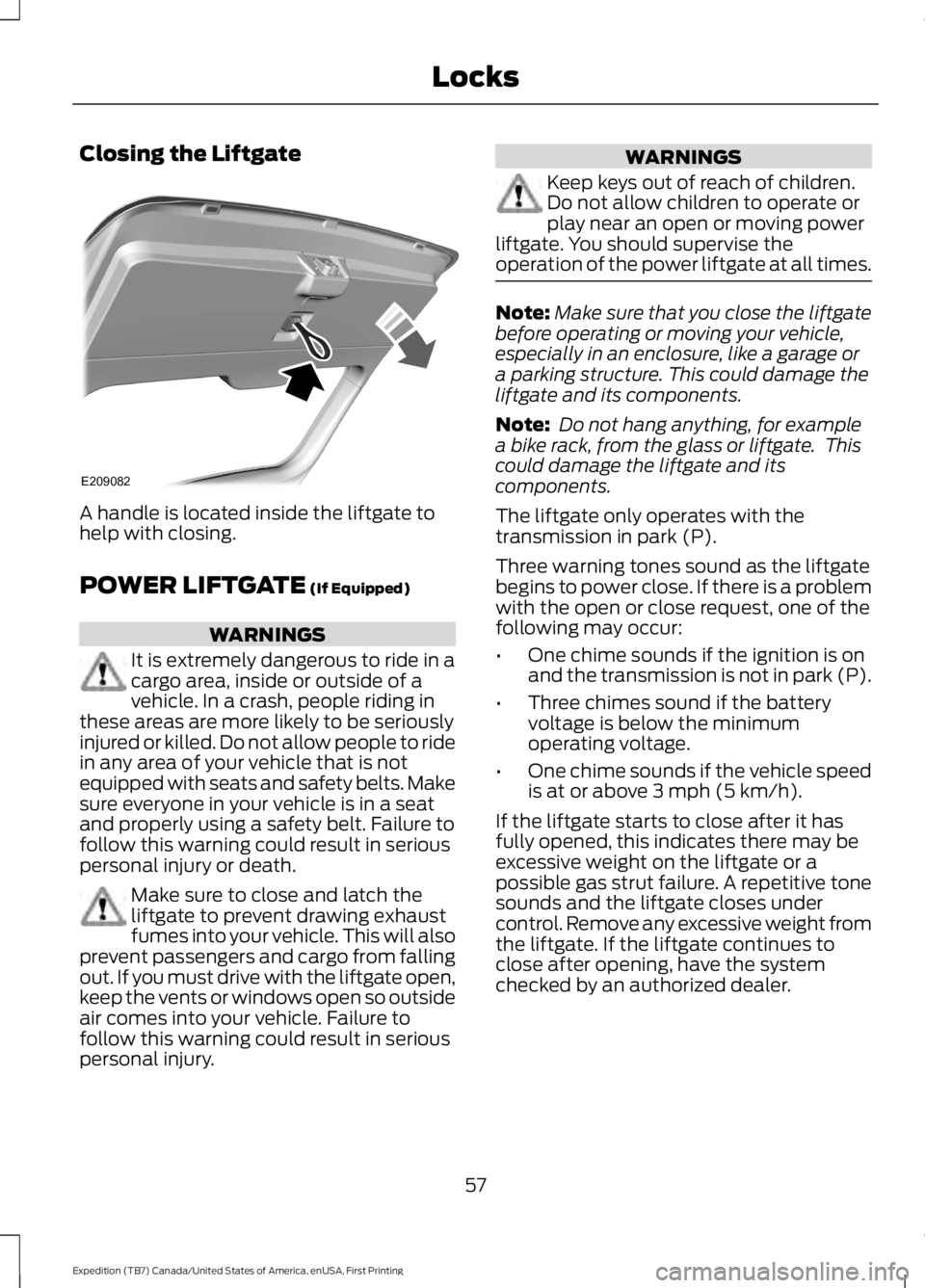
Closing the Liftgate
A handle is located inside the liftgate tohelp with closing.
POWER LIFTGATE (If Equipped)
WARNINGS
It is extremely dangerous to ride in acargo area, inside or outside of avehicle. In a crash, people riding inthese areas are more likely to be seriouslyinjured or killed. Do not allow people to ridein any area of your vehicle that is notequipped with seats and safety belts. Makesure everyone in your vehicle is in a seatand properly using a safety belt. Failure tofollow this warning could result in seriouspersonal injury or death.
Make sure to close and latch theliftgate to prevent drawing exhaustfumes into your vehicle. This will alsoprevent passengers and cargo from fallingout. If you must drive with the liftgate open,keep the vents or windows open so outsideair comes into your vehicle. Failure tofollow this warning could result in seriouspersonal injury.
WARNINGS
Keep keys out of reach of children.Do not allow children to operate orplay near an open or moving powerliftgate. You should supervise theoperation of the power liftgate at all times.
Note:Make sure that you close the liftgatebefore operating or moving your vehicle,especially in an enclosure, like a garage ora parking structure. This could damage theliftgate and its components.
Note: Do not hang anything, for examplea bike rack, from the glass or liftgate. Thiscould damage the liftgate and itscomponents.
The liftgate only operates with thetransmission in park (P).
Three warning tones sound as the liftgatebegins to power close. If there is a problemwith the open or close request, one of thefollowing may occur:
•One chime sounds if the ignition is onand the transmission is not in park (P).
•Three chimes sound if the batteryvoltage is below the minimumoperating voltage.
•One chime sounds if the vehicle speedis at or above 3 mph (5 km/h).
If the liftgate starts to close after it hasfully opened, this indicates there may beexcessive weight on the liftgate or apossible gas strut failure. A repetitive tonesounds and the liftgate closes undercontrol. Remove any excessive weight fromthe liftgate. If the liftgate continues toclose after opening, have the systemchecked by an authorized dealer.
57
Expedition (TB7) Canada/United States of America, enUSA, First Printing
LocksE209082
Page 61 of 421
Opening and Closing the Liftgate
WARNING
Make sure all persons are clear of thepower liftgate area before using thepower liftgate control.
Note:Be careful when opening or closingthe liftgate in a garage or other enclosedarea to avoid damaging the liftgate.
Note: Do not leave the liftgate open whiledriving. This could damage the liftgate andits components.
From the Instrument Panel
Press the button on theinstrument panel.
With the Remote Control
Press the button twice withinthree seconds.
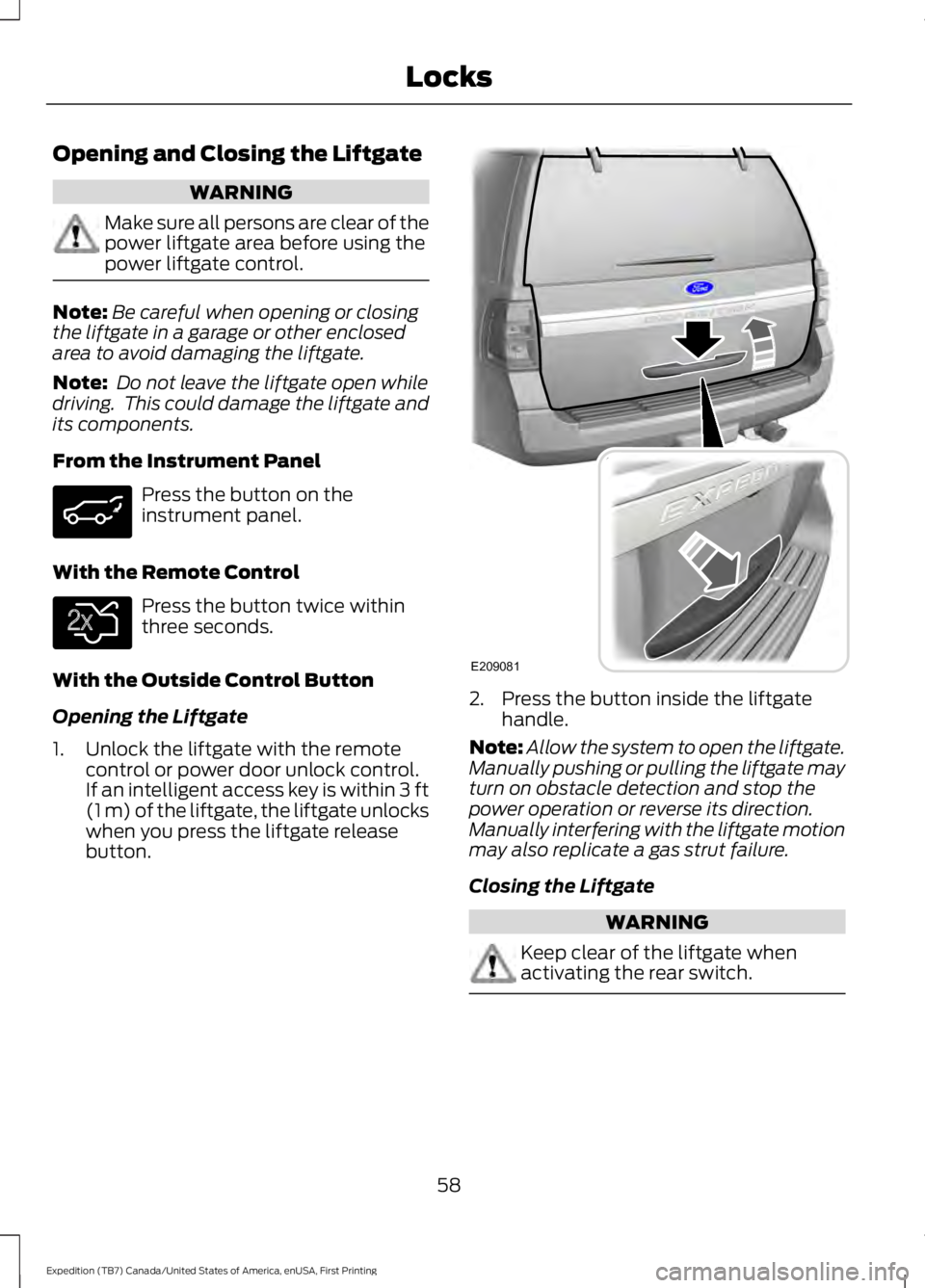
With the Outside Control Button
Opening the Liftgate
1. Unlock the liftgate with the remotecontrol or power door unlock control.If an intelligent access key is within 3 ft(1 m) of the liftgate, the liftgate unlockswhen you press the liftgate releasebutton.
2. Press the button inside the liftgatehandle.
Note:Allow the system to open the liftgate.Manually pushing or pulling the liftgate mayturn on obstacle detection and stop thepower operation or reverse its direction.Manually interfering with the liftgate motionmay also replicate a gas strut failure.
Closing the Liftgate
WARNING
Keep clear of the liftgate whenactivating the rear switch.
58
Expedition (TB7) Canada/United States of America, enUSA, First Printing
Locks E138630 E209081
Page 62 of 421
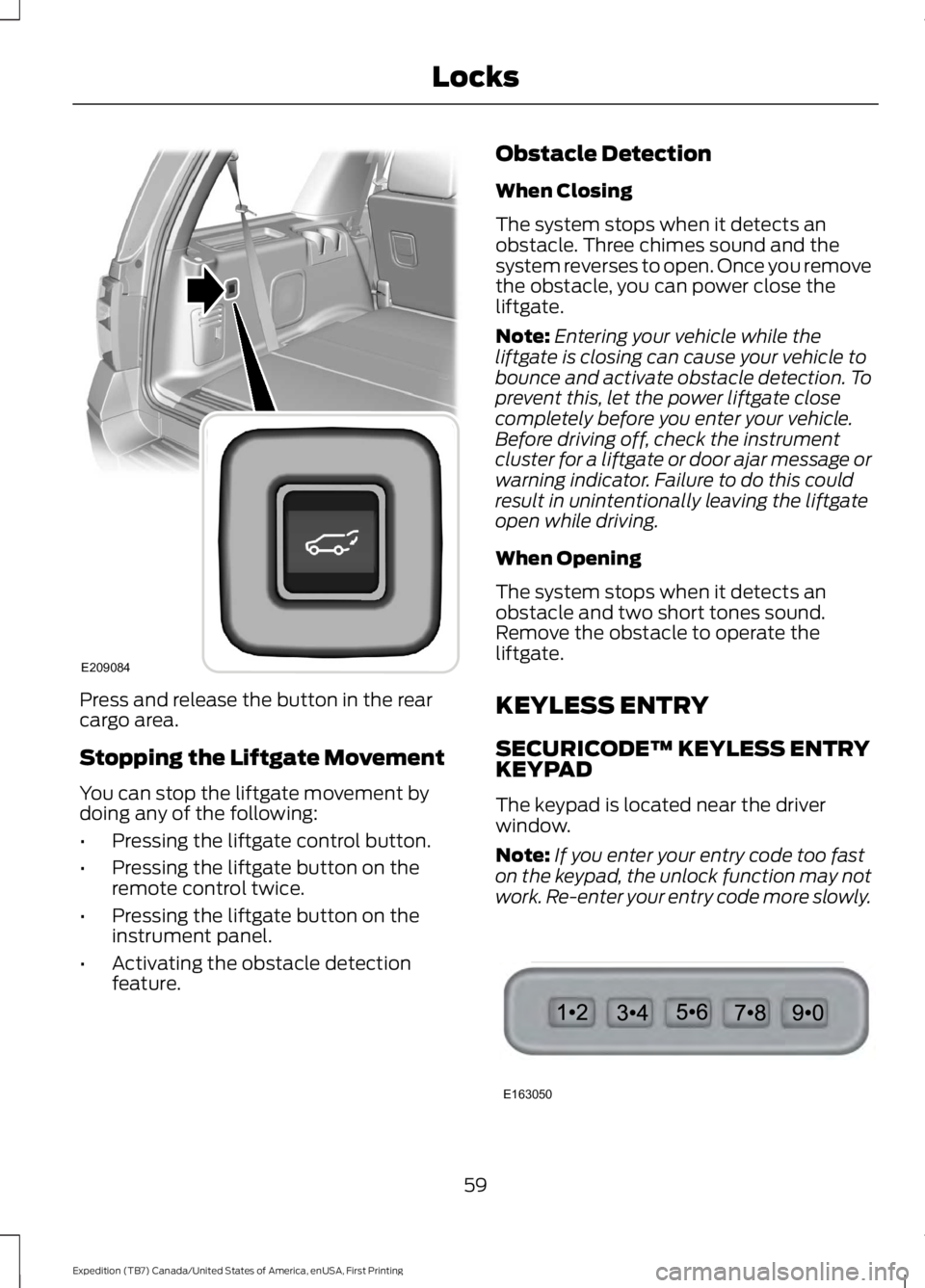
Press and release the button in the rearcargo area.
Stopping the Liftgate Movement
You can stop the liftgate movement bydoing any of the following:
•Pressing the liftgate control button.
•Pressing the liftgate button on theremote control twice.
•Pressing the liftgate button on theinstrument panel.
•Activating the obstacle detectionfeature.
Obstacle Detection
When Closing
The system stops when it detects anobstacle. Three chimes sound and thesystem reverses to open. Once you removethe obstacle, you can power close theliftgate.
Note:Entering your vehicle while theliftgate is closing can cause your vehicle tobounce and activate obstacle detection. Toprevent this, let the power liftgate closecompletely before you enter your vehicle.Before driving off, check the instrumentcluster for a liftgate or door ajar message orwarning indicator. Failure to do this couldresult in unintentionally leaving the liftgateopen while driving.
When Opening
The system stops when it detects anobstacle and two short tones sound.Remove the obstacle to operate theliftgate.
KEYLESS ENTRY
SECURICODE™ KEYLESS ENTRYKEYPAD
The keypad is located near the driverwindow.
Note:If you enter your entry code too faston the keypad, the unlock function may notwork. Re-enter your entry code more slowly.
59
Expedition (TB7) Canada/United States of America, enUSA, First Printing
LocksE209084 E163050
Page 64 of 421
Displaying the Factory Set Code
Note:You will need to have twoprogrammed passive anti-theft keys for thisprocedure.
To display the factory-set code in theinformation display:
1.Insert a key into the ignition and switchthe ignition on for a few seconds.
2.Switch the ignition off and remove thekey.
3. Insert the second key into the ignitionand switch the ignition on.
The factory-set code will display for a fewseconds.
Note:The code may not display until afterany other warning messages first display.
Unlocking and Locking the Doors
Vehicles Without Intelligent Access
To Unlock the Driver Door
Enter the factory-set 5-digit code or yourpersonal code. You must press eachnumber within five seconds of each other.The interior lamps will illuminate.
Note:All doors will unlock if you disablethe two-stage unlocking mode. SeeLocking and Unlocking (page 53).
To Unlock All Doors
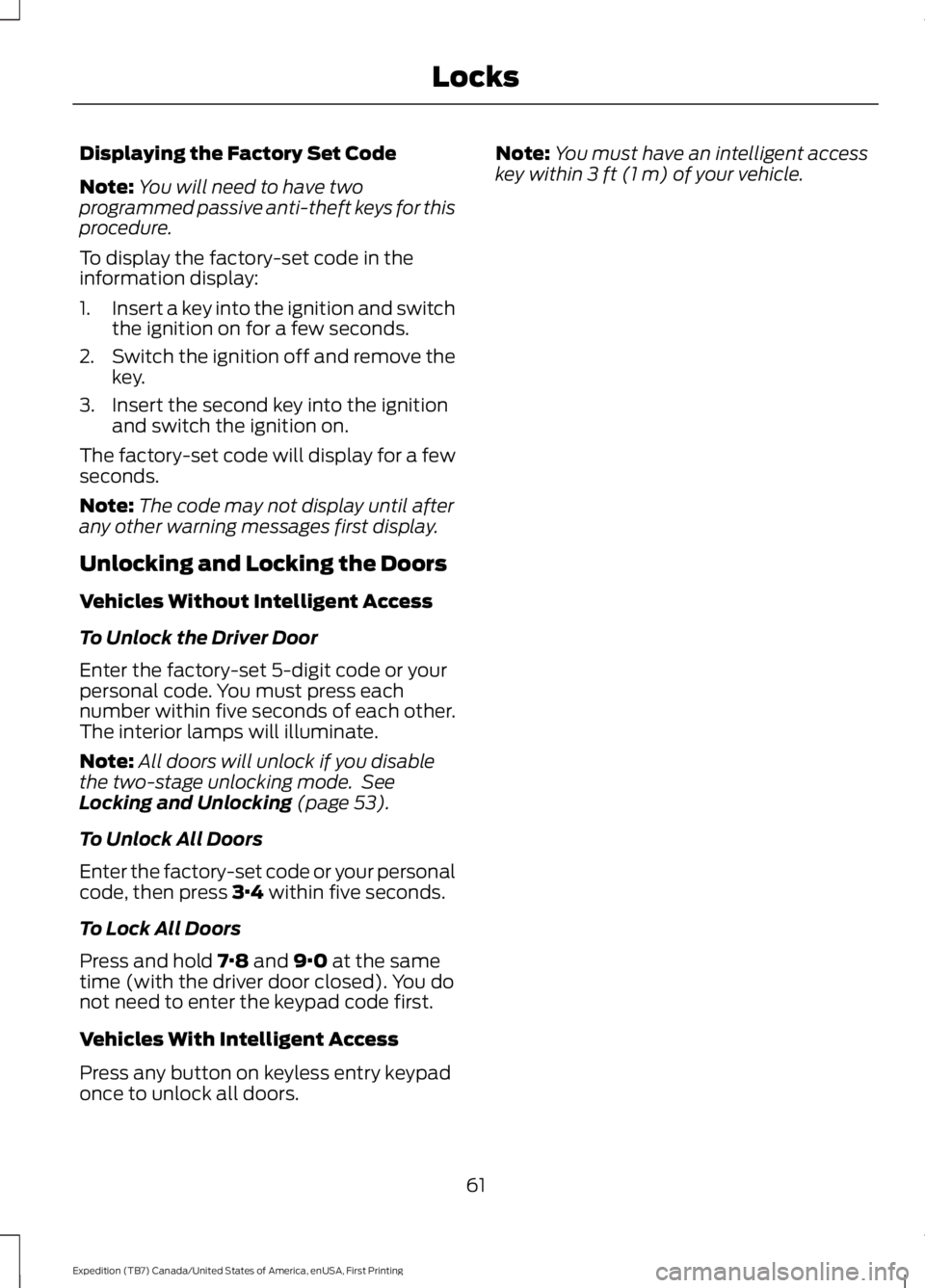
Enter the factory-set code or your personalcode, then press 3·4 within five seconds.
To Lock All Doors
Press and hold 7·8 and 9·0 at the sametime (with the driver door closed). You donot need to enter the keypad code first.
Vehicles With Intelligent Access
Press any button on keyless entry keypadonce to unlock all doors.
Note:You must have an intelligent accesskey within 3 ft (1 m) of your vehicle.
61
Expedition (TB7) Canada/United States of America, enUSA, First Printing
Locks
Page 67 of 421
USING POWER RUNNING
BOARDS
WARNINGS
In extreme climates, excessive icebuildup may occur, causing therunning boards not to deploy. Makesure that the running boards havedeployed, and have finished moving beforeattempting to step on them. The runningboards will resume normal function oncethe blockage is cleared.
Turn off the running boards beforejacking or placing any object underyour vehicle. Never place your handbetween the extended running board andyour vehicle. A moving running board maycause injury.
Note:Do not use the running boards, frontand rear hinge assemblies, running boardmotors, or the running board underbodymounts to lift your vehicle when jacking.Always use proper jacking points.
Note:The running boards may operatemore slowly in cool temperatures.
Note:The running board mechanism maytrap debris such as mud, dirt, snow, ice andsalt. This may cause unwanted noise. If thishappens, manually set the running boardsto the deployed position. Then, wash thesystem, in particular the front and rear hingearms, with a high-pressure car wash wand.
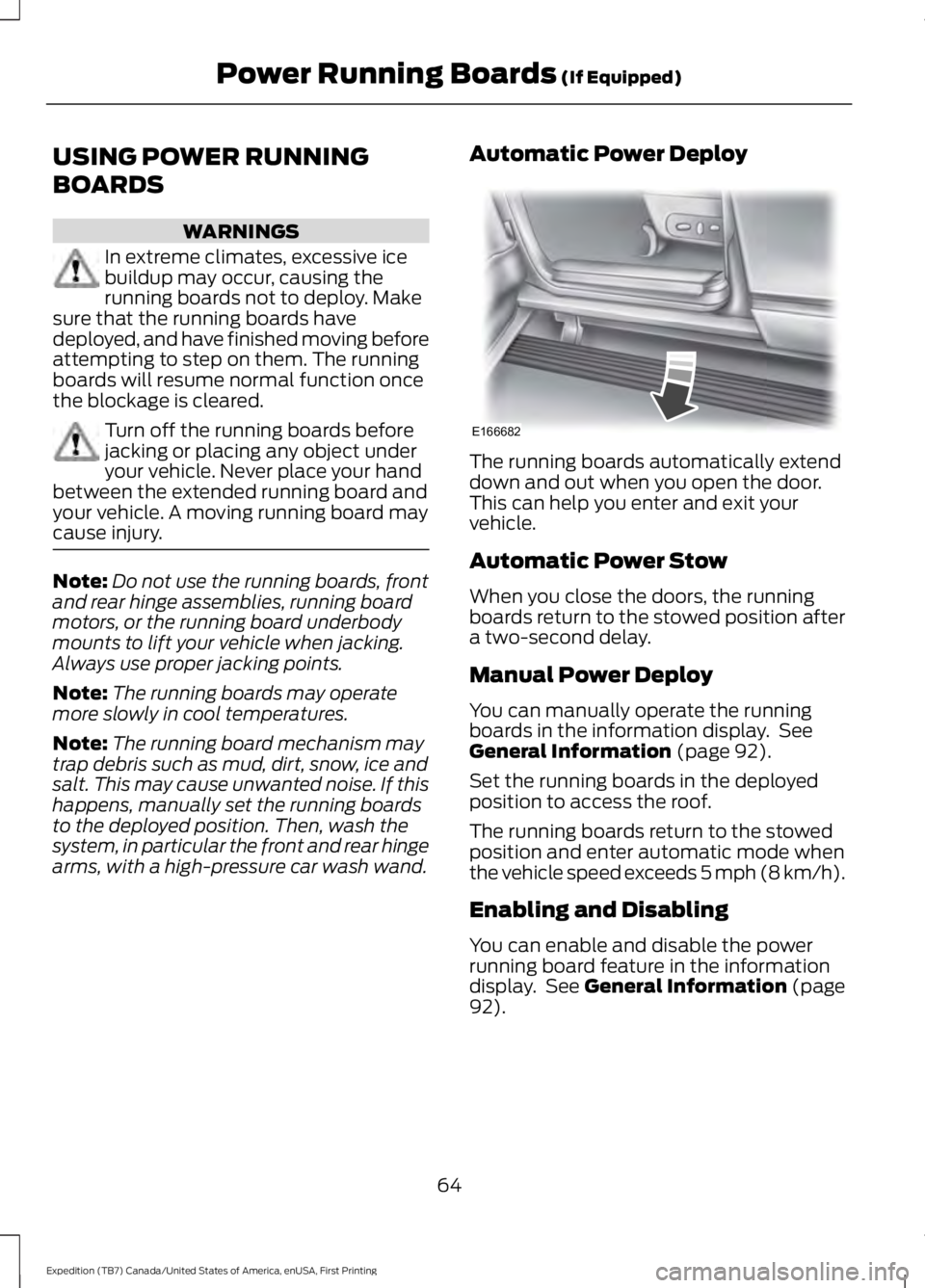
Automatic Power Deploy
The running boards automatically extenddown and out when you open the door.This can help you enter and exit yourvehicle.
Automatic Power Stow
When you close the doors, the runningboards return to the stowed position aftera two-second delay.
Manual Power Deploy
You can manually operate the runningboards in the information display. SeeGeneral Information (page 92).
Set the running boards in the deployedposition to access the roof.
The running boards return to the stowedposition and enter automatic mode whenthe vehicle speed exceeds 5 mph (8 km/h).
Enabling and Disabling
You can enable and disable the powerrunning board feature in the informationdisplay. See General Information (page92).
64
Expedition (TB7) Canada/United States of America, enUSA, First Printing
Power Running Boards (If Equipped)E166682
Page 69 of 421
ADJUSTING THE STEERING
WHEEL - VEHICLES WITH:
COLUMN SHIFT/MANUAL
ADJUSTABLE STEERING
COLUMN
WARNING
Do not adjust the steering wheelwhen your vehicle is moving.
Note:Make sure that you are sitting in thecorrect position. See Sitting in the CorrectPosition (page 122).
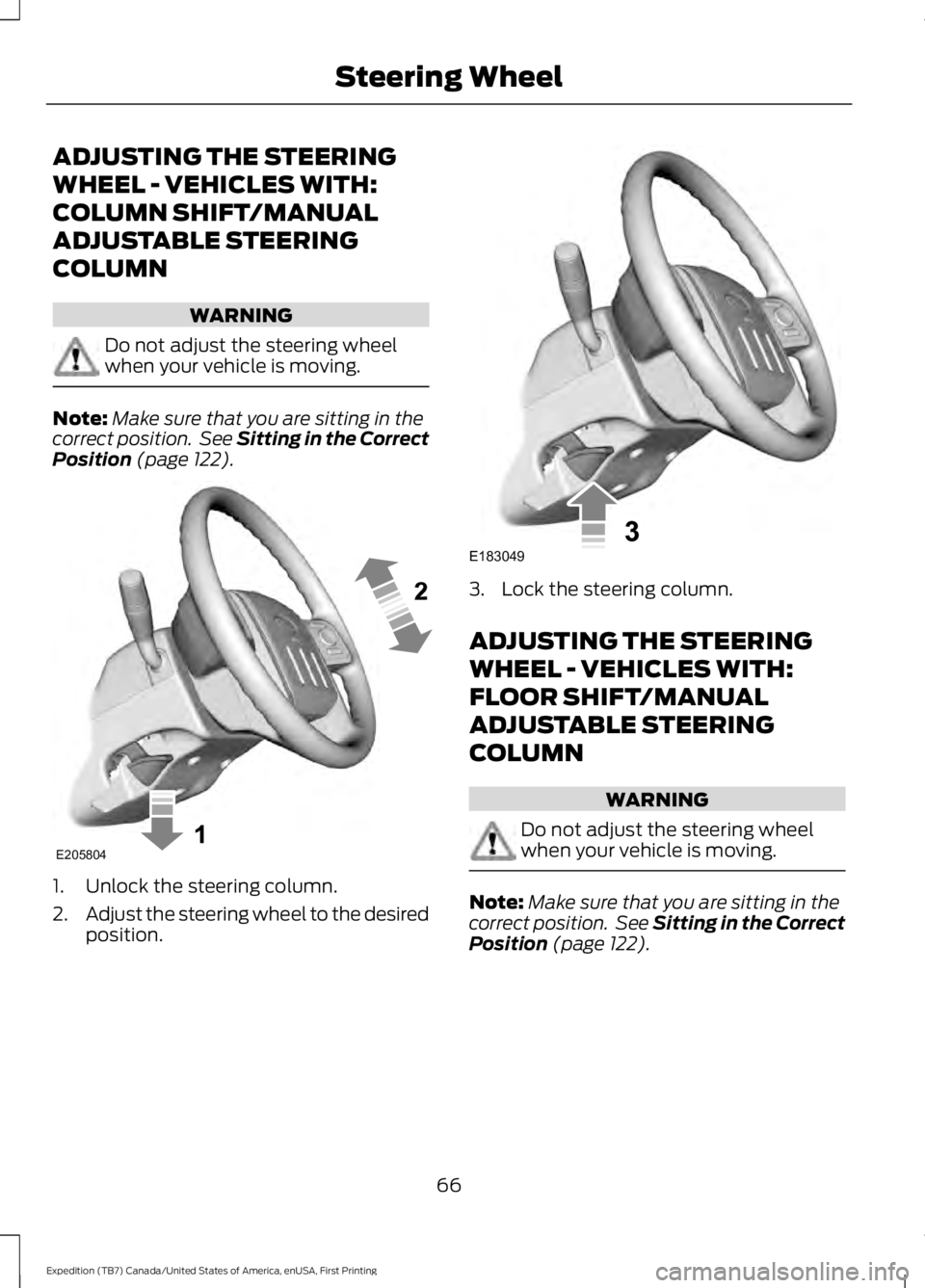
1. Unlock the steering column.
2.Adjust the steering wheel to the desiredposition.
3. Lock the steering column.
ADJUSTING THE STEERING
WHEEL - VEHICLES WITH:
FLOOR SHIFT/MANUAL
ADJUSTABLE STEERING
COLUMN
WARNING
Do not adjust the steering wheelwhen your vehicle is moving.
Note:Make sure that you are sitting in thecorrect position. See Sitting in the CorrectPosition (page 122).
66
Expedition (TB7) Canada/United States of America, enUSA, First Printing
Steering WheelE205804 E183049
Page 70 of 421
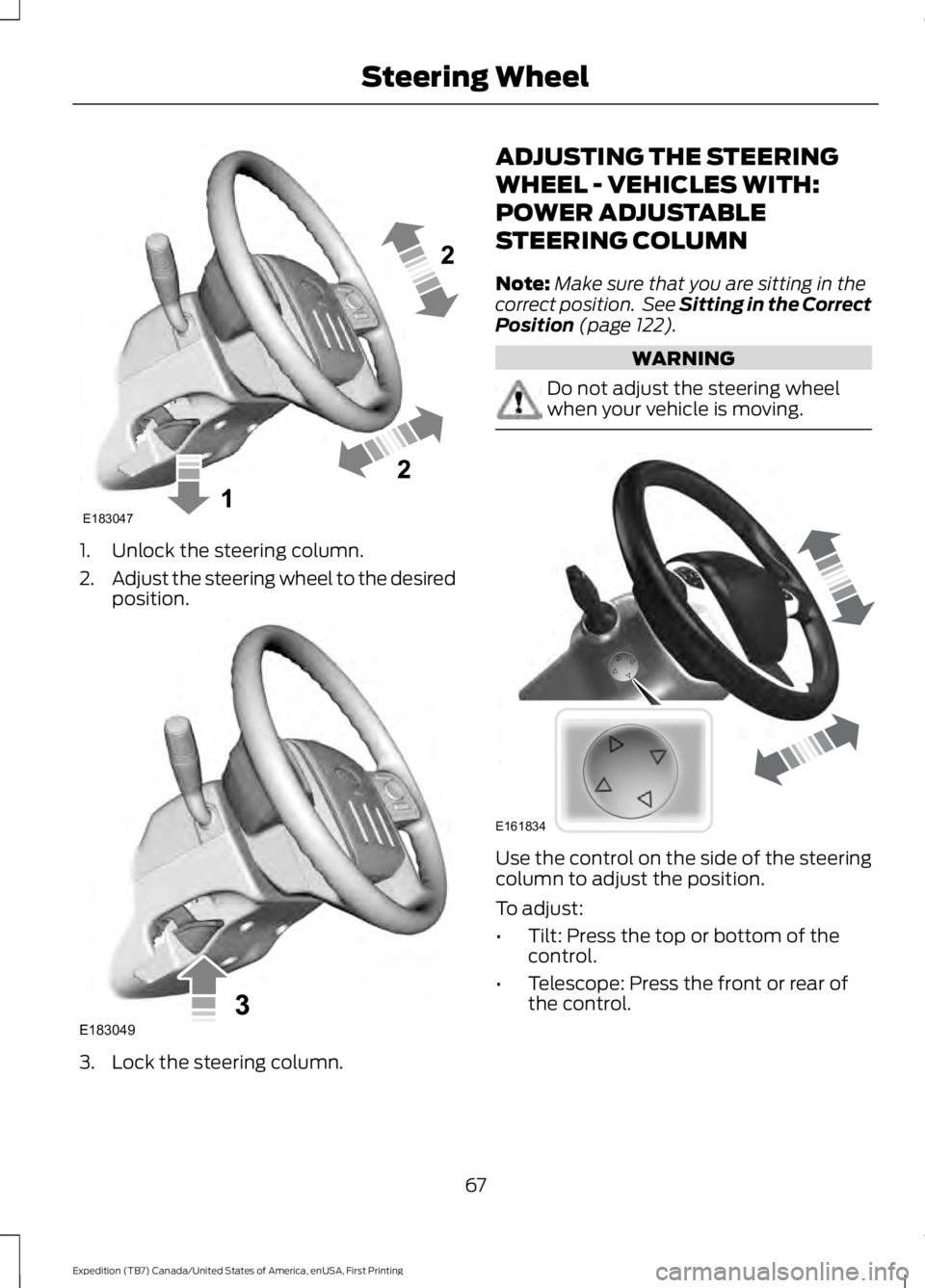
1. Unlock the steering column.
2.Adjust the steering wheel to the desiredposition.
3. Lock the steering column.
ADJUSTING THE STEERING
WHEEL - VEHICLES WITH:
POWER ADJUSTABLE
STEERING COLUMN
Note:Make sure that you are sitting in thecorrect position. See Sitting in the CorrectPosition (page 122).
WARNING
Do not adjust the steering wheelwhen your vehicle is moving.
Use the control on the side of the steeringcolumn to adjust the position.
To adjust:
•Tilt: Press the top or bottom of thecontrol.
•Telescope: Press the front or rear ofthe control.
67
Expedition (TB7) Canada/United States of America, enUSA, First Printing
Steering WheelE183047 E183049 E161834
Page 74 of 421
ADJUSTING THE PEDALS
WARNING
Never use the controls while yourfeet are on the accelerator and brakepedals and the vehicle is moving.
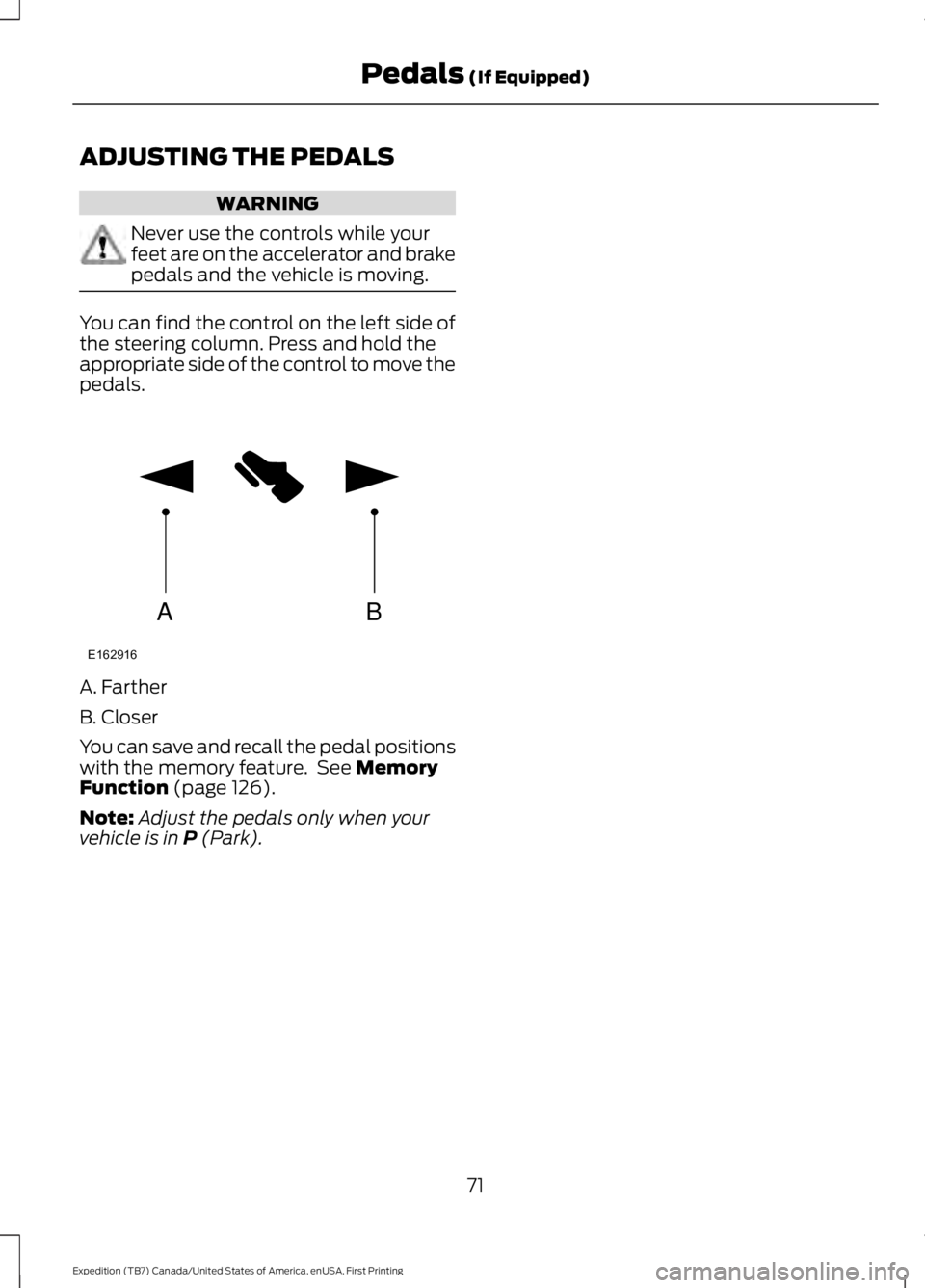
You can find the control on the left side ofthe steering column. Press and hold theappropriate side of the control to move thepedals.
A. Farther
B. Closer
You can save and recall the pedal positionswith the memory feature. See MemoryFunction (page 126).
Note:Adjust the pedals only when yourvehicle is in P (Park).
71
Expedition (TB7) Canada/United States of America, enUSA, First Printing
Pedals (If Equipped)AB
E162916
Page 78 of 421
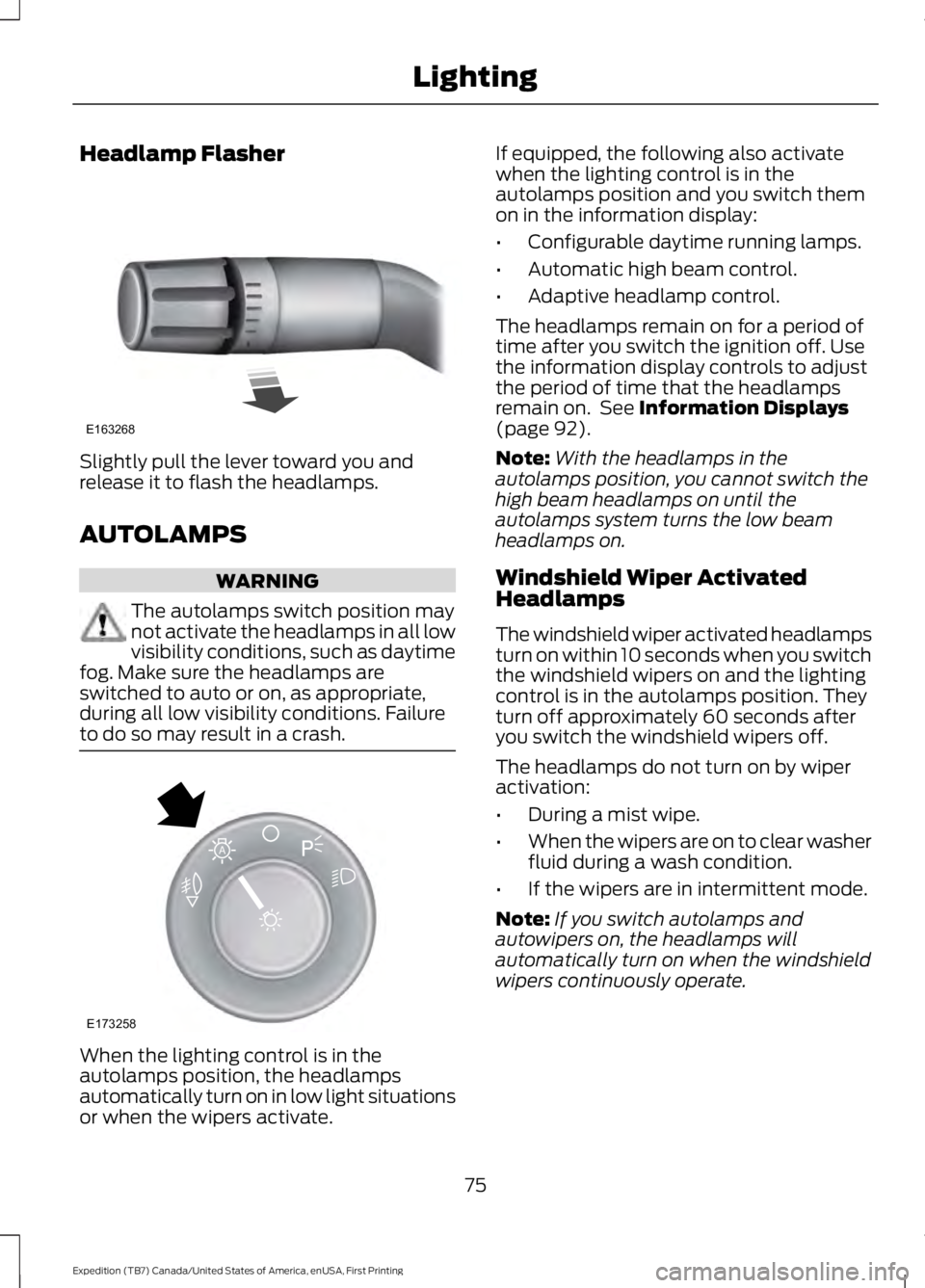
Headlamp Flasher
Slightly pull the lever toward you andrelease it to flash the headlamps.
AUTOLAMPS
WARNING
The autolamps switch position maynot activate the headlamps in all lowvisibility conditions, such as daytimefog. Make sure the headlamps areswitched to auto or on, as appropriate,during all low visibility conditions. Failureto do so may result in a crash.
When the lighting control is in theautolamps position, the headlampsautomatically turn on in low light situationsor when the wipers activate.
If equipped, the following also activatewhen the lighting control is in theautolamps position and you switch themon in the information display:
•Configurable daytime running lamps.
•Automatic high beam control.
•Adaptive headlamp control.
The headlamps remain on for a period oftime after you switch the ignition off. Usethe information display controls to adjustthe period of time that the headlampsremain on. See Information Displays(page 92).
Note:With the headlamps in theautolamps position, you cannot switch thehigh beam headlamps on until theautolamps system turns the low beamheadlamps on.
Windshield Wiper ActivatedHeadlamps
The windshield wiper activated headlampsturn on within 10 seconds when you switchthe windshield wipers on and the lightingcontrol is in the autolamps position. Theyturn off approximately 60 seconds afteryou switch the windshield wipers off.
The headlamps do not turn on by wiperactivation:
•During a mist wipe.
•When the wipers are on to clear washerfluid during a wash condition.
•If the wipers are in intermittent mode.
Note:If you switch autolamps andautowipers on, the headlamps willautomatically turn on when the windshieldwipers continuously operate.
75
Expedition (TB7) Canada/United States of America, enUSA, First Printing
LightingE163268 E173258
A
Page 79 of 421
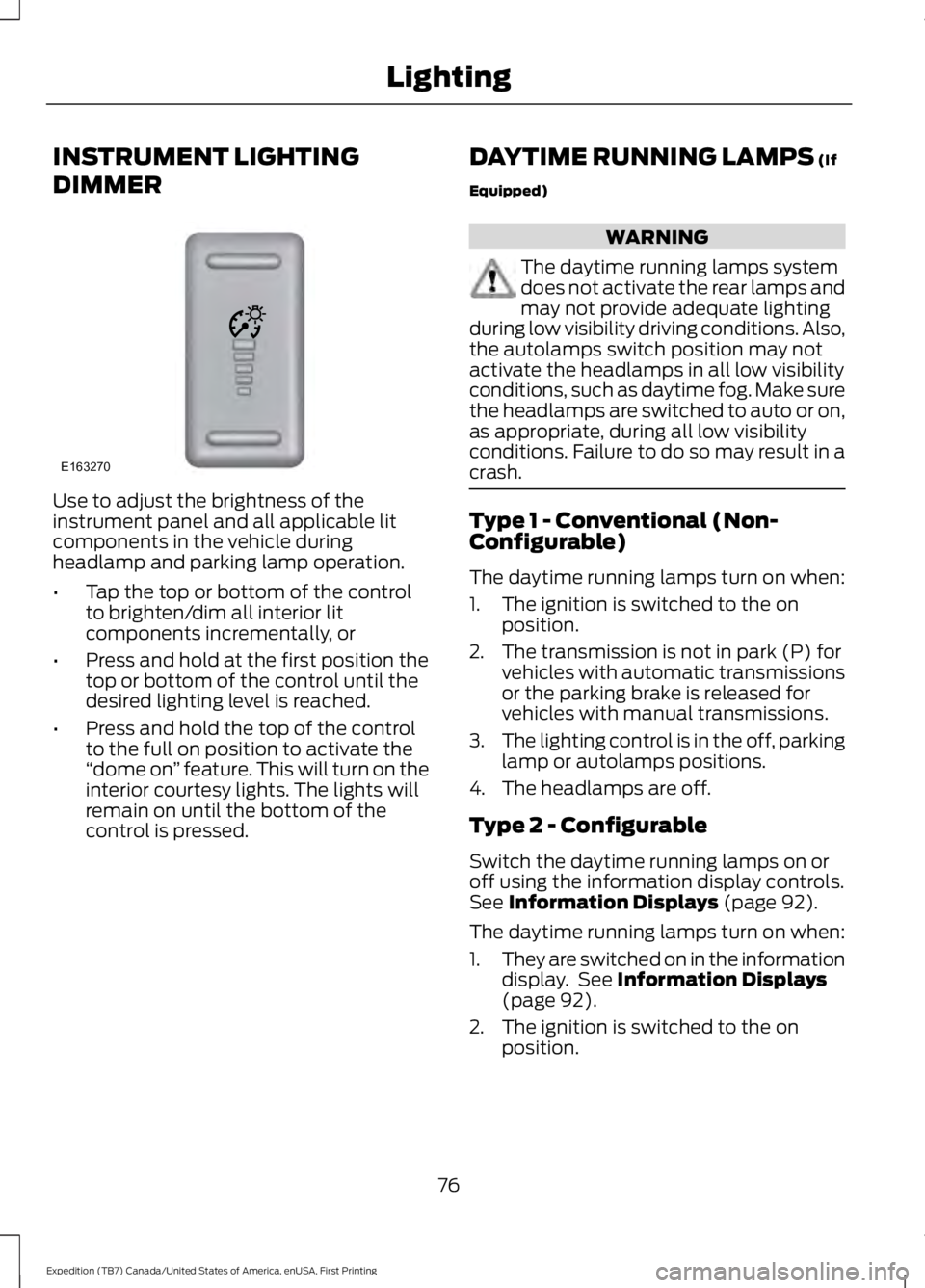
INSTRUMENT LIGHTING
DIMMER
Use to adjust the brightness of theinstrument panel and all applicable litcomponents in the vehicle duringheadlamp and parking lamp operation.
•Tap the top or bottom of the controlto brighten/dim all interior litcomponents incrementally, or
•Press and hold at the first position thetop or bottom of the control until thedesired lighting level is reached.
•Press and hold the top of the controlto the full on position to activate the“dome on” feature. This will turn on theinterior courtesy lights. The lights willremain on until the bottom of thecontrol is pressed.
DAYTIME RUNNING LAMPS (If
Equipped)
WARNING
The daytime running lamps systemdoes not activate the rear lamps andmay not provide adequate lightingduring low visibility driving conditions. Also,the autolamps switch position may notactivate the headlamps in all low visibilityconditions, such as daytime fog. Make surethe headlamps are switched to auto or on,as appropriate, during all low visibilityconditions. Failure to do so may result in acrash.
Type 1 - Conventional (Non-Configurable)
The daytime running lamps turn on when:
1. The ignition is switched to the onposition.
2. The transmission is not in park (P) forvehicles with automatic transmissionsor the parking brake is released forvehicles with manual transmissions.
3.The lighting control is in the off, parkinglamp or autolamps positions.
4. The headlamps are off.
Type 2 - Configurable
Switch the daytime running lamps on oroff using the information display controls.See Information Displays (page 92).
The daytime running lamps turn on when:
1.They are switched on in the informationdisplay. See Information Displays(page 92).
2. The ignition is switched to the onposition.
76
Expedition (TB7) Canada/United States of America, enUSA, First Printing
LightingE163270