radio controls FORD EXPEDITION EL 2016 Owners Manual
[x] Cancel search | Manufacturer: FORD, Model Year: 2016, Model line: EXPEDITION EL, Model: FORD EXPEDITION EL 2016Pages: 421, PDF Size: 7.39 MB
Page 4 of 421
Introduction
About This Manual...........................................7
Symbols Glossary.............................................7
Data Recording..................................................9
California Proposition 65..............................11
Perchlorate.........................................................11
Ford Credit..........................................................11
Replacement PartsRecommendation........................................11
Special Notices................................................12
Mobile CommunicationsEquipment.....................................................12
Export Unique Options..................................13
Environment
Protecting the Environment........................14
Child Safety
General Information.......................................15
Installing Child Restraints............................16
Booster Seats..................................................23
Child Restraint Positioning.........................25
Child Safety Locks.........................................26
Seatbelts
Principle of Operation..................................28
Fastening the Seatbelts..............................29
Seatbelt Height Adjustment.......................31
Seatbelt Warning Lamp and IndicatorChime..............................................................32
Seatbelt Reminder.........................................33
Child Restraint and SeatbeltMaintenance................................................34
Supplementary RestraintsSystem
Principle of Operation..................................35
Driver and Passenger Airbags...................36
Side Airbags......................................................37
Safety Canopy™............................................38
Crash Sensors and Airbag Indicator........39
Airbag Disposal..............................................40
Keys and Remote Controls
Principle of Operation...................................41
General Information on RadioFrequencies...................................................41
Remote Control..............................................42
Replacing a Lost Key or RemoteControl...........................................................45
MyKey™
Principle of Operation..................................46
Creating a MyKey............................................47
Clearing All MyKeys.......................................48
Checking MyKey System Status..............49
Using MyKey With Remote StartSystems.........................................................50
MyKey Troubleshooting................................51
Locks
Locking and Unlocking.................................53
Manual Liftgate...............................................55
Power Liftgate..................................................57
Keyless Entry...................................................59
Security
Passive Anti-Theft System.........................62
Anti-Theft Alarm............................................63
Power Running Boards
Using Power Running Boards....................64
Steering Wheel
Adjusting the Steering Wheel - VehiclesWith: Column Shift/Manual AdjustableSteering Column........................................66
Adjusting the Steering Wheel - VehiclesWith: Floor Shift/Manual AdjustableSteering Column........................................66
1
Expedition (TB7) Canada/United States of America, enUSA, First Printing
Table of Contents
Page 15 of 421
Warranty on Replacement Parts
Genuine Ford and Motorcraft replacementparts are the only replacement parts thatbenefit from a Ford Warranty. Damagecaused to your vehicle as a result of thefailure of non-Ford parts may not becovered by the Ford Warranty. Foradditional information, refer to the termsand conditions of the Ford Warranty.
SPECIAL NOTICES
New Vehicle Limited Warranty
For a detailed description of what iscovered and what is not covered by yourvehicle’s New Vehicle Limited Warranty,refer to the Warranty Manual that isprovided to you along with your Owner’sManual.
Special Instructions
For your added safety, your vehicle is fittedwith sophisticated electronic controls.
WARNINGS
You risk death or serious injury toyourself and others if you do notfollow the instruction highlighted bythe warning symbol. Failure to follow thespecific warnings and instructions couldresult in personal injury.
Front seat mounted rear-facing childor infant seats should NEVER beplaced in front of an activepassenger airbag.
On-board Diagnostics (OBD-II)
Your vehicle’s On-board Diagnostics(OBD-II) system has a data port fordiagnostics, repair and reprogrammingservices with diagnostic scan tools.Installing a non-Ford-approvedaftermarket OBD plug-in device that usesthe port during normal driving, for example
remote insurance company monitoring,remote vehicle diagnostics, telematics orengine reprogramming, may causeinterference or damage to vehicle systems.We do not recommend or endorse the useof any non-Ford-approved aftermarketOBD plug-in devices. The vehicle Warrantymay not cover damage caused by anynon-Ford-approved aftermarket OBDplug-in device.
MOBILE COMMUNICATIONS
EQUIPMENT
Using mobile communications equipmentis becoming increasingly important in theconduct of business and personal affairs.However, you must not compromise yourown or others’ safety when using suchequipment. Mobile communications canenhance personal safety and security whenappropriately used, particularly inemergency situations. Safety must beparamount when using mobilecommunications equipment to avoidnegating these benefits. Mobilecommunication equipment includes, butis not limited to, cellular phones, pagers,portable email devices, text messagingdevices and portable two-way radios.
WARNING
Driving while distracted can result inloss of vehicle control, crash andinjury. We strongly recommend thatyou use extreme caution when using anydevice that may take your focus off theroad. Your primary responsibility is the safeoperation of your vehicle. We recommendagainst the use of any hand-held devicewhile driving and encourage the use ofvoice-operated systems when possible.Make sure you are aware of all applicablelocal laws that may affect the use ofelectronic devices while driving.
12
Expedition (TB7) Canada/United States of America, enUSA, First Printing
Introduction
Page 44 of 421
PRINCIPLE OF OPERATION
The remote control allows you to:
•Remotely lock or unlock the vehicledoors.
•Unlock the doors without actively usinga key or remote control (intelligentaccess only).
•Remotely open the power liftgate (ifequipped).
•Remotely start or stop the engine anduser pre-set features (if equipped).
•Arm and disarm the anti-theft system.
•Activate the panic alarm.
GENERAL INFORMATION ON
RADIO FREQUENCIES
This device complies with Part 15 of theFCC Rules and with Industry Canadalicense-exempt RSS standard(s).Operation is subject to the following twoconditions: (1) This device may not causeharmful interference, and (2) This devicemust accept any interference received,including interference that may causeundesired operation.
Note:Changes or modifications notexpressively approved by the partyresponsible for compliance could void theuser's authority to operate the equipment.The term IC before the radio certificationnumber only signifies that Industry Canadatechnical specifications were met.
The typical operating range for yourtransmitter is approximately 33 feet (10meters). Vehicles with the remote startfeature will have a greater range. One ofthe following could cause a decrease inoperating range:
•Weather conditions.
•Nearby radio towers.
•Structures around the vehicle.
•Other vehicles parked next to yourvehicle.
The radio frequency used by your remotecontrol can also be used by other radiotransmitters, for example amateur radios,medical equipment, wireless headphones,wireless remote controls, cell phones,battery chargers and alarm systems. If thefrequencies are jammed, you will not beable to use your remote control. You canlock and unlock the doors with the key.
Note:Make sure to lock your vehicle beforeleaving it unattended.
Note:If you are in range, the remote controlwill operate if you press any buttonunintentionally.
Intelligent Access (If Equipped)
The system uses a radio frequency signalto communicate with your vehicle andauthorize your vehicle to unlock when oneof the following conditions are met:
•You press any button on the keylessentry keypad within 3 ft (1 m) proximityof an intelligent access key.
•You press the luggage compartmentbutton.
•You press a button on the transmitter.
If excessive radio frequency interferenceis present in the area or if the transmitterbattery is low, you may need tomechanically unlock your door. You canuse the mechanical key blade in yourintelligent access key to open the driverdoor in this situation. See RemoteControl (page 42).
41
Expedition (TB7) Canada/United States of America, enUSA, First Printing
Keys and Remote Controls
Page 48 of 421
To start your vehicle remotely:
1. Press the lock button to lock all thedoors.
2. Press the remote start button twice.The exterior lamps flash twice.
The horn sounds if the system fails to start,unless quiet start is on. Quiet start runs theblower fan at a slower speed to reducenoise. You can switch this feature on or offin the information display. See GeneralInformation (page 92).
Note:If you remote start your vehicle withan integrated keyhead transmitter, you mustswitch the ignition on before driving yourvehicle. If you remote start your vehicle withan intelligent access transmitter, you mustpress the push button ignition switch on theinstrument panel once while applying thebrake pedal before driving your vehicle.
The power windows do not work duringremote start and the radio does not turnon automatically.
The parking lamps remain on and thevehicle runs for 5, 10 or 15 minutes,depending on the setting.
Extending the Engine Running Time
To extend the engine running time durationof your vehicle during remote start, repeatsteps 1 and 2 while the engine is running.If the duration is set to 10 minutes, theduration extends by another 10 minutes.For example, if your vehicle had beenrunning from the first remote start for 5minutes, your vehicle continues to run nowfor a total of 20 minutes. You can extendthe remote start up to a maximum of 35minutes.
Wait at least five seconds before remotestarting after the engine stops running.
Turning Your Vehicle Off After RemoteStarting
Press the button once. Theparking lamps turn off.
You may have to be closer to your vehicleto remotely switch off your vehicle afterremote starting. This is due to the addednoise of your running vehicle.
You can switch this feature on or off in theinformation display. See GeneralInformation (page 92).
Memory Feature (If Equipped)
You can use the remote control to recallmemory settings for the driver seat, powermirrors, power steering column and poweradjustable foot pedals. Press the unlockbutton on the remote control or unlockyour vehicle with the intelligent access keyto recall the memory positions. You canprogram the remote control or intelligentaccess key to recall memory positions. SeeMemory Function (page 126).
REPLACING A LOST KEY OR
REMOTE CONTROL
Replacement keys or remote controls canbe purchased from an authorized dealer.Authorized dealers can program remotecontrols for your vehicle. See PassiveAnti-Theft System (page 62).
45
Expedition (TB7) Canada/United States of America, enUSA, First Printing
Keys and Remote ControlsE138625
Page 140 of 421
HomeLink Wireless ControlSystem
WARNINGS
Make sure that the garage door andsecurity device are free fromobstruction when you areprogramming. Do not program the systemwith the vehicle in the garage.
Do not use the system with anygarage door opener that does nothave the safety stop and reversefeature as required by U.S. Federal SafetyStandards (this includes any garage dooropener manufactured before April 1, 1982).A garage door opener which cannot detectan object, signaling the door to stop andreverse, does not meet current federalsafety standards. Using a garage dooropener without these features increasesthe risk of serious injury or death.
Note:Make sure you keep the originalremote control transmitter for use in othervehicles as well as for future systemprogramming.
Note:We recommend that upon the saleor lease termination of your vehicle, youerase the programmed function buttons forsecurity reasons. See Erasing the FunctionButton Codes.
Note:You can program a maximum ofthree devices. To change or replace any ofthe three devices after it has been initiallyprogrammed, you must first erase thecurrent settings. See Erasing the FunctionButton Codes.
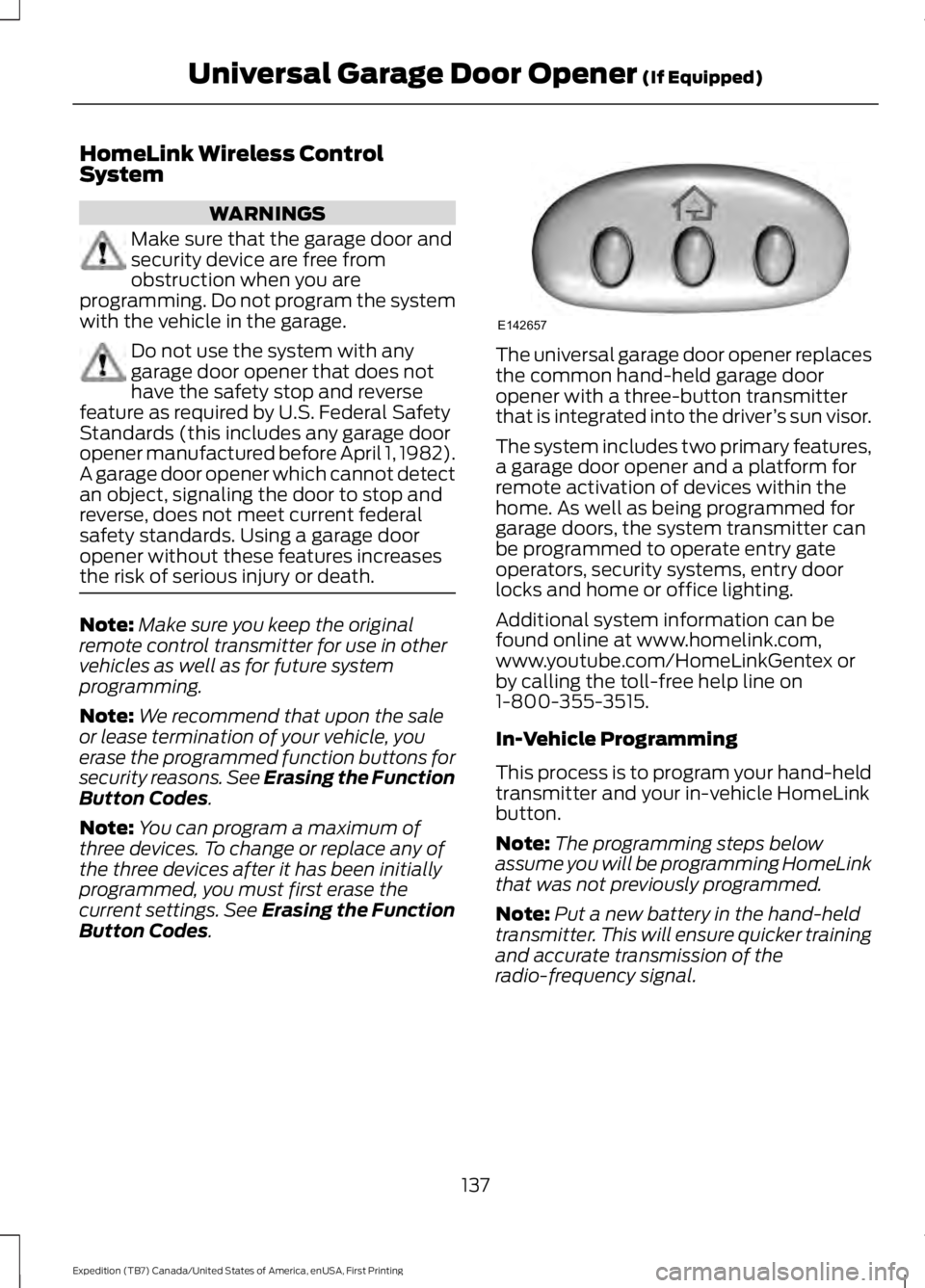
The universal garage door opener replacesthe common hand-held garage dooropener with a three-button transmitterthat is integrated into the driver’s sun visor.
The system includes two primary features,a garage door opener and a platform forremote activation of devices within thehome. As well as being programmed forgarage doors, the system transmitter canbe programmed to operate entry gateoperators, security systems, entry doorlocks and home or office lighting.
Additional system information can befound online at www.homelink.com,www.youtube.com/HomeLinkGentex orby calling the toll-free help line on1-800-355-3515.
In-Vehicle Programming
This process is to program your hand-heldtransmitter and your in-vehicle HomeLinkbutton.
Note:The programming steps belowassume you will be programming HomeLinkthat was not previously programmed.
Note:Put a new battery in the hand-heldtransmitter. This will ensure quicker trainingand accurate transmission of theradio-frequency signal.
137
Expedition (TB7) Canada/United States of America, enUSA, First Printing
Universal Garage Door Opener (If Equipped)E142657
Page 316 of 421
•MP3 and WMA folder mode representsa folder structure consisting of onelevel of folders. The CD player numbersall MP3 and WMA tracks on the disc(noted by the MP3 or WMA fileextension) and all folders containingMP3 and WMA files, from F001 (folder)T001 (track) to F253 T255.
•Creating discs with only one level offolders helps with navigation throughthe disc files.
If you are burning your own MP3 and WMAdiscs, it is important to understand howthe system reads the structures you create.While various files may be present (fileswith extensions other than MP3 andWMA), only files with the MP3 and WMAextension are played; other files areignored by the system. This enables you touse the same MP3 and WMA disc for avariety of tasks on your work computer,home computer and your in-vehiclesystem.
In track mode, the system displays andplays the structure as if it were only onelevel deep (all MP3 and WMA files play,regardless of being in a specific folder). Infolder mode, the system only plays theMP3 and WMA files in the current folder.
AUDIO UNIT - VEHICLES WITH:
AM/FM/CD/SYNC/SATELLITE
RADIO
WARNING
Driving while distracted can result inloss of vehicle control, crash andinjury. We strongly recommend thatyou use extreme caution when using anydevice that may take your focus off theroad. Your primary responsibility is the safeoperation of your vehicle. We recommendagainst the use of any hand-held devicewhile driving and encourage the use ofvoice-operated systems when possible.Make sure you are aware of all applicablelocal laws that may affect the use ofelectronic devices while driving.
Note:The touchscreen system controlsmost of the audio features. See your SYNCinformation.
313
Expedition (TB7) Canada/United States of America, enUSA, First Printing
Audio System
Page 318 of 421
Power and volume: Press this button to switch the system off and on. Turnthe control to adjust the volume.G
CD slot: Insert a CD.H
Eject: Press this button to eject a CD.I
SOUND: Press this button to adjust settings for Treble, Midrange, Bass, Balanceand Fade.J
CLOCK: Press this button to access the clock setting. Use the center arrowcontrols to change the hours and minutes.K
PHONE: Press this button to access the phone features of the SYNC system.L
MENU: Press this button to access different audio system features.M
MUTE or SIRIUS: Press this button to mute the playing audio, or if equipped,listen to Sirius satellite radio.N
AUX: Press this button to access your auxiliary input jack or switch betweendevices you plug into the input jack or USB port.O
RADIO: Press this button to listen to the radio or change radio frequency bands.Press the function buttons below the radio screen to select different radiofunctions.
P
CD: Press this button to listen to a CD. Press the function buttons below theradio screen to select on-screen options of Repeat or Shuffle.Q
AUDIO UNIT - VEHICLES WITH:
SONY AM/FM/CD
WARNING
Driving while distracted can result inloss of vehicle control, crash andinjury. We strongly recommend thatyou use extreme caution when using anydevice that may take your focus off theroad. Your primary responsibility is the safeoperation of your vehicle. We recommendagainst the use of any hand-held devicewhile driving and encourage the use ofvoice-operated systems when possible.Make sure you are aware of all applicablelocal laws that may affect the use ofelectronic devices while driving.
Note:The touchscreen controls most ofthe audio features. See your SYNCinformation.
315
Expedition (TB7) Canada/United States of America, enUSA, First Printing
Audio System
Page 320 of 421
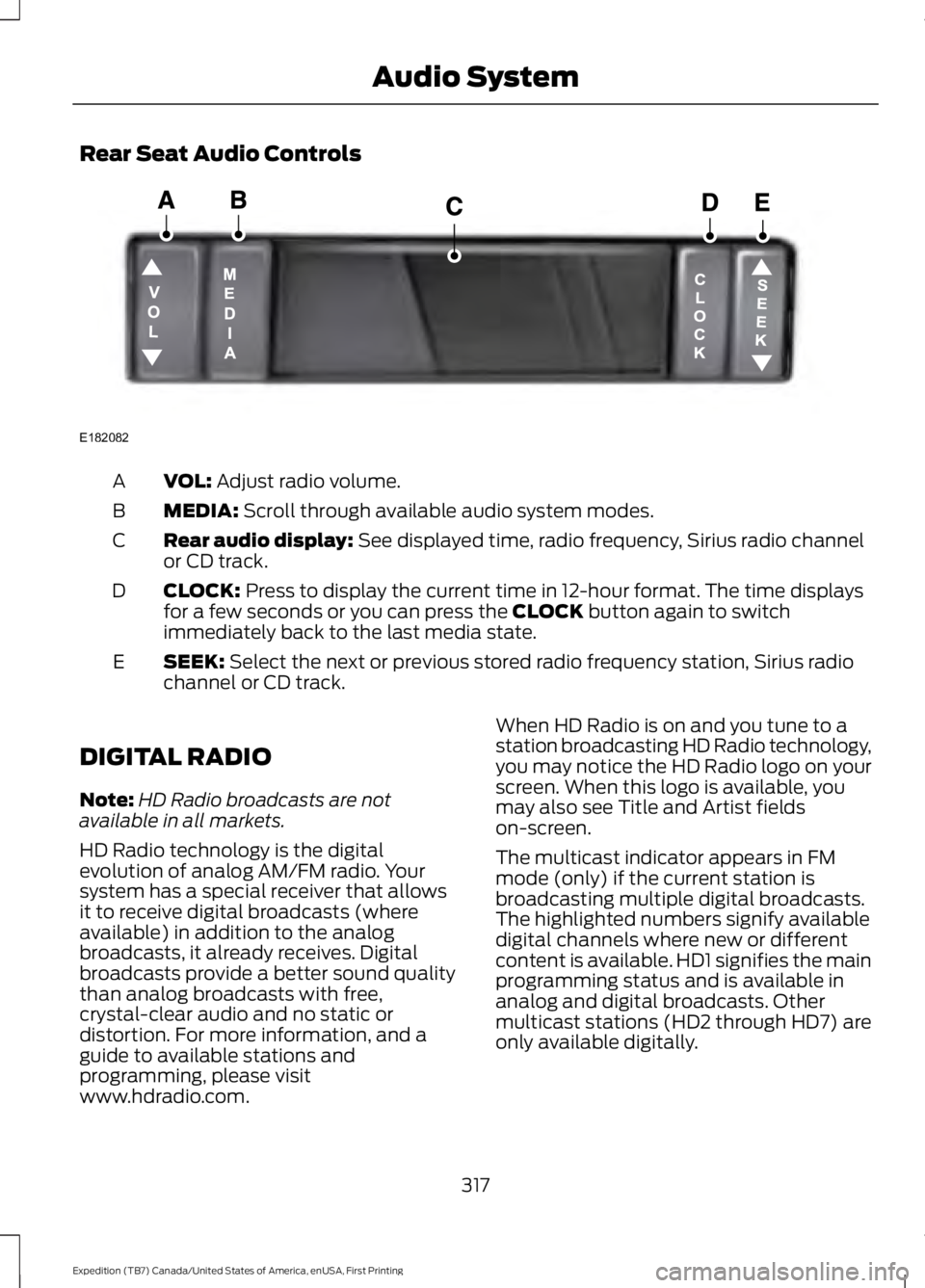
Rear Seat Audio Controls
VOL: Adjust radio volume.A
MEDIA: Scroll through available audio system modes.B
Rear audio display: See displayed time, radio frequency, Sirius radio channelor CD track.C
CLOCK: Press to display the current time in 12-hour format. The time displaysfor a few seconds or you can press the CLOCK button again to switchimmediately back to the last media state.
D
SEEK: Select the next or previous stored radio frequency station, Sirius radiochannel or CD track.E
DIGITAL RADIO
Note:HD Radio broadcasts are notavailable in all markets.
HD Radio technology is the digitalevolution of analog AM/FM radio. Yoursystem has a special receiver that allowsit to receive digital broadcasts (whereavailable) in addition to the analogbroadcasts, it already receives. Digitalbroadcasts provide a better sound qualitythan analog broadcasts with free,crystal-clear audio and no static ordistortion. For more information, and aguide to available stations andprogramming, please visitwww.hdradio.com.
When HD Radio is on and you tune to astation broadcasting HD Radio technology,you may notice the HD Radio logo on yourscreen. When this logo is available, youmay also see Title and Artist fieldson-screen.
The multicast indicator appears in FMmode (only) if the current station isbroadcasting multiple digital broadcasts.The highlighted numbers signify availabledigital channels where new or differentcontent is available. HD1 signifies the mainprogramming status and is available inanalog and digital broadcasts. Othermulticast stations (HD2 through HD7) areonly available digitally.
317
Expedition (TB7) Canada/United States of America, enUSA, First Printing
Audio SystemE182082
Page 410 of 421
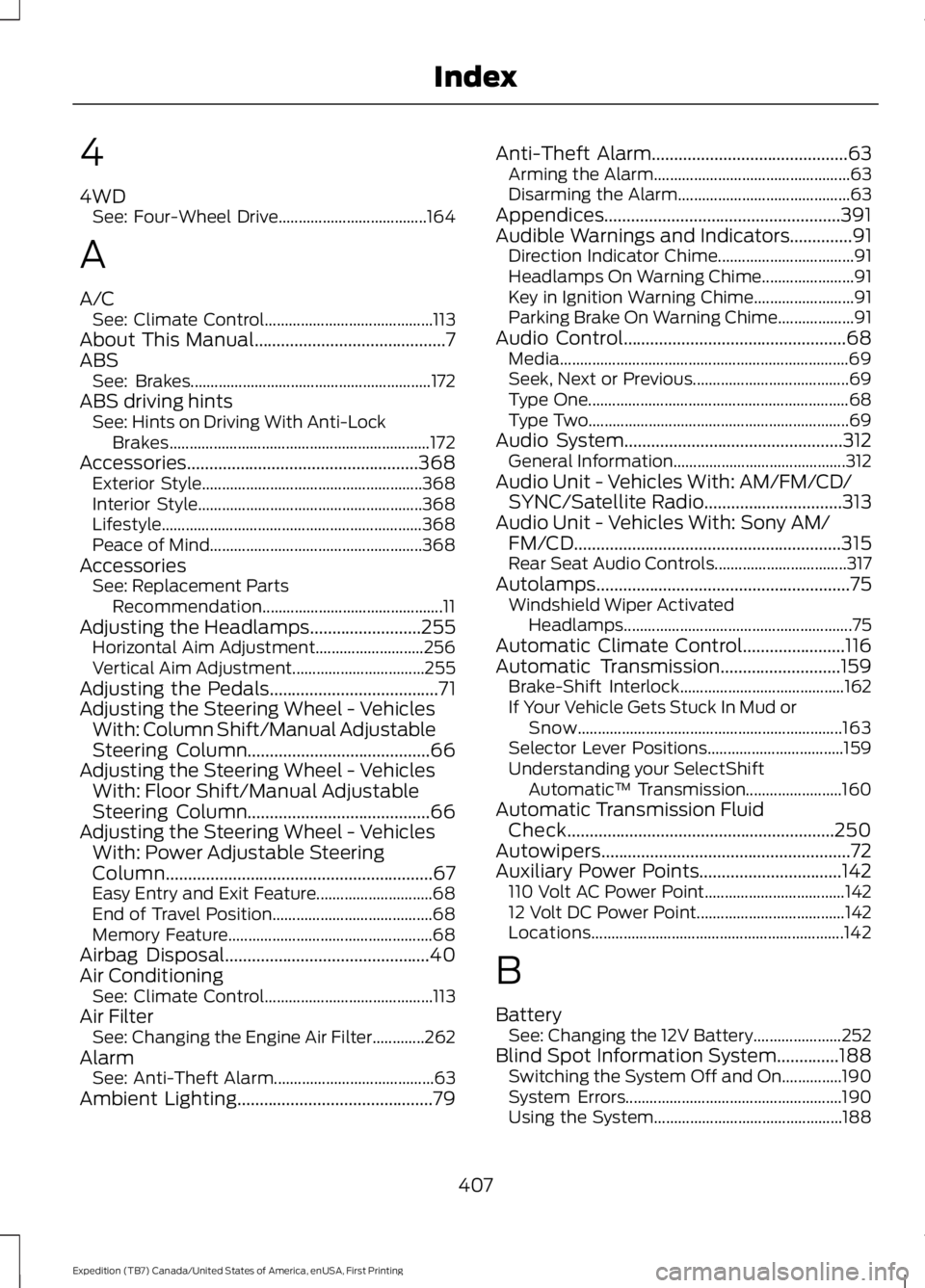
4
4WDSee: Four-Wheel Drive.....................................164
A
A/CSee: Climate Control..........................................113About This Manual...........................................7ABSSee: Brakes............................................................172ABS driving hintsSee: Hints on Driving With Anti-LockBrakes.................................................................172Accessories....................................................368Exterior Style.......................................................368Interior Style........................................................368Lifestyle.................................................................368Peace of Mind.....................................................368AccessoriesSee: Replacement PartsRecommendation.............................................11Adjusting the Headlamps.........................255Horizontal Aim Adjustment...........................256Vertical Aim Adjustment.................................255Adjusting the Pedals......................................71Adjusting the Steering Wheel - VehiclesWith: Column Shift/Manual AdjustableSteering Column.........................................66Adjusting the Steering Wheel - VehiclesWith: Floor Shift/Manual AdjustableSteering Column.........................................66Adjusting the Steering Wheel - VehiclesWith: Power Adjustable SteeringColumn............................................................67Easy Entry and Exit Feature.............................68End of Travel Position........................................68Memory Feature...................................................68Airbag Disposal..............................................40Air ConditioningSee: Climate Control..........................................113Air FilterSee: Changing the Engine Air Filter.............262AlarmSee: Anti-Theft Alarm........................................63Ambient Lighting............................................79
Anti-Theft Alarm............................................63Arming the Alarm.................................................63Disarming the Alarm...........................................63Appendices.....................................................391Audible Warnings and Indicators..............91Direction Indicator Chime..................................91Headlamps On Warning Chime.......................91Key in Ignition Warning Chime.........................91Parking Brake On Warning Chime...................91Audio Control..................................................68Media........................................................................69Seek, Next or Previous.......................................69Type One.................................................................68Type Two.................................................................69Audio System.................................................312General Information...........................................312Audio Unit - Vehicles With: AM/FM/CD/SYNC/Satellite Radio...............................313Audio Unit - Vehicles With: Sony AM/FM/CD............................................................315Rear Seat Audio Controls.................................317Autolamps.........................................................75Windshield Wiper ActivatedHeadlamps.........................................................75Automatic Climate Control.......................116Automatic Transmission...........................159Brake-Shift Interlock.........................................162If Your Vehicle Gets Stuck In Mud orSnow..................................................................163Selector Lever Positions..................................159Understanding your SelectShiftAutomatic™ Transmission........................160Automatic Transmission FluidCheck............................................................250Autowipers........................................................72Auxiliary Power Points................................142110 Volt AC Power Point...................................14212 Volt DC Power Point.....................................142Locations...............................................................142
B
BatterySee: Changing the 12V Battery......................252Blind Spot Information System..............188Switching the System Off and On...............190System Errors......................................................190Using the System...............................................188
407
Expedition (TB7) Canada/United States of America, enUSA, First Printing
Index
Page 412 of 421
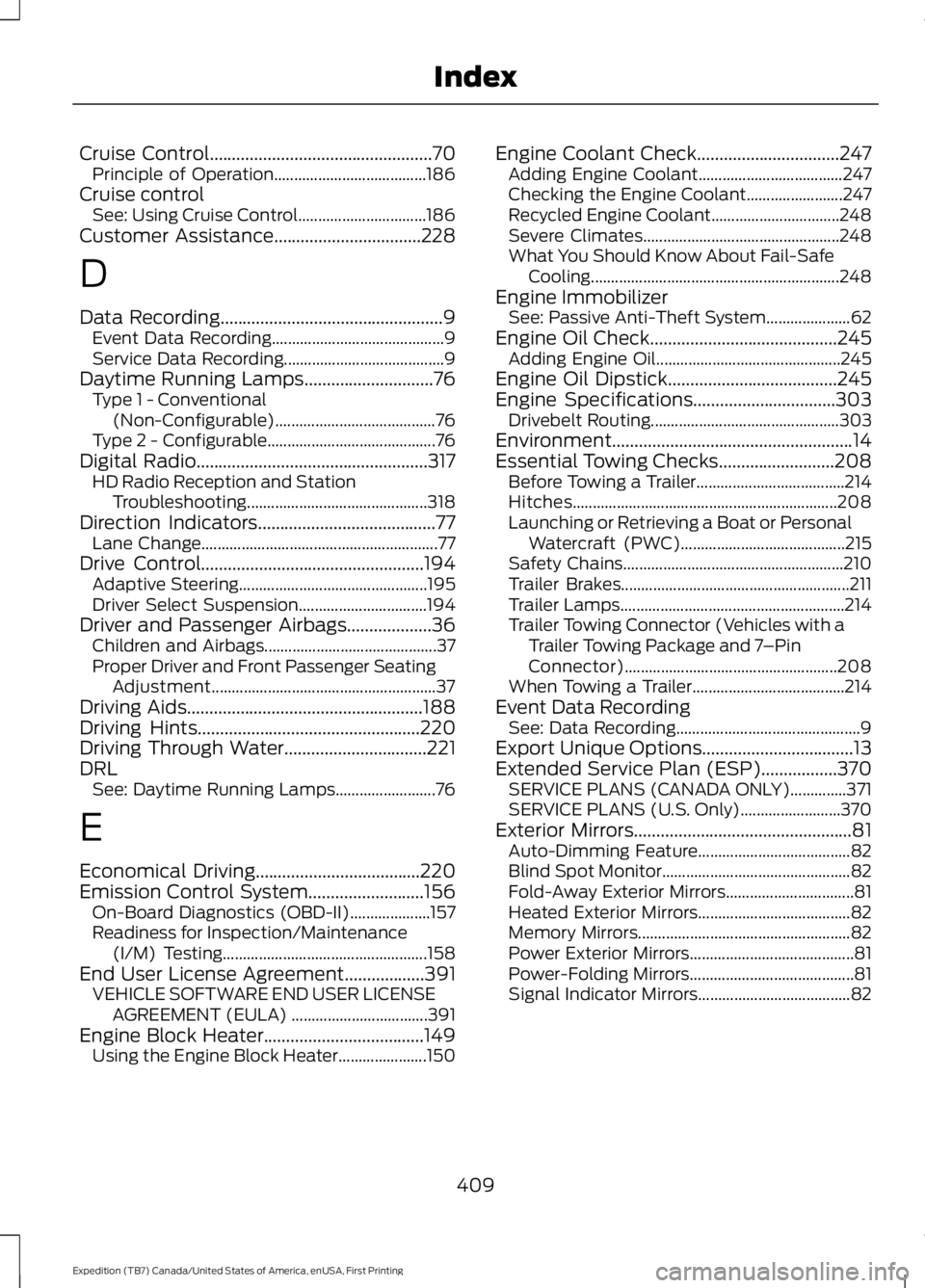
Cruise Control..................................................70Principle of Operation......................................186Cruise controlSee: Using Cruise Control................................186Customer Assistance.................................228
D
Data Recording..................................................9Event Data Recording...........................................9Service Data Recording........................................9Daytime Running Lamps.............................76Type 1 - Conventional(Non-Configurable)........................................76Type 2 - Configurable..........................................76Digital Radio....................................................317HD Radio Reception and StationTroubleshooting.............................................318Direction Indicators........................................77Lane Change...........................................................77Drive Control..................................................194Adaptive Steering...............................................195Driver Select Suspension................................194Driver and Passenger Airbags...................36Children and Airbags...........................................37Proper Driver and Front Passenger SeatingAdjustment........................................................37Driving Aids.....................................................188Driving Hints..................................................220Driving Through Water................................221DRLSee: Daytime Running Lamps.........................76
E
Economical Driving.....................................220Emission Control System..........................156On-Board Diagnostics (OBD-II)....................157Readiness for Inspection/Maintenance(I/M) Testing...................................................158End User License Agreement..................391VEHICLE SOFTWARE END USER LICENSEAGREEMENT (EULA) ..................................391Engine Block Heater....................................149Using the Engine Block Heater......................150
Engine Coolant Check................................247Adding Engine Coolant....................................247Checking the Engine Coolant........................247Recycled Engine Coolant................................248Severe Climates.................................................248What You Should Know About Fail-SafeCooling..............................................................248Engine ImmobilizerSee: Passive Anti-Theft System.....................62Engine Oil Check..........................................245Adding Engine Oil..............................................245Engine Oil Dipstick......................................245Engine Specifications................................303Drivebelt Routing...............................................303Environment......................................................14Essential Towing Checks..........................208Before Towing a Trailer.....................................214Hitches..................................................................208Launching or Retrieving a Boat or PersonalWatercraft (PWC).........................................215Safety Chains.......................................................210Trailer Brakes.........................................................211Trailer Lamps........................................................214Trailer Towing Connector (Vehicles with aTrailer Towing Package and 7–PinConnector).....................................................208When Towing a Trailer......................................214Event Data RecordingSee: Data Recording..............................................9Export Unique Options..................................13Extended Service Plan (ESP).................370SERVICE PLANS (CANADA ONLY)..............371SERVICE PLANS (U.S. Only).........................370Exterior Mirrors.................................................81Auto-Dimming Feature......................................82Blind Spot Monitor...............................................82Fold-Away Exterior Mirrors................................81Heated Exterior Mirrors......................................82Memory Mirrors.....................................................82Power Exterior Mirrors.........................................81Power-Folding Mirrors.........................................81Signal Indicator Mirrors......................................82
409
Expedition (TB7) Canada/United States of America, enUSA, First Printing
Index