cruise control FORD EXPEDITION EL 2017 Owners Manual
[x] Cancel search | Manufacturer: FORD, Model Year: 2017, Model line: EXPEDITION EL, Model: FORD EXPEDITION EL 2017Pages: 500, PDF Size: 6.13 MB
Page 5 of 500
Adjusting the Steering Wheel - VehiclesWith: Power Adjustable SteeringColumn..........................................................66
Audio Control...................................................67
Voice Control...................................................68
Cruise Control.................................................69
Information Display Control......................69
Heated Steering Wheel...............................69
Pedals
Adjusting the Pedals.....................................70
Wipers and Washers
Windshield Wipers..........................................71
Autowipers.........................................................71
Windshield Washers......................................72
Rear Window Wiper and Washers...........72
Lighting
General Information......................................73
Lighting Control...............................................73
Autolamps........................................................74
Instrument Lighting Dimmer......................75
Daytime Running Lamps.............................75
Front Fog Lamps............................................76
Direction Indicators........................................76
Interior Lamps..................................................77
Ambient Lighting............................................78
Windows and Mirrors
Power Windows..............................................79
Exterior Mirrors...............................................80
Interior Mirror....................................................81
Childminder Mirror..........................................81
Rear Quarter Windows................................82
Sun Visors.........................................................82
Moonroof...........................................................82
Instrument Cluster
Gauges...............................................................84
Warning Lamps and Indicators.................87
Audible Warnings and Indicators............90
Information Displays
General Information.......................................91
Information Messages................................102
Climate Control
Manual Climate Control..............................112
Manual Climate Control - Vehicles With:Electronic Manual TemperatureControl (EMTC)..........................................113
Automatic Climate Control........................115
Hints on Controlling the InteriorClimate..........................................................116
Rear Passenger Climate Controls...........119
Heated Windows and Mirrors..................120
Remote Start.................................................120
Seats
Sitting in the Correct Position...................121
Head Restraints..............................................121
Manual Seats.................................................123
Power Seats....................................................124
Memory Function..........................................125
Rear Seats.......................................................126
Heated Seats..................................................133
Climate Controlled Seats..........................134
Universal Garage DoorOpener
Universal Garage Door Opener...............136
Auxiliary Power Points
Auxiliary Power Points.................................141
Storage Compartments
Center Console..............................................143
Overhead Console........................................143
2
Expedition (TB7) Canada/United States of America, enUSA, Edition date: 03/2016, First Printing
Table of Contents
Page 6 of 500
Starting and Stopping theEngine
General Information....................................144
Ignition Switch...............................................144
Keyless Starting............................................144
Steering Wheel Lock...................................145
Starting a Gasoline Engine.......................145
Engine Block Heater....................................148
Fuel and Refueling
Safety Precautions......................................150
Fuel Quality......................................................151
Fuel Filler Funnel Location.........................151
Running Out of Fuel......................................151
Refueling..........................................................152
Fuel Consumption........................................155
Emission Control System..........................156
Transmission
Automatic Transmission...........................159
Four-Wheel Drive
Using Four-Wheel Drive.............................165
Rear Axle
Limited Slip Differential..............................172
Brakes
General Information.....................................173
Hints on Driving With Anti-LockBrakes............................................................173
Parking Brake..................................................174
Hill Start Assist..............................................174
Traction Control
Principle of Operation.................................176
Using Traction Control................................176
Stability Control
Principle of Operation..................................177
Using Stability Control................................178
Terrain Response
Using Hill Descent Control.......................180
Parking Aids
Principle of Operation.................................182
Rear Parking Aid............................................182
Front Parking Aid..........................................183
Rear View Camera.......................................184
Cruise Control
Principle of Operation.................................187
Using Cruise Control....................................187
Driving Aids
Blind Spot Information System..............189
Steering............................................................193
Drive Control..................................................194
Self-Leveling Suspension.........................194
Load Carrying
Rear Under Floor Storage.........................196
Roof Racks and Load Carriers..................197
Load Limit.......................................................198
Towing
Towing a Trailer............................................203
Trailer Sway Control...................................204
Recommended Towing Weights...........204
Essential Towing Checks..........................207
Towing Points.................................................214
Towing the Vehicle on Four Wheels......215
Driving Hints
Breaking-In......................................................218
Reduced Engine Performance.................218
3
Expedition (TB7) Canada/United States of America, enUSA, Edition date: 03/2016, First Printing
Table of Contents
Page 11 of 500
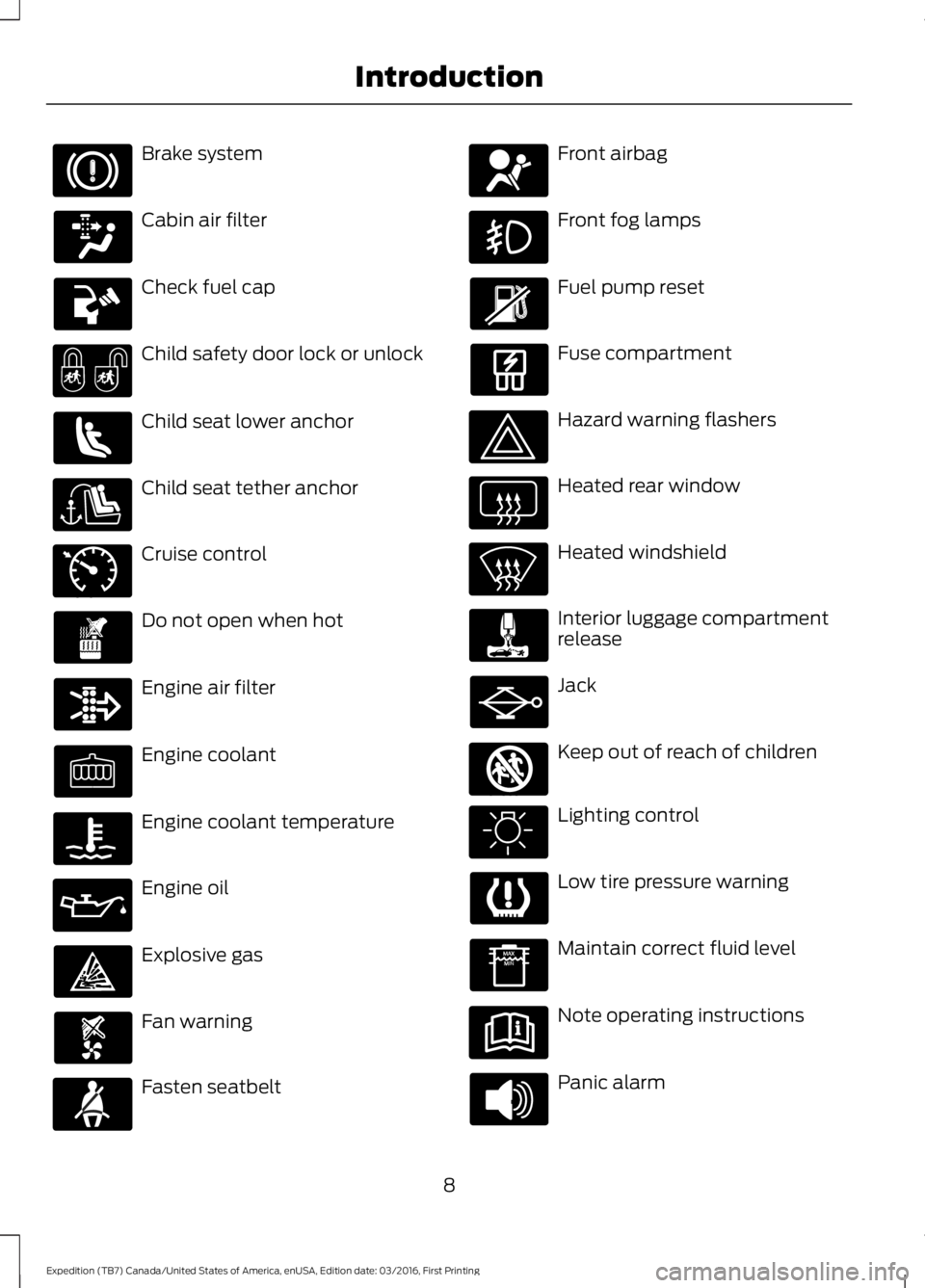
Brake system
Cabin air filter
Check fuel cap
Child safety door lock or unlock
Child seat lower anchor
Child seat tether anchor
Cruise control
Do not open when hot
Engine air filter
Engine coolant
Engine coolant temperature
Engine oil
Explosive gas
Fan warning
Fasten seatbelt
Front airbag
Front fog lamps
Fuel pump reset
Fuse compartment
Hazard warning flashers
Heated rear window
Heated windshield
Interior luggage compartmentrelease
Jack
Keep out of reach of children
Lighting control
Low tire pressure warning
Maintain correct fluid level
Note operating instructions
Panic alarm
8
Expedition (TB7) Canada/United States of America, enUSA, Edition date: 03/2016, First Printing
Introduction E71340 E161353
Page 50 of 500
PRINCIPLE OF OPERATION
MyKey allows you to program keys withrestricted driving modes to promote gooddriving habits. All but one of the keysprogrammed to the vehicle can beactivated with these restricted modes.
Any keys that have not been programmedare referred to as administrator keys oradmin keys. They can be used to:
•Create a MyKey.
•Program configurable MyKey settings.
•Clear all MyKey features.
When you have programmed a MyKey, youcan access the following information usingthe information display:
•How many admin keys and MyKeys areprogrammed to your vehicle.
•The total distance your vehicle hastraveled using a MyKey.
Note:All MyKeys are programmed to thesame settings. You cannot program themindividually.
Note:For vehicles equipped with apush-button start switch: When both aMyKey and an admin key are present whenyou start your vehicle, the system recognizesthe admin key only.
Non-configurable Settings
The following settings cannot be changedby an admin key user:
•Belt-Minder or safety belt reminder.You cannot disable this feature. Theaudio system will mute when the frontseat occupants’ safety belts are notfastened.
•Early low fuel. The low fuel warning isactivated earlier, giving the MyKey usermore time to refuel.
•Driver assist features, if equipped onyour vehicle, are forced on: parking aid,blind spot information system (BLIS),cross traffic alert, lane departurewarning and forward collision warningsystem.
•Satellite radio adult contentrestrictions (available only in somemarkets).
Note:When you switch lane departurewarning off temporarily, it turns on at thenext ignition cycle.
Configurable Settings
With an admin key, you can configurecertain MyKey settings when you firstcreate a MyKey and before you recycle thekey or restart the vehicle. You can alsochange the settings afterward with anadmin key:
•A vehicle speed limit can be set.Warnings will be shown in the display,followed by an audible tone when yourvehicle reaches the set speed. Youcannot override the set speed by fullydepressing the accelerator pedal or bysetting cruise control.
WARNING
Do not set MyKey maximum speedlimit to a limit that will prevent thedriver from maintaining a safe speedconsidering posted speed limits andprevailing road conditions. The driver isalways responsible to drive in accordancewith local laws and prevailing conditions.Failure to do so could result in accident orinjury.
47
Expedition (TB7) Canada/United States of America, enUSA, Edition date: 03/2016, First Printing
MyKey™
Page 72 of 500
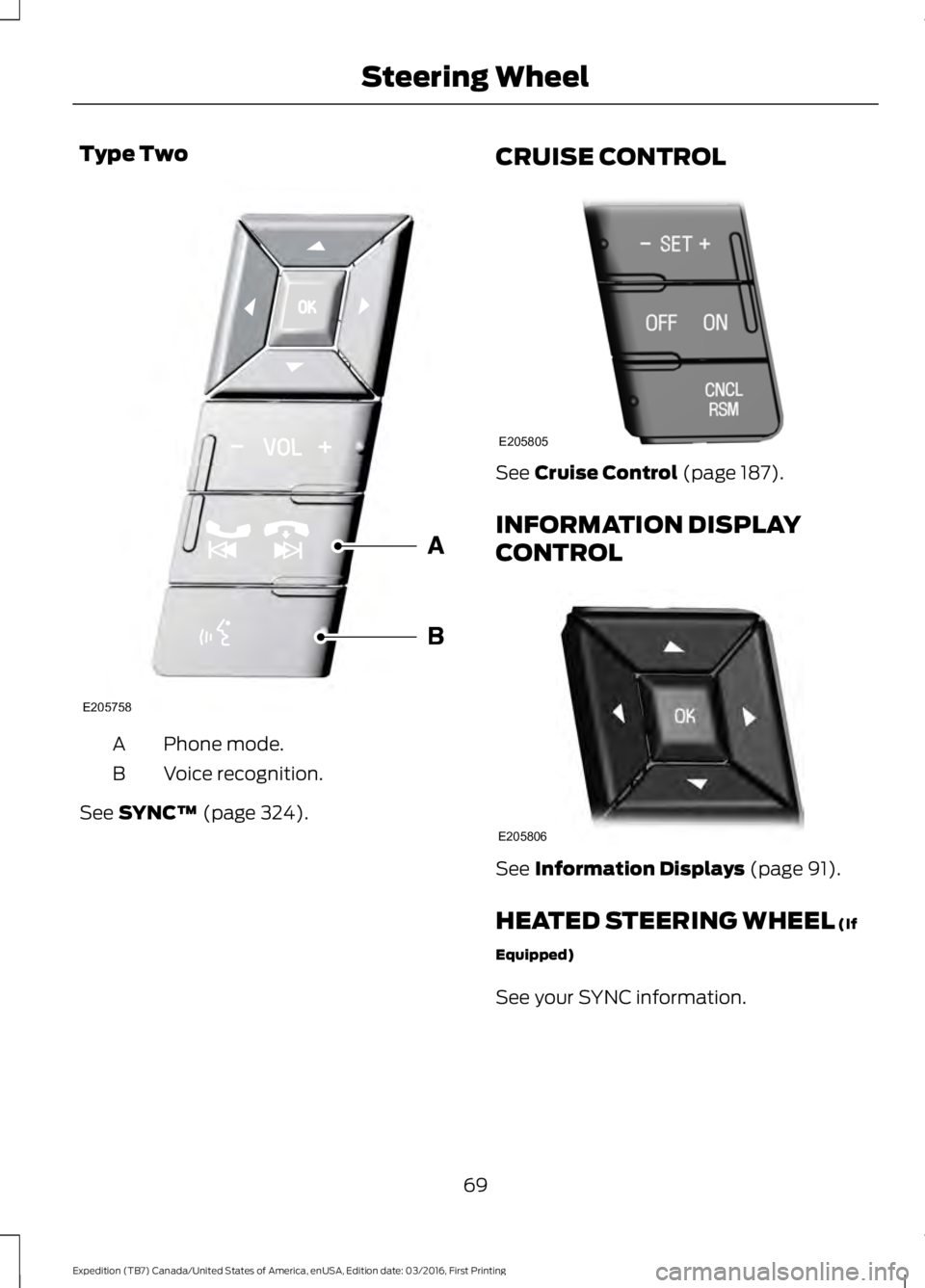
Type Two
Phone mode.A
Voice recognition.B
See SYNC™ (page 324).
CRUISE CONTROL
See Cruise Control (page 187).
INFORMATION DISPLAY
CONTROL
See Information Displays (page 91).
HEATED STEERING WHEEL (If
Equipped)
See your SYNC information.
69
Expedition (TB7) Canada/United States of America, enUSA, Edition date: 03/2016, First Printing
Steering WheelE205758 E205805 E205806
Page 90 of 500
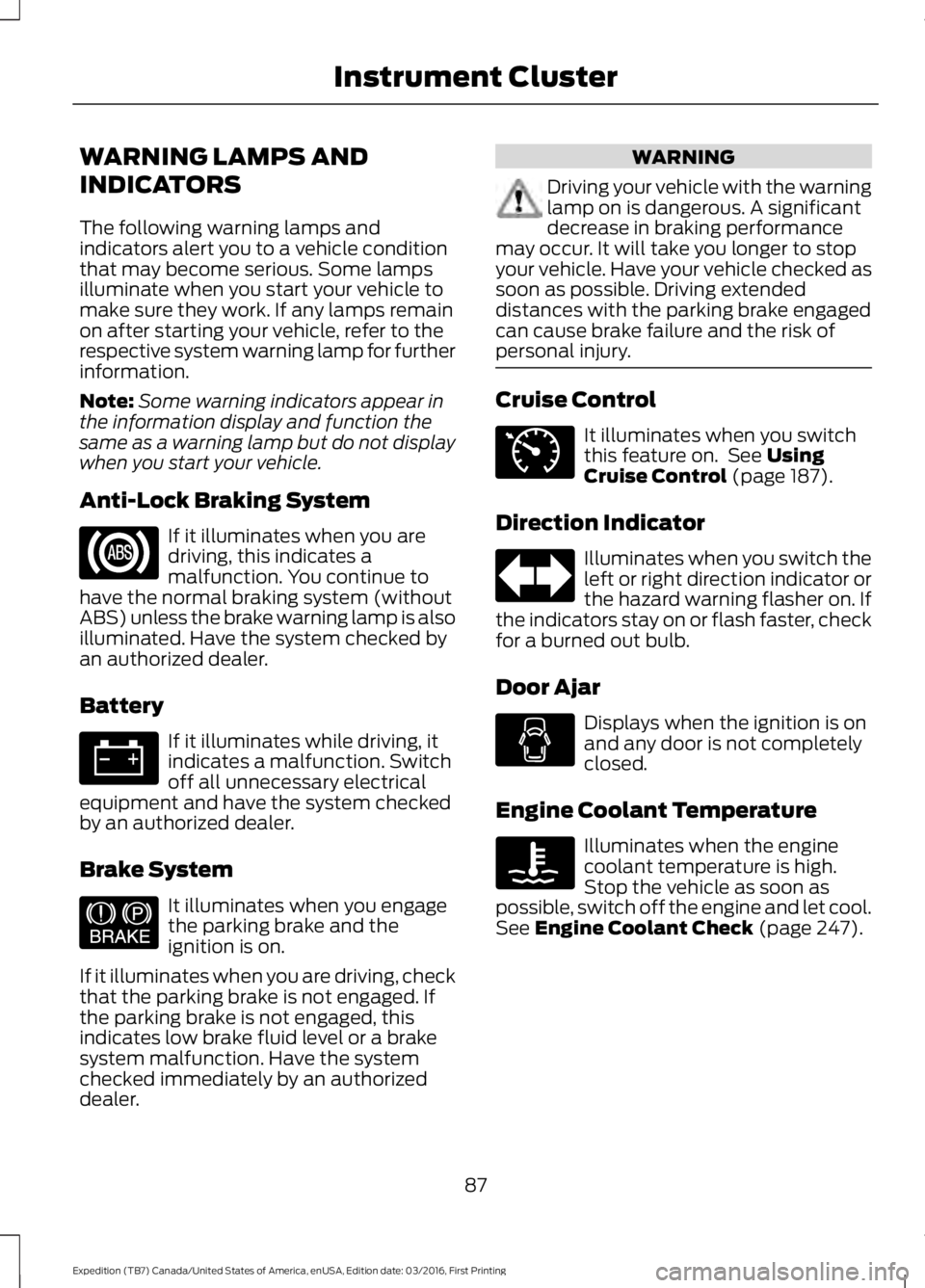
WARNING LAMPS AND
INDICATORS
The following warning lamps andindicators alert you to a vehicle conditionthat may become serious. Some lampsilluminate when you start your vehicle tomake sure they work. If any lamps remainon after starting your vehicle, refer to therespective system warning lamp for furtherinformation.
Note:Some warning indicators appear inthe information display and function thesame as a warning lamp but do not displaywhen you start your vehicle.
Anti-Lock Braking System
If it illuminates when you aredriving, this indicates amalfunction. You continue tohave the normal braking system (withoutABS) unless the brake warning lamp is alsoilluminated. Have the system checked byan authorized dealer.
Battery
If it illuminates while driving, itindicates a malfunction. Switchoff all unnecessary electricalequipment and have the system checkedby an authorized dealer.
Brake System
It illuminates when you engagethe parking brake and theignition is on.
If it illuminates when you are driving, checkthat the parking brake is not engaged. Ifthe parking brake is not engaged, thisindicates low brake fluid level or a brakesystem malfunction. Have the systemchecked immediately by an authorizeddealer.
WARNING
Driving your vehicle with the warninglamp on is dangerous. A significantdecrease in braking performancemay occur. It will take you longer to stopyour vehicle. Have your vehicle checked assoon as possible. Driving extendeddistances with the parking brake engagedcan cause brake failure and the risk ofpersonal injury.
Cruise Control
It illuminates when you switchthis feature on. See UsingCruise Control (page 187).
Direction Indicator
Illuminates when you switch theleft or right direction indicator orthe hazard warning flasher on. Ifthe indicators stay on or flash faster, checkfor a burned out bulb.
Door Ajar
Displays when the ignition is onand any door is not completelyclosed.
Engine Coolant Temperature
Illuminates when the enginecoolant temperature is high.Stop the vehicle as soon aspossible, switch off the engine and let cool.See Engine Coolant Check (page 247).
87
Expedition (TB7) Canada/United States of America, enUSA, Edition date: 03/2016, First Printing
Instrument Cluster E144522 E71340
Page 190 of 500
PRINCIPLE OF OPERATION
Cruise control lets you maintain a setspeed without keeping your foot on theaccelerator pedal. You can use cruisecontrol when your vehicle speed is greaterthan 20 mph (30 km/h).
USING CRUISE CONTROL
WARNINGS
Do not use cruise control on windingroads, in heavy traffic or when theroad surface is slippery. This couldresult in loss of vehicle control, seriousinjury or death.
When you are going downhill, yourvehicle speed may increase abovethe set speed. The system will notapply the brakes but a warning displays.Failure to follow this warning could resultin serious personal injury or death.
Note:Cruise control will disengage if thevehicle speed decreases more than 10 mph(16 km/h) below the set speed while drivinguphill.
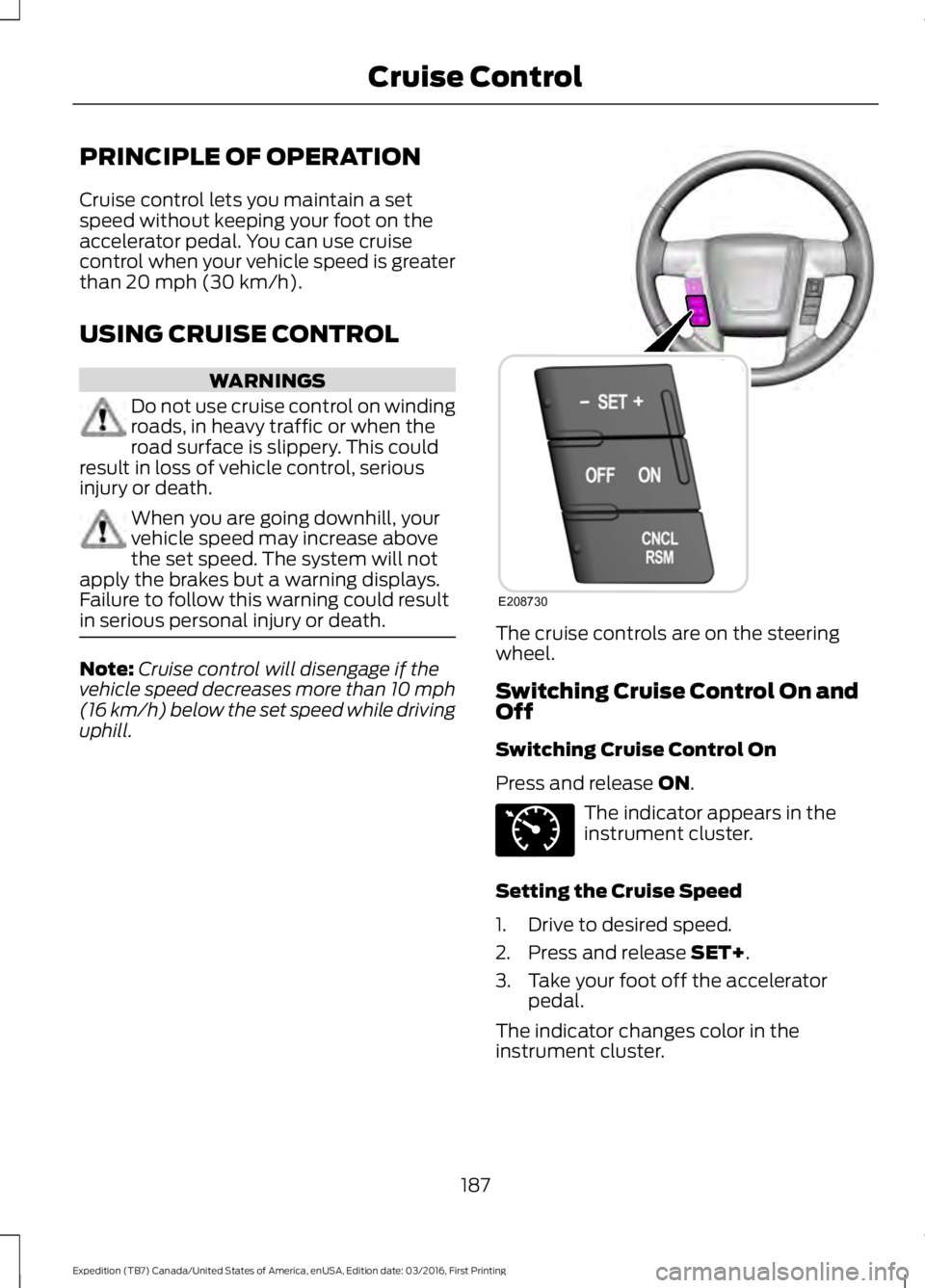
The cruise controls are on the steeringwheel.
Switching Cruise Control On andOff
Switching Cruise Control On
Press and release ON.
The indicator appears in theinstrument cluster.
Setting the Cruise Speed
1. Drive to desired speed.
2. Press and release SET+.
3. Take your foot off the acceleratorpedal.
The indicator changes color in theinstrument cluster.
187
Expedition (TB7) Canada/United States of America, enUSA, Edition date: 03/2016, First Printing
Cruise ControlE208730 E71340
Page 191 of 500
Changing the Set Speed
Note: If you accelerate by pressing theaccelerator pedal, the set speed will notchange. When you release the acceleratorpedal, your vehicle returns to the speed thatyou previously set.
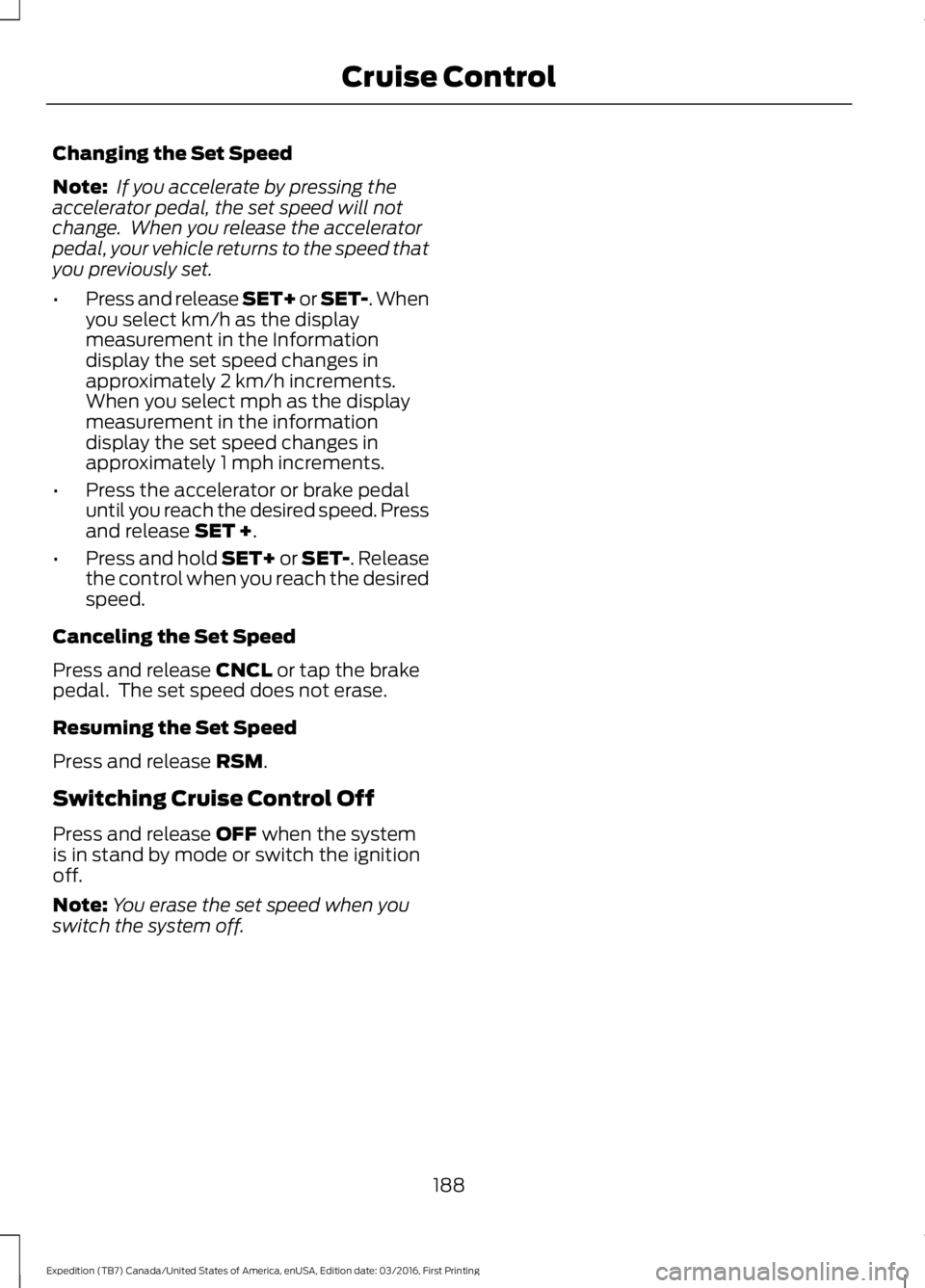
•Press and release SET+ or SET-. Whenyou select km/h as the displaymeasurement in the Informationdisplay the set speed changes inapproximately 2 km/h increments.When you select mph as the displaymeasurement in the informationdisplay the set speed changes inapproximately 1 mph increments.
•Press the accelerator or brake pedaluntil you reach the desired speed. Pressand release SET +.
•Press and hold SET+ or SET-. Releasethe control when you reach the desiredspeed.
Canceling the Set Speed
Press and release CNCL or tap the brakepedal. The set speed does not erase.
Resuming the Set Speed
Press and release RSM.
Switching Cruise Control Off
Press and release OFF when the systemis in stand by mode or switch the ignitionoff.
Note:You erase the set speed when youswitch the system off.
188
Expedition (TB7) Canada/United States of America, enUSA, Edition date: 03/2016, First Printing
Cruise Control
Page 491 of 500
Blind Spot Information System..............189False Alerts...........................................................192Switching the System Off and On...............193System Errors.......................................................192System Limitations............................................192Using the System...............................................189Bonnet LockSee: Opening and Closing the Hood..........243Booster Seats..................................................24Types of Booster Seats......................................25Brake Fluid Check........................................252Brakes................................................................173General Information...........................................173Breaking-In......................................................218Bulb Specification Chart..........................260
C
California Proposition 65..............................11Capacities and Specifications...............308Specifications.....................................................309Car WashSee: Cleaning the Exterior..............................265Center Console..............................................143Changing a Bulb...........................................257Central High-mounted Brake LampBulb...................................................................260Fog Lamp Bulb...................................................259Front Direction Indicator Bulb.......................258Headlamp Bulb..................................................258LED Central High-mounted Brake LampBulb...................................................................260LED Direction Indicator and Side MarkerBulbs..................................................................259LED Headlamp Bulb.........................................258LED Rear Lamp, Brake Lamp, Rear DirectionIndicator and Reverse LampBulbs.................................................................260License Plate Lamp Bulb...............................260Rear Lamp, Brake Lamp, Rear DirectionIndicator and Reverse LampBulbs..................................................................259Side Direction Indicator Bulb........................260Side Marker Bulb...............................................258Changing a Fuse............................................241Fuses.......................................................................241
Changing a Road Wheel............................297Dissimilar Spare Wheel and Tire AssemblyInformation......................................................297Location of the Spare Tire and Tools.........298Tire Change Procedure....................................299Changing the 12V Battery.........................253Battery Management System.......................254Changing the Engine Air Filter.................262Changing the Wiper Blades.....................255Checking MyKey System Status..............50Checking the Wiper Blades......................255Childminder Mirror..........................................81Child Restraint and SeatbeltMaintenance.................................................35Child Restraint Positioning.........................26Child Safety.......................................................16General Information.............................................16Child Safety Locks..........................................27Cleaning Leather Seats.............................268With King Ranch Edition.................................269Without King Ranch Edition..........................268Cleaning Products.......................................264Cleaning the Alloy Wheels.......................270Cleaning the Engine...................................266Cleaning the Exterior..................................265Exterior Chrome Parts......................................265Exterior Plastic Parts........................................265Stripes or Graphics............................................265Underbody...........................................................266Under Hood.........................................................266Cleaning the Instrument Panel andInstrument Cluster Lens........................268Cleaning the Interior....................................267Cleaning the Windows and WiperBlades............................................................267Clearing All MyKeys.......................................49Climate............................................................396Climate Control..............................................112Climate Controlled Seats..........................134Cooled Seats........................................................134Coolant CheckSee: Engine Coolant Check............................247Crash Sensors and Airbag Indicator.......40Creating a MyKey...........................................48Programming/Changing ConfigurableSettings...............................................................48Cruise Control.................................................69Principle of Operation.......................................187
488
Expedition (TB7) Canada/United States of America, enUSA, Edition date: 03/2016, First Printing
Index
Page 492 of 500
Cruise controlSee: Using Cruise Control................................187Customer Assistance.................................226
D
Data Recording..................................................9Event Data Recording..........................................10Service Data Recording........................................9Daytime Running Lamps.............................75Type 1 - Conventional(Non-Configurable)........................................75Type 2 - Configurable..........................................75Digital Radio...................................................318HD Radio Reception and StationTroubleshooting.............................................319Direction Indicators........................................76Lane Change..........................................................76Doors and Locks.............................................52Drive Control..................................................194Driver Select Suspension................................194Driver and Passenger Airbags....................37Children and Airbags..........................................38Proper Driver and Front Passenger SeatingAdjustment........................................................38Driving Aids.....................................................189Driving Hints...................................................218Driving Through Water................................219DRLSee: Daytime Running Lamps.........................75
E
Economical Driving......................................218Emission Control System..........................156On-Board Diagnostics (OBD-II)....................157Readiness for Inspection and Maintenance(I/M) Testing....................................................157End User License Agreement.................462VEHICLE SOFTWARE END USER LICENSEAGREEMENT (EULA) .................................462Engine Block Heater....................................148Using the Engine Block Heater......................149Engine Coolant Check................................247Adding Coolant...................................................247Coolant Change.................................................249Engine Coolant TemperatureManagement..................................................250
Fail-Safe Cooling...............................................249Recycled Coolant..............................................248Severe Climates.................................................249Engine ImmobilizerSee: Passive Anti-Theft System......................61Engine Oil Check..........................................245Adding Engine Oil..............................................245Engine Oil Dipstick......................................245Engine Specifications................................304Drivebelt Routing...............................................304Entertainment..............................................386AM/FM Radio......................................................387Apps.......................................................................395Bluetooth Stereo or USB................................394CD (If equipped)................................................393HD Radio™ Information (IfAvailable)........................................................390SIRIUS® Satellite Radio (IfActivated).......................................................388Sources.................................................................386Supported Media Players, Formats andMetadata Information................................395USB Ports.............................................................395Environment......................................................15Essential Towing Checks..........................207Before Towing a Trailer.....................................213Hitches...................................................................207Launching or Retrieving a Boat or PersonalWatercraft (PWC).........................................214Safety Chains......................................................209Trailer Brakes........................................................210Trailer Lamps........................................................213Trailer Towing Connector (Vehicles with aTrailer Towing Package and 7–PinConnector)......................................................207When Towing a Trailer.......................................213Event Data RecordingSee: Data Recording..............................................9Export Unique Options..................................13Exterior Mirrors...............................................80Auto-Dimming Feature.......................................81Blind Spot Monitor...............................................81Fold-Away Exterior Mirrors..............................80Heated Exterior Mirrors.......................................81Memory Mirrors......................................................81Power Exterior Mirrors........................................80Power-Folding Mirrors.......................................80Signal Indicator Mirrors.......................................81
489
Expedition (TB7) Canada/United States of America, enUSA, Edition date: 03/2016, First Printing
Index