transmission oil FORD EXPEDITION EL 2017 Owners Manual
[x] Cancel search | Manufacturer: FORD, Model Year: 2017, Model line: EXPEDITION EL, Model: FORD EXPEDITION EL 2017Pages: 500, PDF Size: 6.13 MB
Page 7 of 500
Economical Driving......................................218
Driving Through Water................................219
Floor Mats........................................................219
Roadside Emergencies
Roadside Assistance...................................221
Hazard Warning Flashers..........................222
Fuel Shutoff...................................................222
Jump Starting the Vehicle.........................223
Customer Assistance
Getting the Services You Need...............226
In California (U.S. Only).............................227
The Better Business Bureau (BBB) AutoLine Program (U.S. Only)......................228
Utilizing the Mediation/ArbitrationProgram (Canada Only).......................229
Getting Assistance Outside the U.S. andCanada........................................................229
Ordering Additional Owner'sLiterature....................................................230
Reporting Safety Defects (U.S.Only)..............................................................231
Reporting Safety Defects (CanadaOnly)..............................................................231
Fuses
Fuse Specification Chart...........................233
Changing a Fuse............................................241
Maintenance
General Information...................................243
Opening and Closing the Hood..............243
Under Hood Overview...............................244
Engine Oil Dipstick......................................245
Engine Oil Check..........................................245
Oil Change Indicator Reset......................246
Engine Coolant Check................................247
Automatic Transmission FluidCheck............................................................251
Transfer Case Fluid Check.........................251
Brake Fluid Check........................................252
Washer Fluid Check....................................252
Fuel Filter........................................................253
Changing the 12V Battery.........................253
Checking the Wiper Blades......................255
Changing the Wiper Blades.....................255
Adjusting the Headlamps........................256
Removing a Headlamp..............................257
Changing a Bulb...........................................257
Bulb Specification Chart..........................260
Changing the Engine Air Filter.................262
Vehicle Care
General Information...................................264
Cleaning Products.......................................264
Cleaning the Exterior..................................265
Waxing.............................................................266
Cleaning the Engine...................................266
Cleaning the Windows and WiperBlades..........................................................267
Cleaning the Interior...................................267
Cleaning the Instrument Panel andInstrument Cluster Lens.......................268
Cleaning Leather Seats.............................268
Repairing Minor Paint Damage...............270
Cleaning the Alloy Wheels.......................270
Vehicle Storage.............................................270
Wheels and Tires
General Information....................................273
Tire Care..........................................................276
Using Snow Chains......................................291
Tire Pressure Monitoring System...........292
Changing a Road Wheel............................297
Technical Specifications...........................302
Capacities and Specific-ations
Engine Specifications................................304
Motorcraft Parts..........................................304
4
Expedition (TB7) Canada/United States of America, enUSA, Edition date: 03/2016, First Printing
Table of Contents
Page 97 of 500
Settings
Volume Limiter - check enabled or uncheck disabled
Always On or User SelectableDo Not Disturb
Hold OK to Clear All MyKeysClear MyKeys
Miles & Gallons, L/100km or km/LDistanceDisplay Setup
Fahrenheit or CelsiusTemperature
Select Language - Hold OK to set languageLanguage
*Some MyKey items only appear if a MyKey is set.
Main Menu (type 2)
From the main menu bar on the left sideof the information display, you can choosefrom the following categories:
•Display Mode.
•Trip/Fuel.
•Towing.
•Off Road.
•Settings.
Scroll up/down to highlight one of thecategories, then press the right arrow keyor OK to enter into that category. Press theleft arrow key as needed to exit back to themain menu.
Display Mode
Use the arrow buttons to choose betweenthe following display options.
Display Mode
Distance to Empty
Digital Speedometer - Press OK to change units
Gauge Detail (Oil pressure, Oil temperature and Transmission temperature)
Engine Information (Oil life, Engine hours and Engine idle hours)
Trip/Fuel
Use the arrow buttons to choose betweenthe following trip and fuel options.
Note:Press and hold OK to reset thecurrently displayed information.
94
Expedition (TB7) Canada/United States of America, enUSA, Edition date: 03/2016, First Printing
Information Displays
Page 101 of 500
Settings
°Fahrenheit or °CelsiusTemperature
Select Language - Hold OK to SetLanguage
*Some MyKey items only appear if a MyKey is set.
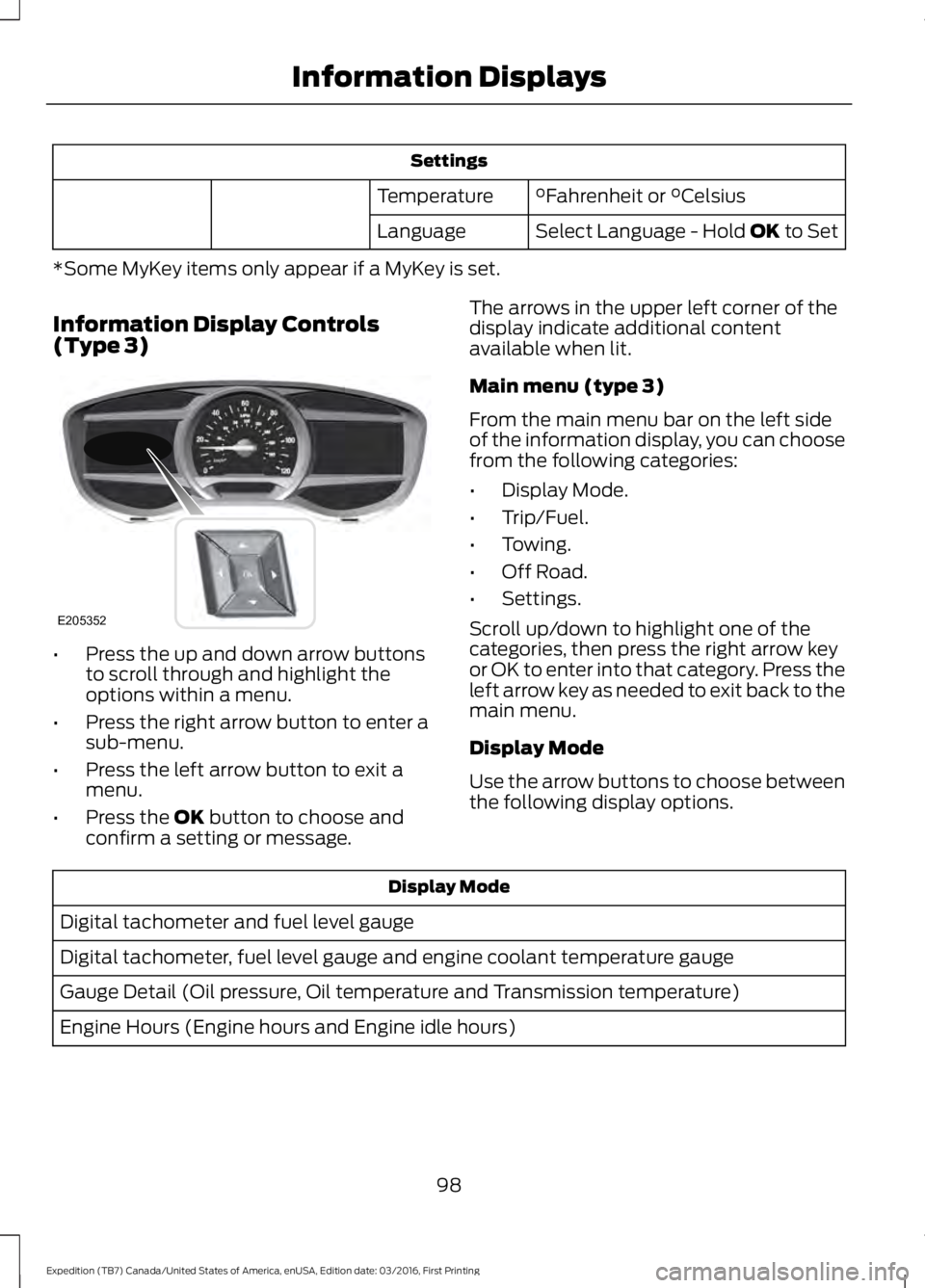
Information Display Controls(Type 3)
•Press the up and down arrow buttonsto scroll through and highlight theoptions within a menu.
•Press the right arrow button to enter asub-menu.
•Press the left arrow button to exit amenu.
•Press the OK button to choose andconfirm a setting or message.
The arrows in the upper left corner of thedisplay indicate additional contentavailable when lit.
Main menu (type 3)
From the main menu bar on the left sideof the information display, you can choosefrom the following categories:
•Display Mode.
•Trip/Fuel.
•Towing.
•Off Road.
•Settings.
Scroll up/down to highlight one of thecategories, then press the right arrow keyor OK to enter into that category. Press theleft arrow key as needed to exit back to themain menu.
Display Mode
Use the arrow buttons to choose betweenthe following display options.
Display Mode
Digital tachometer and fuel level gauge
Digital tachometer, fuel level gauge and engine coolant temperature gauge
Gauge Detail (Oil pressure, Oil temperature and Transmission temperature)
Engine Hours (Engine hours and Engine idle hours)
98
Expedition (TB7) Canada/United States of America, enUSA, Edition date: 03/2016, First Printing
Information DisplaysE205352
Page 160 of 500
an emission control device or prevent itfrom working. Information about yourvehicle’s emission system is on the VehicleEmission Control Information Decallocated on or near the engine. This decalalso lists engine displacement.
Please consult your warranty informationfor complete details.
On-Board Diagnostics (OBD-II)
Your vehicle has a computer known as theon-board diagnostics system (OBD-II) thatmonitors the engine’s emission controlsystem. The system protects theenvironment by making sure that yourvehicle continues to meet governmentemission standards. The OBD-II systemalso assists a service technician in properlyservicing your vehicle.
When the service engine soonindicator illuminates, the OBD-IIsystem has detected amalfunction. Temporary malfunctions maycause the service engine soon indicator toilluminate. Examples are:
1. Your vehicle has run out of fuel—theengine may misfire or run poorly.
2. Poor fuel quality or water in thefuel—the engine may misfire or runpoorly.
3. The fuel fill inlet may not have closedproperly. See Refueling (page 152).
4. Driving through deep water—theelectrical system may be wet.
You can correct these temporarymalfunctions by filling the fuel tank withgood quality fuel, properly closing the fuelfill inlet or letting the electrical system dryout. After three driving cycles without theseor any other temporary malfunctions
present, the service engine soon indicatorshould stay off the next time you start theengine. A driving cycle consists of a coldengine startup followed by mixed city andhighway driving. No additional vehicleservice is required.
If the service engine soon indicator remainson, have your vehicle serviced at the firstavailable opportunity. Although somemalfunctions detected by the OBD-II maynot have symptoms that are apparent,continued driving with the service enginesoon indicator on can result in increasedemissions, lower fuel economy, reducedengine and transmission smoothness andlead to more costly repairs.
Readiness for Inspection andMaintenance (I/M) Testing
Some state and provincial and localgovernments may haveInspection/Maintenance (I/M) programsto inspect the emission control equipmenton your vehicle. Failure to pass thisinspection could prevent you from gettinga vehicle registration.
If the service engine soonindicator is on or the bulb doesnot work, your vehicle may needservice. See On-Board Diagnostics.
Your vehicle may not pass the I/M test ifthe service engine soon indicator is on ornot working properly (bulb is burned out),or if the OBD-II system has determinedthat some of the emission control systemshave not been properly checked. In thiscase, the vehicle is not ready for I/Mtesting.
If the vehicle’s engine or transmission hasjust been serviced, or the battery hasrecently run down or been replaced, theOBD-II system may indicate that thevehicle is not ready for I/M testing. Todetermine if the vehicle is ready for I/Mtesting, turn the ignition key to the on
157
Expedition (TB7) Canada/United States of America, enUSA, Edition date: 03/2016, First Printing
Fuel and Refueling
Page 248 of 500
Engine oil filler cap. See Engine Oil Check (page 245).C.
Engine oil dipstick. See Engine Oil Dipstick (page 245).D.
Brake fluid reservoir. See Brake Fluid Check (page 252).E.
Engine coolant reservoir. See Engine Coolant Check (page 247).F.
Air filter assembly. See Changing the Engine Air Filter (page 262).G.
Power distribution box. See Fuses (page 233).H.
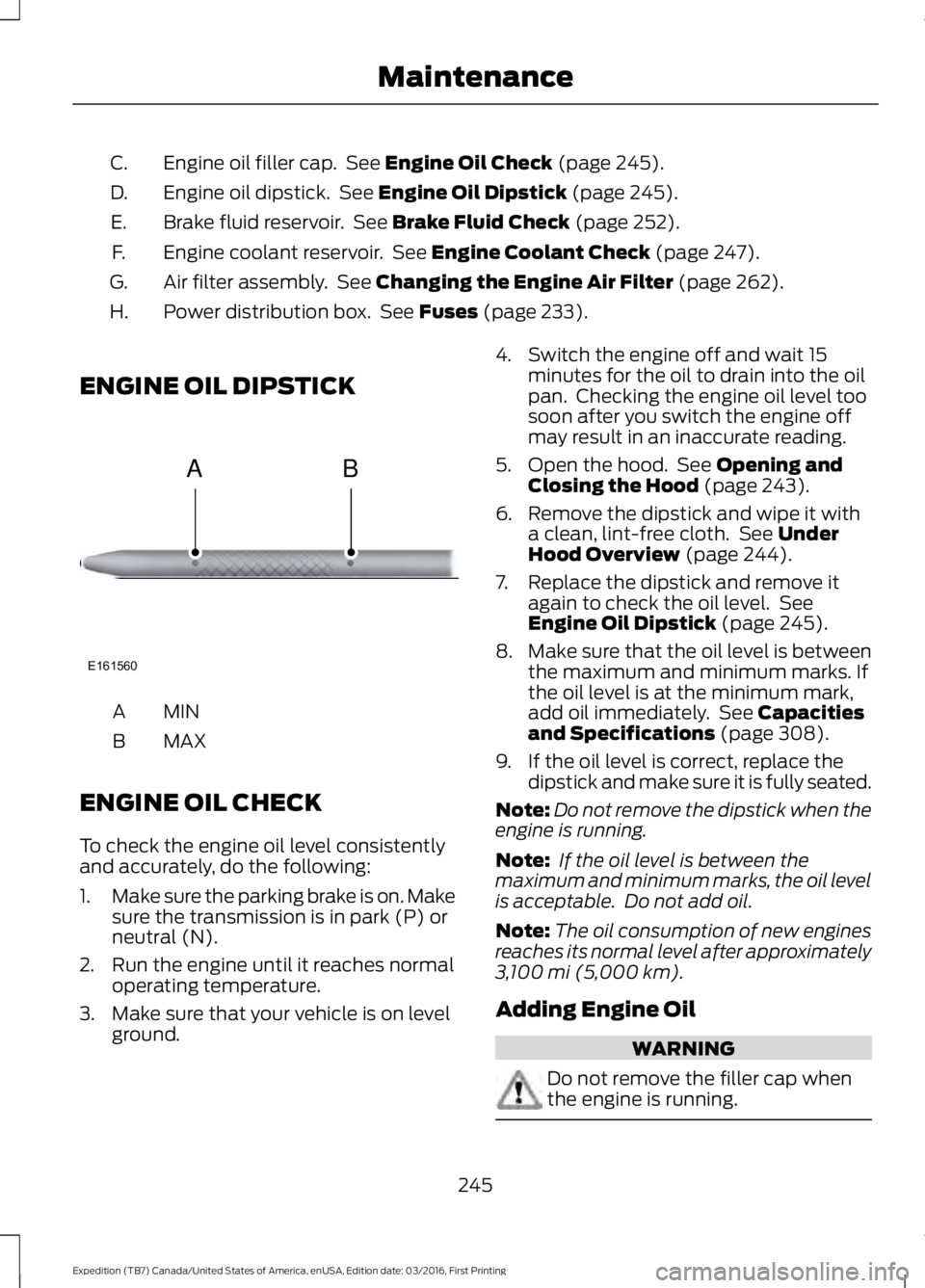
ENGINE OIL DIPSTICK
MINA
MAXB
ENGINE OIL CHECK
To check the engine oil level consistentlyand accurately, do the following:
1.Make sure the parking brake is on. Makesure the transmission is in park (P) orneutral (N).
2. Run the engine until it reaches normaloperating temperature.
3. Make sure that your vehicle is on levelground.
4. Switch the engine off and wait 15minutes for the oil to drain into the oilpan. Checking the engine oil level toosoon after you switch the engine offmay result in an inaccurate reading.
5. Open the hood. See Opening andClosing the Hood (page 243).
6. Remove the dipstick and wipe it witha clean, lint-free cloth. See UnderHood Overview (page 244).
7. Replace the dipstick and remove itagain to check the oil level. SeeEngine Oil Dipstick (page 245).
8.Make sure that the oil level is betweenthe maximum and minimum marks. Ifthe oil level is at the minimum mark,add oil immediately. See Capacitiesand Specifications (page 308).
9. If the oil level is correct, replace thedipstick and make sure it is fully seated.
Note:Do not remove the dipstick when theengine is running.
Note: If the oil level is between themaximum and minimum marks, the oil levelis acceptable. Do not add oil.
Note:The oil consumption of new enginesreaches its normal level after approximately3,100 mi (5,000 km).
Adding Engine Oil
WARNING
Do not remove the filler cap whenthe engine is running.
245
Expedition (TB7) Canada/United States of America, enUSA, Edition date: 03/2016, First Printing
MaintenanceE161560
AB
Page 307 of 500
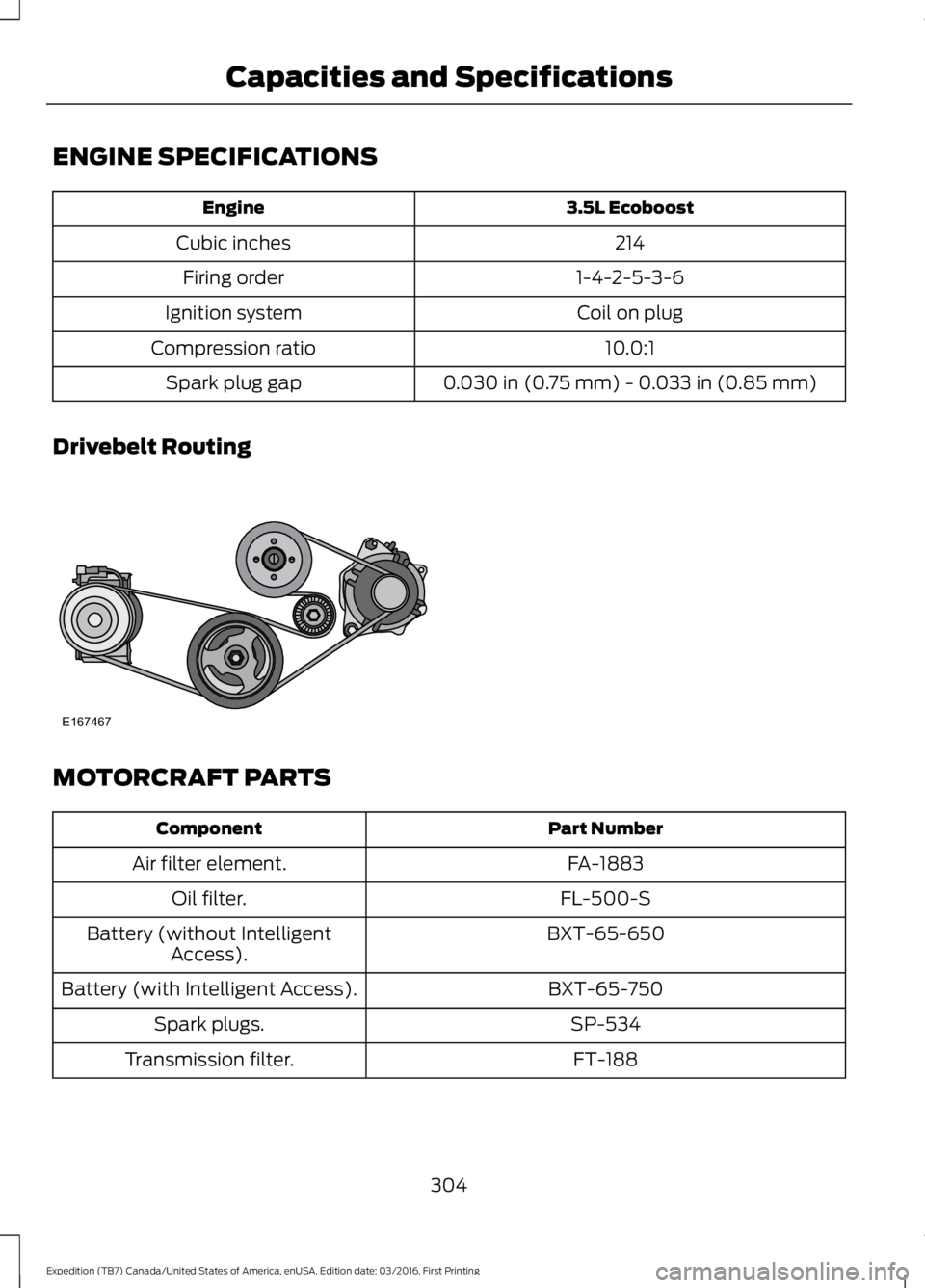
ENGINE SPECIFICATIONS
3.5L EcoboostEngine
214Cubic inches
1-4-2-5-3-6Firing order
Coil on plugIgnition system
10.0:1Compression ratio
0.030 in (0.75 mm) - 0.033 in (0.85 mm)Spark plug gap
Drivebelt Routing
MOTORCRAFT PARTS
Part NumberComponent
FA-1883Air filter element.
FL-500-SOil filter.
BXT-65-650Battery (without IntelligentAccess).
BXT-65-750Battery (with Intelligent Access).
SP-534Spark plugs.
FT-188Transmission filter.
304
Expedition (TB7) Canada/United States of America, enUSA, Edition date: 03/2016, First Printing
Capacities and SpecificationsE167467
Page 311 of 500
CAPACITIES AND SPECIFICATIONS
Capacities
WARNING
The air conditioning refrigerant system contains refrigerant under high pressure.Only qualified personnel should service the air conditioning refrigerant system.Opening the air conditioning refrigerant system can cause personal injury.
CapacityItem
6.0 qt (5.7 L)Engine oil (with oil filter).
18.5 qt (17.5 L)Engine coolant (Base radiator with auxiliaryrear heat).
18.0 qt (17 L)Engine coolant (Heavy Duty trailer towingwith auxiliary rear heat).
Between MIN and MAX on brake fluid
reservoir1Brake fluid.
3.5 pt (1.7 L)Front axle.
4.5 pt (2.1 L)2Rear axle (Conventional differential).
4.25 pt (2.01 L)2,3Rear axle (Limited-slip differential).
13.1 qt (12.4 L)4Automatic transmission fluid.
1.5 qt (1.4 L)Transfer case fluid.
Fill as requiredWindshield washer fluid.
28.0 gal (106 L)Fuel tank.
33.5 gal (126.8 L)Fuel tank (Expedition EL).
44 oz (1.25 kg)A/C refrigerant.
308
Expedition (TB7) Canada/United States of America, enUSA, Edition date: 03/2016, First Printing
Capacities and Specifications
Page 315 of 500
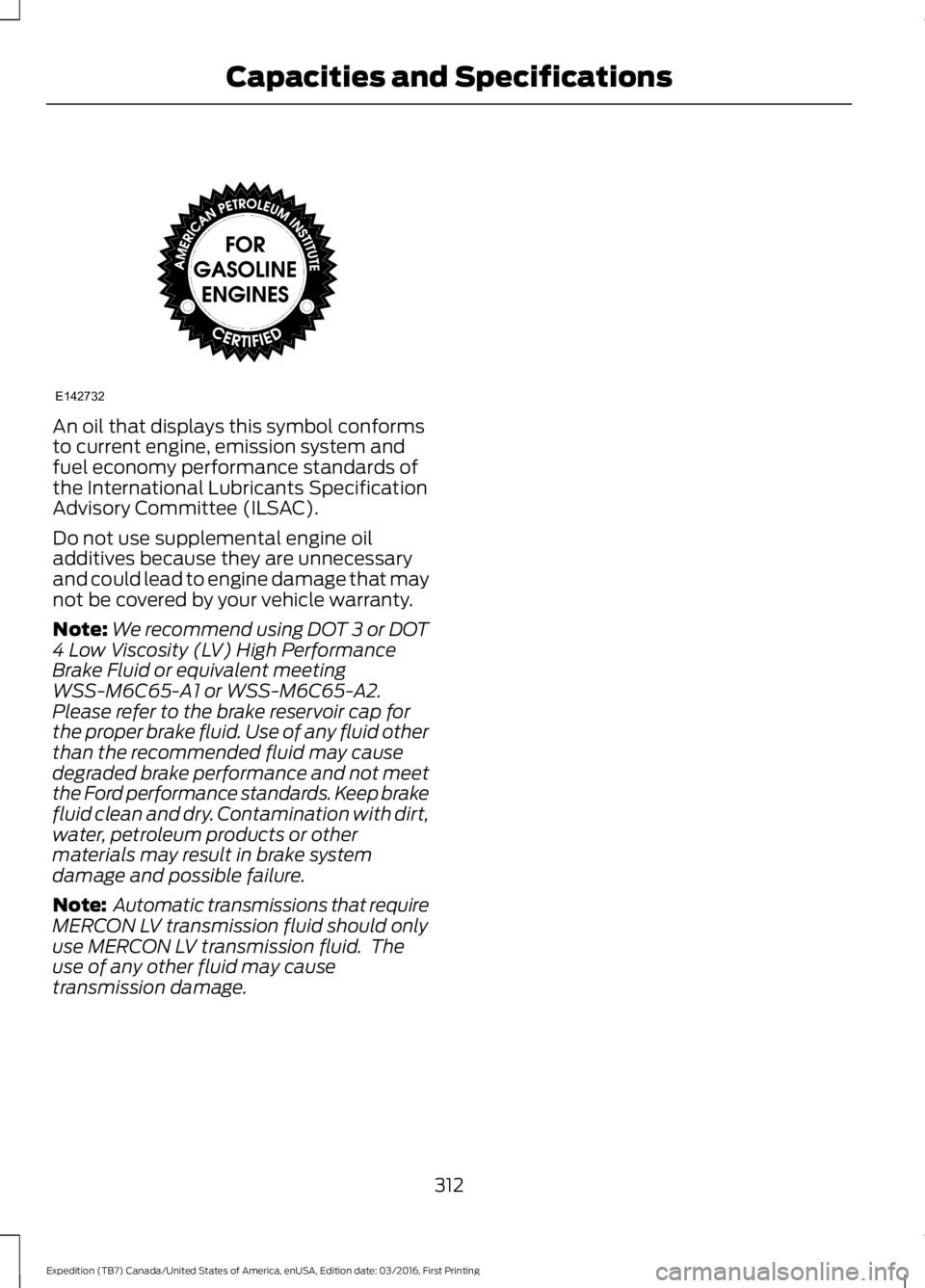
An oil that displays this symbol conformsto current engine, emission system andfuel economy performance standards ofthe International Lubricants SpecificationAdvisory Committee (ILSAC).
Do not use supplemental engine oiladditives because they are unnecessaryand could lead to engine damage that maynot be covered by your vehicle warranty.
Note:We recommend using DOT 3 or DOT4 Low Viscosity (LV) High PerformanceBrake Fluid or equivalent meetingWSS-M6C65-A1 or WSS-M6C65-A2.Please refer to the brake reservoir cap forthe proper brake fluid. Use of any fluid otherthan the recommended fluid may causedegraded brake performance and not meetthe Ford performance standards. Keep brakefluid clean and dry. Contamination with dirt,water, petroleum products or othermaterials may result in brake systemdamage and possible failure.
Note: Automatic transmissions that requireMERCON LV transmission fluid should onlyuse MERCON LV transmission fluid. Theuse of any other fluid may causetransmission damage.
312
Expedition (TB7) Canada/United States of America, enUSA, Edition date: 03/2016, First Printing
Capacities and SpecificationsE142732
Page 449 of 500
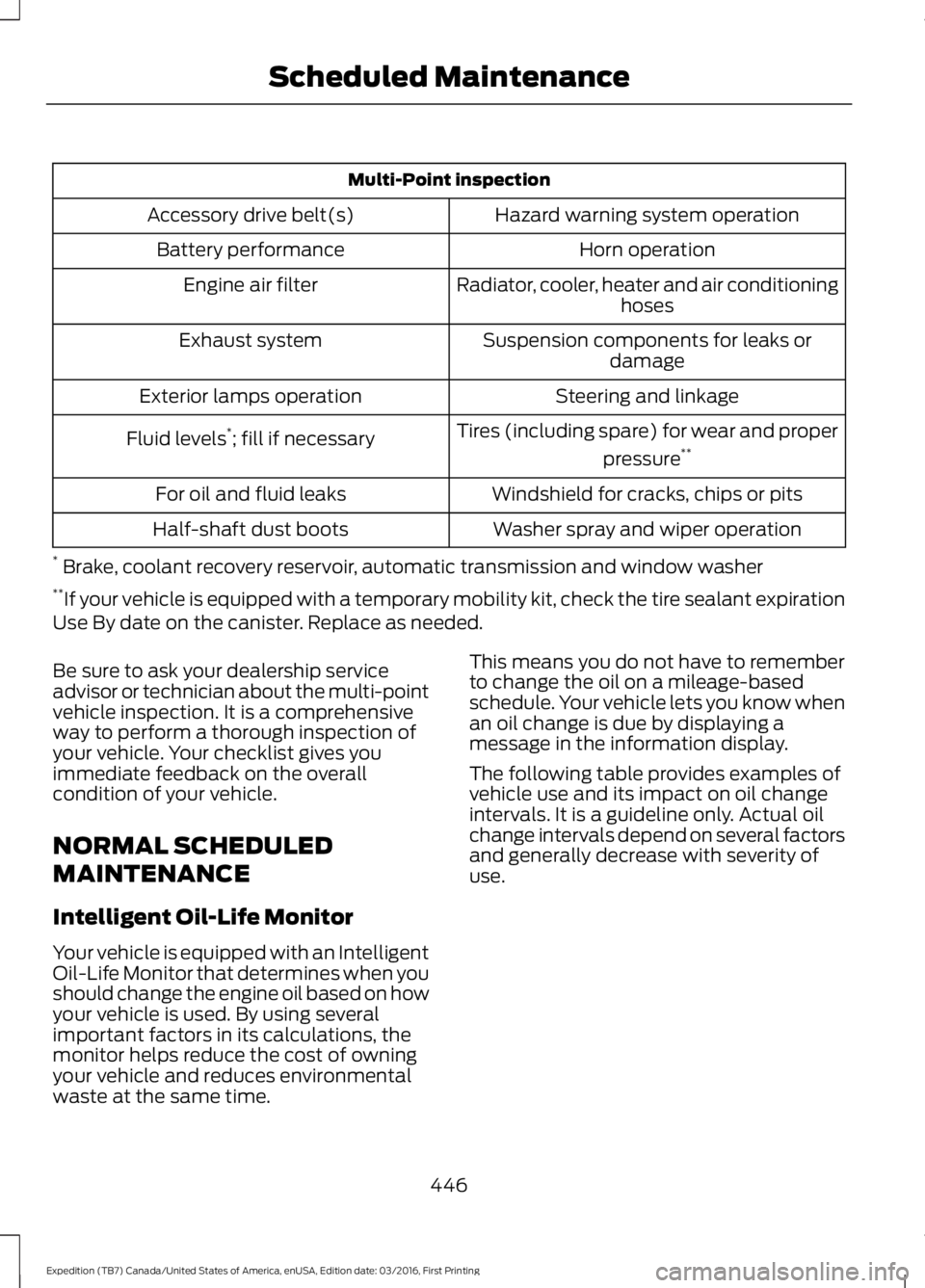
Multi-Point inspection
Hazard warning system operationAccessory drive belt(s)
Horn operationBattery performance
Radiator, cooler, heater and air conditioninghosesEngine air filter
Suspension components for leaks ordamageExhaust system
Steering and linkageExterior lamps operation
Tires (including spare) for wear and proper
pressure**Fluid levels*; fill if necessary
Windshield for cracks, chips or pitsFor oil and fluid leaks
Washer spray and wiper operationHalf-shaft dust boots
* Brake, coolant recovery reservoir, automatic transmission and window washer**If your vehicle is equipped with a temporary mobility kit, check the tire sealant expirationUse By date on the canister. Replace as needed.
Be sure to ask your dealership serviceadvisor or technician about the multi-pointvehicle inspection. It is a comprehensiveway to perform a thorough inspection ofyour vehicle. Your checklist gives youimmediate feedback on the overallcondition of your vehicle.
NORMAL SCHEDULED
MAINTENANCE
Intelligent Oil-Life Monitor
Your vehicle is equipped with an IntelligentOil-Life Monitor that determines when youshould change the engine oil based on howyour vehicle is used. By using severalimportant factors in its calculations, themonitor helps reduce the cost of owningyour vehicle and reduces environmentalwaste at the same time.
This means you do not have to rememberto change the oil on a mileage-basedschedule. Your vehicle lets you know whenan oil change is due by displaying amessage in the information display.
The following table provides examples ofvehicle use and its impact on oil changeintervals. It is a guideline only. Actual oilchange intervals depend on several factorsand generally decrease with severity ofuse.
446
Expedition (TB7) Canada/United States of America, enUSA, Edition date: 03/2016, First Printing
Scheduled Maintenance
Page 450 of 500
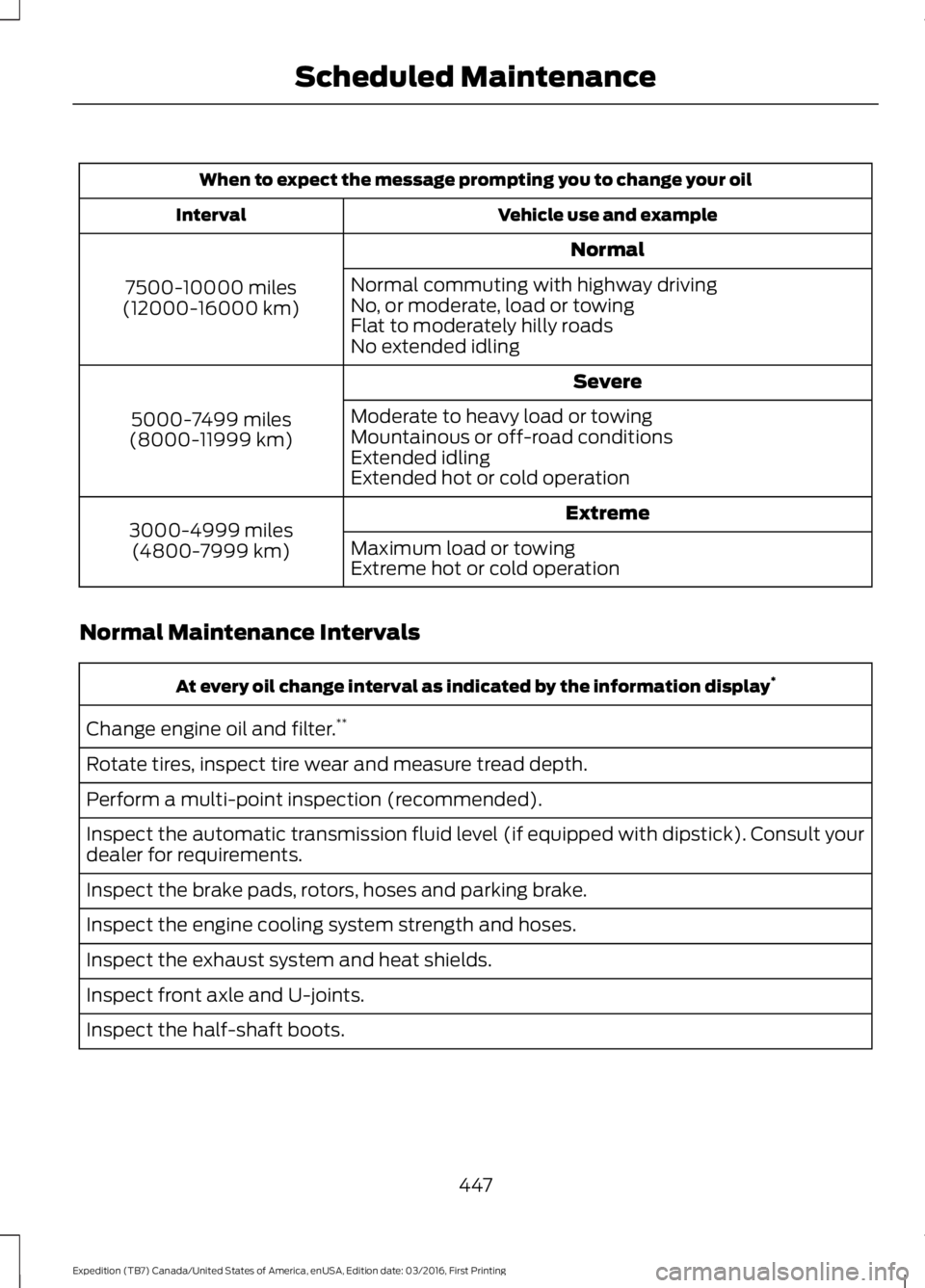
When to expect the message prompting you to change your oil
Vehicle use and exampleInterval
Normal
7500-10000 miles(12000-16000 km)
Normal commuting with highway drivingNo, or moderate, load or towingFlat to moderately hilly roadsNo extended idling
Severe
5000-7499 miles(8000-11999 km)
Moderate to heavy load or towingMountainous or off-road conditionsExtended idlingExtended hot or cold operation
Extreme3000-4999 miles(4800-7999 km)Maximum load or towingExtreme hot or cold operation
Normal Maintenance Intervals
At every oil change interval as indicated by the information display*
Change engine oil and filter.**
Rotate tires, inspect tire wear and measure tread depth.
Perform a multi-point inspection (recommended).
Inspect the automatic transmission fluid level (if equipped with dipstick). Consult yourdealer for requirements.
Inspect the brake pads, rotors, hoses and parking brake.
Inspect the engine cooling system strength and hoses.
Inspect the exhaust system and heat shields.
Inspect front axle and U-joints.
Inspect the half-shaft boots.
447
Expedition (TB7) Canada/United States of America, enUSA, Edition date: 03/2016, First Printing
Scheduled Maintenance