light FORD EXPLORER 1997 2.G User Guide
[x] Cancel search | Manufacturer: FORD, Model Year: 1997, Model line: EXPLORER, Model: FORD EXPLORER 1997 2.GPages: 236, PDF Size: 2.43 MB
Page 46 of 236
Speed dependent wipers
(if equipped)
This feature operates only in the
intermittent wiping mode. In
position one (slowest delay) this
feature will not function. At higher
speeds, the Speed Dependent
feature shortens the delay between
wipes when you use the variable
interval wipers. Delay will
automatically adjust at speeds
between 16 and 105 km/h (10 and
65 mph. This will help compensate
for the extra moisture that
accumulates on your windshield at
higher speeds.
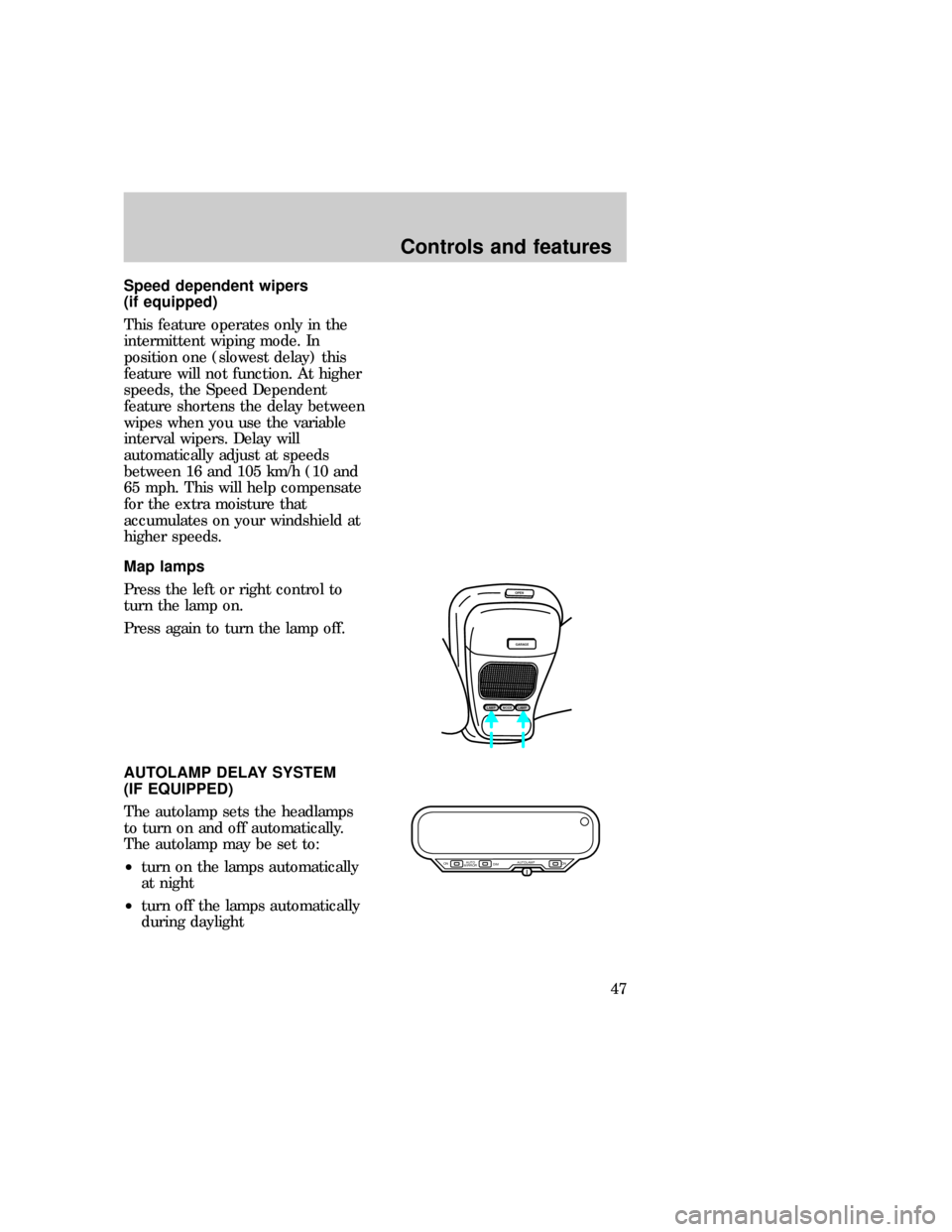
Map lamps
Press the left or right control to
turn the lamp on.
Press again to turn the lamp off.
AUTOLAMP DELAY SYSTEM
(IF EQUIPPED)
The autolamp sets the headlamps
to turn on and off automatically.
The autolamp may be set to:
²turn on the lamps automatically
at night
²turn off the lamps automatically
during daylight
OPEN
GARAGE
MODELAMPLAMP
AUTO
MIRROR ON
DIMON AUTOLAMP
uno_map_lamps uno_auto-mirror
Controls and features
47
Page 47 of 236
²keep the lamps on for up to
three minutes after the key is
turned to OFF
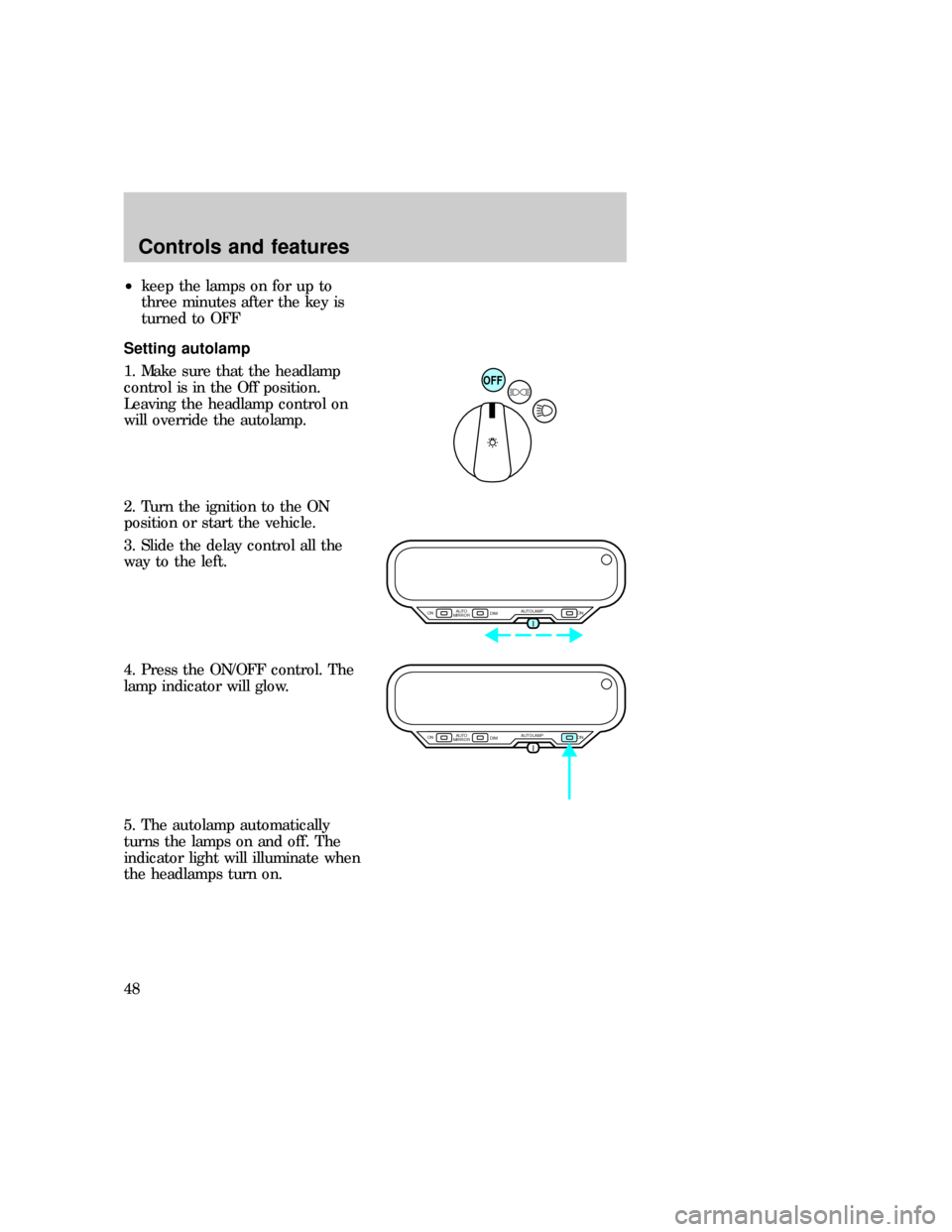
Setting autolamp
1. Make sure that the headlamp
control is in the Off position.
Leaving the headlamp control on
will override the autolamp.
2. Turn the ignition to the ON
position or start the vehicle.
3. Slide the delay control all the
way to the left.
4. Press the ON/OFF control. The
lamp indicator will glow.
5. The autolamp automatically
turns the lamps on and off. The
indicator light will illuminate when
the headlamps turn on.
OFF
AUTO
MIRROR ON
DIMON AUTOLAMP
AUTO
MIRROR ON
DIMON AUTOLAMP
uno_auto-set
uno_auto_dim_mirror
Controls and features
48
Page 48 of 236
AUTOMATIC DIMMING
FEATURE (IF EQUIPPED)
The autolamp/automatic dimming
mirror is equipped with an
automatic dimming feature. This
feature will change from the
normal state to the non-glare
ªactiveº state when bright lights
(glare) reach the mirror. When the
mirror detects bright light from
front or behind, it will adjust
automatically to minimize glare.
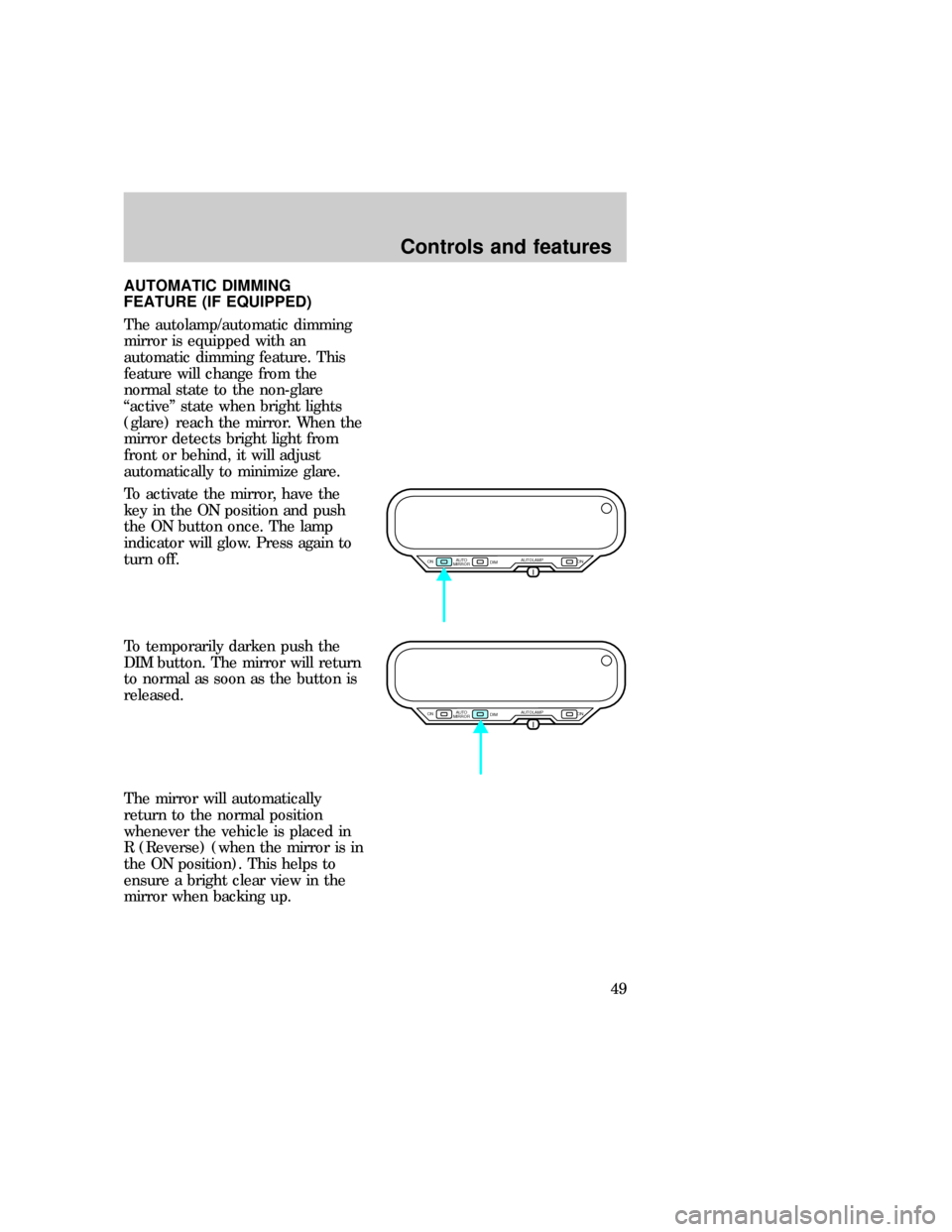
To activate the mirror, have the
key in the ON position and push
the ON button once. The lamp
indicator will glow. Press again to
turn off.
To temporarily darken push the
DIM button. The mirror will return
to normal as soon as the button is
released.
The mirror will automatically
return to the normal position
whenever the vehicle is placed in
R (Reverse) (when the mirror is in
the ON position). This helps to
ensure a bright clear view in the
mirror when backing up.
AUTO
MIRROR ON
DIMON AUTOLAMP
AUTO
MIRROR ON
DIMON AUTOLAMP
uno_mirror_adjust
Controls and features
49
Page 51 of 236
until CAL indicator turns off in
about 2±3 complete circles.
MESSAGE CENTER
(IF EQUIPPED)
This feature displays a variety of
system display features. Refer to
Message centerin the
Instrumentationchapter.
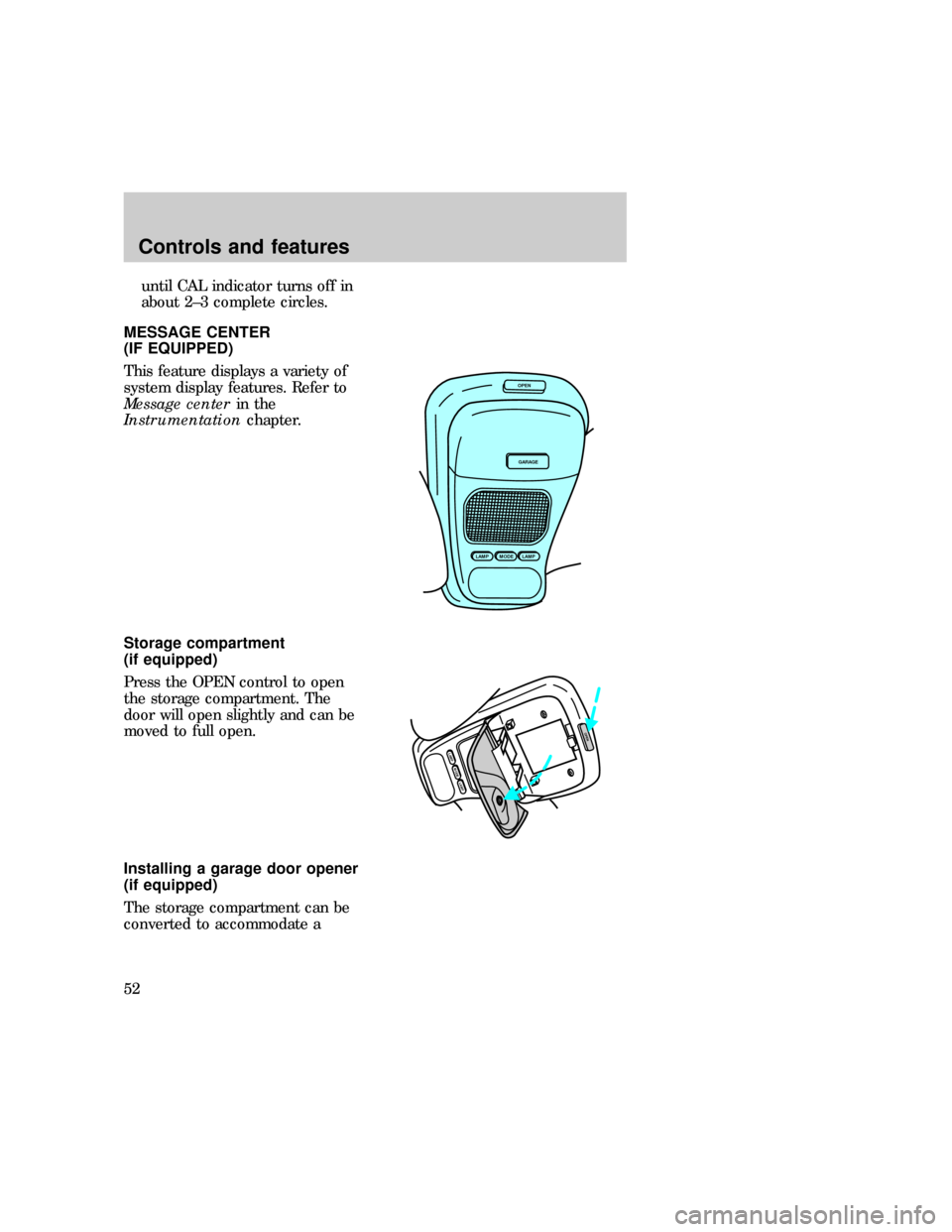
Storage compartment
(if equipped)
Press the OPEN control to open
the storage compartment. The
door will open slightly and can be
moved to full open.
Installing a garage door opener
(if equipped)
The storage compartment can be
converted to accommodate a
OPEN
GARAGE
LAMPMODELAMP
MODELAMP
LAMP
OPEN
uno_message_center uno_storage_overhead
uno_garage_opener_stow
Controls and features
52
Page 65 of 236
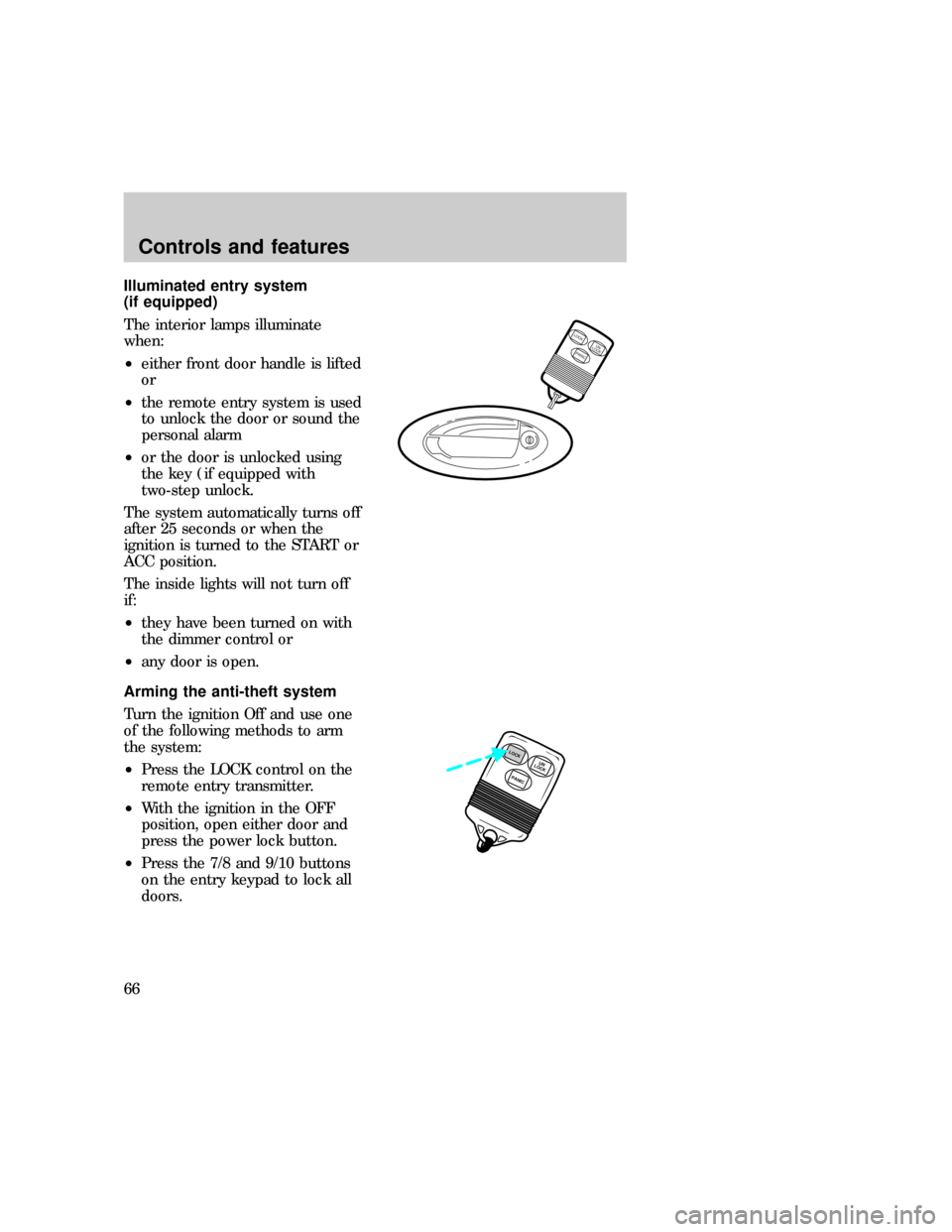
Illuminated entry system
(if equipped)
The interior lamps illuminate
when:
²either front door handle is lifted
or
²the remote entry system is used
to unlock the door or sound the
personal alarm
²or the door is unlocked using
the key (if equipped with
two-step unlock.
The system automatically turns off
after 25 seconds or when the
ignition is turned to the START or
ACC position.
The inside lights will not turn off
if:
²they have been turned on with
the dimmer control or
²any door is open.
Arming the anti-theft system
Turn the ignition Off and use one
of the following methods to arm
the system:
²Press the LOCK control on the
remote entry transmitter.
²With the ignition in the OFF
position, open either door and
press the power lock button.
²Press the 7/8 and 9/10 buttons
on the entry keypad to lock all
doors.
LOCKUN
LOCK
PANIC
PANICUN
LOCKLOCK
uno_anti-theft_arming
uno_anti-theft_identifying
Controls and features
66
Page 66 of 236

Identifying an armed anti-theft
system
When the system is armed, the
warning light will illuminate for 30
seconds. After 30 seconds, the
light will flash.
If the system is armed with the
doors open, the warning light will
stay illuminated until all the doors
are closed and then illuminate for
30 seconds and begin flashing.
When an unauthorized entry
occurs, the activated system will:
²flash the headlamps, parklamps
and the warning light in the
instrument cluster.
²sound the horn.
²prohibit the vehicle from
starting.
The flashing headlamps and
honking horn will automatically
shut off after about three minutes
and will remain off unless another
unauthorized entry is attempted.
However, the vehicle will not start
until the system is disarmed.
uno_anti-theft_disar_trig
Controls and features
67
Page 69 of 236
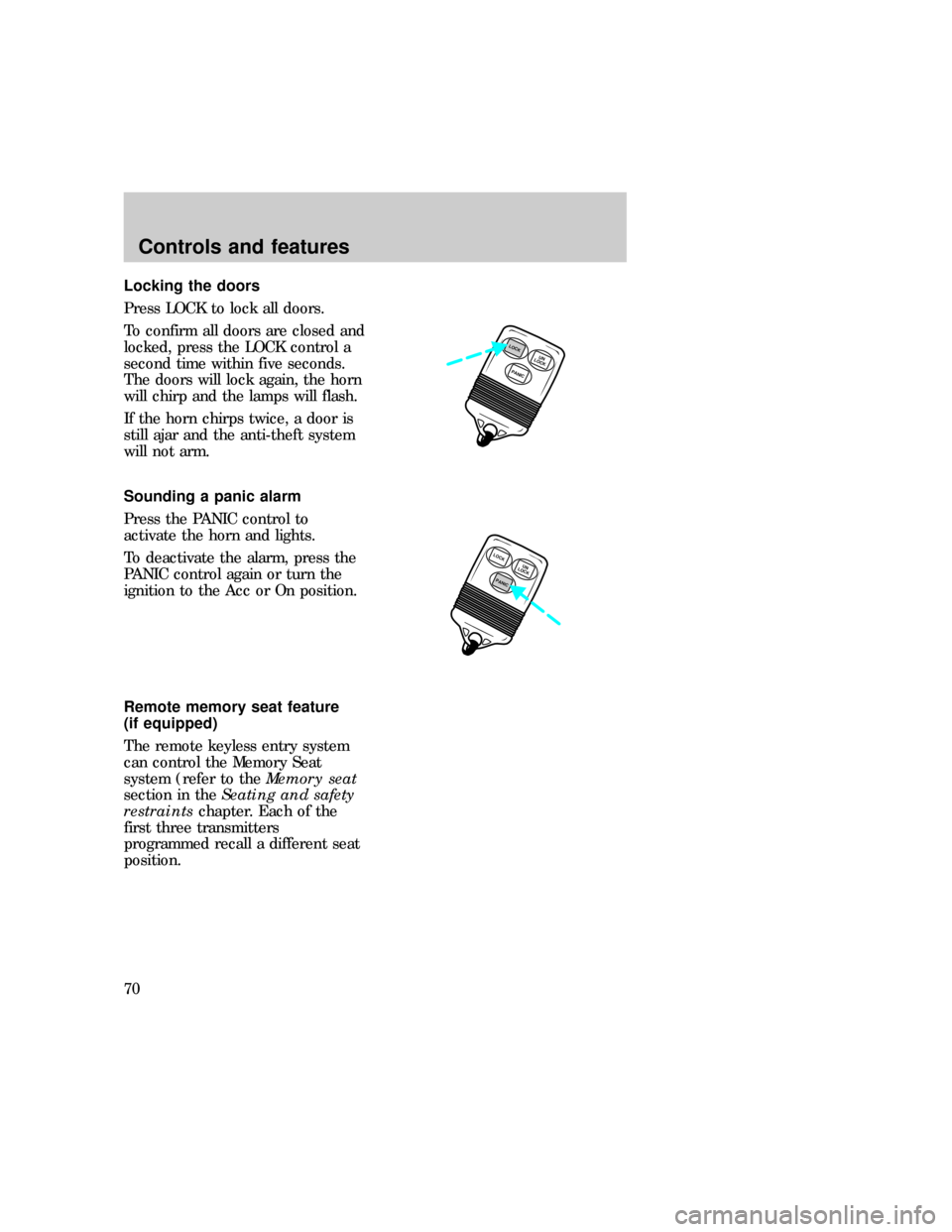
Locking the doors
Press LOCK to lock all doors.
To confirm all doors are closed and
locked, press the LOCK control a
second time within five seconds.
The doors will lock again, the horn
will chirp and the lamps will flash.
If the horn chirps twice, a door is
still ajar and the anti-theft system
will not arm.
Sounding a panic alarm
Press the PANIC control to
activate the horn and lights.
To deactivate the alarm, press the
PANIC control again or turn the
ignition to the Acc or On position.
Remote memory seat feature
(if equipped)
The remote keyless entry system
can control the Memory Seat
system (refer to theMemory seat
section in theSeating and safety
restraintschapter. Each of the
first three transmitters
programmed recall a different seat
position.
PANICUN
LOCKLOCK
LOCK
PANICUN
LOCK
uno_remote_panic
uno_remote_memory_seat
Controls and features
70
Page 73 of 236
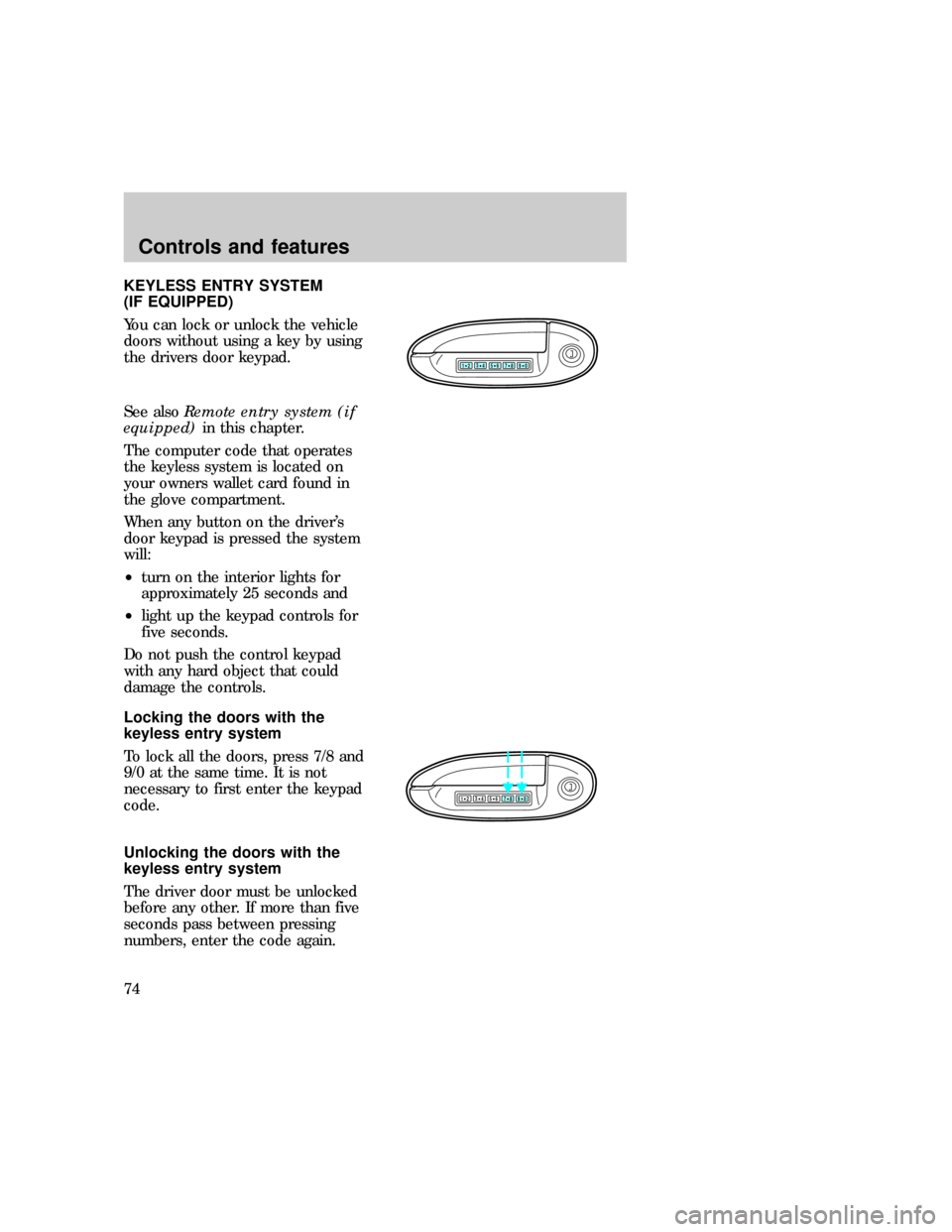
KEYLESS ENTRY SYSTEM
(IF EQUIPPED)
You can lock or unlock the vehicle
doors without using a key by using
the drivers door keypad.
See alsoRemote entry system (if
equipped)in this chapter.
The computer code that operates
the keyless system is located on
your owners wallet card found in
the glove compartment.
When any button on the driver's
door keypad is pressed the system
will:
²turn on the interior lights for
approximately 25 seconds and
²light up the keypad controls for
five seconds.
Do not push the control keypad
with any hard object that could
damage the controls.
Locking the doors with the
keyless entry system
To lock all the doors, press 7/8 and
9/0 at the same time. It is not
necessary to first enter the keypad
code.
Unlocking the doors with the
keyless entry system
The driver door must be unlocked
before any other. If more than five
seconds pass between pressing
numbers, enter the code again.
123
45678
90
123
45678
90
com_keyless_locking.01
uno_keyless_unlocking
Controls and features
74
Page 74 of 236
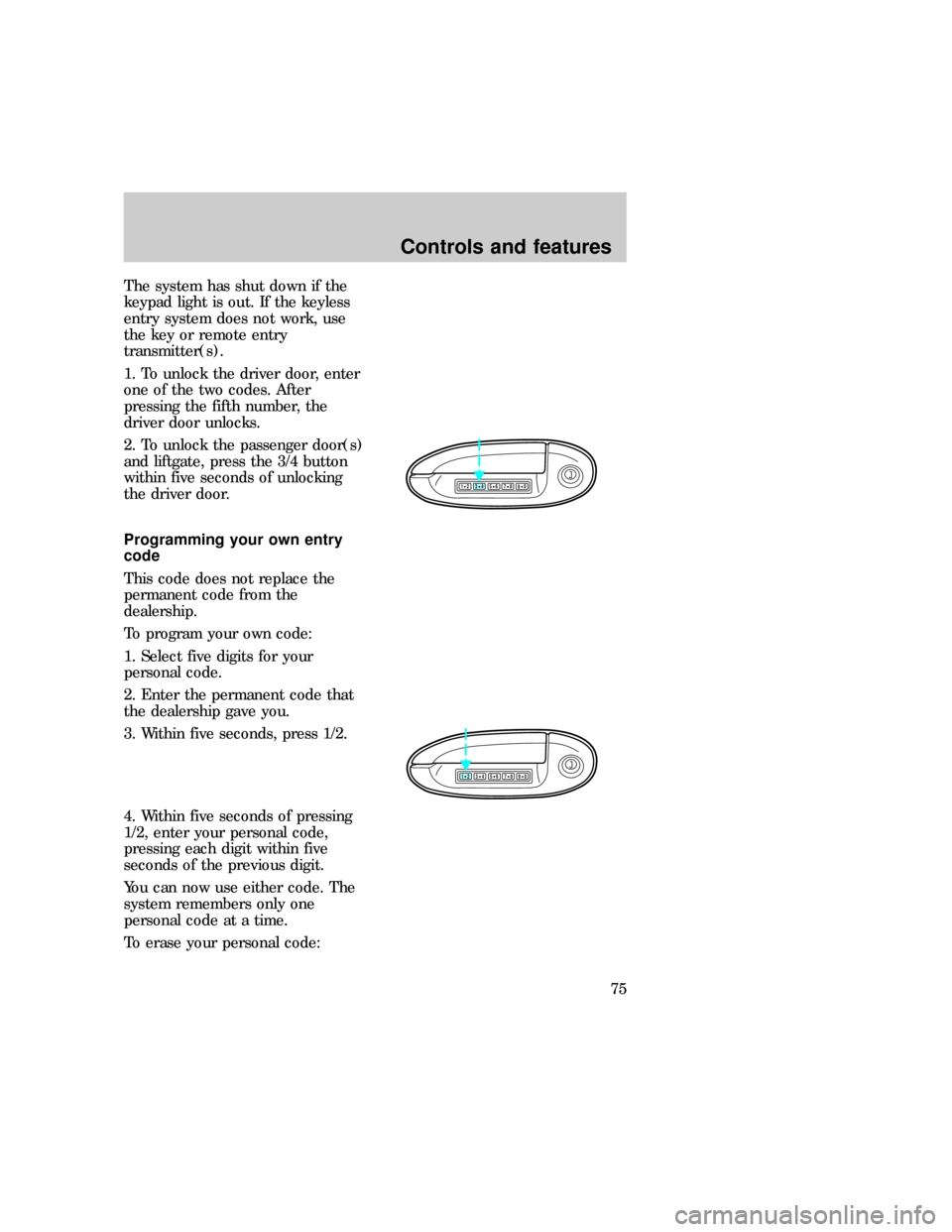
The system has shut down if the
keypad light is out. If the keyless
entry system does not work, use
the key or remote entry
transmitter(s).
1. To unlock the driver door, enter
one of the two codes. After
pressing the fifth number, the
driver door unlocks.
2. To unlock the passenger door(s)
and liftgate, press the 3/4 button
within five seconds of unlocking
the driver door.
Programming your own entry
code
This code does not replace the
permanent code from the
dealership.
To program your own code:
1. Select five digits for your
personal code.
2. Enter the permanent code that
the dealership gave you.
3. Within five seconds, press 1/2.
4. Within five seconds of pressing
1/2, enter your personal code,
pressing each digit within five
seconds of the previous digit.
You can now use either code. The
system remembers only one
personal code at a time.
To erase your personal code:
123
45678
90
123
45678
90
com_keyless_programming.01
Controls and features
75
Page 81 of 236
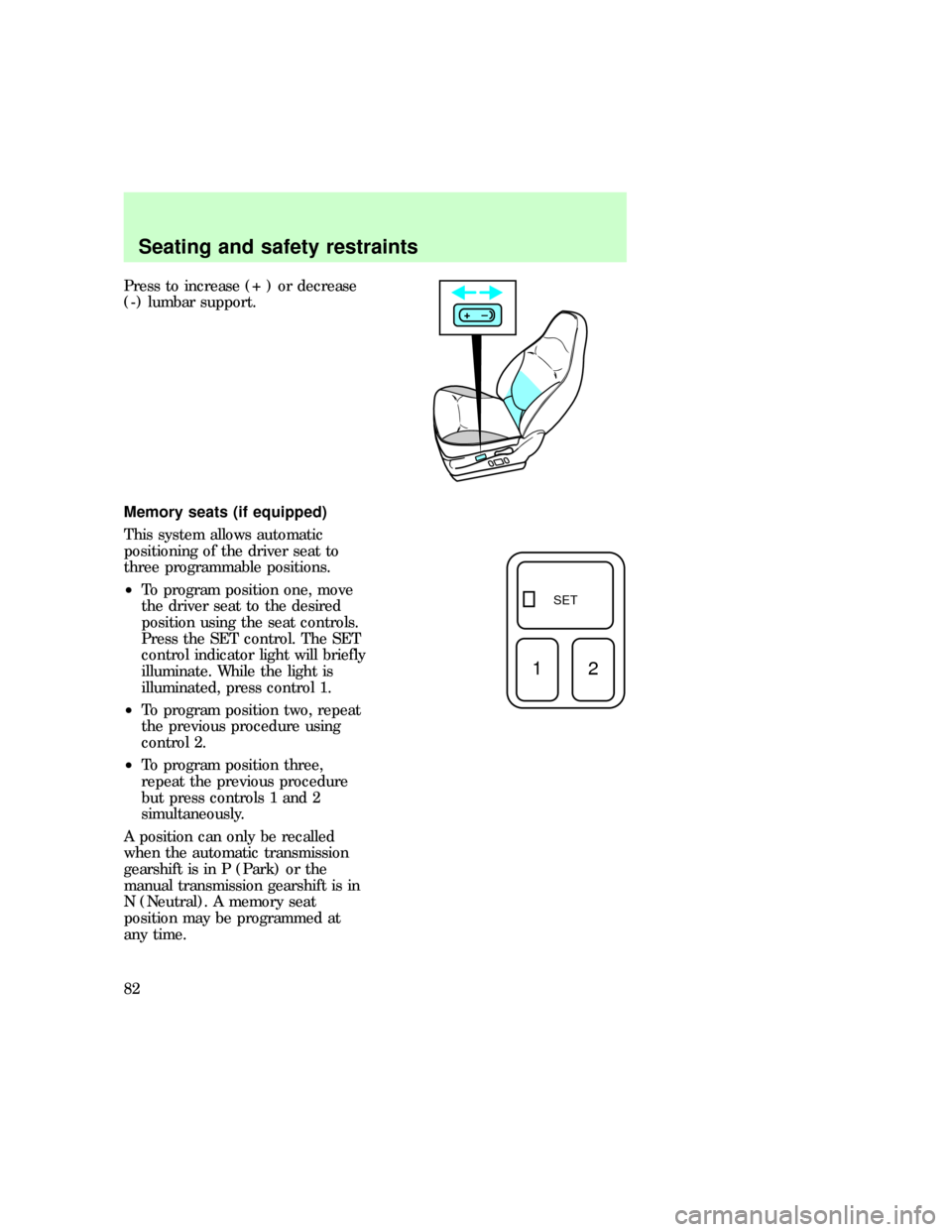
Press to increase (+ ) or decrease
(-) lumbar support.
Memory seats (if equipped)
This system allows automatic
positioning of the driver seat to
three programmable positions.
²To program position one, move
the driver seat to the desired
position using the seat controls.
Press the SET control. The SET
control indicator light will briefly
illuminate. While the light is
illuminated, press control 1.
²To program position two, repeat
the previous procedure using
control 2.
²To program position three,
repeat the previous procedure
but press controls 1 and 2
simultaneously.
A position can only be recalled
when the automatic transmission
gearshift is in P (Park) or the
manual transmission gearshift is in
N (Neutral). A memory seat
position may be programmed at
any time.
+–
SET
12
uno_remote_seat_controls
uno_seat_belts
Seating and safety restraints
82