seat memory FORD EXPLORER 1999 2.G Owners Manual
[x] Cancel search | Manufacturer: FORD, Model Year: 1999, Model line: EXPLORER, Model: FORD EXPLORER 1999 2.GPages: 264, PDF Size: 1.83 MB
Page 56 of 264
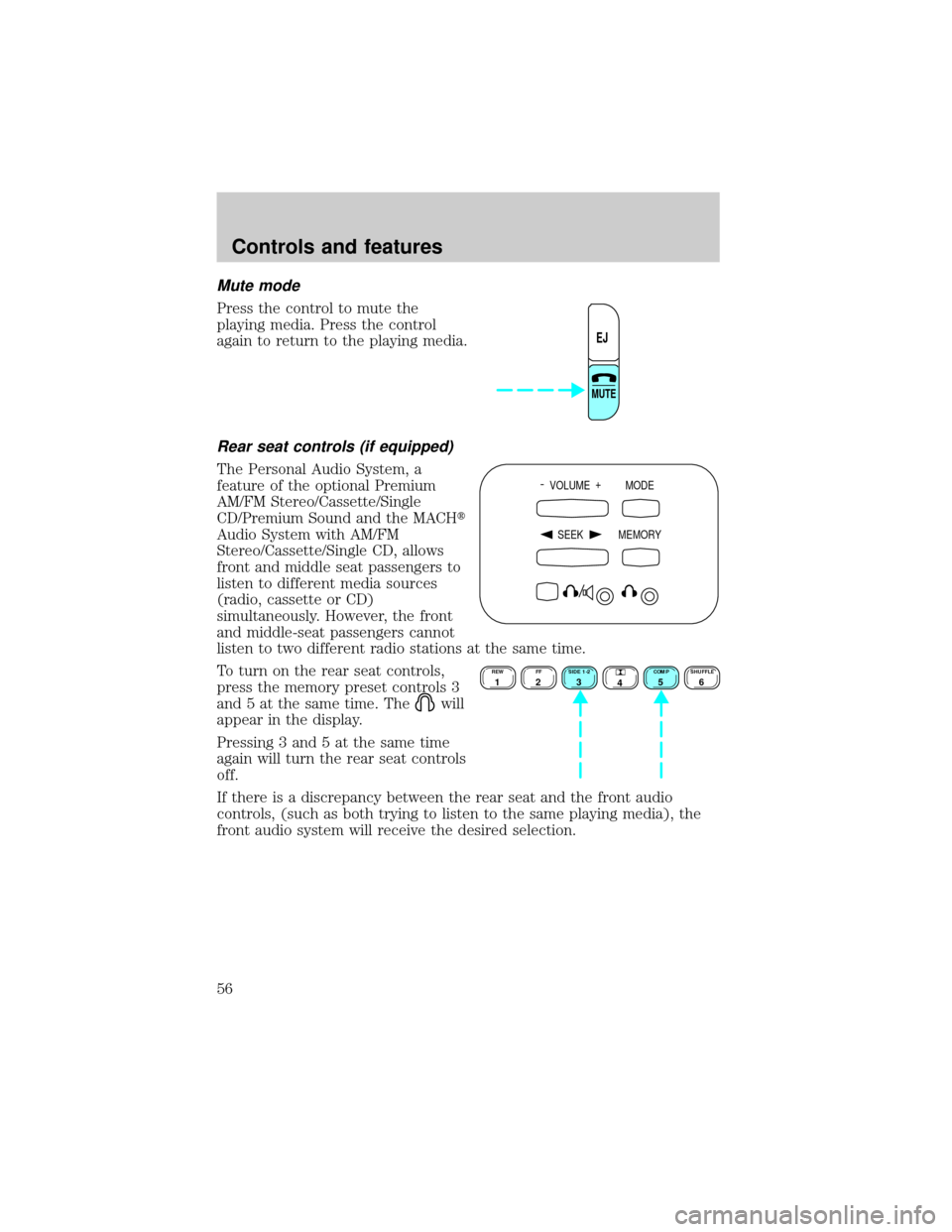
Mute mode
Press the control to mute the
playing media. Press the control
again to return to the playing media.
Rear seat controls (if equipped)
The Personal Audio System, a
feature of the optional Premium
AM/FM Stereo/Cassette/Single
CD/Premium Sound and the MACHt
Audio System with AM/FM
Stereo/Cassette/Single CD, allows
front and middle seat passengers to
listen to different media sources
(radio, cassette or CD)
simultaneously. However, the front
and middle-seat passengers cannot
listen to two different radio stations at the same time.
To turn on the rear seat controls,
press the memory preset controls 3
and 5 at the same time. The
will
appear in the display.
Pressing 3 and 5 at the same time
again will turn the rear seat controls
off.
If there is a discrepancy between the rear seat and the front audio
controls, (such as both trying to listen to the same playing media), the
front audio system will receive the desired selection.
EJ
MUTE
- VOLUME +
MODE
SEEK MEMORY
REW1FF2SIDE 1-23
4COMP5SHUFFLE6
Controls and features
56
Page 57 of 264
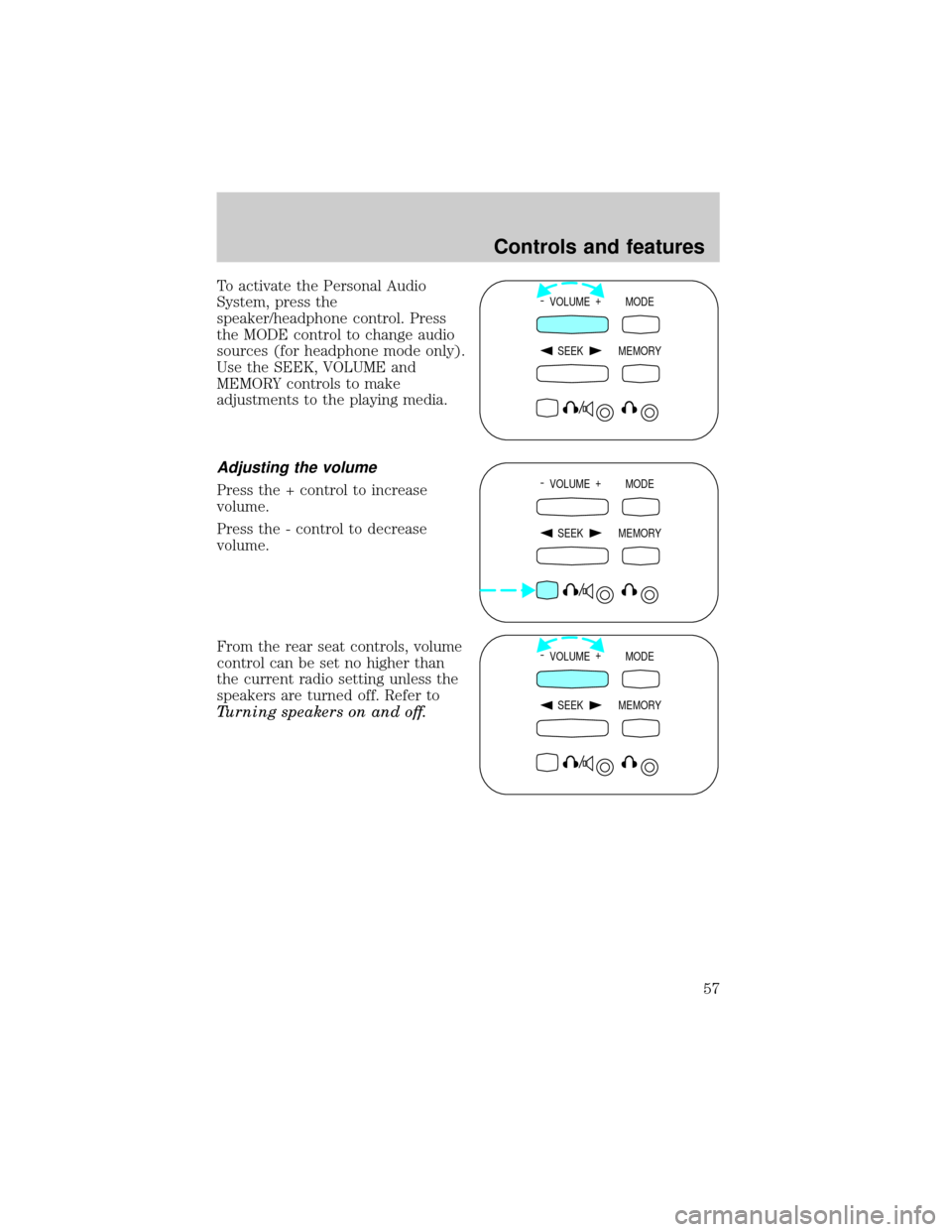
To activate the Personal Audio
System, press the
speaker/headphone control. Press
the MODE control to change audio
sources (for headphone mode only).
Use the SEEK, VOLUME and
MEMORY controls to make
adjustments to the playing media.
Adjusting the volume
Press the + control to increase
volume.
Press the - control to decrease
volume.
From the rear seat controls, volume
control can be set no higher than
the current radio setting unless the
speakers are turned off. Refer to
Turning speakers on and off.
- VOLUME +
MODE
SEEK MEMORY
- VOLUME +
MODE
SEEK MEMORY
- VOLUME +
MODE
SEEK MEMORY
Controls and features
57
Page 59 of 264
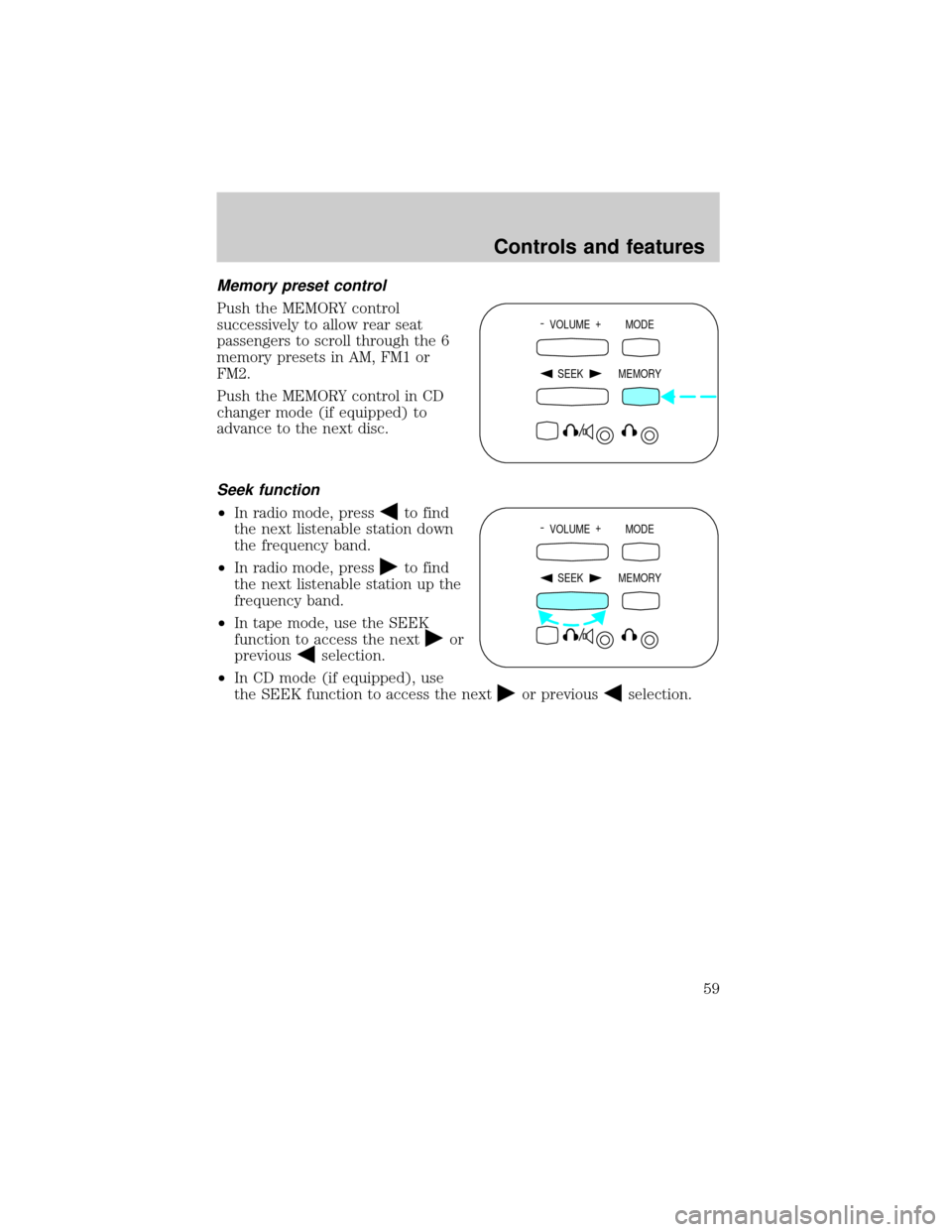
Memory preset control
Push the MEMORY control
successively to allow rear seat
passengers to scroll through the 6
memory presets in AM, FM1 or
FM2.
Push the MEMORY control in CD
changer mode (if equipped) to
advance to the next disc.
Seek function
²In radio mode, pressto find
the next listenable station down
the frequency band.
²In radio mode, press
to find
the next listenable station up the
frequency band.
²In tape mode, use the SEEK
function to access the next
or
previous
selection.
²In CD mode (if equipped), use
the SEEK function to access the next
or previousselection.
- VOLUME +
MODE
SEEK MEMORY
- VOLUME +
MODE
SEEK MEMORY
Controls and features
59
Page 72 of 264
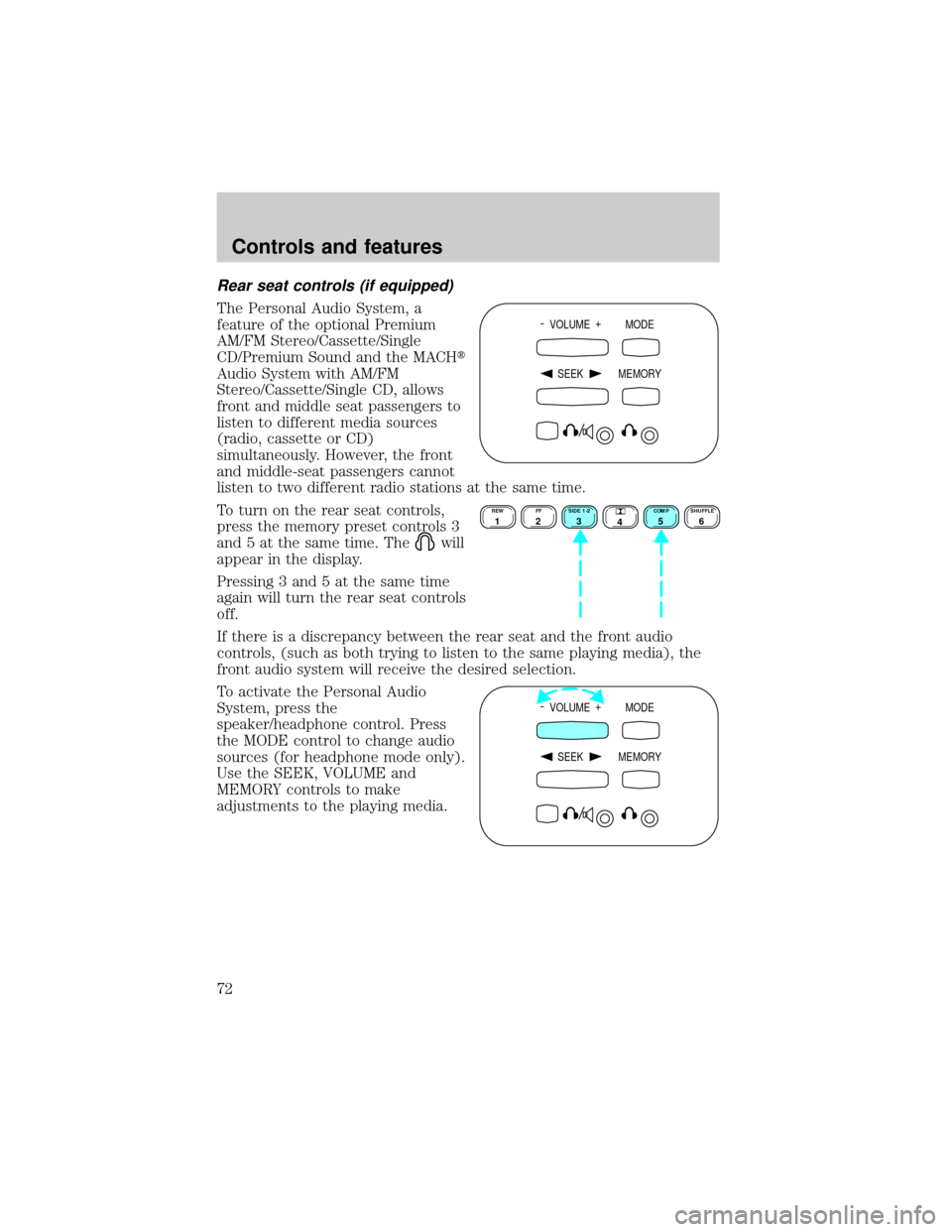
Rear seat controls (if equipped)
The Personal Audio System, a
feature of the optional Premium
AM/FM Stereo/Cassette/Single
CD/Premium Sound and the MACHt
Audio System with AM/FM
Stereo/Cassette/Single CD, allows
front and middle seat passengers to
listen to different media sources
(radio, cassette or CD)
simultaneously. However, the front
and middle-seat passengers cannot
listen to two different radio stations at the same time.
To turn on the rear seat controls,
press the memory preset controls 3
and 5 at the same time. The
will
appear in the display.
Pressing 3 and 5 at the same time
again will turn the rear seat controls
off.
If there is a discrepancy between the rear seat and the front audio
controls, (such as both trying to listen to the same playing media), the
front audio system will receive the desired selection.
To activate the Personal Audio
System, press the
speaker/headphone control. Press
the MODE control to change audio
sources (for headphone mode only).
Use the SEEK, VOLUME and
MEMORY controls to make
adjustments to the playing media.
- VOLUME +
MODE
SEEK MEMORY
REW1FF2SIDE 1-23
4COMP5SHUFFLE6
- VOLUME +
MODE
SEEK MEMORY
Controls and features
72
Page 73 of 264
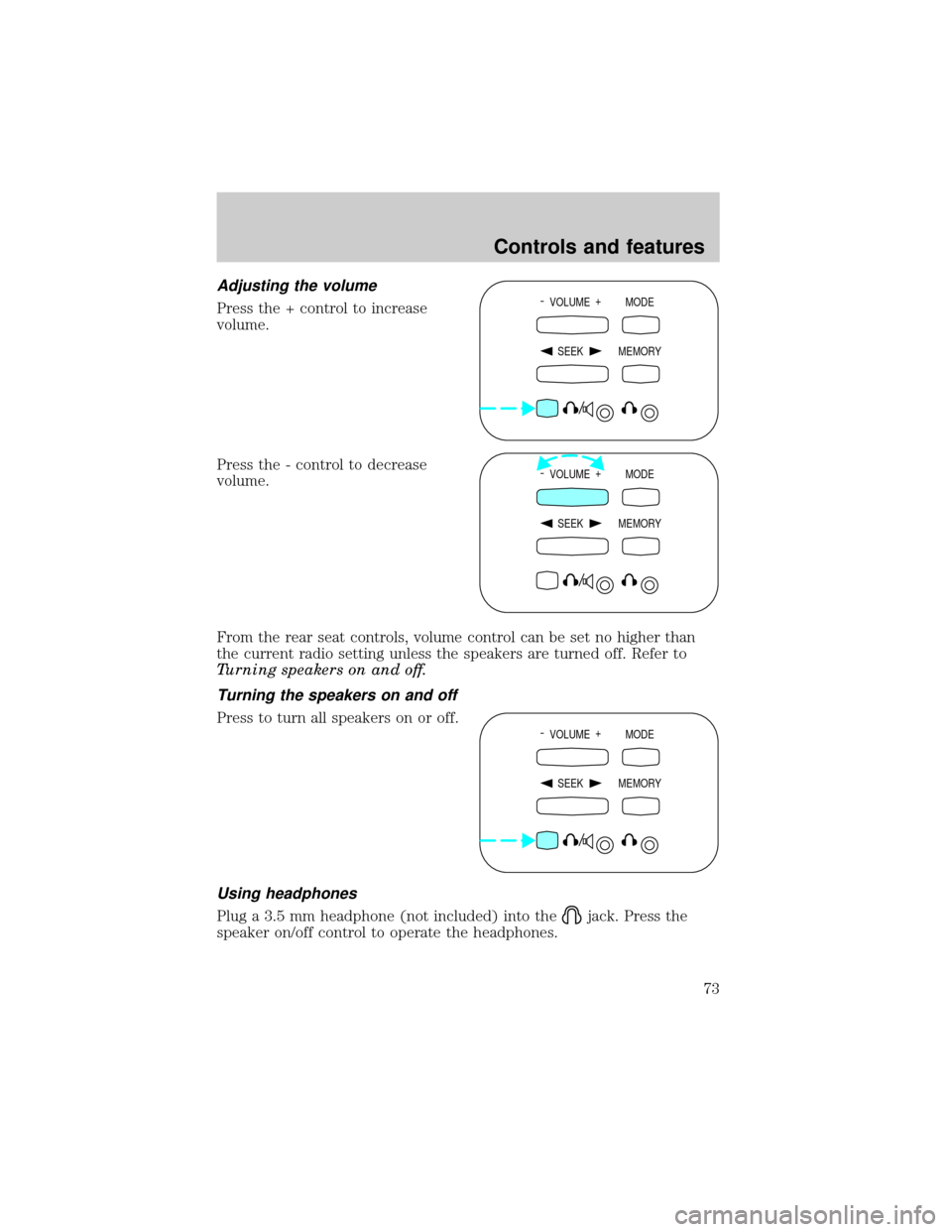
Adjusting the volume
Press the + control to increase
volume.
Press the - control to decrease
volume.
From the rear seat controls, volume control can be set no higher than
the current radio setting unless the speakers are turned off. Refer to
Turning speakers on and off.
Turning the speakers on and off
Press to turn all speakers on or off.
Using headphones
Plug a 3.5 mm headphone (not included) into thejack. Press the
speaker on/off control to operate the headphones.
- VOLUME +
MODE
SEEK MEMORY
- VOLUME +
MODE
SEEK MEMORY
- VOLUME +
MODE
SEEK MEMORY
Controls and features
73
Page 74 of 264
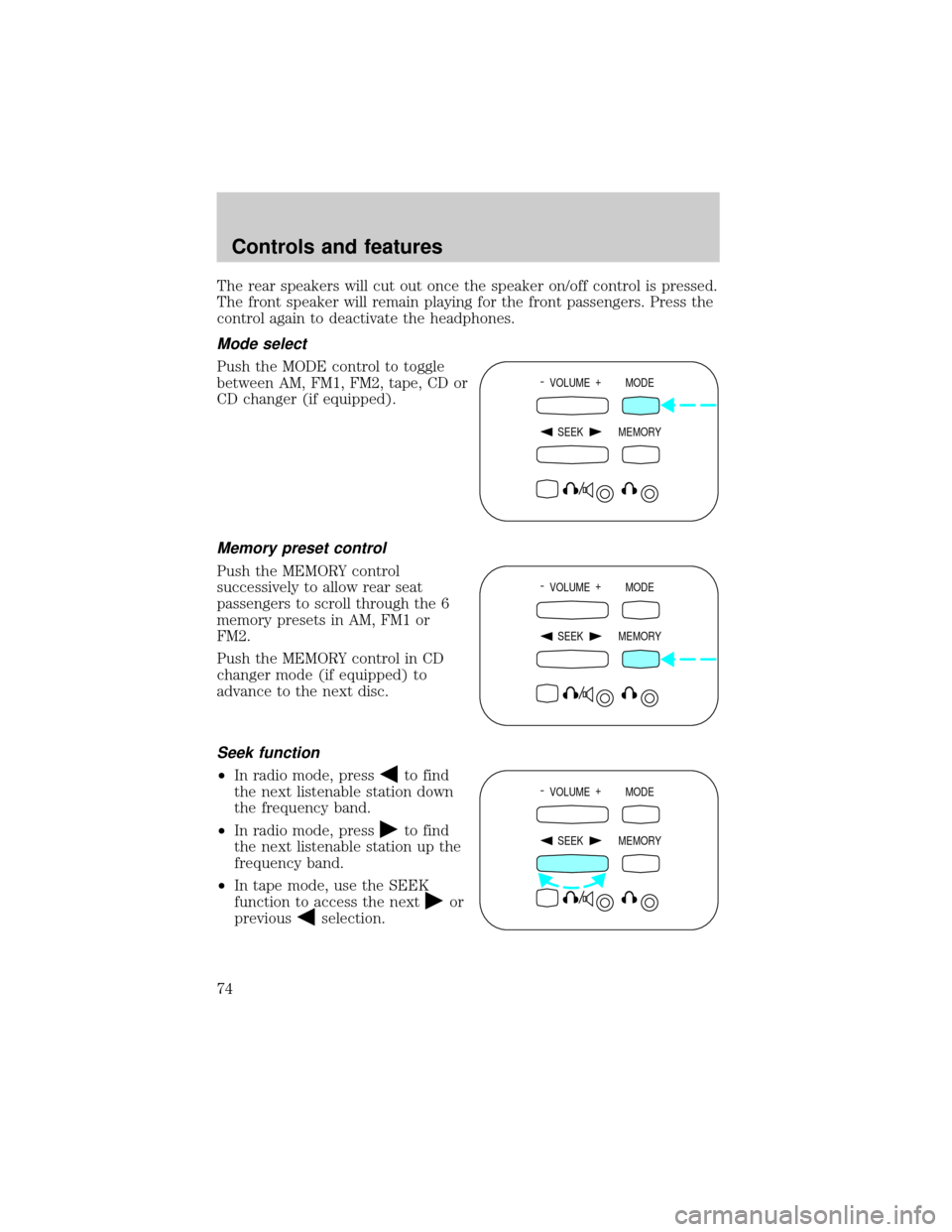
The rear speakers will cut out once the speaker on/off control is pressed.
The front speaker will remain playing for the front passengers. Press the
control again to deactivate the headphones.
Mode select
Push the MODE control to toggle
between AM, FM1, FM2, tape, CD or
CD changer (if equipped).
Memory preset control
Push the MEMORY control
successively to allow rear seat
passengers to scroll through the 6
memory presets in AM, FM1 or
FM2.
Push the MEMORY control in CD
changer mode (if equipped) to
advance to the next disc.
Seek function
²In radio mode, pressto find
the next listenable station down
the frequency band.
²In radio mode, press
to find
the next listenable station up the
frequency band.
²In tape mode, use the SEEK
function to access the next
or
previous
selection.
- VOLUME +
MODE
SEEK MEMORY
- VOLUME +
MODE
SEEK MEMORY
- VOLUME +
MODE
SEEK MEMORY
Controls and features
74
Page 107 of 264
Changes or modifications not expressly approved by the party
responsible for compliance could void the user's authority to
operate the equipment.
Memory seat feature (if equipped)
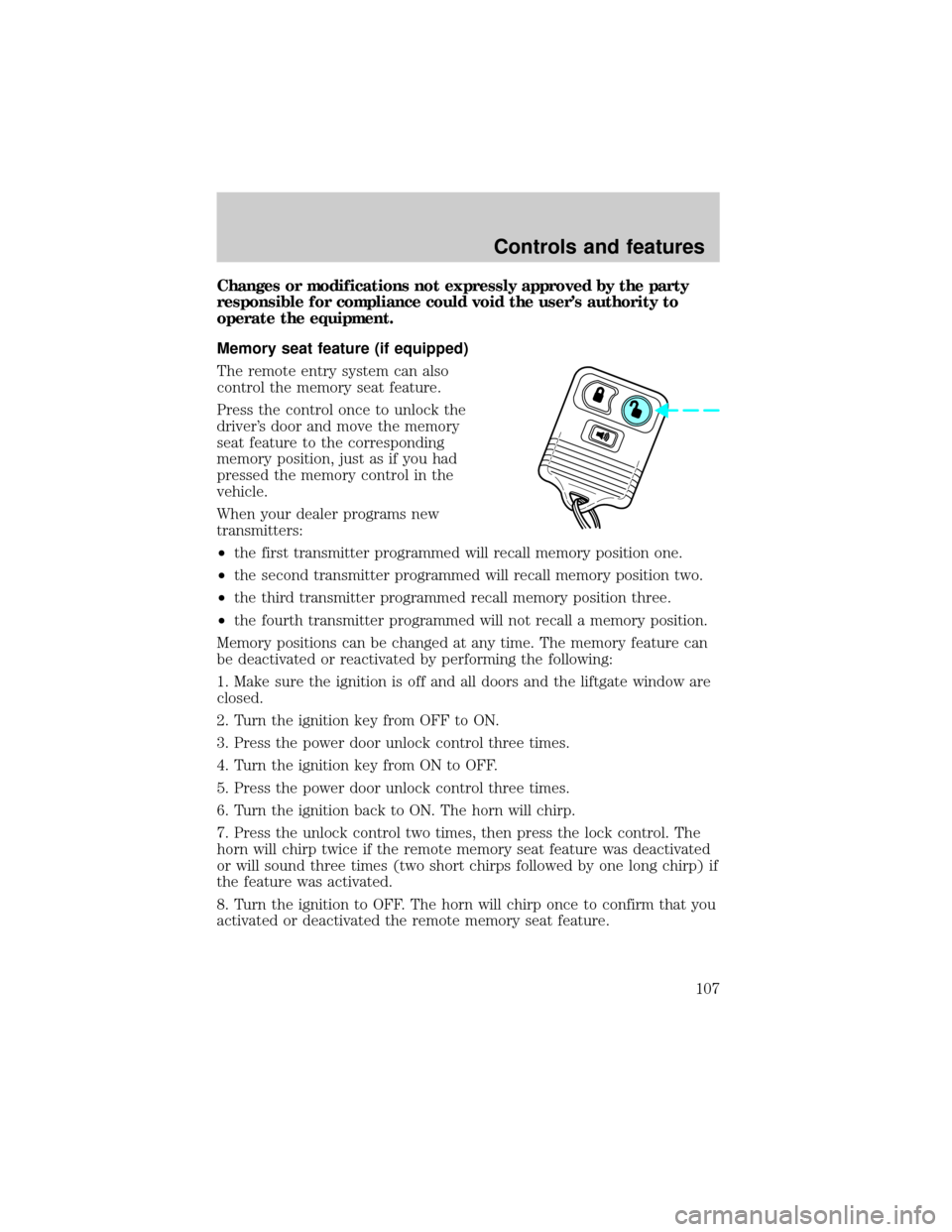
The remote entry system can also
control the memory seat feature.
Press the control once to unlock the
driver's door and move the memory
seat feature to the corresponding
memory position, just as if you had
pressed the memory control in the
vehicle.
When your dealer programs new
transmitters:
²the first transmitter programmed will recall memory position one.
²the second transmitter programmed will recall memory position two.
²the third transmitter programmed recall memory position three.
²the fourth transmitter programmed will not recall a memory position.
Memory positions can be changed at any time. The memory feature can
be deactivated or reactivated by performing the following:
1. Make sure the ignition is off and all doors and the liftgate window are
closed.
2. Turn the ignition key from OFF to ON.
3. Press the power door unlock control three times.
4. Turn the ignition key from ON to OFF.
5. Press the power door unlock control three times.
6. Turn the ignition back to ON. The horn will chirp.
7. Press the unlock control two times, then press the lock control. The
horn will chirp twice if the remote memory seat feature was deactivated
or will sound three times (two short chirps followed by one long chirp) if
the feature was activated.
8. Turn the ignition to OFF. The horn will chirp once to confirm that you
activated or deactivated the remote memory seat feature.
Controls and features
107
Page 118 of 264
Memory seats (if equipped)
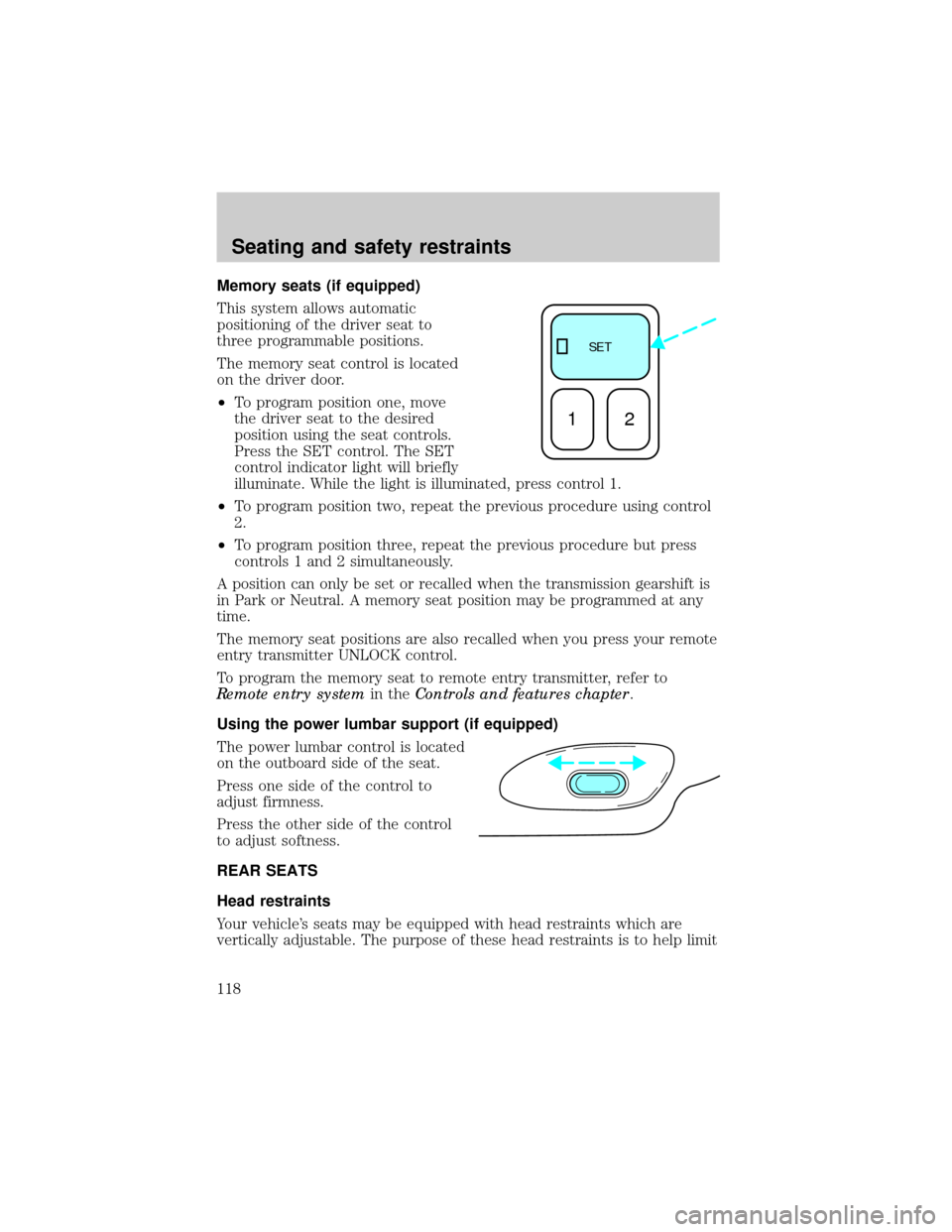
This system allows automatic
positioning of the driver seat to
three programmable positions.
The memory seat control is located
on the driver door.
²To program position one, move
the driver seat to the desired
position using the seat controls.
Press the SET control. The SET
control indicator light will briefly
illuminate. While the light is illuminated, press control 1.
²To program position two, repeat the previous procedure using control
2.
²To program position three, repeat the previous procedure but press
controls 1 and 2 simultaneously.
A position can only be set or recalled when the transmission gearshift is
in Park or Neutral. A memory seat position may be programmed at any
time.
The memory seat positions are also recalled when you press your remote
entry transmitter UNLOCK control.
To program the memory seat to remote entry transmitter, refer to
Remote entry systemin theControls and features chapter.
Using the power lumbar support (if equipped)
The power lumbar control is located
on the outboard side of the seat.
Press one side of the control to
adjust firmness.
Press the other side of the control
to adjust softness.
REAR SEATS
Head restraints
Your vehicle's seats may be equipped with head restraints which are
vertically adjustable. The purpose of these head restraints is to help limit
SE T
12
Seating and safety restraints
118
Page 183 of 264
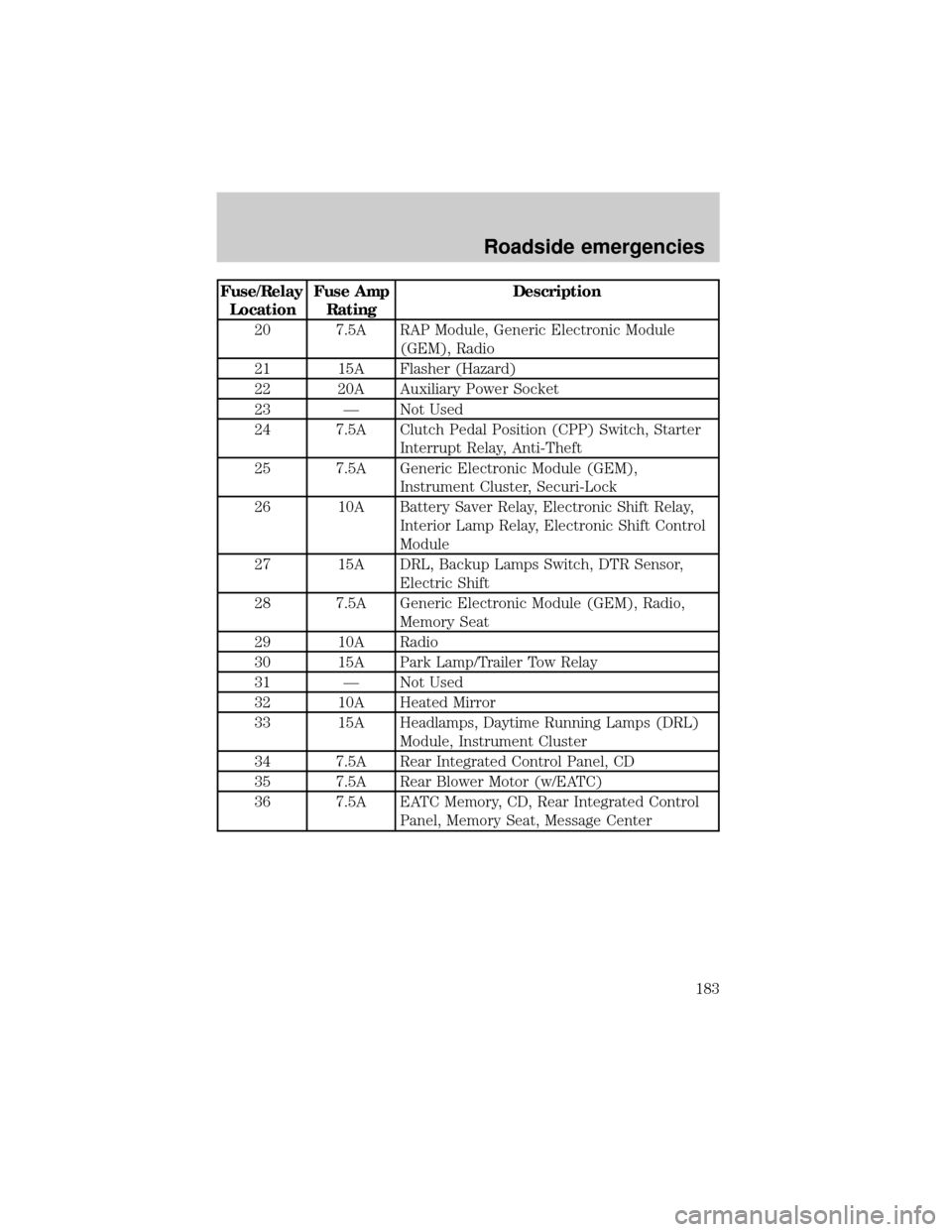
Fuse/Relay
LocationFuse Amp
RatingDescription
20 7.5A RAP Module, Generic Electronic Module
(GEM), Radio
21 15A Flasher (Hazard)
22 20A Auxiliary Power Socket
23 Ð Not Used
24 7.5A Clutch Pedal Position (CPP) Switch, Starter
Interrupt Relay, Anti-Theft
25 7.5A Generic Electronic Module (GEM),
Instrument Cluster, Securi-Lock
26 10A Battery Saver Relay, Electronic Shift Relay,
Interior Lamp Relay, Electronic Shift Control
Module
27 15A DRL, Backup Lamps Switch, DTR Sensor,
Electric Shift
28 7.5A Generic Electronic Module (GEM), Radio,
Memory Seat
29 10A Radio
30 15A Park Lamp/Trailer Tow Relay
31 Ð Not Used
32 10A Heated Mirror
33 15A Headlamps, Daytime Running Lamps (DRL)
Module, Instrument Cluster
34 7.5A Rear Integrated Control Panel, CD
35 7.5A Rear Blower Motor (w/EATC)
36 7.5A EATC Memory, CD, Rear Integrated Control
Panel, Memory Seat, Message Center
Roadside emergencies
183
Page 259 of 264

speed control ............................84
turn signal indicator ...................8
Locks
childproof ................................100
Lumbar support, seats ......116,118
Manual transmission
reverse .....................................156
Message center ...........................15
economy button ........................16
english/metric button ..........15,16
reset button ..............................16
system check button ...........17,18
Mirrors
automatic dimming rearview
mirror ........................................98
cleaning ...................................246
heated ......................................101
side view mirrors (power) .....100
Moon roof ....................................89
Motorcraft parts ........................231
Octane rating ............................229
Odometer .....................................13
Panic alarm feature, remote
entry system ..............................106
Parking brake ............................146
Power distribution box
(see Fuses) ...............................184
Power door locks ........................99
Power steering ..........................147
fluid, checking and adding ....213
Radio ...33,34,35,36,37,38,40,41,42,
43,44,46,47,48,49,50,51,52,
53,54,56,57,58,59,60,61,62,
63,64,65,66,67,68
Relays ........................................179
Remote entry system .105,113,114
illuminated entry ....................109
locking/unlocking doors .........106
replacement/additional
transmitters .............................109
replacing the batteries ...........108
Reverse sensing system .............31Roof rack ...................................177
Safety belts
(see Safety restraints) ...............11
Safety restraints
cleaning the safety belts .126,246
extension assembly ................125
for children .............................133
warning light and chime ...11,125
Seat belts (see Safety
restraints) ......120,121,122,123,124
Seats ..........................................116
child safety seats ....................134
cleaning ............................245,246
memory seat ....................107,118
Servicing your vehicle .......200,201
Snowplowing .................................3
Spark plugs, specifications .......247
Special notice ................................3
ambulance conversions ..............3
utility-type vehicles ....................3
Specification chart, lubricants .250
Speed control ..............................80
Speedometer ...............................12
Starting your vehicle .........140,142
jump starting ............192,193,195
Steering wheel ............................86
tilting .........................................85
Tachometer .................................13
Tires .............................222,223,224
changing ...........................187,188
checking the pressure ............224
replacing ..................................225
rotating ....................................224
snow tires and chains ............226
tire grades ...............................223
treadwear ................................223
Towing ...........168,173,174,175,176
recreational towing .................176
wrecker ....................................198
Traction-lok rear axle ...............165
Transfer case
fluid checking .........................218
Index
259