ECU FORD EXPLORER 2005 3.G Owner's Guide
[x] Cancel search | Manufacturer: FORD, Model Year: 2005, Model line: EXPLORER, Model: FORD EXPLORER 2005 3.GPages: 320, PDF Size: 8.62 MB
Page 273 of 320
ENGINE OIL
Checking the engine oil
Refer to the scheduled maintenance guide for the appropriate intervals
for checking the engine oil.
1. Make sure the vehicle is on level ground.
2. Turn the engine off and wait a few minutes for the oil to drain into the
oil pan.
3. Set the parking brake and ensure the gearshift is securely latched in P
(Park).
4. Open the hood. Protect yourself from engine heat.
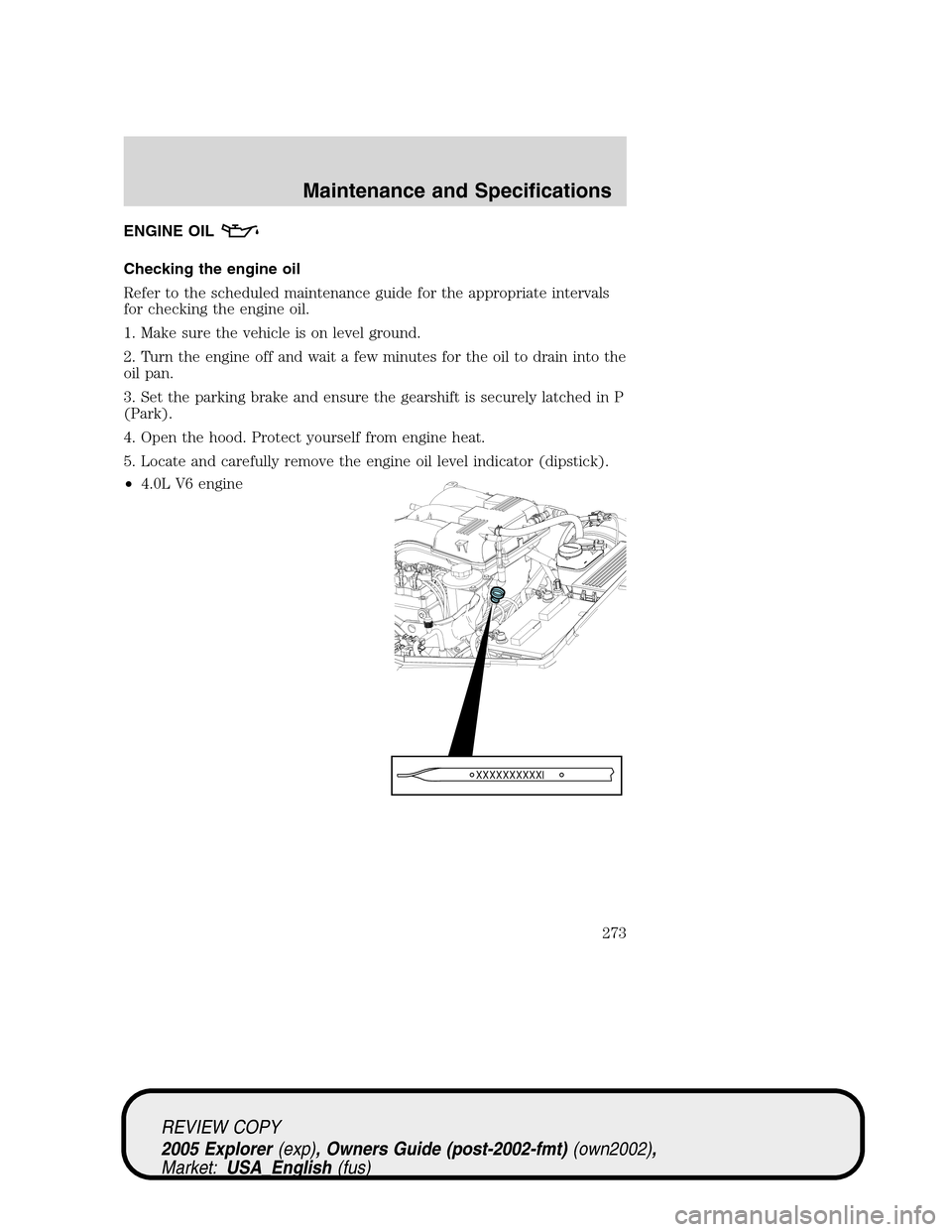
5. Locate and carefully remove the engine oil level indicator (dipstick).
•4.0L V6 engine
REVIEW COPY
2005 Explorer(exp), Owners Guide (post-2002-fmt)(own2002),
Market:USA_English(fus)
Maintenance and Specifications
273
Page 297 of 320
On board diagnostics (OBD-II)
Your vehicle is equipped with a computer that monitors the engine’s
emission control system. This system is commonly known as the On
Board Diagnostics System (OBD-II). This OBD-II system protects the
environment by ensuring that your vehicle continues to meet
government emission standards. The OBD-II system also assists the
service technician in properly servicing your vehicle. When theCheck
engine/Service engine soonlight illuminates, the OBD-II system has
detected a malfunction. Temporary malfunctions may cause yourCheck
engine/Service engine soonlight to illuminate. Examples are:
1.
The vehicle has run out of fuel. (The engine may misfire or run poorly.)
2. Poor fuel quality or water in the fuel.
3. The fuel cap may not have been securely tightened.
These temporary malfunctions can be corrected by filling the fuel tank
with good quality fuel and/or properly tightening the fuel cap. After three
driving cycles without these or any other temporary malfunctions
present, theCheck engine/Service engine soonlight should turn off. (A
driving cycle consists of a cold engine startup followed by mixed
city/highway driving.) No additional vehicle service is required.
If theCheck engine/Service engine soonlight remains on, have your
vehicle serviced at the first available opportunity.
Readiness for Inspection/Maintenance (I/M) testing
In some localities, it may be a legal requirement to pass an I/M test of
the on-board diagnostics system. If yourCheck engine/Service engine
soonlight is on, refer to the description in theWarning lights and
chimessection of theInstrument Clusterchapter. Your vehicle may not
pass the I/M test with theCheck engine/Service engine soonlight on.
If the vehicle’s powertrain system or its battery has just been serviced,
the on-board diagnostics system is reset to a “not ready for I/M test”
condition. To ready the on-board diagnostics system for I/M testing, a
minimum of 30 minutes of city and highway driving is necessary as
described below:
•First, at least 10 minutes of driving on an expressway or highway.
•Next, at least 20 minutes driving in stop-and-go, city-type traffic with
at least four idle periods.
Allow the vehicle to sit for at least eight hours without starting the
engine. Then, start the engine and complete the above driving cycle. The
engine must warm up to its normal operating temperature. Once started,
do not turn off the engine until the above driving cycle is complete.
REVIEW COPY
2005 Explorer(exp), Owners Guide (post-2002-fmt)(own2002),
Market:USA_English(fus)
Maintenance and Specifications
297
Page 299 of 320
BRAKE FLUID RESERVOIR
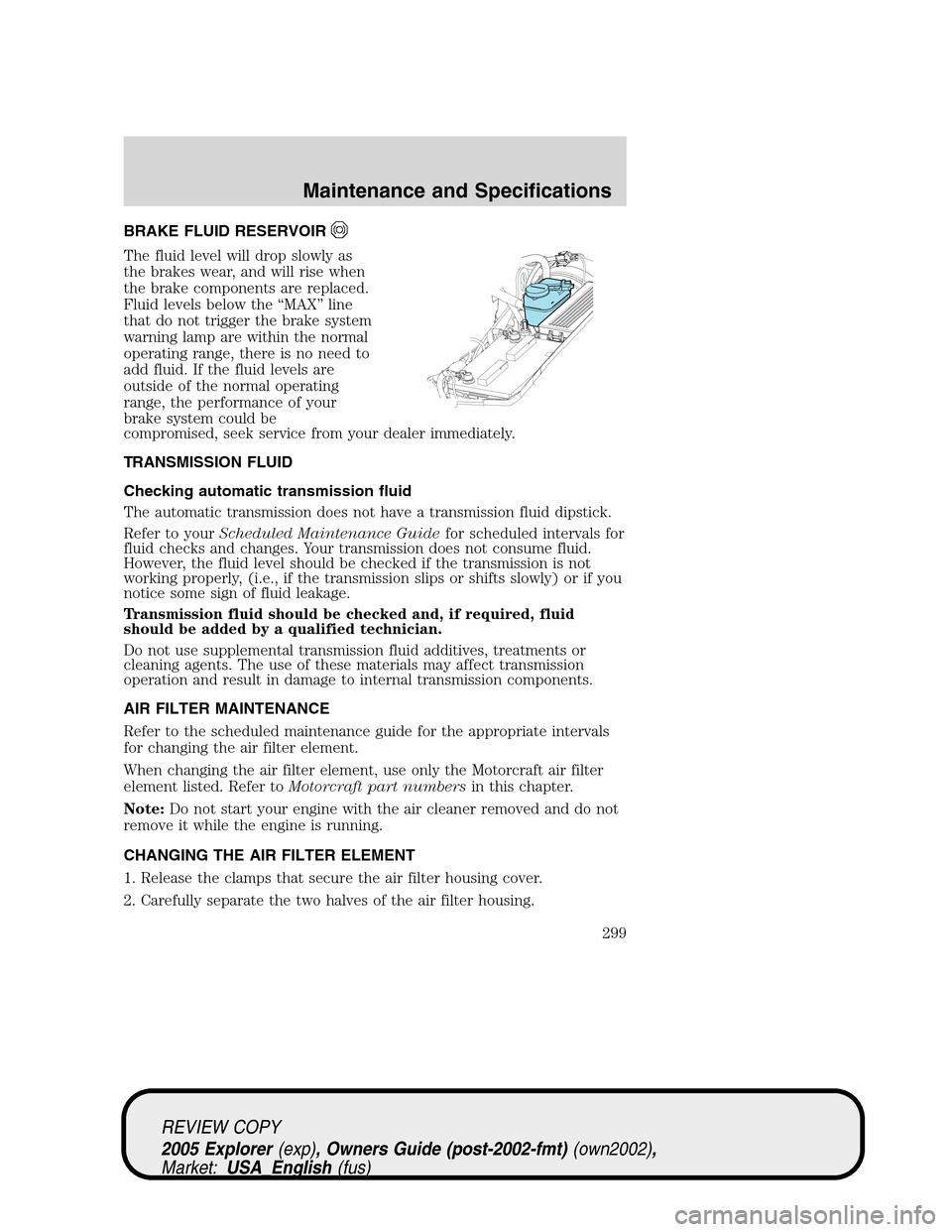
The fluid level will drop slowly as
the brakes wear, and will rise when
the brake components are replaced.
Fluid levels below the “MAX” line
that do not trigger the brake system
warning lamp are within the normal
operating range, there is no need to
add fluid. If the fluid levels are
outside of the normal operating
range, the performance of your
brake system could be
compromised, seek service from your dealer immediately.
TRANSMISSION FLUID
Checking automatic transmission fluid
The automatic transmission does not have a transmission fluid dipstick.
Refer to yourScheduled Maintenance Guidefor scheduled intervals for
fluid checks and changes. Your transmission does not consume fluid.
However, the fluid level should be checked if the transmission is not
working properly, (i.e., if the transmission slips or shifts slowly) or if you
notice some sign of fluid leakage.
Transmission fluid should be checked and, if required, fluid
should be added by a qualified technician.
Do not use supplemental transmission fluid additives, treatments or
cleaning agents. The use of these materials may affect transmission
operation and result in damage to internal transmission components.
AIR FILTER MAINTENANCE
Refer to the scheduled maintenance guide for the appropriate intervals
for changing the air filter element.
When changing the air filter element, use only the Motorcraft air filter
element listed. Refer toMotorcraft part numbersin this chapter.
Note:Do not start your engine with the air cleaner removed and do not
remove it while the engine is running.
CHANGING THE AIR FILTER ELEMENT
1. Release the clamps that secure the air filter housing cover.
2. Carefully separate the two halves of the air filter housing.
REVIEW COPY
2005 Explorer(exp), Owners Guide (post-2002-fmt)(own2002),
Market:USA_English(fus)
Maintenance and Specifications
299
Page 300 of 320
3. Remove the air filter element from the air filter housing.
4. Wipe the air filter housing and cover clean to remove any dirt or
debris and to ensure good sealing.
5. Install a new air filter element. Be careful not to crimp the filter
element edges between the air filter housing and cover. This could cause
filter damage and allow unfiltered air to enter the engine if not properly
seated.
6. Replace the air filter housing cover and secure the clamps.
Note:Failure to use the correct air filter element may result in severe
engine damage. The customer warranty may be voided for any damage to
the engine if the correct air filter element is not used.
CHECKING AND ADDING TRANSFER CASE FLUID (IF EQUIPPED)
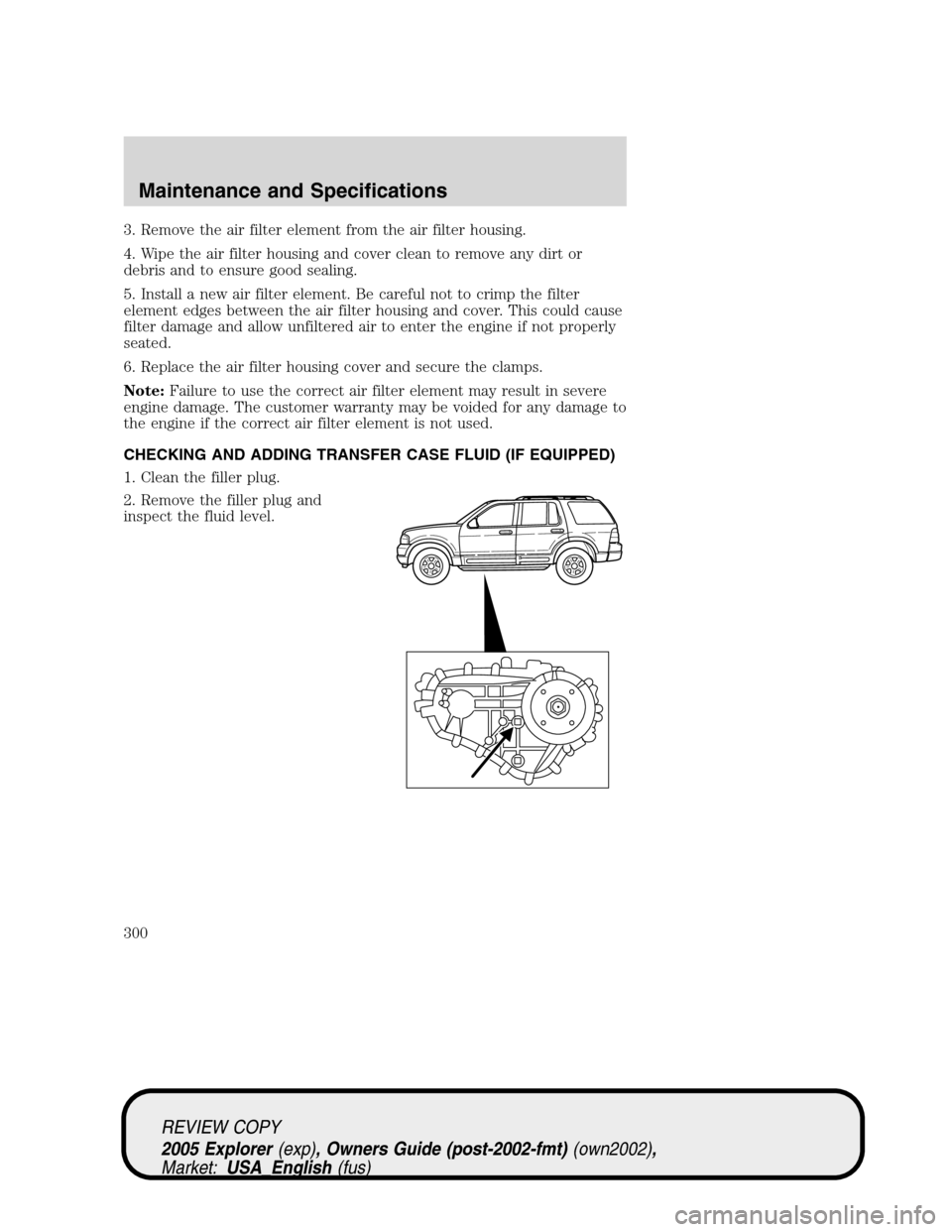
1. Clean the filler plug.
2. Remove the filler plug and
inspect the fluid level.
REVIEW COPY
2005 Explorer(exp), Owners Guide (post-2002-fmt)(own2002),
Market:USA_English(fus)
Maintenance and Specifications
300
Page 311 of 320
Interior style
Electrochromatic compass/temperature interior mirrors
Floor mats
Leather wrapped steering wheels
Scuff plates
Lifestyle
Bike racks
Cargo organization and management
Rear seat entertainment systems
Towing mirrors
Trailer hitches, wiring harnesses and accessories
Peace of mind
First aid and highway safety kits
Full vehicle covers
Locking gas cap
Navigation systems
Remote start
Vehicle security systems
Keyless entry keypad
For maximum vehicle performance, keep the following information in
mind when adding accessories or equipment to your vehicle:
•When adding accessories, equipment, passengers and luggage to your
vehicle, do not exceed the total weight capacity of the vehicle or of
the front or rear axle (GVWR or GAWR as indicated on the Safety
Compliance Certification label). Consult your dealer for specific weight
information.
REVIEW COPY
2005 Explorer(exp), Owners Guide (post-2002-fmt)(own2002),
Market:USA_English(fus)
Accessories
311