tow FORD EXPLORER 2006 4.G User Guide
[x] Cancel search | Manufacturer: FORD, Model Year: 2006, Model line: EXPLORER, Model: FORD EXPLORER 2006 4.GPages: 328, PDF Size: 3.59 MB
Page 59 of 328
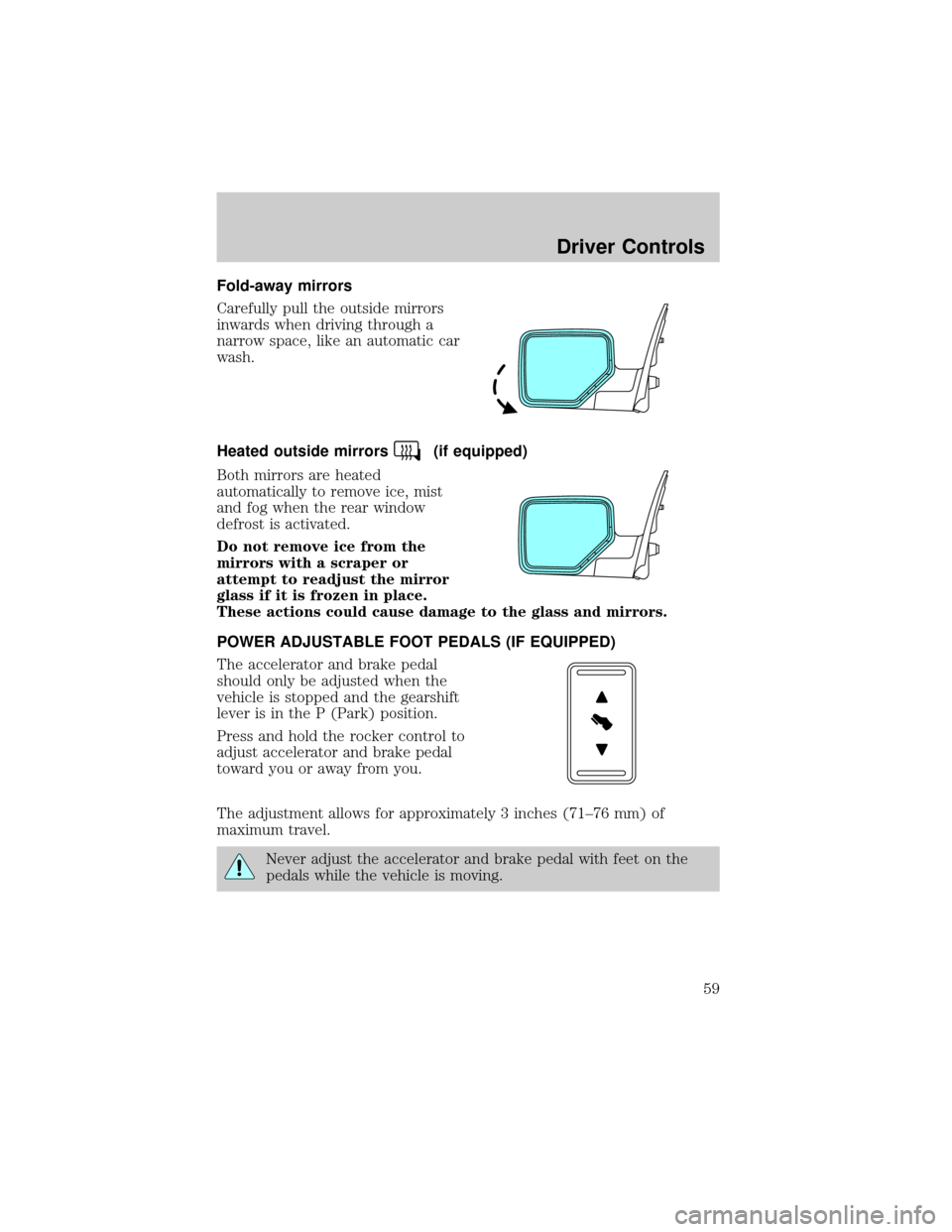
Fold-away mirrors
Carefully pull the outside mirrors
inwards when driving through a
narrow space, like an automatic car
wash.
Heated outside mirrors
(if equipped)
Both mirrors are heated
automatically to remove ice, mist
and fog when the rear window
defrost is activated.
Do not remove ice from the
mirrors with a scraper or
attempt to readjust the mirror
glass if it is frozen in place.
These actions could cause damage to the glass and mirrors.
POWER ADJUSTABLE FOOT PEDALS (IF EQUIPPED)
The accelerator and brake pedal
should only be adjusted when the
vehicle is stopped and the gearshift
lever is in the P (Park) position.
Press and hold the rocker control to
adjust accelerator and brake pedal
toward you or away from you.
The adjustment allows for approximately 3 inches (71±76 mm) of
maximum travel.
Never adjust the accelerator and brake pedal with feet on the
pedals while the vehicle is moving.
Driver Controls
59
Page 65 of 328
Bounce back override:To override bounce back, within 2 seconds after
reaching bounce back position, if the switch is held in the close position
the moon roof will close with a 20±25 percent increase of closing force
before it will bounce back again. If the switch is released before the
moon roof reaches fully closed position, the moon roof will stop. For
example: Bounce Back Override can be used to overcome the resistance
of ice on the moon roof or seals.
To vent:
²To tilt the moon roof into the vent position (when the glass panel is
closed), press and hold the front portion of the control.
²To close the moon roof from the vent position, press and hold the rear
portion of the control until the glass panel stops moving.
The moon roof has a sliding shade that can be opened or closed when
the glass panel is shut. To close the shade, pull it toward the front of the
vehicle.
Accessory delay:
With accessory delay, the window switches, audio system, and moon roof
(if equipped) may be used for up to 10 minutes after the ignition switch
is turned to the OFF position or until either front door is opened.
HOMELINKTWIRELESS CONTROL SYSTEM (IF EQUIPPED)
The HomeLinktWireless Control System, located on the overhead
console, provides a convenient way to replace up to three hand-held
transmitters with a single built-in device. This feature will learn the radio
frequency codes of most transmitters to operate garage doors, entry gate
operators, security systems, entry door locks, and home or office lighting.
When programming your HomeLinktWireless Control System to
a garage door or gate, be sure that people and objects are out of
the way to prevent potential harm or damage.
Do not use the HomeLinktWireless Control System with any garage
door opener that lacks safety stop and reverse features as required by
U.S. federal safety standards (this includes any garage door opener
model manufactured before April 1, 1982). A garage door which cannot
detect an object, signaling the door to stop and reverse, does not meet
current U.S. federal safety standards. For more information, contact
HomeLinktat:www.homelink.comor1±800±355±3515.
Driver Controls
65
Page 93 of 328

LOW TIRE PRESSURE.Displayed when one or more tires on your
vehicle have low tire pressure. Refer toInspecting and Inflating Your
Tiresin theTires, Wheels and Loadingchapter.
TIRE MONITOR FAULT.Displayed when the Tire Pressure Monitoring
System is malfunctioning. If the warning stays on or continues to come
on, have the system inspected by your authorized dealer.
TIRE SENSOR FAULT.Displayed when a tire pressure sensor is
malfunctioning, or your spare tire is in use. For more information on how
the system operates under these conditions, refer toUnderstanding
Your Tire Pressure Monitoring Systemin theTires, Wheels and
Loadingchapter. If the warning stays on or continues to come on, have
the system inspected by your authorized dealer.
BRAKE FLUID LEVEL LOW.Indicates the brake fluid level is low and
the brake system should be inspected immediately. Refer toBrake fluid
reservoirin theMaintenance and Specificationschapter.
CHECK BRAKE LAMP.Displayed when the brake lamps are activated
and at least one bulb is burned out. Check the lamps as soon as possible
and have the burned out lamp replaced. Refer toReplacing headlamp
bulbsin theLightschapter.
CHECK HEADLAMP.Displayed when the headlamps are activated and
at least one bulb is burned out. Check the lamps as soon as possible and
have the burned out lamp replaced. Refer toReplacing headlamp bulbs
in theLightschapter.
CHECK HIGHBEAM LAMP.Displayed when the highbeam lamps are
activated and at least one bulb is burned out. Check the lamps as soon
as possible and have the burned out lamp replaced. Refer toReplacing
headlamp bulbsin theLightschapter.
CHECK TURN LAMP.Displayed when the turn lamps are activated and
at least one bulb is burned out. Check the lamps as soon as possible and
have the burned out lamp replaced. Refer toReplacing headlamp bulbs
in theLightschapter.
WASHER FLUID LEVEL LOW.Indicates the washer fluid reservoir is less
than one quarter full. Check the washer fluid level. Refer toWindshield
washer fluidin theMaintenance and Specificationschapter.
OIL CHANGE REQUIRED.Displayed when the engine oil life
remaining is 0%.
An oil change is required whenever indicated by the message center and
according to the recommended maintenance schedule. USE ONLY
RECOMMENDED ENGINE OILS.
Driver Controls
93
Page 95 of 328
Do not place any objects on the cargo area cover. They may
obstruct your vision or strike occupants of the vehicle in the
case of a sudden stop or collision.
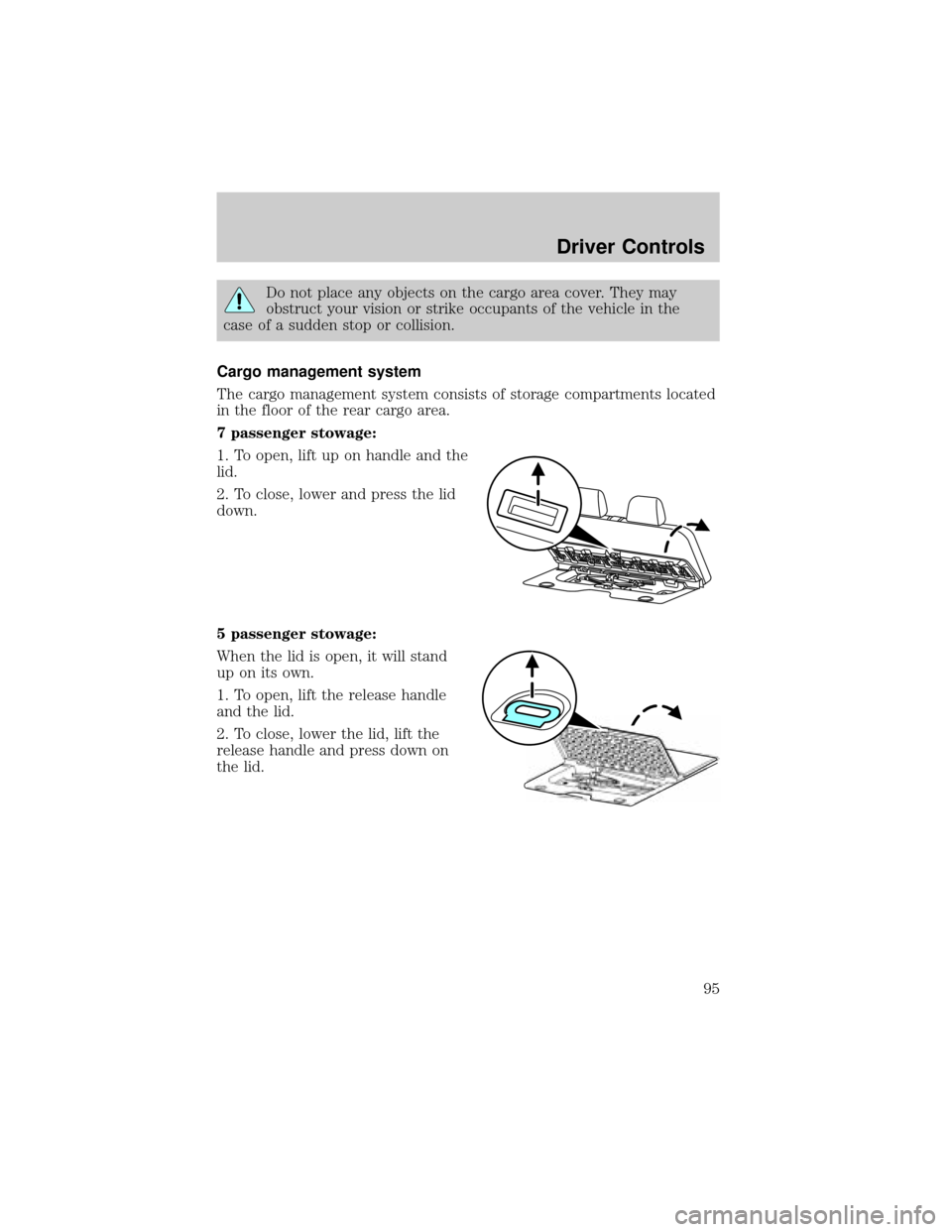
Cargo management system
The cargo management system consists of storage compartments located
in the floor of the rear cargo area.
7 passenger stowage:
1. To open, lift up on handle and the
lid.
2. To close, lower and press the lid
down.
5 passenger stowage:
When the lid is open, it will stand
up on its own.
1. To open, lift the release handle
and the lid.
2. To close, lower the lid, lift the
release handle and press down on
the lid.
Driver Controls
95
Page 100 of 328
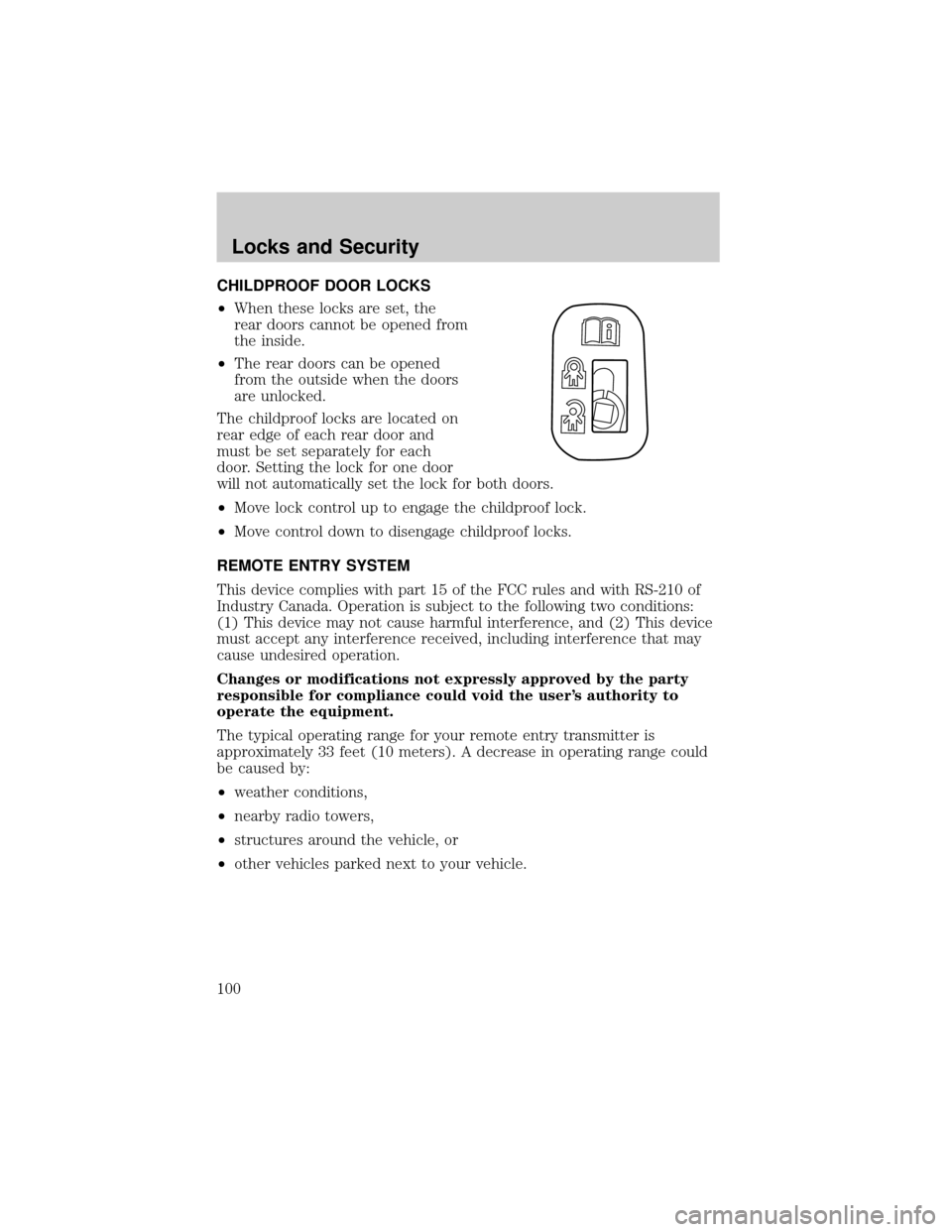
CHILDPROOF DOOR LOCKS
²When these locks are set, the
rear doors cannot be opened from
the inside.
²The rear doors can be opened
from the outside when the doors
are unlocked.
The childproof locks are located on
rear edge of each rear door and
must be set separately for each
door. Setting the lock for one door
will not automatically set the lock for both doors.
²Move lock control up to engage the childproof lock.
²Move control down to disengage childproof locks.
REMOTE ENTRY SYSTEM
This device complies with part 15 of the FCC rules and with RS-210 of
Industry Canada. Operation is subject to the following two conditions:
(1) This device may not cause harmful interference, and (2) This device
must accept any interference received, including interference that may
cause undesired operation.
Changes or modifications not expressly approved by the party
responsible for compliance could void the user's authority to
operate the equipment.
The typical operating range for your remote entry transmitter is
approximately 33 feet (10 meters). A decrease in operating range could
be caused by:
²weather conditions,
²nearby radio towers,
²structures around the vehicle, or
²other vehicles parked next to your vehicle.
Locks and Security
100
Page 112 of 328
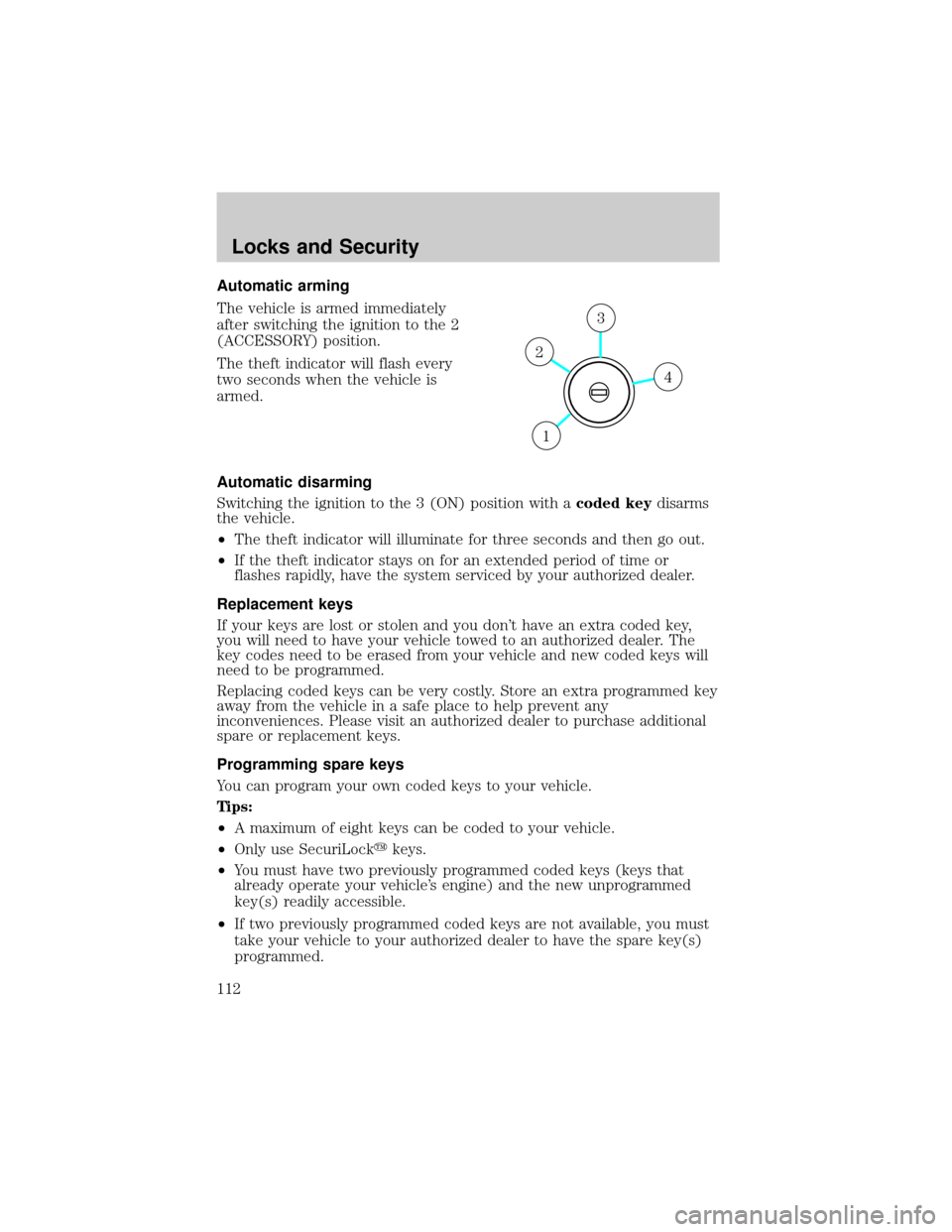
Automatic arming
The vehicle is armed immediately
after switching the ignition to the 2
(ACCESSORY) position.
The theft indicator will flash every
two seconds when the vehicle is
armed.
Automatic disarming
Switching the ignition to the 3 (ON) position with acoded keydisarms
the vehicle.
²The theft indicator will illuminate for three seconds and then go out.
²If the theft indicator stays on for an extended period of time or
flashes rapidly, have the system serviced by your authorized dealer.
Replacement keys
If your keys are lost or stolen and you don't have an extra coded key,
you will need to have your vehicle towed to an authorized dealer. The
key codes need to be erased from your vehicle and new coded keys will
need to be programmed.
Replacing coded keys can be very costly. Store an extra programmed key
away from the vehicle in a safe place to help prevent any
inconveniences. Please visit an authorized dealer to purchase additional
spare or replacement keys.
Programming spare keys
You can program your own coded keys to your vehicle.
Tips:
²A maximum of eight keys can be coded to your vehicle.
²Only use SecuriLockykeys.
²You must have two previously programmed coded keys (keys that
already operate your vehicle's engine) and the new unprogrammed
key(s) readily accessible.
²If two previously programmed coded keys are not available, you must
take your vehicle to your authorized dealer to have the spare key(s)
programmed.
4
3
2
1
Locks and Security
112
Page 117 of 328
To reduce the risk of possible serious injury: Do not hang objects
off seat back or stow objects in the seatback map pocket (if
equipped) when a child is in the front passenger seat. Do not place
objects underneath the front passenger seat or between the seat and
the center console (if equipped). Check the ªpassenger airbag offº or
ªpass airbag offº indicator lamp for proper airbag status. Refer toFront
passenger sensing systemsection for additional details. Failure to
follow these instructions may interfere with the front passenger seat
sensing system.
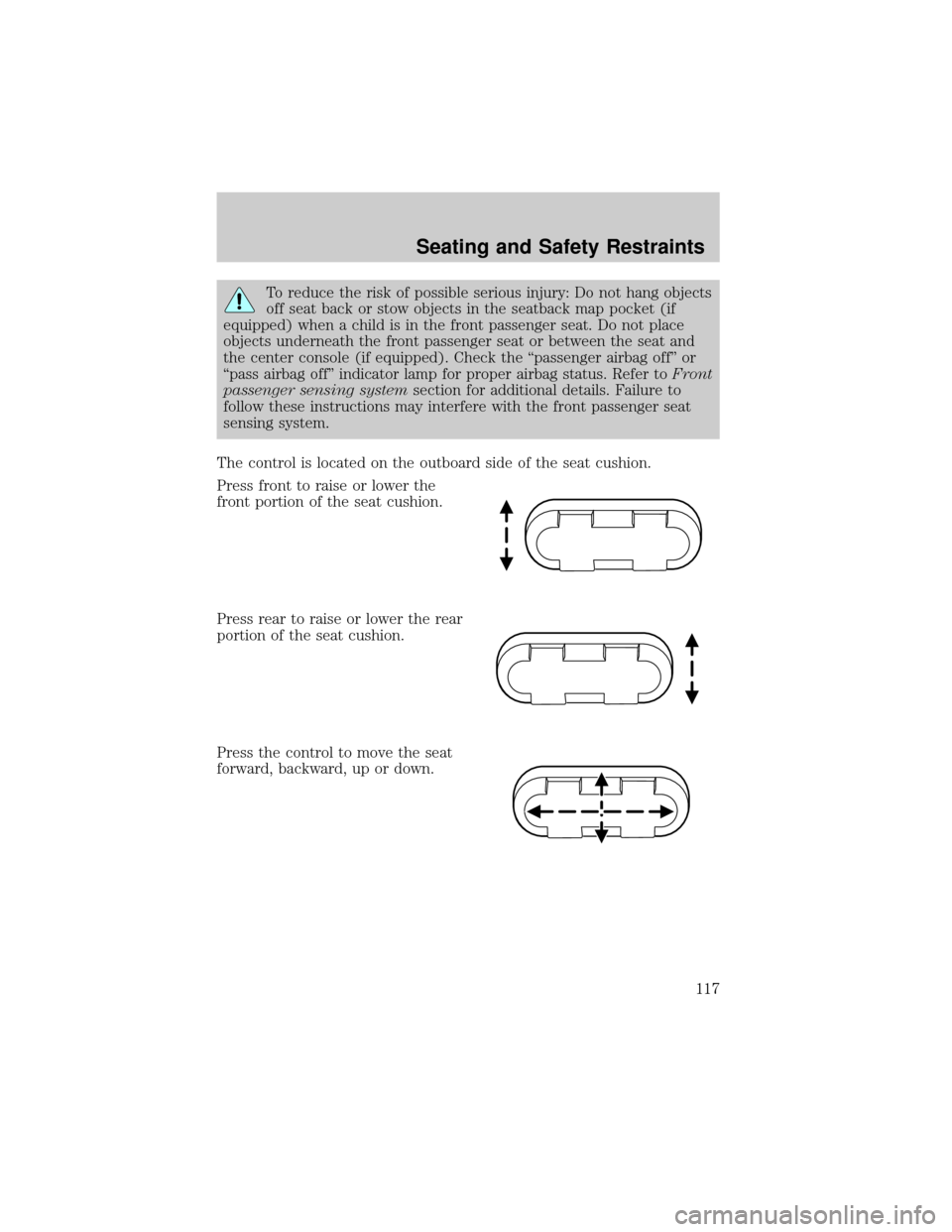
The control is located on the outboard side of the seat cushion.
Press front to raise or lower the
front portion of the seat cushion.
Press rear to raise or lower the rear
portion of the seat cushion.
Press the control to move the seat
forward, backward, up or down.
Seating and Safety Restraints
117
Page 119 of 328
Using the manual lumbar support (if equipped)
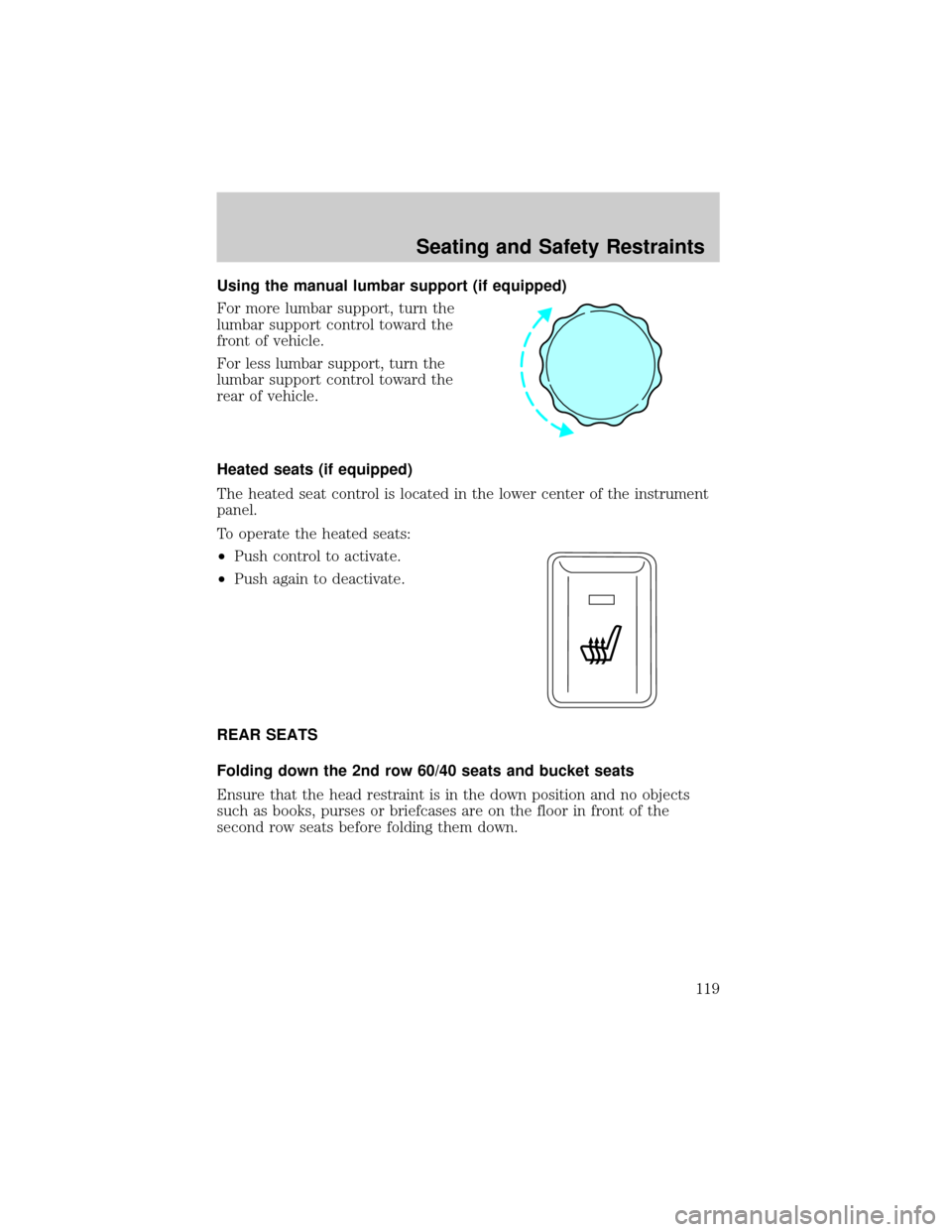
For more lumbar support, turn the
lumbar support control toward the
front of vehicle.
For less lumbar support, turn the
lumbar support control toward the
rear of vehicle.
Heated seats (if equipped)
The heated seat control is located in the lower center of the instrument
panel.
To operate the heated seats:
²Push control to activate.
²Push again to deactivate.
REAR SEATS
Folding down the 2nd row 60/40 seats and bucket seats
Ensure that the head restraint is in the down position and no objects
such as books, purses or briefcases are on the floor in front of the
second row seats before folding them down.
Seating and Safety Restraints
119
Page 120 of 328
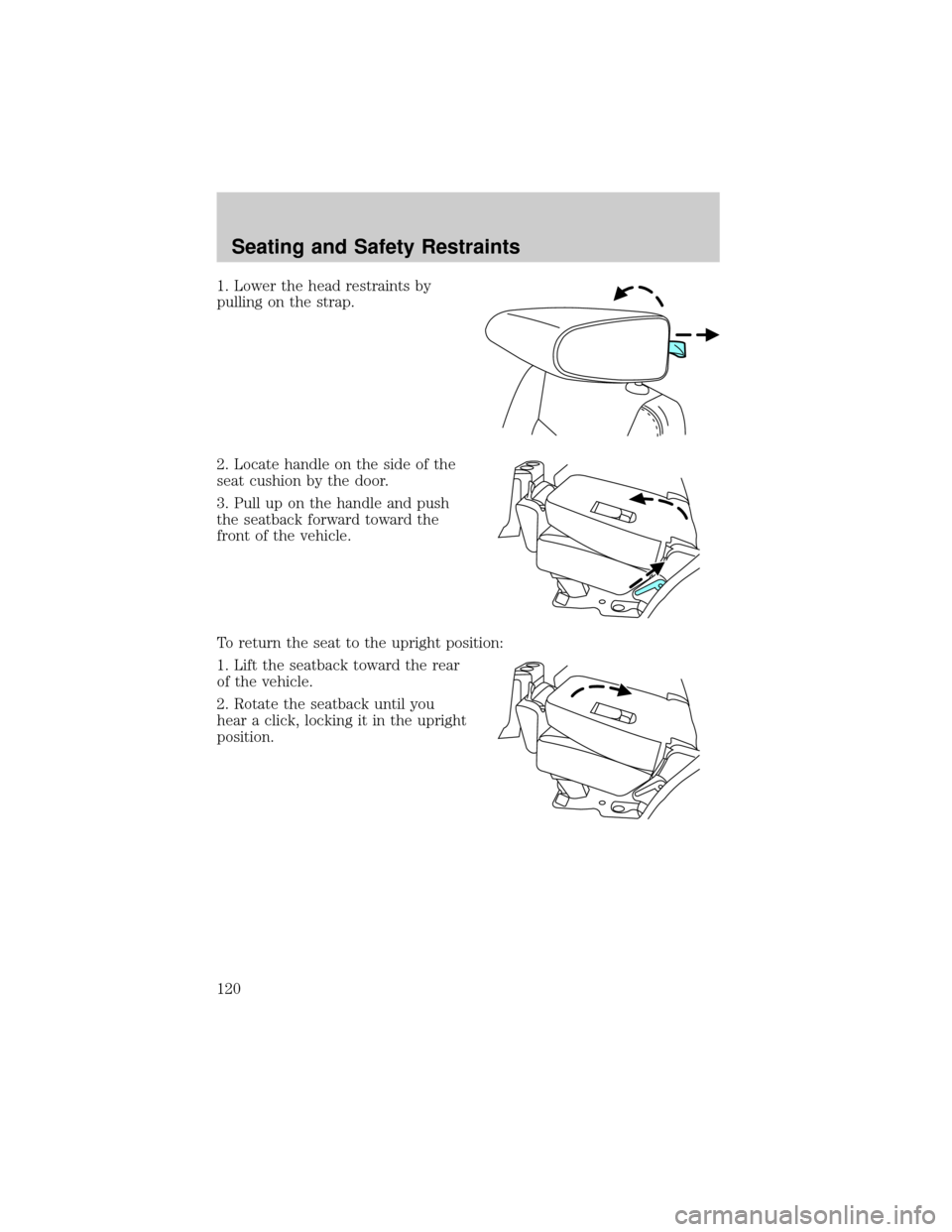
1. Lower the head restraints by
pulling on the strap.
2. Locate handle on the side of the
seat cushion by the door.
3. Pull up on the handle and push
the seatback forward toward the
front of the vehicle.
To return the seat to the upright position:
1. Lift the seatback toward the rear
of the vehicle.
2. Rotate the seatback until you
hear a click, locking it in the upright
position.
Seating and Safety Restraints
120
Page 123 of 328
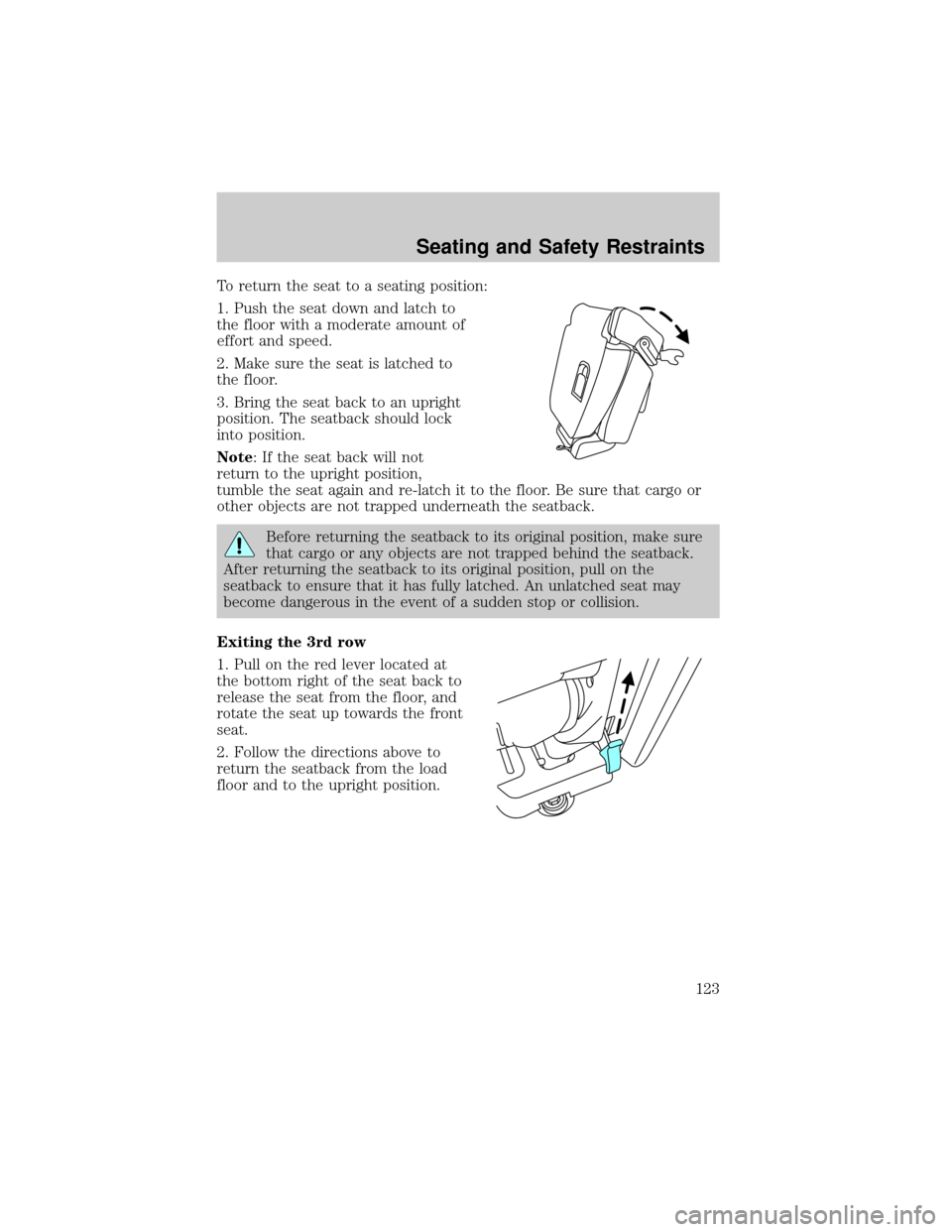
To return the seat to a seating position:
1. Push the seat down and latch to
the floor with a moderate amount of
effort and speed.
2. Make sure the seat is latched to
the floor.
3. Bring the seat back to an upright
position. The seatback should lock
into position.
Note: If the seat back will not
return to the upright position,
tumble the seat again and re-latch it to the floor. Be sure that cargo or
other objects are not trapped underneath the seatback.
Before returning the seatback to its original position, make sure
that cargo or any objects are not trapped behind the seatback.
After returning the seatback to its original position, pull on the
seatback to ensure that it has fully latched. An unlatched seat may
become dangerous in the event of a sudden stop or collision.
Exiting the 3rd row
1. Pull on the red lever located at
the bottom right of the seat back to
release the seat from the floor, and
rotate the seat up towards the front
seat.
2. Follow the directions above to
return the seatback from the load
floor and to the upright position.
Seating and Safety Restraints
123