brake FORD EXPLORER 2006 4.G Owner's Manual
[x] Cancel search | Manufacturer: FORD, Model Year: 2006, Model line: EXPLORER, Model: FORD EXPLORER 2006 4.GPages: 328, PDF Size: 3.59 MB
Page 139 of 328
Reasons given... Consider...
ªI'd rather be thrown clearº Not a good idea.Peoplewho areejected
are 40 times more likely to DIE.Safety
belts help prevent ejection, WE CAN'T
ªPICK OUR CRASHº.
Do not sit on top of a buckled safety belt to avoid the
BeltMinderychime. Sitting on the safety belt will increase the
risk of injury in an accident. To disable (one-time) or deactivate the
BeltMinderyfeature please follow the directions stated below.
One time disable
If at any time the driver/front passenger quickly buckles then unbuckles
the safety belt for that seating position, the BeltMinderyis disabled for
the current ignition cycle. The BeltMinderyfeature will enable during
the same ignition cycle if the occupant buckles and remains buckled for
approximately 30 seconds. Confirmation is not given for the one time
disable.
Deactivating/activating the BeltMinderYfeature
The driver and front passenger BeltMinderyare
deactivated/activated independently. When deactivating/activating
one seating position, do not buckle the other position as this will
terminate the process.
Read Steps1-4thoroughly before proceeding with the
deactivation/activation programming procedure.
Note: The driver and front passenger BeltMinderyfeatures must be
disabled/enabled separately. Both cannot be disable/enabled during the
same key cycle.
The driver and front passenger BeltMinderyfeatures can be
deactivated/activated by performing the following procedure:
Before following the procedure, make sure that:
²The parking brake is set
²The gearshift is in P (Park) (automatic transmission)
²The ignition switch is in the OFF position
²The driver and front passenger safety belts are unbuckled
Seating and Safety Restraints
139
Page 192 of 328

USING SNOW TIRES AND TRACTION DEVICES
Snow tires must be the same size and grade as the tires you
currently have on your vehicle.
The tires on your vehicle have all-weather treads to provide traction in
rain and snow. However, in some climates, using snow tires or traction
devices may be necessary. Ford offers tire cables as a Ford approved
accessory and recommends use of these or SAE class ªSº tire cables. See
your authorized dealer for more information on tire cables for your
vehicle.
Follow these guidelines when using snow tires and traction devices:
²Cables or chains should only be used on the rear wheels.
²Install cables or chains securely, verifying that the cables or chains do
not touch any wiring, brake lines or fuel lines.
²Drive cautiously. If you hear the cables or chains rub or bang against
the vehicle, stop and retighten them. If this does not work, remove the
cables or chains to prevent vehicle damage.
²Avoid overloading your vehicle.
²Remove the cables or chains when they are no longer needed.
²Do not use cables or chains on dry roads.
²Do not exceed 30 mph (48 km/h) with tire cables or chains on your
vehicle.
Consult your authorized dealer for information on other Ford Motor
Company approved methods of traction control.
VEHICLE LOADING ± WITH AND WITHOUT A TRAILER
This section will guide you in the proper loading of your vehicle and/or
trailer, to keep your loaded vehicle weight within its design rating
capability, with or without a trailer. Properly loading your vehicle will
provide maximum return of vehicle design performance. Before loading
your vehicle, familiarize yourself with the following terms for determining
your vehicle's weight ratings, with or without a trailer, from the vehicle's
Safety Compliance Certification Label:
Base Curb Weight± is the weight of the vehicle including a full tank of
fuel and all standard equipment. It does not include passengers, cargo, or
optional equipment.
Tires, Wheels and Loading
192
Page 196 of 328
GVWR (Gross Vehicle Weight
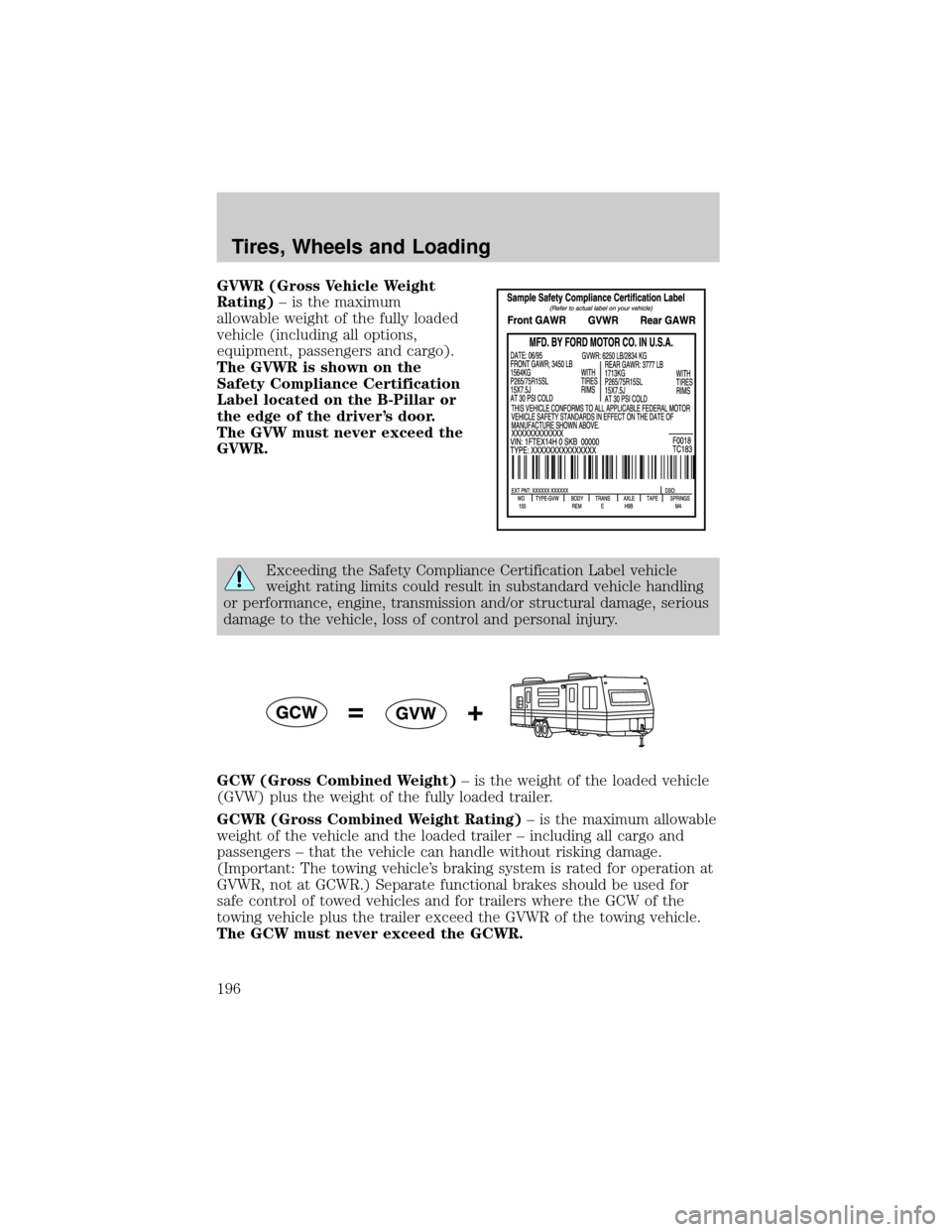
Rating)± is the maximum
allowable weight of the fully loaded
vehicle (including all options,
equipment, passengers and cargo).
The GVWR is shown on the
Safety Compliance Certification
Label located on the B-Pillar or
the edge of the driver's door.
The GVW must never exceed the
GVWR.
Exceeding the Safety Compliance Certification Label vehicle
weight rating limits could result in substandard vehicle handling
or performance, engine, transmission and/or structural damage, serious
damage to the vehicle, loss of control and personal injury.
GCW (Gross Combined Weight)± is the weight of the loaded vehicle
(GVW) plus the weight of the fully loaded trailer.
GCWR (Gross Combined Weight Rating)± is the maximum allowable
weight of the vehicle and the loaded trailer ± including all cargo and
passengers ± that the vehicle can handle without risking damage.
(Important: The towing vehicle's braking system is rated for operation at
GVWR, not at GCWR.) Separate functional brakes should be used for
safe control of towed vehicles and for trailers where the GCW of the
towing vehicle plus the trailer exceed the GVWR of the towing vehicle.
The GCW must never exceed the GCWR.
Tires, Wheels and Loading
196
Page 199 of 328
Special loading instructions for owners of pickup trucks and
utility-type vehicles
For important information regarding safe operation of this type
of vehicle, see thePreparing to drive your vehiclesection in
theDrivingchapter of thisOwner's Guide.
Loaded vehicles may handle differently than unloaded vehicles.
Extra precautions, such as slower speeds and increased stopping
distance, should be taken when driving a heavily loaded vehicle.
Your vehicle can haul more cargo and people than most passenger cars.
Depending upon the type and placement of the load, hauling cargo and
people may raise the center of gravity of the vehicle.
Calculating the load your vehicle can carry/tow
1. Use the appropriate maximum GCWR chart (in theTrailer towing
section in this chapter) for your type of engine and rear axle ratio.
2. Weigh your vehicle without cargo. To obtain correct weights, take your
vehicle to a shipping company or an inspection station for trucks.
3. Subtract your loaded weight from the maximum GCWR in the chart.
This is the maximum trailer weight your vehicle can tow. It must be
below the maximum trailer weight shown in the chart.
TRAILER TOWING
Trailer towing with your vehicle may require the use of a trailer tow
option package.
Trailer towing puts additional loads on your vehicle's engine, transmission,
axle, brakes, tires, and suspension. For your safety and to maximize vehicle
performance, be sure to use the proper equipment while towing.
Follow these guidelines to ensure safe towing procedure:
²Stay within your vehicle's load limits.
²Thoroughly prepare your vehicle for towing. Refer toPreparing to
towin this chapter.
Tires, Wheels and Loading
199
Page 203 of 328
²Class III/IV receiver: 500 lb. (227 kg) (weight carrying); 740 lb. (336 kg)
(weight distributing)
Safety chains
Always connect the trailer's safety chains to the frame or hook retainers
of the vehicle hitch. To connect the trailer's safety chains, cross the
chains under the trailer tongue and allow slack for turning corners.
If you use a rental trailer, follow the instructions that the rental agency
gives to you.
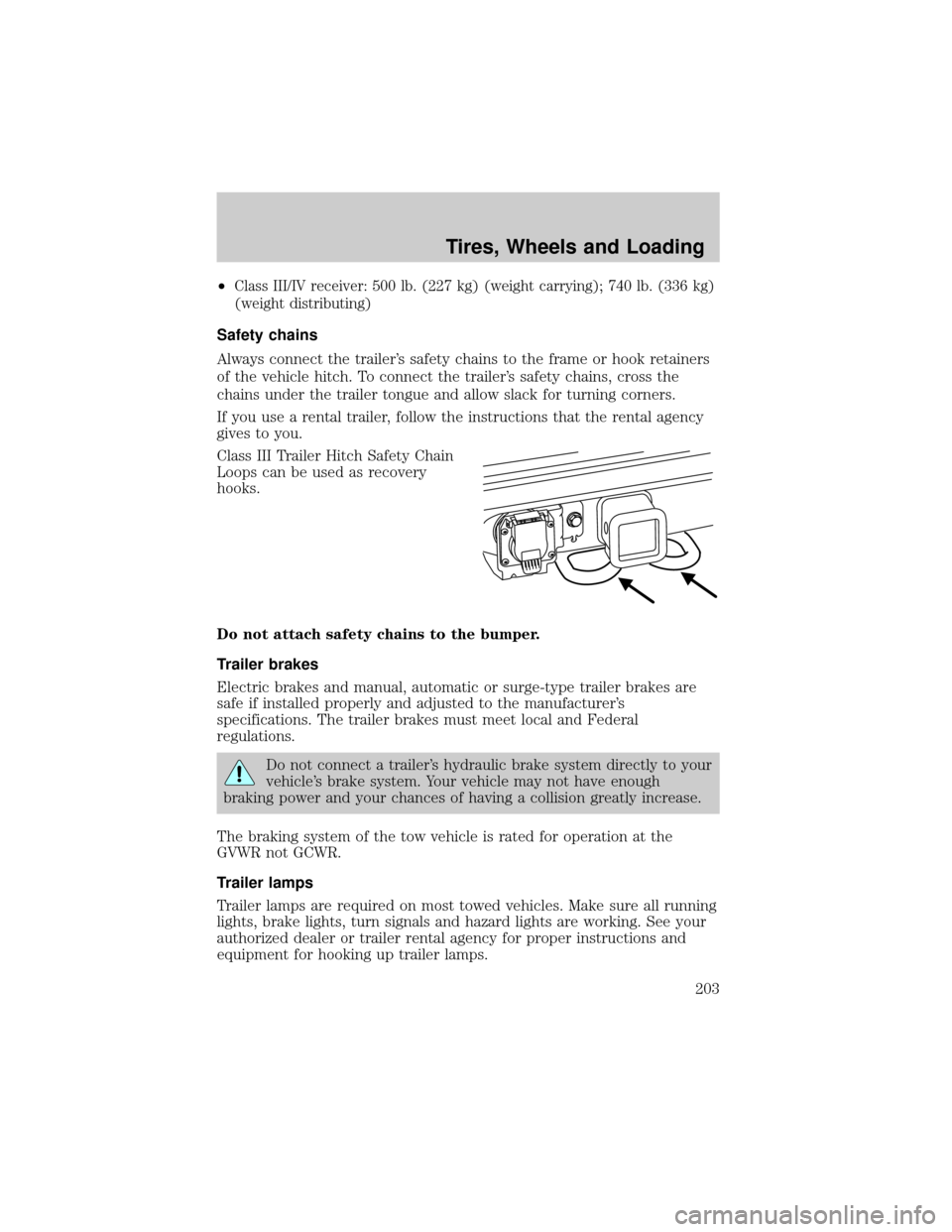
Class III Trailer Hitch Safety Chain
Loops can be used as recovery
hooks.
Do not attach safety chains to the bumper.
Trailer brakes
Electric brakes and manual, automatic or surge-type trailer brakes are
safe if installed properly and adjusted to the manufacturer's
specifications. The trailer brakes must meet local and Federal
regulations.
Do not connect a trailer's hydraulic brake system directly to your
vehicle's brake system. Your vehicle may not have enough
braking power and your chances of having a collision greatly increase.
The braking system of the tow vehicle is rated for operation at the
GVWR not GCWR.
Trailer lamps
Trailer lamps are required on most towed vehicles. Make sure all running
lights, brake lights, turn signals and hazard lights are working. See your
authorized dealer or trailer rental agency for proper instructions and
equipment for hooking up trailer lamps.
Tires, Wheels and Loading
203
Page 204 of 328
Never connect any trailer lighting to the vehicle's taillamp
circuits, because it may damage the electrical system resulting in
fire. Contact your authorized dealer for assistance in proper trailer tow
wiring installation. Additional electrical equipment may be required.
Driving while you tow
When towing a trailer:
²Keep your speed no faster than 70 mph (112 km/h) during the first
500 miles (800 km) of towing a trailer, and don't make full throttle
starts.
²Turn off the speed control. The speed control may shut off
automatically when you are towing on long, steep grades.
²Consult your local motor vehicle speed regulations for towing a trailer.
²To eliminate excessive shifting, use a lower gear. This will also assist
in transmission cooling. (For additional information, refer to the
Driving with an automatic transmissionsection in theDriving
chapter.)
²Under extreme conditions with large frontal trailers, high outside
temperatures and highway speeds, the coolant gauge may indicate
higher than normal coolant temperatures. If this occurs, reduce speed
until the coolant temperature returns to the normal range. Refer to
Engine coolant temperature gaugein theInstrument Cluster
chapter.
²Anticipate stops and brake gradually.
²Do not exceed the GCWR rating or transmission damage may occur.
Servicing after towing
If you tow a trailer for long distances, your vehicle will require more
frequent service intervals. Refer to yourScheduled Maintenance
Informationfor more information.
Trailer towing tips
²Practice turning, stopping and backing up before starting on a trip to
get the feel of the vehicle trailer combination. When turning, make
wider turns so the trailer wheels will clear curbs and other obstacles.
²Allow more distance for stopping with a trailer attached.
²If you are driving down a long or steep hill, shift to a lower gear. Do
not apply the brakes continuously, as they may overheat and become
less effective.
Tires, Wheels and Loading
204
Page 208 of 328
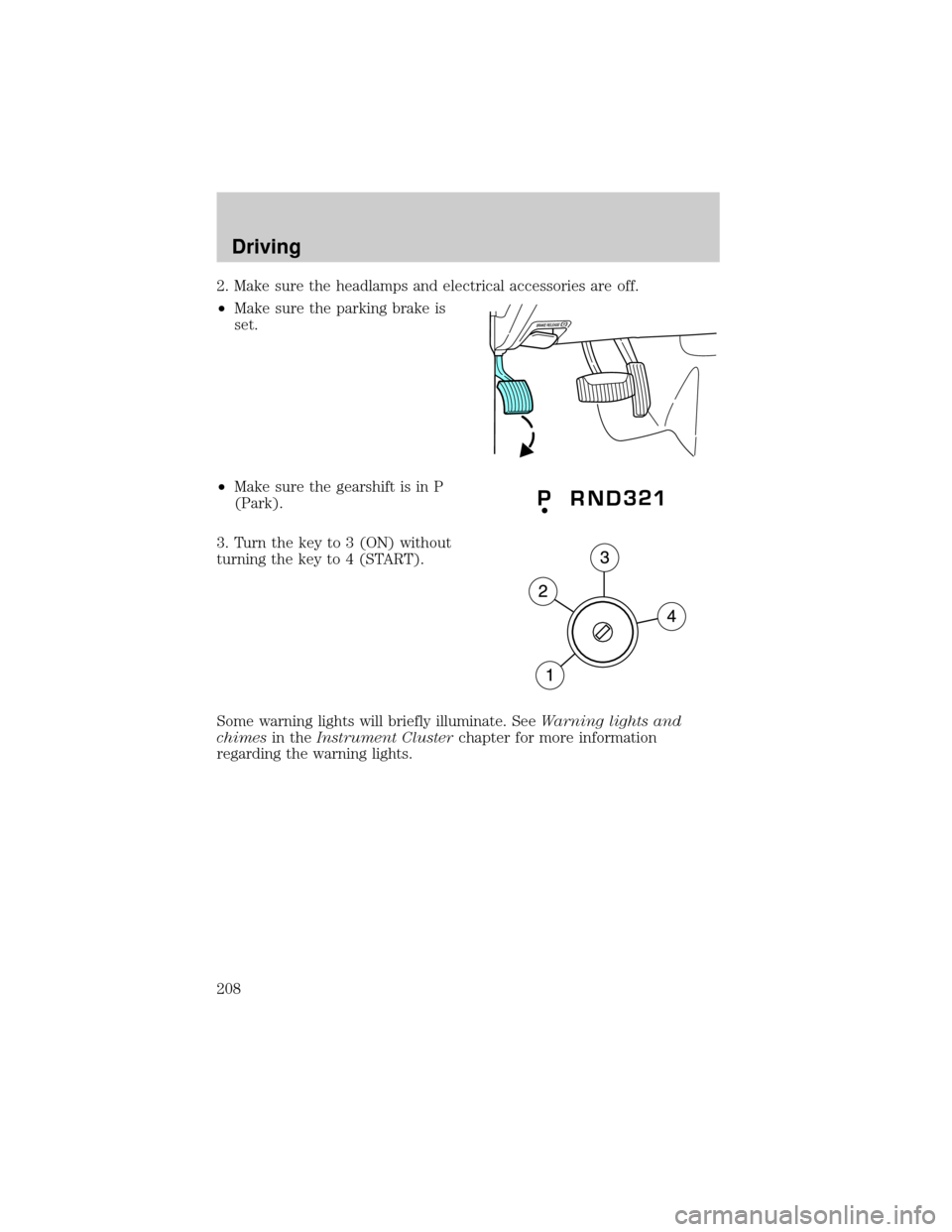
2. Make sure the headlamps and electrical accessories are off.
²Make sure the parking brake is
set.
²Make sure the gearshift is in P
(Park).
3. Turn the key to 3 (ON) without
turning the key to 4 (START).
Some warning lights will briefly illuminate. SeeWarning lights and
chimesin theInstrument Clusterchapter for more information
regarding the warning lights.
Driving
208
Page 210 of 328
To reduce the risk of electrical shock, do not use your heater
with ungrounded electrical systems or two-pronged (cheater)
adapters.
BRAKES
Occasional brake noise is normal. If a metal-to-metal, continuous grinding
or continuous squeal sound is present, the brake linings may be worn-out
and should be inspected by an authorized dealer. If the vehicle has
continuous vibration or shudder in the steering wheel while braking, the
vehicle should be inspected by an authorized dealer.
Refer toBrake system warning
lightin theInstrument Cluster
chapter for information on the brake
system warning light.
Four-wheel anti-lock brake system (ABS)
Your vehicle is equipped with an Anti-lock Braking System (ABS). This
system helps you maintain steering control during emergency stops by
keeping the brakes from locking. Noise from the ABS pump motor and
brake pedal pulsation may be observed during ABS braking and the
brake pedal may suddenly travel a little farther as soon as ABS braking is
done and normal brake operation resumes. These are normal
characteristics of the ABS and should be no reason for concern.
ABS warning lamp
The ABS lamp in the instrument
cluster momentarily illuminates
when the ignition is turned on. If
the light does not illuminate during
start up, remains on or flashes, the
ABS may be disabled and may need to be serviced.
Even when the ABS is disabled,
normal braking is still effective. (If
your BRAKE warning lamp
illuminates with the parking brake
released, have your brake system
serviced immediately.)
P!
BRAKE
ABS
P!
BRAKE
Driving
210
Page 211 of 328
Parking brake
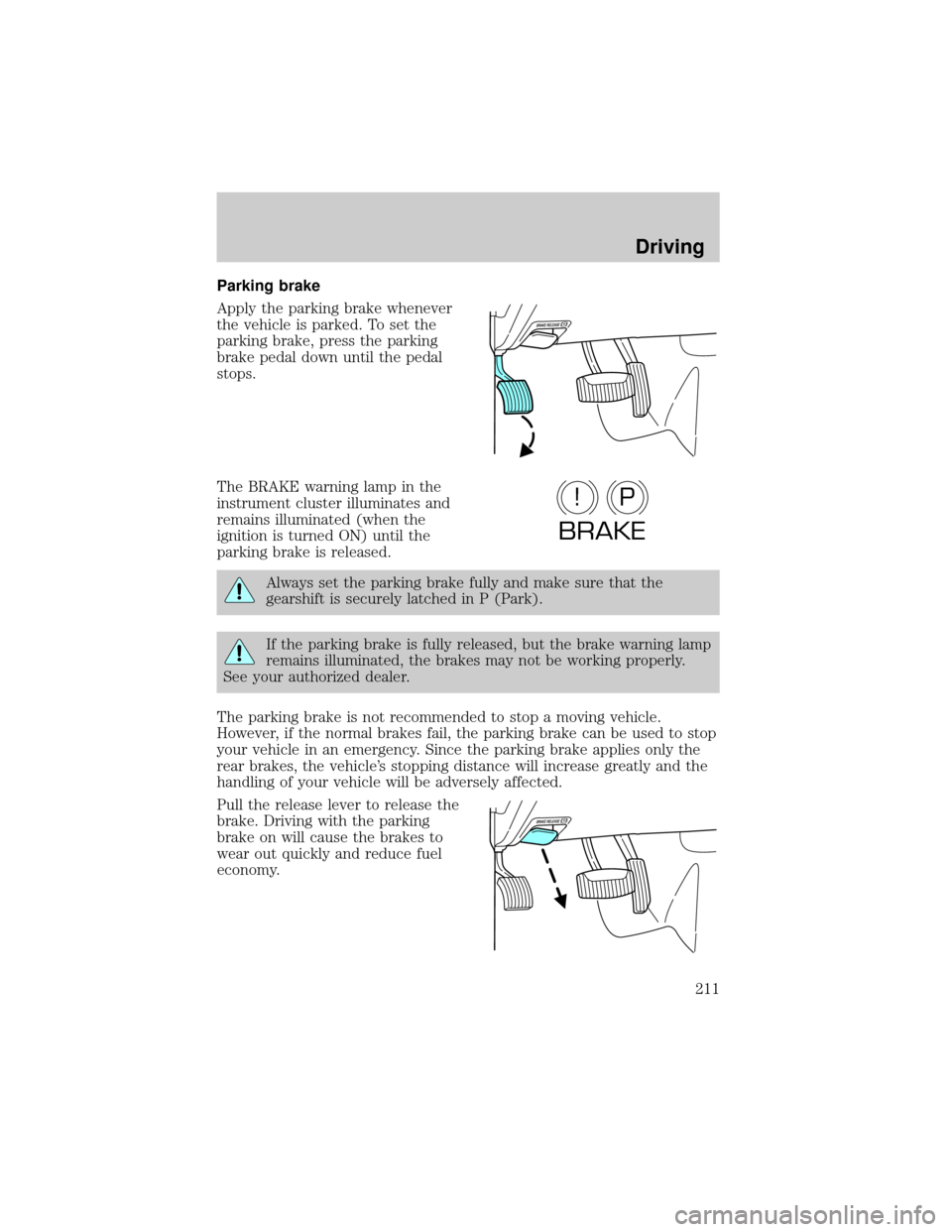
Apply the parking brake whenever
the vehicle is parked. To set the
parking brake, press the parking
brake pedal down until the pedal
stops.
The BRAKE warning lamp in the
instrument cluster illuminates and
remains illuminated (when the
ignition is turned ON) until the
parking brake is released.
Always set the parking brake fully and make sure that the
gearshift is securely latched in P (Park).
If the parking brake is fully released, but the brake warning lamp
remains illuminated, the brakes may not be working properly.
See your authorized dealer.
The parking brake is not recommended to stop a moving vehicle.
However, if the normal brakes fail, the parking brake can be used to stop
your vehicle in an emergency. Since the parking brake applies only the
rear brakes, the vehicle's stopping distance will increase greatly and the
handling of your vehicle will be adversely affected.
Pull the release lever to release the
brake. Driving with the parking
brake on will cause the brakes to
wear out quickly and reduce fuel
economy.
P!
BRAKE
Driving
211
Page 212 of 328

ADVANCETRACTWITH ROLL STABILITY CONTROLY(RSC)
STABILITY ENHANCEMENT SYSTEM
The AdvanceTractwith RSC system provides stability enhancement
features such as Roll Stability Controly(RSC), Electronic Stability
Control (ESC) and Traction Control (TCS) for certain driving situations.
The system includes an AdvanceTractwith RSC on/off button, and a
ªsliding carº icon in the instrument cluster.
Some drivers may notice a slight movement of the brake pedal when the
AdvanceTractwith RSC performs a system self-check. During
AdvanceTractwith RSC operation you may experience the following:
²A rumble, grunting, or grinding noise after startup and when driving
off
²A slight deceleration of the vehicle
²The AdvanceTractwith RSC indicator light will flash when the system
is activated.
²If your foot is on the brake pedal, you will feel a vibration in the
pedal.
²If the driving condition is severe and your foot is not on the brake, the
brake pedal will move to apply higher brake forces. You may also hear
a whoosh of air from under the instrument panel during this severe
condition.
Traction Control
Traction Control helps your vehicle maintain traction, when driving on
slippery and/or hilly road surfaces, by detecting and controlling wheel
spin. Excessive wheel spin is controlled by momentarily reducing engine
power and/or applying the anti-lock brakes. Traction Control is a driver
aid that helps your vehicle.
If your vehicle should become stuck in deep snow or mud, try switching
the AdvanceTractwith RSC system off by pressing the AdvanceTract
with RSC button momentarily. This will allow your tires to ªdigº for
traction.
If the AdvanceTractwith RSC system is activated excessively in a short
period of time, the brake portion of the system will disable to allow the
brakes to cool down. In this situation, Traction Control will use only
engine power reduction to help control the wheels from over-spinning.
When the brakes have cooled down, the system will again function
normally. Anti-lock braking, RSC and ESC are not affected by this
condition and will function normally during the cool-down period.
Driving
212