lock FORD EXPLORER 2006 4.G Service Manual
[x] Cancel search | Manufacturer: FORD, Model Year: 2006, Model line: EXPLORER, Model: FORD EXPLORER 2006 4.GPages: 328, PDF Size: 3.59 MB
Page 113 of 328
Please read and understand the
entire procedure before you begin.
1. Insert the first previously
programmedcoded keyinto the
ignition.
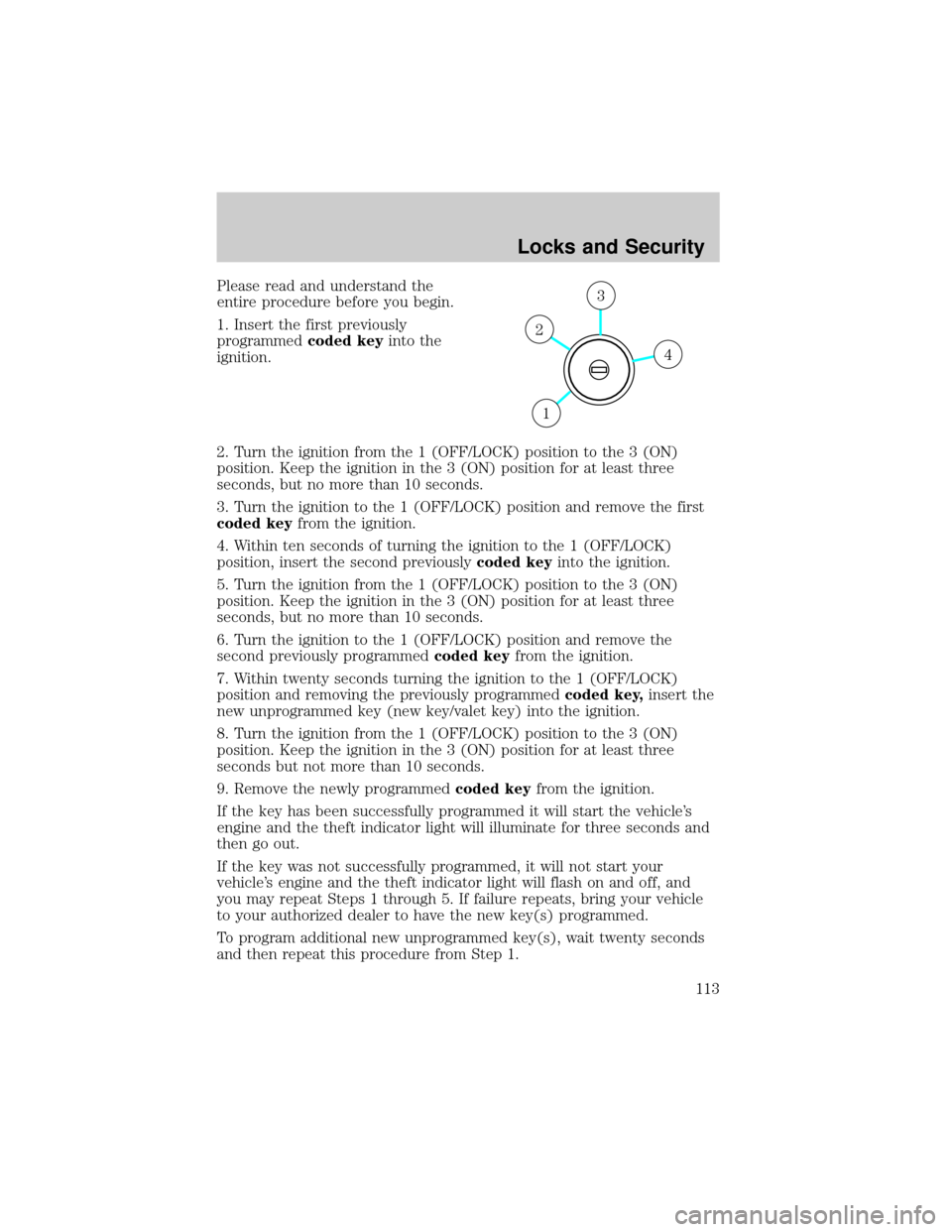
2. Turn the ignition from the 1 (OFF/LOCK) position to the 3 (ON)
position. Keep the ignition in the 3 (ON) position for at least three
seconds, but no more than 10 seconds.
3. Turn the ignition to the 1 (OFF/LOCK) position and remove the first
coded keyfrom the ignition.
4. Within ten seconds of turning the ignition to the 1 (OFF/LOCK)
position, insert the second previouslycoded keyinto the ignition.
5. Turn the ignition from the 1 (OFF/LOCK) position to the 3 (ON)
position. Keep the ignition in the 3 (ON) position for at least three
seconds, but no more than 10 seconds.
6. Turn the ignition to the 1 (OFF/LOCK) position and remove the
second previously programmedcoded keyfrom the ignition.
7. Within twenty seconds turning the ignition to the 1 (OFF/LOCK)
position and removing the previously programmedcoded key,insert the
new unprogrammed key (new key/valet key) into the ignition.
8. Turn the ignition from the 1 (OFF/LOCK) position to the 3 (ON)
position. Keep the ignition in the 3 (ON) position for at least three
seconds but not more than 10 seconds.
9. Remove the newly programmedcoded keyfrom the ignition.
If the key has been successfully programmed it will start the vehicle's
engine and the theft indicator light will illuminate for three seconds and
then go out.
If the key was not successfully programmed, it will not start your
vehicle's engine and the theft indicator light will flash on and off, and
you may repeat Steps 1 through 5. If failure repeats, bring your vehicle
to your authorized dealer to have the new key(s) programmed.
To program additional new unprogrammed key(s), wait twenty seconds
and then repeat this procedure from Step 1.
4
3
2
1
Locks and Security
113
Page 118 of 328
Press the control to recline the
seatback forward or rearward.
Memory seats and adjustable pedals (if equipped)
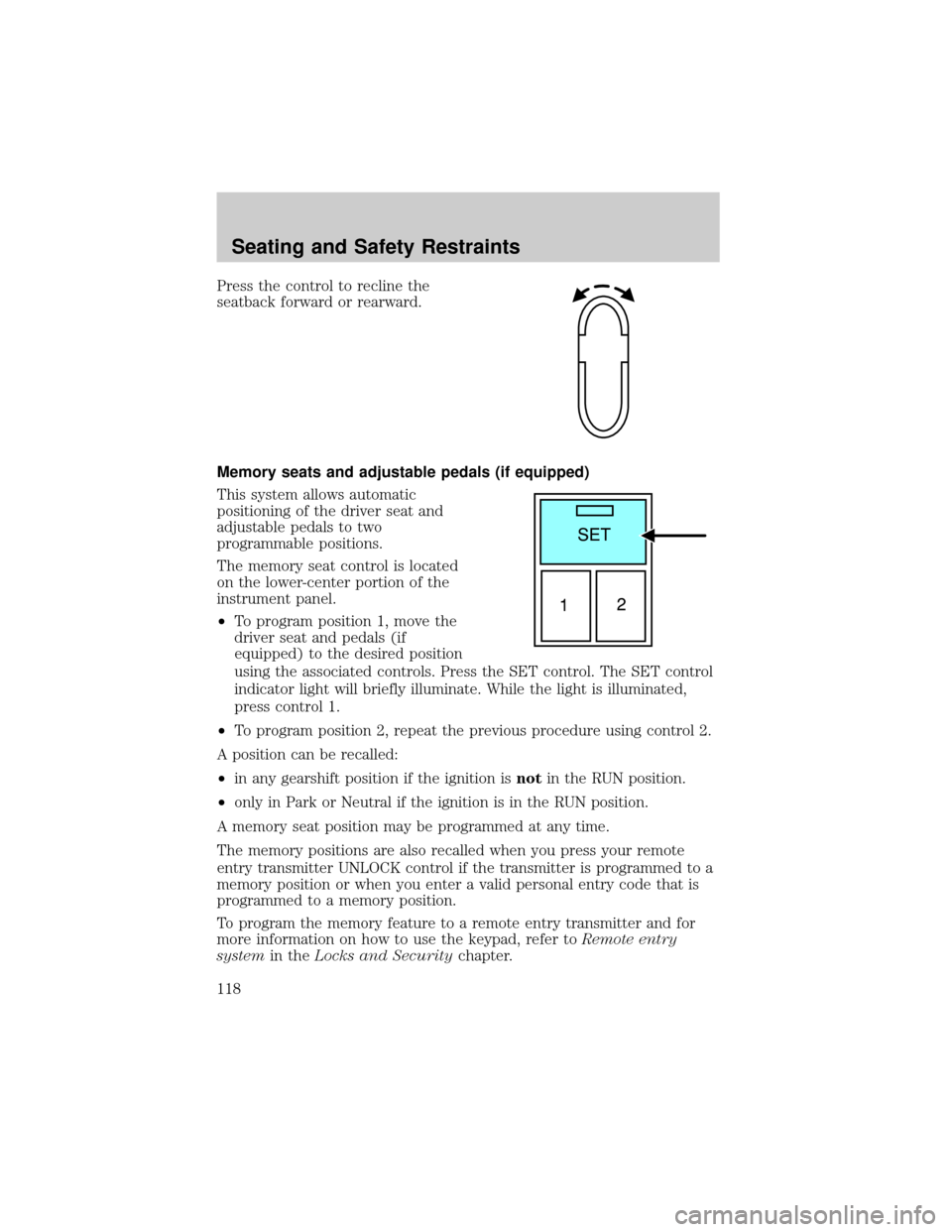
This system allows automatic
positioning of the driver seat and
adjustable pedals to two
programmable positions.
The memory seat control is located
on the lower-center portion of the
instrument panel.
²To program position 1, move the
driver seat and pedals (if
equipped) to the desired position
using the associated controls. Press the SET control. The SET control
indicator light will briefly illuminate. While the light is illuminated,
press control 1.
²To program position 2, repeat the previous procedure using control 2.
A position can be recalled:
²in any gearshift position if the ignition isnotin the RUN position.
²only in Park or Neutral if the ignition is in the RUN position.
A memory seat position may be programmed at any time.
The memory positions are also recalled when you press your remote
entry transmitter UNLOCK control if the transmitter is programmed to a
memory position or when you enter a valid personal entry code that is
programmed to a memory position.
To program the memory feature to a remote entry transmitter and for
more information on how to use the keypad, refer toRemote entry
systemin theLocks and Securitychapter.
Seating and Safety Restraints
118
Page 120 of 328
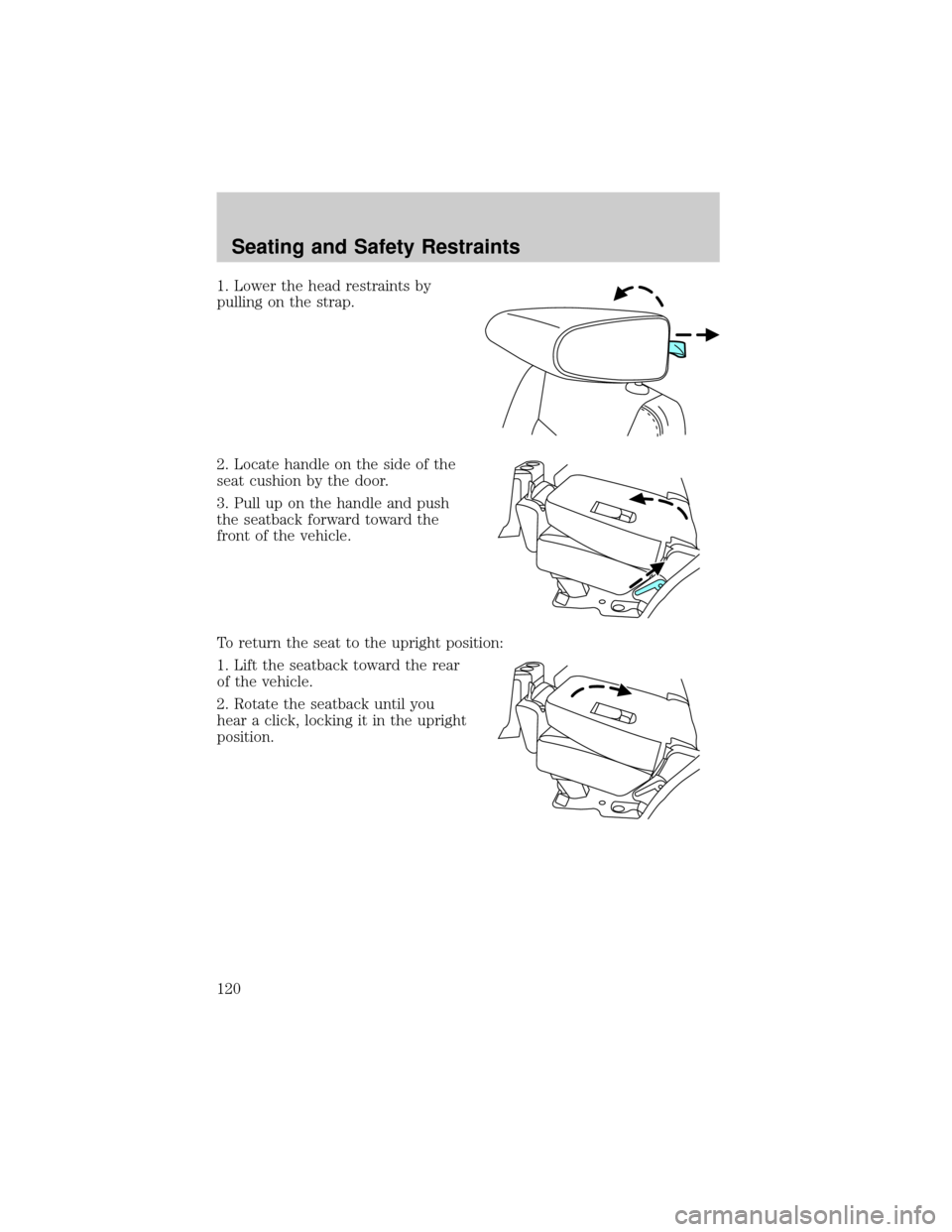
1. Lower the head restraints by
pulling on the strap.
2. Locate handle on the side of the
seat cushion by the door.
3. Pull up on the handle and push
the seatback forward toward the
front of the vehicle.
To return the seat to the upright position:
1. Lift the seatback toward the rear
of the vehicle.
2. Rotate the seatback until you
hear a click, locking it in the upright
position.
Seating and Safety Restraints
120
Page 121 of 328
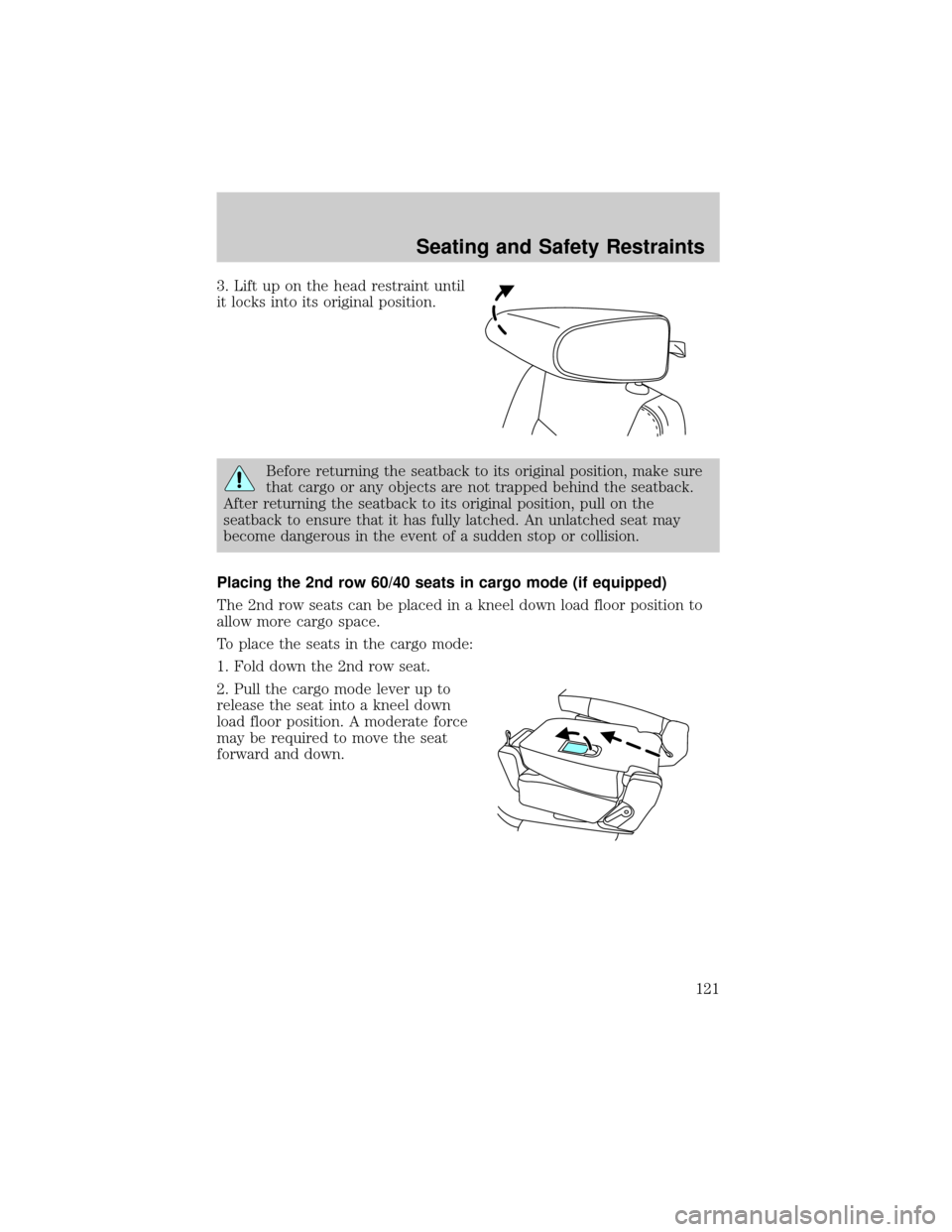
3. Lift up on the head restraint until
it locks into its original position.
Before returning the seatback to its original position, make sure
that cargo or any objects are not trapped behind the seatback.
After returning the seatback to its original position, pull on the
seatback to ensure that it has fully latched. An unlatched seat may
become dangerous in the event of a sudden stop or collision.
Placing the 2nd row 60/40 seats in cargo mode (if equipped)
The 2nd row seats can be placed in a kneel down load floor position to
allow more cargo space.
To place the seats in the cargo mode:
1. Fold down the 2nd row seat.
2. Pull the cargo mode lever up to
release the seat into a kneel down
load floor position. A moderate force
may be required to move the seat
forward and down.
Seating and Safety Restraints
121
Page 123 of 328
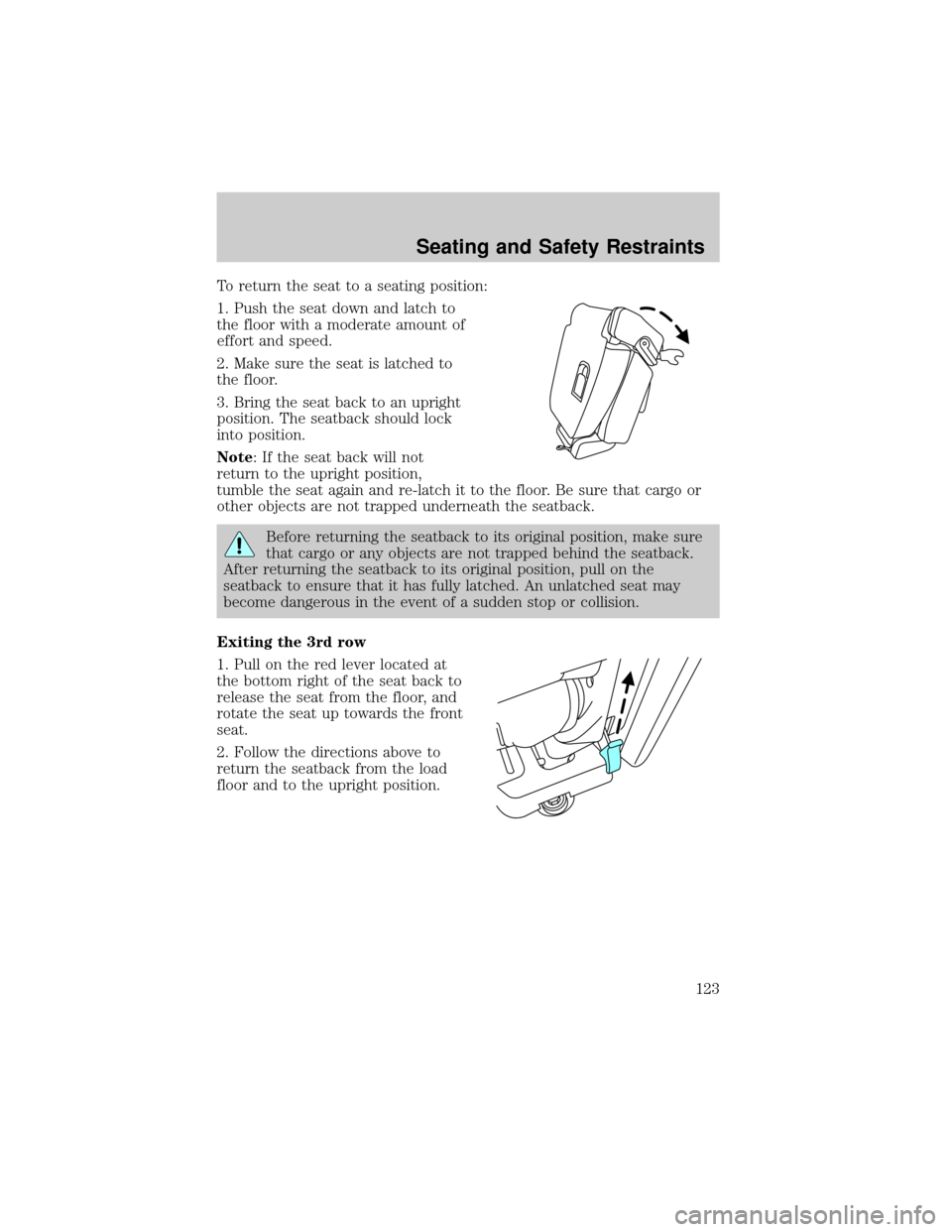
To return the seat to a seating position:
1. Push the seat down and latch to
the floor with a moderate amount of
effort and speed.
2. Make sure the seat is latched to
the floor.
3. Bring the seat back to an upright
position. The seatback should lock
into position.
Note: If the seat back will not
return to the upright position,
tumble the seat again and re-latch it to the floor. Be sure that cargo or
other objects are not trapped underneath the seatback.
Before returning the seatback to its original position, make sure
that cargo or any objects are not trapped behind the seatback.
After returning the seatback to its original position, pull on the
seatback to ensure that it has fully latched. An unlatched seat may
become dangerous in the event of a sudden stop or collision.
Exiting the 3rd row
1. Pull on the red lever located at
the bottom right of the seat back to
release the seat from the floor, and
rotate the seat up towards the front
seat.
2. Follow the directions above to
return the seatback from the load
floor and to the upright position.
Seating and Safety Restraints
123
Page 125 of 328
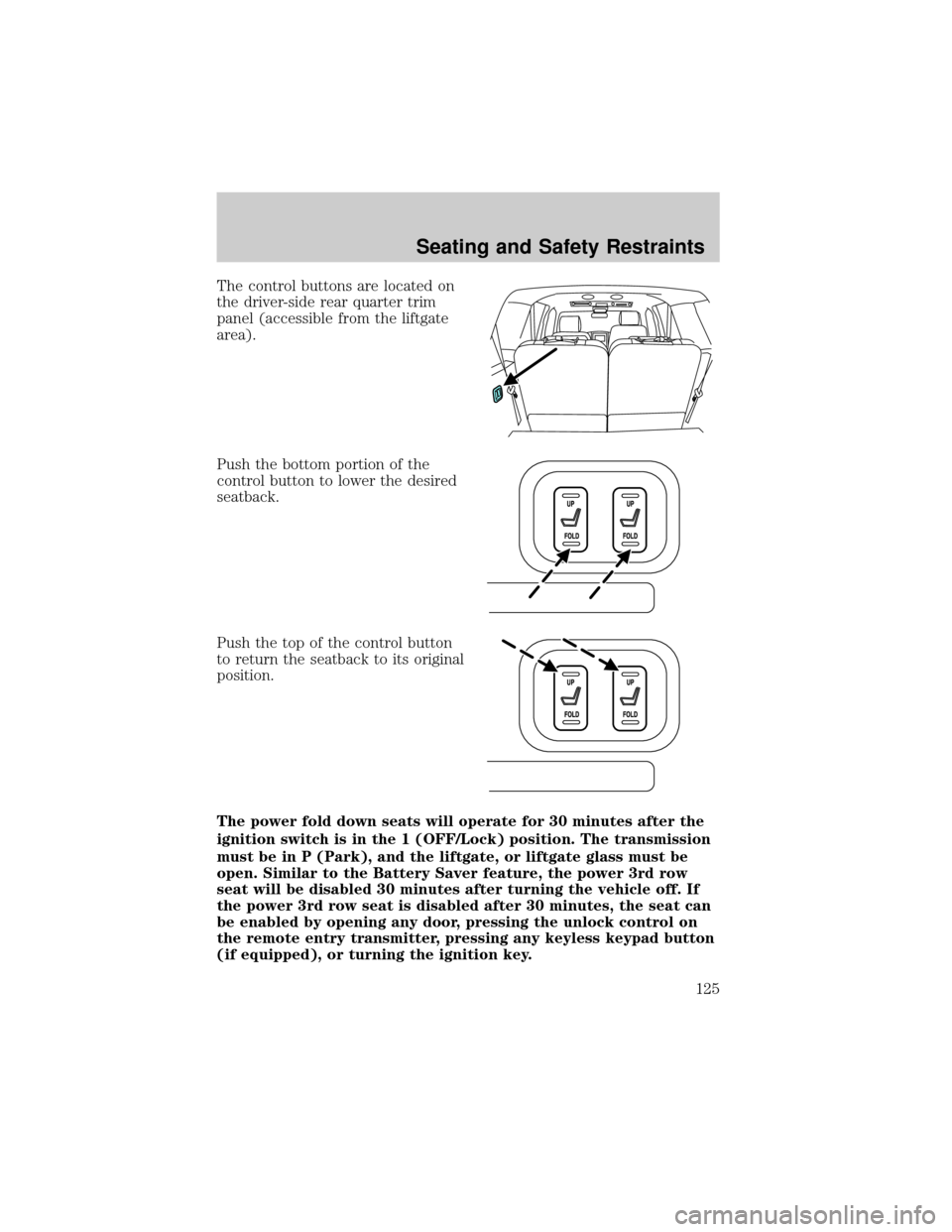
The control buttons are located on
the driver-side rear quarter trim
panel (accessible from the liftgate
area).
Push the bottom portion of the
control button to lower the desired
seatback.
Push the top of the control button
to return the seatback to its original
position.
The power fold down seats will operate for 30 minutes after the
ignition switch is in the 1 (OFF/Lock) position. The transmission
must be in P (Park), and the liftgate, or liftgate glass must be
open. Similar to the Battery Saver feature, the power 3rd row
seat will be disabled 30 minutes after turning the vehicle off. If
the power 3rd row seat is disabled after 30 minutes, the seat can
be enabled by opening any door, pressing the unlock control on
the remote entry transmitter, pressing any keyless keypad button
(if equipped), or turning the ignition key.
Seating and Safety Restraints
125
Page 130 of 328
It is extremely dangerous to ride in a cargo area, inside or
outside of a vehicle. In a collision, people riding in these areas
are more likely to be seriously injured or killed. Do not allow people to
ride in any area of your vehicle that is not equipped with seats and
safety belts. Be sure everyone in your vehicle is in a seat and using a
safety belt properly.
In a rollover crash, an unbelted person is significantly more likely
to die than a person wearing a safety belt.
Each seating position in your vehicle has a specific safety belt
assembly which is made up of one buckle and one tongue that
are designed to be used as a pair. 1) Use the shoulder belt on the
outside shoulder only. Never wear the shoulder belt under the arm. 2)
Never swing the safety belt around your neck over the inside shoulder.
3) Never use a single belt for more than one person.
Always transport children 12 years old and under in the back
seat and always properly use appropriate child restraints.
Safety belts and seats can become hot in a vehicle that has been
closed up in sunny weather; they could burn a small child. Check
seat covers and buckles before you place a child anywhere near them.
Energy Management Feature
²This vehicle has a safety belt system with an energy management
feature at the front seating positions to help further reduce the risk of
injury in the event of a head-on collision.
²This safety belt system has a retractor assembly that is designed to
extend the safety belt webbing in a controlled manner. This helps
reduce the belt force acting on the user's chest.
BELT AND RETRACTOR ASSEMBLY MUST BE REPLACED if
the safety belt assembly automatic locking retractor feature or
any other safety belt function is not operating properly when checked
by an authorized dealer. Failure to replace the Belt and Retractor
assembly could increase the risk of injury in collisions.
Seating and Safety Restraints
130
Page 131 of 328
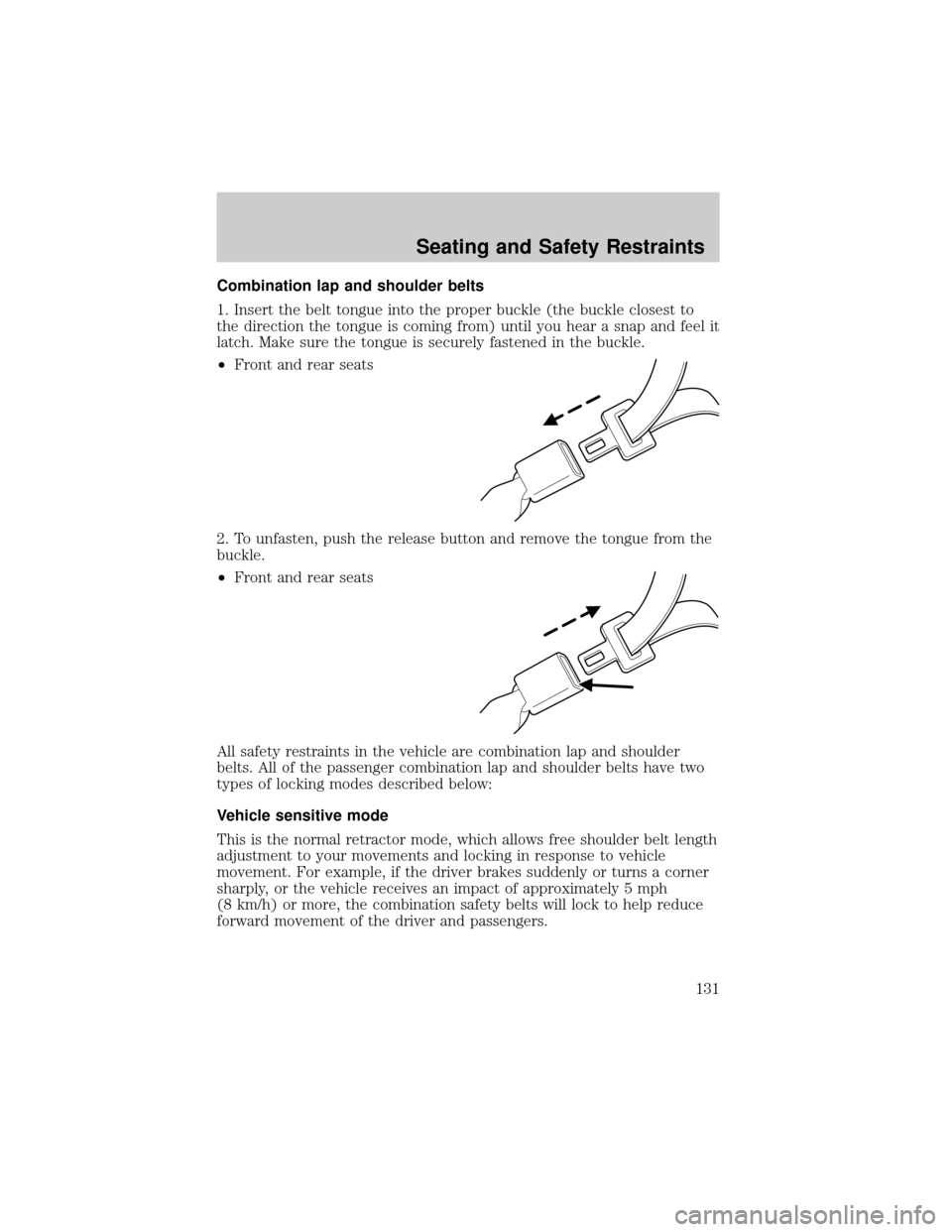
Combination lap and shoulder belts
1. Insert the belt tongue into the proper buckle (the buckle closest to
the direction the tongue is coming from) until you hear a snap and feel it
latch. Make sure the tongue is securely fastened in the buckle.
²Front and rear seats
2. To unfasten, push the release button and remove the tongue from the
buckle.
²Front and rear seats
All safety restraints in the vehicle are combination lap and shoulder
belts. All of the passenger combination lap and shoulder belts have two
types of locking modes described below:
Vehicle sensitive mode
This is the normal retractor mode, which allows free shoulder belt length
adjustment to your movements and locking in response to vehicle
movement. For example, if the driver brakes suddenly or turns a corner
sharply, or the vehicle receives an impact of approximately 5 mph
(8 km/h) or more, the combination safety belts will lock to help reduce
forward movement of the driver and passengers.
Seating and Safety Restraints
131
Page 132 of 328
Automatic locking mode
When to use the automatic locking mode
In this mode, the shoulder belt is automatically pre-locked. The belt will
still retract to remove any slack in the shoulder belt. The automatic
locking mode is not available on the driver safety belt.
This mode should be usedany timea child safety seat, except a
booster, is installed in passenger front or rear seating positions. Children
12 years old and under should be properly restrained in the rear seat
whenever possible. Refer toSafety restraints for childrenorSafety
seats for childrenlater in this chapter.
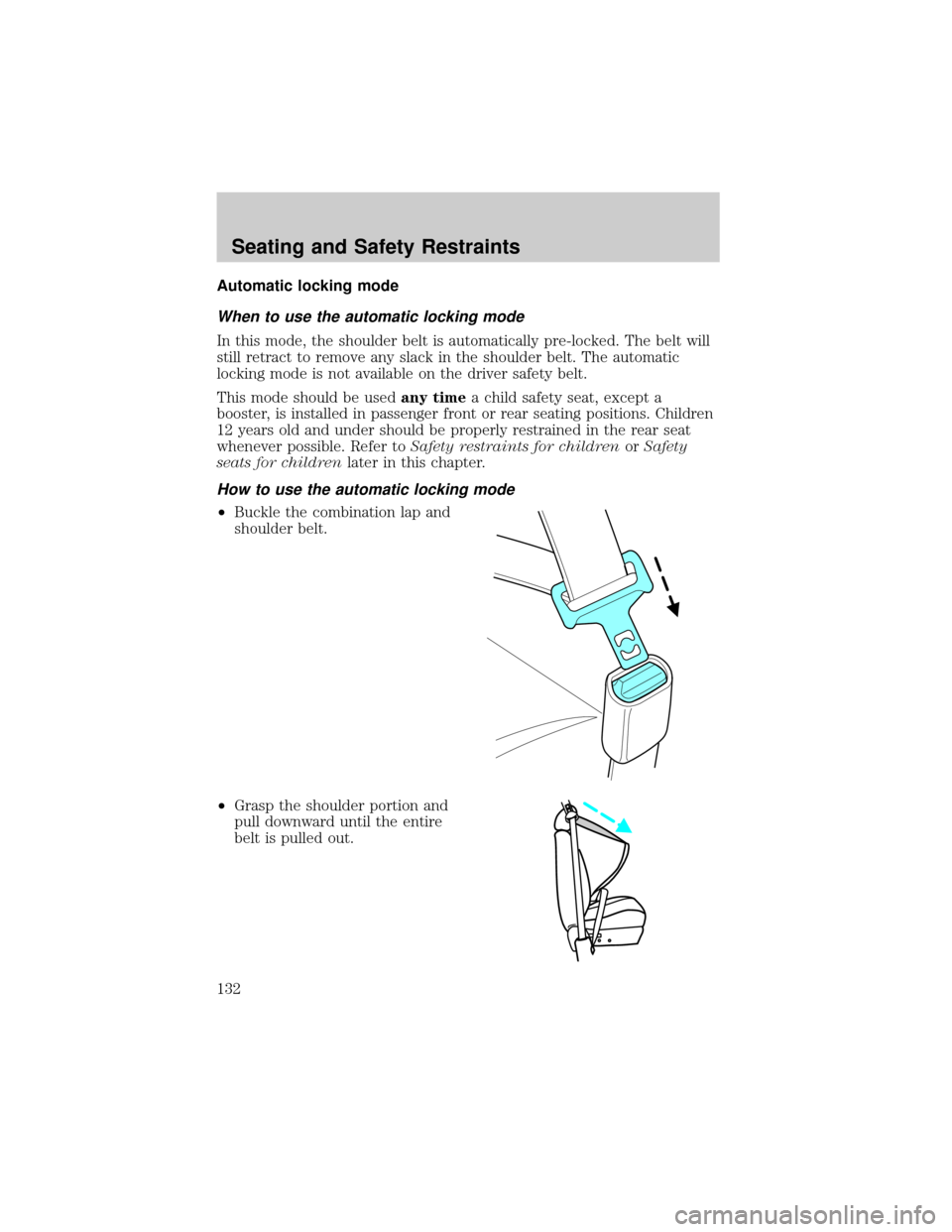
How to use the automatic locking mode
²Buckle the combination lap and
shoulder belt.
²Grasp the shoulder portion and
pull downward until the entire
belt is pulled out.
Seating and Safety Restraints
132
Page 133 of 328
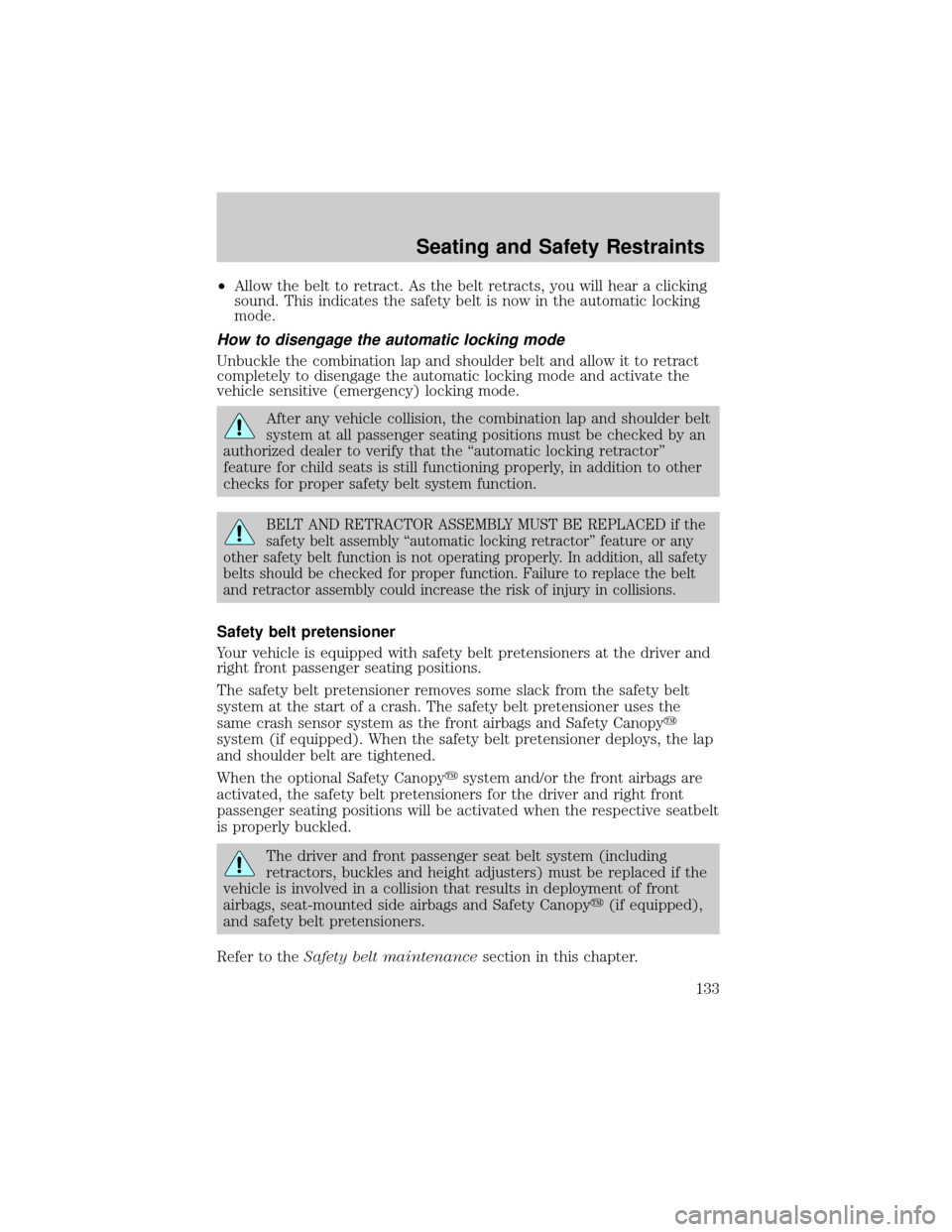
²Allow the belt to retract. As the belt retracts, you will hear a clicking
sound. This indicates the safety belt is now in the automatic locking
mode.
How to disengage the automatic locking mode
Unbuckle the combination lap and shoulder belt and allow it to retract
completely to disengage the automatic locking mode and activate the
vehicle sensitive (emergency) locking mode.
After any vehicle collision, the combination lap and shoulder belt
system at all passenger seating positions must be checked by an
authorized dealer to verify that the ªautomatic locking retractorº
feature for child seats is still functioning properly, in addition to other
checks for proper safety belt system function.
BELT AND RETRACTOR ASSEMBLY MUST BE REPLACED if the
safety belt assembly ªautomatic locking retractorº feature or any
other safety belt function is not operating properly. In addition, all safety
belts should be checked for proper function. Failure to replace the belt
and retractor assembly could increase the risk of injury in collisions.
Safety belt pretensioner
Your vehicle is equipped with safety belt pretensioners at the driver and
right front passenger seating positions.
The safety belt pretensioner removes some slack from the safety belt
system at the start of a crash. The safety belt pretensioner uses the
same crash sensor system as the front airbags and Safety Canopyy
system (if equipped). When the safety belt pretensioner deploys, the lap
and shoulder belt are tightened.
When the optional Safety Canopyysystem and/or the front airbags are
activated, the safety belt pretensioners for the driver and right front
passenger seating positions will be activated when the respective seatbelt
is properly buckled.
The driver and front passenger seat belt system (including
retractors, buckles and height adjusters) must be replaced if the
vehicle is involved in a collision that results in deployment of front
airbags, seat-mounted side airbags and Safety Canopyy(if equipped),
and safety belt pretensioners.
Refer to theSafety belt maintenancesection in this chapter.
Seating and Safety Restraints
133