wheel FORD EXPLORER 2006 4.G Workshop Manual
[x] Cancel search | Manufacturer: FORD, Model Year: 2006, Model line: EXPLORER, Model: FORD EXPLORER 2006 4.GPages: 328, PDF Size: 3.59 MB
Page 206 of 328

Rear Wheel Drive (RWD) 4x2 vehicles:
This applies to all 4x2 trucks/sport utilities with rear wheel drive
capability.
²Place the transmission in N (Neutral).
²Maximum speed is 35 mph (56 km/h).
²Maximum distance is 50 miles (80 km).
If a distance of 50 miles (80 km) or a speed of 35 mph (56 km/h) must
be exceeded, you must disconnect the driveshaft. Ford recommends the
driveshaft be removed/installed only by a qualified technican at an
authorized dealer. See your authorized dealer for driveshaft
removal/installation.
Improper removal/installation of the driveshaft can cause
transmission fluid loss, damage to the driveshaft and internal
transmission components.
4WD vehicles with electronic shift transfer case (Neutral tow kit
accessory):
On vehicles equipped with 4WD, an accessory is available that allows you
to tow your vehicle, behind another vehicle, with all the wheels on the
ground. Contact your authorized dealer for more details. Do not tow your
vehicle with all wheels on the ground unless you install the neutral tow
kit as vehicle damage may occur.
Tires, Wheels and Loading
206
Page 207 of 328
STARTING
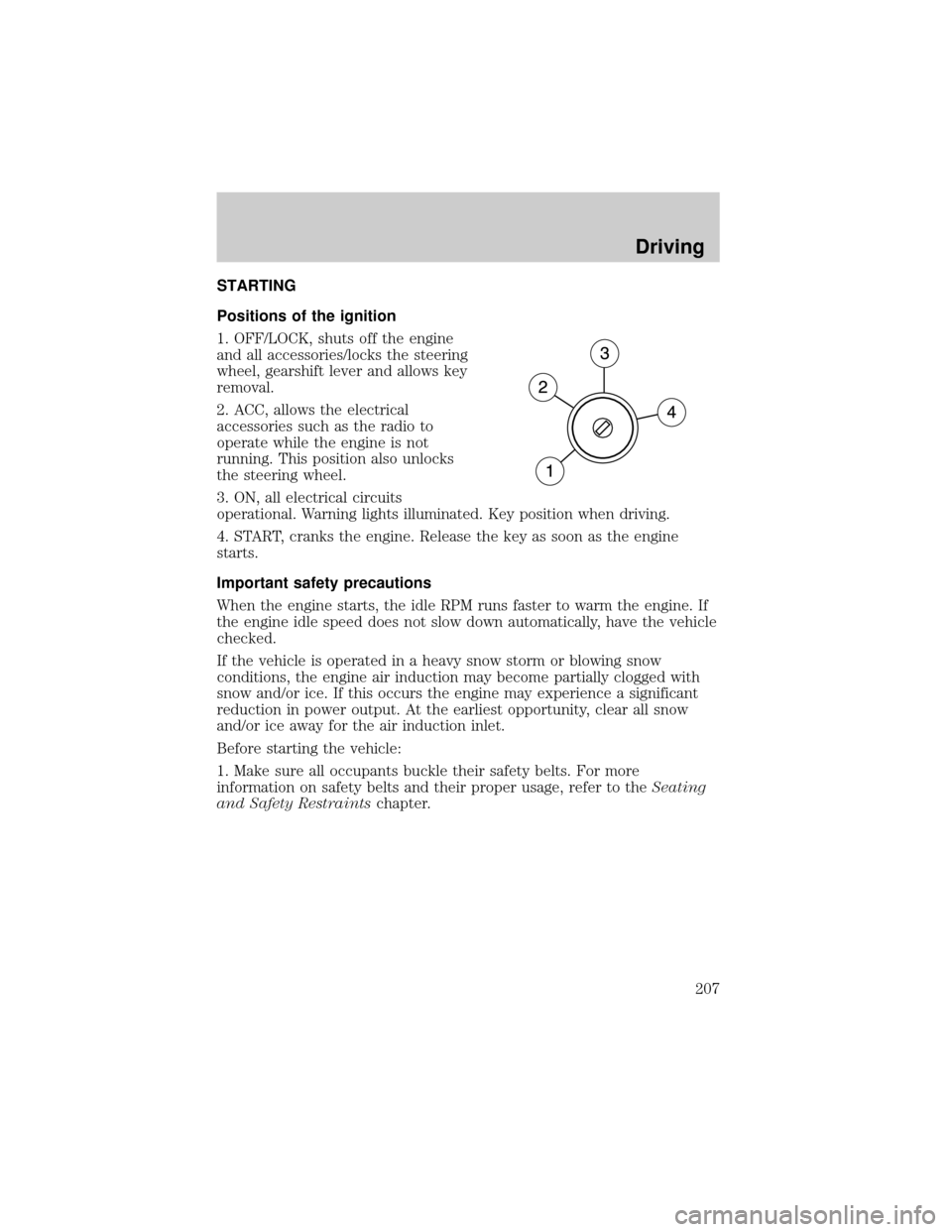
Positions of the ignition
1. OFF/LOCK, shuts off the engine
and all accessories/locks the steering
wheel, gearshift lever and allows key
removal.
2. ACC, allows the electrical
accessories such as the radio to
operate while the engine is not
running. This position also unlocks
the steering wheel.
3. ON, all electrical circuits
operational. Warning lights illuminated. Key position when driving.
4. START, cranks the engine. Release the key as soon as the engine
starts.
Important safety precautions
When the engine starts, the idle RPM runs faster to warm the engine. If
the engine idle speed does not slow down automatically, have the vehicle
checked.
If the vehicle is operated in a heavy snow storm or blowing snow
conditions, the engine air induction may become partially clogged with
snow and/or ice. If this occurs the engine may experience a significant
reduction in power output. At the earliest opportunity, clear all snow
and/or ice away for the air induction inlet.
Before starting the vehicle:
1. Make sure all occupants buckle their safety belts. For more
information on safety belts and their proper usage, refer to theSeating
and Safety Restraintschapter.
Driving
207
Page 209 of 328
Starting the engine
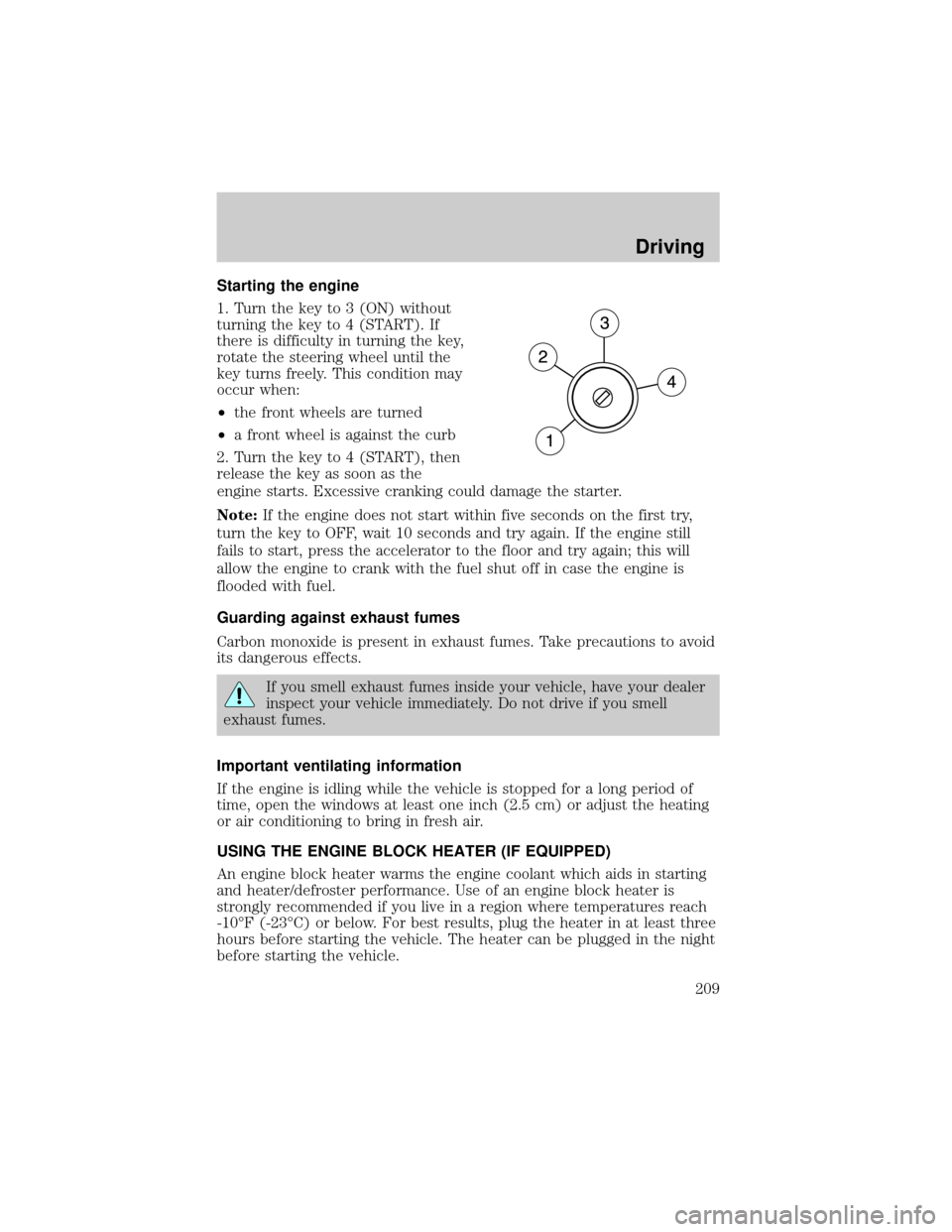
1. Turn the key to 3 (ON) without
turning the key to 4 (START). If
there is difficulty in turning the key,
rotate the steering wheel until the
key turns freely. This condition may
occur when:
²the front wheels are turned
²a front wheel is against the curb
2. Turn the key to 4 (START), then
release the key as soon as the
engine starts. Excessive cranking could damage the starter.
Note:If the engine does not start within five seconds on the first try,
turn the key to OFF, wait 10 seconds and try again. If the engine still
fails to start, press the accelerator to the floor and try again; this will
allow the engine to crank with the fuel shut off in case the engine is
flooded with fuel.
Guarding against exhaust fumes
Carbon monoxide is present in exhaust fumes. Take precautions to avoid
its dangerous effects.
If you smell exhaust fumes inside your vehicle, have your dealer
inspect your vehicle immediately. Do not drive if you smell
exhaust fumes.
Important ventilating information
If the engine is idling while the vehicle is stopped for a long period of
time, open the windows at least one inch (2.5 cm) or adjust the heating
or air conditioning to bring in fresh air.
USING THE ENGINE BLOCK HEATER (IF EQUIPPED)
An engine block heater warms the engine coolant which aids in starting
and heater/defroster performance. Use of an engine block heater is
strongly recommended if you live in a region where temperatures reach
-10ÉF (-23ÉC) or below. For best results, plug the heater in at least three
hours before starting the vehicle. The heater can be plugged in the night
before starting the vehicle.
Driving
209
Page 210 of 328
To reduce the risk of electrical shock, do not use your heater
with ungrounded electrical systems or two-pronged (cheater)
adapters.
BRAKES
Occasional brake noise is normal. If a metal-to-metal, continuous grinding
or continuous squeal sound is present, the brake linings may be worn-out
and should be inspected by an authorized dealer. If the vehicle has
continuous vibration or shudder in the steering wheel while braking, the
vehicle should be inspected by an authorized dealer.
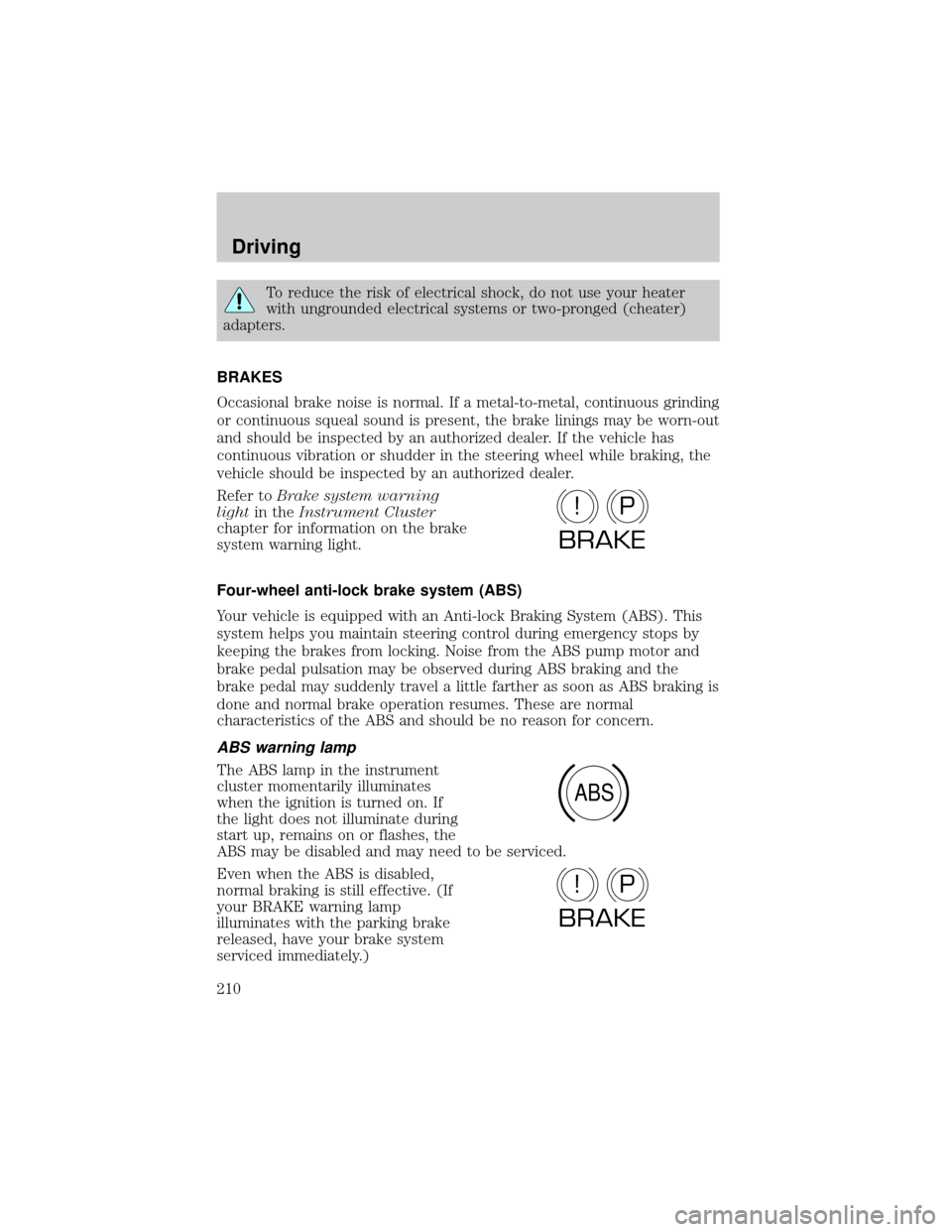
Refer toBrake system warning
lightin theInstrument Cluster
chapter for information on the brake
system warning light.
Four-wheel anti-lock brake system (ABS)
Your vehicle is equipped with an Anti-lock Braking System (ABS). This
system helps you maintain steering control during emergency stops by
keeping the brakes from locking. Noise from the ABS pump motor and
brake pedal pulsation may be observed during ABS braking and the
brake pedal may suddenly travel a little farther as soon as ABS braking is
done and normal brake operation resumes. These are normal
characteristics of the ABS and should be no reason for concern.
ABS warning lamp
The ABS lamp in the instrument
cluster momentarily illuminates
when the ignition is turned on. If
the light does not illuminate during
start up, remains on or flashes, the
ABS may be disabled and may need to be serviced.
Even when the ABS is disabled,
normal braking is still effective. (If
your BRAKE warning lamp
illuminates with the parking brake
released, have your brake system
serviced immediately.)
P!
BRAKE
ABS
P!
BRAKE
Driving
210
Page 212 of 328

ADVANCETRACTWITH ROLL STABILITY CONTROLY(RSC)
STABILITY ENHANCEMENT SYSTEM
The AdvanceTractwith RSC system provides stability enhancement
features such as Roll Stability Controly(RSC), Electronic Stability
Control (ESC) and Traction Control (TCS) for certain driving situations.
The system includes an AdvanceTractwith RSC on/off button, and a
ªsliding carº icon in the instrument cluster.
Some drivers may notice a slight movement of the brake pedal when the
AdvanceTractwith RSC performs a system self-check. During
AdvanceTractwith RSC operation you may experience the following:
²A rumble, grunting, or grinding noise after startup and when driving
off
²A slight deceleration of the vehicle
²The AdvanceTractwith RSC indicator light will flash when the system
is activated.
²If your foot is on the brake pedal, you will feel a vibration in the
pedal.
²If the driving condition is severe and your foot is not on the brake, the
brake pedal will move to apply higher brake forces. You may also hear
a whoosh of air from under the instrument panel during this severe
condition.
Traction Control
Traction Control helps your vehicle maintain traction, when driving on
slippery and/or hilly road surfaces, by detecting and controlling wheel
spin. Excessive wheel spin is controlled by momentarily reducing engine
power and/or applying the anti-lock brakes. Traction Control is a driver
aid that helps your vehicle.
If your vehicle should become stuck in deep snow or mud, try switching
the AdvanceTractwith RSC system off by pressing the AdvanceTract
with RSC button momentarily. This will allow your tires to ªdigº for
traction.
If the AdvanceTractwith RSC system is activated excessively in a short
period of time, the brake portion of the system will disable to allow the
brakes to cool down. In this situation, Traction Control will use only
engine power reduction to help control the wheels from over-spinning.
When the brakes have cooled down, the system will again function
normally. Anti-lock braking, RSC and ESC are not affected by this
condition and will function normally during the cool-down period.
Driving
212
Page 213 of 328

If the vehicle is stuck in snow or mud or when driving in deep sand,
switching off the AdvanceTrac with RSC system may be beneficial so the
wheels are allowed to spin. If your vehicle seems to lose engine power
while driving in deep sand or very deep snow, switching off the
AdvanceTrac with RSC stability enhancement feature will restore full
engine power and will enhance momentum through the obstacle.
During Traction Control events the9sliding car9icon in the instrument
cluster will flash momentarily.
Electronic Stability Control (ESC)
The Electronic Stability Control (ESC) with RSC system may enhance
your vehicle's stability during adverse maneuvers.
The AdvanceTractwith RSC system helps the driver maintain steering
control. AdvanceTractwith RSC will attempt to correct the vehicle
motion by applying brake force at individual tires and, if necessary, by
reducing engine power.
During Electronic Stability Control events the9sliding car9icon in the
instrument cluster will flash momentarily.
Driving maneuvers which may activate AdvanceTractwith RSC system
include:
²Taking a turn too fast.
²Maneuvering quickly to avoid an accident, pedestrian or obstacle.
²Driving over a patch of ice.
²Changing lanes on a snow-rutted road.
²Entering a snow-free road from a snow-covered side street, or vice
versa.
²Entering a paved road from a gravel road, or vice versa.
²Driving on slick surfaces.
²Cornering while towing a heavily loaded trailer (refer toTrailer
towingin theTires, Wheels and Loadingchapter.)
Roll Stability Controly(RSC)
The RSC system works in conjunction with the AdvanceTractsystem to
help maintain roll stability of the vehicle during aggressive maneuvers by
applying brake force to one or more wheels.
During Roll Stability Controly(RSC) events the9sliding car9icon in the
instrument cluster will flash momentarily.
Driving
213
Page 215 of 328
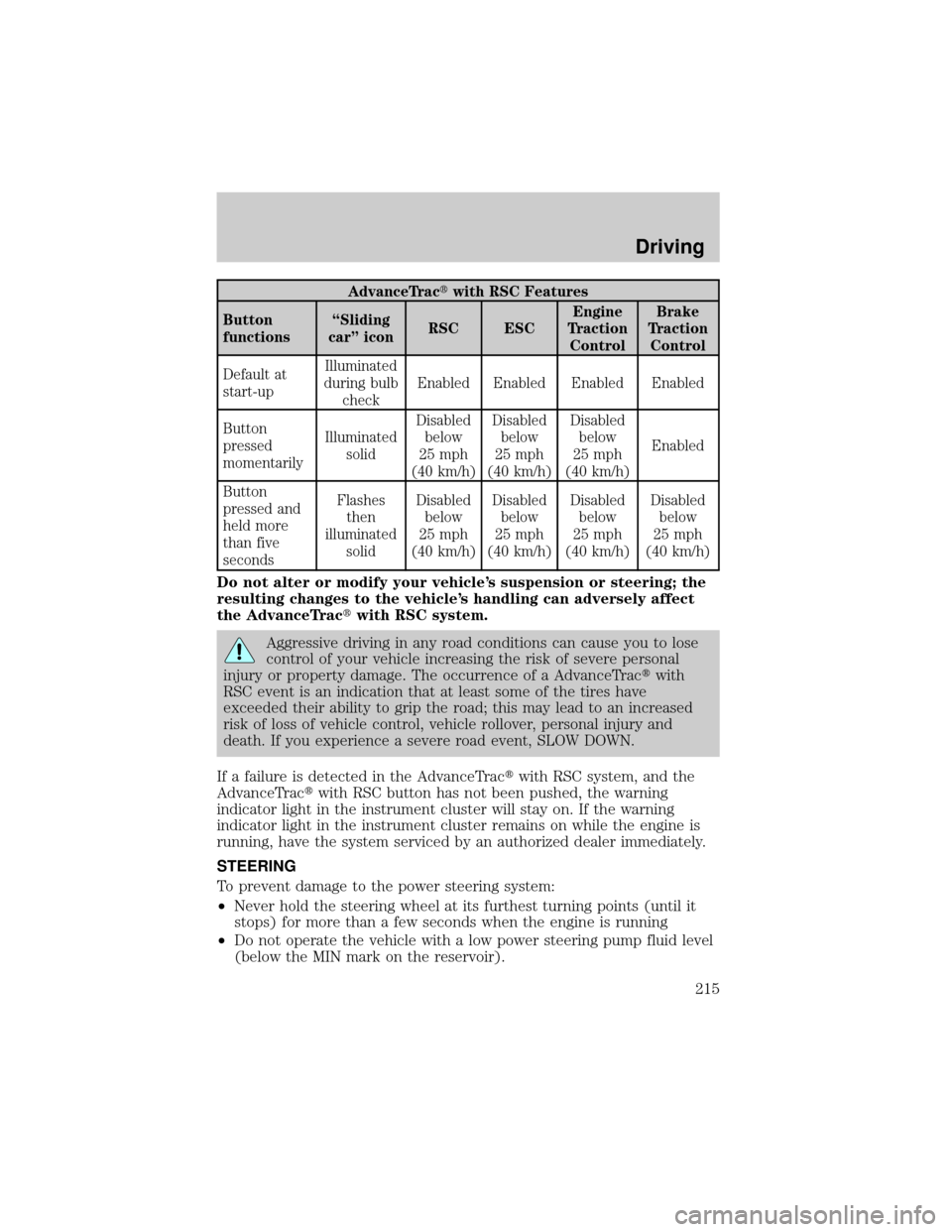
AdvanceTractwith RSC Features
Button
functionsªSliding
carº iconRSC ESCEngine
Traction
ControlBrake
Traction
Control
Default at
start-upIlluminated
during bulb
checkEnabled Enabled Enabled Enabled
Button
pressed
momentarilyIlluminated
solidDisabled
below
25 mph
(40 km/h)Disabled
below
25 mph
(40 km/h)Disabled
below
25 mph
(40 km/h)Enabled
Button
pressed and
held more
than five
secondsFlashes
then
illuminated
solidDisabled
below
25 mph
(40 km/h)Disabled
below
25 mph
(40 km/h)Disabled
below
25 mph
(40 km/h)Disabled
below
25 mph
(40 km/h)
Do not alter or modify your vehicle's suspension or steering; the
resulting changes to the vehicle's handling can adversely affect
the AdvanceTractwith RSC system.
Aggressive driving in any road conditions can cause you to lose
control of your vehicle increasing the risk of severe personal
injury or property damage. The occurrence of a AdvanceTractwith
RSC event is an indication that at least some of the tires have
exceeded their ability to grip the road; this may lead to an increased
risk of loss of vehicle control, vehicle rollover, personal injury and
death. If you experience a severe road event, SLOW DOWN.
If a failure is detected in the AdvanceTractwith RSC system, and the
AdvanceTractwith RSC button has not been pushed, the warning
indicator light in the instrument cluster will stay on. If the warning
indicator light in the instrument cluster remains on while the engine is
running, have the system serviced by an authorized dealer immediately.
STEERING
To prevent damage to the power steering system:
²Never hold the steering wheel at its furthest turning points (until it
stops) for more than a few seconds when the engine is running
²Do not operate the vehicle with a low power steering pump fluid level
(below the MIN mark on the reservoir).
Driving
215
Page 216 of 328
²Some noise is normal during operation. If the noise is excessive, check
for low power steering pump fluid level before seeking service by your
authorized dealer.
²Heavy or uneven steering efforts may be caused by low power steering
pump fluid level. Check for low power steering pump fluid level before
seeking service by your authorized dealer.
²Do not fill the power steering pump reservoir above the MAX mark on
the reservoir, as this may result in leaks from the reservoir.
If the power steering system breaks down (or if the engine is turned
off), you can steer the vehicle manually, but it takes more effort. If the
steering wanders or pulls, check for:
²an improperly inflated tire
²uneven tire wear
²loose or worn suspension components
²loose or worn steering components
²improper steering alignment
A high crown in the road or high crosswinds may also make the steering
seem to wander/pull.
PREPARING TO DRIVE
Utility vehicles have a significantly higher rollover rate than
other types of vehicles.
In a rollover crash, an unbelted person is significantly more likely
to die than a person wearing a safety belt.
Your vehicle has larger tires and increased ground clearance, giving the
vehicle a higher center of gravity than a passenger car.
Vehicles with a higher center of gravity such as utility and
four-wheel drive vehicles handle differently than vehicles with a
lower center of gravity. Utility and four-wheel drive vehicles arenot
designed for cornering at speeds as high as passenger cars any more
than low-slung sports cars are designed to perform satisfactorily under
off-road conditions. Avoid sharp turns, excessive speed and abrupt
maneuvers in these vehicles. Failure to drive cautiously could result in
an increased risk of loss of vehicle control, vehicle rollover, personal
injury and death.
Driving
216
Page 219 of 328
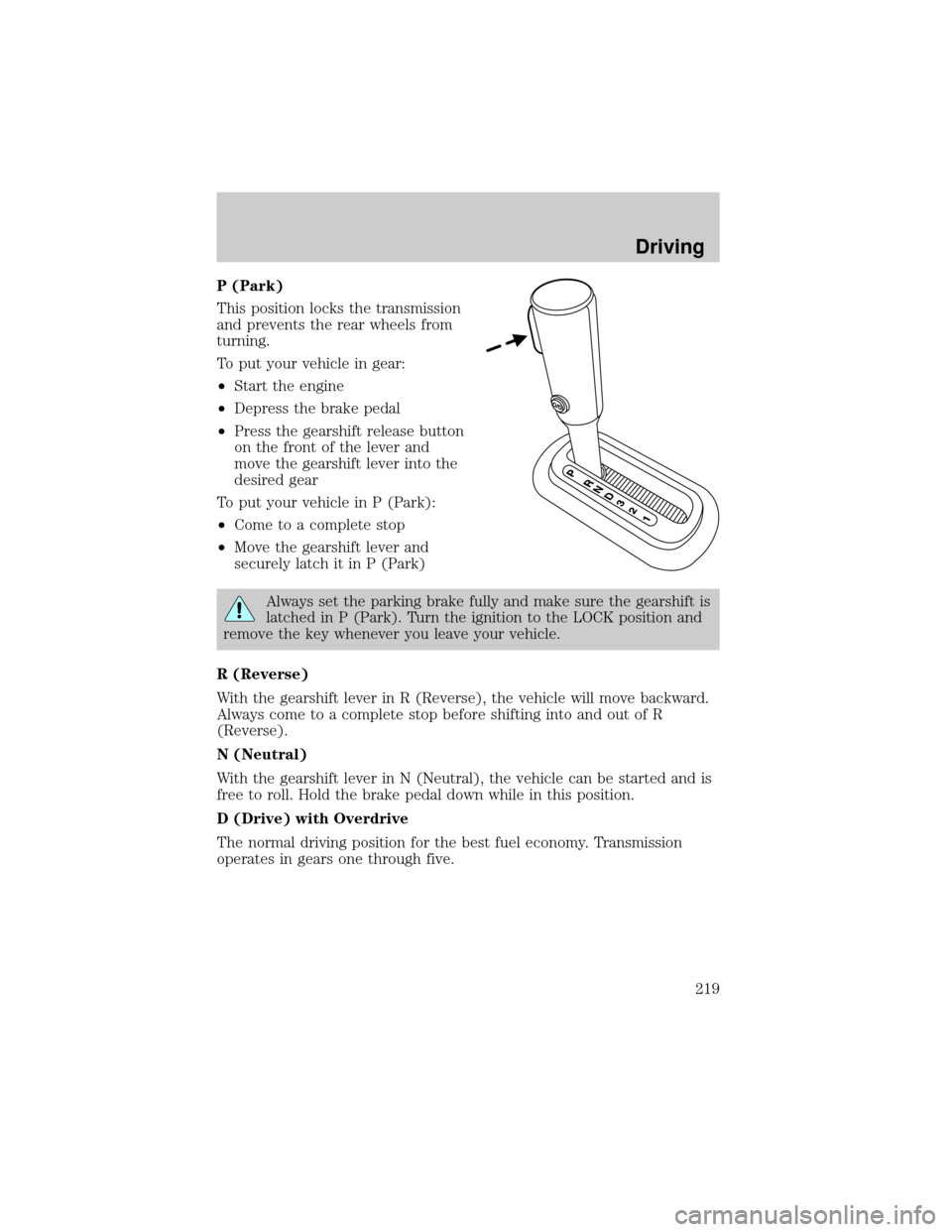
P (Park)
This position locks the transmission
and prevents the rear wheels from
turning.
To put your vehicle in gear:
²Start the engine
²Depress the brake pedal
²Press the gearshift release button
on the front of the lever and
move the gearshift lever into the
desired gear
To put your vehicle in P (Park):
²Come to a complete stop
²Move the gearshift lever and
securely latch it in P (Park)
Always set the parking brake fully and make sure the gearshift is
latched in P (Park). Turn the ignition to the LOCK position and
remove the key whenever you leave your vehicle.
R (Reverse)
With the gearshift lever in R (Reverse), the vehicle will move backward.
Always come to a complete stop before shifting into and out of R
(Reverse).
N (Neutral)
With the gearshift lever in N (Neutral), the vehicle can be started and is
free to roll. Hold the brake pedal down while in this position.
D (Drive) with Overdrive
The normal driving position for the best fuel economy. Transmission
operates in gears one through five.
Driving
219
Page 222 of 328
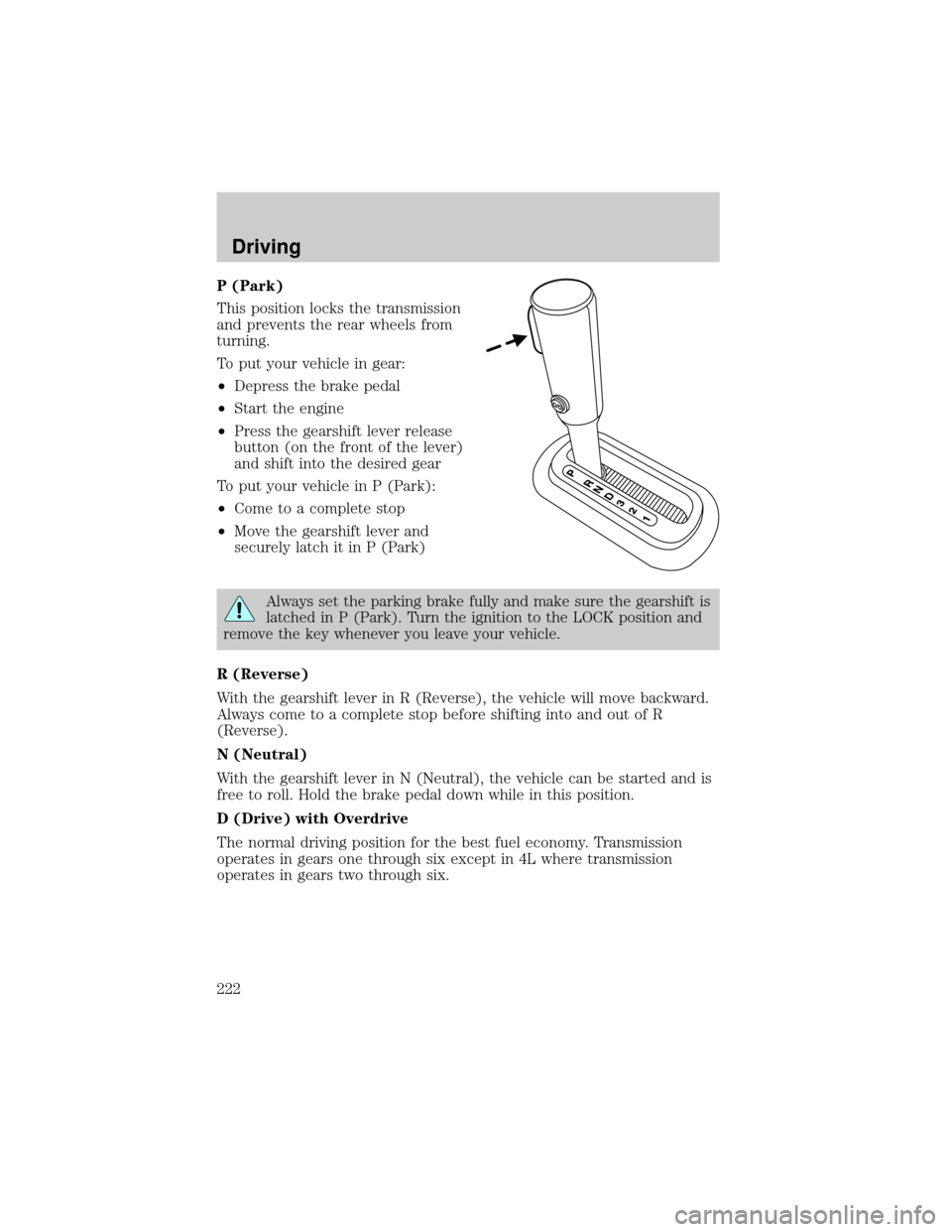
P (Park)
This position locks the transmission
and prevents the rear wheels from
turning.
To put your vehicle in gear:
²Depress the brake pedal
²Start the engine
²Press the gearshift lever release
button (on the front of the lever)
and shift into the desired gear
To put your vehicle in P (Park):
²Come to a complete stop
²Move the gearshift lever and
securely latch it in P (Park)
Always set the parking brake fully and make sure the gearshift is
latched in P (Park). Turn the ignition to the LOCK position and
remove the key whenever you leave your vehicle.
R (Reverse)
With the gearshift lever in R (Reverse), the vehicle will move backward.
Always come to a complete stop before shifting into and out of R
(Reverse).
N (Neutral)
With the gearshift lever in N (Neutral), the vehicle can be started and is
free to roll. Hold the brake pedal down while in this position.
D (Drive) with Overdrive
The normal driving position for the best fuel economy. Transmission
operates in gears one through six except in 4L where transmission
operates in gears two through six.
Driving
222