brake FORD EXPLORER 2007 4.G User Guide
[x] Cancel search | Manufacturer: FORD, Model Year: 2007, Model line: EXPLORER, Model: FORD EXPLORER 2007 4.GPages: 344, PDF Size: 3.12 MB
Page 73 of 344
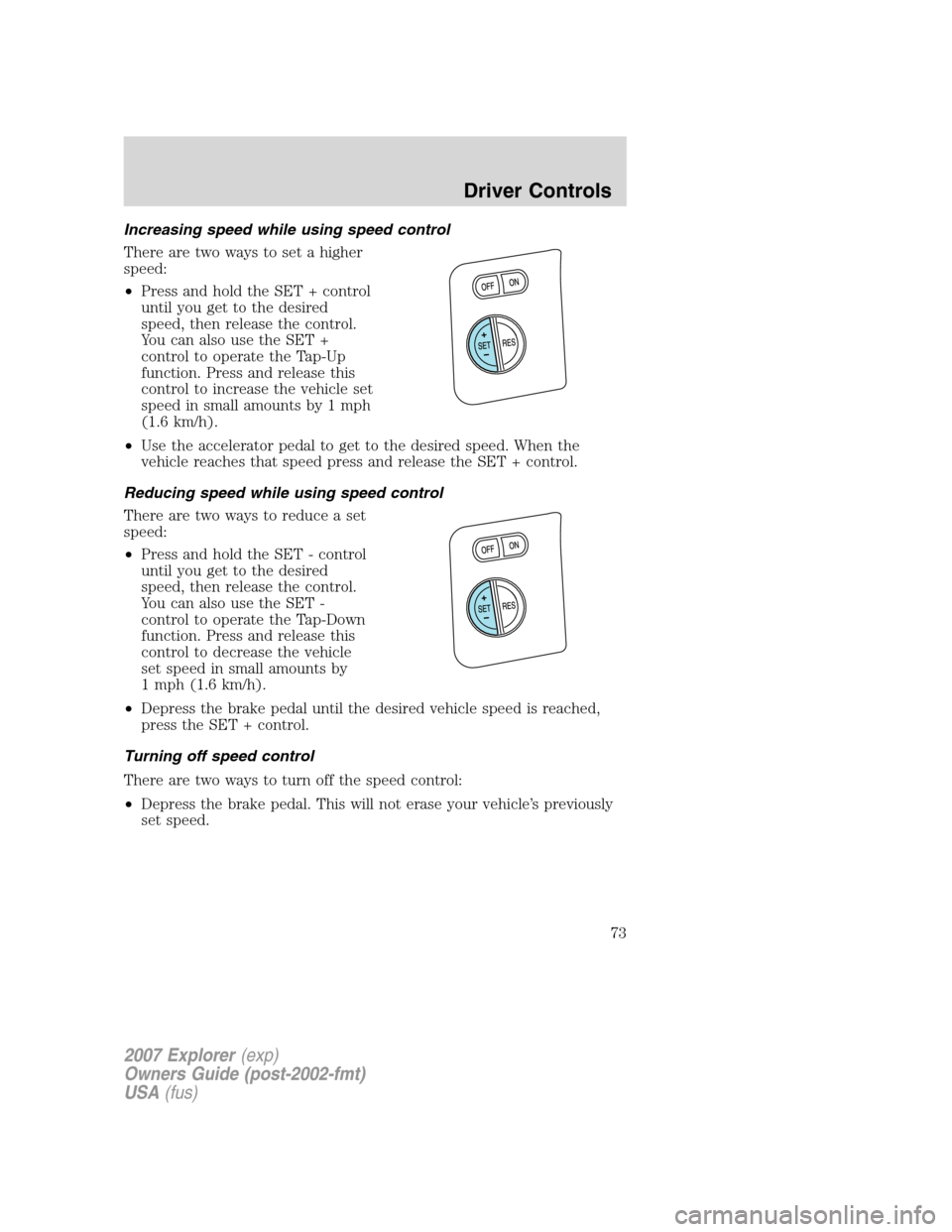
Increasing speed while using speed control
There are two ways to set a higher
speed:
•Press and hold the SET + control
until you get to the desired
speed, then release the control.
You can also use the SET +
control to operate the Tap-Up
function. Press and release this
control to increase the vehicle set
speed in small amounts by 1 mph
(1.6 km/h).
•Use the accelerator pedal to get to the desired speed. When the
vehicle reaches that speed press and release the SET + control.
Reducing speed while using speed control
There are two ways to reduce a set
speed:
•Press and hold the SET - control
until you get to the desired
speed, then release the control.
You can also use the SET -
control to operate the Tap-Down
function. Press and release this
control to decrease the vehicle
set speed in small amounts by
1 mph (1.6 km/h).
•Depress the brake pedal until the desired vehicle speed is reached,
press the SET + control.
Turning off speed control
There are two ways to turn off the speed control:
•Depress the brake pedal. This will not erase your vehicle’s previously
set speed.
2007 Explorer(exp)
Owners Guide (post-2002-fmt)
USA(fus)
Driver Controls
73
Page 83 of 344
•Park Aid (if equipped)
•Oil Life Start Value
Briefly press the SELECT/RESET control switch to scroll through the
SETUP MENU display sequence. If the SELECT/RESET control switch is
not pressed within 4 seconds, the message center returns to the Info
Menu.
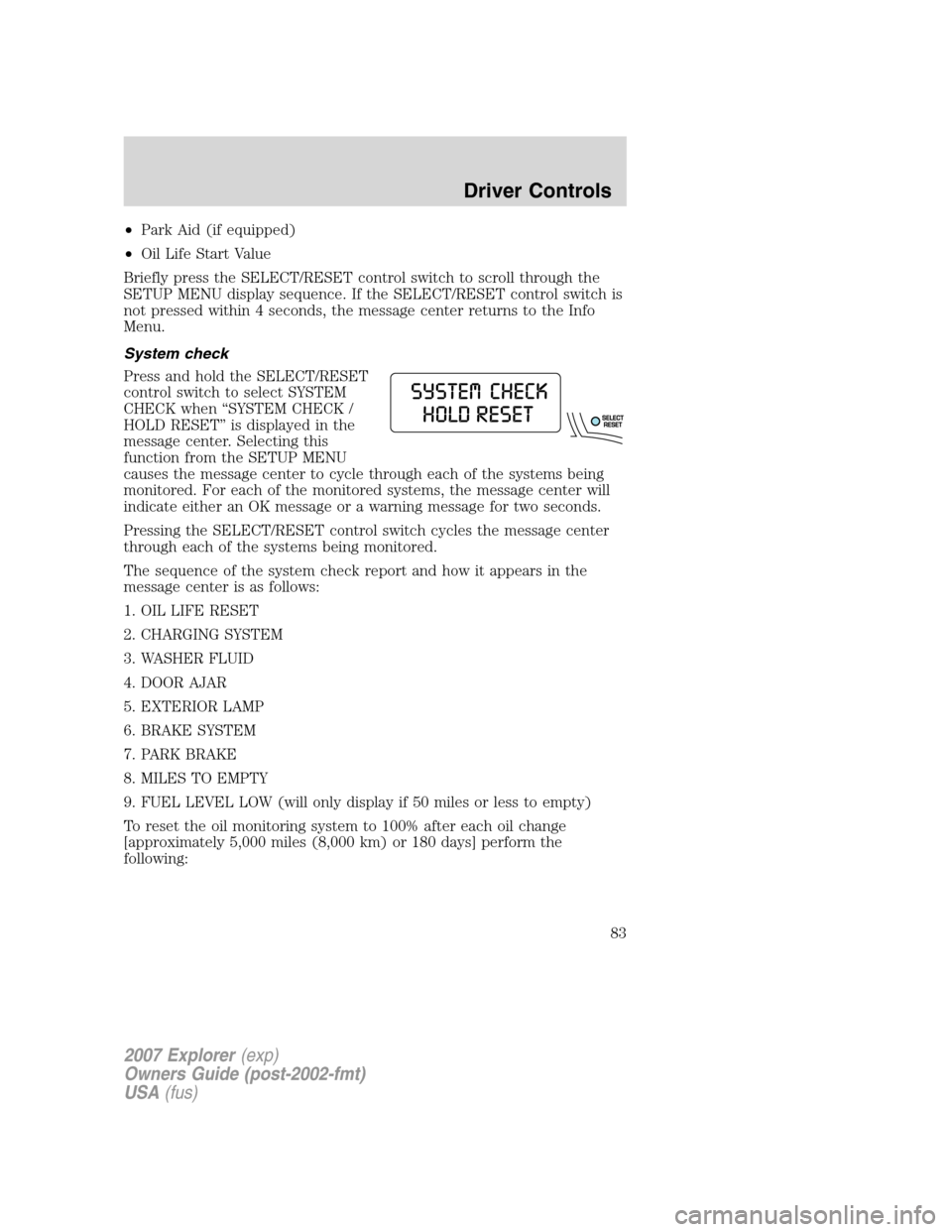
System check
Press and hold the SELECT/RESET
control switch to select SYSTEM
CHECK when “SYSTEM CHECK /
HOLD RESET” is displayed in the
message center. Selecting this
function from the SETUP MENU
causes the message center to cycle through each of the systems being
monitored. For each of the monitored systems, the message center will
indicate either an OK message or a warning message for two seconds.
Pressing the SELECT/RESET control switch cycles the message center
through each of the systems being monitored.
The sequence of the system check report and how it appears in the
message center is as follows:
1. OIL LIFE RESET
2. CHARGING SYSTEM
3. WASHER FLUID
4. DOOR AJAR
5. EXTERIOR LAMP
6. BRAKE SYSTEM
7. PARK BRAKE
8. MILES TO EMPTY
9. FUEL LEVEL LOW (will only display if 50 miles or less to empty)
To reset the oil monitoring system to 100% after each oil change
[approximately 5,000 miles (8,000 km) or 180 days] perform the
following:
2007 Explorer(exp)
Owners Guide (post-2002-fmt)
USA(fus)
Driver Controls
83
Page 89 of 344
In the event of a multiple warning situation, the message center will
cycle the display to show all warnings by displaying each one for 4
seconds.
The message center will display the last selected feature if there are no
more warning messages. This allows you to use the full functionality of
the message center after you acknowledge the warning by pressing the
RESET control and clearing the warning message.
Warning messages are divided into four categories:
•They cannot be cleared until the condition is corrected.
•They will reappear on the display ten minutes from the reset if the
condition has not been corrected.
•They will not reappear until an ignition OFF-ON cycle has been
completed.
•They reappear if the condition clears then reoccurs within the same
ignition ON-OFF cycle.
This acts as a reminder that these warning conditions still exist within
the vehicle.
Warning display Status
Door ajar Warning cannot be reset
Fuel level low Warning returns after 10 minutes
Park brake engaged
Check brake system
Check park aid (if equipped) Warning returns only after the ignition
key is turned from OFF to ON.
Brake fluid level low
Check headlamp
Check highbeam lamp
Check turn lamp
Washer fluid level low
Oil change required
Engine oil change soon
2007 Explorer(exp)
Owners Guide (post-2002-fmt)
USA(fus)
Driver Controls
89
Page 90 of 344
Warning display Status
Liftgate/glass ajar Warning returns after the condition
has cleared then reoccurs within the
same ignition ON-OFF cycle. Clear objects by pass seat
Check charging system
Low tire pressure
Tire monitor fault
Tire sensor fault
DOOR AJAR.Displayed when a door is not completely closed.
CLEAR OBJECTS BY PASS SEAT.Displayed when objects are by the
passenger seat. After the objects are moved away from the seat, if the
warning stays on or continues to come on contact your authorized
dealer.
CHECK CHARGING SYSTEM.Displayed when the electrical system is
not maintaining proper voltage when the engine is running. If you are
operating electrical accessories when the engine is idling at a low speed,
turn off as many of the electrical loads as soon as possible. If the
warning stays on or comes on when the engine is operating at normal
speeds, have the electrical system checked as soon as possible.
FUEL LEVEL LOW.Displayed as an early reminder of a low fuel
condition.
PARK BRAKE ENGAGED.Displayed when the manual park brake is
set, the engine is running and the vehicle is driven more than 3 mph
(5 km/h). If the warning stays on after the park brake is released,
contact your authorized dealer as soon as possible.
CHECK BRAKE SYSTEM.Displayed when the braking system is not
operating properly. If the warning stays on or continues to come on,
contact your authorized dealer as soon as possible.
CHECK PARK AID (if equipped).Displayed when the transmission is
in R (Reverse) and the Reverse Sensing System (Park Aid) is disabled.
Refer toReverse Sensing System (Park Aid)in this section to enable.
LOW TIRE PRESSURE.Displayed when one or more tires on your
vehicle have low tire pressure. Refer toInflating your tiresin theTires,
Wheels and Loadingchapter.
TIRE MONITOR FAULT.Displayed when the Tire Pressure Monitoring
System is malfunctioning. If the warning stays on or continues to come
on, have the system inspected by your authorized dealer.
2007 Explorer(exp)
Owners Guide (post-2002-fmt)
USA(fus)
Driver Controls
90
Page 91 of 344
TIRE SENSOR FAULT.Displayed when a tire pressure sensor is
malfunctioning, or your spare tire is in use. For more information on how
the system operates under these conditions, refer toUnderstanding
your Tire Pressure Monitoring Systemin theTires, Wheels and
Loadingchapter. If the warning stays on or continues to come on, have
the system inspected by your authorized dealer.
BRAKE FLUID LEVEL LOW.Indicates the brake fluid level is low and
the brake system should be inspected immediately. Refer toBrake fluid
reservoirin theMaintenance and Specificationschapter.
CHECK HEADLAMP.Displayed when the headlamps are activated and
at least one bulb is burned out. Check the lamps as soon as possible and
have the burned out lamp replaced. Refer toReplacing headlamp bulbs
in theLightschapter.
CHECK HIGHBEAM LAMP.Displayed when the highbeam lamps are
activated and at least one bulb is burned out. Check the lamps as soon
as possible and have the burned out lamp replaced. Refer toReplacing
headlamp bulbsin theLightschapter.
CHECK TURN LAMP.Displayed when the turn lamps are activated and
at least one bulb is burned out. Check the lamps as soon as possible and
have the burned out lamp replaced. Refer toReplacing headlamp bulbs
in theLightschapter.
WASHER FLUID LEVEL LOW.Indicates the washer fluid reservoir is
less than one quarter full. Check the washer fluid level. Refer to
Windshield washer fluidin theMaintenance and Specifications
chapter.
OIL CHANGE REQUIRED.Displayed when the engine oil life
remaining is 0%.
An oil change is required whenever indicated by the message center and
according to the recommended maintenance schedule. USE ONLY
RECOMMENDED ENGINE OILS.
ENGINE OIL CHANGE SOON.Displayed when the engine oil life
reaches 5% or less of the Oil Life Start Value.
LIFTGATE/GLASS AJAR.Displayed when the liftgate or the liftgate
glass is not completely closed.
2007 Explorer(exp)
Owners Guide (post-2002-fmt)
USA(fus)
Driver Controls
91
Page 96 of 344
•Compass Zone (if equipped)
•Compass Calibration (if equipped)
•Oil Life Start Value
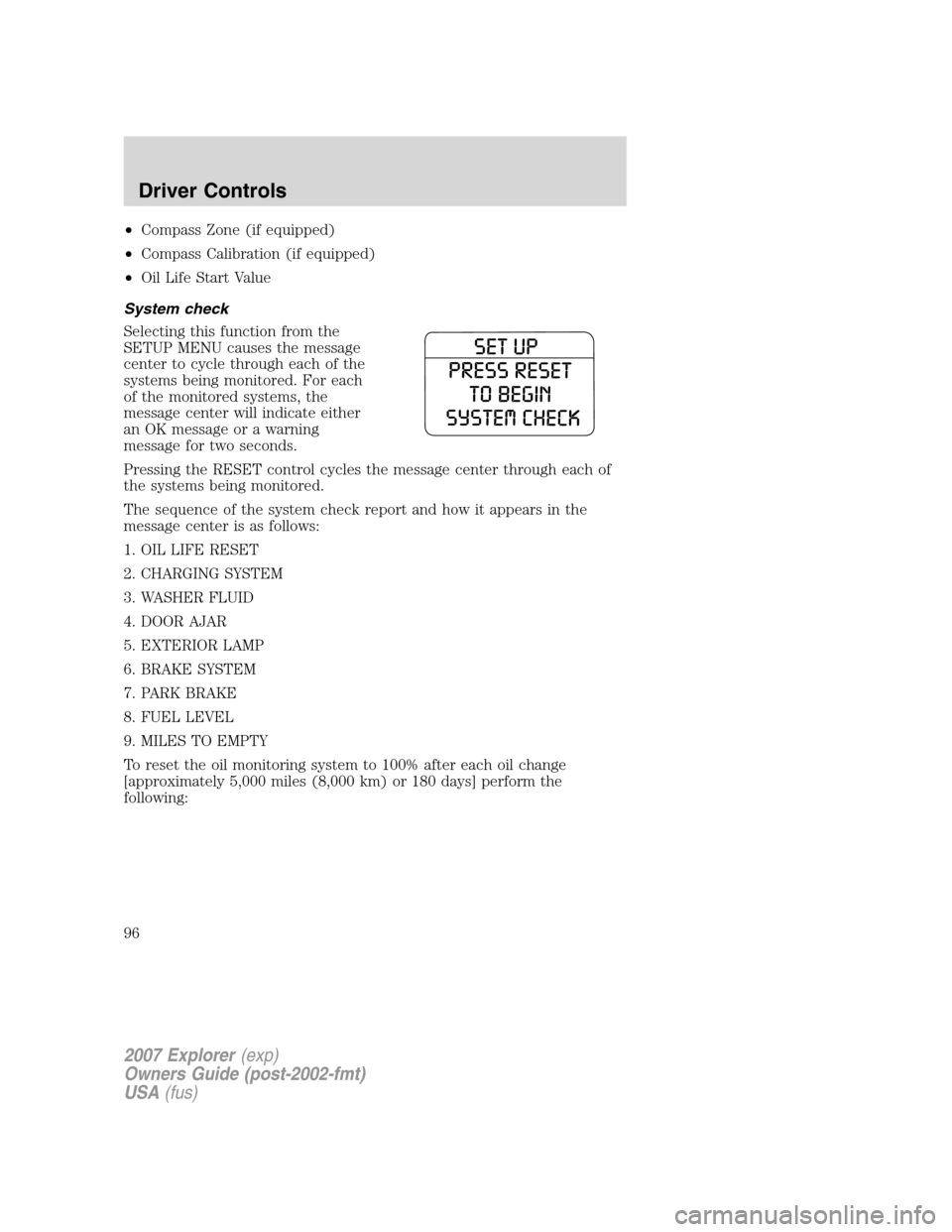
System check
Selecting this function from the
SETUP MENU causes the message
center to cycle through each of the
systems being monitored. For each
of the monitored systems, the
message center will indicate either
an OK message or a warning
message for two seconds.
Pressing the RESET control cycles the message center through each of
the systems being monitored.
The sequence of the system check report and how it appears in the
message center is as follows:
1. OIL LIFE RESET
2. CHARGING SYSTEM
3. WASHER FLUID
4. DOOR AJAR
5. EXTERIOR LAMP
6. BRAKE SYSTEM
7. PARK BRAKE
8. FUEL LEVEL
9. MILES TO EMPTY
To reset the oil monitoring system to 100% after each oil change
[approximately 5,000 miles (8,000 km) or 180 days] perform the
following:
2007 Explorer(exp)
Owners Guide (post-2002-fmt)
USA(fus)
Driver Controls
96
Page 103 of 344
System warnings
System warnings alert you to possible problems or malfunctions in your
vehicle’s operating systems.
In the event of a multiple warning situation, the message center will
cycle the display to show all warnings by displaying each one for
4 seconds.
The message center will display the last selected feature if there are no
more warning messages. This allows you to use the full functionality of
the message center after you acknowledge the warning by pressing the
RESET control and clearing the warning message.
Warning messages are divided into four categories:
•They cannot be cleared until the condition is corrected.
•They will reappear on the display ten minutes from the reset if the
condition has not been corrected.
•They will not reappear until an ignition OFF-ON cycle has been
completed.
•They reappear if the condition clears then reoccurs within the same
ignition ON-OFF cycle.
This acts as a reminder that these warning conditions still exist within
the vehicle.
Warning display Status
Door ajar Warning cannot be reset
Fuel level low Warning returns after 10 minutes
Park brake engaged
Check brake system
2007 Explorer(exp)
Owners Guide (post-2002-fmt)
USA(fus)
Driver Controls
103
Page 104 of 344
Warning display Status
Check park aid (if equipped) Warning returns only after the ignition
key is turned from OFF to ON.
Brake fluid level low
Check headlamp
Check highbeam lamp
Check turn lamp
Washer fluid level low
Oil change required
Engine oil change soon
Liftgate/glass ajar Warning returns after the condition
has cleared then reoccurs within the
same ignition ON-OFF cycle. Clear objects by pass seat
Check charging system
Low tire pressure
Tire monitor fault
Tire sensor fault
DOOR AJAR.Displayed when a door is not completely closed.
CLEAR OBJECTS BY PASS SEAT.Displayed when objects are by the
passenger seat. After the objects are moved away from the seat, if the
warning stays on or continues to come on contact your authorized
dealer.
CHECK CHARGING SYSTEM.Displayed when the electrical system is
not maintaining proper voltage. If you are operating electrical accessories
when the engine is idling at a low speed, turn off as many of the
electrical loads as soon as possible. If the warning stays on or comes on
when the engine is operating at normal speeds, have the electrical
system checked as soon as possible.
FUEL LEVEL LOW.Displayed as an early reminder of a low fuel
condition.
PARK BRAKE ENGAGED.Displayed when the manual park brake is
set, the engine is running and the vehicle is driven more than 3 mph
(5 km/h). If the warning stays on after the park brake is released,
contact your authorized dealer as soon as possible.
2007 Explorer(exp)
Owners Guide (post-2002-fmt)
USA(fus)
Driver Controls
104
Page 105 of 344
CHECK BRAKE SYSTEM.Displayed when the braking system is not
operating properly. If the warning stays on or continues to come on,
contact your authorized dealer as soon as possible.
CHECK PARK AID (if equipped).Displayed when the transmission is
in R (Reverse) and the Reverse Sensing System (Park Aid) is disabled.
Refer toReverse Sensing System (Park Aid)in this section to enable.
LOW TIRE PRESSURE.Displayed when one or more tires on your
vehicle have low tire pressure. Refer toInflating your tiresin theTires,
Wheels and Loadingchapter.
TIRE MONITOR FAULT.Displayed when the Tire Pressure Monitoring
System is malfunctioning. If the warning stays on or continues to come
on, have the system inspected by your authorized dealer.
TIRE SENSOR FAULT.Displayed when a tire pressure sensor is
malfunctioning, or your spare tire is in use. For more information on how
the system operates under these conditions, refer toUnderstanding
your Tire Pressure Monitoring Systemin theTires, Wheels and
Loadingchapter. If the warning stays on or continues to come on, have
the system inspected by your authorized dealer.
BRAKE FLUID LEVEL LOW.Indicates the brake fluid level is low and
the brake system should be inspected immediately. Refer toBrake fluid
reservoirin theMaintenance and Specificationschapter.
CHECK HEADLAMP.Displayed when the headlamps are activated and
at least one bulb is burned out. Check the lamps as soon as possible and
have the burned out lamp replaced. Refer toReplacing headlamp bulbs
in theLightschapter.
CHECK HIGHBEAM LAMP.Displayed when the highbeam lamps are
activated and at least one bulb is burned out. Check the lamps as soon
as possible and have the burned out lamp replaced. Refer toReplacing
headlamp bulbsin theLightschapter.
CHECK TURN LAMP.Displayed when the turn lamps are activated and
at least one bulb is burned out. Check the lamps as soon as possible and
have the burned out lamp replaced. Refer toReplacing headlamp bulbs
in theLightschapter.
WASHER FLUID LEVEL LOW.Indicates the washer fluid reservoir is
less than one quarter full. Check the washer fluid level. Refer to
Windshield washer fluidin theMaintenance and Specifications
chapter.
OIL CHANGE REQUIRED.Displayed when the engine oil life
remaining is 0%.
2007 Explorer(exp)
Owners Guide (post-2002-fmt)
USA(fus)
Driver Controls
105
Page 107 of 344
Note:The running boards may operate more slowly in cooler
temperatures. In adverse conditions, mud, slush, salt, and other road
debris may become trapped in the running board mechanism possibly
causing unwanted noise. If this occurs manually set the running boards
in the deployed position and flush the debris from the front and rear
hinges using a high-pressure car wash wand.
Note:Do not use the running boards, front and rear hinge assemblies,
running board motors, or the running board under body mounts to lift
the vehicle with the jack, refer toChanging tiresin theRoadside
Emergencieschapter.
In extreme climates, excessive ice buildup may occur, causing
the running boards not to deploy. Be sure that the running
boards have deployed, and have finished moving before attempting to
step on them. Note: The running boards will resume normal function
once the blockage is cleared.
Turn off the running boards before working under the vehicle,
jacking, or placing any object under the vehicle. Never place
your hand in the hinge assemblies. A moving running board may cause
injury
POSITIVE RETENTION FLOOR MAT
Do not install additional floor mats on top of the factory installed
floor mats as they may interfere with the accelerator or the
brake pedals.
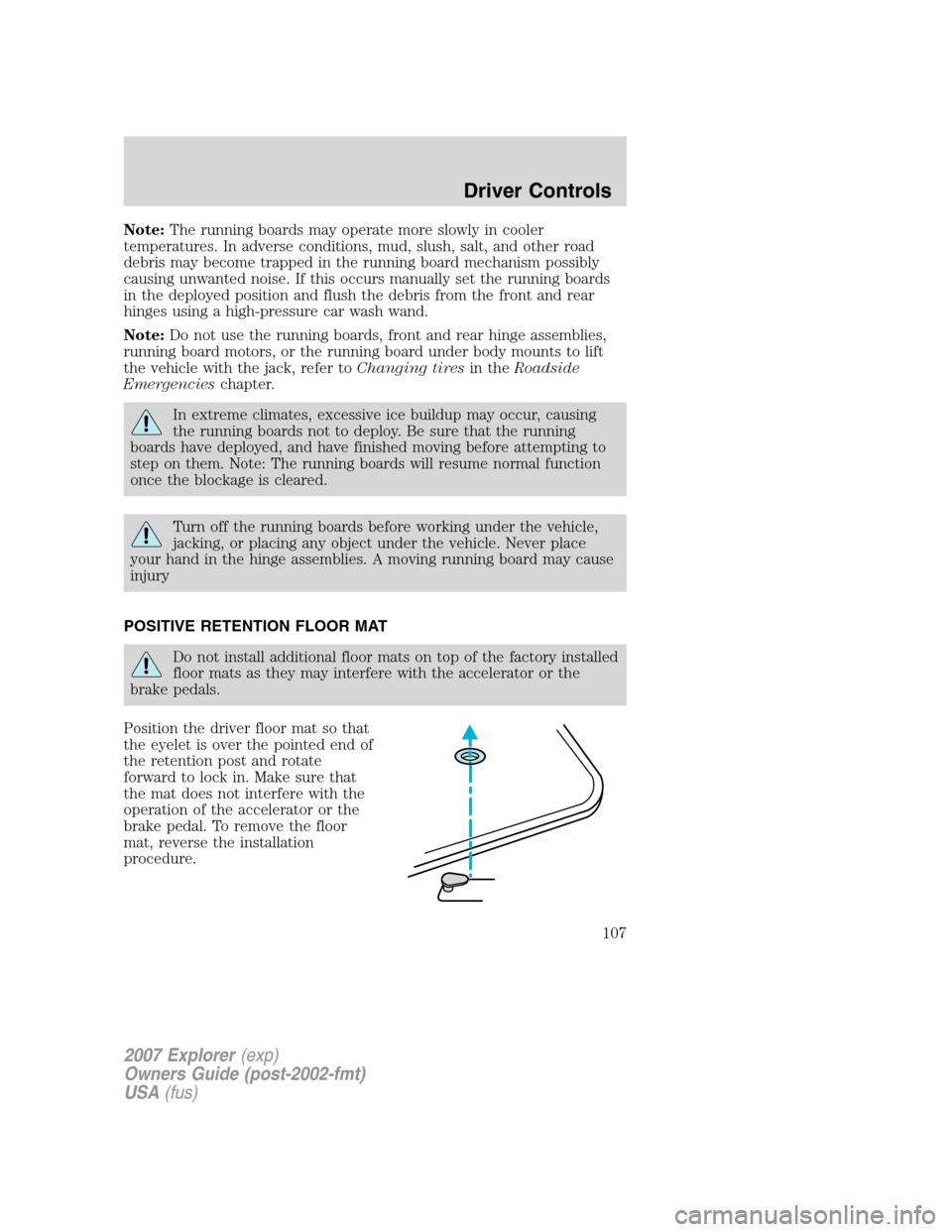
Position the driver floor mat so that
the eyelet is over the pointed end of
the retention post and rotate
forward to lock in. Make sure that
the mat does not interfere with the
operation of the accelerator or the
brake pedal. To remove the floor
mat, reverse the installation
procedure.
2007 Explorer(exp)
Owners Guide (post-2002-fmt)
USA(fus)
Driver Controls
107