transmission FORD EXPLORER 2012 5.G User Guide
[x] Cancel search | Manufacturer: FORD, Model Year: 2012, Model line: EXPLORER, Model: FORD EXPLORER 2012 5.GPages: 439, PDF Size: 3.63 MB
Page 254 of 439
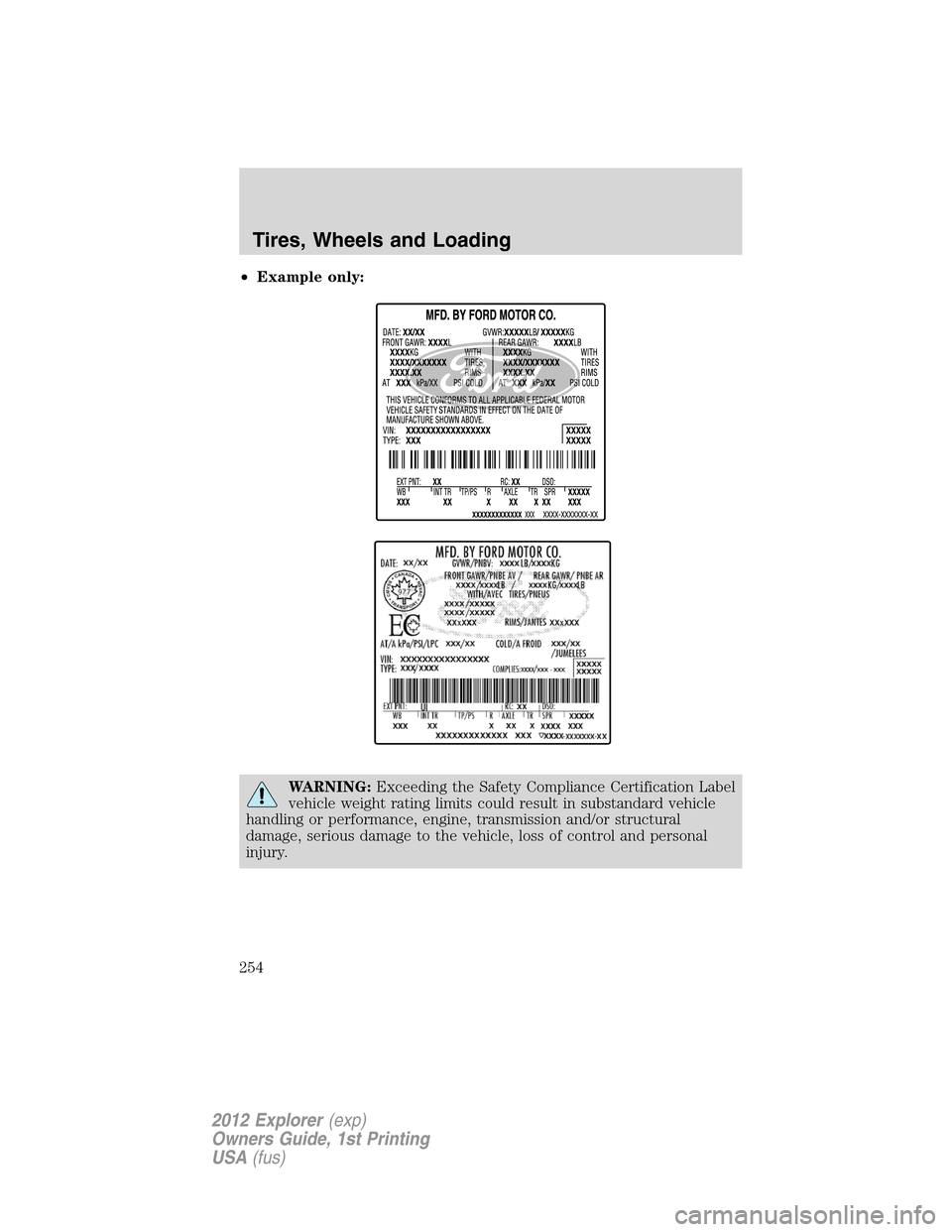
•Example only:
WARNING:Exceeding the Safety Compliance Certification Label
vehicle weight rating limits could result in substandard vehicle
handling or performance, engine, transmission and/or structural
damage, serious damage to the vehicle, loss of control and personal
injury.
Tires, Wheels and Loading
254
2012 Explorer(exp)
Owners Guide, 1st Printing
USA(fus)
Page 258 of 439
TRAILER TOWING
Trailer towing with your vehicle may require the use of a trailer tow
option package. An optional Class III towing hitch is available and may be
required for your towing purposes.
Trailer towing puts additional loads on your vehicle’s engine,
transmission, axle, brakes, tires and suspension. For your safety and to
maximize vehicle performance, be sure to use the proper equipment
while towing.
Follow these guidelines to ensure safe towing:
•Do not tow a trailer until your vehicle has been driven at least
1,000 miles (1,600 km).
•Consult your local motor vehicle laws for towing a trailer.
•Refer to the instructions included with towing accessories for the
proper installation and adjustment specifications.
•Thoroughly prepare your vehicle for towing. Refer toPreparing to
towin this chapter.
•Stay within your vehicle’s load limits.
•Use extra caution when driving while trailer towing. Refer toDriving
while you towin this chapter.
•Service your vehicle more frequently if you tow a trailer. Refer to
Special operating conditionsin your scheduled maintenance.
For load specification terms found on the label and instructions on
calculating your vehicle’s load, refer toVehicle loading - with and
without a trailerin this chapter when figuring the total weight of your
vehicle.
WARNING:Do not exceed the GVWR or the GAWR specified on
the certification label.
WARNING:Towing trailers beyond the maximum recommended
gross trailer weight exceeds the limit of the vehicle and could
result in engine damage, transmission damage, structural damage, loss
of vehicle control, vehicle rollover and personal injury.
Tires, Wheels and Loading
258
2012 Explorer(exp)
Owners Guide, 1st Printing
USA(fus)
Page 262 of 439
Driving while you tow
When towing a trailer:
•Do not drive faster than 70 mph (113 km/h) during the first 500 miles
(800 km) of trailer towing and don’t make full-throttle starts.
•Turn off the speed control. The speed control may shut off
automatically when you are towing on long, steep grades.
•Activate the tow/haul feature or the grade assist feature on your
transmission to eliminate excessive transmission shifting and assist in
transmission cooling. For additional information, refer toAutomatic
transmission operationin theDrivingchapter.
•Allow more distance for stopping with a trailer attached; anticipate
stops and brake gradually.
Trailer towing tips
•Practice turning, stopping and backing-up before starting on a trip to
get the feel of the vehicle-trailer combination. When turning, make
wider turns so the trailer wheels will clear curbs and other obstacles.
•To aid in engine/transmission cooling and A/C efficiency during hot
weather while stopped in traffic, place the gearshift lever in P (Park).
•After you have traveled 50 miles (80 km), thoroughly check your
hitch, electrical connections and trailer wheel lug nuts.
•If you are driving down a long or steep hill, shift to a lower gear. Do
not apply the brakes continuously, as they may overheat and become
less effective.
•Vehicles with trailers should not be parked on a grade. If you must
park on a grade, place wheel chocks under the trailer’s wheels.
RECREATIONAL TOWING
Follow these guidelines for your specific powertrain combination to tow
your vehicle for personal travel (such as behind a motor home or a
truck).
Note:Put your climate control system in recirculated air mode to
prevent exhaust fumes from entering the vehicle. Refer to theClimate
Controlschapter for more information.
In case of a roadside emergency with a disabled vehicle, please refer to
Wrecker towingin theRoadside Emergencieschapter.
These guidelines are designed to prevent damage to your vehicle after it
is hooked-up to the RV or tow dolly.
Tires, Wheels and Loading
262
2012 Explorer(exp)
Owners Guide, 1st Printing
USA(fus)
Page 263 of 439
Front-wheel drive (FWD) vehiclescan be towed with all four wheels
on the ground or with the front wheels off the ground by using a tow
dolly. If you are using a tow dolly follow the instructions specified by the
equipment provider. If you are towing with all four wheels on the ground,
refer to the towing instructions found at the end of this section.
Four-wheel drive (4WD) vehiclescan be towed with all four wheels
on the ground or with all four wheels off the ground using a vehicle
transport trailer.Do not tow your 4WD vehicle with the front
wheels off the ground (by using a tow dolly) and the rear wheels
on the ground; this will cause damage to your 4WD system.If you
are using a vehicle transport trailer, follow the instruction specified by
the equipment provider. If you are towing with all four wheels on the
ground, refer to the towing instructions found at the end of this section.
If you tow your vehicle with all four wheels on the ground:
•Tow only in the forward direction.
•Release the parking brake.
•Place the transmission shift lever in N (Neutral).
•Place the ignition in the accessory position (refer toStartingin the
Drivingchapter).
•Do not exceed 65 mph (105 km/h)
•Start the engine and allow it to run for five minutes at the beginning
of each day and every six hours thereafter. With the engine running
and your foot on the brake, shift into D (Drive) and then into R
(Reverse) before shifting back into N (Neutral).
Tires, Wheels and Loading
263
2012 Explorer(exp)
Owners Guide, 1st Printing
USA(fus)
Page 285 of 439
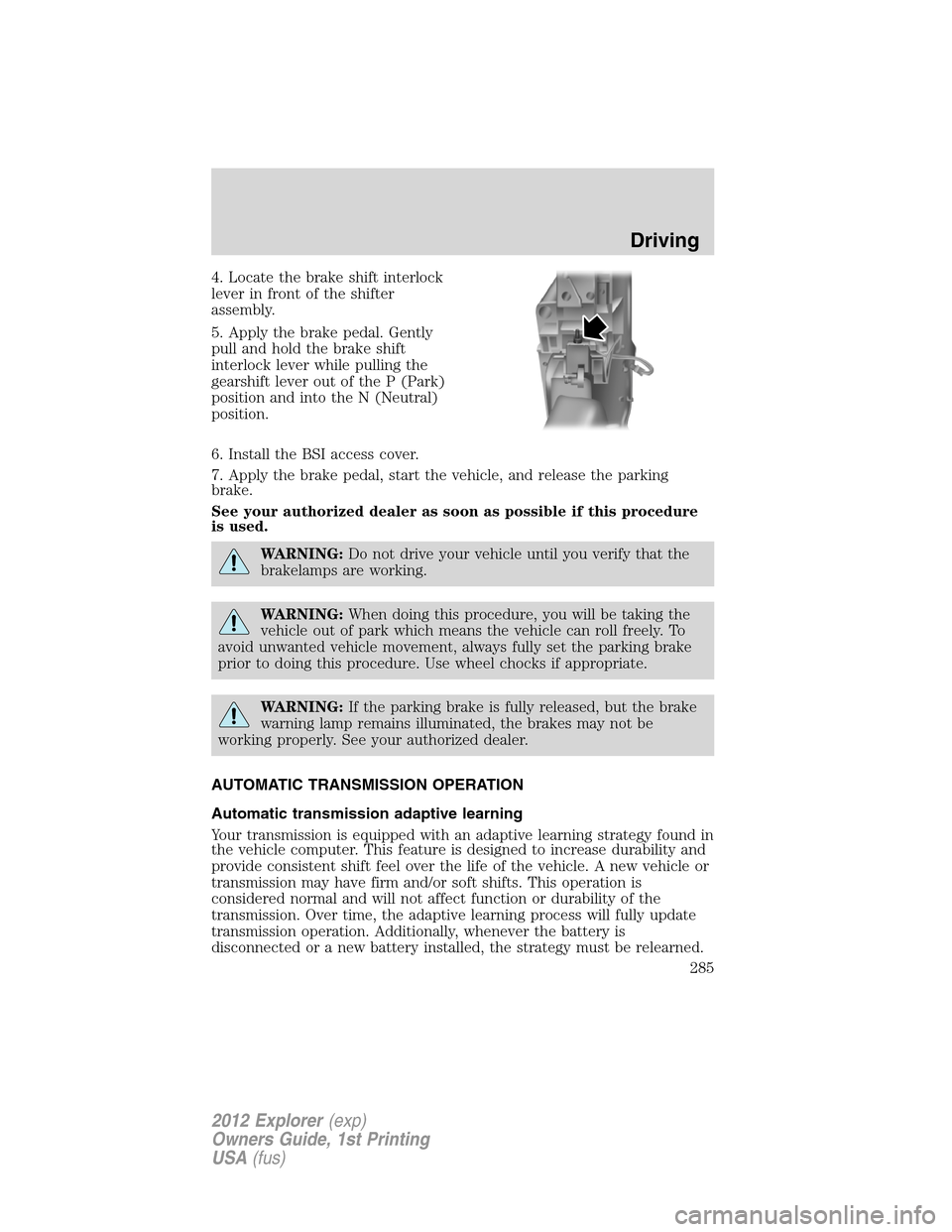
4. Locate the brake shift interlock
lever in front of the shifter
assembly.
5. Apply the brake pedal. Gently
pull and hold the brake shift
interlock lever while pulling the
gearshift lever out of the P (Park)
position and into the N (Neutral)
position.
6. Install the BSI access cover.
7. Apply the brake pedal, start the vehicle, and release the parking
brake.
See your authorized dealer as soon as possible if this procedure
is used.
WARNING:Do not drive your vehicle until you verify that the
brakelamps are working.
WARNING:When doing this procedure, you will be taking the
vehicle out of park which means the vehicle can roll freely. To
avoid unwanted vehicle movement, always fully set the parking brake
prior to doing this procedure. Use wheel chocks if appropriate.
WARNING:If the parking brake is fully released, but the brake
warning lamp remains illuminated, the brakes may not be
working properly. See your authorized dealer.
AUTOMATIC TRANSMISSION OPERATION
Automatic transmission adaptive learning
Your transmission is equipped with an adaptive learning strategy found in
the vehicle computer. This feature is designed to increase durability and
provide consistent shift feel over the life of the vehicle. A new vehicle or
transmission may have firm and/or soft shifts. This operation is
considered normal and will not affect function or durability of the
transmission. Over time, the adaptive learning process will fully update
transmission operation. Additionally, whenever the battery is
disconnected or a new battery installed, the strategy must be relearned.
Driving
285
2012 Explorer(exp)
Owners Guide, 1st Printing
USA(fus)
Page 286 of 439
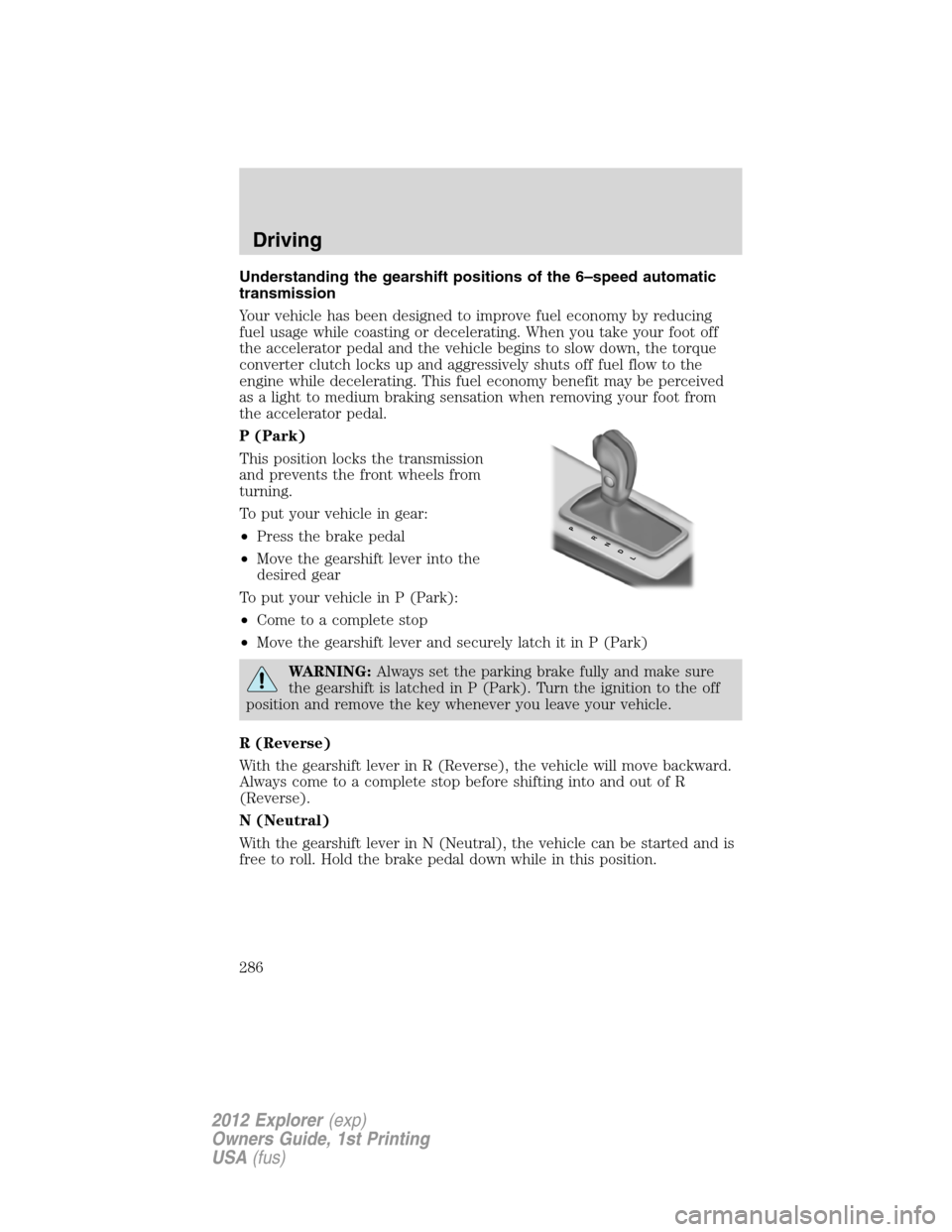
Understanding the gearshift positions of the 6–speed automatic
transmission
Your vehicle has been designed to improve fuel economy by reducing
fuel usage while coasting or decelerating. When you take your foot off
the accelerator pedal and the vehicle begins to slow down, the torque
converter clutch locks up and aggressively shuts off fuel flow to the
engine while decelerating. This fuel economy benefit may be perceived
as a light to medium braking sensation when removing your foot from
the accelerator pedal.
P (Park)
This position locks the transmission
and prevents the front wheels from
turning.
To put your vehicle in gear:
•Press the brake pedal
•Move the gearshift lever into the
desired gear
To put your vehicle in P (Park):
•Come to a complete stop
•Move the gearshift lever and securely latch it in P (Park)
WARNING:Always set the parking brake fully and make sure
the gearshift is latched in P (Park). Turn the ignition to the off
position and remove the key whenever you leave your vehicle.
R (Reverse)
With the gearshift lever in R (Reverse), the vehicle will move backward.
Always come to a complete stop before shifting into and out of R
(Reverse).
N (Neutral)
With the gearshift lever in N (Neutral), the vehicle can be started and is
free to roll. Hold the brake pedal down while in this position.
PRNDL
Driving
286
2012 Explorer(exp)
Owners Guide, 1st Printing
USA(fus)
Page 287 of 439
D (Drive) with Overdrive
The normal driving position for the best fuel economy. Transmission
operates in gears one through six.
The automatic transmission shift strategy has the ability to detect hilly
terrain or mountainous areas and will provide a limited amount of grade
assist features automatically. Refer to D (Drive) with Grade assist or
SelectShift for more information.
D (Drive) with Tow on
The tow feature improves transmission operation when towing a trailer
or a heavy load. All transmission gear ranges are available when using
tow.
Tow can be activated by pressing theTOWswitch located on the
instrument panel by the headlamp control. TheTOW/HAULmessage
will illuminate in the instrument cluster.
The tow feature delays upshifts to reduce frequency of transmission
shifting. Tow also provides engine braking in all forward gears when the
transmission is in the D (Overdrive) position. This engine braking will
slow the vehicle and assist the driver in controlling the vehicle when
descending a grade. Depending on driving conditions and load
conditions, the transmission may downshift, slow the vehicle and control
the vehicle speed when descending a hill, without the accelerator pedal
being pressed. The amount of downshift braking provided will vary based
upon the amount the brake pedal is depressed.
To deactivate the tow feature and return to normal driving mode, press
theTOWbutton. The tow light will no longer be illuminated.
When you shut-off and restart the engine, the transmission will
automatically return to normal D (Overdrive) mode (tow off).
WARNING:Do not use the tow feature when driving in icy or
slippery conditions as the increased engine braking can cause
the rear wheels to slide and the vehicle to swing around with the
possible loss of vehicle control.
Driving
287
2012 Explorer(exp)
Owners Guide, 1st Printing
USA(fus)
Page 288 of 439
D (Drive) with Grade Assist
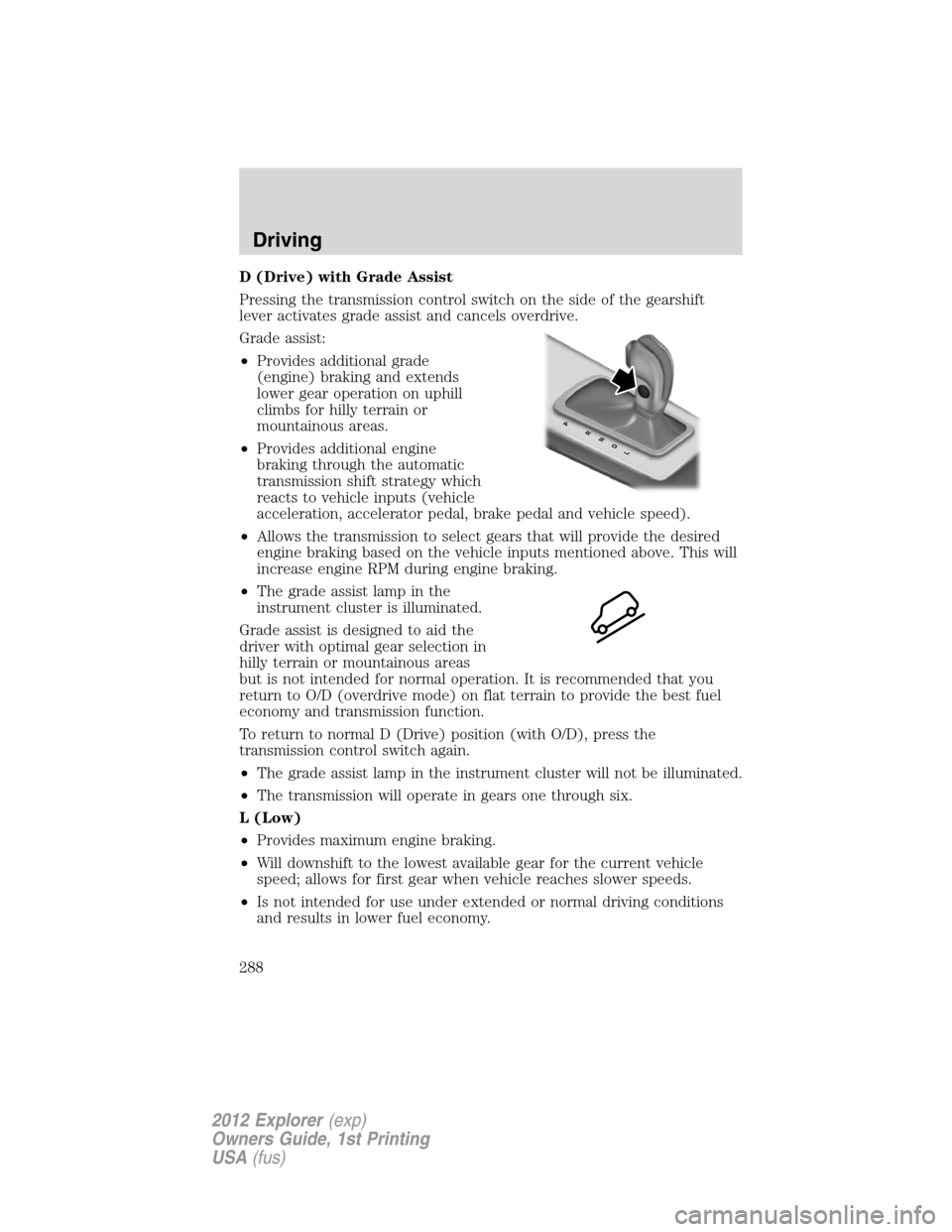
Pressing the transmission control switch on the side of the gearshift
lever activates grade assist and cancels overdrive.
Grade assist:
•Provides additional grade
(engine) braking and extends
lower gear operation on uphill
climbs for hilly terrain or
mountainous areas.
•Provides additional engine
braking through the automatic
transmission shift strategy which
reacts to vehicle inputs (vehicle
acceleration, accelerator pedal, brake pedal and vehicle speed).
•Allows the transmission to select gears that will provide the desired
engine braking based on the vehicle inputs mentioned above. This will
increase engine RPM during engine braking.
•The grade assist lamp in the
instrument cluster is illuminated.
Grade assist is designed to aid the
driver with optimal gear selection in
hilly terrain or mountainous areas
but is not intended for normal operation. It is recommended that you
return to O/D (overdrive mode) on flat terrain to provide the best fuel
economy and transmission function.
To return to normal D (Drive) position (with O/D), press the
transmission control switch again.
•The grade assist lamp in the instrument cluster will not be illuminated.
•The transmission will operate in gears one through six.
L (Low)
•Provides maximum engine braking.
•Will downshift to the lowest available gear for the current vehicle
speed; allows for first gear when vehicle reaches slower speeds.
•Is not intended for use under extended or normal driving conditions
and results in lower fuel economy.
PRNDL
Driving
288
2012 Explorer(exp)
Owners Guide, 1st Printing
USA(fus)
Page 289 of 439
M (Manual)
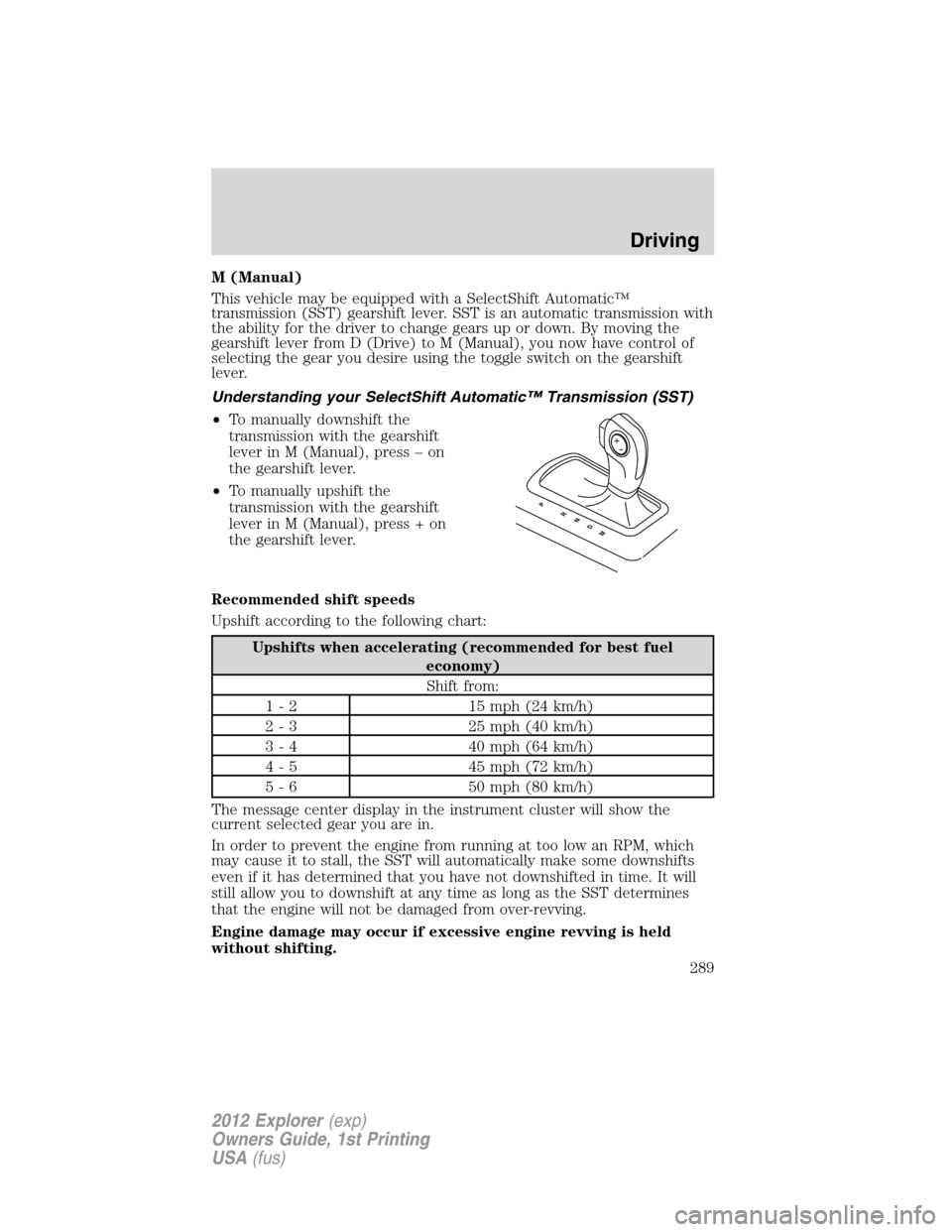
This vehicle may be equipped with a SelectShift Automatic™
transmission (SST) gearshift lever. SST is an automatic transmission with
the ability for the driver to change gears up or down. By moving the
gearshift lever from D (Drive) to M (Manual), you now have control of
selecting the gear you desire using the toggle switch on the gearshift
lever.
Understanding your SelectShift Automatic™ Transmission (SST)
•To manually downshift the
transmission with the gearshift
lever in M (Manual), press – on
the gearshift lever.
•To manually upshift the
transmission with the gearshift
lever in M (Manual), press + on
the gearshift lever.
Recommended shift speeds
Upshift according to the following chart:
Upshifts when accelerating (recommended for best fuel
economy)
Shift from:
1 - 2 15 mph (24 km/h)
2 - 3 25 mph (40 km/h)
3 - 4 40 mph (64 km/h)
4 - 5 45 mph (72 km/h)
5 - 6 50 mph (80 km/h)
The message center display in the instrument cluster will show the
current selected gear you are in.
In order to prevent the engine from running at too low an RPM, which
may cause it to stall, the SST will automatically make some downshifts
even if it has determined that you have not downshifted in time. It will
still allow you to downshift at any time as long as the SST determines
that the engine will not be damaged from over-revving.
Engine damage may occur if excessive engine revving is held
without shifting.
PRNDM
Driving
289
2012 Explorer(exp)
Owners Guide, 1st Printing
USA(fus)
Page 291 of 439
If your vehicle gets stuck in mud or snow
Note:Do not rock the vehicle if the engine is not at normal operating
temperature or damage to the transmission may occur.
Note:Do not rock the vehicle for more than a minute or damage to the
transmission and tires may occur, or the engine may overheat.
If your vehicle gets stuck in mud or snow, it may be rocked out by
shifting between forward and reverse gears, stopping between shifts in a
steady pattern. Press lightly on the accelerator in each gear.
REVERSE SENSING SYSTEM (IF EQUIPPED)
The reverse sensing system (RSS) sounds a tone to warn the driver of
obstacles near the rear bumper when the R (Reverse) gear is selected
and the vehicle is moving at speeds less than 3 mph (5 km/h). The
system is not effective at speeds above 3 mph (5 km/h) and may not
detect certain angular or moving objects.
WARNING:To help avoid personal injury, please read and
understand the limitations of the reverse sensing system as
contained in this section. Reverse sensing is only an aid for some
(generally large and fixed) objects when moving in reverse on a flat
surface at “parking speeds”. Inclement weather may also affect the
function of the RSS; this may include reduced performance or a false
activation.
WARNING:To help avoid personal injury, always use caution
when in R (Reverse) and when using the RSS.
WARNING:This system is not designed to prevent contact with
small or moving objects. The system is designed to provide a
warning to assist the driver in detecting large stationary objects to
avoid damaging the vehicle. The system may not detect smaller
objects, particularly those close to the ground.
WARNING:Certain add-on devices such as large trailer hitches,
bike or surfboard racks and any device that may block the
normal detection zone of the RSS system may create false beeps.
Driving
291
2012 Explorer(exp)
Owners Guide, 1st Printing
USA(fus)