SOUND button FORD EXPLORER 2014 5.G Owners Manual
[x] Cancel search | Manufacturer: FORD, Model Year: 2014, Model line: EXPLORER, Model: FORD EXPLORER 2014 5.GPages: 586, PDF Size: 9.07 MB
Page 51 of 586
WARNING:If the airbag has deployed, the airbag will not function
again and must be replaced immediately. If the airbag is not
replaced, the unrepaired area will increase the risk of injury in a crash.
The airbags are a supplemental restraint system and are designed to
work with the safety belts to help protect the driver and right front
passenger from certain upper body injuries. Airbags do not inflate slowly;
there is a risk of injury from a deploying airbag.
Note:You will hear a loud bang and see a cloud of harmless powdery
residue if an airbag deploys. This is normal.
The airbags inflate and deflate rapidly upon activation. After airbag
deployment, it is normal to notice a smoke-like, powdery residue or smell
the burnt propellant. This may consist of cornstarch, talcum powder (to
lubricate the bag) or sodium compounds (for example, baking soda) that
result from the combustion process that inflates the airbag. Small amounts
of sodium hydroxide may be present which may irritate the skin and eyes,
but none of the residue is toxic.
While the system is designed to help reduce serious injuries, contact with a
deploying airbag may also cause abrasions or swelling. Temporary hearing
loss is also a possibility as a result of the noise associated with a deploying
airbag. Because airbags must inflate rapidly and with considerable force,
there is the risk of death or serious injuries, such as fractures, facial and
eye injuries or internal injuries, particularly to occupants who are not
properly restrained or are otherwise out of position at the time of airbag
deployment. Thus, it is extremely important that occupants be properly
restrained as far away from the airbag module as possible while maintaining
vehicle control.
Routine maintenance of the airbags is not required.
SOS POST-CRASH ALERT SYSTEM™
The system flashes the turn signal lamps and sounds the horn
(intermittently) in the event of a serious impact that deploys an airbag
equipped on your vehicle, such as front, side, side curtain or Safety
Canopy.
The horn and lamps will turn off when:
•you press the hazard control button
•you press the panic button (if equipped) on the remote entry
transmitter, or
•your vehicle runs out of power.
50Supplementary Restraints System
2014 Explorer(exp)
Owners Guide gf, 1st Printing, April 2013
USA(fus)
Page 66 of 586
Programming Memory to the Transmitter
1. Move the memory features to the desired positions using the
associated controls.
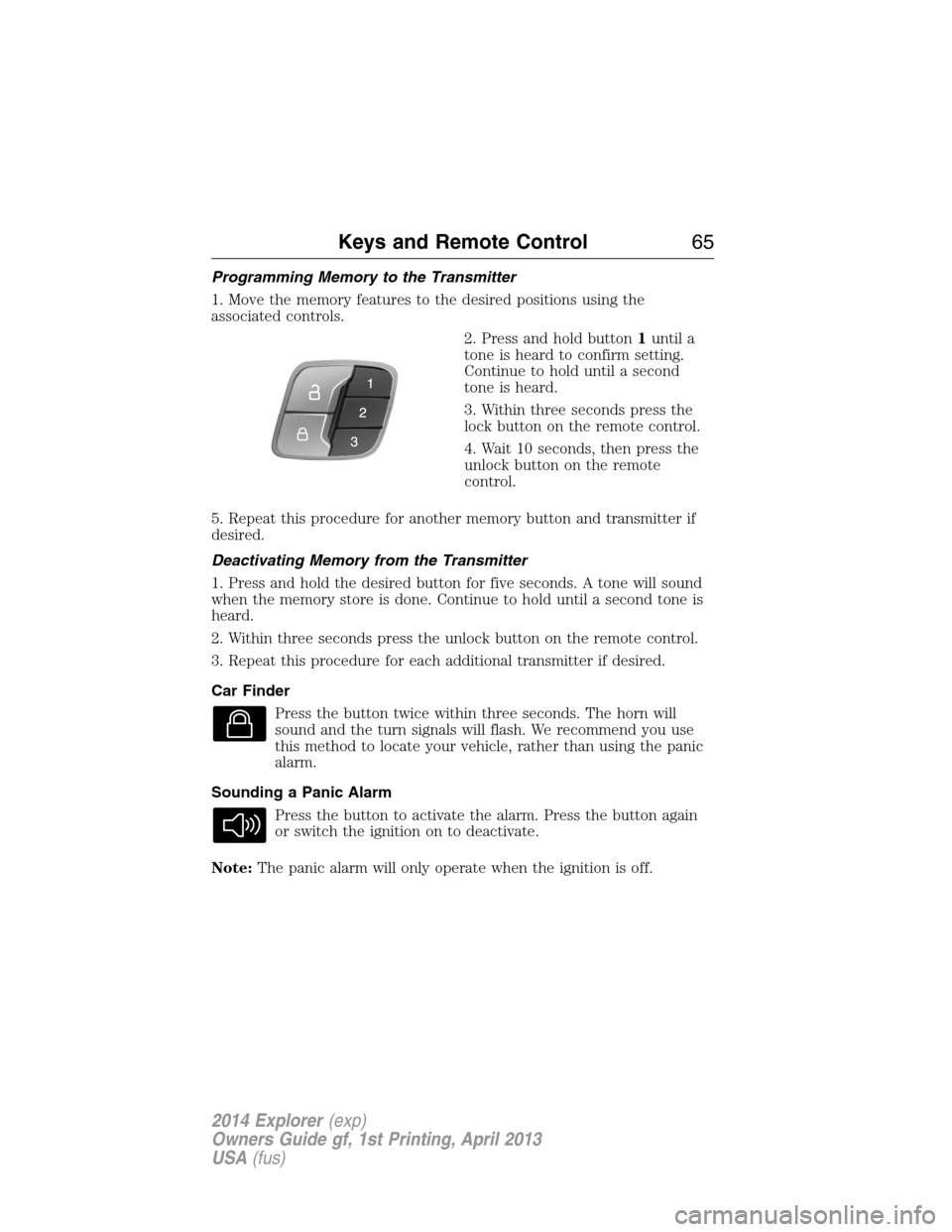
2. Press and hold button1until a
tone is heard to confirm setting.
Continue to hold until a second
tone is heard.
3. Within three seconds press the
lock button on the remote control.
4. Wait 10 seconds, then press the
unlock button on the remote
control.
5. Repeat this procedure for another memory button and transmitter if
desired.
Deactivating Memory from the Transmitter
1. Press and hold the desired button for five seconds. A tone will sound
when the memory store is done. Continue to hold until a second tone is
heard.
2. Within three seconds press the unlock button on the remote control.
3. Repeat this procedure for each additional transmitter if desired.
Car Finder
Press the button twice within three seconds. The horn will
sound and the turn signals will flash. We recommend you use
this method to locate your vehicle, rather than using the panic
alarm.
Sounding a Panic Alarm
Press the button to activate the alarm. Press the button again
or switch the ignition on to deactivate.
Note:The panic alarm will only operate when the ignition is off.
Keys and Remote Control65
2014 Explorer(exp)
Owners Guide gf, 1st Printing, April 2013
USA(fus)
Page 68 of 586
Remote Starting the Vehicle
Note:You must press each button within three seconds of each other.
Your vehicle will not remote start and the horn will not sound if you do
not follow this sequence.
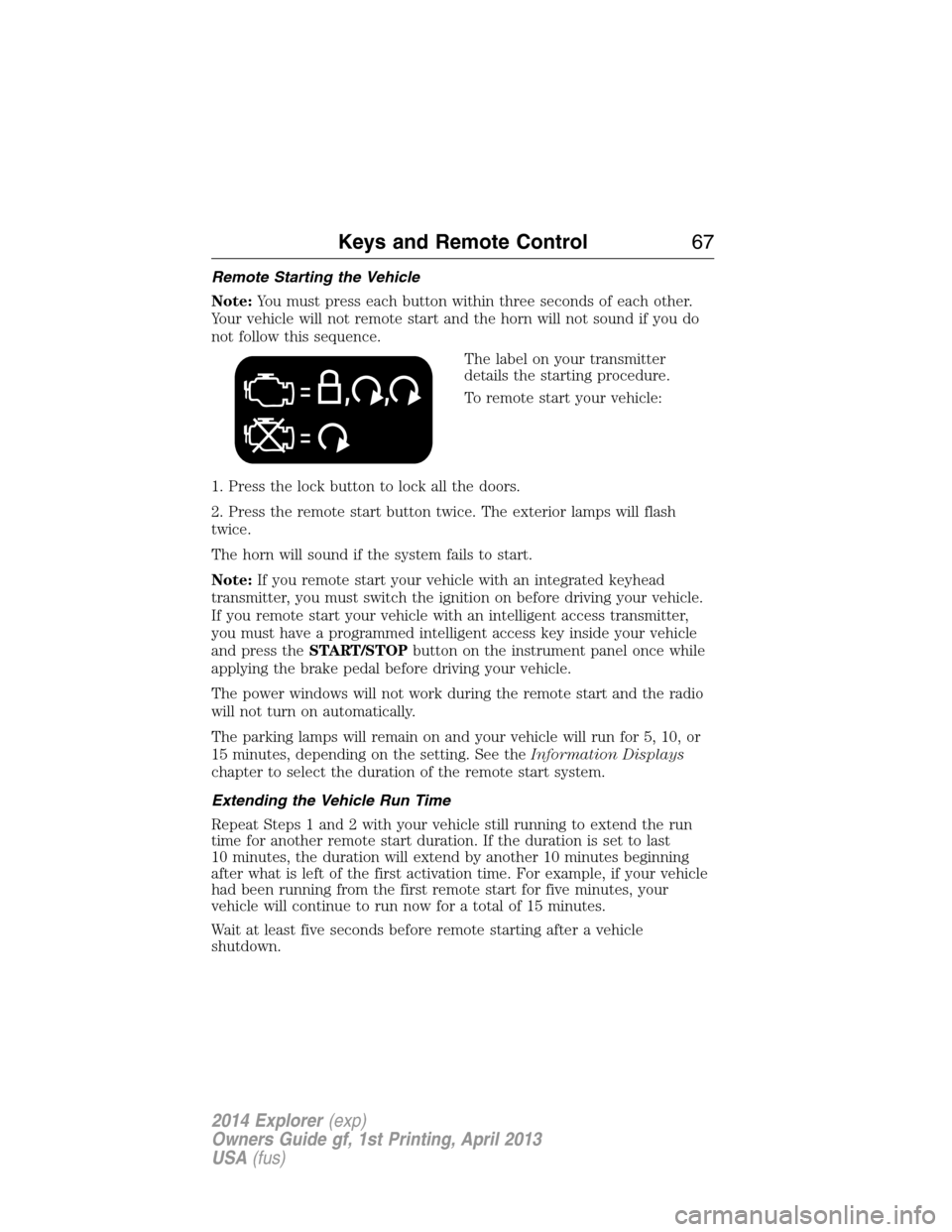
The label on your transmitter
details the starting procedure.
To remote start your vehicle:
1. Press the lock button to lock all the doors.
2. Press the remote start button twice. The exterior lamps will flash
twice.
The horn will sound if the system fails to start.
Note:If you remote start your vehicle with an integrated keyhead
transmitter, you must switch the ignition on before driving your vehicle.
If you remote start your vehicle with an intelligent access transmitter,
you must have a programmed intelligent access key inside your vehicle
and press theSTART/STOPbutton on the instrument panel once while
applying the brake pedal before driving your vehicle.
The power windows will not work during the remote start and the radio
will not turn on automatically.
The parking lamps will remain on and your vehicle will run for 5, 10, or
15 minutes, depending on the setting. See theInformation Displays
chapter to select the duration of the remote start system.
Extending the Vehicle Run Time
Repeat Steps 1 and 2 with your vehicle still running to extend the run
time for another remote start duration. If the duration is set to last
10 minutes, the duration will extend by another 10 minutes beginning
after what is left of the first activation time. For example, if your vehicle
had been running from the first remote start for five minutes, your
vehicle will continue to run now for a total of 15 minutes.
Wait at least five seconds before remote starting after a vehicle
shutdown.
Keys and Remote Control67
2014 Explorer(exp)
Owners Guide gf, 1st Printing, April 2013
USA(fus)
Page 74 of 586
LOCKING AND UNLOCKING
You can use the power door lock control or the remote control to lock
and unlock your vehicle.
Power Door Locks
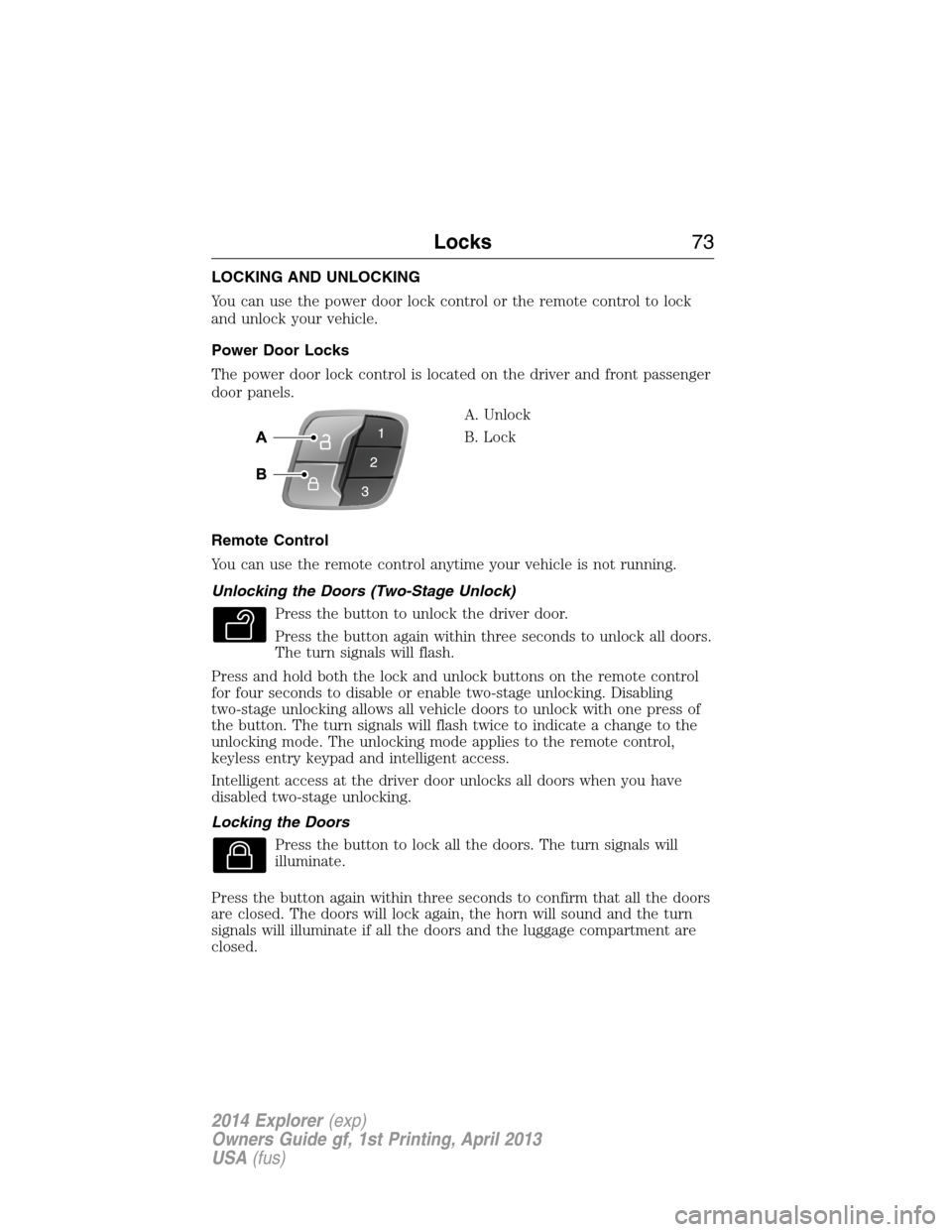
The power door lock control is located on the driver and front passenger
door panels.
A. Unlock
B. Lock
Remote Control
You can use the remote control anytime your vehicle is not running.
Unlocking the Doors (Two-Stage Unlock)
Press the button to unlock the driver door.
Press the button again within three seconds to unlock all doors.
The turn signals will flash.
Press and hold both the lock and unlock buttons on the remote control
for four seconds to disable or enable two-stage unlocking. Disabling
two-stage unlocking allows all vehicle doors to unlock with one press of
the button. The turn signals will flash twice to indicate a change to the
unlocking mode. The unlocking mode applies to the remote control,
keyless entry keypad and intelligent access.
Intelligent access at the driver door unlocks all doors when you have
disabled two-stage unlocking.
Locking the Doors
Press the button to lock all the doors. The turn signals will
illuminate.
Press the button again within three seconds to confirm that all the doors
are closed. The doors will lock again, the horn will sound and the turn
signals will illuminate if all the doors and the luggage compartment are
closed.
Locks73
2014 Explorer(exp)
Owners Guide gf, 1st Printing, April 2013
USA(fus)
Page 76 of 586
At the Liftgate
Press the exterior liftgate release button on the top of the liftgate
pull-cup handle.
Smart Unlocks for Integrated Keyhead Transmitter
This feature helps to prevent you from locking yourself out of your
vehicle if your key is still in the ignition.
When you open one of the front doors and lock your vehicle with the
power door lock control, all the doors will lock then unlock if your key is
still in the ignition.
You can still lock your vehicle with the key in the ignition. To do this,
use the keyless entry keypad with the driver door closed, or press the
lock button on the transmitter even if the doors are not closed.
If both front doors are closed, you can lock your vehicle by any method,
regardless of whether the key is in the ignition or not.
Smart Unlocks for Intelligent Access Keys (If Equipped)
This feature helps to prevent you from unintentionally locking your
intelligent access key inside your vehicle’s passenger compartment or
rear cargo area.
When you lock your vehicle using the driver or passenger power door
lock control (with the door open, transmission inPand ignition off),
after you close the door your vehicle will search for an intelligent access
key in the passenger compartment. If your vehicle finds a key, all of the
doors will immediately unlock and the horn will sound, indicating that a
key is inside.
You can override the smart unlock feature and intentionally lock the
intelligent access key inside your vehicle. To do this, lock your vehicle
after you have closed all the doors by:
•using the keyless entry keypad
•pressing the lock button on another intelligent access key
•touching the locking area on the handle with another intelligent access
key in your hand.
When you open one of the front doors and lock your vehicle using the
power door lock control, all doors will lock then unlock if:
•the ignition is on, or
•the ignition is off and the transmission is not inP.
Locks75
2014 Explorer(exp)
Owners Guide gf, 1st Printing, April 2013
USA(fus)
Page 80 of 586
Note:Do not drive with the liftgate open without first disabling the
power function and securing the liftgate to the vehicle.
Note:In case of operation in extreme cold -40°F (-40°C), or on extreme
inclines, manual operation of the liftgate is suggested.
You can enable or disable the power liftgate using the information
display. The remote control and instrument panel button will still operate
the liftgate regardless of the setting.
Opening and Closing the Power Liftgate
Note:You can reverse the liftgate movement direction with a second
press of the instrument panel button, or the control button on the
liftgate, or a second double press of the transmitter button.
The liftgate will only operate with the transmission inP.
A chime will sound three times as the liftgate begins to power close.
A single chime indicates a problem with the close request, caused by:
•the ignition is on and the transmission is not inP;or
•the battery voltage is below the minimum operating voltage; or
•the vehicle speed is at or above 3 mph (5 km/h).
If the liftgate reverses and starts to close after an open request, a fast
continuous chime indicates excessive load on the gate or a possible strut
failure. Have your vehicle checked by an authorized dealer if you still
have a fast chime after you remove the load.
To open or close from the instrument panel:Press the
instrument panel button.
To open or close with the remote control:Press the remote
control button twice within three seconds.
Locks79
2014 Explorer(exp)
Owners Guide gf, 1st Printing, April 2013
USA(fus)
Page 81 of 586
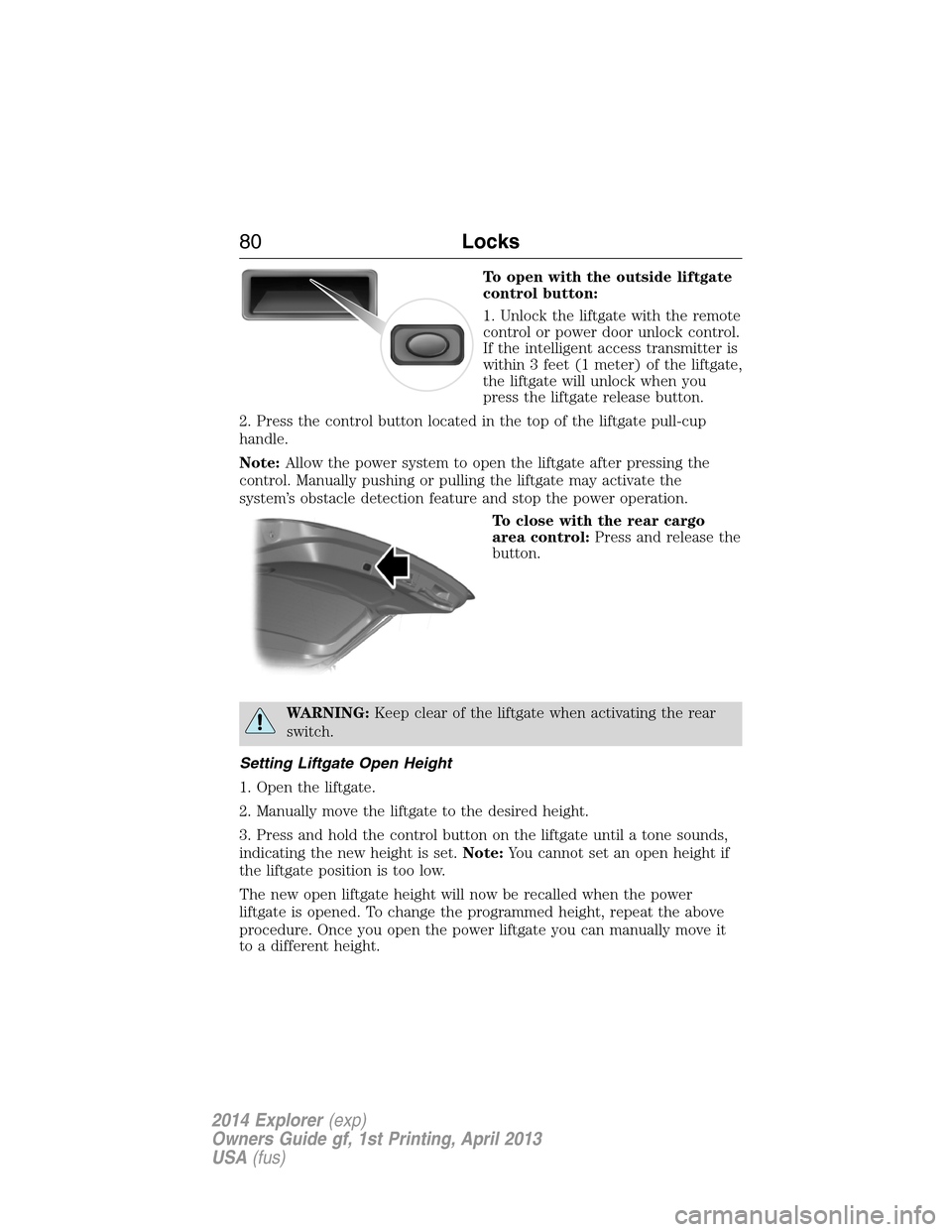
To open with the outside liftgate
control button:
1. Unlock the liftgate with the remote
control or power door unlock control.
If the intelligent access transmitter is
within 3 feet (1 meter) of the liftgate,
the liftgate will unlock when you
press the liftgate release button.
2. Press the control button located in the top of the liftgate pull-cup
handle.
Note:Allow the power system to open the liftgate after pressing the
control. Manually pushing or pulling the liftgate may activate the
system’s obstacle detection feature and stop the power operation.
To close with the rear cargo
area control:Press and release the
button.
WARNING:Keep clear of the liftgate when activating the rear
switch.
Setting Liftgate Open Height
1. Open the liftgate.
2. Manually move the liftgate to the desired height.
3. Press and hold the control button on the liftgate until a tone sounds,
indicating the new height is set.Note:You cannot set an open height if
the liftgate position is too low.
The new open liftgate height will now be recalled when the power
liftgate is opened. To change the programmed height, repeat the above
procedure. Once you open the power liftgate you can manually move it
to a different height.
80Locks
2014 Explorer(exp)
Owners Guide gf, 1st Printing, April 2013
USA(fus)
Page 82 of 586
When operating the power liftgate after a set height lower than full-open
is set, you can fully open the liftgate by manually pushing it upward to
the maximum open position.
Obstacle Detection
When closing:The system will reverse to full open when it detects an
obstacle. A tone will sound three times as the liftgate begins to reopen.
Remove the obstacle to close the liftgate.
Note:Entering the vehicle while the liftgate is closing can cause the
vehicle to bounce and activate obstacle detection. To prevent this, allow
the power liftgate to fully close before entering the vehicle. Before
driving off, check the instrument cluster for a liftgate or door ajar
message or warning indicator. Driving off without first checking for the
liftgate or door ajar message or warning indicator could result in
unintentionally leaving the liftgate open while you are driving.
When opening:The system will stop and a tone will sound three times
when it detects an obstacle. Remove the obstacle to operate the liftgate.
Resetting the Power Liftgate
The liftgate may not operate properly and you may need to reset it if any
of these conditions occur:
•A low voltage or dead battery
•A disconnected battery
•You manually close the liftgate and leave it ajar (unlatched)
To reset the power liftgate:
1. Disconnect the battery for 20 seconds then, reconnect the battery.
2. Manually close and fully latch the liftgate.
3. Power open the liftgate by using the transmitter or the instrument
panel control button.
Locks81
2014 Explorer(exp)
Owners Guide gf, 1st Printing, April 2013
USA(fus)
Page 89 of 586
6. Press theSTART/STOPbutton within one minute. A message will
appear in the information display indicating that the new intelligent
access key was programmed.
7. Remove the intelligent access key from the center console pocket and
press the unlock button on the newly programmed intelligent access key
to exit programming mode.
8. Verify that the remote entry functions operate (press lock then
unlock, making sure you end in unlock) and that the vehicle starts with
new intelligent access key.
ANTI-THEFT ALARM (IF EQUIPPED)
The system will warn you of unauthorized entry to your vehicle.
The turn signal lamps will flash and sound the horn up to a total of 10
times when:
•any door, the hood or the luggage compartment is opened without
using the keypad, the remote control or the intelligent access
transmitter (if equipped)
•the ignition is turned on with an invalid key.
Take all keys and remote controls to an authorized dealer if there is any
potential alarm problem with your vehicle.
Arming the Alarm
The system is ready to arm whenever the ignition is off. Lock the vehicle
to arm the alarm.
The turn signal lamps will flash once after locking the vehicle to indicate
the alarm is in the pre-armed mode. It will become fully armed in
20 seconds.
88Security
2014 Explorer(exp)
Owners Guide gf, 1st Printing, April 2013
USA(fus)
Page 90 of 586
Disarming the Alarm
To disarm the alarm, do any of the following:
•Press the power door unlock button within the 20-second pre-armed
mode.
•Press the unlock button on the remote control.
•Unlock the doors with the keyless entry pad.
•Enter the vehicle using intelligent access (if equipped).
•Turn the ignition on with a valid key (if equipped with an integrated
keyhead transmitter only).
•Press the panic button on the remote control. The alarm system will
still be armed, but this shuts off the horn and turn lamps when the
alarm is sounding.
Note:If the driver door is unlocked with a key, a tone will sound when
you open the door and a message will appear in the information display.
You will have 12 seconds to disarm the alarm using any of the actions
above, otherwise the alarm will trigger.
Security89
2014 Explorer(exp)
Owners Guide gf, 1st Printing, April 2013
USA(fus)