lug FORD EXPLORER 2014 5.G Owners Manual
[x] Cancel search | Manufacturer: FORD, Model Year: 2014, Model line: EXPLORER, Model: FORD EXPLORER 2014 5.GPages: 586, PDF Size: 9.07 MB
Page 8 of 586
Vehicle Care 343
Cleaning products.....................................343
Cleaning the exterior..................................343
Waxing.............................................345
Repairing minor paint damage............................345
Cleaning the engine...................................345
Cleaning the windows and wiper blades.....................346
Cleaning the interior...................................347
Cleaning the instrument panel and instrument cluster lens.......347
Cleaning leather seats..................................348
Cleaning the alloy wheels...............................349
Vehiclestorage.......................................349
Wheels and Tires 352
Tire care...........................................354
Using snow chains....................................370
Tire Pressure Monitoring System (TPMS)...................371
Changing a road wheel.................................376
Technical specifications.................................384
Wheel lug nut torque..................................384
Capacities and Specifications 385
Engine specifications..................................385
Part numbers........................................391
Vehicle identification number............................391
Vehicle certification label...............................392
Transmission code designation............................393
Accessories 394
Accessories.........................................394
Table of Contents7
2014 Explorer(exp)
Owners Guide gf, 1st Printing, April 2013
USA(fus)
Page 12 of 586
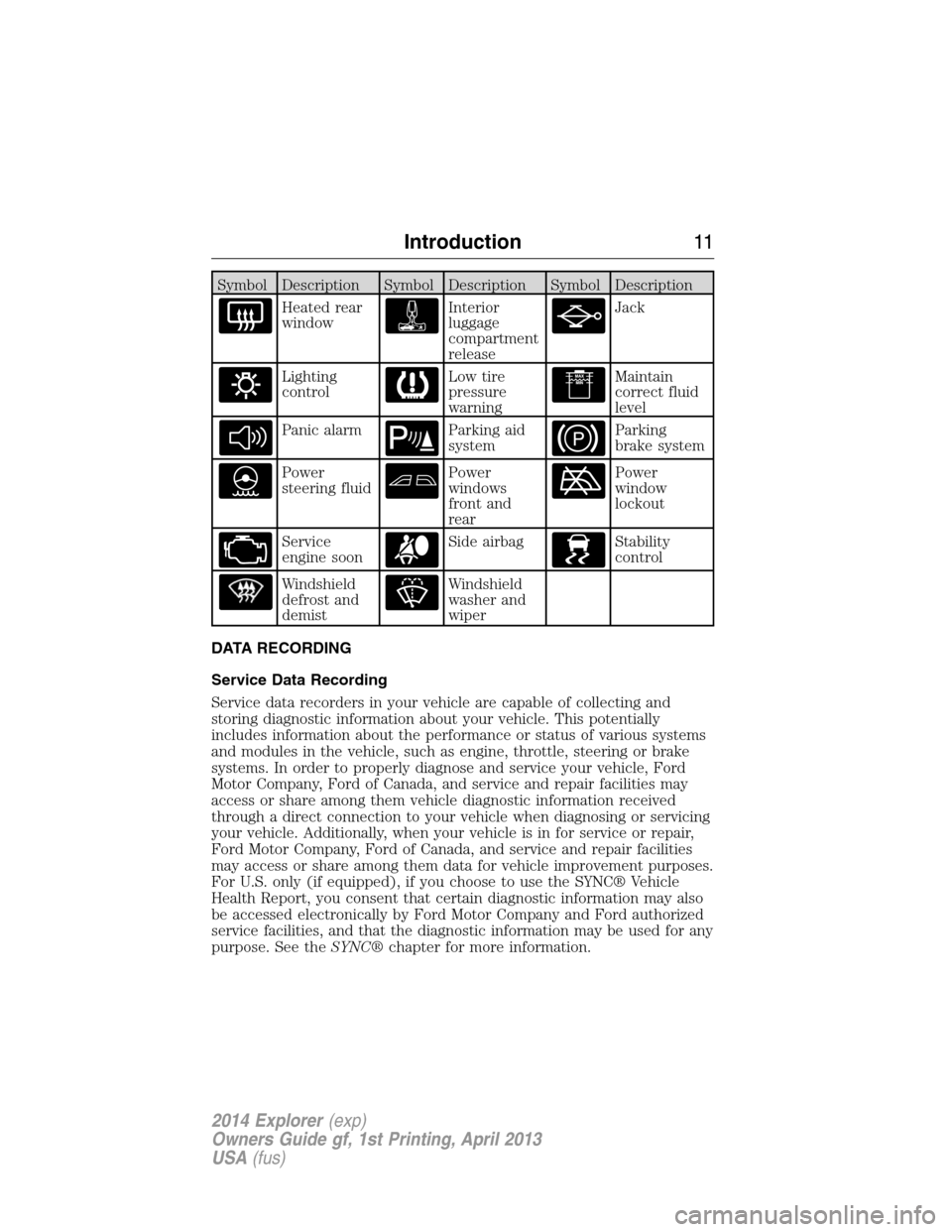
Symbol Description Symbol Description Symbol Description
Heated rear
windowInterior
luggage
compartment
releaseJack
Lighting
controlLow tire
pressure
warningMaintain
correct fluid
level
Panic alarmParking aid
systemParking
brake system
Power
steering fluidPower
windows
front and
rearPower
window
lockout
Service
engine soonSide airbagStability
control
Windshield
defrost and
demistWindshield
washer and
wiper
DATA RECORDING
Service Data Recording
Service data recorders in your vehicle are capable of collecting and
storing diagnostic information about your vehicle. This potentially
includes information about the performance or status of various systems
and modules in the vehicle, such as engine, throttle, steering or brake
systems. In order to properly diagnose and service your vehicle, Ford
Motor Company, Ford of Canada, and service and repair facilities may
access or share among them vehicle diagnostic information received
through a direct connection to your vehicle when diagnosing or servicing
your vehicle. Additionally, when your vehicle is in for service or repair,
Ford Motor Company, Ford of Canada, and service and repair facilities
may access or share among them data for vehicle improvement purposes.
For U.S. only (if equipped), if you choose to use the SYNC® Vehicle
Health Report, you consent that certain diagnostic information may also
be accessed electronically by Ford Motor Company and Ford authorized
service facilities, and that the diagnostic information may be used for any
purpose. See theSYNC®chapter for more information.
Introduction11
2014 Explorer(exp)
Owners Guide gf, 1st Printing, April 2013
USA(fus)
Page 62 of 586
GENERAL INFORMATION ON RADIO FREQUENCIES
This device complies with part 15 of the FCC Rules and with Industry
Canada license-exempt RSS standard(s). Operation is subject to the
following two conditions: (1) This device may not cause harmful
interference, and (2) This device must accept any interference received,
including interference that may cause undesired operation.
Note:Changes or modifications not expressly approved by the party
responsible for compliance could void the user’s authority to operate the
equipment. The termICbefore the radio certification number only
signifies that Industry Canada technical specifications were met.
The typical operating range for your transmitter is approximately 33 feet
(10 meters). Vehicles with the remote start feature will have a greater
range. A decrease in operating range could be caused by:
•weather conditions
•nearby radio towers
•structures around your vehicle
•other vehicles parked next to your vehicle.
The radio frequency used by your remote control can also be used by
other short-distance radio transmissions, for example amateur radios,
medical equipment, wireless headphones, remote controls and alarm
systems. If the frequencies are jammed, you will not be able to use your
remote control. You can lock and unlock the doors with the key.
Note:Make sure your vehicle is locked before leaving it unattended.
Note:If you are in range, the remote control will operate if you press
any button unintentionally.
Intelligent Access (If Equipped)
The system uses a radio frequency signal to communicate with your
vehicle and authorize your vehicle to unlock when one of the following
conditions is met:
•You touch the inside of the front exterior door handle.
•You press the luggage compartment button.
•You press a button on the transmitter.
If excessive radio frequency interference is present in the area or if the
transmitter battery is low, it may be necessary to mechanically unlock
your door. You can use the mechanical key blade in your intelligent
access key to open the driver door in this situation. Refer toRemote
Controlin this chapter for more information on the location and use of
the mechanical key blade.
Keys and Remote Control61
2014 Explorer(exp)
Owners Guide gf, 1st Printing, April 2013
USA(fus)
Page 74 of 586
LOCKING AND UNLOCKING
You can use the power door lock control or the remote control to lock
and unlock your vehicle.
Power Door Locks
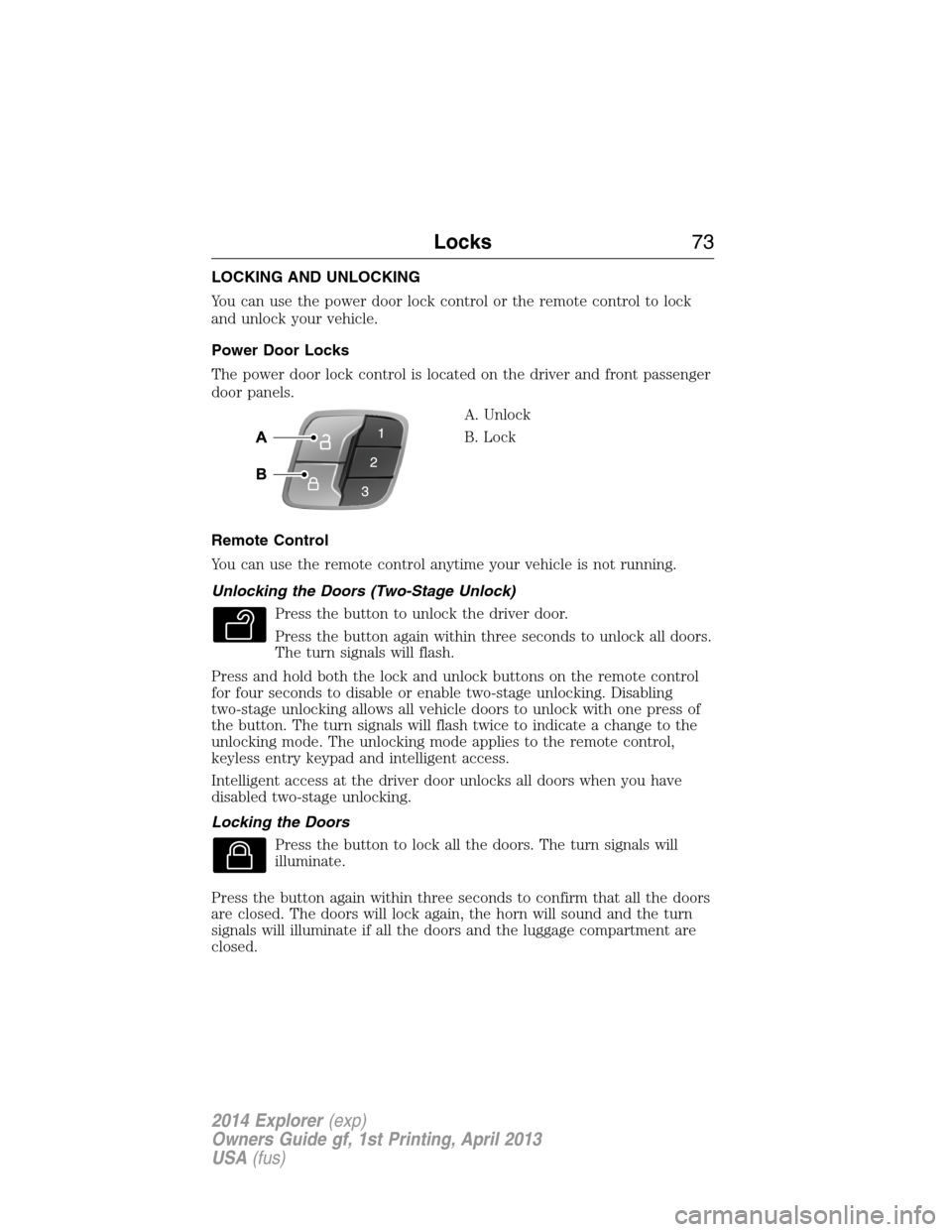
The power door lock control is located on the driver and front passenger
door panels.
A. Unlock
B. Lock
Remote Control
You can use the remote control anytime your vehicle is not running.
Unlocking the Doors (Two-Stage Unlock)
Press the button to unlock the driver door.
Press the button again within three seconds to unlock all doors.
The turn signals will flash.
Press and hold both the lock and unlock buttons on the remote control
for four seconds to disable or enable two-stage unlocking. Disabling
two-stage unlocking allows all vehicle doors to unlock with one press of
the button. The turn signals will flash twice to indicate a change to the
unlocking mode. The unlocking mode applies to the remote control,
keyless entry keypad and intelligent access.
Intelligent access at the driver door unlocks all doors when you have
disabled two-stage unlocking.
Locking the Doors
Press the button to lock all the doors. The turn signals will
illuminate.
Press the button again within three seconds to confirm that all the doors
are closed. The doors will lock again, the horn will sound and the turn
signals will illuminate if all the doors and the luggage compartment are
closed.
Locks73
2014 Explorer(exp)
Owners Guide gf, 1st Printing, April 2013
USA(fus)
Page 75 of 586
Note:If any door or the luggage compartment is open, or if the hood is
open on vehicles with an anti-theft alarm or remote start, the horn
sounds twice and the lamps will not flash.
Power Liftgate (If Equipped)
WARNING:Make sure all persons are clear of the liftgate area
before using power liftgate control.
WARNING:Make sure to close and latch the liftgate to prevent
drawing exhaust fumes into your vehicle. This will also prevent
passengers and cargo from falling out. If you must drive with the
liftgate open, keep the vents or windows open so outside air comes into
your vehicle. Failure to follow this warning could result in serious
personal injury.
Note:Be careful when opening or closing the liftgate in a garage or
other enclosed area to avoid damaging the liftgate.
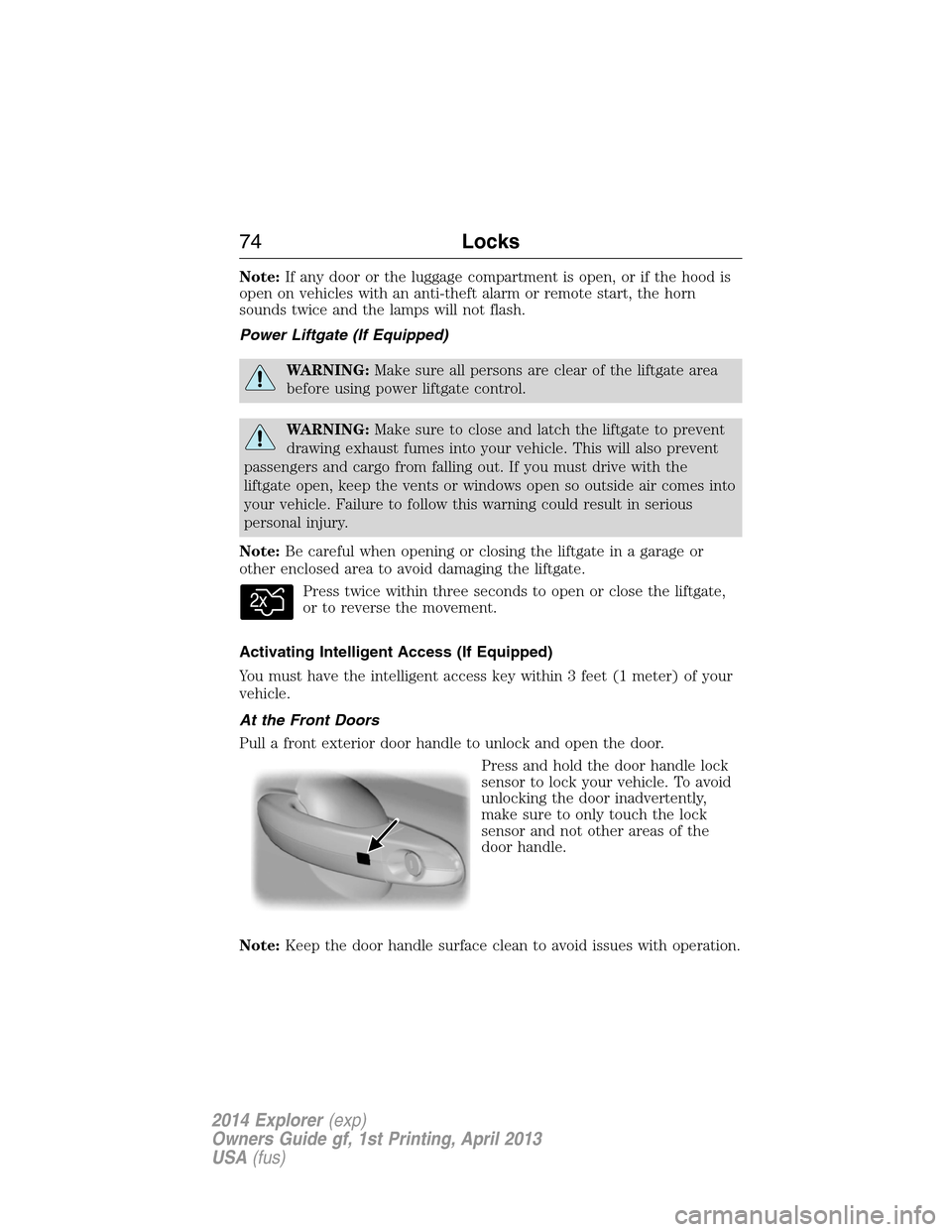
Press twice within three seconds to open or close the liftgate,
or to reverse the movement.
Activating Intelligent Access (If Equipped)
You must have the intelligent access key within 3 feet (1 meter) of your
vehicle.
At the Front Doors
Pull a front exterior door handle to unlock and open the door.
Press and hold the door handle lock
sensor to lock your vehicle. To avoid
unlocking the door inadvertently,
make sure to only touch the lock
sensor and not other areas of the
door handle.
Note:Keep the door handle surface clean to avoid issues with operation.
74Locks
2014 Explorer(exp)
Owners Guide gf, 1st Printing, April 2013
USA(fus)
Page 89 of 586
6. Press theSTART/STOPbutton within one minute. A message will
appear in the information display indicating that the new intelligent
access key was programmed.
7. Remove the intelligent access key from the center console pocket and
press the unlock button on the newly programmed intelligent access key
to exit programming mode.
8. Verify that the remote entry functions operate (press lock then
unlock, making sure you end in unlock) and that the vehicle starts with
new intelligent access key.
ANTI-THEFT ALARM (IF EQUIPPED)
The system will warn you of unauthorized entry to your vehicle.
The turn signal lamps will flash and sound the horn up to a total of 10
times when:
•any door, the hood or the luggage compartment is opened without
using the keypad, the remote control or the intelligent access
transmitter (if equipped)
•the ignition is turned on with an invalid key.
Take all keys and remote controls to an authorized dealer if there is any
potential alarm problem with your vehicle.
Arming the Alarm
The system is ready to arm whenever the ignition is off. Lock the vehicle
to arm the alarm.
The turn signal lamps will flash once after locking the vehicle to indicate
the alarm is in the pre-armed mode. It will become fully armed in
20 seconds.
88Security
2014 Explorer(exp)
Owners Guide gf, 1st Printing, April 2013
USA(fus)
Page 184 of 586
AUXILIARY POWER POINTS
WARNING:Do not plug optional electrical accessories into the
cigarette lighter socket (if equipped). Improper use of the lighter
can cause damage not covered by your warranty, and can result in fire
or serious injury.
Note:If used when the engine is not running, the battery will discharge.
There may be insufficient power to restart your engine.
Note:Do not insert objects other than an accessory plug into the power
point. This will damage the outlet and blow the fuse.
Note:Do not hang any type of accessory or accessory bracket from the
plug.
Note:Do not use the power point over the vehicle capacity of 12 volts
DC180 watts or a fuse may blow.
Note:Do not use the power point for operating a cigarette lighter
element.
Note:Improper use of the power outlet can cause damage not covered
by your warranty.
Note:Always keep the power point caps closed when not being used.
Run the engine for full capacity use of the power point . To prevent the
battery from being discharged:
•Do not use the power point longer than necessary when the engine is
not running.
•Do not leave devices plugged in overnight or when the vehicle is
parked for extended periods.
Locations
Power points may be found:
•on the front of the center console
•inside the utility compartment
•on the rear of the console, accessible from the rear seats
•in the cargo area.
Auxiliary Power Points183
2014 Explorer(exp)
Owners Guide gf, 1st Printing, April 2013
USA(fus)
Page 185 of 586
110 Volt AC Power Point (If Equipped)
WARNING:Do not keep electrical devices plugged in the power
point whenever the device is not in use. Do not use any
extension cord with the 110 volt AC power point, since it will defeat
the safety protection design. Doing so may cause the power point to
overload due to powering multiple devices that can reach beyond the
150–watt load limit and could result in fire or serious injury.
Note:The cap should always be closed whenever the power point outlet
is not in use.
Note:The power point will turn off after 13 minutes if the ignition is on
without the engine running. Keep the engine running to use the power
point.
The 110–volt AC power point outlet is used for powering electrical
devices that require up to 150 watts. Exceeding the 150–watt limit will
cause the power point to cut off the power temporarily to provide
overload protection.
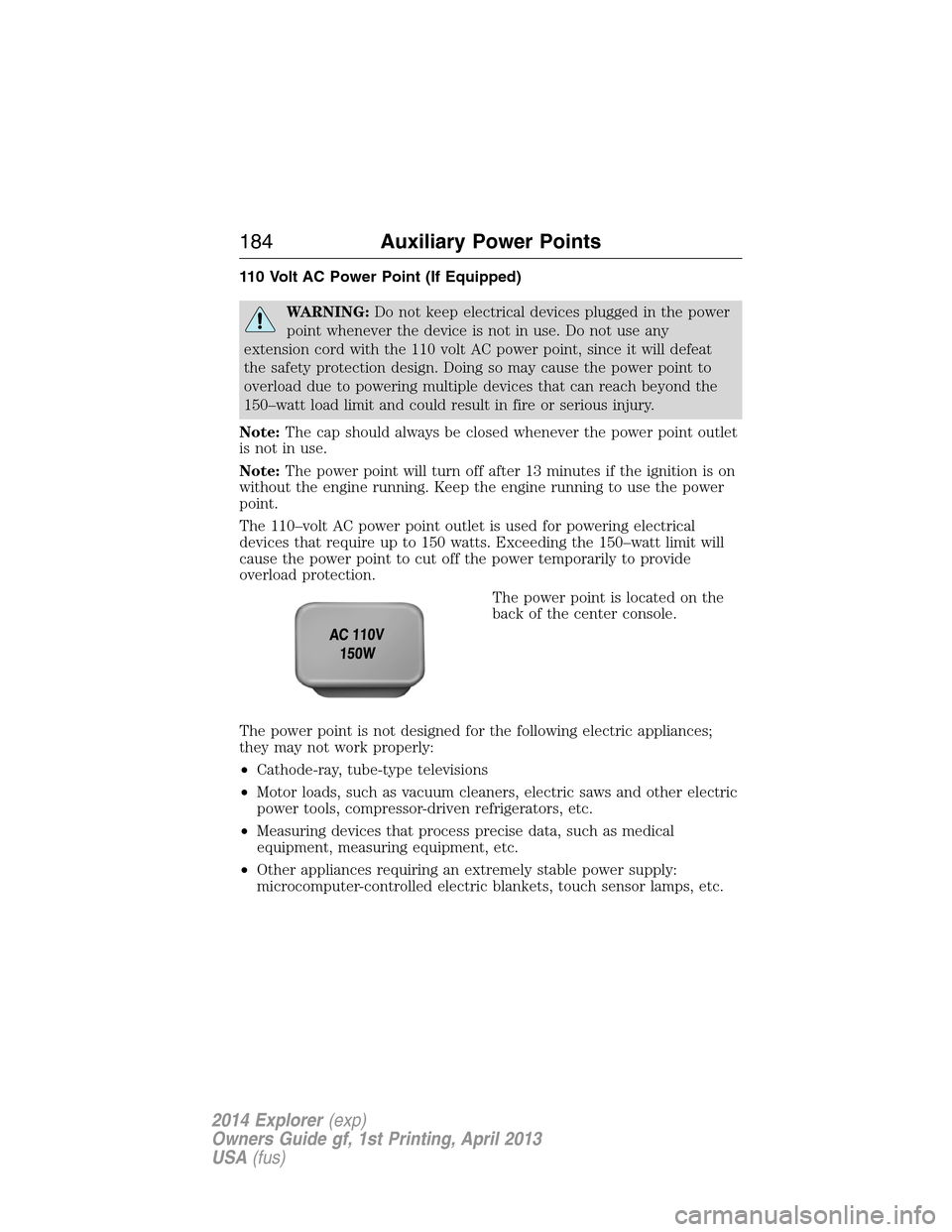
The power point is located on the
back of the center console.
The power point is not designed for the following electric appliances;
they may not work properly:
•Cathode-ray, tube-type televisions
•Motor loads, such as vacuum cleaners, electric saws and other electric
power tools, compressor-driven refrigerators, etc.
•Measuring devices that process precise data, such as medical
equipment, measuring equipment, etc.
•Other appliances requiring an extremely stable power supply:
microcomputer-controlled electric blankets, touch sensor lamps, etc.
184Auxiliary Power Points
2014 Explorer(exp)
Owners Guide gf, 1st Printing, April 2013
USA(fus)
Page 186 of 586
The power point can switch to a fault mode when it is overloaded,
overheated or shorted. Unplug your device and turn the ignition off then
on for overloading and shorting conditions. Let the system cool off, then
turn the ignition off then on for an overheating condition.
The power point can provide power whenever the ignition is on and the
indicator light is on. The indicator light is located in the top left corner
of the power point.
When the indicator light is:
•on — power point is ready to supply power
•off — power point power supply is off; ignition is not on
•blinking — power point is in fault mode
Auxiliary Power Points185
2014 Explorer(exp)
Owners Guide gf, 1st Printing, April 2013
USA(fus)
Page 195 of 586
•Make sure that when in operation, the extension cord plug and the
heater cord plug connections are free and clear of water. This could
cause an electric shock or fire.
•Make sure your vehicle is parked in a clean area, clear of
combustibles.
•Make sure the heater, heater cord and extension cord are firmly
connected.
•Check for heat anywhere in the electrical hookup once the system has
been operating for approximately 30 minutes.
•Make sure the system is unplugged and properly stowed before driving
your vehicle. Make sure the protective cover seals the prongs of the
block heater cord plug when not in use.
•Keep plug terminals clean and free of dirt and corrosion.
•Make sure the heater system is checked for proper operation before
winter.
Using the Engine Block Heater
Make sure the receptacle terminals are clean and dry prior to use. Clean
them with a dry cloth, if necessary.
The heater uses 0.4 to 1.0 kilowatt-hours of energy per hour of use. The
system does not have a thermostat. It achieves maximum temperature
after approximately three hours of operation. Using the heater longer
than three hours does not improve system performance and
unnecessarily uses electricity.
194Starting and Stopping the Engine
2014 Explorer(exp)
Owners Guide gf, 1st Printing, April 2013
USA(fus)