stop start FORD EXPLORER 2014 5.G Owner's Manual
[x] Cancel search | Manufacturer: FORD, Model Year: 2014, Model line: EXPLORER, Model: FORD EXPLORER 2014 5.GPages: 586, PDF Size: 9.07 MB
Page 207 of 586
AUTOMATIC TRANSMISSION
WARNING:Always set the parking brake fully and make sure
the gearshift is latched inP(Park). Turn the ignition to the off
position and remove the key whenever you leave your vehicle.
WARNING:Do not use the tow feature when driving in icy or
slippery conditions as the increased engine braking can cause the
rear wheels to slide and the vehicle to swing around with the possible
loss of vehicle control.
Your vehicle has been designed to improve fuel economy by reducing
fuel usage while coasting or decelerating. When you take your foot off
the accelerator pedal and the vehicle begins to slow down, the torque
converter clutch locks up and aggressively shuts off fuel flow to the
engine while decelerating. This fuel economy benefit may be perceived
as a light to medium braking sensation when removing your foot from
the accelerator pedal.
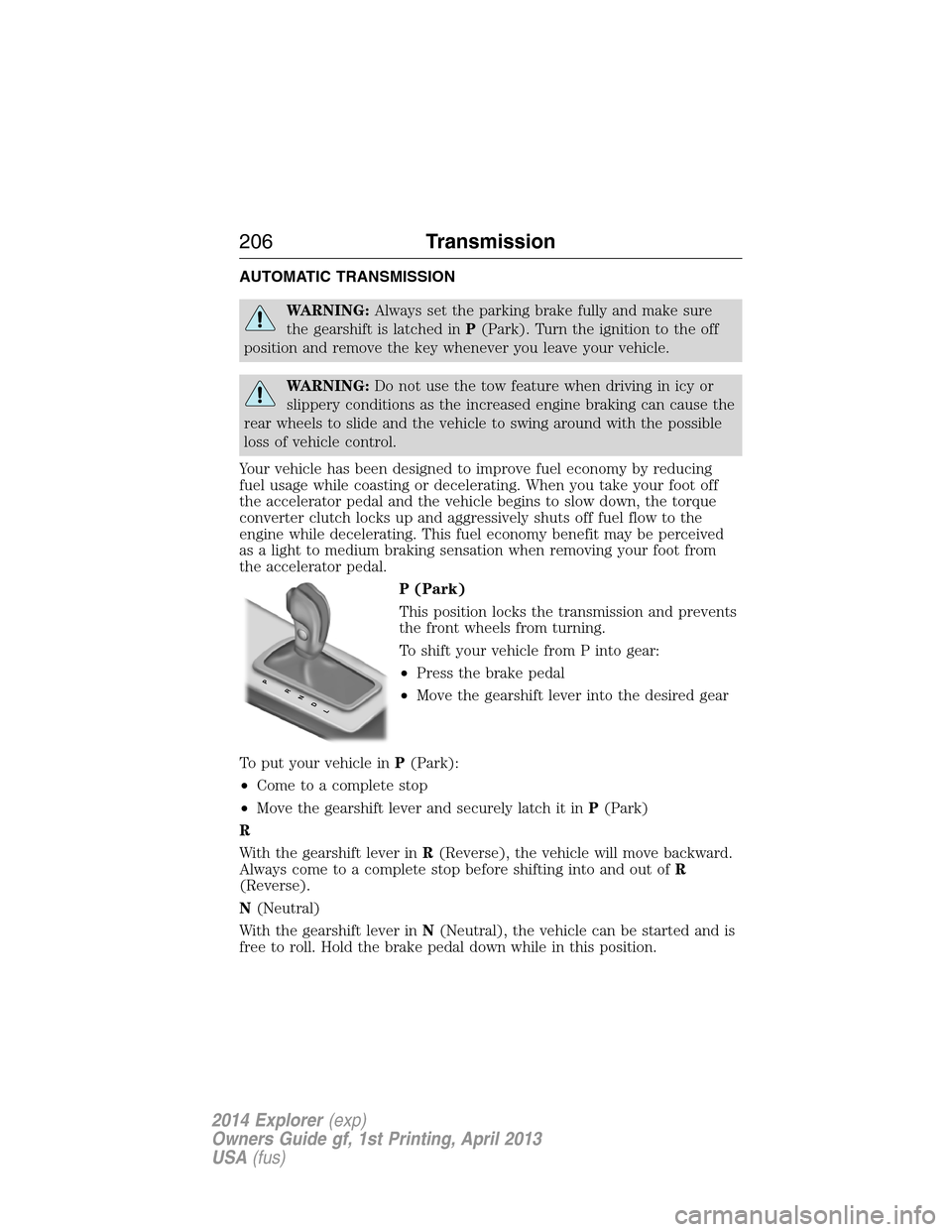
P (Park)
This position locks the transmission and prevents
the front wheels from turning.
To shift your vehicle from P into gear:
•Press the brake pedal
•Move the gearshift lever into the desired gear
To put your vehicle inP(Park):
•Come to a complete stop
•Move the gearshift lever and securely latch it inP(Park)
R
With the gearshift lever inR(Reverse), the vehicle will move backward.
Always come to a complete stop before shifting into and out ofR
(Reverse).
N(Neutral)
With the gearshift lever inN(Neutral), the vehicle can be started and is
free to roll. Hold the brake pedal down while in this position.
PRNDL
206Transmission
2014 Explorer(exp)
Owners Guide gf, 1st Printing, April 2013
USA(fus)
Page 213 of 586
If Your Vehicle Gets Stuck in Mud or Snow
Note:Do not rock the vehicle if the engine is not at normal operating
temperature or damage to the transmission may occur.
Note:Do not rock the vehicle for more than a minute or damage to the
transmission and tires may occur, or the engine may overheat.
If your vehicle gets stuck in mud or snow, it may be rocked out by
shifting between forward and reverse gears, stopping between shifts in a
steady pattern. Press lightly on the accelerator in each gear.
HILL START ASSIST
WARNING:The hill start assist feature does not replace the
parking brake. When you leave the vehicle, always apply the
parking brake and shift the transmission into P (Park).
WARNING:You must remain in the vehicle once you have
activated the hill start assist feature.
WARNING:During all times, you are responsible for controlling
the vehicle, supervising the hill start assist system and
intervening, if required.
WARNING:If the engine is revved excessively, or if a
malfunction is detected when the hill start assist feature is active,
the hill start assist feature will be deactivated.
Hill start assist keeps your vehicle stationary long enough to move your
foot from the brake pedal to the accelerator pedal when your vehicle is
on a slope.
The brakes are released automatically once the engine has developed
sufficient drive to prevent the vehicle from rolling down the slope. This
is an advantage when pulling away on a slope, (for example from a car
park ramp, traffic lights or when reversing uphill into a parking space).
212Transmission
2014 Explorer(exp)
Owners Guide gf, 1st Printing, April 2013
USA(fus)
Page 215 of 586
USING YOUR FOUR WHEEL DRIVE (4WD) SYSTEM
The intelligent 4WD system continuously monitors vehicle conditions and
automatically adjusts the power distribution between the front and rear
wheels. It combines transparent all-surface operation with highly capable
four-wheel drive.
The 4WD system is always active and requires no driver input. It is
capable of handling all road conditions, including street and highway
driving as well as off-road and winter driving. The driver can optimize
more 4WD control by moving the terrain management switch for the
correct terrain. See theTerrain Managementchapter for more
information.
Note:When an 4WD system fault is present, the warning Check AWD
will display in the information display. The 4WD system is not
functioning correctly and will default to front-wheel drive. When this
warning is displayed, have your vehicle serviced at an authorized dealer.
Note:The AWD Off message may also be displayed in the information
display if the 4WD system has overheated and defaulted to front-wheel
drive. This condition may occur if the vehicle was operated in extreme
conditions with excessive wheel slip, such as deep sand. To resume
normal 4WD function as soon as possible, stop the vehicle in a safe
location and stop the engine for at least 10 minutes. After the engine has
been restarted and the 4WD system has adequately cooled, the AWD Off
message will turn off and normal 4WD function will return. The AWD Off
message will turn off when the system cools and normal 4WD function
returns.
If your vehicle is equipped with 4WD, a spare tire of a different size
other than the tire provided should never be used. If the mini-spare tire
is installed, the 4WD system may disable automatically and enter
front-wheel drive only mode to protect driveline components. This
condition may be indicated by an AWD Off message in the information
display. If there is an AWD Off message in the information display from
using the spare tire, this indicator should turn off after reinstalling the
repaired or replaced normal road tire and cycling the ignition off and on.
It is recommended to reinstall the repaired or replaced road tire as soon
as possible. Major dissimilar tire sizes between the front and rear axles
could cause the 4WD system to stop functioning and default to
front-wheel drive or damage the 4WD system.
214Four-Wheel Drive (If Equipped)
2014 Explorer(exp)
Owners Guide gf, 1st Printing, April 2013
USA(fus)
Page 220 of 586
Although natural obstacles may make it necessary to travel diagonally up
or down a hill or steep incline, you should always try to drive straight up
or straight down. Whenever driving on a hill, determine beforehand the
route you will use. Do not drive over the crest of a hill without seeing
what conditions are on the other side. Do not drive in reverse over a hill
without the aid of an observer.
When climbing a steep slope or hill, start in a lower gear rather than
downshifting to a lower gear from a higher gear once the ascent has
started. This reduces strain on the engine and the possibility of stalling.
If you do stall out, Do not try to turn around because you might roll
over. It is better to back down to a safe location.
Apply just enough power to the wheels to climb the hill. Too much
power will cause the tires to slip, spin or lose traction, resulting in loss of
vehicle control.
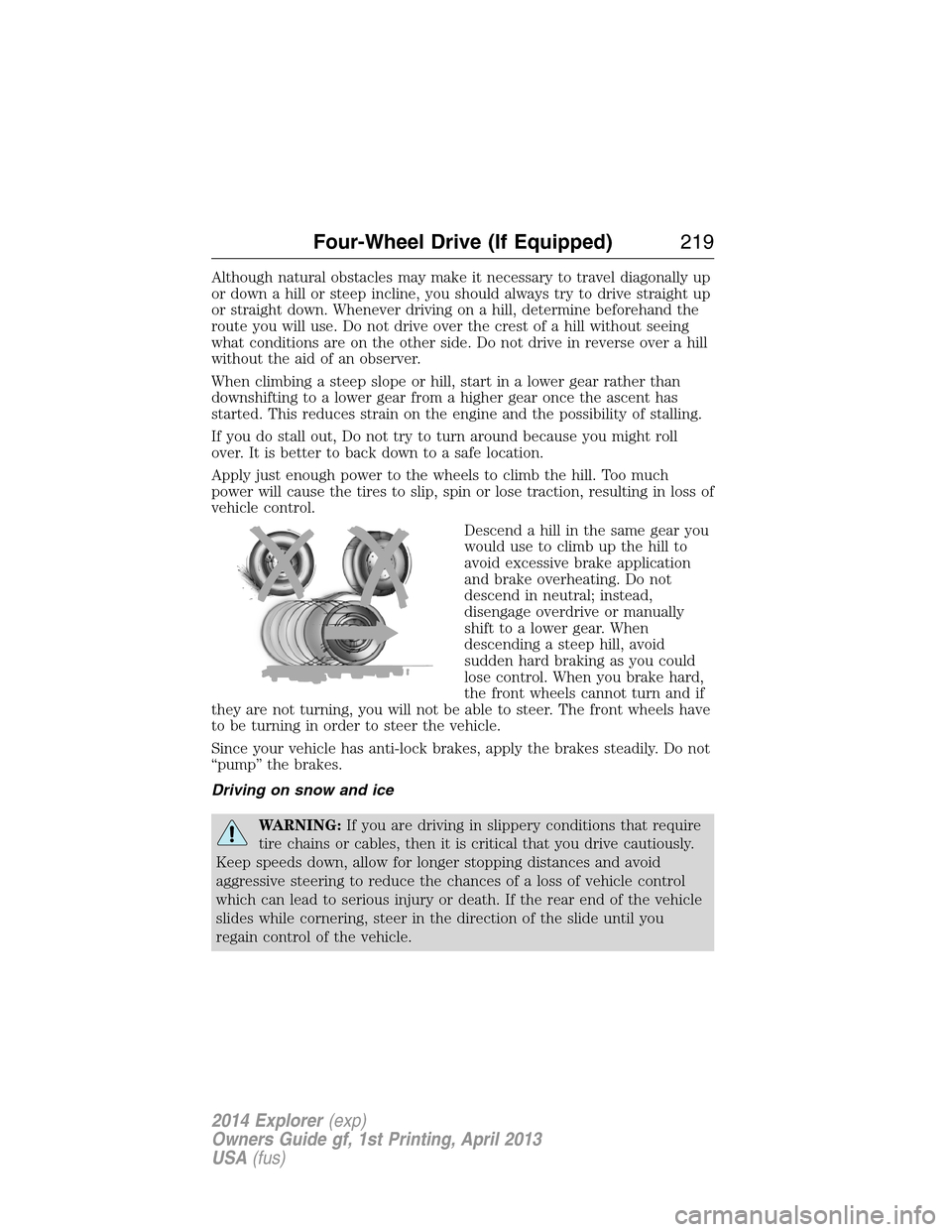
Descend a hill in the same gear you
would use to climb up the hill to
avoid excessive brake application
and brake overheating. Do not
descend in neutral; instead,
disengage overdrive or manually
shift to a lower gear. When
descending a steep hill, avoid
sudden hard braking as you could
lose control. When you brake hard,
the front wheels cannot turn and if
they are not turning, you will not be able to steer. The front wheels have
to be turning in order to steer the vehicle.
Since your vehicle has anti-lock brakes, apply the brakes steadily. Do not
“pump” the brakes.
Driving on snow and ice
WARNING:If you are driving in slippery conditions that require
tire chains or cables, then it is critical that you drive cautiously.
Keep speeds down, allow for longer stopping distances and avoid
aggressive steering to reduce the chances of a loss of vehicle control
which can lead to serious injury or death. If the rear end of the vehicle
slides while cornering, steer in the direction of the slide until you
regain control of the vehicle.
Four-Wheel Drive (If Equipped)219
2014 Explorer(exp)
Owners Guide gf, 1st Printing, April 2013
USA(fus)
Page 221 of 586
4WD vehicles have advantages over 2WD vehicles in snow and ice but
can skid like any other vehicle.
Should you start to slide while driving on snowy or icy roads, turn the
steering wheel in the direction of the slide until you regain control.
Avoid sudden applications of power and quick changes of direction on
snow and ice. Apply the accelerator slowly and steadily when starting
from a full stop.
Avoid sudden braking as well. Although a 4WD vehicle may accelerate
better than a two-wheel drive vehicle in snow and ice, it won’t stop any
faster, because as in other vehicles, braking occurs at all four wheels.
Do not become overconfident as to road conditions.
Make sure you allow sufficient distance between you and other vehicles
for stopping. Drive slower than usual and consider using one of the lower
gears. In emergency stopping situations, avoid locking of the wheels. Use
a “squeeze” technique, push on the brake pedal with a steadily increasing
force which allows the wheels to brake yet continue to roll so that you
may steer in the direction you want to travel. If you lock the wheels,
release the brake pedal and repeat the squeeze technique. Since your
vehicle is equipped with a Four Wheel Anti-Lock Brake System (ABS),
apply the brake steadily. Do not “pump” the brakes. Refer toBrakes
chapter for additional information on the operation of the anti-lock brake
system.
Maintenance and modifications
The suspension and steering systems on your vehicle have been designed
and tested to provide predictable performance whether loaded or empty
and durable load carrying capability. For this reason, Ford Motor
Company strongly recommends that you do not make modifications such
as adding or removing parts (such as lift kits or stabilizer bars) or by
using replacement parts not equivalent to the original factory equipment.
Any modifications to a vehicle that raise the center of gravity can make it
more likely the vehicle will roll over as a result of a loss of control. Ford
Motor Company recommends that caution be used with any vehicle
equipped with a high load or device (such as ladder racks or pickup box
cover).
Failure to maintain your vehicle properly may void the warranty, increase
your repair cost, reduce vehicle performance and operational capabilities
and adversely affect driver and passenger safety. Frequent inspection of
vehicle chassis components is recommended if the vehicle is subjected to
heavy off-road usage.
220Four-Wheel Drive (If Equipped)
2014 Explorer(exp)
Owners Guide gf, 1st Printing, April 2013
USA(fus)
Page 223 of 586
Anti-Lock Brake System
This system helps you maintain steering control during emergency stops
by keeping the brakes from locking.
The anti-lock brake system lamp momentarily illuminates when
the ignition is turned on. If the light does not illuminate during
start-up, remains on or flashes, the anti-lock brake system may
be disabled and may need to be serviced.
If the anti-lock brake system is disabled, normal braking is still
effective. If the brake warning lamp illuminates with the parking
brake released, have your brake system serviced immediately.
HINTS ON DRIVING WITH ANTI-LOCK BRAKES
When the system is operating, the brake pedal will pulse and may travel
further. Maintain pressure on the brake pedal. You may also hear a noise
from the system. This is normal.
The anti-lock braking system will not eliminate the dangers inherent
when:
•you drive too closely to the vehicle in front of you.
•your vehicle is hydroplaning.
•you take corners too fast.
•the road surface is poor.
PARKING BRAKE
WARNING:If the parking brake is fully released, but the brake
warning lamp remains illuminated, then driving your vehicle
could result in reduced braking ability, increased stopping distances and
potential loss of brakes. See your authorized dealer as soon as possible.
WARNING:Always set the parking brake fully and make sure
that the transmission selector lever is securely latched in position
P.Failure to set the parking brake and engage park could result in
vehicle roll-away, property damage or bodily injury.
To set the parking brake, press the parking brake pedal down to its
fullest extent.
To release the parking brake, press the parking brake pedal down again.
222Brakes
2014 Explorer(exp)
Owners Guide gf, 1st Printing, April 2013
USA(fus)
Page 266 of 586
WARNING:The electric power steering system has diagnostic
checks that continuously monitor the system to ensure proper
operation of the electronic system. When an electronic error is detected, a
message will be displayed in the information display. If this happens, stop
the vehicle in a safe place, and turn off the engine. After at least
10 seconds, reset the system by restarting the engine, and watch the
information display for a steering message. If a steering message returns, or
returns while driving, take the vehicle to your dealer to have it checked.
WARNING:Obtain immediate service if a system error is
detected. You may not notice any difference in the feel of your
steering, but a serious condition may exist. Failure to do so may result
in loss of steering control.
Your vehicle is equipped with an electric power-assisted steering system.
There is no fluid reservoir to check or fill.
If your vehicle loses electrical power while you are driving (or if the
ignition is turned off), you can steer the vehicle manually, but it takes
more effort. Extreme continuous steering may increase the effort it
takes for you to steer. This occurs to prevent internal overheating and
permanent damage to your steering system. If this should occur, you will
neither lose the ability to steer the vehicle manually nor will it cause
permanent damage. Typical steering and driving maneuvers will allow the
system to cool and steering assist will return to normal.
When a steering system error is detected, steering messages may appear
in the information display.
Steering Tips
If the steering wanders or pulls, check for:
•an improperly inflated tire
•uneven tire wear
•loose or worn suspension components
•loose or worn steering components
•improper vehicle alignment
A high crown in the road or high crosswinds may also make the steering
seem to wander/pull.
Driving Aids265
2014 Explorer(exp)
Owners Guide gf, 1st Printing, April 2013
USA(fus)
Page 277 of 586
TRAILER SWAY CONTROL (IF EQUIPPED)
WARNING:Turning off trailer sway control increases the risk of
loss of vehicle control, serious injury or death. Ford does not
recommend disabling this feature except in situations where speed
reduction may be detrimental (such as hill climbing), the driver has
significant trailer towing experience, and can control trailer sway and
maintain safe operation.
Note:This feature does not prevent trailer sway, but reduces it once it
begins.
Note:This feature cannot stop all trailers from swaying.
Note:In some cases, if vehicle speed is too high, the system may turn
on multiple times, gradually reducing vehicle speed.
This feature applies your vehicle brakes at individual wheels and, if
necessary, reduces engine power. If the trailer begins to sway, the
stability control light flashes. The first thing to do is slow your vehicle
down, then pull safely to the side of the road and check for proper
tongue load and trailer load distribution. See theLoad Carryingchapter
for specific loading information.
RECOMMENDED TOWING WEIGHTS
Note:Do not exceed the trailer weight for your vehicle configuration
listed in the chart below.
Note:Make sure to take into consideration trailer frontal area. Do not
exceed:
•20 feet
2(1.86 meters2) trailer frontal area if your vehicle can tow a
Class I trailer.
•40 feet
2(3.72 meters2) trailer frontal area if your vehicle can tow a
Class III trailer.
Note:For high altitude operation, reduce the gross combined weight by
2% per 1000 feet (300 meters) starting at the 1000 foot (300 meter)
elevation point.
Note:Certain states require electric trailer brakes for trailers over a
specified weight. Be sure to check state regulations for this specified
weight. The maximum trailer weights listed may be limited to this
specified weight, as your vehicle’s electrical system may not include the
wiring connector needed to activate electric trailer brakes.
Your vehicle may tow a Class I or III trailer provided the maximum trailer
weight is less than or equal to the maximum trailer weight listed for your
vehicle configuration on the following chart.
276Towing
2014 Explorer(exp)
Owners Guide gf, 1st Printing, April 2013
USA(fus)
Page 281 of 586
Safety Chains
Note:Never attach safety chains to the bumper.
Always connect the safety chains to the hook retainers of your vehicle
hitch.
To connect the safety chains, cross them under the trailer tongue and
allow enough slack for turning tight corners. Do not allow the chains to
drag on the ground.
Trailer Brakes
WARNING:Do not connect a trailer’s hydraulic brake system
directly to your vehicle’s brake system. Your vehicle may not have
enough braking power and your chances of having a collision greatly
increase.
Electric brakes and manual, automatic or surge-type trailer brakes are
safe if you install them properly and adjust them to the manufacturer’s
specifications. The trailer brakes must meet local and federal regulations.
The rating for the tow vehicle’s braking system operation is at
the gross vehicle weight rating, not the gross combined weight
rating.
Separate functioning brake systems are required for safe control
of towed vehicles and trailers weighing more than 1500 pounds
(680 kilograms) when loaded.
Trailer Lamps
WARNING:Never connect any trailer lamp wiring to the
vehicle’s tail lamp wiring; this may damage the electrical system
resulting in a fire. Contact an authorized dealer as soon as possible for
assistance in proper trailer tow wiring installation. Additional electrical
equipment may be required.
Trailer lamps are required on most towed vehicles. Make sure all running
lights, brake lights, turn signals and hazard lights are working.
Before Towing a Trailer
Practice turning, stopping and backing up to get the feel of your
vehicle-trailer combination before starting on a trip. When turning, make
wider turns so the trailer wheels clear curbs and other obstacles.
280Towing
2014 Explorer(exp)
Owners Guide gf, 1st Printing, April 2013
USA(fus)
Page 282 of 586
When Towing a Trailer
•Do not drive faster than 70 mph (113 km/h) during the first 500 miles
(800 kilometers).
•Do not make full-throttle starts.
•Check your hitch, electrical connections and trailer wheel lug nuts
thoroughly after you have traveled 50 miles (80 kilometers).
•When stopped in congested or heavy traffic during hot weather, place
the gearshift in positionPto aid engine and transmission cooling and
to help A/C performance.
•Turn off the speed control with heavy loads or in hilly terrain. The
speed control may turn off automatically when you are towing on
long, steep grades.
•Shift to a lower gear when driving down a long or steep hill. Do not
apply the brakes continuously, as they may overheat and become less
effective.
•Use the Grade Assist or Tow/Haul feature when towing. These
provide engine braking and help eliminate excessive transmission
shifting for optimum fuel economy and transmission cooling.
•Allow more distance for stopping with a trailer attached. Anticipate
stops and brake gradually.
•Avoid parking on a grade. However, if you must park on a grade:
1. Turn the steering wheel to point your vehicle tires away from
traffic flow.
2. Set your vehicle parking brake.
3. Place the automatic transmission in positionP.
4. Place wheel chocks in front and back of the trailer wheels.
(Chocks not included with vehicle.)
Launching or Retrieving a Boat or Personal Watercraft (PWC)
Note:Disconnect the wiring to the trailerbeforebacking the trailer into
the water.
Note:Reconnect the wiring to the trailerafterremoving the trailer from
the water.
When backing down a ramp during boat launching or retrieval:
•Do not allow the static water level to rise above the bottom edge of
the rear bumper.
•Do not allow waves to break higher than 6 inches (15 centimeters)
above the bottom edge of the rear bumper.
Towing281
2014 Explorer(exp)
Owners Guide gf, 1st Printing, April 2013
USA(fus)