ABS FORD EXPLORER 2015 5.G User Guide
[x] Cancel search | Manufacturer: FORD, Model Year: 2015, Model line: EXPLORER, Model: FORD EXPLORER 2015 5.GPages: 596, PDF Size: 6.32 MB
Page 331 of 596
When a battery replacement is required, the battery should be replaced
with a Ford recommended replacement battery that matches the
electrical requirements of the vehicle. After battery replacement, or in
some cases after charging the battery with an external charger, the BMS
requires eight hours of vehicle sleep time (key off with doors closed) to
relearn the new battery state of charge. Prior to relearning state of
charge, the BMS may disable electrical features (to protect the battery)
earlier than normal.
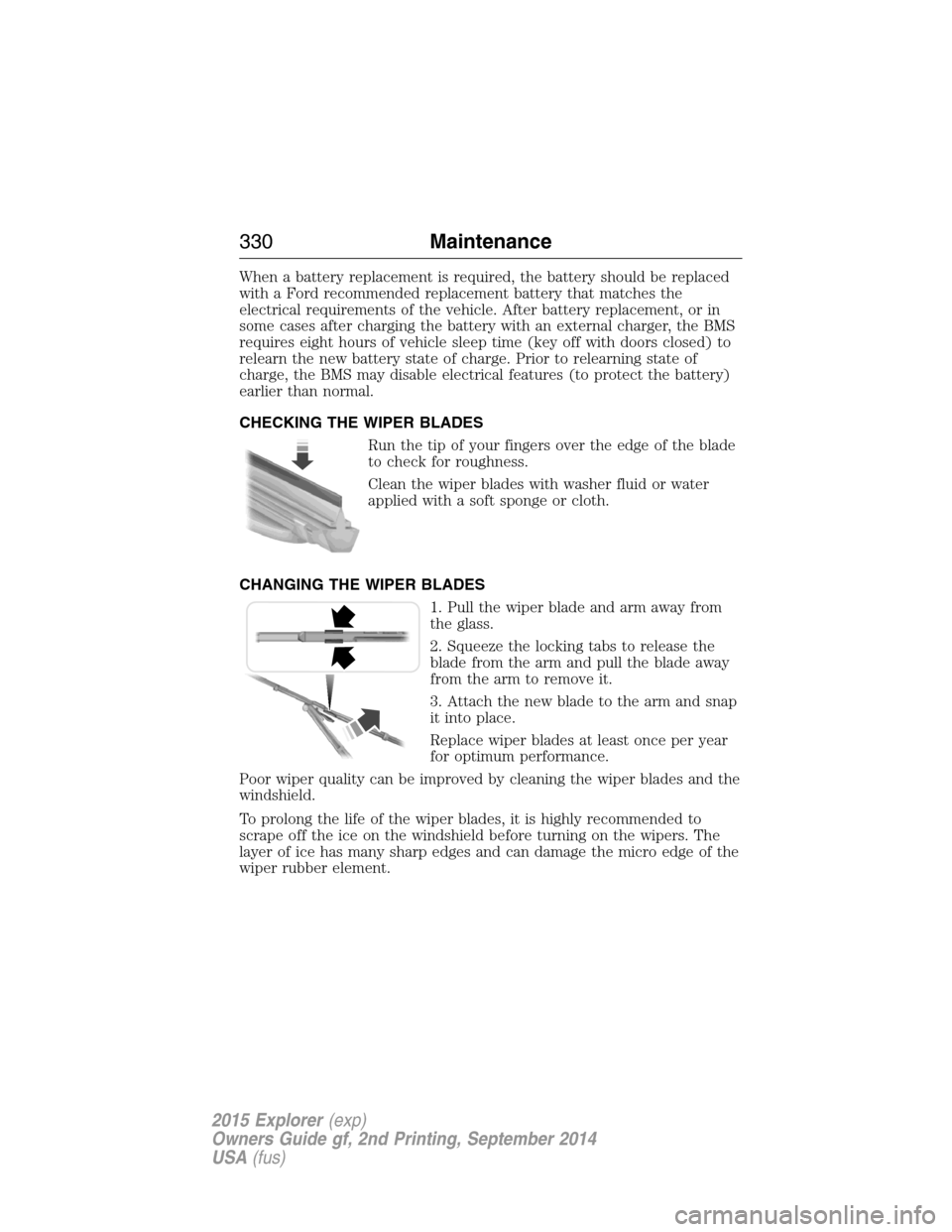
CHECKING THE WIPER BLADES
Run the tip of your fingers over the edge of the blade
to check for roughness.
Clean the wiper blades with washer fluid or water
applied with a soft sponge or cloth.
CHANGING THE WIPER BLADES
1. Pull the wiper blade and arm away from
the glass.
2. Squeeze the locking tabs to release the
blade from the arm and pull the blade away
from the arm to remove it.
3. Attach the new blade to the arm and snap
it into place.
Replace wiper blades at least once per year
for optimum performance.
Poor wiper quality can be improved by cleaning the wiper blades and the
windshield.
To prolong the life of the wiper blades, it is highly recommended to
scrape off the ice on the windshield before turning on the wipers. The
layer of ice has many sharp edges and can damage the micro edge of the
wiper rubber element.
330Maintenance
2015 Explorer(exp)
Owners Guide gf, 2nd Printing, September 2014
USA(fus)
Page 333 of 596
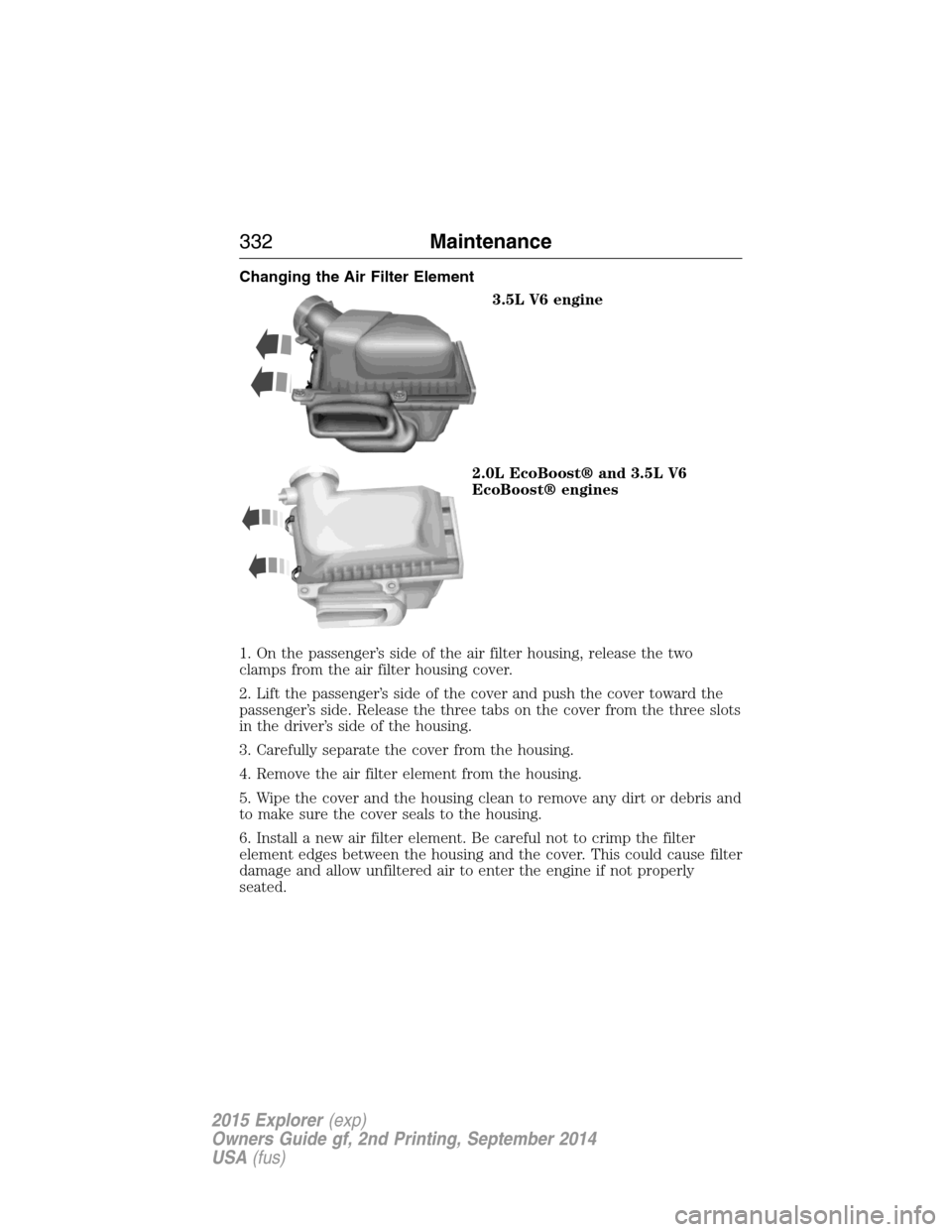
Changing the Air Filter Element
3.5L V6 engine
2.0L EcoBoost® and 3.5L V6
EcoBoost® engines
1. On the passenger’s side of the air filter housing, release the two
clamps from the air filter housing cover.
2. Lift the passenger’s side of the cover and push the cover toward the
passenger’s side. Release the three tabs on the cover from the three slots
in the driver’s side of the housing.
3. Carefully separate the cover from the housing.
4. Remove the air filter element from the housing.
5. Wipe the cover and the housing clean to remove any dirt or debris and
to make sure the cover seals to the housing.
6. Install a new air filter element. Be careful not to crimp the filter
element edges between the housing and the cover. This could cause filter
damage and allow unfiltered air to enter the engine if not properly
seated.
332Maintenance
2015 Explorer(exp)
Owners Guide gf, 2nd Printing, September 2014
USA(fus)
Page 334 of 596
7. Lower the driver’s side of the cover and slide the
three tabs on the cover into the three slots in the
housing.
8. Lower the passenger’s side of the cover. Engage
the two clamps to secure the cover to the housing.
ADJUSTING THE HEADLAMPS
The headlamps on your vehicle are properly aimed at the assembly plant.
If your vehicle has been in an accident, an authorized dealer should
check the alignment of your headlamps.
Vertical Aim Adjustment
The headlamps on your vehicle can only be vertically adjusted. Your
vehicle does not require horizontal aim adjustments.
To adjust the headlamps:
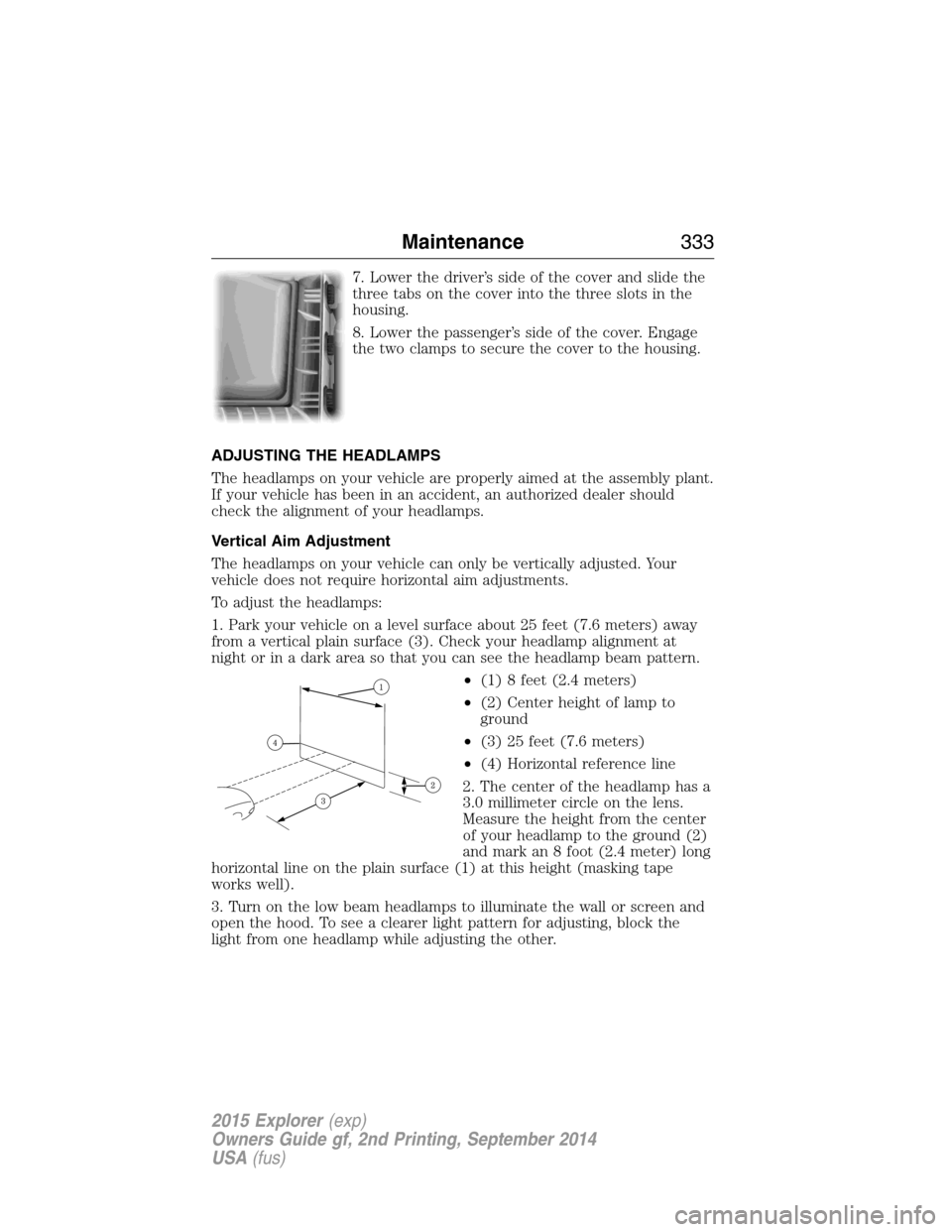
1. Park your vehicle on a level surface about 25 feet (7.6 meters) away
from a vertical plain surface (3). Check your headlamp alignment at
night or in a dark area so that you can see the headlamp beam pattern.
•(1) 8 feet (2.4 meters)
•(2) Center height of lamp to
ground
•(3) 25 feet (7.6 meters)
•(4) Horizontal reference line
2. The center of the headlamp has a
3.0 millimeter circle on the lens.
Measure the height from the center
of your headlamp to the ground (2)
and mark an 8 foot (2.4 meter) long
horizontal line on the plain surface (1) at this height (masking tape
works well).
3. Turn on the low beam headlamps to illuminate the wall or screen and
open the hood. To see a clearer light pattern for adjusting, block the
light from one headlamp while adjusting the other.
Maintenance333
2015 Explorer(exp)
Owners Guide gf, 2nd Printing, September 2014
USA(fus)
Page 398 of 596
Roadside Assistance
Exclusive 24/7 roadside assistance, including:
•Towing, flat-tire change and battery jump starts
•Out of fuel and lock-out assistance
•Travel expense reimbursement for lodging, meals and rental car
•Destination assistance for taxi, shuttle, rental car coverage and
emergency transportation
Transferable Coverage
If you sell your vehicle before your Ford Extended Service Plan coverage
expires, you can transfer any remaining coverage to the new owner.
Whenever you sell your vehicle, prospective buyers may have a higher
degree of confidence that vehicle was properly maintained with Ford
ESP, thereby improving resale value.
Avoid the Rising Cost of Properly Maintaining Your Vehicle!
Ford Extended Service Plan also offers a Premium Maintenance Plan
that covers all scheduled maintenance, and selected wear items. The
coverage is prepaid, so you never have to worry about affording your
vehicle’s maintenance. It covers regular checkups, routine inspections,
preventive care and replacement of select items that require periodic
attention for normal wear:
•Windshield wiper blades
•Spark plugs (except in California)
•The clutch disc
•Brake pads and linings
•Shock absorbers
•Belts and hoses
•Diesel exhaust fluid replenishment
Contact your selling authorized Ford or Lincoln dealership today so they
can customize a Ford Extended Service Plan that fits your driving
lifestyle and budget.
Extended Service Plan397
2015 Explorer(exp)
Owners Guide gf, 2nd Printing, September 2014
USA(fus)
Page 420 of 596
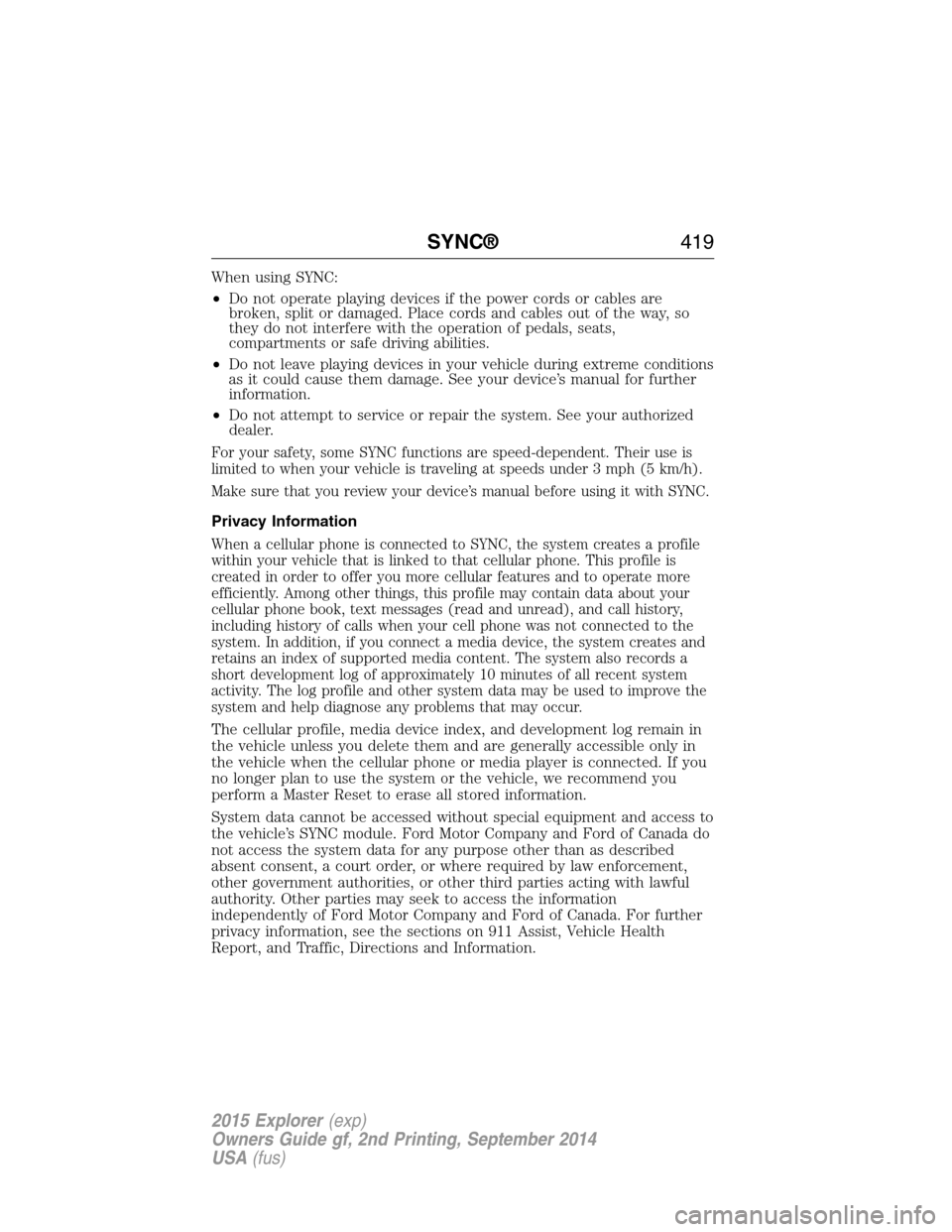
When using SYNC:
•Do not operate playing devices if the power cords or cables are
broken, split or damaged. Place cords and cables out of the way, so
they do not interfere with the operation of pedals, seats,
compartments or safe driving abilities.
•Do not leave playing devices in your vehicle during extreme conditions
as it could cause them damage. See your device’s manual for further
information.
•Do not attempt to service or repair the system. See your authorized
dealer.
For your safety, some SYNC functions are speed-dependent. Their use is
limited to when your vehicle is traveling at speeds under 3 mph (5 km/h).
Make sure that you review your device’s manual before using it with SYNC.
Privacy Information
When a cellular phone is connected to SYNC, the system creates a profile
within your vehicle that is linked to that cellular phone. This profile is
created in order to offer you more cellular features and to operate more
efficiently. Among other things, this profile may contain data about your
cellular phone book, text messages (read and unread), and call history,
including history of calls when your cell phone was not connected to the
system. In addition, if you connect a media device, the system creates and
retains an index of supported media content. The system also records a
short development log of approximately 10 minutes of all recent system
activity. The log profile and other system data may be used to improve the
system and help diagnose any problems that may occur.
The cellular profile, media device index, and development log remain in
the vehicle unless you delete them and are generally accessible only in
the vehicle when the cellular phone or media player is connected. If you
no longer plan to use the system or the vehicle, we recommend you
perform a Master Reset to erase all stored information.
System data cannot be accessed without special equipment and access to
the vehicle’s SYNC module. Ford Motor Company and Ford of Canada do
not access the system data for any purpose other than as described
absent consent, a court order, or where required by law enforcement,
other government authorities, or other third parties acting with lawful
authority. Other parties may seek to access the information
independently of Ford Motor Company and Ford of Canada. For further
privacy information, see the sections on 911 Assist, Vehicle Health
Report, and Traffic, Directions and Information.
SYNC®419
2015 Explorer(exp)
Owners Guide gf, 2nd Printing, September 2014
USA(fus)
Page 473 of 596
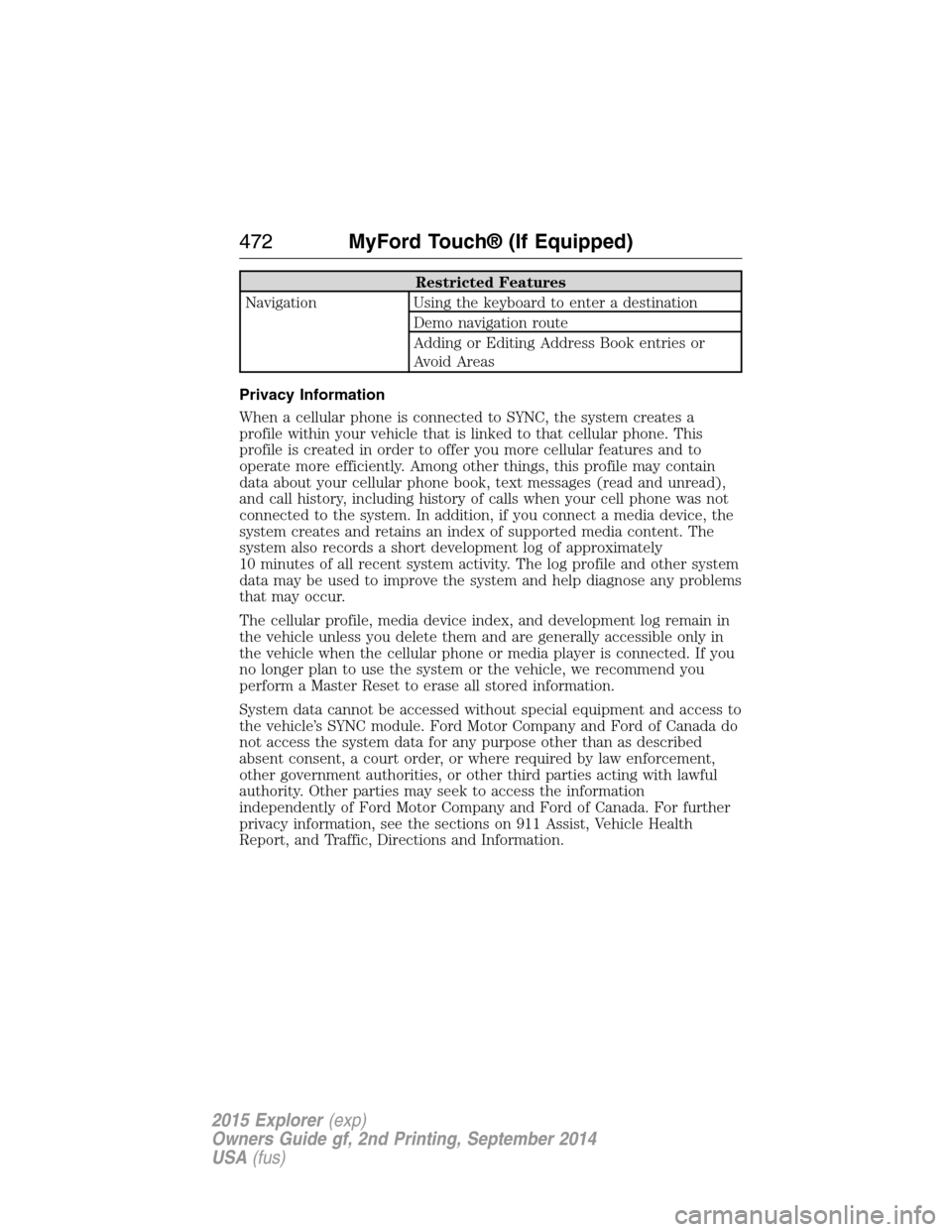
Restricted Features
Navigation Using the keyboard to enter a destination
Demo navigation route
Adding or Editing Address Book entries or
Avoid Areas
Privacy Information
When a cellular phone is connected to SYNC, the system creates a
profile within your vehicle that is linked to that cellular phone. This
profile is created in order to offer you more cellular features and to
operate more efficiently. Among other things, this profile may contain
data about your cellular phone book, text messages (read and unread),
and call history, including history of calls when your cell phone was not
connected to the system. In addition, if you connect a media device, the
system creates and retains an index of supported media content. The
system also records a short development log of approximately
10 minutes of all recent system activity. The log profile and other system
data may be used to improve the system and help diagnose any problems
that may occur.
The cellular profile, media device index, and development log remain in
the vehicle unless you delete them and are generally accessible only in
the vehicle when the cellular phone or media player is connected. If you
no longer plan to use the system or the vehicle, we recommend you
perform a Master Reset to erase all stored information.
System data cannot be accessed without special equipment and access to
the vehicle’s SYNC module. Ford Motor Company and Ford of Canada do
not access the system data for any purpose other than as described
absent consent, a court order, or where required by law enforcement,
other government authorities, or other third parties acting with lawful
authority. Other parties may seek to access the information
independently of Ford Motor Company and Ford of Canada. For further
privacy information, see the sections on 911 Assist, Vehicle Health
Report, and Traffic, Directions and Information.
472MyFord Touch® (If Equipped)
2015 Explorer(exp)
Owners Guide gf, 2nd Printing, September 2014
USA(fus)
Page 574 of 596
Oils, Fluids and Flushing
In many cases, fluid discoloration is a normal operating characteristic
and, by itself, does not necessarily indicate a concern or that the fluid
needs to be changed. However, discolored fluids that also show signs of
overheating and foreign material contamination should be inspected
immediately by a qualified expert, such as the factory-trained technicians
at your dealership. Your vehicle’s oils and fluids should be changed at the
specified intervals or in conjunction with a repair. Flushing is a viable
way to change fluid for many vehicle sub-systems during scheduled
maintenance. It is critical that systems are flushed only with new fluid
that is the same as that required to fill and operate the system, or using
a Ford-approved flushing chemical.
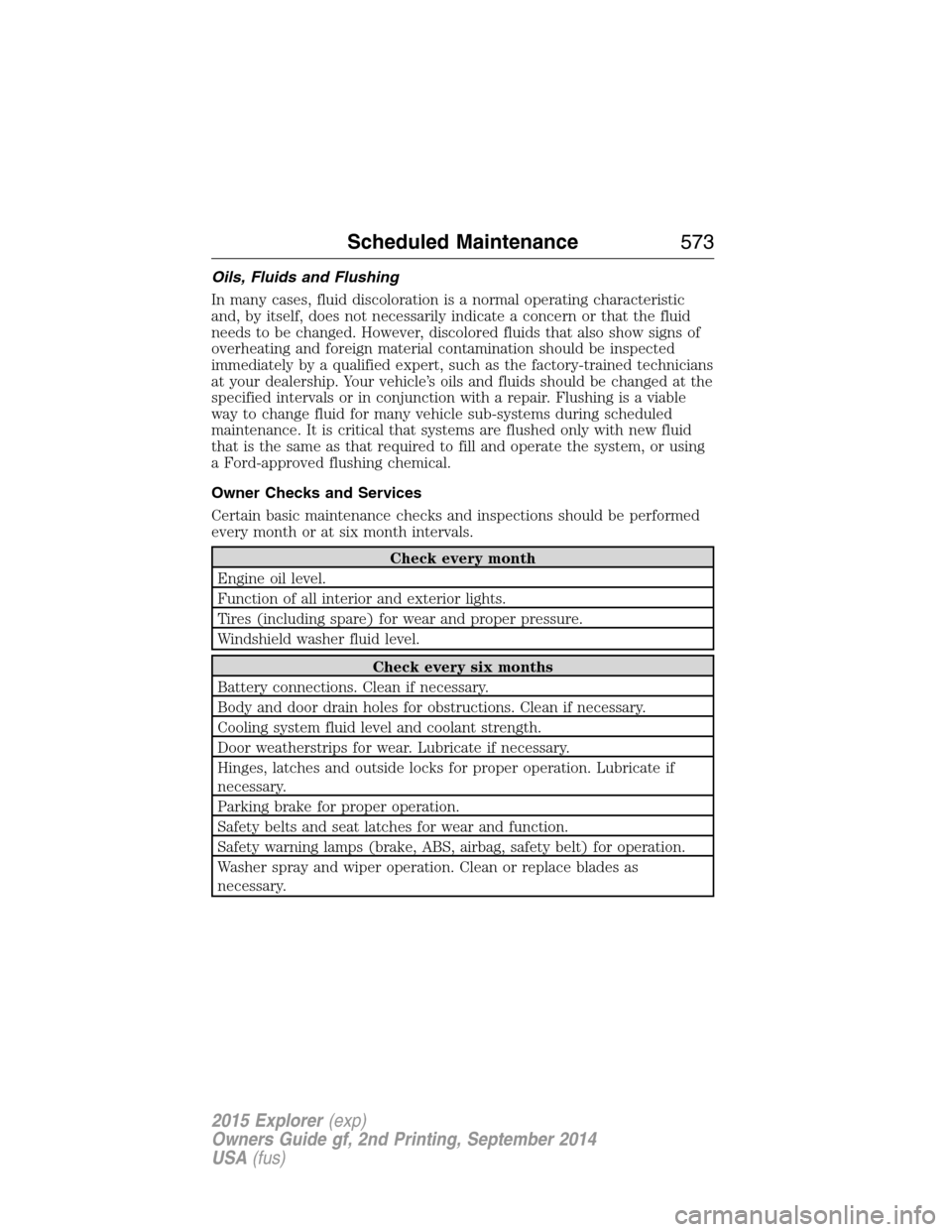
Owner Checks and Services
Certain basic maintenance checks and inspections should be performed
every month or at six month intervals.
Check every month
Engine oil level.
Function of all interior and exterior lights.
Tires (including spare) for wear and proper pressure.
Windshield washer fluid level.
Check every six months
Battery connections. Clean if necessary.
Body and door drain holes for obstructions. Clean if necessary.
Cooling system fluid level and coolant strength.
Door weatherstrips for wear. Lubricate if necessary.
Hinges, latches and outside locks for proper operation. Lubricate if
necessary.
Parking brake for proper operation.
Safety belts and seat latches for wear and function.
Safety warning lamps (brake, ABS, airbag, safety belt) for operation.
Washer spray and wiper operation. Clean or replace blades as
necessary.
Scheduled Maintenance573
2015 Explorer(exp)
Owners Guide gf, 2nd Printing, September 2014
USA(fus)
Page 589 of 596
911 Assist™ ......................436, 513
A
ABS (see Brakes) .....................220
Accessing and using your USB
port ............................................493
Accessing call history/phone
book during active call .............425
Accessing your calendar ..........513
Accessing your media menu
features ......................................448
Accessing your phone menu
features ......................................427
Accessory delay ........................108
Active call menu options .........425
Active Park Assist .....................230
Adaptive Cruise Control ...........240
Adding (pairing) a phone ........500
Advanced menu options ...434, 454
Advanced menu options
(prompts, languages, defaults,
master reset, installing
applications) ..............................434
Airbag supplemental restraint
system ..........................................52
and child safety seats ..............53
description ................................52
disposal ......................................61
driver airbag ..............................52
passenger airbag .......................52
side airbag ...........................52, 57
Air cleaner filter .......331–332, 391
Air conditioning ........................144
manual heating and air
conditioning system ...............144
Air filter .....................................332Air filter, cabin ..........................153
All Wheel Drive (AWD),
driving off road .........................212
Ambient mood/lighting .............520
Ambulance packages ..................16
AM/FM .......................................480
Antifreeze
(see Engine coolant) ................316
Anti-lock brake system
(see Brakes) ..............................220
Anti-theft system ..................85, 88
arming the system ..............85, 88
disarming a triggered system ..88
AppLink™ .................................444
Audio system
Single CD ................401, 406–407
Audio system
(see Radio) ................401, 406–407
Automatic transmission ............205
fluid, adding ............................322
fluid, checking ........................322
fluid, refill capacities ..............386
fluid, specification ..................386
Selectshift (SST) ....................208
Auxiliary Input Jack .................489
Auxiliary input jack (Line in) ..414
Auxiliary powerpoint ................182
A/V inputs ..........................416, 497
Axle
lubricant specifications ..........386
refill capacities ........................386
B
Battery .......................................327
acid, treating emergencies .....327
jumping a disabled battery ....289
588Index
2015 Explorer(exp)
Owners Guide gf, 2nd Printing, September 2014
USA(fus)
Page 590 of 596
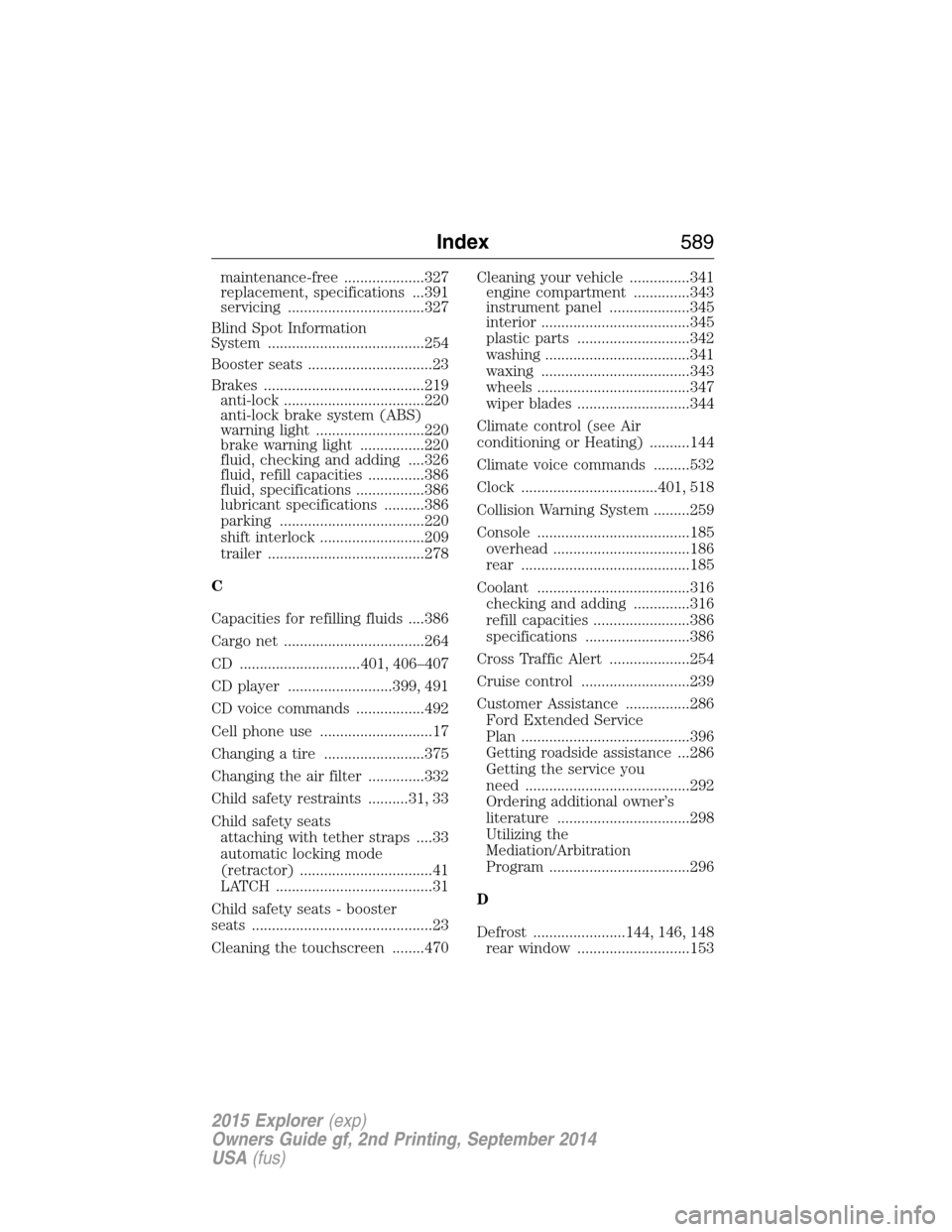
maintenance-free ....................327
replacement, specifications ...391
servicing ..................................327
Blind Spot Information
System .......................................254
Booster seats ...............................23
Brakes ........................................219
anti-lock ...................................220
anti-lock brake system (ABS)
warning light ...........................220
brake warning light ................220
fluid, checking and adding ....326
fluid, refill capacities ..............386
fluid, specifications .................386
lubricant specifications ..........386
parking ....................................220
shift interlock ..........................209
trailer .......................................278
C
Capacities for refilling fluids ....386
Cargo net ...................................264
CD ..............................401, 406–407
CD player ..........................399, 491
CD voice commands .................492
Cell phone use ............................17
Changing a tire .........................375
Changing the air filter ..............332
Child safety restraints ..........31, 33
Child safety seats
attaching with tether straps ....33
automatic locking mode
(retractor) .................................41
LATCH .......................................31
Child safety seats - booster
seats .............................................23
Cleaning the touchscreen ........470Cleaning your vehicle ...............341
engine compartment ..............343
instrument panel ....................345
interior .....................................345
plastic parts ............................342
washing ....................................341
waxing .....................................343
wheels ......................................347
wiper blades ............................344
Climate control (see Air
conditioning or Heating) ..........144
Climate voice commands .........532
Clock ..................................401, 518
Collision Warning System .........259
Console ......................................185
overhead ..................................186
rear ..........................................185
Coolant ......................................316
checking and adding ..............316
refill capacities ........................386
specifications ..........................386
Cross Traffic Alert ....................254
Cruise control ...........................239
Customer Assistance ................286
Ford Extended Service
Plan ..........................................396
Getting roadside assistance ...286
Getting the service you
need .........................................292
Ordering additional owner’s
literature .................................298
Utilizing the
Mediation/Arbitration
Program ...................................296
D
Defrost .......................144, 146, 148
rear window ............................153
Index589
2015 Explorer(exp)
Owners Guide gf, 2nd Printing, September 2014
USA(fus)