instrument cluster FORD EXPLORER 2016 5.G Owner's Manual
[x] Cancel search | Manufacturer: FORD, Model Year: 2016, Model line: EXPLORER, Model: FORD EXPLORER 2016 5.GPages: 541, PDF Size: 6.51 MB
Page 224 of 541
WARNINGS
Large contrasts in lighting can limit
sensor performance.
The system will not operate if the
sensor cannot track the road lane
markings.
The vehicle should be taken to an
authorized dealer for inspection if
damage occurs in the immediate
area surrounding the sensor. Note:
The system works above 40 mph
(64 km/h).
Note: The system works as long as the
camera can detect one lane marking.
Note: The system may not function if the
camera is blocked or there is damage to the
windshield.
Note: When Aid mode is on and the system
detects no steering activity for a short
period, the system will alert you to put your
hands on the steering wheel. The system
may detect a light grip or touch on the
steering wheel as hands off driving.
The system notifies you to stay in your lane
through the steering system and the
instrument cluster display when the front
camera detects an unintentional drift out
of your lane is likely to occur. The system
automatically detects and tracks the road
lane markings using a camera mounted
behind the interior rear view mirror.
Switching the System On and Off
Note: The system on or off setting is stored
until it is manually changed, unless a MyKey
is detected. If the system detects a MyKey
it defaults to on and the mode is set to Alert.
Note: If a MyKey is detected, pressing the
button will not affect the on or off status of
the system. Press the button located on the
left steering wheel stalk to
switch the system on or off.
System Settings
The system has optional setting menus
available. To view or adjust the settings,
See General Information (page 101). The
system stores the last-known selection for
each of these settings. You do not need to
readjust your settings each time you turn
on the system.
Mode: This setting allows you to select
which of the system features you can
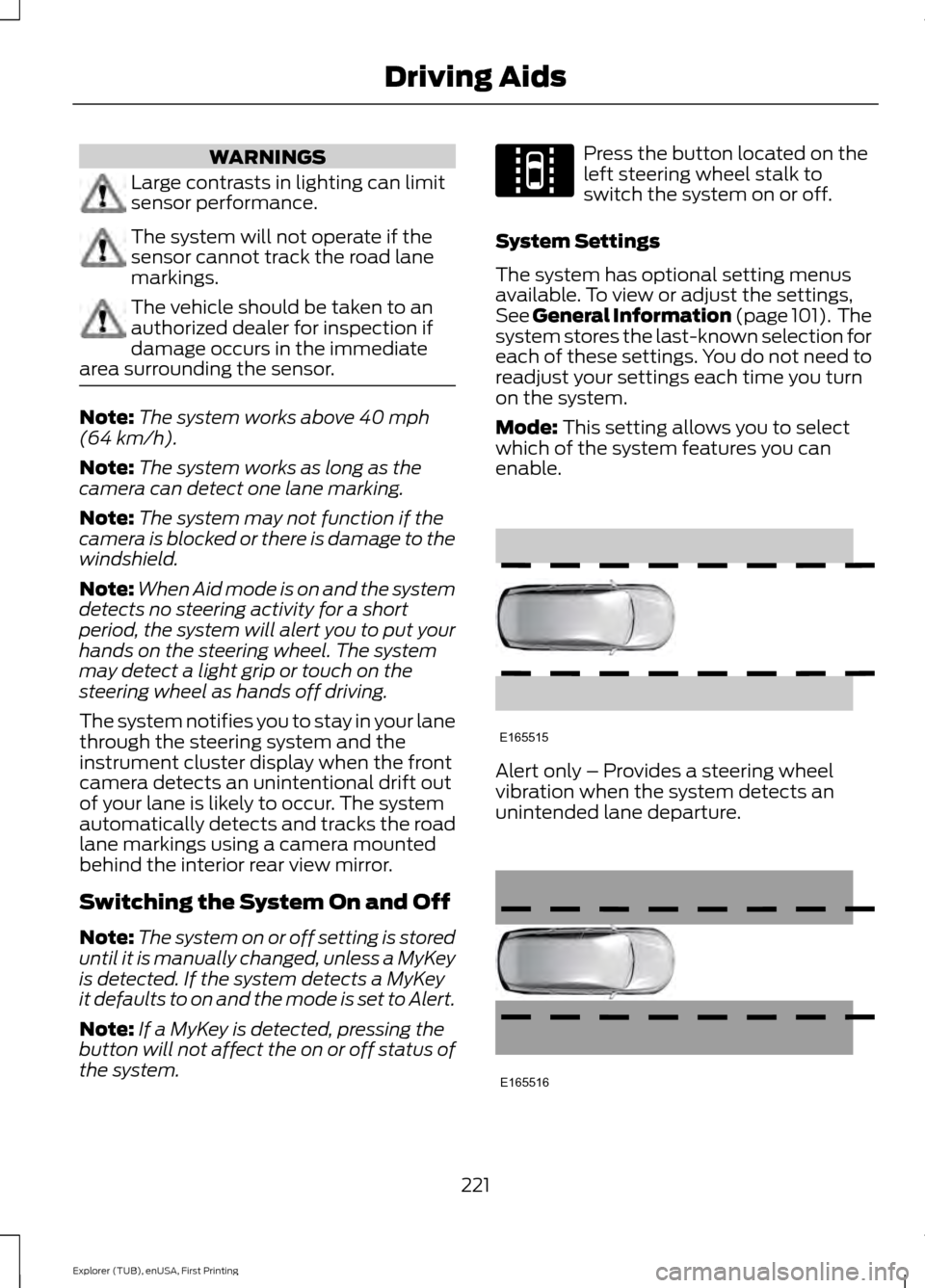
enable. Alert only – Provides a steering wheel
vibration when the system detects an
unintended lane departure.
221
Explorer (TUB), enUSA, First Printing Driving AidsE144813 E165515 E165516
Page 276 of 541
Protected components
Fuse amp rating
Fuse or relay number
Instrument cluster.
7.5A 2
13
Smart data link.
Steering column control module.
Not used.
—
14
Smart datalink connector power.
10A 2
15
Heads up display.
Not used.
—
16
Electronic finish panel.
5A 2
17
Push button start switch.
5A 2
18
Ignition switch.
Key inhibit.
Transmission control switch (tow haul).
7.5A 2
19
Not used.
—
20
Terrain management switch.
5A 2
21
Heads up display.
Humidity sensor.
Occupant classification sensor.
5A 2
22
Delayed accessory power.
10A 1
23
Power windows.
Moonroof.
Folding mirror relay.
DC inverter.
Window/moonroof switch illumination.
Central lock relay.
20A 1
24
Left-hand front smart window motor.
30A 1
25
Door zone module.
Right-hand front smart window motor.
30A 1
26
Door zone module.
Moonroof.
30A 1
27
Sony amplifier - 10 channel.
20A 1
28
Sony amplifier - 14 channel.
30A 1
29
273
Explorer (TUB), enUSA, First Printing Fuses
Page 285 of 541
1. Remove the filler cap.
2. If the engine oil level is not within the
normal range, add engine oil that
meets Ford specifications. See
Capacities and Specifications (page
334).
3. Remove the engine oil filler cap and use a funnel to pour the engine oil into
the opening.
4. Wipe off any spilled oil.
5. Replace the filler cap. Turn it until you feel a strong resistance.
OIL CHANGE INDICATOR
RESET
Use the information display controls on
the steering wheel to reset the oil change
indicator.
From the main menu scroll to: Action and description
Message
Press the right arrow button,
then from this menu scroll
to the following message.
Settings
Press the right arrow button,
then from this menu scroll
to the following message.
Vehicle
Press the right arrow button,
then from this menu scroll
to the following message.
Oil Life
Press and hold the
OK
button until the instrument
cluster displays the
following message.
Hold OK to
Reset
Reset Successful
When the oil change indic-
ator resets the instrument
cluster displays 100%.
Remaining Life Action and description
Message
{00}%
If the instrument cluster
displays one of the following
messages, repeat the
process.
Not Reset
Reset Cancelled
ENGINE COOLANT CHECK WARNINGS
Do not add engine coolant when the
engine is hot. Steam and scalding
liquids released from a hot cooling
system can burn you badly. Also, spilling
coolant on hot engine parts can burn you. Do not put engine coolant in the
windshield washer fluid container. If
sprayed on the windshield, engine
coolant could make it difficult to see
through the windshield. To reduce the risk of personal injury,
make sure the engine is cool before
unscrewing the coolant pressure
relief cap. The cooling system is under
pressure. Steam and hot liquid can come
out forcefully when you loosen the cap
slightly. Do not add coolant further than the
MAX mark.
Checking the Engine Coolant
When the engine is cold, check the
concentration and level of the engine
coolant at the intervals listed in the
scheduled maintenance information.
See
Scheduled Maintenance (page 486).
282
Explorer (TUB), enUSA, First Printing Maintenance
Page 306 of 541
CLEANING THE INSTRUMENT
PANEL AND INSTRUMENT
CLUSTER LENS
WARNING
Do not use chemical solvents or
strong detergents when cleaning the
steering wheel or instrument panel
to avoid contamination of the airbag
system. Note:
Follow the same procedure as
cleaning leather seats for cleaning leather
instrument panels and leather interior trim
surfaces. See Cleaning Leather Seats
(page 303).
Clean the instrument panel and cluster
lens with a clean, damp and soft cloth,
then use a clean, dry and soft cloth to dry
these areas.
• Avoid cleaners or polishes that increase
the gloss of the upper portion of the
instrument panel. The dull finish in this
area helps protect you from
undesirable windshield reflection.
• Do not use any household cleaning
products or glass cleaners as these
may damage the finish of the
instrument panel, interior trim and
cluster lens.
• Wash or wipe your hands clean if you
have been in contact with certain
products such as insect repellent and
suntan lotion to avoid possible damage
to the interior painted surfaces.
• Do not allow air fresheners and hand
sanitizers to spill onto interior surfaces.
If a spill occurs, wipe off immediately.
Your warranty may not cover these
damages.
If a staining liquid like coffee or juice has
been spilled on the instrument panel or on
interior trim surfaces: 1. Wipe up spilled liquid using a clean,
soft cloth as quickly as possible.
2. Use Motorcraft Premium Leather and Vinyl Cleaner or a commercially
available leather cleaning product for
automotive interiors. Test any cleaner
or stain remover on an inconspicuous
area.
3. Alternatively, wipe the surface with a clean, soft cloth and a mild soap and
water solution. Dry the area with a
clean, soft cloth.
4. If necessary, apply more soap and water solution or cleaning product to
a clean, soft cloth and press it onto the
soiled area. Allow this to set at room
temperature for 30 minutes.
5. Remove the soaked cloth, then with a clean, damp cloth, use a rubbing
motion for 60 seconds on the soiled
area.
6. Dry the area with a clean, soft cloth.
CLEANING LEATHER SEATS
(If
Equipped)
Note: Follow the same procedure as
cleaning leather seats for cleaning leather
instrument panels and leather interior trim
surfaces.
For routine cleaning, wipe the surface with
a soft, damp cloth and a mild soap and
water solution. Dry the area with a clean,
soft cloth.
For cleaning and removing stains such as
dye transfer, use Motorcraft Premium
Leather and Vinyl Cleaner or a
commercially available leather cleaning
product for automotive interiors.
Note: Test any cleaner or stain remover on
an inconspicuous area.
303
Explorer (TUB), enUSA, First Printing Vehicle Care
Page 416 of 541
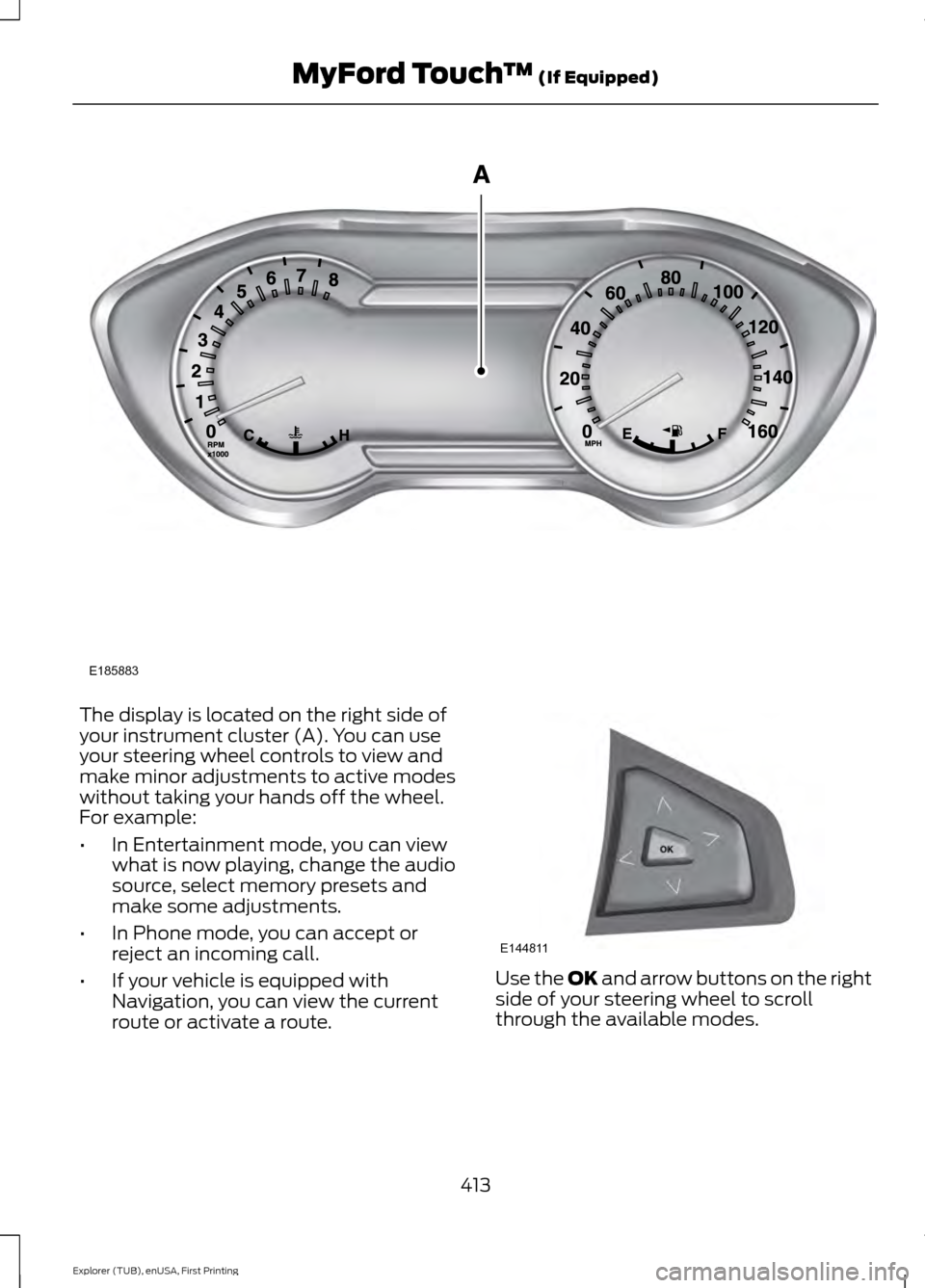
The display is located on the right side of
your instrument cluster (A). You can use
your steering wheel controls to view and
make minor adjustments to active modes
without taking your hands off the wheel.
For example:
•
In Entertainment mode, you can view
what is now playing, change the audio
source, select memory presets and
make some adjustments.
• In Phone mode, you can accept or
reject an incoming call.
• If your vehicle is equipped with
Navigation, you can view the current
route or activate a route. Use the OK and arrow buttons on the right
side of your steering wheel to scroll
through the available modes.
413
Explorer (TUB), enUSA, First Printing MyFord Touch
™
(If Equipped)E185883 E144811
Page 531 of 541
Automatic Transmission...........................180
Brake-Shift Interlock......................................... 182
If Your Vehicle Gets Stuck In Mud or Snow.................................................................. 183
SelectShift Automatic ™
Transmission.................................................... 181
Understanding the Positions of Your Automatic Transmission............................ 180
Automatic Transmission Fluid Check - 2.3L EcoBoost™.......................................286
Automatic Transmission Fluid Check - 3.5L Duratec/3.5L Ecoboost™...........286
Adding Transmission Fluid............................. 287
Checking the Transmission Fluid Level.................................................................. 286
Autowipers........................................................77
Auxiliary Power Points................................162 110 Volt AC Power Point................................... 162
12 Volt DC Power Point..................................... 162
Locations............................................................... 162
B
Blind Spot Information System..............224 Using the System............................................... 225
Bonnet Lock See: Opening and Closing the Hood...........276
Booster Seats..................................................26 Types of Booster Seats....................................... 27
Brake Fluid Check........................................288
Brakes...............................................................189 General Information.......................................... 189
Breaking-In.....................................................252
Bulb Specification Chart...........................297
C
Cabin Air Filter
...............................................138
California Proposition 65..............................11
Capacities and Specifications - 2.3L EcoBoost™..................................................341
Specifications...................................................... 341
Capacities and Specifications - 3.5L Duratec.........................................................344
Specifications..................................................... 345
Capacities and Specifications - 3.5L Ecoboost™.................................................348
Specifications..................................................... 349Capacities and Specifications
................334
Cargo Nets......................................................233
Car Wash See: Cleaning the Exterior............................. 300
Center Console..............................................164 Rear Seat Armrest.............................................. 164
Changing a Bulb...........................................293 Front Direction Indicator................................. 294
Front Fog Lamp.................................................. 295
Headlamp............................................................ 294
Headlamp High Beam..................................... 294
LED Lamps........................................................... 296
License Plate Lamp.......................................... 296
Rear Direction Indicator and Reversing Lamp
................................................................. 295
Changing a Fuse...........................................274
Fuses....................................................................... 274
Changing a Road Wheel
...........................328
Dissimilar Spare Wheel and Tire Assembly
Information..................................................... 328
Tire Change Procedure.................................... 329
Changing the 12V Battery.........................289
Changing the Engine Air Filter................299
Changing the Wiper Blades
......................291
Front Wiper Blades............................................ 291
Rear Wiper Blade................................................ 291
Checking MyKey System Status
...............57
Checking the Wiper Blades.....................290
Child Restraint and Safety Belt Maintenance.................................................38
Child Safety
.......................................................15
General Information............................................. 15
Child Safety Locks
.........................................29
Left-Hand Side..................................................... 30
Right-Hand Side................................................... 30
Child Seat Positioning
..................................28
Child Seats.........................................................16
Cleaning Leather Seats.............................303
Cleaning Products
......................................300
Cleaning the Alloy Wheels.......................304
Cleaning the Engine
....................................301
Cleaning the Exterior.................................300
Exterior Chrome Parts..................................... 300
Exterior Plastic Parts......................................... 301
Stripes or Graphics............................................ 301
Underbody............................................................ 301
Cleaning the Instrument Panel and Instrument Cluster Lens........................303
528
Explorer (TUB), enUSA, First Printing Index
Page 535 of 541
Installing Child Seats......................................17
Using Lap and Shoulder Belts.......................... 17
Using Lower Anchors and Tethers for CHildren (LATCH)............................................ 22
Using Tether Straps............................................. 24
Instrument Cluster
.........................................93
Instrument Lighting Dimmer.....................82
Interior Lamps
.................................................85
Battery Saver......................................................... 86
Dome Lamp........................................................... 85
Front Row Map Lamps...................................... 85
Second Row Dome and Courtesy Lamps................................................................. 86
Second Row Dome and Map Lamps...........86
Third Row Cargo Lamp...................................... 86
Interior Mirror...................................................90 Auto-Dimming Mirror......................................... 90
Introduction.........................................................7
J
Jump Starting the Vehicle.........................257 Connecting the Jumper Cables..................... 257
Jump Starting...................................................... 258
Preparing Your Vehicle..................................... 257
Removing the Jumper Cables....................... 258
K
Keyless Entry
....................................................67
SECURICODE™ Keyless Entry
Keypad................................................................. 67
Keyless Starting............................................165 Ignition Modes..................................................... 166
Keys and Remote Controls
........................48
Principle of Operation........................................ 48
L
Lane Keeping System
................................220
Switching the System On and Off................221
Lighting Control
..............................................80
Headlamp Flasher................................................ 81
High Beams............................................................ 80
Lighting
..............................................................80
General Information........................................... 80
Load Carriers See: Roof Racks and Load Carriers.............234 Load Carrying
................................................233
Load Limit.......................................................235 Special Loading Instructions for Owners of
Pick-up Trucks and Utility-type
Vehicles............................................................. 242
Vehicle Loading - with and without a Trailer................................................................. 235
Locking and Unlocking................................60 Activating Intelligent Access............................. 61
Autolock................................................................... 62
Autounlock ............................................................ 62
Battery Saver......................................................... 63
Enabling or Disabling Autolock and Autounlock........................................................ 62
Illuminated Entry.................................................. 63
Illuminated Exit..................................................... 63
Locking and Unlocking the Doors with the Key Blade........................................................... 60
Opening a Rear Door from Inside.................. 60
Power Door Locks................................................ 60
Remote Control.................................................... 60
Smart Unlocks for Integrated Keyhead Transmitter......................................................... 61
Smart Unlocks for Intelligent Access Keys....................................................................... 61
Locks..................................................................60
Luggage Covers
............................................234
Lug Nuts See: Changing a Road Wheel....................... 328
M
Maintenance..................................................275 General Information.......................................... 275
Manual Climate Control
.............................129
Manual Liftgate...............................................63 Closing the Liftgate............................................. 64
Opening the Liftgate........................................... 64
Manual Seats
.................................................143
Lumbar Adjustment.......................................... 144
Moving the Seat Backward and Forward............................................................. 143
Recline Adjustment........................................... 143
Media Hub
......................................................367
532
Explorer (TUB), enUSA, First Printing Index