air conditioning FORD EXPLORER 2019 User Guide
[x] Cancel search | Manufacturer: FORD, Model Year: 2019, Model line: EXPLORER, Model: FORD EXPLORER 2019Pages: 571, PDF Size: 6.8 MB
Page 359 of 571
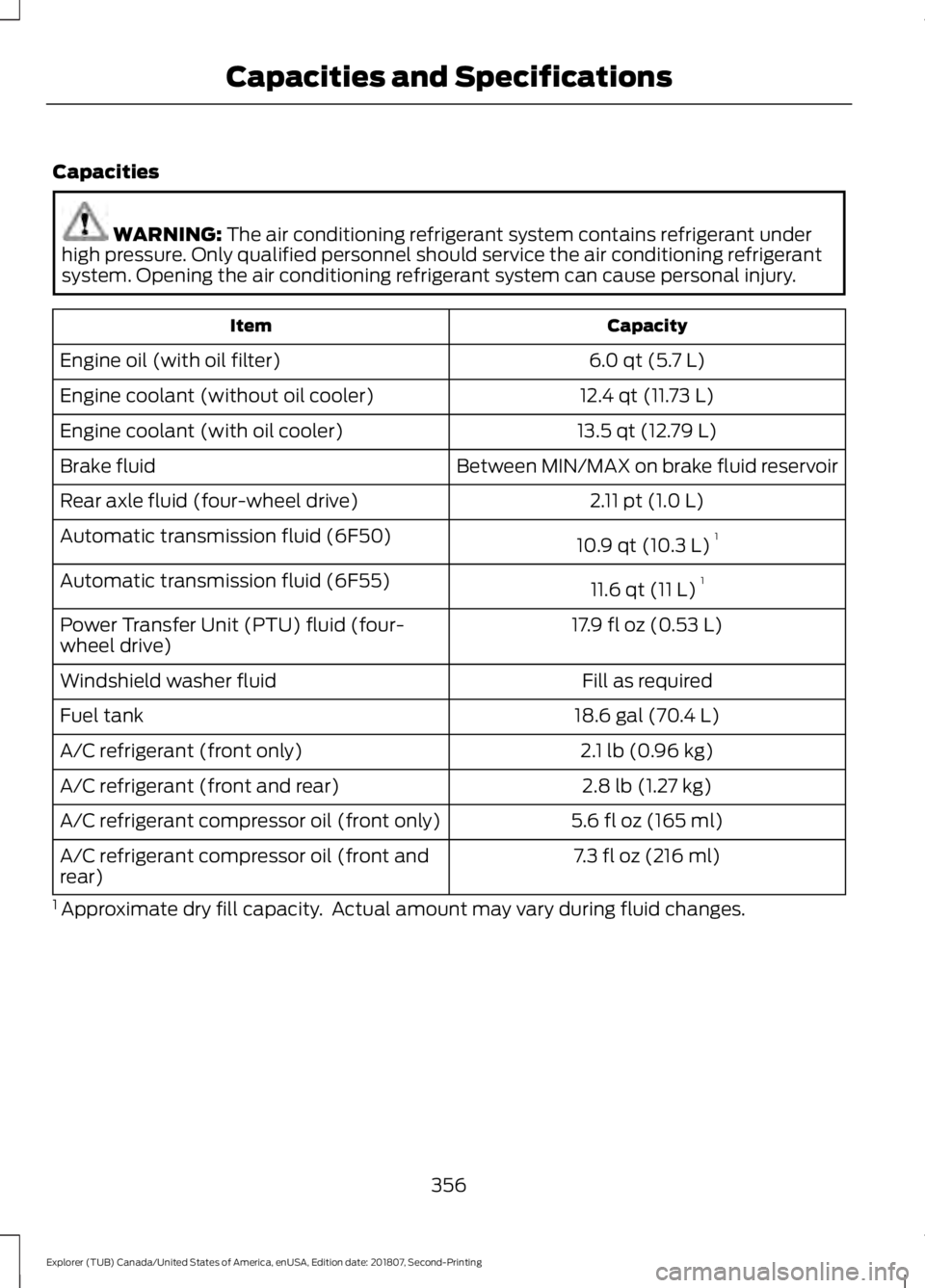
Capacities
WARNING: The air conditioning refrigerant system contains refrigerant under
high pressure. Only qualified personnel should service the air conditioning refrigerant
system. Opening the air conditioning refrigerant system can cause personal injury. Capacity
Item
6.0 qt (5.7 L)
Engine oil (with oil filter)
12.4 qt (11.73 L)
Engine coolant (without oil cooler)
13.5 qt (12.79 L)
Engine coolant (with oil cooler)
Between MIN/MAX on brake fluid reservoir
Brake fluid
2.11 pt (1.0 L)
Rear axle fluid (four-wheel drive)
10.9 qt (10.3 L)1
Automatic transmission fluid (6F50)
11.6 qt (11 L)1
Automatic transmission fluid (6F55)
17.9 fl oz (0.53 L)
Power Transfer Unit (PTU) fluid (four-
wheel drive)
Fill as required
Windshield washer fluid
18.6 gal (70.4 L)
Fuel tank
2.1 lb (0.96 kg)
A/C refrigerant (front only)
2.8 lb (1.27 kg)
A/C refrigerant (front and rear)
5.6 fl oz (165 ml)
A/C refrigerant compressor oil (front only)
7.3 fl oz (216 ml)
A/C refrigerant compressor oil (front and
rear)
1 Approximate dry fill capacity. Actual amount may vary during fluid changes.
356
Explorer (TUB) Canada/United States of America, enUSA, Edition date: 201807, Second-Printing Capacities and Specifications
Page 447 of 571
Supported USB file systems include: FAT,
exFAT, and NTFS.
SYNC 3 is also able to organize the media
from your USB device by metadata tags.
Metadata tags, which are descriptive
software identifiers embedded in the
media files, provide information about the
file.
If your indexed media files contain no
information embedded in these metadata
tags, SYNC 3 may classify the empty
metadata tags as unknown.
SYNC 3 is capable of indexing up to
50,000 songs per USB device, for up to 10
devices.
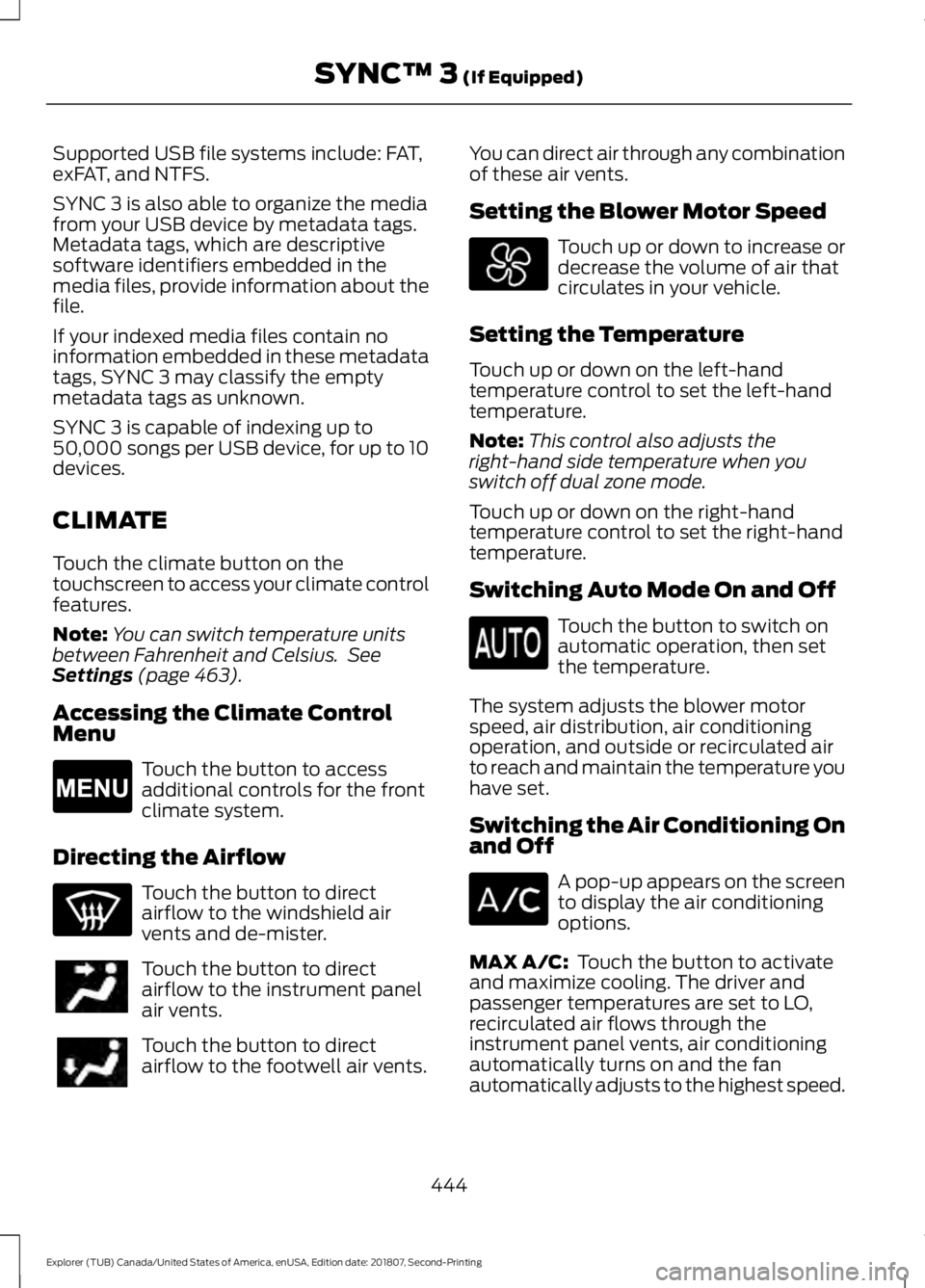
CLIMATE
Touch the climate button on the
touchscreen to access your climate control
features.
Note:
You can switch temperature units
between Fahrenheit and Celsius. See
Settings (page 463).
Accessing the Climate Control
Menu Touch the button to access
additional controls for the front
climate system.
Directing the Airflow Touch the button to direct
airflow to the windshield air
vents and de-mister.
Touch the button to direct
airflow to the instrument panel
air vents.
Touch the button to direct
airflow to the footwell air vents. You can direct air through any combination
of these air vents.
Setting the Blower Motor Speed Touch up or down to increase or
decrease the volume of air that
circulates in your vehicle.
Setting the Temperature
Touch up or down on the left-hand
temperature control to set the left-hand
temperature.
Note: This control also adjusts the
right-hand side temperature when you
switch off dual zone mode.
Touch up or down on the right-hand
temperature control to set the right-hand
temperature.
Switching Auto Mode On and Off Touch the button to switch on
automatic operation, then set
the temperature.
The system adjusts the blower motor
speed, air distribution, air conditioning
operation, and outside or recirculated air
to reach and maintain the temperature you
have set.
Switching the Air Conditioning On
and Off A pop-up appears on the screen
to display the air conditioning
options.
MAX A/C:
Touch the button to activate
and maximize cooling. The driver and
passenger temperatures are set to LO,
recirculated air flows through the
instrument panel vents, air conditioning
automatically turns on and the fan
automatically adjusts to the highest speed.
444
Explorer (TUB) Canada/United States of America, enUSA, Edition date: 201807, Second-Printing SYNC™ 3
(If Equipped)E265038
Page 448 of 571
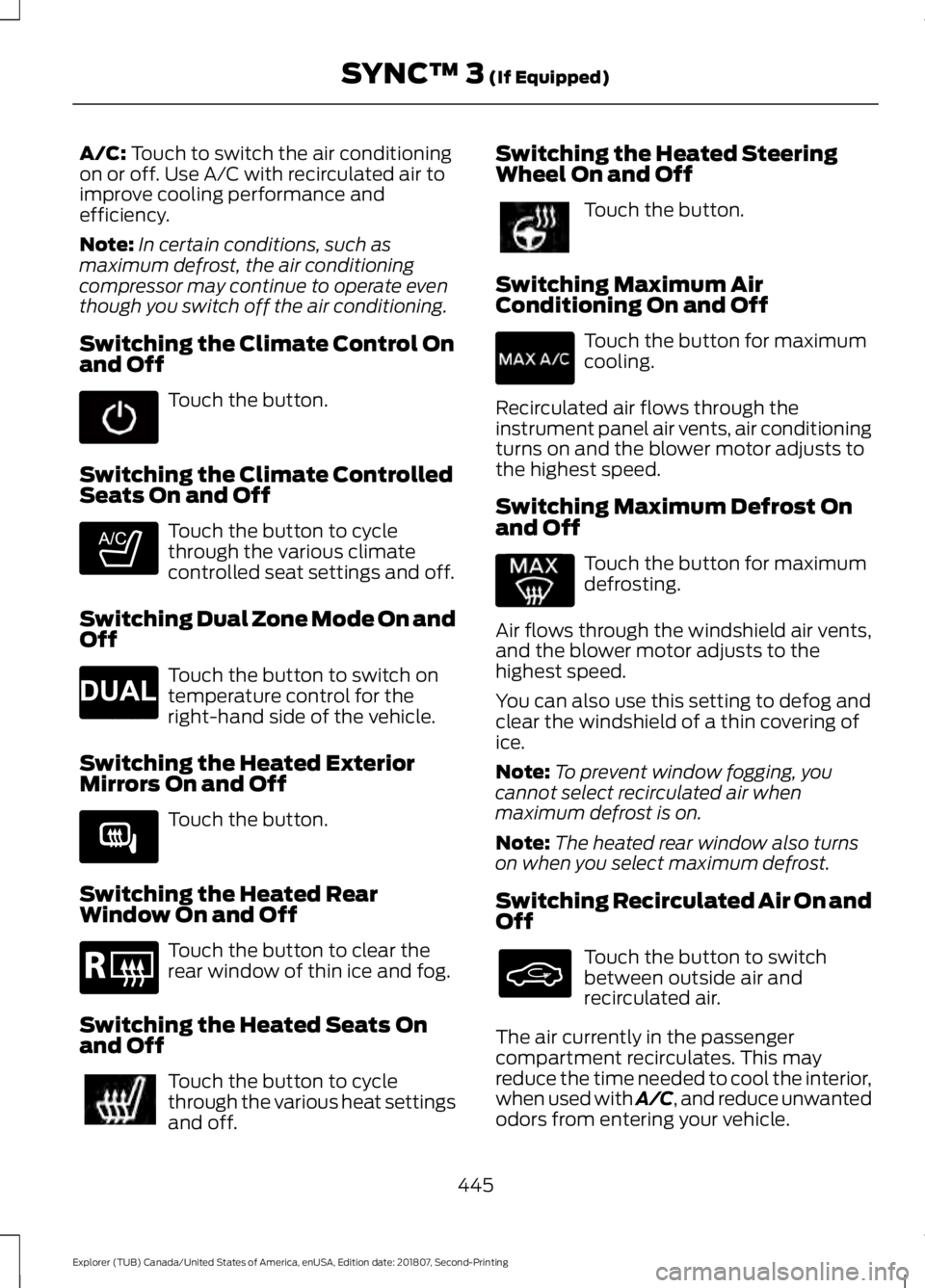
A/C: Touch to switch the air conditioning
on or off. Use A/C with recirculated air to
improve cooling performance and
efficiency.
Note: In certain conditions, such as
maximum defrost, the air conditioning
compressor may continue to operate even
though you switch off the air conditioning.
Switching the Climate Control On
and Off Touch the button.
Switching the Climate Controlled
Seats On and Off Touch the button to cycle
through the various climate
controlled seat settings and off.
Switching Dual Zone Mode On and
Off Touch the button to switch on
temperature control for the
right-hand side of the vehicle.
Switching the Heated Exterior
Mirrors On and Off Touch the button.
Switching the Heated Rear
Window On and Off Touch the button to clear the
rear window of thin ice and fog.
Switching the Heated Seats On
and Off Touch the button to cycle
through the various heat settings
and off. Switching the Heated Steering
Wheel On and Off Touch the button.
Switching Maximum Air
Conditioning On and Off Touch the button for maximum
cooling.
Recirculated air flows through the
instrument panel air vents, air conditioning
turns on and the blower motor adjusts to
the highest speed.
Switching Maximum Defrost On
and Off Touch the button for maximum
defrosting.
Air flows through the windshield air vents,
and the blower motor adjusts to the
highest speed.
You can also use this setting to defog and
clear the windshield of a thin covering of
ice.
Note: To prevent window fogging, you
cannot select recirculated air when
maximum defrost is on.
Note: The heated rear window also turns
on when you select maximum defrost.
Switching Recirculated Air On and
Off Touch the button to switch
between outside air and
recirculated air.
The air currently in the passenger
compartment recirculates. This may
reduce the time needed to cool the interior,
when used with A/C, and reduce unwanted
odors from entering your vehicle.
445
Explorer (TUB) Canada/United States of America, enUSA, Edition date: 201807, Second-Printing SYNC™ 3
(If Equipped) E265282 E265280 E266189 E184884
Page 501 of 571
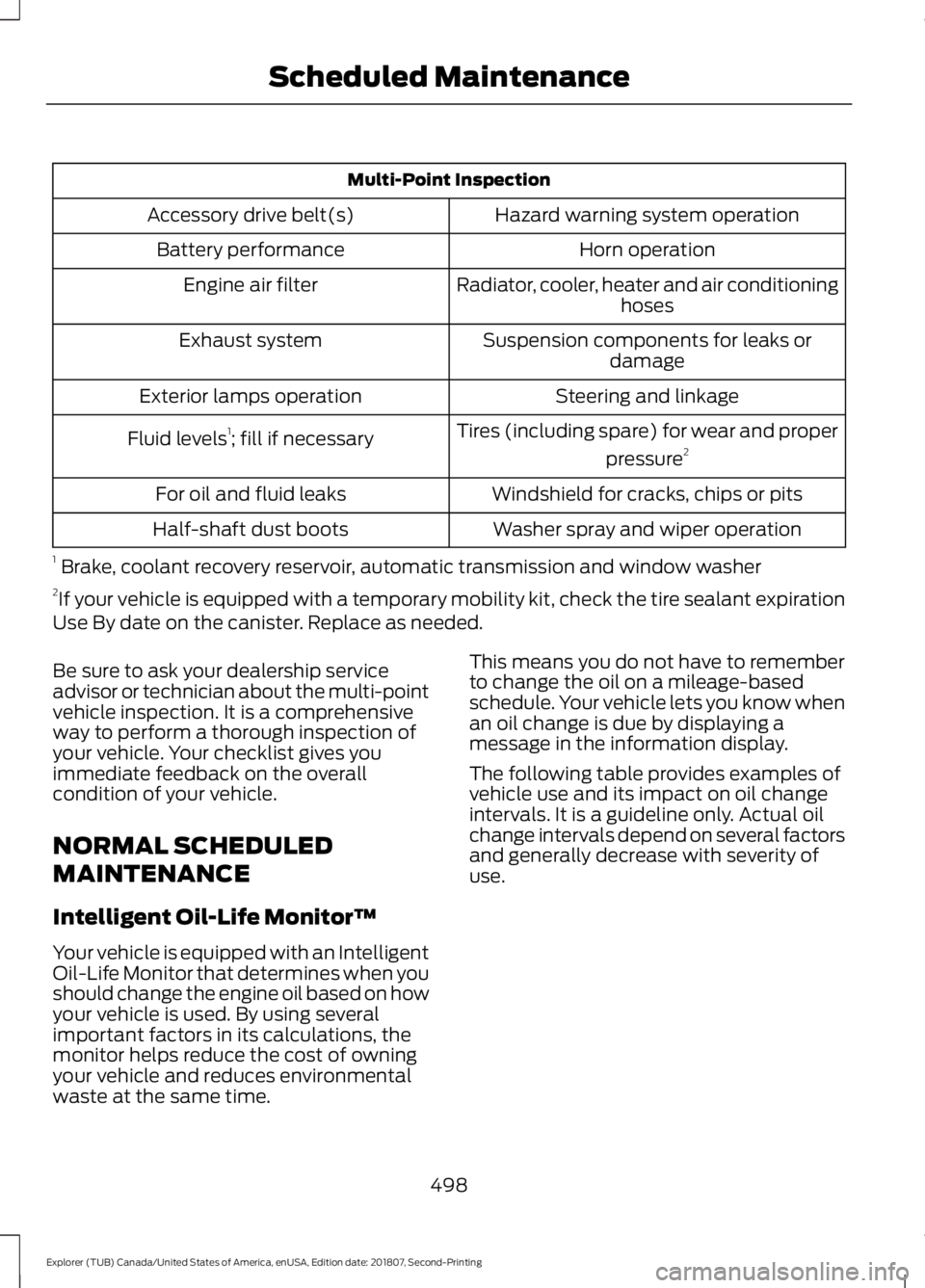
Multi-Point Inspection
Hazard warning system operation
Accessory drive belt(s)
Horn operation
Battery performance
Radiator, cooler, heater and air conditioninghoses
Engine air filter
Suspension components for leaks ordamage
Exhaust system
Steering and linkage
Exterior lamps operation
Tires (including spare) for wear and properpressure2
Fluid levels 1
; fill if necessary
Windshield for cracks, chips or pits
For oil and fluid leaks
Washer spray and wiper operation
Half-shaft dust boots
1 Brake, coolant recovery reservoir, automatic transmission and window washer
2 If your vehicle is equipped with a temporary mobility kit, check the tire sealant expiration
Use By date on the canister. Replace as needed.
Be sure to ask your dealership service
advisor or technician about the multi-point
vehicle inspection. It is a comprehensive
way to perform a thorough inspection of
your vehicle. Your checklist gives you
immediate feedback on the overall
condition of your vehicle.
NORMAL SCHEDULED
MAINTENANCE
Intelligent Oil-Life Monitor™
Your vehicle is equipped with an Intelligent
Oil-Life Monitor that determines when you
should change the engine oil based on how
your vehicle is used. By using several
important factors in its calculations, the
monitor helps reduce the cost of owning
your vehicle and reduces environmental
waste at the same time. This means you do not have to remember
to change the oil on a mileage-based
schedule. Your vehicle lets you know when
an oil change is due by displaying a
message in the information display.
The following table provides examples of
vehicle use and its impact on oil change
intervals. It is a guideline only. Actual oil
change intervals depend on several factors
and generally decrease with severity of
use.
498
Explorer (TUB) Canada/United States of America, enUSA, Edition date: 201807, Second-Printing Scheduled Maintenance
Page 558 of 571
1
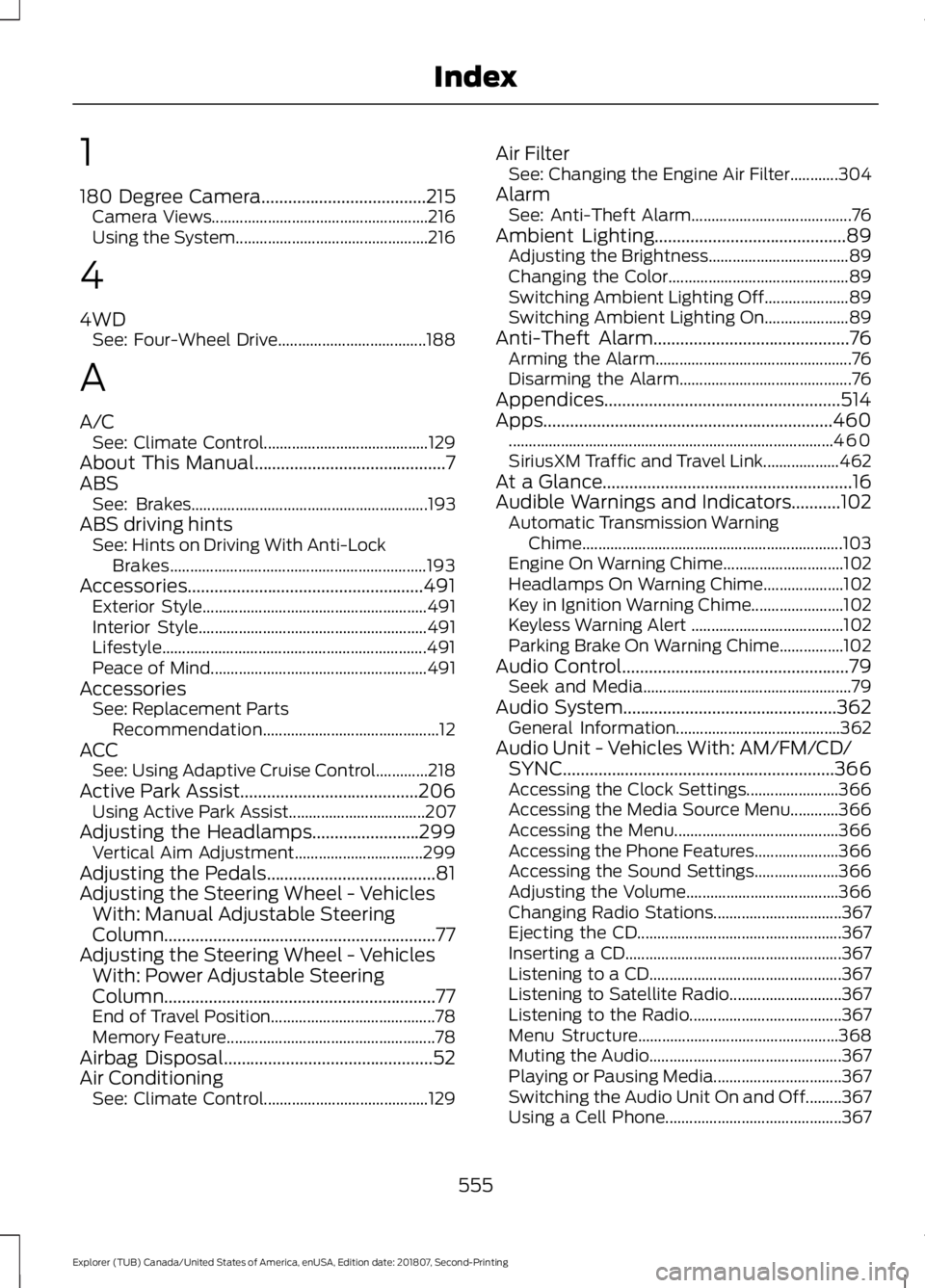
180 Degree Camera.....................................215
Camera Views...................................................... 216
Using the System................................................ 216
4
4WD See: Four-Wheel Drive..................................... 188
A
A/C See: Climate Control......................................... 129
About This Manual...........................................7
ABS See: Brakes........................................................... 193
ABS driving hints See: Hints on Driving With Anti-Lock
Brakes................................................................ 193
Accessories.....................................................491 Exterior Style........................................................ 491
Interior Style......................................................... 491
Lifestyle.................................................................. 491
Peace of Mind...................................................... 491
Accessories See: Replacement Parts
Recommendation............................................ 12
ACC See: Using Adaptive Cruise Control.............218
Active Park Assist........................................206 Using Active Park Assist.................................. 207
Adjusting the Headlamps
........................299
Vertical Aim Adjustment................................ 299
Adjusting the Pedals......................................81
Adjusting the Steering Wheel - Vehicles With: Manual Adjustable Steering
Column .............................................................
77
Adjusting the Steering Wheel - Vehicles With: Power Adjustable Steering
Column .............................................................
77
End of Travel Position......................................... 78
Memory Feature.................................................... 78
Airbag Disposal
...............................................52
Air Conditioning See: Climate Control......................................... 129Air Filter
See: Changing the Engine Air Filter............304
Alarm See: Anti-Theft Alarm........................................ 76
Ambient Lighting...........................................89 Adjusting the Brightness................................... 89
Changing the Color............................................. 89
Switching Ambient Lighting Off..................... 89
Switching Ambient Lighting On..................... 89
Anti-Theft Alarm
............................................76
Arming the Alarm................................................. 76
Disarming the Alarm........................................... 76
Appendices.....................................................514
Apps.................................................................460 ........................................................................\
......... 460
SiriusXM Traffic and Travel Link................... 462
At a Glance........................................................16
Audible Warnings and Indicators...........102 Automatic Transmission Warning
Chime................................................................. 103
Engine On Warning Chime.............................. 102
Headlamps On Warning Chime.................... 102
Key in Ignition Warning Chime....................... 102
Keyless Warning Alert ...................................... 102
Parking Brake On Warning Chime................102
Audio Control
...................................................79
Seek and Media.................................................... 79
Audio System................................................362 General Information......................................... 362
Audio Unit - Vehicles With: AM/FM/CD/ SYNC.............................................................366
Accessing the Clock Settings....................... 366
Accessing the Media Source Menu............366
Accessing the Menu......................................... 366
Accessing the Phone Features..................... 366
Accessing the Sound Settings..................... 366
Adjusting the Volume...................................... 366
Changing Radio Stations................................ 367
Ejecting the CD................................................... 367
Inserting a CD...................................................... 367
Listening to a CD................................................ 367
Listening to Satellite Radio............................ 367
Listening to the Radio...................................... 367
Menu Structure.................................................. 368
Muting the Audio................................................ 367
Playing or Pausing Media................................ 367
Switching the Audio Unit On and Off.........367
Using a Cell Phone............................................ 367
555
Explorer (TUB) Canada/United States of America, enUSA, Edition date: 201807, Second-Printing Index
Page 559 of 571
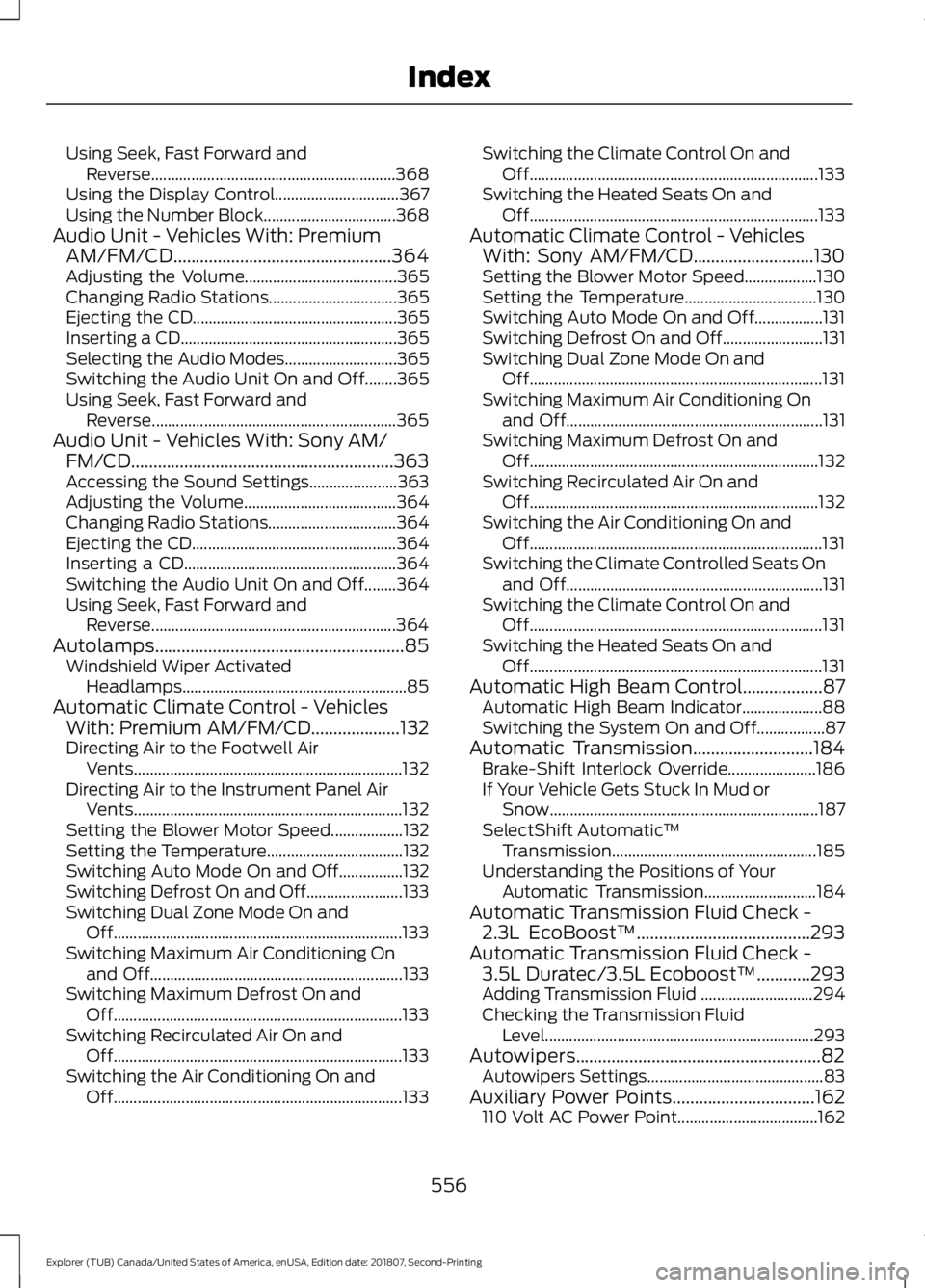
Using Seek, Fast Forward and
Reverse............................................................. 368
Using the Display Control............................... 367
Using the Number Block................................. 368
Audio Unit - Vehicles With: Premium AM/FM/CD.................................................364
Adjusting the Volume...................................... 365
Changing Radio Stations................................ 365
Ejecting the CD................................................... 365
Inserting a CD...................................................... 365
Selecting the Audio Modes............................ 365
Switching the Audio Unit On and Off........365
Using Seek, Fast Forward and Reverse............................................................. 365
Audio Unit - Vehicles With: Sony AM/ FM/CD...........................................................363
Accessing the Sound Settings...................... 363
Adjusting the Volume...................................... 364
Changing Radio Stations................................ 364
Ejecting the CD................................................... 364
Inserting a CD..................................................... 364
Switching the Audio Unit On and Off........364
Using Seek, Fast Forward and Reverse............................................................. 364
Autolamps........................................................85 Windshield Wiper Activated
Headlamps........................................................ 85
Automatic Climate Control - Vehicles With: Premium AM/FM/CD....................132
Directing Air to the Footwell Air
Vents................................................................... 132
Directing Air to the Instrument Panel Air Vents................................................................... 132
Setting the Blower Motor Speed.................. 132
Setting the Temperature.................................. 132
Switching Auto Mode On and Off................132
Switching Defrost On and Off........................ 133
Switching Dual Zone Mode On and Off........................................................................\
133
Switching Maximum Air Conditioning On and Off............................................................... 133
Switching Maximum Defrost On and Off........................................................................\
133
Switching Recirculated Air On and Off........................................................................\
133
Switching the Air Conditioning On and Off........................................................................\
133Switching the Climate Control On and
Off........................................................................\
133
Switching the Heated Seats On and Off........................................................................\
133
Automatic Climate Control - Vehicles With: Sony AM/FM/CD...........................130
Setting the Blower Motor Speed.................. 130
Setting the Temperature................................. 130
Switching Auto Mode On and Off.................131
Switching Defrost On and Off......................... 131
Switching Dual Zone Mode On and Off........................................................................\
. 131
Switching Maximum Air Conditioning On and Off................................................................ 131
Switching Maximum Defrost On and Off........................................................................\
132
Switching Recirculated Air On and Off........................................................................\
132
Switching the Air Conditioning On and Off........................................................................\
. 131
Switching the Climate Controlled Seats On and Off................................................................ 131
Switching the Climate Control On and Off........................................................................\
. 131
Switching the Heated Seats On and Off........................................................................\
. 131
Automatic High Beam Control..................87 Automatic High Beam Indicator.................... 88
Switching the System On and Off.................87
Automatic Transmission...........................184 Brake-Shift Interlock Override...................... 186
If Your Vehicle Gets Stuck In Mud or Snow................................................................... 187
SelectShift Automatic ™
Transmission................................................... 185
Understanding the Positions of Your Automatic Transmission............................ 184
Automatic Transmission Fluid Check - 2.3L EcoBoost™
.......................................293
Automatic Transmission Fluid Check - 3.5L Duratec/3.5L Ecoboost™............293
Adding Transmission Fluid ............................ 294
Checking the Transmission Fluid Level................................................................... 293
Autowipers.......................................................82 Autowipers Settings............................................ 83
Auxiliary Power Points................................162 110 Volt AC Power Point................................... 162
556
Explorer (TUB) Canada/United States of America, enUSA, Edition date: 201807, Second-Printing Index
Page 561 of 571
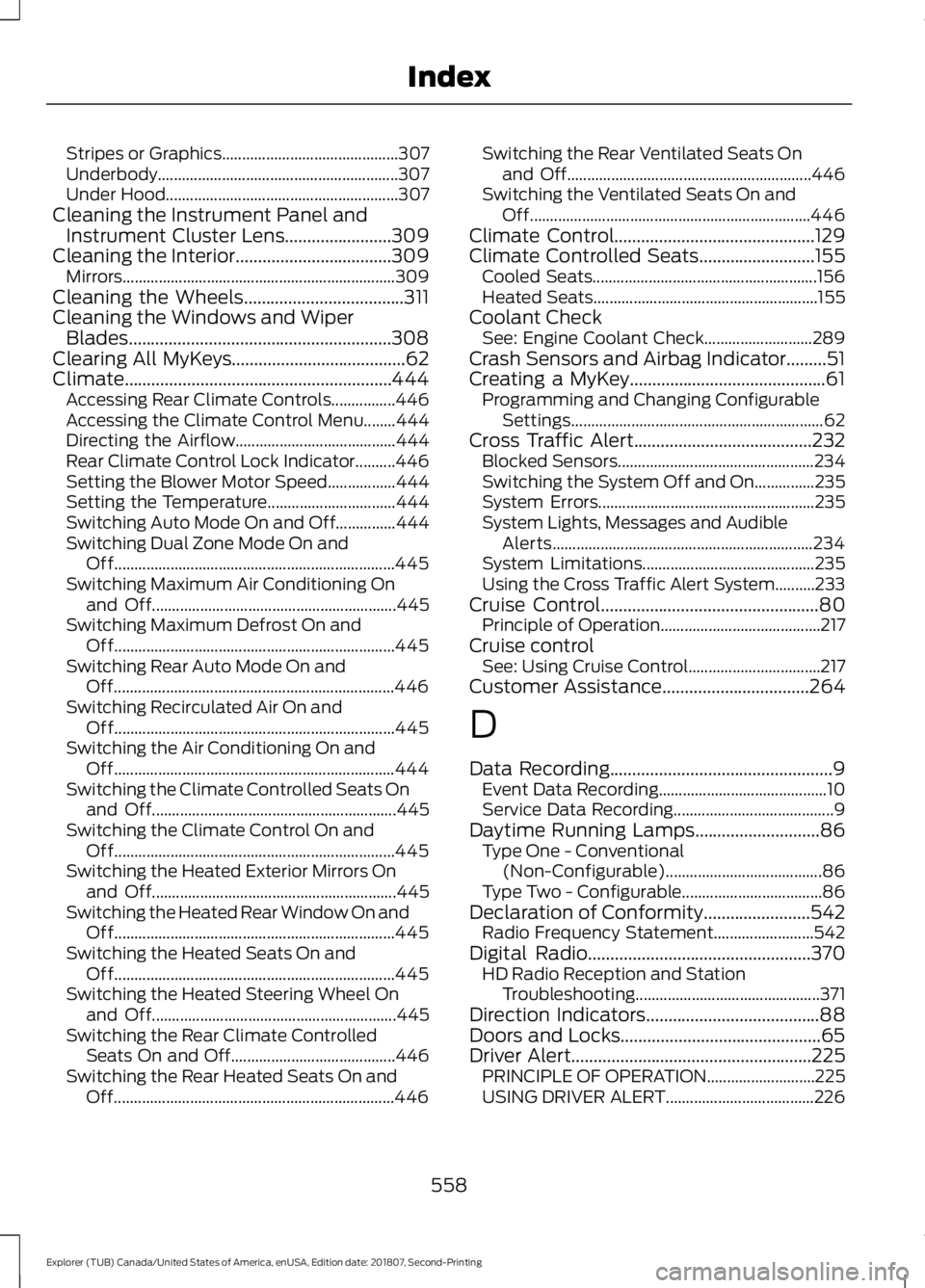
Stripes or Graphics............................................
307
Underbody............................................................ 307
Under Hood.......................................................... 307
Cleaning the Instrument Panel and Instrument Cluster Lens........................309
Cleaning the Interior...................................309 Mirrors.................................................................... 309
Cleaning the Wheels....................................311
Cleaning the Windows and Wiper Blades...........................................................308
Clearing All MyKeys.......................................62
Climate............................................................444 Accessing Rear Climate Controls................446
Accessing the Climate Control Menu........444
Directing the Airflow........................................ 444
Rear Climate Control Lock Indicator..........446
Setting the Blower Motor Speed.................444
Setting the Temperature................................ 444
Switching Auto Mode On and Off...............444
Switching Dual Zone Mode On and Off...................................................................... 445
Switching Maximum Air Conditioning On and Off............................................................. 445
Switching Maximum Defrost On and Off...................................................................... 445
Switching Rear Auto Mode On and Off...................................................................... 446
Switching Recirculated Air On and Off...................................................................... 445
Switching the Air Conditioning On and Off...................................................................... 444
Switching the Climate Controlled Seats On and Off............................................................. 445
Switching the Climate Control On and Off...................................................................... 445
Switching the Heated Exterior Mirrors On and Off............................................................. 445
Switching the Heated Rear Window On and Off...................................................................... 445
Switching the Heated Seats On and Off...................................................................... 445
Switching the Heated Steering Wheel On and Off............................................................. 445
Switching the Rear Climate Controlled Seats On and Off......................................... 446
Switching the Rear Heated Seats On and Off...................................................................... 446Switching the Rear Ventilated Seats On
and Off............................................................. 446
Switching the Ventilated Seats On and Off...................................................................... 446
Climate Control.............................................129
Climate Controlled Seats..........................155 Cooled Seats........................................................ 156
Heated Seats........................................................ 155
Coolant Check See: Engine Coolant Check........................... 289
Crash Sensors and Airbag Indicator.........51
Creating a MyKey............................................61 Programming and Changing Configurable
Settings............................................................... 62
Cross Traffic Alert
........................................232
Blocked Sensors................................................. 234
Switching the System Off and On...............235
System Errors...................................................... 235
System Lights, Messages and Audible Alerts................................................................. 234
System Limitations........................................... 235
Using the Cross Traffic Alert System..........233
Cruise Control
.................................................80
Principle of Operation........................................ 217
Cruise control See: Using Cruise Control................................. 217
Customer Assistance
.................................264
D
Data Recording
..................................................9
Event Data Recording.......................................... 10
Service Data Recording........................................ 9
Daytime Running Lamps
............................86
Type One - Conventional
(Non-Configurable)....................................... 86
Type Two - Configurable................................... 86
Declaration of Conformity
........................542
Radio Frequency Statement......................... 542
Digital Radio
..................................................370
HD Radio Reception and Station
Troubleshooting.............................................. 371
Direction Indicators
.......................................88
Doors and Locks.............................................65
Driver Alert
......................................................225
PRINCIPLE OF OPERATION........................... 225
USING DRIVER ALERT..................................... 226
558
Explorer (TUB) Canada/United States of America, enUSA, Edition date: 201807, Second-Printing Index
Page 565 of 571
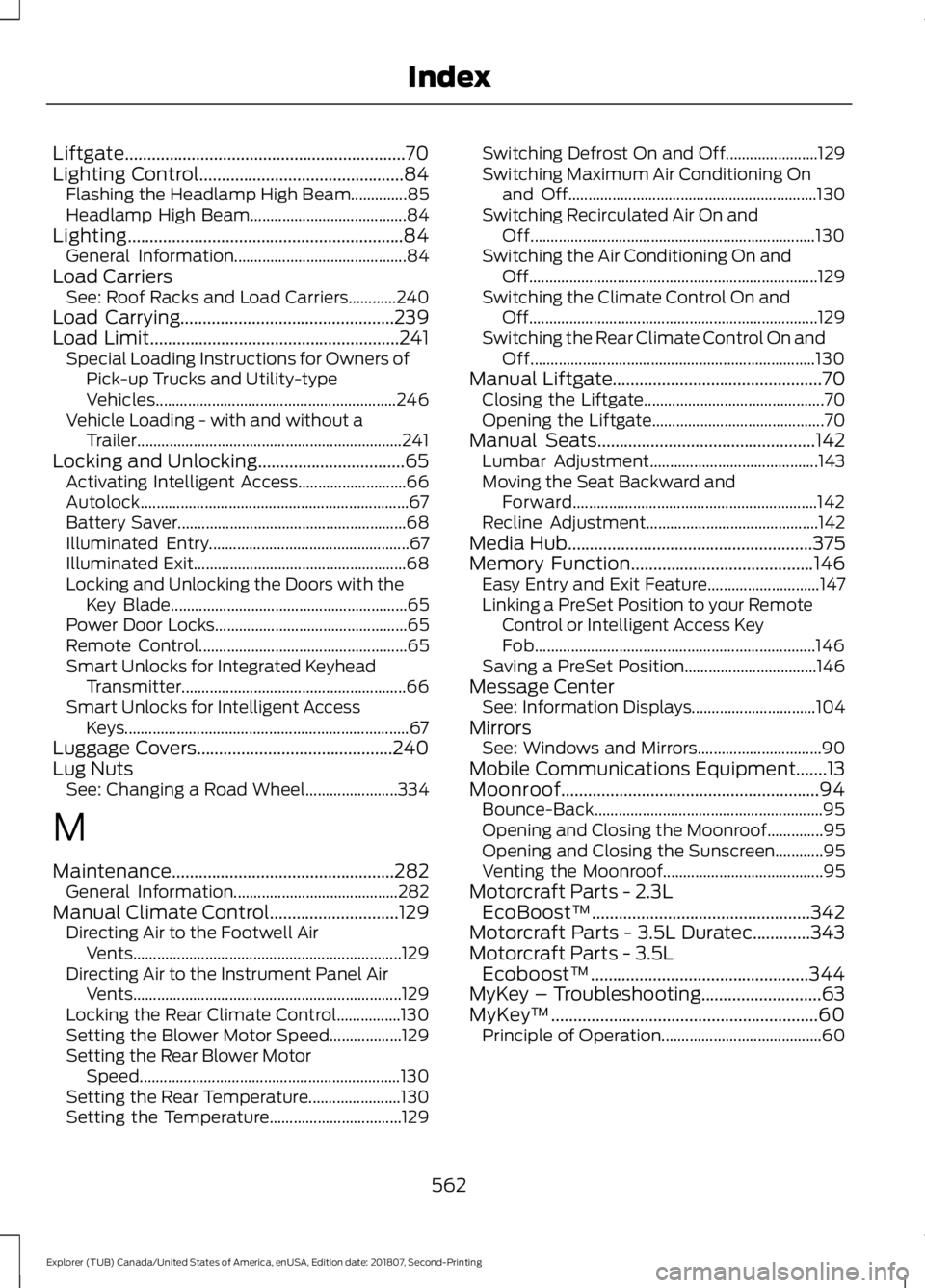
Liftgate...............................................................70
Lighting Control..............................................84
Flashing the Headlamp High Beam..............85
Headlamp High Beam....................................... 84
Lighting..............................................................84 General Information........................................... 84
Load Carriers See: Roof Racks and Load Carriers............240
Load Carrying................................................239
Load Limit........................................................241 Special Loading Instructions for Owners of
Pick-up Trucks and Utility-type
Vehicles............................................................ 246
Vehicle Loading - with and without a Trailer.................................................................. 241
Locking and Unlocking.................................65 Activating Intelligent Access........................... 66
Autolock................................................................... 67
Battery Saver......................................................... 68
Illuminated Entry.................................................. 67
Illuminated Exit..................................................... 68
Locking and Unlocking the Doors with the Key Blade........................................................... 65
Power Door Locks................................................ 65
Remote Control.................................................... 65
Smart Unlocks for Integrated Keyhead Transmitter........................................................ 66
Smart Unlocks for Intelligent Access Keys....................................................................... 67
Luggage Covers
............................................240
Lug Nuts See: Changing a Road Wheel....................... 334
M
Maintenance..................................................282 General Information......................................... 282
Manual Climate Control
.............................129
Directing Air to the Footwell Air
Vents................................................................... 129
Directing Air to the Instrument Panel Air Vents................................................................... 129
Locking the Rear Climate Control................130
Setting the Blower Motor Speed.................. 129
Setting the Rear Blower Motor Speed................................................................. 130
Setting the Rear Temperature....................... 130
Setting the Temperature................................. 129Switching Defrost On and Off.......................
129
Switching Maximum Air Conditioning On and Off.............................................................. 130
Switching Recirculated Air On and Off....................................................................... 130
Switching the Air Conditioning On and Off........................................................................\
129
Switching the Climate Control On and Off........................................................................\
129
Switching the Rear Climate Control On and Off....................................................................... 130
Manual Liftgate
...............................................70
Closing the Liftgate............................................. 70
Opening the Liftgate........................................... 70
Manual Seats.................................................142 Lumbar Adjustment.......................................... 143
Moving the Seat Backward and Forward............................................................. 142
Recline Adjustment........................................... 142
Media Hub
.......................................................375
Memory Function.........................................146
Easy Entry and Exit Feature............................ 147
Linking a PreSet Position to your Remote Control or Intelligent Access Key
Fob...................................................................... 146
Saving a PreSet Position................................. 146
Message Center See: Information Displays............................... 104
Mirrors See: Windows and Mirrors............................... 90
Mobile Communications Equipment.......13
Moonroof..........................................................94 Bounce-Back......................................................... 95
Opening and Closing the Moonroof..............95
Opening and Closing the Sunscreen............95
Venting the Moonroof........................................ 95
Motorcraft Parts - 2.3L EcoBoost™.................................................342
Motorcraft Parts - 3.5L Duratec.............343
Motorcraft Parts - 3.5L Ecoboost™.................................................344
MyKey – Troubleshooting...........................63
MyKey ™
............................................................60
Principle of Operation........................................ 60
562
Explorer (TUB) Canada/United States of America, enUSA, Edition date: 201807, Second-Printing Index