power FORD EXPLORER 2020 Owners Manual
[x] Cancel search | Manufacturer: FORD, Model Year: 2020, Model line: EXPLORER, Model: FORD EXPLORER 2020Pages: 555, PDF Size: 8.16 MB
Page 5 of 555
Liftgate
Power Liftgate
................................................74
Security
Passive Anti-Theft System ........................
78
Anti-Theft Alarm ...........................................
78
Steering Wheel
Adjusting the Steering Wheel - Vehicles With: Manual Adjustable Steering
Column .........................................................
80
Adjusting the Steering Wheel - Vehicles With: Power Adjustable Steering
Column .........................................................
80
Audio Control ..................................................
82
Voice Control ..................................................
82
Cruise Control - Vehicles With: Adaptive Cruise Control With Lane Centering
........................................................................\
..
82
Cruise Control - Vehicles With: Adaptive Cruise Control With Stop and Go .......
83
Cruise Control - Vehicles With: Cruise Control ..........................................................
83
Information Display Control ......................
83
Heated Steering Wheel ..............................
83
Horn ...................................................................
84
Wipers and Washers
Windshield Wipers .......................................
85
Autowipers ......................................................
85
Windshield Washers ....................................
86
Rear Window Wiper and Washers ..........
87
Lighting
General Information ....................................
88
Lighting Control .............................................
88
Autolamps .......................................................
89
Instrument Lighting Dimmer ....................
89
Headlamp Exit Delay ...................................
89
Daytime Running Lamps - Vehicles With: Configurable Daytime Running Lamps
........................................................................\
..
90 Daytime Running Lamps - Vehicles With:
Daytime Running Lamps (DRL) .........
90
Front Fog Lamps ...........................................
90
Adaptive Headlamps ....................................
91
Direction Indicators .......................................
91
Interior Lamps ................................................
92
Ambient Lighting - Vehicles With: 8 Inch Information and Entertainment Display
Screen ...........................................................
93
Ambient Lighting - Vehicles With: 10.1 Inch Information and Entertainment
Display Screen ...........................................
93
Automatic High Beam Control
What Is Automatic High Beam Control ........................................................................\
..
95
Switching Automatic High Beam Control On and Off ...................................................
95
Automatic High Beam Control Indicators ........................................................................\
..
95
Overriding Automatic High Beam Control ........................................................................\
..
96
Windows and Mirrors
Power Windows .............................................
97
Global Opening .............................................
98
Exterior Mirrors - Excluding: ST ...............
98
Exterior Mirrors - ST .....................................
99
Interior Mirror ..................................................
101
Sun Visors .......................................................
101
Moonroof ........................................................
102
Instrument Cluster
Gauges ............................................................
104
Warning Lamps and Indicators ..............
107
Audible Warnings and Indicators .............
111
Information Displays
General Information ....................................
112
Personalized Settings .................................
118
Information Messages ...............................
120
2
Explorer (CTW) Canada/United States of America, enUSA, Edition date: 201902, Third-Printing- Table of Contents
Page 6 of 555

Climate Control
Automatic Climate Control
......................137
Hints on Controlling the Interior Climate ........................................................................\
.
139
Rear Passenger Climate Controls .........
140
Heated Windshield ......................................
141
Heated Rear Window .................................
142
Heated Exterior Mirrors ..............................
142
Remote Start .................................................
142
Interior Air Quality
What Is the Cabin Air Filter ......................
143
Locating the Cabin Air Filter ....................
143
Replacing the Cabin Air Filter ..................
143
Seats
Sitting in the Correct Position .................
144
Head Restraints ...........................................
144
Manual Seats ................................................
147
Power Seats ..................................................
148
Memory Function ........................................
150
Rear Seats ......................................................
152
Heated Seats ................................................
156
Climate Controlled Seats .........................
158
Rear Occupant Alert System
What is the Rear Occupant Alert System ........................................................................\
160
How Does the Rear Occupant Alert System Work ............................................
160
Rear Occupant Alert System Precautions ........................................................................\
160
Rear Occupant Alert System Limitations ........................................................................\
160
Switching Rear Occupant Alert System On and Off .................................................
160
Rear Occupant Alert System Indicators ........................................................................\
..
161
Rear Occupant Alert System Audible Warnings ......................................................
161Garage Door Opener
Universal Garage Door Opener
..............
162
Auxiliary Power Points
Auxiliary Power Points ...............................
167
Wireless Accessory Charger ....................
168
Storage Compartments
Cup Holders .....................................................
171
Center Console ...............................................
171
Overhead Console ........................................
171
Starting and Stopping the Engine
General Information ....................................
172
Ignition Switch ...............................................
172
Keyless Starting ............................................
172
Starting a Gasoline Engine .......................
173
Starting a Hybrid Electric Vehicle System ........................................................................\
.
176
Engine Block Heater ...................................
178
Unique Driving Characteristics
Auto-Start-Stop ..........................................
180
Hybrid Vehicle Operation - 3.3L, Hybrid Electric Vehicle (HEV) ...........................
182
Hybrid Vehicle Frequently Asked Questions - 3.3L, Hybrid Electric
Vehicle (HEV) ...........................................
184
Fuel and Refueling
Safety Precautions .....................................
186
Fuel Quality - E85 .......................................
186
Fuel Quality - Gasoline .............................
188
Fuel Filler Funnel Location ......................
188
Running Out of Fuel ...................................
188
Refueling - Excluding: Hybrid Electric Vehicle (HEV) ...........................................
190
Refueling - Hybrid Electric Vehicle (HEV) ........................................................................\
.
193
3
Explorer (CTW) Canada/United States of America, enUSA, Edition date: 201902, Third-Printing- Table of Contents
Page 9 of 555
The Better Business Bureau (BBB) Auto
Line Program (U.S. Only) ....................308
Utilizing the Mediation/Arbitration Program (Canada Only) .....................
309
Getting Assistance Outside the U.S. and Canada ......................................................
309
Ordering Additional Owner's Literature ........................................................................\
..
311
Reporting Safety Defects (U.S. Only) ........................................................................\
..
311
Reporting Safety Defects (Canada Only) ........................................................................\
..
311
Fuses
Fuse Specification Chart ...........................
313
Changing a Fuse ...........................................
321
Maintenance
General Information ..................................
323
Opening and Closing the Hood .............
323
Under Hood Overview - 2.3L EcoBoost™ ........................................................................\
324
Under Hood Overview - 3.0L ..................
325
Under Hood Overview - 3.3L ..................
326
Engine Oil Dipstick - 2.3L EcoBoost™ ........................................................................\
.
327
Engine Oil Dipstick - 3.0L .........................
327
Engine Oil Dipstick - 3.3L ..........................
327
Engine Oil Check ..........................................
327
Oil Change Indicator Reset .....................
328
Changing the Engine Air Filter - 2.3L EcoBoost™ ...............................................
329
Changing the Engine Air Filter - 3.0L ........................................................................\
330
Changing the Engine Air Filter - 3.3L .....
331
Engine Coolant Check ...............................
332
Automatic Transmission Fluid Check ........................................................................\
336
Brake Fluid Check ........................................
337
Power Steering Fluid Check ....................
338
Changing the 12V Battery ........................
338
Adjusting the Headlamps .......................
340Washer Fluid Check
....................................
341
Fuel Filter ........................................................
341
Checking the Wiper Blades .....................
342
Changing the Front Wiper Blades ........
342
Changing the Rear Wiper Blades ..........
342
Changing a Bulb ..........................................
343
Vehicle Care
General Information ..................................
345
Cleaning Products ......................................
345
Cleaning the Exterior .................................
346
Waxing ............................................................
347
Cleaning the Engine ...................................
347
Cleaning the Windows and Wiper Blades ........................................................................\
347
Cleaning the Interior ..................................
348
Cleaning the Instrument Panel and Instrument Cluster Lens ......................
348
Cleaning Leather Seats ............................
349
Repairing Minor Paint Damage .............
350
Cleaning the Wheels .................................
350
Vehicle Storage ...........................................
350
Wheels and Tires
General Information ..................................
353
Tire Care .........................................................
355
Using Summer Tires ..................................
368
Using Snow Chains ...................................
368
Tire Pressure Monitoring System ..........
370
Changing a Road Wheel ..........................
376
Technical Specifications ..........................
382
Capacities and Specifications
Engine Specifications - 2.3L EcoBoost™ ........................................................................\
384
Engine Specifications - 3.0L ..................
385
Engine Specifications - 3.0L, ST ...........
385
Engine Specifications - 3.3L, Gasoline ........................................................................\
387
6
Explorer (CTW) Canada/United States of America, enUSA, Edition date: 201902, Third-Printing- Table of Contents
Page 14 of 555
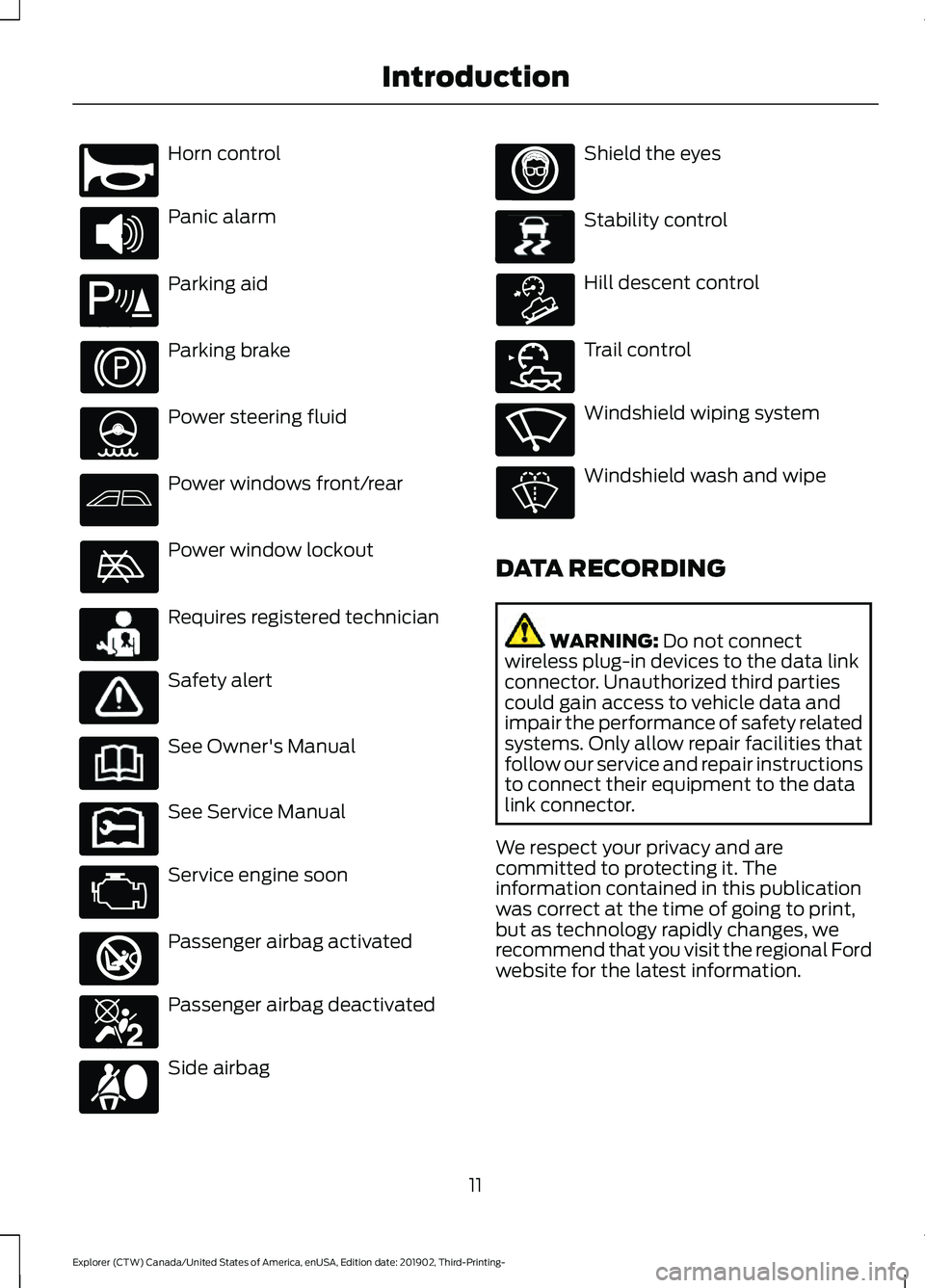
Horn control
Panic alarm
Parking aid
Parking brake
Power steering fluid
Power windows front/rear
Power window lockout
Requires registered technician
Safety alert
See Owner's Manual
See Service Manual
Service engine soon
Passenger airbag activated
Passenger airbag deactivated
Side airbag Shield the eyes
Stability control
Hill descent control
Trail control
Windshield wiping system
Windshield wash and wipe
DATA RECORDING WARNING: Do not connect
wireless plug-in devices to the data link
connector. Unauthorized third parties
could gain access to vehicle data and
impair the performance of safety related
systems. Only allow repair facilities that
follow our service and repair instructions
to connect their equipment to the data
link connector.
We respect your privacy and are
committed to protecting it. The
information contained in this publication
was correct at the time of going to print,
but as technology rapidly changes, we
recommend that you visit the regional Ford
website for the latest information.
11
Explorer (CTW) Canada/United States of America, enUSA, Edition date: 201902, Third-Printing- IntroductionE270945 E139213 E231159 E231158 E270849 E270850 E167012 E138639 E163957 E272858 E270969
Page 23 of 555
AT A GLANCE - ST
Exterior
•
Front and rear fascias feature unique
ST grille and unique finish.
• ST badging in front grille and on rear
liftgate.
• Trim features unique ST gloss black
finish.
• E-X-P-L-O-R-E-R lettering across
hood.
• Blackout treatment on headlight and
taillight lenses.
Interior
• Unique ST interior trim.
• Ford Performance sill plates.
• ST flat-bottom steering wheel with
integrated transmission shift paddle
controls.
• Selectable Drive Mode controller with
7 settings (Normal, Eco, Sport, Trail,
Slippery, Deep Snow/Sand and
Tow/Haul).
• Unique electronic sound enhancement
in Sport Selectable Drive Mode.
Chassis
• Unique ST-tuned suspension featuring
32 N/mm front coil springs and a 34
mm hollow front stabilizer bar and 106
N/mm rear coil springs and a 21.7 mm
hollow rear stabilizer bar.
• Standard ST brake system consists of
345 mm diameter vented front rotors
with two piston calipers and low-dust
linings; 326 mm solid rear rotors with
single-piston brake calipers and
electric integrated park brake with low
dust linings. •
Optional ST braking system includes
363 mm diameter vented front rotors
with heavy duty two-piston calipers
and low-dust linings; 350 mm diameter
vented rear rotors with heavy-duty
single-piston brake calipers and
electric integrated park brake with
low-dust linings; system requires 21 x
9-inch wheels and P275/45R21
all-season tires.
• Optional low-metallic brake linings are
included with optional P275/45R21
summer tire (late availability).
• ST-tuned electric power assist steering
rack and pinion.
• AdvanceTrac with stability
enhancement system with four modes:
Default, Traction Control Off, Sport and
Disabled.
• Aluminum ST 20 in (50.8 cm) x 8.5 in
(21.6 cm) wheels standard; 21 in
(53.3 cm) x 9 in (22.9 cm) wheels
optional.
• P255/55R20 all-season tires or
optional P275/45R21 all-season tires.
Powertrain
• 3.0L V6 DOHC GTDI engine, 400
horsepower, 415 lb-ft.
• 10R60 10-speed automatic
transmission with SelectShift manual
shift mode.
• 3.58 axle ratios.
• Unique transmission calibration in
Sport Selectable Drive Mode.
• Dual exhaust with quad-tip outlets.
20
Explorer (CTW) Canada/United States of America, enUSA, Edition date: 201902, Third-Printing- At a Glance
Page 25 of 555
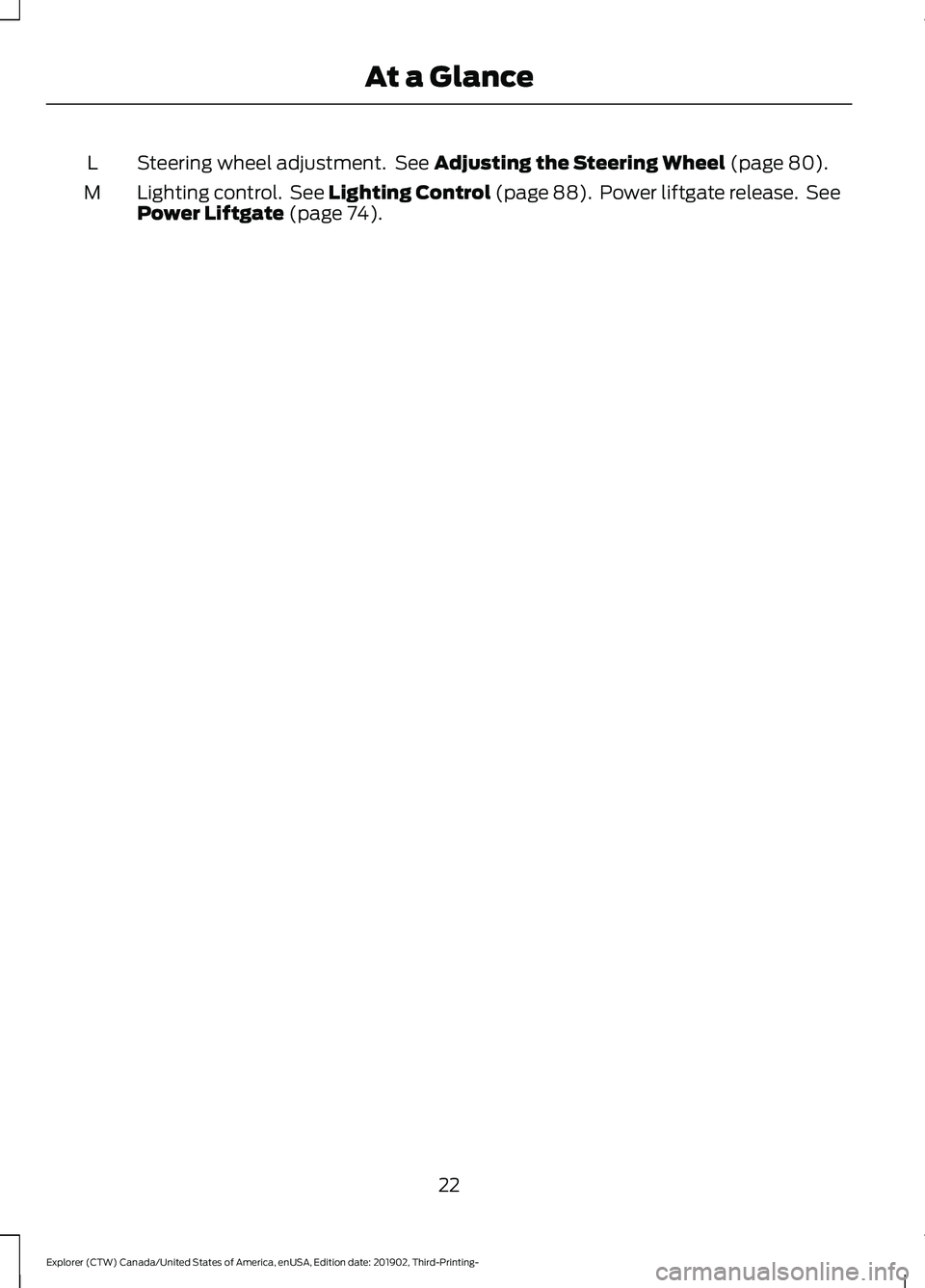
Steering wheel adjustment. See Adjusting the Steering Wheel (page 80).
L
Lighting control. See Lighting Control (page 88). Power liftgate release. See
Power Liftgate
(page 74).
M
22
Explorer (CTW) Canada/United States of America, enUSA, Edition date: 201902, Third-Printing- At a Glance
Page 59 of 555
•
SYNC must be powered and working
properly at the time of the incident and
throughout feature activation and use.
• The 911 Assist feature must be set on
before the incident.
• You must pair and connect a Bluetooth
enabled and compatible cell phone to
SYNC.
• A connected Bluetooth enabled phone
must have the ability to make and
maintain an outgoing call at the time
of the incident.
• A connected Bluetooth enabled phone
must have adequate network coverage,
battery power and signal strength.
• The vehicle must have battery power
and be located in the U.S., Canada or
in a territory in which 911 is the
emergency number.
Note: If any user sets 911 Assist to on or off,
that setting applies for all paired phones. If
911 Assist is switched off and the phone is
connected to SYNC, an icon displays on the
status bar.
Note: Every phone operates differently.
While SYNC 911 Assist works with most
cellular phones, some may have trouble
using this feature.
EMERGENCY CALL
LIMITATIONS
The SYNC 911 Assist feature only operates
in the U.S., Canada or in a territory in which
911 is the emergency number.
• Your cellular phone or 911 Assist
hardware sustains damage in a crash.
• The vehicle's battery or the SYNC
system has no power.
• The phone(s) thrown from your vehicle
are the ones paired and connected to
the system.
56
Explorer (CTW) Canada/United States of America, enUSA, Edition date: 201902, Third-Printing- 911 Assist
Page 61 of 555
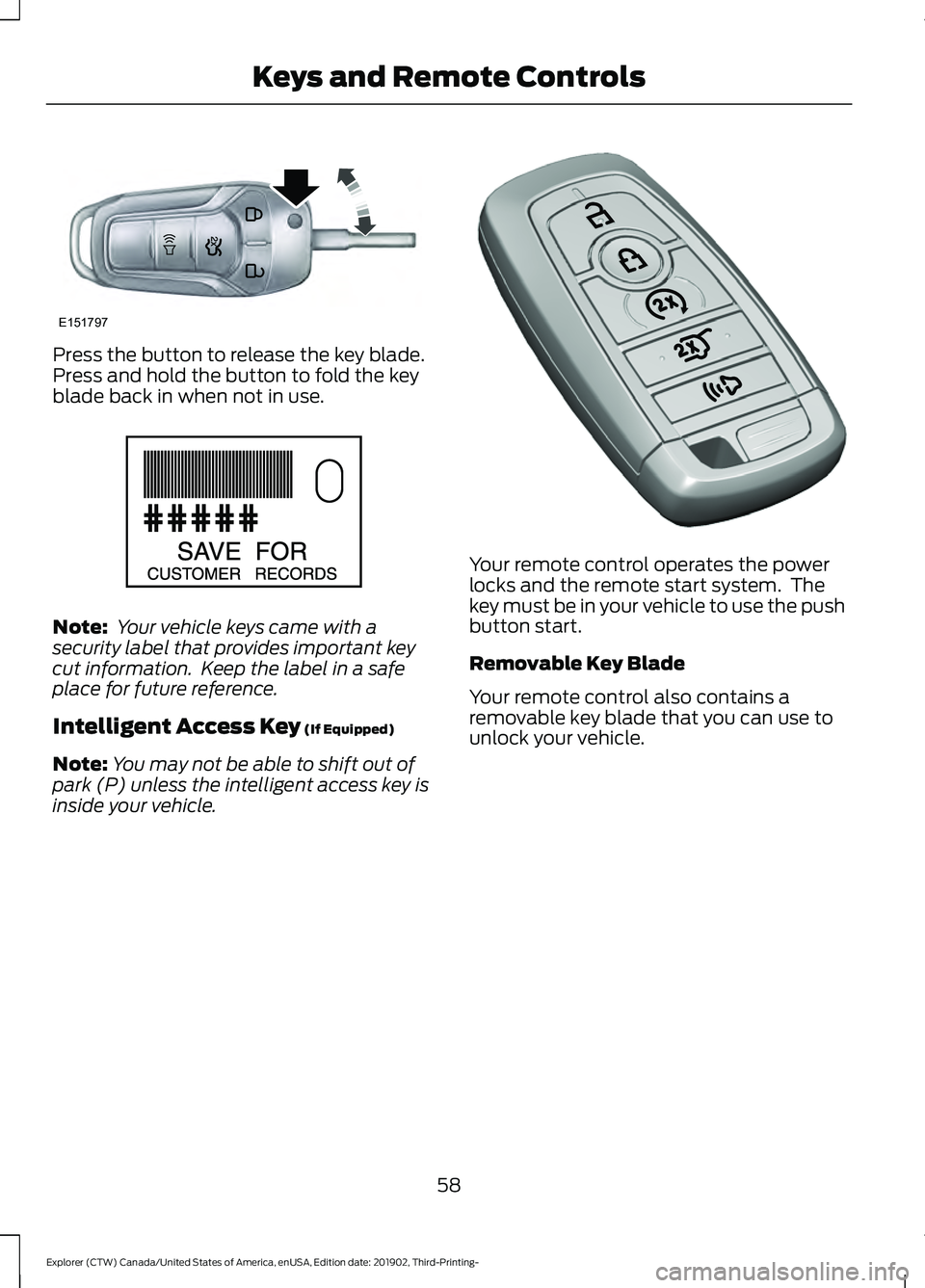
Press the button to release the key blade.
Press and hold the button to fold the key
blade back in when not in use.
Note:
Your vehicle keys came with a
security label that provides important key
cut information. Keep the label in a safe
place for future reference.
Intelligent Access Key (If Equipped)
Note: You may not be able to shift out of
park (P) unless the intelligent access key is
inside your vehicle. Your remote control operates the power
locks and the remote start system. The
key must be in your vehicle to use the push
button start.
Removable Key Blade
Your remote control also contains a
removable key blade that you can use to
unlock your vehicle.
58
Explorer (CTW) Canada/United States of America, enUSA, Edition date: 201902, Third-Printing- Keys and Remote ControlsE151797 E151795 E305198
Page 66 of 555
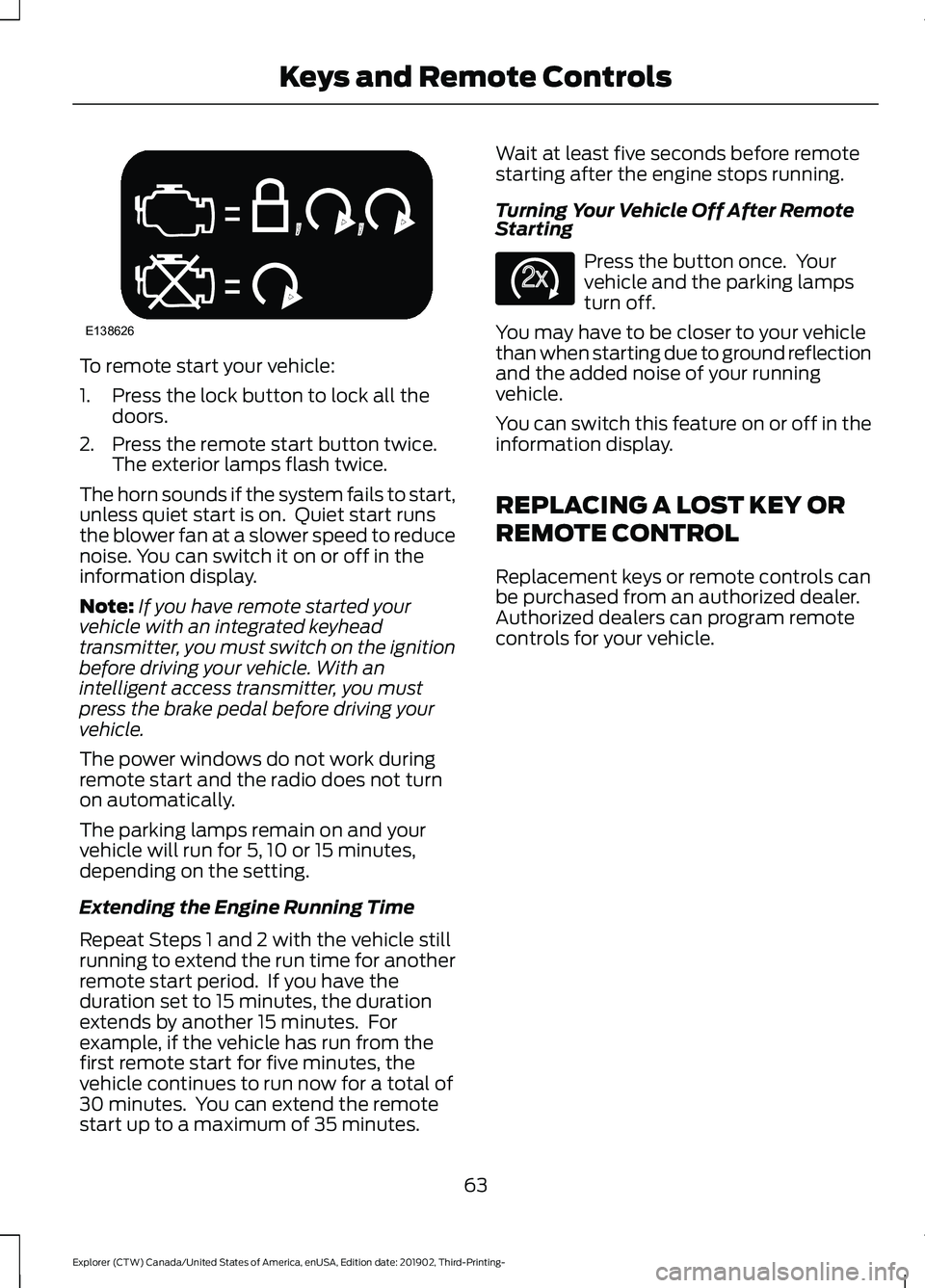
To remote start your vehicle:
1. Press the lock button to lock all the
doors.
2. Press the remote start button twice. The exterior lamps flash twice.
The horn sounds if the system fails to start,
unless quiet start is on. Quiet start runs
the blower fan at a slower speed to reduce
noise. You can switch it on or off in the
information display.
Note: If you have remote started your
vehicle with an integrated keyhead
transmitter, you must switch on the ignition
before driving your vehicle. With an
intelligent access transmitter, you must
press the brake pedal before driving your
vehicle.
The power windows do not work during
remote start and the radio does not turn
on automatically.
The parking lamps remain on and your
vehicle will run for 5, 10 or 15 minutes,
depending on the setting.
Extending the Engine Running Time
Repeat Steps 1 and 2 with the vehicle still
running to extend the run time for another
remote start period. If you have the
duration set to 15 minutes, the duration
extends by another 15 minutes. For
example, if the vehicle has run from the
first remote start for five minutes, the
vehicle continues to run now for a total of
30 minutes. You can extend the remote
start up to a maximum of 35 minutes. Wait at least five seconds before remote
starting after the engine stops running.
Turning Your Vehicle Off After Remote
Starting
Press the button once. Your
vehicle and the parking lamps
turn off.
You may have to be closer to your vehicle
than when starting due to ground reflection
and the added noise of your running
vehicle.
You can switch this feature on or off in the
information display.
REPLACING A LOST KEY OR
REMOTE CONTROL
Replacement keys or remote controls can
be purchased from an authorized dealer.
Authorized dealers can program remote
controls for your vehicle.
63
Explorer (CTW) Canada/United States of America, enUSA, Edition date: 201902, Third-Printing- Keys and Remote ControlsE138626 E138625
Page 72 of 555
LOCKING AND UNLOCKING
You can use the power door lock control
or the remote control to lock and unlock
your vehicle.
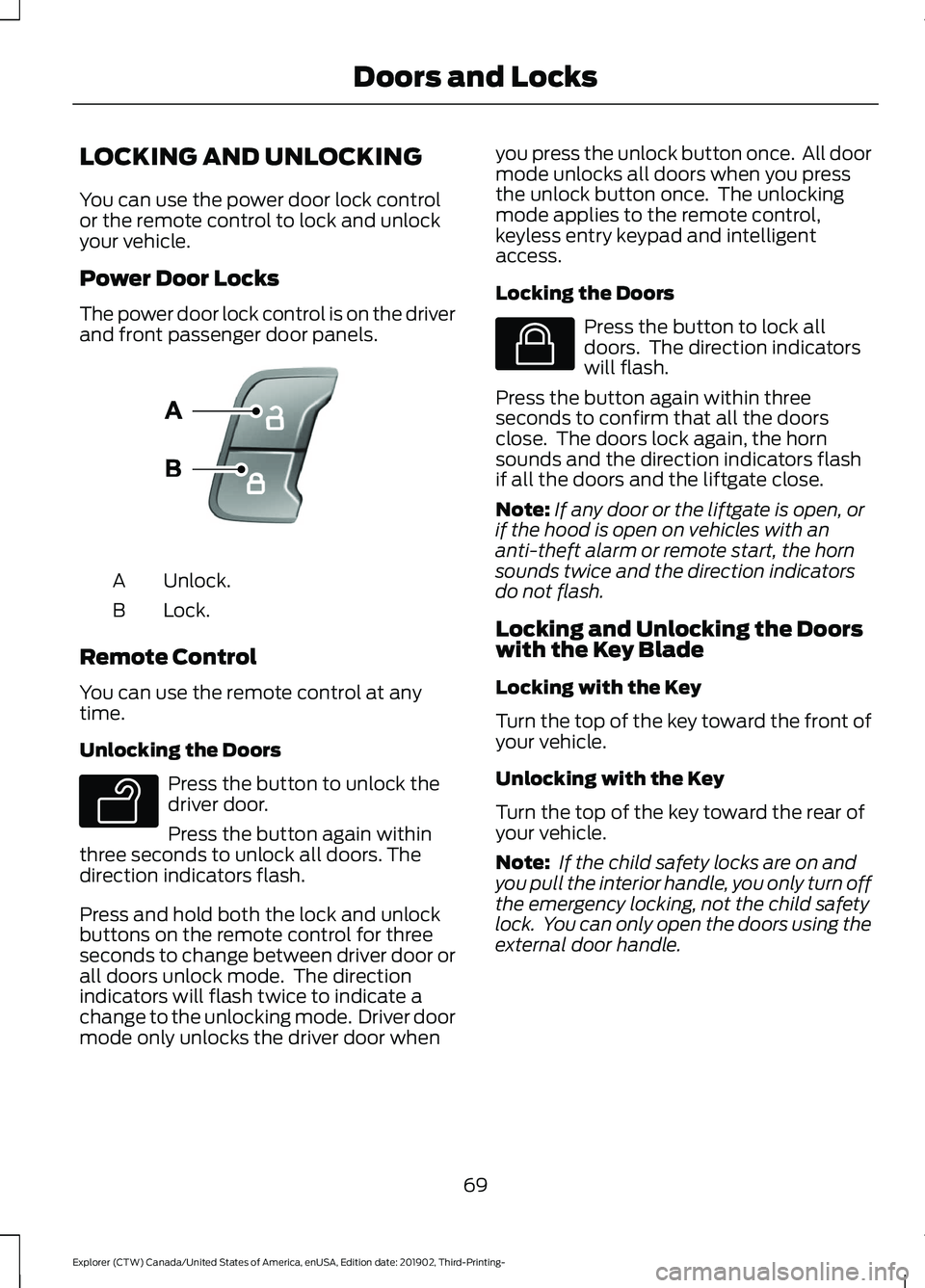
Power Door Locks
The power door lock control is on the driver
and front passenger door panels.
Unlock.
A
Lock.
B
Remote Control
You can use the remote control at any
time.
Unlocking the Doors Press the button to unlock the
driver door.
Press the button again within
three seconds to unlock all doors. The
direction indicators flash.
Press and hold both the lock and unlock
buttons on the remote control for three
seconds to change between driver door or
all doors unlock mode. The direction
indicators will flash twice to indicate a
change to the unlocking mode. Driver door
mode only unlocks the driver door when you press the unlock button once. All door
mode unlocks all doors when you press
the unlock button once. The unlocking
mode applies to the remote control,
keyless entry keypad and intelligent
access.
Locking the Doors Press the button to lock all
doors. The direction indicators
will flash.
Press the button again within three
seconds to confirm that all the doors
close. The doors lock again, the horn
sounds and the direction indicators flash
if all the doors and the liftgate close.
Note: If any door or the liftgate is open, or
if the hood is open on vehicles with an
anti-theft alarm or remote start, the horn
sounds twice and the direction indicators
do not flash.
Locking and Unlocking the Doors
with the Key Blade
Locking with the Key
Turn the top of the key toward the front of
your vehicle.
Unlocking with the Key
Turn the top of the key toward the rear of
your vehicle.
Note: If the child safety locks are on and
you pull the interior handle, you only turn off
the emergency locking, not the child safety
lock. You can only open the doors using the
external door handle.
69
Explorer (CTW) Canada/United States of America, enUSA, Edition date: 201902, Third-Printing- Doors and LocksE138628 E138629 E138623