brake FORD EXPLORER 2021 User Guide
[x] Cancel search | Manufacturer: FORD, Model Year: 2021, Model line: EXPLORER, Model: FORD EXPLORER 2021Pages: 577, PDF Size: 9.79 MB
Page 66 of 577
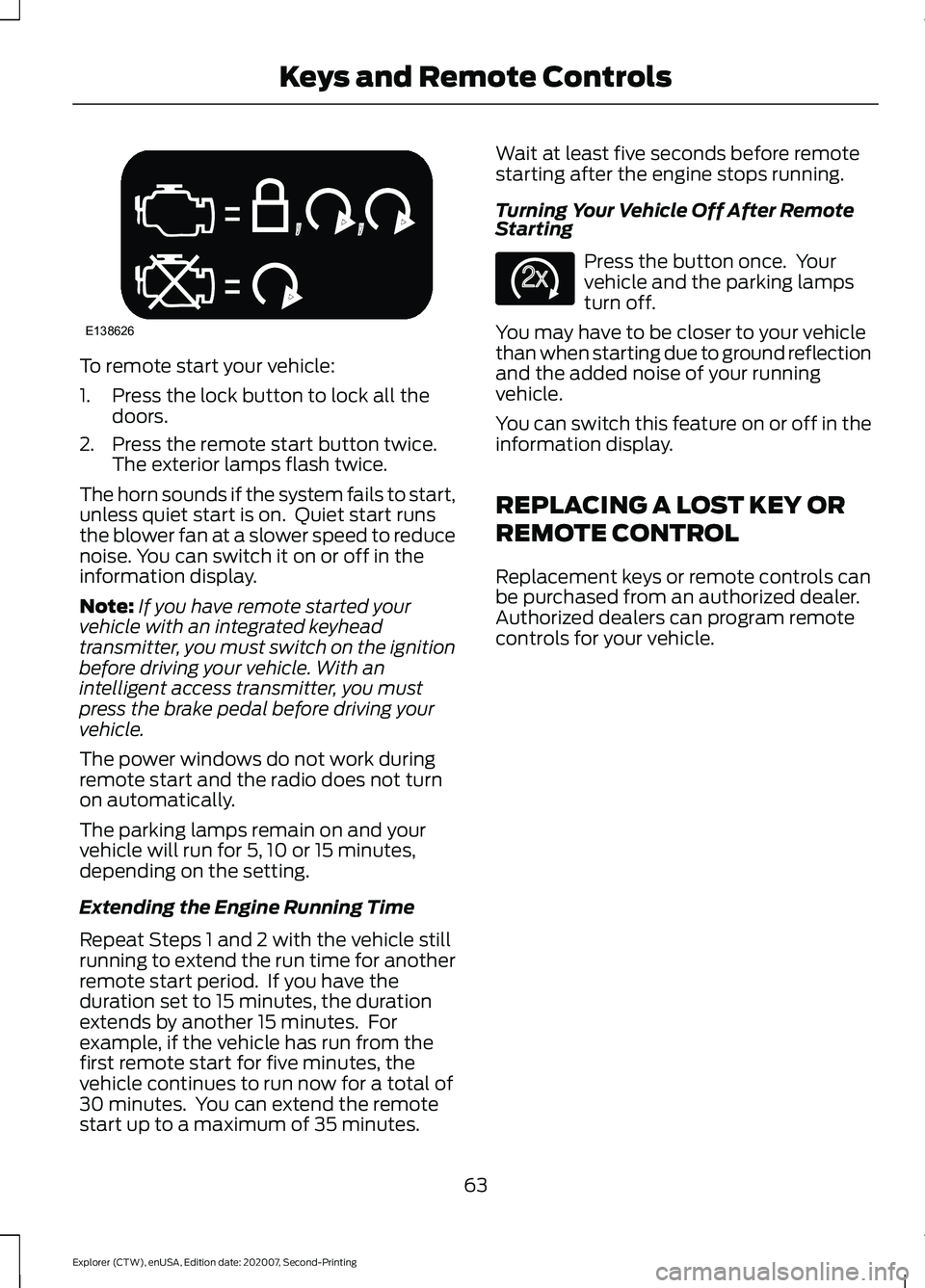
To remote start your vehicle:
1. Press the lock button to lock all the
doors.
2. Press the remote start button twice. The exterior lamps flash twice.
The horn sounds if the system fails to start,
unless quiet start is on. Quiet start runs
the blower fan at a slower speed to reduce
noise. You can switch it on or off in the
information display.
Note: If you have remote started your
vehicle with an integrated keyhead
transmitter, you must switch on the ignition
before driving your vehicle. With an
intelligent access transmitter, you must
press the brake pedal before driving your
vehicle.
The power windows do not work during
remote start and the radio does not turn
on automatically.
The parking lamps remain on and your
vehicle will run for 5, 10 or 15 minutes,
depending on the setting.
Extending the Engine Running Time
Repeat Steps 1 and 2 with the vehicle still
running to extend the run time for another
remote start period. If you have the
duration set to 15 minutes, the duration
extends by another 15 minutes. For
example, if the vehicle has run from the
first remote start for five minutes, the
vehicle continues to run now for a total of
30 minutes. You can extend the remote
start up to a maximum of 35 minutes. Wait at least five seconds before remote
starting after the engine stops running.
Turning Your Vehicle Off After Remote
Starting
Press the button once. Your
vehicle and the parking lamps
turn off.
You may have to be closer to your vehicle
than when starting due to ground reflection
and the added noise of your running
vehicle.
You can switch this feature on or off in the
information display.
REPLACING A LOST KEY OR
REMOTE CONTROL
Replacement keys or remote controls can
be purchased from an authorized dealer.
Authorized dealers can program remote
controls for your vehicle.
63
Explorer (CTW), enUSA, Edition date: 202007, Second-Printing Keys and Remote ControlsE138626 E138625
Page 92 of 577
DAYTIME RUNNING LAMPS -
VEHICLES WITH:
CONFIGURABLE DAYTIME
RUNNING LAMPS
WARNING: The daytime running
lamps system does not activate the rear
lamps and may not provide adequate
lighting during low visibility driving
conditions. Make sure you switch the
headlamps on, as appropriate, during all
low visibility conditions. Failure to do so
may result in a crash.
Switch the daytime running lamps on or
off using the touchscreen:
1. Select
Settings. See Settings (page
464).
2. Select
Vehicle.
3. Select
Lighting.
The daytime running lamps turn on when:
1. The lamps are on in the information display.
2. You switch the ignition on.
3. The transmission is not in park (P) for vehicles with automatic transmissions
or you release the parking brake for
vehicles with manual transmissions.
4. The lighting control is in the autolamps
position.
5. The headlamps are off.
The other lighting control switch positions
do not turn on the daytime running lamps.
If the daytime running lamps are off in the
information display, the lamps stay off in
all switch positions. DAYTIME RUNNING LAMPS -
VEHICLES WITH: DAYTIME
RUNNING LAMPS (DRL) WARNING:
The daytime running
lamps system does not activate the rear
lamps and may not provide adequate
lighting during low visibility driving
conditions. Make sure you switch the
headlamps on, as appropriate, during all
low visibility conditions. Failure to do so
may result in a crash.
The system turns the lamps on in daylight
conditions.
To switch the system on, switch the
lighting control to any position except
headlamps.
FRONT FOG LAMPS
(IF EQUIPPED)
Switching the Front Fog Lamps On
or Off
Only switch the front fog lamps on during
reduced visibility.
You can switch the front fog lamps on if
any of the following occur:
• You set the lighting control to the
parking lamps position.
• You set the lighting control to the
headlamps position.
• You set the lighting control to the
autolamps position and the headlamps
are on.
The front fog lamp button is on the lighting
control. Press the button to switch the
front fog lamps on or off.
89
Explorer (CTW), enUSA, Edition date: 202007, Second-Printing Lighting
Page 111 of 577
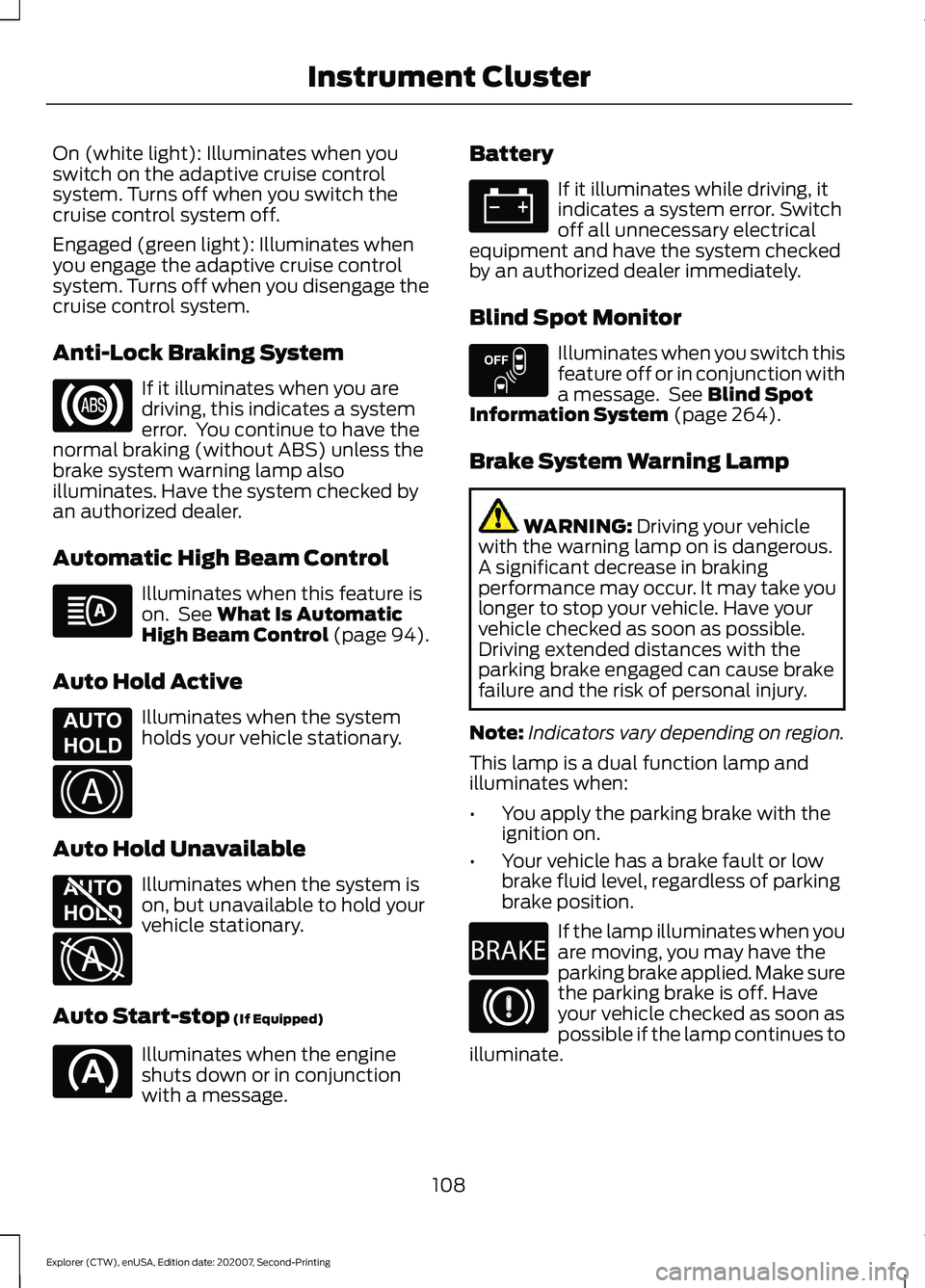
On (white light): Illuminates when you
switch on the adaptive cruise control
system. Turns off when you switch the
cruise control system off.
Engaged (green light): Illuminates when
you engage the adaptive cruise control
system. Turns off when you disengage the
cruise control system.
Anti-Lock Braking System
If it illuminates when you are
driving, this indicates a system
error. You continue to have the
normal braking (without ABS) unless the
brake system warning lamp also
illuminates. Have the system checked by
an authorized dealer.
Automatic High Beam Control Illuminates when this feature is
on. See What Is Automatic
High Beam Control (page 94).
Auto Hold Active Illuminates when the system
holds your vehicle stationary.
Auto Hold Unavailable Illuminates when the system is
on, but unavailable to hold your
vehicle stationary.
Auto Start-stop
(If Equipped) Illuminates when the engine
shuts down or in conjunction
with a message. Battery If it illuminates while driving, it
indicates a system error. Switch
off all unnecessary electrical
equipment and have the system checked
by an authorized dealer immediately.
Blind Spot Monitor Illuminates when you switch this
feature off or in conjunction with
a message. See
Blind Spot
Information System (page 264).
Brake System Warning Lamp WARNING:
Driving your vehicle
with the warning lamp on is dangerous.
A significant decrease in braking
performance may occur. It may take you
longer to stop your vehicle. Have your
vehicle checked as soon as possible.
Driving extended distances with the
parking brake engaged can cause brake
failure and the risk of personal injury.
Note: Indicators vary depending on region.
This lamp is a dual function lamp and
illuminates when:
• You apply the parking brake with the
ignition on.
• Your vehicle has a brake fault or low
brake fluid level, regardless of parking
brake position. If the lamp illuminates when you
are moving, you may have the
parking brake applied. Make sure
the parking brake is off. Have
your vehicle checked as soon as
possible if the lamp continues to
illuminate.
108
Explorer (CTW), enUSA, Edition date: 202007, Second-Printing Instrument Cluster E197933 E322410 E197934 E322411 E151262 E270480
Page 112 of 577
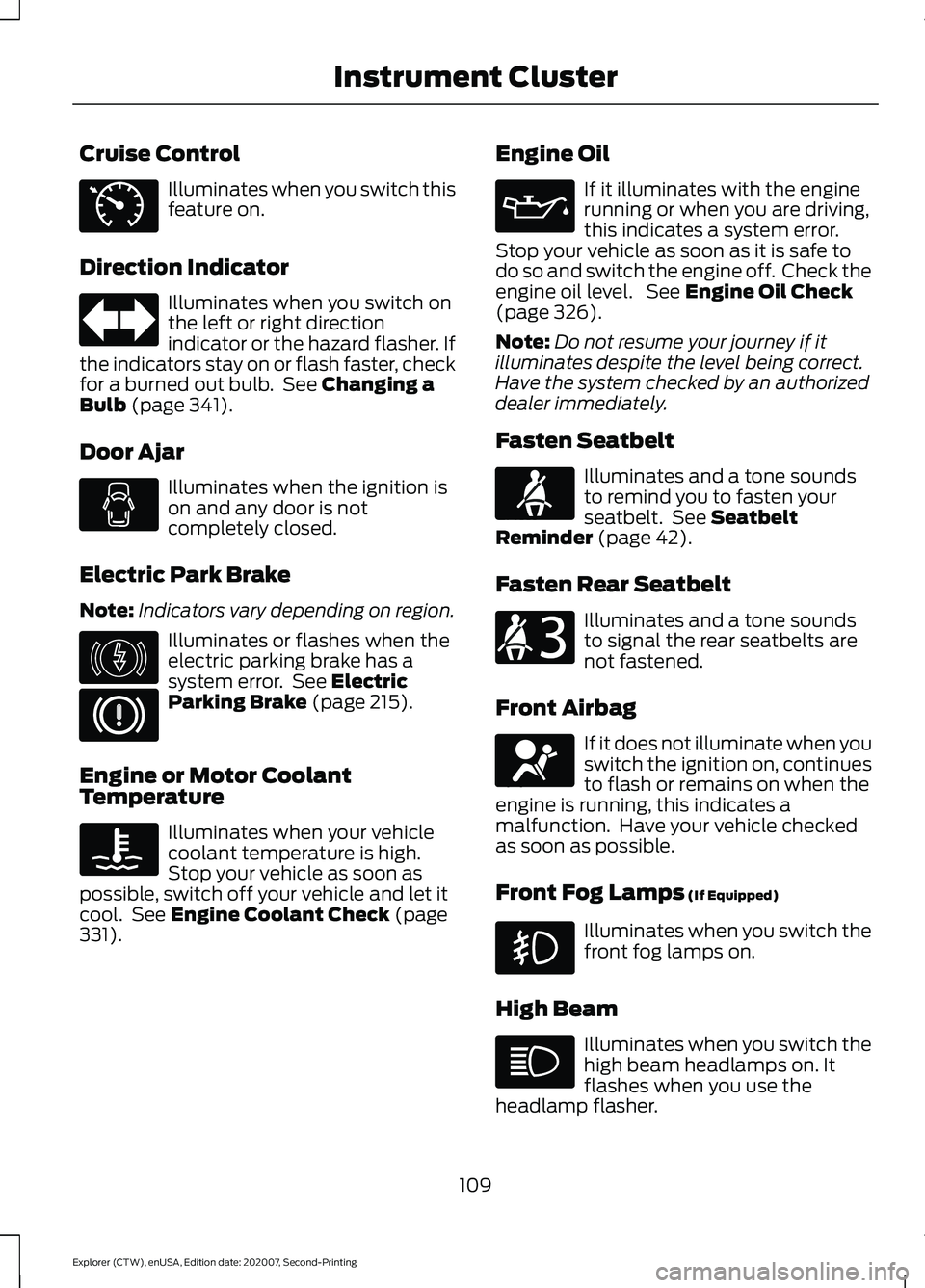
Cruise Control
Illuminates when you switch this
feature on.
Direction Indicator Illuminates when you switch on
the left or right direction
indicator or the hazard flasher. If
the indicators stay on or flash faster, check
for a burned out bulb. See Changing a
Bulb (page 341).
Door Ajar Illuminates when the ignition is
on and any door is not
completely closed.
Electric Park Brake
Note: Indicators vary depending on region. Illuminates or flashes when the
electric parking brake has a
system error. See
Electric
Parking Brake (page 215).
Engine or Motor Coolant
Temperature Illuminates when your vehicle
coolant temperature is high.
Stop your vehicle as soon as
possible, switch off your vehicle and let it
cool. See
Engine Coolant Check (page
331). Engine Oil If it illuminates with the engine
running or when you are driving,
this indicates a system error.
Stop your vehicle as soon as it is safe to
do so and switch the engine off. Check the
engine oil level. See
Engine Oil Check
(page 326).
Note: Do not resume your journey if it
illuminates despite the level being correct.
Have the system checked by an authorized
dealer immediately.
Fasten Seatbelt Illuminates and a tone sounds
to remind you to fasten your
seatbelt. See
Seatbelt
Reminder (page 42).
Fasten Rear Seatbelt Illuminates and a tone sounds
to signal the rear seatbelts are
not fastened.
Front Airbag If it does not illuminate when you
switch the ignition on, continues
to flash or remains on when the
engine is running, this indicates a
malfunction. Have your vehicle checked
as soon as possible.
Front Fog Lamps
(If Equipped) Illuminates when you switch the
front fog lamps on.
High Beam Illuminates when you switch the
high beam headlamps on. It
flashes when you use the
headlamp flasher.
109
Explorer (CTW), enUSA, Edition date: 202007, Second-Printing Instrument ClusterE71340 E146190 E71880 E206718 E67017
Page 114 of 577
Normally, it illuminates until the engine is
cranked and automatically turns off if no
system errors are present. However, if after
15 seconds it flashes eight times, this
indicates that your vehicle is not ready for
Inspection and Maintenance (I/M) testing.
See Catalytic Converter (page 197).
If it illuminates when the engine is running
this indicates a system error. The On Board
Diagnostics system has detected an error
in the vehicle emission control system.
If it flashes, engine misfire may be
occurring. Continuing to drive your vehicle
may cause reduced power or the engine
to stop. Failure to respond to the warning
lamp may cause component damage not
covered by the vehicle Warranty. Have
your vehicle checked as soon as possible.
Stability Control It flashes when the system is
active. If it remains illuminated
or does not illuminate when you
switch the ignition on, this indicates a
system error. During a system error the
system switches off. Have the system
checked by an authorized dealer
immediately. See
Using Stability
Control (page 226).
Stability Control Off Illuminates when you switch the
system off. It goes out when you
switch the system back on or
when you switch the ignition off.
AUDIBLE WARNINGS AND
INDICATORS
Key in Ignition Warning Chime
Sounds when you open the driver's door
and you have left the key in the ignition. Keyless Warning Alert
(If Equipped)
Sounds the horn twice when you exit your
vehicle with the intelligent access key, after
the last door is closed and your keyless
vehicle is in RUN, indicating your vehicle is
still on.
Headlamps On Warning Chime
Sounds when you remove the key from the
ignition and open the driver's door and you
have left the headlamps or parking lamps
on.
Parking Brake On Warning Chime
Sounds when you have left the parking
brake on and drive your vehicle. If the
warning chime remains on after you have
released the parking brake, have the
system checked by an authorized dealer
immediately.
111
Explorer (CTW), enUSA, Edition date: 202007, Second-Printing Instrument ClusterE138639 E130458
Page 116 of 577
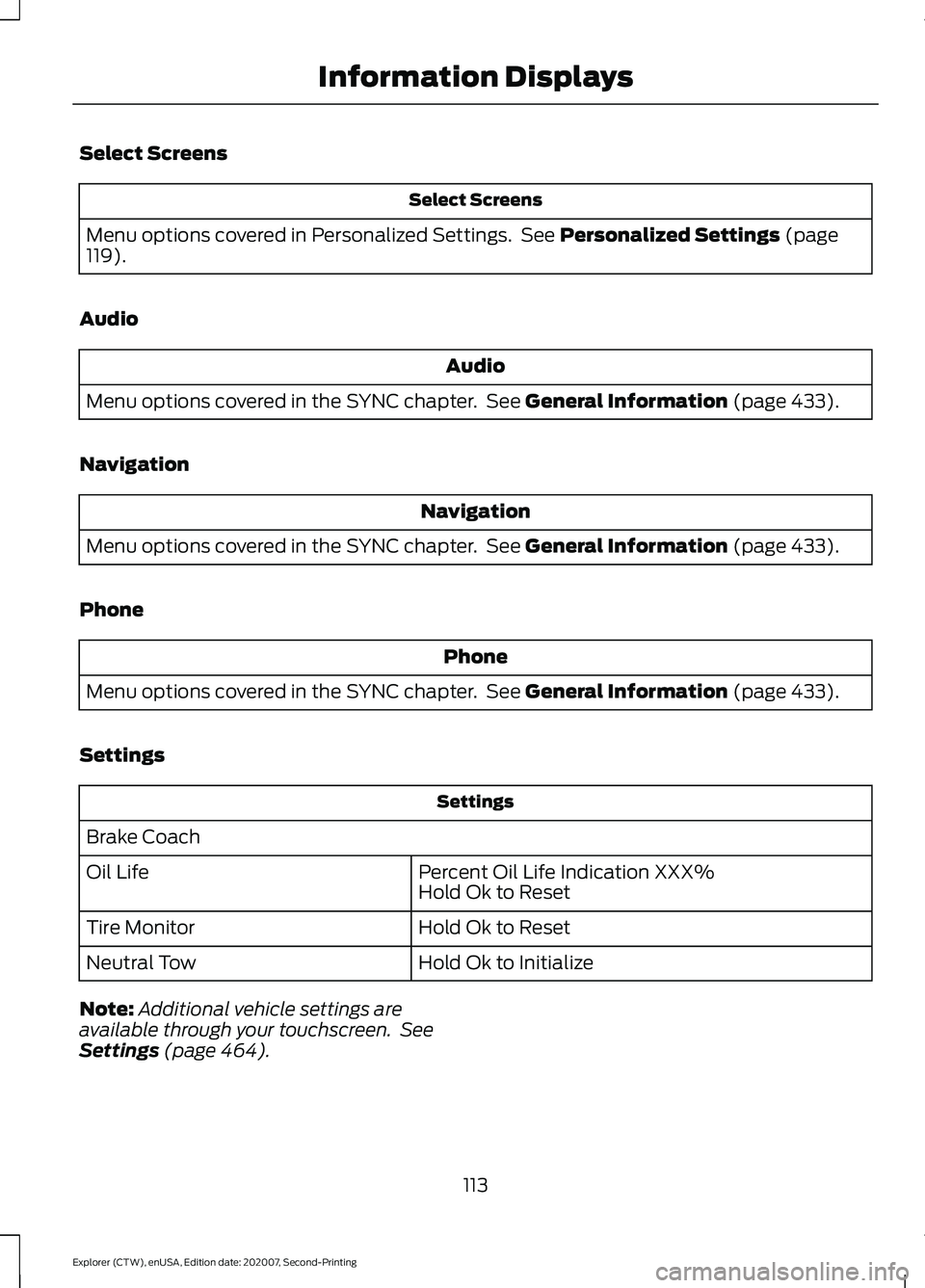
Select Screens
Select Screens
Menu options covered in Personalized Settings. See Personalized Settings (page
119).
Audio Audio
Menu options covered in the SYNC chapter. See
General Information (page 433).
Navigation Navigation
Menu options covered in the SYNC chapter. See
General Information (page 433).
Phone Phone
Menu options covered in the SYNC chapter. See
General Information (page 433).
Settings Settings
Brake Coach Percent Oil Life Indication XXX%
Hold Ok to Reset
Oil Life
Hold Ok to Reset
Tire Monitor
Hold Ok to Initialize
Neutral Tow
Note: Additional vehicle settings are
available through your touchscreen. See
Settings
(page 464).
113
Explorer (CTW), enUSA, Edition date: 202007, Second-Printing Information Displays
Page 117 of 577
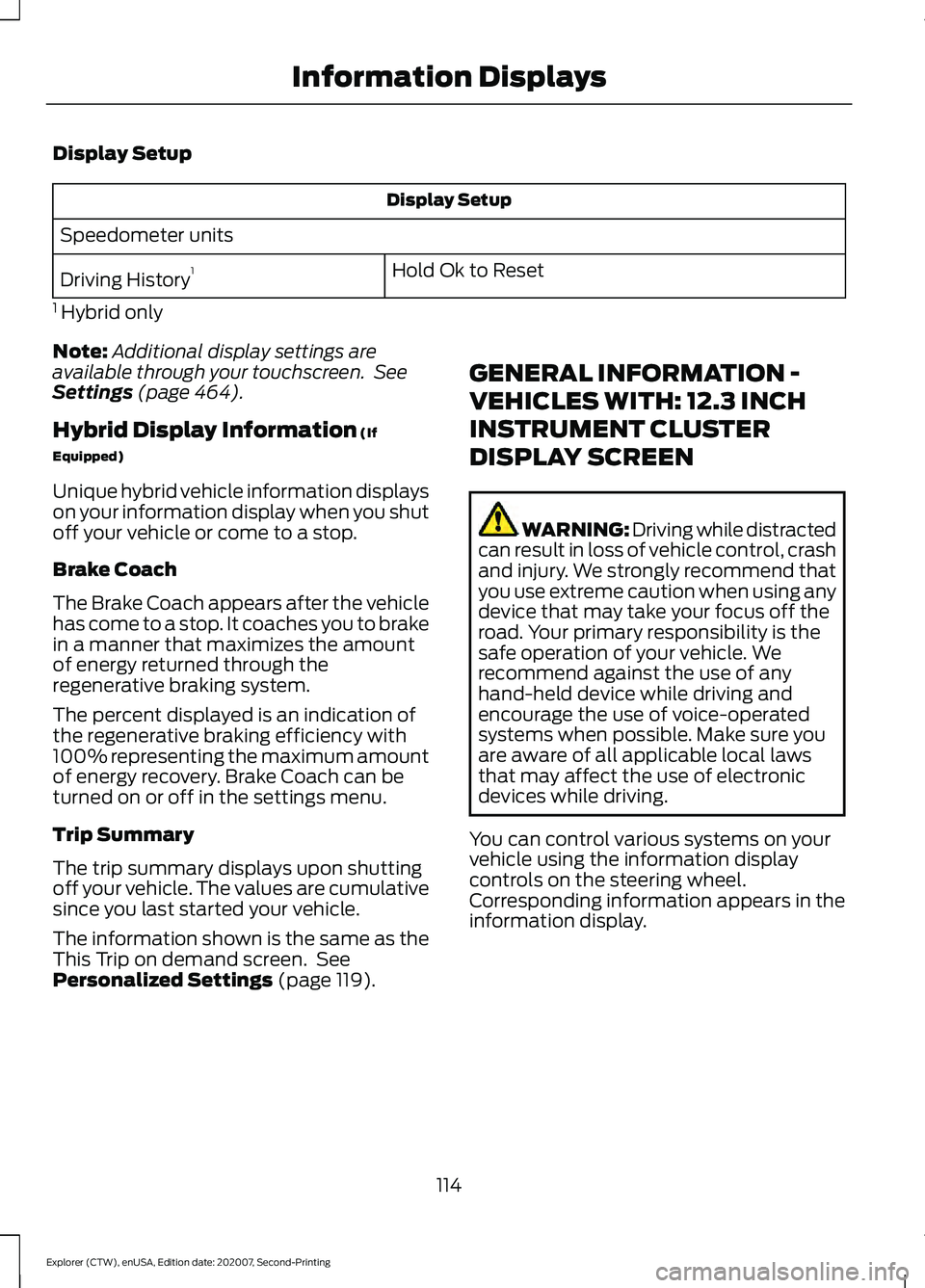
Display Setup
Display Setup
Speedometer units Hold Ok to Reset
Driving History 1
1 Hybrid only
Note: Additional display settings are
available through your touchscreen. See
Settings (page 464).
Hybrid Display Information
(If
Equipped)
Unique hybrid vehicle information displays
on your information display when you shut
off your vehicle or come to a stop.
Brake Coach
The Brake Coach appears after the vehicle
has come to a stop. It coaches you to brake
in a manner that maximizes the amount
of energy returned through the
regenerative braking system.
The percent displayed is an indication of
the regenerative braking efficiency with
100% representing the maximum amount
of energy recovery. Brake Coach can be
turned on or off in the settings menu.
Trip Summary
The trip summary displays upon shutting
off your vehicle. The values are cumulative
since you last started your vehicle.
The information shown is the same as the
This Trip on demand screen. See
Personalized Settings
(page 119). GENERAL INFORMATION -
VEHICLES WITH: 12.3 INCH
INSTRUMENT CLUSTER
DISPLAY SCREEN WARNING: Driving while distracted
can result in loss of vehicle control, crash
and injury. We strongly recommend that
you use extreme caution when using any
device that may take your focus off the
road. Your primary responsibility is the
safe operation of your vehicle. We
recommend against the use of any
hand-held device while driving and
encourage the use of voice-operated
systems when possible. Make sure you
are aware of all applicable local laws
that may affect the use of electronic
devices while driving.
You can control various systems on your
vehicle using the information display
controls on the steering wheel.
Corresponding information appears in the
information display.
114
Explorer (CTW), enUSA, Edition date: 202007, Second-Printing Information Displays
Page 119 of 577
Phone
Phone
Menu options covered in the SYNC chapter. See General Information (page 433).
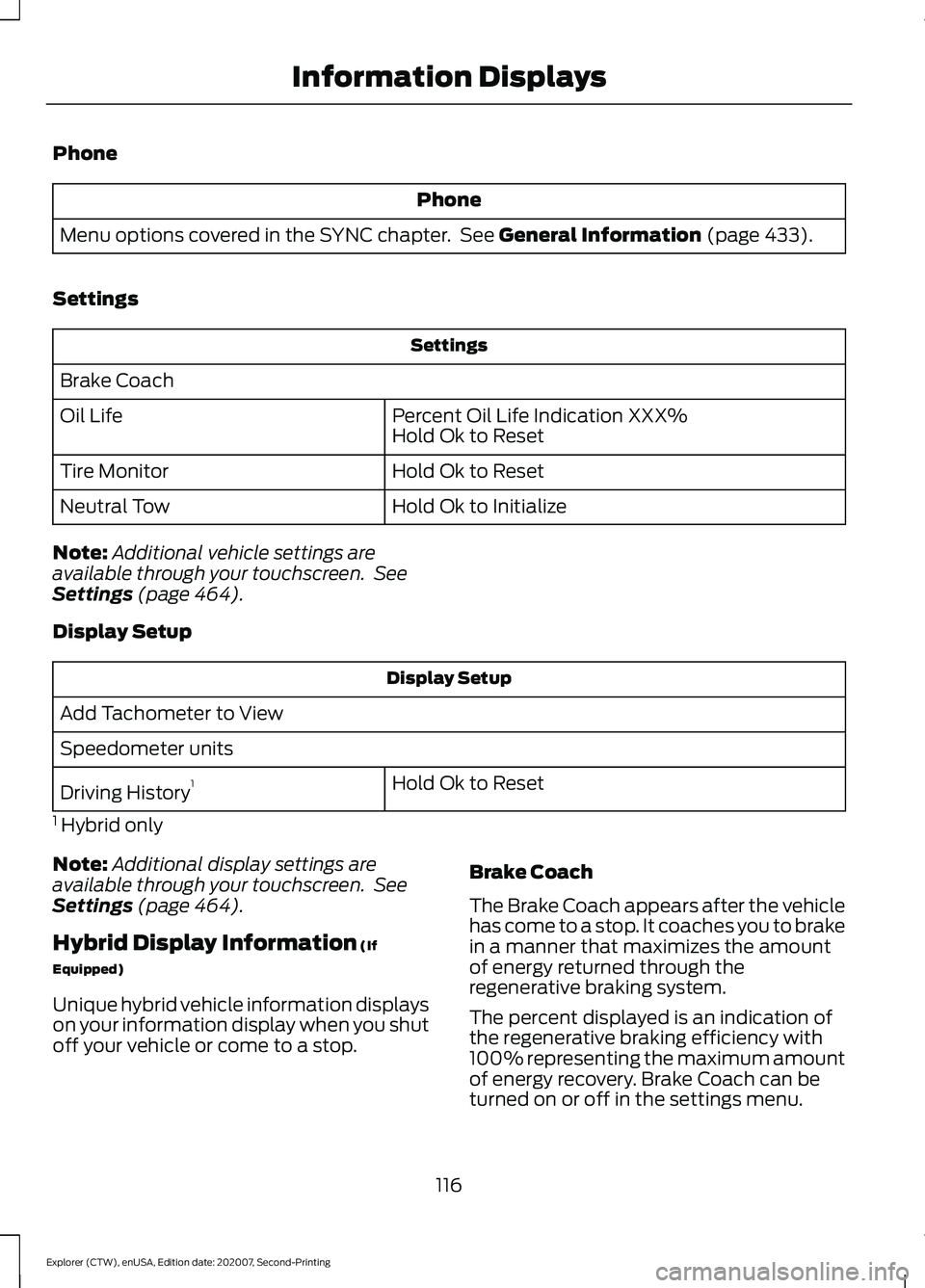
Settings Settings
Brake Coach Percent Oil Life Indication XXX%
Hold Ok to Reset
Oil Life
Hold Ok to Reset
Tire Monitor
Hold Ok to Initialize
Neutral Tow
Note: Additional vehicle settings are
available through your touchscreen. See
Settings
(page 464).
Display Setup Display Setup
Add Tachometer to View
Speedometer units Hold Ok to Reset
Driving History 1
1 Hybrid only
Note: Additional display settings are
available through your touchscreen. See
Settings
(page 464).
Hybrid Display Information
(If
Equipped)
Unique hybrid vehicle information displays
on your information display when you shut
off your vehicle or come to a stop. Brake Coach
The Brake Coach appears after the vehicle
has come to a stop. It coaches you to brake
in a manner that maximizes the amount
of energy returned through the
regenerative braking system.
The percent displayed is an indication of
the regenerative braking efficiency with
100% representing the maximum amount
of energy recovery. Brake Coach can be
turned on or off in the settings menu.
116
Explorer (CTW), enUSA, Edition date: 202007, Second-Printing Information Displays
Page 122 of 577
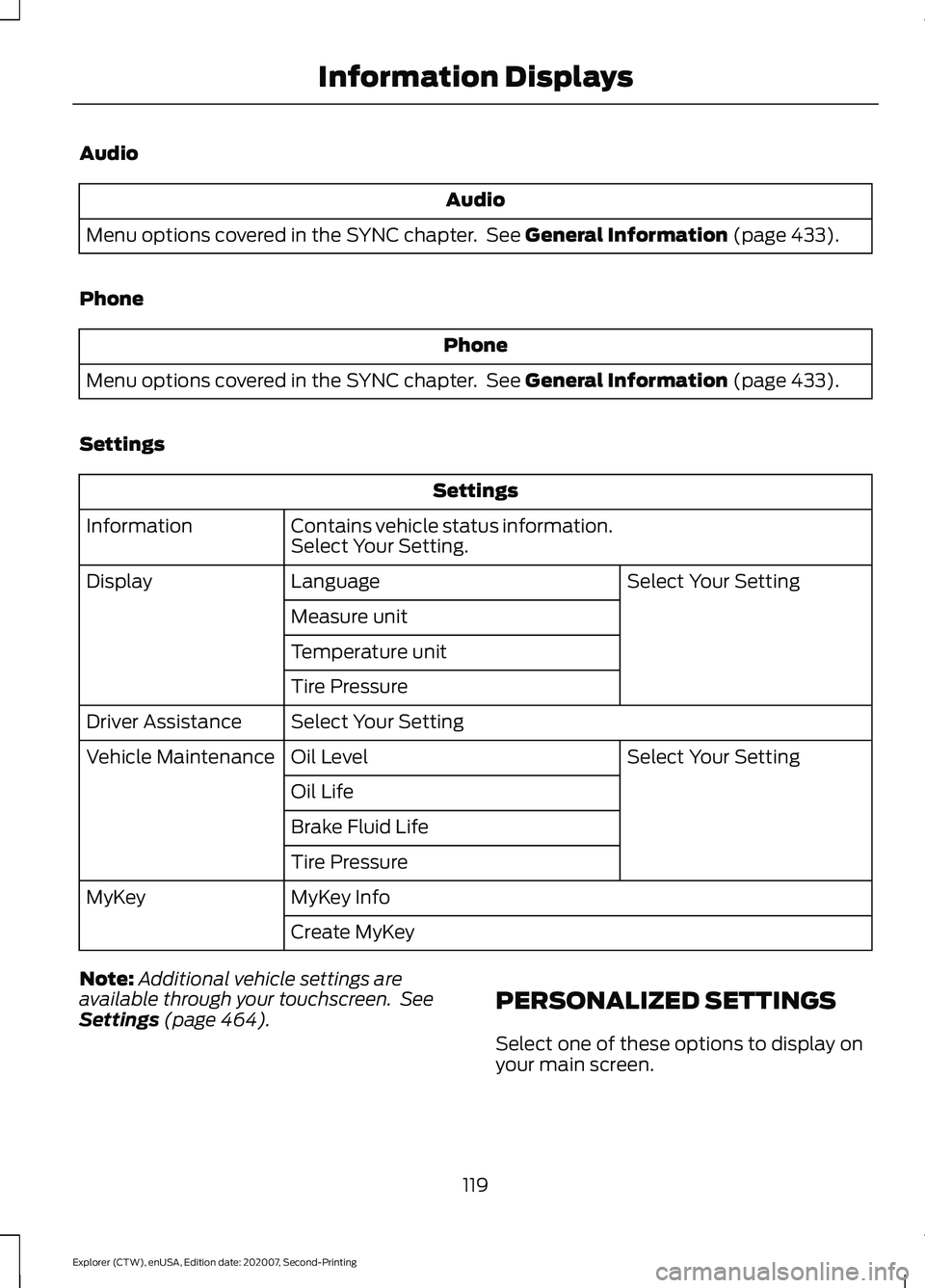
Audio
Audio
Menu options covered in the SYNC chapter. See General Information (page 433).
Phone Phone
Menu options covered in the SYNC chapter. See
General Information (page 433).
Settings Settings
Contains vehicle status information.
Select Your Setting.
Information
Select Your Setting
Language
Display
Measure unit
Temperature unit
Tire Pressure
Select Your Setting
Driver Assistance
Select Your Setting
Oil Level
Vehicle Maintenance
Oil Life
Brake Fluid Life
Tire Pressure
MyKey Info
MyKey
Create MyKey
Note: Additional vehicle settings are
available through your touchscreen. See
Settings
(page 464). PERSONALIZED SETTINGS
Select one of these options to display on
your main screen.
119
Explorer (CTW), enUSA, Edition date: 202007, Second-Printing Information Displays
Page 124 of 577
Hybrid Information (If Equipped)
This Trip
Provides trip timer, trip average fuel
economy, total trip distance traveled, and
distance traveled on electric power only
with the engine off. If the gasoline engine
has not turned on during the trip then trip
average fuel economy is not shown. This
Trip automatically resets each time you
start your vehicle.
EV Coach
EV Coach can help you to get the most out
of your vehicle ’s electric driving and
regenerative braking capabilities.
When you are accelerating or maintaining
speed you will see a blue or white solid bar
indicating vehicle power. You may also see
a blue rectangular box which shows the
power level at which the engine will turn
on.
• When your power level is within the box
the color of the bar will be blue. This
means you are in Electric operation and
the engine is off.
• When your power level is outside of the
box the color of the bar will be white.
This means you are in Hybrid operation
with a combination of the electric
motor and the engine providing vehicle
power.
When you are decelerating with either your
foot off the accelerator pedal or on the
brake pedal you will see a green or white
solid bar indicating the power being used
to slow down the vehicle. You may also
see a green rectangular box which shows
the amount of power that can be
recaptured by the regenerative braking
system and returned to the high voltage
battery. •
When your power level is completely
within the box the color of the bar will
be all green. This means that the
regenerative braking system is being
used to efficiently slow the vehicle
down and return the maximum
percentage of energy to the high
voltage battery.
• When your power level is outside of the
green box then the bar will be white.
This means that both the regenerative
braking system and conventional
braking system are being used.
INFORMATION MESSAGES
Note: Depending on your vehicle options
and instrument cluster type, not all of the
messages display or are available. Certain
messages may be abbreviated or shortened
depending upon which cluster type you
have. Press the
OK button to acknowledge and
remove some messages from the
information display. Other message will
be removed automatically after a short
time.
Certain messages need to be confirmed
before you can access the menus.
121
Explorer (CTW), enUSA, Edition date: 202007, Second-Printing Information DisplaysE222314