clock FORD EXPLORER 2021 User Guide
[x] Cancel search | Manufacturer: FORD, Model Year: 2021, Model line: EXPLORER, Model: FORD EXPLORER 2021Pages: 577, PDF Size: 9.79 MB
Page 436 of 577
GENERAL INFORMATION
WARNING: Driving while distracted
can result in loss of vehicle control, crash
and injury. We strongly recommend that
you use extreme caution when using any
device that may take your focus off the
road. Your primary responsibility is the
safe operation of your vehicle. We
recommend against the use of any
hand-held device while driving and
encourage the use of voice-operated
systems when possible. Make sure you
are aware of all applicable local laws
that may affect the use of electronic
devices while driving.
About SYNC
The system allows you to interact with the
entertainment, information and
communication systems on your vehicle
using voice commands and a touchscreen.
The system provides easy interaction with
audio, phone, navigation, mobile apps and
settings.
Note: You can switch the system on and
use it for up to an hour without switching
the ignition on.
Note: You can use the system after you
switch the ignition off for up to 10 minutes
or until you open a door.
Note: For your safety, some features are
speed-dependent. Their use is limited to
when your vehicle speed is less than 3 mph
(5 km/h). Using the Touchscreen
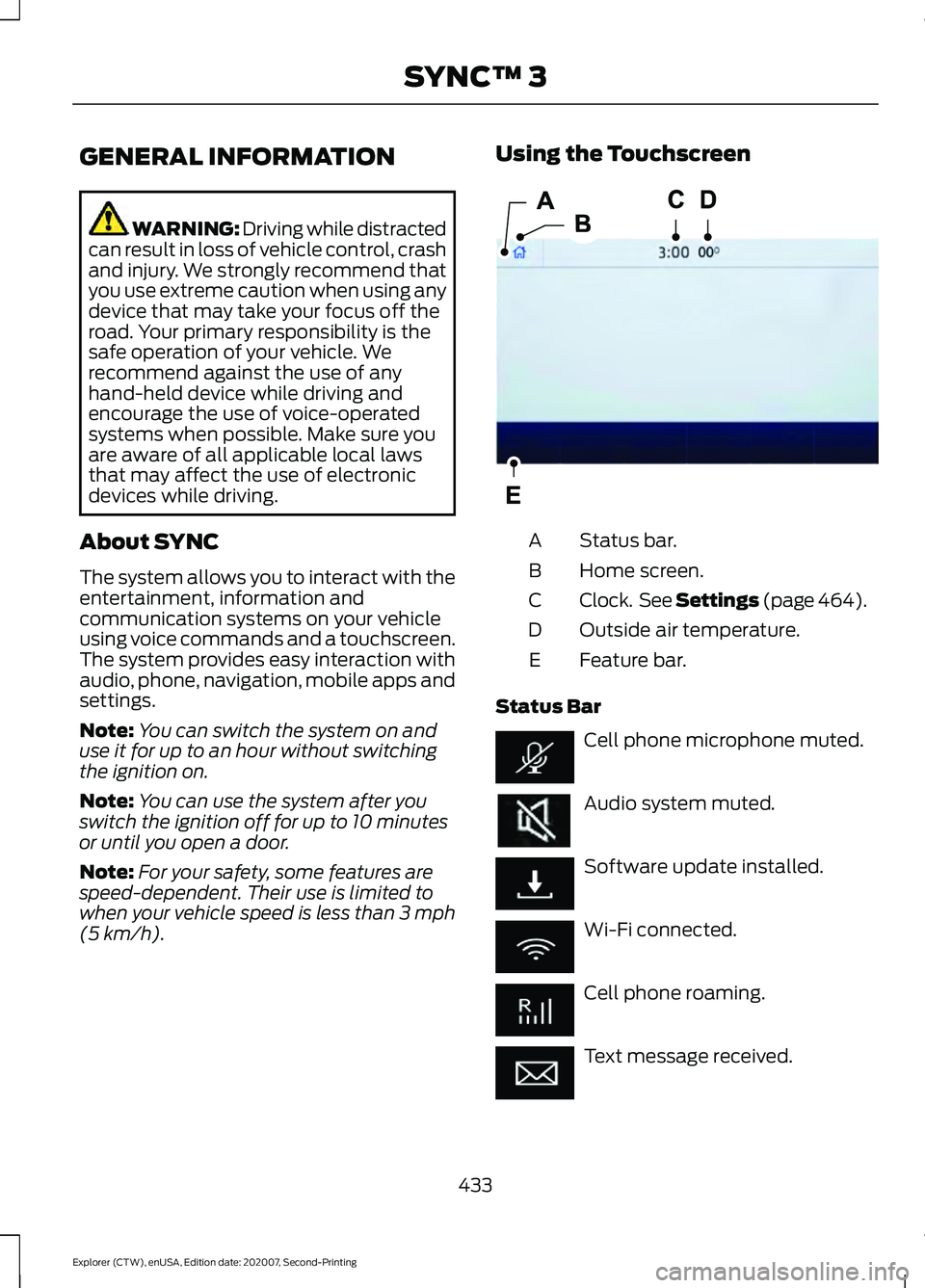
Status bar.
A
Home screen.
B
Clock. See Settings (page 464).
C
Outside air temperature.
D
Feature bar.
E
Status Bar Cell phone microphone muted.
Audio system muted.
Software update installed.
Wi-Fi connected.
Cell phone roaming.
Text message received.
433
Explorer (CTW), enUSA, Edition date: 202007, Second-Printing SYNC™ 3E293823
Page 467 of 577
Action and Description
Menu Item
Select to choose from a listing of
weather locations.
Area
Touch this button to view scores and schedules from a variety
of sports. You can also save up to 10 favorite teams for easier
access. The score automatically refreshes when a game is in
progress.
Sports Info
Touch this button to view ski conditions for a specific area.
Ski Conditions
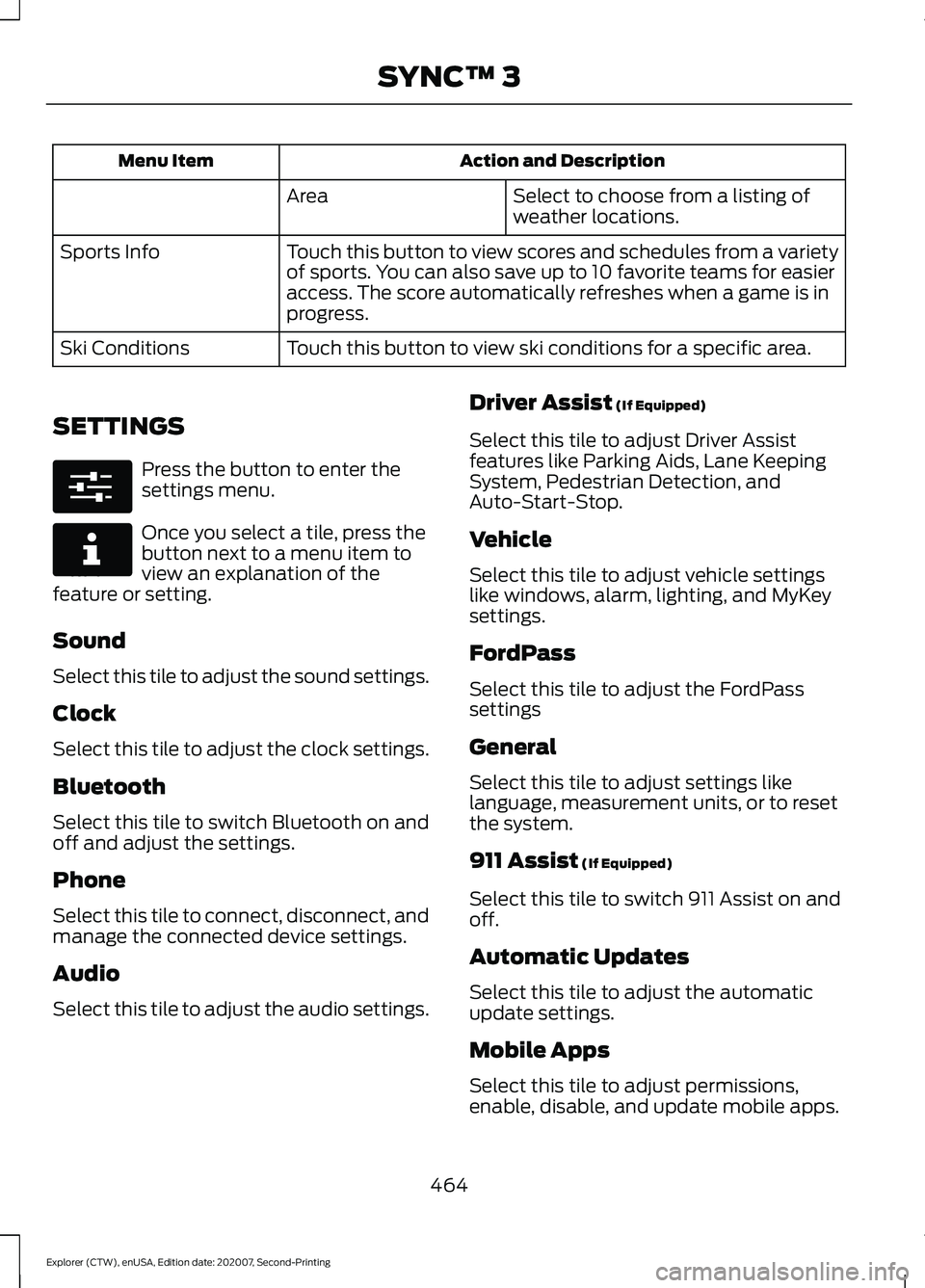
SETTINGS Press the button to enter the
settings menu.
Once you select a tile, press the
button next to a menu item to
view an explanation of the
feature or setting.
Sound
Select this tile to adjust the sound settings.
Clock
Select this tile to adjust the clock settings.
Bluetooth
Select this tile to switch Bluetooth on and
off and adjust the settings.
Phone
Select this tile to connect, disconnect, and
manage the connected device settings.
Audio
Select this tile to adjust the audio settings. Driver Assist (If Equipped)
Select this tile to adjust Driver Assist
features like Parking Aids, Lane Keeping
System, Pedestrian Detection, and
Auto-Start-Stop.
Vehicle
Select this tile to adjust vehicle settings
like windows, alarm, lighting, and MyKey
settings.
FordPass
Select this tile to adjust the FordPass
settings
General
Select this tile to adjust settings like
language, measurement units, or to reset
the system.
911 Assist
(If Equipped)
Select this tile to switch 911 Assist on and
off.
Automatic Updates
Select this tile to adjust the automatic
update settings.
Mobile Apps
Select this tile to adjust permissions,
enable, disable, and update mobile apps.
464
Explorer (CTW), enUSA, Edition date: 202007, Second-Printing SYNC™ 3E280315 E268570
Page 574 of 577
Satellite Radio Reception Factors..............430
SiriusXM Satellite Radio Service.................430
Troubleshooting..................................................
431
Scheduled Maintenance..........................482
Seatbelt Extensions......................................44
Seatbelt Height Adjustment.......................41
Seatbelt Reminder.........................................42 Seatbelt Status..................................................... 42
Seatbelts...........................................................38 Principle of Operation........................................ 38
Seatbelt Warning Lamp and Indicator Chime...............................................................41
Conditions of operation...................................... 41
Seats.................................................................146
Security..............................................................78
Selecting a Drive Mode..............................278
Service Data
......................................................16
Settings Data.....................................................17 Comfort and Convenience Data...................... 17
Entertainment Data.............................................. 17
Settings...........................................................464 911 Assist.............................................................. 464
Ambient Lighting............................................... 465
Audio...................................................................... 464
Automatic Updates.......................................... 464
Bluetooth............................................................. 464
Charge Settings................................................. 465
Clock...................................................................... 464
Display................................................................... 465
Driver Assist......................................................... 464
FordPass............................................................... 464
General.................................................................. 464
Message Center................................................. 465
Mobile Apps........................................................ 464
Multi Contour Seats.......................................... 465
Navigation............................................................ 465
Personal Profiles................................................ 465
Phone.................................................................... 464
Seats...................................................................... 465
Sound.................................................................... 464
Valet Mode........................................................... 465
Vehicle................................................................... 464
Voice Control....................................................... 465
Setting the Adaptive Cruise Control Gap..................................................................251
Following a Vehicle........................................... 252Setting the Adaptive Cruise Control
Speed............................................................250
Manually Changing the Set Speed..............251
Setting the Adaptive Cruise Speed from a Complete Stop................................................ 251
Setting the Cruise Control Speed..........244 Changing the Set Speed................................. 244
Setting the Hill Descent Speed
..............228
Side Airbags.....................................................50
Side Sensing System..................................234 Object Distance Indicator............................... 235
Sitting in the Correct Position..................146
Snow Chains See: Using Snow Chains................................. 366
Spare Wheel See: Changing a Road Wheel........................ 374
Special Notices................................................12 New Vehicle Limited Warranty......................... 12
Notice to Owners of Pickup Trucks and Utility Type Vehicles........................................ 13
On Board Diagnostics Data Link Connector............................................................ 13
Special Instructions.............................................. 12
Using Your Vehicle as an Ambulance............13
Using Your Vehicle With a Snowplow............13
Special Operating Conditions Scheduled Maintenance
..............................................488
Exceptions........................................................... 489
Speed Control See: Cruise Control........................................... 244
Speed Sign Recognition.............................271 Principle of Operation....................................... 271
Using Speed Sign Recognition...................... 272
Stability Control
...........................................225
Principle of Operation...................................... 225
Starter Switch See: Ignition Switch............................................ 172
Starting a Gasoline Engine........................173 Automatic Engine Shutdown......................... 174
Failure to Start...................................................... 174
Guarding Against Exhaust Fumes................176
Important Ventilating Information...............176
Stopping the Engine When Your Vehicle is Moving................................................................ 175
Stopping the Engine When Your Vehicle is Stationary.......................................................... 175
Vehicles with an Ignition Key.......................... 173
Vehicles with Keyless Start............................. 173
571
Explorer (CTW), enUSA, Edition date: 202007, Second-Printing Index