climate control FORD EXPLORER 2021 Owner's Manual
[x] Cancel search | Manufacturer: FORD, Model Year: 2021, Model line: EXPLORER, Model: FORD EXPLORER 2021Pages: 577, PDF Size: 9.79 MB
Page 352 of 577
Body
•
Wash your vehicle thoroughly to
remove dirt, grease, oil, tar or mud from
exterior surfaces, rear-wheel housing
and the underside of front fenders.
• Periodically wash your vehicle if it is
stored in exposed locations.
• Touch-up exposed or primed metal to
prevent rust.
• Cover chrome and stainless steel parts
with a thick coat of auto wax to prevent
discoloration. Re-wax as necessary
when you wash your vehicle.
• Lubricate all hood, door and luggage
compartment hinges and latches with
a light grade oil.
• Cover interior trim to prevent fading.
• Keep all rubber parts free from oil and
solvents.
Engine
• Change the engine oil and filter prior to
storage because used engine oil
contains contaminates which may
cause engine damage.
• Start the engine every 15 days for a
minimum of 15 minutes. Run at fast
idle with the climate controls set to
defrost until the engine reaches normal
operating temperature.
• With your foot on the brake, shift
through all the gears while the engine
is running.
• We recommend that you change the
engine oil before you use your vehicle
again.
Fuel system
• Fill the fuel tank with high-quality fuel
until the first automatic shutoff of the
fuel pump nozzle. Cooling system
•
Protect against freezing temperatures.
• When removing your vehicle from
storage, check coolant fluid level.
Confirm that there are no cooling
system leaks and that fluid is at the
recommended level.
Disconnecting Your 12 Volt Battery
• Check and recharge as necessary. Keep
connections clean.
• If storing your vehicle for more than 30
days without recharging the battery,
we recommend that you disconnect
the battery cables to maintain battery
charge for quick starting.
Note: It is necessary to reset memory
features if you disconnect the battery
cables.
Plugging in Your HYBRID
We recommend the following options for
your plug-in vehicle (PHEV) :
• Leave your vehicle plugged in. The 12
volt battery maintains power if left
plugged in. However, this periodically
uses electricity from the household
outlet.
• Connect a battery charger to your 12
volt battery and leave it on a
continuous, slow charge.
• Disconnect the 12 volt battery. If your
12 volt battery is located in the luggage
compartment, do not fully shut the
luggage compartment after
disconnecting the 12 volt battery. Only
leave the luggage compartment open
if your vehicle is stored in a locked
location.
Brakes
• Make sure the brakes and parking brake
release fully.
349
Explorer (CTW), enUSA, Edition date: 202007, Second-Printing Vehicle Care
Page 356 of 577
TIRE CARE
Information About Uniform
Tire Quality Grading
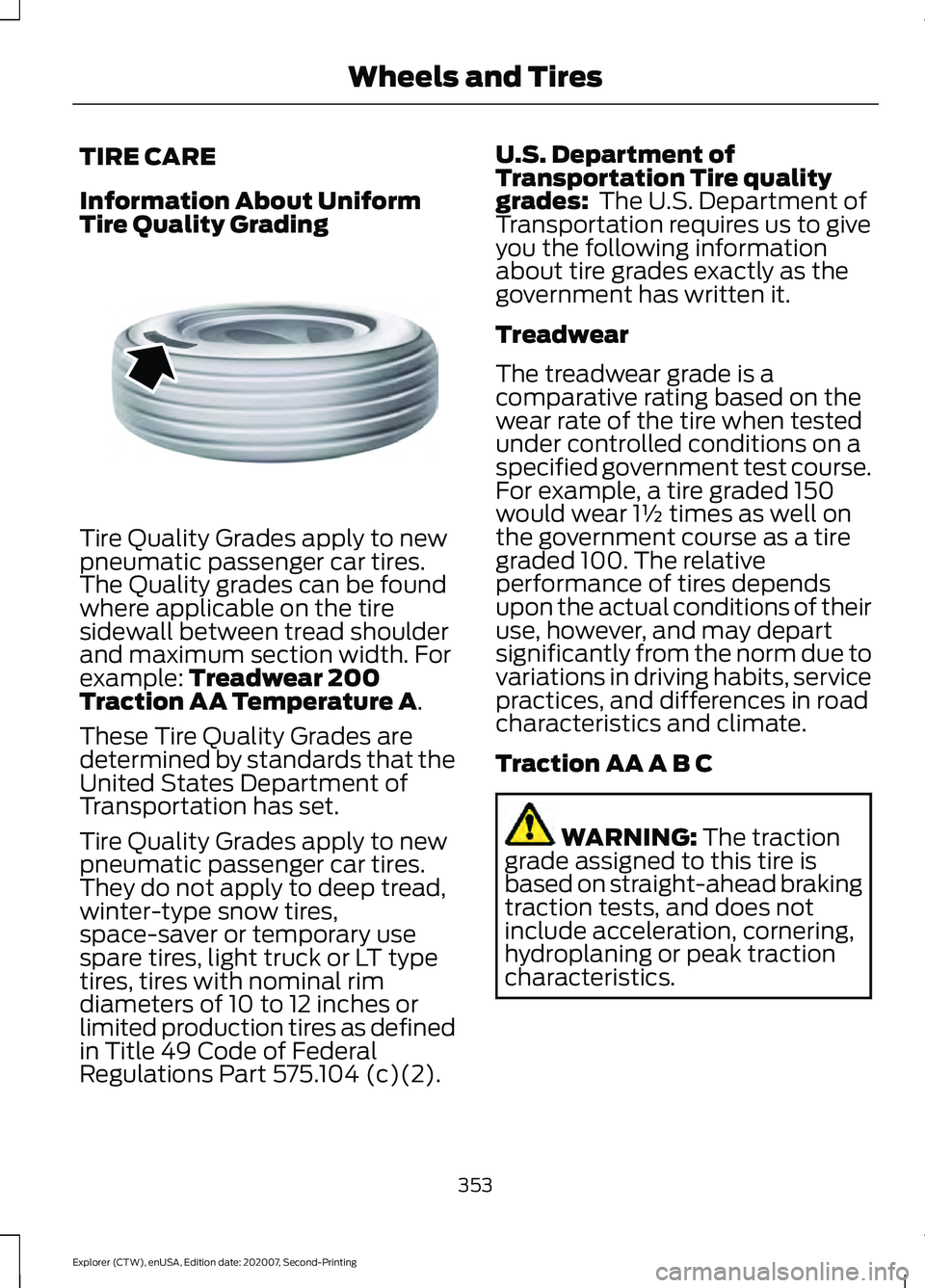
Tire Quality Grades apply to new
pneumatic passenger car tires.
The Quality grades can be found
where applicable on the tire
sidewall between tread shoulder
and maximum section width. For
example: Treadwear 200
Traction AA Temperature A.
These Tire Quality Grades are
determined by standards that the
United States Department of
Transportation has set.
Tire Quality Grades apply to new
pneumatic passenger car tires.
They do not apply to deep tread,
winter-type snow tires,
space-saver or temporary use
spare tires, light truck or LT type
tires, tires with nominal rim
diameters of 10 to 12 inches or
limited production tires as defined
in Title 49 Code of Federal
Regulations Part 575.104 (c)(2). U.S. Department of
Transportation Tire quality
grades:
The U.S. Department of
Transportation requires us to give
you the following information
about tire grades exactly as the
government has written it.
Treadwear
The treadwear grade is a
comparative rating based on the
wear rate of the tire when tested
under controlled conditions on a
specified government test course.
For example, a tire graded 150
would wear 1½ times as well on
the government course as a tire
graded 100. The relative
performance of tires depends
upon the actual conditions of their
use, however, and may depart
significantly from the norm due to
variations in driving habits, service
practices, and differences in road
characteristics and climate.
Traction AA A B C WARNING:
The traction
grade assigned to this tire is
based on straight-ahead braking
traction tests, and does not
include acceleration, cornering,
hydroplaning or peak traction
characteristics.
353
Explorer (CTW), enUSA, Edition date: 202007, Second-Printing Wheels and TiresE142542
Page 440 of 577
USB and Media Player
Description
Voice Command
Play your music by category. 1
Play Album ___
Play Artist ___
Play Genre ___
Play Playlist ___
Play Song ___
Play Audiobook ___
Play Podcast ___
Browse music on a USB device.
Browse All Albums
Browse All Artists
Browse All Audiobooks
Browse All Genres
Browse All Playlists
Browse All Podcasts
Browse All Songs
Browse your music by category on a USB device. 1
Browse Album ___
Browse Artist ___
Browse Audiobook ___
Browse Genre ___
Browse Playlist ___
Browse Podcast ___
1 Add an album name, artist name, audiobook name, genre name, playlist name, podcast
name or track name to the command. Say the name exactly as it appears on your device.
Climate (If Equipped)
You can control the temperature of the
vehicle using voice commands. ___ is a dynamic listing, meaning that for
climate voice commands it can be the
desired degrees for the temperature
setting.
437
Explorer (CTW), enUSA, Edition date: 202007, Second-Printing SYNC™ 3
Page 454 of 577
Supported USB file systems include: FAT,
exFAT, and NTFS.
SYNC 3 is also able to organize the media
from your USB device by metadata tags.
Metadata tags, which are descriptive
software identifiers embedded in the
media files, provide information about the
file.
If your indexed media files contain no
information embedded in these metadata
tags, SYNC 3 may classify the empty
metadata tags as unknown.
SYNC 3 is capable of indexing up to
50,000 songs per USB device, for up to 10
devices.
CLIMATE
Touch the climate button on the
touchscreen to access your climate control
features.
Note:
You can switch temperature units
between Fahrenheit and Celsius. See
Settings (page 464).
Accessing the Climate Control
Menu Touch the button to access
additional controls for the front
climate system.
Directing the Airflow Touch the button to direct
airflow to the windshield air
vents and de-mister.
Touch the button to direct
airflow to the instrument panel
air vents.
Touch the button to direct
airflow to the footwell air vents. You can direct air through any combination
of these air vents.
Setting the Blower Motor Speed Touch up or down to increase or
decrease the volume of air that
circulates in your vehicle.
Setting the Temperature
Touch up or down on the left-hand
temperature control to set the left-hand
temperature.
Note: This control also adjusts the
right-hand side temperature when you
switch off dual zone mode.
Touch up or down on the right-hand
temperature control to set the right-hand
temperature.
Switching Auto Mode On and Off Touch the button to switch on
automatic operation, then set
the temperature.
The system adjusts the blower motor
speed, air distribution, air conditioning
operation, and outside or recirculated air
to reach and maintain the temperature you
have set.
Switching the Air Conditioning On
and Off A pop-up appears on the screen
to display the air conditioning
options.
MAX A/C:
Touch the button to activate
and maximize cooling. The driver and
passenger temperatures are set to LO,
recirculated air flows through the
instrument panel vents, air conditioning
automatically turns on and the fan
automatically adjusts to the highest speed.
451
Explorer (CTW), enUSA, Edition date: 202007, Second-Printing SYNC™ 3E265038 E244097
Page 455 of 577
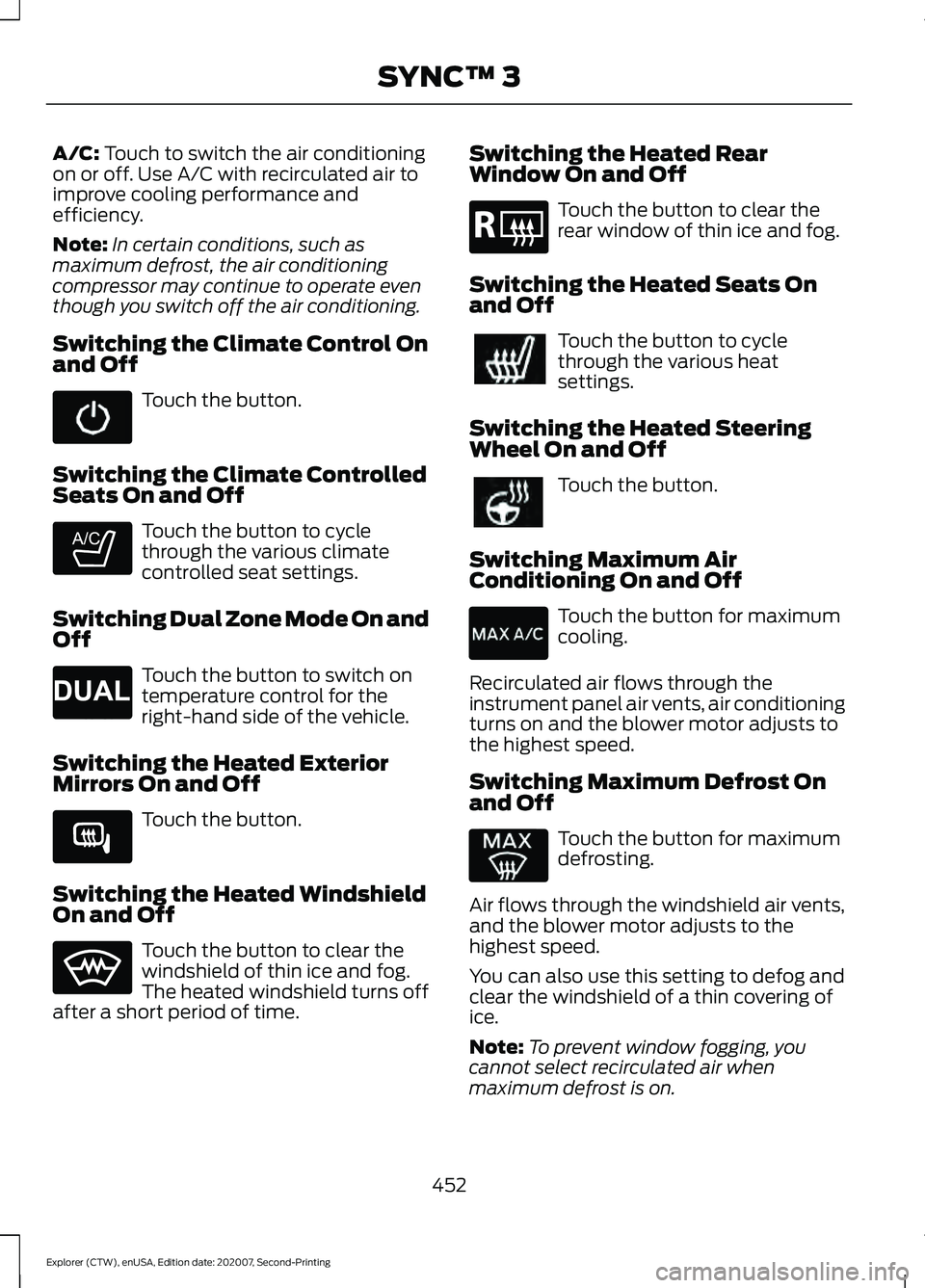
A/C: Touch to switch the air conditioning
on or off. Use A/C with recirculated air to
improve cooling performance and
efficiency.
Note: In certain conditions, such as
maximum defrost, the air conditioning
compressor may continue to operate even
though you switch off the air conditioning.
Switching the Climate Control On
and Off Touch the button.
Switching the Climate Controlled
Seats On and Off Touch the button to cycle
through the various climate
controlled seat settings.
Switching Dual Zone Mode On and
Off Touch the button to switch on
temperature control for the
right-hand side of the vehicle.
Switching the Heated Exterior
Mirrors On and Off Touch the button.
Switching the Heated Windshield
On and Off Touch the button to clear the
windshield of thin ice and fog.
The heated windshield turns off
after a short period of time. Switching the Heated Rear
Window On and Off Touch the button to clear the
rear window of thin ice and fog.
Switching the Heated Seats On
and Off Touch the button to cycle
through the various heat
settings.
Switching the Heated Steering
Wheel On and Off Touch the button.
Switching Maximum Air
Conditioning On and Off Touch the button for maximum
cooling.
Recirculated air flows through the
instrument panel air vents, air conditioning
turns on and the blower motor adjusts to
the highest speed.
Switching Maximum Defrost On
and Off Touch the button for maximum
defrosting.
Air flows through the windshield air vents,
and the blower motor adjusts to the
highest speed.
You can also use this setting to defog and
clear the windshield of a thin covering of
ice.
Note: To prevent window fogging, you
cannot select recirculated air when
maximum defrost is on.
452
Explorer (CTW), enUSA, Edition date: 202007, Second-Printing SYNC™ 3 E265282 E265280 E266189 E184884
Page 456 of 577
Note:
The heated rear window also turns
on when you select maximum defrost.
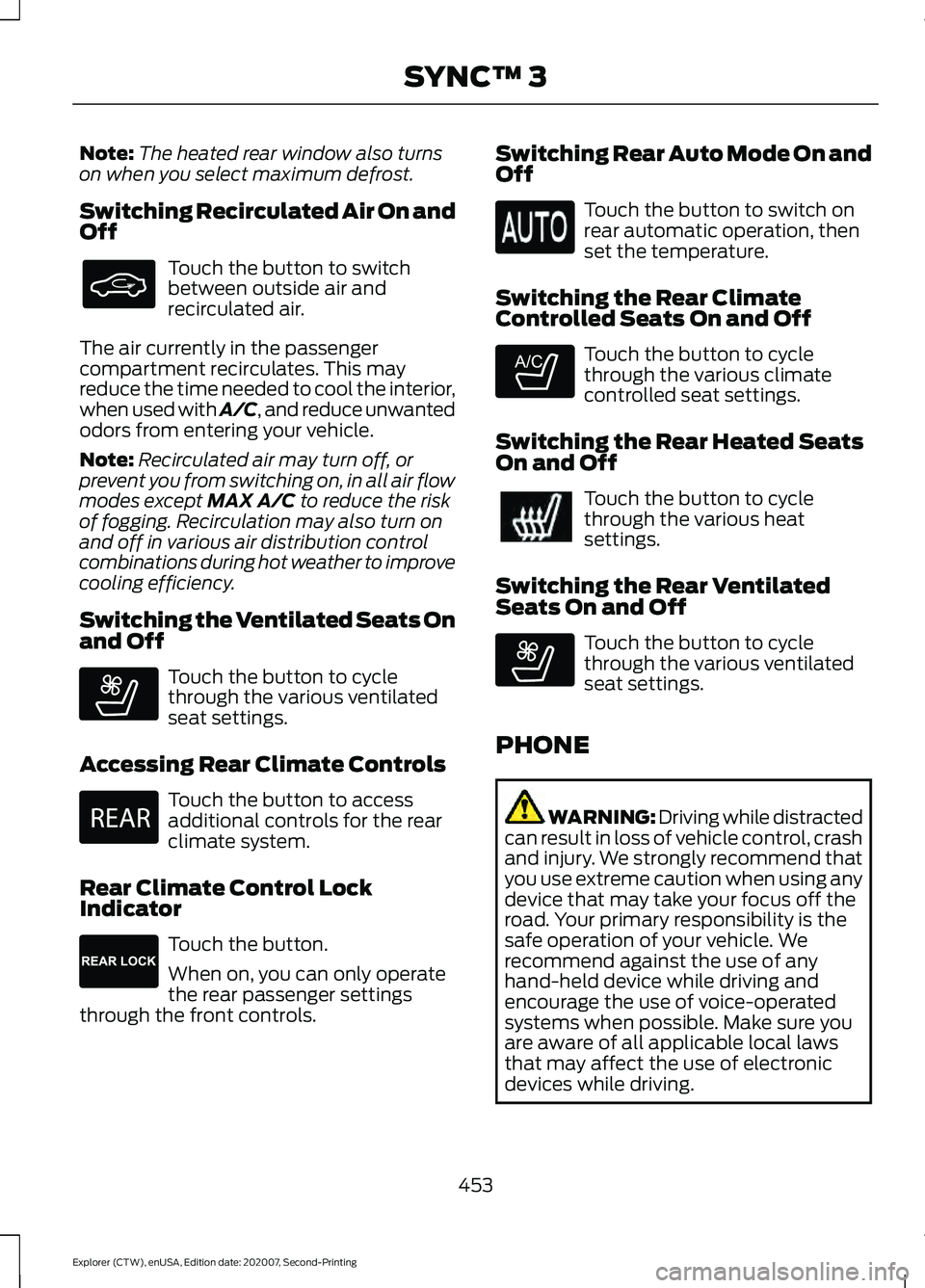
Switching Recirculated Air On and
Off Touch the button to switch
between outside air and
recirculated air.
The air currently in the passenger
compartment recirculates. This may
reduce the time needed to cool the interior,
when used with A/C, and reduce unwanted
odors from entering your vehicle.
Note: Recirculated air may turn off, or
prevent you from switching on, in all air flow
modes except MAX A/C to reduce the risk
of fogging. Recirculation may also turn on
and off in various air distribution control
combinations during hot weather to improve
cooling efficiency.
Switching the Ventilated Seats On
and Off Touch the button to cycle
through the various ventilated
seat settings.
Accessing Rear Climate Controls Touch the button to access
additional controls for the rear
climate system.
Rear Climate Control Lock
Indicator Touch the button.
When on, you can only operate
the rear passenger settings
through the front controls. Switching Rear Auto Mode On and
Off Touch the button to switch on
rear automatic operation, then
set the temperature.
Switching the Rear Climate
Controlled Seats On and Off Touch the button to cycle
through the various climate
controlled seat settings.
Switching the Rear Heated Seats
On and Off Touch the button to cycle
through the various heat
settings.
Switching the Rear Ventilated
Seats On and Off Touch the button to cycle
through the various ventilated
seat settings.
PHONE WARNING: Driving while distracted
can result in loss of vehicle control, crash
and injury. We strongly recommend that
you use extreme caution when using any
device that may take your focus off the
road. Your primary responsibility is the
safe operation of your vehicle. We
recommend against the use of any
hand-held device while driving and
encourage the use of voice-operated
systems when possible. Make sure you
are aware of all applicable local laws
that may affect the use of electronic
devices while driving.
453
Explorer (CTW), enUSA, Edition date: 202007, Second-Printing SYNC™ 3 E268558 E270447 E265289 E265282 E268558
Page 562 of 577
3
360 Degree Camera....................................241
Front Camera...................................................... 242
Side Camera........................................................ 243
Using the System............................................... 242
4
4WD See: Four-Wheel Drive..................................... 207
9
911 Assist...........................................................55
A
A/C See: Climate Control......................................... 139
About This Manual...........................................9
ABS See: Brakes............................................................ 214
ABS driving hints See: Hints on Driving With Anti-Lock
Brakes................................................................. 215
Accessories....................................................479
Accessories See: Replacement Parts
Recommendation............................................ 12
Active Park Assist........................................235 Using Active Park Assist.................................. 236
Adaptive Cruise Control
............................246
Adaptive Cruise Control –
Troubleshooting............................................ 256
Adaptive Cruise Control Indicators - Vehicles With: Adaptive Cruise Control
With Lane Centering
................................253
Adaptive Cruise Control Indicators - Vehicles With: Adaptive Cruise Control
With Stop and Go
.....................................253
Adaptive Cruise Control Indicators - Vehicles With: Intelligent Adaptive
Cruise Control
.............................................253
System Warnings............................................... 253
Adaptive Cruise Control Limitations - Vehicles With: Adaptive Cruise Control
With Lane Centering................................247 Adaptive Cruise Control Limitations -
Vehicles With: Adaptive Cruise Control
With Stop and Go
.....................................248
Sensor Limitations............................................ 248
Adaptive Cruise Control Precautions - Vehicles With: Adaptive Cruise Control
With Lane Centering
...............................246
Adaptive Cruise Control Precautions - Vehicles With: Adaptive Cruise Control
With Stop and Go.....................................246
Hilly Condition Usage....................................... 247
When Following a Vehicle............................... 247
Adaptive Cruise Control – Troubleshooting........................................256
Adaptive Cruise Control – Information Messages......................................................... 256
Adaptive Headlamps
...................................90
System Check....................................................... 90
Adjusting the Headlamps
........................338
Vertical Aim Adjustment................................ 338
Adjusting the Set Speed Tolerance.....................................................255
Adjusting the Steering Wheel - Vehicles With: Manual Adjustable Steering
Column...........................................................80
Adjusting the Steering Wheel - Vehicles With: Power Adjustable Steering
Column...........................................................80
End of Travel Position.......................................... 81
Memory Feature.................................................... 81
AFS See: Adaptive Headlamps............................... 90
Airbag Disposal
...............................................53
Air Conditioning See: Climate Control......................................... 139
Air Filter See: Changing the Engine Air Filter - 2.3L
EcoBoost™..................................................... 328
See: Changing the Engine Air Filter - 3.0L.................................................................... 329
See: Changing the Engine Air Filter - 3.3L.................................................................... 330
Alarm See: Anti-Theft Alarm........................................ 78
Ambient Lighting - Vehicles With: 10.1 Inch Information and Entertainment
Display Screen
..............................................92
Adjusting the Brightness................................... 93
559
Explorer (CTW), enUSA, Edition date: 202007, Second-Printing Index
Page 563 of 577
Changing the Color..............................................
93
Switching Ambient Lighting Off..................... 93
Switching Ambient Lighting On...................... 92
Ambient Lighting - Vehicles With: 8 Inch Information and Entertainment Display
Screen..............................................................92
Adjusting the Brightness................................... 92
Changing the Color.............................................. 92
Switching Ambient Lighting Off..................... 92
Switching Ambient Lighting On...................... 92
Anti-Theft Alarm............................................78 Arming the Alarm................................................. 79
Disarming the Alarm........................................... 79
Appendices....................................................530
Apps..................................................................461 SiriusXM Traffic and Travel Link................... 463
Using Apps on an Android Device...............462
Using Apps on an iOS Device........................ 462
Using Mobile Navigation on an Android Device............................................................... 462
At a Glance.......................................................20
At a Glance - ST.............................................20
Audible Warnings and Indicators..............111
Headlamps On Warning Chime...................... 111
Key in Ignition Warning Chime......................... 111
Keyless Warning Alert......................................... 111
Parking Brake On Warning Chime.................. 111
Audio Control...................................................82 You can operate the following functions
with the control:............................................... 82
Audio System................................................426 General Information......................................... 426
Audio Unit
......................................................426
Adjusting the Volume...................................... 426
Changing Radio Stations................................ 427
Switching the Audio Unit On and Off.........427
Using Seek, Fast Forward and Reverse.............................................................. 427
Auto Hold
.........................................................218
Auto Hold Indicator............................................ 218
Switching Auto Hold On and Off.................. 218
Using Auto Hold.................................................. 218
Autolamps........................................................88 Windshield Wiper Activated
Headlamps........................................................ 88
Automatic Climate Control......................139 Accessing Rear Climate Controls.................139 Accessing the Air Distribution
Controls............................................................. 139
Accessing the Menu........................................... 139
Setting the Blower Motor Speed.................. 139
Setting the Temperature................................. 140
Switching Auto Mode On and Off................140
Switching Maximum Air Conditioning On and Off................................................................ 141
Switching Maximum Defrost On and Off........................................................................\
. 141
Switching Recirculated Air On and Off........................................................................\
. 141
Switching the Air Conditioning On and Off........................................................................\
. 141
Switching the Climate Control On and Off........................................................................\
. 141
Automatic High Beam Control.................94
Automatic High Beam Control Indicators.......................................................94
Automatic Transmission
...........................201
Automatic Return to Park............................... 202
If Your Vehicle Gets Stuck in Mud or Snow................................................................. 206
Manual Park Release (MPR)......................... 204
SelectShift Automatic ™
Transmission.................................................. 204
Stay in Neutral Mode....................................... 203
Tow Mode ............................................................ 203
Understanding Your Transmission Selector Positions........................................................... 201
Automatic Transmission Fluid Check.............................................................335
Auto-Start-Stop...........................................180 Disabling Auto-Start-Stop.............................. 181
Enabling Auto-Start-Stop.............................. 180
Autowipers
.......................................................84
Autowipers Settings........................................... 85
Auxiliary Power Points
................................167
110 Volt AC Power Point.................................... 167
12 Volt DC Power Point...................................... 167
USB Port and Power Point Locations.........167
B
Battery See: Changing the 12V Battery..................... 336
560
Explorer (CTW), enUSA, Edition date: 202007, Second-Printing Index
Page 565 of 577
Readiness for Inspection and Maintenance
(I/M) Testing................................................... 198
Changing a Bulb............................................341 LED Lamps........................................................... 342
License Plate Lamp.......................................... 342
Rear Direction Indicator and Reversing Lamp.................................................................. 341
Changing a Fuse..........................................320 Fuses...................................................................... 320
Changing a Road Wheel............................374
Dissimilar Spare Wheel and Tire Assembly
Information...................................................... 374
Tire Change Procedure.................................... 375
Changing the 12V Battery.........................336 Battery Management System....................... 337
Remove and Reinstall the Battery..............338
Changing the Engine Air Filter - 2.3L EcoBoost™.................................................328
Changing the Engine Air Filter - 3.0L................................................................329
Changing the Engine Air Filter - 3.3L
................................................................330
Changing the Front Wiper Blades.........340
Changing the Rear Wiper Blades
............341
Changing the Vehicle Wi-Fi Hotspot Name or Password
...................................425
Checking MyKey System Status..............66 MyKey Distance.................................................... 66
Number of Admin Keys...................................... 67
Number of MyKeys............................................... 67
Checking the Wiper Blades.....................340
Child Restraint and Seatbelt Maintenance.................................................43
Child Restraint Positioning.........................35
Child Safety......................................................23 General Information............................................ 23
Child Safety Locks.........................................36 Left-Hand Side...................................................... 37
Right-Hand Side................................................... 37
Cleaning Leather Seats..............................347
Cleaning Products
.......................................343
Materials............................................................... 343
Cleaning the Engine....................................345
Cleaning the Exterior..................................344 Cleaning the Exterior Lamps......................... 344
Cleaning the Exterior Precautions...............344
Exterior Chrome Parts..................................... 344
Exterior Plastic Parts........................................ 344Stripes or Graphics...........................................
344
Underbody........................................................... 345
Under Hood......................................................... 345
Cleaning the Instrument Panel and Instrument Cluster Lens.........................347
Cleaning the Interior
...................................346
Mirrors.................................................................... 346
Cleaning the Wheels..................................348
Cleaning the Windows and Wiper Blades...........................................................346
Clearing All MyKeys.......................................66
Climate.............................................................451 Accessing Rear Climate Controls................453
Accessing the Climate Control Menu.........451
Directing the Airflow.......................................... 451
Rear Climate Control Lock Indicator..........453
Setting the Blower Motor Speed.................. 451
Setting the Temperature................................. 451
Switching Auto Mode On and Off................451
Switching Dual Zone Mode On and Off....................................................................... 452
Switching Maximum Air Conditioning On and Off.............................................................. 452
Switching Maximum Defrost On and Off....................................................................... 452
Switching Rear Auto Mode On and Off...................................................................... 453
Switching Recirculated Air On and Off...................................................................... 453
Switching the Air Conditioning On and Off....................................................................... 451
Switching the Climate Controlled Seats On and Off.............................................................. 452
Switching the Climate Control On and Off....................................................................... 452
Switching the Heated Exterior Mirrors On and Off.............................................................. 452
Switching the Heated Rear Window On and Off....................................................................... 452
Switching the Heated Seats On and Off....................................................................... 452
Switching the Heated Steering Wheel On and Off.............................................................. 452
Switching the Heated Windshield On and Off....................................................................... 452
Switching the Rear Climate Controlled Seats On and Off.......................................... 453
562
Explorer (CTW), enUSA, Edition date: 202007, Second-Printing Index
Page 566 of 577
Switching the Rear Heated Seats On and
Off...................................................................... 453
Switching the Rear Ventilated Seats On and Off.............................................................. 453
Switching the Ventilated Seats On and Off...................................................................... 453
Climate Control.............................................139
Cold Weather Precautions.......................296
Collision, Damage or Fire Event.............302 Guidance for Ford Motor Company Electric
and Hybrid-Electric Vehicles Equipped
With High Voltage Batteries..................... 302
Connected Vehicle
.......................................421
Connecting the Vehicle to a Mobile
Network............................................................. 421
Connected Vehicle Data...............................17
Connected Vehicle Limitations...............421
Connected Vehicle Requirements..........421
Connected Vehicle – Troubleshooting - Vehicles With: Modem............................422
Connected Vehicle – Troubleshooting - Vehicles With: SYNC 3............................423
Connecting the Vehicle to a Mobile Network.........................................................421
Connecting FordPass to the Modem..........421
Enabling and Disabling the Modem............421
What Is the Modem........................................... 421
Connecting the Vehicle to a Wi-Fi Network - Vehicles With: SYNC 3
........421
Coolant Check See: Engine Coolant Check............................. 331
Crash Sensors and Airbag Indicator
........52
Creating a MyKey...........................................65
Programming and Changing Configurable
Settings.............................................................. 66
Creating a Vehicle Wi-Fi Hotspot..........425 Connecting a Device to the Wi-Fi
Hotspot............................................................ 425
Finding the Wi-Fi Hotspot Name and Password......................................................... 425
Cross Traffic Alert........................................268 Cross Traffic Alert Behavior When Trailer
is Attached...................................................... 270
Cross Traffic Alert Indicator........................... 270
Cross Traffic Alert Information Messages........................................................... 271
Cross Traffic Alert System Limitations ....................................................... 270Cross Traffic Alert System Sensors.............270
Switching the System On and Off...............270
Using Cross Traffic Alert.................................
268
Cruise Control
...............................................244
Cruise Control Indicators..........................245
Cruise Control - Vehicles With: Adaptive Cruise Control With Stop and Go..........82
Cruise Control - Vehicles With: Cruise Control
............................................................83
Cup Holders......................................................171
Customer Assistance.................................305
Customer Information................................491 Radio Frequency Certification Labels........491
D
Data Privacy
......................................................15
Services That Third Parties Provide...............15
Services That We Provide.................................. 15
Daytime Running Lamps - Vehicles With: Configurable Daytime Running
Lamps.............................................................89
Daytime Running Lamps - Vehicles With: Daytime Running Lamps (DRL)............89
Digital Radio
...................................................427
HD Radio Reception and Station
Troubleshooting............................................ 428
Direction Indicators
.......................................90
Direction Indicator................................................ 91
Switching the Direction Indicators On and Off........................................................................\
. 90
Doors and Locks.............................................69
Drive Mode Control.....................................278 Drive Modes......................................................... 278
Drive Modes...................................................278 Deep Snow/Sand.............................................. 278
Eco........................................................................\
... 279
Normal................................................................... 279
Slippery.................................................................. 279
Sport....................................................................... 279
Tow/Haul.............................................................. 279
Trail........................................................................\
.. 279
Driver Alert.....................................................259 PRINCIPLE OF OPERATION.......................... 259
USING DRIVER ALERT.................................... 259
Driver and Passenger Airbags....................47 Children and Airbags.......................................... 48
563
Explorer (CTW), enUSA, Edition date: 202007, Second-Printing Index