power steering FORD EXPLORER 2021 Owners Manual
[x] Cancel search | Manufacturer: FORD, Model Year: 2021, Model line: EXPLORER, Model: FORD EXPLORER 2021Pages: 577, PDF Size: 9.79 MB
Page 5 of 577
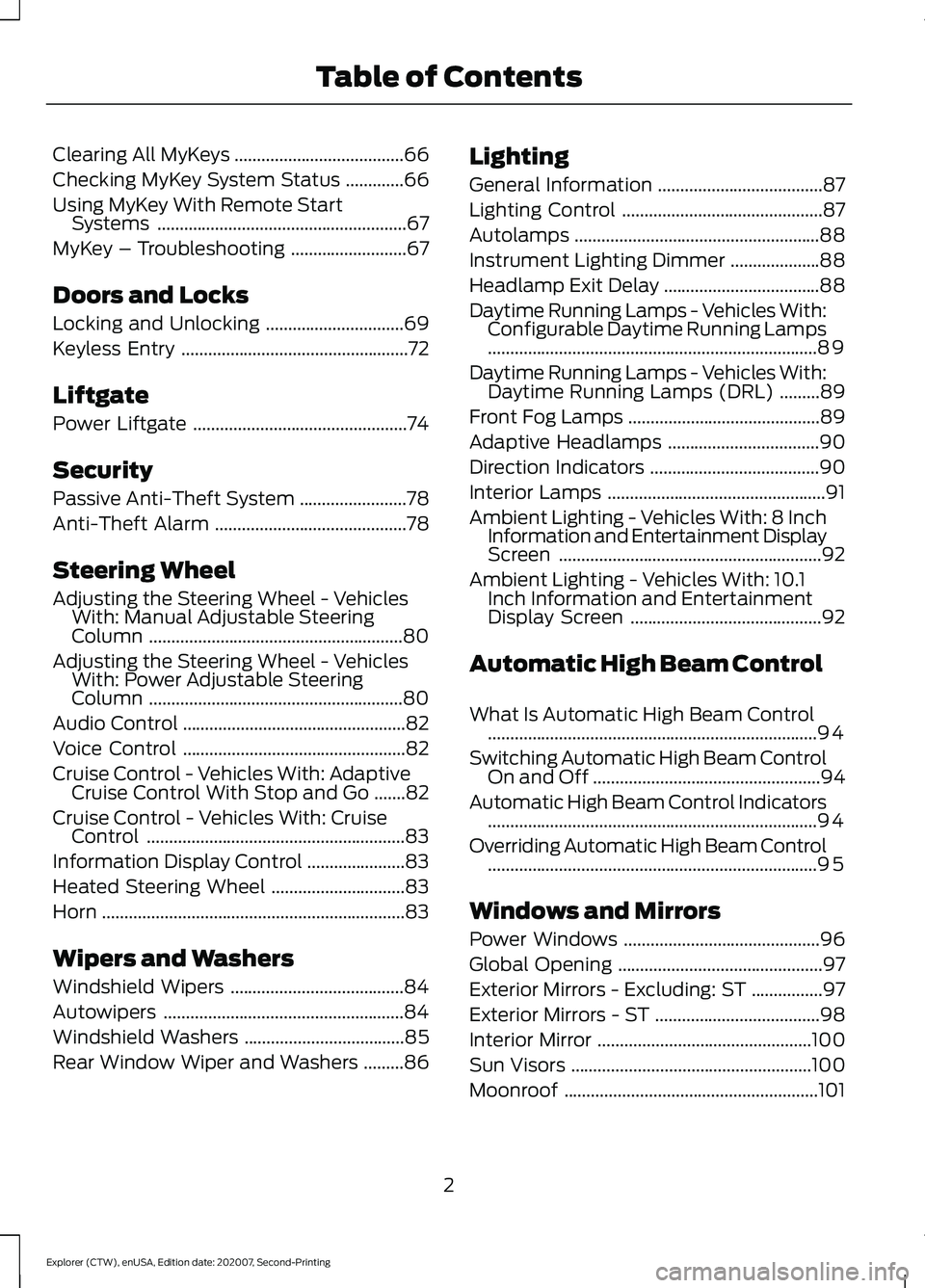
Clearing All MyKeys
......................................66
Checking MyKey System Status .............
66
Using MyKey With Remote Start Systems ........................................................
67
MyKey – Troubleshooting ..........................
67
Doors and Locks
Locking and Unlocking ...............................
69
Keyless Entry ...................................................
72
Liftgate
Power Liftgate ................................................
74
Security
Passive Anti-Theft System ........................
78
Anti-Theft Alarm ...........................................
78
Steering Wheel
Adjusting the Steering Wheel - Vehicles With: Manual Adjustable Steering
Column .........................................................
80
Adjusting the Steering Wheel - Vehicles With: Power Adjustable Steering
Column .........................................................
80
Audio Control ..................................................
82
Voice Control ..................................................
82
Cruise Control - Vehicles With: Adaptive Cruise Control With Stop and Go .......
82
Cruise Control - Vehicles With: Cruise Control ..........................................................
83
Information Display Control ......................
83
Heated Steering Wheel ..............................
83
Horn ....................................................................
83
Wipers and Washers
Windshield Wipers .......................................
84
Autowipers ......................................................
84
Windshield Washers ....................................
85
Rear Window Wiper and Washers .........
86Lighting
General Information
.....................................
87
Lighting Control .............................................
87
Autolamps .......................................................
88
Instrument Lighting Dimmer ....................
88
Headlamp Exit Delay ...................................
88
Daytime Running Lamps - Vehicles With: Configurable Daytime Running Lamps
........................................................................\
..
89
Daytime Running Lamps - Vehicles With: Daytime Running Lamps (DRL) .........
89
Front Fog Lamps ...........................................
89
Adaptive Headlamps ..................................
90
Direction Indicators ......................................
90
Interior Lamps .................................................
91
Ambient Lighting - Vehicles With: 8 Inch Information and Entertainment Display
Screen ...........................................................
92
Ambient Lighting - Vehicles With: 10.1 Inch Information and Entertainment
Display Screen ...........................................
92
Automatic High Beam Control
What Is Automatic High Beam Control ........................................................................\
..
94
Switching Automatic High Beam Control On and Off ...................................................
94
Automatic High Beam Control Indicators ........................................................................\
..
94
Overriding Automatic High Beam Control ........................................................................\
..
95
Windows and Mirrors
Power Windows ............................................
96
Global Opening ..............................................
97
Exterior Mirrors - Excluding: ST ................
97
Exterior Mirrors - ST .....................................
98
Interior Mirror ................................................
100
Sun Visors ......................................................
100
Moonroof .........................................................
101
2
Explorer (CTW), enUSA, Edition date: 202007, Second-Printing Table of Contents
Page 9 of 577
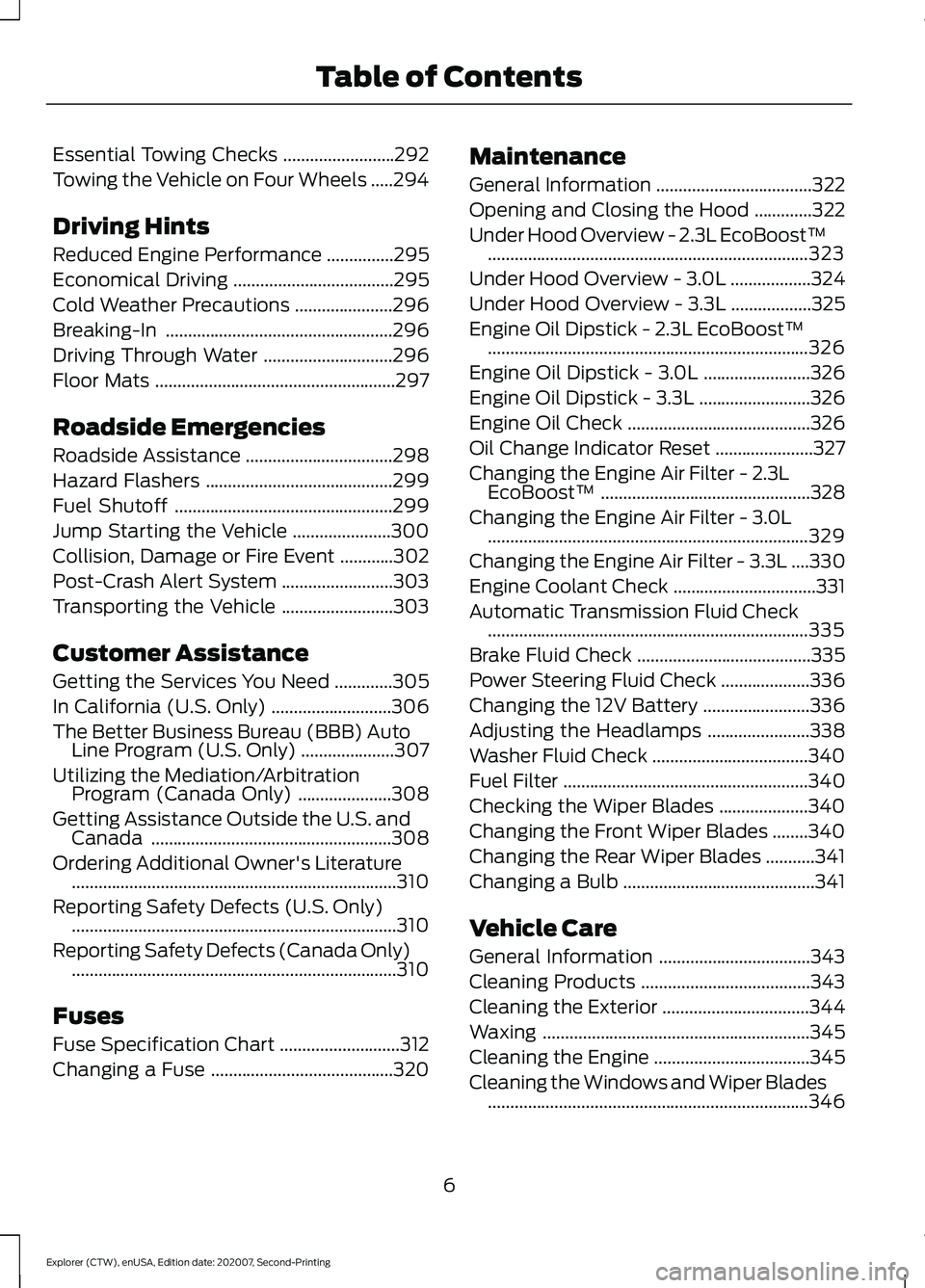
Essential Towing Checks
.........................292
Towing the Vehicle on Four Wheels .....
294
Driving Hints
Reduced Engine Performance ...............
295
Economical Driving ....................................
295
Cold Weather Precautions ......................
296
Breaking-In ...................................................
296
Driving Through Water .............................
296
Floor Mats ......................................................
297
Roadside Emergencies
Roadside Assistance .................................
298
Hazard Flashers ..........................................
299
Fuel Shutoff .................................................
299
Jump Starting the Vehicle ......................
300
Collision, Damage or Fire Event ............
302
Post-Crash Alert System .........................
303
Transporting the Vehicle .........................
303
Customer Assistance
Getting the Services You Need .............
305
In California (U.S. Only) ...........................
306
The Better Business Bureau (BBB) Auto Line Program (U.S. Only) .....................
307
Utilizing the Mediation/Arbitration Program (Canada Only) .....................
308
Getting Assistance Outside the U.S. and Canada ......................................................
308
Ordering Additional Owner's Literature ........................................................................\
.
310
Reporting Safety Defects (U.S. Only) ........................................................................\
.
310
Reporting Safety Defects (Canada Only) ........................................................................\
.
310
Fuses
Fuse Specification Chart ...........................
312
Changing a Fuse .........................................
320Maintenance
General Information
...................................
322
Opening and Closing the Hood .............
322
Under Hood Overview - 2.3L EcoBoost™ ........................................................................\
323
Under Hood Overview - 3.0L ..................
324
Under Hood Overview - 3.3L ..................
325
Engine Oil Dipstick - 2.3L EcoBoost™ ........................................................................\
326
Engine Oil Dipstick - 3.0L ........................
326
Engine Oil Dipstick - 3.3L .........................
326
Engine Oil Check .........................................
326
Oil Change Indicator Reset ......................
327
Changing the Engine Air Filter - 2.3L EcoBoost™ ...............................................
328
Changing the Engine Air Filter - 3.0L ........................................................................\
329
Changing the Engine Air Filter - 3.3L ....
330
Engine Coolant Check ................................
331
Automatic Transmission Fluid Check ........................................................................\
335
Brake Fluid Check .......................................
335
Power Steering Fluid Check ....................
336
Changing the 12V Battery ........................
336
Adjusting the Headlamps .......................
338
Washer Fluid Check ...................................
340
Fuel Filter .......................................................
340
Checking the Wiper Blades ....................
340
Changing the Front Wiper Blades ........
340
Changing the Rear Wiper Blades ...........
341
Changing a Bulb ...........................................
341
Vehicle Care
General Information ..................................
343
Cleaning Products ......................................
343
Cleaning the Exterior .................................
344
Waxing ............................................................
345
Cleaning the Engine ...................................
345
Cleaning the Windows and Wiper Blades ........................................................................\
346
6
Explorer (CTW), enUSA, Edition date: 202007, Second-Printing Table of Contents
Page 14 of 577
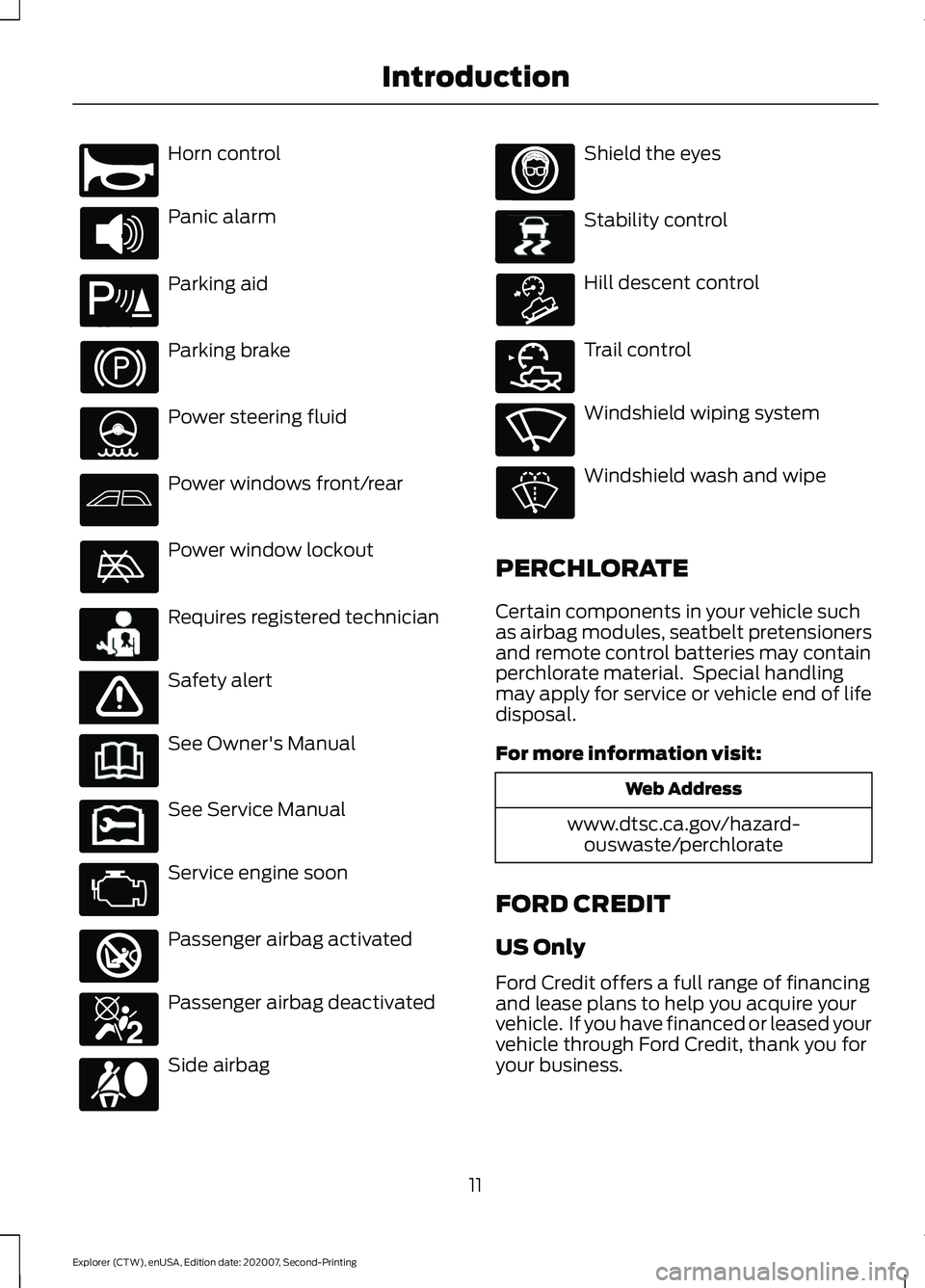
Horn control
Panic alarm
Parking aid
Parking brake
Power steering fluid
Power windows front/rear
Power window lockout
Requires registered technician
Safety alert
See Owner's Manual
See Service Manual
Service engine soon
Passenger airbag activated
Passenger airbag deactivated
Side airbag Shield the eyes
Stability control
Hill descent control
Trail control
Windshield wiping system
Windshield wash and wipe
PERCHLORATE
Certain components in your vehicle such
as airbag modules, seatbelt pretensioners
and remote control batteries may contain
perchlorate material. Special handling
may apply for service or vehicle end of life
disposal.
For more information visit: Web Address
www.dtsc.ca.gov/hazard- ouswaste/perchlorate
FORD CREDIT
US Only
Ford Credit offers a full range of financing
and lease plans to help you acquire your
vehicle. If you have financed or leased your
vehicle through Ford Credit, thank you for
your business.
11
Explorer (CTW), enUSA, Edition date: 202007, Second-Printing IntroductionE270945 E139213 E231159 E65963 E231158 E270849 E270850 E167012 E138639 E163957 E272858 E270969
Page 23 of 577
AT A GLANCE - ST
Exterior
•
Front and rear fascias feature unique
ST grille and unique finish.
• ST badging in front grille and on rear
liftgate.
• Trim features unique ST gloss black
finish.
• E-X-P-L-O-R-E-R lettering across
hood.
• Blackout treatment on headlight and
taillight lenses.
Interior
• Unique ST interior trim.
• Ford Performance sill plates.
• ST flat-bottom steering wheel with
integrated transmission shift paddle
controls.
• Selectable Drive Mode controller with
7 settings (Normal, Eco, Sport, Trail,
Slippery, Deep Snow/Sand and
Tow/Haul).
• Unique electronic sound enhancement
in Sport Selectable Drive Mode.
Chassis
• Unique ST-tuned suspension featuring
32 N/mm front coil springs and a 34
mm hollow front stabilizer bar and 106
N/mm rear coil springs and a 21.7 mm
hollow rear stabilizer bar.
• Standard ST brake system consists of
345 mm diameter vented front rotors
with two piston calipers and low-dust
linings; 326 mm solid rear rotors with
single-piston brake calipers and
electric integrated park brake with low
dust linings. •
Optional ST braking system includes
363 mm diameter vented front rotors
with heavy duty two-piston calipers
and low-dust linings; 350 mm diameter
vented rear rotors with heavy-duty
single-piston brake calipers and
electric integrated park brake with
low-dust linings; system requires 21 x
9-inch wheels and P275/45R21
all-season tires.
• Optional low-metallic brake linings are
included with optional P275/45R21
summer tire (late availability).
• ST-tuned electric power assist steering
rack and pinion.
• AdvanceTrac with stability
enhancement system with four modes:
Default, Traction Control Off, Sport and
Disabled.
• Aluminum ST 20 in (50.8 cm) x 8.5 in
(21.6 cm) wheels standard; 21 in
(53.3 cm) x 9 in (22.9 cm) wheels
optional.
• P255/55R20 all-season tires or
optional P275/45R21 all-season tires.
Powertrain
• 3.0L V6 DOHC GTDI engine, 400
horsepower, 415 lb-ft.
• 10R60 10-speed automatic
transmission with SelectShift manual
shift mode.
• 3.58 axle ratios.
• Unique transmission calibration in
Sport Selectable Drive Mode.
• Dual exhaust with quad-tip outlets.
20
Explorer (CTW), enUSA, Edition date: 202007, Second-Printing At a Glance
Page 25 of 577
Steering wheel adjustment. See Adjusting the Steering Wheel (page 80).
L
Lighting control. See Lighting Control (page 87). Power liftgate release. See
Power Liftgate
(page 74).
M
22
Explorer (CTW), enUSA, Edition date: 202007, Second-Printing At a Glance
Page 83 of 577
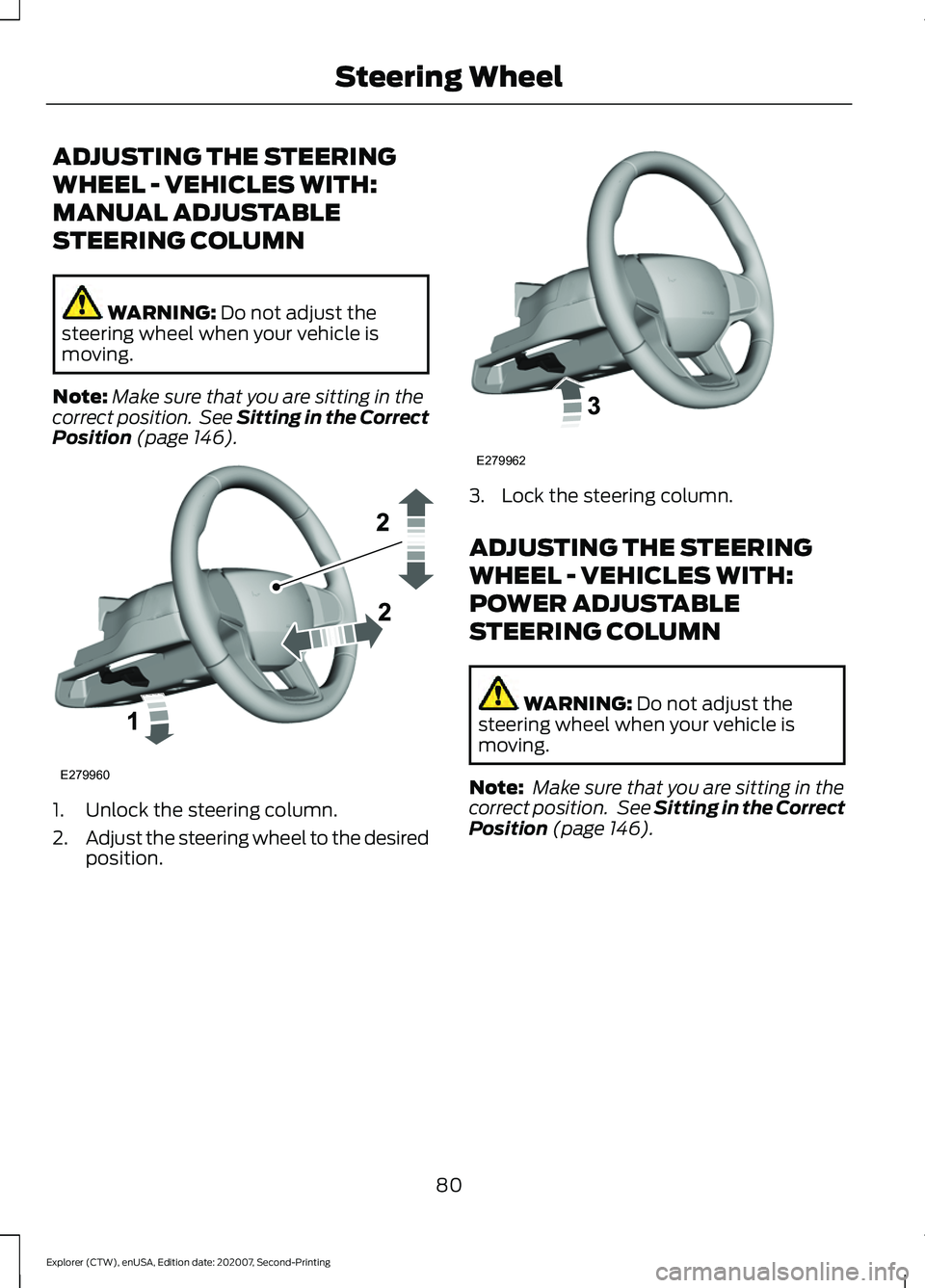
ADJUSTING THE STEERING
WHEEL - VEHICLES WITH:
MANUAL ADJUSTABLE
STEERING COLUMN
WARNING: Do not adjust the
steering wheel when your vehicle is
moving.
Note: Make sure that you are sitting in the
correct position. See Sitting in the Correct
Position
(page 146). 1. Unlock the steering column.
2.
Adjust the steering wheel to the desired
position. 3. Lock the steering column.
ADJUSTING THE STEERING
WHEEL - VEHICLES WITH:
POWER ADJUSTABLE
STEERING COLUMN
WARNING:
Do not adjust the
steering wheel when your vehicle is
moving.
Note: Make sure that you are sitting in the
correct position. See
Sitting in the Correct
Position (page 146).
80
Explorer (CTW), enUSA, Edition date: 202007, Second-Printing Steering WheelE279960 E279962
Page 93 of 577
Note:
The brightness of the daytime running
lamps may decrease when the front fog
lamps are switched on.
Front Fog Lamp Indicator It illuminates when you switch
the front fog lamps on.
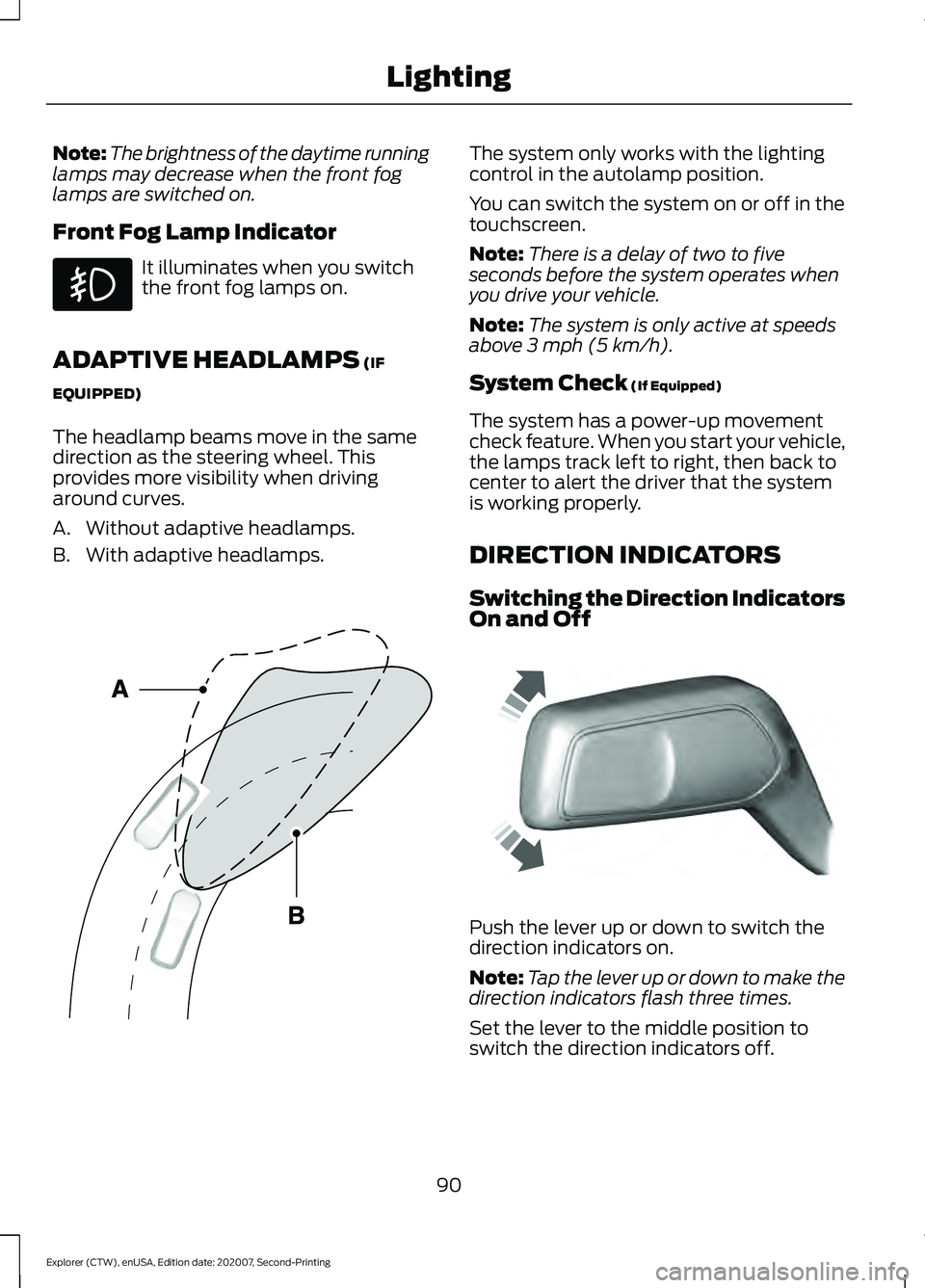
ADAPTIVE HEADLAMPS (IF
EQUIPPED)
The headlamp beams move in the same
direction as the steering wheel. This
provides more visibility when driving
around curves.
A. Without adaptive headlamps.
B. With adaptive headlamps. The system only works with the lighting
control in the autolamp position.
You can switch the system on or off in the
touchscreen.
Note:
There is a delay of two to five
seconds before the system operates when
you drive your vehicle.
Note: The system is only active at speeds
above 3 mph (5 km/h).
System Check
(If Equipped)
The system has a power-up movement
check feature. When you start your vehicle,
the lamps track left to right, then back to
center to alert the driver that the system
is working properly.
DIRECTION INDICATORS
Switching the Direction Indicators
On and Off Push the lever up or down to switch the
direction indicators on.
Note:
Tap the lever up or down to make the
direction indicators flash three times.
Set the lever to the middle position to
switch the direction indicators off.
90
Explorer (CTW), enUSA, Edition date: 202007, Second-Printing Lighting E161714 E242676
Page 136 of 577
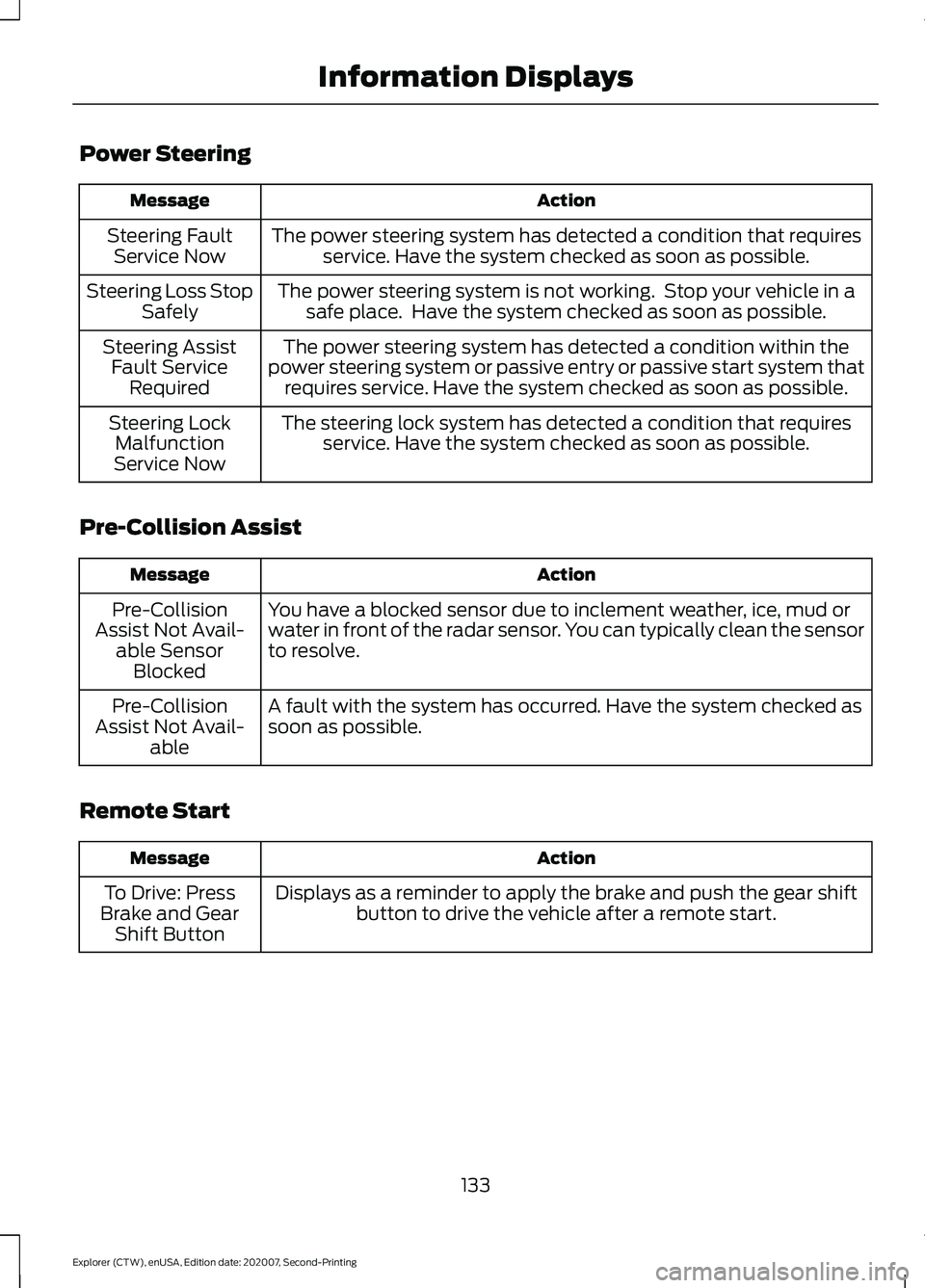
Power Steering
Action
Message
The power steering system has detected a condition that requiresservice. Have the system checked as soon as possible.
Steering Fault
Service Now
The power steering system is not working. Stop your vehicle in asafe place. Have the system checked as soon as possible.
Steering Loss Stop
Safely
The power steering system has detected a condition within the
power steering system or passive entry or passive start system that requires service. Have the system checked as soon as possible.
Steering Assist
Fault Service Required
The steering lock system has detected a condition that requiresservice. Have the system checked as soon as possible.
Steering Lock
Malfunction
Service Now
Pre-Collision Assist Action
Message
You have a blocked sensor due to inclement weather, ice, mud or
water in front of the radar sensor. You can typically clean the sensor
to resolve.
Pre-Collision
Assist Not Avail- able SensorBlocked
A fault with the system has occurred. Have the system checked as
soon as possible.
Pre-Collision
Assist Not Avail- able
Remote Start Action
Message
Displays as a reminder to apply the brake and push the gear shiftbutton to drive the vehicle after a remote start.
To Drive: Press
Brake and Gear Shift Button
133
Explorer (CTW), enUSA, Edition date: 202007, Second-Printing Information Displays
Page 155 of 577
Lumbar and Bolster Mode
Massage Mode
Upper lumbar
Back massage intensity
adjustment
A
Lumbar decrease
Massage intensity decrease
and off*
B
Lower lumbar**
Cushion massage intensity
adjustment
C
Lumbar increase
Massage intensity increase
D
-
On and off
E
* The massage feature defaults to an
alternating massage mode with back
massage intensity adjustment. The lumbar
and bolster feature defaults to the middle
lumbar mode.
** Press C a second time to adjust the back
bolster. Press C a third time to adjust the
cushion bolster.
You can also adjust this feature through
the touchscreen. When switched on, the
system displays directions for you to adjust
the lumbar settings in your seat or to set
the massage function.
MEMORY FUNCTION (IF EQUIPPED) WARNING:
Before activating the
memory seat, make sure that the area
immediately surrounding the seat is clear
of obstructions and that all occupants
are clear of moving parts. WARNING:
Do not use the memory
function when your vehicle is moving.
This feature recalls the position of the
following: •
Driver seat.
• Power mirrors.
• Optional power steering column.
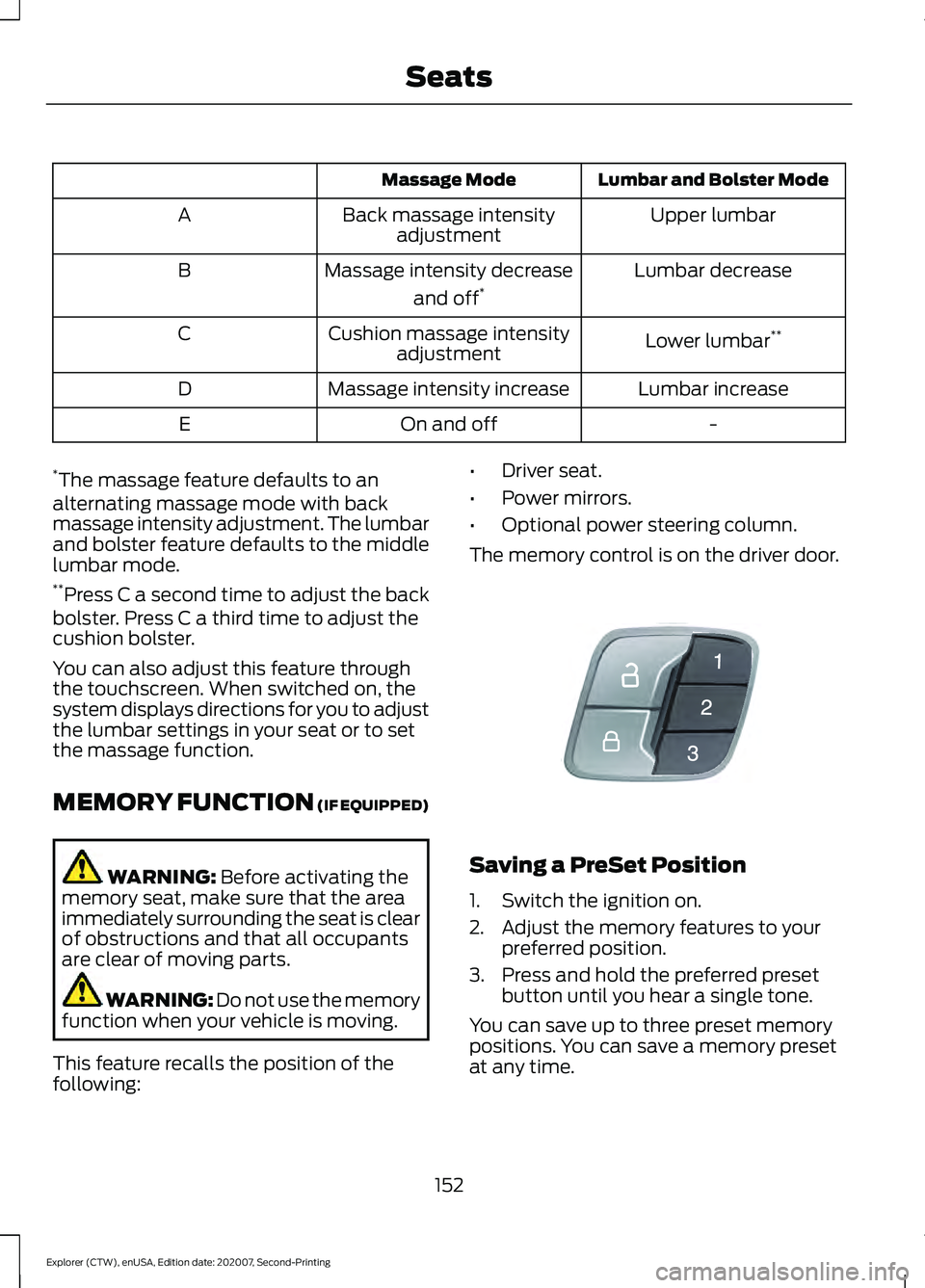
The memory control is on the driver door. Saving a PreSet Position
1. Switch the ignition on.
2. Adjust the memory features to your
preferred position.
3. Press and hold the preferred preset button until you hear a single tone.
You can save up to three preset memory
positions. You can save a memory preset
at any time.
152
Explorer (CTW), enUSA, Edition date: 202007, Second-Printing SeatsE142554
Page 180 of 577
Within 20 seconds of switching your
vehicle off, press the brake pedal and press
the push button ignition switch. After 20
seconds, you can no longer start your
vehicle if it does not detect a valid passive
key.
Once your vehicle starts, it remains running
until you press the push button ignition
switch, even if your vehicle does not detect
a valid passive key. You cannot start your
vehicle if the system does not detect a
valid passive key within 20 seconds.
Automatic Engine Shutdown
For vehicles with a keyless ignition, this
feature shuts down the engine if it has
been idling for an extended period. The
ignition also turns off in order to save
battery power. Before your vehicle shuts
down, a message appears in the
information display showing a timer
counting down from 30 seconds. If you do
not intervene within 30 seconds, your
vehicle shuts down. Another message
appears in the information display to
inform you that your vehicle has shut down
to save fuel. Start your vehicle as you
normally do.
Note:
Automatic Engine Shutdown may be
more frequent for hybrid vehicles.
Automatic Engine Shutdown Override
Note: You cannot permanently switch off
the automatic shutdown feature. When you
switch it off temporarily, it turns on at the
next ignition cycle. You can stop the shutdown, or reset the
timer, at any point before the 30-second
countdown expires by doing any of the
following:
•
You can reset the timer by interacting
with your vehicle, for example pressing
the brake or accelerator pedal.
• You can temporarily switch off the
shutdown feature any time the ignition
is on using the information display. See
Information Displays (page 112). The
feature only remains off for the current
ignition cycle.
• During the 30-second countdown, the
system prompts you to press OK or
RESET to temporarily switch the
feature off for the current ignition cycle
only.
Switching Off Your Vehicle When
It Is Stationary
1. Put the transmission in park (P).
2. Press the push button ignition switch once.
3. Apply the parking brake.
Note: This switches off the ignition, warning
lamps and indicators.
Switching Off Your Vehicle When
It Is Moving WARNING: Switching off the
engine when your vehicle is still moving
results in a significant decrease in
braking assistance. Higher effort is
required to apply the brakes and to stop
your vehicle. A significant decrease in
steering assistance could also occur. The
steering does not lock, but higher effort
177
Explorer (CTW), enUSA, Edition date: 202007, Second-Printing Starting and Stopping the Engine