manual transmission FORD EXPLORER 2021 Owner's Manual
[x] Cancel search | Manufacturer: FORD, Model Year: 2021, Model line: EXPLORER, Model: FORD EXPLORER 2021Pages: 577, PDF Size: 9.79 MB
Page 297 of 577
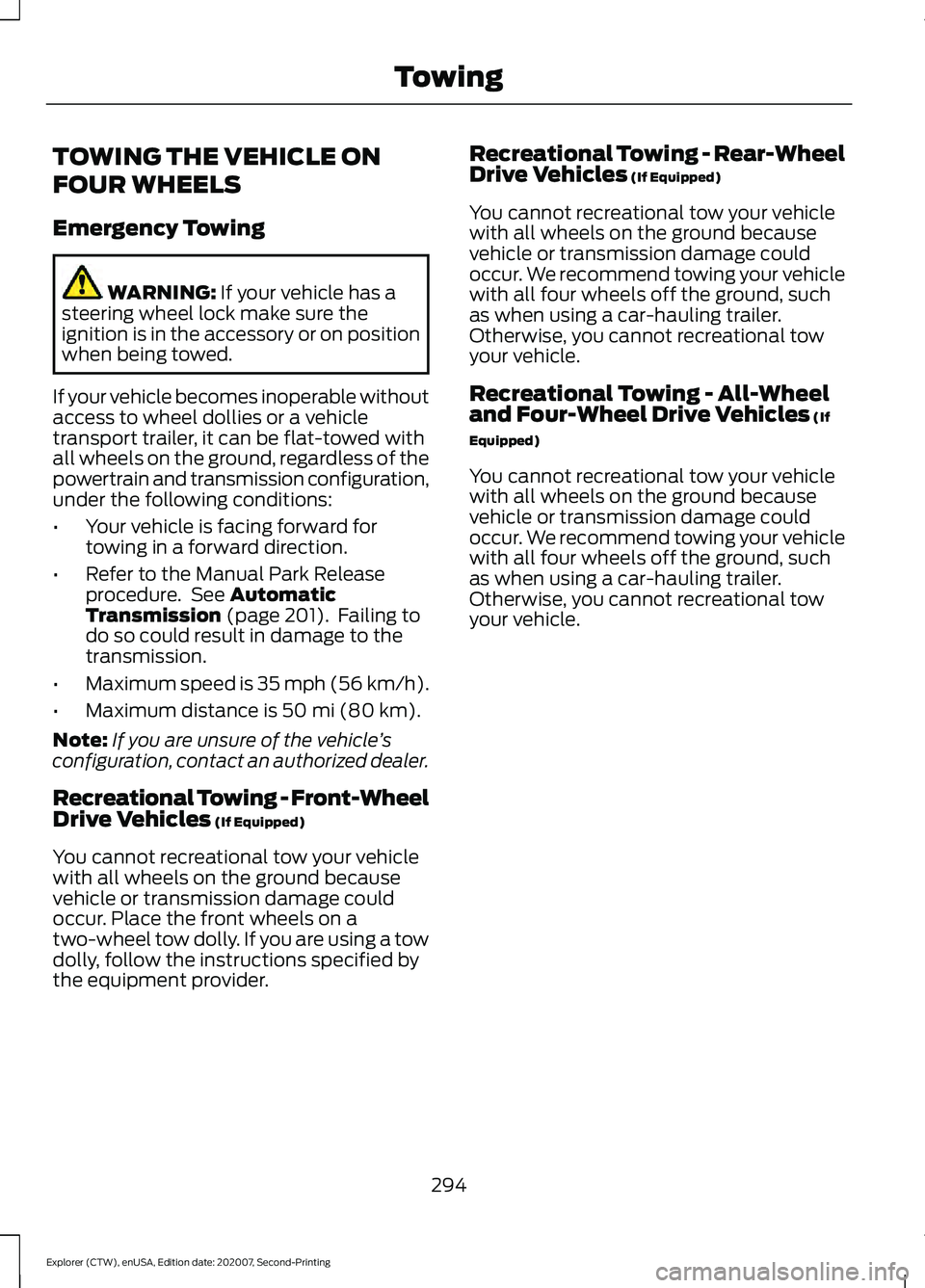
TOWING THE VEHICLE ON
FOUR WHEELS
Emergency Towing
WARNING: If your vehicle has a
steering wheel lock make sure the
ignition is in the accessory or on position
when being towed.
If your vehicle becomes inoperable without
access to wheel dollies or a vehicle
transport trailer, it can be flat-towed with
all wheels on the ground, regardless of the
powertrain and transmission configuration,
under the following conditions:
• Your vehicle is facing forward for
towing in a forward direction.
• Refer to the Manual Park Release
procedure. See
Automatic
Transmission (page 201). Failing to
do so could result in damage to the
transmission.
• Maximum speed is 35 mph (56 km/h).
• Maximum distance is
50 mi (80 km).
Note: If you are unsure of the vehicle ’s
configuration, contact an authorized dealer.
Recreational Towing - Front-Wheel
Drive Vehicles
(If Equipped)
You cannot recreational tow your vehicle
with all wheels on the ground because
vehicle or transmission damage could
occur. Place the front wheels on a
two-wheel tow dolly. If you are using a tow
dolly, follow the instructions specified by
the equipment provider. Recreational Towing - Rear-Wheel
Drive Vehicles
(If Equipped)
You cannot recreational tow your vehicle
with all wheels on the ground because
vehicle or transmission damage could
occur. We recommend towing your vehicle
with all four wheels off the ground, such
as when using a car-hauling trailer.
Otherwise, you cannot recreational tow
your vehicle.
Recreational Towing - All-Wheel
and Four-Wheel Drive Vehicles
(If
Equipped)
You cannot recreational tow your vehicle
with all wheels on the ground because
vehicle or transmission damage could
occur. We recommend towing your vehicle
with all four wheels off the ground, such
as when using a car-hauling trailer.
Otherwise, you cannot recreational tow
your vehicle.
294
Explorer (CTW), enUSA, Edition date: 202007, Second-Printing Towing
Page 379 of 577
WARNING: Do not work on your
vehicle when the jack is the only support
as your vehicle could slip off the jack.
Failure to follow this instruction could
result in personal injury or death. WARNING:
Use only the specified
jacking points. If you use other positions,
you may damage the body, steering,
suspension, engine, braking system or
the fuel lines. WARNING:
Never place anything
between the vehicle jack and your
vehicle. WARNING:
Never place anything
between the vehicle jack and the ground. WARNING:
Park your vehicle so
that you do not obstruct the flow of
traffic or place yourself in any danger and
set up a warning triangle. WARNING:
Do not attempt to
change a tire on the side of the vehicle
close to moving traffic. Pull far enough
off the road to avoid the danger of being
hit when operating the jack or changing
the wheel.
Note: Passengers should not remain in your
vehicle when the vehicle is being jacked.
Note: Jack at the specified locations to
avoid damage to the vehicle. Note:
No maintenance or additional
lubrication of your jack is required over the
service life of your vehicle.
1. Park on a level surface, set the parking
brake and switch on the hazard
flashers.
2. Apply the parking brake, place the transmission in park (P) or reverse (R)
for manual transmission. Turn the
engine off.
3. If your vehicle has air suspension, use the touch screen to switch on the Air
Suspension Service Mode prior to
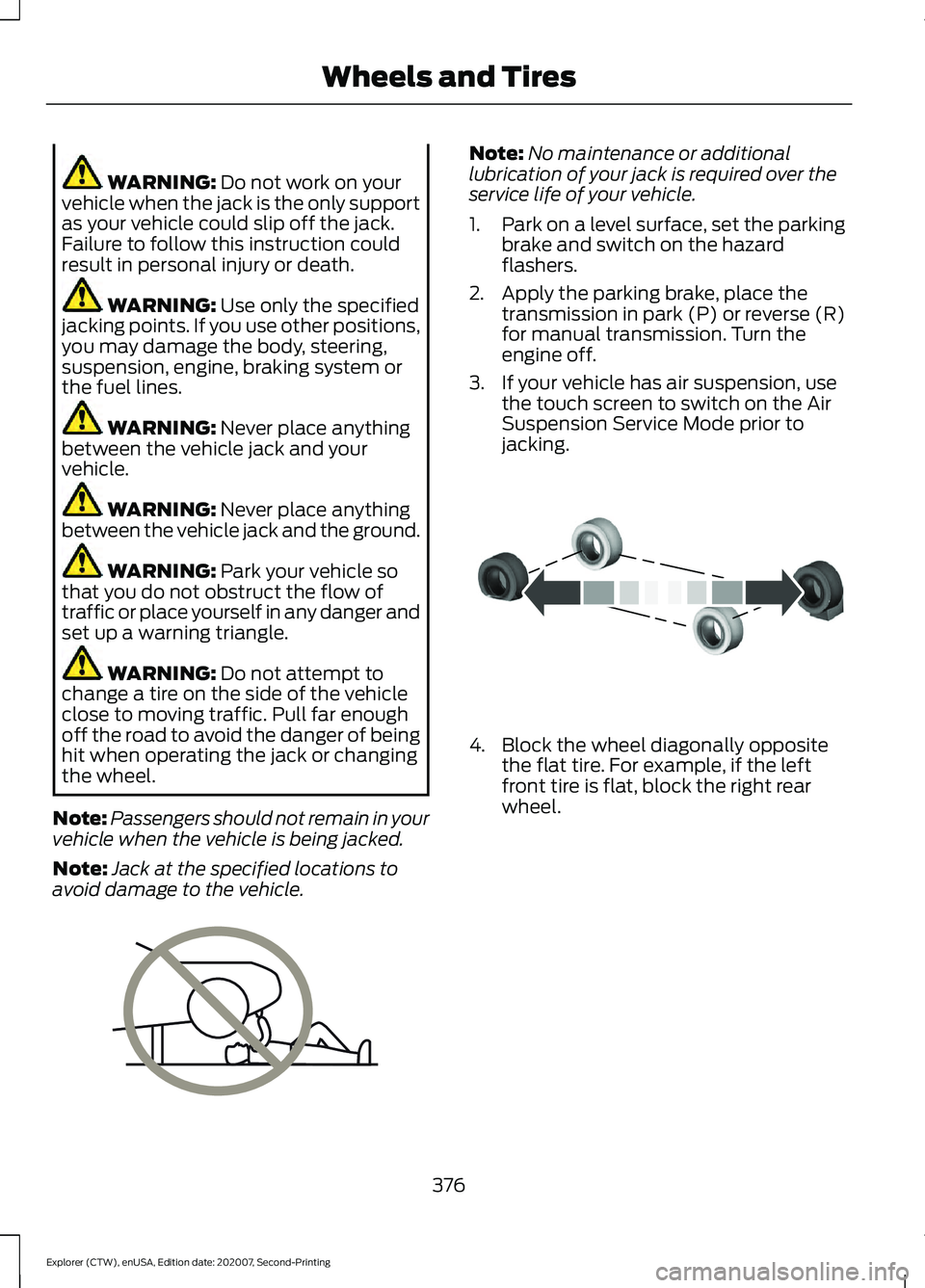
jacking. 4. Block the wheel diagonally opposite
the flat tire. For example, if the left
front tire is flat, block the right rear
wheel.
376
Explorer (CTW), enUSA, Edition date: 202007, Second-Printing Wheels and TiresE166722 E142551
Page 563 of 577
Changing the Color..............................................
93
Switching Ambient Lighting Off..................... 93
Switching Ambient Lighting On...................... 92
Ambient Lighting - Vehicles With: 8 Inch Information and Entertainment Display
Screen..............................................................92
Adjusting the Brightness................................... 92
Changing the Color.............................................. 92
Switching Ambient Lighting Off..................... 92
Switching Ambient Lighting On...................... 92
Anti-Theft Alarm............................................78 Arming the Alarm................................................. 79
Disarming the Alarm........................................... 79
Appendices....................................................530
Apps..................................................................461 SiriusXM Traffic and Travel Link................... 463
Using Apps on an Android Device...............462
Using Apps on an iOS Device........................ 462
Using Mobile Navigation on an Android Device............................................................... 462
At a Glance.......................................................20
At a Glance - ST.............................................20
Audible Warnings and Indicators..............111
Headlamps On Warning Chime...................... 111
Key in Ignition Warning Chime......................... 111
Keyless Warning Alert......................................... 111
Parking Brake On Warning Chime.................. 111
Audio Control...................................................82 You can operate the following functions
with the control:............................................... 82
Audio System................................................426 General Information......................................... 426
Audio Unit
......................................................426
Adjusting the Volume...................................... 426
Changing Radio Stations................................ 427
Switching the Audio Unit On and Off.........427
Using Seek, Fast Forward and Reverse.............................................................. 427
Auto Hold
.........................................................218
Auto Hold Indicator............................................ 218
Switching Auto Hold On and Off.................. 218
Using Auto Hold.................................................. 218
Autolamps........................................................88 Windshield Wiper Activated
Headlamps........................................................ 88
Automatic Climate Control......................139 Accessing Rear Climate Controls.................139 Accessing the Air Distribution
Controls............................................................. 139
Accessing the Menu........................................... 139
Setting the Blower Motor Speed.................. 139
Setting the Temperature................................. 140
Switching Auto Mode On and Off................140
Switching Maximum Air Conditioning On and Off................................................................ 141
Switching Maximum Defrost On and Off........................................................................\
. 141
Switching Recirculated Air On and Off........................................................................\
. 141
Switching the Air Conditioning On and Off........................................................................\
. 141
Switching the Climate Control On and Off........................................................................\
. 141
Automatic High Beam Control.................94
Automatic High Beam Control Indicators.......................................................94
Automatic Transmission
...........................201
Automatic Return to Park............................... 202
If Your Vehicle Gets Stuck in Mud or Snow................................................................. 206
Manual Park Release (MPR)......................... 204
SelectShift Automatic ™
Transmission.................................................. 204
Stay in Neutral Mode....................................... 203
Tow Mode ............................................................ 203
Understanding Your Transmission Selector Positions........................................................... 201
Automatic Transmission Fluid Check.............................................................335
Auto-Start-Stop...........................................180 Disabling Auto-Start-Stop.............................. 181
Enabling Auto-Start-Stop.............................. 180
Autowipers
.......................................................84
Autowipers Settings........................................... 85
Auxiliary Power Points
................................167
110 Volt AC Power Point.................................... 167
12 Volt DC Power Point...................................... 167
USB Port and Power Point Locations.........167
B
Battery See: Changing the 12V Battery..................... 336
560
Explorer (CTW), enUSA, Edition date: 202007, Second-Printing Index
Page 570 of 577
General Information - Vehicles With: 4.2
Inch Instrument Cluster Display
Screen.................................................................. 117
General Information - Vehicles With: 6.5 Inch Instrument Cluster Display
Screen................................................................. 112
Information Messages.................................121
4WD........................................................................\
. 138
Active Park............................................................. 122
Adaptive Cruise Control.................................... 122
Adaptive Headlamps......................................... 122
AdvanceTrac ™ and Traction Control..........123
Alarm....................................................................... 123
Battery and Charging System (12 volt)..................................................................... 123
Battery and Charging System (High Voltage)............................................................. 124
Blind Spot Information and Cross Traffic Alert System.................................................... 124
Doors and Locks.................................................. 125
Driver Alert............................................................. 126
Fuel........................................................................\
.. 126
Hill Descent Control........................................... 127
Hill Start Assist.................................................... 128
Keys and Intelligent Access............................ 128
Lane Keeping System....................................... 129
Maintenance......................................................... 129
MyKey......................................................................130
Park Aid.................................................................... 131
Park Brake.............................................................. 132
Power Steering..................................................... 133
Pre-Collision Assist............................................ 133
Remote Start........................................................ 133
Seats........................................................................\
134
Starting System.................................................. 134
Tire Pressure Monitoring System.................. 135
Trailer....................................................................... 135
Transmission........................................................ 136
Installing Child Restraints
...........................25
Child Seats.............................................................. 25
Using Lap and Shoulder Belts......................... 25
Using Lower Anchors and Tethers for CHildren (LATCH)........................................... 28
Using Tether Straps............................................. 29
Instrument Cluster
.......................................103
Instrument Lighting Dimmer.....................88
Instrument Panel
.............................................21
Interior Air Quality........................................145 Interior Lamps..................................................91
Front Interior Lamp.............................................. 91
Rear Interior Lamps.............................................. 91
Interior Mirror
.................................................100
Automatic Dimming Mirror............................. 100
Manual Dimming Mirror................................... 100
Introduction........................................................9
J
Jump Starting the Vehicle.......................300 Connecting the Jumper Cables................... 300
Jump Starting...................................................... 301
Locating the Jump Starting Connection Points................................................................ 300
Preparing Your Vehicle.................................... 300
Removing the Jumper Cables........................ 301
K
Keyless Entry
....................................................72
SECURICODE™ Keyless Entry Keypad........72
Keyless Starting
.............................................172
Ignition Modes...................................................... 173
Keys and Remote Controls.........................57
L
Lane Keeping System
................................260
Switching the System On and Off...............261
Liftgate...............................................................74
Lighting Control
..............................................87
Flashing High Beam Headlamps................... 88
Lighting Control Selections.............................. 87
Switching High Beam Headlamps On and Off........................................................................\
. 87
Lighting...............................................................87 General Information............................................ 87
Limited Slip Differential
.............................213
Load Carriers See: Roof Racks and Load Carriers..............281
Load Carrying...............................................280
Load Limit
.......................................................282
Special Loading Instructions for Owners of
Pick-up Trucks and Utility-type
Vehicles............................................................ 286
Vehicle Loading - with and without a Trailer................................................................. 282
567
Explorer (CTW), enUSA, Edition date: 202007, Second-Printing Index