ESP FORD EXPLORER 2023 User Guide
[x] Cancel search | Manufacturer: FORD, Model Year: 2023, Model line: EXPLORER, Model: FORD EXPLORER 2023Pages: 573, PDF Size: 16.1 MB
Page 55 of 573
The system consists of the following:
•A label or embossed side panelindicating that your vehicle has sideairbags.
•Side airbags inside the driver and frontpassenger seat backrests.
Crash sensors and monitoringsystem with readiness indicator.See Crash Sensors and AirbagIndicator (page 52).
The design and development of the sideairbag system included recommendedtesting procedures that were developedby a group of automotive safety expertsknown as the Side Airbag TechnicalWorking Group. These recommendedtesting procedures help reduce the risk ofinjuries related to the deployment of sideairbags.
DRIVER AND PASSENGER
KNEE AIRBAGS
Driver and passenger knee airbags arelocated under or within the instrumentpanel. During a crash, the restraints controlmodule may activate the driver andpassenger knee airbags (individually orboth) based on crash severity andrespective occupant conditions. Undercertain crash and occupant conditions, thedriver and passenger knee airbags maydeploy (individually or both) but thecorresponding front airbag may notactivate. As with front and side airbags, itis important to be properly seated andrestrained to reduce the risk of death orserious injury.
Make sure the knee airbags areoperating properly. See CrashSensors and Airbag Indicator(page 52).
SAFETY CANOPY™
WARNING: Do not place objectsor mount equipment on or near theheadliner at the siderail that may comeinto contact with a deploying curtainairbag. Failure to follow theseinstructions may increase the risk ofpersonal injury in the event of a crash.
WARNING: Do not lean your headon the door. The curtain airbag couldinjure you as it deploys from theheadliner.
WARNING: Do not attempt toservice, repair, or modify thesupplementary restraint system orassociated components. Failure tofollow this instruction could result inpersonal injury or death.
WARNING: All occupants of yourvehicle, including the driver, shouldalways properly wear their seatbelts,even when an airbag supplementalrestraint system is provided. Failure toproperly wear your seatbelt couldseriously increase the risk of injury ordeath.
WARNING: To reduce risk of injury,do not obstruct or place objects in thedeployment path of the airbag.
WARNING: If a supplementaryrestraint system component hasdeployed, it will not function again. Havethe system and associated componentsinspected as soon as possible. Failure tofollow this instruction could result inpersonal injury or death.
51
2023 Explorer (CTW) Canada/United States of America, enUSA, Edition date: 202209, First-PrintingSupplementary Restraints SystemE67017 E67017
Page 59 of 573
WHAT IS 911 ASSIST
911 Assist is a SYNC system feature thatcan call for help.
For more information, visitwww.owner.ford.com.
HOW DOES 911 ASSIST WORK
If a crash deploys an airbag, excluding kneeairbags and rear inflatable seatbelts, oractivates the fuel pump shut-off, yourvehicle may be able to contact emergencyservices by dialing 911 through a paired andconnected Bluetooth® enabled phone.
Not all crashes deploy an airbag or activatethe fuel pump shut-off. If a connected cellphone sustains damage or loses itsconnection to SYNC during a crash, SYNCsearches for and tries to connect to apreviously paired cell phone. SYNC thenattempts to call the emergency services.
Before making the call:
•SYNC provides about 10 seconds tocancel the call. If you fail to cancel thecall, SYNC attempts to dial 911.
•SYNC says the following, or a similarmessage: SYNC will attempt to call 911,to cancel the call, press Cancel on yourscreen or press and hold the phonebutton on your steering wheel.
If you do not cancel the call and SYNCmakes a successful call a pre-recordedmessage plays for the 911 operator. Theoccupants in your vehicle are able to talkwith the operator. Be prepared to provideyour name, phone number and locationimmediately because not all 911 systemsare capable of receiving this informationelectronically.
During an emergency call the systemtransmits vehicle data to the emergencyservice.
EMERGENCY CALL
REQUIREMENTS
WARNING: Do not wait for 911Assist to make an emergency call if youcan do it yourself. Dial emergencyservices immediately to avoid delayedresponse time which could increase therisk of serious injury or death after acrash. If you do not hear 911 Assist withinfive seconds of the crash, the system orphone may be damaged ornon-functional.
WARNING: Always place yourphone in a secure location in your vehicleso it does not become a projectile or getdamaged in a crash. Failure to do so maycause serious injury to someone ordamage the phone which could prevent911 Assist from working properly.
WARNING: Unless the 911 Assistsetting is set on before a crash, thesystem will not dial for help which coulddelay response time, potentiallyincreasing the risk of serious injury ordeath after a crash.
•SYNC must be powered and workingproperly at the time of the incident andthroughout feature activation and use.
•The 911 Assist feature must be set onbefore the incident.
•You must pair and connect aBluetooth® enabled and compatiblecell phone to SYNC.
•A connected Bluetooth® enabledphone must have the ability to makeand maintain an outgoing call at thetime of the incident.
55
2023 Explorer (CTW) Canada/United States of America, enUSA, Edition date: 202209, First-Printing911 Assist
Page 61 of 573

GENERAL INFORMATION ON
RADIO FREQUENCIES
This device complies with Part 15 of theFCC Rules and with Industry Canadalicense-exempt RSS standard(s).Operation is subject to the following twoconditions: (1) This device may not causeharmful interference, and (2) This devicemust accept any interference received,including interference that may causeundesired operation.
WARNING: Changes ormodifications not expressively approvedby the party responsible for compliancecould void the user's authority to operatethe equipment. The term "IC:" before theradio certification number only signifiesthat Industry Canada technicalspecifications were met.
The typical operating range for yourtransmitter is approximately 33 ft (10 m).Vehicles with the remote start feature willhave a greater range.
One of the following could cause adecrease in operating range:
•Weather conditions.
•Nearby radio towers.
•Structures around the vehicle.
•Other vehicles parked next to yourvehicle.
The radio frequency used by your remotecontrol can also be used by other radiotransmitters, for example amateur radios,medical equipment, wireless headphones,wireless remote controls, cell phones,battery chargers and alarm systems. If thefrequencies are jammed, you will not beable to use your remote control. You canlock and unlock the doors with the key.
Note:Make sure to lock your vehicle beforeleaving it unattended.
Note:If you are in range, the remote controlwill operate if you press any buttonunintentionally.
Note:The remote control contains sensitiveelectrical components. Exposure to moistureor impact may cause permanent damage.
Intelligent Access (If Equipped)
The system uses a radio frequency signalto communicate with your vehicle andauthorize your vehicle to unlock when oneof the following conditions are met:
•You activate the front exterior doorhandle switch.
•You press the luggage compartmentbutton.
•You press a button on the transmitter.
If excessive radio frequency interferenceis present in the area or if the transmitterbattery is low, you may need tomechanically unlock your door. You canuse the mechanical key blade in yourintelligent access key to open the driverdoor in this situation. See RemoteControl (page 57).
REMOTE CONTROL
Integrated Keyhead Transmitter
Use the key blade to start your vehicle andunlock or lock the driver door from outsideyour vehicle. The integrated keyheadtransmitter functions as a programmedignition key that operates all the locks andstarts your vehicle, as well as a remotecontrol.
57
2023 Explorer (CTW) Canada/United States of America, enUSA, Edition date: 202209, First-PrintingKeys and Remote Controls
Page 69 of 573

Note:Not every feature applies to everyvehicle in every market. When they areavailable for your vehicle, then they appearin the information display, providing choicesto switch them on or off, or to select a morespecific setting.
•Various vehicle speed limits so theMyKey driver cannot exceed certainspeeds. The information display showswarnings followed by an audible tonewhen the MyKey driver reaches the setspeed. You cannot override the setspeed by fully depressing theaccelerator pedal.
WARNING: Do not set MyKeymaximum speed limit to a limit that willprevent the driver from maintaining asafe speed considering posted speedlimits and prevailing road conditions. Thedriver is always responsible to drive inaccordance with local laws andprevailing conditions. Failure to do socould result in accident or injury.
•Various vehicle speed reminders soMyKey drivers know when their vehiclespeed approaches the limits. Warningsappear in the information display anda tone sounds when the MyKey driversexceed the set vehicle speed.
•The audio system's maximum volumelimits to 45% so MyKey drivers canconcentrate on the road. A messageappears in the information displaywhen MyKey drivers attempt to exceedthe limited volume. MyKey alsodisables the automatic volume control.Note: If your vehicle includes anAM/FM radio or a very basic audiosystem, then the radio may not limit.
•Always on setting. This setting forcescertain features to remain on andactive for MyKey drivers. For example,E911 or emergency assistance and thedo not disturb features stay on even ifa MyKey driver uses the feature'scontrol to switch it off. When selected,you will not be able to turn off AdvanceTrac or traction control (if your vehiclehas this feature).
CREATING A MYKEY
Use the touchscreen to create a MyKey:
1.Insert the key you want to program intothe ignition. If your vehicle has a pushbutton start, place the remote controlinto the backup slot. See Starting aGasoline Engine (page 169).
2.Switch the ignition on.
3.Press SETTINGS.
4.Press Vehicle.
5.Press MyKey.
6.Press Create MyKey.
7.Press Yes.
8.Switch the ignition off.
65
2023 Explorer (CTW) Canada/United States of America, enUSA, Edition date: 202209, First-PrintingMyKey™
Page 77 of 573

POWER LIFTGATE
WARNING: It is extremelydangerous to ride in a cargo area, insideor outside of a vehicle. In a crash, peopleriding in these areas are more likely to beseriously injured or killed. Do not allowpeople to ride in any area of your vehiclethat is not equipped with seats andseatbelts. Make sure everyone in yourvehicle is in a seat and properly using aseatbelt. Failure to follow this warningcould result in serious personal injury ordeath.
WARNING: Make sure that you fullyclose the liftgate to prevent exhaustfumes from entering your vehicle. If youare unable to fully close the liftgate,open the air vents or the windows toallow fresh air to enter your vehicle.Failure to follow this instruction couldresult in personal injury or death.
WARNING: Keep keys out of reachof children. Do not allow children tooperate or play near an open or movingpower liftgate. You should supervise theoperation of the power liftgate at alltimes.
Note: Make sure that you close the liftgatebefore operating or moving your vehicle,especially in an enclosure, like a garage ora parking structure. This could damage theliftgate and its components.
Note: Do not hang anything, for examplea bike rack, from the glass or liftgate. Thiscould damage the liftgate and itscomponents.
Note:Make sure that you fully close theliftgate to prevent cargo from falling out.
The liftgate only operates with thetransmission in park (P).
If there is a problem with the open or closerequest, a tone sounds for one of thefollowing reasons:
•The ignition is on and the transmissionis not in park (P).
•The battery voltage is below theminimum operating voltage.
•The liftgate is not fully closed and yourvehicle speed is at or above 3 mph(5 km/h).
If the liftgate starts to close after it hasfully opened, this indicates there may beexcessive weight on the liftgate or apossible strut failure. A repetitive tonesounds and the liftgate closes undercontrol. If the liftgate continues to closeafter opening, have the system checkedby an authorized dealer. Remove anyexcessive weight from the liftgate.
Opening and Closing the Liftgate
WARNING: Make sure all personsare clear of the power liftgate areabefore using the power liftgate control.
Note: Make sure the area behind yourvehicle is free from obstruction and thatthere is enough room for you to operate theliftgate. Objects too close to your vehicle,for example a wall, garage door or anothervehicle may come into contact with themoving liftgate. This could damage theliftgate and its components.
Note:Be careful when opening or closingthe liftgate in a garage or other enclosedarea to avoid damaging the liftgate.
Note: Do not leave the liftgate open whenyou are driving. This could damage theliftgate and its components.
73
2023 Explorer (CTW) Canada/United States of America, enUSA, Edition date: 202209, First-PrintingLiftgate
Page 91 of 573
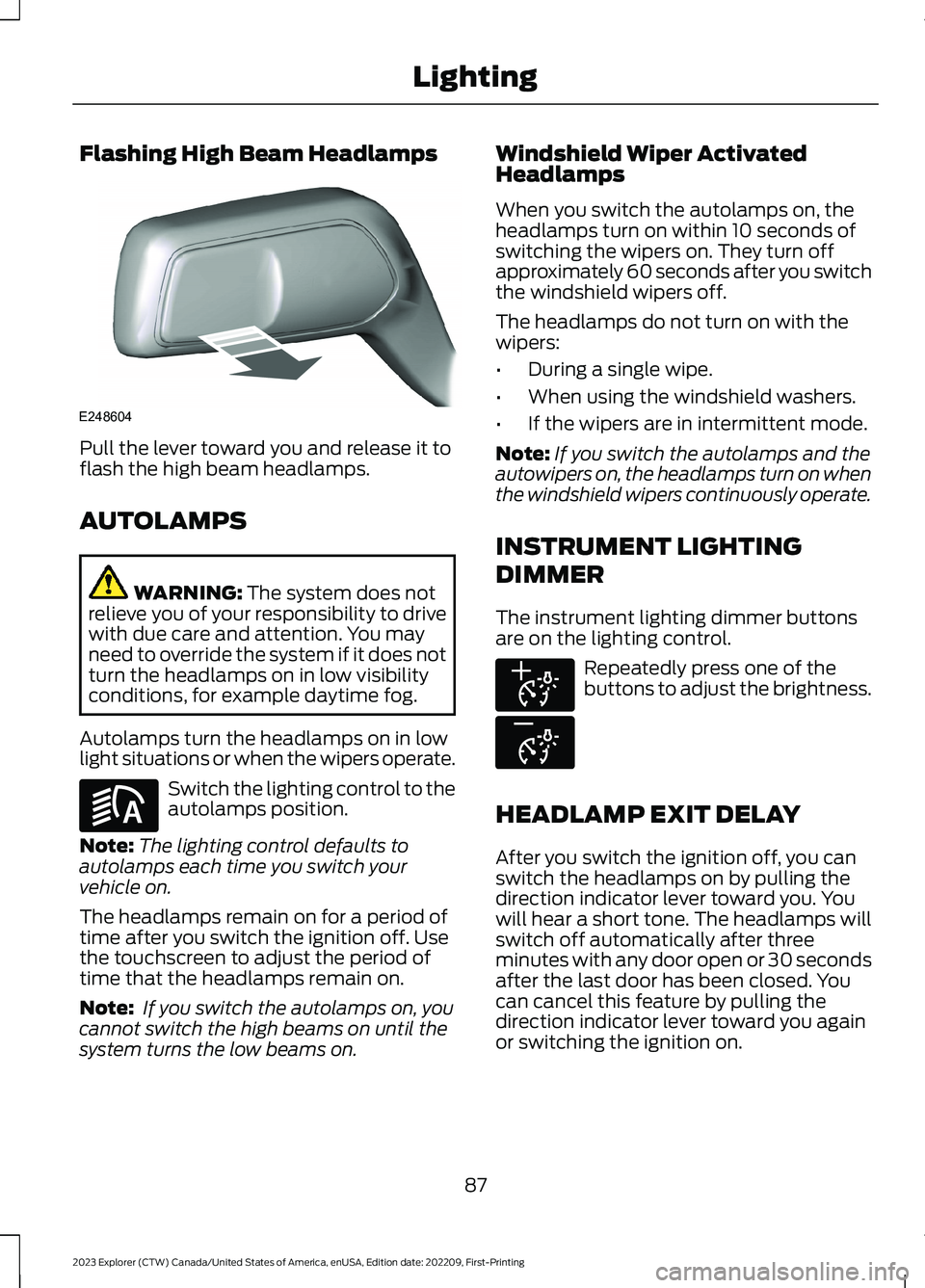
Flashing High Beam Headlamps
Pull the lever toward you and release it toflash the high beam headlamps.
AUTOLAMPS
WARNING: The system does notrelieve you of your responsibility to drivewith due care and attention. You mayneed to override the system if it does notturn the headlamps on in low visibilityconditions, for example daytime fog.
Autolamps turn the headlamps on in lowlight situations or when the wipers operate.
Switch the lighting control to theautolamps position.
Note:The lighting control defaults toautolamps each time you switch yourvehicle on.
The headlamps remain on for a period oftime after you switch the ignition off. Usethe touchscreen to adjust the period oftime that the headlamps remain on.
Note: If you switch the autolamps on, youcannot switch the high beams on until thesystem turns the low beams on.
Windshield Wiper ActivatedHeadlamps
When you switch the autolamps on, theheadlamps turn on within 10 seconds ofswitching the wipers on. They turn offapproximately 60 seconds after you switchthe windshield wipers off.
The headlamps do not turn on with thewipers:
•During a single wipe.
•When using the windshield washers.
•If the wipers are in intermittent mode.
Note:If you switch the autolamps and theautowipers on, the headlamps turn on whenthe windshield wipers continuously operate.
INSTRUMENT LIGHTING
DIMMER
The instrument lighting dimmer buttonsare on the lighting control.
Repeatedly press one of thebuttons to adjust the brightness.
HEADLAMP EXIT DELAY
After you switch the ignition off, you canswitch the headlamps on by pulling thedirection indicator lever toward you. Youwill hear a short tone. The headlamps willswitch off automatically after threeminutes with any door open or 30 secondsafter the last door has been closed. Youcan cancel this feature by pulling thedirection indicator lever toward you againor switching the ignition on.
87
2023 Explorer (CTW) Canada/United States of America, enUSA, Edition date: 202209, First-PrintingLightingE248604 E281240 E291299 E296433
Page 97 of 573
AUTOMATIC HIGH BEAM
CONTROL INDICATORS
The indicator illuminates toconfirm when the system isready to assist.
OVERRIDING AUTOMATIC
HIGH BEAM CONTROL
WARNING: The system does notrelieve you of your responsibility to drivewith due care and attention. You mayneed to override the system if it does notturn the high beams on or off.
WARNING: You may need tooverride the system when approachingother road users.
WARNING: You may need tooverride the system during inclementweather.
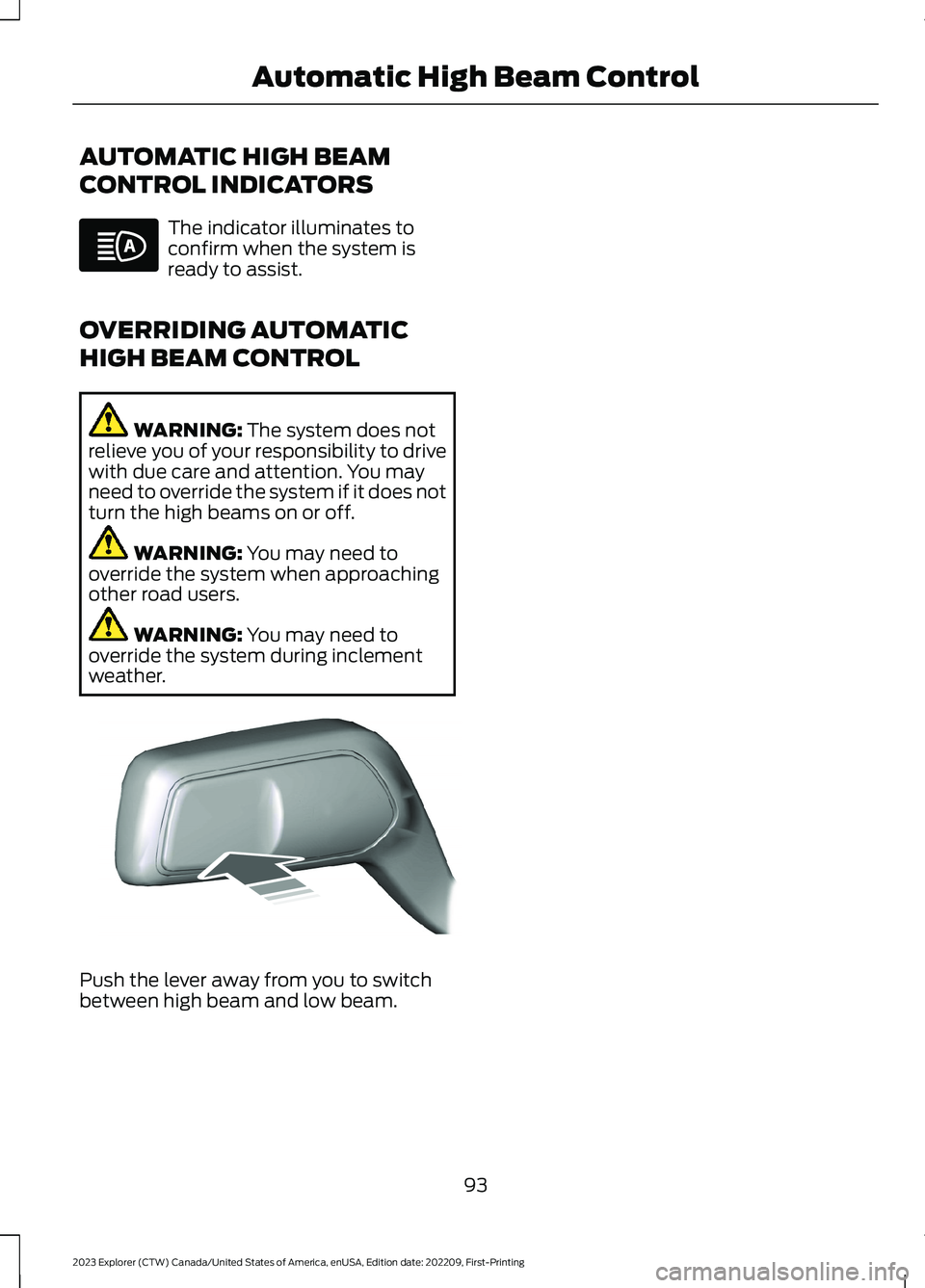
Push the lever away from you to switchbetween high beam and low beam.
93
2023 Explorer (CTW) Canada/United States of America, enUSA, Edition date: 202209, First-PrintingAutomatic High Beam ControlE146105 E248603
Page 109 of 573
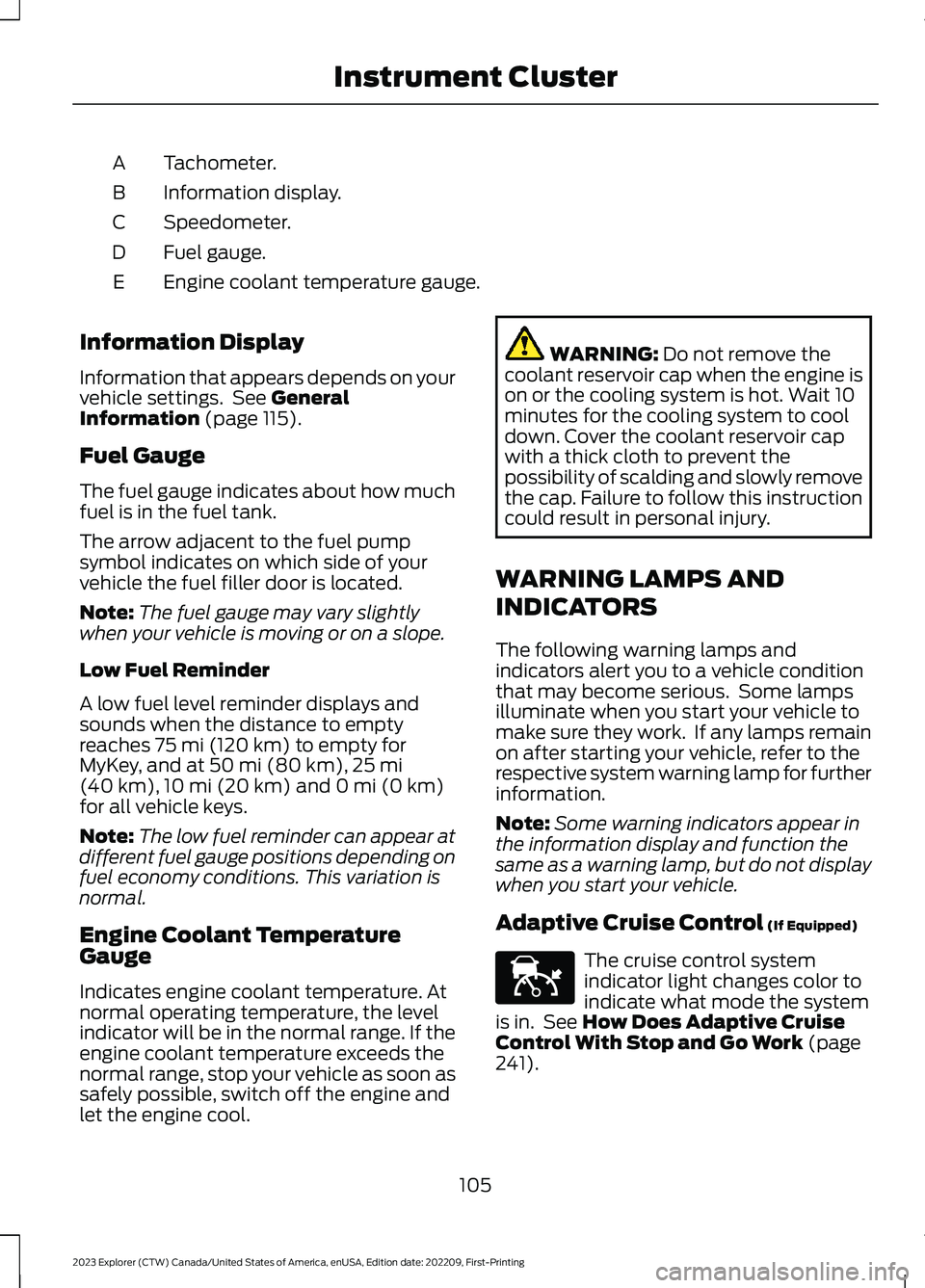
Tachometer.A
Information display.B
Speedometer.C
Fuel gauge.D
Engine coolant temperature gauge.E
Information Display
Information that appears depends on yourvehicle settings. See GeneralInformation (page 115).
Fuel Gauge
The fuel gauge indicates about how muchfuel is in the fuel tank.
The arrow adjacent to the fuel pumpsymbol indicates on which side of yourvehicle the fuel filler door is located.
Note:The fuel gauge may vary slightlywhen your vehicle is moving or on a slope.
Low Fuel Reminder
A low fuel level reminder displays andsounds when the distance to emptyreaches 75 mi (120 km) to empty forMyKey, and at 50 mi (80 km),25 mi(40 km),10 mi (20 km) and 0 mi (0 km)for all vehicle keys.
Note:The low fuel reminder can appear atdifferent fuel gauge positions depending onfuel economy conditions. This variation isnormal.
Engine Coolant TemperatureGauge
Indicates engine coolant temperature. Atnormal operating temperature, the levelindicator will be in the normal range. If theengine coolant temperature exceeds thenormal range, stop your vehicle as soon assafely possible, switch off the engine andlet the engine cool.
WARNING: Do not remove thecoolant reservoir cap when the engine ison or the cooling system is hot. Wait 10minutes for the cooling system to cooldown. Cover the coolant reservoir capwith a thick cloth to prevent thepossibility of scalding and slowly removethe cap. Failure to follow this instructioncould result in personal injury.
WARNING LAMPS AND
INDICATORS
The following warning lamps andindicators alert you to a vehicle conditionthat may become serious. Some lampsilluminate when you start your vehicle tomake sure they work. If any lamps remainon after starting your vehicle, refer to therespective system warning lamp for furtherinformation.
Note:Some warning indicators appear inthe information display and function thesame as a warning lamp, but do not displaywhen you start your vehicle.
Adaptive Cruise Control (If Equipped)
The cruise control systemindicator light changes color toindicate what mode the systemis in. See How Does Adaptive CruiseControl With Stop and Go Work (page241).
105
2023 Explorer (CTW) Canada/United States of America, enUSA, Edition date: 202209, First-PrintingInstrument ClusterE144524
Page 111 of 573
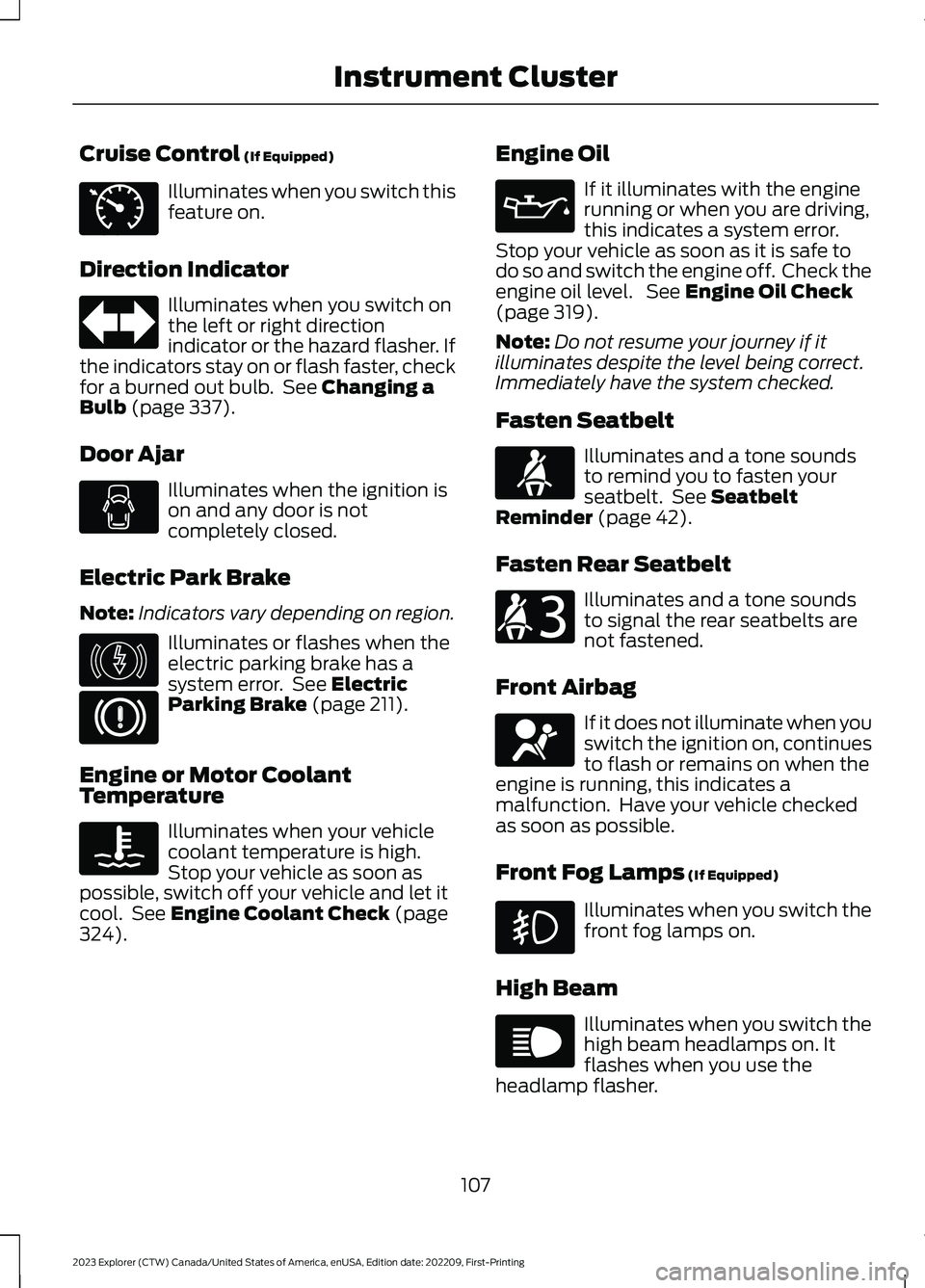
Cruise Control (If Equipped)
Illuminates when you switch thisfeature on.
Direction Indicator
Illuminates when you switch onthe left or right directionindicator or the hazard flasher. Ifthe indicators stay on or flash faster, checkfor a burned out bulb. See Changing aBulb (page 337).
Door Ajar
Illuminates when the ignition ison and any door is notcompletely closed.
Electric Park Brake
Note:Indicators vary depending on region.
Illuminates or flashes when theelectric parking brake has asystem error. See ElectricParking Brake (page 211).
Engine or Motor CoolantTemperature
Illuminates when your vehiclecoolant temperature is high.Stop your vehicle as soon aspossible, switch off your vehicle and let itcool. See Engine Coolant Check (page324).
Engine Oil
If it illuminates with the enginerunning or when you are driving,this indicates a system error.Stop your vehicle as soon as it is safe todo so and switch the engine off. Check theengine oil level. See Engine Oil Check(page 319).
Note:Do not resume your journey if itilluminates despite the level being correct.Immediately have the system checked.
Fasten Seatbelt
Illuminates and a tone soundsto remind you to fasten yourseatbelt. See SeatbeltReminder (page 42).
Fasten Rear Seatbelt
Illuminates and a tone soundsto signal the rear seatbelts arenot fastened.
Front Airbag
If it does not illuminate when youswitch the ignition on, continuesto flash or remains on when theengine is running, this indicates amalfunction. Have your vehicle checkedas soon as possible.
Front Fog Lamps (If Equipped)
Illuminates when you switch thefront fog lamps on.
High Beam
Illuminates when you switch thehigh beam headlamps on. Itflashes when you use theheadlamp flasher.
107
2023 Explorer (CTW) Canada/United States of America, enUSA, Edition date: 202209, First-PrintingInstrument ClusterE71340 E67018 E146190 E67024 E103308 E67022 E71880 E206718 E67017 E67019
Page 112 of 573
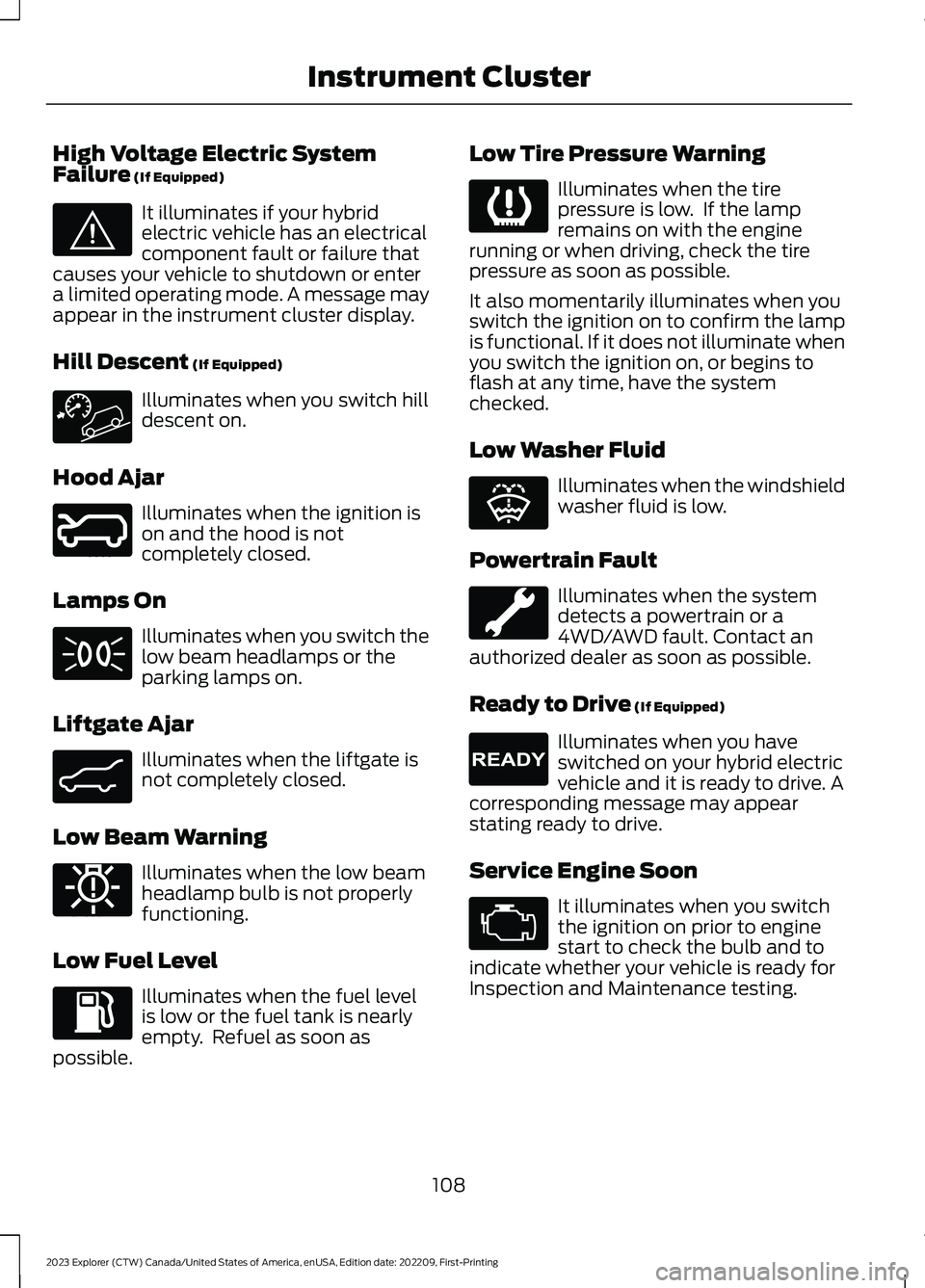
High Voltage Electric SystemFailure (If Equipped)
It illuminates if your hybridelectric vehicle has an electricalcomponent fault or failure thatcauses your vehicle to shutdown or entera limited operating mode. A message mayappear in the instrument cluster display.
Hill Descent (If Equipped)
Illuminates when you switch hilldescent on.
Hood Ajar
Illuminates when the ignition ison and the hood is notcompletely closed.
Lamps On
Illuminates when you switch thelow beam headlamps or theparking lamps on.
Liftgate Ajar
Illuminates when the liftgate isnot completely closed.
Low Beam Warning
Illuminates when the low beamheadlamp bulb is not properlyfunctioning.
Low Fuel Level
Illuminates when the fuel levelis low or the fuel tank is nearlyempty. Refuel as soon aspossible.
Low Tire Pressure Warning
Illuminates when the tirepressure is low. If the lampremains on with the enginerunning or when driving, check the tirepressure as soon as possible.
It also momentarily illuminates when youswitch the ignition on to confirm the lampis functional. If it does not illuminate whenyou switch the ignition on, or begins toflash at any time, have the systemchecked.
Low Washer Fluid
Illuminates when the windshieldwasher fluid is low.
Powertrain Fault
Illuminates when the systemdetects a powertrain or a4WD/AWD fault. Contact anauthorized dealer as soon as possible.
Ready to Drive (If Equipped)
Illuminates when you haveswitched on your hybrid electricvehicle and it is ready to drive. Acorresponding message may appearstating ready to drive.
Service Engine Soon
It illuminates when you switchthe ignition on prior to enginestart to check the bulb and toindicate whether your vehicle is ready forInspection and Maintenance testing.
108
2023 Explorer (CTW) Canada/United States of America, enUSA, Edition date: 202209, First-PrintingInstrument ClusterE144693 E246598 E71341 E162453 E181350 E139232 E132353 E224090 E67028