center console FORD EXPLORER 2023 User Guide
[x] Cancel search | Manufacturer: FORD, Model Year: 2023, Model line: EXPLORER, Model: FORD EXPLORER 2023Pages: 573, PDF Size: 16.1 MB
Page 224 of 573
PRINCIPLE OF OPERATION
The traction control system helps avoiddrive wheel spin and loss of traction.
If your vehicle begins to slide, the systemapplies the brakes to individual wheelsand, when needed, reduces engine powerat the same time. If the wheels spin whenaccelerating on slippery or loose surfaces,the system reduces engine power in orderto increase traction.
USING TRACTION CONTROL
WARNING: Operating your vehiclewith the traction control disabled couldlead to an increased risk of loss of vehiclecontrol, vehicle rollover, personal injuryand death.
The system automatically turns on eachtime you switch the ignition on.
If your vehicle is stuck in mud or snow,switching traction control off may bebeneficial as this allows the wheels to spin.
Note:When you switch traction control off,stability control remains fully active.
Switching the System Off
When you switch the system off or on, amessage appears in the informationdisplay showing system status.
You can switch the system off by using theswitch.
Using a Switch (If Equipped)
Use the traction control switch on thecenter console near the shifter to switchthe system off or on.
The traction control switch.
System Indicator Lights andMessages
The stability and traction controllight:
•Temporarily illuminates on enginestart-up.
•Flashes when a driving conditionactivates either of the systems.
•Illuminates if a problem occurs in eitherof the systems.
The stability and traction controloff light temporarily illuminateson engine start-up and stays onwhen you switch the traction controlsystem off.
220
2023 Explorer (CTW) Canada/United States of America, enUSA, Edition date: 202209, First-PrintingTraction ControlE297971 E138639 E130458
Page 225 of 573
PRINCIPLE OF OPERATION
WARNING: Vehicle modificationsinvolving braking system, aftermarketroof racks, suspension, steering system,tire construction and wheel and tire sizemay change the handling characteristicsof your vehicle and may adversely affectthe performance of the electronicstability control system. In addition,installing any stereo loudspeakers mayinterfere with and adversely affect theelectronic stability control system. Installany aftermarket stereo loudspeaker asfar as possible from the front centerconsole, the tunnel, and the front seatsin order to minimize the risk of interferingwith the electronic stability controlsensors. Reducing the effectiveness ofthe electronic stability control systemcould lead to an increased risk of loss ofvehicle control, vehicle rollover, personalinjury and death.
WARNING: Remember that evenadvanced technology cannot defy thelaws of physics. It’s always possible tolose control of a vehicle due toinappropriate driver input for theconditions. Aggressive driving on anyroad condition can cause you to losecontrol of your vehicle increasing the riskof personal injury or property damage.Activation of the electronic stabilitycontrol system is an indication that atleast some of the tires have exceededtheir ability to grip the road; this couldreduce the operator’s ability to controlthe vehicle potentially resulting in a lossof vehicle control, vehicle rollover,personal injury and death. If yourelectronic stability control systemactivates, SLOW DOWN.
The system automatically turns on eachtime you switch the ignition on.
If a driving condition activates either thestability control or the traction controlsystem you may experience the followingconditions:
•The stability and traction control lightflashes.
•Your vehicle slows down.
•Reduced engine power.
•A vibration in the brake pedal.
•The brake pedal is stiffer than usual.
•If the driving condition is severe andyour foot is not on the brake, the brakepedal may move as the systemsapplies higher brake forces.
The stability control system has severalfeatures built into it to help you maintaincontrol of your vehicle:
Electronic Stability Control
The system enhances your vehicle’s abilityto prevent skids or lateral slides byapplying brakes to one or more of thewheels individually and, if necessary,reducing engine power.
Roll Stability Control
The system enhances your vehicle’s abilityto prevent rollovers by detecting yourvehicle’s roll motion and the rate at whichit changes by applying the brakes to oneor more wheels individually.
Curve Control
The system enhances your vehicle’s abilityto follow the road when cornering severelyor avoiding objects in the roadway. CurveControl operates by reducing engine powerand, if necessary, applying brakes to oneor more of the wheels individually.
221
2023 Explorer (CTW) Canada/United States of America, enUSA, Edition date: 202209, First-PrintingStability Control
Page 228 of 573
WHAT IS HILL DESCENT
CONTROL
WARNING: Hill descent controlcannot control descent in all surfaceconditions and circumstances, such asice or extremely steep grades. Hilldescent control is a driver assist systemand cannot substitute for good judgmentby the driver. Failure to do so may resultin loss of vehicle control, crash or seriousinjury.
WARNING: The system does notreplace the parking brake. When youleave your vehicle, always apply theparking brake.
Note:The system does not function below3 mph (5 km/h).
Hill descent control allows the driver to setand maintain vehicle speed whiledescending steep slopes in various surfaceconditions.
The system can maintain vehicle speedson downhill slopes between 3–20 mph(5–32 km/h). Above 20 mph (32 km/h),the system remains on but the descentspeed cannot be set or maintained.
The system requires a cool down intervalafter a period of sustained use. Theamount of time that the system canremain active before cooling varies withconditions. The system provides a warningin the message center and a tone soundswhen the system is about to disengage forcooling. At this time, manually apply thebrakes as needed to maintain descentspeed.
SWITCHING HILL DESCENT
CONTROL ON AND OFF
Press the button on the centerconsole. A light illuminates in thecontrol and a tone sounds whenthe system is active.
SETTING THE HILL DESCENT
SPEED
WARNING: The system does notreplace the parking brake. When youleave your vehicle, always apply theparking brake.
WARNING: The system does notcontrol speed in low traction conditionsor extremely steep slopes. The systemis designed to be an aid and does notrelieve you of your responsibility to drivewith due care and attention. Failure tofollow this instruction could result inpersonal injury.
To increase the descent speed, press theaccelerator pedal until you reach the speedyou prefer.
To decrease the descent speed, press thebrake pedal until you reach the speed youprefer.
When you reach the speed you prefer,either by accelerating or decelerating,remove your feet from the pedals. Thesystem maintains the chosen vehiclespeed.
HILL DESCENT CONTROL
INDICATOR
Illuminates when you switch hilldescent control on.
224
2023 Explorer (CTW) Canada/United States of America, enUSA, Edition date: 202209, First-PrintingHill Descent Control
Page 235 of 573
WARNING: You are responsible forcontrolling your vehicle at all times. Thesystem is designed to be an aid and doesnot relieve you of your responsibility todrive with due care and attention. Failureto follow this instruction could result inthe loss of control of your vehicle,personal injury or death.
WARNING: Do not use the systemwith accessories that extend beyond thefront or rear of your vehicle, for examplea trailer hitch, bike rack or side mirrorextensions such as telescoping mirrorsor towing mirrors. The system is not ableto make corrections for the additionallength of the accessories.
The system assists parking into and out ofparking spaces. It uses sensors to detectparking spaces. The system then steers,accelerates, brakes and shifts gear asrequired to maneuver into or out of aparking space.
Using Active Park Assist
The active park assist button isnear the transmission selectoron the center console.
Press the active park assist button to bringup full screen notifications. Press either theactive park assist button or the soft keyson the display screen to switch betweenParallel Park In, Perpendicular Park In orParallel Park Out parking modes.
Driving into a Parking Space
Note:When parking perpendicularly, thesystem backs your vehicle into parkingspaces.
1.Press the active park assist button.
Note:The system does not recognizeparking space lines and centers your vehiclebetween objects.
Note:The system detects other vehiclesand curbs to find a parking space.
Note:The system searches for parallelparking spaces on the passenger side. Pressthe active park assist button again to makethe system search for perpendicular spaces.
2.Use the direction indicator lever tosearch for a parking space on the driveror passenger side of your vehicle.
3.Drive your vehicle approximately 3 ft(1 m) away from and parallel to theother parked vehicles when searchingfor a parking space.
Note: A tone sounds and a messageappears in the information display whenactive park assist finds a suitable parkingspace.
4.Press and hold the brake pedal.
5.Release the steering wheel and shiftinto neutral (N).
6.Press and hold the active park assistbutton.
7.Release the brake pedal to allow thevehicle to park.
Note:When parallel parking betweenobjects, the system parks closer to theobject in front of your vehicle to allow easieraccess to your luggage compartment.
Note:When perpendicular parking, thesystem aligns the front end of your vehiclewith the object next to it.
Note:When perpendicular parking, if thesystem detects only one object, it allowsenough distance to open the door on eitherside.
Note:You can slow down your vehicle atany time by pressing the brake pedal.
Note:When parking is complete the vehicleshifts into park (P).
231
2023 Explorer (CTW) Canada/United States of America, enUSA, Edition date: 202209, First-PrintingParking AidsE146186
Page 277 of 573
WHAT IS DRIVE MODE
CONTROL
Your vehicle has various drive modes thatyou can select for different drivingconditions. Depending on the drive modethat you select, the system adjusts variousvehicle settings.
HOW DOES DRIVE MODE
CONTROL WORK
Selectable drive modes change variouselectronic and mechanical settings withinyour vehicle to tailor its performance anddriving characteristics to on-road oroff-road driving conditions. Steering feeland effort, traction control, stabilitycontrol, chassis control, powertrainresponse, transmission shift points andfour-wheel driveline settings alter to apre-determined setting depending uponthe drive mode that you select.
Note:Your vehicle has diagnostic checksthat continuously monitor all systems forproper operation. If a drive mode isunavailable due to a system fault, yourvehicle defaults to normal mode.
SELECTING A DRIVE MODE
Note:Drive mode changes may not beavailable when the ignition is off or whenthe engine is not running.
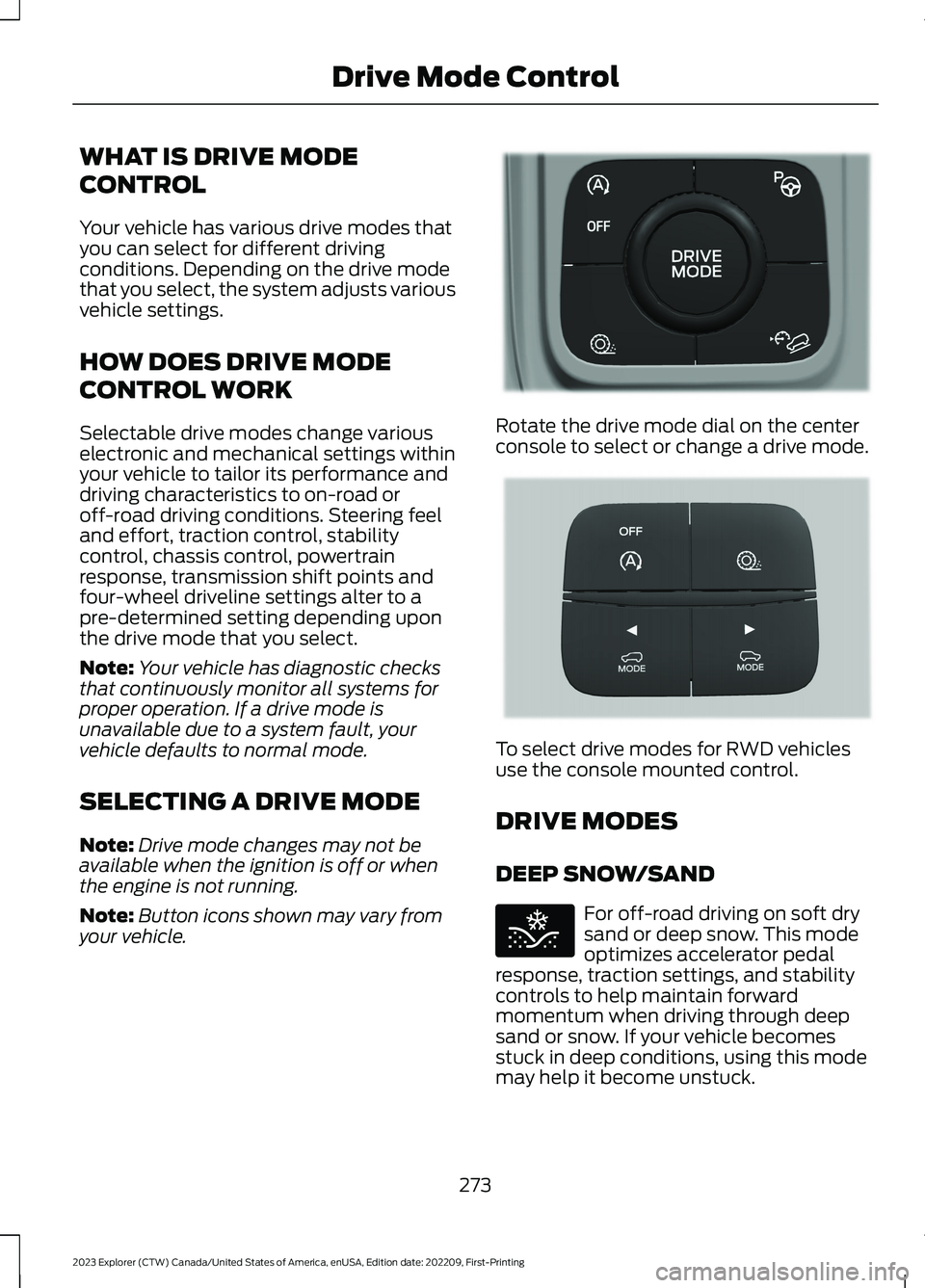
Note:Button icons shown may vary fromyour vehicle.
Rotate the drive mode dial on the centerconsole to select or change a drive mode.
To select drive modes for RWD vehiclesuse the console mounted control.
DRIVE MODES
DEEP SNOW/SAND
For off-road driving on soft drysand or deep snow. This modeoptimizes accelerator pedalresponse, traction settings, and stabilitycontrols to help maintain forwardmomentum when driving through deepsand or snow. If your vehicle becomesstuck in deep conditions, using this modemay help it become unstuck.
273
2023 Explorer (CTW) Canada/United States of America, enUSA, Edition date: 202209, First-PrintingDrive Mode ControlE298238 E297643 E295420
Page 430 of 573
The USB port allows you to plug in mediaplaying devices, memory sticks and chargedevices.
Note:We recommend using only USB-IFcertified cables and adapters. Non-certifiedcables and adapters may not work.
Locating the USB Ports
The USB ports may be in the followinglocations:
•Inside the media bin.
•Inside the center console.
•On the lower instrument panel.
Note:The number and type of USB portsmay vary depending on your vehicle.
Note:Not all USB ports in your vehicle havedata transfer capabilities. See AuxiliaryPower Points (page 164).
426
2023 Explorer (CTW) Canada/United States of America, enUSA, Edition date: 202209, First-PrintingAudio System
Page 448 of 573
FunctionButton
Playlists
Artist
Albums
Songs
Genres
Podcasts
Audio books
Composers
This button allows you to choose a specificletter to view within the category you arebrowsing.
A-Z Jump
If available, this allows you to browse thefolders and files on your USB device.Explore Device
USB Ports
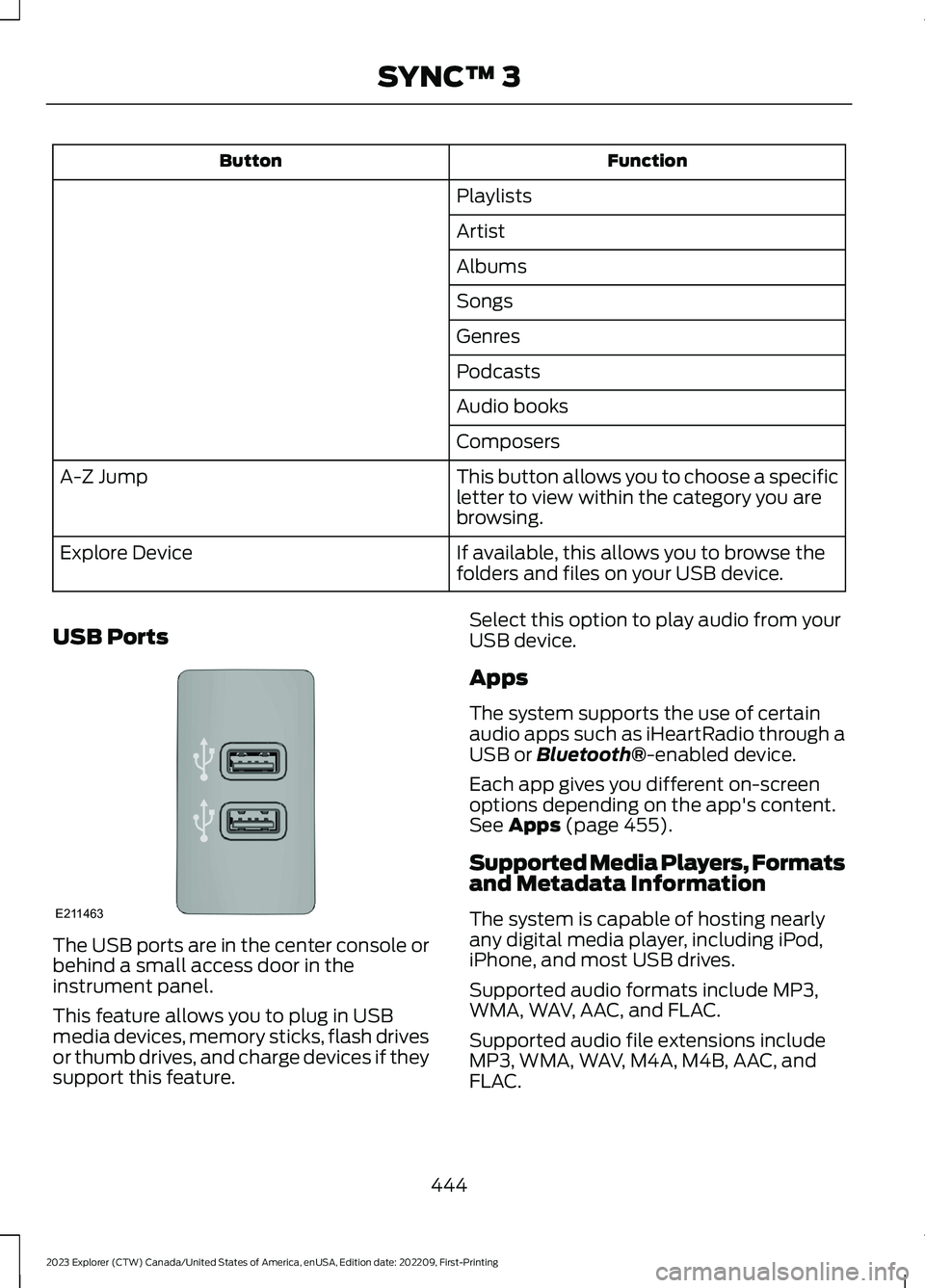
The USB ports are in the center console orbehind a small access door in theinstrument panel.
This feature allows you to plug in USBmedia devices, memory sticks, flash drivesor thumb drives, and charge devices if theysupport this feature.
Select this option to play audio from yourUSB device.
Apps
The system supports the use of certainaudio apps such as iHeartRadio through aUSB or Bluetooth®-enabled device.
Each app gives you different on-screenoptions depending on the app's content.See Apps (page 455).
Supported Media Players, Formatsand Metadata Information
The system is capable of hosting nearlyany digital media player, including iPod,iPhone, and most USB drives.
Supported audio formats include MP3,WMA, WAV, AAC, and FLAC.
Supported audio file extensions includeMP3, WMA, WAV, M4A, M4B, AAC, andFLAC.
444
2023 Explorer (CTW) Canada/United States of America, enUSA, Edition date: 202209, First-PrintingSYNC™ 3E211463
Page 569 of 573
Hybrid Vehicle Frequently AskedQuestions - Hybrid Electric Vehicle(HEV).............................................................180Hybrid Vehicle Operation - HybridElectric Vehicle (HEV)..............................178
I
Ignition Switch...............................................168In California (U.S. Only)............................299Information Display Control.......................82Information Displays....................................110General Information - Vehicles With: 12.3Inch Instrument Cluster DisplayScreen.................................................................112General Information - Vehicles With: 4.2Inch Instrument Cluster DisplayScreen.................................................................115General Information - Vehicles With: 6.5Inch Instrument Cluster DisplayScreen.................................................................110Information Messages.................................119Installing Child Restraints...........................25Instrument Cluster........................................101Instrument Lighting Dimmer......................87Instrument Panel.............................................21Interior Air Quality.........................................143Interior Lamps.................................................90Interior Mirror...................................................98Introduction........................................................9
J
Jump Starting the Vehicle........................293
K
Keyless Entry.....................................................71Keyless Starting............................................169Keys and Remote Controls.........................57
L
Lane Keeping System................................255Liftgate...............................................................73Lighting Control..............................................86Lighting..............................................................86General Information...........................................86
Limited Slip Differential............................209Load CarriersSee: Roof Racks and Load Carriers.............276Load Carrying.................................................275General Information..........................................275Load Limit........................................................277Locating the Wireless AccessoryCharger..........................................................166Locking and Unlocking................................68Lug NutsSee: Changing a Road Wheel........................370
M
Maintenance...................................................315General Information..........................................315Manual Seats.................................................146Memory Function.........................................150Message CenterSee: Information Displays................................110MirrorsSee: Windows and Mirrors................................94Mobile Communications Equipment......14Mobile Device Data........................................18Moonroof..........................................................99Motorcraft Parts - 2.3LEcoBoost™.................................................382Motorcraft Parts - 3.0L..............................382Motorcraft Parts - 3.3L..............................383MyKey – Troubleshooting...........................67MyKey™.............................................................64Principle of Operation........................................64
N
Navigation......................................................449Normal Scheduled Maintenance..........479
O
Oil Change Indicator Reset......................320Oil CheckSee: Engine Oil Check.......................................319Opening and Closing the Hood...............315Ordering Additional Owner'sLiterature.....................................................303Overhead Console........................................167
565
2023 Explorer (CTW) Canada/United States of America, enUSA, Edition date: 202209, First-PrintingIndex