mirror FORD EXPLORER 2023 User Guide
[x] Cancel search | Manufacturer: FORD, Model Year: 2023, Model line: EXPLORER, Model: FORD EXPLORER 2023Pages: 573, PDF Size: 16.1 MB
Page 154 of 573
Lumbar and Bolster ModeMassage Mode
Upper lumbarBack massage intensityadjustmentA
Lumbar decreaseMassage intensity decrease
and off*B
Lower lumbar**Cushion massage intensityadjustmentC
Lumbar increaseMassage intensity increaseD
-On and offE
*The massage feature defaults to analternating massage mode with backmassage intensity adjustment. The lumbarand bolster feature defaults to the middlelumbar mode.**Press C a second time to adjust the backbolster. Press C a third time to adjust thecushion bolster.
You can also adjust this feature throughthe touchscreen. When switched on, thesystem displays directions for you to adjustthe lumbar settings in your seat or to setthe massage function.
MEMORY FUNCTION (IF EQUIPPED)
WARNING: Before activating thememory seat, make sure that the areaimmediately surrounding the seat is clearof obstructions and that all occupantsare clear of moving parts.
WARNING: Do not use the memoryfunction when your vehicle is moving.
This feature recalls the position of thefollowing:
•Driver seat.
•Power mirrors.
•Optional power steering column.
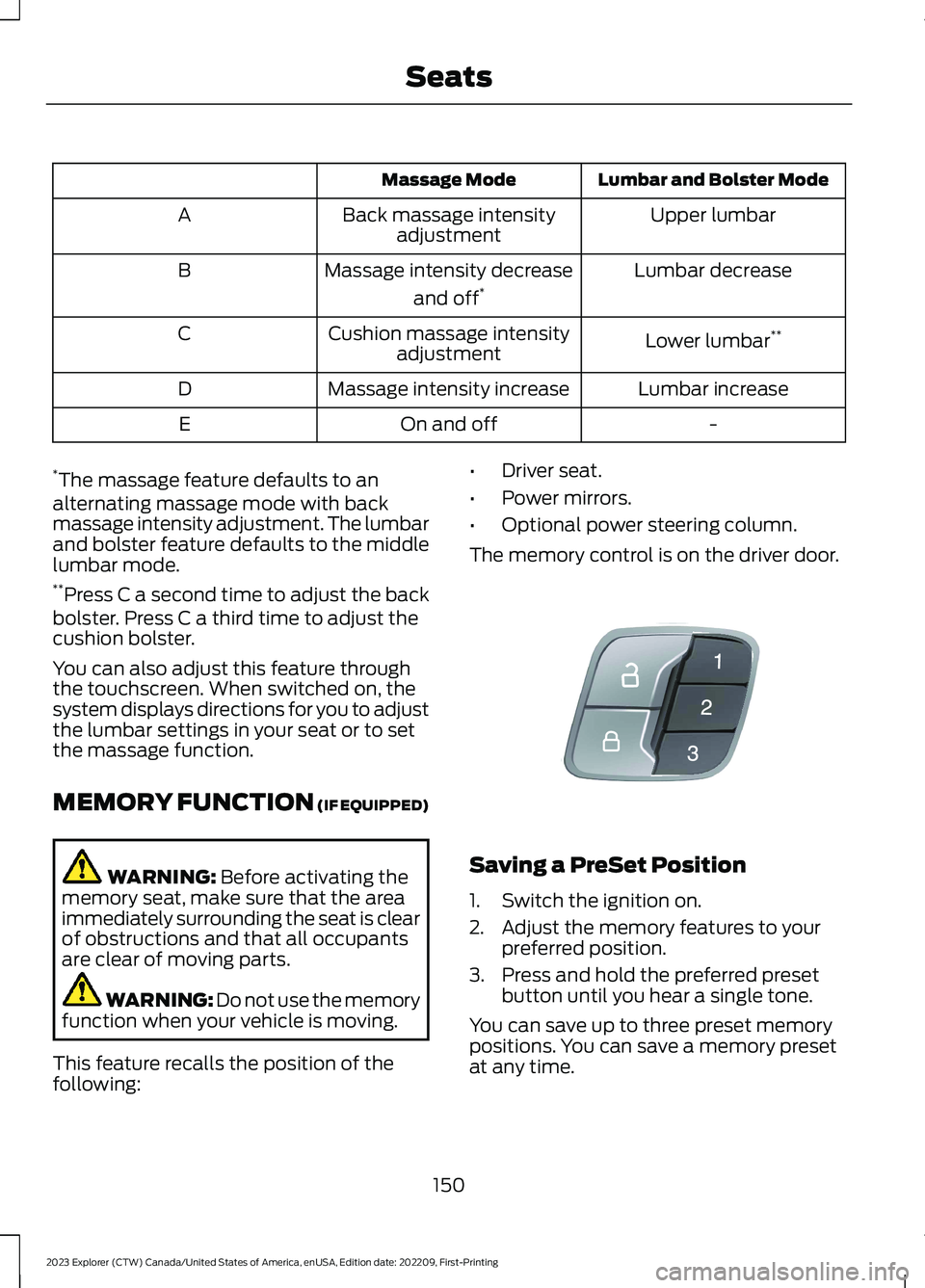
The memory control is on the driver door.
Saving a PreSet Position
1.Switch the ignition on.
2.Adjust the memory features to yourpreferred position.
3.Press and hold the preferred presetbutton until you hear a single tone.
You can save up to three preset memorypositions. You can save a memory presetat any time.
150
2023 Explorer (CTW) Canada/United States of America, enUSA, Edition date: 202209, First-PrintingSeatsE142554
Page 235 of 573
WARNING: You are responsible forcontrolling your vehicle at all times. Thesystem is designed to be an aid and doesnot relieve you of your responsibility todrive with due care and attention. Failureto follow this instruction could result inthe loss of control of your vehicle,personal injury or death.
WARNING: Do not use the systemwith accessories that extend beyond thefront or rear of your vehicle, for examplea trailer hitch, bike rack or side mirrorextensions such as telescoping mirrorsor towing mirrors. The system is not ableto make corrections for the additionallength of the accessories.
The system assists parking into and out ofparking spaces. It uses sensors to detectparking spaces. The system then steers,accelerates, brakes and shifts gear asrequired to maneuver into or out of aparking space.
Using Active Park Assist
The active park assist button isnear the transmission selectoron the center console.
Press the active park assist button to bringup full screen notifications. Press either theactive park assist button or the soft keyson the display screen to switch betweenParallel Park In, Perpendicular Park In orParallel Park Out parking modes.
Driving into a Parking Space
Note:When parking perpendicularly, thesystem backs your vehicle into parkingspaces.
1.Press the active park assist button.
Note:The system does not recognizeparking space lines and centers your vehiclebetween objects.
Note:The system detects other vehiclesand curbs to find a parking space.
Note:The system searches for parallelparking spaces on the passenger side. Pressthe active park assist button again to makethe system search for perpendicular spaces.
2.Use the direction indicator lever tosearch for a parking space on the driveror passenger side of your vehicle.
3.Drive your vehicle approximately 3 ft(1 m) away from and parallel to theother parked vehicles when searchingfor a parking space.
Note: A tone sounds and a messageappears in the information display whenactive park assist finds a suitable parkingspace.
4.Press and hold the brake pedal.
5.Release the steering wheel and shiftinto neutral (N).
6.Press and hold the active park assistbutton.
7.Release the brake pedal to allow thevehicle to park.
Note:When parallel parking betweenobjects, the system parks closer to theobject in front of your vehicle to allow easieraccess to your luggage compartment.
Note:When perpendicular parking, thesystem aligns the front end of your vehiclewith the object next to it.
Note:When perpendicular parking, if thesystem detects only one object, it allowsenough distance to open the door on eitherside.
Note:You can slow down your vehicle atany time by pressing the brake pedal.
Note:When parking is complete the vehicleshifts into park (P).
231
2023 Explorer (CTW) Canada/United States of America, enUSA, Edition date: 202209, First-PrintingParking AidsE146186
Page 238 of 573
REAR VIEW CAMERA
WARNING: The rear view camerasystem is a reverse aid supplementdevice that still requires the driver to useit in conjunction with the interior andexterior mirrors for maximum coverage.
WARNING: Objects that are closeto either corner of the bumper or underthe bumper, might not be seen on thescreen due to the limited coverage of thecamera system.
WARNING: Reverse your vehicleslowly. Failure to follow this instructioncould result in the loss of control of yourvehicle, personal injury or death.
WARNING: Use caution when therear cargo door is ajar. If the rear cargodoor is ajar, the camera will be out ofposition and the video image may beincorrect. All guidelines disappear whenthe rear cargo door is ajar. Failure tofollow this instruction could result inpersonal injury.
WARNING: Use caution whenturning camera features on or off whenthe transmission is not in park (P). Makesure your vehicle is not moving.
Note:Some vehicles may not comeequipped with guidelines.
The rear view camera system provides avideo image of the area behind yourvehicle.
During operation, lines appear in thedisplay which represent your vehicle’s pathand proximity to objects behind yourvehicle.
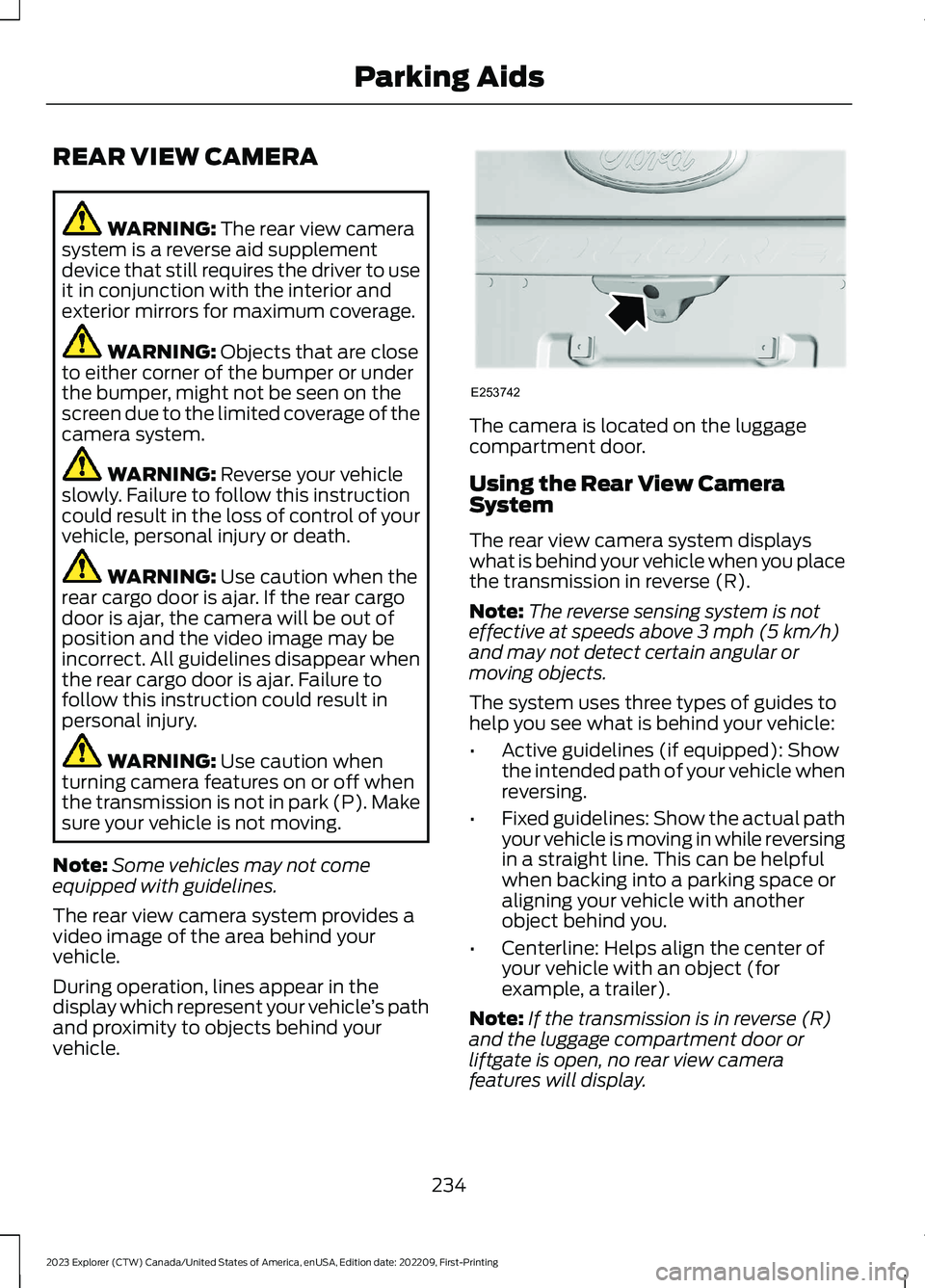
The camera is located on the luggagecompartment door.
Using the Rear View CameraSystem
The rear view camera system displayswhat is behind your vehicle when you placethe transmission in reverse (R).
Note:The reverse sensing system is noteffective at speeds above 3 mph (5 km/h)and may not detect certain angular ormoving objects.
The system uses three types of guides tohelp you see what is behind your vehicle:
•Active guidelines (if equipped): Showthe intended path of your vehicle whenreversing.
•Fixed guidelines: Show the actual pathyour vehicle is moving in while reversingin a straight line. This can be helpfulwhen backing into a parking space oraligning your vehicle with anotherobject behind you.
•Centerline: Helps align the center ofyour vehicle with an object (forexample, a trailer).
Note:If the transmission is in reverse (R)and the luggage compartment door orliftgate is open, no rear view camerafeatures will display.
234
2023 Explorer (CTW) Canada/United States of America, enUSA, Edition date: 202209, First-PrintingParking AidsE253742
Page 240 of 573
The fixed and active guidelines fade in andout depending on the steering wheelposition. The active guidelines do notdisplay when the steering wheel positionis straight.
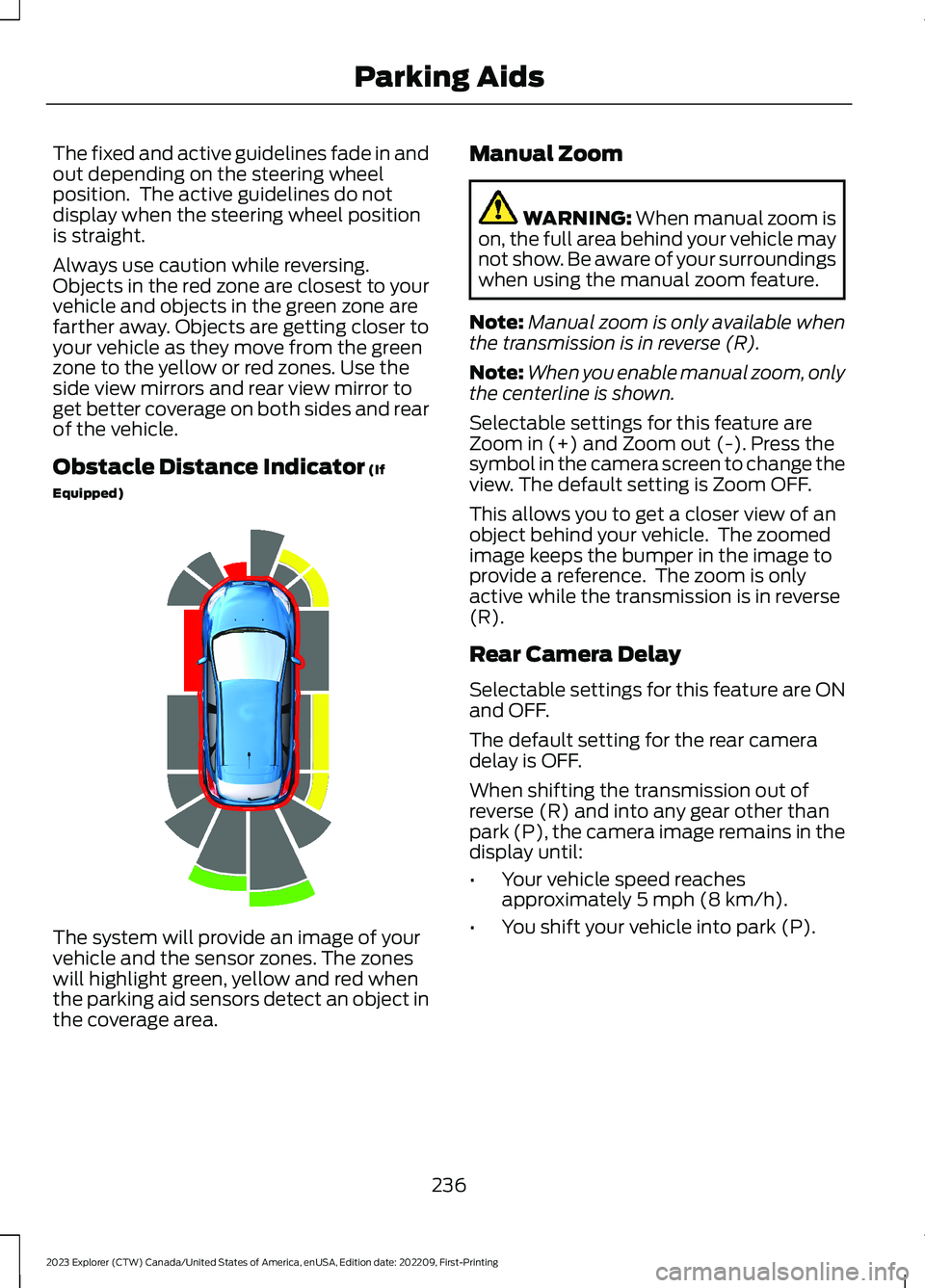
Always use caution while reversing.Objects in the red zone are closest to yourvehicle and objects in the green zone arefarther away. Objects are getting closer toyour vehicle as they move from the greenzone to the yellow or red zones. Use theside view mirrors and rear view mirror toget better coverage on both sides and rearof the vehicle.
Obstacle Distance Indicator (If
Equipped)
The system will provide an image of yourvehicle and the sensor zones. The zoneswill highlight green, yellow and red whenthe parking aid sensors detect an object inthe coverage area.
Manual Zoom
WARNING: When manual zoom ison, the full area behind your vehicle maynot show. Be aware of your surroundingswhen using the manual zoom feature.
Note:Manual zoom is only available whenthe transmission is in reverse (R).
Note:When you enable manual zoom, onlythe centerline is shown.
Selectable settings for this feature areZoom in (+) and Zoom out (-). Press thesymbol in the camera screen to change theview. The default setting is Zoom OFF.
This allows you to get a closer view of anobject behind your vehicle. The zoomedimage keeps the bumper in the image toprovide a reference. The zoom is onlyactive while the transmission is in reverse(R).
Rear Camera Delay
Selectable settings for this feature are ONand OFF.
The default setting for the rear cameradelay is OFF.
When shifting the transmission out ofreverse (R) and into any gear other thanpark (P), the camera image remains in thedisplay until:
•Your vehicle speed reachesapproximately 5 mph (8 km/h).
•You shift your vehicle into park (P).
236
2023 Explorer (CTW) Canada/United States of America, enUSA, Edition date: 202209, First-PrintingParking AidsE190459
Page 241 of 573
360 DEGREE CAMERA (IF
EQUIPPED)
WARNING: The 360 degreecamera system still requires the driverto use it in conjunction with looking outof the windows, and checking the interiorand exterior mirrors for maximumcoverage.
WARNING: Objects that are closeto either corner of the bumper or underthe bumper, might not be seen on thescreen due to the limited coverage of thecamera system.
WARNING: Use caution whenturning camera features on or off whenthe transmission is not in park (P). Makesure your vehicle is not moving.
WARNING: You are responsible forcontrolling your vehicle at all times. Thesystem is designed to be an aid and doesnot relieve you of your responsibility todrive with due care and attention. Failureto follow this instruction could result inthe loss of control of your vehicle,personal injury or death.
Note:Use caution using the 360 view whenany of the doors are ajar. If a door is ajar, thecamera becomes out of position and thevideo image could be incorrect.
The 360 degree camera system consistsof front, side and rear cameras. Thesystem:
•Allows you to see what is directly infront or behind your vehicle.
•Provides cross traffic view in front andbehind your vehicle.
•Allows you to see a top-down view ofthe area outside your vehicle, includingthe blind spots.
•Provides you with visibility around yourvehicle in parking maneuvers such as:
•Centering in a parking space.
•Obstacles near the vehicle.
•Parallel parking.
The front camera enable buttonis near the display screen andturns on the front camera whenyour vehicle is not in reverse (R).
Using the System
Note:The 360 degree camera system turnsoff when your vehicle is in motion at lowspeed, except when in reverse (R).
The front and rear cameras have multiplescreens which consist of normal view with360, normal view, and split view. When inpark (P), neutral (N) or drive (D), only thefront images display when you press thebutton. When in reverse (R), only the rearimages display.
Press to access the differentcamera views.
Normal + 360 view: Containsthe normal camera view next toa 360 degree camera view.
Normal view: Provides animage of what is directly in frontor behind your vehicle.
Split view: Provides anextended view of what is in frontor behind your vehicle.
Zooms in on the image.
237
2023 Explorer (CTW) Canada/United States of America, enUSA, Edition date: 202209, First-PrintingParking AidsE205884 E224483 E224783 E224784 E224785 E224485
Page 242 of 573
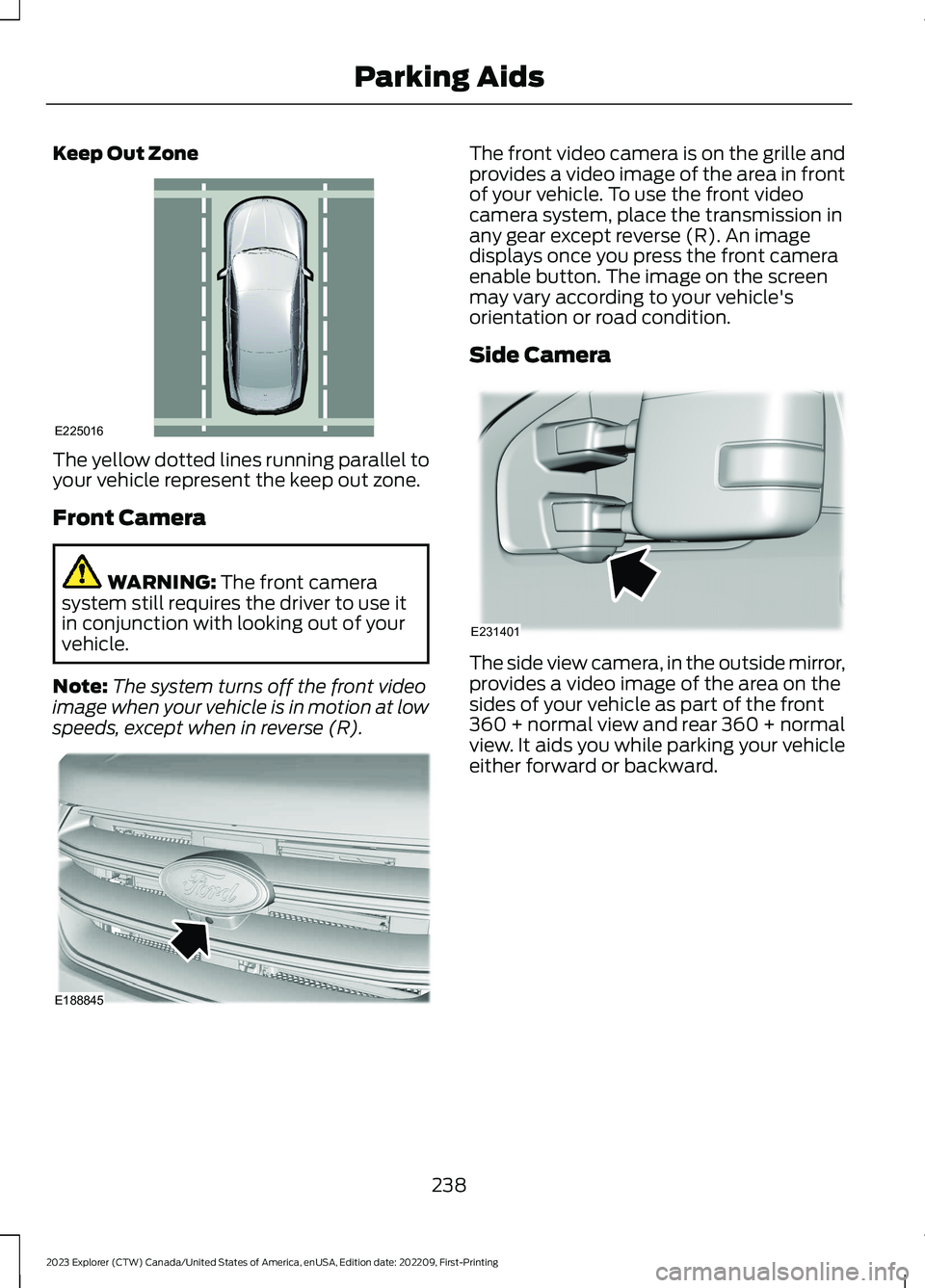
Keep Out Zone
The yellow dotted lines running parallel toyour vehicle represent the keep out zone.
Front Camera
WARNING: The front camerasystem still requires the driver to use itin conjunction with looking out of yourvehicle.
Note:The system turns off the front videoimage when your vehicle is in motion at lowspeeds, except when in reverse (R).
The front video camera is on the grille andprovides a video image of the area in frontof your vehicle. To use the front videocamera system, place the transmission inany gear except reverse (R). An imagedisplays once you press the front cameraenable button. The image on the screenmay vary according to your vehicle'sorientation or road condition.
Side Camera
The side view camera, in the outside mirror,provides a video image of the area on thesides of your vehicle as part of the front360 + normal view and rear 360 + normalview. It aids you while parking your vehicleeither forward or backward.
238
2023 Explorer (CTW) Canada/United States of America, enUSA, Edition date: 202209, First-PrintingParking AidsE225016 E188845 E231401
Page 247 of 573
•Areas under construction or newinfrastructure.
•When modifications to the steeringsystem have been made.
•When using a spare tire.
Note:The driving assistance torque islimited and may not be sufficient for alldriving situations such as driving throughtight curves or driving through curves at highspeeds.
Note:In exceptional conditions, the systemmay deviate from the center line.
ADAPTIVE CRUISE CONTROL
LIMITATIONS - VEHICLES
WITH: STOP AND GO
Sensor Limitations
WARNING: On rare occasions,detection issues can occur due to theroad infrastructures, for example bridges,tunnels and safety barriers. In thesecases, the system may brake late orunexpectedly. At all times, you areresponsible for controlling your vehicle,supervising the system and intervening,if required.
WARNING: If the systemmalfunctions, have your vehicle checkedas soon as possible.
WARNING: Large contrasts inoutside lighting can limit sensorperformance.
WARNING: The system only warnsof vehicles detected by the radar sensor.In some cases there may be no warningor a delayed warning. Apply the brakeswhen necessary. Failure to follow thisinstruction could result in personal injuryor death.
WARNING: The system may notdetect stationary or slow movingvehicles below 6 mph (10 km/h).
WARNING: The system does notdetect pedestrians or objects in the road.
WARNING: The system does notdetect oncoming vehicles in the samelane.
WARNING: The system may notoperate properly if the sensor is blocked.Keep the windshield free fromobstruction.
WARNING: The sensor mayincorrectly track lane markings as otherstructures or objects. This can result ina false or missed warning.
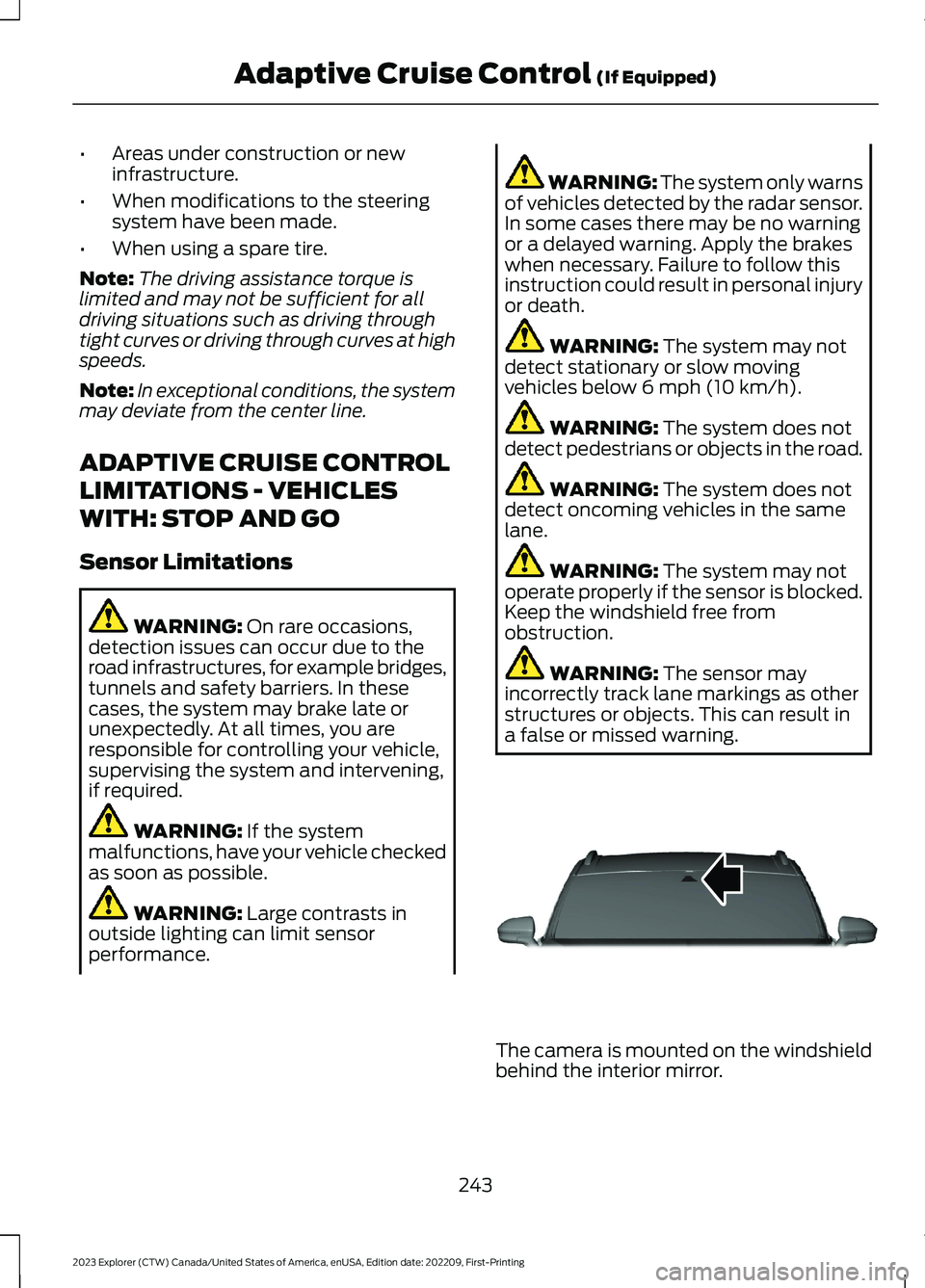
The camera is mounted on the windshieldbehind the interior mirror.
243
2023 Explorer (CTW) Canada/United States of America, enUSA, Edition date: 202209, First-PrintingAdaptive Cruise Control (If Equipped)E307893
Page 263 of 573
Why is the feature not available (line markings are gray) when I can see the lane markingson the road?
Transitioning between no lane markings to lane markings or vice versa.
There is standing water on the road.
Faint lane markings, for example partial yellow lane markings on concrete roads.
Lane width is too narrow or too wide.
The camera has not been calibrated after a windshield replacement.
Driving on tight roads or on uneven roads.
Why does the vehicle not come back toward the middle of the lane, as expected, in theAid or Aid + Alert mode?
High cross winds are present.
There is a large road crown.
Rough roads, grooves or shoulder drop-offs.
Heavy uneven loading of the vehicle or improper tire inflation pressure.
The tires have been changed, or the suspension has been modified.
BLIND SPOT INFORMATION
SYSTEM
WARNING: Do not use the blindspot information system as areplacement for using the interior andexterior mirrors or looking over yourshoulder before changing lanes. Theblind spot information system is not areplacement for careful driving.
WARNING: The system may notoperate properly during severe weatherconditions, for example snow, ice, heavyrain and spray. Always drive with duecare and attention. Failure to take caremay result in a crash.
259
2023 Explorer (CTW) Canada/United States of America, enUSA, Edition date: 202209, First-PrintingDriving AidsE255695
Page 264 of 573
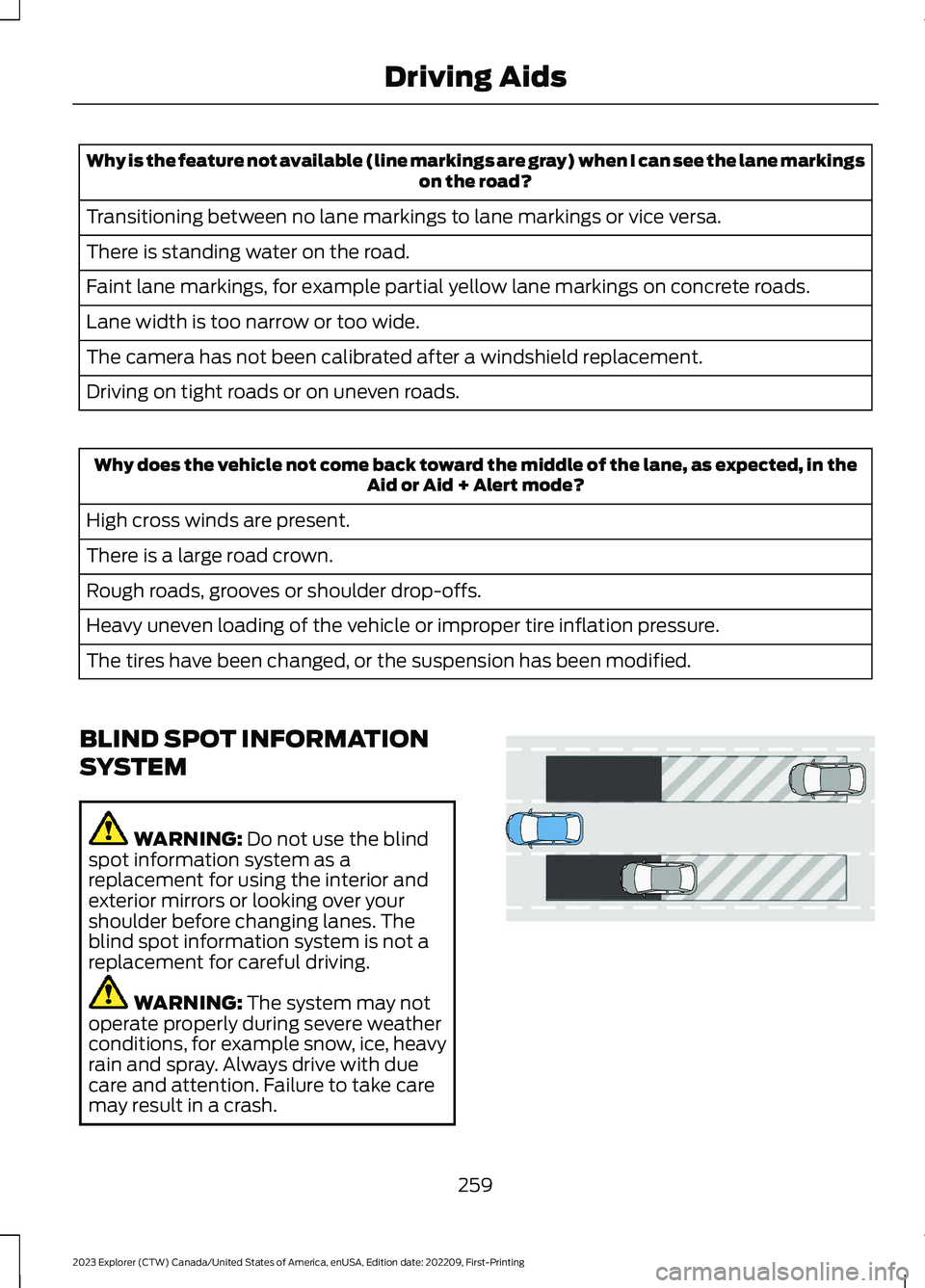
The design of the system is to detectvehicles that enter the blind spot zone. Thedetection area is on both sides of yourvehicle, extending rearward from theexterior mirrors to approximately 13 ft(4 m) beyond the rear bumper. Thedetection area extends to approximately59 ft (18 m) beyond the rear bumper whenthe vehicle speed is greater than 30 mph(48 km/h) to alert you of fasterapproaching vehicles.
Note:The system does not prevent contactwith other vehicles. It does not detectparked vehicles, pedestrians, animals orother infrastructures.
Using the Blind Spot InformationSystem
Vehicles with Automatic Transmission
The system turns on when all of thefollowing occur:
•You start your vehicle.
•You shift into drive (D).
•The vehicle speed is greater than6 mph (10 km/h).
Note:The system does not operate in park(P) or reverse (R).
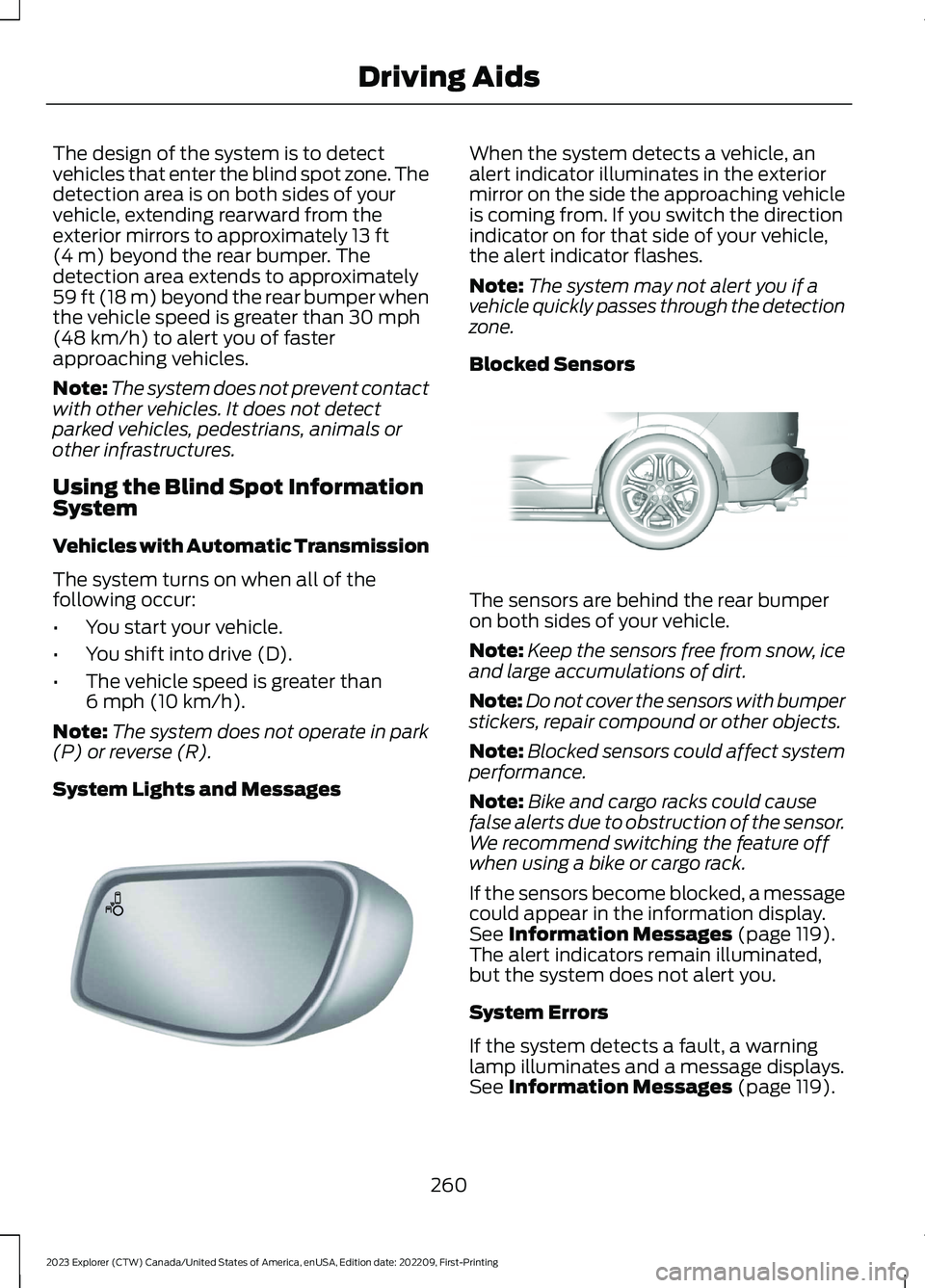
System Lights and Messages
When the system detects a vehicle, analert indicator illuminates in the exteriormirror on the side the approaching vehicleis coming from. If you switch the directionindicator on for that side of your vehicle,the alert indicator flashes.
Note:The system may not alert you if avehicle quickly passes through the detectionzone.
Blocked Sensors
The sensors are behind the rear bumperon both sides of your vehicle.
Note:Keep the sensors free from snow, iceand large accumulations of dirt.
Note:Do not cover the sensors with bumperstickers, repair compound or other objects.
Note:Blocked sensors could affect systemperformance.
Note:Bike and cargo racks could causefalse alerts due to obstruction of the sensor.We recommend switching the feature offwhen using a bike or cargo rack.
If the sensors become blocked, a messagecould appear in the information display.See Information Messages (page 119).The alert indicators remain illuminated,but the system does not alert you.
System Errors
If the system detects a fault, a warninglamp illuminates and a message displays.See Information Messages (page 119).
260
2023 Explorer (CTW) Canada/United States of America, enUSA, Edition date: 202209, First-PrintingDriving AidsE142442 E205199
Page 265 of 573
Switching the System On and Off
To switch the system on or off, adjust thesetting. Depending on your vehicle options,the setting could be in the following:
•Information display. See GeneralInformation (page 115).
•Touchscreen. See Settings (page 458).
When you switch the system off, a warninglamp illuminates and the alert indicatorsflash twice.
Note:The system remembers the lastsetting when you start your vehicle.
To permanently switch the system off,contact an authorized dealer.
Blind Spot Information Systemwith Trailer Tow (If Equipped)
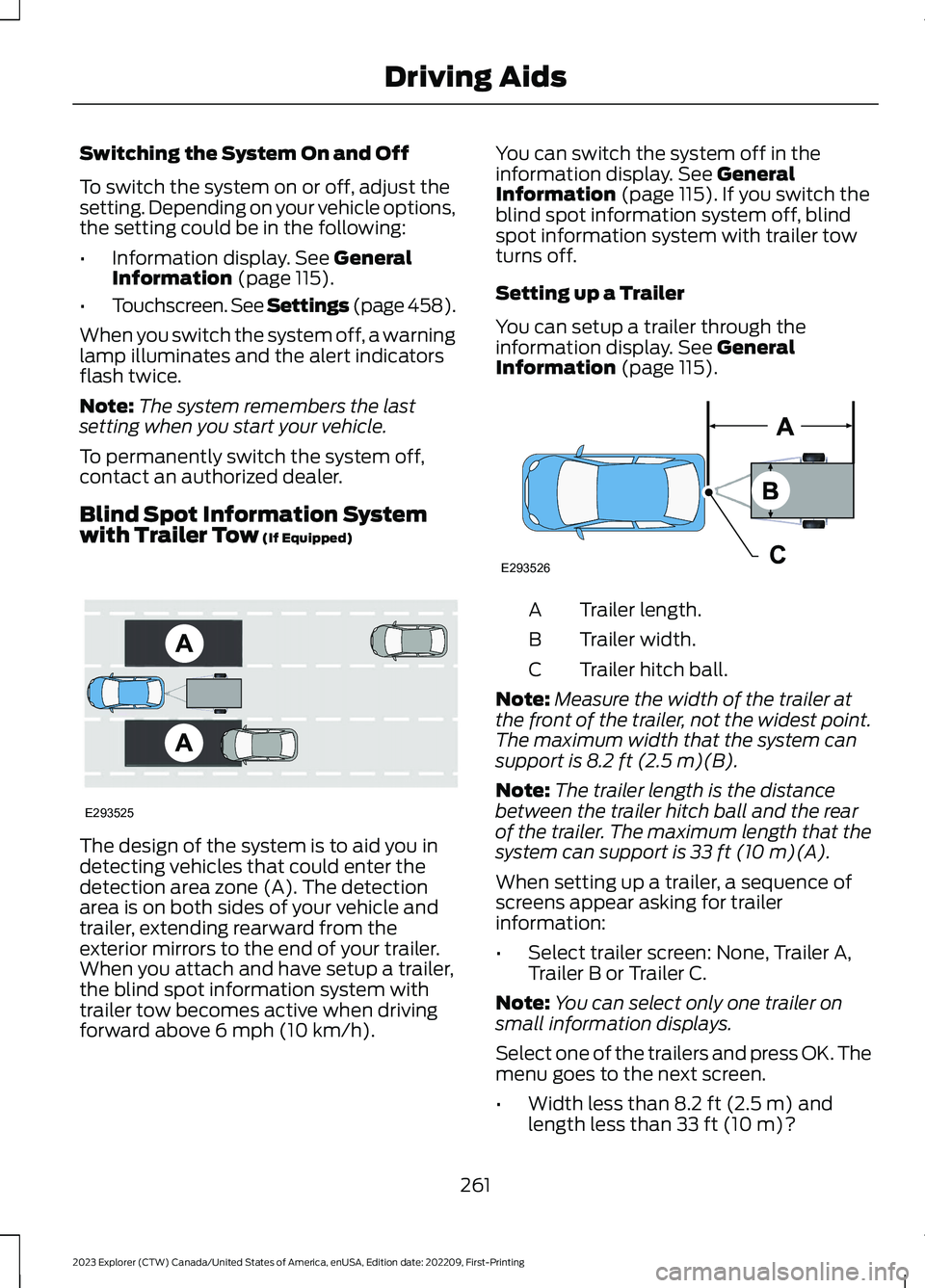
The design of the system is to aid you indetecting vehicles that could enter thedetection area zone (A). The detectionarea is on both sides of your vehicle andtrailer, extending rearward from theexterior mirrors to the end of your trailer.When you attach and have setup a trailer,the blind spot information system withtrailer tow becomes active when drivingforward above 6 mph (10 km/h).
You can switch the system off in theinformation display. See GeneralInformation (page 115).If you switch theblind spot information system off, blindspot information system with trailer towturns off.
Setting up a Trailer
You can setup a trailer through theinformation display. See GeneralInformation (page 115).
Trailer length.A
Trailer width.B
Trailer hitch ball.C
Note:Measure the width of the trailer atthe front of the trailer, not the widest point.The maximum width that the system cansupport is 8.2 ft (2.5 m)(B).
Note:The trailer length is the distancebetween the trailer hitch ball and the rearof the trailer. The maximum length that thesystem can support is 33 ft (10 m)(A).
When setting up a trailer, a sequence ofscreens appear asking for trailerinformation:
•Select trailer screen: None, Trailer A,Trailer B or Trailer C.
Note:You can select only one trailer onsmall information displays.
Select one of the trailers and press OK. Themenu goes to the next screen.
•Width less than 8.2 ft (2.5 m) andlength less than 33 ft (10 m)?
261
2023 Explorer (CTW) Canada/United States of America, enUSA, Edition date: 202209, First-PrintingDriving AidsE293525 E293526