towing FORD EXPLORER 2023 User Guide
[x] Cancel search | Manufacturer: FORD, Model Year: 2023, Model line: EXPLORER, Model: FORD EXPLORER 2023Pages: 573, PDF Size: 16.1 MB
Page 216 of 573
Note:If you shift your vehicle into park (P)on a slope and the transmission cannotsecurely hold the vehicle, the electric parkingbrake automatically applies. SeeTransmission (page 197).
Applying the Electric Parking Brake inan Emergency
Note:Do not apply the electric parkingbrake when your vehicle is moving, exceptin an emergency. If you repeatedly use theelectric parking brake to slow or stop yourvehicle, you could cause damage to thebrake system.
You can use the electric parking brake toslow or stop your vehicle in an emergency.
Pull the switch up and hold it.
The red warning lampilluminates, a tone sounds andthe stoplamps turn on.
The electric parking brake continues toslow your vehicle down unless you releasethe switch.
Manually Releasing the ElectricParking Brake
Switch the ignition on.
Press and hold the brake pedal.
Push the switch down.
The red warning lamp turns off.
If it remains illuminated or flashes, thesystem has malfunctioned. Have yourvehicle checked as soon as possible.
Pulling Away on a Hill When Towing aTrailer
Press and hold the brake pedal.
Pull the switch up and hold it.
Shift into gear.
Press the accelerator pedal until the enginehas developed sufficient torque to preventyour vehicle from rolling down the hill.
Release the switch and pullaway in a normal manner.
Automatically Releasing theElectric Parking Brake
Close the driver door.
Shift into gear.
Press the accelerator pedal and pull awayin a normal manner.
The red warning lamp turns off.
If it remains illuminated or flashes, theelectric parking brake has not released.Manually release the parking brake.
Releasing the Electric ParkingBrake if the Vehicle Battery isRunning Out of Charge
Connect a booster battery to the vehiclebattery to release the electric parking brakeif the vehicle battery is running out ofcharge. See Jump Starting the Vehicle(page 293).
212
2023 Explorer (CTW) Canada/United States of America, enUSA, Edition date: 202209, First-PrintingBrakesE267156 E270480 E67024 E267156 E270480 E67024 E267156 E267156 E270480 E67024
Page 218 of 573
AUTO HOLD
WARNING: The system does notreplace the parking brake. When youleave your vehicle, always apply theparking brake.
WARNING: You must remain inyour vehicle when the system turns on.At all times, you are responsible forcontrolling your vehicle, supervising thesystem and intervening, if required.Failure to take care may result in the lossof control of your vehicle, seriouspersonal injury or death.
WARNING: The system turns off ifthere is a malfunction.
The system is designed to apply the brakesto hold your vehicle at a standstill after youstop your vehicle and release the brakepedal. This could be beneficial in certainsituations, for example when waiting on ahill or in traffic.
Switching Auto Hold On and Off
Press the button on the centerconsole. The button illuminateswhen you switch the system on.
Note:You can only switch the system onafter you close the driver door, and start theengine.
Note:The system remembers the lastsetting when you start your vehicle.
Make sure you switch the system off beforetowing with your vehicle or before using anautomatic car wash.
Using Auto Hold
1.Use the brakes to bring your vehicle toa complete stop. The auto hold activeindicator illuminates in the informationdisplay.
2.Release the brake pedal. The systemholds your vehicle at a standstill. Theauto hold active indicator remainsilluminated in the information display.
Note:The system only activates if youapply enough brake pressure. If your vehicleis on a steep slope, you might need to pressthe brake pedal harder before the systemactivates.
Note:Under certain conditions, the systemcould apply the electric parking brake. Thebrake system warning lamp illuminates. Theelectric parking brake releases when youpress the accelerator pedal. See ElectricParking Brake (page 211).
Note:If auto-start-stop turns off theengine, auto hold remains active.
Note:The system deactivates if you shiftinto reverse (R) and press the brake pedal.
3.Pull away in the normal manner. Thesystem releases the brakes and theauto hold active indicator turns off.
Auto Hold Indicator
The auto hold indicator illuminates in theinformation display when the system is onand is either active or unavailable.
Illuminates when the system isactive. Your vehicle remainsstationary after you release thebrake pedal.
Illuminates when the system ison but unavailable to hold yourvehicle at a standstill.
The system could be unavailable when anyof the following occur:
•During an active park assist maneuver.
•Your vehicle is in stay in neutral mode.
214
2023 Explorer (CTW) Canada/United States of America, enUSA, Edition date: 202209, First-PrintingBrakesE297843 E197933 E197934
Page 235 of 573
WARNING: You are responsible forcontrolling your vehicle at all times. Thesystem is designed to be an aid and doesnot relieve you of your responsibility todrive with due care and attention. Failureto follow this instruction could result inthe loss of control of your vehicle,personal injury or death.
WARNING: Do not use the systemwith accessories that extend beyond thefront or rear of your vehicle, for examplea trailer hitch, bike rack or side mirrorextensions such as telescoping mirrorsor towing mirrors. The system is not ableto make corrections for the additionallength of the accessories.
The system assists parking into and out ofparking spaces. It uses sensors to detectparking spaces. The system then steers,accelerates, brakes and shifts gear asrequired to maneuver into or out of aparking space.
Using Active Park Assist
The active park assist button isnear the transmission selectoron the center console.
Press the active park assist button to bringup full screen notifications. Press either theactive park assist button or the soft keyson the display screen to switch betweenParallel Park In, Perpendicular Park In orParallel Park Out parking modes.
Driving into a Parking Space
Note:When parking perpendicularly, thesystem backs your vehicle into parkingspaces.
1.Press the active park assist button.
Note:The system does not recognizeparking space lines and centers your vehiclebetween objects.
Note:The system detects other vehiclesand curbs to find a parking space.
Note:The system searches for parallelparking spaces on the passenger side. Pressthe active park assist button again to makethe system search for perpendicular spaces.
2.Use the direction indicator lever tosearch for a parking space on the driveror passenger side of your vehicle.
3.Drive your vehicle approximately 3 ft(1 m) away from and parallel to theother parked vehicles when searchingfor a parking space.
Note: A tone sounds and a messageappears in the information display whenactive park assist finds a suitable parkingspace.
4.Press and hold the brake pedal.
5.Release the steering wheel and shiftinto neutral (N).
6.Press and hold the active park assistbutton.
7.Release the brake pedal to allow thevehicle to park.
Note:When parallel parking betweenobjects, the system parks closer to theobject in front of your vehicle to allow easieraccess to your luggage compartment.
Note:When perpendicular parking, thesystem aligns the front end of your vehiclewith the object next to it.
Note:When perpendicular parking, if thesystem detects only one object, it allowsenough distance to open the door on eitherside.
Note:You can slow down your vehicle atany time by pressing the brake pedal.
Note:When parking is complete the vehicleshifts into park (P).
231
2023 Explorer (CTW) Canada/United States of America, enUSA, Edition date: 202209, First-PrintingParking AidsE146186
Page 239 of 573
Note: When towing, the camera only seeswhat you are towing. This might not provideadequate coverage as it usually provides innormal operation and some objects mightnot be seen. In some vehicles, the guidelinesmay disappear when you connect the trailertow connector.
The camera may not operate correctlyunder the following conditions:
•Nighttime or dark areas if one or bothreverse lamps are not operating.
•Mud, water or debris obstructs thecamera's view. Clean the lens with asoft, lint-free cloth and non-abrasivecleaner. You can also use the rearwasher to clean the camera. See RearWindow Wiper and Washers (page85).
•The rear of your vehicle is hit ordamaged, causing the camera tobecome misaligned.
Camera System Settings
The rear view camera system settings canbe accessed through the touchscreen. SeeSettings (page 458).
Camera Guidelines
Note:Active guidelines are only availablewhen the transmission is in reverse (R).
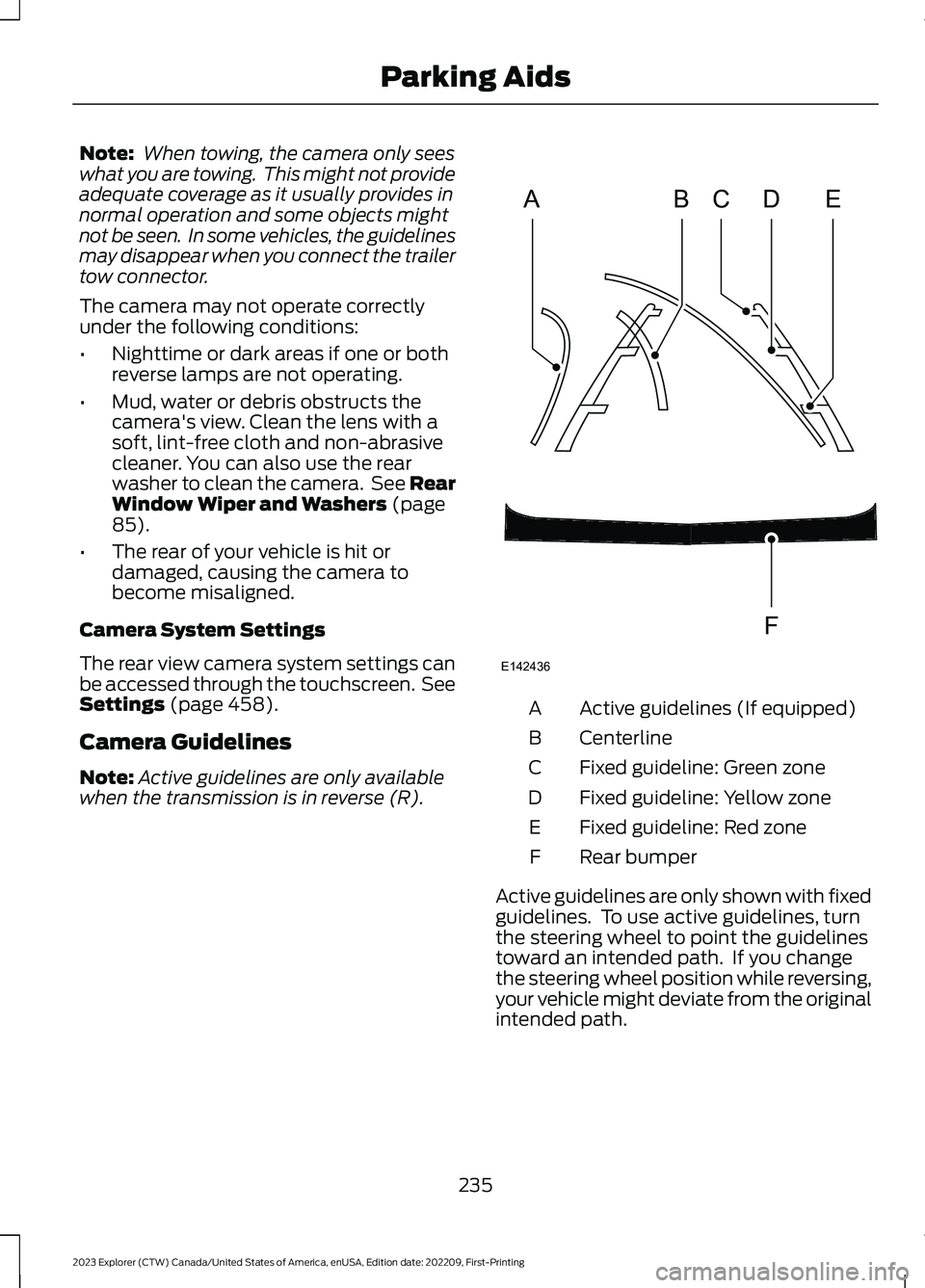
Active guidelines (If equipped)A
CenterlineB
Fixed guideline: Green zoneC
Fixed guideline: Yellow zoneD
Fixed guideline: Red zoneE
Rear bumperF
Active guidelines are only shown with fixedguidelines. To use active guidelines, turnthe steering wheel to point the guidelinestoward an intended path. If you changethe steering wheel position while reversing,your vehicle might deviate from the originalintended path.
235
2023 Explorer (CTW) Canada/United States of America, enUSA, Edition date: 202209, First-PrintingParking AidsABCDFEE142436
Page 245 of 573
HOW DOES ADAPTIVE CRUISE
CONTROL WITH STOP AND GO
WORK
Adaptive cruise control with stop and gouses radar and camera sensors to adjustthe speed of your vehicle to maintain a setgap from the vehicle in front of you in thesame lane while following it to a completestop. You can also engage the system tofollow a vehicle in front of you and adjustset speed while stopped.
WHAT IS ADAPTIVE CRUISE
CONTROL WITH LANE
CENTERING
Adaptive cruise control with lane centeringuses radar and camera sensors to helpkeep your vehicle in the lane by applyingcontinuous assistance steering torqueinput toward the lane center on highways.
Note:The adaptive cruise control gapsetting operates normally.
WHAT IS INTELLIGENT
ADAPTIVE CRUISE CONTROL
Intelligent adaptive cruise controlcombines speed sign recognition withadaptive cruise control to adjust the cruiseset speed to the speed limit detected bythe speed sign recognition system. Forexample, if the speed sign recognitionsystem detects a 50 mph (80 km/h)speed limit, the cruise set speed is updatedto 50 mph (80 km/h) +/- the driver'sselected speed offset.
Note:The adaptive cruise control gapsetting operates normally.
ADAPTIVE CRUISE CONTROL
PRECAUTIONS - VEHICLES
WITH: LANE CENTERING
Adaptive cruise control precautions applyto lane centering unless stated otherwiseor contradicted by a lane centeringprecaution. See Adaptive Cruise ControlPrecautions (page 241).
WARNING: Do not use the systemwhen towing a trailer. Failure to followthis instruction could result in the loss ofcontrol of your vehicle, personal injury ordeath.
WARNING: Do not use the systemif any changes or modifications to thesteering wheel have been made. Anychanges or modifications to the steeringwheel could affect the functionality orperformance of the system. Failure tofollow this instruction could result in theloss of control of your vehicle, personalinjury or death.
ADAPTIVE CRUISE CONTROL
PRECAUTIONS - VEHICLES
WITH: STOP AND GO
WARNING: You are responsible forcontrolling your vehicle at all times. Thesystem is designed to be an aid and doesnot relieve you of your responsibility todrive with due care and attention. Failureto follow this instruction could result inthe loss of control of your vehicle,personal injury or death.
241
2023 Explorer (CTW) Canada/United States of America, enUSA, Edition date: 202209, First-PrintingAdaptive Cruise Control (If Equipped)
Page 246 of 573
WARNING: Pay close attention tochanging road conditions such asentering or leaving a highway, on roadswith intersections or roundabouts, roadswithout visible lanes of travel, roads thatare winding, slippery, unpaved, or steepslopes.
WARNING: The system does notcontrol speed in low traction conditionsor extremely steep slopes. The systemis designed to be an aid and does notrelieve you of your responsibility to drivewith due care and attention. Failure tofollow this instruction could result inpersonal injury.
WARNING: The system is not acrash warning or avoidance system.
WARNING: Do not use the systemwhen towing a trailer that hasaftermarket electronic trailer brakecontrols. Failure to follow this instructioncould result in the loss of control of yourvehicle, personal injury or death.
WARNING: Do not use tire sizesother than those recommended becausethis can affect the normal operation ofthe system. Failure to do so may resultin a loss of vehicle control, which couldresult in serious injury.
WARNING: Do not use the systemwith a snow plow blade installed.
WARNING: Do not use the systemin poor visibility, for example fog, heavyrain, spray or snow.
When Following a Vehicle
WARNING: When following avehicle that is braking, your vehicle doesnot always decelerate quickly enough toavoid a crash without driver intervention.Apply the brakes when necessary. Failureto follow this instruction could result inpersonal injury or death.
Hilly Condition Usage
You should select a lower gear when thesystem is active in situations such asprolonged downhill driving on steepgrades, for example in mountainous areas.The system needs additional enginebraking in these situations to reduce theload on the vehicle’s regular brake systemto prevent it from overheating.
Note:An audible alarm sounds and thesystem shuts down if it applies brakes foran extended period of time. This allows thebrakes to cool. The system functionsnormally again after the brakes cool.
ADAPTIVE CRUISE CONTROL
LIMITATIONS - VEHICLES
WITH: LANE CENTERING
Adaptive cruise control limitations applyto lane centering unless stated otherwiseor contradicted by a lane centeringlimitation. See Adaptive Cruise ControlLimitations (page 243).
The system may not correctly operate inany of the following conditions:
•The lane is too narrow or wide.
•The system does not detect at leastone lane marking or when lanes mergeor split.
•Limited steering torque input is applied.
242
2023 Explorer (CTW) Canada/United States of America, enUSA, Edition date: 202209, First-PrintingAdaptive Cruise Control (If Equipped)
Page 266 of 573
Note:You do not need to enter an exacttrailer width measurement. You only needto confirm that the width of the trailer is8.2 ft (2.5 m) or less.
If no, the system turns off.
If yes, the menu goes to the next screen.
•Enter length of trailer:
Toggling up or down using the menubuttons increases or decreases themeasurement by 1 ft (0.3 m). Select alength that is equal to or within 1 ft (0.3 m)of the actual measured length. Forexample, if the actual measured length is25 ft (7.6 m), toggle the length in the menuto 25 ft (8 m). When you enter the lengthof the trailer, this saves the system setup.
Note:When you connect a trailer, but donot setup a trailer in the blind spotinformation system, the system turns offand a warning appears in the informationdisplay.
Note:If the trailer is a bike rack or cargorack with electrical lighting, enter a lengthof 3 ft (1 m). Cross Traffic Alert remains onfor trailers with a length of 3 ft (1 m) or less.
Note:The system requires propermeasurement and measurement entry tofunction as designed.
System Operation
If you select a trailer in the informationdisplay prior to connecting a trailer, thesystem loads that configuration and theinformation display shows a messagewhen you connect the trailer. A secondmessage appears stating cross traffic alertis off, unless a trailer is set up with a lengthof 3 ft (1 m). The blind spot informationsystem with trailer tow still functionsnormally when driving forward.
If you connect a trailer, a message appearsindicating that you attached a trailer. If youhave not selected a trailer previously,another message appears requesting youto select one of the trailers in the list or adda new trailer. The blind spot informationsystem with trailer tow does not functionwithout a trailer selected. If you do notselect a trailer, a message appears in theinformation display stating the system hasturned this feature off.This message mightnot appear until your vehicle speed reaches22 mph (35 km/h).
The blind spot information system withtrailer tow activates when driving forwardfor that particular trailer set up. If you cyclethe ignition, the blind spot informationsystem with trailer tow continues tofunction using the last trailer you selected.
Trailer Considerations
The system works with a trailer with a frontwidth of 8.2 ft (2.5 m) or less, and a totallength from the trailer hitch ball to the rearof the trailer of 33 ft (10 m) or less.
Some trailers could cause a slight changein system performance:
•Wide box trailers, especially thosewider than the towing vehicle, couldcause false alerts to occur when drivingnext to infrastructure or near parkedcars. A false alert could also occurwhile making a 90-degree turn ordriving through a roundabout.
•Wide trailers that have a total lengthgreater than 20 ft (6 m) could causedelayed alerts when a vehicle ispassing at high speeds.
262
2023 Explorer (CTW) Canada/United States of America, enUSA, Edition date: 202209, First-PrintingDriving Aids
Page 269 of 573
Zone coverage also decreases whenparking at narrow angles. The sensor onthe left-hand side is mostly obstructed andzone coverage on that side is severelyreduced.
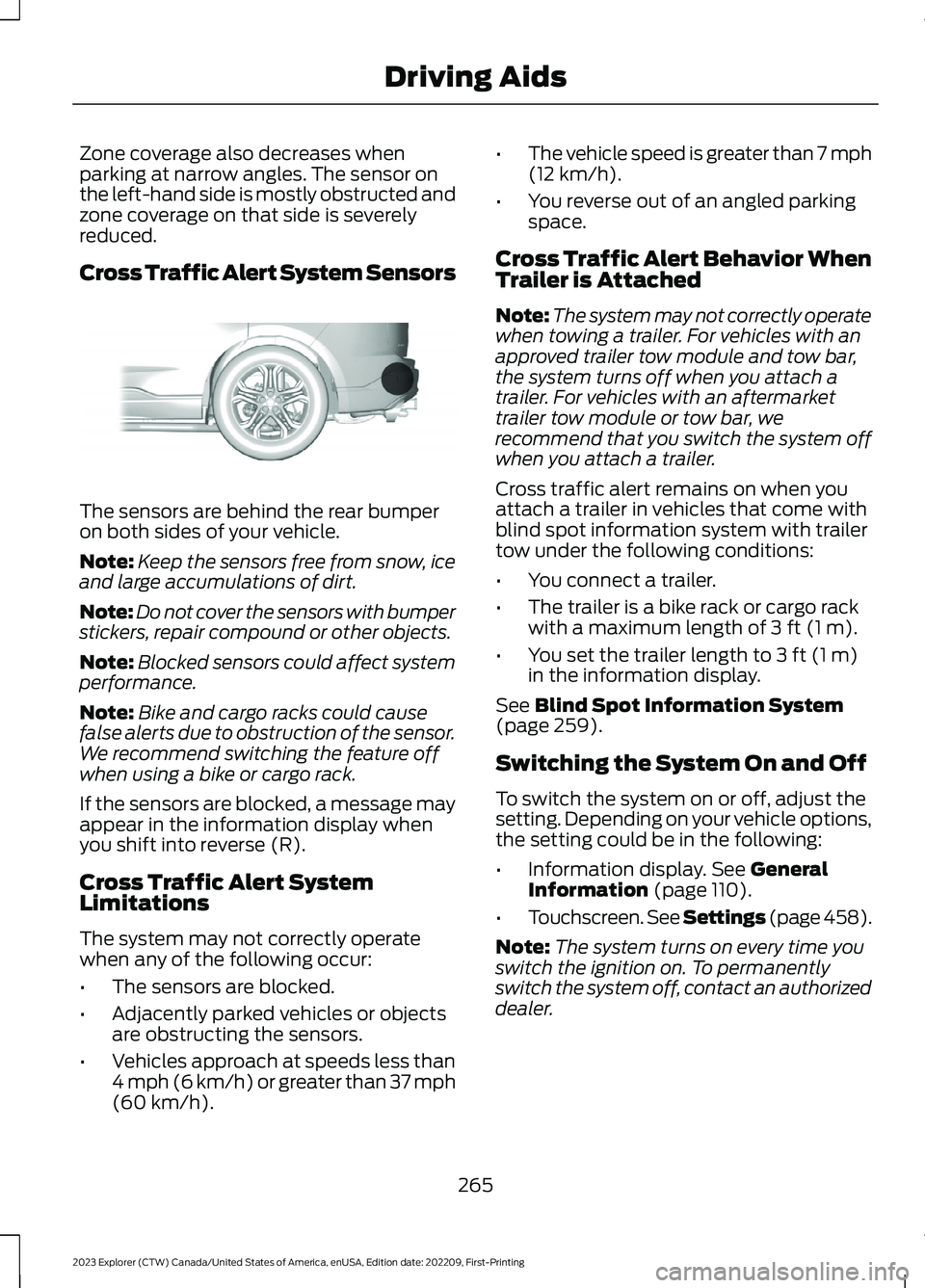
Cross Traffic Alert System Sensors
The sensors are behind the rear bumperon both sides of your vehicle.
Note:Keep the sensors free from snow, iceand large accumulations of dirt.
Note:Do not cover the sensors with bumperstickers, repair compound or other objects.
Note:Blocked sensors could affect systemperformance.
Note:Bike and cargo racks could causefalse alerts due to obstruction of the sensor.We recommend switching the feature offwhen using a bike or cargo rack.
If the sensors are blocked, a message mayappear in the information display whenyou shift into reverse (R).
Cross Traffic Alert SystemLimitations
The system may not correctly operatewhen any of the following occur:
•The sensors are blocked.
•Adjacently parked vehicles or objectsare obstructing the sensors.
•Vehicles approach at speeds less than4 mph (6 km/h) or greater than 37 mph(60 km/h).
•The vehicle speed is greater than 7 mph(12 km/h).
•You reverse out of an angled parkingspace.
Cross Traffic Alert Behavior WhenTrailer is Attached
Note:The system may not correctly operatewhen towing a trailer. For vehicles with anapproved trailer tow module and tow bar,the system turns off when you attach atrailer. For vehicles with an aftermarkettrailer tow module or tow bar, werecommend that you switch the system offwhen you attach a trailer.
Cross traffic alert remains on when youattach a trailer in vehicles that come withblind spot information system with trailertow under the following conditions:
•You connect a trailer.
•The trailer is a bike rack or cargo rackwith a maximum length of 3 ft (1 m).
•You set the trailer length to 3 ft (1 m)in the information display.
See Blind Spot Information System(page 259).
Switching the System On and Off
To switch the system on or off, adjust thesetting. Depending on your vehicle options,the setting could be in the following:
•Information display. See GeneralInformation (page 110).
•Touchscreen. See Settings (page 458).
Note:The system turns on every time youswitch the ignition on. To permanentlyswitch the system off, contact an authorizeddealer.
265
2023 Explorer (CTW) Canada/United States of America, enUSA, Edition date: 202209, First-PrintingDriving AidsE205199
Page 278 of 573
Note:Using deep snow/sand mode on dry,hard surfaces could produce some vibration,driveline bind up, and potential excessivetire wear.
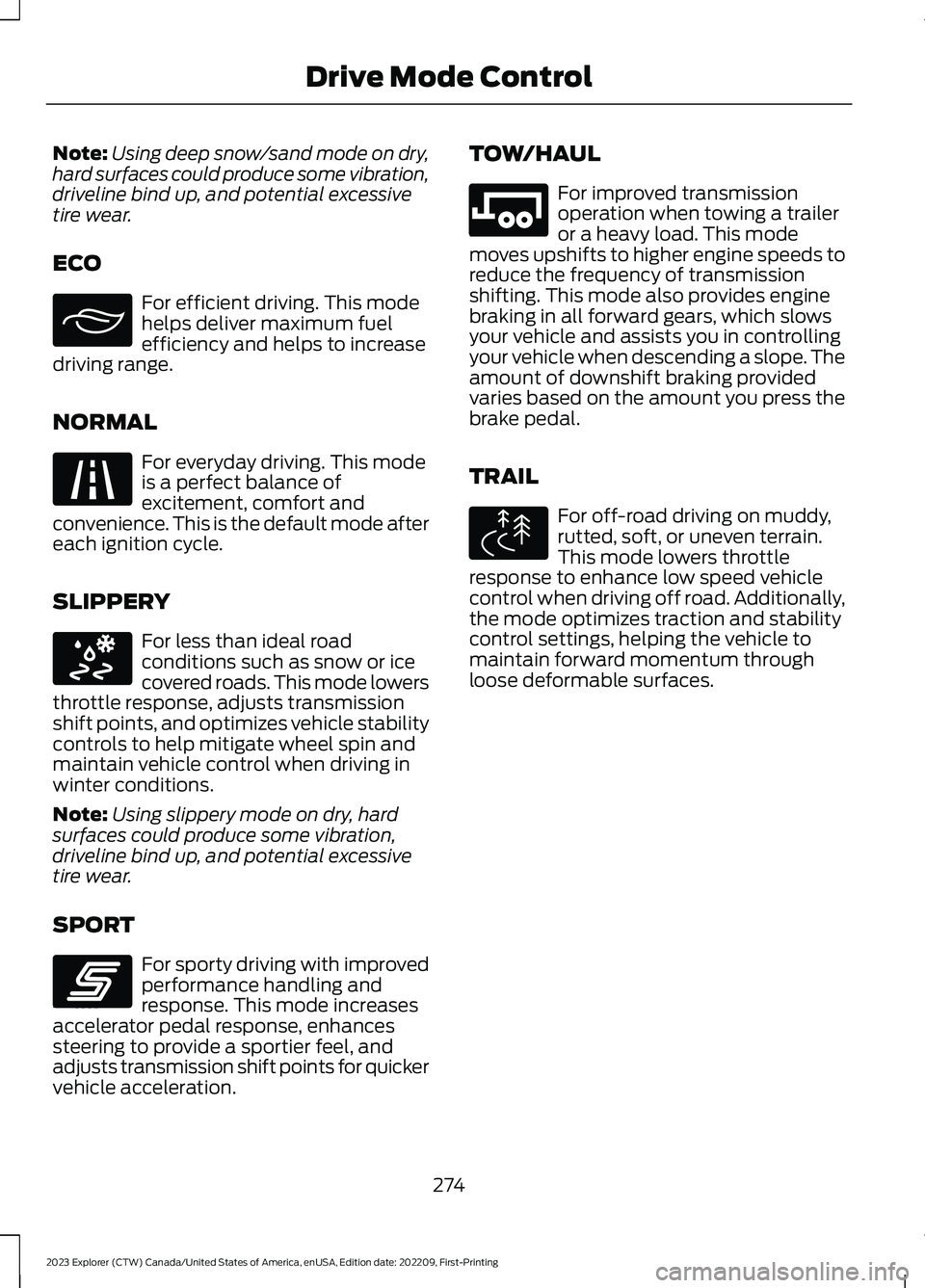
ECO
For efficient driving. This modehelps deliver maximum fuelefficiency and helps to increasedriving range.
NORMAL
For everyday driving. This modeis a perfect balance ofexcitement, comfort andconvenience. This is the default mode aftereach ignition cycle.
SLIPPERY
For less than ideal roadconditions such as snow or icecovered roads. This mode lowersthrottle response, adjusts transmissionshift points, and optimizes vehicle stabilitycontrols to help mitigate wheel spin andmaintain vehicle control when driving inwinter conditions.
Note:Using slippery mode on dry, hardsurfaces could produce some vibration,driveline bind up, and potential excessivetire wear.
SPORT
For sporty driving with improvedperformance handling andresponse. This mode increasesaccelerator pedal response, enhancessteering to provide a sportier feel, andadjusts transmission shift points for quickervehicle acceleration.
TOW/HAUL
For improved transmissionoperation when towing a traileror a heavy load. This modemoves upshifts to higher engine speeds toreduce the frequency of transmissionshifting. This mode also provides enginebraking in all forward gears, which slowsyour vehicle and assists you in controllingyour vehicle when descending a slope. Theamount of downshift braking providedvaries based on the amount you press thebrake pedal.
TRAIL
For off-road driving on muddy,rutted, soft, or uneven terrain.This mode lowers throttleresponse to enhance low speed vehiclecontrol when driving off road. Additionally,the mode optimizes traction and stabilitycontrol settings, helping the vehicle tomaintain forward momentum throughloose deformable surfaces.
274
2023 Explorer (CTW) Canada/United States of America, enUSA, Edition date: 202209, First-PrintingDrive Mode ControlE295413 E225310 E295414 E246593 E246592 E295419
Page 282 of 573
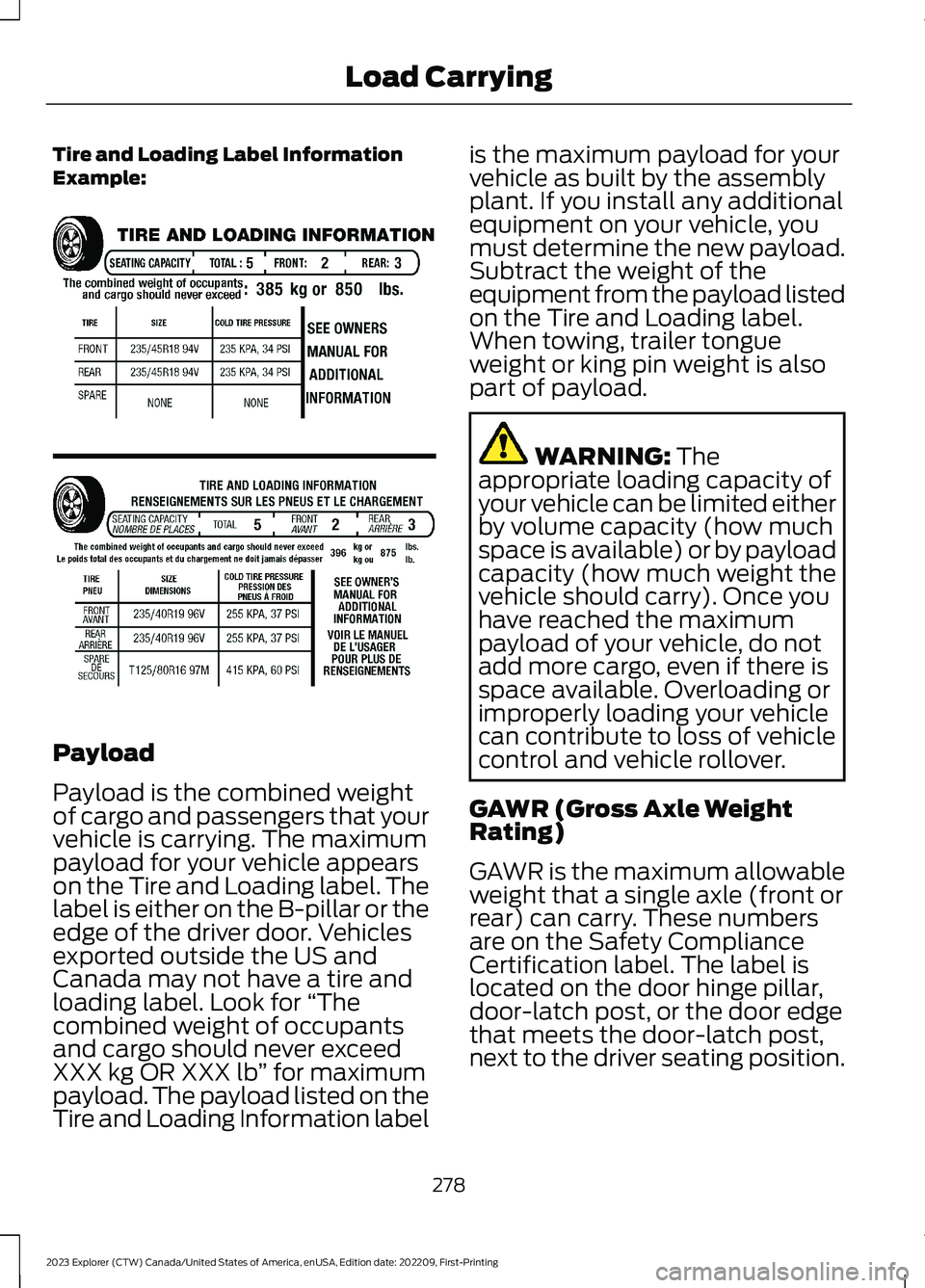
Tire and Loading Label InformationExample:
Payload
Payload is the combined weightof cargo and passengers that yourvehicle is carrying. The maximumpayload for your vehicle appearson the Tire and Loading label. Thelabel is either on the B-pillar or theedge of the driver door. Vehiclesexported outside the US andCanada may not have a tire andloading label. Look for “Thecombined weight of occupantsand cargo should never exceedXXX kg OR XXX lb” for maximumpayload. The payload listed on theTire and Loading Information label
is the maximum payload for yourvehicle as built by the assemblyplant. If you install any additionalequipment on your vehicle, youmust determine the new payload.Subtract the weight of theequipment from the payload listedon the Tire and Loading label.When towing, trailer tongueweight or king pin weight is alsopart of payload.
WARNING: Theappropriate loading capacity ofyour vehicle can be limited eitherby volume capacity (how muchspace is available) or by payloadcapacity (how much weight thevehicle should carry). Once youhave reached the maximumpayload of your vehicle, do notadd more cargo, even if there isspace available. Overloading orimproperly loading your vehiclecan contribute to loss of vehiclecontrol and vehicle rollover.
GAWR (Gross Axle WeightRating)
GAWR is the maximum allowableweight that a single axle (front orrear) can carry. These numbersare on the Safety ComplianceCertification label. The label islocated on the door hinge pillar,door-latch post, or the door edgethat meets the door-latch post,next to the driver seating position.
278
2023 Explorer (CTW) Canada/United States of America, enUSA, Edition date: 202209, First-PrintingLoad CarryingE198719