trailer FORD EXPLORER 2023 User Guide
[x] Cancel search | Manufacturer: FORD, Model Year: 2023, Model line: EXPLORER, Model: FORD EXPLORER 2023Pages: 573, PDF Size: 16.1 MB
Page 216 of 573
Note:If you shift your vehicle into park (P)on a slope and the transmission cannotsecurely hold the vehicle, the electric parkingbrake automatically applies. SeeTransmission (page 197).
Applying the Electric Parking Brake inan Emergency
Note:Do not apply the electric parkingbrake when your vehicle is moving, exceptin an emergency. If you repeatedly use theelectric parking brake to slow or stop yourvehicle, you could cause damage to thebrake system.
You can use the electric parking brake toslow or stop your vehicle in an emergency.
Pull the switch up and hold it.
The red warning lampilluminates, a tone sounds andthe stoplamps turn on.
The electric parking brake continues toslow your vehicle down unless you releasethe switch.
Manually Releasing the ElectricParking Brake
Switch the ignition on.
Press and hold the brake pedal.
Push the switch down.
The red warning lamp turns off.
If it remains illuminated or flashes, thesystem has malfunctioned. Have yourvehicle checked as soon as possible.
Pulling Away on a Hill When Towing aTrailer
Press and hold the brake pedal.
Pull the switch up and hold it.
Shift into gear.
Press the accelerator pedal until the enginehas developed sufficient torque to preventyour vehicle from rolling down the hill.
Release the switch and pullaway in a normal manner.
Automatically Releasing theElectric Parking Brake
Close the driver door.
Shift into gear.
Press the accelerator pedal and pull awayin a normal manner.
The red warning lamp turns off.
If it remains illuminated or flashes, theelectric parking brake has not released.Manually release the parking brake.
Releasing the Electric ParkingBrake if the Vehicle Battery isRunning Out of Charge
Connect a booster battery to the vehiclebattery to release the electric parking brakeif the vehicle battery is running out ofcharge. See Jump Starting the Vehicle(page 293).
212
2023 Explorer (CTW) Canada/United States of America, enUSA, Edition date: 202209, First-PrintingBrakesE267156 E270480 E67024 E267156 E270480 E67024 E267156 E267156 E270480 E67024
Page 220 of 573
WHAT IS REVERSE BRAKING
ASSIST
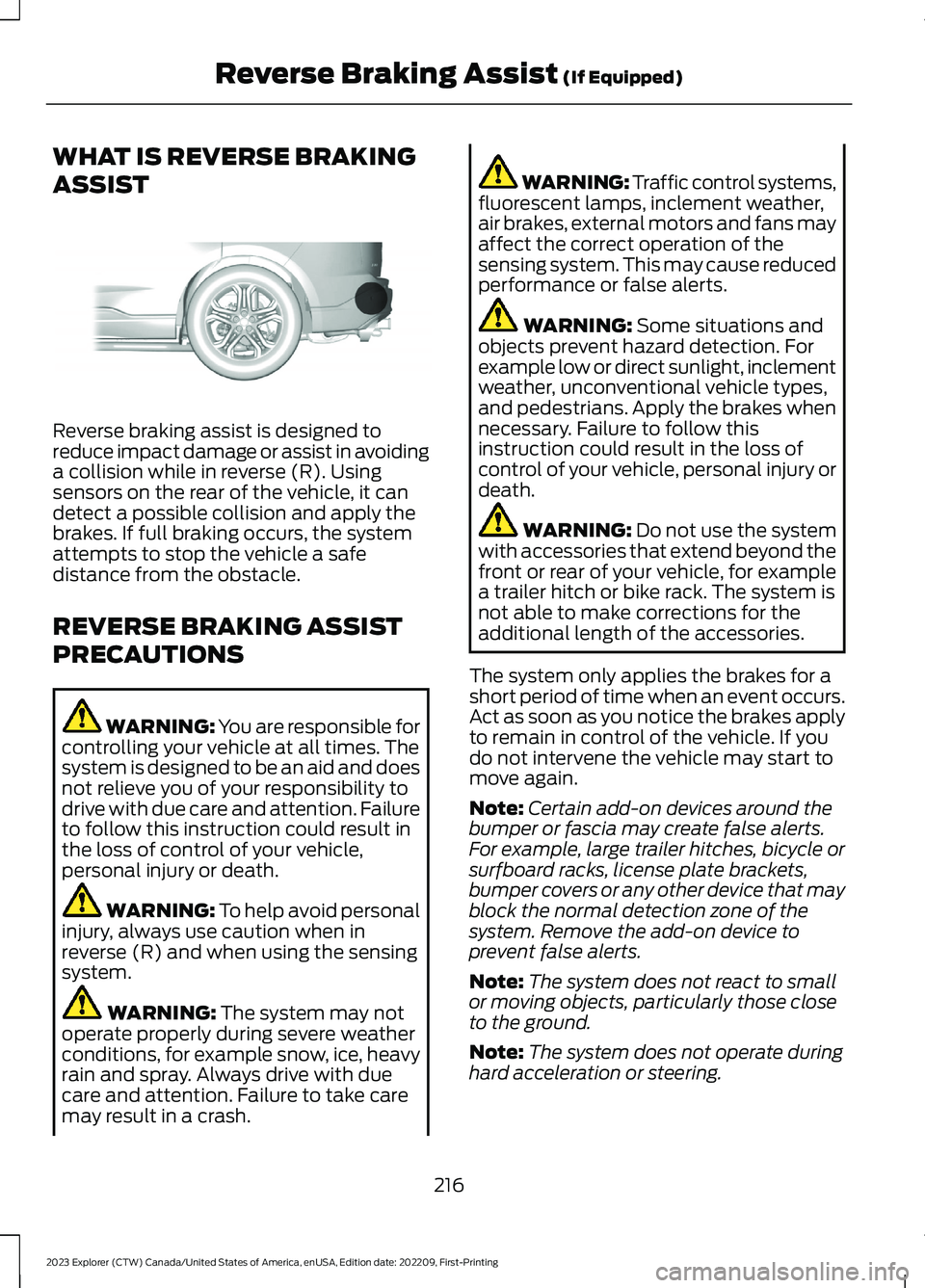
Reverse braking assist is designed toreduce impact damage or assist in avoidinga collision while in reverse (R). Usingsensors on the rear of the vehicle, it candetect a possible collision and apply thebrakes. If full braking occurs, the systemattempts to stop the vehicle a safedistance from the obstacle.
REVERSE BRAKING ASSIST
PRECAUTIONS
WARNING: You are responsible forcontrolling your vehicle at all times. Thesystem is designed to be an aid and doesnot relieve you of your responsibility todrive with due care and attention. Failureto follow this instruction could result inthe loss of control of your vehicle,personal injury or death.
WARNING: To help avoid personalinjury, always use caution when inreverse (R) and when using the sensingsystem.
WARNING: The system may notoperate properly during severe weatherconditions, for example snow, ice, heavyrain and spray. Always drive with duecare and attention. Failure to take caremay result in a crash.
WARNING: Traffic control systems,fluorescent lamps, inclement weather,air brakes, external motors and fans mayaffect the correct operation of thesensing system. This may cause reducedperformance or false alerts.
WARNING: Some situations andobjects prevent hazard detection. Forexample low or direct sunlight, inclementweather, unconventional vehicle types,and pedestrians. Apply the brakes whennecessary. Failure to follow thisinstruction could result in the loss ofcontrol of your vehicle, personal injury ordeath.
WARNING: Do not use the systemwith accessories that extend beyond thefront or rear of your vehicle, for examplea trailer hitch or bike rack. The system isnot able to make corrections for theadditional length of the accessories.
The system only applies the brakes for ashort period of time when an event occurs.Act as soon as you notice the brakes applyto remain in control of the vehicle. If youdo not intervene the vehicle may start tomove again.
Note:Certain add-on devices around thebumper or fascia may create false alerts.For example, large trailer hitches, bicycle orsurfboard racks, license plate brackets,bumper covers or any other device that mayblock the normal detection zone of thesystem. Remove the add-on device toprevent false alerts.
Note:The system does not react to smallor moving objects, particularly those closeto the ground.
Note:The system does not operate duringhard acceleration or steering.
216
2023 Explorer (CTW) Canada/United States of America, enUSA, Edition date: 202209, First-PrintingReverse Braking Assist (If Equipped)E205199
Page 221 of 573
Note:If your vehicle sustains damage tothe bumper or fascia leaving it misalignedor bent, it could alter the sensing zonecausing inaccurate measurement ofobstacles or false alerts.
Note:Vehicle loading and suspensionchanges can impact the angle of the sensorsand may change the normal detection zoneof the system resulting in inaccuratemeasurement of obstacles or false alerts.
Note:When you connect a trailer, thesystem may detect the trailer and providean alert, or the system turns off. If thesystem does not turn off, manually switchthe system off after you connect the trailer.
Note:You may experience reduced systemperformance on road surfaces that limitdeceleration. For example, roads with ice,loose gravel, mud or sand.
SWITCHING REVERSE
BRAKING ASSIST ON AND OFF
You can switch the system on or offthrough the touchscreen. See Settings(page 458).
Note:The system is unavailable when rearparking aid or cross traffic alert is off.
OVERRIDING REVERSE
BRAKING ASSIST
There could be instances whenunexpected or unwanted braking occurs.Firmly pressing the accelerator pedal orswitching the feature off overrides thesystem.
REVERSE BRAKING ASSIST
INDICATORS
If the system determines that a collisionwith an obstacle may occur, full brakingmay apply.
A message and warningindicator appear when thesystem applies the brakes.
217
2023 Explorer (CTW) Canada/United States of America, enUSA, Edition date: 202209, First-PrintingReverse Braking Assist (If Equipped)E293490
Page 223 of 573
REVERSE BRAKING ASSIST –FREQUENTLY ASKED QUESTIONS
Why is reverse braking assist unavailable?
•Make sure you switch the system on.See Switching Reverse BrakingAssist On and Off (page 217).
•Make sure that the liftgate, hood andall doors are closed.
•Make sure the cross traffic alert systemis on. See Cross Traffic Alert (page263).
•Make sure the rear parking aid systemis on. See Rear Parking Aid (page 225).
•Make sure traction control is on. SeeUsing Traction Control (page 220).
•The vehicle has sustained a rear endimpact. Have the sensors checked forproper coverage and operation.
•An ABS, traction control or stabilitycontrol event may have occurred. Thesystem resumes operation when theevent is complete.
•Make sure the rear view camera and360 degree camera are not dirty orobstructed. If it is dirty, clean thecamera. See Rear View Camera(page 234). See 360 Degree Camera(page 237). If the message still appearsafter cleaning the camera, wait a shorttime and the message should clear. Ifthe message does not clear, have thesystem checked.
•Make sure the sensors are not blockedor faulted. See Cross Traffic Alert(page 263). See Rear Parking Aid(page 225).
•You recently had your vehicle serviced,or the battery disconnected. Drive yourvehicle a short distance to resumesystem operation.
•The system does not function whenyou connect a trailer. Operationresumes when you disconnect thetrailer.
Note:If the answers to why the system isunavailable do not assist in returning reversebraking assist to available, have the systemchecked as soon as possible.
219
2023 Explorer (CTW) Canada/United States of America, enUSA, Edition date: 202209, First-PrintingReverse Braking Assist (If Equipped)
Page 229 of 573
PRINCIPLE OF OPERATION
WARNING: To help avoid personalinjury, always use caution when inreverse (R) and when using the sensingsystem.
WARNING: The system may notdetect objects with surfaces that absorbreflection. Always drive with due careand attention. Failure to take care mayresult in a crash.
WARNING: Traffic control systems,inclement weather, air brakes, externalmotors and fans may affect the correctoperation of the sensing system. Thismay cause reduced performance or falsealerts.
WARNING: The system may notdetect small or moving objects,particularly those close to the ground.
Note:If your vehicle has MyKey™, thesensing system cannot be switched offwhen a MyKey™ is present. See Principleof Operation (page 64).
Note:Keep the sensors on the bumper orfascia free from snow, ice and largeaccumulations of dirt. If the sensors arecovered, the system’s accuracy can beaffected. Do not clean the sensors withsharp objects.
Note:If your vehicle sustains damage tothe bumper or fascia, leaving it misalignedor bent, the sensing zone may be alteredcausing inaccurate measurement ofobstacles or false alerts.
Note:Certain add-on devices installedaround the bumper or fascia may createfalse alerts. For example, large trailerhitches, bike or surfboard racks, license platebrackets, bumper covers or any other devicethat may block the normal detection zoneof the system. Remove the add-on deviceto prevent false alerts.
Note:When you connect a trailer to yourvehicle, the rear parking aid may detect thetrailer and therefore provide an alert. Disablethe rear parking aid when you connect atrailer to prevent the alert.
The sensing system warns the driver ofobstacles within a certain range of yourvehicle. The system turns on automaticallywhenever you switch the ignition on.
You can switch the system off through thetouchscreen, information display or fromthe pop-up message that appears onceyou shift the transmission into reverse (R).If your vehicle has a parking aid button, youcan switch the system off by pressing thebutton.
If a fault is present in the system, a warningmessage appears in the informationdisplay. See Information Messages(page 119).
REAR PARKING AID
WARNING: The system may notdetect objects with surfaces that absorbreflection. Always drive with due careand attention. Failure to take care mayresult in a crash.
WARNING: The system may notdetect small or moving objects,particularly those close to the ground.
225
2023 Explorer (CTW) Canada/United States of America, enUSA, Edition date: 202209, First-PrintingParking Aids
Page 230 of 573
WARNING: To help avoid personalinjury, always use caution when inreverse (R) and when using the sensingsystem.
WARNING: The parking aid systemcan only assist you to detect objectswhen your vehicle is moving at parkingspeeds. To help avoid personal injury youmust take care when using the parkingaid system.
Note:Keep the sensors free from snow, iceand large accumulations of dirt.
Note:Do not cover up the sensors.
Note:Do not clean the sensors with sharpobjects.
Note:If your vehicle sustains damageleaving the sensors misaligned, this maycause inaccurate measurements or falsealerts.
Note:Some accessories, for example largetrailer hitches or bike or surfboard racks, cancause reduced performance or false alerts.
The sensors are on the rear bumper.
The sensors are active when thetransmission is in reverse (R) and thevehicle speed is less than 5 mph (8 km/h).When the parking aid system sounds atone, the audio system may reduce the setvolume.
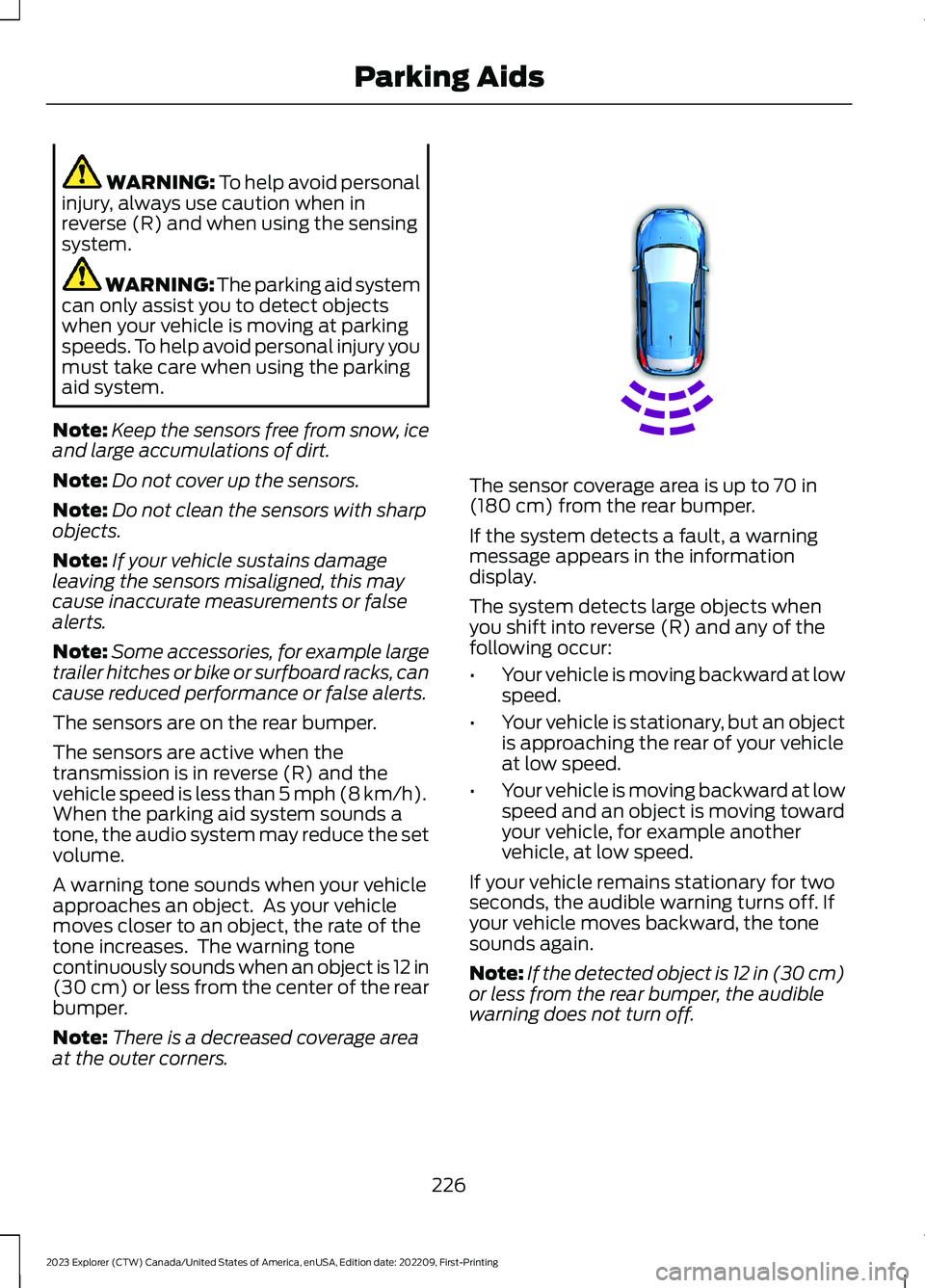
A warning tone sounds when your vehicleapproaches an object. As your vehiclemoves closer to an object, the rate of thetone increases. The warning tonecontinuously sounds when an object is 12 in(30 cm) or less from the center of the rearbumper.
Note:There is a decreased coverage areaat the outer corners.
The sensor coverage area is up to 70 in(180 cm) from the rear bumper.
If the system detects a fault, a warningmessage appears in the informationdisplay.
The system detects large objects whenyou shift into reverse (R) and any of thefollowing occur:
•Your vehicle is moving backward at lowspeed.
•Your vehicle is stationary, but an objectis approaching the rear of your vehicleat low speed.
•Your vehicle is moving backward at lowspeed and an object is moving towardyour vehicle, for example anothervehicle, at low speed.
If your vehicle remains stationary for twoseconds, the audible warning turns off. Ifyour vehicle moves backward, the tonesounds again.
Note:If the detected object is 12 in (30 cm)or less from the rear bumper, the audiblewarning does not turn off.
226
2023 Explorer (CTW) Canada/United States of America, enUSA, Edition date: 202209, First-PrintingParking AidsE130178
Page 231 of 573
Object Distance Indicator (If Equipped)
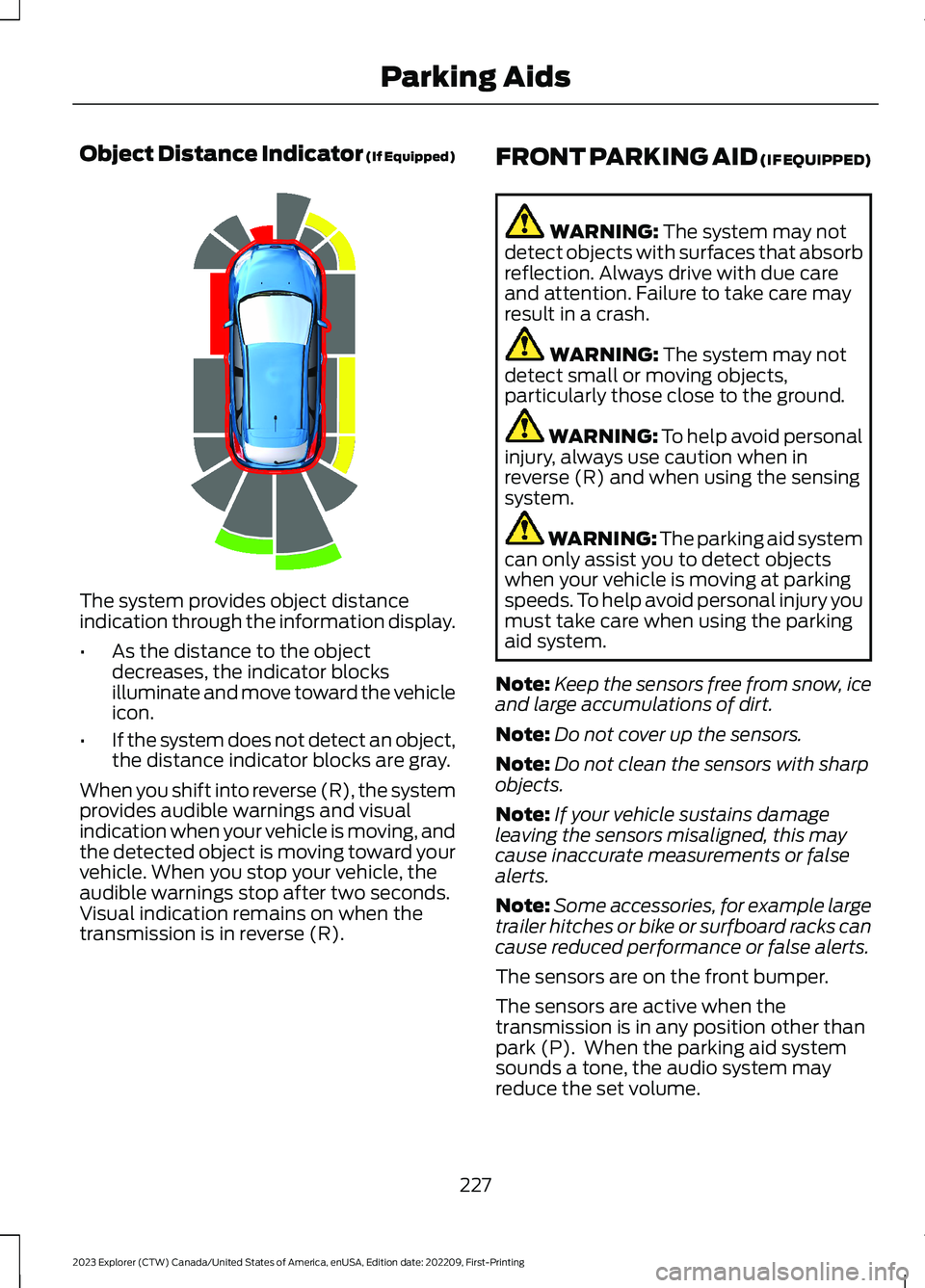
The system provides object distanceindication through the information display.
•As the distance to the objectdecreases, the indicator blocksilluminate and move toward the vehicleicon.
•If the system does not detect an object,the distance indicator blocks are gray.
When you shift into reverse (R), the systemprovides audible warnings and visualindication when your vehicle is moving, andthe detected object is moving toward yourvehicle. When you stop your vehicle, theaudible warnings stop after two seconds.Visual indication remains on when thetransmission is in reverse (R).
FRONT PARKING AID (IF EQUIPPED)
WARNING: The system may notdetect objects with surfaces that absorbreflection. Always drive with due careand attention. Failure to take care mayresult in a crash.
WARNING: The system may notdetect small or moving objects,particularly those close to the ground.
WARNING: To help avoid personalinjury, always use caution when inreverse (R) and when using the sensingsystem.
WARNING: The parking aid systemcan only assist you to detect objectswhen your vehicle is moving at parkingspeeds. To help avoid personal injury youmust take care when using the parkingaid system.
Note:Keep the sensors free from snow, iceand large accumulations of dirt.
Note:Do not cover up the sensors.
Note:Do not clean the sensors with sharpobjects.
Note:If your vehicle sustains damageleaving the sensors misaligned, this maycause inaccurate measurements or falsealerts.
Note:Some accessories, for example largetrailer hitches or bike or surfboard racks cancause reduced performance or false alerts.
The sensors are on the front bumper.
The sensors are active when thetransmission is in any position other thanpark (P). When the parking aid systemsounds a tone, the audio system mayreduce the set volume.
227
2023 Explorer (CTW) Canada/United States of America, enUSA, Edition date: 202209, First-PrintingParking AidsE190459
Page 233 of 573
When you shift into neutral (N), the systemonly provides visual indication if yourvehicle is moving at a speed ofapproximately 5 mph (8 km/h) or below,for example, your vehicle is moving on aslope, and the system detects an objectmoving toward your vehicle. When youstop your vehicle, visual indication stopsafter four seconds.
SIDE SENSING SYSTEM (IF
EQUIPPED)
WARNING: The system may notdetect objects with surfaces that absorbreflection. Always drive with due careand attention. Failure to take care mayresult in a crash.
WARNING: The system may notdetect small or moving objects,particularly those close to the ground.
WARNING: To help avoid personalinjury, always use caution when inreverse (R) and when using the sensingsystem.
WARNING: The parking aid systemcan only assist you to detect objectswhen your vehicle is moving at parkingspeeds. To help avoid personal injury youmust take care when using the parkingaid system.
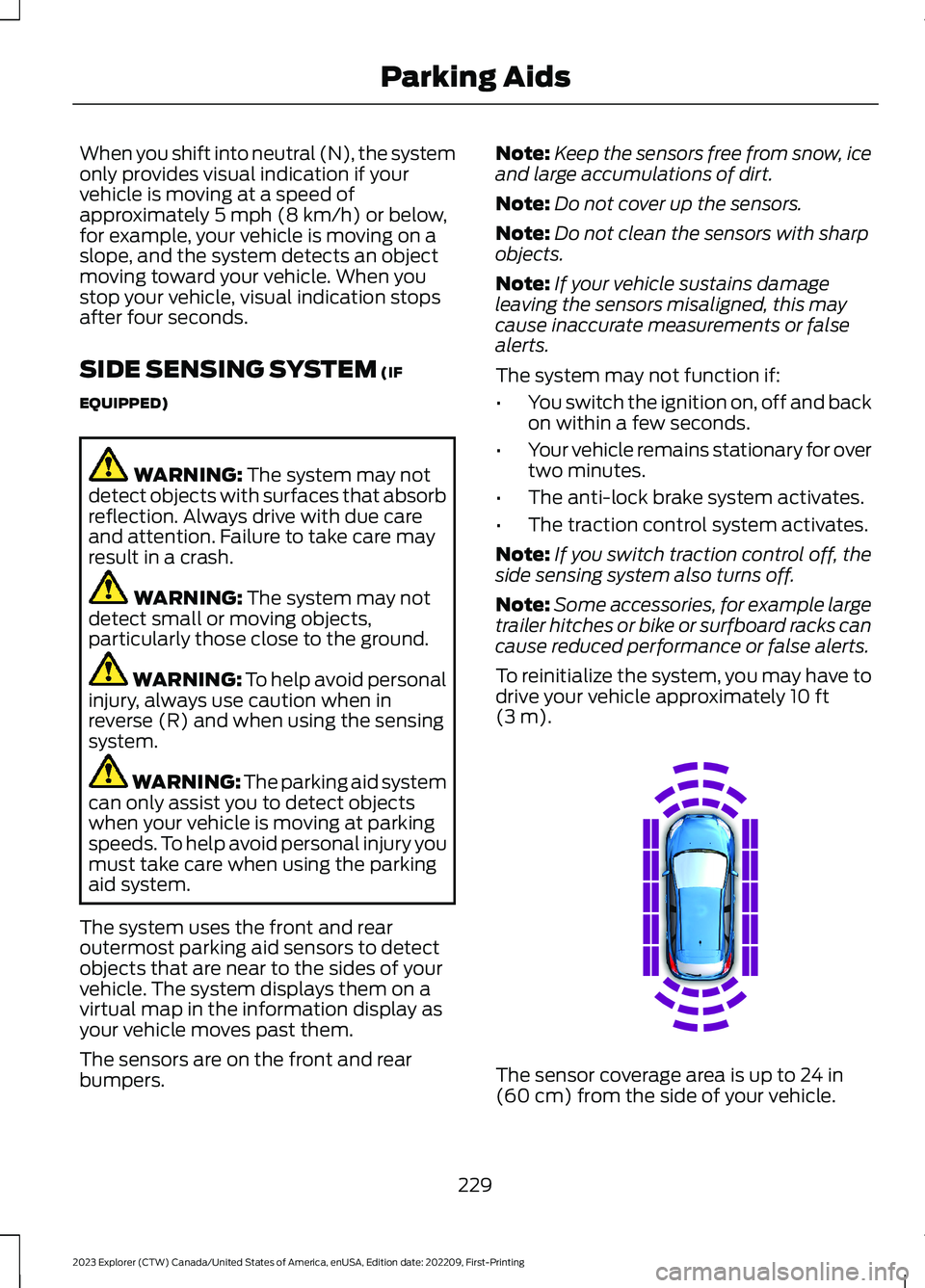
The system uses the front and rearoutermost parking aid sensors to detectobjects that are near to the sides of yourvehicle. The system displays them on avirtual map in the information display asyour vehicle moves past them.
The sensors are on the front and rearbumpers.
Note:Keep the sensors free from snow, iceand large accumulations of dirt.
Note:Do not cover up the sensors.
Note:Do not clean the sensors with sharpobjects.
Note:If your vehicle sustains damageleaving the sensors misaligned, this maycause inaccurate measurements or falsealerts.
The system may not function if:
•You switch the ignition on, off and backon within a few seconds.
•Your vehicle remains stationary for overtwo minutes.
•The anti-lock brake system activates.
•The traction control system activates.
Note:If you switch traction control off, theside sensing system also turns off.
Note:Some accessories, for example largetrailer hitches or bike or surfboard racks cancause reduced performance or false alerts.
To reinitialize the system, you may have todrive your vehicle approximately 10 ft(3 m).
The sensor coverage area is up to 24 in(60 cm) from the side of your vehicle.
229
2023 Explorer (CTW) Canada/United States of America, enUSA, Edition date: 202209, First-PrintingParking AidsE190458
Page 235 of 573
WARNING: You are responsible forcontrolling your vehicle at all times. Thesystem is designed to be an aid and doesnot relieve you of your responsibility todrive with due care and attention. Failureto follow this instruction could result inthe loss of control of your vehicle,personal injury or death.
WARNING: Do not use the systemwith accessories that extend beyond thefront or rear of your vehicle, for examplea trailer hitch, bike rack or side mirrorextensions such as telescoping mirrorsor towing mirrors. The system is not ableto make corrections for the additionallength of the accessories.
The system assists parking into and out ofparking spaces. It uses sensors to detectparking spaces. The system then steers,accelerates, brakes and shifts gear asrequired to maneuver into or out of aparking space.
Using Active Park Assist
The active park assist button isnear the transmission selectoron the center console.
Press the active park assist button to bringup full screen notifications. Press either theactive park assist button or the soft keyson the display screen to switch betweenParallel Park In, Perpendicular Park In orParallel Park Out parking modes.
Driving into a Parking Space
Note:When parking perpendicularly, thesystem backs your vehicle into parkingspaces.
1.Press the active park assist button.
Note:The system does not recognizeparking space lines and centers your vehiclebetween objects.
Note:The system detects other vehiclesand curbs to find a parking space.
Note:The system searches for parallelparking spaces on the passenger side. Pressthe active park assist button again to makethe system search for perpendicular spaces.
2.Use the direction indicator lever tosearch for a parking space on the driveror passenger side of your vehicle.
3.Drive your vehicle approximately 3 ft(1 m) away from and parallel to theother parked vehicles when searchingfor a parking space.
Note: A tone sounds and a messageappears in the information display whenactive park assist finds a suitable parkingspace.
4.Press and hold the brake pedal.
5.Release the steering wheel and shiftinto neutral (N).
6.Press and hold the active park assistbutton.
7.Release the brake pedal to allow thevehicle to park.
Note:When parallel parking betweenobjects, the system parks closer to theobject in front of your vehicle to allow easieraccess to your luggage compartment.
Note:When perpendicular parking, thesystem aligns the front end of your vehiclewith the object next to it.
Note:When perpendicular parking, if thesystem detects only one object, it allowsenough distance to open the door on eitherside.
Note:You can slow down your vehicle atany time by pressing the brake pedal.
Note:When parking is complete the vehicleshifts into park (P).
231
2023 Explorer (CTW) Canada/United States of America, enUSA, Edition date: 202209, First-PrintingParking AidsE146186
Page 238 of 573
REAR VIEW CAMERA
WARNING: The rear view camerasystem is a reverse aid supplementdevice that still requires the driver to useit in conjunction with the interior andexterior mirrors for maximum coverage.
WARNING: Objects that are closeto either corner of the bumper or underthe bumper, might not be seen on thescreen due to the limited coverage of thecamera system.
WARNING: Reverse your vehicleslowly. Failure to follow this instructioncould result in the loss of control of yourvehicle, personal injury or death.
WARNING: Use caution when therear cargo door is ajar. If the rear cargodoor is ajar, the camera will be out ofposition and the video image may beincorrect. All guidelines disappear whenthe rear cargo door is ajar. Failure tofollow this instruction could result inpersonal injury.
WARNING: Use caution whenturning camera features on or off whenthe transmission is not in park (P). Makesure your vehicle is not moving.
Note:Some vehicles may not comeequipped with guidelines.
The rear view camera system provides avideo image of the area behind yourvehicle.
During operation, lines appear in thedisplay which represent your vehicle’s pathand proximity to objects behind yourvehicle.
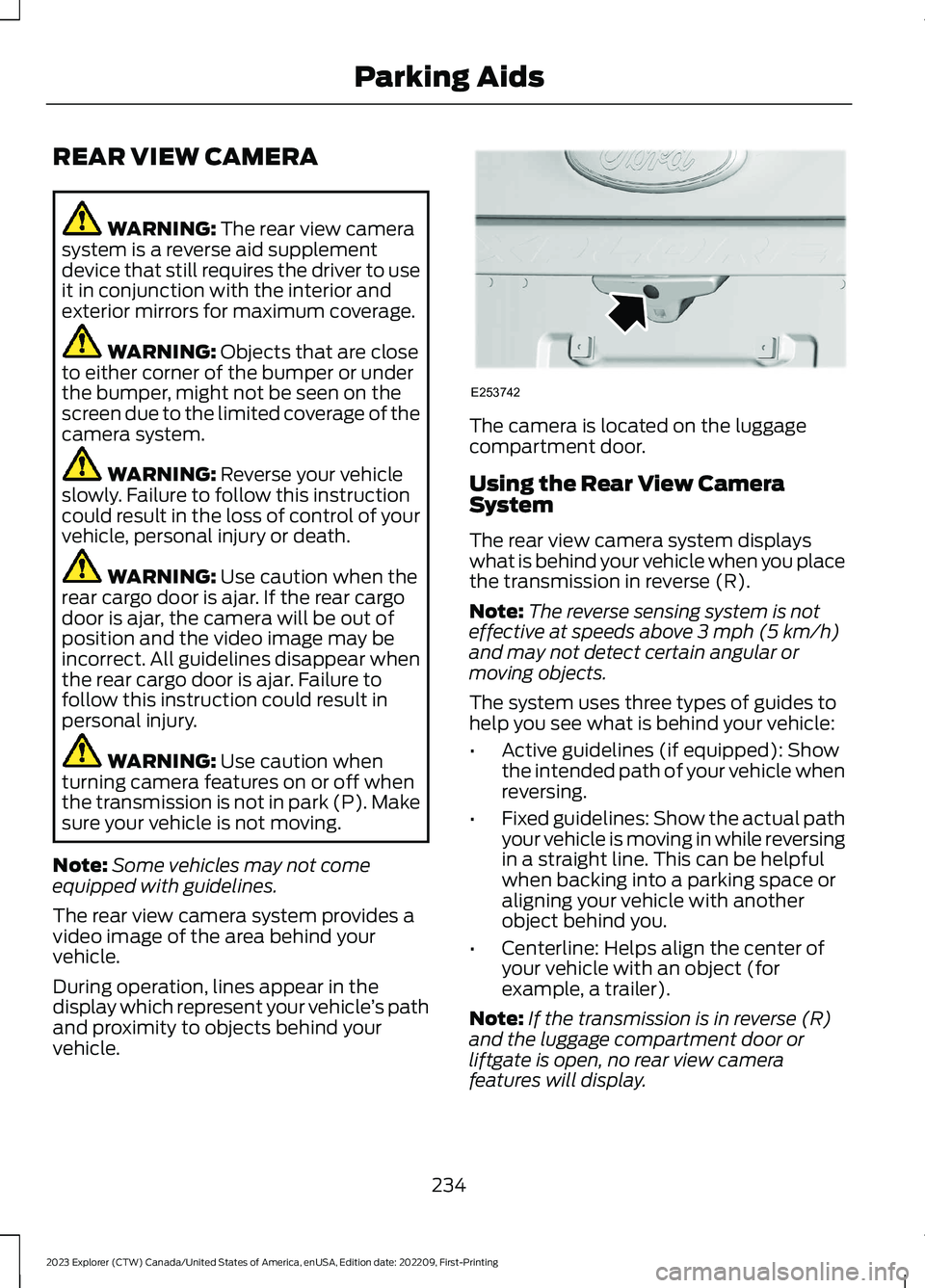
The camera is located on the luggagecompartment door.
Using the Rear View CameraSystem
The rear view camera system displayswhat is behind your vehicle when you placethe transmission in reverse (R).
Note:The reverse sensing system is noteffective at speeds above 3 mph (5 km/h)and may not detect certain angular ormoving objects.
The system uses three types of guides tohelp you see what is behind your vehicle:
•Active guidelines (if equipped): Showthe intended path of your vehicle whenreversing.
•Fixed guidelines: Show the actual pathyour vehicle is moving in while reversingin a straight line. This can be helpfulwhen backing into a parking space oraligning your vehicle with anotherobject behind you.
•Centerline: Helps align the center ofyour vehicle with an object (forexample, a trailer).
Note:If the transmission is in reverse (R)and the luggage compartment door orliftgate is open, no rear view camerafeatures will display.
234
2023 Explorer (CTW) Canada/United States of America, enUSA, Edition date: 202209, First-PrintingParking AidsE253742