Camera FORD EXPLORER 2023 Owner's Manual
[x] Cancel search | Manufacturer: FORD, Model Year: 2023, Model line: EXPLORER, Model: FORD EXPLORER 2023Pages: 573, PDF Size: 16.1 MB
Page 262 of 573
•Your vehicle is under the activationspeed.
•The direction indicator is active.
•Your vehicle is in a dynamic maneuver.
•The road has no or poor lane markingsin the camera field-of-view.
•The camera is obscured or unable todetect the lane markings due toenvironmental, traffic or vehicleconditions. For example, significant sunangles, shadows, snow, heavy rain orfog, following a large vehicle that isblocking or shadowing the lane or poorheadlamp illumination.
See Troubleshooting for additionalinformation.
White: Indicates that the system isavailable or ready to provide a warning orintervention on the indicated side.
Note:If your vehicle has lane centeringassist and the system is active, the wallsappear green instead of white.
Yellow: Indicates that the system isproviding or has just provided a lanekeeping aid intervention.
Red: Indicates that the system is providingor has just provided a lane keeping alertwarning.
The system can be temporarily suppressedat any time by the following:
•Quick braking.
•Fast acceleration.
•Using the direction indicator.
•Evasive steering maneuver.
•Driving too close to the lane markings.
Troubleshooting
Why is the feature not available (line markings are gray) when I can see the lane markingson the road?
Your vehicle speed is outside the operational range of the feature.
The sun is shining directly into the camera lens.
A quick intentional lane change has occurred.
Your vehicle stays too close to the lane markings.
Driving at high speeds in curves.
The last alert warning or aid intervention occurred a short time ago.
Ambiguous lane markings, for example in construction zones.
Rapid transition from light to dark, or from dark to light.
Sudden offset in lane markings.
ABS or AdvanceTrac™ is active.
There is a camera blockage due to dirt, grime, fog, frost or water on the windshield.
You are driving too close to the vehicle in front of you.
258
2023 Explorer (CTW) Canada/United States of America, enUSA, Edition date: 202209, First-PrintingDriving Aids
Page 263 of 573
Why is the feature not available (line markings are gray) when I can see the lane markingson the road?
Transitioning between no lane markings to lane markings or vice versa.
There is standing water on the road.
Faint lane markings, for example partial yellow lane markings on concrete roads.
Lane width is too narrow or too wide.
The camera has not been calibrated after a windshield replacement.
Driving on tight roads or on uneven roads.
Why does the vehicle not come back toward the middle of the lane, as expected, in theAid or Aid + Alert mode?
High cross winds are present.
There is a large road crown.
Rough roads, grooves or shoulder drop-offs.
Heavy uneven loading of the vehicle or improper tire inflation pressure.
The tires have been changed, or the suspension has been modified.
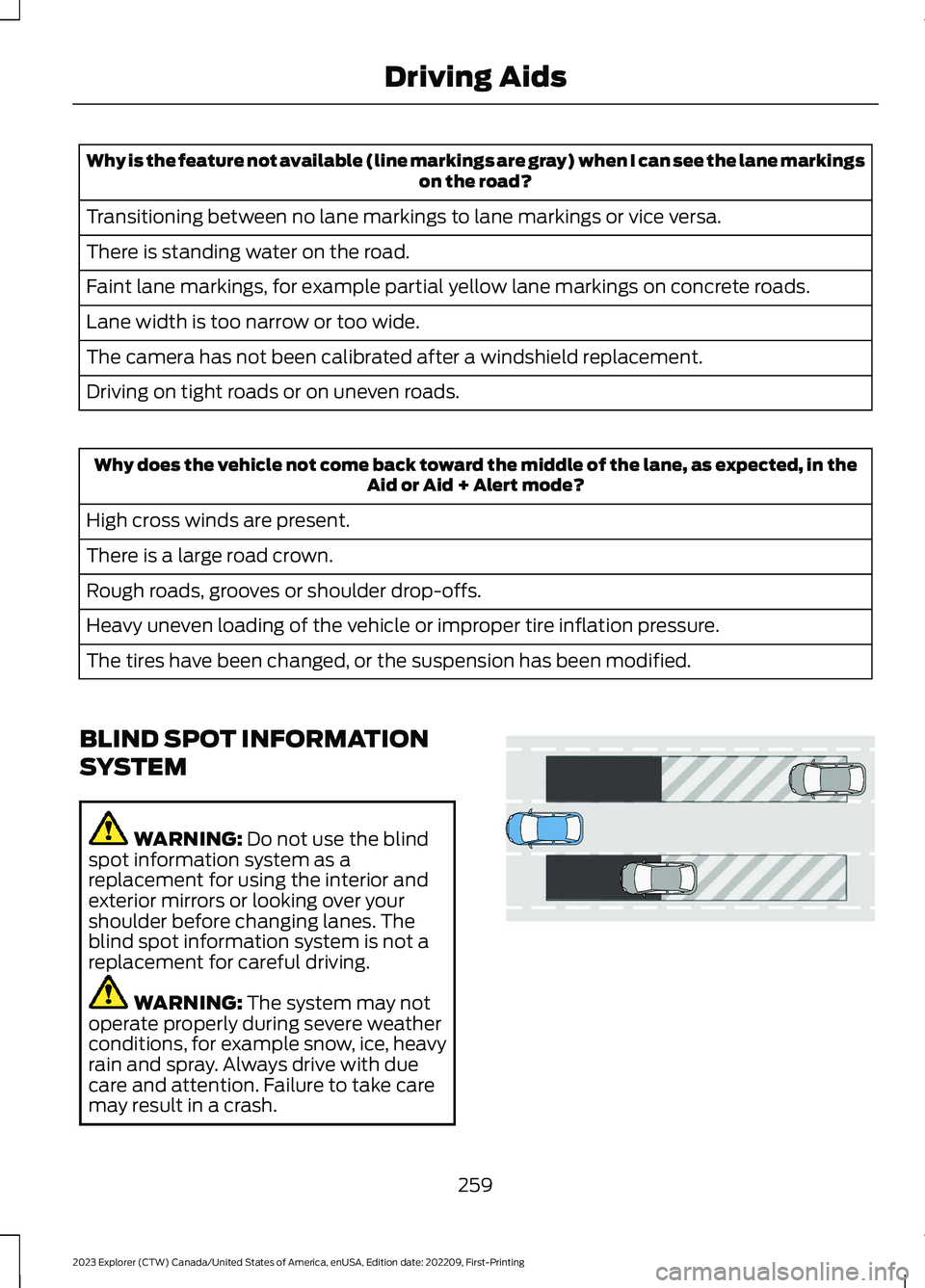
BLIND SPOT INFORMATION
SYSTEM
WARNING: Do not use the blindspot information system as areplacement for using the interior andexterior mirrors or looking over yourshoulder before changing lanes. Theblind spot information system is not areplacement for careful driving.
WARNING: The system may notoperate properly during severe weatherconditions, for example snow, ice, heavyrain and spray. Always drive with duecare and attention. Failure to take caremay result in a crash.
259
2023 Explorer (CTW) Canada/United States of America, enUSA, Edition date: 202209, First-PrintingDriving AidsE255695
Page 275 of 573
After you turn the steering wheel, thesystem applies additional steering torqueto help you steer around the vehicle. Afteryou pass the vehicle, the system appliessteering torque in the opposite direction toencourage you to steer back into the lane.The system deactivates after you fully passthe vehicle.
Note:The system does not automaticallysteer around a vehicle. If you do not turn thesteering wheel, the system does notactivate.
Note:The system does not activate if thedistance to the vehicle ahead is too smalland the system cannot avoid a crash.
Adjusting the Pre-Collision AssistSettings
You can adjust the following settings byusing the touchscreen.
•You can change Alert and DistanceAlert sensitivity to one of three possiblesettings.
•You can switch distance indication andalert on or off.
•If required, you can switch activebraking on or off.
•If required, you can switch evasivesteering assist on or off.
Note:Active braking and evasive steeringassist automatically turn on every time youswitch the ignition on.
Note:If you switch active braking off,evasive steering assist turns off.
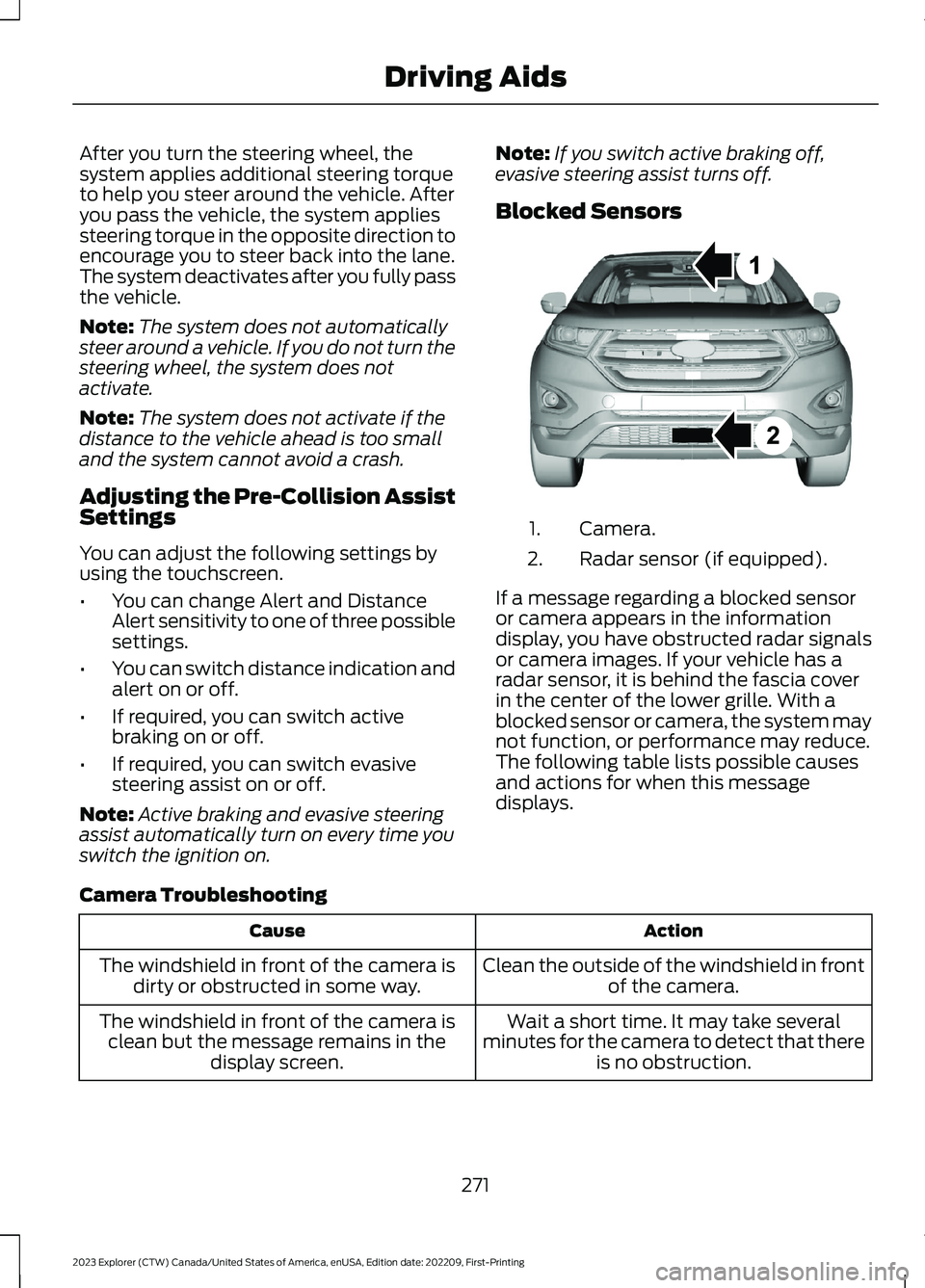
Blocked Sensors
Camera.1.
Radar sensor (if equipped).2.
If a message regarding a blocked sensoror camera appears in the informationdisplay, you have obstructed radar signalsor camera images. If your vehicle has aradar sensor, it is behind the fascia coverin the center of the lower grille. With ablocked sensor or camera, the system maynot function, or performance may reduce.The following table lists possible causesand actions for when this messagedisplays.
Camera Troubleshooting
ActionCause
Clean the outside of the windshield in frontof the camera.The windshield in front of the camera isdirty or obstructed in some way.
Wait a short time. It may take severalminutes for the camera to detect that thereis no obstruction.
The windshield in front of the camera isclean but the message remains in thedisplay screen.
271
2023 Explorer (CTW) Canada/United States of America, enUSA, Edition date: 202209, First-PrintingDriving AidsE273245
Page 276 of 573

Radar Troubleshooting (If Equipped)
ActionCause
Clean the grille surface in front of the radaror remove the object causing the obstruc-tion.
The surface of the radar in the grille is dirtyor obstructed in some way.
Wait a short time. It may take severalminutes for the radar to detect that thereis no obstruction.
The surface of the radar in the grille is cleanbut the message remains in the displayscreen.
The system is temporarily disabled. Thesystem automatically reactivates a shorttime after the weather conditions improve.
Heavy rain, spray, snow or fog is interferingwith the radar signals.
The pre-collision assist system is tempor-arily disabled. The system automaticallyreactivates a short time after the weatherconditions improve.
Swirling water or snow or ice on the surfaceof the road may interfere with the radarsignals.
Have the radar checked for proper coverageand operation.Radar is out of alignment due to a front-end impact.
Note:Proper system operation requires aclear view of the road by the camera. Haveany windshield damage in the area of thecamera's field of view repaired.
Note:If something hits the front end of yourvehicle or damage occurs and your vehiclehas a radar sensor, the radar sensing zonemay change. This could cause missed orfalse detections. Contact an authorizeddealer to have the radar checked for propercoverage and operation.
272
2023 Explorer (CTW) Canada/United States of America, enUSA, Edition date: 202209, First-PrintingDriving Aids
Page 311 of 573
Protected ComponentFuse RatingFuse or RelayNumber
Windshield and rear window washer pumprelay power.15A16
Charge status indicator (hybrid electricvehicle).5A17
Starter motor.30A18
Headlamp leveling motors.10A21Adaptive headlamps.
Electric power assisted steering module.10A22
Anti-lock brake system module withintegrated park brake.10A23
Powertrain control module.10A24Hybrid powertrain control module.
Air quality sensor.10A25360 camera with park aid.Rear view camera.Blind spot information system.Adaptive cruise control module.
Transmission control module.15A26
Anti-lock brake system valves with integ-rated park brake.40A28
Anti-lock brake system pump with integ-rated park brake.60A29
Driver seat module.30A30
Passenger seat motor.30A31
Front media bin power point.20A32
Rear cargo area power point.20A33
Console end cap power point.20A34
Power point 4.20A35
Power inverter.40A36
Climate controlled seat module.30A38
Power liftgate module.30A41
307
2023 Explorer (CTW) Canada/United States of America, enUSA, Edition date: 202209, First-PrintingFuses
Page 565 of 573
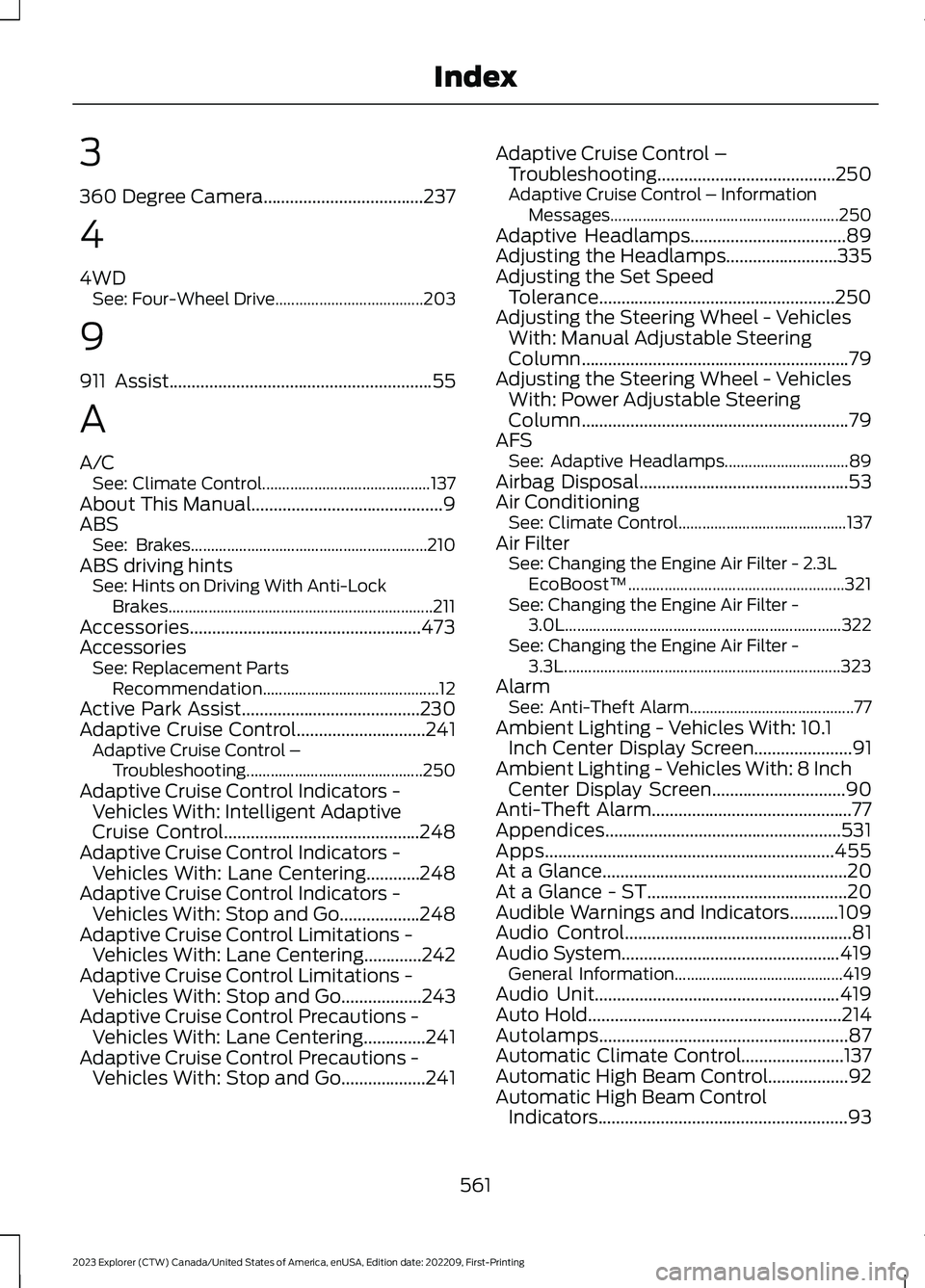
3
360 Degree Camera....................................237
4
4WDSee: Four-Wheel Drive.....................................203
9
911 Assist...........................................................55
A
A/CSee: Climate Control..........................................137About This Manual...........................................9ABSSee: Brakes...........................................................210ABS driving hintsSee: Hints on Driving With Anti-LockBrakes..................................................................211Accessories....................................................473AccessoriesSee: Replacement PartsRecommendation............................................12Active Park Assist........................................230Adaptive Cruise Control.............................241Adaptive Cruise Control –Troubleshooting............................................250Adaptive Cruise Control Indicators -Vehicles With: Intelligent AdaptiveCruise Control............................................248Adaptive Cruise Control Indicators -Vehicles With: Lane Centering............248Adaptive Cruise Control Indicators -Vehicles With: Stop and Go..................248Adaptive Cruise Control Limitations -Vehicles With: Lane Centering.............242Adaptive Cruise Control Limitations -Vehicles With: Stop and Go..................243Adaptive Cruise Control Precautions -Vehicles With: Lane Centering..............241Adaptive Cruise Control Precautions -Vehicles With: Stop and Go...................241
Adaptive Cruise Control –Troubleshooting........................................250Adaptive Cruise Control – InformationMessages.........................................................250Adaptive Headlamps...................................89Adjusting the Headlamps.........................335Adjusting the Set SpeedTolerance.....................................................250Adjusting the Steering Wheel - VehiclesWith: Manual Adjustable SteeringColumn............................................................79Adjusting the Steering Wheel - VehiclesWith: Power Adjustable SteeringColumn............................................................79AFSSee: Adaptive Headlamps...............................89Airbag Disposal...............................................53Air ConditioningSee: Climate Control..........................................137Air FilterSee: Changing the Engine Air Filter - 2.3LEcoBoost™......................................................321See: Changing the Engine Air Filter -3.0L.....................................................................322See: Changing the Engine Air Filter -3.3L.....................................................................323AlarmSee: Anti-Theft Alarm.........................................77Ambient Lighting - Vehicles With: 10.1Inch Center Display Screen......................91Ambient Lighting - Vehicles With: 8 InchCenter Display Screen..............................90Anti-Theft Alarm.............................................77Appendices.....................................................531Apps.................................................................455At a Glance.......................................................20At a Glance - ST.............................................20Audible Warnings and Indicators...........109Audio Control...................................................81Audio System.................................................419General Information..........................................419Audio Unit.......................................................419Auto Hold.........................................................214Autolamps........................................................87Automatic Climate Control.......................137Automatic High Beam Control..................92Automatic High Beam ControlIndicators........................................................93
561
2023 Explorer (CTW) Canada/United States of America, enUSA, Edition date: 202209, First-PrintingIndex
Page 570 of 573
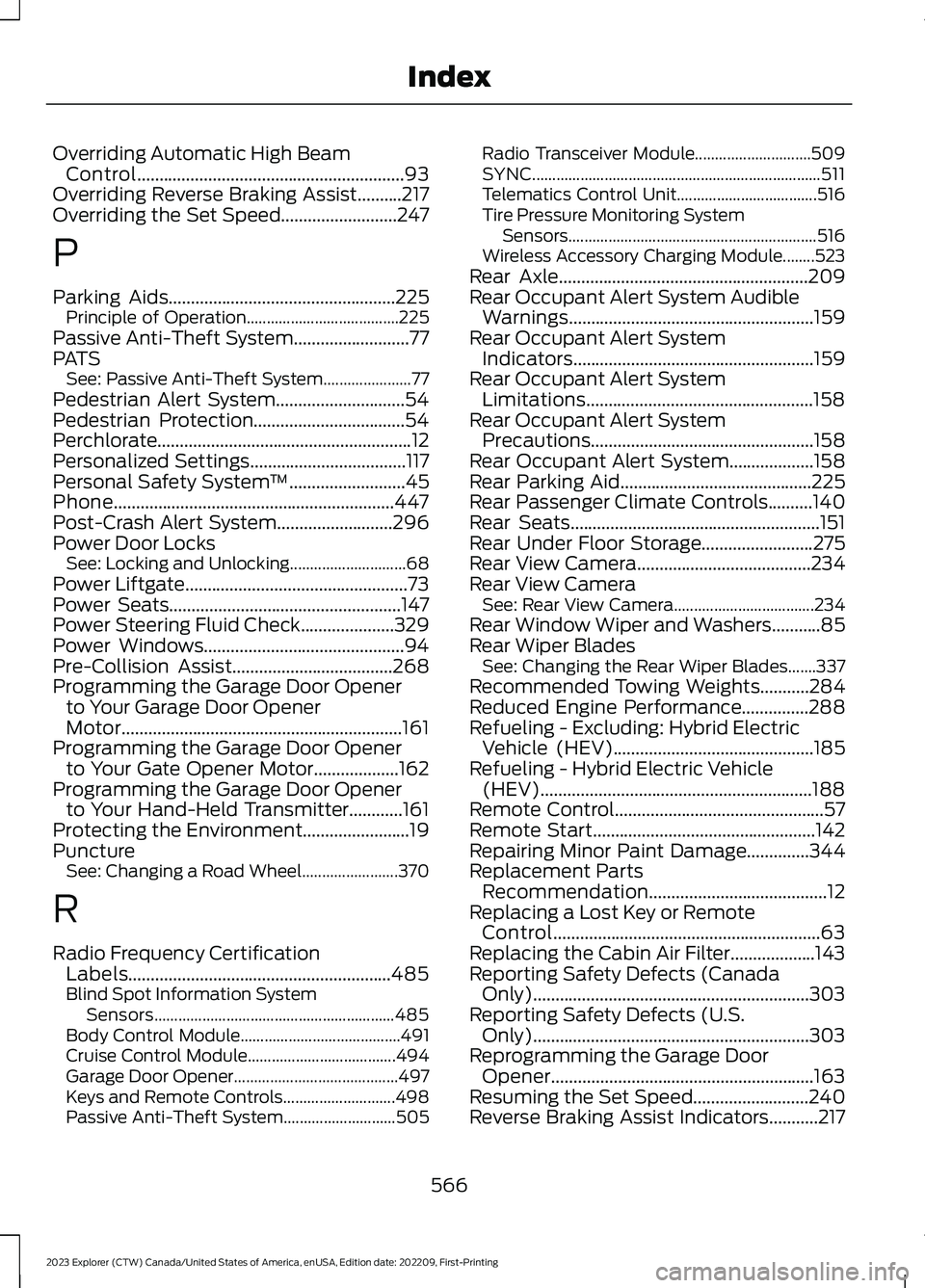
Overriding Automatic High BeamControl............................................................93Overriding Reverse Braking Assist..........217Overriding the Set Speed..........................247
P
Parking Aids...................................................225Principle of Operation......................................225Passive Anti-Theft System..........................77PATSSee: Passive Anti-Theft System......................77Pedestrian Alert System.............................54Pedestrian Protection..................................54Perchlorate.........................................................12Personalized Settings...................................117Personal Safety System™..........................45Phone...............................................................447Post-Crash Alert System..........................296Power Door LocksSee: Locking and Unlocking.............................68Power Liftgate..................................................73Power Seats....................................................147Power Steering Fluid Check.....................329Power Windows.............................................94Pre-Collision Assist....................................268Programming the Garage Door Openerto Your Garage Door OpenerMotor...............................................................161Programming the Garage Door Openerto Your Gate Opener Motor...................162Programming the Garage Door Openerto Your Hand-Held Transmitter............161Protecting the Environment........................19PunctureSee: Changing a Road Wheel........................370
R
Radio Frequency CertificationLabels...........................................................485Blind Spot Information SystemSensors............................................................485Body Control Module........................................491Cruise Control Module.....................................494Garage Door Opener.........................................497Keys and Remote Controls............................498Passive Anti-Theft System............................505
Radio Transceiver Module.............................509SYNC........................................................................511Telematics Control Unit...................................516Tire Pressure Monitoring SystemSensors..............................................................516Wireless Accessory Charging Module........523Rear Axle........................................................209Rear Occupant Alert System AudibleWarnings.......................................................159Rear Occupant Alert SystemIndicators......................................................159Rear Occupant Alert SystemLimitations...................................................158Rear Occupant Alert SystemPrecautions..................................................158Rear Occupant Alert System...................158Rear Parking Aid...........................................225Rear Passenger Climate Controls..........140Rear Seats........................................................151Rear Under Floor Storage.........................275Rear View Camera.......................................234Rear View CameraSee: Rear View Camera...................................234Rear Window Wiper and Washers...........85Rear Wiper BladesSee: Changing the Rear Wiper Blades.......337Recommended Towing Weights...........284Reduced Engine Performance...............288Refueling - Excluding: Hybrid ElectricVehicle (HEV).............................................185Refueling - Hybrid Electric Vehicle(HEV).............................................................188Remote Control...............................................57Remote Start..................................................142Repairing Minor Paint Damage..............344Replacement PartsRecommendation........................................12Replacing a Lost Key or RemoteControl............................................................63Replacing the Cabin Air Filter...................143Reporting Safety Defects (CanadaOnly)..............................................................303Reporting Safety Defects (U.S.Only)..............................................................303Reprogramming the Garage DoorOpener...........................................................163Resuming the Set Speed..........................240Reverse Braking Assist Indicators...........217
566
2023 Explorer (CTW) Canada/United States of America, enUSA, Edition date: 202209, First-PrintingIndex