instrument cluster FORD EXPLORER 2023 Owner's Manual
[x] Cancel search | Manufacturer: FORD, Model Year: 2023, Model line: EXPLORER, Model: FORD EXPLORER 2023Pages: 573, PDF Size: 16.1 MB
Page 181 of 573
Note:Note when in Sport mode it can beenabled by pressing the Auto-Start-Stopbutton.
The green Auto-Start-Stopindicator light on the instrumentcluster will illuminate to indicatewhen the automatic engine stop occurs.
If the instrument cluster isequipped with a greyAuto-Start-Stop indicator light,it illuminates when automatic engine stopis not available due to one of the abovenoted conditions not being met.
Automatic Engine Restart
Any of the following conditions will resultin an automatic restart of the engine:
•You have removed your foot from thebrake pedal.
•You press the accelerator pedal.
•You press the accelerator and thebrake pedal at the same time.
•The driver safety belt becomesunfastened or the driver door is ajar.
•Your vehicle is moving.
•The interior compartment does notmeet customer comfort when airconditioning or heat is on.
•Fogging of the windows could occurand the air conditioning is on.
•The battery is not within optimaloperating conditions.
•You have exceeded the maximumengine off time.
•When you press the Auto-Start-Stopbutton with the engine automaticallystopped.
•The front defroster is turned to the Maxsetting.
•When you shift into park (P), the enginewill restart.
Any of the following conditions may resultin an automatic restart of the engine:
•You have increased the blower fanspeed or changed the climate controltemperature.
•You have an electrical accessoryturned on or plugged in.
Note:You may notice that the climate seatfan fluctuates during an automatic restart.
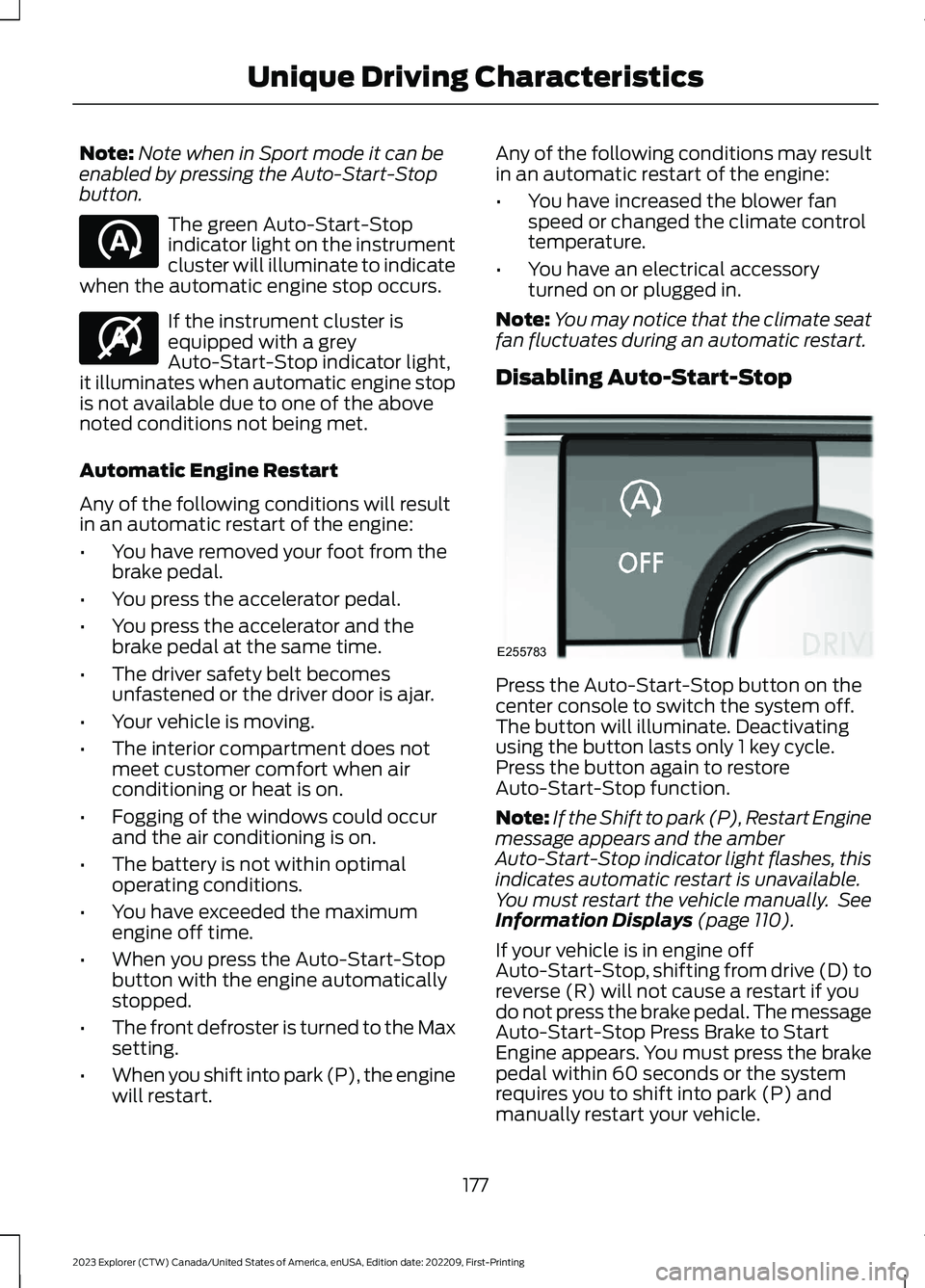
Disabling Auto-Start-Stop
Press the Auto-Start-Stop button on thecenter console to switch the system off.The button will illuminate. Deactivatingusing the button lasts only 1 key cycle.Press the button again to restoreAuto-Start-Stop function.
Note:If the Shift to park (P), Restart Enginemessage appears and the amberAuto-Start-Stop indicator light flashes, thisindicates automatic restart is unavailable.You must restart the vehicle manually. SeeInformation Displays (page 110).
If your vehicle is in engine offAuto-Start-Stop, shifting from drive (D) toreverse (R) will not cause a restart if youdo not press the brake pedal. The messageAuto-Start-Stop Press Brake to StartEngine appears. You must press the brakepedal within 60 seconds or the systemrequires you to shift into park (P) andmanually restart your vehicle.
177
2023 Explorer (CTW) Canada/United States of America, enUSA, Edition date: 202209, First-PrintingUnique Driving CharacteristicsE121377 E146361 E255783
Page 182 of 573
HYBRID VEHICLE OPERATION
- HYBRID ELECTRIC VEHICLE
(HEV)
This hybrid vehicle combines electric andgasoline propulsion to providebreakthrough performance and improvedefficiency. Familiarizing yourself with theseunique characteristics provides an optimaldriving experience from your vehicle.
Starting
When you start your vehicle, agreen READY indicator lightappears in the instrument clusterletting you know that your vehicle is readyfor driving.
The engine may not start because yourvehicle has a silent key start feature. Thisfuel saving feature allows your vehicle tobe ready to drive without requiring the gasengine to be running. The indicator remainson when your vehicle is on, whether theengine is running or not, to indicate yourvehicle is capable of movement using theelectric motor, gas engine or both.Typically, the engine does not start unlessthe vehicle is cold, a climate controlchange is requested or you press theaccelerator pedal.
Driving
The gas engine automatically starts andstops to provide power when needed andto save fuel when not needed. Whencoasting at low speeds, coming to a stop,or standing, the gas engine normally shutsdown and your vehicle operates inelectric-only mode.
Conditions that may cause the engine tostart up or remain running include:
•Considerable vehicle acceleration.
•Climbing a hill.
•Charge level of high voltage battery islow.
•High or low outside temperatures inorder to provide system heating orcooling.
•Engine not warm enough to providepassenger requested cabintemperature.
•Towing a trailer.
•Selectable drive modes: Certainselectable drive modes may cause theengine to run. See What Is Drive ModeControl (page 273).
•Live in Drive: Use of the paddle shifterswhile in drive (D) may cause the engineto run. See Automatic Transmission(page 197).
Stopping
The gas engine may shut off to conservefuel as you come to a stop. Restarting yourvehicle is not required. Simply step on theaccelerator when you are ready to drive.
Transmission Operation
The engine and electric motor togetherpropel the vehicle through the automatictransmission. This is normal hybridoperating and helps deliver fuel efficiencyand performance.
Battery
Your hybrid is equipped with a high voltagebattery. A cool battery maintains batterylife and provides the best possibleperformance. The high voltage battery iscooled by the vehicle's air conditioningsystem. When the air conditioning systemis on, you may notice a slight increase inair temperature coming from the climatecontrol vents while the battery is cooling.You may also notice cool air flowing fromthe vents when the air conditioning orblower is off.
178
2023 Explorer (CTW) Canada/United States of America, enUSA, Edition date: 202209, First-PrintingUnique Driving CharacteristicsE293827
Page 201 of 573
AUTOMATIC TRANSMISSION
WARNING: Apply the parking brakeand make sure your vehicle is in park (P).Power the vehicle off and remove thekeys or remote control whenever youleave your vehicle. Failure to follow thisinstruction could result in personal injuryor death.
WARNING: Do not apply the brakepedal and accelerator pedalsimultaneously. Applying both pedalssimultaneously for more than a fewseconds limits vehicle performance,which may result in difficulty maintainingspeed in traffic and could lead to seriousinjury.
Note:You may not be able to shift out ofpark (P) unless the intelligent access key isinside your vehicle.
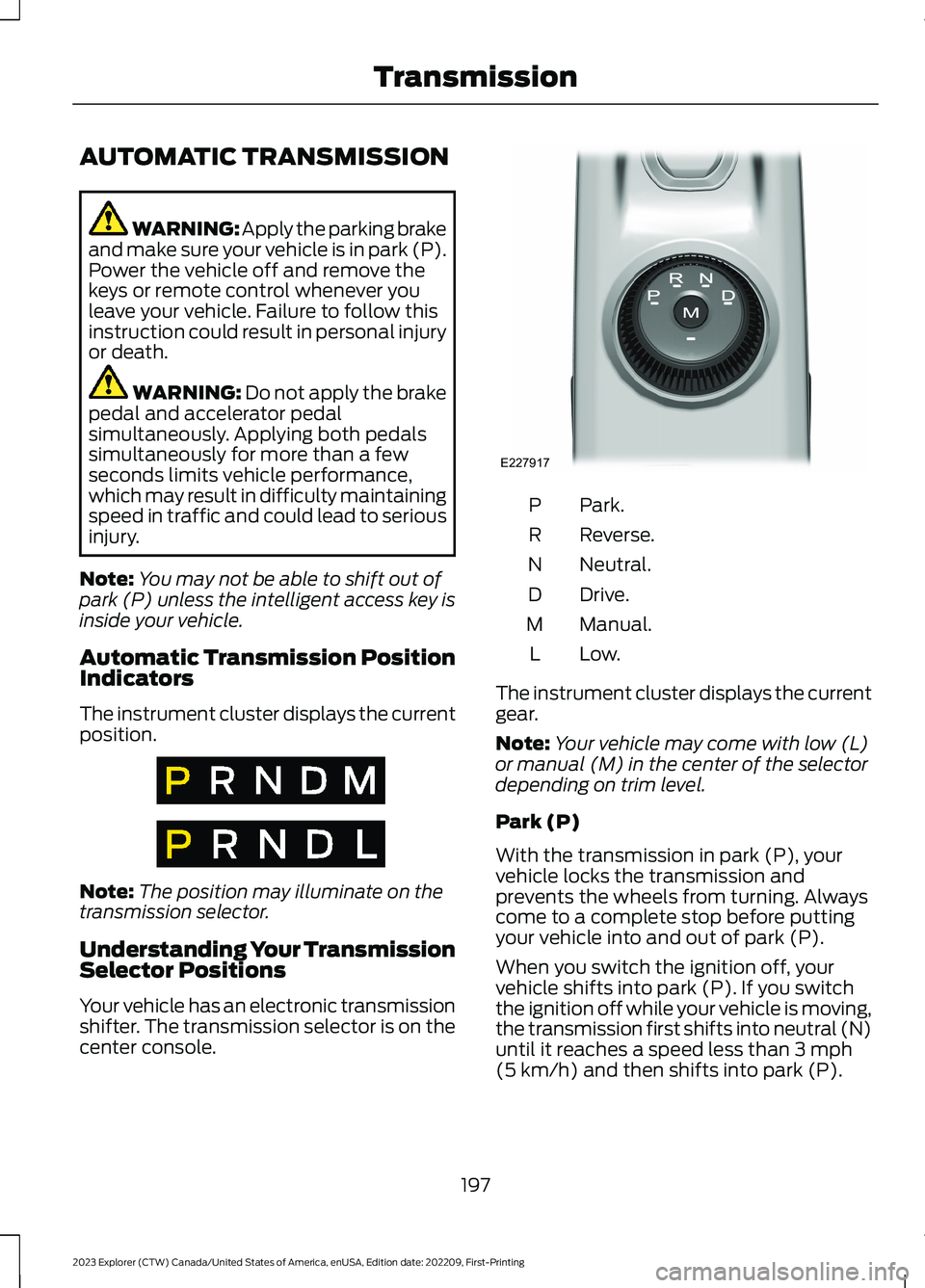
Automatic Transmission PositionIndicators
The instrument cluster displays the currentposition.
Note:The position may illuminate on thetransmission selector.
Understanding Your TransmissionSelector Positions
Your vehicle has an electronic transmissionshifter. The transmission selector is on thecenter console.
Park.P
Reverse.R
Neutral.N
Drive.D
Manual.M
Low.L
The instrument cluster displays the currentgear.
Note:Your vehicle may come with low (L)or manual (M) in the center of the selectordepending on trim level.
Park (P)
With the transmission in park (P), yourvehicle locks the transmission andprevents the wheels from turning. Alwayscome to a complete stop before puttingyour vehicle into and out of park (P).
When you switch the ignition off, yourvehicle shifts into park (P). If you switchthe ignition off while your vehicle is moving,the transmission first shifts into neutral (N)until it reaches a speed less than 3 mph(5 km/h) and then shifts into park (P).
197
2023 Explorer (CTW) Canada/United States of America, enUSA, Edition date: 202209, First-PrintingTransmissionE317778 E317777 E227917
Page 203 of 573
2.Bring your vehicle to a complete stop.
3.Press and hold the brake pedal.
4.Shift into neutral (N).
Note:A instructional message appears.
5.Press the manual (M), or low (L)button.
Note:A confirmation message appearswhen your vehicle enters the mode.
6.Release the brake pedal.
Note:Your vehicle is free to roll.
7.Switch your vehicle off.
Note:Do not tow your vehicle in this mode.
Note:The neutral (N) indicator on thetransmission selector may flash in thismode.
Exiting Temporary Neutral Mode
1.Press the brake pedal.
2.Shift into park (P), or switch yourvehicle on and shift into drive (D), orreverse (R).
Drive (D)
Drive (D) is the normal driving position forthe best fuel economy and smoothness.Shift the transmission selector to drive (D)to allow your vehicle to move forward andshift automatically through the forwardgears.
The transmission shifts to the appropriategear for optimum performance based onambient temperature, road slope, vehicleload and your input.
Manual Mode (M) - Vehicles withPaddle Shifters
With the transmission selector in manual(M), the driver can change gears up ordown. After selecting the Manual (M)button while the transmission rangeselector is in the Drive (D) position, younow have control of selecting the gear youdesire using shift buttons on the steeringwheel.
To exit manual mode, push the manual(M) button on your transmission selector.
Low (L) - Vehicles without PaddleShifters
With the transmission selector in low (L),your vehicle provides maximum enginebraking. You can shift the transmission intolow (L) at any vehicle speed. Do not useunder extended or normal drivingconditions as it results in lower fueleconomy.
Manually Shifting Gears
Shifting Using Paddle Shifters
The instrument cluster displays the currentgear. The current gear flashes when yourvehicle cannot shift into the requestedgear. Your vehicle will not shift if therequested gear raises or lowers the enginespeed beyond the limit.
Your vehicle may shift when you fully pressthe accelerator or brake pedal.
Note:Prolonged driving with high enginespeed could cause vehicle damage notcovered by vehicle warranty.
Note:When the vehicle shifts into therequested gear, it could affect drive modes.
199
2023 Explorer (CTW) Canada/United States of America, enUSA, Edition date: 202209, First-PrintingTransmission
Page 204 of 573
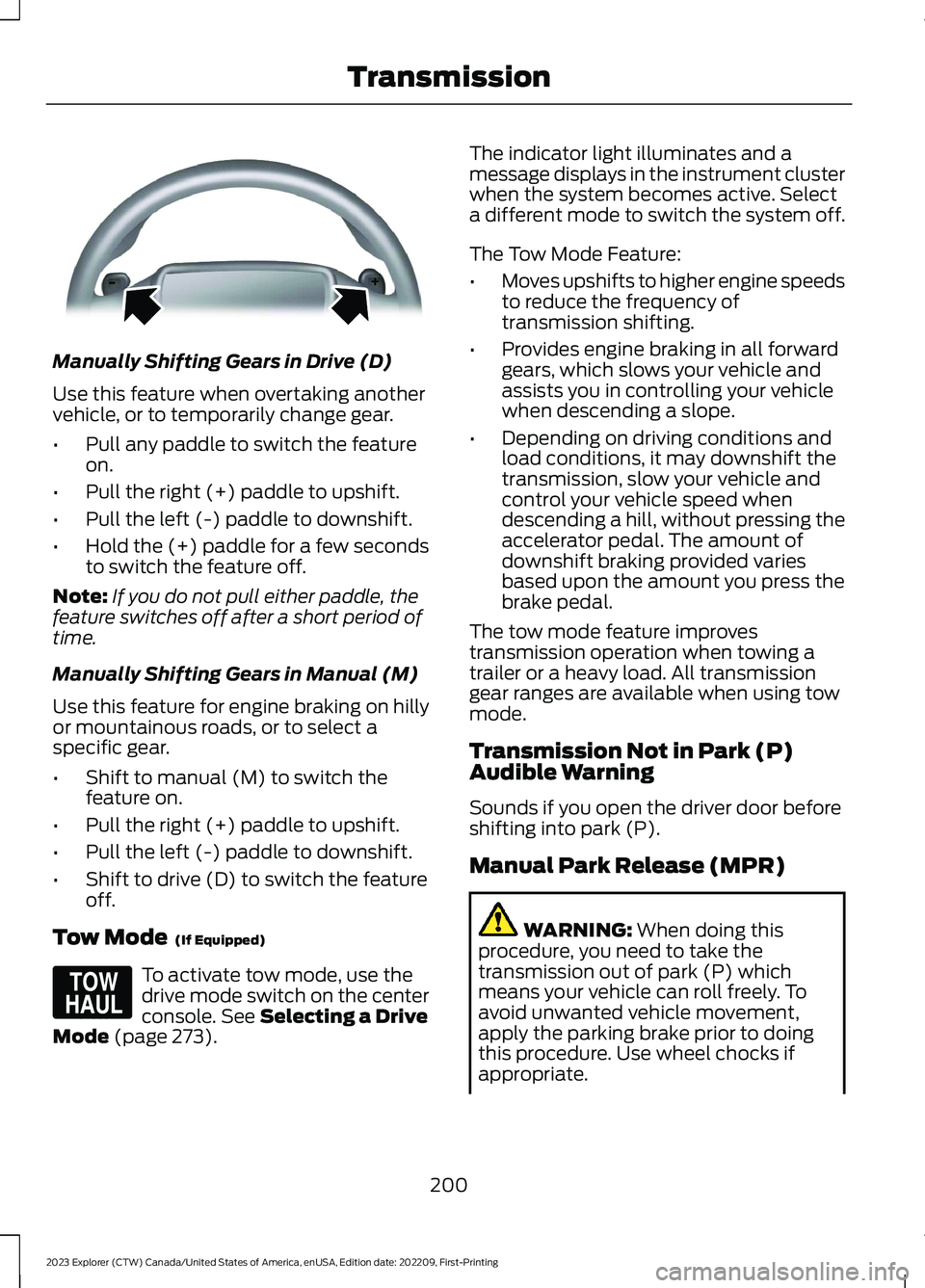
Manually Shifting Gears in Drive (D)
Use this feature when overtaking anothervehicle, or to temporarily change gear.
•Pull any paddle to switch the featureon.
•Pull the right (+) paddle to upshift.
•Pull the left (-) paddle to downshift.
•Hold the (+) paddle for a few secondsto switch the feature off.
Note:If you do not pull either paddle, thefeature switches off after a short period oftime.
Manually Shifting Gears in Manual (M)
Use this feature for engine braking on hillyor mountainous roads, or to select aspecific gear.
•Shift to manual (M) to switch thefeature on.
•Pull the right (+) paddle to upshift.
•Pull the left (-) paddle to downshift.
•Shift to drive (D) to switch the featureoff.
Tow Mode (If Equipped)
To activate tow mode, use thedrive mode switch on the centerconsole. See Selecting a DriveMode (page 273).
The indicator light illuminates and amessage displays in the instrument clusterwhen the system becomes active. Selecta different mode to switch the system off.
The Tow Mode Feature:
•Moves upshifts to higher engine speedsto reduce the frequency oftransmission shifting.
•Provides engine braking in all forwardgears, which slows your vehicle andassists you in controlling your vehiclewhen descending a slope.
•Depending on driving conditions andload conditions, it may downshift thetransmission, slow your vehicle andcontrol your vehicle speed whendescending a hill, without pressing theaccelerator pedal. The amount ofdownshift braking provided variesbased upon the amount you press thebrake pedal.
The tow mode feature improvestransmission operation when towing atrailer or a heavy load. All transmissiongear ranges are available when using towmode.
Transmission Not in Park (P)Audible Warning
Sounds if you open the driver door beforeshifting into park (P).
Manual Park Release (MPR)
WARNING: When doing thisprocedure, you need to take thetransmission out of park (P) whichmeans your vehicle can roll freely. Toavoid unwanted vehicle movement,apply the parking brake prior to doingthis procedure. Use wheel chocks ifappropriate.
200
2023 Explorer (CTW) Canada/United States of America, enUSA, Edition date: 202209, First-PrintingTransmissionE144821 E161509
Page 205 of 573
WARNING: If the parking brake isfully released, but the brake warninglamp remains illuminated, the brakesmay not be working properly. Have yourvehicle checked as soon as possible.
WARNING: Do not drive yourvehicle until you verify that thestoplamps are working.
Use the manual park release to move yourtransmission from the park (P) position inthe event of an electrical malfunction oremergency.
Activating the Manual Park ReleaseCable
1.Apply the parking brake. See ElectricParking Brake (page 211).
Note:If the vehicle battery is dead, forexample, no electrical power is available,you require an external power to apply theparking brake.
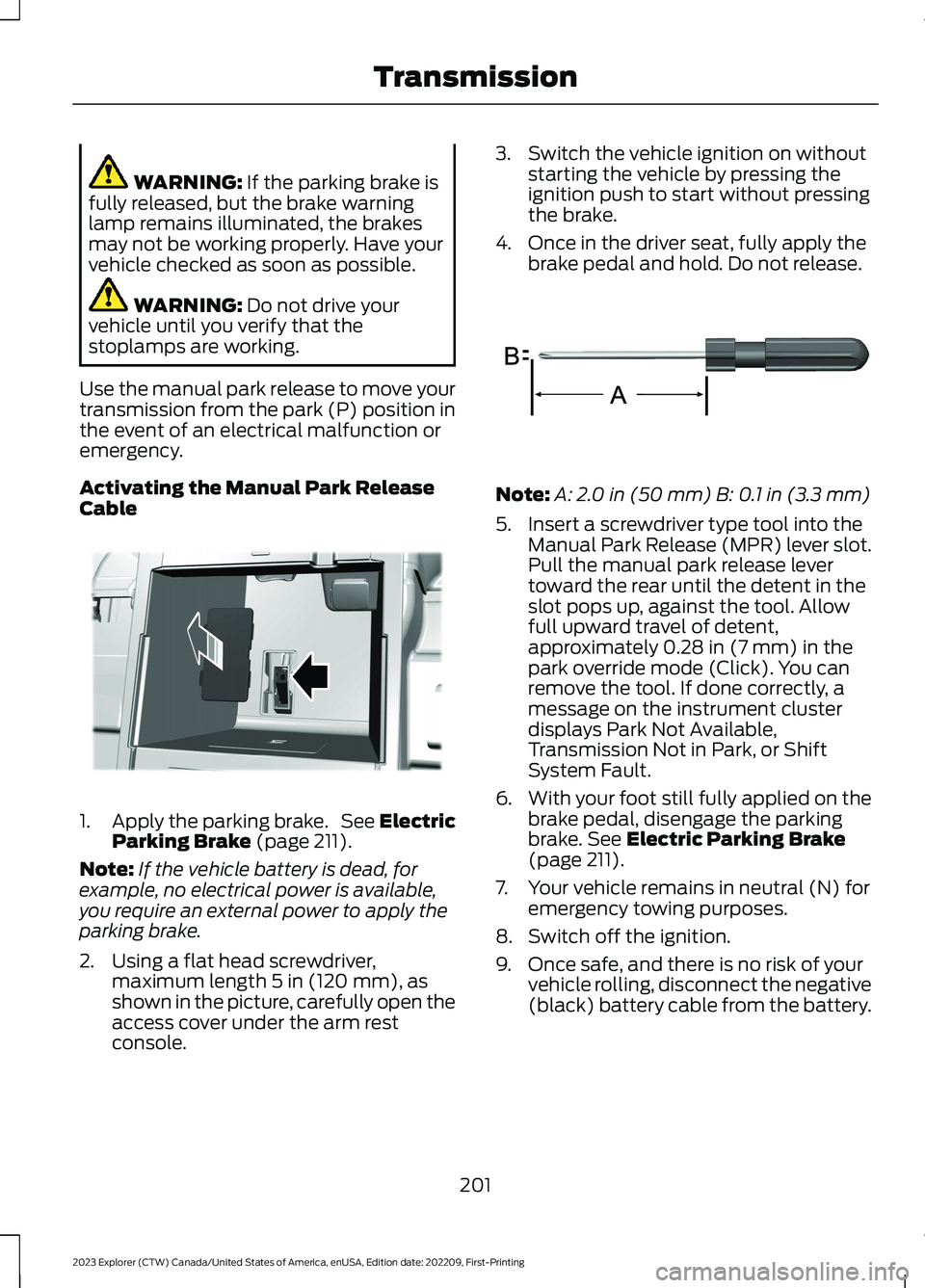
2.Using a flat head screwdriver,maximum length 5 in (120 mm), asshown in the picture, carefully open theaccess cover under the arm restconsole.
3.Switch the vehicle ignition on withoutstarting the vehicle by pressing theignition push to start without pressingthe brake.
4.Once in the driver seat, fully apply thebrake pedal and hold. Do not release.
Note:A: 2.0 in (50 mm) B: 0.1 in (3.3 mm)
5.Insert a screwdriver type tool into theManual Park Release (MPR) lever slot.Pull the manual park release levertoward the rear until the detent in theslot pops up, against the tool. Allowfull upward travel of detent,approximately 0.28 in (7 mm) in thepark override mode (Click). You canremove the tool. If done correctly, amessage on the instrument clusterdisplays Park Not Available,Transmission Not in Park, or ShiftSystem Fault.
6.With your foot still fully applied on thebrake pedal, disengage the parkingbrake. See Electric Parking Brake(page 211).
7.Your vehicle remains in neutral (N) foremergency towing purposes.
8.Switch off the ignition.
9.Once safe, and there is no risk of yourvehicle rolling, disconnect the negative(black) battery cable from the battery.
201
2023 Explorer (CTW) Canada/United States of America, enUSA, Edition date: 202209, First-PrintingTransmissionE292050 E317360
Page 206 of 573
Returning Your Vehicle to NormalMode
1.Reconnect the negative (black) batterycable to the battery.
2.Apply the parking brake. See ElectricParking Brake (page 211).
Note: If the vehicle battery is dead, forexample, no electrical power is available,you require an external power to apply theparking brake.
3.Fully apply the brake pedal and hold,do not release.
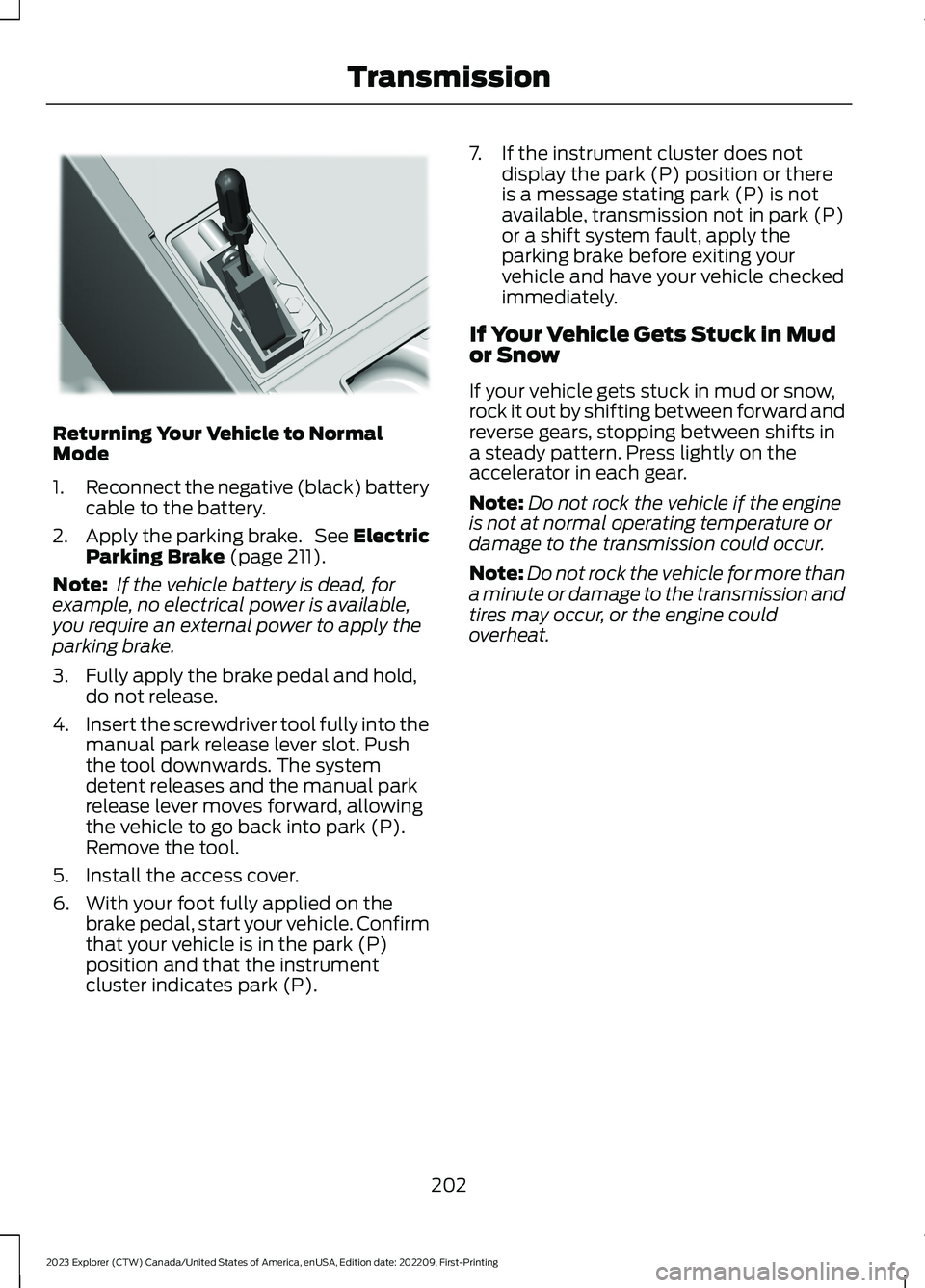
4.Insert the screwdriver tool fully into themanual park release lever slot. Pushthe tool downwards. The systemdetent releases and the manual parkrelease lever moves forward, allowingthe vehicle to go back into park (P).Remove the tool.
5.Install the access cover.
6.With your foot fully applied on thebrake pedal, start your vehicle. Confirmthat your vehicle is in the park (P)position and that the instrumentcluster indicates park (P).
7.If the instrument cluster does notdisplay the park (P) position or thereis a message stating park (P) is notavailable, transmission not in park (P)or a shift system fault, apply theparking brake before exiting yourvehicle and have your vehicle checkedimmediately.
If Your Vehicle Gets Stuck in Mudor Snow
If your vehicle gets stuck in mud or snow,rock it out by shifting between forward andreverse gears, stopping between shifts ina steady pattern. Press lightly on theaccelerator in each gear.
Note:Do not rock the vehicle if the engineis not at normal operating temperature ordamage to the transmission could occur.
Note:Do not rock the vehicle for more thana minute or damage to the transmission andtires may occur, or the engine couldoverheat.
202
2023 Explorer (CTW) Canada/United States of America, enUSA, Edition date: 202209, First-PrintingTransmissionE297270
Page 250 of 573
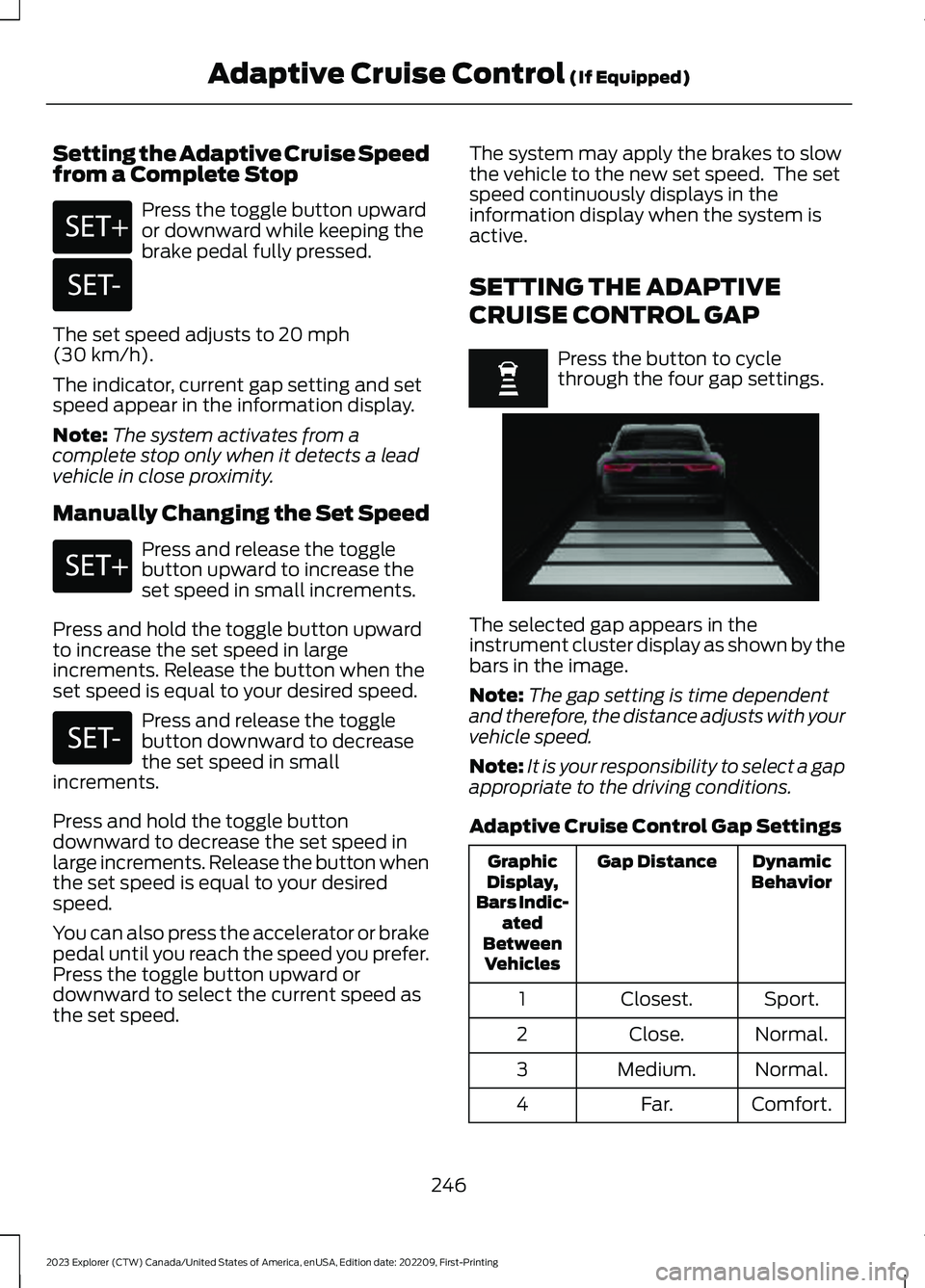
Setting the Adaptive Cruise Speedfrom a Complete Stop
Press the toggle button upwardor downward while keeping thebrake pedal fully pressed.
The set speed adjusts to 20 mph(30 km/h).
The indicator, current gap setting and setspeed appear in the information display.
Note:The system activates from acomplete stop only when it detects a leadvehicle in close proximity.
Manually Changing the Set Speed
Press and release the togglebutton upward to increase theset speed in small increments.
Press and hold the toggle button upwardto increase the set speed in largeincrements. Release the button when theset speed is equal to your desired speed.
Press and release the togglebutton downward to decreasethe set speed in smallincrements.
Press and hold the toggle buttondownward to decrease the set speed inlarge increments. Release the button whenthe set speed is equal to your desiredspeed.
You can also press the accelerator or brakepedal until you reach the speed you prefer.Press the toggle button upward ordownward to select the current speed asthe set speed.
The system may apply the brakes to slowthe vehicle to the new set speed. The setspeed continuously displays in theinformation display when the system isactive.
SETTING THE ADAPTIVE
CRUISE CONTROL GAP
Press the button to cyclethrough the four gap settings.
The selected gap appears in theinstrument cluster display as shown by thebars in the image.
Note:The gap setting is time dependentand therefore, the distance adjusts with yourvehicle speed.
Note:It is your responsibility to select a gapappropriate to the driving conditions.
Adaptive Cruise Control Gap Settings
DynamicBehaviorGap DistanceGraphicDisplay,Bars Indic-atedBetweenVehicles
Sport.Closest.1
Normal.Close.2
Normal.Medium.3
Comfort.Far.4
246
2023 Explorer (CTW) Canada/United States of America, enUSA, Edition date: 202209, First-PrintingAdaptive Cruise Control (If Equipped)E246884 E246885 E246884 E246885 E255686
Page 251 of 573
Each time you switch the system on, itselects the last chosen gap setting.
Following a Vehicle
When a vehicle ahead of you enters thesame lane or a slower vehicle is ahead inthe same lane, the vehicle speed adjuststo maintain the gap setting.
Note:When you are following a vehicle andyou switch on a turn signal lamp, adaptivecruise control may provide a small,temporary acceleration to help you pass.
Your vehicle maintains a consistent gapfrom the vehicle ahead until:
•The vehicle in front of you acceleratesto a speed above the set speed.
•The vehicle in front of you moves outof the lane you are in.
•You set a new gap distance.
The system applies the brakes to slowdown your vehicle to maintain a safe gapdistance from the vehicle in front of you.The system only applies limited braking.You can override the system by applyingthe brakes.
Note:The brakes may emit noise whenapplied by the system.
If the system determines that its maximumbraking level is not sufficient, an audiblewarning sounds, a message appears in theinstrument cluster display and an indicatorflashes when the system continues tobrake. Take immediate action.
CANCELING THE SET SPEED
Press the button or tap the brakepedal.
The set speed does not erase.
RESUMING THE SET SPEED
Press the button.
Your vehicle speed returns to thepreviously set speed and gap setting. Theset speed displays continuously in theinformation display when the system isactive.
Note:Only use resume if you are aware ofthe set speed and intend to return to it.
Resuming the Set Speed from aComplete Stop
If your vehicle follows a vehicle to acomplete stop and remains stationary forless than three seconds, your vehicleaccelerates from a stationary position tofollow the vehicle ahead.
If your vehicle follows a vehicleto a complete stop and remainsstationary for more than threeseconds, press and release the button orpress the accelerator pedal to follow thevehicle ahead.
OVERRIDING THE SET SPEED
WARNING: If you override thesystem by pressing the acceleratorpedal, it does not automatically applythe brakes to maintain a gap from anyvehicle ahead.
When you press the accelerator pedal, youoverride the set speed and gap distance.
Use the accelerator pedal to intentionallyexceed the set speed limit.
247
2023 Explorer (CTW) Canada/United States of America, enUSA, Edition date: 202209, First-PrintingAdaptive Cruise Control (If Equipped)E280804
Page 252 of 573
When you override the system, the greenindicator illuminates and the vehicle icondoes not appear in the instrument clusterdisplay.
The system resumes operation when yourelease the accelerator pedal. The vehiclespeed decreases to the set speed, or alower speed if following a slower vehicle.
ADAPTIVE CRUISE CONTROL
INDICATORS - VEHICLES
WITH: INTELLIGENT ADAPTIVE
CRUISE CONTROL
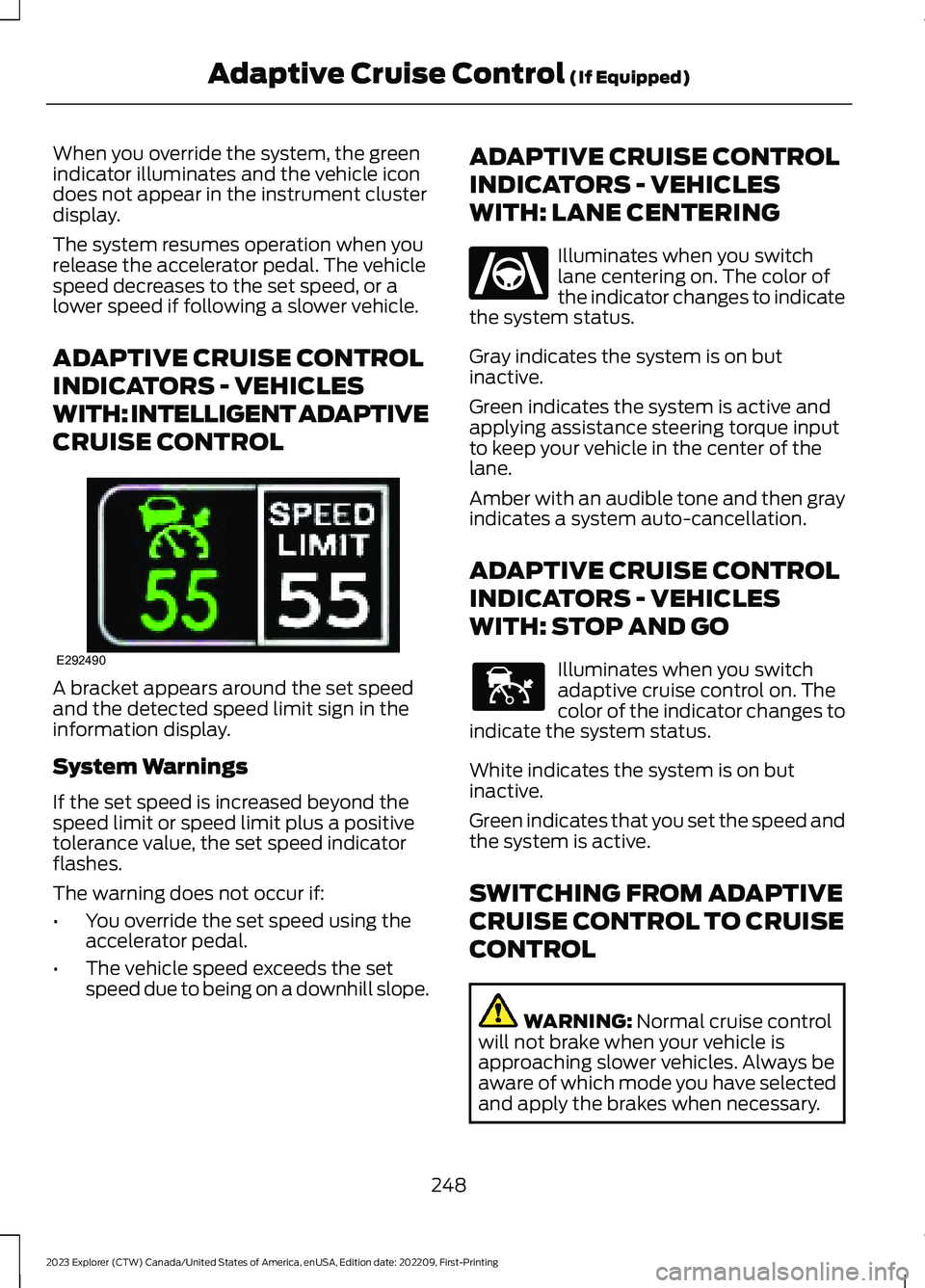
A bracket appears around the set speedand the detected speed limit sign in theinformation display.
System Warnings
If the set speed is increased beyond thespeed limit or speed limit plus a positivetolerance value, the set speed indicatorflashes.
The warning does not occur if:
•You override the set speed using theaccelerator pedal.
•The vehicle speed exceeds the setspeed due to being on a downhill slope.
ADAPTIVE CRUISE CONTROL
INDICATORS - VEHICLES
WITH: LANE CENTERING
Illuminates when you switchlane centering on. The color ofthe indicator changes to indicatethe system status.
Gray indicates the system is on butinactive.
Green indicates the system is active andapplying assistance steering torque inputto keep your vehicle in the center of thelane.
Amber with an audible tone and then grayindicates a system auto-cancellation.
ADAPTIVE CRUISE CONTROL
INDICATORS - VEHICLES
WITH: STOP AND GO
Illuminates when you switchadaptive cruise control on. Thecolor of the indicator changes toindicate the system status.
White indicates the system is on butinactive.
Green indicates that you set the speed andthe system is active.
SWITCHING FROM ADAPTIVE
CRUISE CONTROL TO CRUISE
CONTROL
WARNING: Normal cruise controlwill not brake when your vehicle isapproaching slower vehicles. Always beaware of which mode you have selectedand apply the brakes when necessary.
248
2023 Explorer (CTW) Canada/United States of America, enUSA, Edition date: 202209, First-PrintingAdaptive Cruise Control (If Equipped)E292490 E262175 E144529