remote control FORD EXPLORER 2023 Owner's Manual
[x] Cancel search | Manufacturer: FORD, Model Year: 2023, Model line: EXPLORER, Model: FORD EXPLORER 2023Pages: 573, PDF Size: 16.1 MB
Page 81 of 573

PASSIVE ANTI-THEFT
SYSTEM
Note: The system is not compatible withnon-Ford aftermarket remote start systems.Use of these systems could result in vehiclestarting problems and a loss of securityprotection.
Note:Metallic objects, electronic devicesor a second coded key on the same keychain could cause vehicle starting problemsif they are too close to the key when startingthe engine. Prevent these objects fromtouching the coded key while starting theengine. Switch the ignition off, move allobjects on the key chain away from thecoded key and restart the engine if aproblem occurs.
Note:Do not leave a duplicate coded keyin the vehicle. Always take your keys andlock all doors when leaving the vehicle.
SecuriLock®
The system is an engine immobilizationsystem. It helps to prevent anyone fromstarting the engine without using a codedkey programmed to your vehicle. Using thewrong key could prevent the engine fromstarting. A message may appear in theinformation display.
If you are unable to start the engine with acorrectly coded key, there is a problem withthe system and a message could appearin the information display.
Automatic Arming
The vehicle arms immediately after youswitch the ignition off.
Automatic Disarming
Switching the ignition on with a coded keydisarms the vehicle.
Replacement Keys
Note:Your vehicle comes with twointegrated keyhead transmitters or twointelligent access keys.
The integrated keyhead transmitterfunctions as a programmed ignition keythat operates all the locks and starts thevehicle, as well as a remote control.
The intelligent access key functions as aprogrammed key that operates the driverdoor lock and activates the intelligentaccess with push button start system, aswell as a remote control.
If your programmed transmitters orstandard SecuriLock coded keys(integrated keyhead transmitters only) arelost or stolen and you do not have an extracoded key, you will need to have yourvehicle towed to an authorized dealer. Youneed to erase the key codes from yourvehicle and program new coded keys.
Store an extra programmed key away fromthe vehicle in a safe place to help preventany inconveniences. See your authorizeddealer to purchase additional spare orreplacement keys.
Programming a Spare IntelligentAccess Key (If Equipped)
See your authorized dealer to haveadditional keys programmed to yourvehicle.
ANTI-THEFT ALARM
The system will warn you of anunauthorized entry to your vehicle. It willbe triggered if any door, the luggagecompartment or the hood is openedwithout using the key, remote control orkeyless entry keypad.
The direction indicators will flash and thehorn will sound if unauthorized entry isattempted while the alarm is armed.
77
2023 Explorer (CTW) Canada/United States of America, enUSA, Edition date: 202209, First-PrintingSecurity
Page 82 of 573

Take all remote controls to an authorizeddealer if there is any potential alarmproblem with your vehicle.
Arming the Alarm
The alarm is ready to arm when there isnot a key in your vehicle. Electronically lockyour vehicle to arm the alarm.
Disarming the Alarm
Disarm the alarm by any of the followingactions:
•Unlock the doors or luggagecompartment with the remote controlor keyless entry keypad.
•Switch your vehicle on or start yourvehicle.
•Use a key in the driver door to unlockyour vehicle, then switch your vehicleon within 12 seconds.
Note:Pressing the panic button on theremote control will stop the horn and signalindicators, but will not disarm the system.
78
2023 Explorer (CTW) Canada/United States of America, enUSA, Edition date: 202209, First-PrintingSecurity
Page 94 of 573
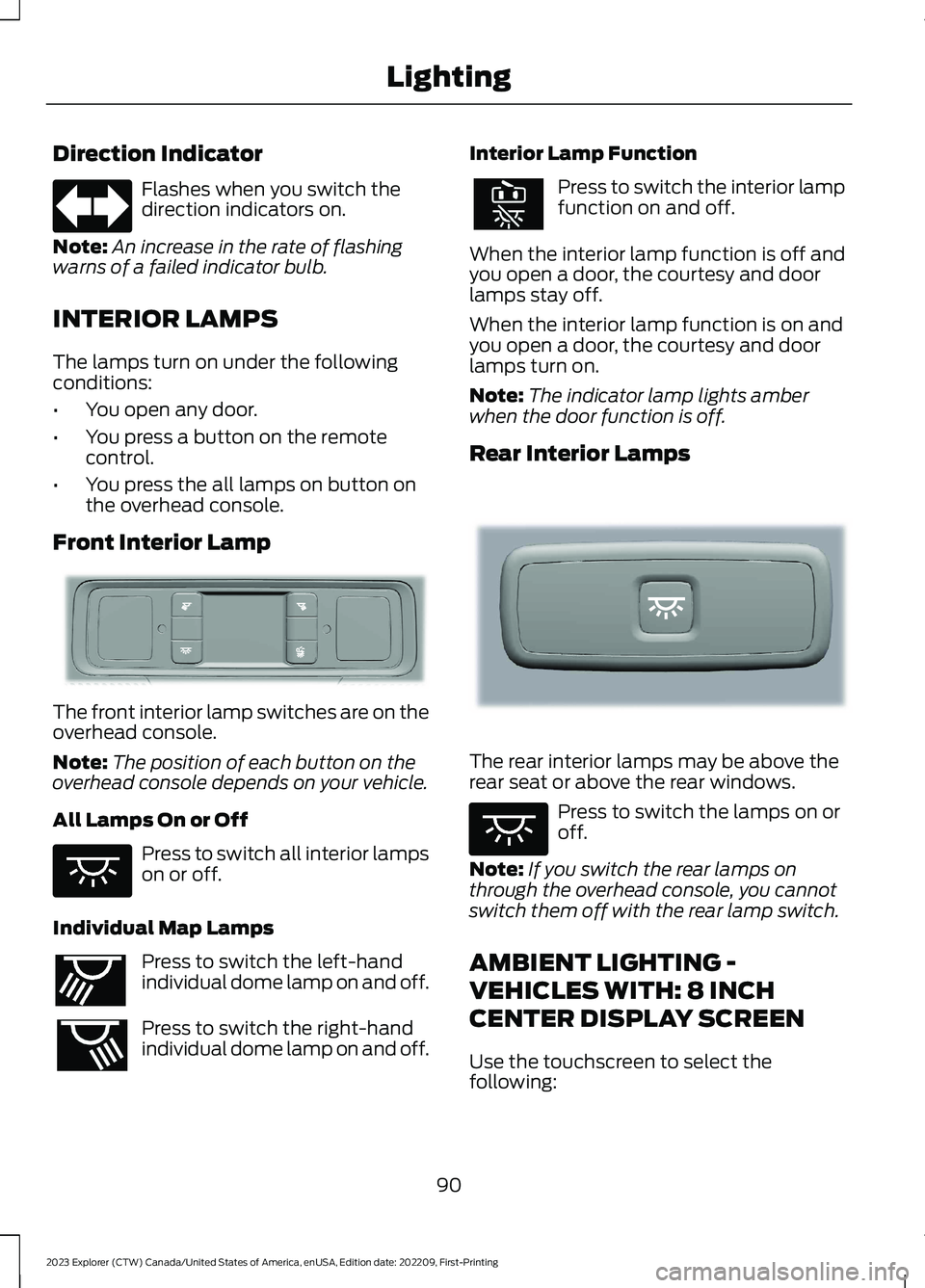
Direction Indicator
Flashes when you switch thedirection indicators on.
Note:An increase in the rate of flashingwarns of a failed indicator bulb.
INTERIOR LAMPS
The lamps turn on under the followingconditions:
•You open any door.
•You press a button on the remotecontrol.
•You press the all lamps on button onthe overhead console.
Front Interior Lamp
The front interior lamp switches are on theoverhead console.
Note:The position of each button on theoverhead console depends on your vehicle.
All Lamps On or Off
Press to switch all interior lampson or off.
Individual Map Lamps
Press to switch the left-handindividual dome lamp on and off.
Press to switch the right-handindividual dome lamp on and off.
Interior Lamp Function
Press to switch the interior lampfunction on and off.
When the interior lamp function is off andyou open a door, the courtesy and doorlamps stay off.
When the interior lamp function is on andyou open a door, the courtesy and doorlamps turn on.
Note:The indicator lamp lights amberwhen the door function is off.
Rear Interior Lamps
The rear interior lamps may be above therear seat or above the rear windows.
Press to switch the lamps on oroff.
Note:If you switch the rear lamps onthrough the overhead console, you cannotswitch them off with the rear lamp switch.
AMBIENT LIGHTING -
VEHICLES WITH: 8 INCH
CENTER DISPLAY SCREEN
Use the touchscreen to select thefollowing:
90
2023 Explorer (CTW) Canada/United States of America, enUSA, Edition date: 202209, First-PrintingLightingE67018 E281230 E259649 E262193 E281231 E259649
Page 99 of 573
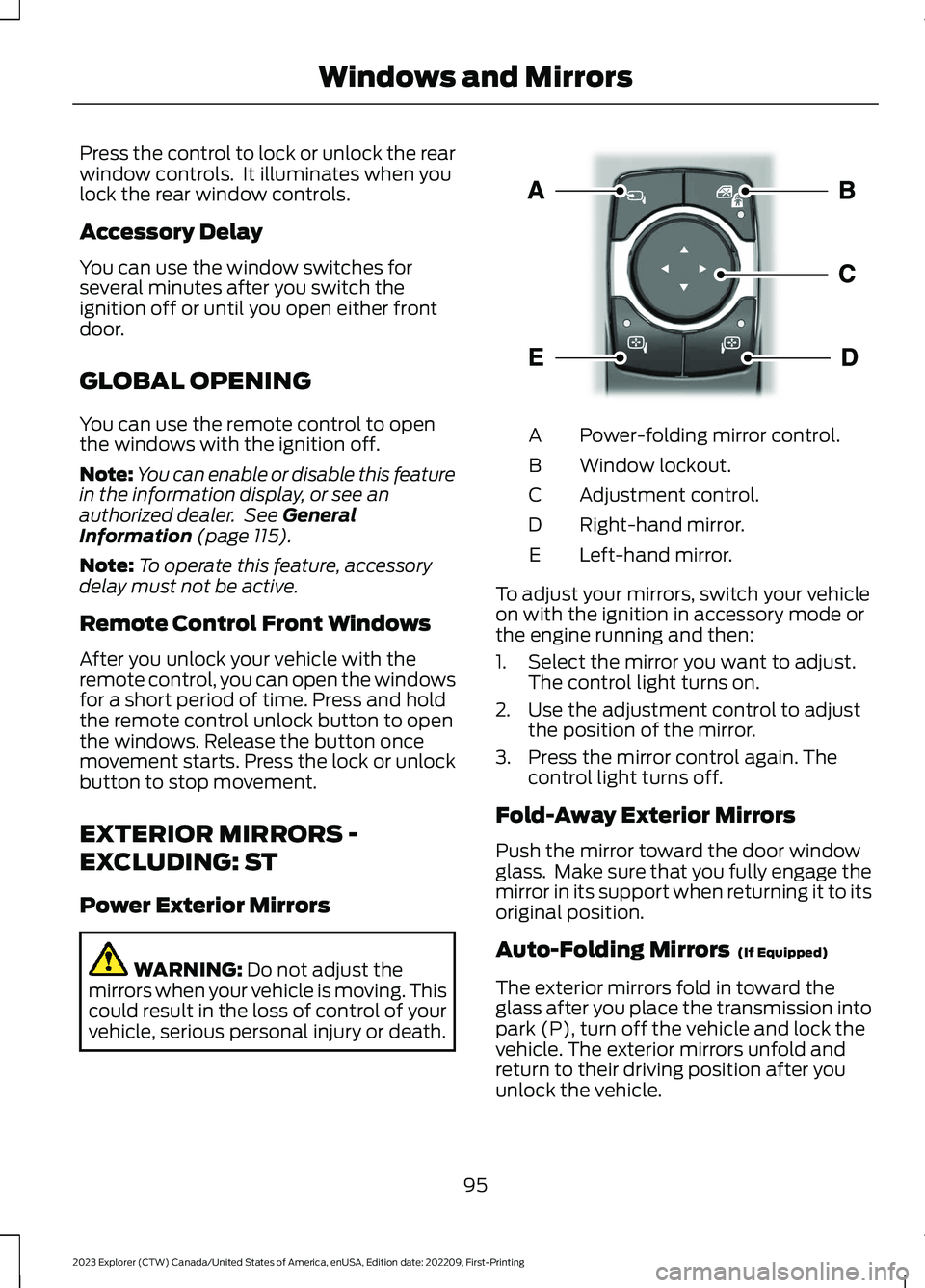
Press the control to lock or unlock the rearwindow controls. It illuminates when youlock the rear window controls.
Accessory Delay
You can use the window switches forseveral minutes after you switch theignition off or until you open either frontdoor.
GLOBAL OPENING
You can use the remote control to openthe windows with the ignition off.
Note:You can enable or disable this featurein the information display, or see anauthorized dealer. See GeneralInformation (page 115).
Note:To operate this feature, accessorydelay must not be active.
Remote Control Front Windows
After you unlock your vehicle with theremote control, you can open the windowsfor a short period of time. Press and holdthe remote control unlock button to openthe windows. Release the button oncemovement starts. Press the lock or unlockbutton to stop movement.
EXTERIOR MIRRORS -
EXCLUDING: ST
Power Exterior Mirrors
WARNING: Do not adjust themirrors when your vehicle is moving. Thiscould result in the loss of control of yourvehicle, serious personal injury or death.
Power-folding mirror control.A
Window lockout.B
Adjustment control.C
Right-hand mirror.D
Left-hand mirror.E
To adjust your mirrors, switch your vehicleon with the ignition in accessory mode orthe engine running and then:
1.Select the mirror you want to adjust.The control light turns on.
2.Use the adjustment control to adjustthe position of the mirror.
3.Press the mirror control again. Thecontrol light turns off.
Fold-Away Exterior Mirrors
Push the mirror toward the door windowglass. Make sure that you fully engage themirror in its support when returning it to itsoriginal position.
Auto-Folding Mirrors (If Equipped)
The exterior mirrors fold in toward theglass after you place the transmission intopark (P), turn off the vehicle and lock thevehicle. The exterior mirrors unfold andreturn to their driving position after youunlock the vehicle.
95
2023 Explorer (CTW) Canada/United States of America, enUSA, Edition date: 202209, First-PrintingWindows and MirrorsE295322
Page 102 of 573
Heated Exterior Mirrors
See Heated Exterior Mirrors (page 142).
Memory Mirrors
You can save and recall the mirrorpositions through the memory function.See Memory Function (page 150).
Auto-dimming Feature (If Equipped)
The driver exterior mirror dims when theinterior auto-dimming mirror turns on.
Direction Indicator Mirrors (If Equipped)
When the vehicle is running, theforward-facing portion of the appropriatemirror housing blinks when you switch onthe direction indicator.
Puddle Lamps
The lamps on the bottom part of the mirrorhousing illuminate when you use yourremote control to unlock the doors or whenyou open a door.
360-Degree Camera (If Equipped)
See 360 Degree Camera (page 237).
Blind Spot Information System
See Blind Spot Information System(page 259).
INTERIOR MIRROR
WARNING: Do not adjust themirrors when your vehicle is moving. Thiscould result in the loss of control of yourvehicle, serious personal injury or death.
Note:Do not clean the mirror housing orglass with harsh abrasives, fuel or otherpetroleum-based cleaning products.
You can adjust the interior mirror to yourpreference. Some mirrors also have asecond pivot point. This lets you move themirror head up or down and from side toside.
Manual Dimming Mirror
Pull the tab below the mirror toward youto reduce the effect of bright light frombehind.
Automatic Dimming Mirror (If Equipped)
Note:Do not block the sensors on the frontand back of the mirror. A rear centerpassenger or raised rear center headrestraint may also block light from reachingthe sensor.
The mirror dims to reduce the effect ofbright light from behind. It returns tonormal when the bright light from behindis no longer present or if you shift intoreverse (R).
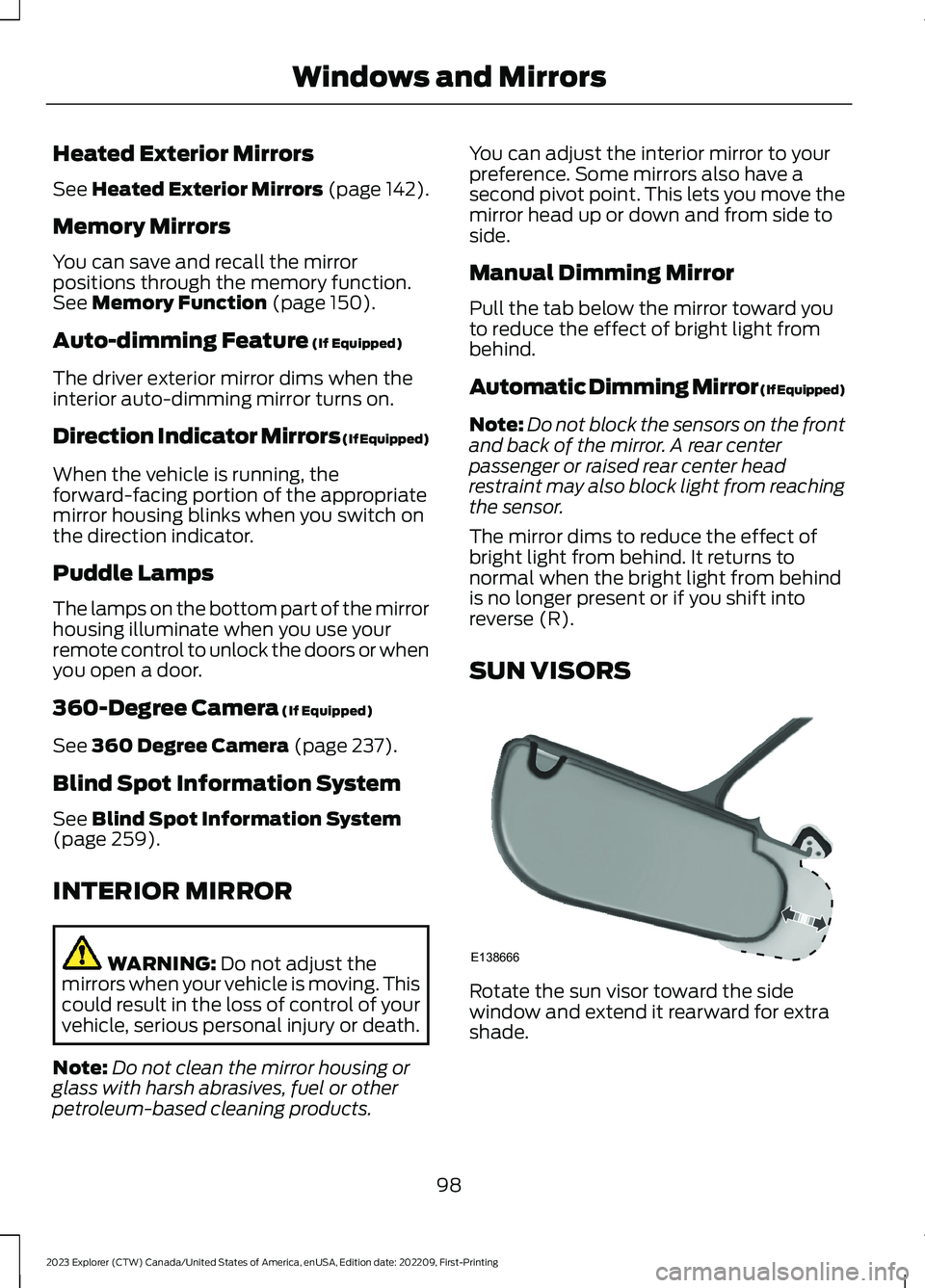
SUN VISORS
Rotate the sun visor toward the sidewindow and extend it rearward for extrashade.
98
2023 Explorer (CTW) Canada/United States of America, enUSA, Edition date: 202209, First-PrintingWindows and MirrorsE138666
Page 146 of 573
HEATED REAR WINDOW
Press the button to clear the rearwindow of thin ice and fog. Theheated rear window turns offafter a short period of time.
Note:Do not use harsh chemicals, razorblades or other sharp objects to clean orremove decals from the inside of the heatedrear window. The vehicle warranty may notcover damage to the heated rear windowgrid lines.
HEATED EXTERIOR MIRRORS
(IF EQUIPPED)
When you switch the heated rear windowon, the heated exterior mirrors turn on.
Note:Do not remove ice from the mirrorswith a scraper or adjust the mirror glasswhen it is frozen in place.
Note:Do not clean the mirror housing orglass with harsh abrasives, fuel or otherpetroleum-based cleaning products. Thevehicle warranty may not cover damagecaused to the mirror housing or glass.
REMOTE START (IF EQUIPPED)
The climate control system adjusts theinterior temperature during remote start.
You can switch this feature on or off andadjust the settings using the touchscreen.See Settings (page 458).
You cannot adjust the climate controlsetting during remote start operation.Switch the ignition on to makeadjustments.
Based on your remote start settings, thefollowing vehicle-dependent features mayor may not remain on after remote startingyour vehicle:
•Climate controlled seats.
•Heated steering wheel.
•Heated mirrors.
•Heated rear window.
•Windshield wiper de-icer.
Note:For dual zone climate controlledseats, the passenger seat setting defaultsto match the driver seat during remote start.
Automatic Settings
If Auto is on, the system sets the interiortemperature to 72°F (22°C) and heats orcools the vehicle interior as required toachieve comfort.
Note:In cold weather, the heated rearwindow and heated mirrors turn on.
Last Settings
If Last Settings is on, the system uses thesettings last selected before you turnedoff the vehicle.
Heated and Cooled Features
In Auto mode, certain heated features mayswitch on during cold weather, and cooledfeatures during hot weather.
142
2023 Explorer (CTW) Canada/United States of America, enUSA, Edition date: 202209, First-PrintingClimate ControlE184884
Page 155 of 573
Recalling a PreSet Position
Press and release the preset buttonassociated with your preferred drivingposition. The memory features move tothe position stored for that preset.
Note:You can only recall a preset memoryposition when the ignition is off, or when thetransmission is in park (P) or neutral (N)and the vehicle is not moving if the ignitionis on.
You can also recall a preset memoryposition by:
•Pressing the unlock button on yourremote control if it is linked to a presetposition.
•Unlocking the driver door handle if alinked remote control is present.
Note:Using a linked remote control torecall your memory position when theignition is off moves the seat to the EasyEntry position.
Note:Pressing any active memory featureadjustment control, or any memory buttonduring a memory recall, cancels theoperation.
Linking a PreSet Position to yourRemote Control
Your vehicle can save the preset memorypositions for up to three remote controls.
1.With the ignition on, move the memoryfeatures to the preferred positions.
2.Press and hold the preferred presetbutton for about five seconds. A tonesounds after about two seconds.Continue holding until you hear asecond tone.
3.Within three seconds, press the lockbutton on the remote control you arelinking.
To unlink a remote control, follow thesame procedure – except in step 3, pressthe unlock button on the remote control.
Note:If more than one linked remotecontrol or intelligent access key is in range,the memory function moves to the settingsof the first key to recall a memory position.
Easy Entry and Exit Feature
If you enable the easy entry and exitfeature, it moves the driver seat positionrearward up to 2 in (5 cm) when you switchthe ignition off.
The driver seat returns to the previousposition when you switch the ignition on.
You can enable or disable this featurethrough the touchscreen. See Settings(page 458).
REAR SEATS
Adjusting the Second Row RearSeats
WARNING: Always drive and ridewith your seatback upright and the lapbelt snug and low across the hips.
WARNING: Do not recline the seatbackrest too far as this can cause theoccupant to slide under the seatbelt,resulting in personal injury in the eventof a crash.
151
2023 Explorer (CTW) Canada/United States of America, enUSA, Edition date: 202209, First-PrintingSeats
Page 161 of 573
Press the heated seat symbol to cyclethrough the various heat settings and off.More indicator lights indicate warmersettings.
Note:The heated seats switch on during aremote start if they are enabled.
Note:The heated seats may switch onwhen you start your vehicle if they were onwhen you previously switched your vehicleoff.
Automatic Climate ControlledSeats (If Equipped)
When you switch on the auto setting, theseats switch between the heated seatsand ventilated seats to match your climatecontrol setting.
Second Row Heated Seats
The heated seat controls are on the rearof the center console.
VENTILATED SEATS (IF EQUIPPED)
Do not do the following:
•Spill liquid on the front seats. This maycause the air vent holes to becomeblocked and not work properly.
•Place cargo or objects under the seats.They may block the air intake causingthe air vents to not work properly.
The engine must be running to use thisfeature.
Press this symbol to cycle through thevarious ventilation settings and off. Moreindicator lights indicate higher fan speeds.
Note:The ventilated seats switch on duringa remote start if they are enabled.
Note:The ventilated seats may switch onwhen you start your vehicle if they were onwhen you previously switched your vehicleoff.
If the engine falls below 350 RPM whenthe ventilated seats are on, the systemturns off. You need to switch it back on.
Note:To improve comfort, use theventilated seats along with the vehicle’s airconditioning system.
Automatic Climate ControlledSeats (If Equipped)
When you switch on the auto setting, theseats switch between the heated seatsand ventilated seats to match your climatecontrol setting.
157
2023 Explorer (CTW) Canada/United States of America, enUSA, Edition date: 202209, First-PrintingSeatsE146322 E224689
Page 164 of 573
WHAT IS THE GARAGE DOOR
OPENER
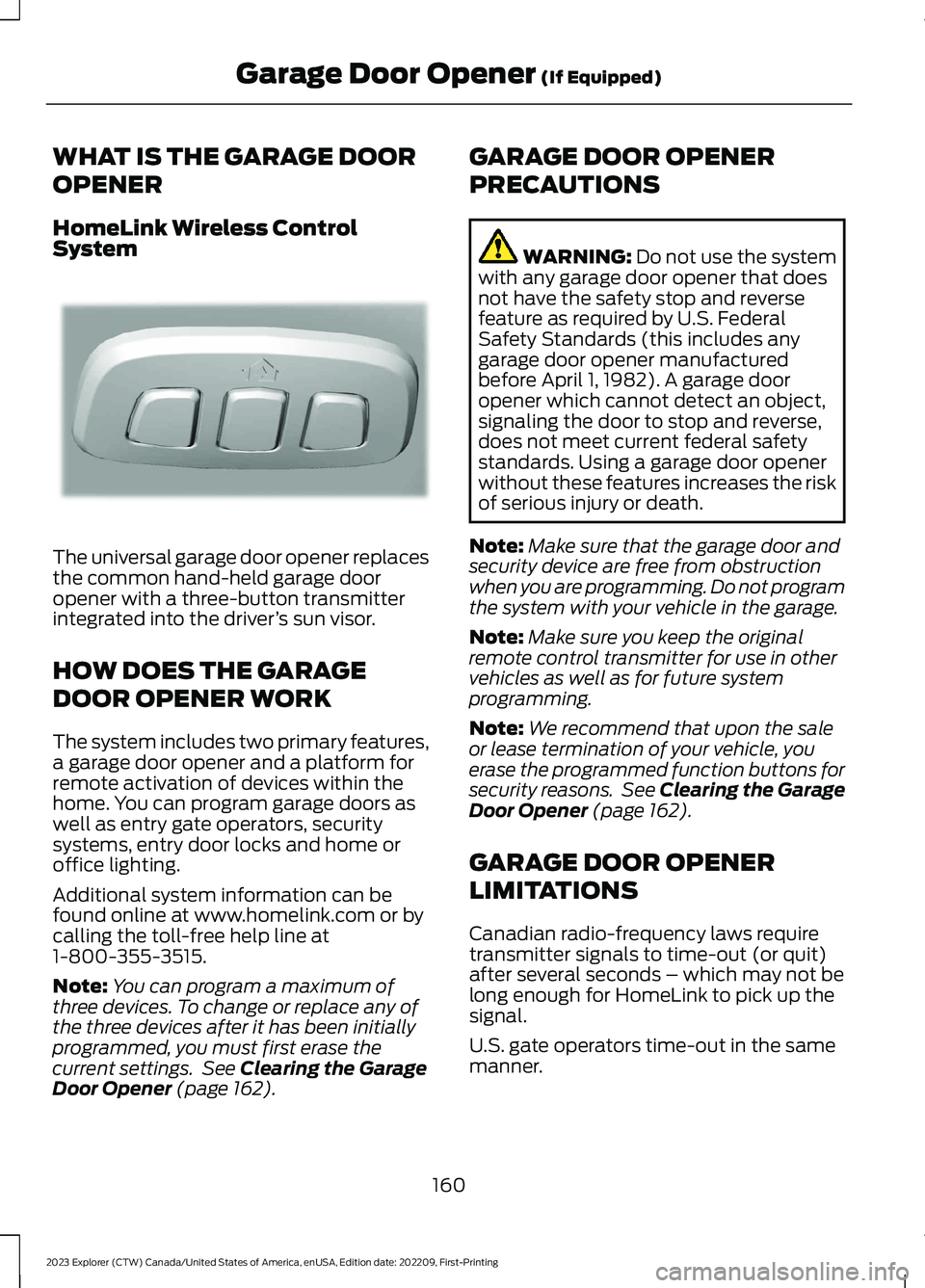
HomeLink Wireless ControlSystem
The universal garage door opener replacesthe common hand-held garage dooropener with a three-button transmitterintegrated into the driver’s sun visor.
HOW DOES THE GARAGE
DOOR OPENER WORK
The system includes two primary features,a garage door opener and a platform forremote activation of devices within thehome. You can program garage doors aswell as entry gate operators, securitysystems, entry door locks and home oroffice lighting.
Additional system information can befound online at www.homelink.com or bycalling the toll-free help line at1-800-355-3515.
Note:You can program a maximum ofthree devices. To change or replace any ofthe three devices after it has been initiallyprogrammed, you must first erase thecurrent settings. See Clearing the GarageDoor Opener (page 162).
GARAGE DOOR OPENER
PRECAUTIONS
WARNING: Do not use the systemwith any garage door opener that doesnot have the safety stop and reversefeature as required by U.S. FederalSafety Standards (this includes anygarage door opener manufacturedbefore April 1, 1982). A garage dooropener which cannot detect an object,signaling the door to stop and reverse,does not meet current federal safetystandards. Using a garage door openerwithout these features increases the riskof serious injury or death.
Note:Make sure that the garage door andsecurity device are free from obstructionwhen you are programming. Do not programthe system with your vehicle in the garage.
Note:Make sure you keep the originalremote control transmitter for use in othervehicles as well as for future systemprogramming.
Note:We recommend that upon the saleor lease termination of your vehicle, youerase the programmed function buttons forsecurity reasons. See Clearing the GarageDoor Opener (page 162).
GARAGE DOOR OPENER
LIMITATIONS
Canadian radio-frequency laws requiretransmitter signals to time-out (or quit)after several seconds – which may not belong enough for HomeLink to pick up thesignal.
U.S. gate operators time-out in the samemanner.
160
2023 Explorer (CTW) Canada/United States of America, enUSA, Edition date: 202209, First-PrintingGarage Door Opener (If Equipped)E188211
Page 170 of 573
WHAT IS THE WIRELESS
ACCESSORY CHARGER
The wireless accessory charger allows youto charge one compatible Qi wirelesscharging device on the charging area.
WIRELESS ACCESSORY
CHARGER PRECAUTIONS
WARNING: Wireless chargingdevices can affect the operation ofimplanted medical devices, includingcardiac pacemakers. If you have anyimplanted medical devices, werecommend that you consult with yourphysician.
Keep the charging area clean and removeforeign objects prior to charging a device.
Do not place items with a magnetic stripor radio-frequency identification chip, forexample passports, parking tickets,transportation passes or credit cards, nearthe charging area when charging a device.Damage could occur to the magnetic stripor radio-frequency identification chip.
Do not place metal objects, for exampleremote controls, coins and candywrappers, on or near the charging areawhen charging a device. Metal objects mayheat up and degrade the chargingperformance, in addition to causinginterruptions in charging.
Charging could be interrupted, degraded,or could stop if any of the following occur:
•The system detects a foreign object.
•The device is misaligned on thecharging area.
•The device moves on the activecharging area when the vehicle is inmotion.
•The vehicle ambient temperature is toohigh.
•You attempt to charge a non-Qicompatible device on the wirelesscharger.
Note:During charging, the device and thecharger could heat up, this is normal. If thebattery gets hotter than usual, the devicemay stop charging.
LOCATING THE WIRELESS
ACCESSORY CHARGER
The charging area is on thecenter console or in the mediabin below the instrument panel.
CHARGING A WIRELESS
DEVICE
Place the device on the center of thecharging surface with the charging sidedown. The charging stops after your devicereaches a full charge.
You can use the charger when the vehicleis in accessory mode, when the vehicle isrunning, or when SYNC is on.
Displays on the status bar whenwireless charging is in progress.
Note:The charging performance may beaffected if your device is in a case. It may benecessary to remove the case to wirelesslycharge your device.
Note:Software and firmware updates mayaffect device compatibility, including theuse of unofficial software or firmware. Youshould verify charging functionality with yourspecific devices in-vehicle.
166
2023 Explorer (CTW) Canada/United States of America, enUSA, Edition date: 202209, First-PrintingWireless Accessory Charger (If Equipped)E297549 E263583