reset FORD EXPLORER 2023 Owner's Manual
[x] Cancel search | Manufacturer: FORD, Model Year: 2023, Model line: EXPLORER, Model: FORD EXPLORER 2023Pages: 573, PDF Size: 16.1 MB
Page 150 of 573
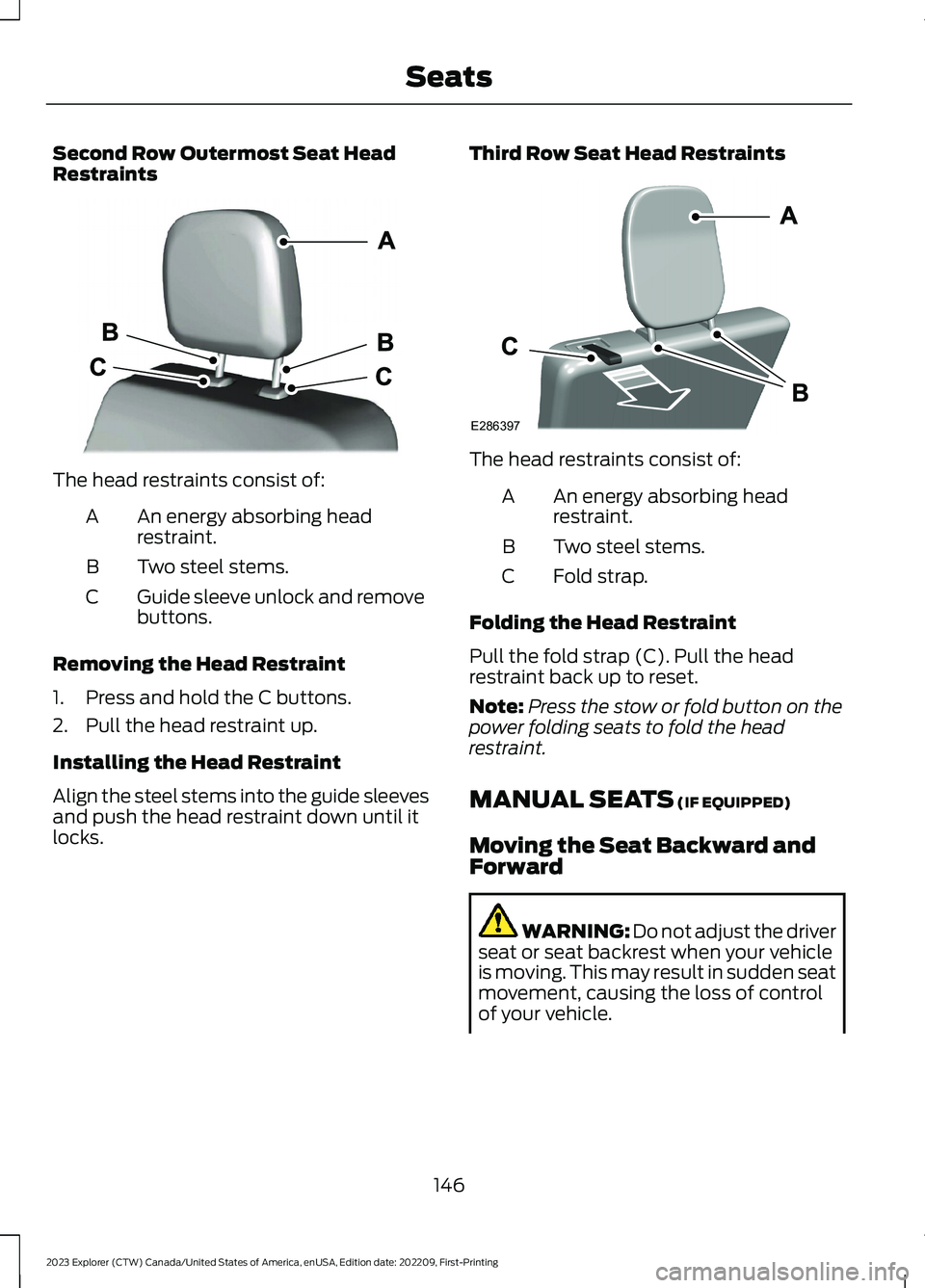
Second Row Outermost Seat HeadRestraints
The head restraints consist of:
An energy absorbing headrestraint.A
Two steel stems.B
Guide sleeve unlock and removebuttons.C
Removing the Head Restraint
1.Press and hold the C buttons.
2.Pull the head restraint up.
Installing the Head Restraint
Align the steel stems into the guide sleevesand push the head restraint down until itlocks.
Third Row Seat Head Restraints
The head restraints consist of:
An energy absorbing headrestraint.A
Two steel stems.B
Fold strap.C
Folding the Head Restraint
Pull the fold strap (C). Pull the headrestraint back up to reset.
Note:Press the stow or fold button on thepower folding seats to fold the headrestraint.
MANUAL SEATS (IF EQUIPPED)
Moving the Seat Backward andForward
WARNING: Do not adjust the driverseat or seat backrest when your vehicleis moving. This may result in sudden seatmovement, causing the loss of controlof your vehicle.
146
2023 Explorer (CTW) Canada/United States of America, enUSA, Edition date: 202209, First-PrintingSeatsE333253 E286397
Page 154 of 573
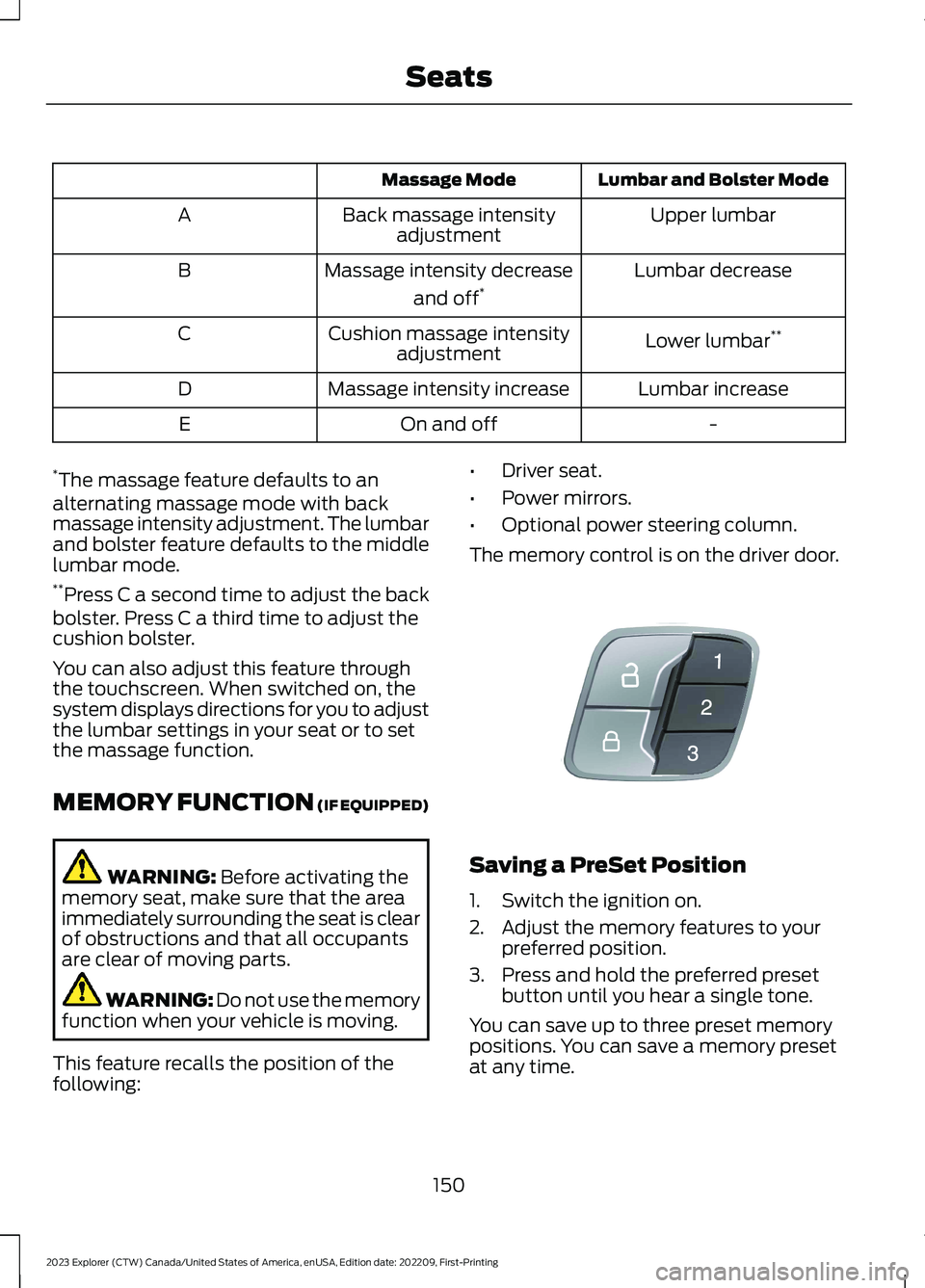
Lumbar and Bolster ModeMassage Mode
Upper lumbarBack massage intensityadjustmentA
Lumbar decreaseMassage intensity decrease
and off*B
Lower lumbar**Cushion massage intensityadjustmentC
Lumbar increaseMassage intensity increaseD
-On and offE
*The massage feature defaults to analternating massage mode with backmassage intensity adjustment. The lumbarand bolster feature defaults to the middlelumbar mode.**Press C a second time to adjust the backbolster. Press C a third time to adjust thecushion bolster.
You can also adjust this feature throughthe touchscreen. When switched on, thesystem displays directions for you to adjustthe lumbar settings in your seat or to setthe massage function.
MEMORY FUNCTION (IF EQUIPPED)
WARNING: Before activating thememory seat, make sure that the areaimmediately surrounding the seat is clearof obstructions and that all occupantsare clear of moving parts.
WARNING: Do not use the memoryfunction when your vehicle is moving.
This feature recalls the position of thefollowing:
•Driver seat.
•Power mirrors.
•Optional power steering column.
The memory control is on the driver door.
Saving a PreSet Position
1.Switch the ignition on.
2.Adjust the memory features to yourpreferred position.
3.Press and hold the preferred presetbutton until you hear a single tone.
You can save up to three preset memorypositions. You can save a memory presetat any time.
150
2023 Explorer (CTW) Canada/United States of America, enUSA, Edition date: 202209, First-PrintingSeatsE142554
Page 155 of 573
Recalling a PreSet Position
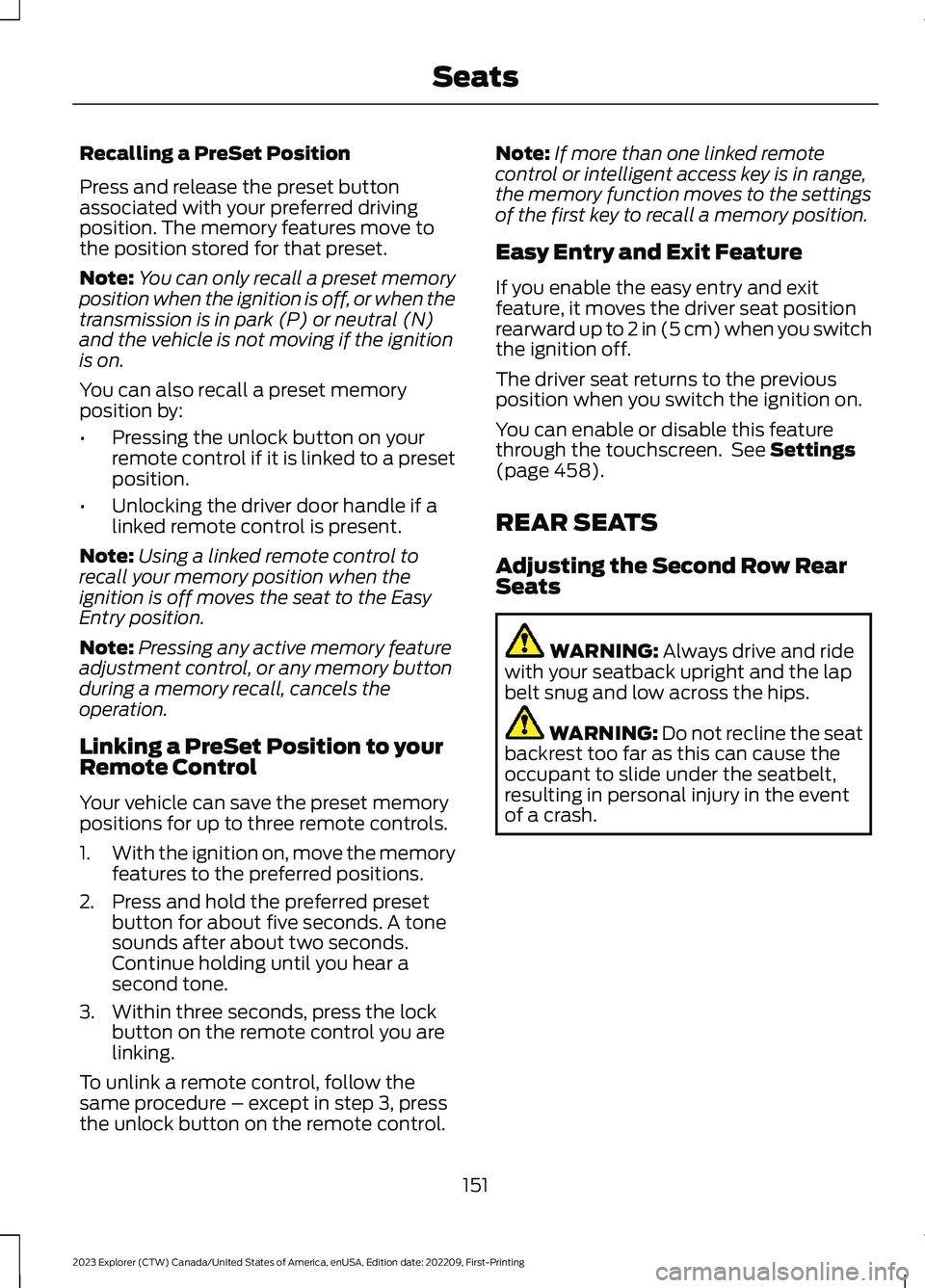
Press and release the preset buttonassociated with your preferred drivingposition. The memory features move tothe position stored for that preset.
Note:You can only recall a preset memoryposition when the ignition is off, or when thetransmission is in park (P) or neutral (N)and the vehicle is not moving if the ignitionis on.
You can also recall a preset memoryposition by:
•Pressing the unlock button on yourremote control if it is linked to a presetposition.
•Unlocking the driver door handle if alinked remote control is present.
Note:Using a linked remote control torecall your memory position when theignition is off moves the seat to the EasyEntry position.
Note:Pressing any active memory featureadjustment control, or any memory buttonduring a memory recall, cancels theoperation.
Linking a PreSet Position to yourRemote Control
Your vehicle can save the preset memorypositions for up to three remote controls.
1.With the ignition on, move the memoryfeatures to the preferred positions.
2.Press and hold the preferred presetbutton for about five seconds. A tonesounds after about two seconds.Continue holding until you hear asecond tone.
3.Within three seconds, press the lockbutton on the remote control you arelinking.
To unlink a remote control, follow thesame procedure – except in step 3, pressthe unlock button on the remote control.
Note:If more than one linked remotecontrol or intelligent access key is in range,the memory function moves to the settingsof the first key to recall a memory position.
Easy Entry and Exit Feature
If you enable the easy entry and exitfeature, it moves the driver seat positionrearward up to 2 in (5 cm) when you switchthe ignition off.
The driver seat returns to the previousposition when you switch the ignition on.
You can enable or disable this featurethrough the touchscreen. See Settings(page 458).
REAR SEATS
Adjusting the Second Row RearSeats
WARNING: Always drive and ridewith your seatback upright and the lapbelt snug and low across the hips.
WARNING: Do not recline the seatbackrest too far as this can cause theoccupant to slide under the seatbelt,resulting in personal injury in the eventof a crash.
151
2023 Explorer (CTW) Canada/United States of America, enUSA, Edition date: 202209, First-PrintingSeats
Page 162 of 573
WHAT IS THE REAR
OCCUPANT ALERT SYSTEM
The rear occupant alert system monitorsvehicle conditions and notifies you to checkfor rear seat occupants when you switchthe ignition off.
HOW DOES THE REAR
OCCUPANT ALERT SYSTEM
WORK
The system monitors when rear doors havebeen opened and closed to indicate thepotential presence of an occupant in therear seat.
A message displays in the information andentertainment display screen and anaudible warning sounds when you switchthe ignition off after any of the followingconditions have been met:
•A rear door is opened or closed whilethe ignition is on.
•You switch the ignition on within 15minutes of a rear door opening andclosing.
•You switch the ignition on within 15minutes of the alert having displayedor sounded.
REAR OCCUPANT ALERT
SYSTEM PRECAUTIONS
WARNING: On hot days, thetemperature inside the vehicle can risevery quickly. Exposure of people oranimals to these high temperatures foreven a short time can cause death orserious heat related injuries, includingbrain damage. Small children areparticularly at risk.
WARNING: Do not leave childrenor pets unattended in your vehicle.Failure to follow this instruction couldresult in personal injury or death.
REAR OCCUPANT ALERT
SYSTEM LIMITATIONS
The system does not detect the presenceof objects or passengers in the rear seat.It monitors when rear doors are openedand closed.
Note:It is possible to receive an alert whenthere is no rear seat occupant, but alertconditions are met.
Note:It is possible to receive no alert whenthere is an occupant in the rear seat, if alertconditions are not met. For example, if a rearseat occupant does not enter the vehiclethrough a rear door.
Note:The audible warning does not soundwhen the front door is opened before youswitch the ignition off.
SWITCHING REAR OCCUPANT
ALERT SYSTEM ON AND OFF
1.Press Settings on the touchscreen.
2.Press Vehicle.
3.Switch Rear Occupant Alert on or off.
Note:The default setting is on.
Note:Performing a master reset causes thesystem to switch on again.
Semiannual Reminder (If Equipped)
When you switch the system off, amessage appears every six months as areminder that the system is off. You canswitch the system back on or leave it off.
158
2023 Explorer (CTW) Canada/United States of America, enUSA, Edition date: 202209, First-PrintingRear Occupant Alert System
Page 169 of 573
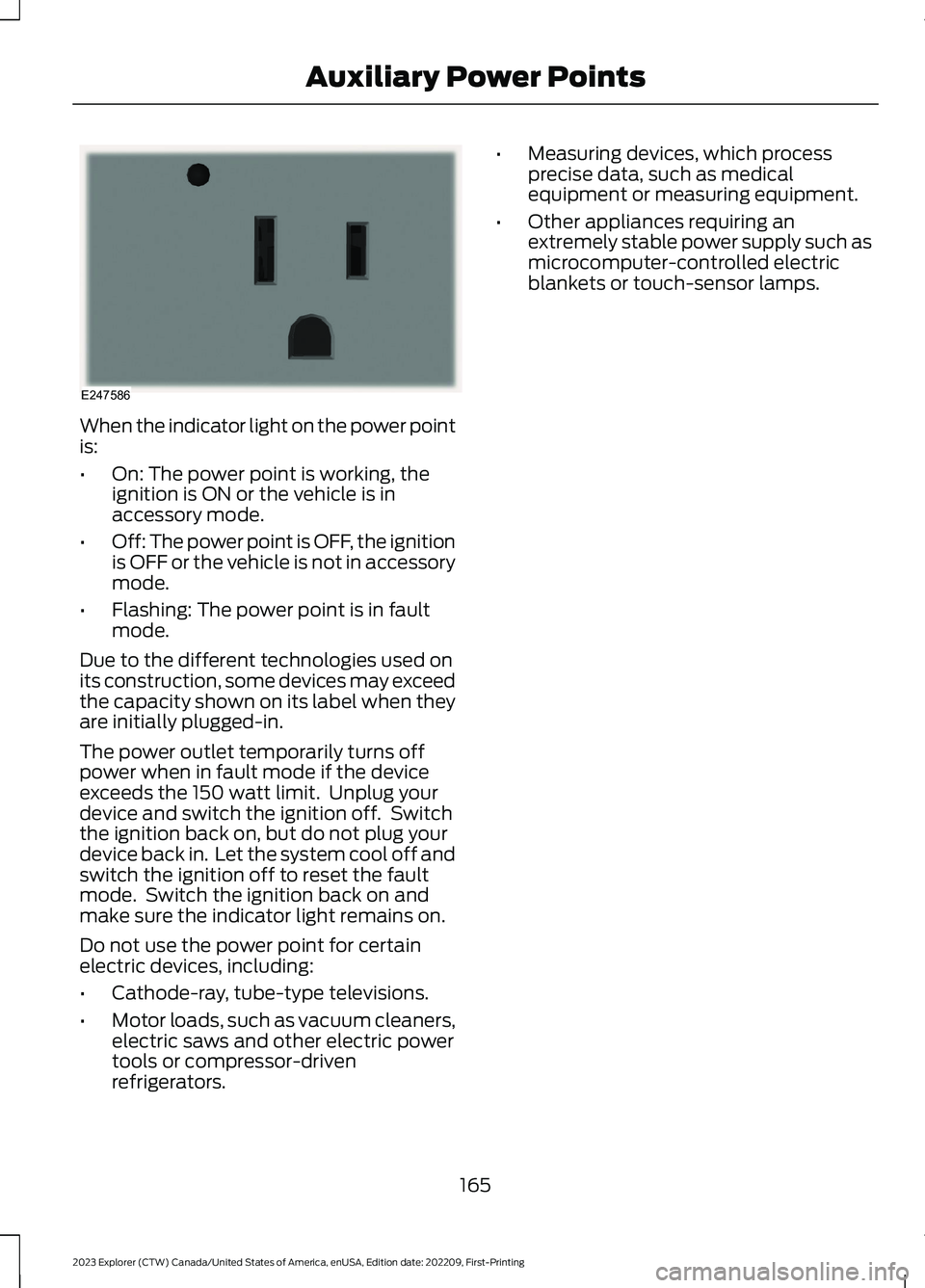
When the indicator light on the power pointis:
•On: The power point is working, theignition is ON or the vehicle is inaccessory mode.
•Off: The power point is OFF, the ignitionis OFF or the vehicle is not in accessorymode.
•Flashing: The power point is in faultmode.
Due to the different technologies used onits construction, some devices may exceedthe capacity shown on its label when theyare initially plugged-in.
The power outlet temporarily turns offpower when in fault mode if the deviceexceeds the 150 watt limit. Unplug yourdevice and switch the ignition off. Switchthe ignition back on, but do not plug yourdevice back in. Let the system cool off andswitch the ignition off to reset the faultmode. Switch the ignition back on andmake sure the indicator light remains on.
Do not use the power point for certainelectric devices, including:
•Cathode-ray, tube-type televisions.
•Motor loads, such as vacuum cleaners,electric saws and other electric powertools or compressor-drivenrefrigerators.
•Measuring devices, which processprecise data, such as medicalequipment or measuring equipment.
•Other appliances requiring anextremely stable power supply such asmicrocomputer-controlled electricblankets or touch-sensor lamps.
165
2023 Explorer (CTW) Canada/United States of America, enUSA, Edition date: 202209, First-PrintingAuxiliary Power PointsE247586
Page 175 of 573
Automatic Engine Shutdown
For vehicles with a keyless ignition, thisfeature shuts down the engine if it hasbeen idling for an extended period. Theignition also turns off in order to savebattery power. Before your vehicle shutsdown, a message appears in theinformation display showing a timercounting down from 30 seconds. If you donot intervene within 30 seconds, yourvehicle shuts down. Another messageappears in the information display toinform you that your vehicle has shut downto save fuel. Start your vehicle as younormally do.
Automatic Engine Shutdown Override
You can stop the shutdown, or reset thetimer, at any point before the 30-secondcountdown has expired by doing any of thefollowing:
•You can reset the timer by interactingwith your vehicle, for example pressingthe brake or accelerator pedal.
•You can temporarily switch off theshutdown feature any time the ignitionis on. Use the vehicle settings on yourtouchscreen to switch the 30min MaxIdle on or off. The feature only remainsoff for the current ignition cycle.
•During the 30-second countdown, thesystem prompts you to press OK orRESET to temporarily switch thefeature off for the current ignition cycleonly.
Note:You cannot permanently switch offthe automatic shutdown feature. When youtemporarily switch it off, it turns on at thenext ignition cycle.
Stopping the Engine When YourVehicle is Stationary
Vehicles with an Ignition Key
1.Shift into park (P).
2.Switch the ignition off.
3.Apply the parking brake.
Vehicles with Keyless Start
1.Shift into park (P).
2.Press the push button ignition switch.
3.Apply the parking brake.
Note:The ignition, all electrical circuits andall warning lamps and indicators will beturned off.
Note:If the engine is idling for 30 minutes,the ignition and engine automatically shutdown.
Stopping the Engine When YourVehicle is Moving
WARNING: Switching off theengine when your vehicle is still movingresults in a significant decrease inbraking assistance. Higher effort isrequired to apply the brakes and to stopyour vehicle. A significant decrease insteering assistance could also occur. Thesteering does not lock, but higher effortcould be required to steer your vehicle.When you switch the ignition off, someelectrical circuits, for example airbags,also turn off. If you unintentionally switchthe ignition off, shift into neutral (N) andrestart the engine.
Vehicles with an Ignition Key
1.Switch the ignition off.
2.Shift into neutral and use the brakes tobring your vehicle to a safe stop.
3.Apply the parking brake.
Vehicles with Keyless Start
1.Press and hold the push button ignitionswitch, or press it three times withintwo seconds.
171
2023 Explorer (CTW) Canada/United States of America, enUSA, Edition date: 202209, First-PrintingStarting and Stopping the Engine
Page 177 of 573
Fast Restart
The fast restart feature allows you torestart your vehicle within 20 seconds ofswitching it off, even if it does not detecta valid passive key.
Within 20 seconds of switching yourvehicle off, press the brake pedal and pressthe push button ignition switch. After 20seconds, you can no longer start yourvehicle if it does not detect a valid passivekey.
Once your vehicle starts, it remains runninguntil you press the push button ignitionswitch, even if your vehicle does not detecta valid passive key. You cannot start yourvehicle if the system does not detect avalid passive key within 20 seconds.
Automatic Engine Shutdown
For vehicles with a keyless ignition, thisfeature shuts down the engine if it hasbeen idling for an extended period. Theignition also turns off in order to savebattery power. Before your vehicle shutsdown, a message appears in theinformation display showing a timercounting down from 30 seconds. If you donot intervene within 30 seconds, yourvehicle shuts down. Another messageappears in the information display toinform you that your vehicle has shut downto save fuel. Start your vehicle as younormally do.
Note:Automatic Engine Shutdown may bemore frequent for hybrid vehicles.
Automatic Engine Shutdown Override
Note: You cannot permanently switch offthe automatic shutdown feature. When youswitch it off temporarily, it turns on at thenext ignition cycle.
You can stop the shutdown, or reset thetimer, at any point before the 30-secondcountdown expires by doing any of thefollowing:
•You can reset the timer by interactingwith your vehicle, for example pressingthe brake or accelerator pedal.
•You can temporarily switch off theshutdown feature any time the ignitionis on using the information display. SeeInformation Displays (page 110). Thefeature only remains off for the currentignition cycle.
•During the 30-second countdown, thesystem prompts you to press OK orRESET to temporarily switch thefeature off for the current ignition cycleonly.
Switching Off Your Vehicle WhenIt Is Stationary
1.Put the transmission in park (P).
2.Press the push button ignition switchonce.
3.Apply the parking brake.
Note:This switches off the ignition, warninglamps and indicators.
Switching Off Your Vehicle WhenIt Is Moving
WARNING: Switching off theengine when your vehicle is still movingresults in a significant decrease inbraking assistance. Higher effort isrequired to apply the brakes and to stopyour vehicle. A significant decrease insteering assistance could also occur. Thesteering does not lock, but higher effort
173
2023 Explorer (CTW) Canada/United States of America, enUSA, Edition date: 202209, First-PrintingStarting and Stopping the Engine
Page 192 of 573
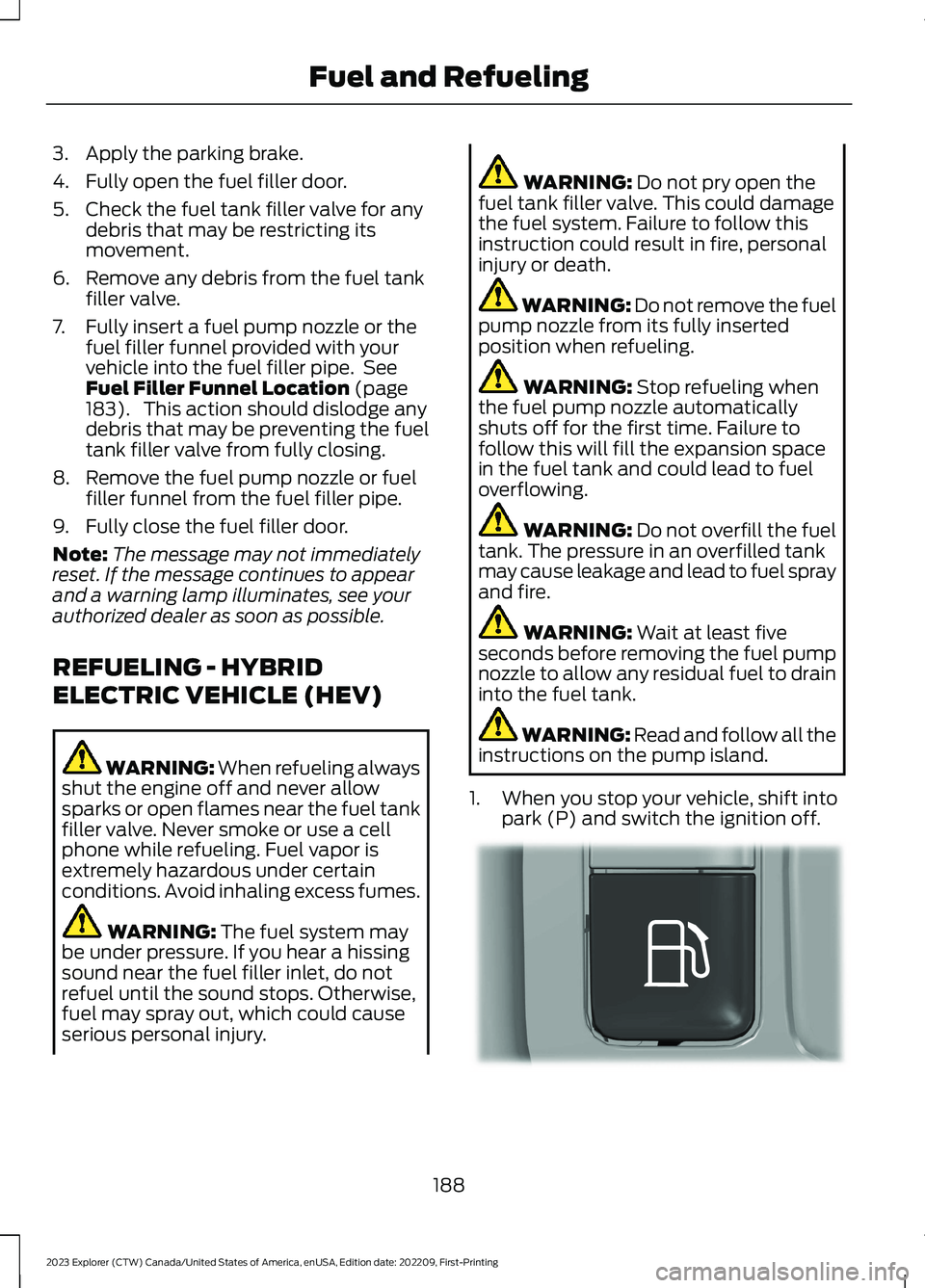
3.Apply the parking brake.
4.Fully open the fuel filler door.
5.Check the fuel tank filler valve for anydebris that may be restricting itsmovement.
6.Remove any debris from the fuel tankfiller valve.
7.Fully insert a fuel pump nozzle or thefuel filler funnel provided with yourvehicle into the fuel filler pipe. SeeFuel Filler Funnel Location (page183). This action should dislodge anydebris that may be preventing the fueltank filler valve from fully closing.
8.Remove the fuel pump nozzle or fuelfiller funnel from the fuel filler pipe.
9.Fully close the fuel filler door.
Note:The message may not immediatelyreset. If the message continues to appearand a warning lamp illuminates, see yourauthorized dealer as soon as possible.
REFUELING - HYBRID
ELECTRIC VEHICLE (HEV)
WARNING: When refueling alwaysshut the engine off and never allowsparks or open flames near the fuel tankfiller valve. Never smoke or use a cellphone while refueling. Fuel vapor isextremely hazardous under certainconditions. Avoid inhaling excess fumes.
WARNING: The fuel system maybe under pressure. If you hear a hissingsound near the fuel filler inlet, do notrefuel until the sound stops. Otherwise,fuel may spray out, which could causeserious personal injury.
WARNING: Do not pry open thefuel tank filler valve. This could damagethe fuel system. Failure to follow thisinstruction could result in fire, personalinjury or death.
WARNING: Do not remove the fuelpump nozzle from its fully insertedposition when refueling.
WARNING: Stop refueling whenthe fuel pump nozzle automaticallyshuts off for the first time. Failure tofollow this will fill the expansion spacein the fuel tank and could lead to fueloverflowing.
WARNING: Do not overfill the fueltank. The pressure in an overfilled tankmay cause leakage and lead to fuel sprayand fire.
WARNING: Wait at least fiveseconds before removing the fuel pumpnozzle to allow any residual fuel to draininto the fuel tank.
WARNING: Read and follow all theinstructions on the pump island.
1.When you stop your vehicle, shift intopark (P) and switch the ignition off.
188
2023 Explorer (CTW) Canada/United States of America, enUSA, Edition date: 202209, First-PrintingFuel and RefuelingE293006
Page 195 of 573
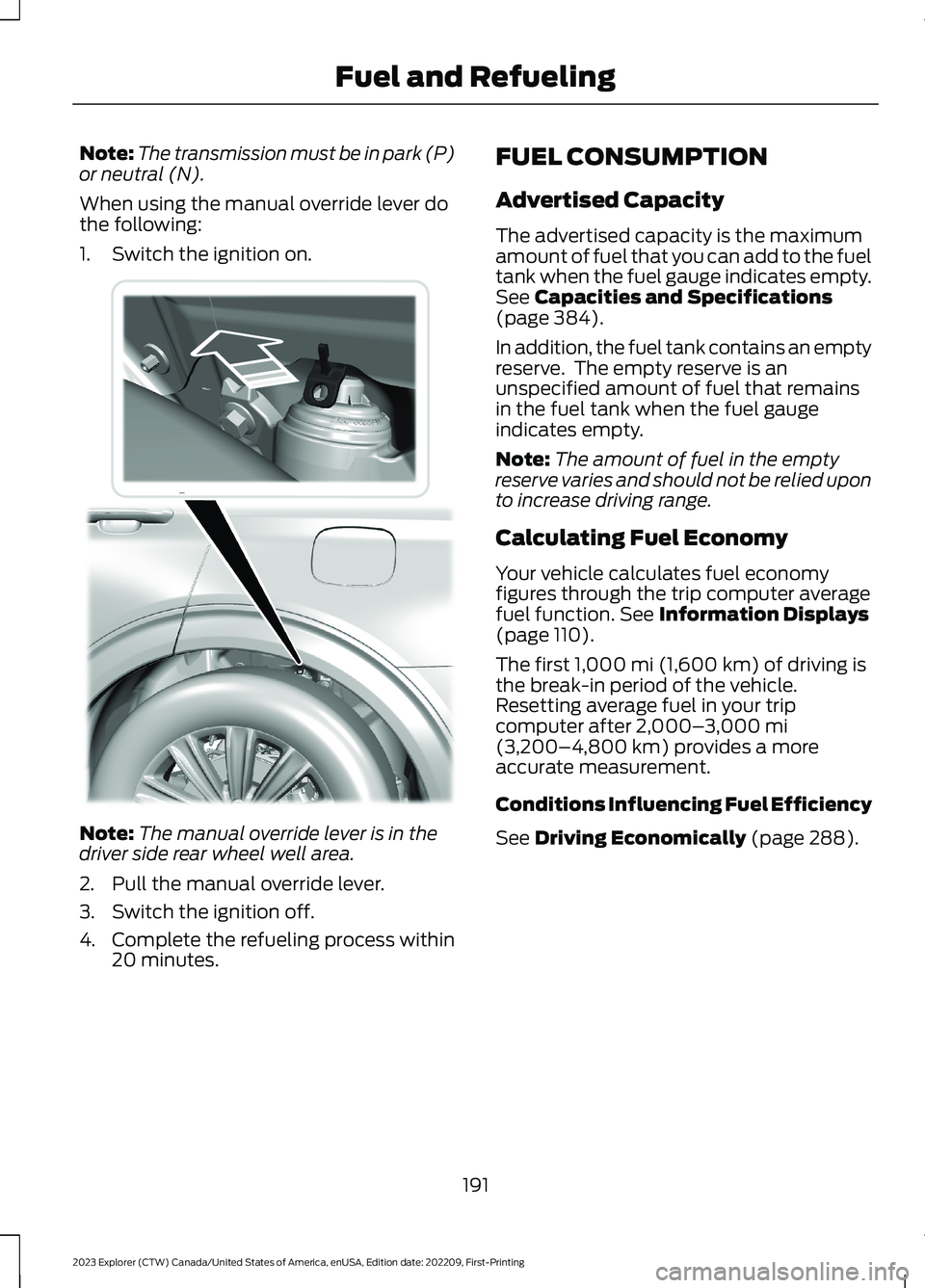
Note:The transmission must be in park (P)or neutral (N).
When using the manual override lever dothe following:
1.Switch the ignition on.
Note:The manual override lever is in thedriver side rear wheel well area.
2.Pull the manual override lever.
3.Switch the ignition off.
4.Complete the refueling process within20 minutes.
FUEL CONSUMPTION
Advertised Capacity
The advertised capacity is the maximumamount of fuel that you can add to the fueltank when the fuel gauge indicates empty.See Capacities and Specifications(page 384).
In addition, the fuel tank contains an emptyreserve. The empty reserve is anunspecified amount of fuel that remainsin the fuel tank when the fuel gaugeindicates empty.
Note:The amount of fuel in the emptyreserve varies and should not be relied uponto increase driving range.
Calculating Fuel Economy
Your vehicle calculates fuel economyfigures through the trip computer averagefuel function. See Information Displays(page 110).
The first 1,000 mi (1,600 km) of driving isthe break-in period of the vehicle.Resetting average fuel in your tripcomputer after 2,000–3,000 mi(3,200–4,800 km) provides a moreaccurate measurement.
Conditions Influencing Fuel Efficiency
See Driving Economically (page 288).
191
2023 Explorer (CTW) Canada/United States of America, enUSA, Edition date: 202209, First-PrintingFuel and RefuelingE297793
Page 255 of 573
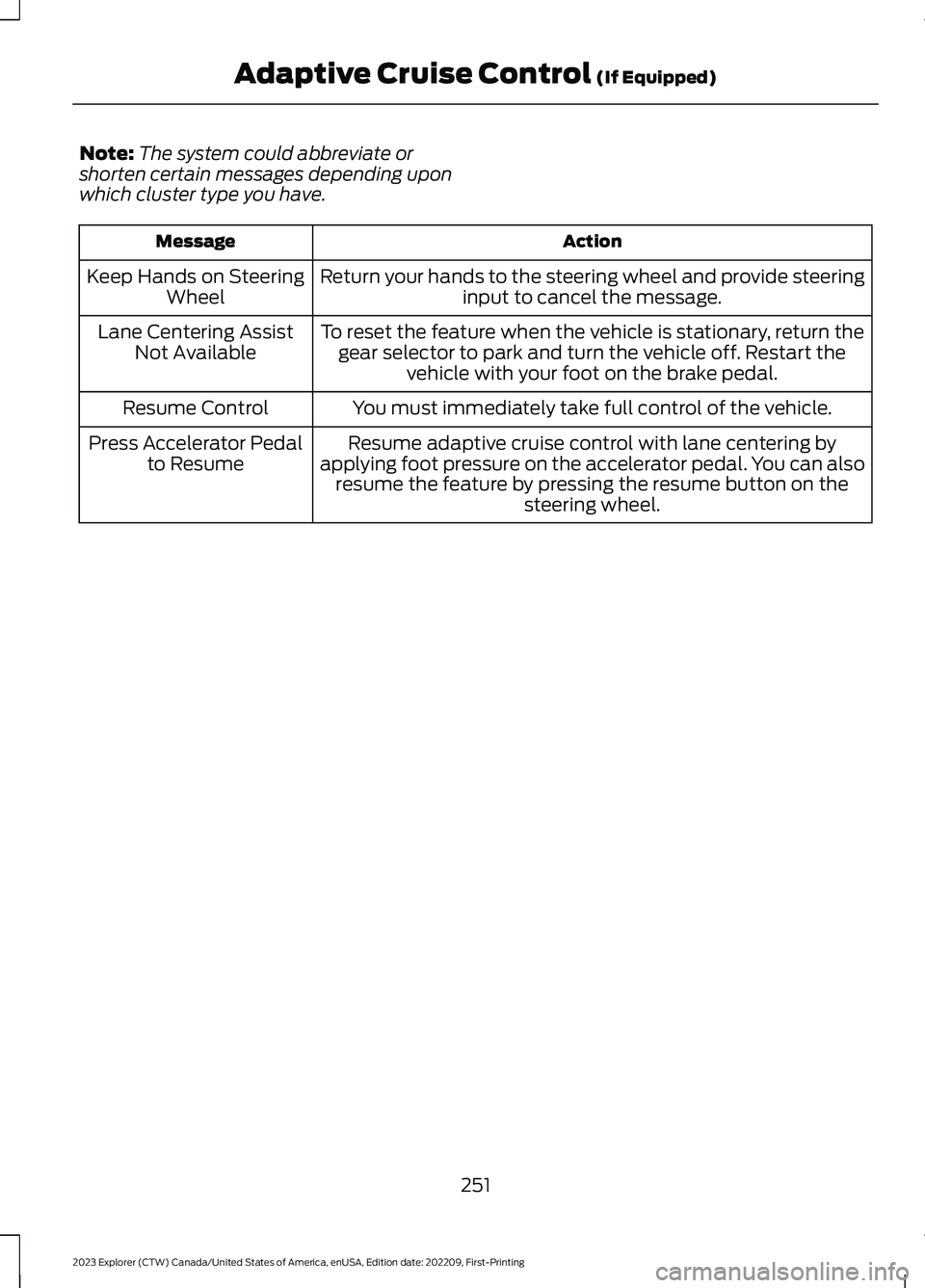
Note:The system could abbreviate orshorten certain messages depending uponwhich cluster type you have.
ActionMessage
Return your hands to the steering wheel and provide steeringinput to cancel the message.Keep Hands on SteeringWheel
To reset the feature when the vehicle is stationary, return thegear selector to park and turn the vehicle off. Restart thevehicle with your foot on the brake pedal.
Lane Centering AssistNot Available
You must immediately take full control of the vehicle.Resume Control
Resume adaptive cruise control with lane centering byapplying foot pressure on the accelerator pedal. You can alsoresume the feature by pressing the resume button on thesteering wheel.
Press Accelerator Pedalto Resume
251
2023 Explorer (CTW) Canada/United States of America, enUSA, Edition date: 202209, First-PrintingAdaptive Cruise Control (If Equipped)