air condition FORD EXPLORER 2023 Owners Manual
[x] Cancel search | Manufacturer: FORD, Model Year: 2023, Model line: EXPLORER, Model: FORD EXPLORER 2023Pages: 573, PDF Size: 16.1 MB
Page 13 of 573
ABOUT THIS MANUAL
Thank you for choosing Ford. Werecommend that you take some time toget to know your vehicle by reading thismanual. The more that you know aboutyour vehicle, the greater the safety andpleasure you will get from driving it.
WARNING: Driving whiledistracted can result in loss of vehiclecontrol, crash and injury. We stronglyrecommend that you use extremecaution when using any device that maytake your focus off the road. Yourprimary responsibility is the safeoperation of your vehicle. Werecommend against the use of anyhand-held device while driving andencourage the use of voice-operatedsystems when possible. Make sure youare aware of all applicable local lawsthat may affect the use of electronicdevices while driving.
Note: This manual describes productfeatures and options available throughoutthe range of available models, sometimeseven before they are generally available. Itmay describe options not fitted to thevehicle you have purchased.
Note: Some of the illustrations in thismanual may show features as used indifferent models, so may appear differentto you on your vehicle.
Note: Always use and operate your vehiclein line with all applicable laws andregulations.
Note: Pass on this manual when sellingyour vehicle. It is an integral part of yourvehicle.
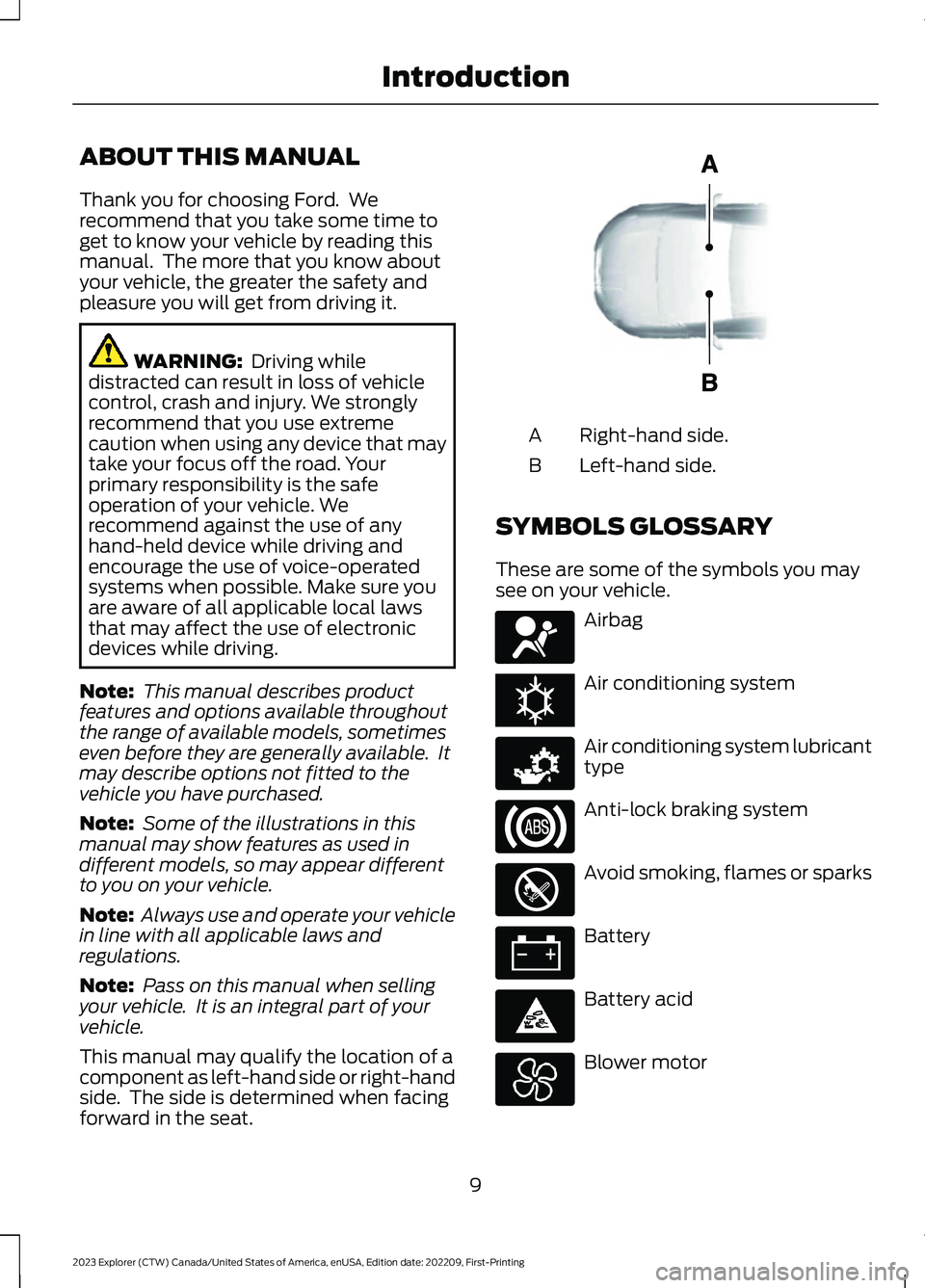
This manual may qualify the location of acomponent as left-hand side or right-handside. The side is determined when facingforward in the seat.
Right-hand side.A
Left-hand side.B
SYMBOLS GLOSSARY
These are some of the symbols you maysee on your vehicle.
Airbag
Air conditioning system
Air conditioning system lubricanttype
Anti-lock braking system
Avoid smoking, flames or sparks
Battery
Battery acid
Blower motor
9
2023 Explorer (CTW) Canada/United States of America, enUSA, Edition date: 202209, First-PrintingIntroductionE154903 E67017 E162384 E231157 E67020 E139220 E67021 E139227
Page 16 of 573
PERCHLORATE
Certain components in your vehicle suchas airbag modules, seatbelt pretensionersand remote control batteries may containperchlorate material. Special handlingmay apply for service or vehicle end of lifedisposal.
For more information visit:
Web Address
www.dtsc.ca.gov/hazard-ouswaste/perchlorate
FORD CREDIT
US Only
Ford Credit offers a full range of financingand lease plans to help you acquire yourvehicle. If you have financed or leased yourvehicle through Ford Credit, thank you foryour business.
For assistance call 1-800-727-7000, or formore information about Ford Credit andaccess to the online Account Manager tool,visit www.ford.com/finance.
REPLACEMENT PARTS
RECOMMENDATION
We have built your vehicle to the higheststandards using quality parts. Werecommend that you demand the use ofgenuine Ford and Motorcraft partswhenever your vehicle requires scheduledmaintenance or repair. You can clearlyidentify genuine Ford and Motorcraft partsby looking for the Ford, FoMoCo orMotorcraft branding on the parts or theirpackaging.
Scheduled Maintenance andMechanical Repairs
One of the best ways for you to make surethat your vehicle provides years of serviceis to have it maintained in line with ourrecommendations using parts thatconform to the specifications detailed inthis Owner’s Manual.
Genuine Ford and Motorcraft parts meetor exceed these specifications.
Collision Repairs
We hope that you never experience acollision, but accidents happen sometimes.
Genuine Ford replacement collision partsmeet our stringent requirements for fit,finish, structural integrity, corrosionprotection and dent resistance. Duringvehicle development we validate thatthese parts deliver the intended level ofprotection as a whole system. A great wayto know for sure you are getting this levelof protection is to use genuine Fordreplacement collision parts.
Warranty on Replacement Parts
Genuine Ford and Motorcraft replacementparts are the only replacement parts thatbenefit from a Ford Warranty.
The Ford Warranty may not cover damagecaused to your vehicle as a result of failednon-Ford parts.
For additional information, refer to theterms and conditions of the Ford Warranty.
12
2023 Explorer (CTW) Canada/United States of America, enUSA, Edition date: 202209, First-PrintingIntroduction
Page 19 of 573
WARNING: Do not connectwireless plug-in devices to the data linkconnector. Unauthorized third partiescould gain access to vehicle data andimpair the performance of safety relatedsystems. Only allow repair facilities thatfollow our service and repair instructionsto connect their equipment to the datalink connector.
We respect your privacy and arecommitted to protecting it. Theinformation contained in this publicationwas correct at the time of release, but astechnology rapidly changes, werecommend that you visit the local Fordwebsite for the latest information.
Your vehicle has electronic control unitsthat have data recording functionality andthe ability to permanently or temporarilystore data. This data could includeinformation on the condition and status ofyour vehicle, vehicle maintenancerequirements, events and malfunctions.The types of data that can be recorded aredescribed in this section. Some of the datarecorded is stored in event logs or errorlogs.
Note:Error logs are reset following a serviceor repair.
Note:We may provide information inresponse to requests from law enforcement,other government authorities and thirdparties acting with lawful authority orthrough a legal process. Such informationcould be used by them in legal proceedings.
Data recorded includes, for example:
•Operating states of systemcomponents, for example fuel level,tire pressure and battery charge level.
•Vehicle and component status, forexample wheel speed, deceleration,lateral acceleration and seatbeltstatus.
•Events or errors in essential systems,for example headlamps and brakes.
•System responses to driving situations,for example airbag deployment andstability control.
•Environmental conditions, for exampletemperature.
Some of this data, when used incombination with other information, forexample an accident report, damage to avehicle or eyewitness statements, couldbe associated with a specific person.
Services That We Provide
If you use our services, we collect and usedata, for example account information,vehicle location and driving characteristics,that could identify you. We transmit thisdata through a dedicated, protectedconnection. We only collect and use datato enable your use of our services to whichyou have subscribed, with your consent orwhere permitted by law. For additionalinformation, see the terms and conditionsof the services to which you havesubscribed.
For additional information about ourprivacy policy, refer to the local Fordwebsite.
Services That Third PartiesProvide
We recommend that you review the termsand conditions and data privacyinformation for any services equipped withyour vehicle or to which you subscribe. Wetake no responsibility for services that thirdparties provide.
15
2023 Explorer (CTW) Canada/United States of America, enUSA, Edition date: 202209, First-PrintingData Privacy
Page 39 of 573
If the booster seat slides on the vehicleseat upon which it is being used, placing arubberized mesh sold as shelf or carpetliner under the booster seat may improvethis condition. Do not introduce any itemthicker than this under the booster seat.Check with the booster seatmanufacturer's instructions.
CHILD RESTRAINT
POSITIONING
WARNING: Do not place arearward facing child restraint in front ofan active airbag. Failure to follow thisinstruction could result in personal injuryor death.
WARNING: Properly securechildren 12 years old and under in a rearseating position whenever possible. Ifyou are unable to properly secure allchildren in a rear seating position,properly secure the largest child on thefront seat. If you must use a forwardfacing child restraint on the front seat,move the seat as far back as possible.Failure to follow these instructions couldresult in personal injury or death.
WARNING: Always carefully followthe instructions and warnings providedby the manufacturer of any childrestraint to determine if the restraintdevice is appropriate for your child's size,height, weight, or age. Follow the childrestraint manufacturer's instructions andwarnings provided for installation anduse in conjunction with the instructions
and warnings provided by your vehiclemanufacturer. A safety seat that isimproperly installed or utilized, isinappropriate for your child's height, age,or weight or does not properly fit thechild may increase the risk of seriousinjury or death.
WARNING: Do not allow apassenger to hold a child on their lapwhen your vehicle is moving. Failure tofollow this instruction could result inpersonal injury or death in the event of asudden stop or crash.
WARNING: Do not use pillows,books or towels to boost your child'sheight. Failure to follow this instructioncould result in personal injury or death.
WARNING: Properly secure childrestraints or booster seats when they arenot in use. They could become projectilesin a sudden stop or crash. Failure tofollow this instruction could result inpersonal injury or death.
WARNING: Do not put the shouldersection of the seatbelt or allow the childto put the shoulder section of theseatbelt under their arm or behind theirback. Failure to follow this instructioncould reduce the effectiveness of theseatbelt and increase the risk of injury ordeath in a crash.
WARNING: Do not leave childrenor pets unattended in your vehicle.Failure to follow this instruction couldresult in personal injury or death.
35
2023 Explorer (CTW) Canada/United States of America, enUSA, Edition date: 202209, First-PrintingChild Safety
Page 49 of 573
This system provides an improved overalllevel of frontal crash protection to frontseat occupants and is designed to helpfurther reduce the risk of airbag-relatedinjuries. The system analyzes differentoccupant conditions and crash severitybefore activating the appropriate safetydevices to help better protect occupantsin a variety of frontal crash situations.
Your vehicle's Personal Safety Systemconsists of:
•Driver and passenger dual-stage airbagsupplemental restraints.
•Front seat outermost seatbelts withpretensioners, energy managementretractors and seatbelt usage sensors.
•Front passenger sensing system.
•Passenger airbag off and on indicators.
•Front crash severity sensors.
•Restraints control module with impactand safing sensors.
•Restraint system warning light andtone.
•The electrical wiring for the airbags,crash sensors, seatbelt pretensioners,front seatbelt usage sensors, frontpassenger sensing system andindicator lights.
How Does the Personal SafetySystem Work?
The Personal Safety System can adapt thedeployment strategy of the safety devicesaccording to crash severity and occupantconditions. A collection of crash andoccupant sensors provides information tothe restraints control module. During acrash, the restraints control module maydeploy the seatbelt pretensioners, one orboth stages of the dual-stage airbagsbased on crash severity and occupantconditions.
45
2023 Explorer (CTW) Canada/United States of America, enUSA, Edition date: 202209, First-PrintingPersonal Safety System™
Page 55 of 573
The system consists of the following:
•A label or embossed side panelindicating that your vehicle has sideairbags.
•Side airbags inside the driver and frontpassenger seat backrests.
Crash sensors and monitoringsystem with readiness indicator.See Crash Sensors and AirbagIndicator (page 52).
The design and development of the sideairbag system included recommendedtesting procedures that were developedby a group of automotive safety expertsknown as the Side Airbag TechnicalWorking Group. These recommendedtesting procedures help reduce the risk ofinjuries related to the deployment of sideairbags.
DRIVER AND PASSENGER
KNEE AIRBAGS
Driver and passenger knee airbags arelocated under or within the instrumentpanel. During a crash, the restraints controlmodule may activate the driver andpassenger knee airbags (individually orboth) based on crash severity andrespective occupant conditions. Undercertain crash and occupant conditions, thedriver and passenger knee airbags maydeploy (individually or both) but thecorresponding front airbag may notactivate. As with front and side airbags, itis important to be properly seated andrestrained to reduce the risk of death orserious injury.
Make sure the knee airbags areoperating properly. See CrashSensors and Airbag Indicator(page 52).
SAFETY CANOPY™
WARNING: Do not place objectsor mount equipment on or near theheadliner at the siderail that may comeinto contact with a deploying curtainairbag. Failure to follow theseinstructions may increase the risk ofpersonal injury in the event of a crash.
WARNING: Do not lean your headon the door. The curtain airbag couldinjure you as it deploys from theheadliner.
WARNING: Do not attempt toservice, repair, or modify thesupplementary restraint system orassociated components. Failure tofollow this instruction could result inpersonal injury or death.
WARNING: All occupants of yourvehicle, including the driver, shouldalways properly wear their seatbelts,even when an airbag supplementalrestraint system is provided. Failure toproperly wear your seatbelt couldseriously increase the risk of injury ordeath.
WARNING: To reduce risk of injury,do not obstruct or place objects in thedeployment path of the airbag.
WARNING: If a supplementaryrestraint system component hasdeployed, it will not function again. Havethe system and associated componentsinspected as soon as possible. Failure tofollow this instruction could result inpersonal injury or death.
51
2023 Explorer (CTW) Canada/United States of America, enUSA, Edition date: 202209, First-PrintingSupplementary Restraints SystemE67017 E67017
Page 57 of 573
The restraints control module alsomonitors the readiness of the above safetydevices plus the crash and occupantsensors. The readiness of the safetysystem is indicated by a warning indicatorlight in the instrument cluster or by abackup tone if the warning light is notworking. Routine maintenance of theairbag is not required.
A difficulty with the system is indicated byone or more of the following:
•The readiness light will not illuminateimmediately after you switch theignition on.
•The readiness light either flashes orstays lit.
•A series of five beeps is heard. The tonepattern repeats periodically until theproblem, the light or both are repaired.
If any of these things happen, evenintermittently, have the supplementalrestraint system serviced at an authorizeddealer immediately. Unless serviced, thesystem may not function properly in theevent of a crash.
The restraint system is designed toactivate when the vehicle sustainsconditions sufficient to cause the restraintcontrol module to deploy a safety device.
The fact that not all the safety devicesactivate for all occupants in a crash doesnot mean something is wrong with thesystem. Rather, it means the restraintscontrol module determined the accidentconditions (crash severity, type of crash,belt usage) were not appropriate toactivate these safety devices.
•The front airbags are designed toactivate only in frontal and near-frontalcrashes (not rollovers, side impacts orrear impacts) unless the crash causessufficient frontal deceleration.
•The seatbelt pretensioners aredesigned to activate in frontal,near-frontal and side crashes, and inrollovers.
•The knee airbag(s) may deploy basedon crash severity and occupantconditions.
•The side airbags are designed to inflatein certain side impact crashes orrollover events. Side airbags mayactivate in other types of crashes if yourvehicle experiences sufficient sidewaysmotion or deformation, or a certainlikelihood of rollover.
•The Safety Canopy is designed toinflate in certain side impact crashesor rollover events. The Safety Canopymay activate in other types of crashesif your vehicle experiences sufficientsideways motion or deformation, or acertain likelihood of rollover.
AIRBAG DISPOSAL
Contact your authorized dealer as soon aspossible. Airbags must be disposed of byqualified personnel.
53
2023 Explorer (CTW) Canada/United States of America, enUSA, Edition date: 202209, First-PrintingSupplementary Restraints SystemE67017
Page 90 of 573
GENERAL INFORMATION
Condensation in the Exterior FrontLamps and Rear Lamps
Exterior front lamps and rear lamps havevents to accommodate normal changesin air pressure.
Condensation can be a natural by-productof this design. When moist air enters thelamp assembly through the vents, there isa possibility that condensation can occurwhen the temperature is cold. Whennormal condensation occurs, a fine mistcan form on the interior of the lens. Thefine mist eventually clears and exitsthrough the vents during normal operation.
Clearing time may take as long as 48 hoursunder dry weather conditions.
Examples of acceptable condensation are:
•The presence of a fine mist (no streaks,drip marks or large droplets).
•A fine mist covers less than 50% of thelens.
Examples of unacceptable condensationare:
•A water puddle inside the lamp.
•Streaks, drip marks or large dropletspresent on the interior of the lens.
If you see any unacceptable condensation,have your vehicle checked by an authorizeddealer.
LIGHTING CONTROL
Lighting Control Selections
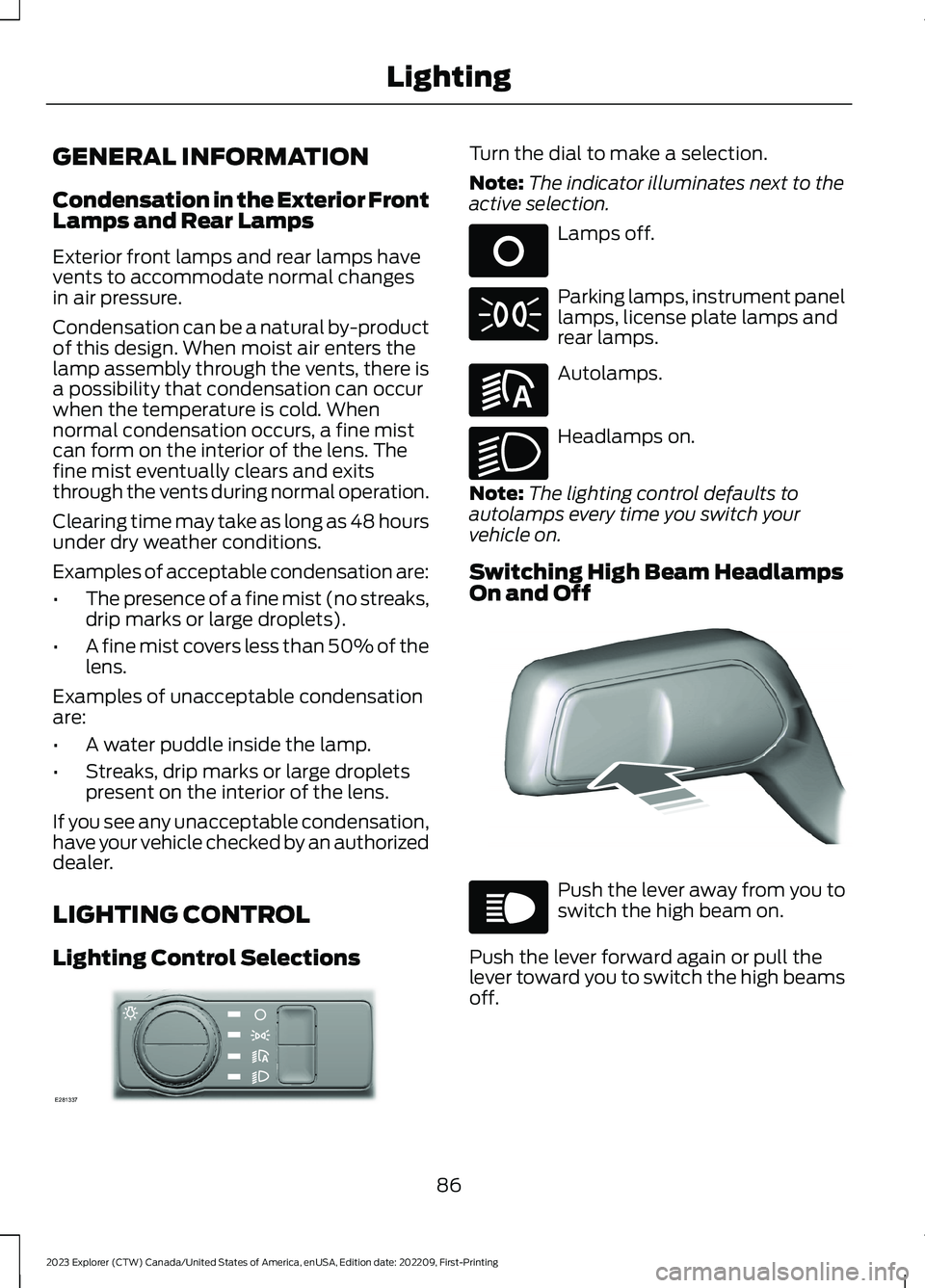
Turn the dial to make a selection.
Note:The indicator illuminates next to theactive selection.
Lamps off.
Parking lamps, instrument panellamps, license plate lamps andrear lamps.
Autolamps.
Headlamps on.
Note:The lighting control defaults toautolamps every time you switch yourvehicle on.
Switching High Beam HeadlampsOn and Off
Push the lever away from you toswitch the high beam on.
Push the lever forward again or pull thelever toward you to switch the high beamsoff.
86
2023 Explorer (CTW) Canada/United States of America, enUSA, Edition date: 202209, First-PrintingLightingE281337 E265031 E71341 E281240 E270968 E248603 E67019
Page 141 of 573
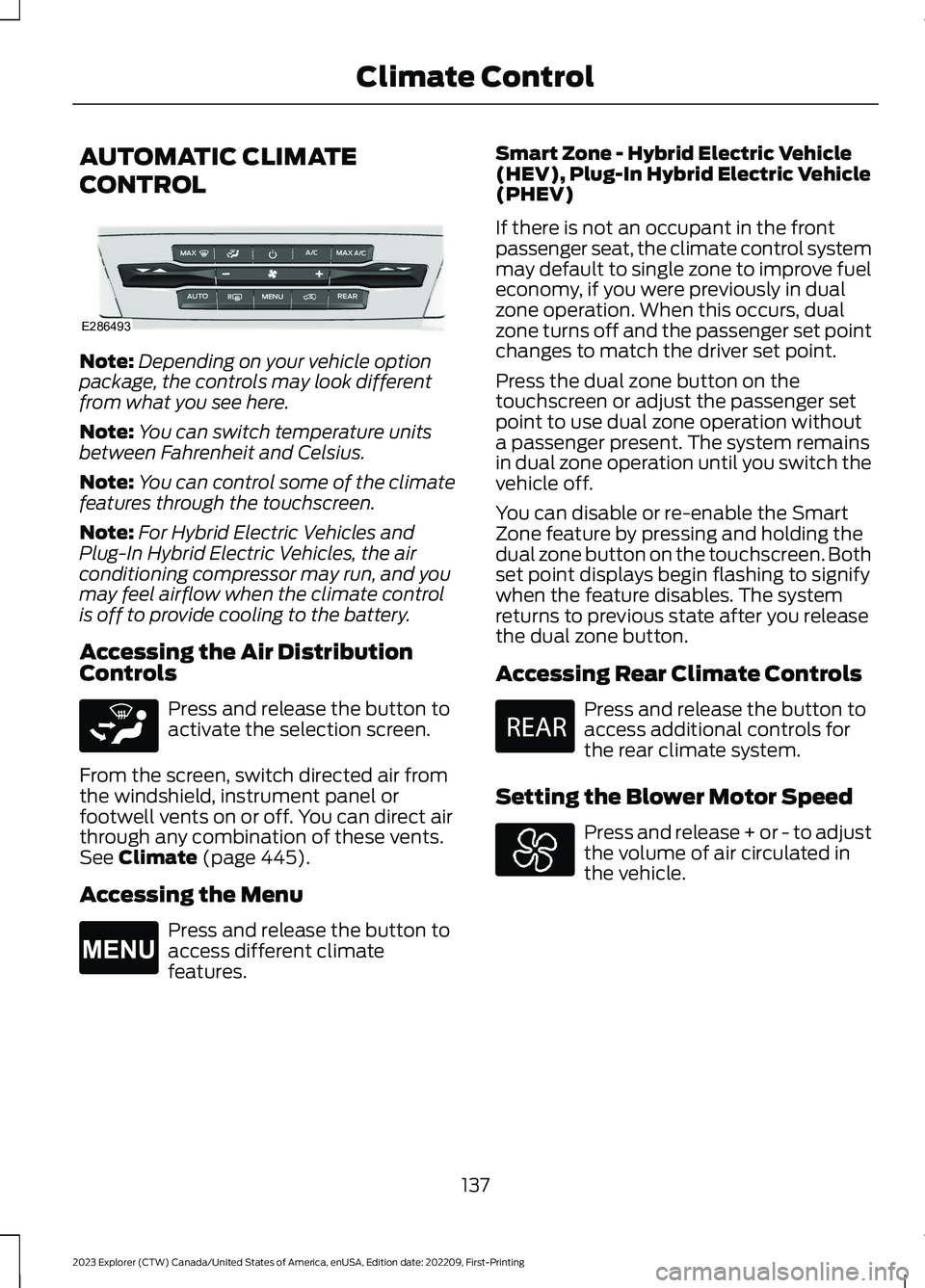
AUTOMATIC CLIMATE
CONTROL
Note:Depending on your vehicle optionpackage, the controls may look differentfrom what you see here.
Note:You can switch temperature unitsbetween Fahrenheit and Celsius.
Note:You can control some of the climatefeatures through the touchscreen.
Note:For Hybrid Electric Vehicles andPlug-In Hybrid Electric Vehicles, the airconditioning compressor may run, and youmay feel airflow when the climate controlis off to provide cooling to the battery.
Accessing the Air DistributionControls
Press and release the button toactivate the selection screen.
From the screen, switch directed air fromthe windshield, instrument panel orfootwell vents on or off. You can direct airthrough any combination of these vents.See Climate (page 445).
Accessing the Menu
Press and release the button toaccess different climatefeatures.
Smart Zone - Hybrid Electric Vehicle(HEV), Plug-In Hybrid Electric Vehicle(PHEV)
If there is not an occupant in the frontpassenger seat, the climate control systemmay default to single zone to improve fueleconomy, if you were previously in dualzone operation. When this occurs, dualzone turns off and the passenger set pointchanges to match the driver set point.
Press the dual zone button on thetouchscreen or adjust the passenger setpoint to use dual zone operation withouta passenger present. The system remainsin dual zone operation until you switch thevehicle off.
You can disable or re-enable the SmartZone feature by pressing and holding thedual zone button on the touchscreen. Bothset point displays begin flashing to signifywhen the feature disables. The systemreturns to previous state after you releasethe dual zone button.
Accessing Rear Climate Controls
Press and release the button toaccess additional controls forthe rear climate system.
Setting the Blower Motor Speed
Press and release + or - to adjustthe volume of air circulated inthe vehicle.
137
2023 Explorer (CTW) Canada/United States of America, enUSA, Edition date: 202209, First-PrintingClimate ControlE286493 E265283 E265038 E270447
Page 142 of 573
Setting the Temperature
Press the toggle button on the left-handside of the climate control upward ordownward to set the left-handtemperature.
Note:This control also adjusts theright-hand side temperature when youswitch off dual zone mode.
Press the toggle button on the right-handside of the climate control upward ordownward to set the right-handtemperature.
Switching Auto Mode On and Off
Press and release the button toswitch on automatic operation.Repeatedly press the button toadjust auto mode.
The system adjusts the blower motorspeed, air distribution, air conditioningoperation, and outside or recirculated airto reach and maintain the temperature youhave set.
Under high humidity conditions, the systemadjusts the blower motor speed, airdistribution and air conditioning operationto reduce window fogging.
Note:The system starts at the previoussetting when you switch on AUTO mode.
Note:You can also switch off dual zonemode by pressing and holding the buttonfor more than two seconds.
Auto Mode Indicator Status
DescriptionAuto Mode IndicatorStatus
One indicator illumin-ated.•The blower motor speed is reduced.
•Use this setting to minimize the amount of noise fromthe blower motor.
•This setting increases the time taken to cool theinterior.
Two indicators illumin-ated.•The blower motor speed is moderate.
Three indicators illumin-ated.•The blower motor speed is increased.
•Use this setting to reduce the time taken to cool theinterior.
•This setting increases the amount of noise from theblower motor.
138
2023 Explorer (CTW) Canada/United States of America, enUSA, Edition date: 202209, First-PrintingClimate ControlE266187 E266186