radio controls FORD EXPLORER 2023 Owners Manual
[x] Cancel search | Manufacturer: FORD, Model Year: 2023, Model line: EXPLORER, Model: FORD EXPLORER 2023Pages: 573, PDF Size: 16.1 MB
Page 5 of 573
Introduction
About This Manual..........................................9
Symbols Glossary............................................9
Perchlorate........................................................12
Ford Credit........................................................12
Replacement Parts Recommendation............................................................................12
Special Notices...............................................13
Mobile Communications Equipment...........................................................................14
Export Unique Options................................14
Data Privacy
Data Privacy.....................................................15
Service Data.....................................................16
Event Data........................................................16
Settings Data...................................................17
Connected Vehicle Data..............................17
Mobile Device Data.......................................18
Emergency Call System Data....................18
Environment
Protecting the Environment.......................19
At a Glance
At a Glance - ST............................................20
Instrument Panel............................................21
Child Safety
General Information.....................................23
Installing Child Restraints..........................25
Booster Seats.................................................33
Child Restraint Positioning........................35
Child Safety Locks........................................36
Seatbelts
Principle of Operation.................................38
Fastening the Seatbelts.............................39
Seatbelt Height Adjustment......................41
Seatbelt Warning Lamp and IndicatorChime.............................................................41
Seatbelt Reminder........................................42
Child Restraint and SeatbeltMaintenance...............................................43
Seatbelt Extensions.....................................44
Personal Safety System™
Personal Safety System™.........................45
Supplementary RestraintsSystem
Principle of Operation.................................46
Driver and Passenger Airbags...................47
Front Passenger Sensing System...........48
Side Airbags....................................................50
Driver and Passenger Knee Airbags........51
Safety Canopy™.............................................51
Crash Sensors and Airbag Indicator.......52
Airbag Disposal..............................................53
Pedestrian Protection - HybridElectric Vehicle (HEV)
Pedestrian Alert System............................54
911 Assist
What Is 911 Assist..........................................55
How Does 911 Assist Work.........................55
Emergency Call Requirements................55
Emergency Call Limitations......................56
Keys and Remote Controls
General Information on RadioFrequencies.................................................57
Remote Control..............................................57
Replacing a Lost Key or Remote Control..........................................................................63
MyKey™
Principle of Operation.................................64
1
2023 Explorer (CTW) Canada/United States of America, enUSA, Edition date: 202209, First-PrintingTable of Contents
Page 7 of 573
Instrument Cluster
Gauges - Vehicles With: 6.5 InchInstrument Cluster Display Screen..........................................................................101
Gauges - Vehicles With: 12.3 InchInstrument Cluster Display Screen.........................................................................102
Gauges - Vehicles With: 4.2 InchInstrument Cluster Display Screen........................................................................104
Warning Lamps and Indicators..............105
Audible Warnings and Indicators..........109
Information Displays
General Information - Vehicles With: 6.5Inch Instrument Cluster Display Screen..........................................................................110
General Information - Vehicles With: 12.3Inch Instrument Cluster Display Screen..........................................................................112
General Information - Vehicles With: 4.2Inch Instrument Cluster Display Screen..........................................................................115
Personalized Settings..................................117
Information Messages................................119
Climate Control
Automatic Climate Control......................137
Hints on Controlling the Interior Climate.........................................................................139
Rear Passenger Climate Controls.........140
Heated Windshield......................................141
Heated Rear Window.................................142
Heated Exterior Mirrors..............................142
Remote Start.................................................142
Interior Air Quality
What Is the Cabin Air Filter......................143
Replacing the Cabin Air Filter..................143
Seats
Sitting in the Correct Position.................144
Head Restraints...........................................144
Manual Seats................................................146
Power Seats...................................................147
Memory Function........................................150
Rear Seats.......................................................151
Heated Seats................................................156
Ventilated Seats...........................................157
Rear Occupant Alert System
What is the Rear Occupant Alert System.........................................................................158
How Does the Rear Occupant AlertSystem Work.............................................158
Rear Occupant Alert System Precautions.........................................................................158
Rear Occupant Alert System Limitations.........................................................................158
Switching Rear Occupant Alert SystemOn and Off.................................................158
Rear Occupant Alert System Indicators.........................................................................159
Rear Occupant Alert System AudibleWarnings.....................................................159
Garage Door Opener
What Is the Garage Door Opener.........160
How Does the Garage Door Opener Work........................................................................160
Garage Door Opener Precautions........160
Garage Door Opener Limitations..........160
Programming the Garage Door Openerto Your Hand-Held Transmitter..........161
Programming the Garage Door Openerto Your Garage Door Opener Motor..........................................................................161
Programming the Garage Door Openerto Your Gate Opener Motor.................162
Clearing the Garage Door Opener.........162
Reprogramming the Garage Door Opener.........................................................................163
Garage Door Opener Radio Frequencies.........................................................................163
3
2023 Explorer (CTW) Canada/United States of America, enUSA, Edition date: 202209, First-PrintingTable of Contents
Page 61 of 573

GENERAL INFORMATION ON
RADIO FREQUENCIES
This device complies with Part 15 of theFCC Rules and with Industry Canadalicense-exempt RSS standard(s).Operation is subject to the following twoconditions: (1) This device may not causeharmful interference, and (2) This devicemust accept any interference received,including interference that may causeundesired operation.
WARNING: Changes ormodifications not expressively approvedby the party responsible for compliancecould void the user's authority to operatethe equipment. The term "IC:" before theradio certification number only signifiesthat Industry Canada technicalspecifications were met.
The typical operating range for yourtransmitter is approximately 33 ft (10 m).Vehicles with the remote start feature willhave a greater range.
One of the following could cause adecrease in operating range:
•Weather conditions.
•Nearby radio towers.
•Structures around the vehicle.
•Other vehicles parked next to yourvehicle.
The radio frequency used by your remotecontrol can also be used by other radiotransmitters, for example amateur radios,medical equipment, wireless headphones,wireless remote controls, cell phones,battery chargers and alarm systems. If thefrequencies are jammed, you will not beable to use your remote control. You canlock and unlock the doors with the key.
Note:Make sure to lock your vehicle beforeleaving it unattended.
Note:If you are in range, the remote controlwill operate if you press any buttonunintentionally.
Note:The remote control contains sensitiveelectrical components. Exposure to moistureor impact may cause permanent damage.
Intelligent Access (If Equipped)
The system uses a radio frequency signalto communicate with your vehicle andauthorize your vehicle to unlock when oneof the following conditions are met:
•You activate the front exterior doorhandle switch.
•You press the luggage compartmentbutton.
•You press a button on the transmitter.
If excessive radio frequency interferenceis present in the area or if the transmitterbattery is low, you may need tomechanically unlock your door. You canuse the mechanical key blade in yourintelligent access key to open the driverdoor in this situation. See RemoteControl (page 57).
REMOTE CONTROL
Integrated Keyhead Transmitter
Use the key blade to start your vehicle andunlock or lock the driver door from outsideyour vehicle. The integrated keyheadtransmitter functions as a programmedignition key that operates all the locks andstarts your vehicle, as well as a remotecontrol.
57
2023 Explorer (CTW) Canada/United States of America, enUSA, Edition date: 202209, First-PrintingKeys and Remote Controls
Page 67 of 573
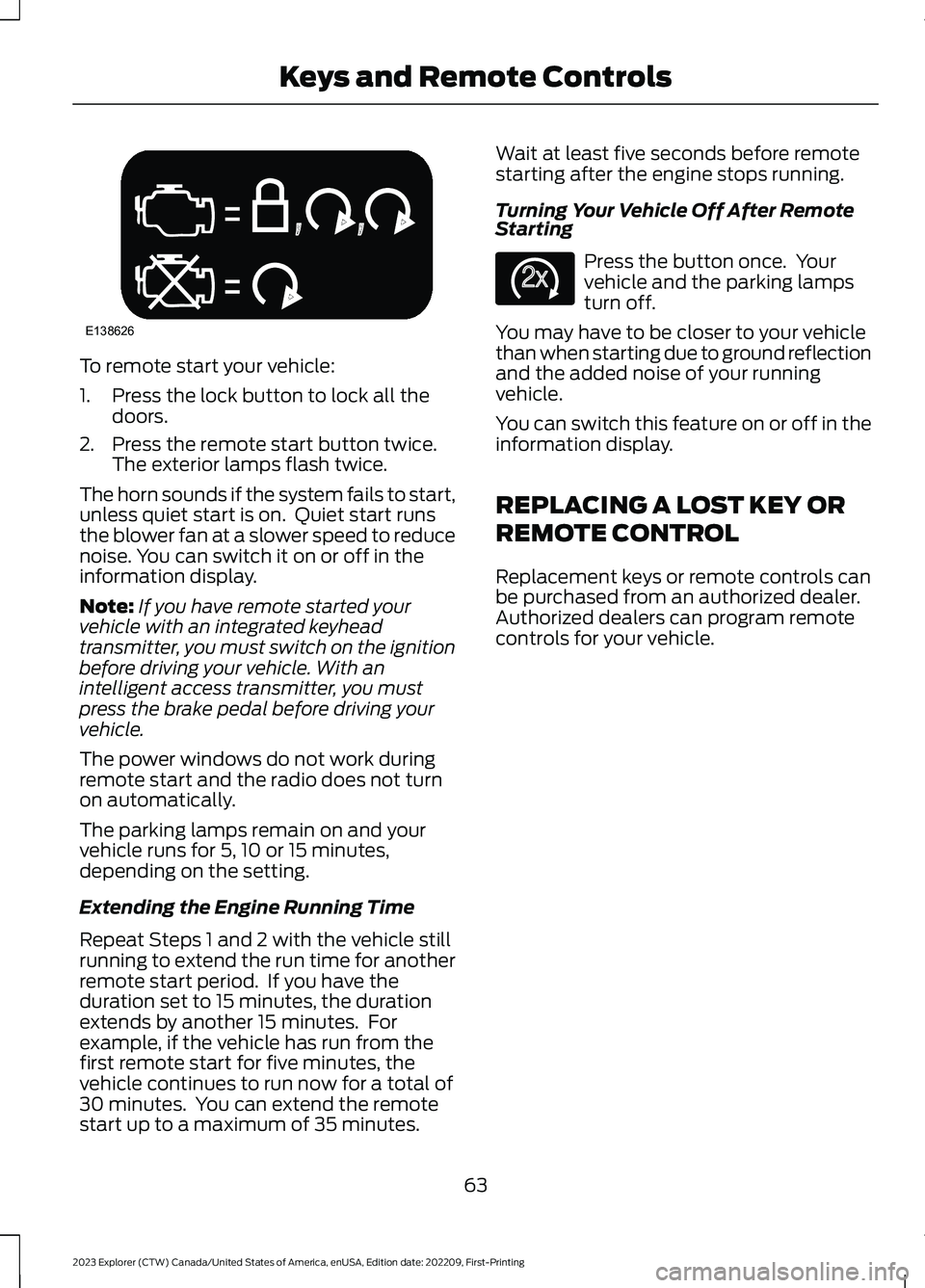
To remote start your vehicle:
1.Press the lock button to lock all thedoors.
2.Press the remote start button twice.The exterior lamps flash twice.
The horn sounds if the system fails to start,unless quiet start is on. Quiet start runsthe blower fan at a slower speed to reducenoise. You can switch it on or off in theinformation display.
Note:If you have remote started yourvehicle with an integrated keyheadtransmitter, you must switch on the ignitionbefore driving your vehicle. With anintelligent access transmitter, you mustpress the brake pedal before driving yourvehicle.
The power windows do not work duringremote start and the radio does not turnon automatically.
The parking lamps remain on and yourvehicle runs for 5, 10 or 15 minutes,depending on the setting.
Extending the Engine Running Time
Repeat Steps 1 and 2 with the vehicle stillrunning to extend the run time for anotherremote start period. If you have theduration set to 15 minutes, the durationextends by another 15 minutes. Forexample, if the vehicle has run from thefirst remote start for five minutes, thevehicle continues to run now for a total of30 minutes. You can extend the remotestart up to a maximum of 35 minutes.
Wait at least five seconds before remotestarting after the engine stops running.
Turning Your Vehicle Off After RemoteStarting
Press the button once. Yourvehicle and the parking lampsturn off.
You may have to be closer to your vehiclethan when starting due to ground reflectionand the added noise of your runningvehicle.
You can switch this feature on or off in theinformation display.
REPLACING A LOST KEY OR
REMOTE CONTROL
Replacement keys or remote controls canbe purchased from an authorized dealer.Authorized dealers can program remotecontrols for your vehicle.
63
2023 Explorer (CTW) Canada/United States of America, enUSA, Edition date: 202209, First-PrintingKeys and Remote ControlsE138626 E138625
Page 164 of 573
WHAT IS THE GARAGE DOOR
OPENER
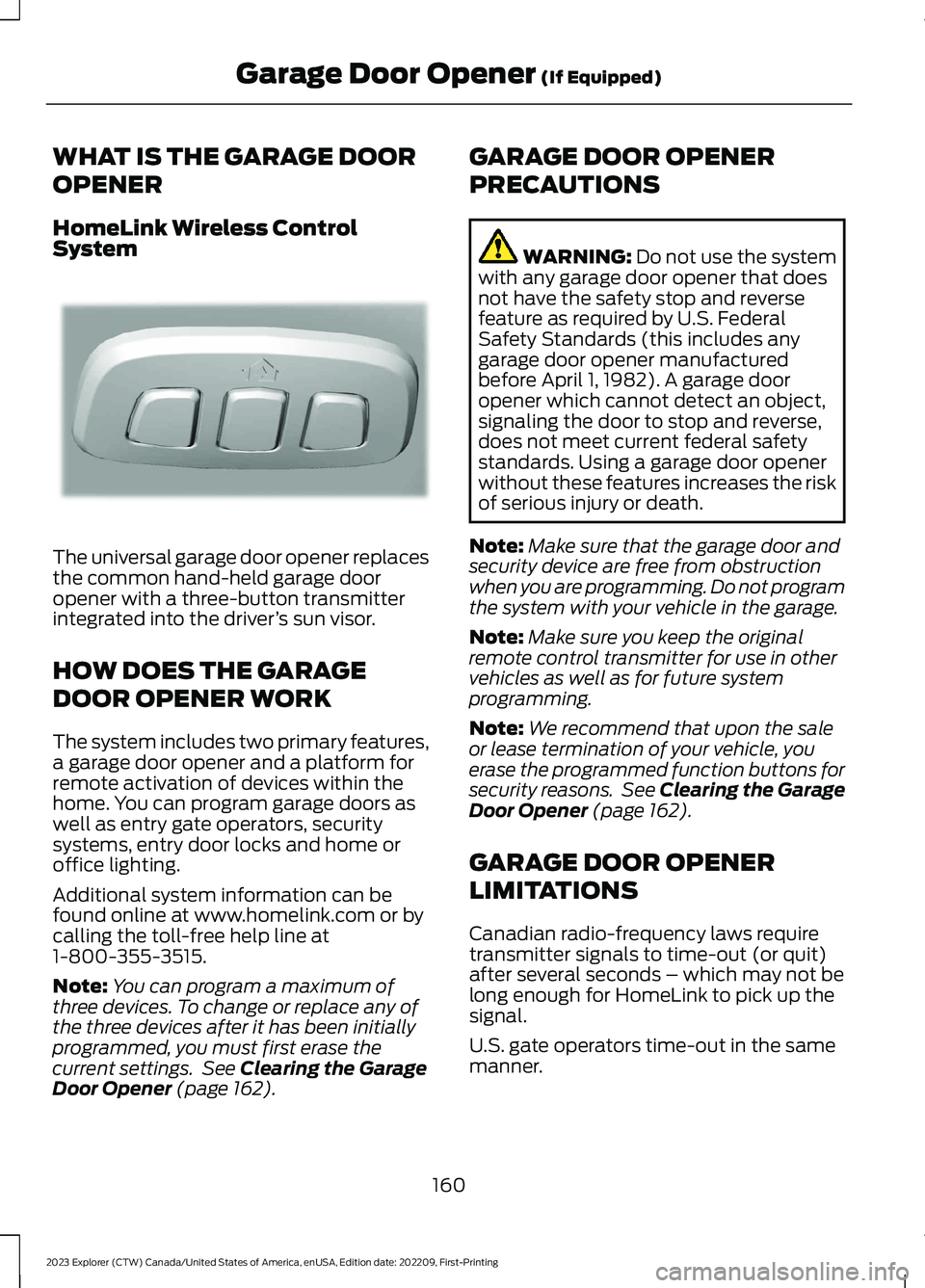
HomeLink Wireless ControlSystem
The universal garage door opener replacesthe common hand-held garage dooropener with a three-button transmitterintegrated into the driver’s sun visor.
HOW DOES THE GARAGE
DOOR OPENER WORK
The system includes two primary features,a garage door opener and a platform forremote activation of devices within thehome. You can program garage doors aswell as entry gate operators, securitysystems, entry door locks and home oroffice lighting.
Additional system information can befound online at www.homelink.com or bycalling the toll-free help line at1-800-355-3515.
Note:You can program a maximum ofthree devices. To change or replace any ofthe three devices after it has been initiallyprogrammed, you must first erase thecurrent settings. See Clearing the GarageDoor Opener (page 162).
GARAGE DOOR OPENER
PRECAUTIONS
WARNING: Do not use the systemwith any garage door opener that doesnot have the safety stop and reversefeature as required by U.S. FederalSafety Standards (this includes anygarage door opener manufacturedbefore April 1, 1982). A garage dooropener which cannot detect an object,signaling the door to stop and reverse,does not meet current federal safetystandards. Using a garage door openerwithout these features increases the riskof serious injury or death.
Note:Make sure that the garage door andsecurity device are free from obstructionwhen you are programming. Do not programthe system with your vehicle in the garage.
Note:Make sure you keep the originalremote control transmitter for use in othervehicles as well as for future systemprogramming.
Note:We recommend that upon the saleor lease termination of your vehicle, youerase the programmed function buttons forsecurity reasons. See Clearing the GarageDoor Opener (page 162).
GARAGE DOOR OPENER
LIMITATIONS
Canadian radio-frequency laws requiretransmitter signals to time-out (or quit)after several seconds – which may not belong enough for HomeLink to pick up thesignal.
U.S. gate operators time-out in the samemanner.
160
2023 Explorer (CTW) Canada/United States of America, enUSA, Edition date: 202209, First-PrintingGarage Door Opener (If Equipped)E188211
Page 170 of 573
WHAT IS THE WIRELESS
ACCESSORY CHARGER
The wireless accessory charger allows youto charge one compatible Qi wirelesscharging device on the charging area.
WIRELESS ACCESSORY
CHARGER PRECAUTIONS
WARNING: Wireless chargingdevices can affect the operation ofimplanted medical devices, includingcardiac pacemakers. If you have anyimplanted medical devices, werecommend that you consult with yourphysician.
Keep the charging area clean and removeforeign objects prior to charging a device.
Do not place items with a magnetic stripor radio-frequency identification chip, forexample passports, parking tickets,transportation passes or credit cards, nearthe charging area when charging a device.Damage could occur to the magnetic stripor radio-frequency identification chip.
Do not place metal objects, for exampleremote controls, coins and candywrappers, on or near the charging areawhen charging a device. Metal objects mayheat up and degrade the chargingperformance, in addition to causinginterruptions in charging.
Charging could be interrupted, degraded,or could stop if any of the following occur:
•The system detects a foreign object.
•The device is misaligned on thecharging area.
•The device moves on the activecharging area when the vehicle is inmotion.
•The vehicle ambient temperature is toohigh.
•You attempt to charge a non-Qicompatible device on the wirelesscharger.
Note:During charging, the device and thecharger could heat up, this is normal. If thebattery gets hotter than usual, the devicemay stop charging.
LOCATING THE WIRELESS
ACCESSORY CHARGER
The charging area is on thecenter console or in the mediabin below the instrument panel.
CHARGING A WIRELESS
DEVICE
Place the device on the center of thecharging surface with the charging sidedown. The charging stops after your devicereaches a full charge.
You can use the charger when the vehicleis in accessory mode, when the vehicle isrunning, or when SYNC is on.
Displays on the status bar whenwireless charging is in progress.
Note:The charging performance may beaffected if your device is in a case. It may benecessary to remove the case to wirelesslycharge your device.
Note:Software and firmware updates mayaffect device compatibility, including theuse of unofficial software or firmware. Youshould verify charging functionality with yourspecific devices in-vehicle.
166
2023 Explorer (CTW) Canada/United States of America, enUSA, Edition date: 202209, First-PrintingWireless Accessory Charger (If Equipped)E297549 E263583
Page 423 of 573
GENERAL INFORMATION
WARNING: Driving while distractedcan result in loss of vehicle control, crashand injury. We strongly recommend thatyou use extreme caution when using anydevice that may take your focus off theroad. Your primary responsibility is thesafe operation of your vehicle. Werecommend against the use of any
hand-held device while driving andencourage the use of voice-operatedsystems when possible. Make sure youare aware of all applicable local lawsthat may affect the use of electronicdevices while driving.
Radio Frequencies and ReceptionFactors
Note:Listening to loud audio for longperiods of time could damage your hearing.
Radio Reception Factors
The further you travel from an AM or FM station, theweaker the signal and the weaker the reception.Distance and strength
Hills, mountains, tall buildings, bridges, tunnels, freewayoverpasses, parking garages, dense tree foliage andthunderstorms can interfere with the reception.
Terrain
When you pass a ground-based broadcast repeatingtower, a stronger signal may overtake a weaker one andresult in the audio system muting.
Station overload
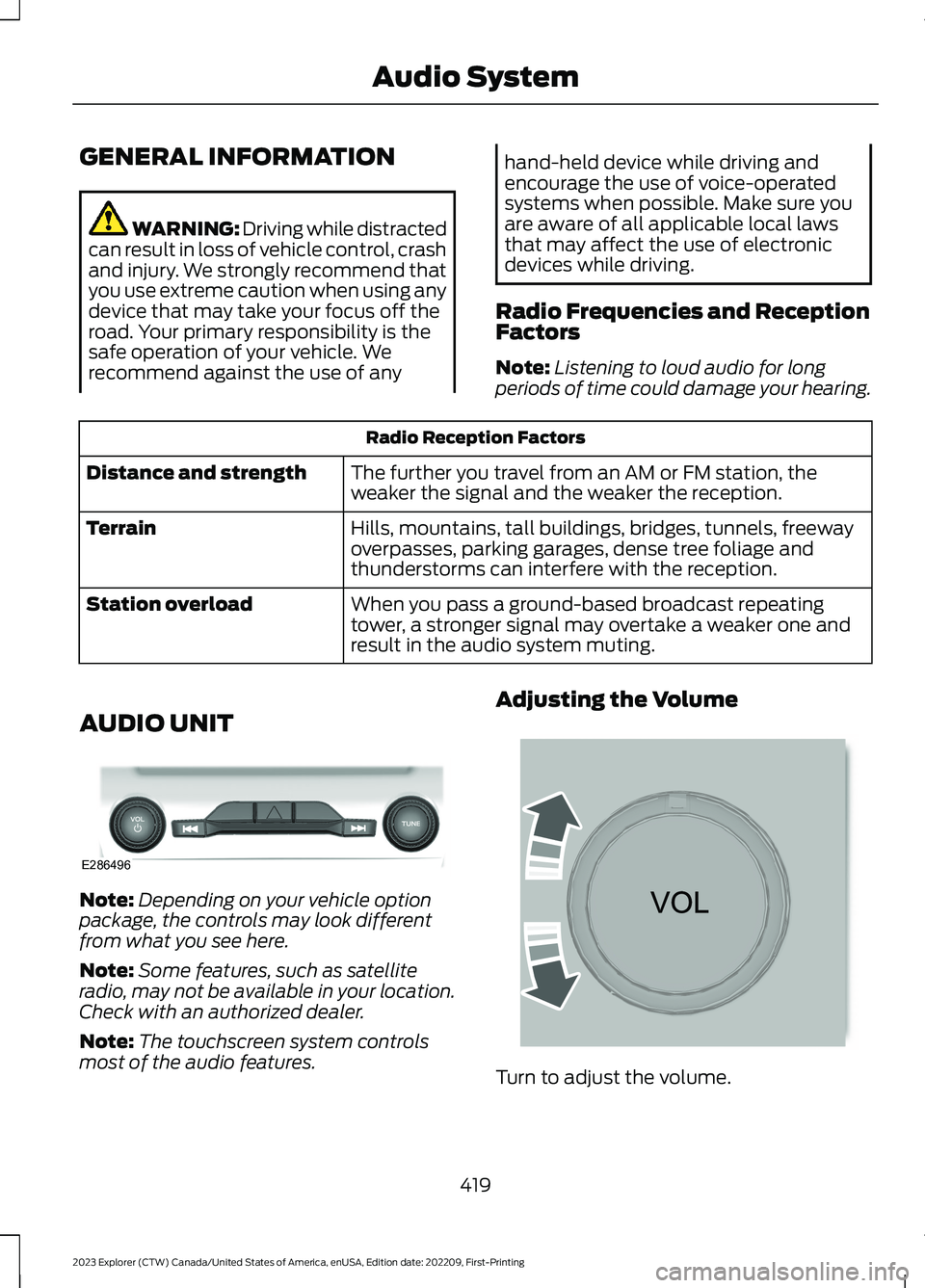
AUDIO UNIT
Note:Depending on your vehicle optionpackage, the controls may look differentfrom what you see here.
Note:Some features, such as satelliteradio, may not be available in your location.Check with an authorized dealer.
Note:The touchscreen system controlsmost of the audio features.
Adjusting the Volume
Turn to adjust the volume.
419
2023 Explorer (CTW) Canada/United States of America, enUSA, Edition date: 202209, First-PrintingAudio SystemE286496 E265373
Page 440 of 573
SourcesPress this button to select the source ofmedia you want to listen to.
Menu Item
AM
FM
1SIRIUS
CD
The name of the USB that is plugged in displays here.USB
Bluetooth Stereo
If you have SYNC 3 compatible apps on your connected smart phone, theydisplay here as individual source selections.Apps
1 This feature may not be available in all markets and requires an active subscription.
AM/FM Radio
Tuning a Station
You can use the tune or seek controls onthe radio bezel to select a station.
To tune a station using thetouchscreen, select:
Menu Item
Direct Tune
A pop up appears, allowing you to type inthe frequency of a station. You can onlyenter a valid station for the source you arecurrently listening to.
You can press the backspace button todelete the previously entered number.
Once you have entered the station'scall numbers, you can select:
Action and Descrip-tionMenu Item
Press to beginplaying the stationyou have entered.
Enter
Press to exitwithout changingthe station.
Cancel
Presets
To set a new preset, tune to the stationand then press and hold one of thememory preset buttons. The audio mutesbriefly while the system saves the stationand then returns.
You may be able to add additional presetpages using the settings option on thefeature bar.
436
2023 Explorer (CTW) Canada/United States of America, enUSA, Edition date: 202209, First-PrintingSYNC™ 3
Page 570 of 573
Overriding Automatic High BeamControl............................................................93Overriding Reverse Braking Assist..........217Overriding the Set Speed..........................247
P
Parking Aids...................................................225Principle of Operation......................................225Passive Anti-Theft System..........................77PATSSee: Passive Anti-Theft System......................77Pedestrian Alert System.............................54Pedestrian Protection..................................54Perchlorate.........................................................12Personalized Settings...................................117Personal Safety System™..........................45Phone...............................................................447Post-Crash Alert System..........................296Power Door LocksSee: Locking and Unlocking.............................68Power Liftgate..................................................73Power Seats....................................................147Power Steering Fluid Check.....................329Power Windows.............................................94Pre-Collision Assist....................................268Programming the Garage Door Openerto Your Garage Door OpenerMotor...............................................................161Programming the Garage Door Openerto Your Gate Opener Motor...................162Programming the Garage Door Openerto Your Hand-Held Transmitter............161Protecting the Environment........................19PunctureSee: Changing a Road Wheel........................370
R
Radio Frequency CertificationLabels...........................................................485Blind Spot Information SystemSensors............................................................485Body Control Module........................................491Cruise Control Module.....................................494Garage Door Opener.........................................497Keys and Remote Controls............................498Passive Anti-Theft System............................505
Radio Transceiver Module.............................509SYNC........................................................................511Telematics Control Unit...................................516Tire Pressure Monitoring SystemSensors..............................................................516Wireless Accessory Charging Module........523Rear Axle........................................................209Rear Occupant Alert System AudibleWarnings.......................................................159Rear Occupant Alert SystemIndicators......................................................159Rear Occupant Alert SystemLimitations...................................................158Rear Occupant Alert SystemPrecautions..................................................158Rear Occupant Alert System...................158Rear Parking Aid...........................................225Rear Passenger Climate Controls..........140Rear Seats........................................................151Rear Under Floor Storage.........................275Rear View Camera.......................................234Rear View CameraSee: Rear View Camera...................................234Rear Window Wiper and Washers...........85Rear Wiper BladesSee: Changing the Rear Wiper Blades.......337Recommended Towing Weights...........284Reduced Engine Performance...............288Refueling - Excluding: Hybrid ElectricVehicle (HEV).............................................185Refueling - Hybrid Electric Vehicle(HEV).............................................................188Remote Control...............................................57Remote Start..................................................142Repairing Minor Paint Damage..............344Replacement PartsRecommendation........................................12Replacing a Lost Key or RemoteControl............................................................63Replacing the Cabin Air Filter...................143Reporting Safety Defects (CanadaOnly)..............................................................303Reporting Safety Defects (U.S.Only)..............................................................303Reprogramming the Garage DoorOpener...........................................................163Resuming the Set Speed..........................240Reverse Braking Assist Indicators...........217
566
2023 Explorer (CTW) Canada/United States of America, enUSA, Edition date: 202209, First-PrintingIndex
Page 571 of 573
Reverse Braking AssistPrecautions..................................................216Reverse Braking Assist................................216Reverse Braking Assist –Troubleshooting.............................................218Reverse Braking Assist –Troubleshooting.........................................218Reverse Braking Assist – Frequently AskedQuestions.........................................................219Reverse Braking Assist – InformationMessages..........................................................218Roadside Assistance...................................291Roadside Emergencies...............................291Rollover Warning.........................................485Roof Racks and Load Carriers.................276Running-InSee: Breaking-In.................................................288Running Out of Fuel....................................183
S
Safety Canopy™..............................................51Safety Precautions.......................................181Satellite Radio..............................................422Scheduled Maintenance...........................476Seatbelt Extensions......................................44Seatbelt Height Adjustment.......................41Seatbelt Reminder.........................................42Seatbelts...........................................................38Principle of Operation........................................38Seatbelt Warning Lamp and IndicatorChime...............................................................41Seats.................................................................144Security...............................................................77Selecting a Drive Mode..............................273Service Data......................................................16Settings Data.....................................................17Settings...........................................................458Setting the Adaptive Cruise ControlGap................................................................246Setting the Adaptive Cruise ControlSpeed............................................................245Setting the Cruise Control Speed..........239Setting the Hill Descent Speed..............224Side Airbags.....................................................50Side Sensing System..................................229Sitting in the Correct Position..................144
Snow ChainsSee: Using Snow Chains.................................363Spare WheelSee: Changing a Road Wheel........................370Special Notices................................................13Special Operating Conditions ScheduledMaintenance..............................................482Speed ControlSee: Cruise Control...........................................239Speed Sign Recognition...........................266Stability Control............................................221Principle of Operation.......................................221Starter SwitchSee: Ignition Switch...........................................168Starting a Gasoline Engine.......................169Starting a Hybrid Electric VehicleSystem............................................................172Starting and Stopping the Engine.........168General Information..........................................168Steering...........................................................268Steering Wheel................................................79Storage Compartments.............................167SunroofSee: Moonroof......................................................99Sun Shades......................................................99Sun Visors.........................................................98Supplementary Restraints System.........46Principle of Operation........................................46Switching Adaptive Cruise Control Onand Off..........................................................245Switching Automatic High Beam ControlOn and Off.....................................................92Switching Cruise Control On andOff..................................................................239Switching From Adaptive Cruise Controlto Cruise Control.......................................248Switching Hill Descent Control On andOff...................................................................224Switching Intelligent Mode On andOff..................................................................250Switching Lane Centering On andOff..................................................................249Switching Rear Occupant Alert SystemOn and Off...................................................158Switching Reverse Braking Assist On andOff....................................................................217Symbols Glossary.............................................9
567
2023 Explorer (CTW) Canada/United States of America, enUSA, Edition date: 202209, First-PrintingIndex