light FORD EXPLORER SPORT 2002 1.G User Guide
[x] Cancel search | Manufacturer: FORD, Model Year: 2002, Model line: EXPLORER SPORT, Model: FORD EXPLORER SPORT 2002 1.GPages: 184, PDF Size: 2.8 MB
Page 27 of 184
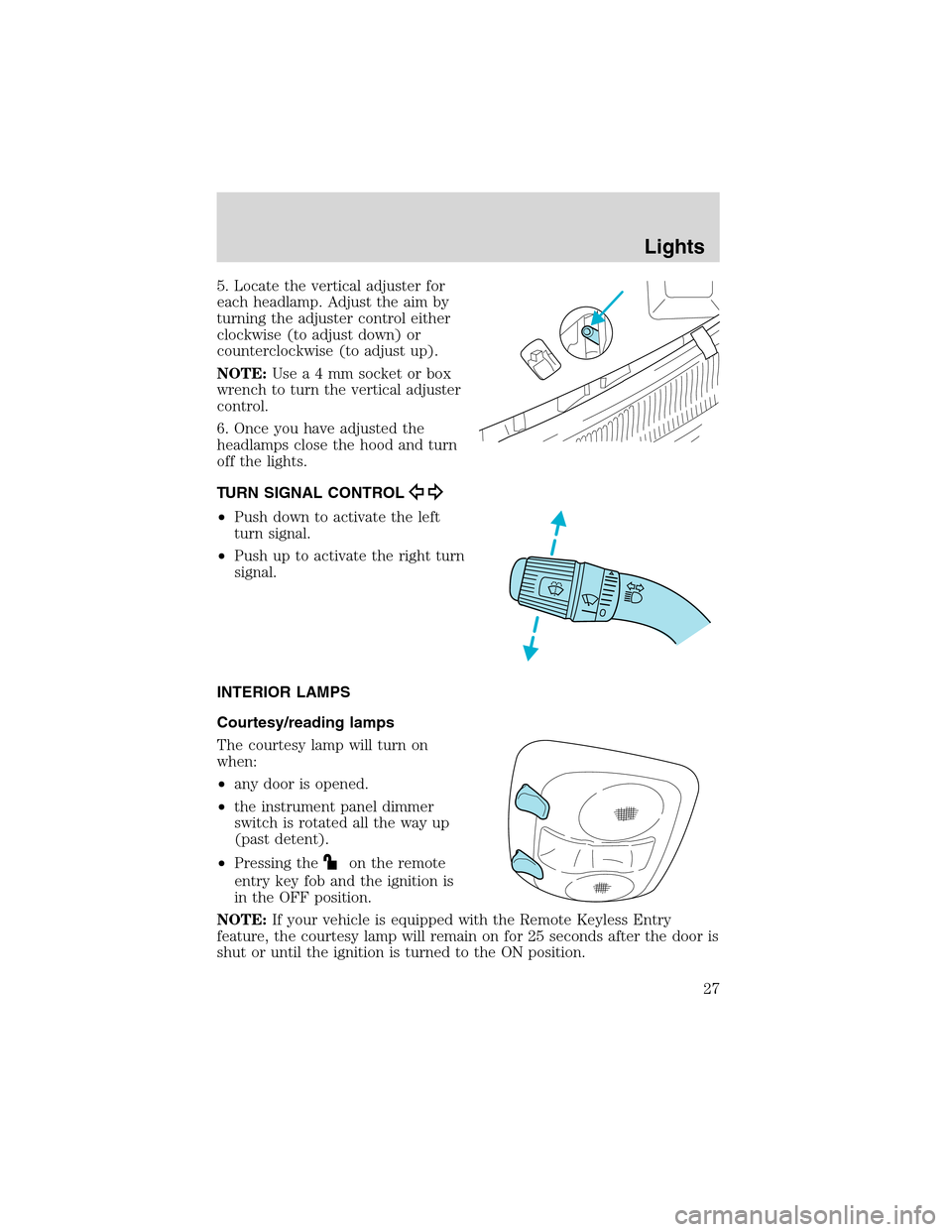
5. Locate the vertical adjuster for
each headlamp. Adjust the aim by
turning the adjuster control either
clockwise (to adjust down) or
counterclockwise (to adjust up).
NOTE:Usea4mmsocket or box
wrench to turn the vertical adjuster
control.
6. Once you have adjusted the
headlamps close the hood and turn
off the lights.
TURN SIGNAL CONTROL
•Push down to activate the left
turn signal.
•Push up to activate the right turn
signal.
INTERIOR LAMPS
Courtesy/reading lamps
The courtesy lamp will turn on
when:
•any door is opened.
•the instrument panel dimmer
switch is rotated all the way up
(past detent).
•Pressing the
on the remote
entry key fob and the ignition is
in the OFF position.
NOTE:If your vehicle is equipped with the Remote Keyless Entry
feature, the courtesy lamp will remain on for 25 seconds after the door is
shut or until the ignition is turned to the ON position.
Lights
27
Page 28 of 184
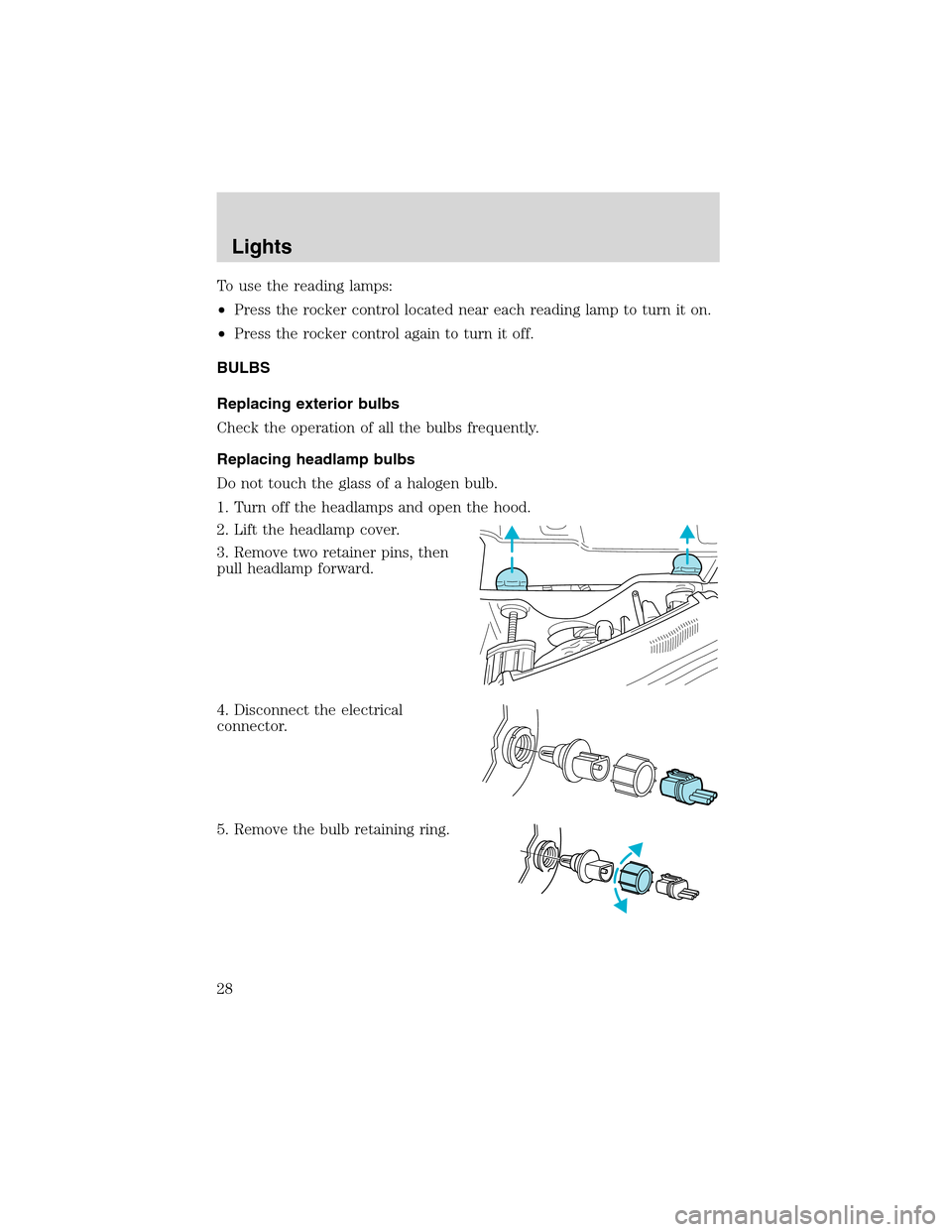
To use the reading lamps:
•Press the rocker control located near each reading lamp to turn it on.
•Press the rocker control again to turn it off.
BULBS
Replacing exterior bulbs
Check the operation of all the bulbs frequently.
Replacing headlamp bulbs
Do not touch the glass of a halogen bulb.
1. Turn off the headlamps and open the hood.
2. Lift the headlamp cover.
3. Remove two retainer pins, then
pull headlamp forward.
4. Disconnect the electrical
connector.
5. Remove the bulb retaining ring.
Lights
28
Page 29 of 184
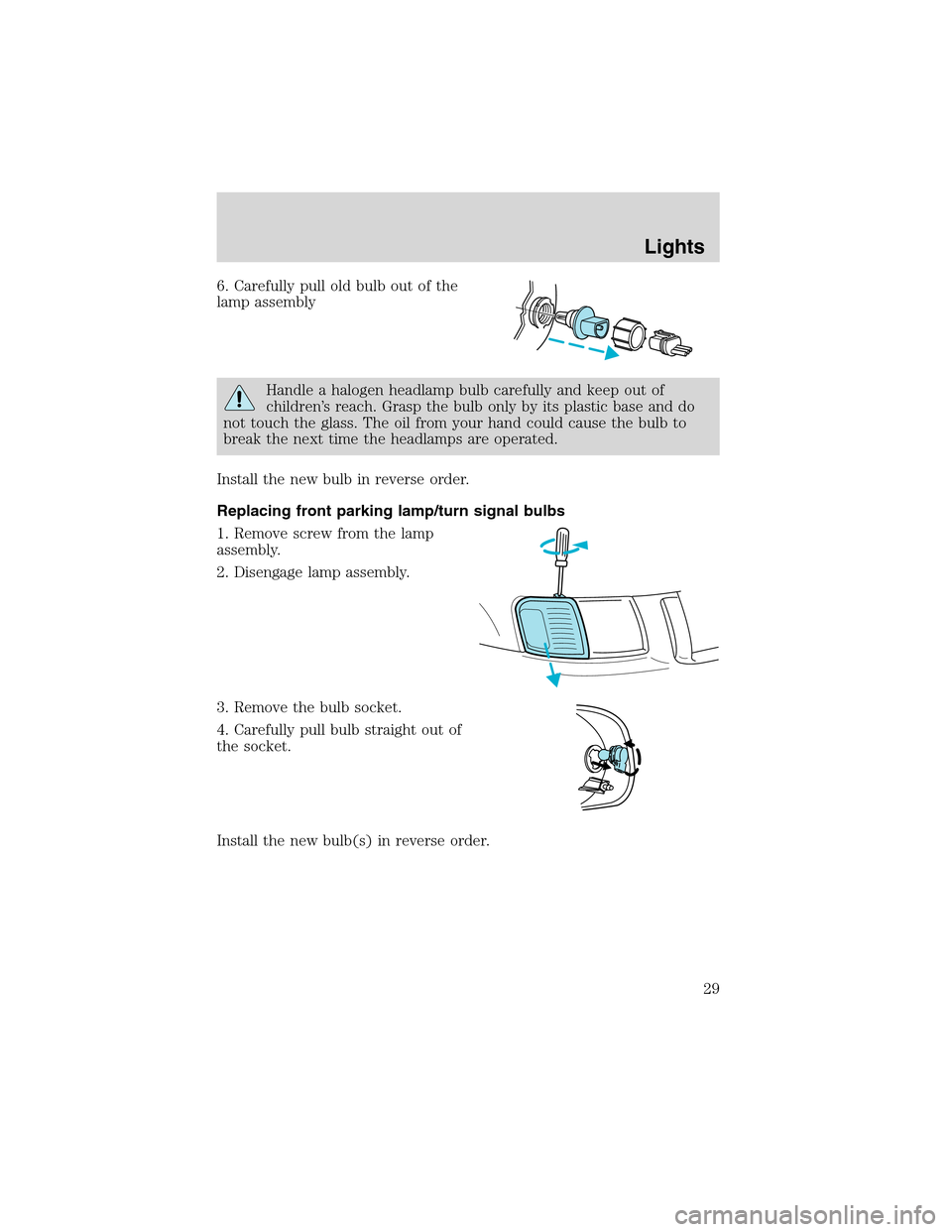
6. Carefully pull old bulb out of the
lamp assembly
Handle a halogen headlamp bulb carefully and keep out of
children’s reach. Grasp the bulb only by its plastic base and do
not touch the glass. The oil from your hand could cause the bulb to
break the next time the headlamps are operated.
Install the new bulb in reverse order.
Replacing front parking lamp/turn signal bulbs
1. Remove screw from the lamp
assembly.
2. Disengage lamp assembly.
3. Remove the bulb socket.
4. Carefully pull bulb straight out of
the socket.
Install the new bulb(s) in reverse order.
Lights
29
Page 30 of 184
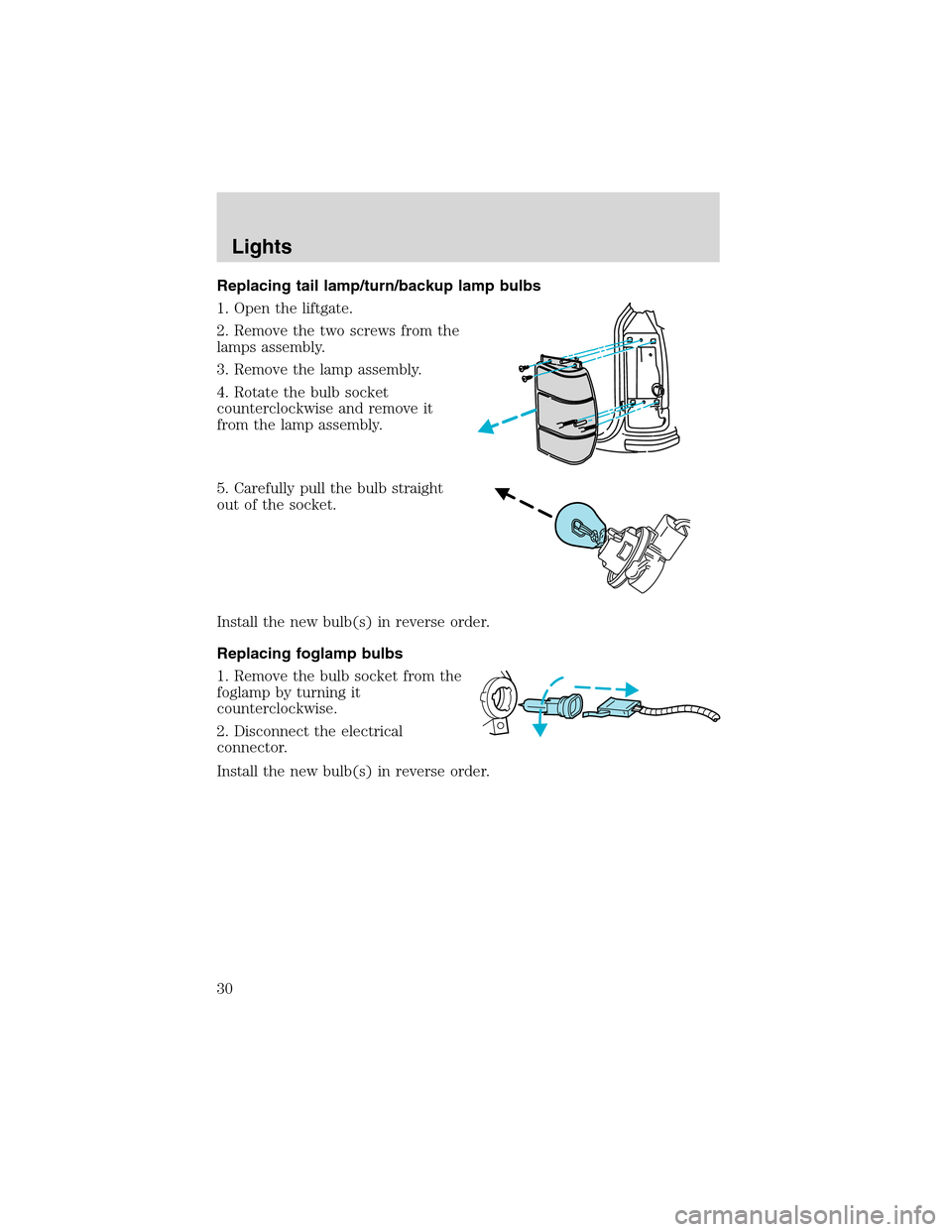
Replacing tail lamp/turn/backup lamp bulbs
1. Open the liftgate.
2. Remove the two screws from the
lamps assembly.
3. Remove the lamp assembly.
4. Rotate the bulb socket
counterclockwise and remove it
from the lamp assembly.
5. Carefully pull the bulb straight
out of the socket.
Install the new bulb(s) in reverse order.
Replacing foglamp bulbs
1. Remove the bulb socket from the
foglamp by turning it
counterclockwise.
2. Disconnect the electrical
connector.
Install the new bulb(s) in reverse order.
Lights
30
Page 31 of 184
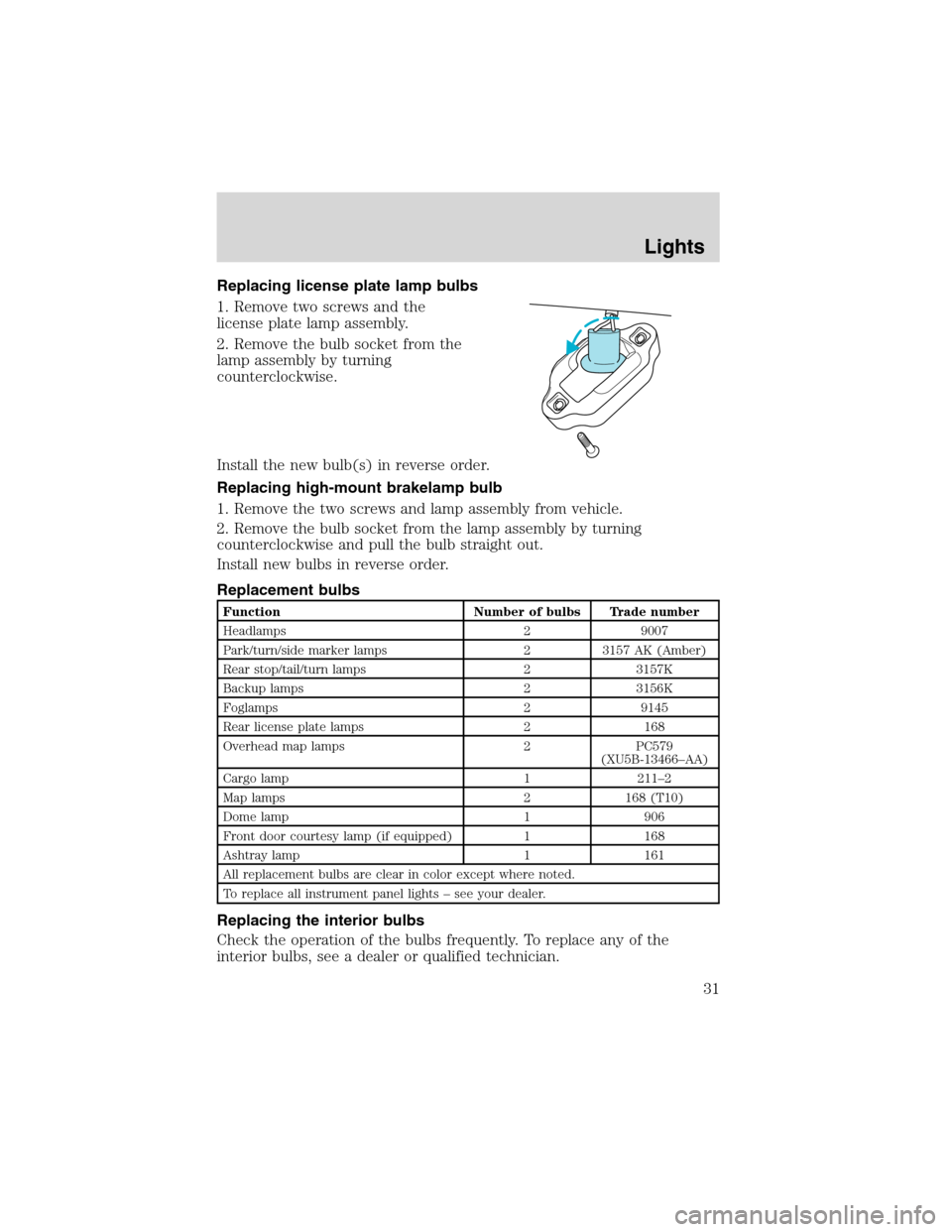
Replacing license plate lamp bulbs
1. Remove two screws and the
license plate lamp assembly.
2. Remove the bulb socket from the
lamp assembly by turning
counterclockwise.
Install the new bulb(s) in reverse order.
Replacing high-mount brakelamp bulb
1. Remove the two screws and lamp assembly from vehicle.
2. Remove the bulb socket from the lamp assembly by turning
counterclockwise and pull the bulb straight out.
Install new bulbs in reverse order.
Replacement bulbs
Function Number of bulbs Trade number
Headlamps 2 9007
Park/turn/side marker lamps 2 3157 AK (Amber)
Rear stop/tail/turn lamps 2 3157K
Backup lamps 2 3156K
Foglamps 2 9145
Rear license plate lamps 2 168
Overhead map lamps 2 PC579
(XU5B-13466–AA)
Cargo lamp 1 211–2
Map lamps 2 168 (T10)
Dome lamp 1 906
Front door courtesy lamp (if equipped) 1 168
Ashtray lamp 1 161
All replacement bulbs are clear in color except where noted.
To replace all instrument panel lights–see your dealer.
Replacing the interior bulbs
Check the operation of the bulbs frequently. To replace any of the
interior bulbs, see a dealer or qualified technician.
Lights
31
Page 34 of 184
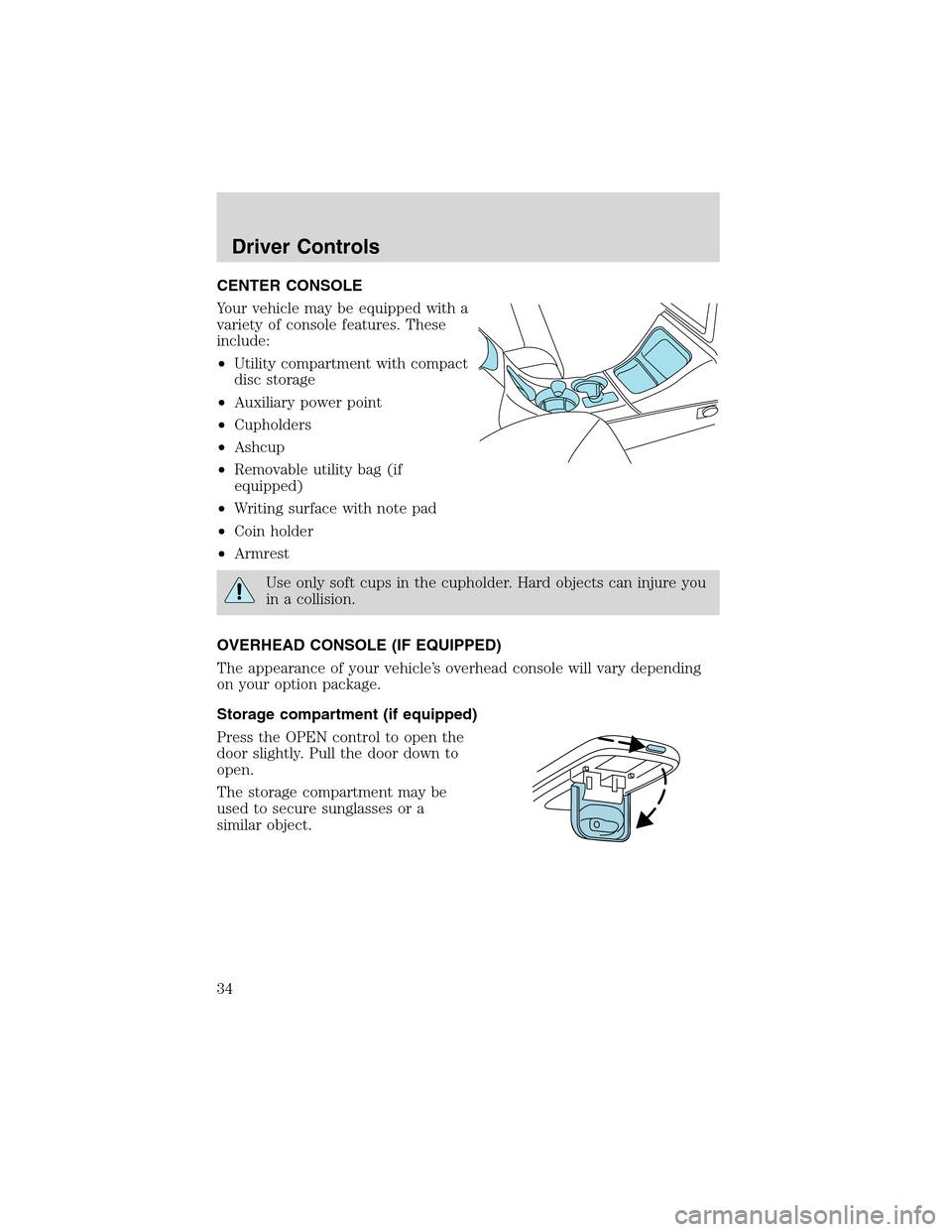
CENTER CONSOLE
Your vehicle may be equipped with a
variety of console features. These
include:
•Utility compartment with compact
disc storage
•Auxiliary power point
•Cupholders
•Ashcup
•Removable utility bag (if
equipped)
•Writing surface with note pad
•Coin holder
•Armrest
Use only soft cups in the cupholder. Hard objects can injure you
in a collision.
OVERHEAD CONSOLE (IF EQUIPPED)
The appearance of your vehicle’s overhead console will vary depending
on your option package.
Storage compartment (if equipped)
Press the OPEN control to open the
door slightly. Pull the door down to
open.
The storage compartment may be
used to secure sunglasses or a
similar object.
Driver Controls
34
Page 36 of 184
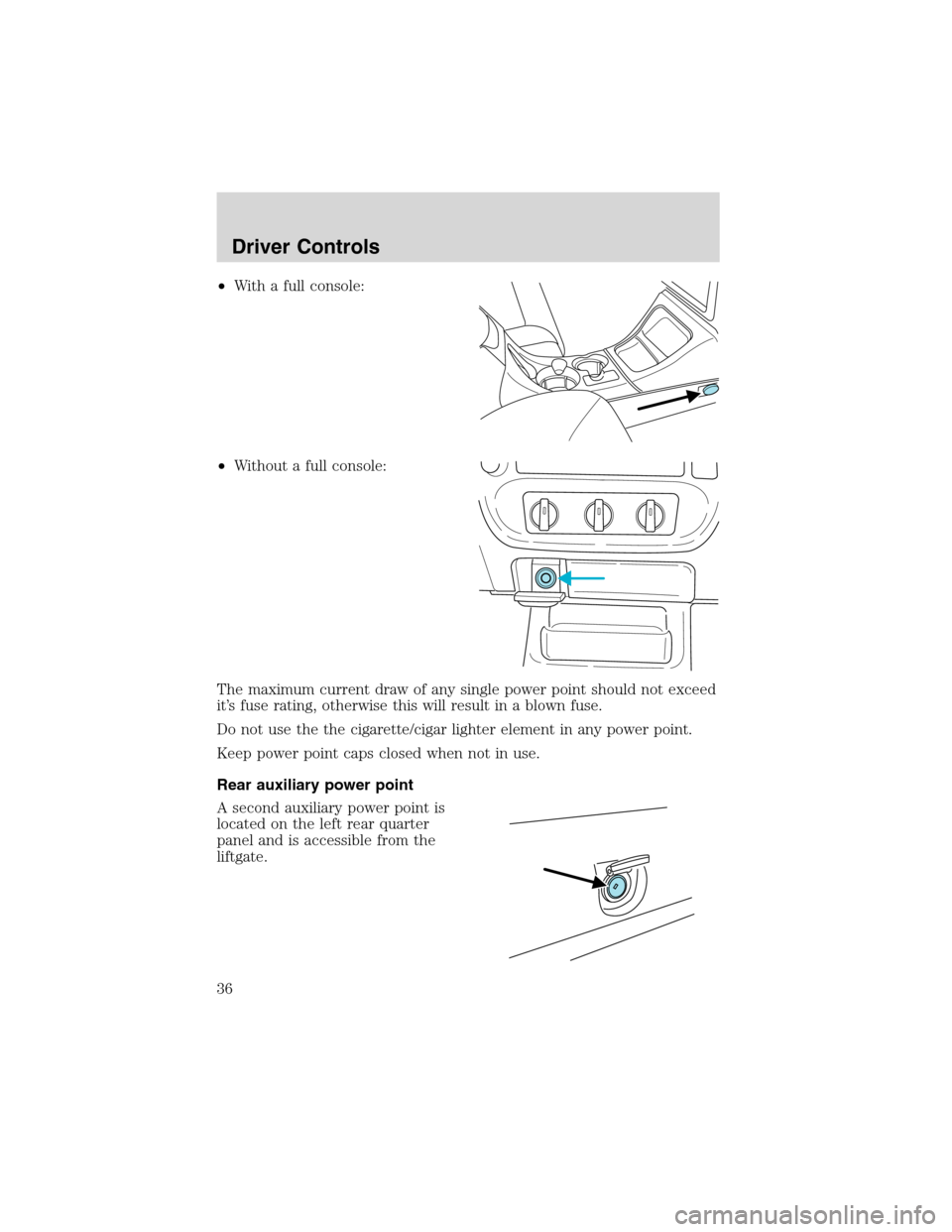
•With a full console:
•Without a full console:
The maximum current draw of any single power point should not exceed
it’s fuse rating, otherwise this will result in a blown fuse.
Do not use the the cigarette/cigar lighter element in any power point.
Keep power point caps closed when not in use.
Rear auxiliary power point
A second auxiliary power point is
located on the left rear quarter
panel and is accessible from the
liftgate.
Driver Controls
36
Page 38 of 184
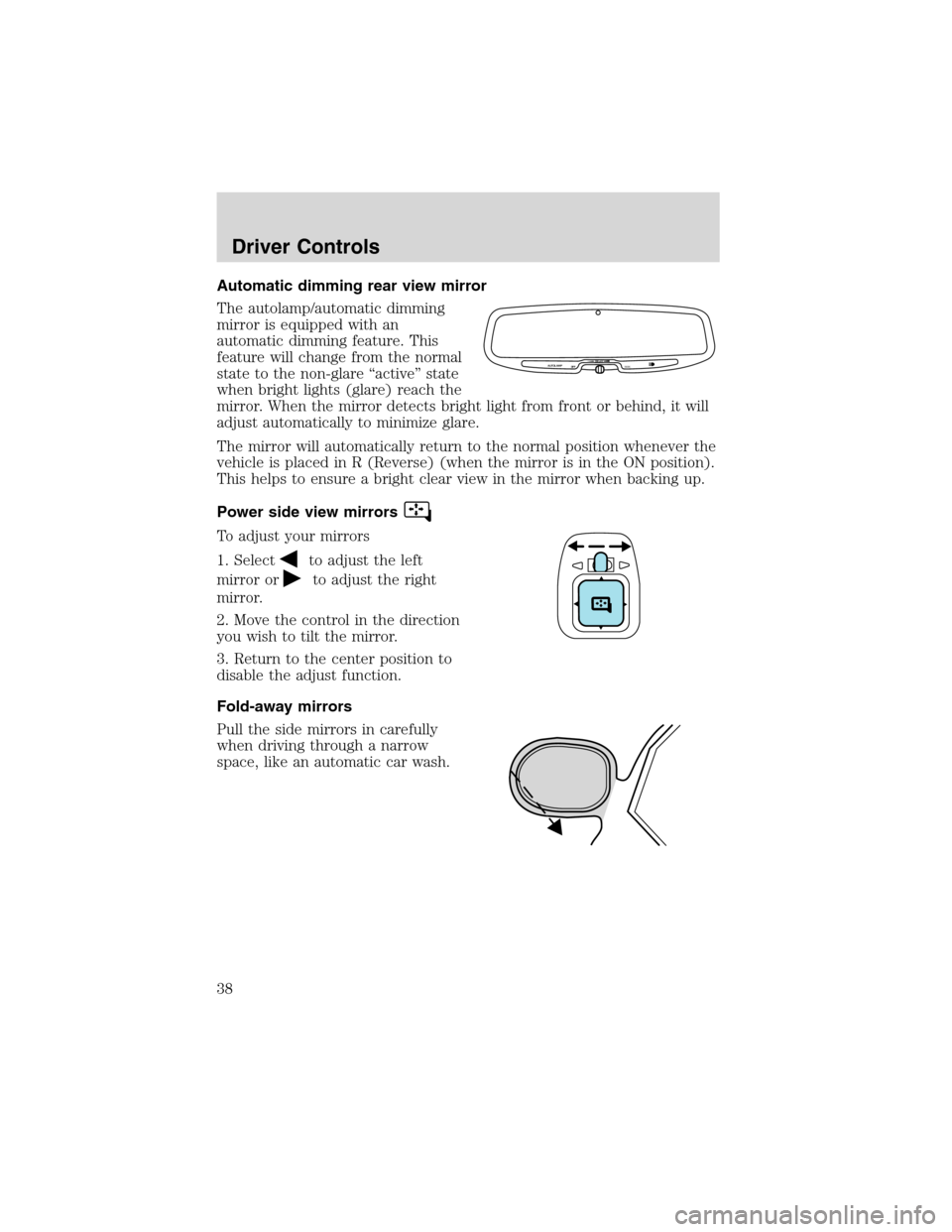
Automatic dimming rear view mirror
The autolamp/automatic dimming
mirror is equipped with an
automatic dimming feature. This
feature will change from the normal
state to the non-glare“active”state
when bright lights (glare) reach the
mirror. When the mirror detects bright light from front or behind, it will
adjust automatically to minimize glare.
The mirror will automatically return to the normal position whenever the
vehicle is placed in R (Reverse) (when the mirror is in the ON position).
This helps to ensure a bright clear view in the mirror when backing up.
Power side view mirrors
To adjust your mirrors
1. Select
to adjust the left
mirror or
to adjust the right
mirror.
2. Move the control in the direction
you wish to tilt the mirror.
3. Return to the center position to
disable the adjust function.
Fold-away mirrors
Pull the side mirrors in carefully
when driving through a narrow
space, like an automatic car wash.
AUTOLAMP
OFFMAX.DELAY
Driver Controls
38
Page 39 of 184
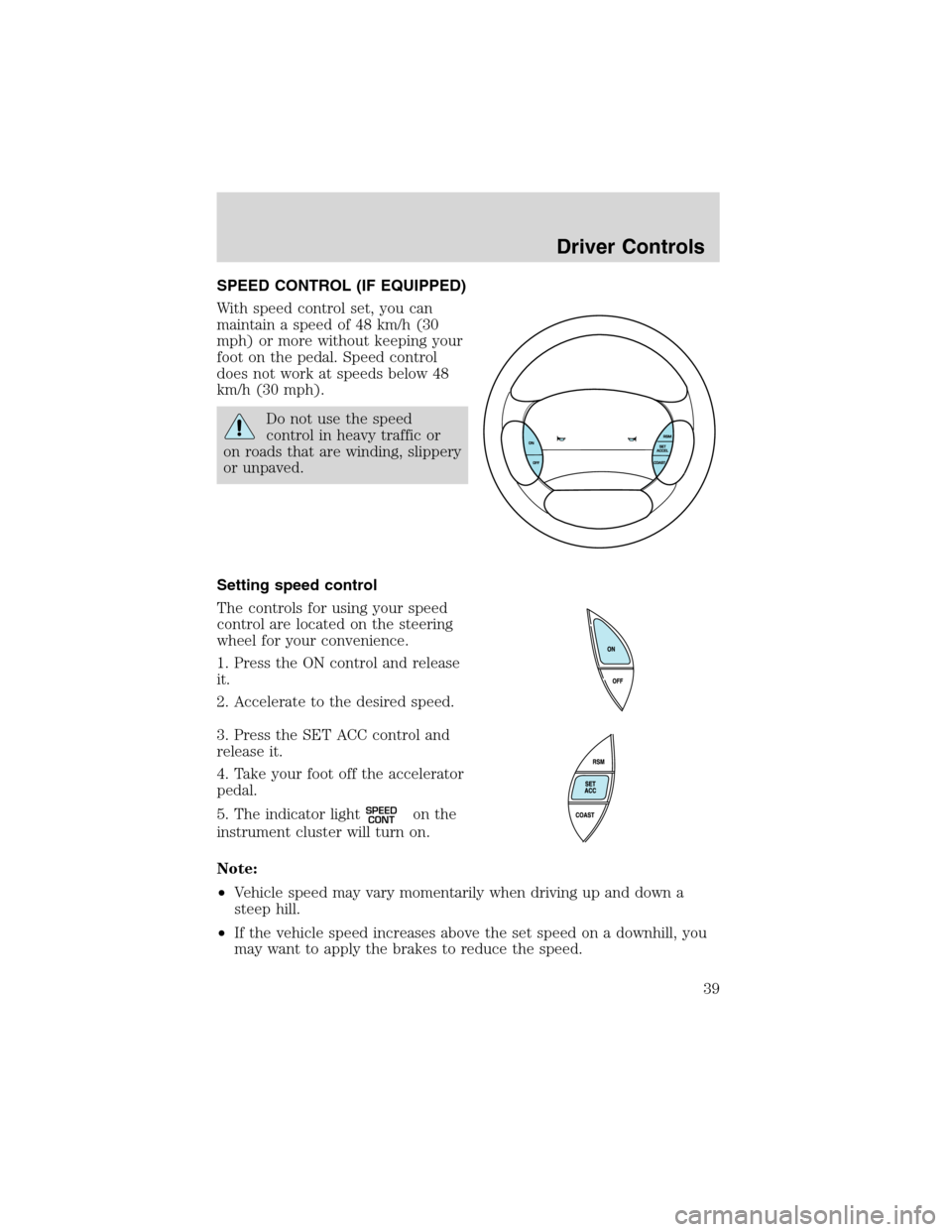
SPEED CONTROL (IF EQUIPPED)
With speed control set, you can
maintain a speed of 48 km/h (30
mph) or more without keeping your
foot on the pedal. Speed control
does not work at speeds below 48
km/h (30 mph).
Do not use the speed
control in heavy traffic or
on roads that are winding, slippery
or unpaved.
Setting speed control
The controls for using your speed
control are located on the steering
wheel for your convenience.
1. Press the ON control and release
it.
2. Accelerate to the desired speed.
3. Press the SET ACC control and
release it.
4. Take your foot off the accelerator
pedal.
5. The indicator light
SPEED
CONTon the
instrument cluster will turn on.
Note:
•Vehicle speed may vary momentarily when driving up and down a
steep hill.
•If the vehicle speed increases above the set speed on a downhill, you
may want to apply the brakes to reduce the speed.
Driver Controls
39
Page 48 of 184
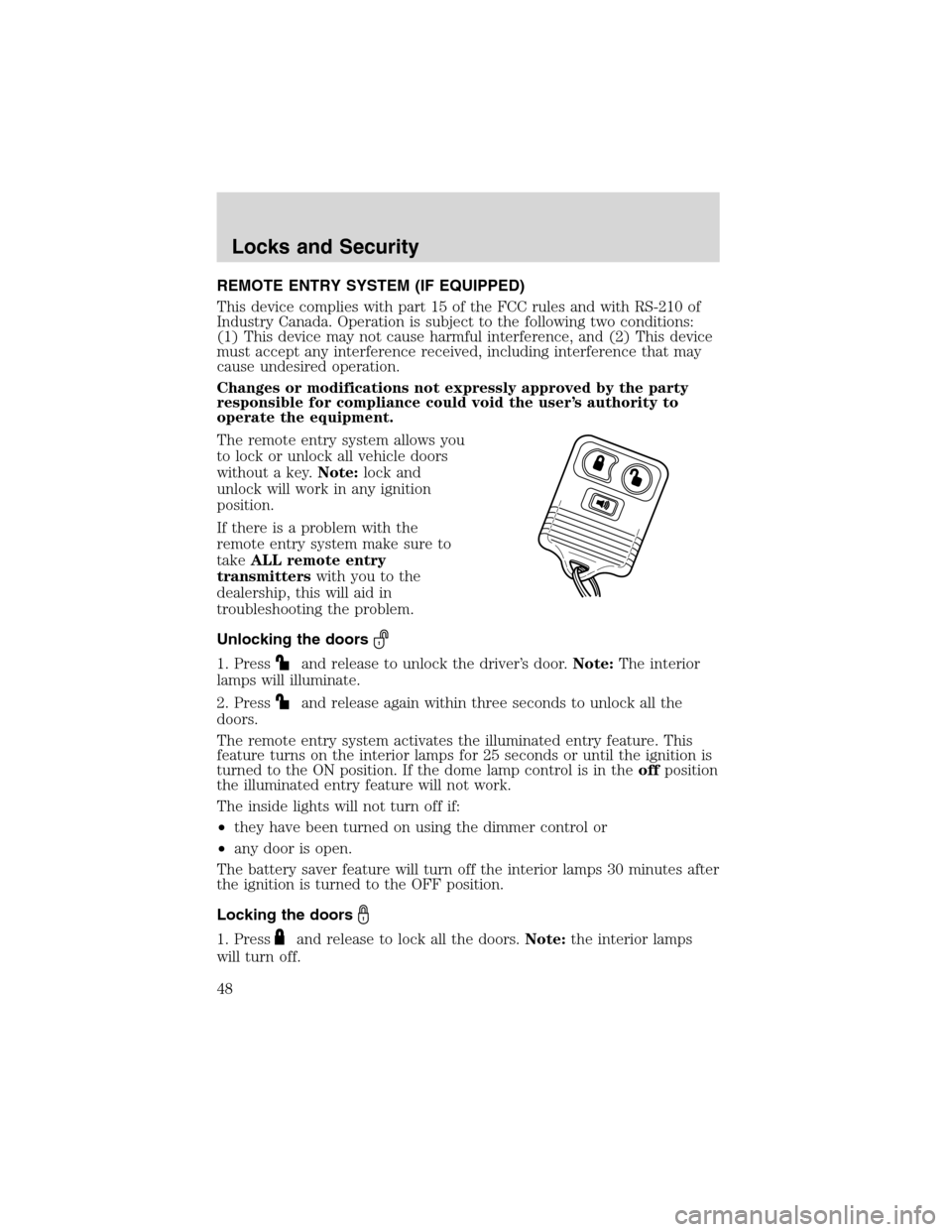
REMOTE ENTRY SYSTEM (IF EQUIPPED)
This device complies with part 15 of the FCC rules and with RS-210 of
Industry Canada. Operation is subject to the following two conditions:
(1) This device may not cause harmful interference, and (2) This device
must accept any interference received, including interference that may
cause undesired operation.
Changes or modifications not expressly approved by the party
responsible for compliance could void the user’s authority to
operate the equipment.
The remote entry system allows you
to lock or unlock all vehicle doors
without a key.Note:lock and
unlock will work in any ignition
position.
If there is a problem with the
remote entry system make sure to
takeALL remote entry
transmitterswith you to the
dealership, this will aid in
troubleshooting the problem.
Unlocking the doors
1. Pressand release to unlock the driver’s door.Note:The interior
lamps will illuminate.
2. Press
and release again within three seconds to unlock all the
doors.
The remote entry system activates the illuminated entry feature. This
feature turns on the interior lamps for 25 seconds or until the ignition is
turned to the ON position. If the dome lamp control is in theoffposition
the illuminated entry feature will not work.
The inside lights will not turn off if:
•they have been turned on using the dimmer control or
•any door is open.
The battery saver feature will turn off the interior lamps 30 minutes after
the ignition is turned to the OFF position.
Locking the doors
1. Pressand release to lock all the doors.Note:the interior lamps
will turn off.
Locks and Security
48