lock FORD EXPLORER SPORT TRAC 2002 User Guide
[x] Cancel search | Manufacturer: FORD, Model Year: 2002, Model line: EXPLORER SPORT TRAC, Model: FORD EXPLORER SPORT TRAC 2002Pages: 200, PDF Size: 3.34 MB
Page 39 of 200
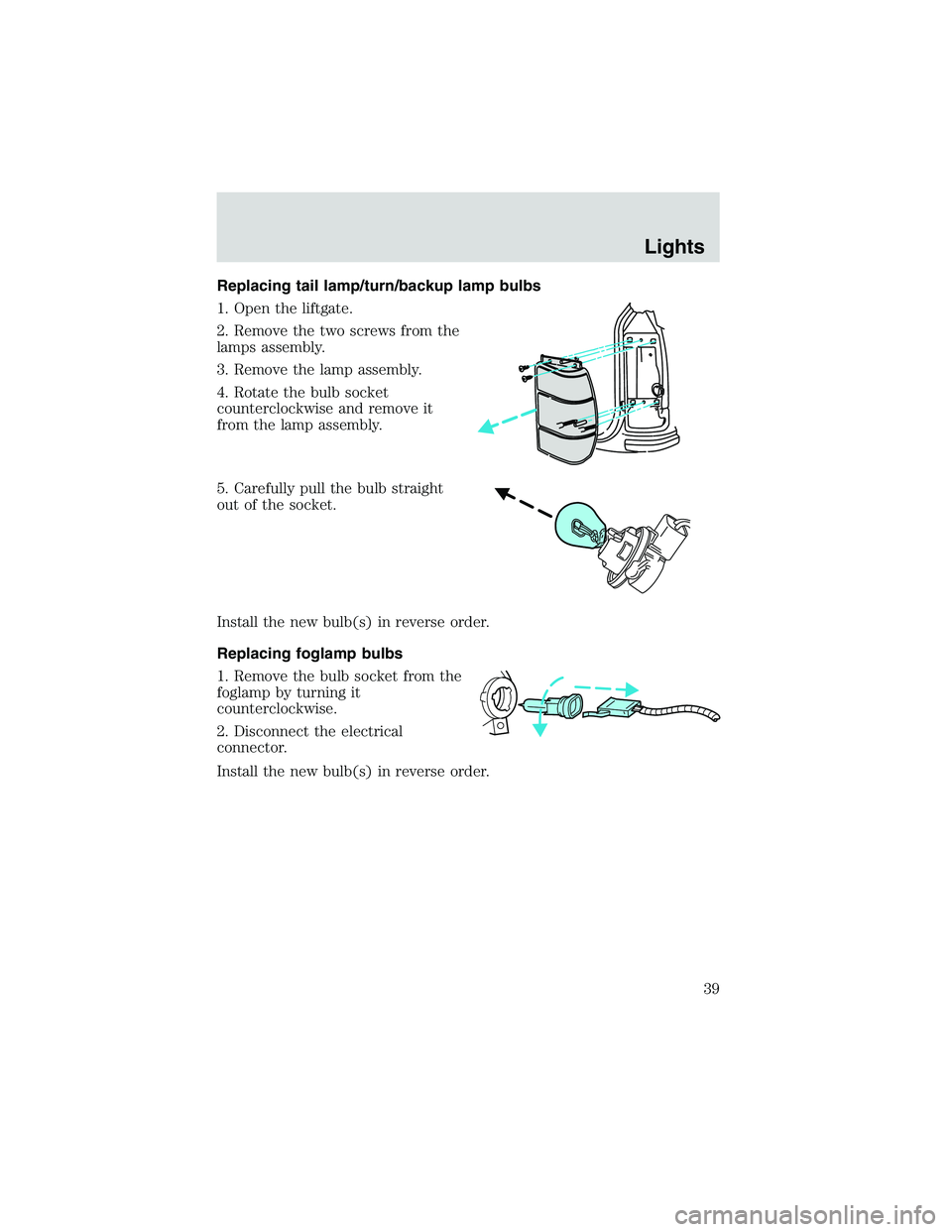
Replacing tail lamp/turn/backup lamp bulbs
1. Open the liftgate.
2. Remove the two screws from the
lamps assembly.
3. Remove the lamp assembly.
4. Rotate the bulb socket
counterclockwise and remove it
from the lamp assembly.
5. Carefully pull the bulb straight
out of the socket.
Install the new bulb(s) in reverse order.
Replacing foglamp bulbs
1. Remove the bulb socket from the
foglamp by turning it
counterclockwise.
2. Disconnect the electrical
connector.
Install the new bulb(s) in reverse order.
Lights
39
Page 40 of 200
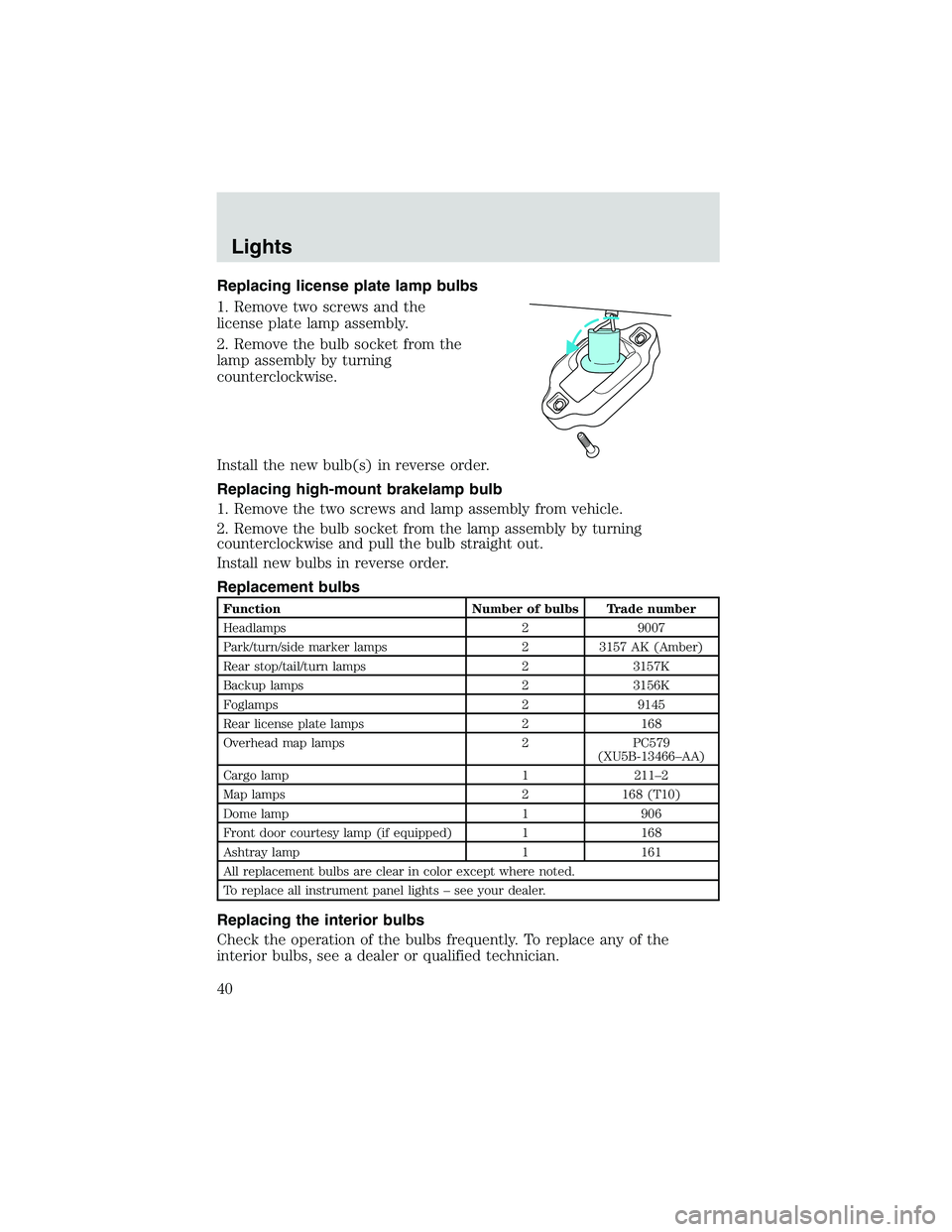
Replacing license plate lamp bulbs
1. Remove two screws and the
license plate lamp assembly.
2. Remove the bulb socket from the
lamp assembly by turning
counterclockwise.
Install the new bulb(s) in reverse order.
Replacing high-mount brakelamp bulb
1. Remove the two screws and lamp assembly from vehicle.
2. Remove the bulb socket from the lamp assembly by turning
counterclockwise and pull the bulb straight out.
Install new bulbs in reverse order.
Replacement bulbs
Function Number of bulbs Trade number
Headlamps 2 9007
Park/turn/side marker lamps 2 3157 AK (Amber)
Rear stop/tail/turn lamps 2 3157K
Backup lamps 2 3156K
Foglamps 2 9145
Rear license plate lamps 2 168
Overhead map lamps 2 PC579
(XU5B-13466–AA)
Cargo lamp 1 211–2
Map lamps 2 168 (T10)
Dome lamp 1 906
Front door courtesy lamp (if equipped) 1 168
Ashtray lamp 1 161
All replacement bulbs are clear in color except where noted.
To replace all instrument panel lights–see your dealer.
Replacing the interior bulbs
Check the operation of the bulbs frequently. To replace any of the
interior bulbs, see a dealer or qualified technician.
Lights
40
Page 41 of 200
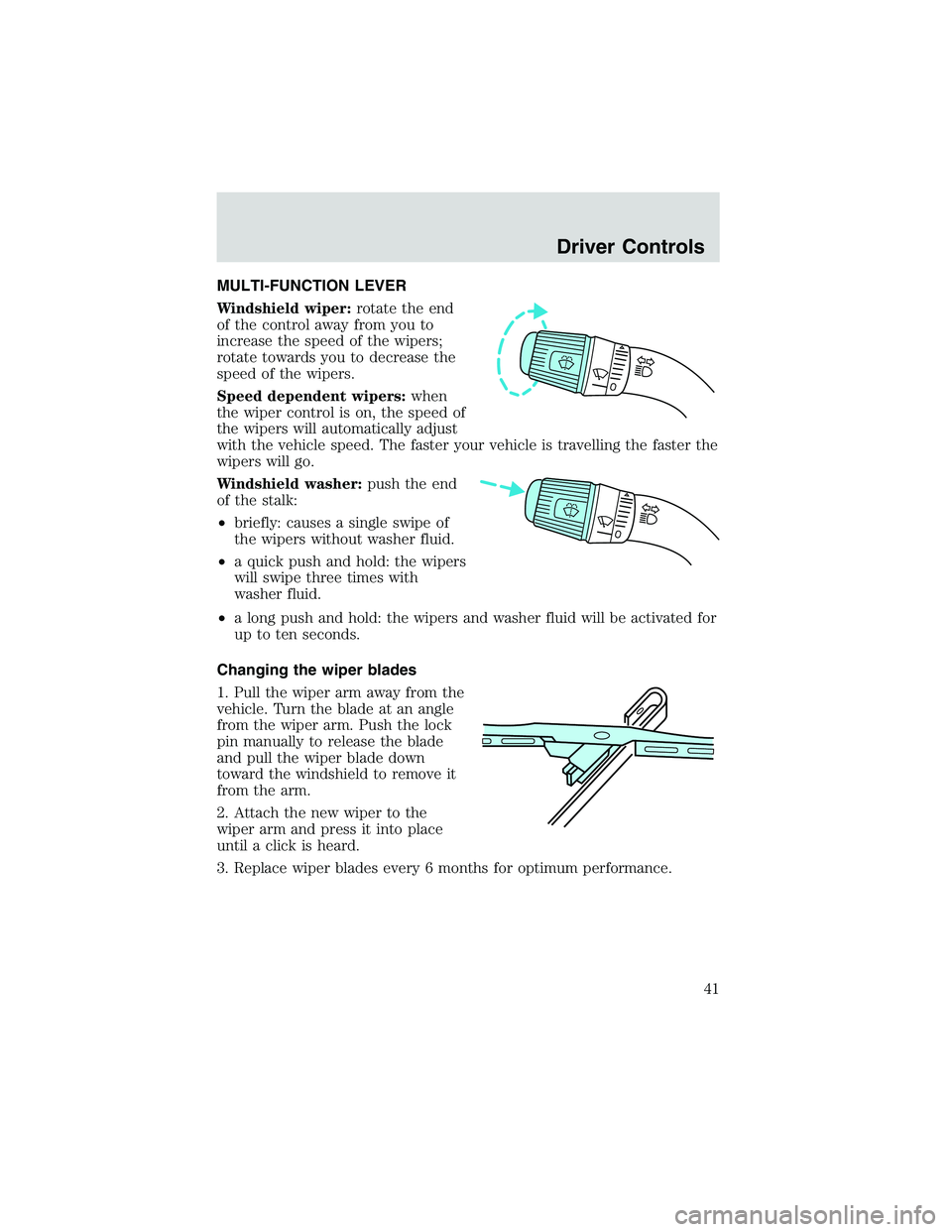
MULTI-FUNCTION LEVER
Windshield wiper:rotate the end
of the control away from you to
increase the speed of the wipers;
rotate towards you to decrease the
speed of the wipers.
Speed dependent wipers:when
the wiper control is on, the speed of
the wipers will automatically adjust
with the vehicle speed. The faster your vehicle is travelling the faster the
wipers will go.
Windshield washer:push the end
of the stalk:
•briefly: causes a single swipe of
the wipers without washer fluid.
•a quick push and hold: the wipers
will swipe three times with
washer fluid.
•a long push and hold: the wipers and washer fluid will be activated for
up to ten seconds.
Changing the wiper blades
1. Pull the wiper arm away from the
vehicle. Turn the blade at an angle
from the wiper arm. Push the lock
pin manually to release the blade
and pull the wiper blade down
toward the windshield to remove it
from the arm.
2. Attach the new wiper to the
wiper arm and press it into place
until a click is heard.
3. Replace wiper blades every 6 months for optimum performance.
Driver Controls
41
Page 42 of 200
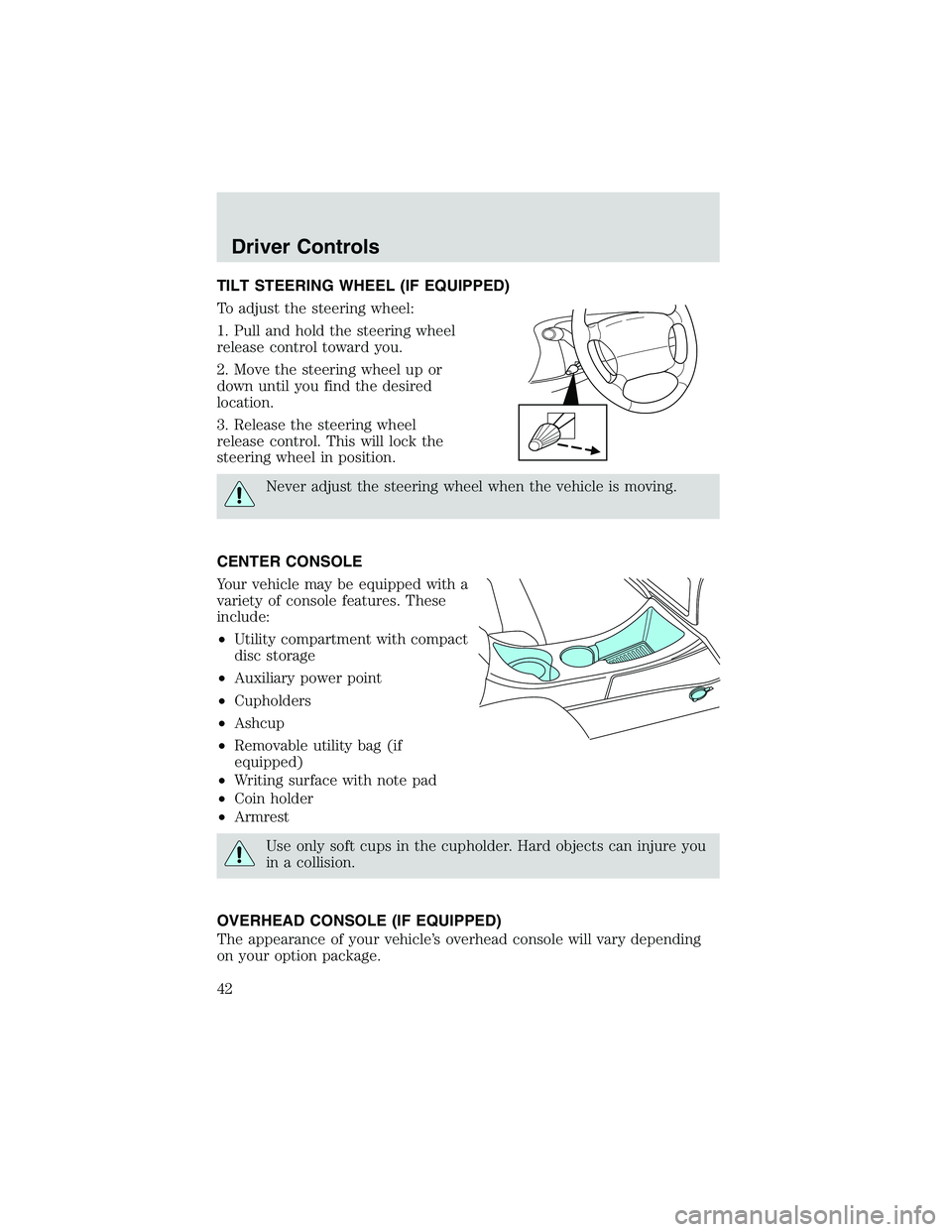
TILT STEERING WHEEL (IF EQUIPPED)
To adjust the steering wheel:
1. Pull and hold the steering wheel
release control toward you.
2. Move the steering wheel up or
down until you find the desired
location.
3. Release the steering wheel
release control. This will lock the
steering wheel in position.
Never adjust the steering wheel when the vehicle is moving.
CENTER CONSOLE
Your vehicle may be equipped with a
variety of console features. These
include:
•Utility compartment with compact
disc storage
•Auxiliary power point
•Cupholders
•Ashcup
•Removable utility bag (if
equipped)
•Writing surface with note pad
•Coin holder
•Armrest
Use only soft cups in the cupholder. Hard objects can injure you
in a collision.
OVERHEAD CONSOLE (IF EQUIPPED)
The appearance of your vehicle’s overhead console will vary depending
on your option package.
Driver Controls
42
Page 46 of 200
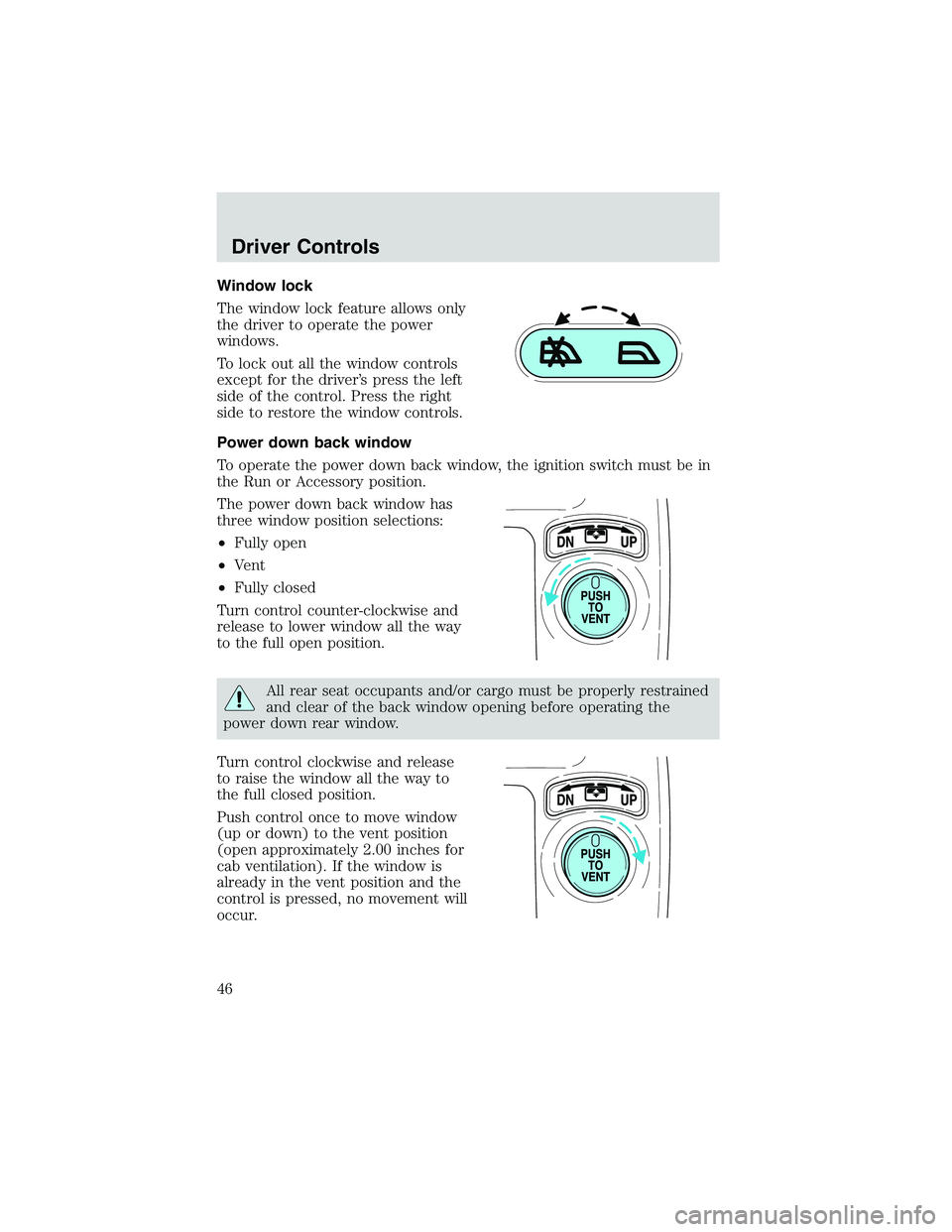
Window lock
The window lock feature allows only
the driver to operate the power
windows.
To lock out all the window controls
except for the driver’s press the left
side of the control. Press the right
side to restore the window controls.
Power down back window
To operate the power down back window, the ignition switch must be in
the Run or Accessory position.
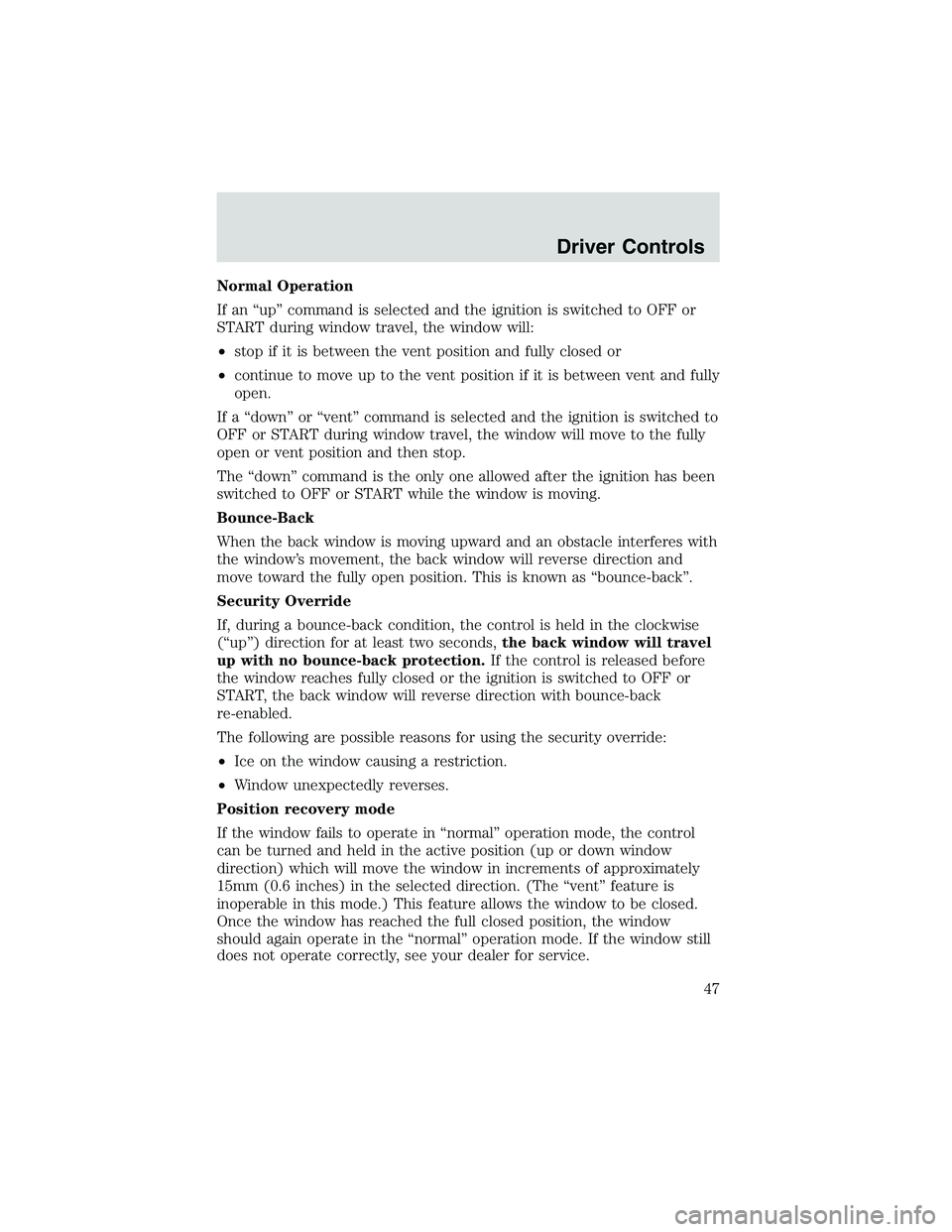
The power down back window has
three window position selections:
•Fully open
•Vent
•Fully closed
Turn control counter-clockwise and
release to lower window all the way
to the full open position.
All rear seat occupants and/or cargo must be properly restrained
and clear of the back window opening before operating the
power down rear window.
Turn control clockwise and release
to raise the window all the way to
the full closed position.
Push control once to move window
(up or down) to the vent position
(open approximately 2.00 inches for
cab ventilation). If the window is
already in the vent position and the
control is pressed, no movement will
occur.
Driver Controls
46
Page 47 of 200
Normal Operation
If an“up”command is selected and the ignition is switched to OFF or
START during window travel, the window will:
•stop if it is between the vent position and fully closed or
•continue to move up to the vent position if it is between vent and fully
open.
If a“down”or“vent”command is selected and the ignition is switched to
OFF or START during window travel, the window will move to the fully
open or vent position and then stop.
The“down”command is the only one allowed after the ignition has been
switched to OFF or START while the window is moving.
Bounce-Back
When the back window is moving upward and an obstacle interferes with
the window’s movement, the back window will reverse direction and
move toward the fully open position. This is known as“bounce-back”.
Security Override
If, during a bounce-back condition, the control is held in the clockwise
(“up”) direction for at least two seconds,the back window will travel
up with no bounce-back protection.If the control is released before
the window reaches fully closed or the ignition is switched to OFF or
START, the back window will reverse direction with bounce-back
re-enabled.
The following are possible reasons for using the security override:
•Ice on the window causing a restriction.
•Window unexpectedly reverses.
Position recovery mode
If the window fails to operate in“normal”operation mode, the control
can be turned and held in the active position (up or down window
direction) which will move the window in increments of approximately
15mm (0.6 inches) in the selected direction. (The“vent”feature is
inoperable in this mode.) This feature allows the window to be closed.
Once the window has reached the full closed position, the window
should again operate in the“normal”operation mode. If the window still
does not operate correctly, see your dealer for service.
Driver Controls
47
Page 54 of 200
![FORD EXPLORER SPORT TRAC 2002 User Guide 1. Press and hold theMODE
control until“CAL”appears in the
display then release the control.
2. Drive slowly (less than 5 km/h
[3 mph]) in circles until“CAL”
disappears from the display
(appro](/img/11/58758/w960_58758-53.png "FORD EXPLORER SPORT TRAC 2002 User Guide 1. Press and hold theMODE
control until“CAL”appears in the
display then release the control.
2. Drive slowly (less than 5 km/h
[3 mph]) in circles until“CAL”
disappears from the display
(appro")
1. Press and hold theMODE
control until“CAL”appears in the
display then release the control.
2. Drive slowly (less than 5 km/h
[3 mph]) in circles until“CAL”
disappears from the display
(approximately 2 or 3 circles).
POSITIVE RETENTION FLOOR MAT
Position the floor mat so that the
eyelets are over the pointed end of
the retention posts and rotate
forward to lock in. Make sure that
the mat does not interfere with the
operation of the accelerator or the
brake pedal.
TAILGATE LOCK
The tailgate lock designed to
prevent theft of the tailgate.
•Insert ignition key and turn to the
right to lock.
•Turn ignition key to the left to
unlock.
LAMPMODELAMP
CAL
Driver Controls
54
Page 56 of 200
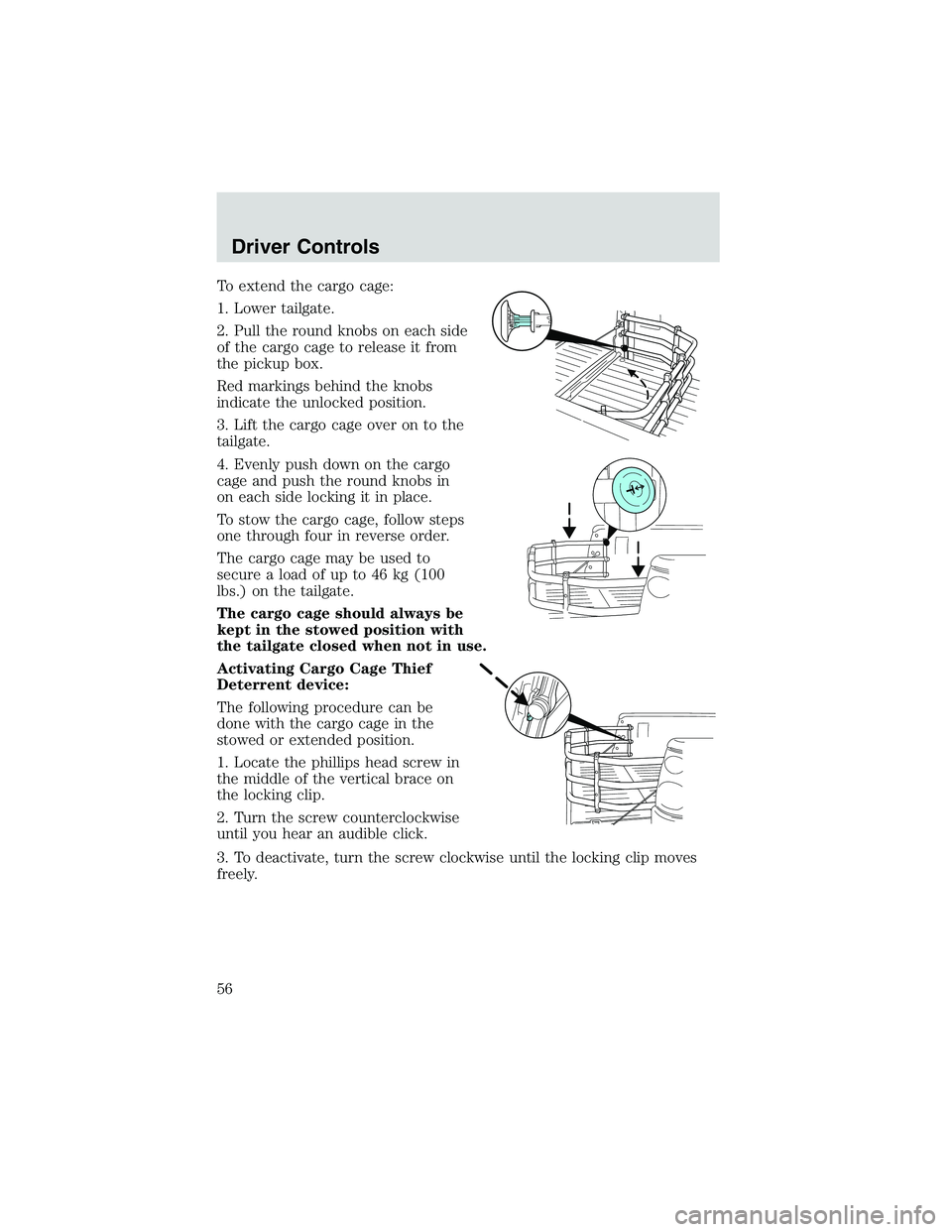
To extend the cargo cage:
1. Lower tailgate.
2. Pull the round knobs on each side
of the cargo cage to release it from
the pickup box.
Red markings behind the knobs
indicate the unlocked position.
3. Lift the cargo cage over on to the
tailgate.
4. Evenly push down on the cargo
cage and push the round knobs in
on each side locking it in place.
To stow the cargo cage, follow steps
one through four in reverse order.
The cargo cage may be used to
secure a load of up to 46 kg (100
lbs.) on the tailgate.
The cargo cage should always be
kept in the stowed position with
the tailgate closed when not in use.
Activating Cargo Cage Thief
Deterrent device:
The following procedure can be
done with the cargo cage in the
stowed or extended position.
1. Locate the phillips head screw in
the middle of the vertical brace on
the locking clip.
2. Turn the screw counterclockwise
until you hear an audible click.
3. To deactivate, turn the screw clockwise until the locking clip moves
freely.
Driver Controls
56
Page 57 of 200
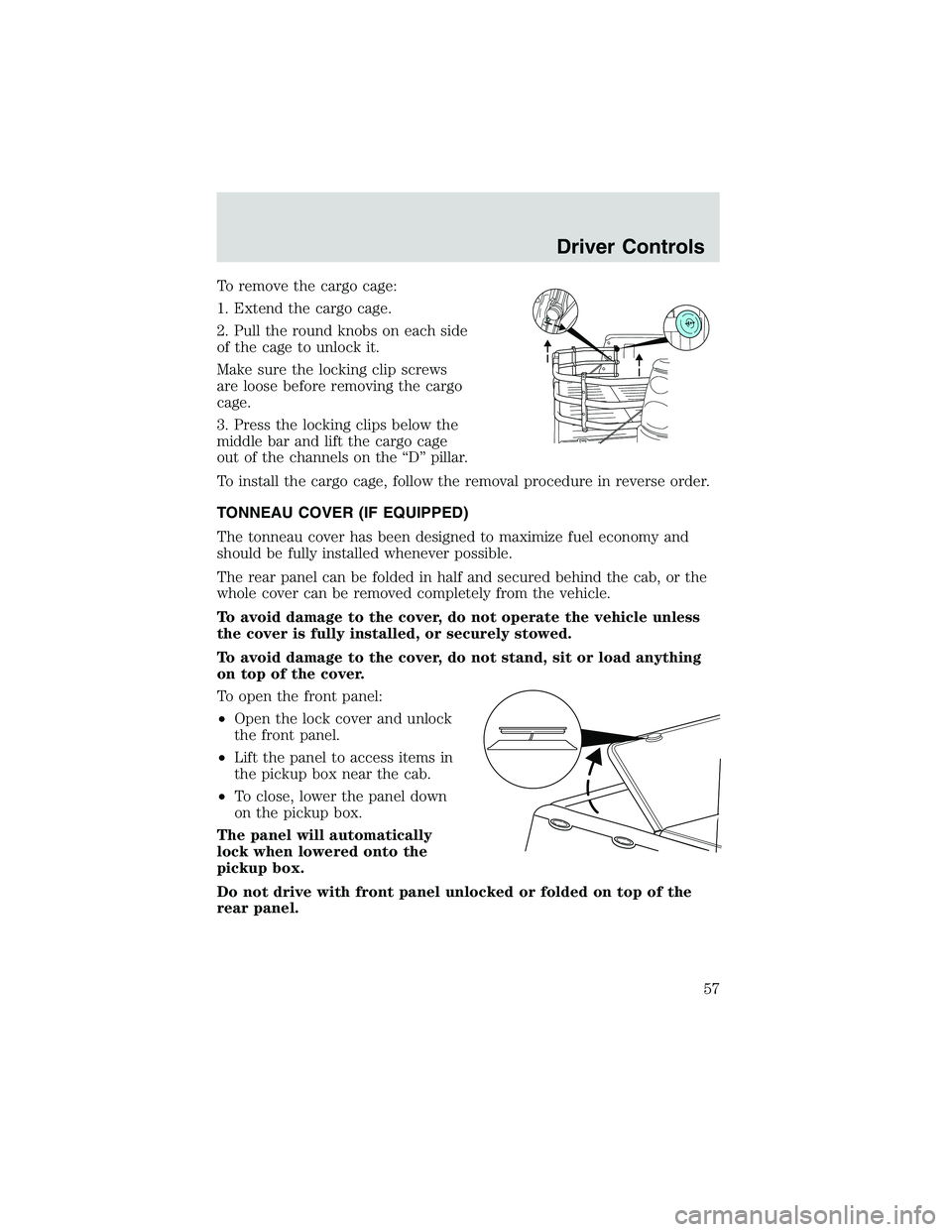
To remove the cargo cage:
1. Extend the cargo cage.
2. Pull the round knobs on each side
of the cage to unlock it.
Make sure the locking clip screws
are loose before removing the cargo
cage.
3. Press the locking clips below the
middle bar and lift the cargo cage
out of the channels on the“D”pillar.
To install the cargo cage, follow the removal procedure in reverse order.
TONNEAU COVER (IF EQUIPPED)
The tonneau cover has been designed to maximize fuel economy and
should be fully installed whenever possible.
The rear panel can be folded in half and secured behind the cab, or the
whole cover can be removed completely from the vehicle.
To avoid damage to the cover, do not operate the vehicle unless
the cover is fully installed, or securely stowed.
To avoid damage to the cover, do not stand, sit or load anything
on top of the cover.
To open the front panel:
•Open the lock cover and unlock
the front panel.
•Lift the panel to access items in
the pickup box near the cab.
•To close, lower the panel down
on the pickup box.
The panel will automatically
lock when lowered onto the
pickup box.
Do not drive with front panel unlocked or folded on top of the
rear panel.
Driver Controls
57
Page 58 of 200
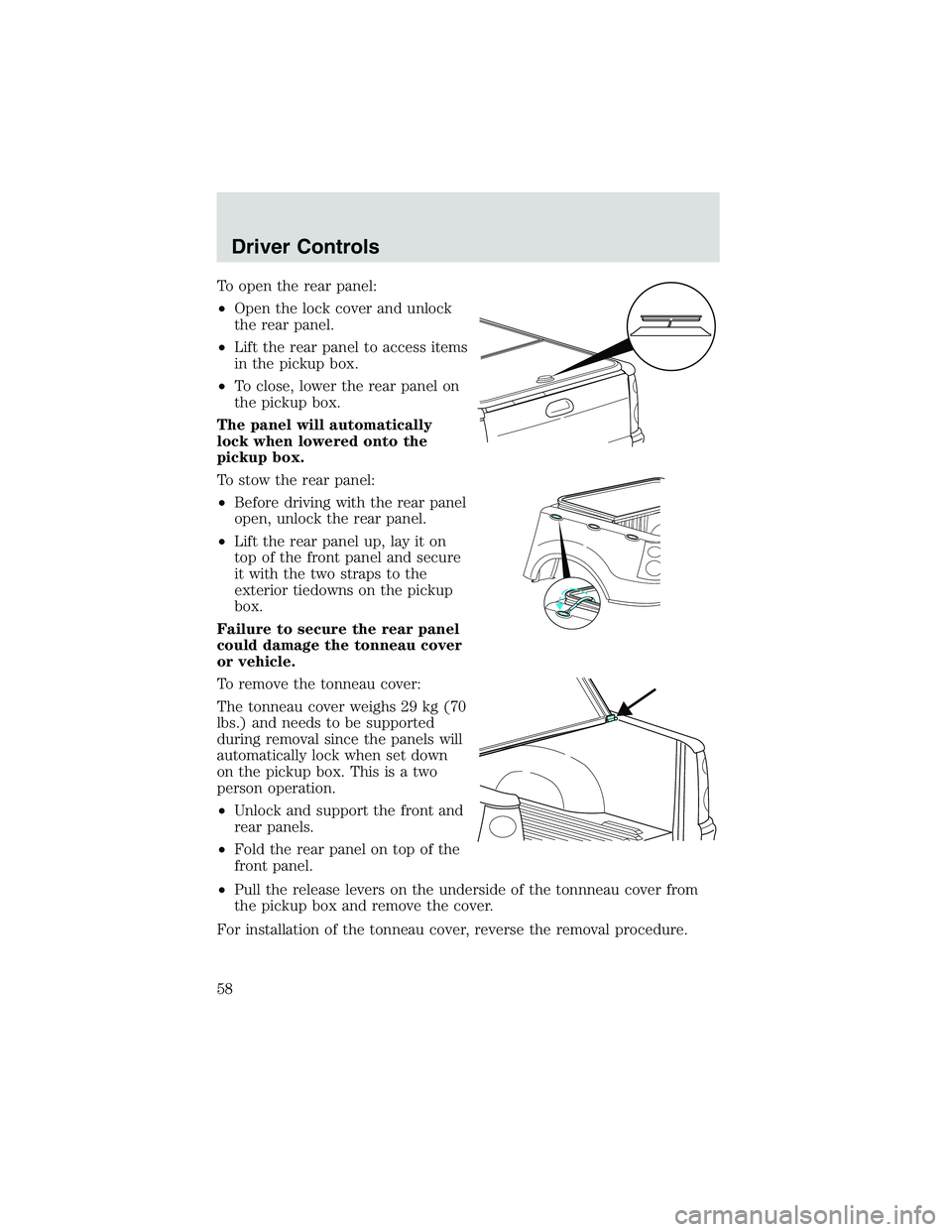
To open the rear panel:
•Open the lock cover and unlock
the rear panel.
•Lift the rear panel to access items
in the pickup box.
•To close, lower the rear panel on
the pickup box.
The panel will automatically
lock when lowered onto the
pickup box.
To stow the rear panel:
•Before driving with the rear panel
open, unlock the rear panel.
•Lift the rear panel up, lay it on
top of the front panel and secure
it with the two straps to the
exterior tiedowns on the pickup
box.
Failure to secure the rear panel
could damage the tonneau cover
or vehicle.
To remove the tonneau cover:
The tonneau cover weighs 29 kg (70
lbs.) and needs to be supported
during removal since the panels will
automatically lock when set down
on the pickup box. This is a two
person operation.
•Unlock and support the front and
rear panels.
•Fold the rear panel on top of the
front panel.
•Pull the release levers on the underside of the tonnneau cover from
the pickup box and remove the cover.
For installation of the tonneau cover, reverse the removal procedure.
Driver Controls
58