lock FORD EXPLORER SPORT TRAC 2008 Owner's Manual
[x] Cancel search | Manufacturer: FORD, Model Year: 2008, Model line: EXPLORER SPORT TRAC, Model: FORD EXPLORER SPORT TRAC 2008Pages: 368, PDF Size: 3.27 MB
Page 117 of 368
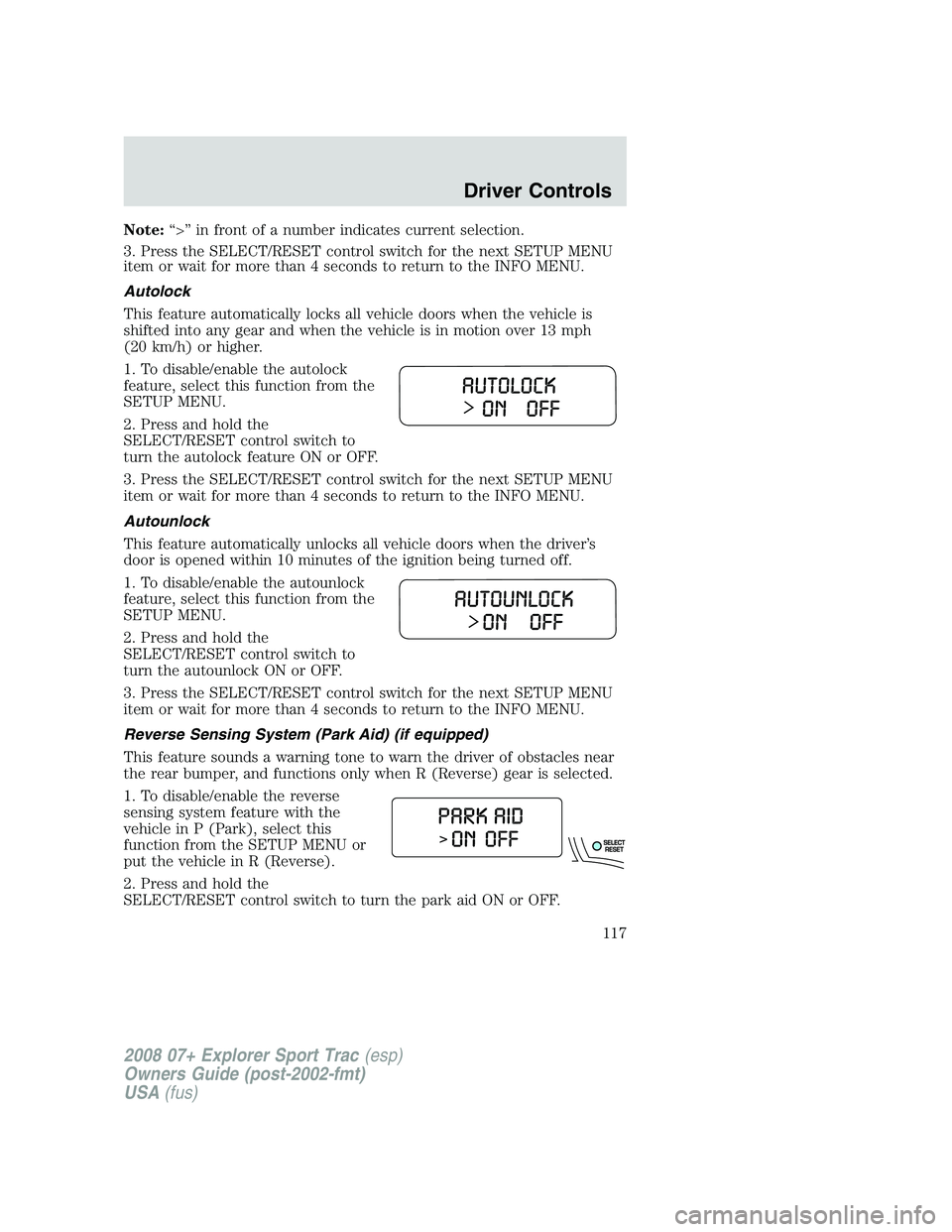
Note:“>” in front of a number indicates current selection.
3. Press the SELECT/RESET control switch for the next SETUP MENU
item or wait for more than 4 seconds to return to the INFO MENU.
Autolock
This feature automatically locks all vehicle doors when the vehicle is
shifted into any gear and when the vehicle is in motion over 13 mph
(20 km/h) or higher.
1. To disable/enable the autolock
feature, select this function from the
SETUP MENU.
2. Press and hold the
SELECT/RESET control switch to
turn the autolock feature ON or OFF.
3. Press the SELECT/RESET control switch for the next SETUP MENU
item or wait for more than 4 seconds to return to the INFO MENU.
Autounlock
This feature automatically unlocks all vehicle doors when the driver’s
door is opened within 10 minutes of the ignition being turned off.
1. To disable/enable the autounlock
feature, select this function from the
SETUP MENU.
2. Press and hold the
SELECT/RESET control switch to
turn the autounlock ON or OFF.
3. Press the SELECT/RESET control switch for the next SETUP MENU
item or wait for more than 4 seconds to return to the INFO MENU.
Reverse Sensing System (Park Aid) (if equipped)
This feature sounds a warning tone to warn the driver of obstacles near
the rear bumper, and functions only when R (Reverse) gear is selected.
1. To disable/enable the reverse
sensing system feature with the
vehicle in P (Park), select this
function from the SETUP MENU or
put the vehicle in R (Reverse).
2. Press and hold the
SELECT/RESET control switch to turn the park aid ON or OFF.
2008 07+ Explorer Sport Trac(esp)
Owners Guide (post-2002-fmt)
USA(fus)
Driver Controls
117
Page 127 of 368
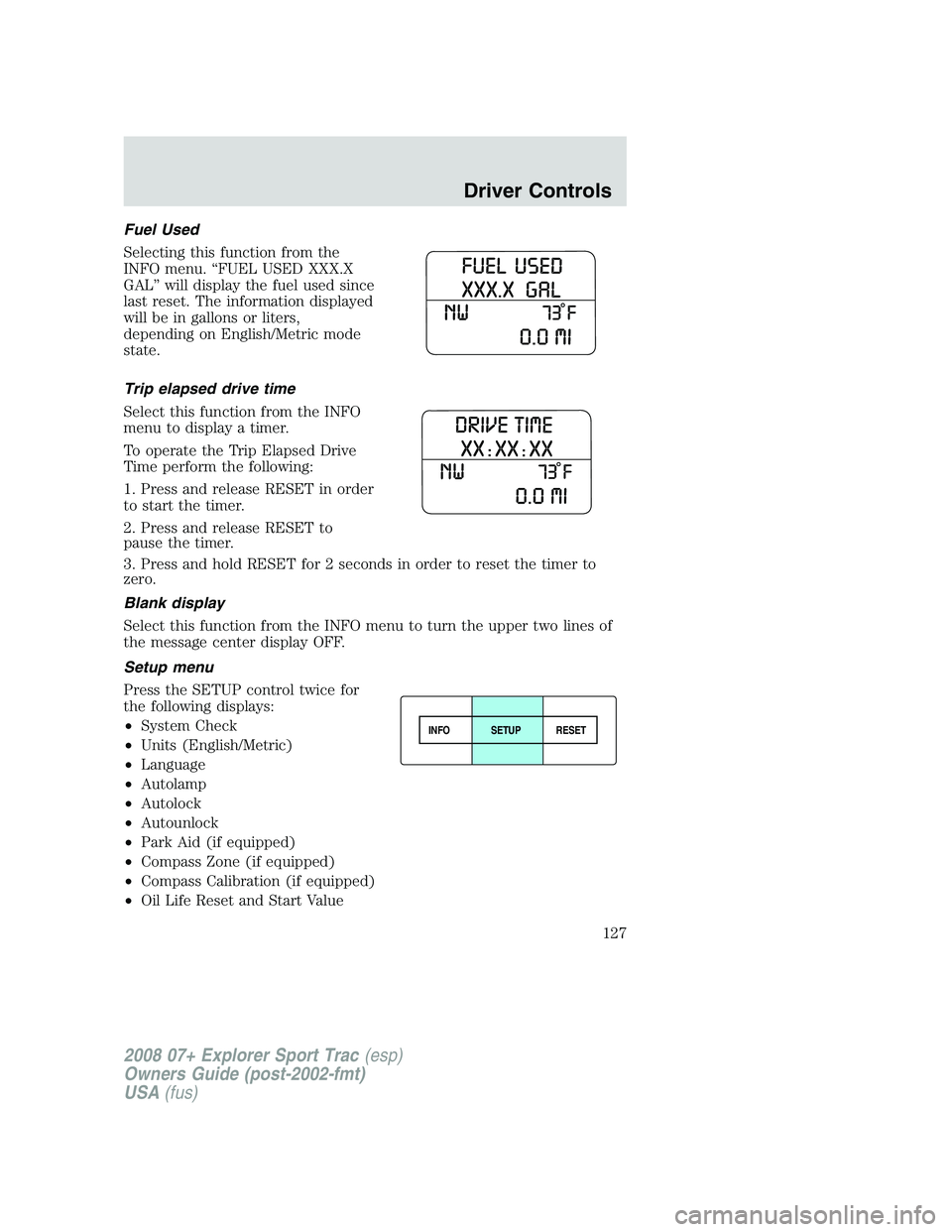
Fuel Used
Selecting this function from the
INFO menu. “FUEL USED XXX.X
GAL” will display the fuel used since
last reset. The information displayed
will be in gallons or liters,
depending on English/Metric mode
state.
Trip elapsed drive time
Select this function from the INFO
menu to display a timer.
To operate the Trip Elapsed Drive
Time perform the following:
1. Press and release RESET in order
to start the timer.
2. Press and release RESET to
pause the timer.
3. Press and hold RESET for 2 seconds in order to reset the timer to
zero.
Blank display
Select this function from the INFO menu to turn the upper two lines of
the message center display OFF.
Setup menu
Press the SETUP control twice for
the following displays:
•System Check
•Units (English/Metric)
•Language
•Autolamp
•Autolock
•Autounlock
•Park Aid (if equipped)
•Compass Zone (if equipped)
•Compass Calibration (if equipped)
•Oil Life Reset and Start Value
INFOSETUP
RESET
2008 07+ Explorer Sport Trac(esp)
Owners Guide (post-2002-fmt)
USA(fus)
Driver Controls
127
Page 129 of 368
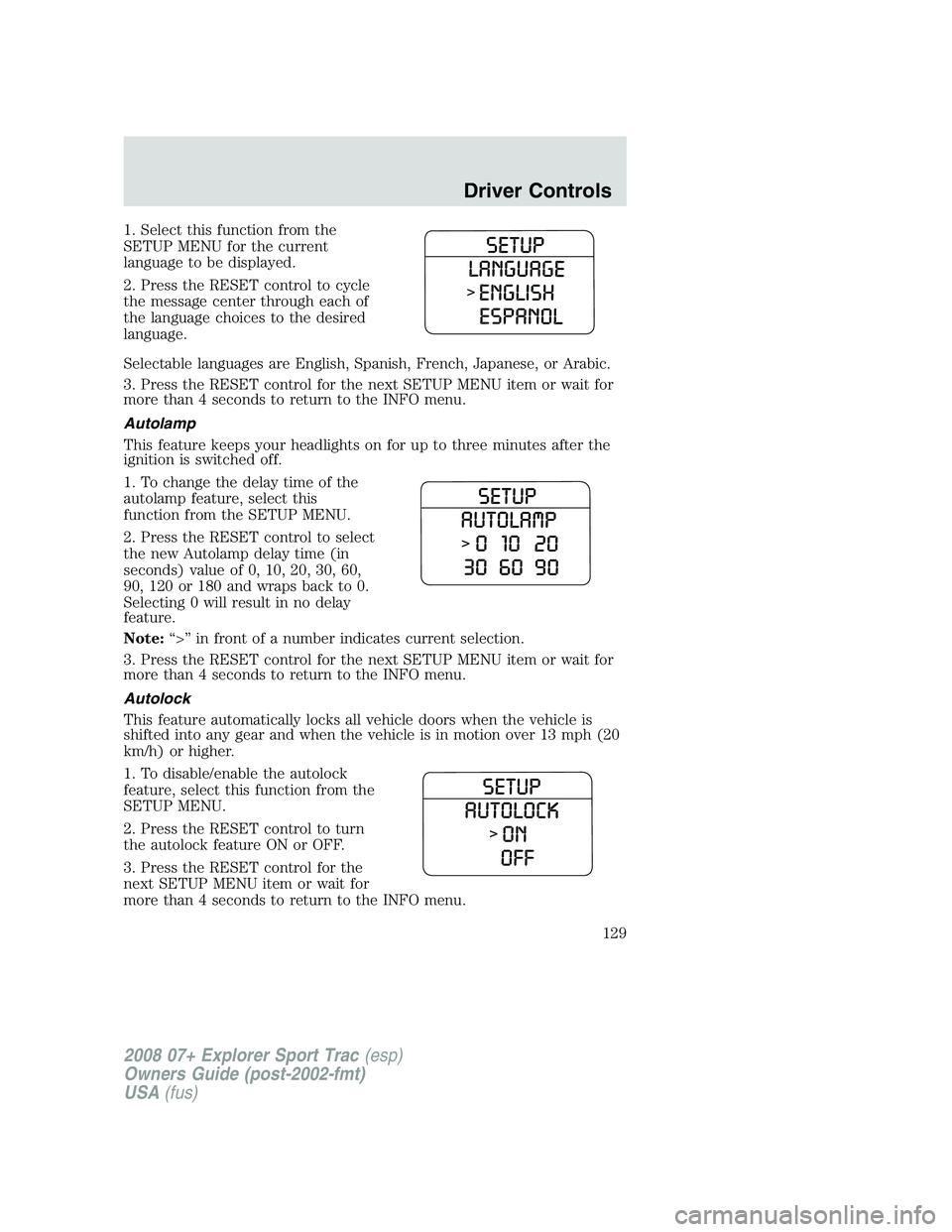
1. Select this function from the
SETUP MENU for the current
language to be displayed.
2. Press the RESET control to cycle
the message center through each of
the language choices to the desired
language.
Selectable languages are English, Spanish, French, Japanese, or Arabic.
3. Press the RESET control for the next SETUP MENU item or wait for
more than 4 seconds to return to the INFO menu.
Autolamp
This feature keeps your headlights on for up to three minutes after the
ignition is switched off.
1. To change the delay time of the
autolamp feature, select this
function from the SETUP MENU.
2. Press the RESET control to select
the new Autolamp delay time (in
seconds) value of 0, 10, 20, 30, 60,
90, 120 or 180 and wraps back to 0.
Selecting 0 will result in no delay
feature.
Note:“>” in front of a number indicates current selection.
3. Press the RESET control for the next SETUP MENU item or wait for
more than 4 seconds to return to the INFO menu.
Autolock
This feature automatically locks all vehicle doors when the vehicle is
shifted into any gear and when the vehicle is in motion over 13 mph (20
km/h) or higher.
1. To disable/enable the autolock
feature, select this function from the
SETUP MENU.
2. Press the RESET control to turn
the autolock feature ON or OFF.
3. Press the RESET control for the
next SETUP MENU item or wait for
more than 4 seconds to return to the INFO menu.
2008 07+ Explorer Sport Trac(esp)
Owners Guide (post-2002-fmt)
USA(fus)
Driver Controls
129
Page 130 of 368
Autounlock
This feature automatically unlocks all vehicle doors when the driver’s
door is opened within 10 minutes of the ignition being turned off.
1. To disable/enable the autounlock
feature, select this function from the
SETUP MENU.
2. Press the RESET control to turn
the autounlock ON or OFF.
3. Press the RESET control for the
next SETUP MENU item or wait for
more than 4 seconds to return to
the INFO menu.
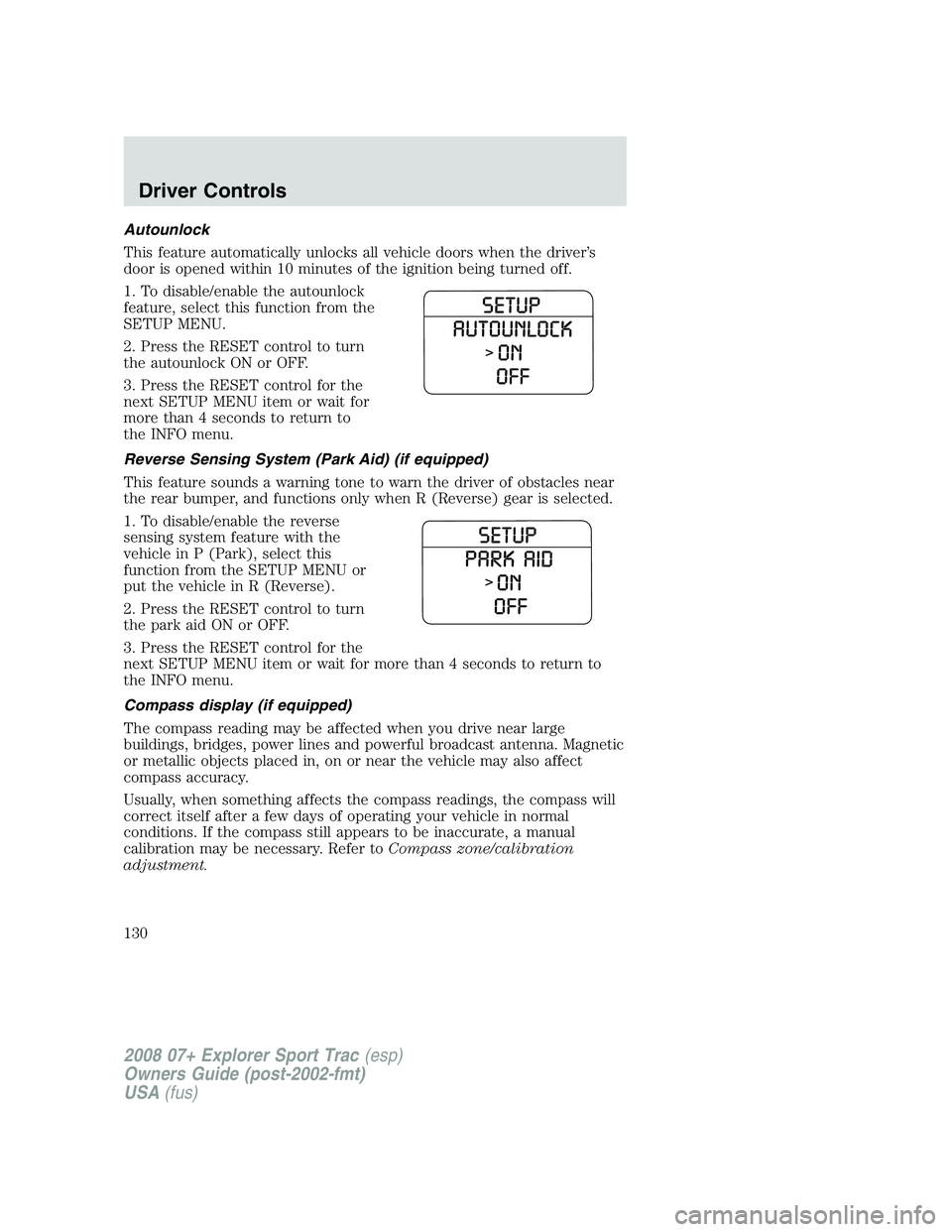
Reverse Sensing System (Park Aid) (if equipped)
This feature sounds a warning tone to warn the driver of obstacles near
the rear bumper, and functions only when R (Reverse) gear is selected.
1. To disable/enable the reverse
sensing system feature with the
vehicle in P (Park), select this
function from the SETUP MENU or
put the vehicle in R (Reverse).
2. Press the RESET control to turn
the park aid ON or OFF.
3. Press the RESET control for the
next SETUP MENU item or wait for more than 4 seconds to return to
the INFO menu.
Compass display (if equipped)
The compass reading may be affected when you drive near large
buildings, bridges, power lines and powerful broadcast antenna. Magnetic
or metallic objects placed in, on or near the vehicle may also affect
compass accuracy.
Usually, when something affects the compass readings, the compass will
correct itself after a few days of operating your vehicle in normal
conditions. If the compass still appears to be inaccurate, a manual
calibration may be necessary. Refer toCompass zone/calibration
adjustment.
2008 07+ Explorer Sport Trac(esp)
Owners Guide (post-2002-fmt)
USA(fus)
Driver Controls
130
Page 137 of 368
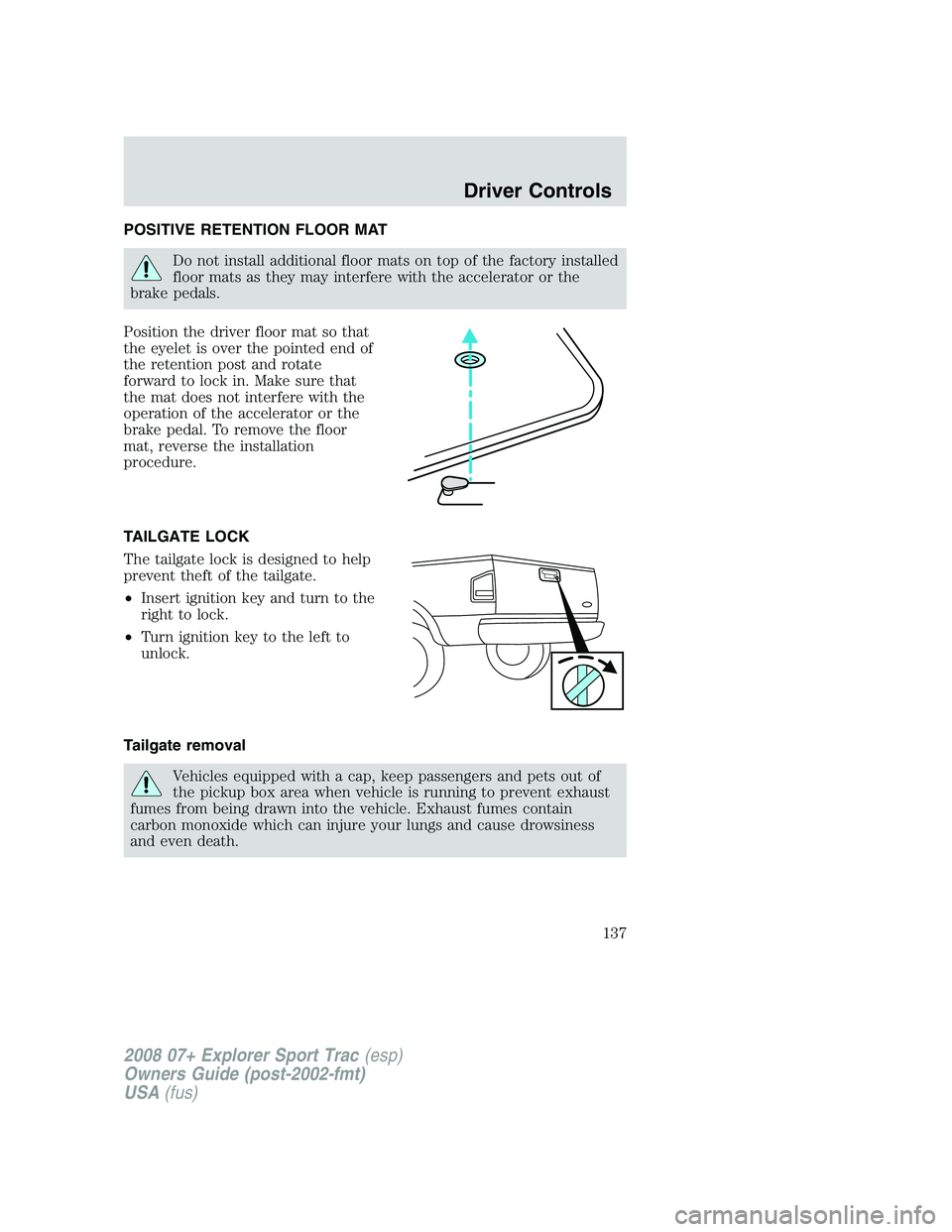
POSITIVE RETENTION FLOOR MAT
Do not install additional floor mats on top of the factory installed
floor mats as they may interfere with the accelerator or the
brake pedals.
Position the driver floor mat so that
the eyelet is over the pointed end of
the retention post and rotate
forward to lock in. Make sure that
the mat does not interfere with the
operation of the accelerator or the
brake pedal. To remove the floor
mat, reverse the installation
procedure.
TAILGATE LOCK
The tailgate lock is designed to help
prevent theft of the tailgate.
•Insert ignition key and turn to the
right to lock.
•Turn ignition key to the left to
unlock.
Tailgate removal
Vehicles equipped with a cap, keep passengers and pets out of
the pickup box area when vehicle is running to prevent exhaust
fumes from being drawn into the vehicle. Exhaust fumes contain
carbon monoxide which can injure your lungs and cause drowsiness
and even death.
2008 07+ Explorer Sport Trac(esp)
Owners Guide (post-2002-fmt)
USA(fus)
Driver Controls
137
Page 139 of 368
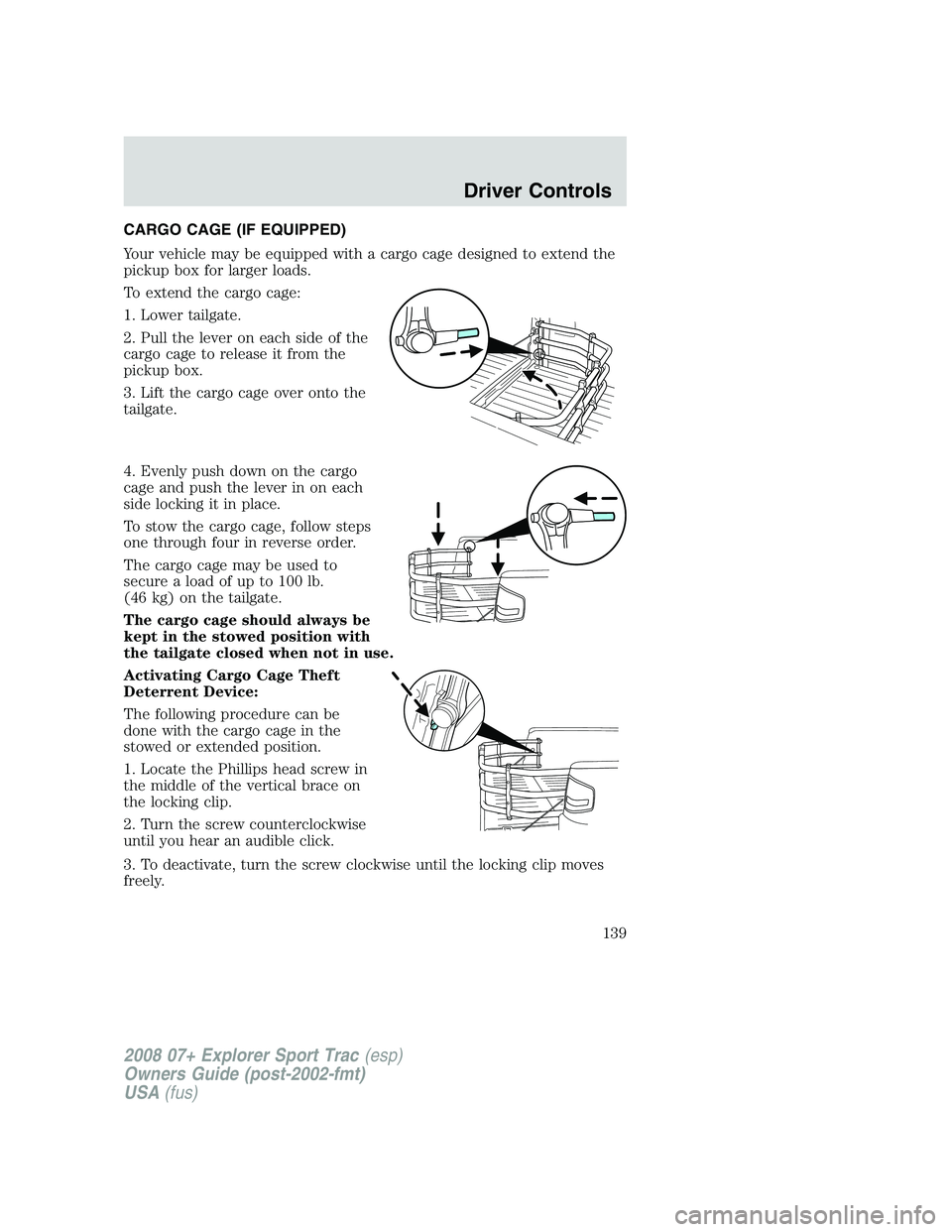
CARGO CAGE (IF EQUIPPED)
Your vehicle may be equipped with a cargo cage designed to extend the
pickup box for larger loads.
To extend the cargo cage:
1. Lower tailgate.
2. Pull the lever on each side of the
cargo cage to release it from the
pickup box.
3. Lift the cargo cage over onto the
tailgate.
4. Evenly push down on the cargo
cage and push the lever in on each
side locking it in place.
To stow the cargo cage, follow steps
one through four in reverse order.
The cargo cage may be used to
secure a load of up to 100 lb.
(46 kg) on the tailgate.
The cargo cage should always be
kept in the stowed position with
the tailgate closed when not in use.
Activating Cargo Cage Theft
Deterrent Device:
The following procedure can be
done with the cargo cage in the
stowed or extended position.
1. Locate the Phillips head screw in
the middle of the vertical brace on
the locking clip.
2. Turn the screw counterclockwise
until you hear an audible click.
3. To deactivate, turn the screw clockwise until the locking clip moves
freely.
2008 07+ Explorer Sport Trac(esp)
Owners Guide (post-2002-fmt)
USA(fus)
Driver Controls
139
Page 140 of 368
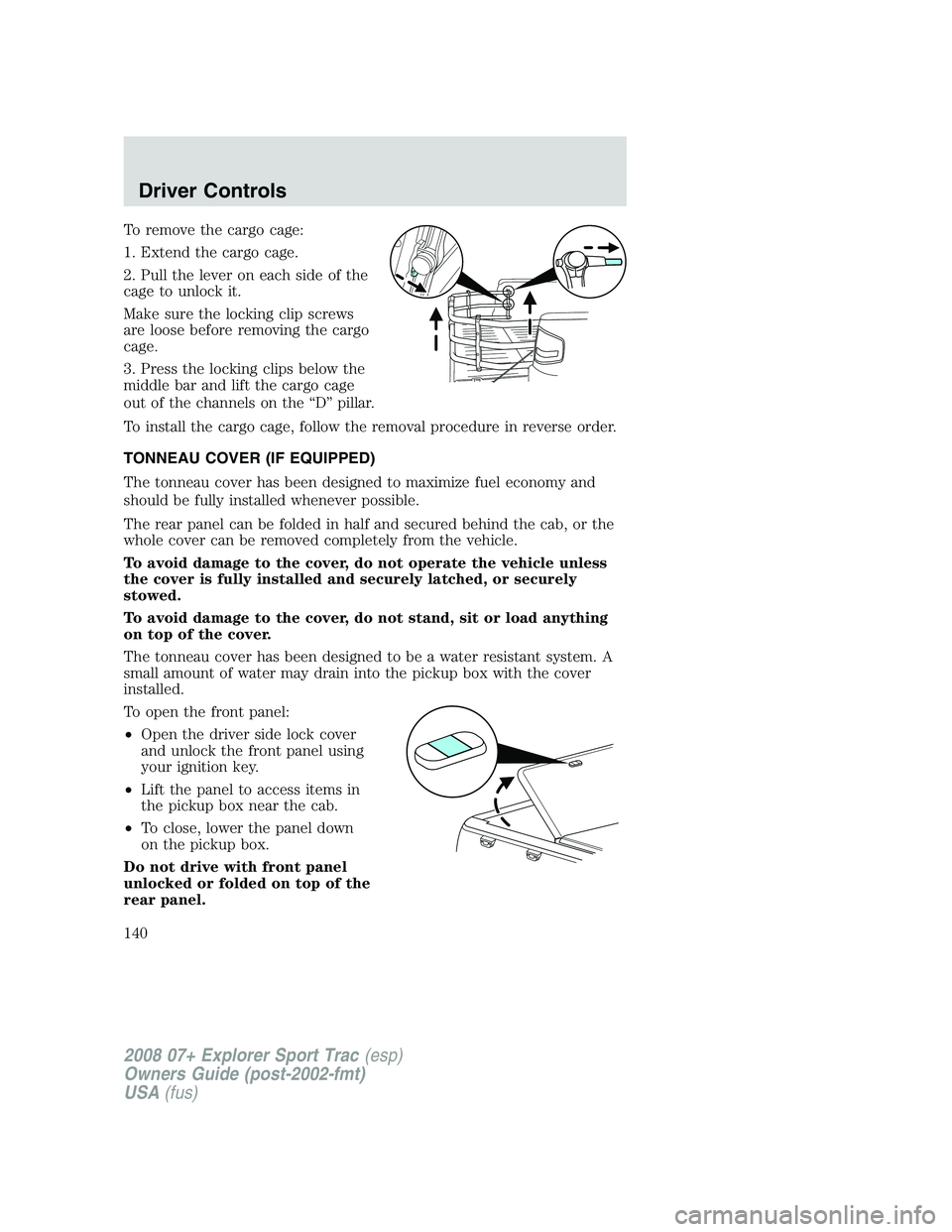
To remove the cargo cage:
1. Extend the cargo cage.
2. Pull the lever on each side of the
cage to unlock it.
Make sure the locking clip screws
are loose before removing the cargo
cage.
3. Press the locking clips below the
middle bar and lift the cargo cage
out of the channels on the “D” pillar.
To install the cargo cage, follow the removal procedure in reverse order.
TONNEAU COVER (IF EQUIPPED)
The tonneau cover has been designed to maximize fuel economy and
should be fully installed whenever possible.
The rear panel can be folded in half and secured behind the cab, or the
whole cover can be removed completely from the vehicle.
To avoid damage to the cover, do not operate the vehicle unless
the cover is fully installed and securely latched, or securely
stowed.
To avoid damage to the cover, do not stand, sit or load anything
on top of the cover.
The tonneau cover has been designed to be a water resistant system. A
small amount of water may drain into the pickup box with the cover
installed.
To open the front panel:
•Open the driver side lock cover
and unlock the front panel using
your ignition key.
•Lift the panel to access items in
the pickup box near the cab.
•To close, lower the panel down
on the pickup box.
Do not drive with front panel
unlocked or folded on top of the
rear panel.
2008 07+ Explorer Sport Trac(esp)
Owners Guide (post-2002-fmt)
USA(fus)
Driver Controls
140
Page 141 of 368
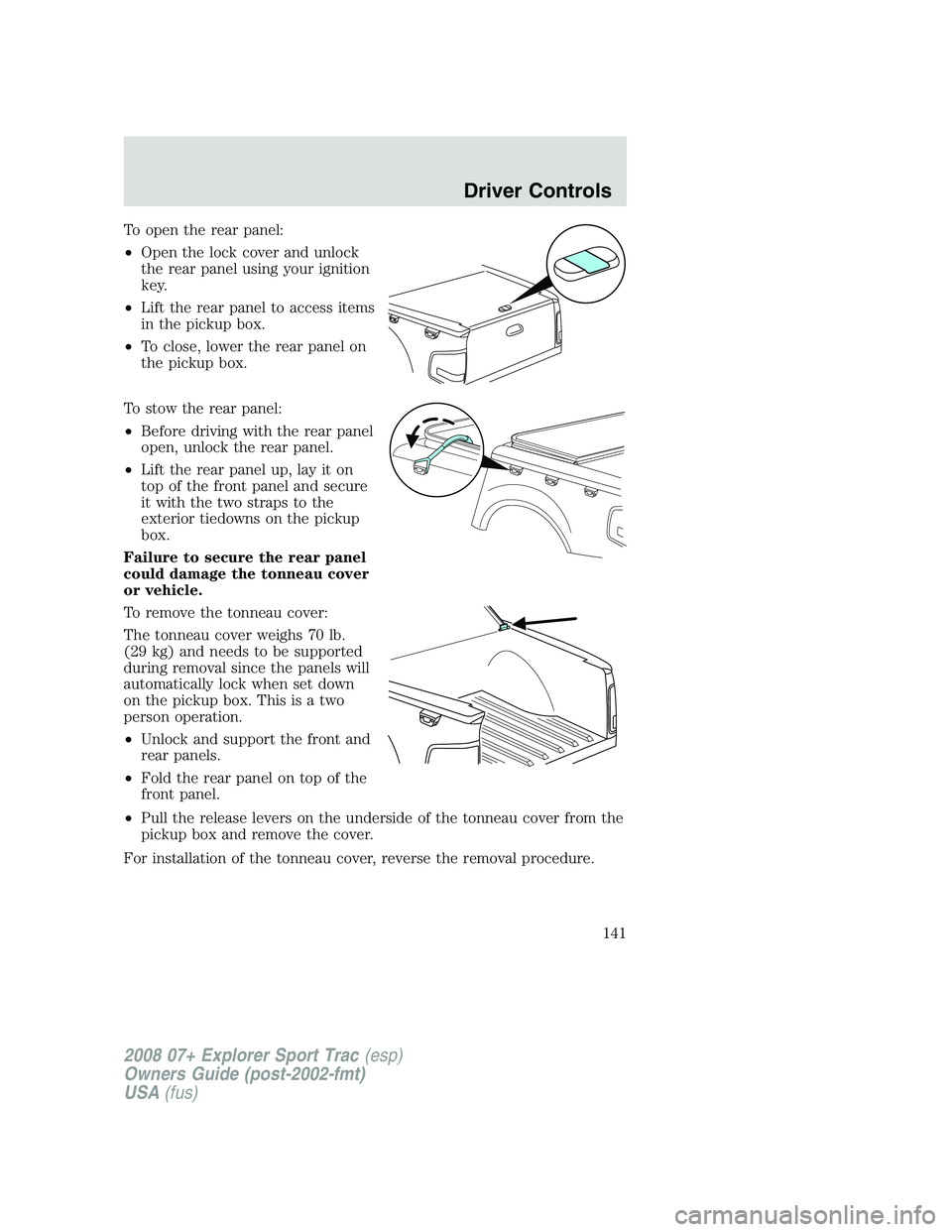
To open the rear panel:
•Open the lock cover and unlock
the rear panel using your ignition
key.
•Lift the rear panel to access items
in the pickup box.
•To close, lower the rear panel on
the pickup box.
To stow the rear panel:
•Before driving with the rear panel
open, unlock the rear panel.
•Lift the rear panel up, lay it on
top of the front panel and secure
it with the two straps to the
exterior tiedowns on the pickup
box.
Failure to secure the rear panel
could damage the tonneau cover
or vehicle.
To remove the tonneau cover:
The tonneau cover weighs 70 lb.
(29 kg) and needs to be supported
during removal since the panels will
automatically lock when set down
on the pickup box. This is a two
person operation.
•Unlock and support the front and
rear panels.
•Fold the rear panel on top of the
front panel.
•Pull the release levers on the underside of the tonneau cover from the
pickup box and remove the cover.
For installation of the tonneau cover, reverse the removal procedure.
2008 07+ Explorer Sport Trac(esp)
Owners Guide (post-2002-fmt)
USA(fus)
Driver Controls
141
Page 142 of 368
Interior tonneau cover release
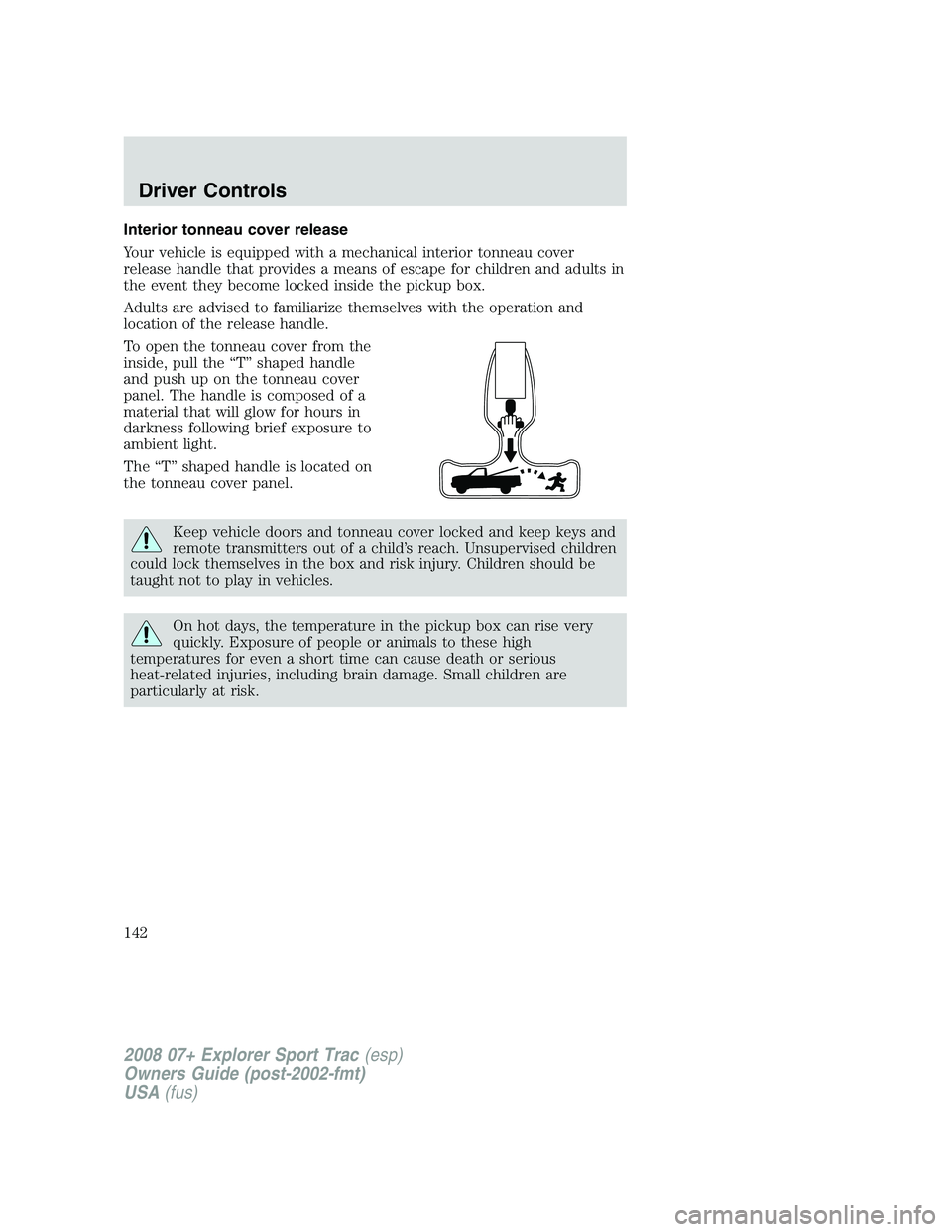
Your vehicle is equipped with a mechanical interior tonneau cover
release handle that provides a means of escape for children and adults in
the event they become locked inside the pickup box.
Adults are advised to familiarize themselves with the operation and
location of the release handle.
To open the tonneau cover from the
inside, pull the “T” shaped handle
and push up on the tonneau cover
panel. The handle is composed of a
material that will glow for hours in
darkness following brief exposure to
ambient light.
The “T” shaped handle is located on
the tonneau cover panel.
Keep vehicle doors and tonneau cover locked and keep keys and
remote transmitters out of a child’s reach. Unsupervised children
could lock themselves in the box and risk injury. Children should be
taught not to play in vehicles.
On hot days, the temperature in the pickup box can rise very
quickly. Exposure of people or animals to these high
temperatures for even a short time can cause death or serious
heat-related injuries, including brain damage. Small children are
particularly at risk.
2008 07+ Explorer Sport Trac(esp)
Owners Guide (post-2002-fmt)
USA(fus)
Driver Controls
142
Page 143 of 368
CARGO AREA FEATURES
Cargo management system
Vehicles equipped with a cap, keep passengers and pets out of
the pickup box area when vehicle is running to prevent exhaust
fumes from being drawn into the vehicle. Exhaust fumes contain
carbon monoxide which can injure your lungs and cause drowsiness
and even death.
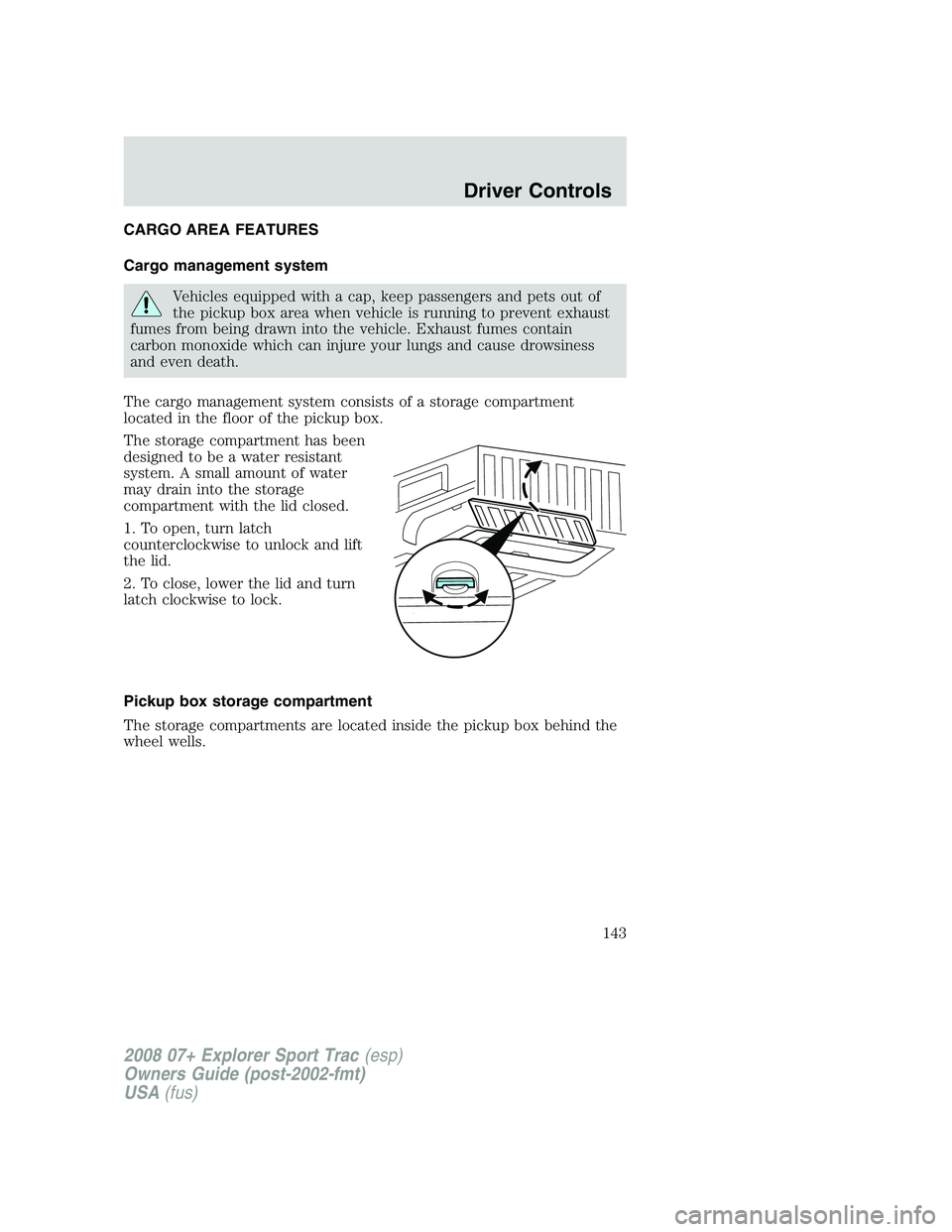
The cargo management system consists of a storage compartment
located in the floor of the pickup box.
The storage compartment has been
designed to be a water resistant
system. A small amount of water
may drain into the storage
compartment with the lid closed.
1. To open, turn latch
counterclockwise to unlock and lift
the lid.
2. To close, lower the lid and turn
latch clockwise to lock.
Pickup box storage compartment
The storage compartments are located inside the pickup box behind the
wheel wells.
2008 07+ Explorer Sport Trac(esp)
Owners Guide (post-2002-fmt)
USA(fus)
Driver Controls
143